Inventory is one of the most valuable and vulnerable assets in any retail or foodservice business. From stock miscounts to expired goods and theft, shrink can quietly chip away at profits. And with tighter regulations and growing customer expectations, traceability and compliance are more important than ever.
That’s where smart inventory labeling makes a real difference.
Inventory labels don’t just keep shelves organized. They’re the foundation for traceability, food safety, regulatory compliance, and operational control. With the right labeling system in place, businesses can track every item, meet inspection requirements, and reduce waste across the board.
Why Traceability and Compliance Matter More Than Ever
Today’s restaurants, QSRs, and retailers are under growing pressure to track every product through its full lifecycle. Whether it’s a local health inspection or a national recall, regulators expect clear labeling, real-time tracking, and accurate records.
Without proper labeling, operators risk:
- Product misidentification and stock confusion
- Poor FIFO (first in, first out) rotation
- Delays during recalls or health inspections
- Missed expiration dates leading to spoilage
- Lost items or manual tracking errors
- Increased shrink from theft or disorganization
- Fines or violations due to noncompliance
The solution? Smarter inventory labels and reliable hardware that make printing those labels easy.

Types of Labels That Improve Inventory Control
Not all labels are created equal. Here are some of the most impactful types of inventory labels that help reduce shrink and support compliance:
>Inventory Labels
Used to tag incoming products, backroom stock, or bulk ingredients with SKUs, storage instructions, or shelf life details. These labels make stock easy to locate and manage from receiving to removal.
>Traceability Labels
Include supplier info, batch numbers, and lot codes. Essential for tracking high-risk or perishable items through the supply chain and required documentation in case of a recall or audit.
>Barcode Labels
Enable fast, accurate scanning for receiving, transfers, and counts. Barcode inventory labels eliminate manual entry errors and ensure that digital systems reflect physical stock.
>Rotation & Expiration Labels
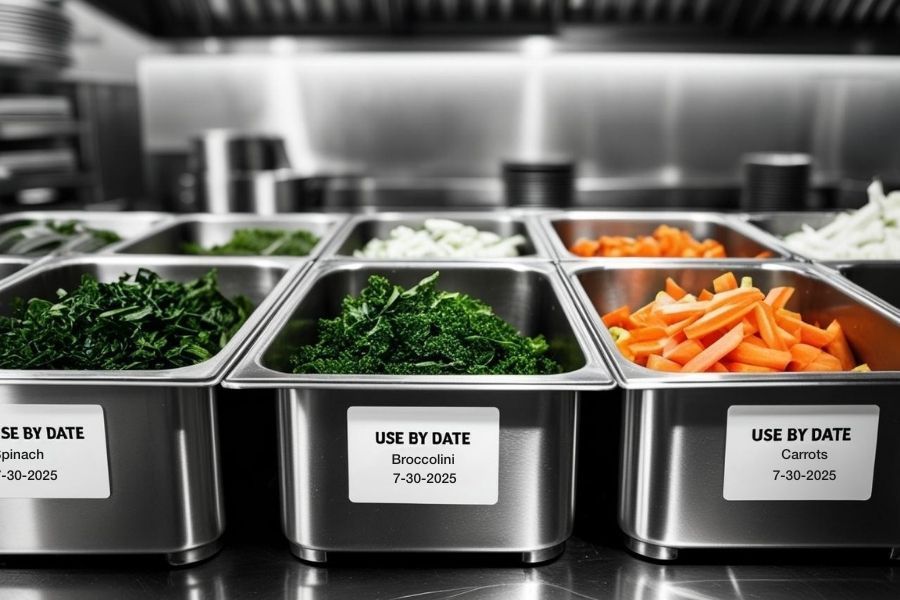
Support FIFO systems and help staff use the oldest items first. These labels often include prep dates, expiration times, or storage instructions, reducing spoilage and keeping inventory compliant with health regulations.
How Inventory Labels Reduce Shrink
Shrink often occurs because of inconsistent labeling, poor visibility, or reliance on manual tracking.
Imagine a hectic kitchen during the lunch rush: staff members are reaching for ingredients, prepping items, and trying to move quickly, only to discover two opened containers of the same product, both unlabeled, one of which may be expired. Or, picture a back stock area where boxes are marked by hand, and no one’s quite sure when each arrived or how much is left.

These moments may seem minor, but they add up to lost product, potential health risks, and unnecessary waste.
Inventory labels directly address these challenges by:
- Improving shelf visibility and product identification
- Supporting better rotation with expiration labeling
- Speeding up audits, receiving, and restocking
- Helping prevent overordering, underordering, or missed use-by dates
- Creating accountability and traceable paper trails
- Ensuring compliance with food safety and storage regulations
In foodservice especially, date-based inventory labels play a critical role in meeting health code requirements and reducing the risk of contamination, spoilage, or noncompliance penalties.
Inventory Labeling Tools from Star Micronics
Star Micronics provides flexible, compact, and high-performance labeling solutions to support smarter inventory workflows in any environment—from retail stockrooms to restaurant kitchens.
> All-in-One Labeling: Star’s mC-Label series of multifunction printers handle die-cut, linerless, and continuous labels (receipts, too), making them ideal for receiving, prep, storage, and inventory tracking. With One Touch Label, you can store up to three static label designs directly on the printers and print them instantly using the multifunction button. No internet needed!
> Compact, Flexible Designs: These space-saving printers install easily at any workstation. One model supports multiple labeling applications, reducing hardware SKUs and simplifying training and support.

mC-Label3 Multifunction Printer
The Star Micronics mC-Label3 is a versatile multimedia printer that prints a wide range of labels and receipts, including both permanent and repositionable sticky linerless. It features cloud connectivity and innovative technologies like SteadyLAN and TetherLAN for enhanced printing convenience.
mC-Label2 Multifunction Printer
The mC-Label2 packs powerful features into a compact, front-loading design, including 300 dpi resolution, support for linerless, die-cut, receipt, and continuous media, and connectivity options like USB-C, LAN, WLAN, Bluetooth, and Apple MFi-certified pairing (X4 models only).

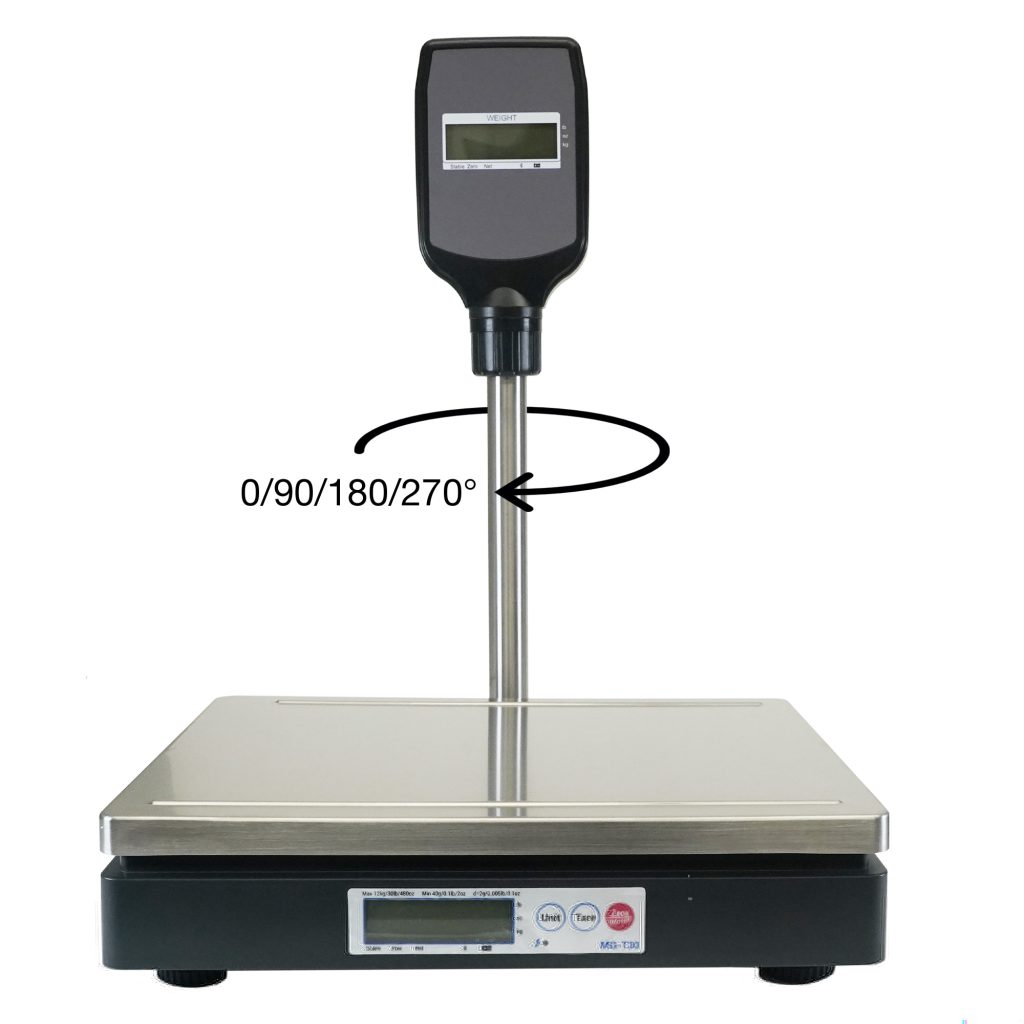
> Scales for Accuracy: Pair Star printers with mG-T series POS scales for accurate weight-based labeling. Ideal for portioning, serving size tracking, and receiving by weight.
mG-TUDB Scales
Designed for precision and versatility, the mG-TUDB scales are a perfect fit for grocery self-checkout stations, produce sections and bulk item sales. With trade-legal certification for the U.S. and Canada, these scales offer Class III accuracy and seamless connectivity via Bluetooth, serial, or USB-C. Their large platter and optional pole display accessory ensure effortless setup with your POS system, making them ideal for a wide range of applications, from delis to farmer’s markets.
> Software Compatibility: Star printers work with modern cloud-based and legacy inventory systems via USB, Bluetooth, Ethernet, Wi-Fi, CloudPRNT Next, and fully-managed cloud printing with StarIO.Online. Easy to integrate, easy to scale.
Inventory Labels: The Bottom Line
Inventory shrink may feel like an unavoidable cost, but with the right inventory labels and strategy, it’s entirely manageable. Whether you’re dodging spoilage, staying on top of compliance, or just trying to make it through the lunch rush without losing your mind, smart labeling gives you one less thing to stress about.
The Smart QSR Delivery Playbook: Labeling, Accuracy & Efficiency Done Right
Learn how leading QSRs are using smart labeling and scalable POS technology to reduce errors, cut costs, and deliver a better guest experience.
Leave a Reply