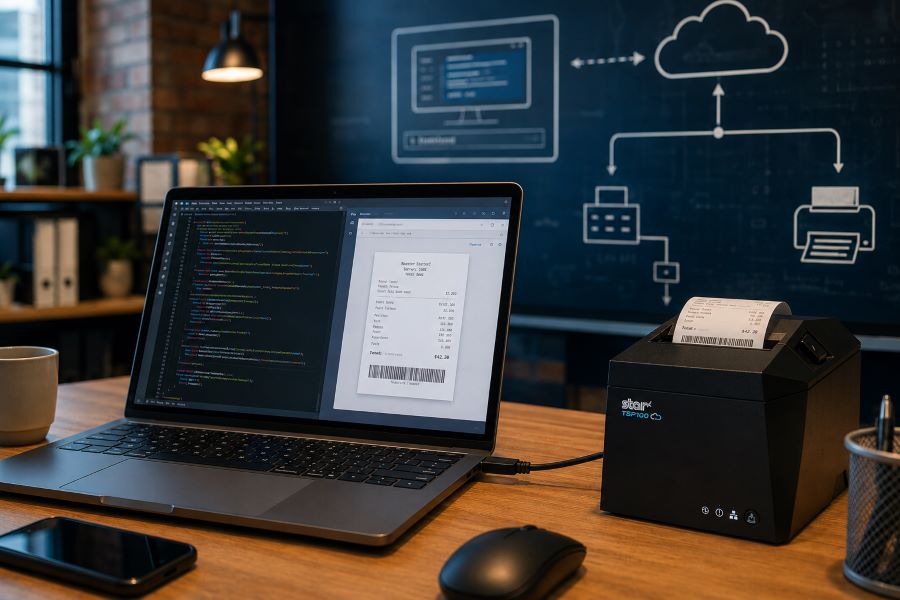
Tag: How-To/Best Practices

  • WebPRNT vs StarXpand SDK for Web: Choosing the Right Browser-Based Receipt Printing Solution

    WebPRNT vs StarXpand SDK for Web: Choosing the Right Browser-Based Receipt Printing Solution

    Browser-based receipt printing has become a core part of POS applications across retail, restaurants, kiosks, and self-service environments. As cloud POS platforms and online ordering systems continue to grow, software providers need reliable ways to trigger receipts, labels, and kitchen tickets directly from web applications.

    For years, Star Micronics’ WebPRNT has given developers a practical way to handle local USB printing directly from the browser, without requiring desktop software or additional middleware.

    Today, StarXpand SDK for Web builds on that same browser-to-device model with a more unified SDK for printing and peripheral control, while CloudPRNT supports LAN and cloud-managed printing across distributed environments.

    Understanding where each fits can help ISVs reduce integration complexity and choose the right architecture for long-term growth.

    Table of Contents

    How Browser-Based Receipt Printing Has Changed

    When browser-based POS systems became more common, one of the biggest technical challenges was local printer communication. A web application could manage transactions, but connecting directly to a receipt printer from a browser was often difficult without middleware, desktop applications, or custom local services.

    WebPRNT helped solve this by enabling direct browser-to-printer communication over USB. This made browser-based printing practical for:

    For many ISVs, this reduced deployment friction and simplified local printing workflows. But browser-based printing requirements have expanded.

    Today, many deployments include:

    • Multi-location stores
    • Cloud-managed ordering systems
    • Distributed kitchen printing
    • Shared hardware environments
    • Remote print routing

    That shift changes how printers need to communicate. Some environments still depend on local USB printing. Others now require printers to communicate over LAN or directly with cloud services.

    That distinction is what separates WebPRNT, StarXpand SDK for Web, and CloudPRNT.

    What Is WebPRNT?

    WebPRNT is Star’s browser-based printing technology designed specifically for browser-based receipt printing over direct USB connections. It allows web applications to send print jobs directly to supported Star printers without requiring a native application layer.

    For developers, this makes WebPRNT useful when:

    • The browser runs locally at the print station
    • The printer is physically connected by USB
    • Printing requirements are focused only on output

    Many ISVs still use WebPRNT successfully in established deployments because it remains stable and predictable for local browser printing. For existing integrations that are already working, WebPRNT remains a practical option.

    TSP143IV USB Developer Test

    What Is StarXpand SDK for Web?

    StarXpand SDK for Web is Star’s browser-based SDK for USB-connected printers and supported peripherals. Like WebPRNT, it supports local browser-to-device communication over USB. The difference is in the SDK model.

    Instead of focusing only on print output, StarXpand SDK provides a broader API structure that aligns with Star’s SDK ecosystem across:

    For developers building new browser-based receipt printing workflows, StarXpand SDK for Web provides a broader SDK model that extends beyond print output. This can simplify development when browser applications need to interact with multiple hardware types, not just printers.

    StarXpand SDK for Web supports:

    • Receipt printing
    • Label printing
    • Cash drawer control
    • Barcode scanner integration
    • Peripheral status monitoring

    This makes it useful for browser-based POS environments where printing is only one part of the workflow.

    What Is CloudPRNT?

    CloudPRNT is Star’s cloud printing technology for LAN and Wi-Fi connected printers. Unlike WebPRNT and StarXpand SDK for Web, CloudPRNT does not depend on direct USB communication between the browser and printer. Instead, it allows printers to pull print jobs directly from cloud applications over a network.

    Star supports two CloudPRNT communication methods:

    • HTTP polling, where printers regularly check a cloud server for new print jobs
    • MQTT messaging through CloudPRNT Next, a publish-subscribe protocol that enables faster, more efficient real-time print delivery

    For developers, this provides more flexibility depending on the deployment.

    HTTP-based CloudPRNT remains effective for many existing cloud printing environments, while MQTT-based CloudPRNT Next can reduce latency and improve responsiveness for high-volume or multi-location deployments.

    This makes CloudPRNT useful when:

    • Print jobs originate remotely
    • Multiple locations need centralized print routing
    • Online ordering systems send jobs directly to kitchen printers
    • Low-latency print delivery is important
    • Local devices should not manage printer connections

    For distributed environments, this can reduce local infrastructure requirements and simplify cloud-based receipt printing at scale.
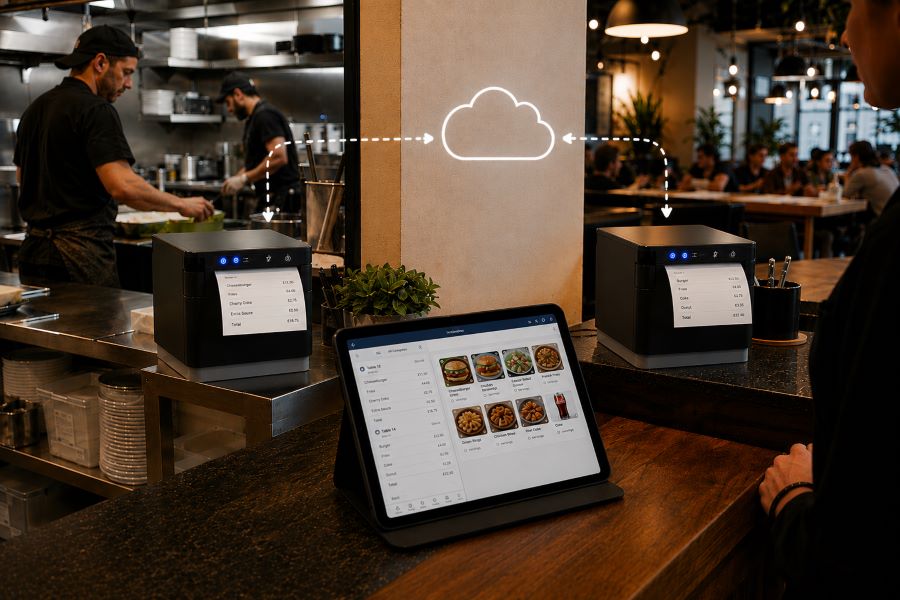
    MC Print3 Cloud POS Restaurant

    Why StarXpand SDK for Web Matters for New Development

    For ISVs building new browser-based POS applications, StarXpand SDK for Web solves a different problem than WebPRNT. It is less about replacing WebPRNT and more about reducing fragmentation between SDKs.

    This matters when development teams need:

    Shared Logic Across Platforms

    If your software runs on browser, tablet, and mobile environments, StarXpand SDK creates more API consistency. This can reduce duplicated hardware logic across teams.

    More Than Print Output

    Many modern POS workflows include:

    • Drawer status checks
    • Scanner-triggered workflows
    • Labeling stations
    • Shared hardware access

    StarXpand SDK can support these through one SDK model.

    Easier Long-Term Maintenance

    Maintaining separate hardware integration layers across web and mobile can increase support costs over time. Using one SDK family can reduce that overhead.

    Migration Considerations for Existing WebPRNT Users

    If you already have a working WebPRNT deployment, there may be no immediate reason to change it.

    WebPRNT remains effective for:

    • Local USB receipt printing
    • Browser-based order ticket printing
    • Fixed workstation POS environments

    Migration becomes more relevant when:

    • Expanding into mobile apps
    • Adding peripheral hardware support
    • Standardizing SDKs across multiple platforms
    • Rebuilding core hardware logic

    For ISVs planning future product updates, this is often the point where StarXpand SDK becomes worth evaluating.

    Key Considerations Before Choosing a Browser Receipt Printing Solution

    Before choosing between WebPRNT, StarXpand SDK for Web, and CloudPRNT, start with the deployment model.

    Where does the print job originate?

    If the print job starts at the local browser and the printer is USB-connected, WebPRNT or StarXpand SDK for Web are often the right fit.

    If the print job originates in the cloud, CloudPRNT is often the better option.

    Is this an existing deployment or new development?

    For existing WebPRNT integrations, staying with the current architecture may be the simplest path.

    For new builds, the StarXpand SDK may offer greater long-term flexibility.

    Do you need to control more than printing?

    If the workflow includes drawers, scanners, or other Star peripherals, StarXpand SDK can simplify communication.

    If printing is the only requirement, WebPRNT may still be sufficient.

    Will this scale across locations?

    If the deployment spans multiple stores, remote kitchens, or distributed print stations, CloudPRNT often provides more flexibility than local USB connections.

    Choosing the right architecture early can reduce future integration changes and simplify deployment support.

    An Independent Software Vendor’s (ISV’s) Guide to Star Printer SDKs

    This guide breaks down Star Micronics’ printer SDKs, APIs, and integration tools to help ISVs choose the right solution for POS systems, cloud printing platforms, and custom software applications.

    Final Thoughts on Browser-Based POS Printing

    Browser-based receipt printing is no longer one-size-fits-all. Some POS environments still rely on direct USB connections at a local workstation. Others now depend on cloud-based routing across multiple locations. That’s why Star offers multiple browser and cloud printing technologies built for different deployment models.

    • WebPRNT remains a proven option for stable local USB printing.
    • StarXpand SDK for Web provides a stronger framework for new browser-based development that needs broader hardware communication.
    • And CloudPRNT remains the best fit for LAN-connected and cloud-managed printing environments.

    For ISVs and developers, the best choice depends less on features and more on architecture: where print jobs originate, how hardware is connected, and how the application will scale over time.

    Interested in browser-based receipt printing with Star?

    Frequently Asked Questions About Browser-Based Receipt Printing

    What is browser-based receipt printing?

    Browser-based receipt printing allows web applications to send print jobs directly to a receipt printer without requiring a traditional desktop application. Depending on the deployment, this can happen through local USB communication or cloud-based network printing.

    When should I use browser-based receipt printing instead of cloud printing?

    Browser-based receipt printing is best when a local device needs to send print jobs directly to a USB-connected printer. Cloud printing is often better for LAN-connected printers, remote print routing, or multi-location deployments.

    What is the difference between WebPRNT and StarXpand SDK for Web?

    WebPRNT focuses on browser-based USB printing. StarXpand SDK for Web also supports USB printing, but adds a broader API structure for printers and peripherals.

    Does StarXpand SDK for Web replace WebPRNT?

    Not directly. Existing WebPRNT integrations can continue to operate. StarXpand SDK for Web is better suited for new browser-based development.

    Can I still use WebPRNT for browser-based receipt printing?

    Yes. WebPRNT remains a supported and effective option for local USB browser printing.

    When should I use CloudPRNT instead of StarXpand SDK for Web?

    Use CloudPRNT when printers need to connect over LAN or Wi-Fi and receive print jobs directly from cloud applications.

    Is StarXpand SDK for Web only for USB printing?

    Yes. For browser deployments, StarXpand SDK for Web is designed for direct USB communication.

    Can StarXpand SDK for Web control devices besides printers?

    Yes. It supports compatible Star peripherals such as cash drawers, POS scales, and barcode scanners.

    What is the best receipt printing method for cloud POS systems?

    For cloud POS systems with remote or multi-location print routing, CloudPRNT is generally the best fit.

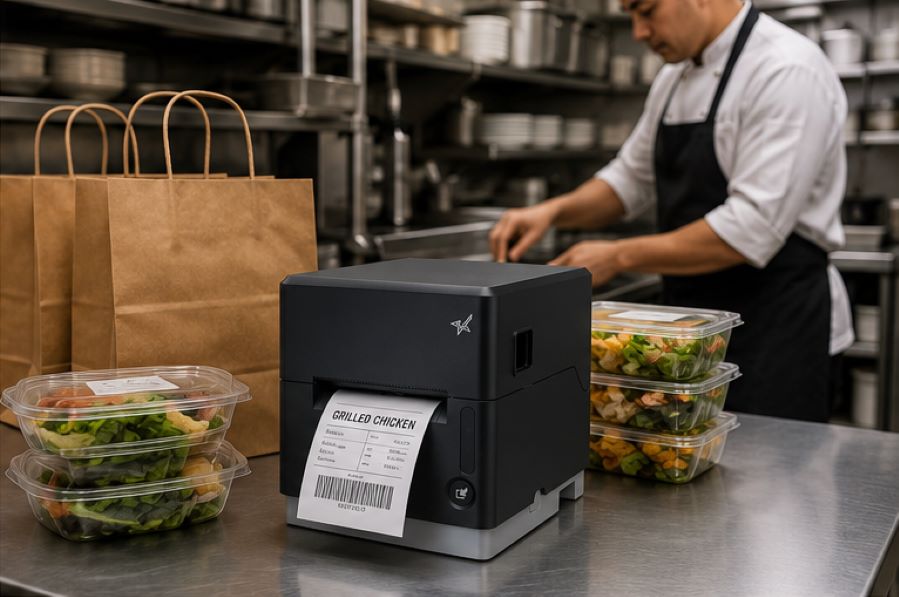
  • The Benefits of Durable, Reliable Commercial Label Printers

    The Benefits of Durable, Reliable Commercial Label Printers

    Commercial label printers play an important role in how businesses identify products, communicate workflow information, maintain regulatory compliance, and track inventory. From retail and restaurants to healthcare and fulfillment, labels help employees and customers access important information quickly and consistently.

    When a label printer fails, those workflows can slow down. Orders may be delayed, inventory may become harder to track, and important product or compliance information may not be available when needed.

    For businesses that rely on labeling throughout daily operations, choosing a durable and reliable commercial label printer can help reduce downtime, support high-volume workflows, and keep labeling processes consistent across the business.

    Table of Contents

    What Makes a Label Printer Durable and Reliable?

    The durability and reliability of a commercial label printer depend on both its physical construction and its internal components. A printer designed for daily commercial use should be built to handle frequent printing, different media types, and the environmental conditions where it will operate.

    Key factors that affect durability and reliability include:

    • Printhead lifespan: The printhead is one of the most important components in any label printer. Longer-life printheads help maintain consistent print quality and reduce replacement frequency.
    • Cutter durability: In high-volume environments, the cutter may operate thousands of times per day. Durable cutters help reduce jams and incomplete cuts.
    • Media path design: A well-designed media path helps labels feed smoothly and reduces misfeeds, jams, and wasted labels.
    • Housing materials and construction: Commercial environments may expose printers to heat, humidity, dust, or cleaning chemicals. Durable materials help the printer withstand these conditions.
    • Stable connectivity: Reliable wired, wireless, or cloud connectivity helps prevent missed print jobs and keeps workflows moving.
    • Maintenance accessibility: Printers designed for easy cleaning, media changes, and component replacement are often easier to maintain and less likely to experience preventable downtime.

    Reliable commercial label printers are typically characterized by consistent print quality, fewer jams, stable connectivity, and components designed for long-term use.

    Choosing a Label Printer for Commercial Environments

    Choosing a commercial label printer starts with understanding where and how it will be used. In addition to supporting the label types your operation requires, the printer should be built for the environment where it will operate.

    Commercial environments can expose printers to heat, humidity, dust, frequent handling, and cleaning chemicals. A printer designed for these conditions is less likely to require frequent repairs or replacement, which can help reduce long-term ownership costs.

    When evaluating a commercial label printer, consider the following:

    Printer Form Factor for Different Workspaces

    Printer design affects where and how employees use it. Front-loading and top-loading designs can make media changes easier in tight spaces, while wall-mounting options may help free up counter space in kitchens, prep stations, or healthcare environments.

    The right form factor depends on the workflow and available space.

    High-Volume Printing for Demanding Workloads

    Some environments require continuous, high-speed printing throughout the day. This may include labeling restaurant orders, retail inventory, shipping packages, patient medications, or kiosk-generated labels.

    A commercial label printer should be designed to keep up with the expected print volume without frequent jams, cutter failures, or overheating.

    The Benefits of Durable, Reliable Commercial Label Printers - Catering

    Support for Multiple Label Types

    Commercial labeling needs often vary by application. Some workflows use linerless labels, while others require die-cut labels, receipts, or permanent adhesive labels.

    A multifunction label printer can support multiple media types from a single device, allowing businesses to standardize hardware across different workflows while reducing the number of printer models they manage.

    Reliable Connectivity

    A commercial label printer should maintain stable wired, wireless, or cloud-based connections depending on how the business operates.

    For cloud-connected workflows, reliable communication between software and printers is especially important to prevent delayed or missed print jobs.

    Easy setup also matters, especially for wireless environments. Features like BLE-assisted Wi-Fi setup, available on Star’s mC-Label2 CWBi models, can help employees connect printers quickly using a smartphone or tablet without complex network configuration.

    Easy Printer Maintenance

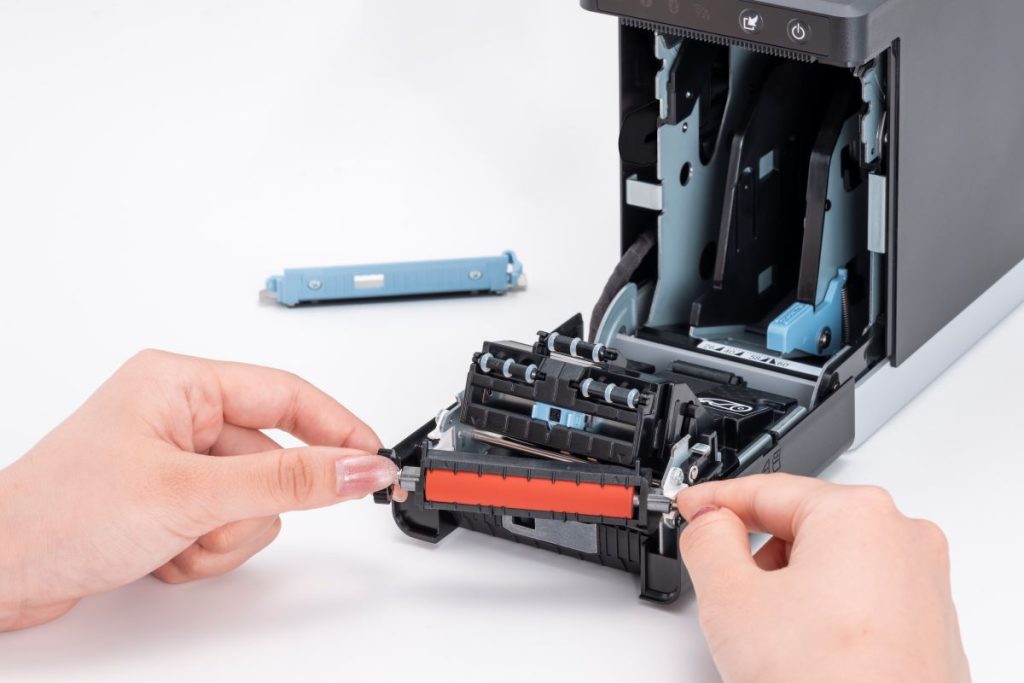
    Routine cleaning and maintenance help prevent adhesive buildup, cutter jams, and print quality issues. Commercial label printers designed with tool-free maintenance, simple media loading, and clear cleaning instructions can make routine upkeep easier for employees and reduce preventable downtime.

    The mC-Label2 multimedia printer by Star Micronics features user-friendly, tool-free maintenance.
    The mC-Label series by Star Micronics has tool-free, super easy maintenance.

    Why Durable and Reliable Printers Matter in Daily Operations

    In many businesses, labels are part of daily workflows. When a label printer stops working, those workflows can slow down or stop entirely.

    In a QSR kitchen, a printer failure can delay order packaging or delivery handoff. In an ecommerce fulfillment center, it can interrupt shipping and inventory tracking. In healthcare, missing labels on medications, patient records, or specimens can create serious operational and compliance issues.

    Reliable commercial label printers help reduce these risks by supporting consistent print quality, stable connectivity, and dependable performance during high-volume use.

    Over time, printer durability also affects ownership costs. A printer built for its environment is less likely to require frequent repairs, component replacements, or full device replacement. This can help businesses reduce downtime, maintain labeling consistency, and extend the useful life of their equipment.

    Explore Star Micronics Commercial Label Printers

    Choosing the right commercial label printer starts with understanding your environment, print volume, media requirements, connectivity needs, and maintenance expectations. The right printer should match the demands of your workflow and the types of labels your business relies on every day.

    Star Micronics offers a range of commercial label printers designed for retail, restaurant, healthcare, fulfillment, and other high-volume environments. From multifunction label printers that support linerless, die-cut, and receipt printing to purpose-built sticky linerless label printers, Star provides options for a wide range of labeling applications.

    Explore Star’s Labeling Solutions and Receipt and Label Media to learn more, or contact Star Micronics for help choosing the right commercial label printer for your business.

    Learn More About Star Label Printers

    Frequently Asked Questions About Label Printer Durability and Reliability

    What features make label printers more durable for commercial environments?

    Durable commercial label printers are typically built with long-life printheads, durable cutters, strong housing materials, stable connectivity, and media paths designed to reduce jams and misfeeds. Easy maintenance access also helps keep the printer operating consistently over time.

    How do durable label printers reduce downtime?

    Durable printers reduce downtime by using components designed for frequent, high-volume use. Printers built for harsh environments, such as hot restaurant kitchens or healthcare settings with frequent cleaning, are less likely to fail or require frequent repair. Long-life printheads and cutters also reduce replacement frequency.

    What should businesses look for in a high-volume commercial label printer?

    Businesses should look for print speed, cutter durability, media compatibility, reliable connectivity, and maintenance accessibility. The printer should be designed for the expected daily print volume and the environment where it will operate.

    Why is label printer maintenance important for reliability?

    Routine maintenance helps prevent adhesive buildup, cutter jams, print quality issues, and media misfeeds. Cleaning the printer regularly helps ensure labels remain readable and barcodes scan correctly.

    Can durable label printers support wireless and cloud connectivity?

    Yes. Many commercial label printers support wired, wireless, and cloud-based connections. Features like BLE-assisted Wi-Fi setup can also make wireless deployment faster and easier for employees.

    How do multifunction label printers improve commercial workflows?

    Multifunction label printers can support receipts, linerless labels, die-cut labels, and other media types from a single device. This helps businesses reduce the number of printer models they manage while supporting different workflows with one platform.

    Why does media compatibility matter in commercial label printing?

    Different workflows require different label formats and adhesive types. Choosing a printer that supports the required media helps ensure consistent printing, proper label application, and reliable performance.

    How do durable label printers lower the total cost of ownership?

    Durable label printers can reduce repair costs, extend equipment lifespan, and minimize downtime. Over time, this can lower replacement frequency and reduce interruptions to daily operations.

    Are linerless label printers reliable for high-volume environments?

    Yes. Linerless label printers are commonly used in high-volume environments because they allow for faster application and fewer media roll changes. Since linerless labels do not use backing paper, they also reduce waste and help keep workspaces cleaner.

    What industries benefit most from durable commercial label printers?

    Durable commercial label printers are commonly used in retail, restaurants, ecommerce fulfillment, healthcare, pharmaceuticals, manufacturing, airports, and logistics. Any business that depends on consistent labeling can benefit from a printer designed for long-term, high-volume use.

  • Cash Drawer Security: Protecting Cash in a Digital Payments Era

    Cash Drawer Security: Protecting Cash in a Digital Payments Era

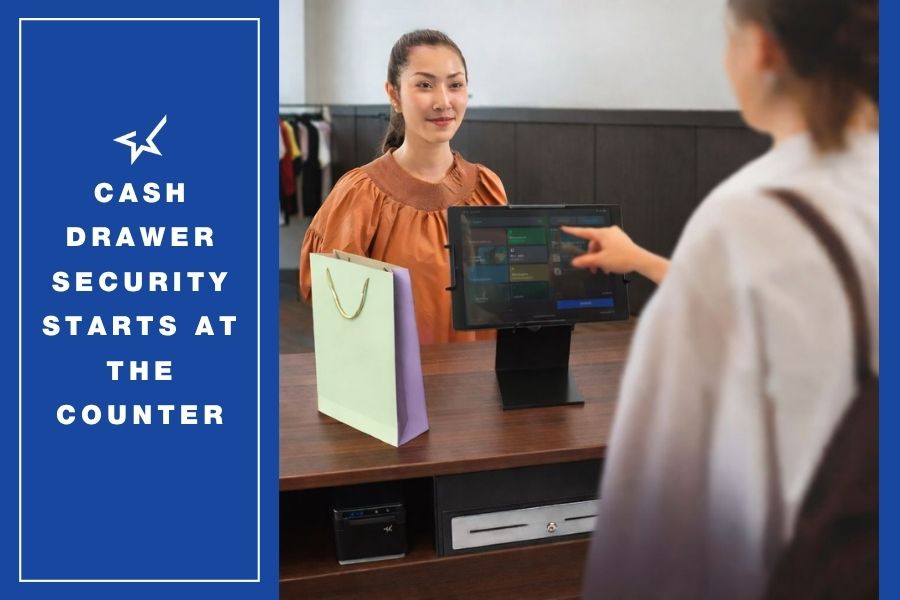
    Cash drawer security remains essential as consumers continue to use cash. Secure cash drawers feature robust access control and connectivity to the point-of-sale (POS) system, enabling greater oversight and employee accountability. Secure cash drawers also help to reduce human error and losses by keeping cash organized. Cash drawer construction also plays an important role in preventing jams and failures that lead to workarounds and put cash at risk. 

    Table of Contents

    Cash Is Still Common — and It Still Needs to Be Secured

    Although digital transactions account for an increasing share of payments, merchants still need to maintain focus on cash drawer security. Statistics from the Federal Reserve confirm that U.S. consumers use cash for about 14% of payments, and that rate has stayed steady for the past five years. Furthermore, the Fed reports that 90% of U.S. consumers intend to use cash to store value in the future. Older consumers are more likely to have cash in their wallets, but Empower reports that 24% of Gen Z carry cash daily. 

    The staying power of cash transactions can benefit merchants. With cash, merchants instantly have funds, and there are no processing fees or chargebacks when customers pay with cash. On the other hand, keeping cash secure and ensuring there aren’t any errors in till cash balances are long-term challenges.

    Pros of Accepting Cash Cons of Accepting Cash
    Immediate access to funds Risk of shrinkage
    No payment processing fees Manual counting and reconciliation required
    No chargebacks or payment disputes Risk of employee theft
    Works during internet or network outages Greater need for secure storage and procedures
    Accessible for all customers Human error when making change

    So, as long as consumers use cash, merchants need more than just a drawer for bills and change. They need a secure cash drawer designed for accountability and durability. 

    What is a Secure Cash Drawer?

    A secure cash drawer is a cash drawer that combines physical durability with controlled access through POS system integration. In most modern POS environments, the cash drawer opens only when triggered by the receipt printer or POS terminal, ensuring that every drawer open is tied to a transaction or authorized action. This creates a record of drawer activity and limits unauthorized access to cash.

    Secure cash drawers also include durable steel construction, secure bill clips, multiple till configurations, and lock mechanisms that prevent forced entry or accidental opening.

    How Cash Drawer Security Works

    Cash drawer security features help businesses control access to cash, reduce internal theft, prevent cash handling errors, and ensure the drawer can withstand high transaction volumes without failure.

    1. Cash Drawers Give Merchants Access Control

    The most important rule of cash handling is simple: when the drawer is not in use for a transaction, it should be locked. Secure cash drawers are typically connected to the POS terminal or receipt printer and open only when triggered by a transaction or authorized function. This ensures that employees must be logged into the system to access till cash and creates a record of each drawer open, improving accountability and reducing opportunities for unauthorized access.

    2. Insider Threat Mitigation with Cash Drawer Security

    Lax cash drawer security can tempt employees. A&M Consumer Retail Group reports that it’s a threat merchants must acknowledge, with over 50% of shrinkage coming from internal factors like employee theft. Cash drawers that interface with the POS system allow merchants to set policies for when the drawer can open and when manager authorization is required, for example, for voids, returns, or “no sales.” 

    Secure cash drawers help enforce cash handling policies. For example, the POS system can require manager authorization for voids, returns, or “no sale” drawer opens. Drawers that support multiple removable tills allow businesses to assign one till per cashier, making it clear who is responsible for the cash in that drawer during each shift and simplifying reconciliation.

    3. Reducing Human Error with Secure Cash Drawers

    The till design is also a factor in cash drawer security. Having the right number and size of compartments can help prevent cashiers from making mistakes, such as giving a $20 bill in change when $10 was due.

    Secure cash drawer design supports cash balancing best practices

    • Counting at the beginning of the shift
    • Depositing cash throughout the shift
    • Pulling the POS report at the end of the shift
    • Counting in a secure location 
    • Solve any discrepancies immediately

    An organized till reduces mistakes during transactions and makes end-of-shift reconciliation faster and more accurate. Proper till configuration is often an overlooked aspect of cash drawer security because disorganized drawers lead directly to cash-handling errors.

    4. Cash Drawers Need Strong Physical Security Features

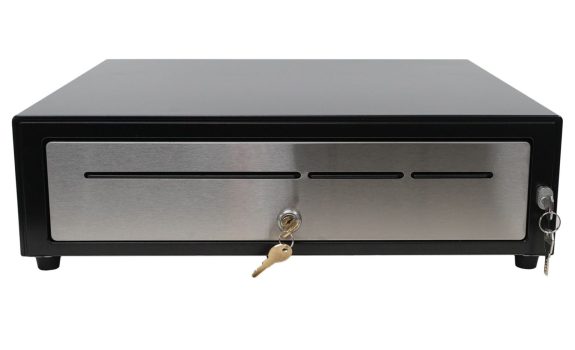
    Cash drawers must be built to withstand daily use. In high-volume environments like grocery, cannabis, QSR, and large retail stores, drawers may open hundreds of times per day. All-steel construction, reinforced rails, metal bill clips, and dual-lock systems help prevent forced entry and reduce failures that can lead to security workarounds.

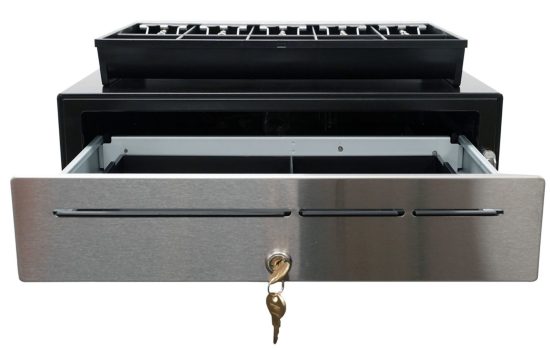
    The CD5-1918 cash drawer by Star Micronics sets the standard for high-cash volume, big-box, and enterprise-level cash management.
    The CD5-1918 Max Series Cash Drawer by Star Micronics

    Quick Cash Handling Security Checklist

    Businesses can improve cash drawer security by following these best practices:

    • Use POS-triggered drawers instead of manual key-only drawers
    • Assign one till per cashier
    • Require manager approval for no-sale drawer opens
    • Store large bills under the till
    • Perform till counts at the beginning and end of each shift
    • Reconcile cash in a secure back-office location
    • Use steel cash drawers in high-volume environments

    Additional Cash Drawer Security Accessories

    In addition to the cash drawer itself, several accessories can improve cash handling security and prevent unauthorized access.

    Locking Till Covers

    Locking till covers allow tills to be securely stored in a safe or back office during shift changes or when the drawer is not in use. This prevents loose cash from being transported in bags or left unsecured.

    Under-Counter Mounting Brackets

    Under-counter mounting brackets secure the cash drawer to the counter, preventing the drawer from being removed from the POS station. This is commonly used in retail and hospitality environments where the risk of theft is higher.

    Dual Drawer Secure Cable

    In dual drawer environments, traditional “Y” cables allow two drawers to connect to one printer, but they can create a security risk because drawers can be swapped at the printer. Secure dual drawer cables prevent drawer swapping by creating a fixed connection between the printer and both drawers, making it much more difficult for an employee to access a second drawer without authorization.

    These accessories are often used in high-volume retail, grocery, cannabis, and hospitality environments where multiple employees share POS stations and cash handling controls are especially important.

    How to Choose a Secure Cash Drawer

    Choosing a secure cash drawer is not just about size or price. The right drawer should match your transaction volume, integrate with your POS system, and support your cash handling procedures. In high-volume environments like retail, grocery, cannabis, and QSR, drawers must withstand constant use while maintaining controlled access to cash. In lower-volume environments, compact drawers with reliable POS integration and basic locking features may be sufficient.

    When evaluating cash drawer security, businesses should consider:

    • Steel construction and durability for high open/close environments
    • POS or receipt printer interface compatibility for controlled drawer opening
    • Till configuration and removable tills for shift-level accountability
    • Locking mechanisms and key options for controlled access
    • Mounting options such as under-counter brackets to prevent drawer removal
    • Support for dual drawer installations to prevent drawer swapping

    A secure cash drawer should support your cash handling procedures, not work against them. The goal is simple: limit access, create accountability, and make cash handling as controlled and traceable as possible.

    Cash Drawer Security by Industry

    Cash drawer security requirements vary by industry:

    • Retail: High transaction volume requires heavy-duty steel drawers and removable tills for multiple cashiers.
    • Grocery: Drawers open frequently and require reinforced rails and high-capacity tills.
    • Quick-Service Restaurants: Compact POS cash drawers are common, often connected to receipt printers.
    • Cannabis: Secure cash handling is critical due to cash-heavy operations and compliance requirements.
    • Hospitality: Bars and cafés often use compact drawers with under-counter mounting for security.

    Star Micronics Cash Drawer Security Solutions

    Star Micronics offers cash drawers and cash handling accessories designed for retail, grocery, hospitality, cannabis, and other environments where secure cash management is important.

    CD5 Max Series Cash Drawers: The CD5 Max Series is designed for cash-heavy environments where durability and cash handling control are critical. These heavy-duty steel cash drawers are commonly used in grocery stores, large retail, QSRs, and cannabis environments where drawers open frequently throughout the day.

    Key security features include:

    • Heavy-duty all-steel construction in every popular size
    • Dual interface (DK and USB) for POS or printer-driven operation
    • Reinforced drawer rails for high open/close cycles (millions of operations)
    • Dual or multiple media slot options for checks and large bills
    • Multiple till configurations to support different environments
    • Dual-locking mechanisms on select models

    These features help businesses maintain drawer reliability, control access to cash, and support consistent cash handling procedures in high-volume environments.

    CD5 Max Series Cash Drawers

    Designed for high-cash-volume environments, the CD5 Max Series features heavy-duty steel construction, dual lock options, and under-till storage for added organization. Multiple sizes and DK/USB interface options allow easy connectivity with virtually any POS system.

    Explore More >

    CD4 Choice Series Cash Drawers: The CD4 Choice Series is a standard-duty cash drawer designed for general retail, hospitality, and point-of-sale environments that need reliable cash handling with essential security features. These POS cash drawers are commonly used in retail stores, cafés, bars, and service counters where a compact drawer and dependable operation are required.

    Key security features include:

    • Durable steel construction with reinforced steel top
    • Multiple lockset options for key control and drawer access management
    • Dual media slots for storing checks or large bills without opening the drawer
    • Secure bill clips to keep cash organized and in place
    • Multiple till configurations to support different cash handling needs

    Standard-duty cash drawers like the CD4 are used in environments with moderate transaction volumes, but secure cash handling and POS-controlled drawer opening remain important.

    Star Cash Drawer Accessories and Tills

    In addition to cash drawers, Star offers cash handling accessories that help businesses improve security and cash control procedures:

    Using removable tills and locking till covers helps businesses assign responsibility for cash to individual cashiers and transport tills securely to the back office for reconciliation. Mounting brackets help prevent the drawer from being removed from the POS station, and secure dual drawer cables help prevent unauthorized access in dual-drawer POS setups.

    These accessories are commonly used in multi-employee environments where multiple cashiers share POS stations and cash control procedures are important for loss prevention and accurate reconciliation.

    Frequently Asked Questions About Cash Drawer Security

    What makes a cash drawer secure?

    A cash drawer is considered secure when it has durable steel construction, a reliable locking mechanism, and controlled opening through the POS system or receipt printer. Security also depends on proper till organization, removable tills to support cashier accountability, and consistent cash-handling procedures, such as shift counts and reconciliation.

    How do cash drawers prevent employee theft?

    Secure cash drawers give employees access to cash only when necessary and authorized, i.e., when accepting cash payments or making change. A secure cash drawer will also communicate with the POS system to track when an employee opens the drawer for any reason, and keep a record for reconciliation and accountability. 

    How does a cash drawer connect to a POS system?

    Most modern cash drawers connect to the POS system through the receipt printer or directly to the POS terminal. In many setups, the cash drawer is connected to the receipt printer using a drawer cable, and the printer sends a signal to open the drawer when a cash transaction is completed. This is often called a printer-driven cash drawer.

    This setup allows the POS system to control when the drawer opens and helps ensure that the drawer only opens for recorded transactions or authorized functions such as returns or no-sale opens with manager approval. Some basic cash drawers operate manually using only a key, but POS-controlled drawers provide much better security and accountability.

    Why is the removable till important for cash handling?

    One till per cashier has numerous benefits for secure cash handling. It enables secure transport of till cash when the cashier begins the shift and when carrying cash from the shift to the back office for reconciliation. Tills can be stored in a safe rather than in the drawer when not in use. Cash is never stored less securely, for example, in a bank bag or loose, and cashiers are each accountable for the cash in the tills they’re using.

    What is the most durable cash drawer for high-volume retail?

    The most durable cash drawers for high-volume environments are made of all-steel construction and are tested for durability and performance over millions of opens/closes. Star’s CD5 Max Series has all the features a high-volume retailer needs, including reinforced drawer rails and industry-leading lock strength. CD5 cash drawer models include several options, giving merchants the choice of the correct till configuration for the bills and change they accept. 

    Bartender Checking ID

    Where to Learn More About Cash Drawer Security

    Choosing the right cash drawer is an important part of cash handling and loss prevention. Star Micronics offers secure cash drawers designed for retail, grocery, hospitality, and cannabis environments, including heavy-duty and compact models with multiple till configurations and POS interface options.

    Contact us to learn more about Star Micronics CD5 and CD4 cash drawer solutions.

  • How to Balance Cash Drawers Quickly and Accurately

    How to Balance Cash Drawers Quickly and Accurately

    Balancing a cash drawer is a critical daily task for businesses that handle cash transactions. Knowing how to balance cash drawers accurately helps reduce shrinkage, improve accountability, and keep end-of-shift operations running smoothly. This guide explains why cash drawer balancing still matters and how to do it quickly and correctly.

    Table of Contents

    What Does It Mean to Balance a Cash Drawer?

    To balance a cash drawer means reconciling the physical cash in a register with the expected total recorded by the point-of-sale (POS) system. This process confirms that cash sales, refunds, and starting cash amounts are accurately reflected. Any difference between the expected and actual amount indicates a discrepancy that must be investigated.

    Why Cash Drawer Balancing Still Matters

    Despite the continued growth of digital payments, cash remains an essential part of daily operations for many businesses. Knowing how to balance a cash drawer is still a foundational skill for retailers, restaurants, and service-based organizations that handle physical currency.

    Because cash is vulnerable to errors, loss, and misuse, balancing cash drawers is not just an administrative task—it is a core operational safeguard. When performed consistently and correctly, cash drawer balancing ensures sufficient funds are available, supports uninterrupted service, and helps businesses quickly identify discrepancies.

    Effective cash drawer management also plays a direct role in profitability. Regular reconciliation—ideally at the end of each shift or at least daily—improves accuracy, strengthens accountability, and reduces shrinkage. With a clear process and the right tools, balancing a cash drawer quickly and accurately is a skill any business can master.

    How To Balance A Cash Drawer

    How to Balance a Cash Drawer

    1. Assign One Person to Each Cash Drawer

    Assigning a single employee to each cash drawer is one of the most effective ways to balance a cash drawer accurately and consistently. This approach creates clear accountability and simplifies cash tracking at the end of each shift.

    When only one person is responsible for a drawer, it becomes much easier to identify discrepancies, resolve errors, and prevent loss. Even in high-trust environments, shared drawers increase the likelihood of mistakes and make reconciliation more time-consuming.

    When one employee is assigned to each drawer, cash balancing becomes more accurate and more consistent, helping businesses reduce shrinkage and maintain dependable cash handling practices.

    2. Count Cash at the Beginning of the Day

    Every shift should start with an accurate count of the opening cash balance. Knowing exactly how much cash is in each drawer creates a clear baseline for tracking sales and identifying discrepancies later in the day.

    Maintaining the correct starting amount is important for both efficiency and security. Too little cash can slow transactions and frustrate customers, while excess cash increases exposure to loss. Setting up each drawer with a balanced mix of bills and coins, based on expected transaction volume, helps ensure smoother operations throughout the day.

    3. Deposit Cash Throughout Shifts

    Keeping cash drawers organized during the day makes end-of-shift balancing faster and more accurate. Making regular deposits during slower periods helps prevent drawers from becoming overfilled and maintains a practical mix of bills and coins for transactions.

    These mid-shift check-ins reduce the chance of counting mistakes later and support more consistent cash handling overall. When possible, having a second employee present for interim deposits adds an extra layer of accountability and reinforces best practices for cash management.


    The CD5-1918 Max Series cash drawer by Star Micronics is ideal for high-cash volume environments.
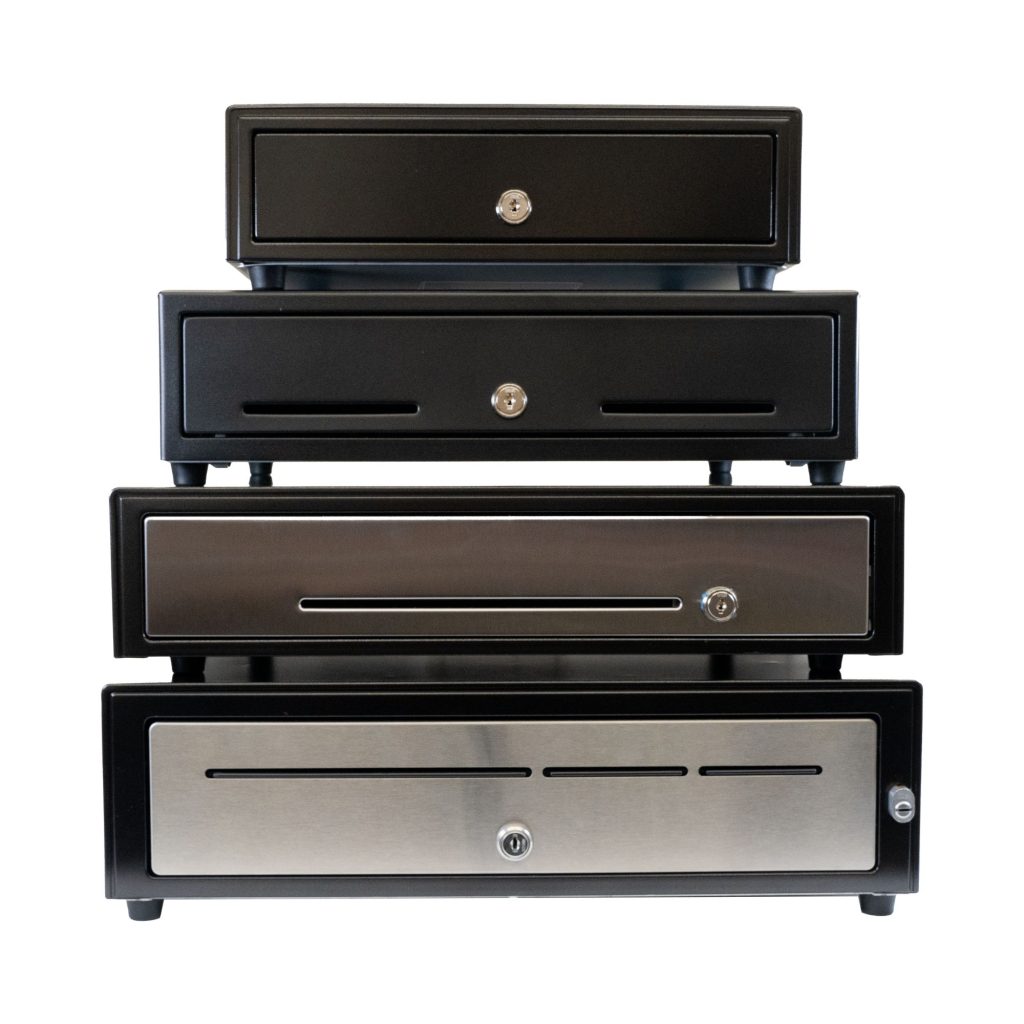
    Star Micronics has a wide range of cash drawers to fit any business environments.

    4. Pull the POS Report for Each Drawer Afterward

    Balancing a cash drawer starts with having the right data. At the end of each shift or business day, pull the POS report associated with each drawer to establish an accurate reference point. This report shows exactly what the system recorded and provides the benchmark for your cash count.

    For best results, complete this step in a quiet, controlled environment. Fewer distractions make it easier to spot discrepancies, verify totals, and ensure the drawer is balanced correctly before closing it out.

    5. Count the Cash from Each Drawer in a Discreet Location

    Cash counting should always be done carefully and away from customer-facing areas. In a secure, private space, count all bills, coins, and receipts, then compare the total against the POS report for that drawer. This controlled environment reduces distractions and helps ensure accuracy.

    If a discrepancy appears, perform a second count before drawing conclusions. Many variances are resolved through a careful recount. Taking the time to verify totals builds confidence in your cash handling process and supports consistent, reliable drawer balancing.

    6. Identify and Solve Discrepancies

    When a cash drawer does not balance, start by reviewing the POS data in detail. Most shortages or overages are the result of simple errors, such as incorrect change given or a transaction entered incorrectly, rather than intentional misuse.

    Compare the POS report against receipts, refunds, and cash totals to pinpoint where the variance occurred. If discrepancies happen regularly, it may be a sign that additional training or clearer procedures are needed. For unresolved issues, inspect the cash drawer area and review recent transactions to check for missing receipts or unrecorded sales. Addressing discrepancies promptly helps protect revenue and reinforces strong cash handling habits.

    7. Record Cash Drawer Transactions

    Accurate record keeping is essential to closing out the cash balancing process. Document the starting and ending balances for each drawer, along with totals for cash, cards, and any other payment types. Be sure to note any overages or shortages clearly and consistently.

    Maintaining detailed records supports accurate accounting, helps resolve questions later, and creates a clear audit trail if issues arise. Over time, these records also make it easier to spot patterns, improve procedures, and strengthen overall cash handling accuracy.

    Tools That Make It Easier to Balance a Cash Drawer

    Balancing a cash drawer is faster and more consistent when the right tools are in place. Clear POS reporting, secure cash drawers, and standardized hardware help reduce counting errors and simplify end-of-shift reconciliation.

    Cash drawers designed for frequent opening, secure storage, and smooth operation support better accountability across shifts. When combined with accurate reporting and consistent procedures, the right tools help businesses balance cash drawers more efficiently and with greater confidence.

    Balance Cash Drawers with Ease

    By adhering to these steps and maintaining a consistent approach, businesses can ensure that their cash drawers are balanced quickly and accurately. Cash management efficiency is a skill every business should acquire, as it contributes to the overall smooth operation and profitability.

    CD5 Max Series Cash Drawers

    Designed for high-cash volume businesses, the CD5 Max Series cash drawers deliver durability, security, and sleek design. With all-steel construction, dual lock mechanisms, and under-till compartments for added organization, these drawers are ideal for grocery stores, cannabis dispensaries, and other busy retail settings. Available in multiple sizes and with dual DK and USB interface options, the CD5 Max Series integrates seamlessly into any POS system.

    Explore More >

    Conquering Omnichannel Order Management with Cloud-Based Technology Solutions

    Consumers have spoken! The future of retail and hospitality is omnichannel, cloud-based, and connected. Is your business prepared?

    Looking for secure cash drawers to balance?

    Cash Drawer Balancing FAQs

    How often should you balance a cash drawer?

    Most businesses should balance each cash drawer at the end of every shift. High-volume locations may also benefit from mid-shift checks to catch errors early and reduce end-of-day discrepancies.

    What does it mean to balance a cash drawer?

    To balance a cash drawer means comparing the physical cash in the drawer to the expected total shown in the POS system. When the numbers match, the drawer is balanced. Any difference results in an overage or shortage that must be investigated.

    What is an acceptable cash drawer shortage or overage?

    Acceptable thresholds vary by business, but many retailers allow a small variance such as $1–$5. Consistent discrepancies, even small ones, should be addressed through process review or staff training.

    What causes cash drawers to be out of balance?

    Most issues are caused by simple mistakes, such as incorrect change given, cash sales entered incorrectly, or skipped transactions. Fewer discrepancies occur when one person is assigned per drawer and cash is counted consistently.

    Can POS systems help balance cash drawers more accurately?

    Yes. Modern POS systems generate detailed drawer reports that make it easier to compare expected totals against physical cash. Accurate reporting is essential for identifying where errors may have occurred.

    Is it better to balance cash drawers manually or digitally?

    Both methods work best together. POS reports provide the expected totals, while manual counting confirms the actual cash on hand. Combining the two ensures accuracy and accountability.

    What should you do if a cash drawer does not balance?

    Start with a second count to rule out counting errors. Then review the POS report for voids, refunds, or missed entries. If discrepancies continue, additional training or process adjustments may be needed.

    How can businesses reduce cash drawer discrepancies over time?

    Clear ownership of drawers, consistent counting procedures, regular audits, and proper POS training all help reduce errors. Reliable hardware, secure cash drawers, and accurate reporting tools also play an important role.

    Original article written by Brianna Moriarty and published September 8, 2020.

  • Best Ways Restaurants and Retailers Are Using Die-Cut Labels

    Best Ways Restaurants and Retailers Are Using Die-Cut Labels

    Linerless labels are grabbing headlines in foodservice and retail—and for good reason. They cut down on waste, allow flexible label lengths, and streamline high-volume packaging and delivery. But even as linerless grows, die-cut labels remain the industry standard for many workflows where consistency, compliance, and clarity are non-negotiable.

    From food prep to retail shelves, die-cut labels provide pre-sized, uniform labeling that keeps operations accurate and compliant. And with the right die-cut label printer, businesses can ensure every label is crisp, clear, and ready to perform without slowing down their teams.

    That’s why Star developed the mC-Label2 LBL models, compact label printers purpose-built for die-cut media. Available with X4 connectivity or USB/LAN only, these models bring precision, efficiency, and flexibility to the everyday labeling tasks restaurants and retailers rely on most.

    Why Die-Cut Labels Still Matter

    While linerless brings flexibility, die-cut labels remain indispensable in operations where uniformity is key. Their pre-sized format ensures every label is consistent, whether it’s tracking expiration dates, displaying prices, or tagging inventory.

    Die-cut also shines in batch printing. Operators can print a stack of labels all at once for food prep, pricing, or product rotation, so staff always have exactly what they need on hand. This predictability reduces downtime and helps teams move quickly during peak periods.

    And with fixed shapes and sizes, die-cut labels help businesses maintain a consistent, professional look across all products, reinforcing customer trust. For many restaurants and retailers, die-cut remains the most cost-effective, reliable, and standardized choice for day-to-day labeling.

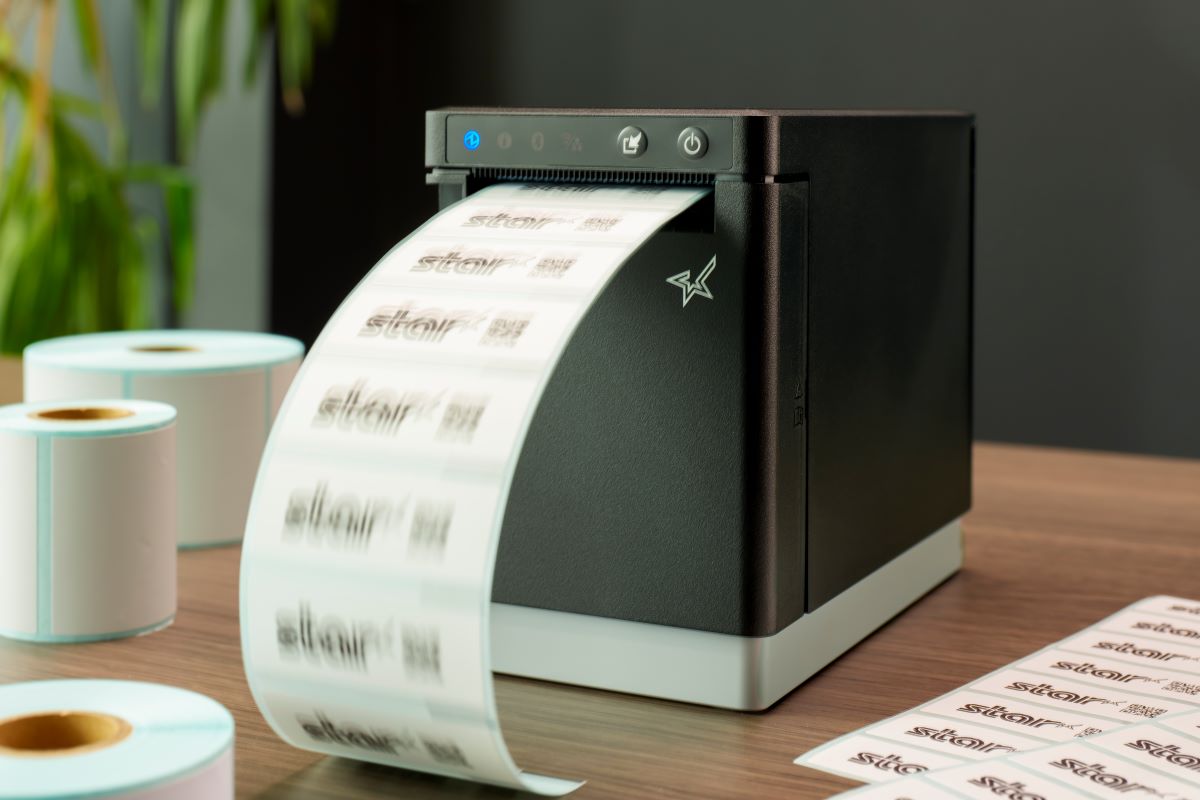
    The mC-Label2 LBL die-cut label printer is ideal for retail, food service, and cannabis, able to print ultra-precise with 300 dpi.

    Additional Reasons Die-Cut Labels Are Still Common

    • Standardization: Many QSRs, groceries, and retailers already work with standardized label sizes. Die-cut labels fit seamlessly into those systems.
    • Prepared in Advance: Staff can keep labels printed and ready to go for busy shifts.
    • Branding Consistency: Pre-cut shapes allow logos, graphics, and product details to remain uniform across every container or shelf.
    • Cost Control: For businesses that don’t need variable lengths, die-cut labels are a predictable, budget-friendly option.

    In short, linerless may offer flexibility, but die-cut labels continue to deliver the consistency and standardization most restaurants and retailers rely on every day.

    Best Uses for Die-Cut Labels in Restaurants

    In foodservice, die-cut labels support the workflows that keep kitchens compliant and customers confident:

    > Food Prep & Rotation

    Small die-cut prep labels track expiration dates, ingredients, and FIFO systems.

    > Nutritional & Allergen Labels

    Uniform labels display critical information in a way customers can trust.

    > Order Component Labels

    Perfect for sides, drinks, and add-ons in large catering or takeout orders, reducing mix-ups before handoff.

    With 300 dpi precision, the mC-Label2 LBL die-cut label printer ensures every label is crisp and legible, whether it’s a barcode or fine-print allergen information.

    Visit our Restaurant & Food Service Solutions Page for more >

    Best Uses for Die-Cut Labels in Retail

    Retail environments also depend heavily on die-cut label printers to keep shelves, products, and inventory in order:

    > Barcode Labels

    Fast, accurate scanning for point of sale and stock management.

    The mC-Label2 LBL die-cut label printer is ideal for retail, food service, and cannabis, able to print ultra-precise with 300 dpi.

    > Pricing Labels

    Clear, consistent sizing across shelves, tags, and items.

    > Product Identification Labels

    In grocery and c-stores, die-cut labels fit grab-and-go packaging like deli items or drinks. In non-food retail, they’re just as useful for tagging electronics, apparel, or specialty goods.

    > Specialty Labels (like Cannabis)

    Compliance-driven industries require precise, legible labels (sometimes with tiny QR codes) to display THC content, warnings, or tracking barcodes.

    Visit our Dispensary Solutions Page for more >

    Why the mC-Label2 LBL is Built for Die-Cut

    When it comes to die-cut label printers, the mC-Label2 LBL models are purpose-built to do the job right.

    • Die-Cut Only Design: Simplifies media use and reduces errors (can print receipts, too).
    • 300 dpi Resolution: Sharp text, barcodes, and logos, even on small labels.
    • Compact Size: Fits easily into kitchens, prep areas, retail counters, or against walls.
    • Front-Loading Design: Roll swaps are quick, space-saving, and hassle-free.
    • Connectivity Options: Choose between X4 connectivity (USB/LAN/Bluetooth/Wi-Fi) or streamlined USB/LAN only models to match your setup.

    For operators who don’t need linerless, the LBL models are a dedicated solution for reliable, professional die-cut labeling.

    mC-Label2 Multifunction Printer

    The mC-Label2 packs powerful features into a compact, front-loading design, including 300 dpi resolution, support for linerless, die-cut, receipt, and continuous media, and connectivity options like USB-C, LAN, WLAN, Bluetooth, and Apple MFi-certified pairing (X4 models only).

    Explore the mC-Label2 >

    Easy Integration for Software Developers

    For software providers, supporting die-cut labeling shouldn’t add complexity. Star makes it simple to integrate the mC-Label2 LBL into POS, inventory, or kitchen display systems (KDS) with robust SDKs, APIs, and cross-platform compatibility.

    That means developers can give their customers exactly what they want: a die-cut label printer that’s reliable, easy to deploy, and tailored for restaurant and retail workflows. With Star, integration is fast, maintenance is minimal, and scaling across multiple locations is seamless.

    Explore Star Micronics Industry-Leading Printing & Cloud Technology

    Find out what Star’s technologies can do for your business success with this free catalog.

    Die-Cut Labels: Still Essential, Now Smarter

    Die-cut labels remain a vital part of restaurant and retail operations, from prep and rotation to pricing and packaging. With the mC-Label2 LBL, operators get a die-cut label printer built for precision, speed, and ease of use. For developers, Star provides the SDKs and APIs to integrate seamlessly with POS and KDS systems, so their customers get the labeling solutions they expect.

    The payoff is simple: faster operations, consistent presentation, and stronger customer confidence—all powered by Star.

    Explore the mC-Label2 LBL die-cut label printer today and see how smarter labeling starts with Star.

  • Take the Pain Out of Ecommerce Returns Management with Smarter Labeling

    Take the Pain Out of Ecommerce Returns Management with Smarter Labeling

    Returns are part of doing business, but smart returns management ensures they don’t have to drain your profits. According to the National Retail Federation, returns accounted for 16.9% of 2024 sales, totaling $890 billion for retailers. For ecommerce, the challenge is even bigger: about one-quarter of online purchases are returned, according to Statista.

    Of course, ecommerce companies cover those costs. However, the impact of returns extends beyond the cost of shipping or writing off damaged products that cannot be resold. Returns management is also a hidden cost center, requiring staff time, packaging supplies, and warehouse resources to process refunds or exchanges and to track items until they are properly restocked in inventory.

    Yet failing to provide customer-friendly returns can be even more costly. An ICSC survey found that return policies influence 82% of consumers’ purchase decisions. Shoppers often check policies before they buy and may abandon carts if the process feels too restrictive. On the other hand, a simple, transparent return policy builds confidence in the purchase and trust in your brand.

    That’s why solving the challenge of ecommerce returns requires a practical returns management strategy, and smarter labeling is at the heart of it.

    How to Develop the Best Returns Management Processes

    A great returns policy does more than save you money. It keeps customers confident in your brand and makes them more likely to shop with you again. To optimize your returns processes, start by mapping the customer journey and improving each step along the way.

    > Start with Clear Policies and Procedures

    Be transparent with customers about how, when, and why you accept returns. A customer-friendly policy can actually drive more sales, but it still needs to protect your business. For example, you may allow extra time for holiday returns while limiting returns on clearance items.

    Keep policies as simple as possible, and make sure they’re easy to find on your website. On the back end, train employees so they know return timelines, refund or replacement procedures, and how to move items back into inventory.

    Finally, back up your policies with the right technology. Replacing manual steps with smarter return labeling systems makes the process faster, more accurate, and less frustrating for staff and customers alike.

    > Choose Where to Accept Returns

    Retailers have several options when it comes to receiving returns, each with its own benefits and trade-offs:

    • In-house warehouses: Full control over the returns management process, but higher demands on staff and resources.

    • Third-party logistics (3PL) providers: Offload the burden of processing returns, though additional fees may apply.

    • Drop-off partnerships or in-store kiosks: Create a smoother customer experience and can even drive foot traffic to partner businesses.

    Growing trend: Self-service returns

    • Customers print their own return labels or barcode labels for inventory.

    • Items are placed in secure lockers.

    • Employees scan the labels for processing.

    • This model saves time, reduces labor costs, and delivers the speed and convenience customers expect.

    The key is choosing a returns model that balances customer satisfaction, operational efficiency, and cost savings for your business.

    > Use Barcode Labels for Inventory Control

    Every item that comes back into your system needs to be tracked. Barcode labels for inventory control ensure products are logged correctly, routed to the right location, and available for resale as quickly as possible.

    Automating this process also reduces the labor burden on your staff, while providing both your team and online shoppers with a real-time view of availability. That means faster restocking, fewer mistakes, happier customers, and proof that smarter labeling drives better business outcomes.

    LIFESTYLE BSH 32B Warehouse 2 JPG

    > Learn from Returns

    Returns management systems that use barcode labels for inventory control allow you to collect data that you can analyze to learn more about customer behaviors. You can track which items are most commonly returned, allowing you to make informed decisions about whether to continue selling them. 

    With this information, you can make better decisions about which products to keep selling, forecast more accurately, and avoid tying up capital in items that are consistently sent back. Returns data can transform a challenge into a valuable business advantage.

    > Use Linerless Return Labels

    Returns can be messy, but labeling doesn’t have to be. Linerless return labels print without a paper backing, which means no clutter piling up on counters, workstations, or warehouse floors. They help keep return stations organized and efficient, especially during peak volumes.

    Beyond efficiency, linerless labels reduce waste and support sustainability goals, a growing priority for today’s consumers and businesses alike. By choosing linerless technology, retailers can maintain smooth returns operations while reducing waste and reinforcing a modern, sustainable brand image.

    Great Customer Experiences, Efficient Operations, Just in Reverse

    A higher rate of returns for ecommerce purchases is a trend that is unlikely to end soon, but with the right returns management strategy and smarter labeling, it can become an opportunity to build trust and confidence in your brand. Carefully planning returns processes, including establishing clear policies and using return labels and barcode labels for inventory tracking, can help control costs while maintaining customer satisfaction.

    Using the right technology, from printers that support linerless return label printing to automated data collection, will help you streamline return processes for your ecommerce business.

    Additional Resources

    Star Micronics offers labeling and scanning solutions ideal for retail and ecommerce returns management processes, including: 

    mC-Label2 Multifunction Printer

    The mC-Label2 packs powerful features into a compact, front-loading design, including 300 dpi resolution, support for linerless, die-cut, receipt, and continuous media, and connectivity options like USB-C, LAN, WLAN, Bluetooth, and Apple MFi-certified pairing (X4 models only).

    Explore the mC-Label2 >

    mC-Label3 Multifunction Printer

    The Star Micronics mC-Label3 is a versatile multimedia printer that prints a wide range of labels and receipts, including both permanent and repositionable sticky linerless. It features cloud connectivity and innovative technologies like SteadyLAN and TetherLAN for enhanced printing convenience.

    Discover the mC-Label3 >

    Star’s 1D/2D Barcode Scanners

    Star offers a comprehensive range of IP-rated 1D/2D barcode scanners, ideal for diverse business needs. From retail to healthcare, our versatile scanners excel in parsing driver’s license and ID barcodes, ensuring swift and accurate data capture. Choose the perfect fit for your setup—desktophandheld, or wireless Bluetooth options available.

    A higher rate of ecommerce returns is here to stay, but it does not have to erode profits. With the right returns management strategy supported by return labels, barcode labels for inventory, and efficient labeling technology, retailers can transform returns into an opportunity to build loyalty and protect their bottom line.

    Star Micronics makes it possible with smarter labeling and scanning solutions designed to take the pain out of ecommerce returns management. Contact us today to learn more.

    Get smart labeling solutions for better returns management now:

  • How Inventory Labels Improve Traceability and Reduce Shrink

    How Inventory Labels Improve Traceability and Reduce Shrink

    Inventory is one of the most valuable and vulnerable assets in any retail or foodservice business. From stock miscounts to expired goods and theft, shrink can quietly chip away at profits. And with tighter regulations and growing customer expectations, traceability and compliance are more important than ever.

    That’s where smart inventory labeling makes a real difference.

    Inventory labels don’t just keep shelves organized. They’re the foundation for traceability, food safety, regulatory compliance, and operational control. With the right labeling system in place, businesses can track every item, meet inspection requirements, and reduce waste across the board.

    Why Traceability and Compliance Matter More Than Ever

    Today’s restaurants, QSRs, and retailers are under growing pressure to track every product through its full lifecycle. Whether it’s a local health inspection or a national recall, regulators expect clear labeling, real-time tracking, and accurate records.

    Without proper labeling, operators risk:

    • Product misidentification and stock confusion
    • Poor FIFO (first in, first out) rotation
    • Delays during recalls or health inspections
    • Missed expiration dates leading to spoilage
    • Lost items or manual tracking errors
    • Increased shrink from theft or disorganization
    • Fines or violations due to noncompliance

    The solution? Smarter inventory labels and reliable hardware that make printing those labels easy.

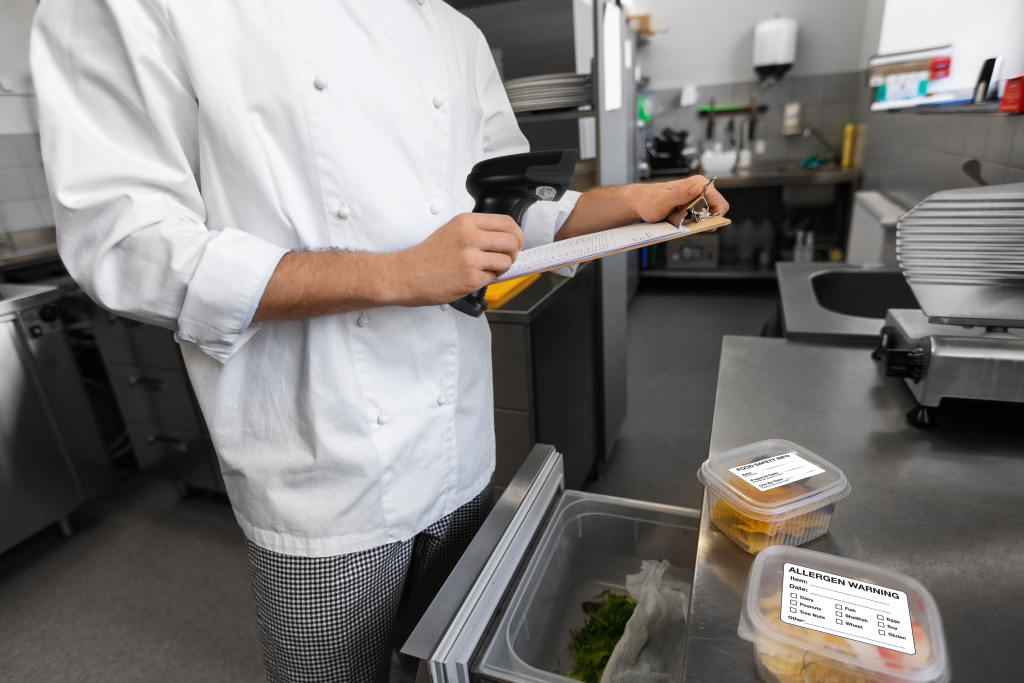
    Kitchen Labels for food label compliance

    Types of Labels That Improve Inventory Control

    Not all labels are created equal. Here are some of the most impactful types of inventory labels that help reduce shrink and support compliance:

    >Inventory Labels

    Used to tag incoming products, backroom stock, or bulk ingredients with SKUs, storage instructions, or shelf life details. These labels make stock easy to locate and manage from receiving to removal.

    >Traceability Labels

    Include supplier info, batch numbers, and lot codes. Essential for tracking high-risk or perishable items through the supply chain and required documentation in case of a recall or audit.

    >Barcode Labels

    Enable fast, accurate scanning for receiving, transfers, and counts. Barcode inventory labels eliminate manual entry errors and ensure that digital systems reflect physical stock.

    >Rotation & Expiration Labels

    Support FIFO systems and help staff use the oldest items first. These labels often include prep dates, expiration times, or storage instructions, reducing spoilage and keeping inventory compliant with health regulations.

    How Inventory Labels Reduce Shrink

    Shrink often occurs because of inconsistent labeling, poor visibility, or reliance on manual tracking.

    Imagine a hectic kitchen during the lunch rush: staff members are reaching for ingredients, prepping items, and trying to move quickly, only to discover two opened containers of the same product, both unlabeled, one of which may be expired. Or, picture a back stock area where boxes are marked by hand, and no one’s quite sure when each arrived or how much is left.

    How Inventory Labels Improve Traceability and Reduce Shrink - blog article by Star Micronics.

    These moments may seem minor, but they add up to lost product, potential health risks, and unnecessary waste.

    Inventory labels directly address these challenges by:

    • Improving shelf visibility and product identification
    • Supporting better rotation with expiration labeling
    • Speeding up audits, receiving, and restocking
    • Helping prevent overordering, underordering, or missed use-by dates
    • Creating accountability and traceable paper trails
    • Ensuring compliance with food safety and storage regulations

    In foodservice especially, date-based inventory labels play a critical role in meeting health code requirements and reducing the risk of contamination, spoilage, or noncompliance penalties.

    Inventory Labeling Tools from Star Micronics

    Star Micronics provides flexible, compact, and high-performance labeling solutions to support smarter inventory workflows in any environment—from retail stockrooms to restaurant kitchens.

    > All-in-One Labeling: Star’s mC-Label series of multifunction printers handle die-cut, linerless, and continuous labels (receipts, too), making them ideal for receiving, prep, storage, and inventory tracking. With One Touch Label, you can store up to three static label designs directly on the printers and print them instantly using the multifunction button. No internet needed!

    > Compact, Flexible Designs: These space-saving printers install easily at any workstation. One model supports multiple labeling applications, reducing hardware SKUs and simplifying training and support.

    mC-Label3 Multifunction Printer

    The Star Micronics mC-Label3 is a versatile multimedia printer that prints a wide range of labels and receipts, including both permanent and repositionable sticky linerless. It features cloud connectivity and innovative technologies like SteadyLAN and TetherLAN for enhanced printing convenience.

    Discover the mC-Label3 >

    mC-Label2 Multifunction Printer

    The mC-Label2 packs powerful features into a compact, front-loading design, including 300 dpi resolution, support for linerless, die-cut, receipt, and continuous media, and connectivity options like USB-C, LAN, WLAN, Bluetooth, and Apple MFi-certified pairing (X4 models only).

    Explore the mC-Label2 >

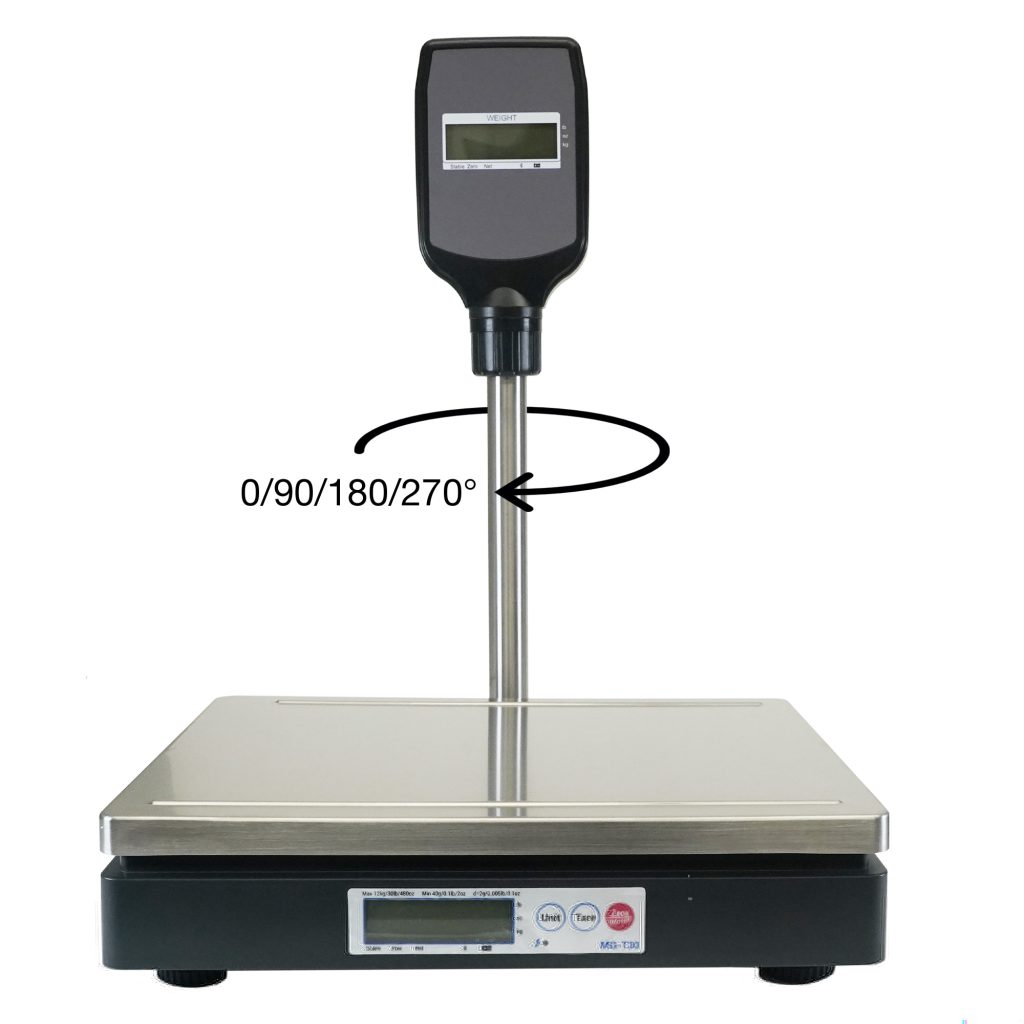
    > Scales for Accuracy: Pair Star printers with mG-T series POS scales for accurate weight-based labeling. Ideal for portioning, serving size tracking, and receiving by weight.

    mG-TUDB Scales

    Designed for precision and versatility, the mG-TUDB scales are a perfect fit for grocery self-checkout stations, produce sections and bulk item sales. With trade-legal certification for the U.S. and Canada, these scales offer Class III accuracy and seamless connectivity via Bluetooth, serial, or USB-C. Their large platter and optional pole display accessory ensure effortless setup with your POS system, making them ideal for a wide range of applications, from delis to farmer’s markets.

    Find Out More >

    > Software Compatibility: Star printers work with modern cloud-based and legacy inventory systems via USB, Bluetooth, Ethernet, Wi-Fi, CloudPRNT Next, and fully-managed cloud printing with StarIO.Online. Easy to integrate, easy to scale.

    Inventory Labels: The Bottom Line

    Inventory shrink may feel like an unavoidable cost, but with the right inventory labels and strategy, it’s entirely manageable. Whether you’re dodging spoilage, staying on top of compliance, or just trying to make it through the lunch rush without losing your mind, smart labeling gives you one less thing to stress about.

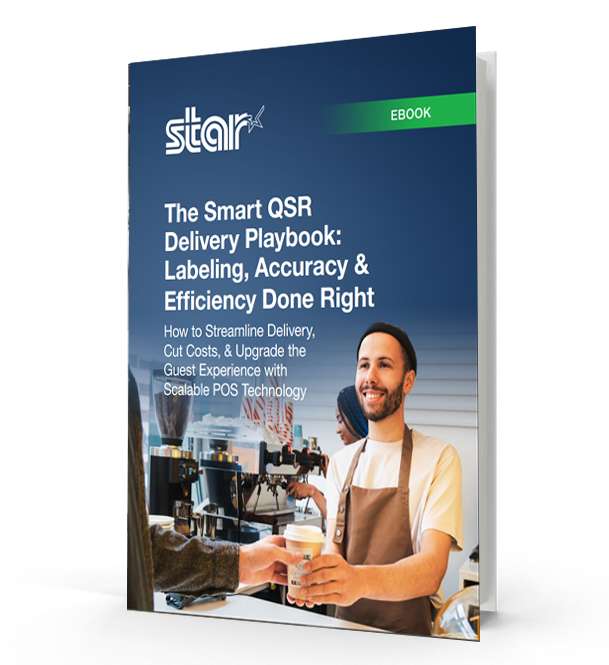
    The Smart QSR Delivery Playbook: Labeling, Accuracy & Efficiency Done Right

    Learn how leading QSRs are using smart labeling and scalable POS technology to reduce errors, cut costs, and deliver a better guest experience.

    Ready to boost your inventory labeling workflow?

  • How to Switch to an Android POS System: A Detailed Guide

    How to Switch to an Android POS System: A Detailed Guide

    The modern retail landscape is in constant flux, mainly driven by consistent technological innovation. Among these many changes, the shift toward Android point-of-sale (POS) systems has been particularly noteworthy over the last couple of years.

    The Rise of Android POS Software

    The Android operating system, universally recognized for its user-friendly nature and cost-effectiveness, is now the first choice for a rapidly growing number of retail businesses. Its open-source nature lends itself to exceptional customization capabilities, allowing software developers to tailor their POS applications to their exact specifications. Merchants in the retail and hospitality industries have greatly benefitted from such progress.

    Such flexibility isn’t just about aesthetics; it’s about delivering a smooth, efficient customer service experience and integrating diverse software applications that manage everything from inventory to customer feedback.

    The Critical Role of Hardware in Android POS Systems

    However, an Android POS system’s success relies on more than just the software. The hardware components, particularly the printers, are pivotal in ensuring the system operates seamlessly.

    Here, Star Micronics shines in the world of retail solutions. Fully understanding the Android revolution in the POS industry, Star has dedicated its resources to craft printers that perfectly sync with Android systems.

    Among Star’s crowning achievements is the TSP143IVUE thermal receipt printer. All Star Micronics receipt and label printers are compatible with Android, but the TSP143IVUE optimizes the Android experience thanks to its support for the Android Open Accessory (AOA) protocol.

    AOA support ensures communication between the Android system and the printer while keeping the tablet or device powered and charged, enhancing the user experience by leaps and bounds. Star also has industry-leading software development kits (SDKs) to aid technology providers in the integration of Star printers with developer POS software.

    Software developers, click here to contact the Star Integrations Team >

    An Independent Software Vendor’s (ISV’s) Guide to Star Printer SDKs

    Unlock seamless printer integration tailored to elevate your software’s performance and versatility.

    If Your Current POS Software is Android-Compatible

    For many business owners, the thought of transitioning to a new system can be daunting, especially if they’re content with their current POS software. The good news? Your transition can be significantly streamlined if your POS software is already compatible with Android hardware.

    If this is you, you’re in a favorable position; your employees are already acquainted with the software, eliminating the need for extensive training.

    In such cases, while reviewing the steps detailed below for a thorough understanding is beneficial, you may not have to follow all of them. Instead, you can focus on hardware, ensuring a smoother and more efficient switch to the Android POS system of your choice.

    Preparing for a Seamless Transition

    Before considering a switch to an Android POS system, businesses without Android-compatible software should start by evaluating their current system. This means pinpointing its strengths and acknowledging its limitations.

    But introducing new technology isn’t just about installation. The importance of thorough staff training cannot be overstated. A system can only reach its full potential when those using it are proficient and confident.

    Be prepared to do the necessary work if you want the greatest rewards later on.

    Steps to Transition to an Android POS System

    Transitioning requires careful planning and execution. Here’s a structured approach for business owners looking to make the switch to an Android POS system:

    1. Assessment & Planning

    • Evaluate Current Needs: Start by analyzing the features of your current POS system. Pinpoint its strengths and any gaps in functionality. Examine both your software and hardware, identifying essentials and desired additions. Invest time in creating a detailed list. Group all your “must-have” features together and create a separate wishlist for the desirable, but not crucial, add-ons.
    • Determine Compatibility: Ensure which of your existing hardware (e.g., barcode scanners, cash drawers, printers) is compatible with Android systems or plan for necessary upgrades. 

    2. Research & Selection

    • Choose the Proper Software: Various Android POS applications cater to distinct business requirements. As features, pricing, and support differ across the board, it’s crucial to choose wisely. Refer back to your prioritized list, ensuring your software selection has all your must-have features and, ideally, some from your wishlist.
    • Hardware Selection: Decide if you’ll be using dedicated Android POS terminals or other popular devices such as tablets. If you need to upgrade to new POS hardware, be sure it’s compatible with Android, is user-friendly, and has excellent support. This may go without saying, but ensure your chosen hardware is also robust enough for your business’s daily operational demands. Cutting costs on hardware may lead to regrets when they break down, leaving you in a jam during your busiest hours.


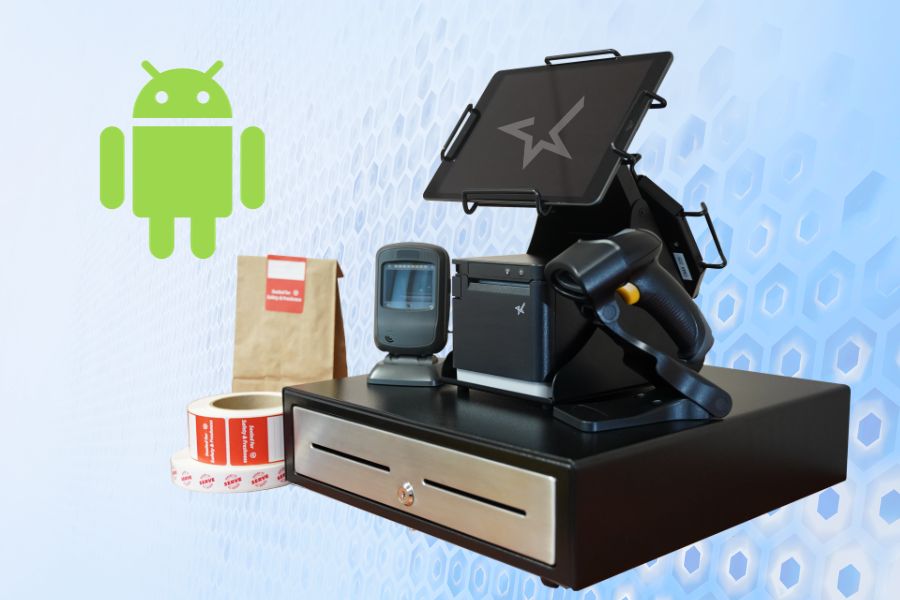
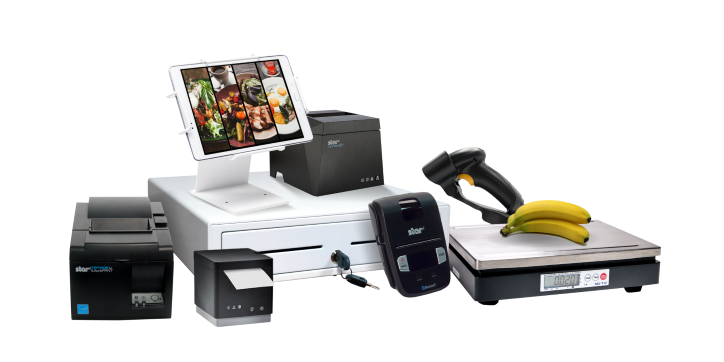
    The complete point-of-sale (POS) suite in black and white by Star Micronics.
    All point-of-sale hardware by Star Micronics works with Android operating systems.

    3. Data Migration

    • Inventory & Product Data: Most modern POS systems allow you to export product data. Once exported, this data can be imported into your new Android POS software.
    • Customer Data: If you’ve maintained a customer database or loyalty program, ensure this data is also transitioned.

    4. Configuration & Customization

    • Payment Processing: Set up payment gateways and processors to ensure seamless transactions with your Android POS system. Note: if you are using your current Android-compatible POS software and making no software changes, there will likely be no need to update your payment processing or terminal.
    • Tax & Compliance: Ensure your chosen software is configured according to local tax regulations. All POS software must comply with all federal and state tax laws.
    • Custom Features: Depending on the software, you may be able to add specialized features tailored to your business needs.

    5. Training

    • Staff Orientation: Familiarize your team with the basics of the new system.
    • In-depth Training: Consider more detailed training sessions or workshops depending on your business’s complexity.

    6. Testing

    • Pilot Run: Before fully transitioning, consider running the new Android POS system parallel to your existing system to catch any issues.
    • Feedback Loop: Allow staff to provide feedback on any challenges they encounter.

    7. Deployment & Go-Live

    • Full Transition: Once you’re confident in the new system’s functionality, make the full switch.
    • Support: Ensure there’s a system in place for staff to report issues and get help as needed.

    8. Ongoing Review & Optimization

    • Collect Feedback: It’s crucial to consistently gather feedback from staff and customers to ensure the system meets everyone’s needs.
    • Updates & Maintenance: Regularly update the software to benefit from the latest features and security enhancements.

    Remember, while there are challenges in making a significant change like this, the flexibility, customization options, and potential cost savings of an Android POS can offer many benefits to modern businesses.

    Happy Business Owner Retail Grocery Small

    Embracing Tomorrow’s POS Landscape

    Staying ahead in the ever-changing retail and hospitality world means staying informed and embracing a proactive spirit. If you’re sensing your legacy POS system may be holding back your business, there are many reasons why upgrading to a newer Android POS system would be advantageous.

    Not only is it a highly cost-effective alternative, but the operating system itself allows for excellent customization and is very user-friendly. Paired with the advanced capabilities of Star Micronics’ printers, vendors are equipped with leading technology and an edge in operational efficiency.

    Embracing innovation ensures a brighter, more efficient future for your business, positioning you at the forefront of the retail evolution.

  • How To Build A Self-Service Experience You’re Proud Of

    How To Build A Self-Service Experience You’re Proud Of

    Self-service, or “unattended” environments, are the new expectation, and 2022 will officially be the watershed moment for self-checkout technology, adoption, and innovation. Let’s break down some key pieces you’ll want to consider when building out your strategy.

    Self-Serve Is So Self-Serving

    Consumers now expect payment solutions that both anticipate and address their needs no matter where, when, or how they choose to shop. The same rules apply to unattended retail and contactless payments, including “just walk out,” buy-online-pickup-in-store (BOPIS), self-order kiosks, self-scan kiosks, and in-store mobile, along with the rest of your traditional in-person or online payment journeys.

    worldnet-1

    The buyer’s journey – once envisioned as a fairly straight path from the first point of contact between the retailer and the customer to the eventual purchase – now resembles nothing so much as a spiderweb. Customers enter, leave, and re-enter the “journey” from multiple touchpoints, zipping along threads from app to social to in-store to website to AI-driven kiosks and more, with the entire process seamlessly focused on one central goal: an invisible checkout. 

    Your payment solution must provide consumers with as many options as possible to make purchases on their terms, whether that’s via mobile wallets, a mobile app, a QR code, traditional credit cards, or more.

    Autonomous Retail Is Not Just For Big Players

    Once considered a “high-tech” experiment, autonomous retail is the future of retail. 

    Amazon’s “Just Walk Out” technology set a new bar for frictionless consumerism. We like to help brands like Nourish + Bloom adopt this high-tech business model and level-up the experience by adding hybrid features like 24/7 availability, a bistro, and robotic delivery to the mix. 

    With these solutions, customers scan their phones to walk in, grab their items and walk out (see more on this UST solution here). Customers can also order food from the bistro and pay by scanning a QR code that connects to their digital wallets, or they can pay at vision-checkout kiosks with traditional methods like credit cards and e-wallets. The best part is that they can even have items delivered to the comfort of their own homes with the help of automated robots that interact with customers.

    E-Wallets: The Safe & Contactless Way To Shop

    worldnet-2

    Digital wallet usage has skyrocketed. Seventy-one percent of consumers will at least sometimes use a digital wallet instead of entering credit card information directly, according to a 2021 ClearSale consumer behavior study. This is very, very good news for Technology Providers, better known as ISVs. Why? More than 78% of consumers who paid for a recent purchase using a digital wallet say they prefer to shop in unattended environments – making digital wallet users almost four times likelier to choose self-serve contactless options.

    Payments Are Complicated… You’re Going To Need A Bigger Boat

    Although ISVs have expertise in all things software, when it comes to autonomous retail transactions and workflows it’s best to get a payments partner who’s got the knowledge needed to create an all-in-one solution for them and their merchants. 

    One of the biggest challenges we see is folks coming to us after being burned by having to deal with multiple integrations, distributors, processors, hardware providers, and payment gateways. The key to building a self-service experience that’s truly remarkable is to get a partner on the payment side that can help you integrate things because payment is a completely different discipline than point-of-sale. You don’t want to be dealing with one payment partner for eCommerce, one for in-store, and another for your unattended or mobile solution.

    It’s A Big Eco-System

    worldnet-4

    We recommend one relationship with a partner who understands all the different environments in which your merchants operate. One who has experience simplifying complex integrations. They’re there to help you build a superior solution that you can monitor and report on all in one place. Ultimately, you need support in simplifying any implementation and troubleshooting issues so you can focus on growth and running your business.

    Build A Self-Service Experience That’s Frictionless

    ISVs, or Technology Providers, have a unique opportunity to deliver new solutions that help merchants embrace the changing consumer behaviors driving the demand for self-service. 

    To help you build out your self-service strategy we went a little deeper with an industry report called: “Self-Serve Experiences Are Driving the Future of Payments” which goes into both unattended and contactless payments solutions that set self-service environments apart.

    Read this Report to Discover:

    • Why unattended solutions are now the expectation 
    • Which new types of self-serve solutions are on the horizon
    • Unique ways to engage shoppers and deliver memorable experiences
    • How to integrate these solutions into your existing channel mix

    Get To Know Us Better

    Worldnet’s GoChip software, paired with Star Micronics’ printing technology makes it easy for merchants to adopt unattended and contactless payments. One of our strengths is listening, which makes relationship-building and partnerships easy. We’ve become the leading integrated payments gateway, specialized in self-service solutions, not just because of our technology, but because we strive to offer the best services and support to our partners.

    Our software and APIs allow you to unify your unattended, in-store, online, and mobile payment experiences. Worldnet’s GoChip SDK is EMV certified with major processors and provides Integrated Contactless/NFC and EMV options. The Cardholder-Not-Present suite covers eCommerce, in-app payments, Virtual Terminal, and Tokenization solutions, allowing merchants to accept any payment, anywhere, with all major credit and debit cards, as well as digital wallets.

    Let our team of experts make payments their problem, so you can focus on growth.

    worldnet-John

    Guest Post Written By John Clarke, CEO and Co-Founder of Worldnet Payments

    A Payments veteran, with over 23 years of experience driving technology innovation in the Payments Industry, John co-founded WorldNet in 2008. He has since achieved many significant firsts in the Payments Industry, including developing the first iPhone Payment App in Europe. At WorldNet, John continues to drive technology innovation in Payment Processing.

    Liked this post? Here’s another:

  • How Small Businesses Can Stand Out on Social Media

    How Small Businesses Can Stand Out on Social Media

    Owning a small business can make it difficult to compete with the big brand names that everyone already knows. The advantage that SMB retailers have compared to “big-box” retailers is their opportunity to create an authentic and unique experience for each of their customers. While you may feel like you’re being overshadowed by the big guys, here are a few ways to stand out on social media.

    Start a Vlog

    Benefits:

    Video is taking over the way people consume information. A fun way for small businesses to showcase their products and expertise about their business is to start a vlog, a.k.a, a video blog. Video blogs can cover topics from a new clothing line you’ve just started carrying, to fashion tips, to a personal entry about the success of our small business.

    Vlogs are also great for promoting events and one-time sales. Aside from that fact that online videos now account for more than 80% of Internet traffic, a vlog creates a better sense of authenticity than your standard blog. This gives you a better opportunity, not just to increase the foot traffic in your store, it allows you to create a community with your frequent shoppers.

    How to do it:

    The great thing about vlogging is that it doesn’t need to be filmed in a fancy production studio. All you really need to start a vlog is a smart phone and an idea of the type of content you want to share with your viewers.

    A great starting point for a vlog is to film an overview of your business, what inspired you to start it, and a tour. This introduction is a perfect way to create loyal viewers and customers who are interested in learning more from your vlog. And if you’re camera shy, try asking a friend, employee, or business partner to take the lead with your creative input!

    Run Seasonal Campaigns

    Benefits:

    For retailers, you may find yourself needing to update your store for every season. This is especially true for clothing stores. By creating seasonal campaigns, you are not only letting your audience know that you are all set for the upcoming season, but showing them that you know what will be trendy for the upcoming season.

    Seasonal campaigns are beneficial because they allow you to get very visual in your social media posting – which is great since Facebook posts with images see 2.3 times more engagement than those without images, and as of June 2016, there are more than 500 million Instagram users.

    seasonal-social-e1574800068484

    How to do it:

    In order to announce your brand new stock of inventory for the upcoming season, you’ll need to create a visually appealing seasonal campaign. There are a few ways to do this.

    In addition to the aforementioned vlog, try creating some promotional videos to help promote the new inventory coming in. Capturing visuals of outdoor seasonal scenes will trigger your audience to visit your store for a new winter coat. In addition to video content, Instagram and Pinterest are the perfect platforms to look to when promoting a seasonal campaign.

    According to Shopify, 93% of Pinterest users use the platform to plan their next purchase. Hootsuite found that 75% of Instagram users are taking action, such as visiting a website, after viewing an Instagram post. By visually promoting products that are appropriate to the season on platforms such as Pinterest and Instagram, you’re much more likely to turn those “likes” into sales.

    Leverage User Generated Content

    Benefits:

    User generated content is a great way for small businesses to stand out on social media because it means that people are paying attention to and care about your business! By definition, user generated content includes any form of content such as blogs, wikis, discussion forums, posts, chats, tweets, podcasts, digital images, video, audio files, advertisements and other forms of media that were created by users of an online system or service, often made available via social media websites.

    Put in more simple terms – user generated content is content posted by your customers about your business. This can include anything from an Instagram user posting a photo of them wearing an item from your latest clothing line, to a shopper writing a blog article about your business. Not only does user generated content often result in free advertising, but it helps you reach a wider audience through your customers’ network.

    How to do it:

    I know what you’re thinking – how do I encourage my customers to create content about my product? There are a number of ways to push that content out of your shoppers. The easiest way to do this is simply to use social media to interact with their audiences. If someone tags you in a post, make sure to leave a comment! There are also a number of social media monitoring tools that will help you scan for posts that mention your business but don’t tag your page. Surprising one of your frequent shoppers with a comment on their Instagram photo is almost guaranteed to increase customer loyalty and stand out to all of their followers.

    If you’re looking to boost your user generated content, try hosting a contest. Photo contests are probably the most popular way to get see more user content. For example, if you are the owner of a fashion boutique, try holding a photo contest on Instagram asking people to pose with their latest store purchases. You can create a hashtag for users to post along with their photos; that way, you can easily track who is participating in your contest, and choose a winner! People will notice the hashtag and it will help you stand out to a wider audience than you initially started with.

    Competing with large retailers doesn’t have to be a ton of work. Standing out on social media has allowed retailers to connect with their customers on a more personal level, and will continue to advance in favor of business owners. Sometimes all it takes to stand out is the initial interaction.