Author: Star Micronics

  • Star Micronics to Showcase POS Hardware, Partner Integrations, and the New mC-Connect Drawer at RetailNOW 2026

    Star Micronics to Showcase POS Hardware, Partner Integrations, and the New mC-Connect Drawer at RetailNOW 2026

    Visit Booth 631 to see the new mC-Connect Drawer, cloud printing, multifunction labeling, kiosk barcode scanning, and live demonstrations with MagTek and Logic Controls.

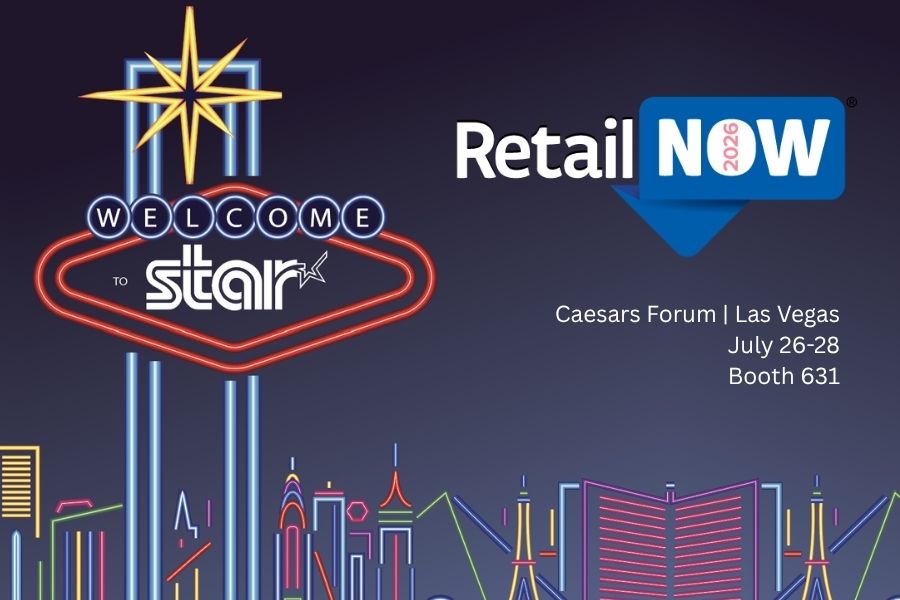
    Las Vegas, NV – July 17, 2026 – Star Micronics, a global leader in point-of-sale (POS) hardware, cloud printing, and labeling technology, will exhibit at RetailNOW 2026, the retail IT channel’s #1 trade show, education conference, and networking event. The show takes place July 26–28 at Caesars Forum in Las Vegas. Visitors to Booth 631 can explore Star’s latest POS hardware through live demonstrations with leading technology partners.

    RetailNOW attendees will see Star hardware working alongside software and payment technologies used across retail and hospitality.

    Featured Solutions at Booth 631

    Attendees can explore Star’s latest POS hardware and cloud technologies, including:

    • The new mC-Connect Drawer: Modernize any cash drawer with USB, Ethernet, Wireless LAN, and Bluetooth® Low Energy connectivity, enabling direct communication with today’s POS systems, tablets, and mobile devices.
    • Cloud Printing Solutions: CloudPRNT Next and StarIO.Online simplify cloud printing for online ordering, web applications, and multi-location deployments. From direct cloud communication using MQTT to fully managed cloud printing with remote device management, Star offers flexible options for cloud-connected POS environments.
    • Multifunction Labeling Solutions: The mC-Label2 and mC-Label3 support receipts, linerless labels, die-cut labels, and continuous media from a single device, allowing businesses to print food safety labels, order labels, barcode labels, receipts, and more.
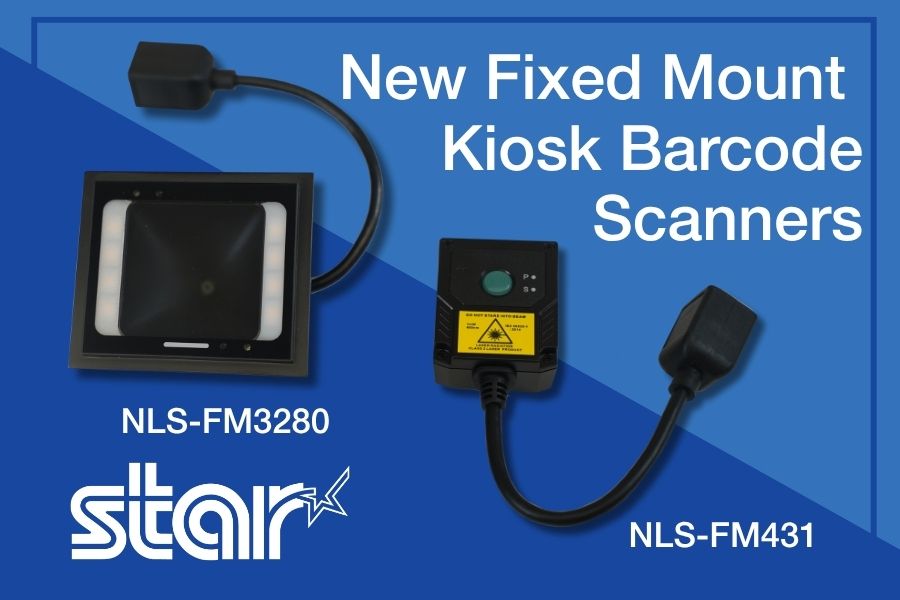
    • Kiosk Barcode Scanning: Star’s fixed-mount kiosk barcode scanners, the NLS-FM431 and the NLS-FM3280, provide fast, hands-free scanning of 1D and 2D barcodes from printed labels and mobile devices for self-service kiosks, lockers, and customer-facing terminals.
    • Enterprise POS Hardware: From receipt printers and cash drawers to barcode scanners and cloud-connected peripherals, Star’s hardware portfolio supports retail, restaurant, grocery, healthcare, cannabis, and hospitality applications.

    Live Partner Demonstrations

    Star will feature several integrated demonstrations throughout the show.

    • One Touch Label with Logic Controls KitchenGO KDS and the mC-Label3: See Logic Controls’ KitchenGO KDS working with Star’s mC-Label3 multifunction printer to demonstrate the One Touch Label feature. Kitchen staff can generate labels directly from the KDS as orders move through production, helping identify orders and improve fulfillment accuracy.
    • Direct Cash Drawer Control with MagTek and the mC-Connect Drawer: MagTek will demonstrate the mC-Connect Drawer, showing how payment devices and POS systems can control cash drawers directly without requiring a printer connection.

    Star Solutions Featured Throughout the Show Floor

    Attendees can also see Star solutions featured at the following partner booths:

    “RetailNOW brings together the channel partners, ISVs, and solution providers that help businesses deploy POS technology every day. This year, we’re demonstrating how our hardware works alongside leading software and payment providers, from the new mC-Connect Drawer and cloud printing to multifunction labeling and kiosk technologies, showing how these technologies work together in real-world deployments.”

    Meet the Star Team at RetailNOW 2026

    Francis Angoyar, Sales Accounts Executive at Star Micronics, will participate in a speaking session at the ScanSource booth on Monday, July 27, from 11:45 a.m. to 11:55 a.m., where attendees can ask questions about Star’s POS hardware and integrations.

    Star is also proud to support the Women in Technology (W2W) community at RetailNOW. Joey Richholt, Director of Human Resources at Star Micronics, will serve as a panelist during Martinis & Mentorship: The Perfect Cocktail Mixing Career Advice, Authentic Connections, and Lasting Success, taking place on Sunday, July 26, from 7:00 p.m. to 8:00 p.m.

    Visitors are encouraged to stop by Booth 631 to see the demonstrations, meet with the Star team, and learn more about Star’s latest POS hardware and cloud technologies.

    To schedule time with the Star team or for more information, contact sales@starmicronics.com.

    Can’t get enough industry news?

    Star Micronics logo, point-of-sale (POS) hardware and technology company.

    Star Micronics is a global provider of point-of-sale (POS) hardware, cloud printing, and labeling solutions that help businesses connect digital workflows to real-world operations. Serving retail, hospitality, healthcare, and service industries, Star delivers printing, labeling, cash management, self-service, and cloud-based technologies designed to support scalable, connected, and automated environments. Star’s solutions support Android, iOS, Windows, and web-based platforms and extend into the cloud through services such as CloudPRNT Next and StarIO.Online, Star’s fully managed cloud printing service.

    Visit starmicronics.com or follow us on Facebook, X, YouTube, or LinkedIn to learn more.
    Media Contact:

    Christin Dorner
    Star Micronics America, Inc.
    cdorner@starmicronics.com
    848-216-3318

  • Operandio and Star Micronics Standardize Food Safety Labeling for Multi-Location Restaurants

    Operandio and Star Micronics Standardize Food Safety Labeling for Multi-Location Restaurants

    Operandio integrates with Star’s mC-Label2 and mC-Label3 multifunction label printers to help multi-location restaurants simplify and improve food safety labeling workflows.

    Somerset, NJ – July 14, 2026 – Star Micronics, a global provider of point-of-sale (POS) hardware, cloud printing, and labeling solutions, today announced its integration with Operandio, an AI-powered operations platform for franchise and multi-unit restaurant networks. By combining Operandio’s digital food safety and operations platform with Star’s mC-Label2 and mC-Label3 multifunction label printers, restaurants can generate and print food safety labels directly from digital HACCP and food preparation workflows, helping improve operational control, traceability, and compliance across every location.

    Digital Food Safety from Preparation to Compliance

    Food safety depends on consistent execution throughout the day. Yet many restaurants still rely on handwritten labels, paper checklists, and manual processes that can introduce errors and make compliance more difficult.

    Operandio helps restaurants digitize HACCP procedures, food safety programs, temperature monitoring, operational checklists, corrective actions, and employee training through a single platform. By replacing paper-based processes with real-time digital workflows, restaurant operators gain greater visibility into daily execution while helping teams maintain consistent food safety standards across locations.

    Automated Labeling Where Food Safety Happens

    Through its integration with Star’s mC-Label2 and mC-Label3 printers, Operandio enables kitchen staff to print labels for prep, food rotation, expiration, allergen, and product identification directly from the application at the point of preparation.

    Restaurants can:

    • Print food safety labels directly from digital workflows
    • Replace handwritten labels with clear, consistent printed output
    • Standardize food safety labeling across multiple locations
    • Support HACCP procedures with accurate, time-sensitive labeling
    • Improve product traceability and inspection readiness
    • Reduce manual labeling during food preparation

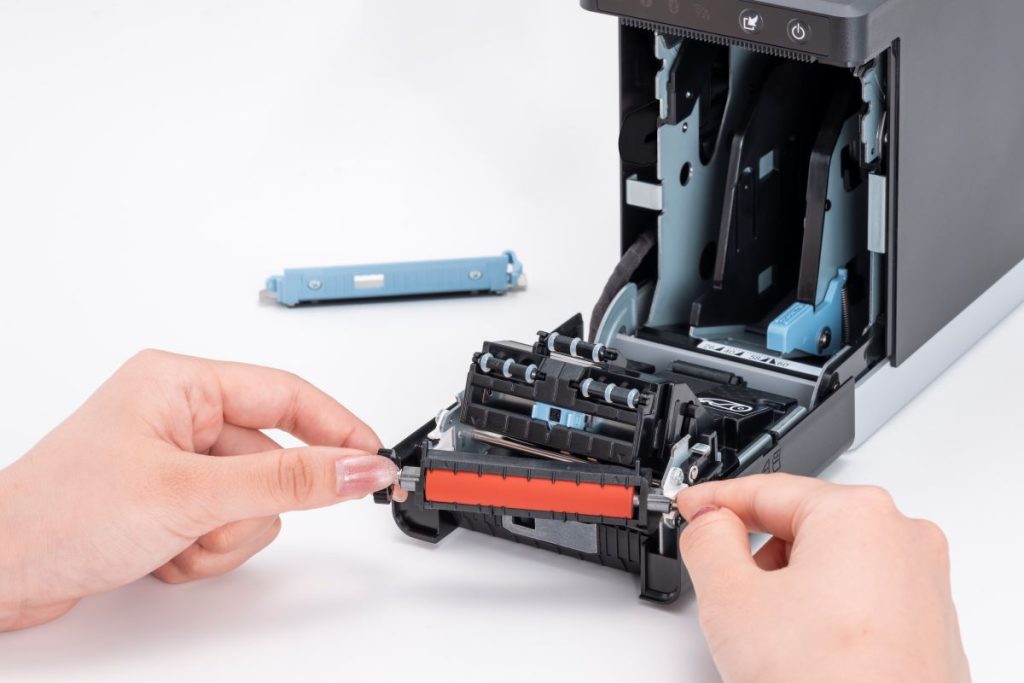
    Designed for demanding kitchen environments, the compact mC-Label2 fits easily into space-constrained prep stations with its front-loading, front-exit design, while the mC-Label3 supports label widths up to 3 inches for applications requiring larger label formats. Both printers support linerless and die-cut media, and feature tool-free maintenance to help minimize downtime in busy kitchen environments.

    “The Star mC-Label printer is an exceptionally versatile tool that brings both durability and flexible connectivity to the kitchen environment. At Operandio, we value partnering with experienced teams like Star Micronics that deliver reliable hardware to support consistent food safety and day-to-day restaurant operations.”

    “Digitizing food safety is only part of the equation. Restaurants also need a dependable way to turn those digital workflows into clear, accurate labels at the point of preparation. That’s where our mC-Label printers help complete the process.”

    Built for Multi-Unit Restaurant Operations

    Beyond food safety, Operandio provides restaurant operators with a centralized platform to recruit, onboard, train, operate, and maintain compliance across franchise and multi-location businesses. The platform digitizes standard operating procedures, inspections, equipment management, employee training, and daily tasks, giving restaurant operators greater visibility into execution across every location.

    To learn more about Star Micronics solutions, visit starmicronics.com.

    To explore Operandio, visit operandio.com.

    Can’t get enough industry news?

    Operandio Logo

    Operandio is an AI-powered operations platform built for franchise and multi-unit restaurant networks. The platform helps operators recruit, onboard, train, operate, and maintain compliance through a single system that digitizes food safety, task management, employee training, equipment management, and operational procedures. Founded in Australia with a North American headquarters in Utah, Operandio helps restaurant organizations improve consistency, accountability, and visibility across every location.

    Star Micronics logo, point-of-sale (POS) hardware and technology company.

    Star Micronics is a global provider of point-of-sale (POS) hardware, cloud printing, and labeling solutions that help businesses connect digital workflows to real-world operations. Serving retail, hospitality, healthcare, and service industries, Star delivers printing, labeling, cash management, self-service, and cloud-based technologies designed to support scalable, connected, and automated environments. Star’s solutions support Android, iOS, Windows, and web-based platforms and extend into the cloud through services such as CloudPRNT Next and StarIO.Online, Star’s fully managed cloud printing service.

    Visit starmicronics.com or follow us on Facebook, X, YouTube, or LinkedIn to learn more.

    Media Contact:

    Christin Dorner
    Star Micronics America, Inc.
    cdorner@starmicronics.com
    848-216-3318

    Media Contact:

    David Rigbye
    Operandio Pty Ltd.
    david@operandio.com
    213-863-1339

  • CaterZen and Star Micronics Help Restaurants Scale Catering with Linerless Labeling

    CaterZen and Star Micronics Help Restaurants Scale Catering with Linerless Labeling

    CaterZen Catering Software integrates with Star’s TSP143IV SK printer to help restaurants organize, identify, and fulfill catering orders with greater accuracy from the kitchen to the customer.

    Somerset, NJ – July 10, 2026 – Star Micronics, a global provider of point-of-sale (POS) hardware, cloud printing, and labeling solutions, today announced its integration with CaterZen Catering Software, a catering management platform built specifically for restaurants. Through the integration, CaterZen’s Catering Kitchen Display System (KDS) generates linerless labels on Star’s TSP143IV SK sticky linerless label printer as orders are prepared, helping restaurants keep complex catering orders organized from the kitchen to the customer.

    Extending the Catering Kitchen Workflow

    Catering orders are often larger, more customized, and more time-sensitive than traditional restaurant orders. Multiple trays, individually packaged meals, dietary restrictions, delivery locations, and scheduled pickup times all require clear labeling and organization throughout preparation and fulfillment.

    CaterZen helps restaurants manage every stage of the catering process, from customer inquiries and proposals to order management, production, online ordering, delivery coordination, marketing, and repeat business. In 2017, CaterZen introduced its Catering Kitchen Display System (KDS) to help restaurants manage catering production more efficiently. As customers looked to extend those digital workflows with printed labels, integrating the Star TSP143IV SK became a natural next step, allowing restaurants to generate clear, professional linerless labels directly from the KDS as orders are prepared.

    “We built CaterZen specifically for restaurant operators because catering requires workflows that fit the way restaurants actually work. Integrating Star’s TSP143IV SK gives our customers a dependable way to organize and identify every catering order while maintaining the professional presentation that keeps customers coming back.”

    The integration helps restaurants:

    • Print catering labels directly from CaterZen order workflows
    • Clearly identify trays, containers, bags, and individually packaged meals
    • Include customer names, delivery destinations, and special instructions
    • Organize complex catering orders during preparation and packing
    • Reduce packing and handoff errors before pickup or delivery

    Built for High-Volume Catering Workflows

    The Star TSP143IV SK is a single, compact linerless sticky label printer that gives restaurants the flexibility to handle everyday transactions and catering fulfillment with one printer. Repositionable linerless labels can be applied, removed, and repositioned without leaving adhesive residue, making them well-suited for catering containers, delivery bags, and order packaging. The printer also helps reduce liner waste while providing more labels per roll than traditional label media.

    “Large catering orders leave very little room for error. The last step before an order leaves the kitchen is often the one customers notice most. Clear, accurate labeling helps ensure every catering order arrives organized, identifiable, and ready to serve.”

    Supporting Restaurants That Cater

    As catering continues to grow as an important revenue channel for restaurants, operators need systems that simplify execution without adding unnecessary complexity. Together, CaterZen and Star provide a connected solution that helps restaurants manage catering orders, improve fulfillment accuracy, strengthen food presentation, and support a consistent customer experience for every event, meeting, and large-order delivery.

    For more information about Star Micronics solutions, visit starmicronics.com.

    To learn more about CaterZen Catering Software, visit caterzen.com.

    Can’t get enough industry news?

    CaterZen Catering Software and KDS logo

    CaterZen Catering Software is a catering management platform built specifically for restaurant operators. Designed by restaurateur Michael Attias, the platform helps restaurants manage customer inquiries, proposals, catering orders, online ordering, production, delivery coordination, customer communications, marketing, and repeat business through a single system. Built around real restaurant operations, CaterZen enables operators to grow catering revenue while maintaining organized, repeatable workflows.

    Star Micronics logo, point-of-sale (POS) hardware and technology company.

    Star Micronics is a global provider of point-of-sale (POS) hardware, cloud printing, and labeling solutions that help businesses connect digital workflows to real-world operations. Serving retail, hospitality, healthcare, and service industries, Star delivers printing, labeling, cash management, self-service, and cloud-based technologies designed to support scalable, connected, and automated environments. Star’s solutions support Android, iOS, Windows, and web-based platforms and extend into the cloud through services such as CloudPRNT Next and StarIO.Online, Star’s fully managed cloud printing service.

    Visit starmicronics.com or follow us on Facebook, X, YouTube, or LinkedIn to learn more.
    Media Contacts:

    Christin Dorner
    Star Micronics America, Inc.
    cdorner@starmicronics.com
    848-216-3318

    Michael Attias
    CaterZen Catering Software
    michael.attias@caterzen.com
    615-969-7090

  • Celebrating 50 Years of Star Micronics America

    Celebrating 50 Years of Star Micronics America

    For 50 years, Star Micronics America (SMA) has supported businesses across the United States, Canada, Mexico, and Latin America through major shifts in point-of-sale technology.

    From the early days of impact printing to today’s cloud-connected, mobile, and labeling technologies, SMA has adapted alongside the industries it serves, helping businesses across retail, restaurant, hospitality, healthcare, and beyond keep pace with growing operational demands.

    But Star Micronics America’s 50-year story is about more than technology.

    It is about the people who built it, the partners who grew alongside it, and the customers who trusted Star solutions through decades of industry change.

    Across the Americas, SMA has spent five decades supporting businesses through rapid technology shifts, new and evolving workflows, and higher customer expectations.

    As we celebrate 50 years of Star Micronics America, we are reflecting on the milestones that shaped us, the culture that continues to guide us, and the people who made it possible.

    Star Event Peters Landscape
    Star visiting distributors during our Full Stack Tour

    A 50-Year History of Adaptation and Growth

    The point-of-sale industry has changed dramatically over the last five decades.

    What began in an era of traditional impact printing and on-premises systems has evolved into an ecosystem of cloud platforms, mobile devices, online ordering, self-service kiosks, and advanced labeling workflows.

    Each shift brought new demands, from faster checkout and order accuracy to cloud-connected workflows and AI.

    In response, SMA expanded beyond receipt and kitchen printing to include cloud printing, cloud services, labeling, mobile POS, and a broader range of hardware for modern retail and restaurant operations.

    That ability to adapt has allowed Star to meet each new era of technology, customer expectations, and industry demands with practical solutions.

    The People Behind 50 Years of Star Micronics America

    Ask anyone inside SMA what has kept the company strong for 50 years, and one answer comes up repeatedly: its people.

    “The biggest reason Star Micronics America has remained strong for 50 years is its people. Technology and products continue to evolve, but the dedication, expertise, and commitment of our employees have always been at the heart of our success.”

    That commitment shows up not only in day-to-day work, but in tenure.

    At Star, long careers are part of the culture. Employees with 25, 30, and even more than 40 years of service have helped shape the company through major shifts, market changes, and organizational growth. That kind of longevity creates deep institutional knowledge, but it also says something important about the company itself: people stay because they find opportunities to grow.

    One philosophy that has shaped talent development at Star is the idea of having the “right people in the right seats,” a concept popularized in Jim Collins’ Good to Great. At SMA, employees are encouraged to explore new roles, move between departments, and find where their skills and interests best align. Over the years, that flexibility has helped employees build long careers while reinforcing a culture built on collaboration, growth, and change.

    Star’s commitment to understanding our employees as individuals and providing equity for their consistent growth has played a major role in the company’s long-term stability and success. 

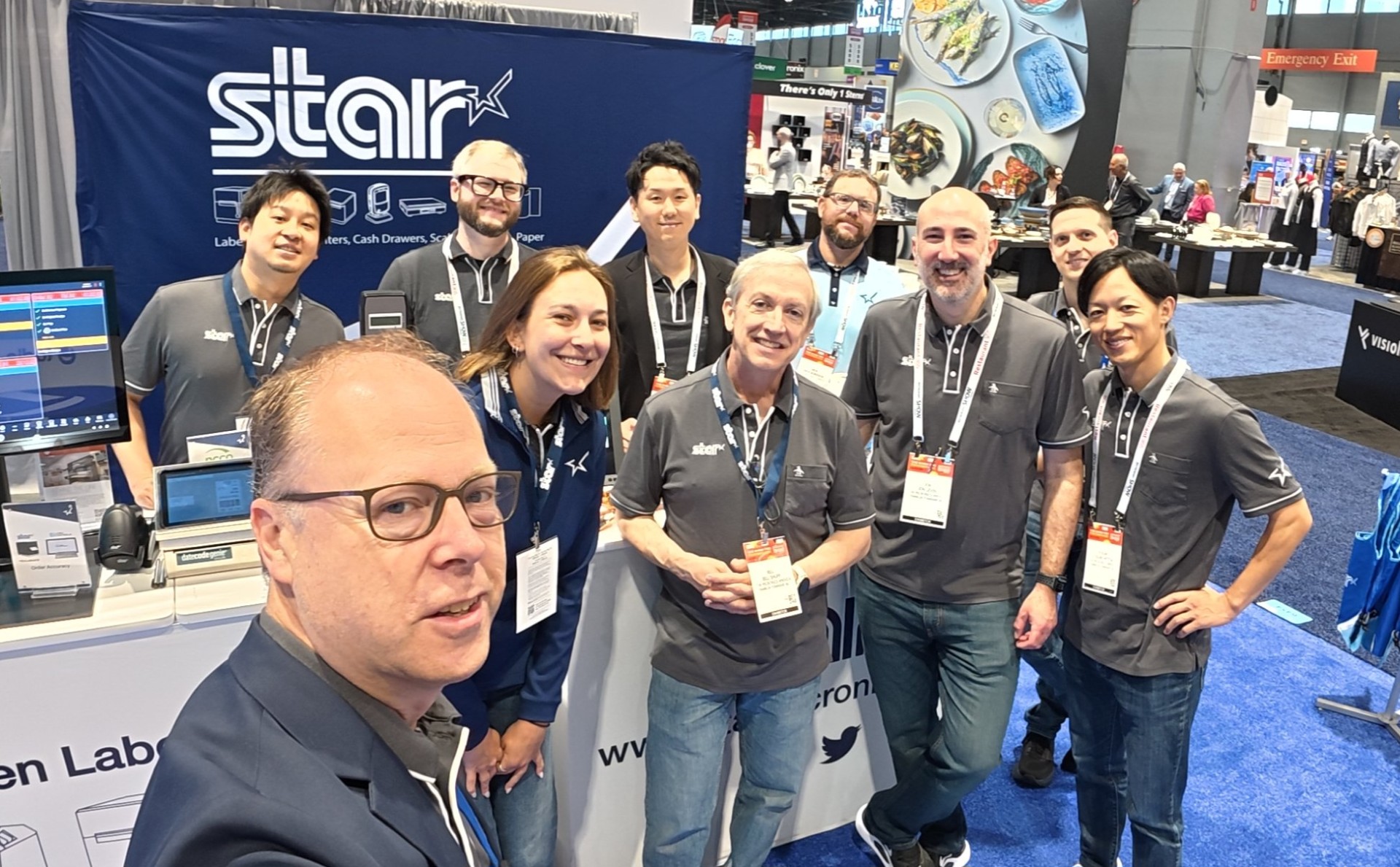
    NRA Team 2026
    The team at the National Restaurant Show 2026

    How Star Micronics America’s Culture Has Evolved

    Star’s workplace culture has changed significantly over the decades.

    One of the biggest turning points came during COVID.

    Before the pandemic, Star operated largely as an office-based organization. Like many companies during that time, that changed quickly. Teams adapted to remote work, new collaboration tools, and new ways of supporting customers and partners. What started as a necessary adjustment ultimately reshaped how the company works today, leading to a more flexible hybrid and remote culture.

    That transition tested the company, but it also reinforced one of Star’s core values: collaboration built on trust between teams.

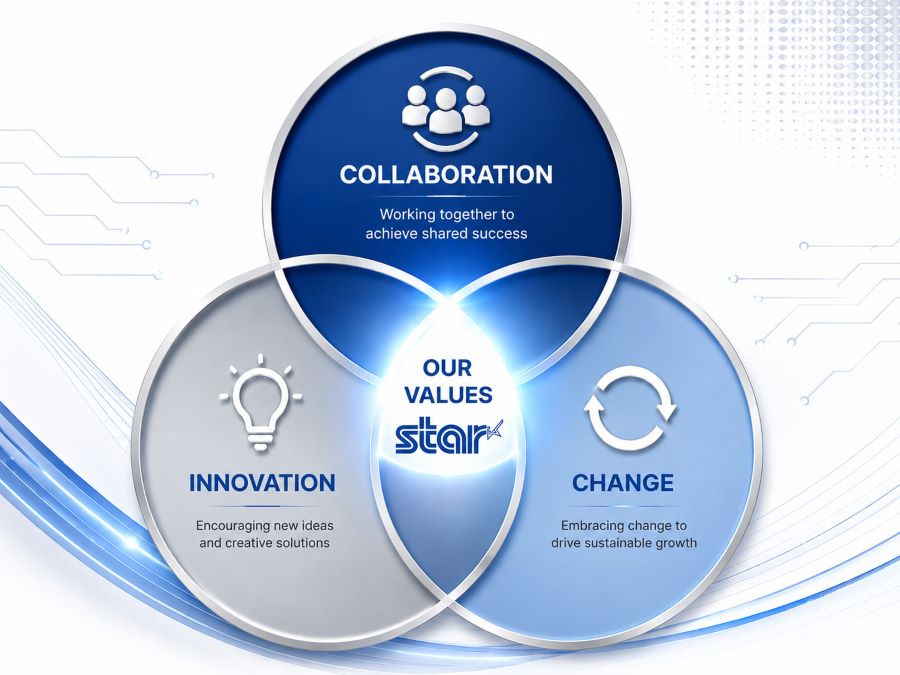
    While the workplace changed, the company’s core values remained steady:

    • Collaboration – fostering open communication, mutual respect, and trust across teams
    • Innovation – staying curious, proactive, and open to new ways of thinking
    • Change – embracing growth, improvement, and the ability to adapt in a shifting industry

    Star Micronics America Core Values

    Those values continue to guide how teams work together across the United States, Canada, Mexico, and Latin America.

    That culture extends beyond daily work. Programs like the Yamaguchi Spirit Awards recognize employees who embody Star’s core values of collaboration, innovation, and change. These traditions help reinforce that culture is not just something that happens passively. It is something consciously practiced.

    Why People Matter to the Customer Experience

    A company’s culture does not stay inside its walls. It shapes every customer interaction, every partner relationship, and every problem solved along the way.

    That has been one of the defining parts of Star Micronics America’s 50-year story.

    SMA has long been known as a company that is easy to do business with, and that reputation was built by people. It was built by employees who know the products, understand the industries they support, and work together to solve problems quickly and thoughtfully.

    It was also built through consistency.

    Many customers and partners have worked with the same Star team members for years, sometimes decades. That continuity creates trust. It gives customers direct access to people who understand their business, their workflows, and the challenges they face.

    In an industry where technology moves fast, products matter. But trust, experience, and long-term relationships matter just as much, if not more.

    For 50 years, Star’s people have helped build both.

    VTO Earth Day 7
    Volunteer day at America’s Grow-A-Row Farm in Pittstown, NJ

    Looking Ahead to the Next 50 Years of Star

    A 50th anniversary is a time to reflect, but also a time to look forward.

    As industries continue shifting toward AI, cloud infrastructure, automation, and more connected workflows, Star Micronics America remains focused on supporting those changes with experienced teams and technology that makes a difference.

    That next chapter will depend on the same things that built the first 50 years: experienced people, practical innovation, and strong customer relationships.

    For employees, partners, and customers, those first 50 years have built something lasting: trust, consistency, and a company they know they can count on.

    And if the last five decades are any indication, the next chapter is already taking shape.

    Learn More About Solutions from Star Micronics America

    Author’s Note: Special thanks to Joey Richholt and Shazia Shafi of Star Micronics America’s HR department for their thoughtful input and timely contributions to this article.

  • Star Micronics and Quetzal POS Help Specialty Retailers Modernize Inventory, Labeling, and Omnichannel Operations

    Star Micronics and Quetzal POS Help Specialty Retailers Modernize Inventory, Labeling, and Omnichannel Operations

    The integration combines Quetzal POS software with Star Micronics hardware solutions for receipt printing, merchandise labeling, barcode scanning, and checkout, helping specialty retailers manage inventory and support both in-store and online sales.

    Somerset, NJ – June 30, 2026 – Star Micronics, a global provider of point-of-sale (POS) hardware, cloud printing, and labeling solutions, today announced its integration with Quetzal POS, a point-of-sale platform designed for specialty retailers. The integration brings together Quetzal POS software and Star’s portfolio of receipt printing, merchandise labeling, barcode scanning, and hybrid POS hardware, providing retailers with flexible options for managing sales and store operations.

    Quetzal POS supports Star’s full portfolio of receipt and label printers, including the TSP143IV X4, TSP143IV SK X4, mC-Print series, mC-Label series, and the mPOP® hybrid receipt printer and cash drawer, as well as Star’s BSH-32 barcode scanner. Across iOS, Android, and Windows environments, Quetzal uses StarPRNT SDK to support local device communication over USB, Ethernet, Wi-Fi, and Bluetooth, giving retailers flexibility in how they deploy hardware across store and fulfillment workflows.

    Available on iOS, Android, and the web, the platform supports both single-store and multi-location retailers and can automatically discover compatible Star printers across network and Bluetooth connections.

    Inventory Management with Barcode Labeling

    For many specialty retailers, inventory management remains one of the most time-consuming aspects of daily operations. Manual inventory processes can lead to pricing errors, inaccurate stock counts, and lost sales opportunities.

    Quetzal POS helps retailers track inventory using barcode-based workflows that improve visibility into stock levels across stores and sales channels. Through its integration with Star’s printers and barcode scanning solutions, including the mC-Label multifunction label printer series and BSH-32 barcode scanners, retailers can generate merchandise labels directly from the POS system while improving item tracking and inventory accuracy.

    These capabilities help retailers:

    • Track inventory using barcode-based workflows
    • Improve inventory visibility across locations
    • Create merchandise labels directly from the POS system
    • Reduce reliance on manual inventory processes

    Supporting In-Store and Online Sales

    As more independent retailers expand into ecommerce, they need systems that connect online and in-store operations without adding complexity.

    Quetzal POS includes a web application that integrates with WooCommerce and will soon support Shopify. Using StarPRNT SDK, Quetzal POS extends online orders into the same receipt and labeling workflows used for in-store sales, helping retailers maintain consistency across sales channels.

    This allows retailers to:

    • Receive online orders directly within their existing workflows
    • Print fulfillment documents and labels automatically
    • Support in-store pickup and delivery workflows
    • Maintain consistent processes across sales channels

    Built for Specialty Retail

    Quetzal POS includes tools for customer relationship management, loyalty programs, integrated payments, trade-in transactions, and multi-location management. Retailers can customize receipt and label workflows based on transaction type, helping support a variety of specialty retail environments.

    “We built Quetzal POS to give specialty retailers practical tools for managing inventory, sales, and customer relationships without requiring the resources of a large retail chain. Working with Star allows us to extend those workflows into labeling, receipt printing, and ecommerce fulfillment, giving merchants options in how they deploy their systems.”

    “Specialty retailers rarely operate the same way from store to store. By supporting Star’s full portfolio of receipt printing, labeling, barcode scanning, and hybrid POS hardware, Quetzal POS gives merchants the flexibility to choose the workflows and hardware that best fit their business.”

    To learn more about Star Micronics solutions, visit starmicronics.com.

    To explore Quetzal POS, visit quetzalpos.com.

    Can’t get enough industry news?

    Quetzal POS Logo Red

    Quetzal POS is a point-of-sale platform built for specialty retailers, including boutiques, thrift stores, music shops, electronics retailers, and other independent businesses. Available on iOS, Android, and the web, the platform combines inventory management, customer loyalty, trade-ins, payments, and ecommerce tools to help retailers manage day-to-day operations across in-store and online sales channels. Through QuetzalPay, merchants can process payments, manage high-volume transaction workflows, simplify reconciliation, and access reporting tools that provide greater visibility into payment activity and business performance.

    Star Micronics logo, point-of-sale (POS) hardware and technology company.

    Star Micronics is a global provider of point-of-sale (POS) hardware, cloud printing, and labeling solutions that help businesses connect digital workflows to real-world operations. Serving retail, hospitality, healthcare, and service industries, Star delivers printing, labeling, cash management, self-service, and cloud-based technologies designed to support scalable, connected, and automated environments. Star’s solutions support Android, iOS, Windows, and web-based platforms and extend into the cloud through services such as CloudPRNT Next and StarIO.Online, Star’s fully managed cloud printing service.

    Visit starmicronics.com or follow us on Facebook, X, YouTube, or LinkedIn to learn more.
    Media Contact:

    Christin Dorner
    Star Micronics America, Inc.
    cdorner@starmicronics.com
    848-216-3318

    Media Contact:

    Nith Nadarajah
    Quetzal POS
    nith@heliotech.ca
    877-343-5467

  • WebPRNT vs StarXpand SDK for Web: Choosing the Right Browser-Based Receipt Printing Solution

    WebPRNT vs StarXpand SDK for Web: Choosing the Right Browser-Based Receipt Printing Solution

    Browser-based receipt printing has become a core part of POS applications across retail, restaurants, kiosks, and self-service environments. As cloud POS platforms and online ordering systems continue to grow, software providers need reliable ways to trigger receipts, labels, and kitchen tickets directly from web applications.

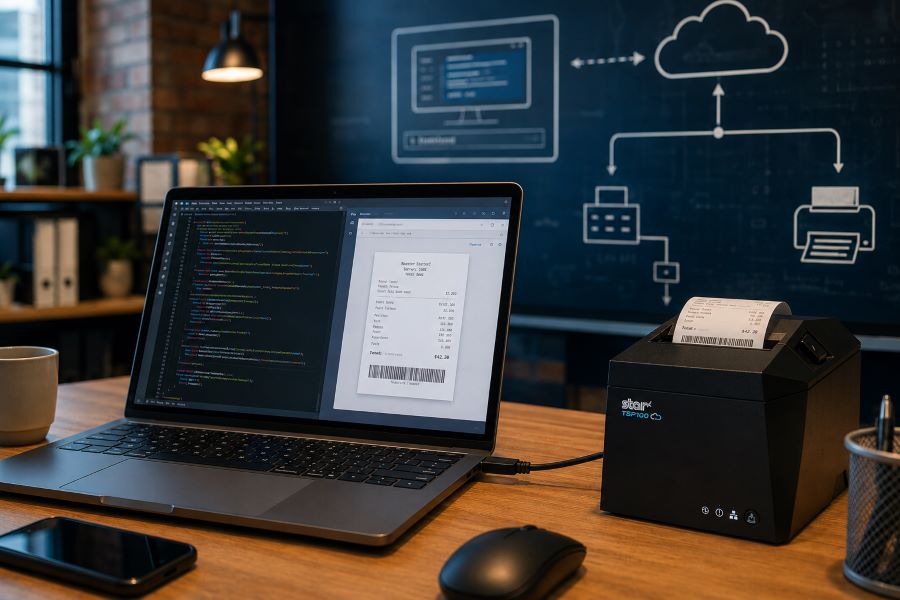
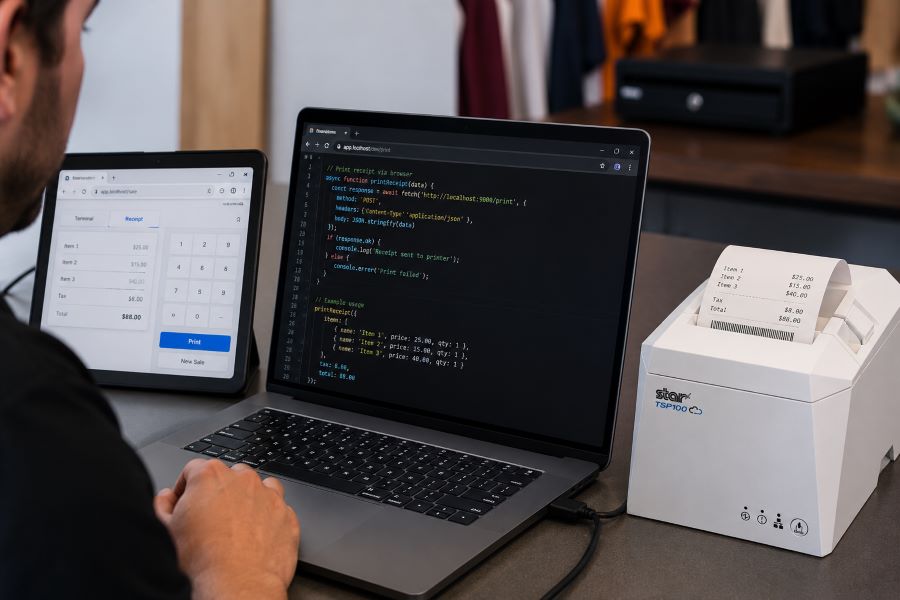
    For years, Star Micronics’ WebPRNT has given developers a practical way to handle local USB printing directly from the browser, without requiring desktop software or additional middleware.

    Today, StarXpand SDK for Web builds on that same browser-to-device model with a more unified SDK for printing and peripheral control, while CloudPRNT supports LAN and cloud-managed printing across distributed environments.

    Understanding where each fits can help ISVs reduce integration complexity and choose the right architecture for long-term growth.

    Table of Contents

    How Browser-Based Receipt Printing Has Changed

    When browser-based POS systems became more common, one of the biggest technical challenges was local printer communication. A web application could manage transactions, but connecting directly to a receipt printer from a browser was often difficult without middleware, desktop applications, or custom local services.

    WebPRNT helped solve this by enabling direct browser-to-printer communication over USB. This made browser-based printing practical for:

    For many ISVs, this reduced deployment friction and simplified local printing workflows. But browser-based printing requirements have expanded.

    Today, many deployments include:

    • Multi-location stores
    • Cloud-managed ordering systems
    • Distributed kitchen printing
    • Shared hardware environments
    • Remote print routing

    That shift changes how printers need to communicate. Some environments still depend on local USB printing. Others now require printers to communicate over LAN or directly with cloud services.

    That distinction is what separates WebPRNT, StarXpand SDK for Web, and CloudPRNT.

    What Is WebPRNT?

    WebPRNT is Star’s browser-based printing technology designed specifically for browser-based receipt printing over direct USB connections. It allows web applications to send print jobs directly to supported Star printers without requiring a native application layer.

    For developers, this makes WebPRNT useful when:

    • The browser runs locally at the print station
    • The printer is physically connected by USB
    • Printing requirements are focused only on output

    Many ISVs still use WebPRNT successfully in established deployments because it remains stable and predictable for local browser printing. For existing integrations that are already working, WebPRNT remains a practical option.

    TSP143IV USB Developer Test

    What Is StarXpand SDK for Web?

    StarXpand SDK for Web is Star’s browser-based SDK for USB-connected printers and supported peripherals. Like WebPRNT, it supports local browser-to-device communication over USB. The difference is in the SDK model.

    Instead of focusing only on print output, StarXpand SDK provides a broader API structure that aligns with Star’s SDK ecosystem across:

    For developers building new browser-based receipt printing workflows, StarXpand SDK for Web provides a broader SDK model that extends beyond print output. This can simplify development when browser applications need to interact with multiple hardware types, not just printers.

    StarXpand SDK for Web supports:

    • Receipt printing
    • Label printing
    • Cash drawer control
    • Barcode scanner integration
    • Peripheral status monitoring

    This makes it useful for browser-based POS environments where printing is only one part of the workflow.

    What Is CloudPRNT?

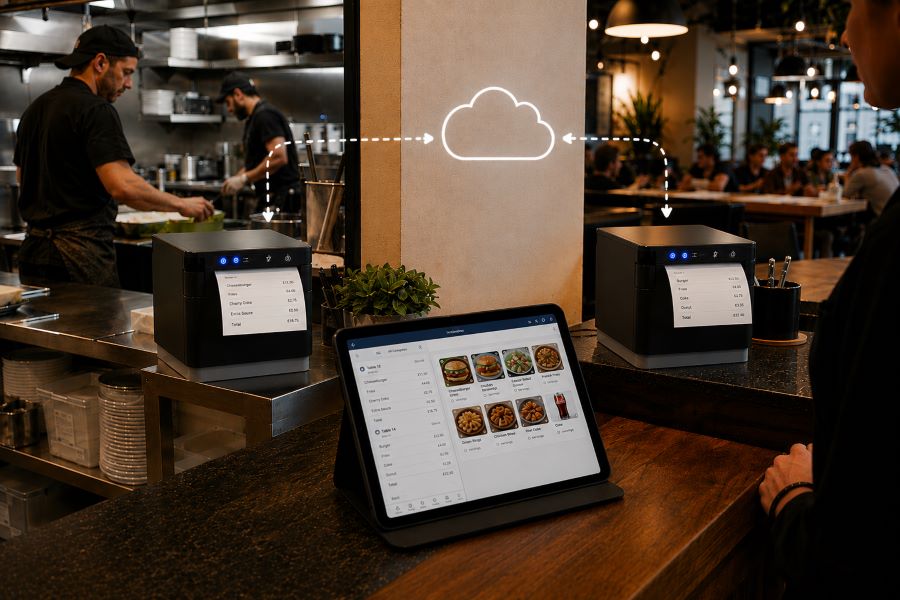
    CloudPRNT is Star’s cloud printing technology for LAN and Wi-Fi connected printers. Unlike WebPRNT and StarXpand SDK for Web, CloudPRNT does not depend on direct USB communication between the browser and printer. Instead, it allows printers to pull print jobs directly from cloud applications over a network.

    Star supports two CloudPRNT communication methods:

    • HTTP polling, where printers regularly check a cloud server for new print jobs
    • MQTT messaging through CloudPRNT Next, a publish-subscribe protocol that enables faster, more efficient real-time print delivery

    For developers, this provides more flexibility depending on the deployment.

    HTTP-based CloudPRNT remains effective for many existing cloud printing environments, while MQTT-based CloudPRNT Next can reduce latency and improve responsiveness for high-volume or multi-location deployments.

    This makes CloudPRNT useful when:

    • Print jobs originate remotely
    • Multiple locations need centralized print routing
    • Online ordering systems send jobs directly to kitchen printers
    • Low-latency print delivery is important
    • Local devices should not manage printer connections

    For distributed environments, this can reduce local infrastructure requirements and simplify cloud-based receipt printing at scale.

    MC Print3 Cloud POS Restaurant

    Why StarXpand SDK for Web Matters for New Development

    For ISVs building new browser-based POS applications, StarXpand SDK for Web solves a different problem than WebPRNT. It is less about replacing WebPRNT and more about reducing fragmentation between SDKs.

    This matters when development teams need:

    Shared Logic Across Platforms

    If your software runs on browser, tablet, and mobile environments, StarXpand SDK creates more API consistency. This can reduce duplicated hardware logic across teams.

    More Than Print Output

    Many modern POS workflows include:

    • Drawer status checks
    • Scanner-triggered workflows
    • Labeling stations
    • Shared hardware access

    StarXpand SDK can support these through one SDK model.

    Easier Long-Term Maintenance

    Maintaining separate hardware integration layers across web and mobile can increase support costs over time. Using one SDK family can reduce that overhead.

    Migration Considerations for Existing WebPRNT Users

    If you already have a working WebPRNT deployment, there may be no immediate reason to change it.

    WebPRNT remains effective for:

    • Local USB receipt printing
    • Browser-based order ticket printing
    • Fixed workstation POS environments

    Migration becomes more relevant when:

    • Expanding into mobile apps
    • Adding peripheral hardware support
    • Standardizing SDKs across multiple platforms
    • Rebuilding core hardware logic

    For ISVs planning future product updates, this is often the point where StarXpand SDK becomes worth evaluating.

    Key Considerations Before Choosing a Browser Receipt Printing Solution

    Before choosing between WebPRNT, StarXpand SDK for Web, and CloudPRNT, start with the deployment model.

    Where does the print job originate?

    If the print job starts at the local browser and the printer is USB-connected, WebPRNT or StarXpand SDK for Web are often the right fit.

    If the print job originates in the cloud, CloudPRNT is often the better option.

    Is this an existing deployment or new development?

    For existing WebPRNT integrations, staying with the current architecture may be the simplest path.

    For new builds, the StarXpand SDK may offer greater long-term flexibility.

    Do you need to control more than printing?

    If the workflow includes drawers, scanners, or other Star peripherals, StarXpand SDK can simplify communication.

    If printing is the only requirement, WebPRNT may still be sufficient.

    Will this scale across locations?

    If the deployment spans multiple stores, remote kitchens, or distributed print stations, CloudPRNT often provides more flexibility than local USB connections.

    Choosing the right architecture early can reduce future integration changes and simplify deployment support.

    An Independent Software Vendor’s (ISV’s) Guide to Star Printer SDKs

    This guide breaks down Star Micronics’ printer SDKs, APIs, and integration tools to help ISVs choose the right solution for POS systems, cloud printing platforms, and custom software applications.

    Final Thoughts on Browser-Based POS Printing

    Browser-based receipt printing is no longer one-size-fits-all. Some POS environments still rely on direct USB connections at a local workstation. Others now depend on cloud-based routing across multiple locations. That’s why Star offers multiple browser and cloud printing technologies built for different deployment models.

    • WebPRNT remains a proven option for stable local USB printing.
    • StarXpand SDK for Web provides a stronger framework for new browser-based development that needs broader hardware communication.
    • And CloudPRNT remains the best fit for LAN-connected and cloud-managed printing environments.

    For ISVs and developers, the best choice depends less on features and more on architecture: where print jobs originate, how hardware is connected, and how the application will scale over time.

    Interested in browser-based receipt printing with Star?

    Frequently Asked Questions About Browser-Based Receipt Printing

    What is browser-based receipt printing?

    Browser-based receipt printing allows web applications to send print jobs directly to a receipt printer without requiring a traditional desktop application. Depending on the deployment, this can happen through local USB communication or cloud-based network printing.

    When should I use browser-based receipt printing instead of cloud printing?

    Browser-based receipt printing is best when a local device needs to send print jobs directly to a USB-connected printer. Cloud printing is often better for LAN-connected printers, remote print routing, or multi-location deployments.

    What is the difference between WebPRNT and StarXpand SDK for Web?

    WebPRNT focuses on browser-based USB printing. StarXpand SDK for Web also supports USB printing, but adds a broader API structure for printers and peripherals.

    Does StarXpand SDK for Web replace WebPRNT?

    Not directly. Existing WebPRNT integrations can continue to operate. StarXpand SDK for Web is better suited for new browser-based development.

    Can I still use WebPRNT for browser-based receipt printing?

    Yes. WebPRNT remains a supported and effective option for local USB browser printing.

    When should I use CloudPRNT instead of StarXpand SDK for Web?

    Use CloudPRNT when printers need to connect over LAN or Wi-Fi and receive print jobs directly from cloud applications.

    Is StarXpand SDK for Web only for USB printing?

    Yes. For browser deployments, StarXpand SDK for Web is designed for direct USB communication.

    Can StarXpand SDK for Web control devices besides printers?

    Yes. It supports compatible Star peripherals such as cash drawers, POS scales, and barcode scanners.

    What is the best receipt printing method for cloud POS systems?

    For cloud POS systems with remote or multi-location print routing, CloudPRNT is generally the best fit.

  • The Benefits of Durable, Reliable Commercial Label Printers

    The Benefits of Durable, Reliable Commercial Label Printers

    Commercial label printers play an important role in how businesses identify products, communicate workflow information, maintain regulatory compliance, and track inventory. From retail and restaurants to healthcare and fulfillment, labels help employees and customers access important information quickly and consistently.

    When a label printer fails, those workflows can slow down. Orders may be delayed, inventory may become harder to track, and important product or compliance information may not be available when needed.

    For businesses that rely on labeling throughout daily operations, choosing a durable and reliable commercial label printer can help reduce downtime, support high-volume workflows, and keep labeling processes consistent across the business.

    Table of Contents

    What Makes a Label Printer Durable and Reliable?

    The durability and reliability of a commercial label printer depend on both its physical construction and its internal components. A printer designed for daily commercial use should be built to handle frequent printing, different media types, and the environmental conditions where it will operate.

    Key factors that affect durability and reliability include:

    • Printhead lifespan: The printhead is one of the most important components in any label printer. Longer-life printheads help maintain consistent print quality and reduce replacement frequency.
    • Cutter durability: In high-volume environments, the cutter may operate thousands of times per day. Durable cutters help reduce jams and incomplete cuts.
    • Media path design: A well-designed media path helps labels feed smoothly and reduces misfeeds, jams, and wasted labels.
    • Housing materials and construction: Commercial environments may expose printers to heat, humidity, dust, or cleaning chemicals. Durable materials help the printer withstand these conditions.
    • Stable connectivity: Reliable wired, wireless, or cloud connectivity helps prevent missed print jobs and keeps workflows moving.
    • Maintenance accessibility: Printers designed for easy cleaning, media changes, and component replacement are often easier to maintain and less likely to experience preventable downtime.

    Reliable commercial label printers are typically characterized by consistent print quality, fewer jams, stable connectivity, and components designed for long-term use.

    Choosing a Label Printer for Commercial Environments

    Choosing a commercial label printer starts with understanding where and how it will be used. In addition to supporting the label types your operation requires, the printer should be built for the environment where it will operate.

    Commercial environments can expose printers to heat, humidity, dust, frequent handling, and cleaning chemicals. A printer designed for these conditions is less likely to require frequent repairs or replacement, which can help reduce long-term ownership costs.

    When evaluating a commercial label printer, consider the following:

    Printer Form Factor for Different Workspaces

    Printer design affects where and how employees use it. Front-loading and top-loading designs can make media changes easier in tight spaces, while wall-mounting options may help free up counter space in kitchens, prep stations, or healthcare environments.

    The right form factor depends on the workflow and available space.

    High-Volume Printing for Demanding Workloads

    Some environments require continuous, high-speed printing throughout the day. This may include labeling restaurant orders, retail inventory, shipping packages, patient medications, or kiosk-generated labels.

    A commercial label printer should be designed to keep up with the expected print volume without frequent jams, cutter failures, or overheating.

    The Benefits of Durable, Reliable Commercial Label Printers - Catering

    Support for Multiple Label Types

    Commercial labeling needs often vary by application. Some workflows use linerless labels, while others require die-cut labels, receipts, or permanent adhesive labels.

    A multifunction label printer can support multiple media types from a single device, allowing businesses to standardize hardware across different workflows while reducing the number of printer models they manage.

    Reliable Connectivity

    A commercial label printer should maintain stable wired, wireless, or cloud-based connections depending on how the business operates.

    For cloud-connected workflows, reliable communication between software and printers is especially important to prevent delayed or missed print jobs.

    Easy setup also matters, especially for wireless environments. Features like BLE-assisted Wi-Fi setup, available on Star’s mC-Label2 CWBi models, can help employees connect printers quickly using a smartphone or tablet without complex network configuration.

    Easy Printer Maintenance

    Routine cleaning and maintenance help prevent adhesive buildup, cutter jams, and print quality issues. Commercial label printers designed with tool-free maintenance, simple media loading, and clear cleaning instructions can make routine upkeep easier for employees and reduce preventable downtime.

    The mC-Label2 multimedia printer by Star Micronics features user-friendly, tool-free maintenance.
    The mC-Label series by Star Micronics has tool-free, super easy maintenance.

    Why Durable and Reliable Printers Matter in Daily Operations

    In many businesses, labels are part of daily workflows. When a label printer stops working, those workflows can slow down or stop entirely.

    In a QSR kitchen, a printer failure can delay order packaging or delivery handoff. In an ecommerce fulfillment center, it can interrupt shipping and inventory tracking. In healthcare, missing labels on medications, patient records, or specimens can create serious operational and compliance issues.

    Reliable commercial label printers help reduce these risks by supporting consistent print quality, stable connectivity, and dependable performance during high-volume use.

    Over time, printer durability also affects ownership costs. A printer built for its environment is less likely to require frequent repairs, component replacements, or full device replacement. This can help businesses reduce downtime, maintain labeling consistency, and extend the useful life of their equipment.

    Explore Star Micronics Commercial Label Printers

    Choosing the right commercial label printer starts with understanding your environment, print volume, media requirements, connectivity needs, and maintenance expectations. The right printer should match the demands of your workflow and the types of labels your business relies on every day.

    Star Micronics offers a range of commercial label printers designed for retail, restaurant, healthcare, fulfillment, and other high-volume environments. From multifunction label printers that support linerless, die-cut, and receipt printing to purpose-built sticky linerless label printers, Star provides options for a wide range of labeling applications.

    Explore Star’s Labeling Solutions and Receipt and Label Media to learn more, or contact Star Micronics for help choosing the right commercial label printer for your business.

    Learn More About Star Label Printers

    Frequently Asked Questions About Label Printer Durability and Reliability

    What features make label printers more durable for commercial environments?

    Durable commercial label printers are typically built with long-life printheads, durable cutters, strong housing materials, stable connectivity, and media paths designed to reduce jams and misfeeds. Easy maintenance access also helps keep the printer operating consistently over time.

    How do durable label printers reduce downtime?

    Durable printers reduce downtime by using components designed for frequent, high-volume use. Printers built for harsh environments, such as hot restaurant kitchens or healthcare settings with frequent cleaning, are less likely to fail or require frequent repair. Long-life printheads and cutters also reduce replacement frequency.

    What should businesses look for in a high-volume commercial label printer?

    Businesses should look for print speed, cutter durability, media compatibility, reliable connectivity, and maintenance accessibility. The printer should be designed for the expected daily print volume and the environment where it will operate.

    Why is label printer maintenance important for reliability?

    Routine maintenance helps prevent adhesive buildup, cutter jams, print quality issues, and media misfeeds. Cleaning the printer regularly helps ensure labels remain readable and barcodes scan correctly.

    Can durable label printers support wireless and cloud connectivity?

    Yes. Many commercial label printers support wired, wireless, and cloud-based connections. Features like BLE-assisted Wi-Fi setup can also make wireless deployment faster and easier for employees.

    How do multifunction label printers improve commercial workflows?

    Multifunction label printers can support receipts, linerless labels, die-cut labels, and other media types from a single device. This helps businesses reduce the number of printer models they manage while supporting different workflows with one platform.

    Why does media compatibility matter in commercial label printing?

    Different workflows require different label formats and adhesive types. Choosing a printer that supports the required media helps ensure consistent printing, proper label application, and reliable performance.

    How do durable label printers lower the total cost of ownership?

    Durable label printers can reduce repair costs, extend equipment lifespan, and minimize downtime. Over time, this can lower replacement frequency and reduce interruptions to daily operations.

    Are linerless label printers reliable for high-volume environments?

    Yes. Linerless label printers are commonly used in high-volume environments because they allow for faster application and fewer media roll changes. Since linerless labels do not use backing paper, they also reduce waste and help keep workspaces cleaner.

    What industries benefit most from durable commercial label printers?

    Durable commercial label printers are commonly used in retail, restaurants, ecommerce fulfillment, healthcare, pharmaceuticals, manufacturing, airports, and logistics. Any business that depends on consistent labeling can benefit from a printer designed for long-term, high-volume use.

  • 9 Restaurant Labels that Improve KDS Workflows

    9 Restaurant Labels that Improve KDS Workflows

    A kitchen display system (KDS) helps restaurants manage orders digitally by sending information from the point of sale (POS) system directly to food preparation stations. This gives kitchen teams real-time visibility into incoming orders, modifiers, and fulfillment priorities for dine-in, drive-thru, pickup, and delivery channels.

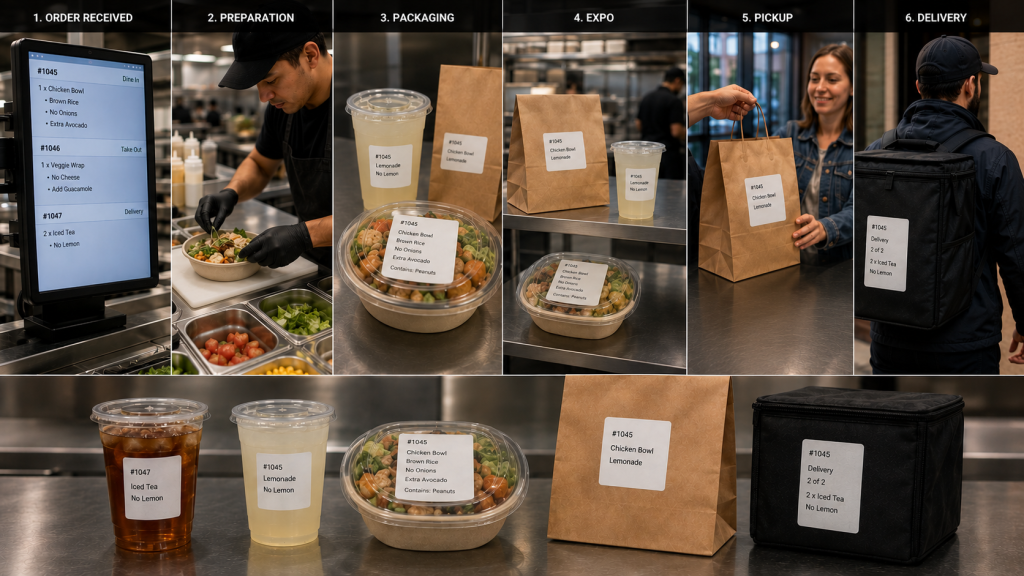
    However, once food preparation begins, orders move through physical workflows. Items are prepared, packaged, staged, picked up, and delivered. Restaurant labels for KDS workflows help carry order information beyond the screen, ensuring important details remain attached to the order throughout preparation, packaging, pickup, and delivery.

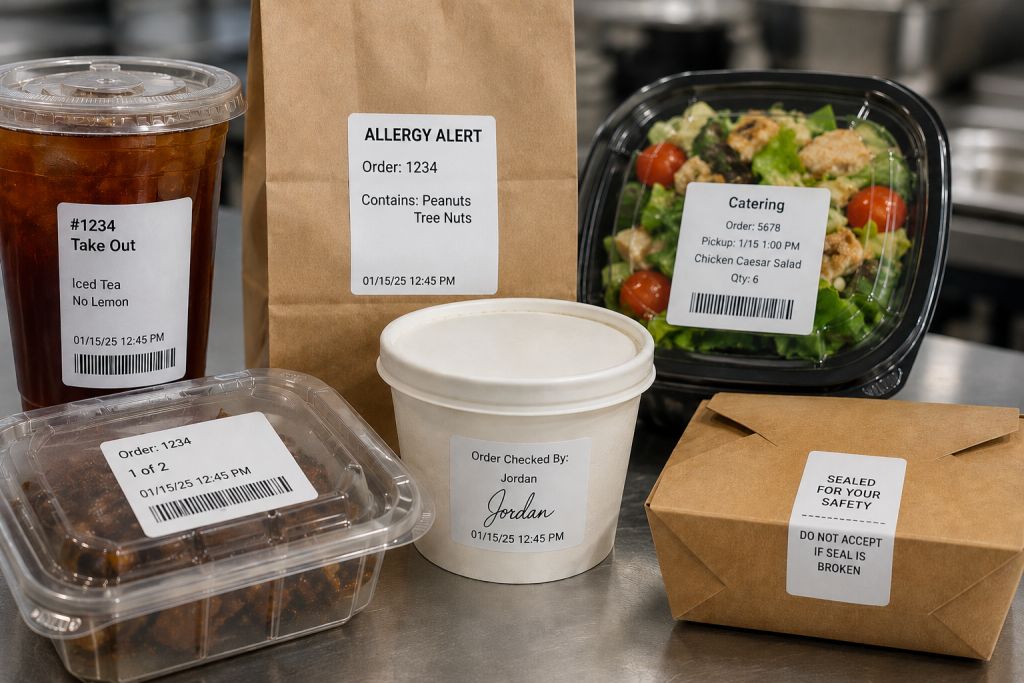
    From beverage labels and allergy alerts to catering labels and tamper-evident seals, the right labels help restaurants extend KDS communication throughout the operation.

    Table of Contents

    What Are Restaurant Labels for KDS Workflows?

    A kitchen display system (KDS) manages order information digitally, but restaurant operations still depend on physical workflows. Orders move through multiple stages before reaching the customer, including:

    • Food preparation
    • Beverage preparation
    • Packaging
    • Expo
    • Pickup
    • Delivery

    Restaurant labels for KDS workflows help carry order information beyond the screen and keep it attached to the order as it moves through these stages.

    As orders move between stations, labels can communicate customer names, modifiers, allergy information, beverage customizations, pickup instructions, delivery details, and other important information. Keeping these details visible throughout preparation and fulfillment reduces reliance on verbal communication and helps teams coordinate complex dine-in, drive-thru, pickup, and delivery operations.

    Restaurant Label Workflow

    Types of Restaurant Labels for KDS Workflows

    A KDS communicates order information digitally, but labels help carry that information through food preparation, packaging, pickup, and delivery. Different types of restaurant labels support different stages of the workflow, helping employees identify orders, manage modifications, communicate food safety information, and direct completed orders to the correct destination.

    1. Drive-Thru and Takeout Labels

    An integrated system can generate labels along with sending orders to the KDS from the drive-thru, online ordering platform, or self-ordering kiosk. Labels can be applied to trays, containers, cups, or bags so order information remains attached to the order throughout preparation and fulfillment. Labels also ensure the team directs the order to the right place, whether the front counter, the drive-thru, or order pickup.

    2. Allergy and Exception Order Labels

    Allergies and food sensitivities have become more common, requiring special order preparation so diners can safely enjoy their meals. Furthermore, many customers have strong food preferences and request items prepared in specific ways.

    Allergy and exception order labels help ensure modifications remain visible as the order moves between preparation, packaging, and pickup stations. Exception order labels clearly inform food prep of changes to the way they typically prepare menu items. They also flag orders for the expeditor, server, or take-out counter worker that the kitchen prepared the order as the customer requested.

    3. Made-to-Order Food Labels

    Although a KDS has become a standard tool in quick service restaurants (QSRs), this technology offers benefits to the whole range of food service environments. When a store or café sells made-to-order (MTO) items, labels include vital information that helps customers make informed decisions and to keep the business in compliance.

    MTO food labels can include product name, description, ingredients, nutrition information, and allergen or dietary restriction alerts. Businesses can also customize MTO food labels with branding elements such as their name and logo.

    4. Beverage and Barista Labels

    Customers have strong opinions about how they want their coffee, espresso, or tea orders, requesting various types of milk, creamer, sweetener, flavors, and other options. Beverage orders often include customizations such as milk selections, flavors, sweeteners, and preparation instructions.

    Labels help baristas identify these details quickly and keep drinks matched to the correct customer throughout preparation and pickup. Labels with each detail of the order simplify order prep, and repositionable labels can follow orders from the POS system, to order prep, and then to the customer’s cup.

    5. Product ID and Barcode Labels

    Tracking prepared items or MTO foods can help shops manage their inventory, reduce shrinkage, and minimize waste. Barcoded labels generated during KDS workflows allow employees with scanners to capture data as items are placed into coolers or display cases, including their sell-by dates. Clear, reliable barcode labels also give shops a way to track ingredients’ sources in case of a recall and for fast price scanning at the checkout.

    6. Catering Labels

    If a restaurant or store offers catering, labels printed during KDS workflows can flag orders for the items they need for completeness, such as condiments, trays, or utensils. Labels can also include food safety instructions, nutrition information, allergen warnings, and serving instructions.

    7. Nutrition and Calorie Labels

    The FDA requires food service companies to provide nutrition facts to consumers. Although not every dine-in or take-out order has a nutrition label, restaurants must provide calorie counts and ingredient information on request. Restaurants can simplify this process with templated labels that employees print during packaging or order assembly.

    8. Order Verification and QC Labels

    Once an order is packaged, an expeditor or other restaurant employee cannot easily verify that every item is present by looking at the sealed bag alone. Some restaurants add a POS scale to the workflow to help verify order completeness before pickup or delivery.

    A typical order verification workflow may include:

    1. Package the order
    2. Weigh the completed bag
    3. Compare the weight to the expected total shown on the order label
    4. Investigate any significant discrepancies
    5. Release the order for pickup or delivery

    If the actual weight differs from the expected weight, employees can review the order and correct missing or incorrect items before the customer receives it. Combined with restaurant labels for KDS workflows, weight-based verification provides another checkpoint to help restaurants catch errors before orders leave the store.

    9. Tamper-Evident Labels

    When the kitchen team closes a package, they can add a tamper-evident label as the final step. Tamper-evident labels help indicate whether a bag or container has been opened after packaging. They are commonly used for delivery and pickup orders where food safety and package integrity are important.

    Restaurant Label Types

    How to Choose the Right Type of Restaurant Label for KDS Workflow Stages

    The right restaurant label depends on both the media type and adhesive required for the workflow. Some KDS applications benefit from linerless labels for fast application, while others require die-cut labels, repositionable adhesives, or permanent tamper-evident labeling.

    Linerless Labels

    • No liner backing
    • Fast application
    • Reduced waste
    • Great for:
      • beverage labels
      • takeout labels
      • pickup labels
      • food container labels

    Die-Cut Labels

    • Individual label shapes/sizes
    • Consistent placement
    • Useful for:
      • nutrition labels
      • product identification
      • barcode labels
      • made-to-order food labels

    Repositionable Linerless Labels

    • Diamond adhesive (light tack) or full coverage (stronger)
    • Can be removed and reapplied without residue
    • Useful for:
      • beverage workflows
      • food prep trays
      • staging areas
      • internal order tracking

    Permanent Linerless and Tamper-Evident Labels

    • Remain attached
    • Show evidence of removal
    • Useful for:
      • delivery bag seals
      • packaged foods
      • barcode labels
      • food safety workflows

    Features to Look for in Restaurant Label Printers for KDS Workflows

    Choosing the right restaurant label printer is just as important as selecting the right label media. KDS workflows often support food preparation, beverage stations, packaging, pickup, and delivery operations, so label printers should be able to support a variety of applications and deployment environments.

    Multimedia Printing

    Printers that support multiple media types, including linerless labels, die-cut labels, and receipts, allow restaurants to standardize hardware across stations. A multifunction printer can support different workflows without requiring separate printer models for each application.

    Linerless Label Support

    Linerless labels help reduce liner waste and counter clutter while supporting high-volume labeling workflows. Restaurants planning to use linerless labels should choose a printer designed specifically for linerless media.

    Cloud Printing Capabilities

    Cloud-connected printers can receive print jobs directly from KDS software, online ordering platforms, and cloud-based applications without relying on local print servers.

    Support for Multiple Adhesive Types

    Different workflows require different label adhesives. Restaurants may use repositionable labels for beverage preparation and internal workflows, while delivery and packaging applications may require permanent or tamper-evident labels.

    Fast Print Speeds

    High-volume kitchens depend on labels being available when needed. Fast print speeds help prevent delays during peak ordering periods and support continuous order flow.

    KDS and POS Compatibility

    Restaurant label printers should work with KDS software, POS systems, cloud platforms, and the operating systems used throughout the business. Compatibility can simplify deployment, support, and long-term maintenance.

    User-Friendly Maintenance

    Restaurant environments are busy, and printer maintenance is often handled by store-level employees. Features such as tool-free maintenance, easy media loading, user-replaceable components, and guided cleaning procedures can help reduce downtime and keep printers operating reliably.

    Star Micronics Label Printers for KDS Workflows

    Restaurants use a variety of labels throughout KDS workflows, including beverage labels, allergy labels, barcode labels, catering labels, order verification labels, and tamper-evident labels. Supporting these applications requires printers that match the media, adhesive, and workflow requirements of the operation.

    Star Micronics offers several printer options for restaurant labels used with KDS systems, including:

    mC-Label3 Multifunction Printer

    The mC-Label3 supports receipts, die-cut labels, repositionable linerless labels, and permanent linerless labels from a single printer platform. This makes it a good choice for restaurants looking to standardize printing across multiple stations.

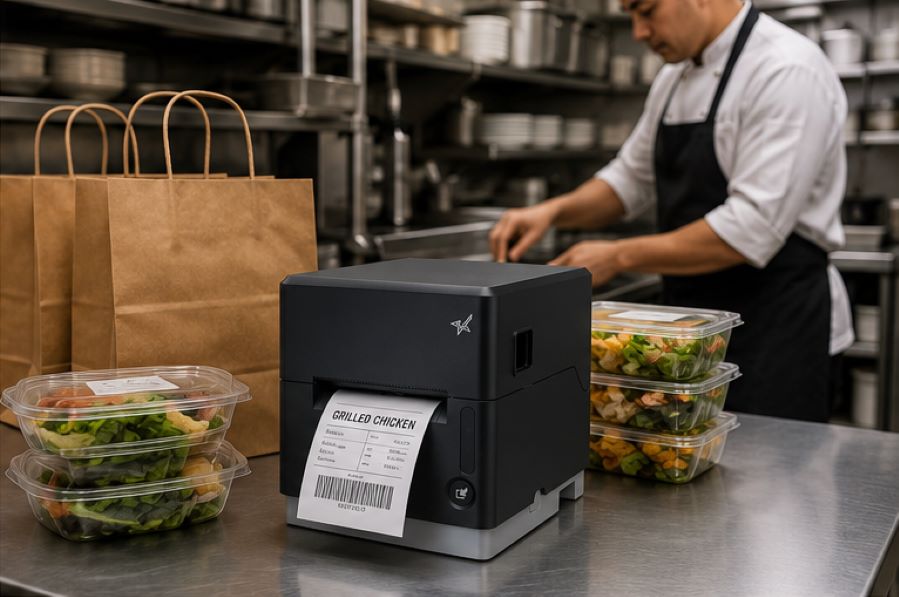
    The Star Micronics mC-Label3 is a versatile multifunction printer that prints a wide range of labels and receipts, including both permanent and repositionable sticky linerless. It features cloud connectivity and innovative technologies like SteadyLAN and TetherLAN for enhanced printing convenience.

    Discover the mC-Label3 >

    mC-Label2 Multifunction Printer

    The mC-Label2 provides support for a wide range of label and receipt media in a compact design, making it suitable for food preparation, packaging, pickup, and other labeling applications.

    The mC-Label2 packs powerful features into a compact, front-loading design, including 300 dpi resolution, support for linerless, die-cut, receipt, and continuous media, and connectivity options like USB-C, LAN, WLAN, Bluetooth, and Apple MFi-certified pairing (X4 models only).

    Explore the mC-Label2 >

    TSP143IV SK Sticky Linerless Label Printer

    The TSP143IV SK is designed specifically for sticky linerless label printing and is commonly used for beverage labeling, food container labeling, pickup workflows, and other applications where repositionable labels are beneficial.

    The TSP143IV SK by Star Micronics sets a new standard for compact, eco-friendly thermal linerless label printing, offering advanced connectivity options like Wi-Fi and AOA, and efficient, residue-free labels for diverse business needs.

    Find out more >

    Whether a restaurant is deploying a new KDS or expanding existing workflows, selecting the right label printer helps ensure order information remains visible from preparation through pickup or delivery.

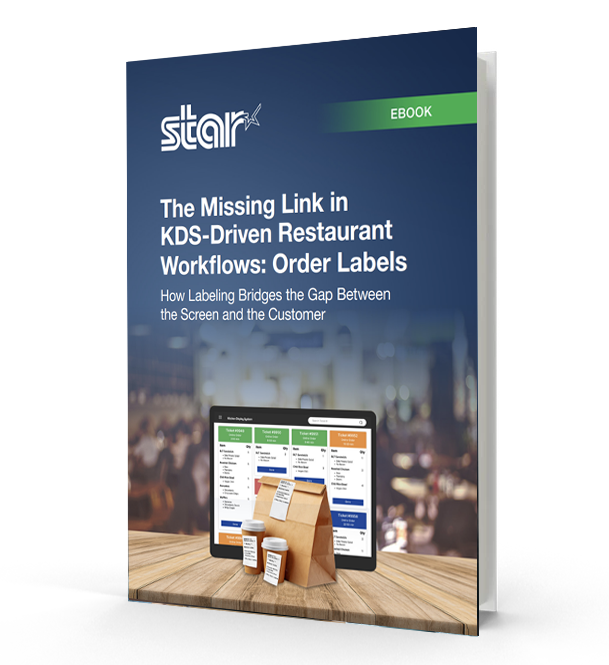
    The Missing Link in KDS-Driven Restaurant Workflows

    This eBook shows how labeling extends KDS accuracy into real-world workflows, helping restaurants and retailers improve fulfillment, accountability, and consistency across all ordering channels.

    Contact Star Micronics to learn more about restaurant label printers for KDS workflows.

    Frequently Asked Questions About Restaurant Labels for KDS Workflows

    What are restaurant labels used for in KDS workflows?

    Restaurant labels help carry order information through physical kitchen workflows after orders appear on a kitchen display system (KDS). They support food prep, packaging, pickup, delivery, catering, and labeling compliance workflows.

    How do restaurant labels support KDS workflows?

    A KDS communicates order information digitally, while labels help keep that information attached to the order itself as it moves through prep stations, expo, packaging, pickup, and delivery.

    What types of restaurant labels are commonly used with KDS systems?

    Restaurants commonly use:

    • Drive-thru and takeout labels
    • Allergy and exception order labels
    • Beverage labels
    • Product ID and barcode labels
    • Catering labels
    • Nutrition labels
    • Tamper-evident labels
    • Order verification and QC labels

    Different labels support different stages of the workflow.

    What is the difference between linerless and die-cut restaurant labels?

    Linerless labels print continuously without backing paper, helping reduce waste and clutter in high-volume kitchens. Die-cut labels are individually separated and are often used for applications requiring specific label sizes or permanent adhesion.

    Why are linerless labels popular in restaurant kitchens?

    Linerless labels help reduce liner waste, improve workflow efficiency, and minimize clutter on prep counters and floors. They are especially useful in fast-paced restaurant and QSR environments.

    What information should restaurant labels include?

    Depending on the workflow, restaurant labels may include:

    • Order details
    • Customer names
    • Allergens or dietary restrictions
    • Beverage customizations
    • Nutrition information
    • Barcodes or QR codes
    • Sell-by dates
    • Pickup or delivery details

    Why are allergy and exception order labels important?

    Allergy and exception order labels help kitchen staff quickly identify orders that require modified preparation. These labels support safer food handling and help reduce communication breakdowns during busy service periods.

    How do tamper-evident labels support delivery workflows?

    Tamper-evident labels help show customers that delivery bags or food containers have not been opened after packaging. They also help restaurants maintain more secure and organized delivery workflows.

    Can restaurant labels be printed automatically from a KDS?

    Yes. Many KDS workflows automatically trigger label printing when orders are received, bumped to another prep stage, packaged, or prepared for pickup or delivery.

    What should restaurants look for in a label printer for KDS workflows?

    Important features include:

    • Multimedia printing support
    • Linerless compatibility
    • Fast print speeds
    • Compact design
    • Cloud printing capabilities
    • Easy KDS integration
    • Support for repositionable and permanent labels

    Why are multimedia label printers useful in restaurants?

    Multimedia label printers can print receipts, linerless labels, and die-cut labels from a single device. This helps restaurants standardize hardware across stations and reduce the number of printer models they manage.

    How do cloud-connected label printers support KDS workflows?

    Cloud-connected printers can receive print jobs directly from KDS software or online ordering platforms without relying on local print servers. This simplifies deployment and supports multi-location restaurant operations more efficiently.

  • Restaurant Personalization Technology Only Works If the Details Reach the Table

    Restaurant Personalization Technology Only Works If the Details Reach the Table

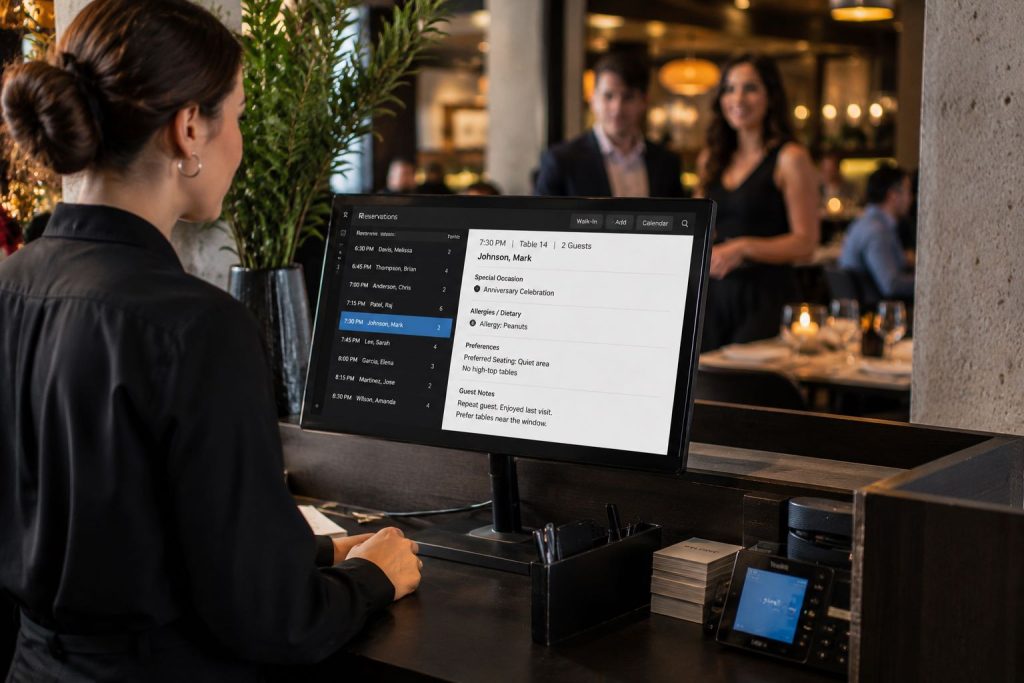
    Restaurants today collect more guest information than ever before. Modern restaurant personalization technology, including reservation platforms like OpenTable, Resy, and SevenRooms, helps restaurants capture birthdays, anniversaries, allergies, seating preferences, favorite menu items, and other details that help personalize service.

    But collecting information is only the first step.

    When a birthday goes unrecognized, a special request is missed, or an allergy note never reaches the server, guests don’t see a workflow breakdown. They see a restaurant that failed to follow through.

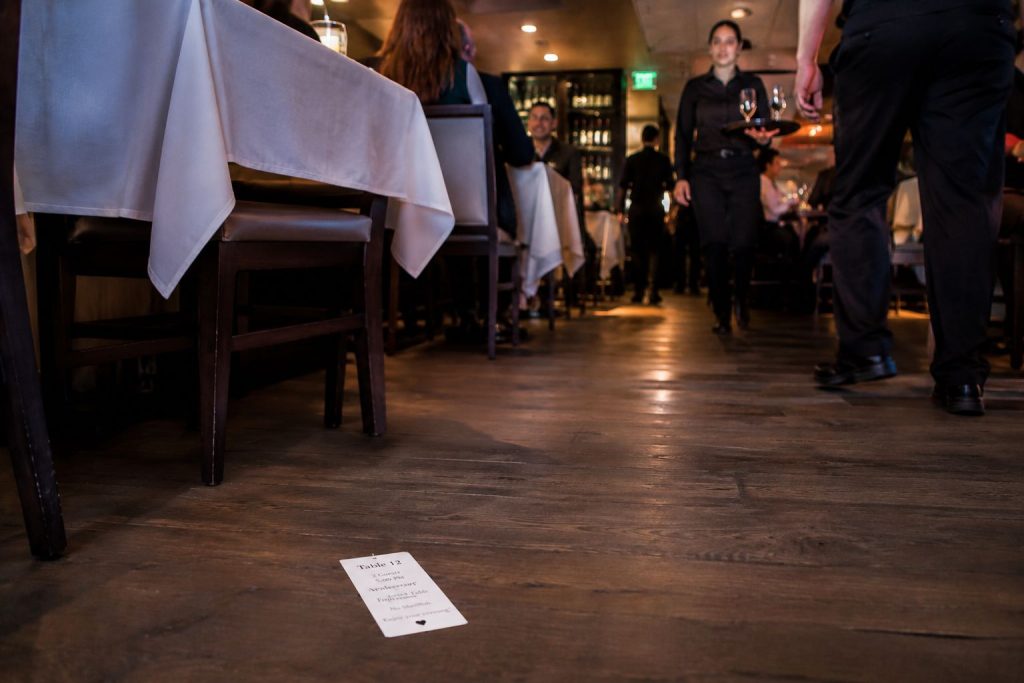
    The challenge is making sure important details remain visible once guests are seated and service begins. In many restaurants, printed reservation chits (tickets) help bridge the gap between reservation platforms and front-of-house staff, giving servers and managers quick access to guest information at the table.

    However, traditional paper chits can easily be lost, misplaced, or blown off the table. As restaurants continue investing in personalization, they also need reliable ways to ensure those details reach the people responsible for delivering them.

    Table of Contents

    The Rise of Personalized Dining Experiences

    Restaurant personalization has become a bigger part of modern hospitality operations. Reservation platforms now allow restaurants to collect far more information about guests before they even arrive, from allergies and seating requests to birthdays, anniversaries, and favorite menu items.

    Personalization can include:

    • Birthday and anniversary celebrations
    • Allergy and dietary information
    • Favorite seating areas
    • Preferred drinks or menu items
    • VIP guest recognition
    • Service pacing requests

    For restaurants, these details help staff prepare for service, recognize repeat guests, and accommodate special requests more consistently.

    The challenge is not collecting the information. Modern reservation platforms already do that well. The challenge is making sure those details remain visible and accessible once the guest is seated and service begins.

    Servers and managers move quickly throughout a shift, often handling multiple tables at once. If guest details remain buried inside a reservation platform or are only visible at the host stand, important requests can easily be missed.

    Restaurant Personalization Technology Only Works If the Details Reach the Table

    Why Restaurants Still Print Reservation Chits

    Despite the rise of digital restaurant technology, many restaurants still print reservation chits for one simple reason: physical workflows still matter.

    A printed reservation chit creates a fast, visible handoff between the host stand and the front-of-house staff. Once the guest is seated, the chit can stay at the table and communicate important information directly to the server and managers.

    The printed chit helps restaurant staff quickly understand the table before the first interaction even begins.

    Managers also benefit operationally. A chit left on the table can help indicate whether a server has greeted the guests yet, helping managers monitor service flow during busy shifts.

    In many restaurants, this small workflow plays an important role in delivering consistent hospitality.

    The Problem With Traditional Reservation Chits

    Traditional reservation chits are simple, but they create operational problems.

    Because the receipts are lightweight thermal paper, they can easily:

    • Blow off the table
    • Fall onto the floor
    • Get misplaced during service
    • Become difficult for servers to track

    Once the chit disappears, so does the personalization information tied to the guest experience.

    To solve this problem, some restaurants improvise by stapling reservation chits to cardstock or heavier paper so they stay visible on the table. While functional, this creates additional operational steps, clutter, and waste during already busy service periods.

    A personalization workflow only works if the information remains visible long enough for staff to act on it.

    Restaurant Personalization Technology Only Works If the Details Reach the Table

    Why Sticky Labels Work Better for Restaurant Personalization

    Repositionable sticky labels offer a cleaner, more reliable alternative to traditional reservation chits.

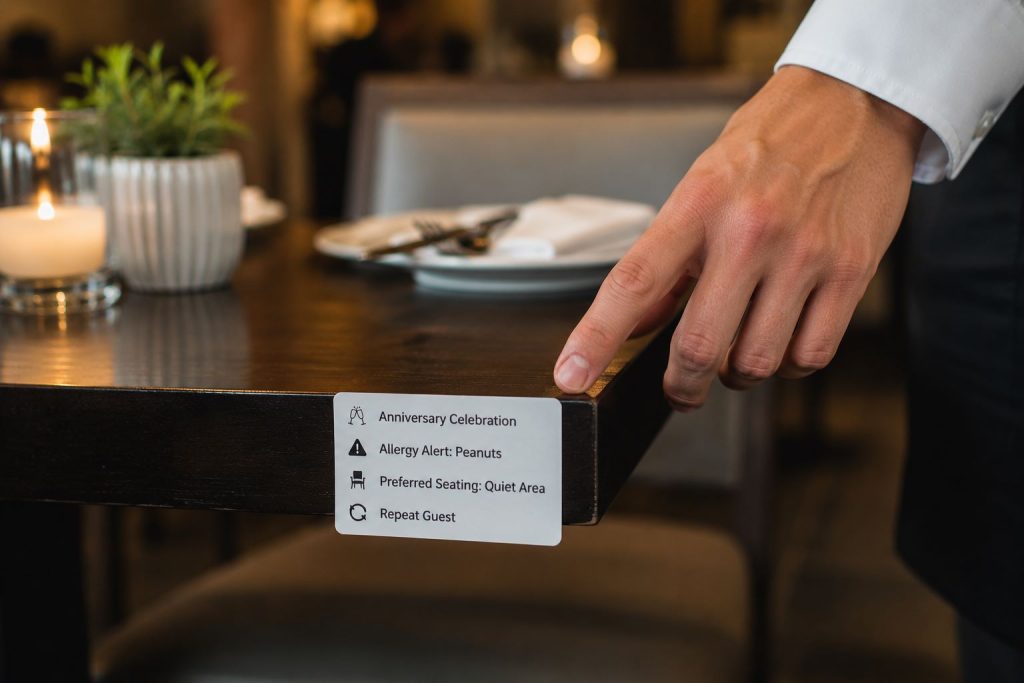
    Instead of loose paper receipts, restaurants can print reservation information on repositionable linerless labels that stay attached to the table throughout service. Servers can easily remove and reposition the label without damaging surfaces or leaving residue behind.

    This creates several operational benefits:

    • Personalization details stay visible
    • Labels do not blow away easily
    • Servers can move labels as needed during service
    • Restaurants eliminate the need for staplers and cardstock
    • Front-of-house workflows become cleaner and more consistent

    Repositionable linerless labels also help reduce waste compared to traditional linered labels because there is no liner backing to discard. Star’s TRK repositionable linerless labels are designed specifically for workflows that require temporary adhesion and clean removal, leaving no residue behind.

    For restaurants focused on consistent guest experience, small operational improvements like these can make personalization easier to execute in real-world service.

    Restaurant Personalization Technology Only Works If the Details Reach the Table

    How the TSP143IV SK Supports Front-of-House Personalization Workflows

    The TSP143IV SK linerless sticky label printer gives restaurants a more operationally efficient way to manage reservation personalization workflows.

    Designed for sticky linerless label printing, the TSP143IV SK allows restaurants to print repositionable labels that can remain attached to tables, trays, food packaging, or other surfaces throughout service.

    This helps restaurants:

    • Keep guest personalization details visible
    • Improve communication between hosts, servers, and managers
    • Reduce workflow disruptions caused by lost paper chits
    • Simplify front-of-house operations
    • Support more consistent hospitality experiences

    TSP143IV SK Sticky Label Printer

    The TSP143IV SK by Star Micronics sets a new standard for compact, eco-friendly thermal linerless label printing, offering advanced connectivity options like Wi-Fi and AOA, and efficient, residue-free labels for diverse business needs.

    Find out more >

    Because the labels are repositionable, servers can remove or relocate them easily during service without leaving residue behind. This creates a cleaner and more professional workflow compared to stapled paper chits or loose thermal receipts.

    The TSP143IV SK also supports cloud-connected restaurant environments and modern hospitality workflows, making it easier for reservation platforms and restaurant systems to integrate sticky label printing directly into existing operations.

    Why Reservation Platforms Should Support Sticky Label Printing

    Reservation platforms continue adding more personalization tools and guest profile features. But restaurants still need reliable ways to communicate that information during service.

    Supporting sticky label printing workflows can help restaurants:

    • Keep guest details visible throughout service
    • Reduce missed requests or forgotten notes
    • Improve communication between hosts, servers, and managers
    • Create more consistent table-side service

    Restaurants already use printed reservation chits because physical workflows still matter in busy dining rooms. Sticky linerless labels simply make those workflows easier to manage and more reliably execute.

    Personalization Creates Expectations

    The moment a guest enters a birthday, anniversary, seating request, allergy, or other preference into a reservation platform, an expectation is created.

    If a birthday candle never arrives, a special request is overlooked, or a preferred table isn’t honored, guests rarely know where the breakdown occurred. They don’t know whether the issue was with the reservation platform, the host stand, a lost chit, or a communication gap during service. They only know the restaurant missed an important detail.

    In many cases, servers end up carrying the blame for information they never received.

    As reservation platforms continue investing in personalization features, helping restaurants consistently deliver on those details may become just as important as collecting them.

    Restaurant Personalization Technology Only Works If the Details Reach the Table

    Personalization Is Only Valuable If Restaurants Can Execute It

    Restaurants often compete on food, service, and atmosphere. Increasingly, they’ll also compete on how well they remember their guests.

    A birthday celebration, allergy note, preferred table, or favorite menu item may seem like a small detail on its own. But those details are often what separate a routine dining experience from one guests talk about, review online, and return to again.

    Reservation platforms have made it easier than ever to capture guest preferences. The next challenge is helping restaurants consistently deliver on them.

    The restaurants that stand out won’t necessarily be the ones that collect the most information. They’ll be the ones that make sure important details never get lost between the reservation and the table.

    Learn More About Star POS & Labeling Solutions

    Frequently Asked Questions About Restaurant Personalization Technology

    What is restaurant personalization technology?

    Restaurant personalization technology includes digital tools and workflows that help restaurants collect, manage, and act on guest preferences, dining history, allergies, celebrations, and other hospitality-related information.

    Why is personalization important in restaurants?

    Personalization helps restaurants create better guest experiences, improve customer loyalty, encourage repeat visits, and differentiate themselves in competitive hospitality markets.

    What information do reservation platforms collect?

    Reservation platforms may collect guest names, birthdays, anniversaries, allergies, seating preferences, favorite menu items, visit history, and other dining preferences.

    Why do restaurants print reservation chits (tickets)?

    Restaurants print reservation chits to provide servers and managers with fast, visible access to guest details during service. Printed chits help bridge communication between digital reservation systems and front-of-house operations.

    What problems do traditional reservation chits create?

    Traditional reservation chits can blow away, fall off tables, become misplaced, or get lost during service. This can lead to missed guest requests and inconsistent hospitality experiences.

    How can restaurants ensure guest preferences are not overlooked?

    Restaurants use a combination of reservation platforms, host stand workflows, reservation chits, labels, and staff communication processes to ensure important guest details remain visible and accessible throughout service. The goal is to make sure information reaches the employees responsible for acting on it.

    How do sticky labels improve restaurant workflows?

    Sticky labels help keep important guest information visible throughout service, improving communication between hosts, servers, managers, and other restaurant staff.

    How can restaurants turn guest data into personalized service?

    Collecting guest information is only the first step. Restaurants must ensure guest preferences, celebrations, allergies, and other requests are communicated clearly and remain visible throughout service so staff can consistently act on them.

    How can restaurants make personalization details more visible during service?

    Restaurants can use reservation chits, sticky labels, and other front-of-house communication tools to keep guest information visible throughout service. Solutions such as the TSP143IV SK linerless sticky label printer by Star Micronics allow restaurants to print repositionable sticky labels that stay with the table and help ensure important details are not overlooked.

  • Star Micronics Expands Self-Service Portfolio with Fixed-Mount Kiosk Barcode Scanners

    Star Micronics Expands Self-Service Portfolio with Fixed-Mount Kiosk Barcode Scanners

    The addition of the FM3280 and FM431 kiosk barcode scanners expands Star Micronics’ self-service portfolio with embedded scanning solutions designed for customer-facing kiosks, lockers, and high-throughput environments.

    Somerset, NJ – May 28, 2026 – Star Micronics, a global provider of point-of-sale (POS) hardware, cloud printing, and self-service solutions, today announced the addition of the NLS-FM3280 and NLS-FM431 fixed-mount kiosk barcode scanners to its expanding self-service portfolio. Designed for embedded kiosk and terminal applications, the scanners enable fast, hands-free barcode reading across retail, hospitality, logistics, and industrial environments.

    The addition of embedded scanning expands Star’s kiosk infrastructure offerings beyond printing, allowing OEMs, ISVs, and solution providers to deploy more complete self-service systems from a single technology partner.

    Kiosk Scanning Built for Different Self-Service Environments

    While both scanners support 1D and 2D barcode scanning from printed labels and mobile devices, each model is optimized for different kiosk workflows.

    The NLS-FM3280 is designed for customer-facing, close-range scanning applications such as self-checkout, ticketing, and self-service ordering kiosks. Its wide field of view and responsive trigger sensors allow customers to quickly present items, tickets, or mobile barcodes without precise positioning.

    Key capabilities include:

    • Close-range scanning optimized for customer interaction
    • Reliable reading of mobile and high-density barcodes
    • Hands-free operation with automatic trigger activation
    • Soft illumination suitable for front-facing kiosk installation

    The NLS-FM431 is designed for longer-range and higher-throughput scanning environments, including parcel lockers, warehouse kiosks, and industrial automation systems. Powered by advanced decoding technology, it reads damaged, low-contrast, and poorly printed barcodes while maintaining strong motion tolerance for fast-moving workflows.

    Key capabilities include:

    • Long-range scanning for large or hard-to-reach barcodes
    • Enhanced motion tolerance for high-throughput environments
    • Reliable decoding of damaged or low-quality barcodes
    • Dual-aimer targeting system for precise scanning performance

    Both scanners feature compact fixed-mount designs with flexible connectivity options, allowing them to be embedded into kiosks, lockers, and terminals where space is limited.

    Supporting the Growth of Self-Service Infrastructure

    Self-service environments continue to expand across retail, hospitality, transportation, and logistics operations, increasing demand for embedded hardware that can support fast, intuitive user interaction while maintaining reliable performance under continuous use.

    By adding embedded barcode scanning to its kiosk portfolio, Star Micronics enables partners to combine scanning, printing, labeling, and cash management technologies into a more unified self-service infrastructure.

    “Self-service environments only work when interactions happen quickly and consistently. Whether someone is scanning a mobile ticket, picking up an order, or using a parcel locker, the scanner has to respond immediately and reliably. These additions help our partners build kiosk systems that are easier for customers to use and easier for operators to deploy.”

    Designed for Real-World Kiosk Workflows

    The FM3280 and FM431 complement Star’s existing kiosk and self-service technologies, including kiosk printers, cloud-connected printing workflows, and POS peripherals.

    Together, these solutions support a wide range of self-service applications, including:

    • Self-checkout and self-ordering kiosks
    • Ticketing and access control systems
    • Parcel lockers and pickup stations
    • Warehouse and industrial automation terminals
    • Scan, weigh, and print verification workflows

    For more information about Star Micronics solutions, visit starmicronics.com.

    Can’t get enough industry news?

    Star Micronics logo, point-of-sale (POS) hardware and technology company.

    Star Micronics is a global provider of point-of-sale (POS) hardware, cloud printing, and labeling solutions that help businesses connect digital workflows to real-world operations. Serving retail, hospitality, healthcare, and service industries, Star delivers printing, labeling, cash management, self-service, and cloud-based technologies designed to support scalable, connected, and automated environments. Star’s solutions support Android, iOS, Windows, and web-based platforms and extend into the cloud through services such as CloudPRNT Next and StarIO.Online, Star’s fully managed cloud printing service.

    Visit starmicronics.com or follow us on Facebook, X, YouTube, or LinkedIn to learn more.
    Media Contact:

    Christin Dorner
    Star Micronics America, Inc.
    cdorner@starmicronics.com
    848-216-3318