When orders pile up and customers are waiting, restaurants and retailers can’t afford wasted time. Every second counts, especially when label printer downtime threatens to derail the entire workflow. The right label printer can help with order accuracy, speed, and customer satisfaction. But without smart, proactive label printer maintenance, even the best devices can fail mid-shift, delaying orders, frustrating staff, and risking customer trust.
Unfortunately, traditional label printers offer little warning before they fail. Maintenance procedures are often buried in technical manuals, and staff members may not know what to do when a problem arises. The result? Unplanned downtime, lost revenue, and missed opportunities.
There’s a smarter way forward. Maintenance tools built into today’s best label printers help operators stay proactive, avoid surprises, and keep their operations running smoothly.
Table of Contents
Why Label Printer Downtime Hurts QSR and Retail Operations
Label printer downtime hits hardest when your team needs it most. During rush periods, a single stalled device can trigger a ripple effect: delayed tickets, packing errors, and frustrated customers.
When a label printer fails, the order accuracy chain breaks. Bags leave without tamper-evident seals. Orders get misrouted or repacked. Allergen and ingredient labels may be skipped, creating food safety risks and compliance issues. For QSRs and retailers, that means chargebacks, reputation damage, and slower service when speed matters most.
Label printer downtime doesn’t just slow things down; it disrupts trust and hurts the bottom line.

The Hidden Gaps in Label Printer Maintenance & Why They Happen
Too often, label printer maintenance is an afterthought. There’s no real warning before issues arise, and no clear process for routine upkeep. Most teams only respond once something breaks, and by then, it’s too late.
Without maintenance alerts or built-in guidance, staff may not know a part is worn or how to fix it. Manuals are buried, IT is busy, and backup printers aren’t always available. That leaves teams scrambling to recover.
These gaps create recurring pain points:
- Lost productivity during peak times
- Wasted materials from failed prints
- Packaging errors that impact customer satisfaction
- Avoidable damage to brand trust
Without a proactive maintenance system, even the best labeling strategy can fall short.
Meet the mC-Label Series: Smarter Label Printer Maintenance, Built In
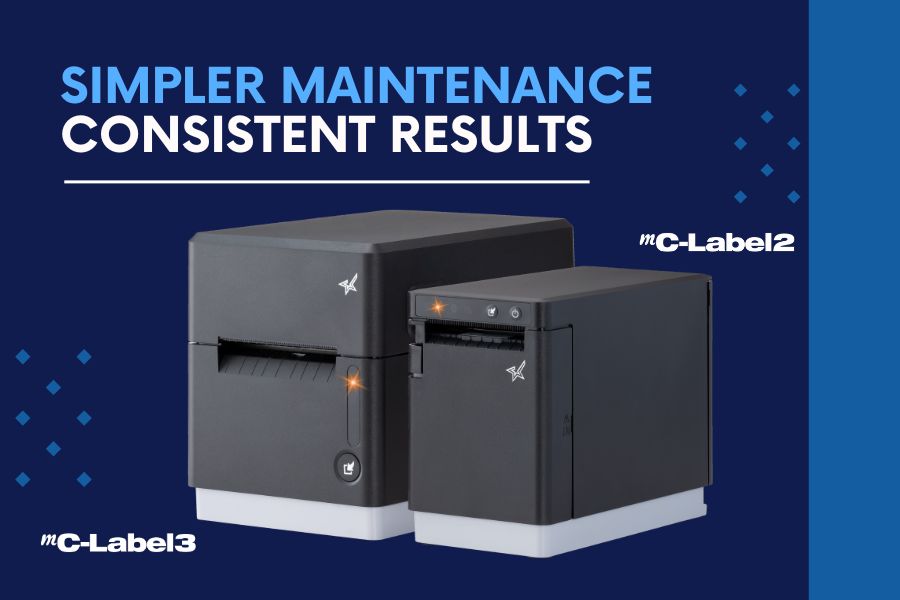
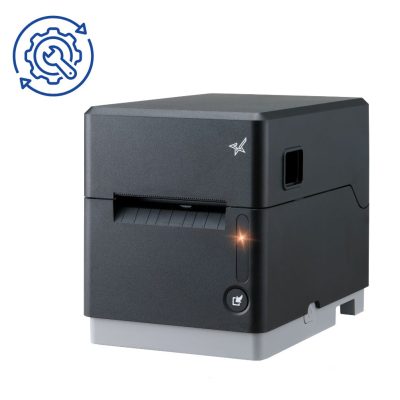
When it comes to avoiding label printer downtime, the best defense is a device that knows how to take care of itself. That’s why Star Micronics designed the mC-Label multifunction printer series with proactive maintenance tools that keep QSR and retail workflows moving without disruption.
1. Maintenance Alerts
Real-time notifications let staff know exactly when printer maintenance is due before it becomes a problem.
2. Auto-Printed QR Codes
The printer prints a QR code that links directly to simple, step-by-step instructions. No manuals needed.
3. Tool-Free Maintenance
Downtime often starts with small issues, like adhesive buildup or worn components. That’s why Star mC-Label printers are designed with tool-free maintenance in mind.
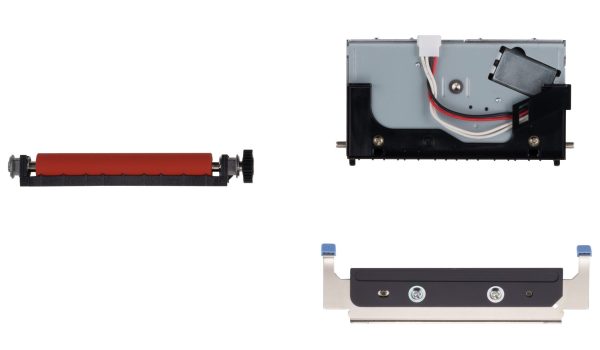
Color-coded parts, including the cutter and platen, are easy to identify, remove, clean, and reinstall without any tools. No technician is required. Your team can handle routine maintenance on the spot without waiting for IT or scheduling a service call. That means less downtime, fewer disruptions, and a label printer that’s always ready to go.
For the mC-Label2 and mC-Label3 multifunction label printers, routine cutter cleaning is simple. If adhesive begins to accumulate on the cutter blade, use the adhesive side of a separate label or linerless label and gently tap it against the blade. This helps remove gum and debris before buildup affects cutting performance.
When components eventually wear over time, Star offers replacement cutter and platen sets so you can restore performance quickly without replacing the entire printer. Fast, user-level maintenance keeps labeling workflows running smoothly, even in high-volume environments.
4. Built for the Front and Back of House
Whether you’re sealing to-go bags, labeling food items, or printing ingredient info, the mC-Label series prints die-cut and linerless labels (with all adhesive strengths) plus receipts, helping you maintain speed, accuracy, and peace of mind.
mC-Label2 Multifunction Printer
The mC-Label2 packs powerful features into a compact, front-loading design, including 300 dpi resolution, support for linerless, die-cut, receipt, and continuous media, and connectivity options like USB-C, LAN, WLAN, Bluetooth, and Apple MFi-certified pairing (X4 models only).


mC-Label3 Multifunction Printer
The Star Micronics mC-Label3 is a versatile multimedia printer that prints a wide range of labels and receipts, including both permanent and repositionable sticky linerless. It features cloud connectivity and innovative technologies like SteadyLAN and TetherLAN for enhanced printing convenience.
Keep Labeling Simple and Reliable
In today’s high-volume, high-expectation environment, printer downtime is a problem you can’t afford.
Smart maintenance tools like those built into the mC-Label series give operators the confidence that their labeling workflow won’t be derailed by preventable issues. Proactive alerts, guided instructions, and simple part handling turn maintenance from a challenge into an opportunity to keep operations running at their best.
Smarter maintenance enables smarter labeling—and smarter labeling helps QSRs and retailers deliver the speed, accuracy, and trust their customers expect.

Beyond the Label: Elevating Brand Connection and Loyalty
“Beyond the Label” offers insights into innovative labeling techniques that help retailers and restaurateurs captivate and connect with their audience more effectively.
Leave a Reply