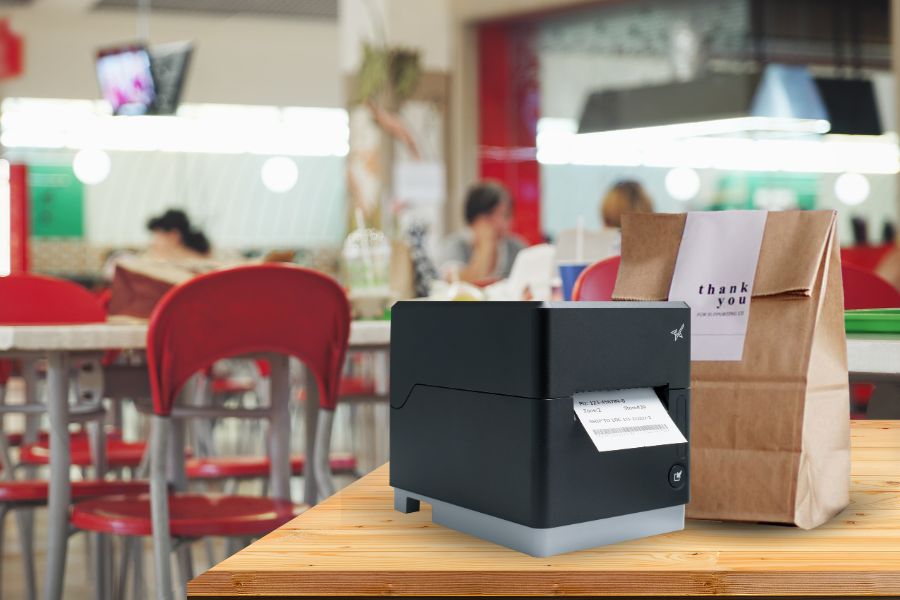
Today’s grocery and QSR labeling demands more than just speed—it demands precision across every touchpoint. From front-counter orders to back-of-house prep and last-mile delivery, modern operations are expected to move fast and get it right every time. As service channels multiply, so do the challenges. And unless your labeling strategy can keep up, efficiency and consistency take a hit.
Labels have become essential here, offering a way to clearly communicate item details, reduce order errors, and streamline pickup and delivery. But creating a smooth, end-to-end labeling experience isn’t always easy. As menus and product assortments grow, and workflows evolve, many businesses find themselves struggling to keep labeling consistent across their POS, kitchen, bagging, and inventory stations.
For enterprise brands with dozens or even hundreds of locations, this complexity scales rapidly, resulting in increased costs, heightened training needs, and avoidable inefficiencies.
The Multi-Station Challenge
Most QSRs and grocery stores operate multiple service zones, each with its own tasks, and often, its own printer. The POS counter may have a thermal receipt printer, the kitchen a die-cut label printer for ingredients, and the bagging station a linerless printer for sealing takeout or delivery bags. While this setup gets the job done, it introduces a host of operational inefficiencies.
Here’s what that fragmented setup often leads to:
- Higher hardware costs with different printer types at each station
- Inconsistent print quality across devices and use cases
- Increased training and support needs for staff and IT
- Media management headaches with different paper sizes, adhesives, and formats, all requiring different printers
- Workflow friction as teams juggle multiple systems and devices
As operations scale across multiple locations, these small inefficiencies add up, creating friction in daily workflows and making it harder to deliver a consistent customer experience across every store.
The Ideal Solution? One Printer That Does It All.
What if every station in your operation—front counter, kitchen, delivery, self-checkout—could run on the same printer model? Instead of managing multiple printer types with different media formats, drivers, and maintenance protocols, QSRs and grocery stores could simplify with one device that does it all.
That’s the benefit of standardizing on a single, versatile printer across the operation. The model may serve different functions at each station, but because the device is the same, it streamlines ordering, training, IT support, and overall consistency.
This isn’t entirely about reducing the number of printers—one will have to be at each station—but it is about reducing the number of printer models. With one printer that can handle everything from receipts to bag seals, operators can reduce complexity while maintaining quality across every customer interaction.
This isn’t just a wish list item. It’s real, and it’s available today.
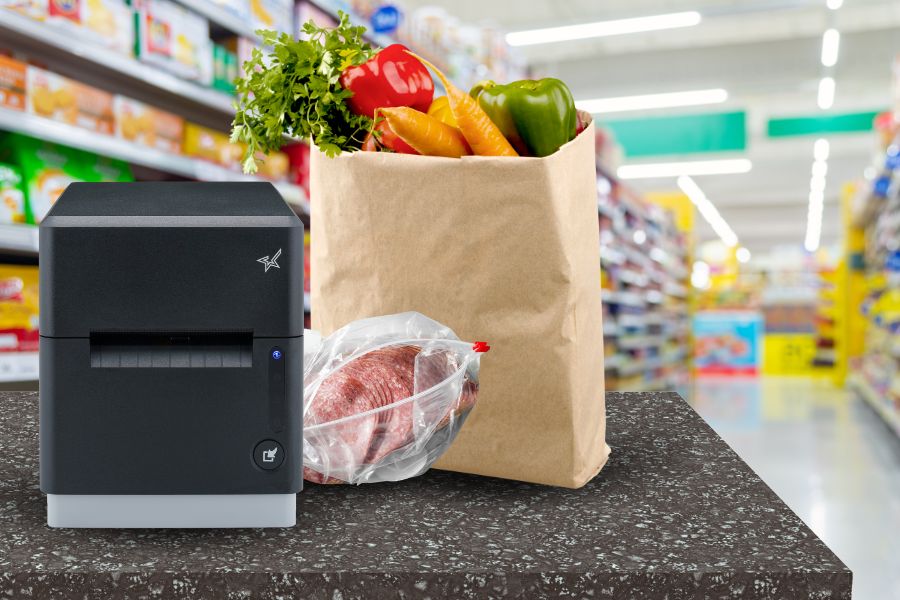
Versatility at Its Core: Star Micronics mC-Label3
The mC-Label3 is a multifunction thermal printer built for the fast pace of today’s QSR and grocery operations. Designed to support unified labeling workflows, it can handle a wide range of media types, streamlining labeling across your business.
This one model can be used to print:
- POS receipts at the front counter
- Die-cut labels for food prep, inventory, or shelf displays
- Linerless labels (sticky or permanent) for bag sealing and delivery orders
- Continuous linered media for specialty or regulatory labeling

mC-Label3 Multifunction Printer
The Star Micronics mC-Label3 is a versatile multimedia printer that prints a wide range of labels and receipts, including both permanent and repositionable sticky linerless. It features cloud connectivity and innovative technologies like SteadyLAN and TetherLAN for enhanced printing convenience.
Standardizing on a single printer model like the mC-Label3 transforms QSR labeling and grocery labeling from a daily hurdle into a streamlined, scalable strategy. With just one printer across stations, teams deal with less hardware confusion, faster onboarding, and fewer support tickets—without sacrificing output quality or consistency.
Swapping media is fast and foolproof, letting staff move from receipts to die-cut to linerless labels without skipping a beat. And that’s key, because linerless media is quickly becoming the future of labeling. It’s cleaner, faster, more flexible, and reduces waste, making it ideal for high-volume, multi-use environments like coffee chains, QSRs, convenience stores, and grocery pickup stations.
With fewer disruptions and a leaner labeling setup, enterprises can keep counters clean, workflows smooth, and customers moving—no IT intervention required.
Built for Enterprise Flexibility
The mC-Label3 also supports multiple interfaces (USB, Ethernet, Bluetooth, WLAN) and CloudPRNT, ensuring straightforward connectivity with your current POS or labeling infrastructure. With its sleek footprint, it saves space without sacrificing performance.
And because it’s from Star Micronics, you get industry-leading reliability, developer support, and the ability to scale across locations.
Smarter Labeling Strategies for QSRs and Grocers
When you rethink your labeling strategy to revolve around one printer, you unlock:
- Simpler training and operations
- Cleaner counters and kitchen setups
- Faster service and fewer labeling errors
The mC-Label3 isn’t just a printer. It’s your receipt station, kitchen expediter, and delivery labeler—all in one.
Perfecting QSR Delivery with POS Scales & Advanced Labeling
Learn how QSR operators are transforming delivery with weight-based verification and advanced labeling solutions.
Leave a Reply