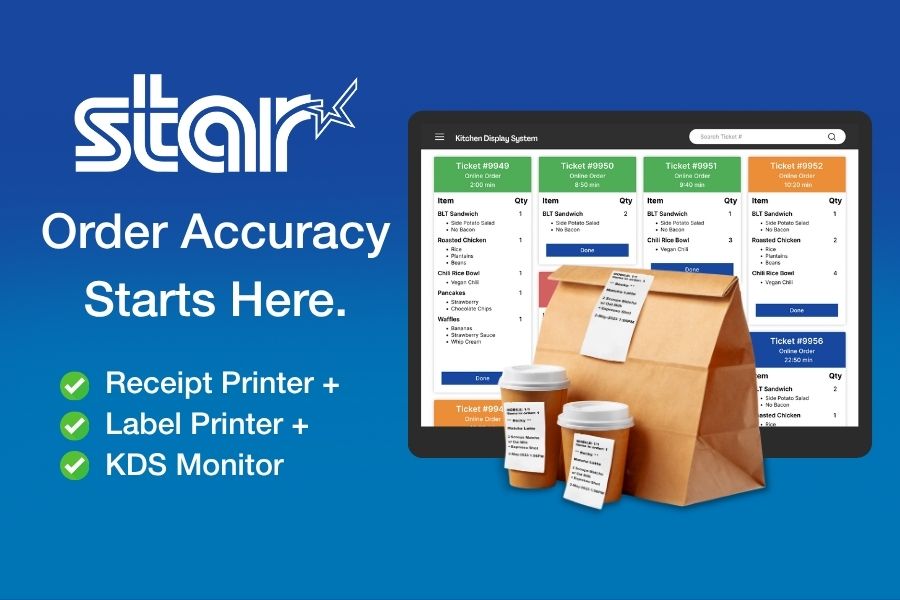
A kitchen display system (KDS) is one of the most effective ways to improve restaurant order accuracy and efficiency. It upgrades the way restaurants communicate between the front and back of house, replacing paper chits and verbal communication with digital precision. By sending orders directly from the POS system to prep stations, a KDS helps control the chaos of omnichannel ordering from online platforms, off-premise dining, mobile apps, kiosks, drive-thru, and counter service.
However, a KDS alone won’t solve every accuracy problem in the kitchen. Orders can still break down during prep, packaging, labeling, and handoff, where small mistakes quickly turn into remakes, refunds, and frustrated customers. To deliver a complete restaurant order accuracy solution, KDS providers need POS and KDS hardware peripherals built specifically for modern kitchen workflows.
Table of Contents
What is KDS Hardware?
KDS hardware is more than a screen and bump bar. A total solution includes label printers, barcode scanners, and scales to create an effective restaurant order accuracy solution. A comprehensive KDS hardware solution allows restaurants to optimize communication throughout the KDS workflow and ensure accuracy at every step.
Differentiate Your Offering with Modular KDS Hardware
As competition among KDS providers intensifies, differentiation becomes increasingly crucial. Partnering with a KDS hardware peripheral manufacturer allows you to offer a complete, modular solution that enhances restaurant operations and drives greater accuracy.
By combining your software with reliable POS hardware for restaurants, such as label printers, scales, and scanners, you can help your users take the next step toward streamlined workflows and consistent order quality.
Label Printers
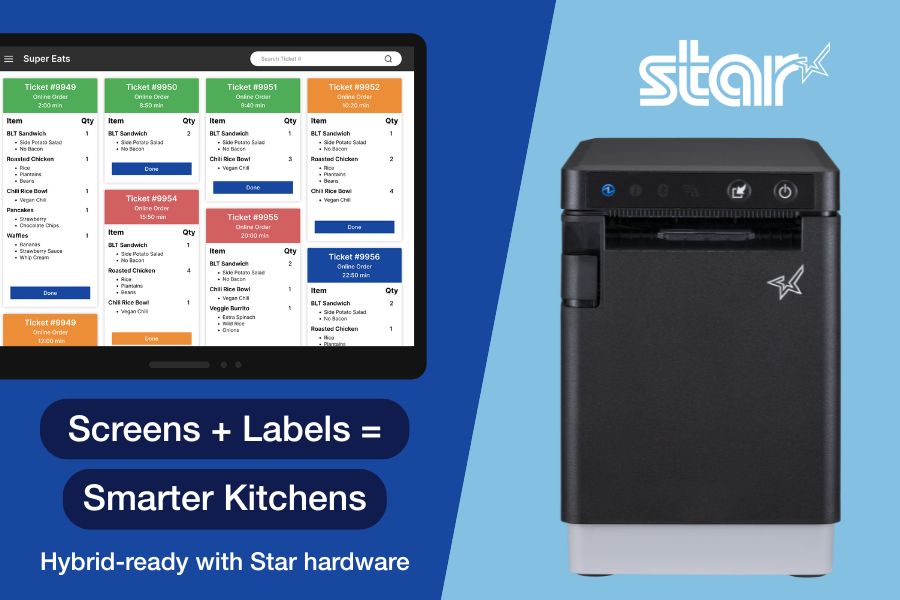
Label printers are the cornerstone of restaurant labeling solutions. Integrating with a restaurant label printer enables restaurants to automatically generate labels when a food prep station receives an order or when it’s bumped to the next stage.
Restaurant labeling keeps every item traceable and ensures accurate handoffs between kitchen staff, expeditors, and delivery drivers. A KDS-connected label printer can even print tamper-evident labels for delivery bags to reinforce food safety and customer trust.
The ideal printer for these workflows is a multifunctional model that can handle all types of labels, as well as receipts. Multimedia printers allow restaurants to use less SKUs, with the same model printer at each station.
Linerless label printers are also a great option for high-volume kitchens in areas that don’t require die-cut only. Linerless labels eliminate liner waste and clutter while keeping labeling stations clean and efficient.
POS Scales
Integrating POS scales as part of your KDS peripheral bundle helps restaurants verify accuracy at the final handoff. The POS scale compares the weight of a packaged order to the expected weight stored in a database or spreadsheet. Sensitive scales can even factor in wrappers, condiments, and utensils, ensuring every bag matches what was ordered.
This added layer of precision reduces errors, waste, and refunds, helping restaurants build trust and protect margins.
Barcode Scanners
Barcode scanners also play a critical role in achieving restaurant order accuracy. Scanners can be used to track inventory through barcode labels, ensuring ingredients stay stocked and accounted for.
For customer-facing operations, scanning technology provides visibility into the order journey, signaling when items are ready for pickup, handed off to delivery, or en route. This transparency helps prevent disputes, minimize chargebacks, and increase customer satisfaction.
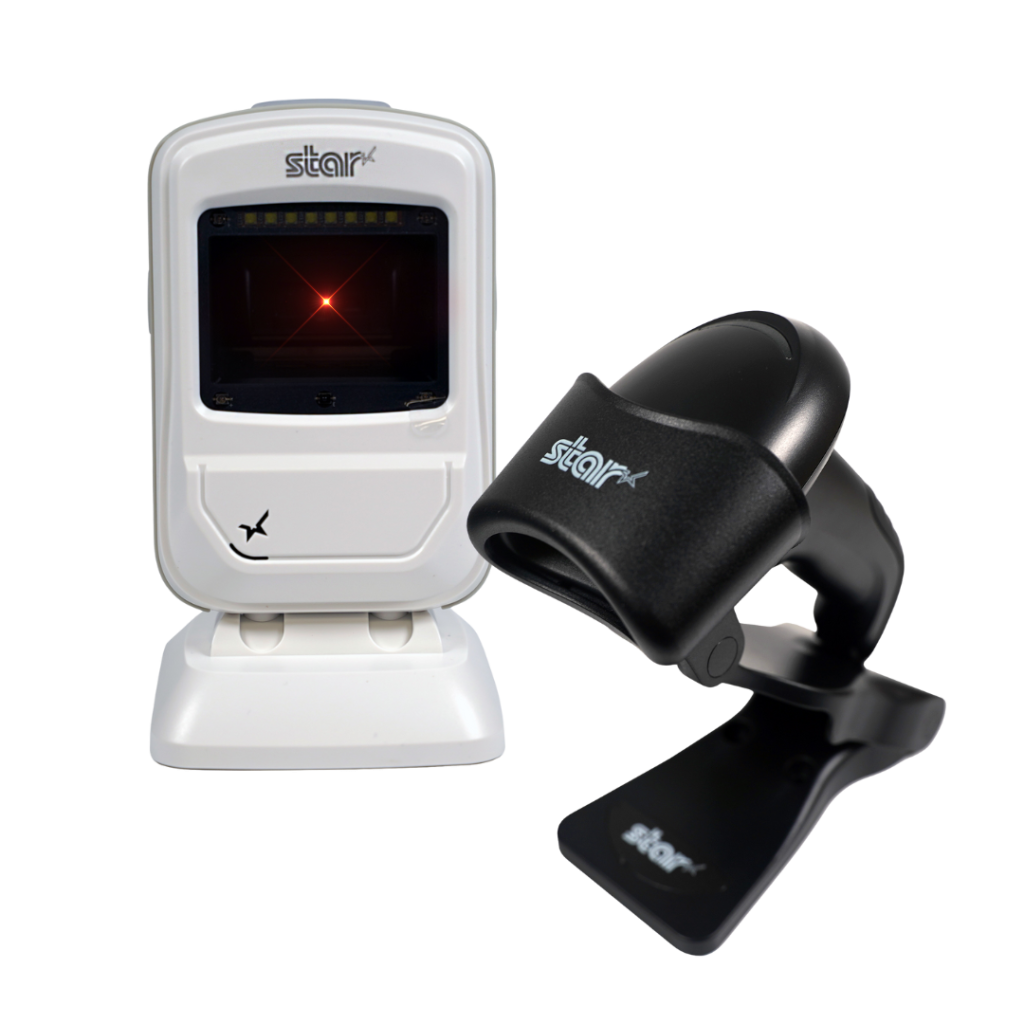
Star’s 1D/2D Barcode Scanners
Star offers a comprehensive range of IP-rated 1D/2D barcode scanners, ideal for diverse business needs. From retail to healthcare, our versatile scanners excel in parsing driver’s license and ID barcodes, ensuring swift and accurate data capture. Choose the perfect fit for your setup—desktop, handheld, or wireless Bluetooth options available.
5 Must-Have Features in KDS Hardware
When looking for a hardware partner to enhance your KDS solution, make sure they offer thermal printers, scales, and scanners that deliver the durability, compatibility, and flexibility restaurants depend on.
1. Ruggedized Hardware
Kitchen environments demand hardware designed for heat, humidity, and constant use. Purpose-built kitchen printers deliver greater reliability and longer service life in these conditions, helping reduce downtime and support costs.
In temperature-controlled kitchens, connected thermal ticket printers can also be effective, provided they are engineered for continuous, high-volume operation. For KDS platforms, choosing hardware with a low total cost of ownership (TCO) ensures restaurant partners avoid frequent replacements, service calls, and operational disruption.
2. Cross-Platform Compatibility
To reach the widest range of restaurant environments, KDS platforms must integrate seamlessly with peripherals that support all major operating systems, including Windows, iOS, Android, Linux, and ChromeOS. Broad OS compatibility ensures printers, scales, and scanners can be deployed consistently across diverse POS ecosystems without limiting customer choice or increasing integration complexity.
3. Cloud-Based Printing
For KDS providers, consistent order flow depends on reliable, low-latency printing that integrates cleanly with cloud-based applications. Cloud-based printing allows printers to communicate directly with cloud systems, eliminating reliance on local print servers and reducing architectural complexity.
Modern cloud printing architectures built on MQTT (Message Queuing Telemetry Transport) enable faster, more reliable message delivery between cloud applications and connected printers. This event-driven approach supports real-time order and label printing, even during peak volume periods, helping keep KDS stations, expo lines, and fulfillment workflows synchronized.
-
CloudPRNT Next enables ISVs to implement MQTT-based cloud printing directly within compatible Star printers, giving KDS platforms full control over their own cloud infrastructure and backend logic.
-
StarIO.Online offers a fully managed, Star-hosted cloud printing service for KDS providers that prefer to offload infrastructure management. Print jobs are delivered securely via REST APIs, with support for both MQTT and HTTP, defaulting to MQTT when the printer is compatible.

4. Remote Device Management
For KDS providers supporting multi-location restaurant environments, device visibility and uptime are critical. Remote device management allows ISVs and operators to monitor printer status, connectivity, and job health across locations without requiring on-site intervention.
- StarIO.Online provides KDS platforms with real-time visibility into cloud-connected printers, including online/offline status and print job activity, all through a Star-hosted infrastructure. This reduces troubleshooting time and removes the need to manage local servers or gateways.
- Star Micronics Cloud Services gives ISVs that manage their own cloud infrastructure programmatic access to printer status and connectivity data, allowing developers to build custom monitoring dashboards or embed device visibility directly into their KDS platforms.
Together, these options allow KDS providers to support enterprise-scale deployments more efficiently, maintain consistent performance across locations, and keep order accuracy tools running reliably without increasing operational overhead.
5. Scalable Support
Growth shouldn’t introduce friction. The right KDS hardware partner supports scale with cloud-ready printing architectures, flexible integration options, and long-term technical support designed for multi-location and enterprise restaurant environments.
Key elements of scalable KDS support include:
-
Cloud-native printing architectures – MQTT-based cloud printing enables fast, reliable communication between cloud applications and printers, ensuring consistent performance as order volume and location count increase.
-
Flexible infrastructure models – KDS providers can choose to manage their own cloud infrastructure using CloudPRNT Next or offload infrastructure management entirely with StarIO.Online, depending on their scalability and support strategy.
-
Reduced IT overhead – Star-hosted cloud printing options eliminate the need for local print servers, gateways, or on-site configuration, simplifying deployment and ongoing support for distributed restaurant networks.
-
Developer-first integration support – Star provides SDKs in all major programming languages, detailed documentation, and direct access to an experienced integration team to accelerate development and reduce implementation risk.
-
Multi-location deployment readiness – Hardware can be rolled out consistently across stores, regions, or brands, with cloud-based workflows that support centralized updates and scalable growth without downtime.
With infrastructure simplified, KDS platforms can scale faster while maintaining reliable printing and consistent order accuracy.
Benefits of a Total Order Accuracy Solution
When your KDS hardware is part of a larger order accuracy ecosystem, both you and your restaurant clients benefit:
- Fewer errors at handoff points lead to greater customer satisfaction and fewer chargebacks.
- Streamlined operations without a full POS overhaul—modular hardware works with existing systems.
- Greater efficiency and visibility, helping restaurants manage every stage from order to bag.
- More sustainable workflows, with less wasted time, food, and paper.
- Stronger customer trust, supported by tamper-evident restaurant labeling and accurate fulfillment.
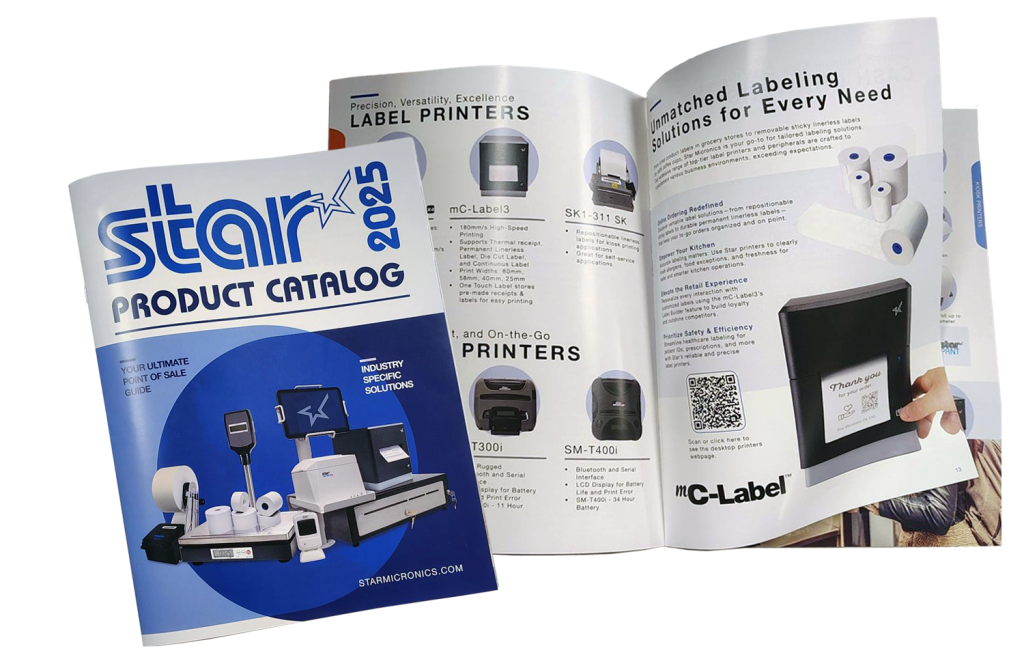
The Star Micronics Product Catalog
Built for performance and easy software integration, Star’s technology connects every part of your operation—from cloud printing and labeling to payment and cash management.
The Future of KDS Hardware and Restaurant Order Accuracy
With the right KDS hardware partner, you can offer more than a display screen — you can deliver a complete restaurant order accuracy solution. Pairing your software with reliable POS peripherals helps your clients reduce errors, improve efficiency, and enhance the customer experience.
By partnering with Star Micronics, KDS providers can access a range of proven POS hardware and restaurant labeling solutions that fit seamlessly into today’s restaurant ecosystems.
Additional Resources
Explore Star Micronics products that complement KDS systems and help close the loop on restaurant order accuracy:
- mC-Label3 Multifunction Label Printer – prints receipts, linerless, and die-cut labels.
- mC-Label2 Multifunction Label Printer – compact multimedia label printer with a die-cut-only model for focused use cases.
- TSP143IV SK Sticky Linerless Label Printer – ideal for expo and delivery labeling.
- SP742 Impact Kitchen Printer – rugged and reliable for hot, high-volume kitchens.
- mG-T Series POS Scales – verify order accuracy and prevent costly errors.
- BSH-32B Wireless 1D/2D Bluetooth Barcode Scanner – streamline tracking and communication.
Frequently Asked Questions About KDS Hardware and Restaurant Order Accuracy
What is KDS hardware?
KDS hardware includes the physical devices that support a kitchen display system, such as kitchen printers, label printers, POS scales, barcode scanners, tablets, and cloud-connected peripherals. Together, these tools help restaurants improve communication, streamline workflows, and increase order accuracy.
How does KDS hardware improve restaurant order accuracy?
KDS hardware helps reduce mistakes during food prep, packaging, labeling, and handoff. Tools like label printers and POS scales provide additional verification steps that help ensure every order is complete, correctly labeled, and ready for pickup or delivery.
Why are label printers important for KDS systems?
Label printers help restaurants automatically generate prep, expiration, delivery, and tamper-evident labels directly from the KDS workflow. This improves traceability, reduces manual errors, and helps staff identify and hand off orders accurately.
How do POS scales support order accuracy?
POS scales can compare the expected weight of an order against the actual packaged weight, helping restaurants catch missing or incorrect items before orders leave the kitchen. This reduces remakes, refunds, and customer complaints.
What should KDS providers look for in KDS hardware?
KDS providers should look for hardware that offers:
- Ruggedized designs for kitchen environments
- Cross-platform compatibility
- Cloud-based printing support
- Remote device management capabilities
- Scalable deployment and integration support
Reliable hardware helps ensure consistent performance across restaurant locations.
What is cloud-based printing for KDS systems?
Cloud-based printing allows kitchen printers and label printers to receive print jobs directly from cloud applications without relying on local print servers. This simplifies deployment, improves reliability, and supports multi-location restaurant operations.
What is the difference between CloudPRNT Next and StarIO.Online?
CloudPRNT Next allows ISVs to implement MQTT-based cloud printing while maintaining control over their own cloud infrastructure. StarIO.Online is Star Micronics’ fully managed cloud printing service, where Star hosts and maintains the infrastructure while securely delivering print jobs through REST APIs.
Why is remote device management important for KDS providers?
Remote device management gives KDS providers visibility into printer status, connectivity, and print job activity across multiple locations. This helps reduce troubleshooting time, improve uptime, and support enterprise restaurant deployments more efficiently.
Which operating systems should KDS hardware support?
KDS hardware is available for all popular operating systems, including Android, Windows, ChromeOS and Linux. Partnering with a hardware vendor that offers products that work across platforms enables solutions providers to meet the needs of more restaurants in their markets.
How does KDS hardware connect to restaurant POS systems?
Modern KDS hardware supports multiple connectivity options depending on the device and workflow requirements. Printers may support USB, LAN, WLAN, USB-C, or Bluetooth connections, while scanners and POS scales can connect through wired or wireless interfaces. Flexible connectivity helps restaurants integrate KDS hardware into existing POS environments more easily.
Leave a Reply