Tag: Mobile POS (mPOS)

  • Contactless Payments: A Safer, More Efficient Payment Alternative

    Contactless Payments: A Safer, More Efficient Payment Alternative

    Social distancing and minimizing human contact are topics that are on everyone’s mind these days, and for good reason. Consumers and businesses alike are leveraging strategies to limit any possible exposure to outside germs – and one of those strategies is contactless payments.

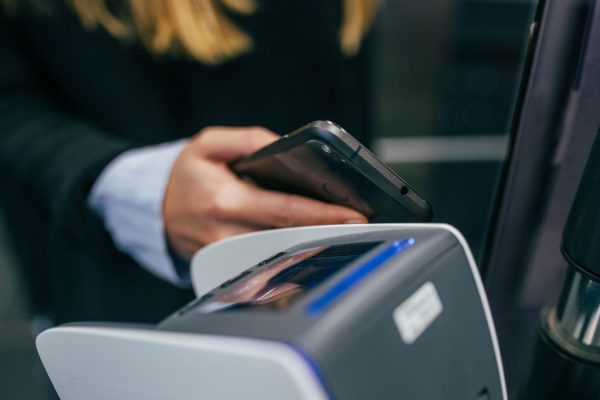
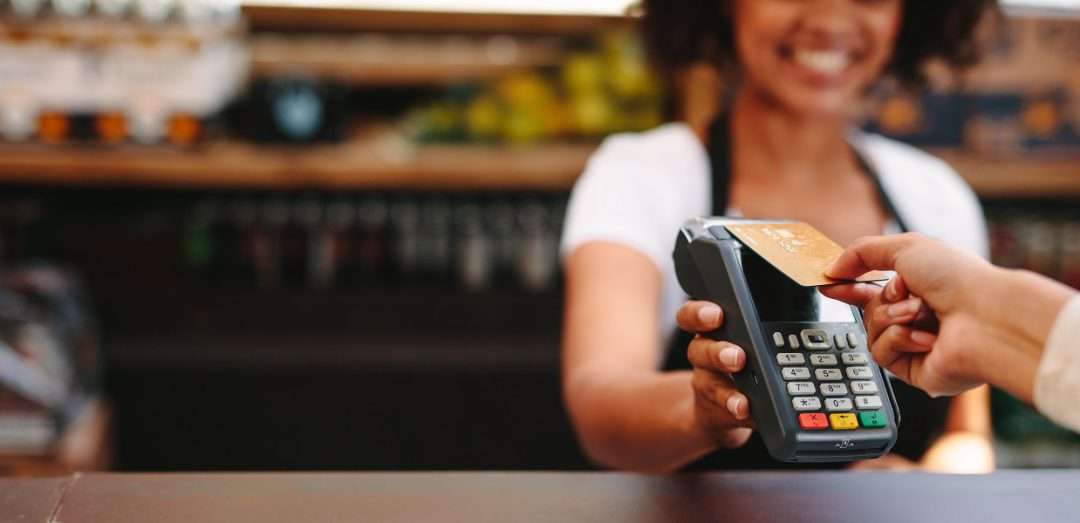
    Contactless payments – or processing transactions via the tap of a credit/debit card, smartphone, or smart watch – are undoubtedly an effective way to keep business flowing while keeping your employees and your customers safe. But an added bonus is that contactless payments are growing in popularity around the world and are sure to serve you well into the future. Read on to learn more about contactless payments, how to get started accepting these modern transactions, and additional tips on how to keep safe during this challenging time.

    What are Contactless Payments?

    Contactless payments can take many forms. According to Investopedia,

    “Contactless payment is a secure method for consumers to purchase products or services using a debit, credit, or smartcard—also known as a chip card—by using RFID technology or near-field communication (NFC).

    To make a contactless payment, tap your card near a point-of-sale terminal that is equipped with the contactless payment technology. Since contactless payments do not require a signature or a personal identification number (PIN), transaction sizes on cards are limited. The allowable amount for a contactless transaction varies by country and by the bank.

    Contactless payment is also referred to as tap-and-go by some banks and retailers. Examples of non-credit or debit card contactless payments include transit cards, Apple Pay, Android Pay, and Google Wallet.”

    While these payments may seem like a recent trend, the technology has been in existence since the 1990s – however, at that time, only a small number of merchants used this payment method.

    Benefits of Contactless Payments

    • Hygienic: Contactless payments are a cleaner alternative to paying with cash or using a pin pad on a credit/debit card terminal. Simply put, there’s less opportunity for contamination.
    • Fast: A major benefit of contactless payments is how speedy they are because no PIN is required, and your employees don’t need to manage cash transactions. By speeding up transactions, you can successfully line-bust and keep your customers happy.
    • Improved customer experience: Like we just mentioned, contactless payments create a streamlined, easy, and quick experience – something consumers are sure to love.
    • Secure: While some people are under the impression that contactless payments are not as secure as a chip card transaction, contactless payments provide the same EMV security provided by chip cards.

    How Popular are Contactless Payments?

    According to a 2018 report, in the US 26% of all consumer transactions (that’s 50 billion purchases!) are made with cash, but contactless payments are building in popularity around the world and the US is bound to follow the global trend. For example, contactless payments account for approximately 20% of all transactions in Australia, Canada, South Korea, and the United Kingdom.

    It seems the US is already on that path – TD Bank has seen a surge in contactless transactions following the coronavirus outbreak, and it’s likely that consumers will continue paying for their purchases in this quick and easy way well after the pandemic has ended.

    Star Micronics has the POS hardware you need to enable modern payments including contactless, pay-at-the-table, and more.

    How to Implement Contactless Payments

    Are you ready to get started with contactless payments, if you haven’t already? Here’s what you need to know.

    Contactless Payment SymbolMost banks offer contactless credit and debit cards, as well as the terminals that are required for, and equipped for, processing contactless transactions. These terminals have a contactless payment symbol to show customers that contactless payment methods are accepted, but you may also communicate to your customers that you accept these payments in person, through social media or email, by placing a sign at the point of sale, or via receipt marketing.

    Some retailers set a low limit for contactless systems to prevent fraud, but some do still allow large transactions, with a required signature.

    When it’s time to pay, customers hold their card, smartphone, or smart watch 1” to 2” from the contactless symbol on the terminal. When the payment has been accepted, the terminal will alert the customer with a beep, green light, or checkmark.

    Free Resources During COVID-19 & Beyond

    Now more than ever, safety is a priority in retail and hospitality environments. Star Micronics is proud to offer a line of solutions and resources for businesses during this challenging time, designed to keep consumers and employees safe, as well as mitigate business impact caused by COVID-19.

    More Ways to Stay Safe

    At Star Micronics, our hearts go out to anyone impacted by COVID-19, either directly or indirectly, especially to those who are sick, to whom we extend our heartfelt wishes for a full recovery. To learn more about what we are doing as an organization to reduce the global impact of COVID-19, in terms of health and business, please click here.
    To browse all of our blog posts covering tips for small businesses during COVID-19, please visit our #StarForSmallBiz blog collection.

    What can Worldnet’s Omnichannel Integrated Payments do for you?

    Worldnet is proud to offer a simple omnichannel integration that brings your eCommerce, Back Office and Cardholder Present payment solutions together, and presents all that data directly into your software solution, ERP, or CRM system.

  • How to Plan for an Effortless POS Deployment

    How to Plan for an Effortless POS Deployment

    These days, while the state of business and the world at large comes with a lot of uncertainty, one thing that is sure to be a constant in the future is mobile point of sale (mPOS). Many business owners may have some downtime on their hands and it’s natural for them to plan for when their doors reopen. A modern POS that’s ready for the future may be a part of those plans.

    You can help your customers hit the ground running by having a healthy knowledge of what it takes to plan for an effortless POS deployment. Every business has specifics needs, and POS is certainly not “one size fits all,” but in today’s blog post we’ll explore the fundamentals of how to offer your customers a solution that will work for them well into the future.

    POS Deployment Step 1: The Meat and Potatoes

    First, you must consider the “meat and potatoes” of the POS deployment. What does this include, you might wonder? Hardware, software, and scalability are all good concerns to keep in the front and center of your mind as you help customers plan POS deployments.

    • Hardware Considerations:
      • Printer: A good starting point is to make note of which kind of POS printer(s) your customer needs. Is a desktop thermal receipt printer required? Or maybe an impact kitchen printer? Or mobile printers, for on-the-go transactions? From there, you can assess and compare printer options, keeping in mind connectivity, reliability, print speed, aesthetics, and more.
      • Cash Drawer: All cash drawers might seem similar, but they’re not. An important question to ask yourself is what size of cash drawer your customer needs – do they experience a lot of cash transactions, or mostly credit card and mobile payments? From there, it’s important to consider how many bills and coins they’d like to store in their till, as well as if they need to store checks/coupons, which would require a cash drawer with media slots, and if they plan on supporting a POS terminal or tablet POS on top of the drawer, which would require a drawer with added built-in strength. Design should also be on your list of considerations – your goal is to have your customer’s cash drawer seamlessly and cohesively fit in with the rest of the POS.
      • Peripherals/Accessories: Once the printer and cash drawer are squared away, it’s time to plan for peripherals and accessories. If your client is opting for a tablet POS, be sure to offer a stand that has both a clean design and useful features like universal VESA mounting so it can accommodate any tablet and the ability to rotate to capture customer signatures. For many businesses, a customer display is also important to prominently display an order’s total price and scanners are a must for ringing up products. If your customer is a cannabis dispensary, jeweler, grocery/deli, frozen yogurt shop, or even a farmer’s market stall, it’s important to offer POS scales that are legal for trade, easy to connect with other POS components, and portable.
    • Software Considerations: Do a deep dive into your customer’s daily functions and goals for what they want to do in the future. For example, while a good place to start is modernizing a retailer’s main POS terminal, does the customer also want to complete transactions and look up inventory while on the sales floor? Or if your client is a restaurant, in addition to a POS and kitchen printer, would they like to incorporate online ordering or self-service kiosk technology into their establishment? Make sure you offer software that can handle it all and provide an easy, one-source solution for the customer.
    • Scalability: An important factor to consider when planning both POS hardware and software initiatives is scalability. Does your customer operate just one store? Or perhaps a handful of stores? Or maybe even an entire franchise? Be sure to select hardware and software that is easily scalable, no matter what size business you’re assisting.

    POS Deployment Step 2: Affordability

    An inevitably important factor in your customer’s POS deployment considerations is price – and who can blame them?

    It’s important as a solution provider to offer products that can accommodate a variety of budgets, but one thing to keep in mind is that the cheapest option may not be the most affordable in the long run. It’s also smart to research the warranties and reliability of products, as replacing cheap but unreliable products will likely end up being considerably more expensive than investing upfront in a quality solution backed by a strong warranty.

    POS Deployment Step 3: Select a Dependable Supplier

    Your suppliers matter! Choose a supplier with attentive, solution-focused sales and integration teams that will help you not only find the right solution but ensure it will work for your customer’s specific business needs. Some factors to look for when choosing a hardware or software supplier are:

    • Robust Support: Choose a supplier that has a live support team, online resources, frequent and useful software/firmware updates, and more.
    • Industry Knowledge: Another must-have is a supplier who has a healthy amount of industry knowledge as well as the ability to act as a trusted advisor, not a product-pusher.
    • Multiple Integrations: Choose a supplier that is integrated with industry-leading hardware/software manufacturers so you know that your customer’s solution of choice will work with the tech you offer.

    POS Deployment Step 4: Look to the Future

    If your customer could look into a crystal ball and see five years into the future, we’d bet that they’d like to see themselves keeping up with the latest trends in the most affordable way possible. Do that by choosing a future-proof POS deployment in the present!

    While choosing a future-proof solution today might mean a higher price tag up-front, it will serve your customers over time and they can rest assured it will be integrated with any future solutions that they choose to deploy.

    As we mentioned above, reliability is also a critical consideration for the future. Don’t roll out a POS deployment that will leave your customers with unexpected downtime, maintenance expenses, and replacement costs.

    Last but not least, we understand the POS is just one part of a business. Marketing is also surely a priority to your customers – and did you know that the POS can play a part in that? Some receipt printers, like Star’s, feature value-added receipt marketing software which means your clients can grow their sales and customer base by simply using the tools they already have.

    We hope that these POS deployment tips are helpful as you help some of your customers plan for the future during this time of uncertainty. Our hearts and thoughts are with everyone affected by COVID-19.

    Free Resources During COVID-19 & Beyond

    Now more than ever, safety is a priority in retail and hospitality environments. Star Micronics is proud to offer a line of solutions and resources for businesses during this challenging time, designed to keep consumers and employees safe, as well as mitigate business impact caused by COVID-19.

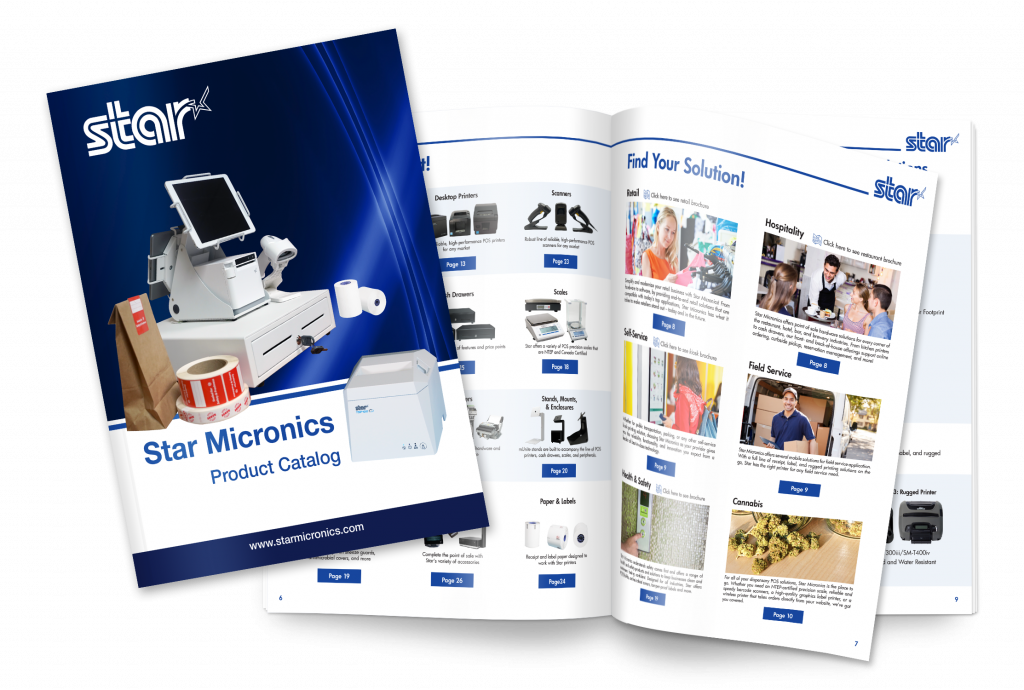
    Full 2022 Product Catalog by Star Micronics.

    Star Micronics Product Catalog

    Explore POS printers, label printers, kiosk solutions, and accessories for retail, restaurant, self-service, and more.

  • The Best New Star Technology in 2020

    The Best New Star Technology in 2020

    It’s 2020 and it should come as no surprise that point of sale (POS) technology is advancing rapidly. But which POS trends are predicted to be hot this year?


    • Cloud POS: According to Finances Online, the cloud POS market penetration rate is expected to hit 44% this year, up from 35% in 2018 and 39% in 2019.
    • Self-Service: In 2019, the self-service market was valued at $28 billion USD, and by 2025 it’s expected to reach $68 billion USD. Needless to say, self-service kiosks will be popping up left and right this year.
    • Mobile Payments: It’s estimated that by the end of 2020, nearly 1 in every 2 dollars spent online will come from purchase made using mobile devices. That’s a lot of mobile payments!

    Download Free eBook: MPOS: How it’s Revolutionizing Payments

    So, what’s Star doing to keep up with these emerging trends? Read on to discover the best new Star technology this year.

    SteadyLAN®

    The foundation of each of the above POS trends is a stable connection. For cloud POS to reliably operate, a strong network connection must be present. A self-service kiosk that’s out of order is a nuisance to customers and a waste of money to business owners. Mobile payments don’t exist without a solid connection.

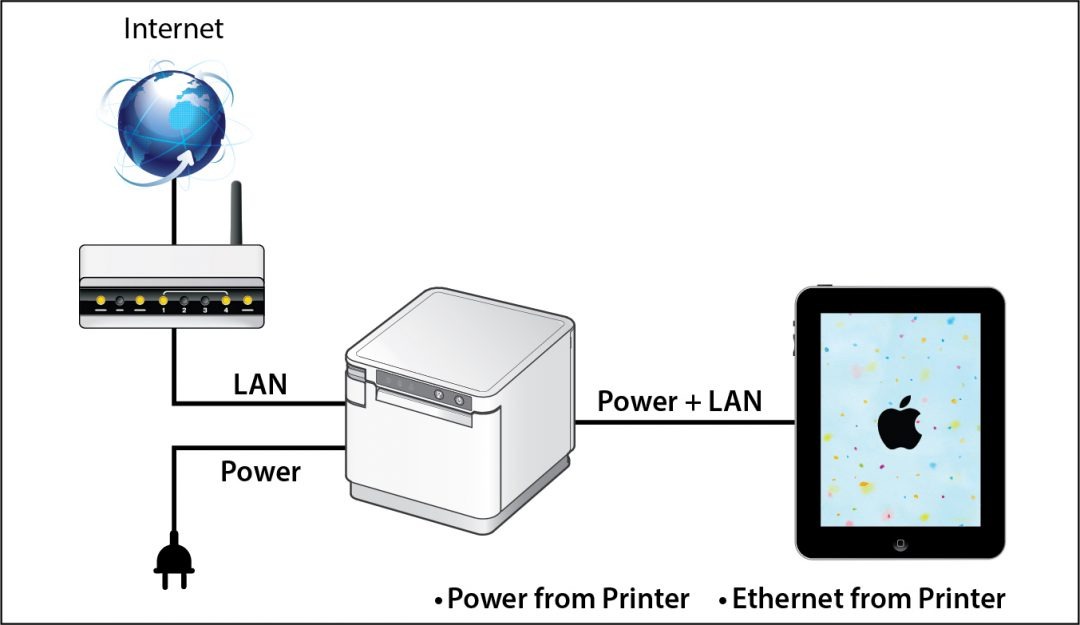
    To greatly strengthen network connection in iPad POS, Star is proud to introduce SteadyLAN®. This unique, patent-pending new Star technology makes unstable Wi-Fi signals a thing of the past. Available on certain mC-Print models and designed for iOS, Android, and Windows devices provides direct cabled control of the printer and attached peripherals, as well as Ethernet provision to the tablet, from the wired Ethernet port of the printer.

    Star-SteadyLAN-Technology-Final-withoutlogo-1080x625

    For locations where Wi-Fi connectivity is not possible or unreliable, this new technology is a world-first, providing the stability of a cabled LAN connection for tablet POS systems. By connecting the SteadyLAN-compatible printer to the Internet via wired LAN and connecting the printer and a tablet with a Lightning-USB or USB-C® cable, the device can use the Internet without Wi-Fi communication. At the same time, the tablet can communicate with the printer via USB or LAN and can be charged from the printer.

    Click here to learn more about SteadyLAN

    A Full Kiosk Lineup

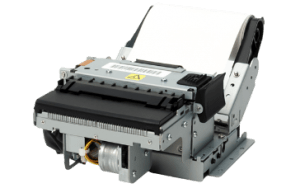
    Kiosk printers aren’t a new edition to Star in 2020 – we have been offering a robust lineup of self-service printing options for quite some time – but what is new and hot this year are our second generation of compact SK1 kiosk printers.

    The new kiosk printers, the SK1-211 and the SK1-311,  ship standard with StarPRNT emulation, which will allow software developers to take advantage of the full stack of Star Micronics technology, such as the StarPRNT SDKs and Star’s powerful line of drivers. Software developers that have already integrated Star products can now easily swap or extend their applications from a desktop printer to a kiosk printer.

    When used with Windows drivers, StarPRNT emulation also enables developers to take advantage of PromoPRNT, Star Micronics’ cloud-based marketing tool which allows for custom-designed promotions to print on the bottom of receipts.

    These new kiosk printers are exciting for a few reasons: Not only are these new products faster and more reliable, the addition of the modern StarPRNT emulation will allow easy integration of kiosk solutions into any environment already featuring Star printers.

    Star offers even more kiosk printers than the SK1 series. Click here to browse all available kiosk printers, including open-frame printers, housed printers, wide-format printers, and more.

    mPOP™ Flat Bill

    mPOP-Flat-Bill-1080x523
    You may already recognize our sleek, all-in-one mobile point of purchase, the mPOP. But did you know that this year we have released a new and improved mPOP for SMB retail, the mPOP Flat Bill?

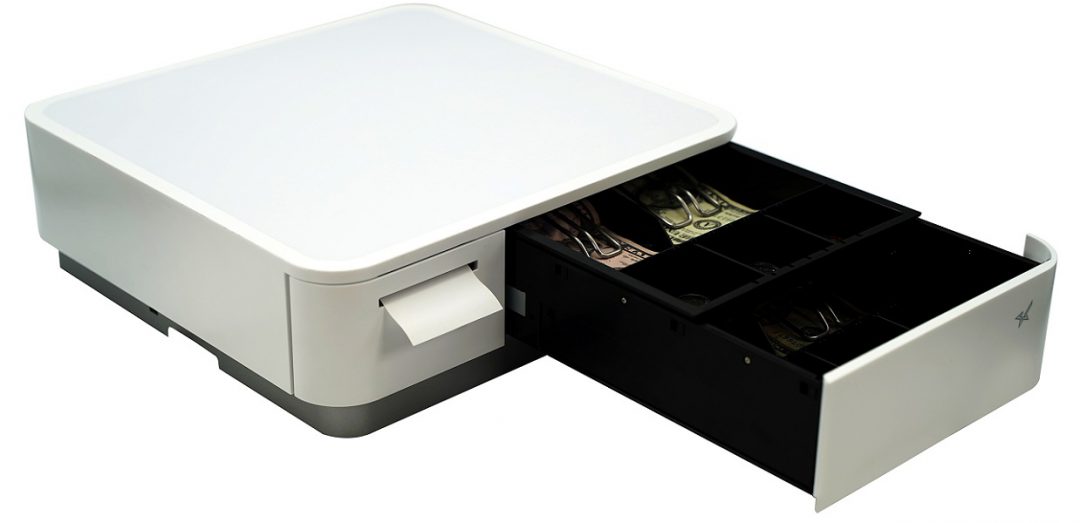
    The new mPOP with Flat Bill cash management stacks the till, providing a total of 4 slots for bills, and 4 or 6 adjustable spaces for coins.The individual tills offer 2Bill-2Coin slots, with the top till easily sliding back to expose the bottom till section.

    Just like the original mPOP, the mPOP Flat Bill also features:

    • Bluetooth and USB connectivity
    • Compatibility with any iOS, Android, or Windows device
    • Easy “drop-in and print” paper loading and cable management
    • Compatibility with Star peripherals ( 1D barcode scanner, 2D imager, digital customer-facing display)
    • Optional mUnite POP solution stand

    Click here to learn more about mPOP

    mUnite

    A new decade calls for business owners of all kinds to make the switch to a sleek, modern POS, and our mUnite stands make that easier than ever.

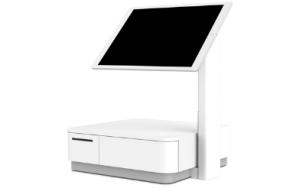
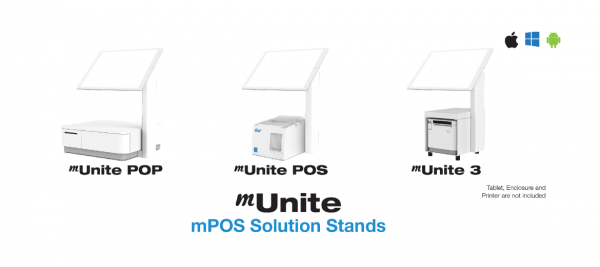
    Designed to accompany the mC-Print3, mPOP, and TSP143/TSP654II, the mUnite tablet POS stands are the perfect solution for businesses on the hunt for a clean POS which frees up valuable counterspace.

    With clean cable management and a sleek, unified design, mUnite stands bundles all devices together into one visually cohesive solution, and are:

    • Built of durable steel
    • Compatible with any tablet manufacturer (universal VESA mounting)
    • Easy to set up
    • Available in black or white to match existing POS systems
    • And more!

    Click here to learn more about mUnite

    The new Star technology featured in this blog post is just a portion of Star’s many offerings. To learn more about our full product lineup and see how our various technologies can be bundled into one cohesive, streamlined solution, explore our Product Catalog.

  • The Evolution of Printer Software Technology to Cater to mPOS

    The Evolution of Printer Software Technology to Cater to mPOS

    Point of sale (POS) is no longer limited to the traditional, fixed model. Merchants have tried and proven the benefits of mobility. They can complete payment transactions in-aisle or tableside, and set up additional checkouts for line busting. In addition, they can enhance the customer experience at their establishments by providing sales associates and wait staff with information on products and menu items, promotions and sales, and even the customer’s purchase history or loyalty program activity.

    While POS has gone mobile, so have label and receipt printers, as well as the point of sale systems they operate with. Mobile printers or mobile point of sale systems can help reduce labor time and costs of in-aisle and shelf labeling. Mobile point of sale also provides mobile receipt printing both in-store and beyond, at pop-up shops, and other outdoor sales and dining venues.

    Today’s mPOS solutions can be both lightweight and easy-to-use, are capable of printing receipts and labels with a variety of media, and can even assist businesses with their marketing strategy. Mobile POS peripherals can connect with mobile devices such as tablets or mobile phones using cabled, Bluetooth, or wireless network connection. They can also receive print jobs directly from the merchant’s network, or third-party online ordering and scheduling applications.

    From a printer software perspective, however, mPOS has created new challenges. With merchants using a variety of devices for POS functions, printing is no longer as simple as plugging in a printer that’s designed to work with the POS terminal to print receipts and other materials such as labels, tags, forms, or coupons.

    As your mobility initiative grows, you may encounter challenges to printing what you need, when and where you need it. Here are three common challenges merchants face with mobile printing and the solutions that will help you overcome them.

    Download the Full eBook: “How Printer Software Technology is Evolving to Accommodate mPOS”

    Illustration of Software

    Challenge 1: Printing from an iOS, Android, or Windows Native App

    With most legacy applications, many POS printers and printer brands could be used by just installing the right Windows driver. Since iOS and Android operating systems do not have a print engine to support drivers, the printer functions need to be integrated inside the POS software, thus limiting the choice. Fortunately, these companies have usually integrated the best of breed printers which make for an easy choice.

    Solution: SDK Integration

    A software development kit (SDK) helps software engineers or developers to speed up the process to support special features (like printing) in software applications. The printing SDKs needed to create applications are usually available for developers to download from the printer hardware manufacturer. For example, iOS applications traditionally use Objective-C or the Swift programming language, while Android uses Java.

    An advantage to SDK integration is that the application your software engineer or developer creates can give you more complete control of printing, such as adjusting print formatting, controlling the cash drawer, or checking the status of the printer. It also enables additional, innovative features to be added to the print application such as digital receipts and other cloud services.

    Another huge advantage is that an SDK provides a foundation for developers to build on. Without it, each developer would have to build the basics themselves, which can be especially complicated when working with multiple printers.

    The modern SDKs provided by printer manufacturers are designed to be powerful while also being simple to integrate – adding printing capabilities may only require a few lines of code.

    Solution: AirPrint®

    Star Micronics’ AirPrint technology allows retailers to continue to use the simple print method that they are used to. Apple has certified Star Micronics’ TSP654II AirPrint as the first and only AirPrint receipt printer, and has also certified the Star Micronics TSP847II AirPrint, which can print labels, tickets, forms, barcodes, and graphics. Modern and flexible, this new technology is beneficial to integrators as well.

    For ISVs, using Star Micronics’ AirPrint technology is the easiest and fastest way to integrate a printer with Apple software. The TSP654II AirPrint and TSP847II AirPrint work immediately after setup and are the perfect fit for the occasional print job. With Star Micronics’ Apple-certified printers, Mac and iOS developers now have another option in addition to the StarPRNT SDK, giving them more flexible printer control.

    Learn More About Star Micronics StarPRNT SDK

    Challenge 2: Managing Online Ordering and Scheduling

    Online ordering and scheduling have made a huge splash in the global marketplace. In particular, the hospitality, salon/spa, medical, and service industries have been highly effected. Customers choose to order food and schedule appointments online primarily for convenience. Online ordering and scheduling help to simplify the process, ensure accuracy, keep costs transparent, reduce human error, and more.

    This new wave of Cloud-based orders and requests presents a new set of challenges to those in effected industries – and all of those challenges revolve around having a reliable, functional mPOS and chit printer. Businesses need a printer that can promptly receive and alert staff to online orders and requests, and that is compatible with today’s modern, ever-changing online applications.

    Solution: CloudPRNT

    Star’s CloudPRNT technology is the answer to online ordering and scheduling pain points. A remote printing technology specially designed for Web-based POS printing, CloudPRNT is scalable, quick to integrate, easy to deploy, and even allows Cloud-connected control of peripherals.

    Platform-independent, CloudPRNT is compatible with the industry’s top online ordering and scheduling applications. CloudPRNT, which automatically detects and pulls Web-based orders and requests, requires no SSL certificate, has no exposed network ports or special firewall settings, and is compatible with any programming language or operating system.

    Star Micronics CloudPRNT

    Challenge 3: Printing from a Web Browser Application

    Advanced Web standards, such as HTML5, give developers the ability to build Web-based applications with nearly the same level of features as native (local) applications. Web applications have the added advantage of allowing live, automatic updating so that customers always have the most up-to-date version of the software since the application lives in the cloud.

    If the POS software is Web-based, the issue isn’t which mobile device the application is running on. Most Web-based solutions are device agnostic: if the device can connect to the Internet, it can usually use the application. In this case, it’s necessary for the printer to receive data directly from the Web-based application.

    Solution: WebPRNT

    Star’s JavaScript-based WebPRNT technology allows complete control of any Star WebPRNT Ethernet interface printer. Developers can use Star’s JavaScript library and Builder API to integrate a Web-based application with a WebPRNT printer. In addition, this functionality can be extended to Bluetooth printers by using the WebPRNT Browser with little to no changes.

    Learn More About WebPRNT

    Want to learn about the last 3 challenges? Discover how to successfully market to target audiences, continue to use legacy applications with newer hardware, and more in our free eBook.
  • Star Micronics to Unveil New mPOS Solutions at NRF 2020

    Star Micronics to Unveil New mPOS Solutions at NRF 2020

    Additions to the mCollection, SteadyLAN, kiosks, hospitality solutions, and more to be demonstrated at booth #5419

    Somerset, NJ – Jan. 6, 2020 – Star Micronics, a leading manufacturer of mobile, point of sale (POS), and customer engagement technologies, is excited to attend NRF 2020 where it will demonstrate the latest additions to its mCollection, cutting-edge solutions for retail and hospitality, and leading self-service kiosks at booth #5419.
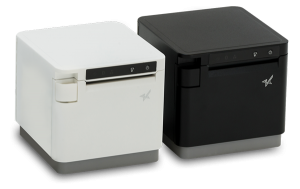
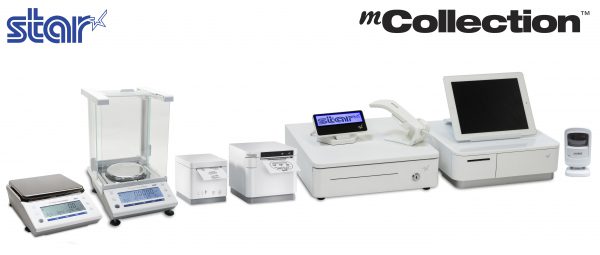
    Star is excited to unveil two new mCollection products at NRF 2020: a new model of mPOPTM featuring a Flat Bill cash drawer, as well as SteadyLAN, an industry-first technology for tablet POS which provides reliable power and network access through one cable connection. The mCollection also includes a variety of mPOS solutions including the mC-Print2 and mC-Print3, as well as mUnite stands, mG-Scales, and peripherals such as barcode scanners and customer displays. PromoPRNT, Star’s value-add receipt marketing tool, will be demonstrated along with these technologies.

    In addition to Star’s newest technologies, there will be three mock stores in Star’s booth: two retail shops featuring Star’s mPOP, mUnite Stands, mC-Print2/mC-Print3, cash drawers, and mobile printers; and a coffee shop featuring Star’s TSP654IIBi, mG-Scales, cash drawers, mUnite stands, and self-service kiosks.

    Several Star partners will be featured in its booth, including Elo, eMobilePOS, Erply, ImageHolders, Kiosk Group, nCLOSE, PredictSpring, Sitoo, Sophatar, SuiteRetail, and Vend. A variety of giveaways will be available in the booth, including bags of coffee, custom-designed tote bags, and gloves.

    “The Star team is looking forward to both reconnecting with current partners, and building new connections, at NRF 2020,” said Christophe Naasz, Director of Business Development at Star. “We’re excited to show the industry our latest mPOS solutions which are paving the way for retailers in the new decade.”

  • Coming Soon: Star at NRF 2020!

    Coming Soon: Star at NRF 2020!

    It’s hard to believe, but another year, another decade, and another NRF are upon us! NRF 2020 Vision: Retail’s Big Show “is the centerpiece of NRF Retail Week, where the entire industry unites to get a whole new perspective. NRF convenes the largest community of movers, shakers and industry makers who come together to see beyond what is, to reveal what could be. NRF 2020 is where visionary talent meets visionary tech and the latest and greatest becomes the here and now!”

    The Star team is excited to head back to NRF in 2020, and will be located at booth #5419. Read on to discover what will be in store with Star this year, from our new mPOS technologies to our rooftop party.

    Star Solutions at NRF 2020

    Get hands-on experience with Star’s latest mPOS technology in our NRF “main street,” featuring a café, retail store, and bath and body shop. With sleek tablet solution stands, easy-to-integrate printers, certified scales, and much more, Star is bringing big things to the big show in the big city!

    mUnite Stands

    • POS EnclosuremUnite POP tablet POS stand
    • Universal VESA Mounting
    • Hidden Cable Management
    • For mC-Print3, mPOPTM, and TSP143III/TSP654II
    • Supports Any iOS, Android, and Windows Tablet or Touchscreen Computer

    mC-Print3 (with NEW Technology Features)

    mC-Print3

    • Sleek, Compact, Connected
    • Simple User Experience
    • Easy to Integrate through Common SDK
    • Bluetooth, USB, Lightning, LAN, CloudPRNT
    • IPX2 Splash-Proof Design
    • Coming Soon: Printer Will Deliver Power and Ethernet to iPad!

    Self-Service Kiosk PrintersSK1 Kiosk Printer

    • Available in Compact and Modular Designs
    • High Print Speed
    • 2”, 3” and 4” Paper Widths
    • Available with StarPRNT or ESC/POS Emulation
    • Wide Variety of Accessories Available

    PromoPRNTPromoPRNT Logo

    • Make Custom Promotions from Templates
    • Manage Promotions from Anywhere
    • Increase Customer Retention
    • Make Each Customer Visit Unique

    Featured In-Booth Partners

    Elo Logo

    Elo’s product portfolio includes a broad selection of interactive touchscreen displays from 10-70 inches, all-in-one touchscreen computers, OEM touchscreens and touchscreen controllers and touchscreen monitors. Elo’s touchscreens can be found in in gaming machines, interactive kiosks, hospitality systems, point-of-sale terminals, wayfinder displays, interactive retail displays, transportation applications, and more.

    Erply Logo

    Erply’s cloud-based, full-featured point of sale solution has helped them become a recognized leader in the retail POS space. Erply POS serves retailers large and small, and they’re well-known for their comprehensive POS features, world-class API, highly secure servers, personable customer support, and mobile applications.

    imageHOLDERS Logo

    imageHOLDERS designs and manufactures tablet enclosures, iPad kiosks and innovative mPOS solutions which allow your business to engage customers and drive sales. Their patent pending design process means we are the only company in the world who can securely display any Windows, Android or iOS tablet, giving your business the freedom to choose a device that best suits your needs.

    Kiosk Group Logo

    Kiosk Group is a privately-owned, Maryland-based company that many leading companies, organizations, and government agencies trust and rely upon for interactive kiosks. Kiosk Group has developed both hardware and software for hundreds of interpretive exhibits, transactional kiosks, sales exhibits, and training programs.

    nCLOSE Logo

    nCLOSE manufactures custom Point of Sale (POS) protective enclosures to house and protect tablets and mobile credit card readers. With nCLOSE, rest assured that your Apple iPad or Samsung Galaxy Tab 2 is in the exact same place you left it, when you turned your back to help a customer.

    PredictSpring Logo

    PredictSpring is the unified commerce platform to connect consumer and store associate experiences. PredictSpring innovative technology powers Modern POS, mPOS, Clienteling, and Native Mobile Apps for brands and retailers.

    Sitoo Logo

    Sitoo is a world-leading cloud-based Mobile Point of Sales (mPOS) for global retailers. With a razor sharp focus on the digitalization of brick-and-mortar retail, Sitoo makes the physical stores a natural part of the omnichannel shopping experience – helping retailers sell everywhere and fulfill anywhere.

    Sophatar Logo

    Sophatar is a Silicon Valley based Software Company providing innovative solutions for higher customer engagement in retail, hospitality and enterprise markets, including digital signage. The solutions utilize a software-as-a-service business model and run on commercially available hardware.

    SuiteRetail Logo

    SuiteRetail’s SuitePOS is a single fixed-lane and mobile point-of-sale app for in-store check-out and clienteling.  SuitePOS functions without any compromise to CRM, marketing, inventory and financial integrations.

    Tulip Logo

    Tulip’s powerful, yet simple-to-use mobile apps enable store associates to easily look up products, manage customer information, check out shoppers, and communicate with clients. The end results are amazing customer engagements, great customer experiences and higher sales.

    Vend Logo

    Vend enables retailers to accept payments, sell in-store and online, manage their inventory, reward customer loyalty, and report on their business in real time. Launched in late 2010, Vend is now used in over 20,000 stores across 140 countries and is continuing to grow at a rapid pace.

    Star’s Rooftop Party

    Monarch Rooftop Skyline

    Soak in the beautiful New York City view at Star’s rooftop party! Join us for a night filled with valuable networking, an open bar, and a spread of light snacks.

    When: Sunday, January 12, 2020, 8:00 p.m. – 11:00 p.m.

    Where: Monarch Rooftop, 71 West 35th Street, New York, NY 10001

    Who: You and your guests are welcome to join the event!

    See you soon at NRF 2020!

  • Cashless Society: The Pros and Cons

    Cashless Society: The Pros and Cons

    You’ve probably heard the term “cashless society” popping up in the news lately. But what exactly is a cashless society, and what does it mean for businesses and consumers?

    Simply put, “cashless” not only includes debit and credit cards, but mobile wallets, electronic payment apps (like Zelle, PayPal, and Venmo), and cryptocurrencies.

    Who is cashless?

    According to Square, half of consumers used their card for an $8 transaction in 2015. Four years later, the transaction size has dropped dramatically, with half of consumers using their card for a $4.50 purchase in 2019.

    In fact, nearly one-third of Americans have stopped using cash for typical weekly spending, and on an international level, in Sweden only 15% of retail sales are made in cash, and some banks no longer handle cash at all.

    Who is NOT cashless?

    Philadelphia was the first major city in the United States to ban cashless retail, and at the time this was written, New York City, Washington DC, San Francisco, and Chicago are currently considering similar policies.

    On a state level, New Jersey and Massachusetts have banned cashless retail stores and restaurants.

    So, why the debate? Let’s explore the benefits – and risks – of a cashless society.

    Contactless-e1574805742726

    Pros

    A cashless society could:

    • Boost Business Operational Efficiency: By presenting the opportunity for smoother, faster, and automated transactions and bookkeeping, businesses could complete customer transactions and back-office bookkeeping faster.
    • Strengthen Security: If a digital wallet falls into the wrong hands, it can be simple to shut down, and some cashless features (like biometric authentication) can enhance security.
    • Increase Convenience: Cashless payments (clearly) eliminate the need to carry cash, and digital payments can be made with a simple tap or wave of a smartphone. Additionally, cashless technology can create an easier currency exchange during international travels.
    • Lower Crime: A cashless society could potentially lower crime rates as there would be no tangible money to steal. Cashless transactions could also mean less money laundering because of a consistent paper trail would automatically be created.

    Cash-e1574805763949

    Cons

    On the other hand, a cashless society could also:

    • Exclude Populations: For many individuals, cash is still king; 4 million households in the United States (or 6.5% of all households) were unbanked in 2017. A cashless society could exclude significant populations, like the elderly and low-income individuals, from being potential customers.
    • Create Security Risks: We know we just discussed security benefits, but there are also potential security risks to going cashless. For example, if someone’s phone is stolen, hackers could crack the PIN and access the victim’s mobile wallet(s). It’s likely that cybercriminals are working on specific hacking strategies in anticipation of a cashless, card-less future. Additionally, more cashless transactions means the potential for even more exposed personal information to possible data breaches, and for small businesses that could be a major risk: 43% of cyber-attack targets are small businesses.
    • Present Technological Problems: Simply put, technical difficulties (such as internet outages) could leave users with no access to money.
    • Increase Fees: According to XpressMoney.com, “Every time you pay by card, intermediaries charge a transaction fee. These fees would become unavoidable in a cashless society. On the other hand, most ATMs don’t charge you to withdraw cash, and you don’t pay any fees when you buy something with it. There’s no imminent danger of cash completely disappearing from circulation. However, both governments and consumers need to be aware of the potential pitfalls of a cashless society, as advances in technology mean we’re increasingly relying on digital forms of payment.”

    Because Star Micronics is always leading and always innovating, our team likes to keep a finger on the pulse of the latest industry trends and keep you posted on how they could potentially affect your business.

    Take a moment to tell us your thoughts on a cashless society in the comments below.


  • Star Micronics and Innowi ChecOut Provide Reliable, Compact mPOS Solution

    Star Micronics and Innowi ChecOut Provide Reliable, Compact mPOS Solution

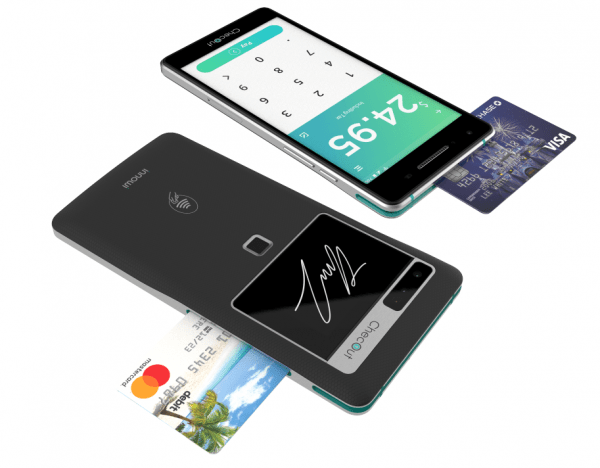
    Somerset, NJ – August 20, 2019 – Star Micronics, a leading manufacturer of mobile, point of sale (POS), and customer engagement technologies, is proud to announce that ChecOut has added support for Star portable printers with their new mobile payment technology. ChecOut makes a thin, lightweight mobile point of sale that pairs with Star’s reliable and compact SM-L200 and SM-L300 mobile printers.ChecOut-PR-3-e1574805661735

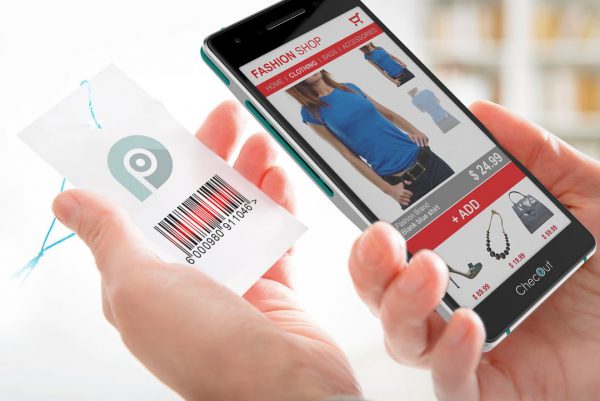
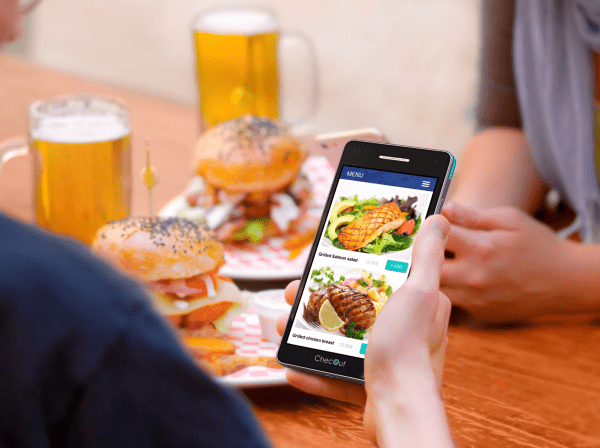
    ChecOut offers an all-in-one mobile point of sale device that allows business owners to accept payments anywhere, at any time, with no WiFi needed to complete transactions.  Available in Android or Windows OS, the ChecOut device has a built-in barcode scanner, fingerprint reader, PCI-certified pin pad and much more.  The ChecOut device is currently live in restaurants as well as over 4,000 stores with the world’s largest retailer.

    ChecOut-PR-1-e1574805682280

    Star Micronics SM-L200 is Star’s 2-inch BLE portable printer and makes the perfect solution for any mPOS retail environment, or pay-at-the-table solutions. The SM-L300 is the larger, 3-inch BLE portable printer with label printing options, making it ideal for online ordering, cafes, and quick service applications. Both printers are compatible with Windows, Android, and iOS.

    “We are excited to partner with Star to offer customer experiences, like pay at the table for restaurants and line busting for retail,” says Joel Larson, VP of Innovation for ChecOut by Innowi.

    ChecOut-PR-2-e1574805705622

  • Buyers Guide: 5 Things to Consider When Purchasing a Scale

    Buyers Guide: 5 Things to Consider When Purchasing a Scale

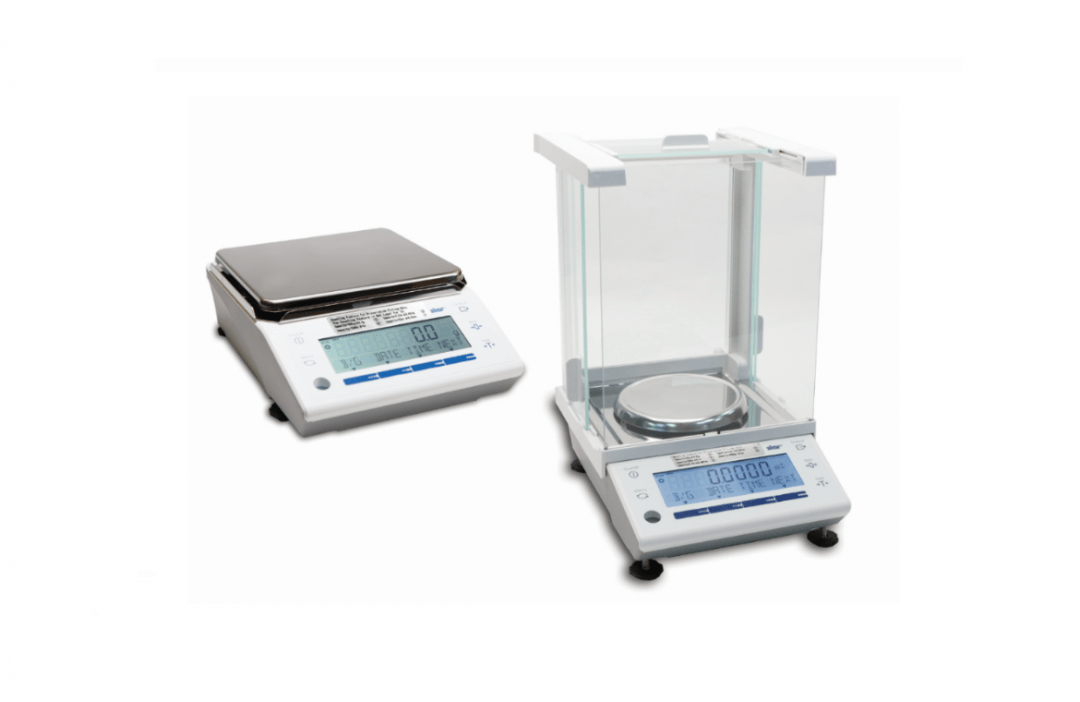
    Any retail, restaurant, or hospitality venue that sells items by weight needs a scale to protect their customers and business. Point of sale (POS) scales are used by different types of merchants that charge for their items by weight, including supermarkets, jewelers, coffee shops, self-service restaurants and buffets, butchers, candy stores, and more. Whether you’re dealing in pounds of fruit or ounces of gold, scales measure the weight of a customer’s purchase, calculate the price accurately, and help track inventory.

    On the surface, the scale’s operation seems relatively straightforward: weigh the items, print tags, and move on to the next customer. This deceptively easy process is backed and regulated by the science of weights and measures, a battery of federal and local laws, inspectors, and several government agencies dedicated to calculating weights and prices correctly. Although it may seem like overkill, these safeguards protect you from over- or under-charging customers and the fallout that comes from making these types of errors.

    If you’re in the market for a new scale, consider your products and how accurate the scale needs to be, where it will be set up, and how often it should be calibrated. States monitor merchants with scales for accuracy, so know the local laws in your area to help ensure your POS scales are always in compliance.

    No matter what type of business you operate, purchasing a NTEP-certified scale should be nonnegotiable. A retailer that is caught using a non-NTEP-certified scale may be subject to heavy fines, seizure of the illegal scale, or work shutdown. You should never purchase a scale that doesn’t have this important designation, but that doesn’t mean that every scale automatically goes through the process. NTEP certification was developed by the National Conference on Weights and Measures.

    Look for a scale with a NTEP Certificate of Conformance (CoC), which means the scale can be used in a commercial setting to sell products by weight. Every NTEP-certified scale will have a CoC number that an inspector uses to verify that the scale meets the agency’s testing standards. Only a NTEPcertified scale, when properly inspected and calibrated, is “legal for trade.”

    What else should you think about when you’re shopping for a scale? Here is a quick preview of the five things to put at the top of your list.

    Candy-e1574805441361

    1. State Regulations

    Across the US, every state has its own agencies and departments that regulate scales and inspect them for accuracy. Some states may require a yearly inspection, while others are inspected less frequently.

    Although every industry is different, some require a higher level of accuracy than others. One of the most talked about industries right now is cannabis retail, which relies heavily on scales for its products. Medical marijuana retailers and dispensaries are legal in more than half of the US, and although they sell products by weight, you can’t expect the same regulations that apply at a salad bar to also work for medical uses. In fact, the standards and regulations for cannabis scales vary by state, so choose the scale that will keep you in compliance and accurately serve your customers.

    2. Environment

    Like any POS component, harsh environments demand more rugged scales. The unit that looks pretty sitting on a counter is not going to cut it in a busy warehouse or inside a cold storage facility. Before purchasing a scale, decide where and how it’s going to be used, so you can choose one that’s tough enough for your business.

    Pharmacy-Scale-e1574805457851

    3. Applications

    Before you purchase POS scales, identify how they’re going to be used and what you need to weigh. Are you dealing with fresh produce, bulk candy and meat, or items like mail and packages? Are most of your products heavy or light? Large or small?

    Star Micronics scales have the option to be powered by electrical outlet or battery for additional flexibility and portable use. This feature is especially valuable if you need to take the scale to farmer’s markets, street fairs, or pop-up stores.

    4. Connectivity Options

    Adding a scale doesn’t mean you need a whole new POS system, so check your current system and see what connectivity options it has and go from there. Look at the operating system and make sure you choose a scale that’s compatible with what you already have. Star Micronics scales offer software support for Windows, iOS, and  Android, so adding the scale to an existing system is easy. The scales have a triple interface, and connect using Bluetooth BLE, USB, and Serial. Everything you need to get started comes in the box, including a waterproof and dustproof cover, power cable, and USB cable.

    5. Industries

    For industries that deal with products by weight, including cannabis, retail, jewelers, restaurants, and pharmacies, a properly calibrated, NTEP-certified scale ensures you are not over- or under-charging customers. These POS components also assist with inventory tracking at your store or restaurant. Running a business that charges based on weight is impossible without a properly-calibrated scale, so make sure you choose the one that best takes care of your needs.

    It’s important to pay attention to the accuracy class. Always choose a scale that’s the correct accuracy class, because a candy store doesn’t need to adhere to the same levels of compliance required for medicinal purposes.

    Coffee-Beans-e1574805473484

    Leverage Agency Expertise for Installation Compliance

    Once you have selected the scale of your choice, consider who will be in charge of installation, calibration, and getting the NTEP seal with your local measurement organization. You may think this is an easy DIY-job, but doing this by yourself is not recommended. If you try calibrating scales yourself, and they fail any tests administered by government agencies, you will be penalized with fines. Click here to learn more about Star’s nationwide scale installation partners.

    Ready to learn even more about how to select the right scale for your business? Download our full, free eBook now!

  • What to Expect from Star at RetailNOW 2019

    What to Expect from Star at RetailNOW 2019

    It’s hard to believe it, but it’s almost time for RSPA RetailNOW 2019! RSPA is the only association dedicated to connecting players in the point of sale technology industry, and we’re excited to attend. The show, which is being held at the Henry B. Gonzalez Convention Center in San Antonio, Texas, will take place July 28th through the 31st.

    So – what’s new with Star this year at RetailNOW? We’re glad you asked. Check out the featured products and services below that we’ll be demonstrating:

    PromoPRNT

    PromoPRNT allows retailers to automatically create printed promotions in addition to receipts. These incentives and bonuses are delivered directly to shoppers’ hands, boosting customer retention and notifying customers of new deals and promotions.

    mUnite Stands

    Built to accompany the mCollection line of mPOS printers, cash drawers, scales, and peripherals, these durable steel stands are compatible with any tablet manufacturer, are easy to set up, and come in either black or white to match existing POS systems.mUnite-Launch-1-e1574805037623

    mCollection

    A collection of durable, stylish printers and accessories designed to be easy to use. The collection also provides easy integration for ISVs through Star’s SDK software.

    m-collection_new-star-e1574805061425

    CloudPRNT

    A modern way for users to print to Star printers directly through a cloud service. CloudPRNT eliminates the need for an extra tablet to send an online order to the printer. Instead, the ordering service will be able to communicate directly to the printer.

    Star-CloudPRNT-Logo-FINAL-May2019-e1574805077699

    We’ll also be highlighting solutions from some of our partners, including:

    • Zuza on mPOP: Zuza works with hundreds of processors and ISVs making its sales channels one of the fastest growing in the industry.Zuza-Hi-Def-Web-Logo-Normal-1000x431-e1574805096914
    • Vend on mC-Print2 and mC-Print3: Vend is the retail management software that’s taken retail to the cloud.Vend-Logo-e1574800878579
    • OrderOut on mC-Print3: OrderOut integrates third party food delivery platforms directly to a restaurant’s Point of Sale and kitchen printer.orderout_logo_red-e1574805128274
    • eMobilePOS on TSP654II BTi: A pioneer and leader in mobile POS, eMobile offers full-featured mobile POS software for Android, Apple iOS, and Windows smartphones and tablets.emobilepos-logo_new_low-res-e1574805143373
    • eTouchMenu and Kiosk Innovations on SK1-21 and SK1-31: eTouchMenu is a pioneer in digital menu technology, transforming traditional paper menus into immersive digital menu experiences. Kiosk Innovations is a self-service interactive kiosk manufacturer that designs and fabricates bill pay financial kiosk, retail kiosk, check-in kiosk, ticketing kiosk, and more.eTouchMenu-Logo-e1574805159527Kiosk-Innovations-Logo-e1574805174361
    • Cravrr on mG-S8200: Cravrr is an Android-based POS that helps customers to digitize their restaurants.Cravrr-Logo

    See you at the show!