Tag: Mobile POS (mPOS)

  • What is a Fiscal Printer and How Do You Sell Them?

    What is a Fiscal Printer and How Do You Sell Them?

    As a point of sale (POS) reseller and/or software developer, chances are you’ve heard of fiscal printers, and we’re betting there’s a bigger chance that you’re interested in expanding your business globally. Read on to explore what exactly fiscal printers are, where they are required, and how to leverage selling them to grow your business internationally.

    What are Fiscal Printers?

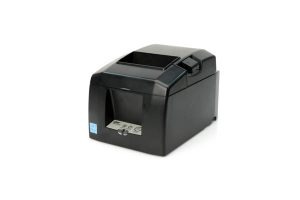
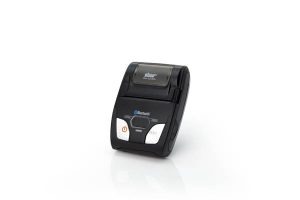
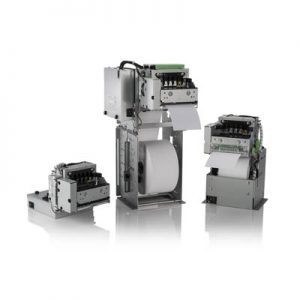
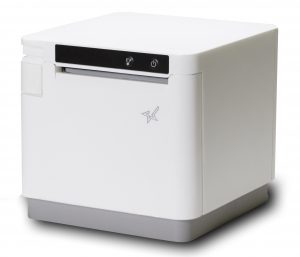
    Simply put, a fiscal printer is a receipt printer that includes a fiscal memory module. The module records every transaction for easy regulation of sales tax owed to a country. Fiscal printers include both cloud-based solutions as well as carbon copy printing.

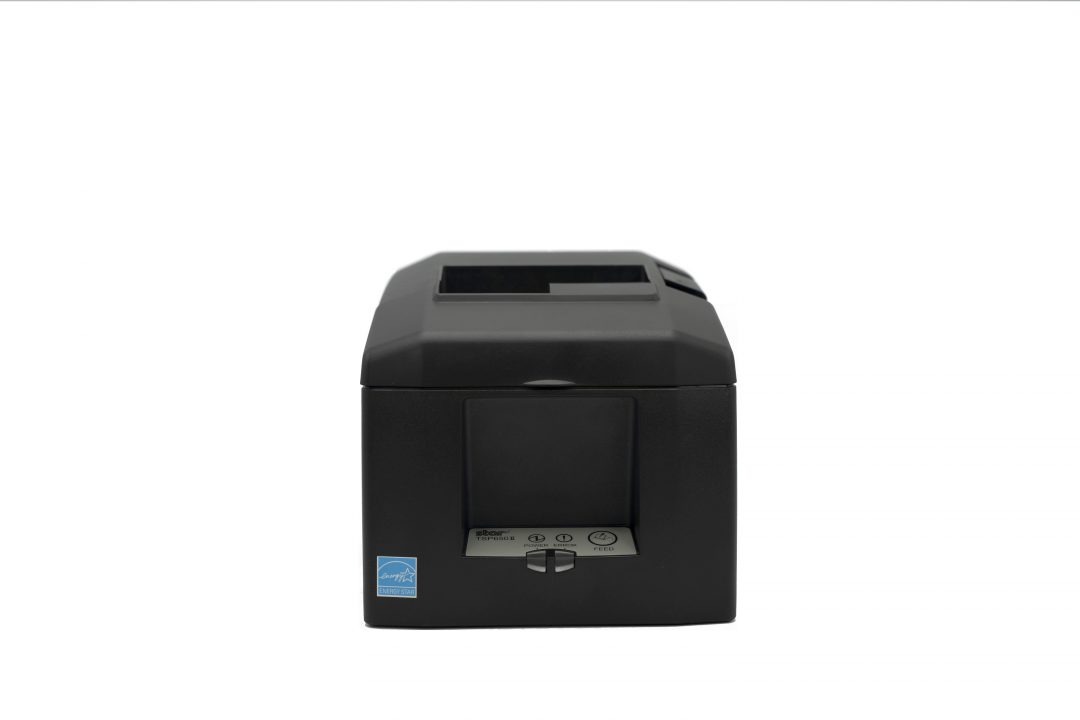
    Thermal printers are generally used as fiscal printers for several reasons: they are quiet, they do not require ink cartridges, and they have a fast print speed. Local integrators can modify thermal receipt printers to become certified fiscal printers.

    Other fiscal memory devices exist as well, including fiscal cash registers and electronic signature devices. Whether a business uses a fiscal printer, cash register, or electronic signature device, all of the devices one thing in common: they are a piece of equipment that has been certified by the local government, connects to a POS terminal, and records taxation for public revenue.

    The Cloud: The Next Generation of Fiscal Recording for Some

    A handful of countries are now considering moving their fiscal solutions to the cloud, meaning that it is now the responsibility of the POS software (or other applications) to record every single transaction in an approved fiscal log stored on the cloud. The fiscal agencies, can now, at any time, monitor and verify business sales and transactions. In this instance, the receipt printer is no longer involved in this operation.

    Which Countries Use Fiscal Printers?

    Many countries around the world require fiscal memory devices, including:

    • Albania
    • Argentina
    • Austria
    • Azerbaijan
    • Bangladesh
    • Belgium
    • Bosnia and Herzegovina
    • Brazil
    • Bulgaria
    • Canada
    • Croatia
    • Chile
    • Czech Republic
    • Ethiopia
    • France
    • Gambia
    • Germany
    • Greece
    • Hungary
    • Italy
    • Kazakhstan
    • Kenya
    • Latvia
    • Lithuania
    • Malta
    • Mexico
    • Montenegro
    • North Macedonia
    • Panama
    • Poland
    • Romania
    • Russia
    • Rwanda
    • Serbia
    • Slovakia
    • Slovenia
    • Spain
    • Sweden
    • Tanzania
    • Turkey
    • Venezuela

    The rules surrounding the usage of fiscal memory devices vary in all of these countries and have differing histories. For example, Italy has enforced a fiscal printer law since 1990, while Austria began introducing its fiscal regulations in 2016.

    How Star Can Help You Sell Fiscal Printers

    Looking to expand your business globally? Are you prepared to offer the fiscal printers required in many countries? Star Micronics can help. As a global company known for quality and reliability, Star can support you as you grow your business across borders and provide you with a range of printing solutions to help you meet the fiscal printing requirements of the many markets that are regulated.

    Star proudly offers a variety of fiscal solutions, including:

    • Fiscal boards, with or without SD memory cards, for Star desktop printers
    • Receipt printers certified by local fiscal agencies (ready to purchase)
    • In-country partners to support local fiscal solutions
    • Electronic journal development support
    • Consulting services to support your search of local laws and requirements

    Star’s 5 Best Receipt Printers

    Star offers several top-rated printers suited for a variety of retail, restaurant, and hospitality locations.

    Looking to learn more about Star? Learn more about us in the below video.

    Star’s Fiscal Consulting Services

    Star offers consulting services to help you navigate local government regulations.

    Fiscal solutions are constantly evolving, and requirements differ from country-to-country and time-to-time. Here are some examples of solutions that Star was able to research and offer solutions for:

    • Originally, fiscal agencies requested that business owners keep a log of each transaction. The easiest way for businesses to do that was to keep a copy of each customer receipt and many countries implemented requirements to use impact printers with multiple ply paper rolls to support this requirement. Therefore, at that time, thermal printers were not authorized.
    • In the next generation of requirements, agencies imposed that the receipt data be stored in the printer in a special sealed module. Since the security of this information was so important, fiscal agencies only allowed local technology providers to develop these modules and partnerships between these companies and the printer manufacturers developed. Star has been working with these companies for years to deliver the best solutions for these fiscal countries.
    • And lastly, the newest generation of cloud-based fiscal solutions does not require the fiscal module to be integrated with the printer, which reduces the cost and complexity of the solution.


    With offices in the Americas, Europe, the Middle East, Africa, India, and Asia, Star has offices and/or in-country partners that monitor fiscal printing requirements and are available to help you research and complete your solution.
  • 6 “Must-Haves” for Stadium POS System

    6 “Must-Haves” for Stadium POS System

    The economy is reopening, and consumers are excited to attend events and sports games. When visiting a large sports stadium or entertainment arena, you often find long lines for food and merchandise during half-time or intermissions. The people attending these professional sports games or concerts paid good money to see their team play or favorite artist perform, and they don’t want to miss a thing. This puts a huge amount of pressure on the employees working the concession stands or merchandise shops to complete the customer’s order as quickly as possible. A lot of this workflow plays into the stadium point of sale (POS) system being used. Here are 6 “must-haves” when looking for a stadium POS system.

    1. Intuitive Software

    First and foremost, you will need an easy-to-use and intuitive stadium POS software. Depending on how often a team plays in the stadium or how many performances take place per year, stadium employees tend to work more sporadically compared to your standard restaurant or retail employee. This means that stadiums need a POS system that concession and merchandise shop employees can pick up quickly with little to no training.

    Some other key features to look for in stadium POS software are:

    • The ability to offer ordering in a variety of ways: in-queue, in-seat, or mobile
    • Mobile wallet payment acceptance
    • Loyalty programs and benefits
    • Detailed inventory management
    • Operational insights
    • Cash management and hawker support

    2. Back-of-House Support

    While people rarely see what goes on behind the scenes at stadium concession stands, it’s important to make sure that your stadium POS manages the back-of-house just as well as it manages your transactions.

    A variety of tools – from inventory management and menu management to fan data and back-end analytics – can help you to make sure you never run out of stock during a big event. By having access to analytics that can be reported day-to-day, you can make sure that your concession menu appeals to your audience for a particular game or event.

    3. Varied Payment Support

    When you have a packed stadium with a mile-long line of customers, you simply do not have time to fuss over payment methods. In a high-pressure, high-volume environment such as sport and entertainment stadiums, you need to get your customers through the line as quickly as possible.

    One of the best ways to ensure a quick and seamless transaction is to make sure your POS system supports a multitude of payment methods. Did you know that it is estimated that by 2023, there will be 80.1 million near field communication (NFC) mobile payment users? Now, with more people adopting mobile wallets, you will see more and more retailers and concession stands accepting NFC payments at major sports arenas. Make sure that when your customer is set with their order and ready to pay, that whatever form of payment they choose will be accepted at your point of sale.

    4. Mobile Ordering

    One ordering method that’s rapidly gaining popularity in sports entertainment properties is mobile ordering. During major sports games and concerts, people don’t want to leave their seat and risk missing a big play or their favorite song. Many stadiums are adopting a mobile ordering method where fans can order food or drinks on their mobile device and either have it delivered to their seat, or go grab it when it is ready. Fans don’t have to miss a thing and concession employees don’t have to deal with a line of angry customers. It’s a win for everyone!

    5. Reliable Hardware

    In fast-paced environments such as stadium concession stands and merchandise shops, employees don’t have time to deal with flaky hardware. They need their receipt printers to print and their cash drawers to open every time a transaction is completed, and they need hardware that will withstand the high volume of transactions. Appetize and Star Micronics have teamed up to create a complete stadium POS solution that combines intuitive software and reliable hardware peripherals.

    The Appetize-Star solution includes:

    You can find the Appetize and Star Micronics bundled POS solutions in major sports and live entertainment locations including the Golden 1 Center (home of the Sacramento Kings), U.S. Bank Stadium (home of the Minnesota Vikings), over 40 Live Nation properties, and many more.

    6. Health & Safety Products

    In this day and age, health and safety are a priority. Many people are ready to venture back into the world for some fun, but they of course want to minimize the spread of illness.

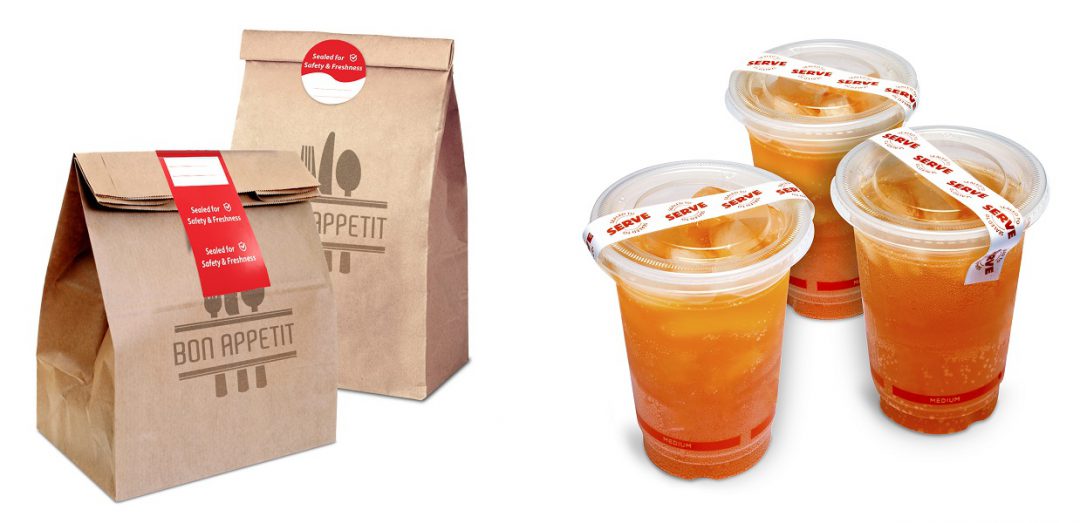
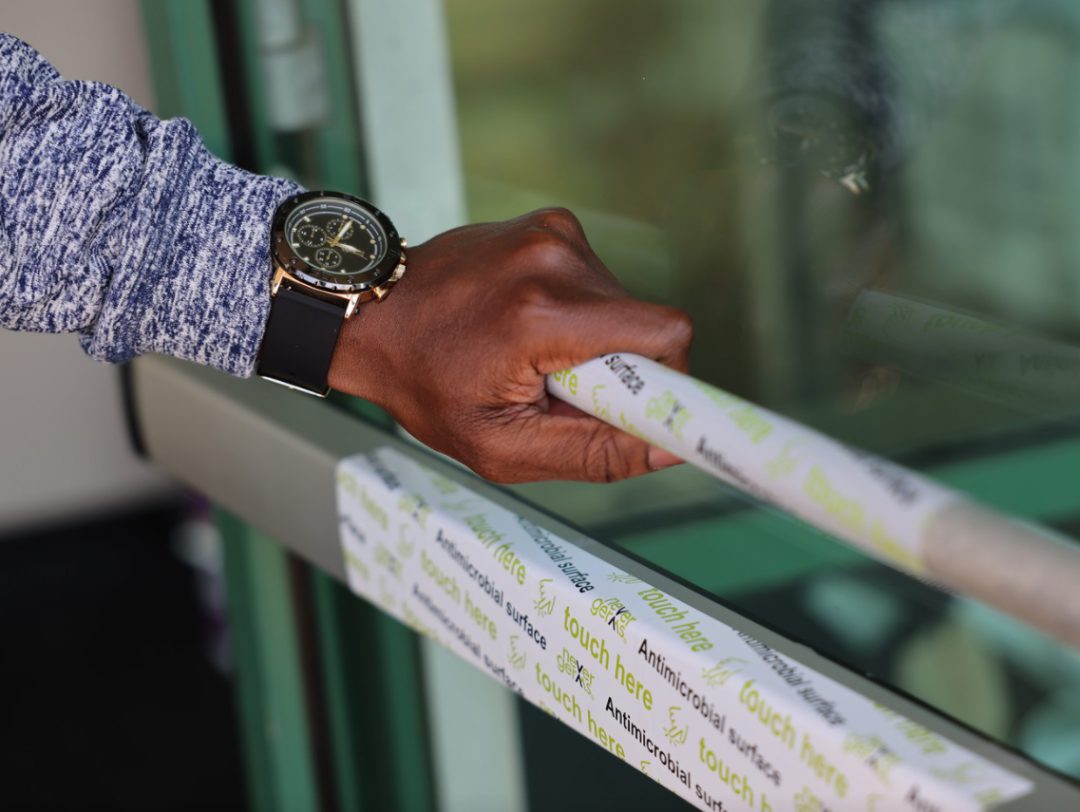
    Stadiums and event venues can keep their guests feeling safe and confident with the right health and safety products. Examples of these solutions including sneeze guards at the point of sale, antimicrobial covers on surfaces like door handles and railings, and tamper-proof labels to secure the food and beverages guests order from their seats.

    Health & Safety Solutions Brochure

    Discover which solutions can keep your business squeaky clean and help customers feel confident at your brick-and-mortar location.

    Featured Star Stadium Solutions

    TSP654IIBi

    TSP654II

    SM-S230i

    SM-S230i-300x200

    TUP500

    TUP500

    Antimicrobial Covers*

    ANTIMICROBIAL COVERS

    POSShield

    POSShield

    Tamper-Proof Labels

    Tamper-Proof Labels

    Looking to learn more about Star’s stadium POS solutions?

    *Disclaimer: NeverGerms® makes no claims regarding the safety or health of the general public or those interacting with its products. “NeverGerms®” and “Touch Less Germs®” are registered trademarks and not intended to have literal interpretation. NeverGerms products are manufactured by NeverGerms and distributed by Star Micronics. Although these products are designed to reduce microbe populations on commonly-utilized surfaces and have been tested by the manufacturer for their antimicrobial properties, Star Micronics cannot guarantee that they will eliminate all risk of germ, including virus, transfer from such surfaces. Star Micronics, as distributor, relies entirely upon claims made by manufacturer as supported by prior research. For further information, please visit www.nevergerms.com.

  • Star Software Update: IFBD-HI01X/HI02X Firmware Update

    Star Software Update: IFBD-HI01X/HI02X Firmware Update

    Welcome to the Star Software Update, the regular series of blog updates where Star’s Integration Team informs you about the latest important Star Micronics software updates.

    What’s New:

    Star Micronics has released the firmware update (version 1.9.2) for the CloudPRNT interface (IFBD-HI01X/HI02X).

    What is the CloudPRNT Interface?

    The CloudPRNT interface (IFBD-HI01X/HI02X) is available on Star Micronics mC-Print2, mC-Print3, TSP650II, TSP700II, and TSP800II thermal POS printers, as well as the SP700 impact kitchen printer.

    This versatile interface provides intelligent printing for cloud-based retail, logistics and hospitality applications, enabling unmatched flexibility for remote receipt and remote order printing using a standard receipt printer.

    What is Included in the Update?

    New Wi-Fi adapter support has been added to the interface during this update. Supported Wi-Fi dongle models include:

    • EDIMAX EW-7811UN V2
    • TRENDnet TEW-648UBM V2.0R
    • ASUS USB-AC53 Nano
    • D-Link DWA-182 HW Ver:D1

    Learn more about CloudPRNT in the below video:


    Next Steps

    This firmware can be updated in the web settings interface for the IFBD-HI01X/HI02X.

    Questions or Comments?

  • Star Micronics Introduces the Universal mEnclosure

    Star Micronics Introduces the Universal mEnclosure

    With expanding arms and VESA mounting, this universal enclosure is the ultimate future-proof tablet solution.

    Somerset, NJ – July 29, 2021 – Star Micronics, a leading manufacturer of mobile, point of sale (POS), and customer engagement technologies, is excited to announce the release its Universal mEnclosure universal tablet enclosure designed for tablet-based systems including point of sale, retail digital displays, kiosk stands, meeting room time management, and more.

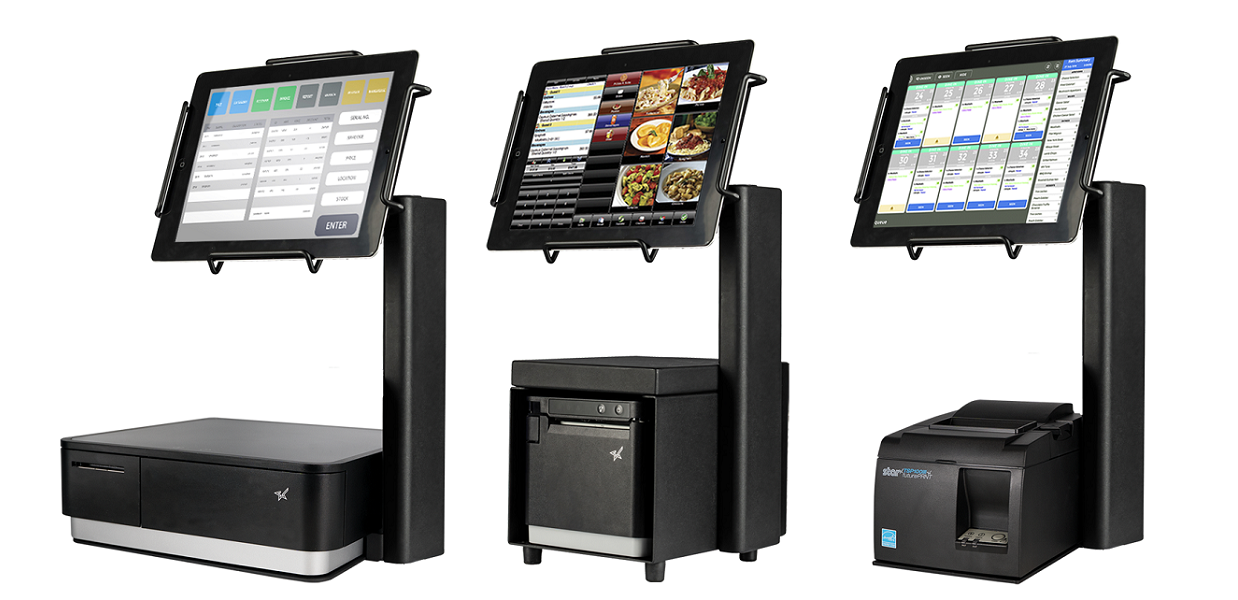
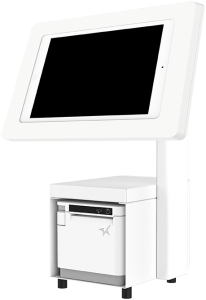
    With expanding arms and VESA mounting, the Universal mEnclosure effortlessly accommodates multiple sizes and types of tablets. Designed to be future-proof, the enclosure works with all industry stands and mounts, as well as the Star-exclusive mUnite tablet stand and nearly any tablet including Android, iOS, and Windows tablets ranging in size from 232mm x 169mm (iPad Air 2 9.7) to 280mm x 214mm (iPad Pro 12.9).

    The Universal mEnclosure allows the tablet to be mounted horizontally or vertically, and when paired with an mUnite stand the cashier can flip the tablet for customer use. Additionally, the enclosure’s locking arms combined with a single-key design help to secure the tablet and prevent theft. Available in a sleek black finish, the enclosure features clean cable management that hides the messy look of cables as well as a felt layer to prevent the back of the tablet from being scratched.

    “The Star team prioritizes helping small businesses simplify and optimize their operations, and the Universal mEnclosure rings true to that mission,” said Jon Levin, Director of Product Management at Star Micronics. “With our new enclosure, businesses no longer need to buy a new enclosure every time they purchase a new tablet or spend time finding the right enclosure for their generation of tablet, saving them valuable time and money.”

  • A Comprehensive Guide to Cannabis POS & Accessories

    A Comprehensive Guide to Cannabis POS & Accessories

    The cannabis industry is in full swing. With marijuana fully legal in several U.S. states and medical use being legal in almost every state, cannabis is here to stay. While this is great news for business owners looking to break into this budding industry, the tech you choose will dictate the success of your business. Without a powerful point of sale (POS) system at the foundation of your dispensary, you could lose out on critical functionality, sales, and even be subject to noncompliance issues.

    The reality is, when it comes to cannabis, not just any POS setup will do. In this guide, you will discover the complete list of technology solutions that dispensaries need to compete in today’s booming market, including solutions for in-store, e-Commerce, delivery, and more.

    Download the full guide >

    Why an Innovative POS is Critical for the Cannabis Industry

    As the cannabis industry flourishes, so does the ferocity of the competition. There are many routes businesses can take in order to stand out from other dispensaries, but choosing the right POS system is among the most important. Whether you are opening a brand new business or looking to upgrade an existing one, your POS is a foundational factor to consider.

    Bottom line: you’ll need innovative tech that maximizes the efficiency of your operations, allowing you to operate smoothly and give customers an exceptional experience. By accomplishing this, you’ll be on your way to higher profits and bigger business. Here’s what to look for in a POS system and why it matters:

    Cannabis POS Seed-to-Sale Software

    Behind every great piece of hardware is an equally high-quality software. The right POS software should be easy to set up and save your employees time on a daily basis by making their jobs simple. It’s also essential that your cannabis dispensary POS software integrates with any seed-to-sale tracking systems required by your respective state, as well as with your accounting, payroll, marketing, and other software you use to run your business. Other important features to look for in your software include:

    • Compliance
    • Sales and inventory data
    • Security
    • Offline mode
    • Online ordering/e-Commerce
    NTEP-Certified Scales

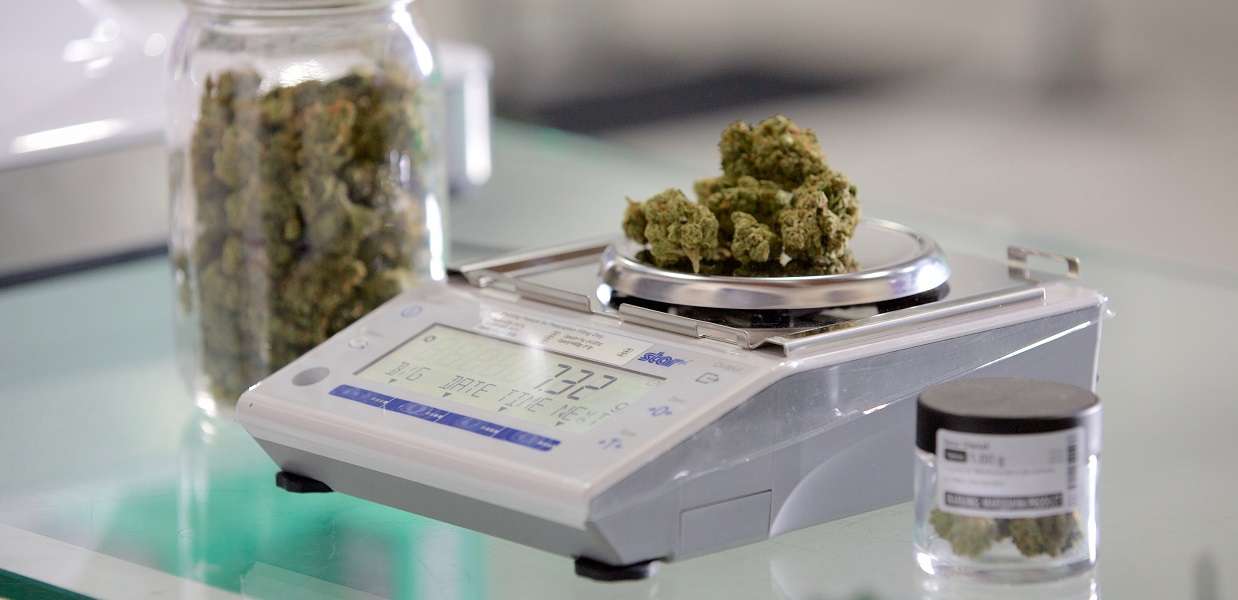
    In the cannabis industry, compliance is everything, and one of the most important elements of cannabis retail compliance is accurately selling products by weight. Whether your dispensary offers packages of marijuana buds or flowers, edibles, vaping supplies, containers of shutter, topicals, or extracts, having scales ensures that you are not over- or under-charging customers as well as keeping inventory records accurate.

    Ensure your scales are National Type Evaluation Program (NTEP) certified. A local weights and measures official will use NIST standards when inspecting your scale and sealing/certifying it for legal use. You’ll also want to be sure you purchase a highly accurate scale system. While it’s commonly thought that an ounce is 28 grams, it’s actually 28.349 grams; weigh to one-hundredth of a gram to ensure you don’t short your customers or miss out on any profits.

    Running a business that sells products by weight is impossible without the proper scale. Look for options that are designed for the cannabis industry and have the certification and protective measures in place to ensure accuracy, like a windshield and dust-proof/waterproof cover.

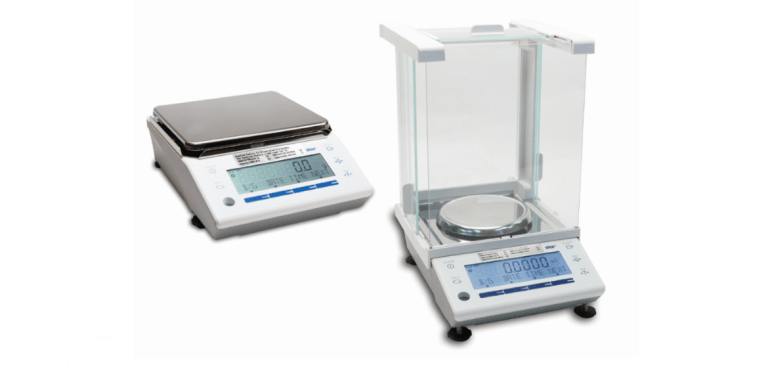
    Our Scale Recommendation: mG-Scales

    mG-Scales

    mG-S322: Meets all requirements in the legalized states.
    mG-S1501: Certified in WA and AK for weighing less than 28.4g and in CA, OR, and CO for weighing between 10g-100g.

    POS Printers

    Cannabis may be becoming more widely accepted and available, but there are still strict laws that must be followed. One such law is that consumers must be able to prove their cannabis was legally obtained. That’s where printers come in. Dispensaries can provide online ordering printing or high-performance in-store printing to display proof of legal purchase.

    Needless to say, proof of purchase is critical, and dispensary owners can easily provide it with receipt printers that display the sale. Mobile printers can also be used for a more modern, flexible in-store experience. In addition to proving cannabis was legally obtained, receipts can be leveraged to deliver effective cannabis advertisements.

    Some ideas of what to promote on your cannabis receipt include:

    • Featured strains/strain of the week
    • Strains that are coming soon
    • Discounts or sales
    • Links to social media accounts
    • Customer testimonials
    • Now hiring messaging

    Our Printer Recommendations:

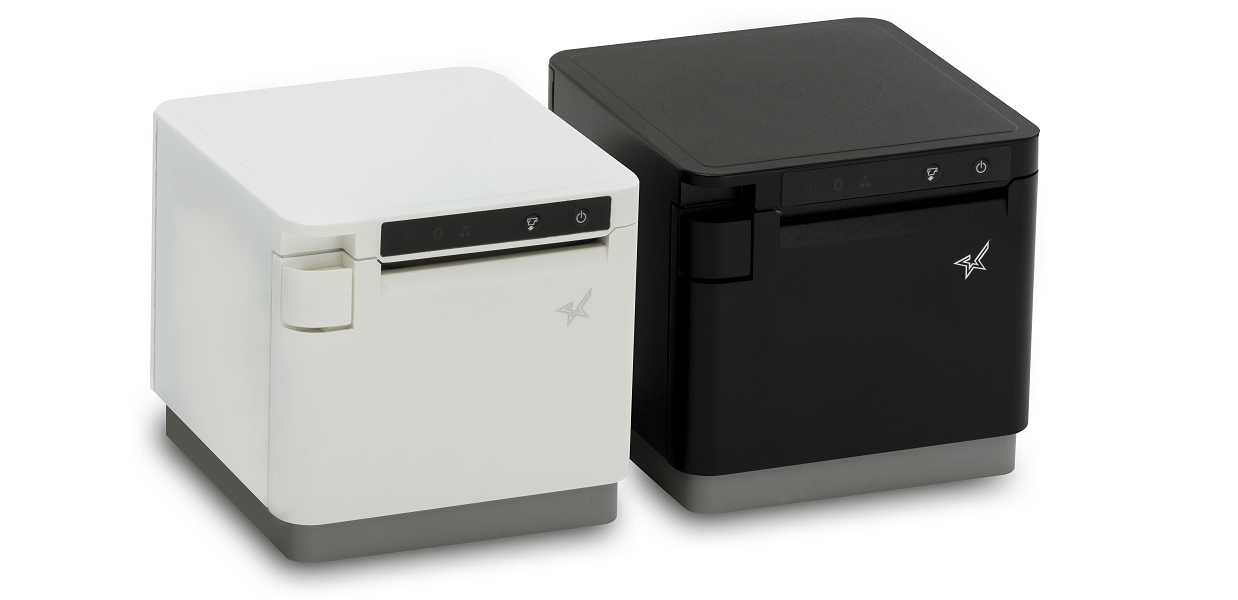
    mC-Print3

    mC-Print3With CloudPRNT for online ordering, SteadyLAN®, and USB-C connectivity.

    mPOP All in One

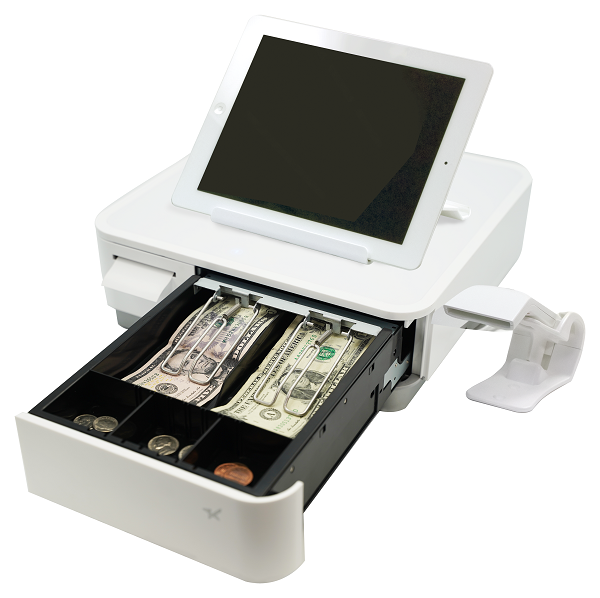
    mPOP®: All-in-one printer and cash drawer solution.

    Proper Product Labeling

    How you package and label supplies and products is an important part of remaining compliant and staying out of trouble. With cannabis now being added to food, beverages, pharmaceuticals, and beauty products, there are a variety of forms your product may come in, and not all of them will be suited for a bag, bottle, or vial. Different products will require different packaging and labels that display unique product information.

    Ensuring your labels are accurate is a critical first step; with the right information on your labels, your product will be ready for seed-to-sale tracking if necessary. Additionally, your labels should be tamper-proof to ensure the security seal has not been broken. You may want to consider a linerless label printer for easy-to-reposition labels, as well as review your state-specific cannabis label requirements to ensure that your labels are compliant.

    Our Label Recommendations:

    TSP654IISK Product Image

    TSP654IISK: Liner-free label printing.

    Tamper-Proof Labels

    Tamper-Proof Labels: Securely seal products and packaging.

    Successful Software Needs Successful Hardware

    That’s where Star comes in. CDG proudly integrates its software tools with a variety of Star hardware including the all-in-one mPOP®, TSP654IISK linerless label printer, Value Series Cash Drawers, and more.

    Cannabis Cash Drawers

    The cannabis industry is a cash-heavy market for many. For this reason, having proper cash management is crucial. Your dispensary cash drawers should support error-free cash management and top-notch security. Don’t go too old-school, however; as regulators tighten down on cash business, it’s important to ensure you have a high-quality drawer solution. Look for something secure and reliable while also sleek and efficient to meet your individual business needs and government regulations.

    Our Cash Drawer Recommendation:

    CD4-1616

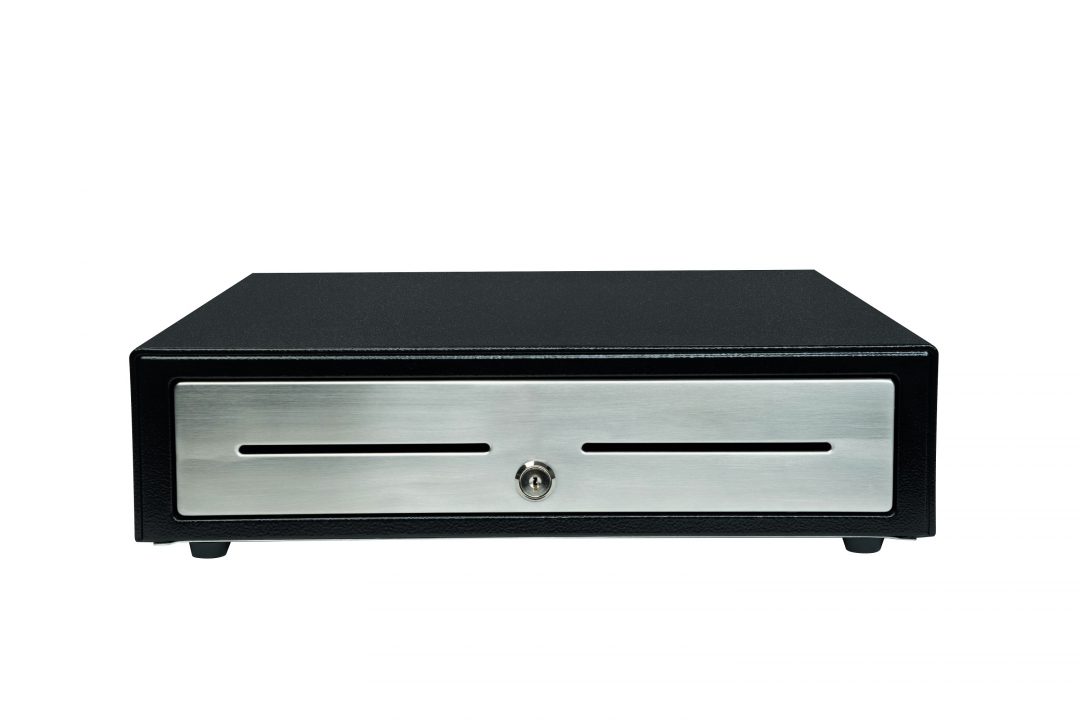
    Choice Series Cash Drawers: Extra-strength and packed with extra features.

    Additional Accessories That Make All the Difference

    POSShield

    Sneeze Guard: Sneeze guards used at the checkout counter help protect employees and customers by reducing the spread of harmful pathogens.

    mUnite-3-W-206x300

    Tablet Stand: A tablet stand will tie together your POS and contribute to a modern, professional atmosphere and an improved customer experience.

    Antimicrobial covers

    Antimicrobial Covers*: Easy-to-use antimicrobial covers will reduce germ transfer on high-touch dispensary surfaces.

    Choosing the Right Cannabis POS Hardware Supplier

    Choosing a one-stop shop POS hardware supplier with industry-leading software integration capabilities means an easier workflow for you and your staff:

    • Before the sale: Easy setup and configuration
    • During the sale: Intuitive controls and features
    • After the sale: Seamless maintenance and support

    Discover even more tips and tricks for implementing a complete cannabis POS by downloading the full guide.


    Disclaimer: NeverGerms® makes no claims regarding the safety or health of the general public or those interacting with its products. “NeverGerms®” and “Touch Less Germs®” are registered trademarks and not intended to have literal interpretation. NeverGerms products are manufactured by NeverGerms and distributed by Star Micronics. Although these products are designed to reduce microbe populations on commonly-utilized surfaces and have been tested by the manufacturer for their antimicrobial properties, Star Micronics cannot guarantee that they will eliminate all risk of germ, including virus, transfer from such surfaces. Star Micronics, as distributor, relies entirely upon claims made by manufacturer as supported by prior research. For further information, please visit www.nevergerms.com.


  • Star Software Update: Star Document Markup Language

    Star Software Update: Star Document Markup Language

    Welcome to the Star Software Update, the regular series of blog updates where Star’s Integration Team informs you about the latest important Star Micronics software updates.

    What’s New:

    This month, the Star Micronics Integration Team is highlighting the Star Document Markup Language.

    What is Star Document Markup Language?

    Star Document Markup Language is a simple, easy-to-use markup language intended to provide the features typically required for point of sale (POS) printing.

    Cloud servers based on the StarMicronics.CloudPRNT-Utility API package or tools based on it like cputil, can support the Star Document Markup Language.

    Using the document markup system provides a balance between full bit-image based printing and plain text output, while being easier to use than direct device commands and far more adaptable to different output devices, like print width.

    One benefit of markup is its ability to handle different print widths without compromising the receipt format. Use cases include printing order tickets in the restaurant kitchen, printing receipts for orders, or printing sticky labels to seal bags.

    Star Document Markup Language is easy to read; take a look at the below example:

    [align: centre][font: a]

    [image: url ;

    width 60%;

    min-width 48mm]

    [magnify: width 2; height 1]

    This is a Star Markup Document!

    [magnify: width 3; height 2]Columns[magnify]

    [align: left]

    [column: left: Item 1;      right: $10.00]

    [column: left: Item 2;      right: $9.95]

    [column: left: Item 3;      right: $103.50]

    [align: centre]

    [barcode: type code39;

    data 123456789012;

    height 15mm;

    module 0;

    hri]

    [align]

    Thank you for trying the new Star Document Markup Language

    we hope you will find it useful. Please let us know!

    [cut: feed; partial]

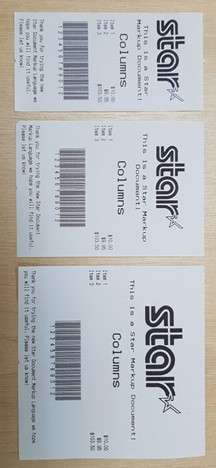
    This will generate the following output on Star 58mm (2-inch), 80mm (3-inch) and 112mm (4-inch) printers:

    Star-Markup-Document-Language-Receipts

    Unicode Support

    By using the Star Document Markup Language, you can avoid the difficulties of limited 8-bit text encodings by being entirely Unicode-based. Input data should be from a Unicode-compatible data file or strings.

    Star TSP654II, mC-Print2, and mC-Print3 devices have native support for Unicode. When a device does support Unicode directly, the Star markup renderer will automatically handle the necessary conversion.

    File Format

    Markup source files are plain text files encoded as UTF-8, UTF-16, or plain Ascii data.

    When opening a document, initially the start of the file will be checked for a Unicode BOM (Byte Order Mark) in order to recognize that the file contains UTF-16 (Big Endian or Little Endian encoded) or UTF-8 data. If no known BOM is found, then the file will be treated as a UTF-8 file unless it contains code points that are not UTF-8 valid, in which case it will be opened finally as plain 7-bit Ascii.

    In addition, the extension of the text file written in the Star Document Markup format should be “.stm”. The cputil executable and also .NET API for StarMicronics.CloudPRNT-Utility packages recognize the Star Document Markup format by checking the file name extension. If the extension is “.txt” it will be recognized as a plain text file and will not be command parsed as the Star document markup.

    Next Steps

    Do you have questions or concerns about the Star Document Markup Language?

  • Visit Star’s Virtual Booth at NRF 2021: Retail’s Big Show – Chapter 1

    Visit Star’s Virtual Booth at NRF 2021: Retail’s Big Show – Chapter 1

    Needless to say, NRF (Retail’s Big Show) looks a lot different this year than it did last year. However, just like previous years, this January’s show (NRF 2021: Retail’s Big Show – Chapter 1) is sure to be the most informative show in the retail industry. In fact, with the current landscape of retail, this may be the show’s most important year yet. The unprecedented coronavirus pandemic has catapulted online ordering, social distancing, and more to the top of retailers’ priority lists, and the show is sure to deliver the best and latest solutions for retail businesses during the ongoing pandemic – and well beyond.

    About the Show

    Per the show’s website,

    “This January, plugging in starts with logging in.

    This has been an unprecedented year, with the retail industry showing tremendous resilience, agility and leadership in the face of a global pandemic. It’s with that spirit that the National Retail Federation is proud to announce Retail’s Big Show will continue as a virtual event in January 2021.

    NRF 2021: Retail’s Big Show – Chapter One is meant to address the immediate needs facing retailers today. It’s a jumping-off point that will lead the retail industry forward until we can meet in person at NRF 2021 – Chapter 2, taking place June 2021 in New York City.

    NRF 2021 – Chapter 1 is an online version of Retail’s Big Show that includes all new curated sessions, networking programs and a virtual Expo where you can easily connect with the industry’s brightest solution providers.”

    Reminisce about Star’s NRF 2020 booth


    What to Expect from Star at NRF 2021 – Chapter 1

    The Star team is excited to see you at NRF 2021 – Chapter 1 and show you our latest offerings for COVID-19, online ordering, retail, and more. Keep reading to explore our featured products and click here to access our custom virtual booth link that will be live to registered attendees during the show.

    mC-Print3

    The mC-Print3 receipt printer with multiple interface options and HUB connectivity to power up to three peripheral devices.

    • Sleek, compact, connected
    • Unique Print Flat technology feature
    • Easy to integrate through common SDK
    • Bluetooth, USB, Lightning, LAN, CloudPRNT, USB-C
    • IPX2 splash-proof design
    SteadyLAN® technology (mCP31L, mCP31LB, MCP31C, MCP31CB)
    • Peripheral device connectivity – cash drawer, customer display, 1D scanners, HID class devices (keyboard mode)
    • Fast charge and communication via USC-C® power delivery port (MCP31C/CB)

    Learn More

    POSShield

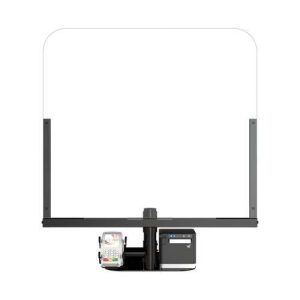
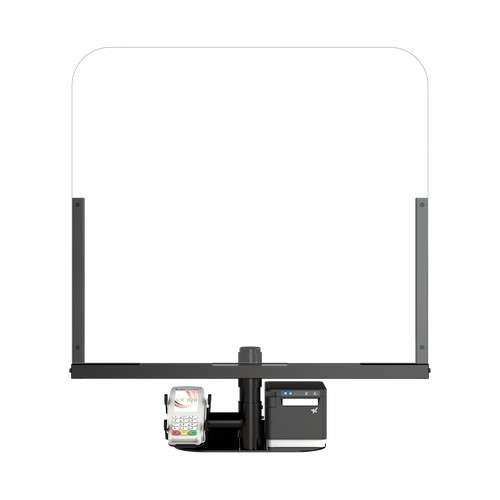
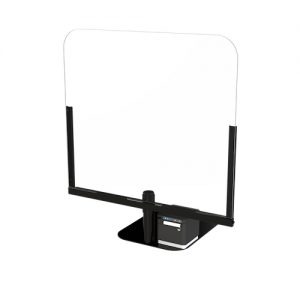
    The POSShield, which acts as a sneeze guard and limits the spread of germs, is placed in between the cashier and the customer, and is comprised of a durable steel frame and a protective plexiglass partition.

    • Limits the spread of germs
    • 30” wide and 33” tall
    • No countertop mounting or drilling required
    • Adjustable mounting pole
    • Compatible with any existing POS or mPOS terminal
    • Lightweight and portable

    Learn More

    TSP654IISK

    The TSP654IISK liner-free label printer is designed to work with liner-free labeling applications. Repositionable thermal labels can stick to virtually any surface, and can be removed easily and reapplied leaving behind no residue.

    • Repositionable, liner-free thermal label solution
    • Improves order accuracy up to 99%
    • Liner-free yields 60% more labels/roll than diecut
    • 80mm and 58mm paper support
    • High reliability and performance at a low cost
    • Optional vertical stand

    Learn More

    Choice Series Cash Drawers

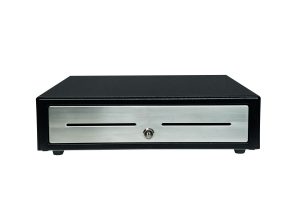
    Choice Series cash drawers include features businesses already know and love, but with added features such as extra strength to support touch tablets and POS terminals, a secure dual-drawer cable to enable the Choice Series to work as either cash drawer 1 or cash drawer 2, a foldable hinged key which minimizes the possibility of breaking off in the lock, and over 10 different lock set options for added security.

    • Industry standard, extra durability
    • Feature-packed for any POS system
    • Available in two sizes: 14” x 16” and 16” x 16”

    Learn More

  • How to Prepare Your Retail Store for 5 Challenges 2021 Will Bring

    How to Prepare Your Retail Store for 5 Challenges 2021 Will Bring

    Most years, there are one or two emerging trends that are expected to become big over the following 12 months. And this can make it relatively straightforward for retailers to prepare for the changes. But of course, 2020 hasn’t been like most years. The COVID-19 outbreak has shifted customer behaviors more rapidly than ever before, and many of the effects of the pandemic are expected to roll over to next year. 

    This means that there’s no single way that retailers can prepare for 2021. Preparing to succeed next year means carefully considering what new challenges the pandemic has introduced to the retail world, and identifying innovative and effective ways to overcome these challenges to meet customer expectations.

    So what challenges are retailers likely to face next year, and how can you prepare for them?

    Let’s take a look…

    Challenge 1: Fluctuating Demand

    “While traffic has begun to rise again over the past few months, there will most likely be variability moving forward. With active cases in a state of flux, store traffic can be expected to do the same”.

    That’s according to the National Retail Federation, which believes that the ebbs and flows of localized outbreaks will create ongoing variability in foot traffic. As local cases rise, foot traffic may slow either due to a personal preference to remain at home or due to changes in legislation. And as cases drop, it can be expected that many shoppers will flock to stores to grab items they need during periods of lower risk. 

    And this is set to create one of the biggest challenges for retailers in 2021; knowing when the store will require the greatest level of cover – and when it won’t – to ensure retailers are getting the most value from the workforce. The best way to prepare for this unique challenge is to prioritize data analysis and forecasting, using both real-time and historical data to facilitate improved employee scheduling

    Challenge 2: Evolving Customer Needs

    It’s clear that the global pandemic has had a huge impact on what customers want from their in-store shopping experience. Post-pandemic shoppers want contactless payments, with research by Mastercard suggesting that 80% of shoppers now use contactless, citing ‘safety and cleanliness’ as the primary reason. Next year, customers are expected to place more importance on store sanitation than ever. 

    Improving your store’s existing hygiene and sanitation practices – and communicating with shoppers the changes that are being made to facilitate a safe and secure in-store shopping experience – is key to preparing to succeed in 2021. If you haven’t already dipped a toe into the world of contactless payments, now is the time to invest in new payment technologies or upgrade older technologies. 

    Challenge 3: Altered Spending Habits

    COVID-19 hasn’t just sparked a health crisis; it’s sparked an economic crisis, too. The US unemployment rate rose from 3.8% in February 2020 to 14.4% just two months later, resulting in many people facing financial uncertainty and difficulties. In turn, this has created a major trend for shoppers to spend more cautiously, and many are taking a more savvy approach to shopping in a bid to lower their outgoings.

    This creates a new challenge for retailers who will need to introduce innovative tactics to re-normalize spending. The secret to preparing for this challenge is to focus on getting traffic through the door with savings, offers, and promotional deals. Coupons can be a highly effective option, particularly printed coupons which research shows have an 18% higher return on investment than digital alternatives. 

    Challenge 4: A Need for Speed

    One of the biggest impacts the pandemic has had on the retail sector is that it’s sparked a new trend for ‘shopping with purpose’, which replaces the former trend of leisurely browsing. That’s because shoppers have a new desire to spend less time in enclosed spaces such as busy stores where it’s not always possible to practice social distancing. Retailers should now focus on creating swift in-store experiences. 

    The best way to prepare for this 2021 challenge is to introduce advanced technologies such as self-service kiosks or mobile point of sale solutions which can reduce line length and in some cases even eradicate traditional queuing systems in a bid to get shoppers through the store faster. By spending less time in busy queues, shoppers can reduce the risk of viral spread and maintain a safe distance from others. 

    Challenge 5: Shifting Customer Preference

    Many countries around the world were together making huge strides towards a greener future. And sadly, the pandemic has caused a significant setback. It’s reported that 129 billion face masks and 65 billion gloves are used – and disposed of – every month, and for hygiene reasons, single-use plastics are back in fashion. It’s reported that waste levels have grown by 30% as a result of the COVID-19 outbreak.

    Today, customers are actively looking to support retailers that do their part to protect the environment. And for those retailers that have not introduced eco-friendly processes, this presents a new challenge. The good news is there are lots of ways to prepare. One such way is to switch to eco-friendly POS solutions, such as receipt printers from responsible suppliers that use BPA-free, recyclable paper. 

    COVID-19 and Beyond

    While the COVID-19 outbreak is expected to be temporary, the impact that the pandemic has had on the retail sector – and on the world – is not. The global crisis has introduced many long-lasting changes that will be witnessed throughout 2021, and beyond. That’s why preparing for the new challenges that have arisen in 2020 is so crucially important for retailers. These challenges are not one-offs; these are challenges that retailers are going to face long into the future, so taking measures now to facilitate great shopping experiences in the future is one of the best ways to ensure you don’t just survive, but thrive. 

  • 4 Contactless Payment Solutions Every Restaurateur Needs to Thrive

    4 Contactless Payment Solutions Every Restaurateur Needs to Thrive

    Contactless payments have been increasing in popularity, even before COVID-19 rocked the world. According to Statista, contactless payment revenue in 2018 was $48 billion. There’s no doubt, however, that the pandemic has accelerated the adoption of contactless payments amongst consumers and businesses alike. According to a report earlier this year, 27% of businesses reported an increase in contactless payments following the beginning of the pandemic, and Juniper Research predicts that by 2022, over half of point of sale (POS) transactions will be contactless.

    It’s quite apparent that in order to thrive in the new normal, restauranteurs need to adopt a contactless payment strategy if they haven’t already done so. Read on to explore how contactless technology works, four of the top contactless payment solutions on the market today, the many benefits of contactless payments, and how Star Micronics can help you roll these technologies out to your restaurant customers.

    How Does Contactless Technology Work?

    Contactless technology largely relies on radio frequency identification (RFID) and near-field communication (NFC) technologies. Inside contactless cards, there is a chip that emits radio waves that are picked up by the contactless payment terminal (also known as an RFID reader). The terminal will pick up the signal emitted by the card, communicate with the card, and process the payment. The customer is then alerted that the payment has been completed (or not) by the terminal.

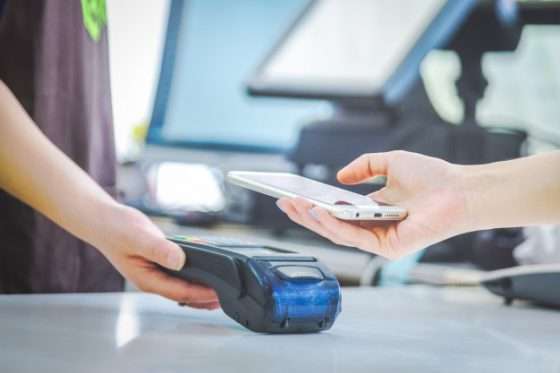
    Similarly, if a customer is paying with a mobile phone or other smart device, the device uses NFC to transmit data to the terminal, and again the terminal will alert the customer that the transaction was successful or unsuccessful.

    4 Must-Have Contactless Payment Solutions

    Even as restaurants have reopened their doors, safety is a priority to diners and business owners alike. The below contactless payment solutions are popular amongst consumers and are important for restauranteurs to adopt in order to thrive in the new normal.

    1. Contactless Debit and Credit Cards

    It’s important for restaurants to deploy payment terminals that feature NFC capability so that they can process contactless debit and credit card transactions. These terminals, as well as debit and credit cards capable of contactless payments, have a contactless payment symbol on them to indicate contactless transactions are supported. When it’s time to pay, customers simply hold their card one to two inches away from the contactless symbol on the terminal and voila – the payment is made.

    2. Mobile Wallets

    Mobile wallets like Apply Pay and Google Wallet – which are available on a range of devices including smartphones, smart watches, fitness trackers, key fobs, and more – work similarly to contactless debit and credit cards. Diners simply hold their device in close proximity to the contactless payment terminal to complete their transactions.

    3. Pay at Table

    Another great contactless payment solution for restauranteurs is pay at table. According to Mobile Payments Today, 69% of diners think that waiting for the check is the most frustrating part of the dining out experience. Help your restaurant customers improve their diners’ experiences by integrating pay at table into your POS software. Pay at table functionality can enable guests to simply check-in through the restaurant’s app where their bill can be associated to their mobile device, creating a seamless transaction where diners can pay at any time and there is no reason for a server to touch their card or cash.

    4. QR Codes

    Restaurants looking for an easy, affordable contactless payment method need not look further than their receipt printer! If restauranteurs have receipt printers capable of printing QR codes, like Star Micronics printers, they can print QR codes that diners simply scan with their smartphone camera, which then opens the restaurant’s app or website where customers can pay their bill.

    Free Resources During COVID-19 & Beyond

    Now more than ever, safety is a priority in retail and hospitality environments. Star Micronics is proud to offer a line of solutions and resources for businesses during this challenging time, designed to keep consumers and employees safe, as well as mitigate business impact caused by COVID-19.

    Benefits of Contactless Payments

    • Safe: It probably goes without saying, but contactless payments are safer than traditional payment methods thanks to less human contact and fewer opportunities to come in contact with other people’s germs and viruses.
    • Secure: Despite the belief that mobile contactless payments are less secure than traditional payment methods, the opposite is true. According to Fast Casual, “Mobile payments are processed without the transfer of sensitive information. Apple does not store consumer information on their servers, and Google encrypts the financial data they receive. The security measures on the phone itself — face recognition and fingerprint scanning, for example — protect card information in the event of a lost or stolen phone.”
    • Convenient: Who doesn’t love convenience? Contactless payments process in about half the time of the more traditional process of inserting a card’s chip into a card reader.
    • Profitable: Did you know that consumers who use mobile wallets make purchases at a rate 23% higher than those who pay with physical cash or card, and spend 2.4% more per transaction, according to researchers at the University of Illinois? It’s true – and we’re sure that by offering safe and convenient contactless payments, your restaurant customers will experience happier diners who are more likely to return to the business.

    Star Micronics and Contactless Payments

    One design. One integration. One provider. For all payment peripherals.

    mPOP-mPOS-eBook

    Star Micronics is proud to accommodate the latest POS trends, including contactless payments. By providing sleek, easy-to-integrate POS hardware, Star Micronics merges the priorities of software providers and payments companies, while offering restauranteurs an easy, reliable, and compliant solution.

    Click here to learn more about Star Micronics’ payment solutions.

    From all-in-one POS hubs to mix-and-match POS hardware combinations, Star Micronics provides the features restauranteurs need and the connectivity to bring together applications and payment processing. Star Micronics’ experienced team works with major players in the payment and restaurant POS industry to bridge the gap in the payments world and provide win-win business scenarios for all involved parties.

    Ready to learn more about how Star Micronics’ hardware powers today’s payments?

  • Provide Restaurateurs With Post-Pandemic Restaurant Tools for Success

    Provide Restaurateurs With Post-Pandemic Restaurant Tools for Success

    It goes without saying that today’s restaurants have needed to adapt to the changes that occurred in the hospitality industry following the unprecedented COVID-19 pandemic. As a reseller, your restaurant customers turn to you to provide full solutions – especially in recent times. Did you know that the restaurants tools and technology that you can provide now will continue to be needed, and can help restaurants succeed, for years to come? Read on to explore four restaurant tools you can offer that are designed to help businesses survive during a crisis – and thrive in the long term.

    Online Ordering and Multiple Delivery Methods

    It’s not exactly news that online ordering has been prevalent for years now, but the rapid growth in its popularity during COVID-19 is undeniable. Did you know that according to Adobe Analytics, the number of orders placed online and picked up at retail stores alone rose 208% during April 2020 compared to April 2019? And when it comes to food specifically, 31% of adults polled in the United States in May 2020 claimed they spend more than usual on food takeout and delivery.

    As a reseller, it’s important to provide the necessary restaurant tools needed for online ordering, curbside pickup, and food delivery. What do these tools look like? From a technological perspective, be sure to offer online ordering printers that are easy to install and use, and are integrated with today’s popular online ordering service providers. An added bonus is if the printer features technology like Star Micronics CloudPRNT, which enables the printer to communicate directly with the online ordering service so that restaurants do not need to invest in and fuss over a new tablet – the printer will simply automatically print new online order tickets as they are received.

    Once the order is received and prepared, a restaurant’s priority is ensuring the food is delivered promptly and securely. Offering tamper-proof food labels for takeout and delivery orders to your restaurant customers can provide peace of mind to both the diners and business owners.

    The flexibility and added safety of online ordering and delivery will likely continue to be a customer favorite well into the future. According to Rewards Network, 42% of restaurants added delivery as a result of COVID-19, and 31% of them plan to continue to invest in delivery services. By offering a full online ordering solution, you will help your restaurant customers succeed for years to come.

    Contactless Payments

    Another trend that was on its way to becoming mainstream, but got a serious boost during the pandemic, is contactless payments. These payments, which are made by credit and debit cards and smart devices like smartphones and smartwatches, use radio-frequency identical or near-field communication (NFC) to enable secure transactions without the need for consumers to make any physical contact with cash or payment terminals that can harbor germs. Instead, customers simply wave or tap their card or device near a payment terminal that accepts contactless payments.

    While many consumers turn to contactless payments as a way to avoid unnecessary contact with common surfaces during the COVID-19 pandemic, the added convenience of this method of payment is sure to make contactless payment options alluring well after the pandemic passes.

    Speaking of contactless, another tip you can share with your restaurant customers to enable an even safer transaction is to turn their restaurant receipt printer toward their diners so that the diners can collect their receipt themselves, further eliminating potentially dangerous contact. If your restaurant customers use Star Micronics printers, you may also share the official Star Micronics Printer Cleaning Guide with them.

    Reopening Toolbox

    Now more than ever, safety and convenience are priorities in retail and hospitality environments. As businesses reopen their doors, Star is proud to offer a line of solutions and resources designed to keep consumers and employees safe and satisfied.

    Protective Sneeze Guards

    Avoiding contact with other people’s germs is something that has become a priority to the public at large. What’s a restaurant tool that can help with that? Sneeze guards!

    Sneeze guards – or acrylic or glass screens designed to protect people or food from droplets caused by coughing, sneezing, or talking – have been around for decades but have gotten a refresh and become mainstream at restaurants and retailers of all sizes and types during the pandemic. Instead of simply being found at salad bars and buffet lines, sneeze guards are now located at the point of sale to protect employees and customers alike.

    Although they may sound simple, not all sneeze guards are the same. Here are some key features of a convenient and high-quality sneeze guard:

    • Easy to install
    • A lightweight and portable design, with no countertop mounting or drilling required
    • High compatibility with features like an adjustable mounting pole and compatibility with the restaurant’s existing POS or mPOS terminal
    • The ability to be easily relocated for future store redesigns, flu seasons, and more

    The Star Micronics POSShield sneeze guard offers all of the above – and more. Learn more now.

    Self-Service Kiosks

    Last but not least, self-service kiosks are restaurant tools that boost safety during a pandemic – and enable success in a post-pandemic world.

    During these challenging times, safety is a priority, and did you know that self-service kiosks can help protect a restaurant’s employees and customers? Not only do the kiosks reduce face-to-face contact between an employee and a diner, but they can also feature antimicrobial glass that effectively reduces bacteria’s ability to multiple as well as a simple, one-piece glass screen design to eliminate the nooks, crannies, keys, and buttons that can contain germs and viruses.

    While safety and cleanliness will always be a priority, self-service kiosks also have long-term business-boosting benefits for restaurants. Did you know that:

    • Customers spend 30% more when ordering through a kiosk
    • 20% of customers who had not intended to order a beverage would buy one after it was offered on the kiosk screen
    • Kiosks enable diners to customize their orders, something that 72% of them expect when dining out

    Learn more about the benefits of self-service kiosks in restaurants in the Self-Service Kiosks in Foodservice infographic.

    To conclude, the restaurant tools that benefit and safeguard restauranteurs now – like online ordering technology, contactless payments, sneeze guards, and self-service kiosks – will likely continue to be in high demand from both your restaurant customers and consumers, even in the post-pandemic world. As a reseller, set your restaurant customers up for success by offering the right one-stop shop solutions today.

    Free Resources During COVID-19 & Beyond

    Now more than ever, safety is a priority in retail and hospitality environments. Star Micronics is proud to offer a line of solutions and resources for businesses during this challenging time, designed to keep consumers and employees safe, as well as mitigate business impact caused by COVID-19.