Tag: QSR & Fast Casual

  • Star Spotlight – NRF 2020 Edition: Appetize

    Star Spotlight – NRF 2020 Edition: Appetize

    NRF is a wonderful show for multiple reasons – it’s where over 40,000 retail industry professionals gather to share ideas, build partnerships, and experience the year’s latest technology. Speaking of partnerships, one of Star’s favorite reasons for being at Retail’s Big Show is the dedicated time we give to catching up with our many retail software partners.

    In today’s blog post, we will explore what one our valued partners, Appetize, is up to in 2020, and how they are working with Star. Learn more about our partnership in the below video interview filmed at NRF 2020 and stay tuned for even more partnership interviews in our upcoming Star Spotlight NRF 2020 Edition blog posts.


    What Does Appetize Do?

    Since being founded in 2011, Appetize has quickly become the leading enterprise cloud point of sale (POS) and management platform trusted by the world’s highest volume businesses.

    Our mission is to enhance the guest ordering experience while making operations more efficient and productive. We provide all the benefits and flexibility of the cloud including easy deployment, scale-up, reconfiguration and upgrade capabilities, with our enterprise capabilities such as centralized management and real-time reporting.

    As the technology hub for commerce, we’ve connected our ordering technologies which include POS terminals, handheld devices, self-service kiosks, mobile and online ordering, with best-in-class application and technology integrations. We’ve simplified the transaction process in order to drive financial performance, improve guest experience, and future-proof operations.

    Today, Appetize powers many well-known Fortune 500 companies and enterprises to process billions of dollars annually across multi-unit restaurants, sports and entertainment properties, education campuses, convention centers, theme parks, travel and leisure sites, and more. Headquartered in Los Angeles, California with offices across the United States, our team of experts help Appetize users modernize and scale their business.

    Source: https://appetize.com/

    What are Some of Appetize’s Key Products?

    Appetize’s portfolio of offerings is broken down into three categories: Software, Hardware, and Solutions.

    • Software: Appetize’s software solutions “transform the way your staff and guests interact with robust front and back of house software products that solve operational and ordering challenges.” These offerings include: point of sale, self-service kiosks, mobile and online ordering, and back of house management.
    • Hardware: Designed to increase revenue and customer satisfaction, Appetize’s hardware products (including Star) are reliable and industry-leading, and include self-service kiosks, terminals, handheld devices, and more.
    • Solutions: Appetize specializes in offering solutions to quick-service restaurants, traditional restaurants, and retail. These cloud-based solutions help businesses streamline operations and increase profits.

    What’s New with Appetize in 2020?

    Appetize has been the leader in the enterprise stadium and arena technology market for years. This looks like the technology supporting the ability to feed 20,000 fans a meal within a 20-minute span of time. Now, in 2020, Appetize is taking that experience and extending its enterprise solutions to the multi-unit retail and QSR marketplace.

    “We’ve really grown our footprint to have great partners like Star to help enable us and provide us a rock of steady, reliable technology that still innovates and drives forward with the new footprint and the new sleek look and feel, but still the same core reliability. It’s great to be aligned, we love our partnership with Star.” – Brian Whitney, Vice President, Sales, Appetize

    Which Star Products Does Appetize Integrate?

    Appetize currently integrates the Star Micronics TSP654II, TSP654IISK, TSP143III, SM-S230i, and TUP500.

    TSP654II
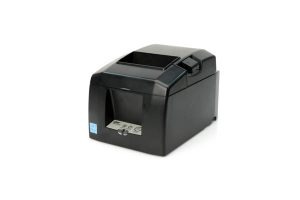
    TSP654II

    High reliability and performance
    High-speed printing (300mm/s)
    Swappable interfaces: serial, parallel, USB, LAN
    Bluetooth and AirPrint connectivity available

    TSP654IISK

    TSP654II

    Repositionable, linter-free thermal label solution
    Improves order accuracy up to 99%
    Liner-free yields 60% more labels per roll than diecut
    80mm and 58mm paper support

    TSP143III
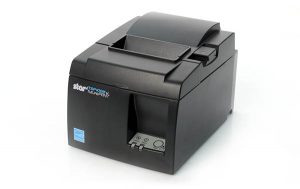
    TSP143III

    High-speed printing (250mm/s)
    Easy setup across all models
    Lightning connection for simultaneous charging and data transfer
    Compatible with Star Micronics Cloud Services

    SM-S230i
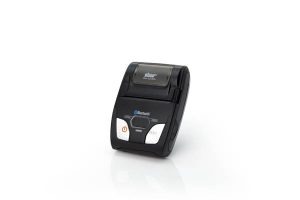
    SM-S230i

    2-inch portable printer with compact, lightweight design
    Bluetooth 2.1 + EDR / USB 2.0 full speed
    Barcode/graphics printing supported
    Magnetic stripe reader

    TUP500
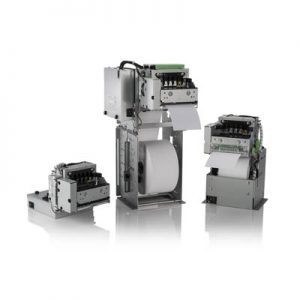
    TUP500

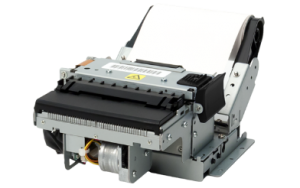
    Kiosk printer with modular design for easy integration
    220mm/s print speed
    Adjustable print width (42mm – 82.5mm)
    Optional bezel, presenter, large paper roll holder, and more
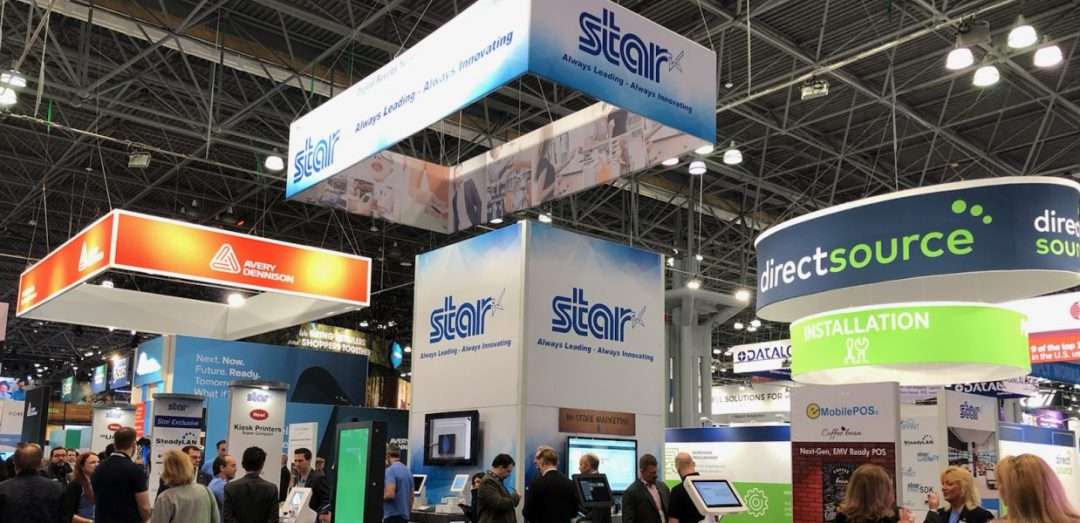
    Stay tuned for our upcoming NRF 2020 Star Spotlights, coming soon. In the meantime, learn more about how Star and our partners have teamed up to provide solutions by browsing our Success Stories.

  • What We Learned at NRF 2020

    What We Learned at NRF 2020

    Retail’s Big Show! With 40,000 attendees, over 800 exhibitors, and 400 speakers, NRF 2020 was another one for the record books. The keynotes were entertaining and educational while the show floor was filled with tried-and-true companies as well as startups looking to grow their business.

    Of course, the largest retail expo in the world is full of lots of new ideas and technology including everything from security and inventory management to BOPIS software and self-service kiosks. The keynote address Sunday morning by Microsoft CEO Satya Nadella set the tone for what would be a show filled with hundreds of new technologies based on the data touch points and robotic technology available to retailers. This theme also stood out on the show floor, with almost all companies both large and small featuring some form of artificial intelligence (AI).

    AI Meets QSR

    Kevin Johnson, CEO of Starbucks, held a keynote session Monday morning and it seemed as though the topic was nearly identical to the previous day’s keynote. Kevin explained how Starbucks, one of the largest coffee chains in the world, is creating a cutting-edge AI technology that will allow baristas to provide a more personal experience to their customers. Normally when we think of robotics and AI, we never imagine a more personal experience, but Kevin gave a few examples of how this is possible. At the drive-thru window, baristas always seem too busy to offer high-quality customer experience, but now with Deep Brew, the barista can simply say the order and the point of sale starts collecting the order via voice recognition.

    Robots for Every Corner of Retail

    On the show floor, actual robots were on display and demonstrating the added benefits they can provide during every step of a product’s lifecycle, from the warehouse to the customer’s shopping cart. Everywhere you looked, there were robots that could help a retailer better operate their business, from a fully automated sorting robot that scans and organizes products during the shipping process to a robot that roams the store looking for spills and hazards. These new robotic innovations seem to all focus on giving employees back their valuable time and in turn, save business owners money.

    Software Advances at NRF 2020

    From a software point of view, there was a huge increase in companies that were merging the offline world with the online world. While this is really nothing new to the industry, it is becoming more and more necessary for retailers to do this in our new world of online shopping interactions. It is quite amazing that a small business can now easily offer customers BOPIS options using almost any point of sale (POS) that they choose. Whether an in-store POS software was unveiling an updated application or a young startup company was offering an integration with any POS, NRF had the technology to bring retailers into the new world of eCommerce. Any feature that can connect a store’s offline world with the online world really goes a long way in terms of helping small businesses compete with larger chain stores.

    Star at NRF 2020

    What were Star’s biggest highlights at Retail’s Big Show? We’re glad you asked. Here are the top three innovations we shared at NRF 2020:

    1. SteadyLAN

    Without a doubt, the showstopper at Star’s NRF 2020 booth was SteadyLANTM. An industry-first technology for iPad POS, SteadyLAN provides reliable power and network access through one cable connection. Learn more about how it works in this quick video:

    2. New Kiosk Printers

    Another highlight at Star’s booth is our new generation of SK1 kiosk printers, the SK1-211 and SK1-311. The SK1-211 and SK1-311 ship standard with StarPRNT emulation, which will allow software developers to take advantage of the full stack of Star Micronics technology, such as the StarPRNT SDKs and Star’s powerful line of drivers. Software developers that have already integrated Star products can now easily swap or extend their applications from a desktop printer to a kiosk printer. Learn more now in this video featuring Star’s Kiosk Product Champion, Augusto Echecopar:

    3. mUnite Stands

    Another hot topic at the Star booth was our new mUnite stands. These stands – designed for the mC-Print3, mPOPTM, and TSP143III/TSP654II – feature clean cable management, universal VESA mounting, and more. Discover more reasons why the mUnite is the industry’s best tablet stand in this video by Star’s mUnite Product Champion, Kyle Lauber:

    Last but not least, a special thanks to our in-booth partners this year:

    In Conclusion: Retail’s Big Show

    For anyone in the retail industry, NRF is the must-attend event of the year, and this year was no different. Rapidly advancing retail technology was on display at every turn you took at the show. The keynotes by Kevin Johnson and Satya Nadella had a large focus on AI and data learning. Robots on the show floor gathered crowds and demonstrated how quickly and efficiently automation is coming to the retail industry. This year we also saw the divide between big business and small business decrease. The technology that merges online business and offline business is becoming much easier to obtain, giving small business owners more tools to win a shopper’s purchase. If NRF is any indication of the trends in retail, this year will be filled with AI and automation leading the charge towards the future of retail.

  • 3 Ways to Help Your Customers Increase Restaurant Foot Traffic

    3 Ways to Help Your Customers Increase Restaurant Foot Traffic

    There are over 660,000 restaurants in the United States alone. That’s a lot of competition, and you may find your restaurant customers are facing related challenges: how do they differentiate themselves and grow sales? In a society filled with so many options for nearly every type of cuisine, and with seemingly limitless dining options available through smartphone apps, how do you help them increase foot traffic in their restaurant?

    Growing a restaurant business during this digital transformation doesn’t have to be complicated. There are a few key ways you can help your restaurant customers increase foot traffic – and lucky none of them are too complex. They do, however, require an understanding of the restaurant’s specific needs and target audience. Read on to discover how to help grow your customers’ business through leveraging online ordering, delivering a top-notch experience to diners, and growing a digital presence.

    Browse Star’s Restaurant and Kitchen Solutions

    1. Help Them Leverage Online Ordering

    In the last decade, nearly every aspect of the world has gone online – you can buy almost anything online, you can hail a cab from your smartphone, and you can do the majority of your banking from a mobile device – and the restaurant industry is no different.

    Online ordering for food is a huge market. For instance, did you know that digital ordering and delivery have grown 300% faster than dine-in traffic since 2014? Simply put, to keep up and grow restaurant foot traffic, your customers need to be active on at least one online ordering platform. Taking advantage of the millions of people using online ordering is a great way to expand your restaurant customer’s clientele from those who already know and love the restaurant, to brand new diners.

    It might sound like a complicated process but helping your restaurant customers get online can be simple. First, the restaurant should choose whether they want to be present on an online ordering app (like Grubhub, Uber Eats, DoorDash, etc.) or if they’d like to have an online ordering system integrated into their website – or both. When choosing a service, restaurants should consider the ability to customize and brand their system, the ease of integration, any associated fees and costs, and whether marketing support is offered.

    Another important component of online ordering to think about is the technology behind the solution. By choosing an online ordering service that is integrated with Star Micronics, you can rest assured you have reliable, easy-to-use, and high-quality hardware on your side. For example, CloudPRNT technology (which is available on the mC-Print2, mC-Print3, TSP654II, TSP743II, TSP847II, and SP742) allows the printer to directly communicate with the online ordering service server, meaning there is no need for an additional tablet, software, or SSL certificate at the local level. The printer simply automatically retrieves and prints online orders from any service integrated with Star’s communication protocol. CloudPRNT is compatible with receipt, label, linerless label, and kitchen printers, meaning the options for streamlined printing are endless.

    Discover how Star helped one Asian fusion restaurant group leverage online ordering and save nearly $10,000 along the way.

    Customer-Paying-at-POS-1080x7202. Give Them the Tools They Need to Deliver a Top-Notch Customer Experience

    “Have it your way.” Does that slogan ring a bell? Like one notorious QSR brand once said, to grow restaurant foot traffic, establishments should encourage customers to enjoy their dining experience on their own terms. One good reason for this is that if you aren’t offering a personalized, convenient experience, someone else most certainly is.

    So, what does a top-notch customer experience look like? Here are a few examples:

    • Convenience: We are living in the era of convenience. Diners want to order exactly what they’d like, in a quick and seamless fashion. To cater to this preference, your restaurant customers should consider implementing self-service kiosks, which not only provide a positive guest experience but also have been shown to increase profits. Another modern convenience that diners are coming to expect is mobile payment opportunities, such as paying at the table.
    • Reliability: Downtime is a bad time. If your systems go down thanks to an unstable network connection, that means lost time, lost money, and potentially lost business, which is the opposite of what your restaurant customers are looking to achieve. Avoid the stress of downtime by helping your customers choose reliable, connected restaurant point of sale (POS) hardware. For example, Star’s mC-Print2 and mC-Print3 includes SteadyLAN™ technology, which provides wired Ethernet service to an iPad connected to a networked printer via the Lightning cable. A stable connection means more money, more happy customers, and more restaurant foot traffic!

    3. Encourage Them to Grow A Digital Presence

    In addition to offering online ordering, in order to grow its foot traffic, your restaurant customer should also be sure to maintain an active website and social media accounts. A website can be useful for customers to browse a menu in advance, share the restaurant with friends and family, check business hours, and more. Social media is useful in several ways: it can give restaurants a public personality, provide diners with a “behind the scenes” look at food preparation, and promote upcoming specials. In a nutshell, the average American spends 5.4 hours a day on their smartphone. Take advantage of it! Catching a person’s attention online can certainly lead that person through a restaurant’s doors.

    Together, offering online ordering, delivering a stellar dining experience, and maintaining an active digital presence can help your restaurant customers grow their foot traffic. Contact Star Micronics now to learn more about how we can help you make your restaurant customers’ goals come to life.

    Are your customers ready for online ordering? Find out now!

  • How Back of the House Restaurant Technology is Evolving

    How Back of the House Restaurant Technology is Evolving

    There’s no doubt about it: people love to dine out. In fact, there are over 1 million restaurants in the United States alone, and it’s estimated that those restaurants produced $863 billion of sales in 2019. At the same time, the hospitality industry is undergoing the same digital transformation as nearly every other industry: for example, online ordering is growing 300% faster than in-dining spend!

    To accommodate these advancements, back of the house restaurant technology is evolving to keep up. Read on to learn more about the transformation taking place in kitchens around the world – and how it’s not as complicated as you think to keep up with modern hospitality trends if you choose the proper back of the house restaurant technology.

    Restaurants across the world are being prompted to streamline their operations to meet the demands of today’s latest hospitality trends. These new technologies include online ordering, self-service kiosks, and other updated kitchen technology. Let’s explore each trend and how your restaurant (or your customer’s restaurants) can adapt to take advantage of these opportunities.

    Online Ordering

    One of the most prevalent technological changes to the restaurant industry is online ordering. Did you know:

    • 31% of consumers say they use third-party delivery apps at least twice a week.
    • 67% of customers who have placed an order online will visit the restaurant more frequently versus those who have not.
    • Restaurants that utilizes an online-ordering system are able to grow their delivery revenue 30% more than those who do not.
    • Millennials order takeout via an app or website more than any other age group, with 79% of Millennials doing so in the last year.
    • Two-thirds of consumers say that they are more likely to visit a restaurant if they have previously ordered from them online.
    • Partnering with an online ordering service is a great way to reach new customers – one service has claimed that 92% of its orders come from entirely new customers.

    So, what does a restaurant need to do to accommodate online orders? The first step is to choose a third-party online ordering service. Some popular options include DoorDashGrubhubUber Eats, and more (Star is partnered with all three of those – and is proud to partner with nearly every other online ordering service provider, as well).

    Partnering with an online ordering service can be very straightforward. Most simply ask that the restaurant provides information about itself and uploads its menu, and then the service provider will send out the necessary equipment to get started.

    Many services allow the restaurant to either use its own drivers or leverage on-demand drivers, and some may even include special perks like professional photoshoots, marketing opportunities, website tools, and more.

    Considering back of the house restaurant technology when choosing your service provider is of utmost importance. Be sure to choose a service which provides a feature-packed printer that is:

    • Full of Connectivity Options: Star’s printers include multiple connectivity options including:
      mC-Print2-and-mC-Print3
       Star’s mC-Print2-and-mC-Print3
      • CloudPRNTCloudPRNT allows the printer to communicate directly with the online ordering service’s server, which means no need for an additional tablet, software, or SSL certificate at the local level. Enjoy all the benefits of online ordering without additional hassle and clutter!
      • SteadyLANTM: Star’s mC-Print series features SteadyLAN, which allows for direct data transfer between Apple iOS devices and the printer via the Lightning cable. For the first time ever, enjoy direct ethernet connectivity to iOS devices from the wired ethernet port of the printer.
      • USB Hub: Star’s mC-Print series also features a USB hub which allows for connectivity of up to three peripherals, like 1D and 2D scanners, cash drawers, line displays, kitchen buzzers, and more.
    • Durable: The kitchen can be a messy place. A good rule of thumb is to choose a printer that is IPX2-rated, meaning it is splash-proof and insect-proof.
    • High Performance: Choosing a high-quality and high-performance printer will serve you well in the long run. Look for a printer with a high print speed (like 250mm/s), a high print resolution (203dpi), and a simple user experience.

    Self-Service Kiosk Orders

    Arguably, the second most popular trend emerging in the hospitality market is self-service kiosks (it’s estimated that 41% of the industry is now using kiosks) – and for good reason. There are many benefits for both the customer and the restaurant when it comes to self-service kiosks:

    • More Sales: Customers spend more money when they order from a kiosk, thanks to kiosks prompting them with options such as additional toppings, which can add up over time. In fact, McDonald’s has seen a 20% increase in drink orders alone since implementing kiosks!
    • A Better Customer Experience: Implementing kiosks means shorter lines and enhanced order customization and accuracy for your customers. Additionally, your employees can spend more time giving customers a high-quality experience since they won’t have as much pressure to quickly process all of the orders.
    • Cost-Efficient: On top of making more money, you’ll avoid the time and money that is wasted when orders need to be re-made due to inaccurate manual order-taking.

    It may surprise you, but you can implement self-service kiosk technology without making big changes to your current restaurant operations! If your staff is trained on processing printed kitchen tickets, it’s possible to keep your back of the house operations the same –you can keep them by choosing a connected kitchen printer that can retrieve digital orders. Save time, money, and keep your workers happy by keeping your back-of-house processes the same.

    SK1-311 Kiosk Printer   Star’s SK1-311 Kiosk Printer[/caption]

    Star is proud to partner and integrate with many of the industry’s leading kiosk manufacturers. With a large variety of kiosk printers designed to meet different kiosk styles and requirements, there’s a good chance we have the right kiosk solution for you. Please contact our sales team to learn more, whether you’re a kiosk manufacturer searching for the right printer, a reseller or ISV looking for the right solution to offer your customers, or a restaurant on the hunt for a kiosk solution to meet your specific needs.


    Other Updated Kitchen Technology

    There are even more modern advancements happening in restaurant kitchens besides online ordering and kiosks. One example? The kitchen buzzer.

    Star mC-Sound Kitchen Buzzer
       Star’s mC-Sound Kitchen Buzzer

    Modern kitchen buzzers – like the Star mC-Sound – include many new features like:

    • High quality sound (89dB)
    • Easy-to-use, pre-recorded melodies
    • The ability to record custom user speech
    • Compatibility with Windows, iOS, and Android SDKs
    • The ability for the sound converter tool to be integrated
    • And more!

    Back of the house restaurant technology is evolving – but you may be surprised how easy it can be to update your existing technology and take advantage of today’s trends, which can add more money to your bottom line and create a better customer experience.

    Whether you want to offer online ordering, deploy self-service kiosk technology, or more, be sure your new processes are backed by high-quality hardware featuring future-proof connectivity options and integrations with your favorite service providers. Always leading, and always innovating, Star is proud to offer a portfolio of back of the house restaurant technology designed to meet today’s needs.

  • The Benefits of Leveraging Kiosks for Self-Ordering in Hospitality

    The Benefits of Leveraging Kiosks for Self-Ordering in Hospitality

    The airline industry was one of the first to revolutionize the check-in process with the implementation of self-service kiosks. The technology helped to decrease guest wait times and enabled labor to be reallocated to areas of greater need. Today, self-service kiosks have transitioned from an innovation found at the airport to an expectation held by consumers of the hospitality industry. In a recent survey by PYMNTS, it was revealed that kiosks are seeing the strongest growth, and that 41% of the industry is now using kiosk technology to serve guests.

    Self-service kiosks provide businesses the opportunity to both meet consumer expectation and demand, while at the same time growing the bottom line. Kiosks have been proven to help increase order size, improve accuracy, decrease labor costs, and more, which is why so many restaurants are adopting this solution. As this tech takes off, make sure your business is positioned to capitalize on self-ordering applications.

    Free Self-Service Kiosk Resources

    The future of many industries lies with self-service solutions. That’s why Star Micronics is offering free online ordering resources for resellers and software developers who are helping customers future-proof their businesses with self-service solutions.

    Increased Upselling Capabilities & Average Ticket Size

    In the high-tech age we live in, customers have become increasingly comfortable ordering from a screen. Kiosks allow customers to take their time and order precisely what they want, how they want it, without feeling pressure from the counter or customers next in line. According to the Kiosk Marketplace, research indicates that most customers prefer self-service devices to waiting in line or at a table for service.

    So, what’s encouraging guests to open their wallets for a bigger order at the screen? The primary driver is upselling. You may have trained your cashier to upsell, but chances are staff members aren’t asking guests to purchase additional items every time. With kiosks, an opportunity to upsell is never missed.

    Self-service kiosks can automatically prompt guests with tantalizing options that pair well with the selections they have chosen. Something as simple as additional toppings like cheese or sour cream— which may cost an additional $0.30 to $0.70—really adds up over time. When McDonald’s implemented these kiosks, they saw a 20% increase in drink orders alone.

    Don’t let the opportunity for those larger sales pass you by.

    Enhanced Order Customization

    With kiosk technology, upselling can be personalized. Kiosks can learn from the buying habits of repeat customers, making better recommendations based on what guests like. Loyalty programs are easily managed with kiosks, allowing guests to quickly see rewards points and how they can use them as they build their order. This added personalization creates a great sense of value for your customers, keeping them coming back time and time again.

    Upselling isn’t the only customization tool that self-service kiosks can provide. They also put the power directly in the hands of your guests to customize every item. They’ll be able to see every option available to them, including gluten-free or vegan options. Whether they want to add or remove toppings, swap sides, upgrade their drink, or elect a light or healthier version, they can easily make those adjustments with a few quick clicks.

    A cashier can only provide all this information when guests request it. Static menu boards only allow so much information on each item, topping, and sauce choice available. With kiosks, the customization is endless. Self-service kiosks allow businesses to meet guest expectations.

    Self-Ordering Kiosk

    Improved Order Accuracy

    As customization increases, so too increases the need for accurate order entry. Imagine you run a coffee shop, and a guest comes in and quickly rattles off, “One large iced coffee, double espresso, skim milk, light ice, mocha drizzle with extra cinnamon, no whip.” The guest might have gotten the entire order out before your cashier was able to even select the size. Your employee might require the order being repeated several times or risk entering it incorrectly—a costly mistake if it becomes a common occurrence.

    Now imagine that your guest has the ability to enter an order directly into a self-service kiosk. Every detail is entered correctly, then reviewed before checking out.

    Guests have the reassurance that their order was entered precisely how they want. Self-service kiosks deliver orders directly to the queue, which significantly increases order accuracy, saving your business time and money associated with correcting improperly made orders.

    Reduced Labor Costs

    Implementing kiosks doesn’t mean that you are eliminating cashiers and traditional cashier terminals. Some guests will still want to order from a cashier, especially if they want to pay with cash. With less pressure for cashiers to process orders quickly to meet the demands of a fast-growing line, cashiers can now take more time with customers, delivering a better customer experience. In addition, your business may now need fewer cashiers to take orders, allowing you to reallocate the labor time you save at the front counter to other areas where labor consistently falls short.

    Customer Insights

    Self-service kiosks provide business owners with valuable data. You’ll be able to get insights into popular menu items, busiest times of the day, and popular order modifications and add-on items. This data can empower you to determine what items to strategically promote on the kiosks, when additional staff might be necessary to assist guests with kiosks, and more.

    For example, if you notice that guests are often opting for a specific add-on item, this might direct you to make a price increase on that add-on item to test what that item’s ideal price point is for delivering the best profit margin. You’ll be able to track how that price change has had an impact on sales and your revenue stream. These small adjustments can have long-term impact to your bottom line.

    Additionally, you may notice that sales are slow for certain menu items during certain days or times. Changing the promotions that are displayed on the kiosk screen can bolster sales during slower times.

    Reduced Wait Times

    Guests don’t want to wait. Long lines are a major deterrent, and with the countless options available to consumers seeking quick service or fast casual establishments, wait times could make or break your guest experience—and you may never get the chance to make it up to the guest who waited too long.

    Kiosks offer a fast, easy way for guests to enter their own order, make their payment, get their (correct) order, and be on their way. This seamless process improves the guest experience and your business will reap the rewards.

    In addition, since cashiers will have to spend less time entering orders and processing payments, they can focus more on providing the best customer service possible. They’ll be available for guests to ask questions, ensure needs are met, and walk guests through any technical or user errors on the kiosks. The human element won’t be lost, simply transitioned into more of a service role, and less of a data entry one.

    Stay Competitive

    The hospitality industry is constantly evolving—always seeking the latest and greatest means to attract and retain customers. The competition is becoming more complex, as consumers have more options than ever. From high-end dining, to fast casual, home delivery services, meal kit, and grocery delivery options—the contenders aren’t backing down.

    Kiosks can help you contend with competitors in the hospitality industry, providing you with the edge you need to not only stay afloat, but also to become a successful establishment in the industry. With improved speed and accuracy, you’ll see higher customer satisfaction out of the gate. Plus, with the data it can provide, you’ll be able to fine-tune your offerings and prices, so your bottom line is always looking its best.

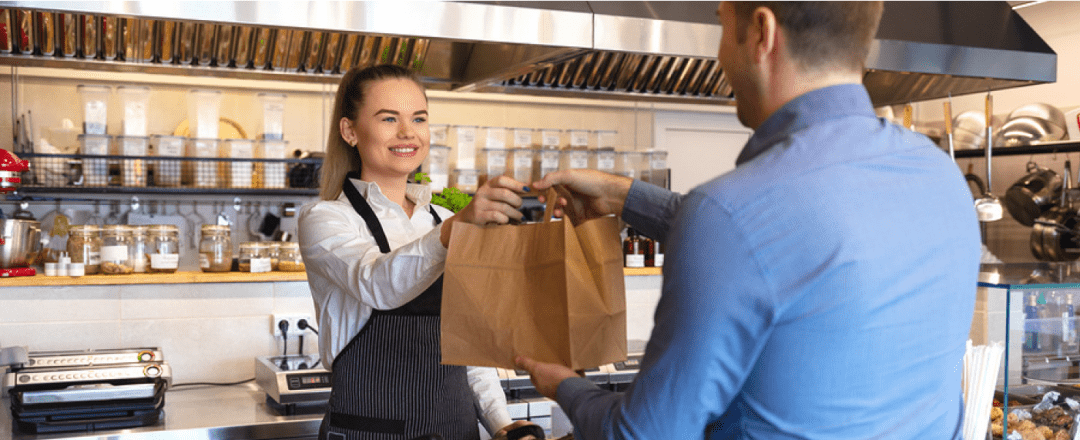
    Customer Picking up Food from Restaurant

    Make Sure Your Kiosk is Complete

    In order to process customer transactions, your kiosk needs to be outfitted with a reliable receipt printer. You’ll want to make sure that the printer is ergonomically designed to fit a wide range of kiosks. You also want to make sure the kiosk printer is fast, so lines aren’t held up from slow printing.

    A few qualities that make printers ergonomic and fast that you will want to look for are:

    • Looping presenter: This helps reduce paper jams and an output sensor detects if the customer has taken the receipt or not. The printer ejects uncollected receipts or foreign objects prior to printing the next receipt.
    • LED presenter: This helps deliver printer maintenance information to staff members and customers, such as receipt available (green light) or paper jam issue (red light).
    • Bezel: A bezel will ensure a seamless, professional aesthetic for the paper exit. It can be integrated with the LED feature for further visual appeal and maintenance functionality.
    • Paper roll holder: The paper roll holder should support different sizes of receipt paper rolls depending on the application of the kiosk printer its frequency of use.
    • PromoPRNT & Cloud-connected: A PromoPRNT, Cloud-connected kiosk printer will provide additional value-add services to your business. With PromoPRNT, you will be able to offer customers promos and coupons on printed receipts. Cloud connectivity will enable device management features and other benefits.

    Looking to learn more? Here are 8 features kiosk manufacturers should look for when choosing kiosk printing mechanisms.

    The correct kiosk printer is just a click away. Download our full eBook now to discover which kiosk printer on the market fits your needs!

  • Choosing the Appropriate Kiosk Printer: A Comprehensive Guide

    Choosing the Appropriate Kiosk Printer: A Comprehensive Guide

    Self-service technology, including kiosks with kiosk printers, continues to increase in popularity in a wide range of vertical markets. Retailers of all types, as well as quick-service restaurants, gas stations, parking lots, casinos, telecommunications companies, banks, transportation providers, and other organizations are implementing these solutions. According to a recent study by Technavio, the self-service market is estimated to reach $18 billion by 2020.

    What’s more, consumer demand for access to kiosks is growing. For instance, a survey by InRetail revealed that 69% of shoppers are more likely to make purchases from stores with kiosks, than from stores that do not have them.

    However, capitalizing on the self-service trend and consumers’ affinity for kiosks in any application — retail or otherwise — necessitates strategic kiosk printer selection. Choosing the right kiosk printer is a matter of understanding the business, the business environment, and customers. It involves careful assessment of the range of feature options. This guide presents a roadmap for selecting the kiosk printer that best suits the needs of an operation and its clientele.

    Discover all of Star Micronics’ Self-Service Kiosk Solutions.

    Free Self-Service Kiosk Resources

    The future of many industries lies with self-service solutions. That’s why Star Micronics is offering free online ordering resources for resellers and software developers who are helping customers future-proof their businesses with self-service solutions.

    Top 3 Key Considerations

    The road to finding the right kiosk printer starts with a few key considerations. Here at the top three; find out the rest by downloading the full free guide now!

    Size

    In most applications, space for the kiosk — and the kiosk printer — is at a premium. For example, in a typical retail or hospitality environment, the area in which the kiosk is installed is not sufficiently large enough to accommodate a unit with a bulky peripheral. Therefore, you will want to look for printer options configured as “open frame” printing mechanisms. There should be no unnecessary casings that increase the unit’s size and occupy space that may be needed for other components to make the kiosk more user friendly.

    Use Case

    One of the most common mistakes in selecting a kiosk printer is designing the actual kiosk before the printer and other accessories have been chosen. To ensure that the kiosk printer really satisfies the requirements of your business, think first about the use case and its parameters. For instance, if the kiosk will be installed in an environment where transaction volume is high, and thousands of receipts will be printed daily, you may need a kiosk printer that accommodates very large rolls of paper. However, many kiosk printers have a slender design and cannot support these large rolls, or necessitate the purchase of a special attachment at an additional cost.

    Customer Experience

    A kiosk allows businesses to interact directly with customers, and provide high-caliber customer service, all while decreasing wait times. To kick things up a notch, you can select a kiosk printer that can support graphical printing at a high speed. This allows you to offer coupons, special promotion options, product information, and other materials that customers can print out on the spot, increasing their engagement level with your establishment, and cultivating repeat business.

    Must-Have Kiosk Technologies

    Here are the top three kiosk printer technologies and accessories that you will find essential, depending on the application (get the full list in our guide):

    Presenter

    A presenter increases security and supports customer privacy by ensuring that receipts are delivered only to the right person; if forgotten, they remain inside the kiosk where unauthorized parties cannot access them.

    The presenter also offers other benefits that make it worthwhile. Perhaps most importantly, the presenter prevents paper jams from occurring if receipts are inadvertently left in the printer. This, in turn, decreases the incidence of operating interruptions that cause customer service delays, and have a negative impact on the customer experience.

    What’s more, with a presenter, there is no opportunity for receipts or other collateral to fall to the floor if it is not delivered to the intended recipient. The end result is reduction in litter, and a cleaner-looking store, restaurant, or other business environment.

    Bezel

    The bezel is an alternative to the presenter. Typically positioned between the kiosk slot and the printer, it acts as a guide
    to push paper out of the kiosk. If the best kiosk printer for your application is not designed to accommodate a presenter, or there is another reason why a presenter would not work with a particular kiosk printer model (e.g., space constraints), a bezel is a viable solution.

    Paper Status Alerts

    Kiosks are typically left unattended for extended periods of time. However, you’ll need to know immediately when a kiosk printer requires more paper. Select a kiosk printer that displays alerts when it is low or entirely out of paper.

    Looking for more tips on key considerations and must-have technologies, and information on how to source your kiosk printer?

  • Do You Really Need a Receipt?

    Do You Really Need a Receipt?

    This is the fourth part of “Keep the Receipt,” a five-part blog series about the various advantages paper receipts offer to businesses and consumers, and why you should elect to choose to offer – and accept – paper receipts.

    The world has become digital – very quickly. In 1990, only 0.25% of the world population had a cell phone, and as of February 2019, it was estimated that more than 5 billion people have them. In today’s technologically advanced society, you might wonder if you still need a receipt. And guess what. You do!

    In today’s blog post, we’re going to explore why you still need a receipt, whether it’s for a traditional reason like confirming a tip amount, or if it’s part of an omnichannel retail experience, like to be used with cashback apps. Without further ado, let’s explore why shoppers do indeed need a receipt.

    While receipts are important, Star Micronics provides retailers with much more than just receipt printers – explore our full suite of Retail POS Solutions.

    In the hospitality business? Check out our Restaurant and Kitchen Solutions and QSR Solutions!

    7 Reasons Why You Need a Receipt

    1. Immediate Itemized Information

    Simply put, receipts are great at providing information. Many times, digital receipts provide basic transaction information, like a grand total, transaction date, and payment method. But with paper receipts, it’s a given that you’ll receive full itemized, line-by-line details – within seconds of payment.

    Besides basic transparency into what you paid for, this line item information can be useful to confirm you received the correct discount/promotion, and can even come in handy if you accidentally set off the alarm at the store and need to quickly provide proof of purchase for a specific item (we’ve all been there).

    2. Tip Amount Confirmation

    It’s not unheard of to be charged the wrong amount for the tip you leave on the bill at a restaurant, bar, or other establishment. While most of the time the information was simply entered incorrectly by mistake and it is easy enough to correct the issue directly with the business, that’s a hassle that not many people have time for. By keeping your paper receipt and filling out the tip amount on your personal copy, it becomes easy to double-check the amount on your credit card statement and correct any issues that may arise.

    3. Warranty/Return/Exchange Policies

    When you want to check if your product is still under warranty or able to be returned/exchanged, you want that information to be easily (and quickly) accessible. A surefire way to promise that is by keeping a paper receipt for the purchase in question. While some systems allow for that information to be stored automatically, that process is tied to the credit card used for the original transaction. This can present problems if you no longer have the card, lost the card, or didn’t use a card for the original purchase. Keep reimbursement, return/exchange, and warranty issues simple by keeping the paper receipt for those important items!

    4. Cashback Apps

    Who doesn’t want a little extra cash? Luckily, there are a variety of easy-to-use cashback apps on the market today, like Ibotta, Fetch Rewards, Shopkick, and more. How do these apps work? It’s easy: you simply make purchases normally, and then scan your receipt to receive rewards. It’s a pretty great reason to keep the receipt, if you ask us.

    And speaking of savings, if a business prints on-receipt promotions, those can be a great way to save money on future purchases and can be easily kept in your wallet so you don’t forget them during your next shopping trip.

    5. Instant Account Information

    You might see a pattern emerging: paper receipts are simply the best at providing fully detailed transaction information – instantly. That pattern also applies to providing account information instantly.

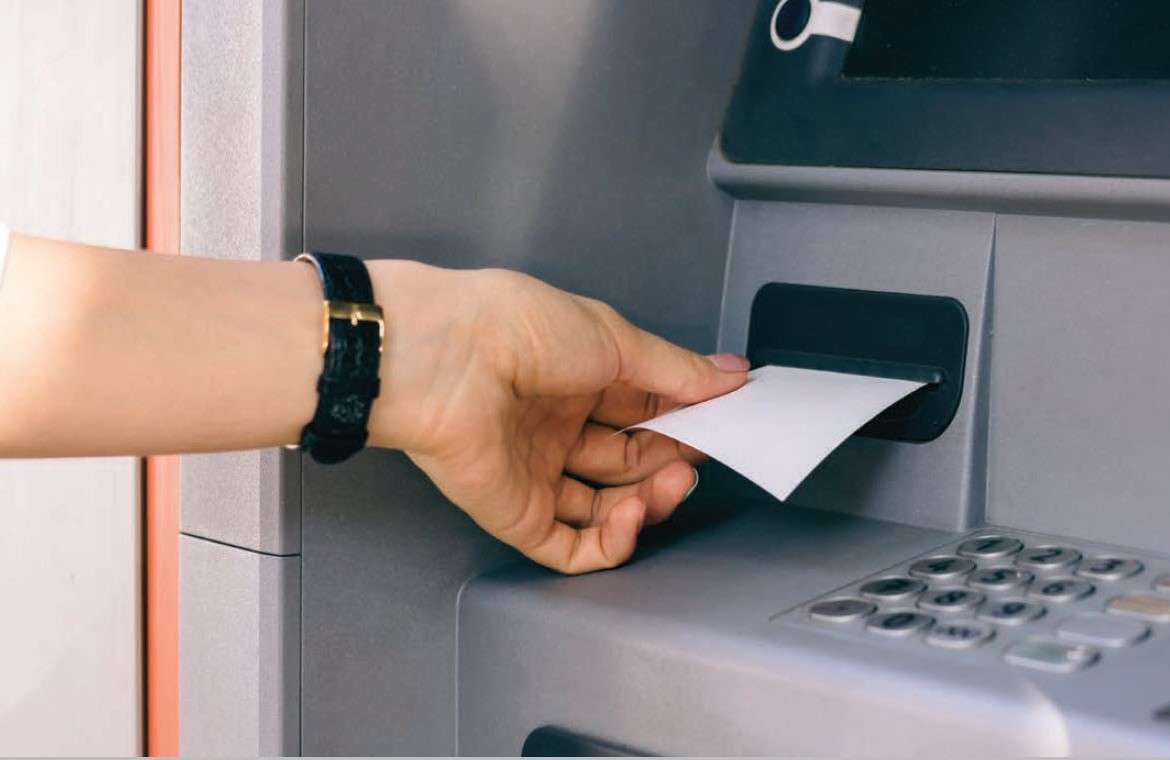
    Take, for example, a bank ATM. You need to take some cash out, and you want to check your account balance. An easy and private way to do that is to retrieve a receipt from the kiosk printer, which lists your current account information. When you do that, there’s no need to engage in a second step (like opening an app or logging on to a website) to get that account information, and it’s easy to quickly look back on that information at any time.

    6. Recordkeeping

    Paper receipts are simply the best for recordkeeping! First, and arguably most crucial, it’s important to keep proper records for tax purposes. According to Investopedia, it’s important to hold on to receipts, “so you have a record of even the smallest expenses you incur for business, charity and your health. As those expenses add up, they can start to lower your tax bill.” On a business owner-level, the IRS has further details regarding what kind of records you should keep.

    Receipts come in handy for other kinds of recordkeeping, too, like expense tracking for business trips, and personal budgeting. It’s also important to get a paper copy of gift receipts to make returns and exchanges easier/possible for your friends and family.

    7. Private and Personal

    The information provided on a receipt is personal, and in an ideal world, it is private. However, in a world filled with cybersecurity concerns (there is a hacker attack every 39 seconds!), it comes as no surprise that some consumers may feel hesitant about that information being stored in their email inbox.

    A paper receipt stays right where it should – in your wallet! With a hard copy receipt, there’s no need to worry about your sensitive information getting into the wrong hands.

    So – what do you think? When do you need a receipt? What other ways can they be useful? Let us know in the comments!

    Be sure to tune into our fifth Keep the Receipt blogs, which will take a deep dive into the sustainable features of Star receipts.

  • 5 Reasons Why You Need a Coffee Shop POS System

    5 Reasons Why You Need a Coffee Shop POS System

    Did you know that in the United States alone, nearly 70% of consumers drink at least two cups of coffee per day? That’s a lot of java to serve, and even more customers to provide with a fast, personalized (and profitable) experience. Luckily, managing all of those caffeinated purchases can become easier than you ever thought possible when you choose the right POS for coffee shop for your needs.

    Let’s explore 5 reasons why you need a coffee shop POS system – and some features to look for:

    1. Empower Staff to Keep the Line of Customers Moving Fast

    At the end of the day, providing your customers with what they need in a timely manner will make or break your business. To keep your customer queue moving quickly and efficiently, be sure to select a coffee shop POS system with a user-friendly interface to let your baristas take orders fast and without errors.

    What does that look like? It looks like a POS system that accepts all kinds of payments (including cash, mobile payments, credit and debit cards, reward points, and more).

    While the speed of each individual transaction may not seem that important at times when store foot traffic is low, the speed in which your coffee shop POS system processes payments makes a big difference during busy hours.

    2. Customers Can Customize Their Own Drink

    We live in the age of, “I’ll take a small iced coffee, 2 pumps of no-sugar caramel syrup, light on the soy milk, and a double shot.” That’s right, today’s customers want things their way, and we can’t blame them. What we can take some blame for, though, is misunderstanding those orders, wasting product, and losing money as well as the customer’s patience.

    But don’t worry – your coffee shop POS system can help with those complicated customized orders! If your POS app has a modifier feature, like for example, Poster POS, taking custom orders becomes easy for your baristas. It’s a win-win: give your customers their favorite drinks without delays, and accurately track inventory in your POS when customers order different milk alternatives and toppings.

    3. Make the Most of Your POS Using its Marketing Features

    A big part of creating coffee shop customers that keep coming back for more is by marketing to them. When there’s a choice between a coffee shop that has a special coupon/sale, or a coffee shop that only has set, standard prices, the customer will most likely choose the discounted cup of Joe.

    Create the customer retention you crave by setting up a unique happy hour promotion for each day right in your coffee shop POS system! These built-in deals allow your baristas apply discounts without any additional bother and can create more sales during traditionally slow hours. You can also let customers know about your special deals (and loyalty programs, social media accounts, and more) by promoting them on your receipt.

    4. Know and Sell Your Most Profitable Drinks and Desserts

    Without a feature-packed coffee shop POS system, it can be hard to answer questions like:

    • Which of my products has the highest profit margin?
    • Which of my items is the most expensive to make?
    • Which product is most popular? And during which days and times?

    You guessed it – you can use your POS system to answer all of these questions and more. Food costs and margins can be calculated automatically in your POS, as well as sales data which allows you to understand and analyze your top products. Use this valuable data to rotate items on your menu based on their profitability and popularity!

    5. Securely Store Your Business Data in the Cloud

    Last but not least, keep all that data safe and just a click away by choosing a cloud-based coffee shop POS system. Gone are the worries of your data being lost if your hardware breaks! And there’s an added benefit of working in the cloud: you’ll become a more flexible manager with access to your coffee shop management system from any computer and any place in the world.

  • Star Micronics and Cova Software Join Forces to Streamline Cannabis Retail Point of Sale

    Star Micronics and Cova Software Join Forces to Streamline Cannabis Retail Point of Sale

    Together, Cova’s retail software and Star Micronics’ printing solutions simplify complex dispensary POS operations

    Somerset, NJ – August 15, 2019 – Star Micronics, a leading manufacturer of mobile, point of sale (POS), and customer engagement technologies, is proud to announce that Cova Software is supporting Star’s mC-Print3 printers for use in its suite of cannabis retail software solutions.

    Cova is an award-winning cannabis retail POS with an intuitive design and robust tech platform. Cova helps cannabis retailers simplify compliance, raise the customer experience bar, and increase revenue through automated compliance, touchscreen menus, an express check-out app, and mobile reporting dashboards. With a growing network of partners including Leafly, Weedmaps, I Heart Jane, springbig, Enlighten, Merrco, Lift & Co, Budtender and Budvue, Cova’s seamless tech ecosystem provides retailers access to industry-leading tools to run their business.

    The Star Micronics mC-Print3 thermal printer features a sleek design and Bluetooth, Ethernet, and Lightning connectivity, making it the ideal choice for modern, connected dispensaries. Easy to integrate through common SDK, the mC-Print3 is also cloud-ready and includes access to a suite of value-added Star Micronics Cloud Services, including tools for digital receipts and custom on-receipt printed promotions. Cova also supports the Star Micronics TSP143III, an easy-to-use, reliable thermal printer featuring high-speed printing, Print Flat Technology, Star Micronics Cloud Services, and more.

    “We’re really excited to partner with a top-tier POS hardware provider,” said Gary Cohen, CEO of Cova. “They get it—the reliability and innovation needed to stay ahead in retail, especially in the cannabis industry. Their hardware performance, how fast and flexible it is, and their reputation for great support, it all aligns perfectly with Cova’s values and commitment to provide robust solutions for our customers’ growth. This is a long-term strategic partnership that makes perfect sense for us and creates big value for cannabis retailers.”

  • Buyers Guide: 5 Things to Consider When Purchasing a Scale

    Buyers Guide: 5 Things to Consider When Purchasing a Scale

    Any retail, restaurant, or hospitality venue that sells items by weight needs a scale to protect their customers and business. Point of sale (POS) scales are used by different types of merchants that charge for their items by weight, including supermarkets, jewelers, coffee shops, self-service restaurants and buffets, butchers, candy stores, and more. Whether you’re dealing in pounds of fruit or ounces of gold, scales measure the weight of a customer’s purchase, calculate the price accurately, and help track inventory.

    On the surface, the scale’s operation seems relatively straightforward: weigh the items, print tags, and move on to the next customer. This deceptively easy process is backed and regulated by the science of weights and measures, a battery of federal and local laws, inspectors, and several government agencies dedicated to calculating weights and prices correctly. Although it may seem like overkill, these safeguards protect you from over- or under-charging customers and the fallout that comes from making these types of errors.

    If you’re in the market for a new scale, consider your products and how accurate the scale needs to be, where it will be set up, and how often it should be calibrated. States monitor merchants with scales for accuracy, so know the local laws in your area to help ensure your POS scales are always in compliance.

    No matter what type of business you operate, purchasing a NTEP-certified scale should be nonnegotiable. A retailer that is caught using a non-NTEP-certified scale may be subject to heavy fines, seizure of the illegal scale, or work shutdown. You should never purchase a scale that doesn’t have this important designation, but that doesn’t mean that every scale automatically goes through the process. NTEP certification was developed by the National Conference on Weights and Measures.

    Look for a scale with a NTEP Certificate of Conformance (CoC), which means the scale can be used in a commercial setting to sell products by weight. Every NTEP-certified scale will have a CoC number that an inspector uses to verify that the scale meets the agency’s testing standards. Only a NTEPcertified scale, when properly inspected and calibrated, is “legal for trade.”

    What else should you think about when you’re shopping for a scale? Here is a quick preview of the five things to put at the top of your list.

    Candy-e1574805441361

    1. State Regulations

    Across the US, every state has its own agencies and departments that regulate scales and inspect them for accuracy. Some states may require a yearly inspection, while others are inspected less frequently.

    Although every industry is different, some require a higher level of accuracy than others. One of the most talked about industries right now is cannabis retail, which relies heavily on scales for its products. Medical marijuana retailers and dispensaries are legal in more than half of the US, and although they sell products by weight, you can’t expect the same regulations that apply at a salad bar to also work for medical uses. In fact, the standards and regulations for cannabis scales vary by state, so choose the scale that will keep you in compliance and accurately serve your customers.

    2. Environment

    Like any POS component, harsh environments demand more rugged scales. The unit that looks pretty sitting on a counter is not going to cut it in a busy warehouse or inside a cold storage facility. Before purchasing a scale, decide where and how it’s going to be used, so you can choose one that’s tough enough for your business.

    Pharmacy-Scale-e1574805457851

    3. Applications

    Before you purchase POS scales, identify how they’re going to be used and what you need to weigh. Are you dealing with fresh produce, bulk candy and meat, or items like mail and packages? Are most of your products heavy or light? Large or small?

    Star Micronics scales have the option to be powered by electrical outlet or battery for additional flexibility and portable use. This feature is especially valuable if you need to take the scale to farmer’s markets, street fairs, or pop-up stores.

    4. Connectivity Options

    Adding a scale doesn’t mean you need a whole new POS system, so check your current system and see what connectivity options it has and go from there. Look at the operating system and make sure you choose a scale that’s compatible with what you already have. Star Micronics scales offer software support for Windows, iOS, and  Android, so adding the scale to an existing system is easy. The scales have a triple interface, and connect using Bluetooth BLE, USB, and Serial. Everything you need to get started comes in the box, including a waterproof and dustproof cover, power cable, and USB cable.

    5. Industries

    For industries that deal with products by weight, including cannabis, retail, jewelers, restaurants, and pharmacies, a properly calibrated, NTEP-certified scale ensures you are not over- or under-charging customers. These POS components also assist with inventory tracking at your store or restaurant. Running a business that charges based on weight is impossible without a properly-calibrated scale, so make sure you choose the one that best takes care of your needs.

    It’s important to pay attention to the accuracy class. Always choose a scale that’s the correct accuracy class, because a candy store doesn’t need to adhere to the same levels of compliance required for medicinal purposes.

    Coffee-Beans-e1574805473484

    Leverage Agency Expertise for Installation Compliance

    Once you have selected the scale of your choice, consider who will be in charge of installation, calibration, and getting the NTEP seal with your local measurement organization. You may think this is an easy DIY-job, but doing this by yourself is not recommended. If you try calibrating scales yourself, and they fail any tests administered by government agencies, you will be penalized with fines. Click here to learn more about Star’s nationwide scale installation partners.

    Ready to learn even more about how to select the right scale for your business? Download our full, free eBook now!