Category: Solutions & Use Cases

  • CloudPRNT: The Best Google Cloud Print Alternative

    CloudPRNT: The Best Google Cloud Print Alternative

    Are you a Google Cloud Print user? If so, you are probably aware that Google Cloud Print is no longer supported, as of January 1, 2021. Migrating to a new service sounds daunting but it doesn’t have to be. Read on to learn more about Google Cloud Print, its depreciation, and why Star Micronics’ CloudPRNT technology is an ideal Google Cloud Print alternative.

    About Google Cloud Print

    According to Wikipedia,

    “Google Cloud Print is a Google service that lets users print from any Cloud Print-aware application (web, desktop, mobile) on any device in the network cloud to any printer with native support for connecting to cloud print services – without Google having to create and maintain printing subsystems for all the hardware combinations of client devices and printers, and without the users having to install device drivers to the client, but with documents being fully transmitted to Google. Since July 23, 2013 it also allows printing from any Windows application, if Google Cloud Printer is installed on the machine.

    Google Cloud Print integrates with the mobile versions of Gmail and Google Docs, allowing users to print from their mobile devices. Google Cloud Print is listed as a printer option in the Print Preview page of Google’s Web browser, Google Chrome, in Chrome 16 and higher. Printers without built-in Cloud Print support, often referred to as ‘legacy’ or ‘classic’, are supported through a ‘Cloud Print Connector’ integrated with Google Chrome versions 9 and higher.”

    The End of Google Cloud Print

    In November 2019, Google officially announced that Google Cloud Print will no longer be supported starting on January 1, 2021. Why the change? Google has claimed that improvements in native Chrome OS printing, as well as a wide market of comparable print solutions has contributed to its decision to terminate Google Cloud Print.

    Google recommends that all users find an alternative print solution and migrate print services prior to the end of the 2020 calendar year. To learn how to disable your Google Cloud Print services, please click here.

    CloudPRNT as a Google Cloud Print Alternative

    If you’re a software provider who uses, or is looking to use, Google Cloud Print with receipt printers, don’t worry; Star Micronics has an easy cloud printing solution (or replacement) for you. Star Micronics CloudPRNT technology is not just a Google Cloud Print alternative, but an even better solution.

    About CloudPRNT

    Quick to integrate. Easy to deploy. Scalable.
    CloudPRNT-Illustration_Enterprise-scaled-1

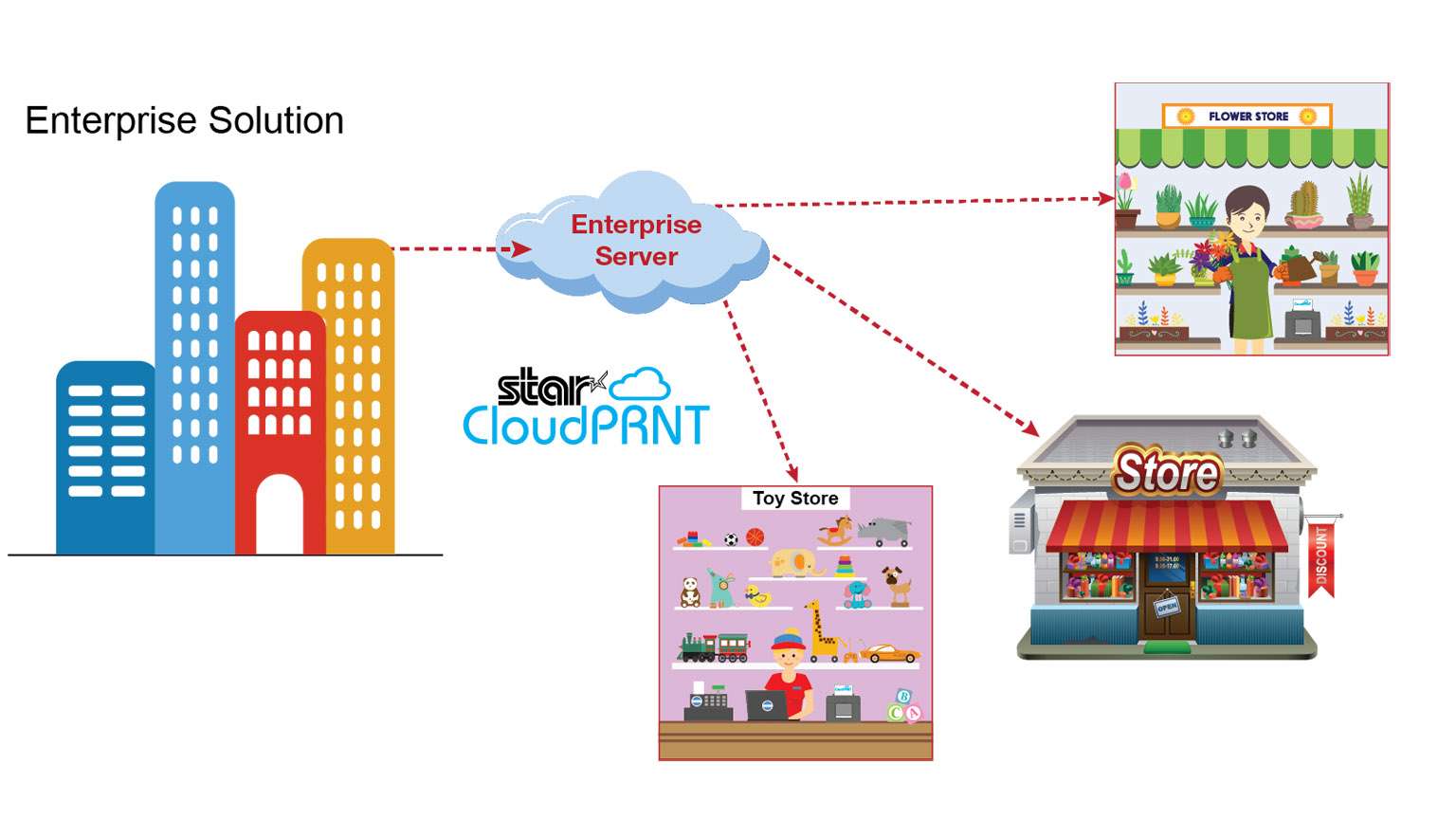
    Star Micronics’ CloudPRNT is an innovative technology enabling users to print to Star printers directly through a cloud service. The CloudPRNT printer retrieves and prints orders and data from any web-based point of sale (POS) system integrating Star’s communication protocol.

    CloudPRNT works with web-based applications to store and create print jobs, and communicate status with the printer. Cloud POS services post information using a JSON format, while the Star CloudPRNT printer pulls this information on a defined interval. CloudPRNT is built on the solution provider/ISV’s server, in the preferred language and architecture.

    Star’s CloudPRNT technology provides benefits to businesses of all types by eliminating the need for an extra tablet to send information to the printer. Instead, the web-based POS is able to communicate directly with the printer. As an added benefit, businessowners and service providers do not need to maintain an SSL certificate for the CloudPRNT printers since they communicate with the server as a client.

    By adopting web-based POS systems, organizations can embrace the latest technology, boost efficiency, and more. Using CloudPRNT, cloud-based POS systems have a new and easier solution to offer businesses, allowing them to seamlessly integrate online transactions into their operations.

    Key Features
    • CloudPRNT printer communicates directly with the server
    • The server can control peripherals connected to the printer (e.g. cash drawer, scanner, digital display, buzzer/sounder)
    • Multi-interface supporting POS (native) and web-based POS systems (cloud)
    • Hosted by the solution provider/ISV – can be built in desired language/ architecture
    • Suitable for any business using web-based applications
      • Labels
      • Orders
      • Receipts
      • Ticket
      • Scheduling
      • And more
    CloudPRNT Compatible Printers

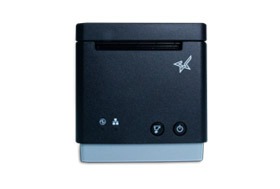
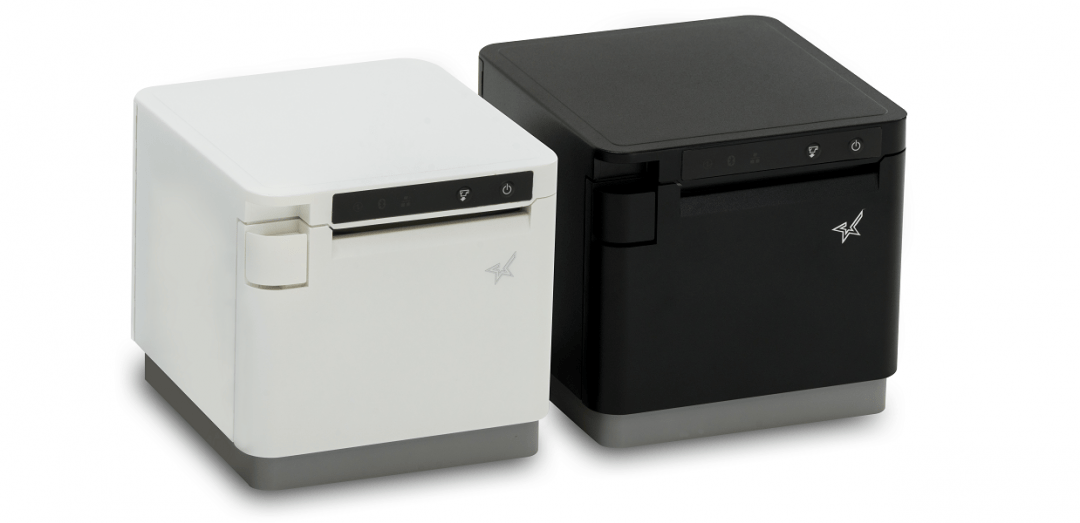
    CloudPRNT is compatible with a variety of Star Micronics printers, including 2” and 3” thermal receipt printers, thermal label printers, impact kitchen printers, and 4” wide-format thermal printers.
    mC-Print3

    mC-Print3-150x150

    3” thermal receipt printer
    Bluetooth, USB, Lightning, LAN
    IPX2 splash-proof design
    Peripheral device connectivity
    Fast charge and communication via USC-C® power delivery port
    SteadyLAN® technology
    mC-Print2

    mC-Print2-150x150

    2” thermal receipt printer
    Bluetooth, USB, Lightning, LAN
    Sleek, compact, connected
    Easy setup
    Guillotine auto-cutter
    SteadyLAN® technology
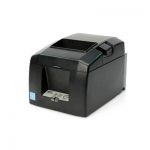
    TSP654II

    TSP654II

    3” thermal receipt printer
    Swappable interfaces: serial, parallel, USB, LAN
    High reliability and performance
    High-speed printing of 60 receipts per minute (300mm/s)
    External power supply included
    Compatible with PromoPRNT
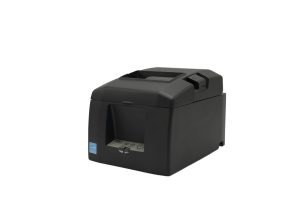
    TSP654IISK

    TSP654IISK-300x200

    Repositionable, liner-free thermal label solution
    Improves order accuracy up to 99%
    Liner-free yields 60% more labels/roll than diecut
    80mm and 58mm paper support
    High reliability and performance at a low cost
    Optional vertical stand
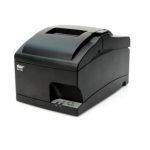
    SP742

    SP742 Kitchen Printer

    Reliable kitchen printer
    Apple MFi Certified Bluetooth, serial, parallel, USB, LAN
    Internal power supply
    High-speed throughput: 13 receipts/tickets per minute
    “Drop-In and Print” paper loading
    All accessories included (except cable)
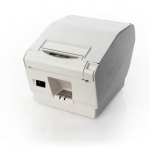
    TSP743II

    Star Micronics TSP743II

    3” receipt and label printer
    Apple MFi Certified Bluetooth, serial, parallel, USB, LAN
    Up to 0.15mm paper thickness
    Black mark label support
    Rear paper feed
    Vertically mountable
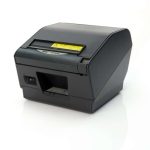
    TSP847II

    TSP847II-AirPrint-PR-150x150

    4” wide-format thermal printer
    Apple MFi Certified Bluetooth, serial, parallel, USB, LAN
    Ultra high speed: 37 receipts per minute (180mm/sec)
    Wide paper format: 4.4” (112mm)
    “Drop-In and Print” paper loading
    Barcode capabilities

    CloudPRNT: Ideal for Online Ordering

    Interesting in CloudPRNT as a Google Cloud Print Alternative?

  • 6 Technologies Resellers Need to Equip Retailers for Success

    6 Technologies Resellers Need to Equip Retailers for Success

    When the COVID-19 wave first began rippling across the globe, many underestimated the full impact it would have on retailers. Now that we are in the throes of it, we are finally recognizing how different the brand-new business climate that we’ve found ourselves in really it. Consumer behavior has shifted in major ways, and retailers all across the country are trying to navigate how to operate and eventually reopen in this brave new world.

    What retailers are truly looking for is guidance and leadership. Like everyone else, retailers feel like they are trying to develop clairvoyance in the face of overwhelming uncertainty. Without having experience a pandemic like this before, it is difficult for them to determine how to reopen safely and successfully.

    Resellers are in a unique position to provide that guidance, as well as the tools retailers need to set themselves up for success.

    1. eCommerce Point of Sale Integration

    Social distancing is top-of-mind for everyone these days. As such, consumers are drastically reducing the amount of time they’re spending in brick-and-mortar location. They prefer shopping online from the safety of their homes instead. It’s going to be crucial that you offer retailers solutions that integrate with eCommerce.

    2. Shop-by-Appointment and Curbside Pickup

    Consumers are shopping less. Concerned with spending a lot of time in brick-and-mortar locations, and the number of other customers they’ll come into contact with, they’re hesitant to venture out. Because of this, some retailers have started implementing shop-by-appointment operations, which helps control the number of customers within the store at any given time and helps provide peace of mind to shoppers.

    Similarly, curbside pickup is booming for many different retailers. This functionality was traditionally used in restaurant takeout operations but has quickly been adopted by retail to help boost brick-and-mortar operations while continuing to keep their customers safe.

    3. Mobile POS Technology for Line Busting and In-Aisle Payments

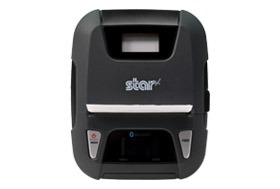
    With how easily this strain of the coronavirus can be spread from person to person, it’s critical that retailers take additional measures to keep Star Micronics SM-L300 BLE Portable Thermal Printercustomers from congregating throughout the store. This includes checkout lines, which are especially ripe for spreading viruses due to the close contact.
    Star’s mobile printers allow retailers to conduct transactions throughout the store to keep customers from gathering in one area. Click here to view all of Star’s mobile offerings.

    4. Self-Service Kiosk

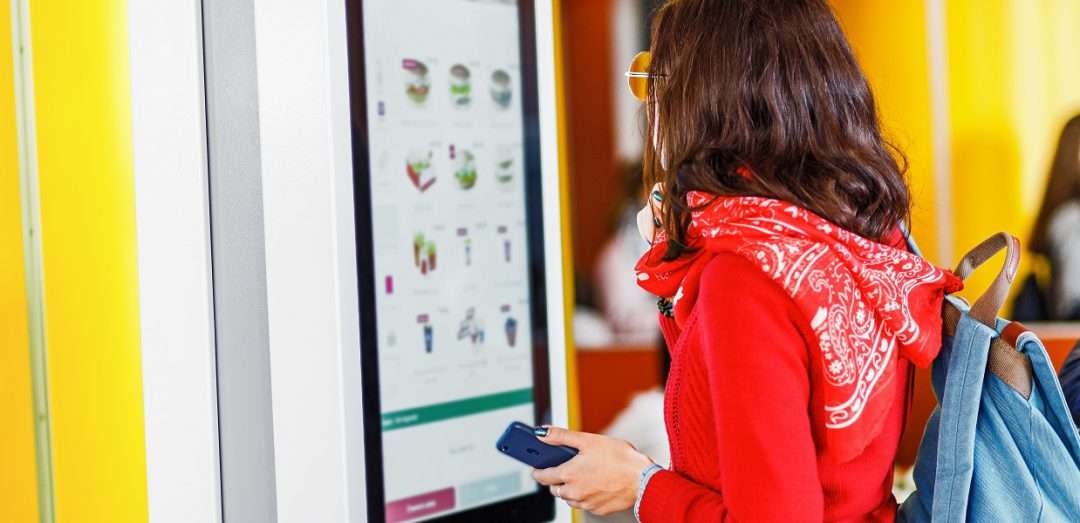
    For a virus that can be spread easily through face-to-face contact and tiny respiratory droplets, it is critical that retailers especially strive to reduce the amount of contact between their customers and their employees. When sanitized properly and regularly, self-service kiosks can help. These devices curtail the spread of infection by limiting the amount of face-to-face contact between staff and customers, helping them feel safer shopping in stores.

    5. Protective Shields

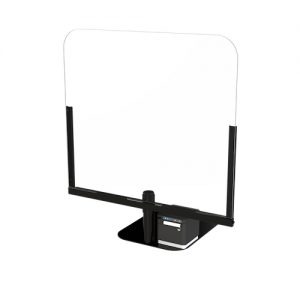
    Offering protective shields that retailers can install at the checkout counter can help them provide some additional protection during the most posshield-portable-plexiglass-sneeze-guard-retail-pos-300x300vulnerable and high-risk time of the shopper’s journey: the point of sale. This is the time where shoppers and employees come in close contact and lines can develop at the counter. It can be difficult to maintain the recommended distance of six feet for this reason. Because of the risks associated with the point of sale, it is necessary for retailers to install additional protection.
    Click here to learn more about Star’s POSShield protective sneeze guard for retail checkout counters.

    6. Contactless Payment Options

    Ultimately, the goal of any retail operation right now is to be able to operate effectively without exposing anyone to the virus. The virus can easily be picked up and carried on hands, so for retailers, implementing contactless payment options will go a long way in preventing its spread.

    The success of your customers directly reflects your own success, so during this time, helping them succeed is paramount. Star Micronics is here to help! We provide the critical solutions that can help your customers overcome their most pressing business challenges – such as online ordering printers, portable printers for mobile payments, self-service kiosk printers, protective barriers for the point of sale, and more.

    Our free eBook provides all information needed to retail resellers, at a glance.

    Free Resources During COVID-19 & Beyond

    Now more than ever, safety is a priority in retail and hospitality environments. Star Micronics is proud to offer a line of solutions and resources for businesses during this challenging time, designed to keep consumers and employees safe, as well as mitigate business impact caused by COVID-19.

  • 3 Self-Service Kiosk Trends Restaurant ISVs Can Capitalize On

    3 Self-Service Kiosk Trends Restaurant ISVs Can Capitalize On

    The rise in demand for self-service kiosks is undeniable – in 2019, the market was valued at $28 billion and it’s expected to reach $68 billion by 2025. During this period of such vast growth that also happens to be occurring as the world navigates the new normal, what are the hottest self-service kiosk trends in the hospitality industry?

    In this blog post, we’ll explore three self-service kiosk trends that restaurant ISVs can capitalize on – while providing peace of mind to restaurant staff and consumers alike.

    1. Simple, One-Piece Screen Design

    Style has always mattered when it comes to self-service kiosks, but since COVID-19 has rocked the world, hygiene is becoming even more of a priority. As the globe adapts to the new normal, providing solutions that help people stay safe is going to become not just an ongoing self-service kiosk trend, but a need.

    Did you know that leveraging a one-piece, bezel-free kiosk screen design can provide aesthetic and hygienic benefits? A single, completely flat glass touch interface for customers to use can easily be cleaned and avoids mechanical keys and buttons which can contain germs and viruses.

    The simple screen design is possible even if the self-service kiosk’s use case requires some grooves to help users feel their way across a surface, thanks to the ability for the glass to be precision machined without giving up the sleek, safe, and easy-to-clean one-piece design.

    2. Antimicrobial Glasses/Coatings

    Now that we’ve discussed the benefits of a bezel-free screen design, how can you go about making sure that glass stays as clean and germ-free as possible? The answer is antimicrobial glasses and coatings.

    Antimicrobial glass – or glass that includes an ionic silver component that effectively reduces bacteria’s ability to multiply – exists on the market today. Additionally, this glass is designed to be scratch- and crack-resistant, helping to prevent cracks and crevices that bacteria can call home.

    Just like self-service kiosks are growing in popularity, so is antimicrobial glass. It’s projected that the North American antimicrobial glass market alone will grow over 6% – to $270 million – by 2023. Additionally, the food and beverage market is expected to see a growth of over 7% over by 2023.

    Free Self-Service Kiosk Resources

    The future of many industries lies with self-service solutions. That’s why Star Micronics is offering free online ordering resources for resellers and software developers who are helping customers future-proof their businesses with self-service solutions.

    3. QR Codes on Receipts

    Contactless payments – or payments that can be made by consumers via a quick tap of their credit/debit card, smartphone, or smart watch – are in high demand, especially during the new normal. Luckily, there are many ways for restaurants to take advantage of the trend even if they do not want to adopt a payment terminal that accepts NFC (near field communication) payments.

    A more affordable option for restaurants that are looking to easily take advantage of contactless payments so that their customers don’t need to touch a card or pin pad to pay is by taking advantage of QR codes printed on receipts. Whether the receipt is printed at the point of sale terminal or at a self-service kiosk, providing the customer with a printed QR code enables them to simply scan the code with their smartphone which then opens a direct link between the restaurant and the customer, where they can complete the transaction. This method is easy, cost-effective, and contactless.

    According to Kiosk Marketplace,

    “As restaurants, independent retailers and micro-businesses begin their recovery efforts from the COVID-19 pandemic, a growing number of merchants are embracing QR code technology as a simple, low cost alternative for payments and customer interaction as demand grows for a safe and cost efficient payments solution.

    While widely popular in China and other overseas markets, QR codes have generally lagged NFC as the preferred methods of digital payment technology in the U.S. However for a growing number of micro-businesses and boutique merchants, they are giving QR codes a hard look as the safest, fastest and most cost efficient path to get customers willing conduct in person transactions.”

    QR codes aren’t just for payments, either – restaurants can take their business to the next level with them. Restaurants can create QR codes that when scanned direct customers to join a loyalty program, visit social media accounts, access special promotions, and more. And when restaurants use a Star Micronics printer, they can easily customize and design these promotions and QR codes for free with PromoPRNT.

    Star Micronics Self-Service Kiosk Printers

    Always leading and always innovating, Star Micronics is proud to offer a full range of self-service kiosk printers that accommodate multiple paper widths, operating systems, and more. The compact, reliable, and high-speed printers are designed to bring any restaurant self-service solution to life.

    Kiosk Printer Family Features:

    • 2”, 3”, and 4” paper sizes
    • Compact or modular footprints
    • Available with multiple accessories including bezels, presenters, large paper roll holders, and more
    • Support Windows, Linux, Android, Mac, and iOS
    • Print receipts, tickets, coupons, or adhesive labels
    • Interfaces include serial, USB, parallel, and Ethernet
    • Available with StarPRNT emulation, allowing software developers to take advantage of the full stack of Star Micronics technology, like StarPRNT SDKs and Star’s powerful line of drivers

    Infographic: Self-Service Kiosks in Foodservice

    Looking to learn more about the impact of self-service kiosks on the restaurant market? Explore the infographic below to discover more about:

    • The growth of the industry
    • How kiosks help restaurants boost profits
    • Operational benefits of kiosks
    • Marketing, branding, and loyalty perks of kiosks
    • And more!

  • Star Micronics Unveils New Version of mC-Print3 with USB-C® Interface and Power Delivery

    Star Micronics Unveils New Version of mC-Print3 with USB-C® Interface and Power Delivery

    The new interface will enable Android, Windows, and Mac devices to leverage SteadyLAN®™ technology

    Somerset, NJ – August 10, 2020 – Star Micronics, a leading manufacturer of mobile, point of sale (POS), and customer engagement technologies, is excited to announce the release of a new version of the mC-Print3 with a new interface including a USB-C® connection.

    With the growing adoption of the USB-C® standard, Star Micronics has added new mCP31C and mCP31CB models to the mC-Print3 family, equipped with a USB-C® port supporting standard communication as well as USB Power Delivery to USB-C® devices such as Android™ and Windows phones and tablets, PCs and Macs. The mCP31C and mCP31CB also allow a USB-C® tablet to charge while connected to the printer.

    The MCP31C interface includes one USB-C® port, two USB-A® ports, one Ethernet port supporting Star Micronics’ CloudPRNT and WebPRNT technologies, and one DK-Port. The MCP31CB interface includes the same connection options as the former model, as well as Bluetooth (non-MFi).

    The addition of the USB-C® connection will allow Android, Windows, and Mac devices to leverage Star Micronics’ SteadyLAN® technology. A world first solution, SteadyLAN® provides stable wired Ethernet service and power to a device connected to a networked printer via the USB-C® cable. SteadyLAN® is also available for iOS devices on the mCP21LB, mCP31L, and mCP31LB mC-Print3 models.

    An industry-leading thermal printer for retail and hospitality, the mC-Print3 provides a simple user experience, is easy to integrate, and features a sleek IPX2-rated splash-proof design. The mC-Print3 is compatible with Star Micronics PromoPRNT receipt marketing technology and is a part of the Star Micronics mCollection, a line of mPOS hardware including printers, cash drawers, scales, tablet POS stands, and more.

    “We are very excited to launch this new version of the mC-Print3,” said Jon Levin, Director of Product Management at Star Micronics. “The addition of a USB-C® connection will allow modern host devices to enjoy the reliable network connection and power supply that SteadyLAN® provides, all through one USB-C® cable.”

  • mPOS: How it’s Revolutionizing Payments

    mPOS: How it’s Revolutionizing Payments

    Mobility is rocking the point of sale world. From line busting to omnichannel marketing, it’s changing the way retailers and restaurateurs do business. The payments branch of the POS world has not been isolated from mPOS and its effects. In fact, as margins shrink and the competition in merchant processing grows fierce, the payment industry is rushing to adopt tablet POS systems. This is due to ISOs (Independent Sales Organizations) needing to add value to their solutions to stay competitive; tablet POS is a prime way to do this.

    What’s more, with the EMV liability shift having gone into effect October 2015, now is the time to look into the latest and greatest in mPOS solutions and what they mean for your payment and transaction options. When you upgrade, you might as well go the extra mile and ensure that you’ve got the edge on your competition.

    Credit-Card-Payment

    Hardware and Software Upgrades: EMV Liability Shift

    EMV Acceptance

    The Oct. 1, 2015 EMV liability shift is driving equipment upgrades across the industry. This shift means that retailers without payment processing equipment certified to the Europay, Mastercard, Visa (EMV) security standard — i.e., credit and debit cards featuring secure microprocessor embedded chips — are liable for any fraudulent activity committed with chip-enabled cards, instead of holding the card issuers liable. Javelin Strategy and Research estimates that U.S. businesses will invest $8 billion to become EMV compliant.

    At an estimated cost of $150 to $1,000 per terminal, retailers must upgrade both their hardware and software systems to become EMV compliant. The good news is that vendors in the retail payment processing industry already have taken the crucial first step of ensuring their product offerings meet the latest standard. When undertaking your EMV upgrade, consider the following:

    • Enlist your vendor: Check with your POS hardware vendor to ensure that your equipment is certified to be EMV compliant.
    • Double-check the app: Is your software EMV compliant? From each of the Big Four card networks (American Express, Discover, Mastercard and Visa), you will need to secure EMV certification through your acquiring bank.

    Now that you know what steps you will need to take, it’s time to determine your options, and to leap into the 21st century, not only to gain the edge on your competitors, but also to deliver a superlative customer experience.

    Graduating from the Electronic Cash Register (ECR)

    Upgrading from the traditional electronic cash register (ECR) to a mobile point of sale (mPOS) platform is one solution to addressing the new payments conundrum.

    mPOS is your POS — unleashed. mPOS, also known as EPOS, generally includes a small, portable, handheld wireless device, such as a lightweight tablet or smartphone combined with a small, usually Bluetooth-based, swipe-and-chip-based payment device and payment app (and any other pertinent peripherals), so that employees can assist customers with transactions from any location in a restaurant or retail store. While traditional POS calls for fixed checkout areas, the accompanying long customer queues, and also takes up considerable floor space, mobile POS enables greater flexibility in the store or restaurant layout, while also enabling superior customer service.

    One solution to the need for EMV compliance is to choose a modern tablet POS platform. Consider the following benefits of tablet POS versus ECR:

    • Lower total cost of ownership: While the initial cost of a tablet POS may be higher than an ECR, the mobile platform will earn back more than its investment over time. ECR does nothing more than accept transactions. With tablet POS, you not only can conduct transactions (including cash payments and returns) and queue-bust during peak volume times, but you can also “save the sale” by looking up inventory information for stockouts. In addition, the tablet POS is built to be durable for any retail or restaurant environment.
    • Easy to setup and use: Tablet POS is user-friendly and compatible with AndroidTM, Apple® iOS, and Windows® — the very same mobile software platforms your employees use on their personal mobile devices. In no time at all, your tablet POS can be up and running, and earning its ROI.
    • Expanded features: ECRs offer few, if any, features beyond basic sale and return transactions. On the other hand, tablet POS offers Bluetooth and USB connectivity so you can add on peripherals that will be useful to your associates and to your customers. Some tablet POS hardware comes with a built-in cash drawer, scanner and receipt printer, so you simply need to pick the tablet that best matches your needs to go live with your new system.
    • Cloud POS offers better data security: Tablet POS software backs up data to the cloud, enhancing your data security. With transactions backed up outside of the local tablet device, you can rest assured that your information is still available in the event that the equipment is lost or stolen.
    • Versatility: Tablet POS gives you options. Restaurants using mobile POS can generate higher table turnover and accelerate order processing during peak hours. Users also have the option to dock your tablet POS as a fixed terminal to checkout customers primarily in one location. What’s more, your tablet POS can seamlessly integrate with loyalty and rewards programs, inventory software, or workforce scheduling and optimization applications.

    The Benefits of mPOS are Endless

    Discover more reasons why mPOS is a wise decision.

    NFC-Payment

    How Do Payments Factor into the Equation?

    Many modern mPOS and tablet POS don’t require upgrading — they’re already purpose-built to accept the latest advancements in payment technologies. To be EMV compliant, your mPOS needs a dip-in card reader that holds the card to read the embedded chip until the entire transaction is complete (unlike previous cards that just needed to be swiped).

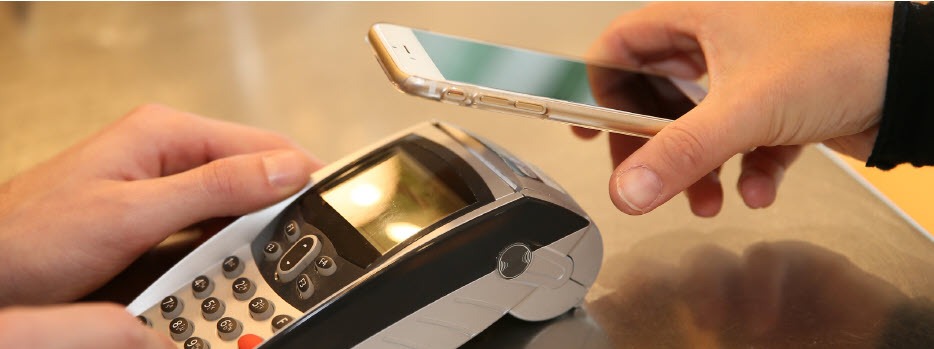
    NFC (Near Field Communications) enables touchless payment applications, such as AndroidTM Pay and Apple® Pay. Customers today expect to be able to pay without pulling out their credit or debit card. These proximity-based payments offer security benefits, as your business never actually receives the customer’s card number, thereby reducing your liability.

    While many mPOS devices aren’t designed to accept cash transactions without forcing the associate back to a fixed station to dock the device, some of the latest tablet POS offerings are built with a sleek and secure, wireless drawer to store cash, receipts, and other essentials. This enables you to serve a wider variety of customers, and not just those seeking cashless transactions.

    In order to complete transactions, you’ll need to print off receipts on-the-fly. Tablet POS can be easily paired, or connected, with wireless, mobile printers that can be carried by, or displayed closely to, the sales representative. These wireless, mobile printers deliver a neatly printed receipt quickly and quietly, offering an end-to-end transaction experience from anywhere in your restaurant or store.

    Why Choose an Ergonomic Mobile Solution?

    When considering mPOS, look at ergonomic mobile solutions. These solutions recognize that some businesses need peripherals beyond the basic tablet POS, such as a combination cash drawer/receipt printer. Here’s what ergonomic mobile solutions offer:

    • Convenience: With an ergonomic tablet POS plus cash drawer/receipt printer, you can accept all payments anywhere, anytime. This is a big improvement over common mPOS, which traditionally only handles electronic payments.
    • Space saver: Ergonomic solutions reduce your POS footprint significantly. With their small size and sleek profile, these platforms are attractive and unobtrusive in your retail or restaurant environment, freeing up space in which you can add tables or expand merchandise displays.
    • Assist mPOS solutions: Because these ergonomic mobile solutions rely on Bluetooth technology for connectivity, they’re fully mobile when needed and rid you of tangled wires and a jumble of dongles.
    • Full functionality: Ergonomic mobile solutions offer robust features and functionality for a wide range of applications.
    • Receipt printer: Small and compact, a built-in printer lets you quickly and quietly print a receipt as soon as the transaction closes. Additionally, sometimes single accessories are needed without a full system. In this case, you should check to see if your system can support additional printers for your bar, kitchen, and other areas.
    • Barcode scanner: If your tablet or mobile device lacks a barcode scanner, your ergonomic mobile solution easily accommodates an optional plug-and-play scanner for reading merchandise.
    • Cash drawer: A secure cash drawer stores currency, checks, receipts and other important items. The size of cash drawer you choose will depend on the number of cash transactions you process a day.
    • Software application: To get the greatest value of your ergonomic mobile solution, pick a software application that supports the latest payment options such as NFC and EMV. This will help you to avoid another technology upgrade in the near future.Digital-Receipts
    • Tablet/device: When evaluating tablet and mobile device options on the market, be sure to select hardware that’s designed to process NFC and EMV payments, preferably without requiring add-ons or peripherals to do so. Choose a device that’s compatible with your preferred software application. Most software applications have a preferred operating system, however if you need a software application to be cross compatible, make sure to do your research and find a web-based solution.
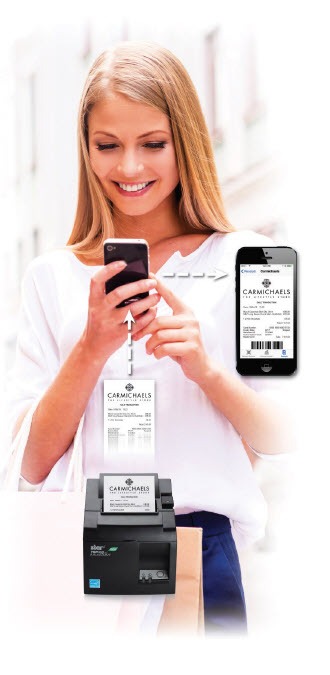
    • Digital receipt: More and more retailers want to deliver an in-store experience that provides digital support. There are innovative, downloadable apps on the market today that are supported by many POS systems. These apps allow your customers to receive a digital copy of their receipt on their smartphones. Some of these apps even allow functionality for customer satisfaction surveys, so retailers can always get a gauge on how they are perceived by their customers.

    Conclusion

    As the payments landscape proliferates at a dizzying speed, retailers and restaurateurs are now facing significant pressure to keep up with the latest technology, and let consumers pay how they want, when they want. mPOS — and tablet POS in particular — is emerging as an essential means of ensuring compliance with the new EMV standard while delivering the brand-building customer experience that your consumers have come to expect.

    mPOP™: An All-in-One mPOS Solution

    mPOP-mPOS-eBook

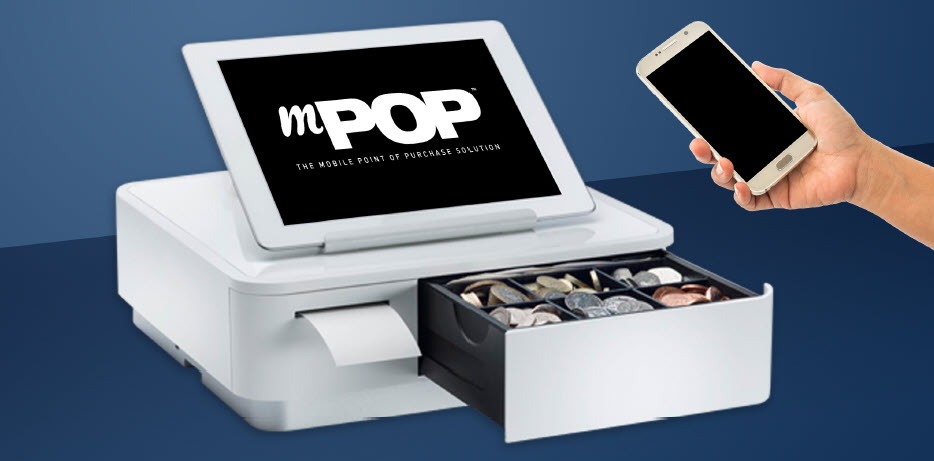
    The sleek, all-in-one mPOP is an ideal solution for businesses looking to implement mPOS. The functions and connectivity of the mPOP make processing customer transactions smooth and effective for small shops, cafes, florists, bars, and many more. Aesthetically simple and elegant, the mPOP provides the ultimate point of sale solution for the new face of mPOS.

    Key Features:

    • Printer – cash drawer – scanner – device stand
    • Compatible with iOS, Android, and Windows
    • Cable management with multiple exit options
    • Cash drawer: 4 bill and 6 or 8 adjustable coin slots
    • Bluetooth 2.1 and USB connectivity
    • “Drop-In & Print” paper loading

  • Why You Should Recognize Coupons as a Promotional Tool

    Why You Should Recognize Coupons as a Promotional Tool

    Coupons? Really?

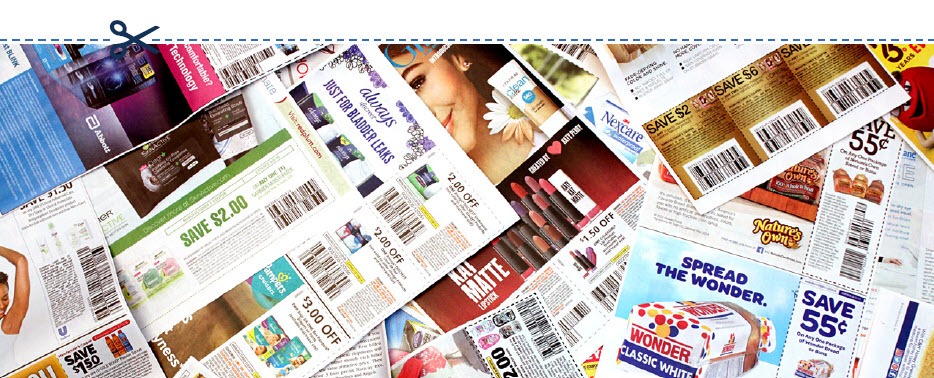
    Yes, really. Coupons have been around for more than 100 years and they’re just as effective today as they were in 1887, when a hand-written coupon for a free glass of Coke was issued by the Coca-Cola Company. According to TIME Magazine, the coupon campaign was so successful that more than eight million free drinks were served between 1894 and 1913. By the 1900s, cereal companies jumped on the savings bandwagon and began issuing coupons.

    Coupons

    Coupons as a Promotional Tool

    More than a century after Coca-Cola first introduced coupons to consumers, they are still a win-win, making these discount offers the top-performing marketing and promotional tools for businesses. Your customers love saving money and receiving free items or services, and coupons give them an incentive to make repeat purchases. In fact, the “2K17 Valassis Coupon Intelligence Report” revealed that 84% of shoppers surveyed said that coupons influence what products they buy, while 86% of people said that they were persuaded to purchase a new product because they had a coupon for it. And once people try something at a discount and like it, they are more willing to pay full price in the future.

    Digital vs. Print

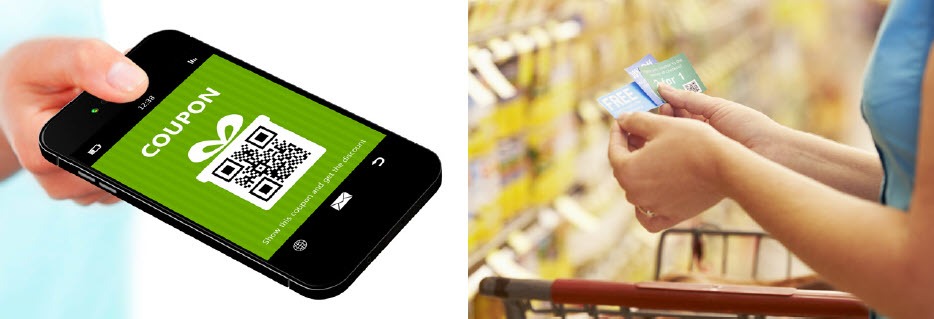
    More than 289 billion printed coupons were distributed in 2015, compared with six billion digital ones, according to statistics released by Kantar Media. And even though digital coupons and offers are growing in popularity, paper coupons are still dominating the savings landscape.

    If you want to issue a coupon, are paper or digital more effective? If you are looking to get the most bang for your promotional buck, printed coupons provide a higher return on investment (ROI).

    Although the redemption rate of digital coupons is a whopping 77%, which also means an increase in the number of sales and heightened brand awareness, these benefits come at a cost. Issuing digital coupons costs more than issuing paper coupons. You’ll shell out more money to mine data, collect email addresses, coordinate social media and develop an electronic marketing campaign. The higher redemption rate of digital coupons balances the costs, but the average ROI is still about 18% lower than the ROI from printed coupons.

    On the other hand, print coupons make up 44% of coupon usage, according to Knowledge Network. And even though the popularity and ease-of-use of digital coupons for consumers make them an attractive option, research shows that 70% of shoppers still look for coupons in printed media and mailers.

    A smart strategy may be to create a coupon campaign that integrates both the digital and print universes. A campaign that seamlessly marries the two solutions together will generate the highest return on investment since you’ll be increasing your reach and reaping the benefits of each method.

    Digital-Coupon

    Who Wants Coupons?

    The answer is: everyone. But you should pay especially close attention to the buying habits of millennials — customers born between the years 1980 and 2000. This generation, now the biggest in the U.S. wields tremendous buying power. This doesn’t mean consumers in this age group are big spenders — research shows they are cost-conscious and tech-savvy. Good branding or budget pricing isn’t enough to attract their business — millennial consumers love a good deal. According to research released by PPRI, 87% of shoppers in this age group used coupons last year. Of the people surveyed, 91% reported they used paper coupons, 85% used coupons that arrived in the mail and 48% took advantage of digital offers.

    Why does this matter? Now that many millennials are established in the workforce and have disposable income, their buying habits have started to reshape the shopping landscape as we know it. Thanks to the buying power of this generation, off-price retailers like Nordstrom Rack and TJ Maxx are thriving as they provide millennials with the thrill of the (bargain) hunt, smart marketing and the right price points.

    Yes, really.

    Coupons are still the top-performing marketing and promotional tools for businesses. Learn more in our free eBook.

    What Else Can I Use Receipts For?

    Although it seems like a minor detail, the receipt is the last thing a customer receives before leaving your store. It’s your final chance to make a great impression — so make sure your receipt is a personalized take-away that is an extension of your brand. Every receipt should be customized with your store’s logo, brand messaging, website and tag line so people can easily identify where it came from.

    The receipt is also another vehicle to engage your customer. Including a customer service survey is a direct channel of communication that gives you an inside look at how your business and products are performing. Typically, customers are offered an incentive like a discount coupon, free item or a chance to be entered into a contest for completing the survey. These surveys help you understand your customers’ needs, evaluate employee performance and remedy any issues before they become a larger problem. Receipts can also be used to announce upcoming sales, promotions or special in-store events.

    Finally, receipts can help you gauge the effectiveness of a promotion because they connect the promotion directly to a purchase. If a printed coupon for a new product is issued in a magazine and sales of that product jump as a result, you’ll know it’s a successful way to draw in new business, and it’s a strategy you should repeat. This is especially important when trying new promotional vehicles. if you want to try a digital promotion via Facebook or Twitter and the desired effect doesn’t materialize, you’ll know to allocate your marketing dollars elsewhere in the future.

    There is a way that SMBs can reduce the cost of printed coupons: by using the receipts they already issue. Star Micronics’ Cloud Services has added a new solution, PromoPRNT, to its service lineup. Star’s Cloud Services was created to bring next generation customer engagement solutions to retailers by transforming their receipt printers into cloud-connected devices. Its newest offering, PromoPRNT, allows retail stores and small business locations to advertise their promotions in the most simple and effective way — printing coupons and promotional materials right onto the receipt that is issued to a customer.

    Smartphone-and-Receipt

    What is PromoPRNT?

    PromoPRNT is the newest tool merchants can use to raise product or service awareness, create unique discounts and monetize in-store traffic in an effective way. Thousands of SMBs have already started using PromoPRNT, which allows them to deliver promotions using nothing but their Star Micronics cloud-connected thermal printers. Printing coupons on customer receipts allows you to reach a higher percentage of shoppers for a fraction of the cost of a print or digital campaign and compliments the marketing campaign you already have in place.

    Merchants can reduce the cost of printing coupons and digital campaigns through external services and engaging customers at the POS terminal. Retailers can choose from the templates of coupons, store offers and messages to customize their receipts, giving them ability to advertise and run promotions at their POS system. You also have the option to integrate barcodes of discount codes and include validation dates. The coupons or promotional messages can be deployed to every store printer from the comfort of your desk.

    Printing a coupon on the receipt takes the guesswork and cost out of delivery–you can be sure the customer receives it. And as an added bonus, employees can talk about the coupon/promotion while they are processing the transaction and circle or highlight the promotional offer on the receipt so the customer doesn’t forget.

    Learn more about PromoPRNT in the below video:

    PromoPRNT is free and easy to use.

  • Star Micronics Introduces Feature-Packed Choice Series Cash Drawers

    Star Micronics Introduces Feature-Packed Choice Series Cash Drawers

    The features businesses know and love – with added strength and benefits

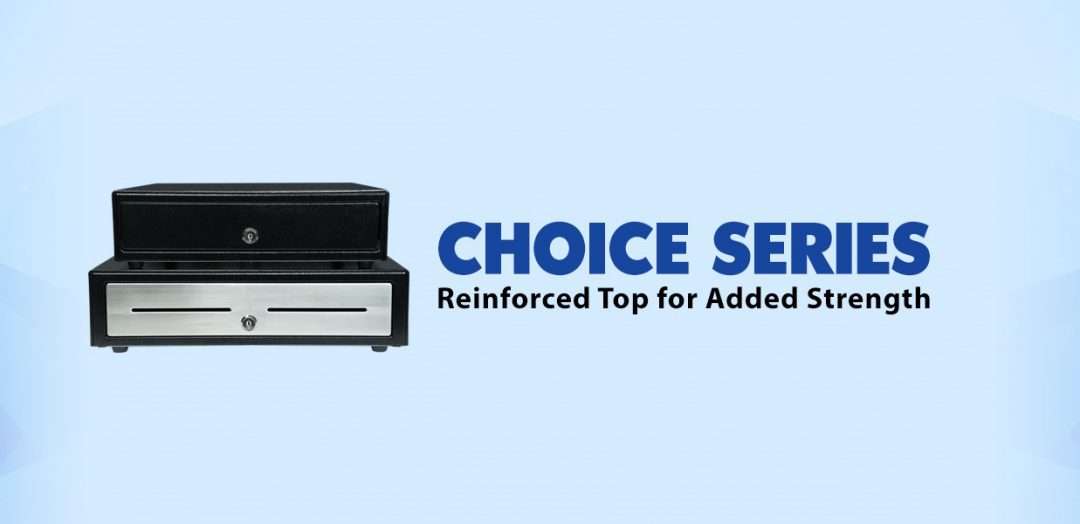
    Somerset, NJ – July 21, 2020 – Star Micronics, a leading manufacturer of mobile, point of sale (POS), and customer engagement technologies, is excited to introduce the Choice Series cash drawers to its line of cash management solutions.

    Available in 14” x 16” and 16” x 16” sizes and glossy black and matte white finishes, with an optional stainless-steel front design, the Choice Series cash drawers are available in the sizes and styles businesses demand. Equipped with standard till sizes, the 14” x 16” cash drawer features a 4 Bill-5 Coin till and the 16” x 16” model includes a 5 Bill-5 Coin till, with additional sizes available to fit a business’ specific needs.

    Stronger than their competition, Choice Series cash drawers feature a reinforced top creating added strength to eliminate bounce from touch tablets and securely support POS terminals. The Choice Series is a one-key cash management solution enabling both the cash drawer and locking till cover to be operated by a single hinged key. Managers will love the convenience of a single hinged key that will not break off in the lock.

    Simply connect the cable included with your Choice Series cash drawer to the drawer kick of your POS printer and enjoy years of reliable operation tested to over 1 million cycles and backed by a three-year warranty. Available options for the Choice Series include under-counter mounts, locking till covers, over 10 different lock set options, and a secure dual-cash cable to enable the Choice Series to work as either cash drawer 1 or cash drawer 2.

    The Choice Series complements two other Star Micronics cash drawer lines: The Value Series of affordable, standard cash drawers, and the Max Series of premium cash drawers with added security and design features.

    “The combination of simple setup and operation, reliable and secure steel construction, and compatibility makes the Choice Series right for your business,” said Michael Hanson, Executive Vice President at Star Micronics. “Make your next sale a Star Bundle by adding a Choice Series cash drawer to Star’s expanding portfolio of customer solutions.”

  • Why BLE Thermal Printers are Ideal for DSD Applications

    Why BLE Thermal Printers are Ideal for DSD Applications

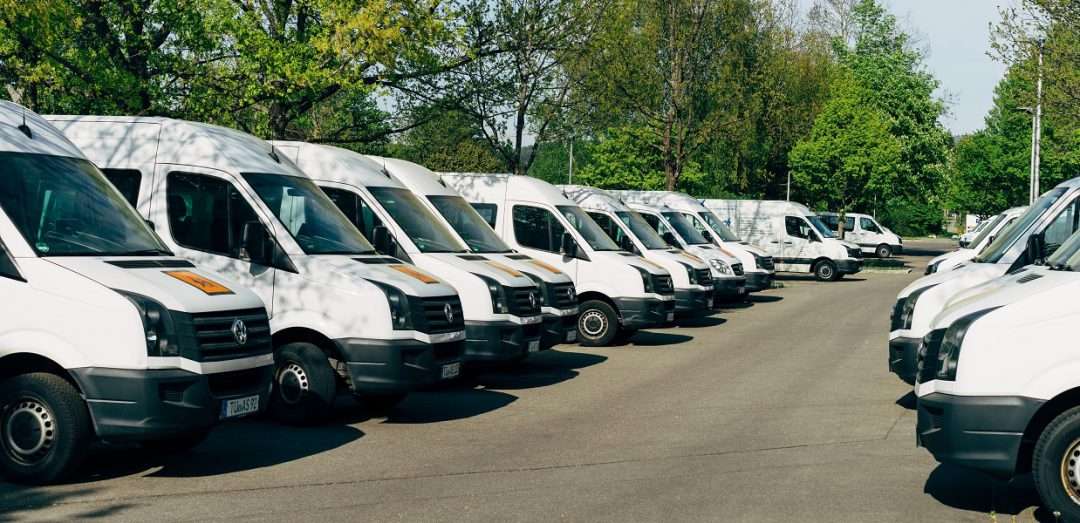
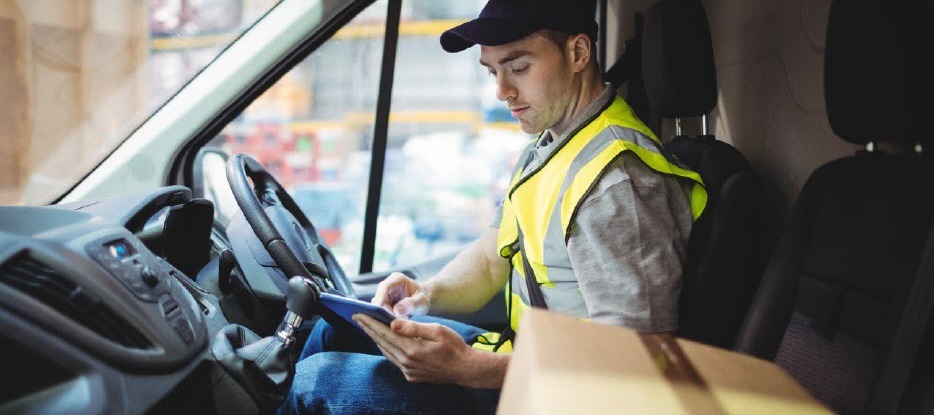
    Direct store delivery (DSD), selling or distributing products directly to the point of sale (POS) or point of consumption (POC), is especially popular for food, drink, and other high-volume goods. Eliminating the “middlemen” in the supply chain is most efficient, especially when products have a short shelf life or are in high demand. Manufacturers ranging from Coca-Cola® and Budweiser® to Entenmann’s® and Hallmark Cards use DSD to get products right to the store — and to shoppers faster.

    One of the elements essential to a successful DSD process is to add a mobile automation solution that supports receipt and label printing. Mobile DSD solutions give drivers more time to spend on merchandising, information gathering, campaign management, and other value-adding DSD-related services, instead of having to manually create invoices and receipts.

    The ability to print on-demand is also extremely helpful. For example, a driver may find that an individual store’s needs have changed, and mobile printing can quickly and easily produce accurate, up-to-date invoices, orders, pick lists, receipts, labels, and more.

    Your customers rely on you for solutions that enable their mobile sales teams to work most efficiently and maximize profits. Providing reliable on-demand printing in the field, however, hasn’t always been easy. Smart solution providers are offering their customers Bluetooth Low Energy (BLE) mobile thermal printers, an ideal choice for DSD applications.

    What Makes BLE Printers Different?

    BLE printers support a communication range similar to “classic” Bluetooth of at least 330 feet, with significantly reduced power consumption. This feature offers operational cost savings and prolongs battery life. But perhaps an even greater advantage is that BLE printers can work with any compatible iOS device (iPhone®, iPad®, iPod Touch®) without the need for pairing. With standard Bluetooth, only one printer can be paired with an iOS device, and each user must use that specific mobile printer every day. However, BLE allows any employee to use any mobile receipt printer since no pairing is required. This feature makes BLE printers perfect for bring your own device (BYOD) environments.

    Benefits of BLE

    There are several benefits your clients can expect when you provide a BLE mobile thermal receipt printer for their DSD applications:

    • Easy to use: Because BLE mobile printers are shareable between multiple iOS devices, drivers can simply grab a printer and go without worrying about matching a particular printer to their devices. No pairing also means that drivers who aren’t tech savvy don’t have to go into their iOS settings and deal with configuring. Connections between the printer and mobile device are handled automatically by applications, so the user can just open an app and print from there. Ease of use also extends to fast and simple paper loading, with printers offering “drop in and print” roll changes.
    • Smaller, Portable Footprint: A mobile printer needs to be compact and lightweight. Drivers use these printers all day, so they need something small and easy to carry. There are BLE mobile printers that fit easily in the palm of one’s hand and can be worn comfortably on a belt clip. Some weigh about 1 ounce or less, including the battery.
    • Reliability: Productivity depends upon consistent device performance. BLE printers deliver high-quality print resolution, ensuring your driver has a clean and readable receipt every time. BLE printers also have high mean cycles between failure (MCBF) rates, with the ability to print millions of lines before requiring maintenance beyond paper changes. In addition, durable print heads can last for 30+ miles of printing.
    • Battery Life: Related to reliability, don’t under estimate the importance of battery life. DSD drivers’ long shifts mean that printer batteries need to last. Look for BLE printers that offer at least 10+ hours of battery life. A good BLE printer will also have a USB port and cable for convenient charging with any mobile device USB power adapter or PC USB port.

    Delivery-Man-in-Truck


    Must-Have Features

    When you are looking for the best BLE mobile printer for your customers, make sure it has the right features to meet the greatest variety of printing needs.

    • Direct Thermal Printing: With thermal transfer or impact printing, the print head comes into contact with an ink ribbon to produce text. Direct thermal printing eliminates the need for a ribbon, as the print head contacts the thermal paper and produces text through a heat reaction. There are several reasons why direct thermal printing is the best choice for mobile printing and in particular for the fast-paced environment of DSD. The only consumable is the paper, which saves time and maintenance (no worries about having to change ribbons) and is more economical, providing significant cost savings. Direct thermal printing also produces a higher resolution than thermal transfer, creating crisp, legible receipts. They print faster as well, with some printers offering speeds of 1 to 2.5 inches per second. In addition, they operate quietly, which is a necessity when working in a customer’s store.
    • Connectivity: Besides BLE 4.0 for use with any iOS devices, it’s helpful to also have standard Bluetooth 3.0 for use with Android and Windows devices as well as iOS. In BYOD environments, some users may not have an iOS device to take advantage of BLE, so having a backup means of connectivity is wise.
    • Backlit Display: These printers may be used in bright sunlight conditions, and a backlit LCD is easier to read.
    • Versatility: A good BLE printer should offer 1D and 2D barcode support to suit a range of printing needs. There are also BLE printers that offer adjustable paper width for greater flexibility. Some printers also provide special capabilities such as a “de-curl” feature for smooth and flat receipts.
    • Durability: Mobile printers need to be able to withstand tough working conditions and various environments. An ingress protection (IP) rating will tell you about the level of the printer’s resistance to dust and moisture. The first digit refers to dust protection, and the second digit refers to protection against liquids (everything from raindrops to soda spills). The higher the digits, the greater the resistance. Also look for printers that have a drop test rating of 3 to 4 feet to see whether they can withstand a fall to pavement or a store floor.

    And of course, it’s good to look for a product backed by a warranty that will help you maximize your profits as a value-added reseller.

    Truck-Driver

    Other Industries that Benefit from BLE Printing

    BLE mobile thermal printing isn’t just for DSD applications. It will benefit any of your customers within an industry or corporation where employees use devices of their choice for BYOD environments. Any workplace that uses a pool of printers for a fleet of mobile workers will appreciate the “grab and go” convenience of not having to pair specific devices. A great example of this type of workplace is a taxi, limo, or rideshare service. BLE mobile printers can also be an economical choice for linebusting in retail stores or faster service in restaurants.

    Give Your Customers the Best Choice

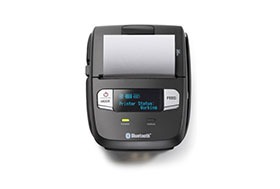
    A BLE thermal receipt printer for DSD applications is the most sensible option for your manufacturer customers. Set their DSD drivers up for success with a printer such as the Star Micronics SM-L200 and the new Star Micronics SM-L300.

    Providing solutions that address your clients’ pain points and increase their efficiency will help cement your role as a trusted business advisor. They need your guidance when it comes to technology — helping them find the very best solutions for their applications will establish you as a true partner that has their business’ best interests in mind, not just someone who sells technology.

    Partnering with an industry leader in mobile printing technology can help you stay on the cutting edge of technology and provide your clients with state-of-the-art solutions that can give them new operational efficiencies and a competitive advantage.

    Taxi-Driver

    About the SM-L200 and SM-L300

    SM-L200Star Micronics SM-L200 Portable BLE Thermal Printer

    The SM-L200 supports Bluetooth low energy (BLE 4.0) technology for all iOS mobile devices such as the Apple iPad®, iPhone® and iPod touch®. Its compact and lightweight design make this two-inch portable printer perfect for a wide range of applications from queue busting in retail and hospitality to home delivery 58mm wide invoicing.

    The SM-L200 is the first portable printer currently on the market which offers the ability to connect any Apple, iOS BLE compatible device without having to pair to it. With no limitation on the number of devices connected, BLE is the perfect solution for BYOD (bring your own device) environments that does not require any certification or prior authorization from your iOS operating system. In addition to the BLE feature for iOS, the SM-L200 is Bluetooth (3.0/ 4.0) compatible with all operating systems (Windows, Android, and iOS).

    SM-L300Star Micronics SM-L300 BLE Portable Thermal Printer

    Always leading – always innovating, Star Micronics is proud to introduce the SM-L300, 3-inch portable printer. This addition to the SM-L series of Bluetooth low evergy portable printers allows users to connect to any Apple iPad®, iPhone®, or iPod touch®, iOS BLE compatible device without having to pair to it. With no limitation on the number of devices connected, BLE is the perfect solution for any environment using multiple devices for mPOS printing. In addition, it requires no certification or prior authorization from your iOS application. The SM-L300 is Bluetooth (3.0/4.0) compatible with all operating systems including Windows, Android™, and iOS.

    Ready to learn more about BLE thermal printing? Get your copy of our free eBook, “Why BLE Thermal Printers are Ideal for DSD Applications” now!

  • 3 Benefits of a Tethered Connection Between a Restaurant POS Tablet and Receipt Printer

    3 Benefits of a Tethered Connection Between a Restaurant POS Tablet and Receipt Printer

    Restaurant technology is evolving extremely quickly. Gone are the days of taking orders by hand on a paper tablet and punching entries into a legacy point of sale (POS) system. Clunky POS terminals have been replaced by sleek tablet-based POS systems, complete with integrated sales, menu, and loyalty information.

    As the hospitality industry leverages all of the benefits that mobile point of sale (mPOS) has to offer, one thing is more important than ever: connectivity. In today’s blog post, we will explore how a tethered Ethernet connection between a restaurant POS tablet and a receipt printer can benefit restaurants in three major ways.

    1. Steady Network Connection

    A tethered connection – or a direct connection from the POS tablet to a restaurant’s Ethernet network – is very important because it means one thing: reliable connectivity!

    A steady network connection is an absolute gamechanger when it comes to any restaurant and retail business, as Wi-Fi signals tend be weak and unstable in physical brick-and-mortar locations. Why is this? According to Infovista,

    “Wi-Fi signals are notoriously sensitive to the surrounding environment… Construction materials, nearby sources of interference, even the products on the shelves can attenuate Wi-Fi signals.”

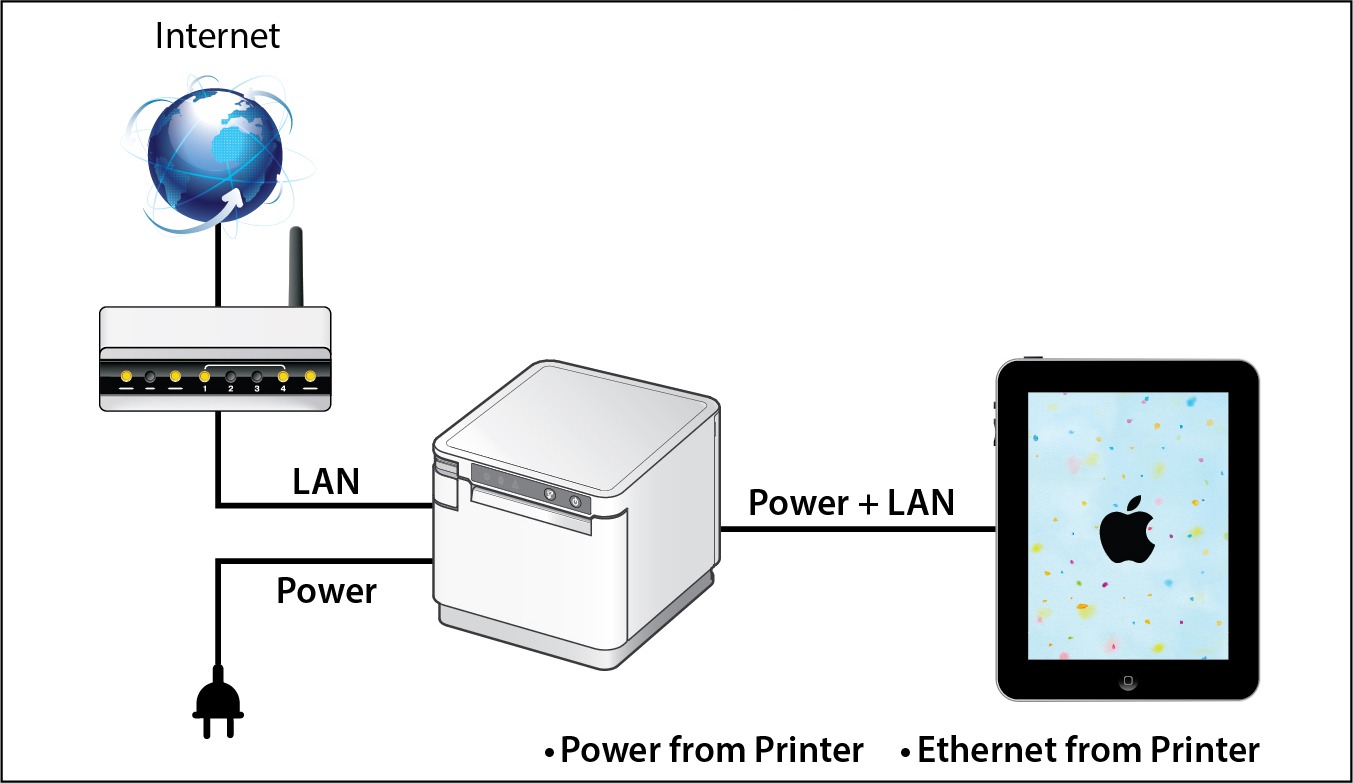
    When you choose a POS system that includes a dependable tethered connection that runs from the receipt printer through to the POS tablet, you eliminate the need to worry about Wi-Fi signals all together. Using this setup can also provide an added bonus: By selecting a receipt printer that provides both Ethernet connection and power to the tablet, restaurants can experience a true “two-birds-one-stone” situation in terms of streamlining their POS and boosting its reliability and functionality.

    2. Prevent Downtime

    When it comes to any business, and especially restaurants, time is money. Processing transactions and turning tables quickly means more profit for the business and happier customers who are more likely to return to the restaurant. When running a business smoothly is a top priority, one thing can be very dangerous: downtime.

    If a restaurant relies on an unstable Wi-Fi network to process transactions and close tabs, downtime can unfortunately become a regular occurrence. Choosing a POS system with a receipt printer that provides both wired Ethernet access and power to the tablet means that restaurants can mitigate the risk of network downtime and keep business flowing smoothly because they are avoiding network disconnection, as well as the possibility of the tablet running out of charge.

    Two of the most important things to patrons are a restaurant’s food and its service. Ensure you are providing smooth, timely, and high quality service by implementing tethered connections at the POS.

    3. Space and Cost Savings

    Just like avoiding downtime is critical to a restaurant’s operations, reducing expenses and creating a clean, cohesive aesthetic is also important. A tethered connection between the receipt printer and the POS tablet can help you do both of those things.

    With a tethered connection between the receipt printer and the tablet, Ethernet connection and power are routed through one cable, so you have fewer cables and adapters to purchase and manage. This not only saves money but also provides a tidier, clutter-free look at the POS which is a place where you have the opportunity to make a positive impression on many customers, especially those that are simply popping in to quickly pick up their online ordering order.

    Looking to modernize your restaurant and take advantage of online ordering?

    Download our free eBook, “Is Your Restaurant Ready for the Growing Online Ordering Trend?” now!

    SteadyLAN® for Tethered Connections in Restaurant POS

    Star-SteadyLAN-Technology-Final-withoutlogo

    If you are interested in the benefits that a tethered connection between the receipt printer and restaurant POS tablet can offer, look no further than Star Micronics’ SteadyLAN®!

    Star’s unique SteadyLAN® technology (patent pending) makes unstable Wi-Fi signals a thing of the past! SteadyLAN, available on certain mC-Print models and designed for iOS, Android, and Windows devices provides direct cabled control of the printer and attached peripherals, as well as Ethernet provision to the tablet, from the wired Ethernet port of the printer.

    For locations where Wi-Fi connectivity is not possible or unreliable, this new technology is a world-first, providing the stability of a cabled LAN connection for tablet POS systems. By connecting the SteadyLAN-compatible printer to the Internet via wired LAN and connecting the printer and a tablet with a Lightning-USB or USB-C® cable, the device can use the Internet without Wi-Fi communication. At the same time, the tablet can communicate with the printer via USB or LAN and can be charged from the printer.

    To more about SteadyLAN, click here or watch the below video:

    Which Printers Include SteadyLAN?

    SteadyLAN is available on certain models of both the mC-Print2 and the mC-Print3.

    mC-Print2

    mC-Print2

    2” thermal receipt printer
    Easy setup
    Guillotine auto-cutter
    Bluetooth, USB, Lightning, LAN, CloudPRNT
    Cloud ready
    SteadyLAN™technology available on model: mCP21LB

    Learn more about mC-Print2

    mC-Print3

    mC-Print3

    3” thermal receipt printer
    Simple user experience
    Easy to integrate through common SDK
    Bluetooth, USB, Lightning, LAN, CloudPRNT
    IPX2 splash-proof design
    SteadyLAN™ technology available on models: mCP31L and mCP31LB

    Learn more about mC-Print3

    Star Micronics is proud to offer a full range of restaurant POS solutions for tablet POS, online ordering, back-of-house, and more.

  • Technology for the New World of Retail: Ultimate Checklist

    Technology for the New World of Retail: Ultimate Checklist

    The COVID-19 pandemic has drastically changed the way people shop, forcing retailers to reevaluate their processes and their technology. While there are uncertainties, we know stores just aren’t going to reopen and go back to normal.What will retailers do differently? What will shoppers expect? What new technology do retailers need?

    Across the country, consumers are choosing to shop with retailers that offer cleaner stores, shorter checkout lines, curbside pickup, “Buy Online, Pickup In Store” (BOPIS), touchless payments, and more. As consumers adapt, they will become accustomed to these new conveniences, and eventually expect it. Retailers that start using newer technology to adapt and offer all these options will succeed.

    Whether they want to or not, retailers have to change – not to just get through the pandemic, but to be successful in the new world of retail. There have been important lessons learned from COVID-19 for retailers, all of which should be taken into consideration moving forward.

    10 Retail Technology Solutions for Today’s New World

    Whether you are an essential retailer, or reopening your brick-and-mortar, here are 10 technology solutions to help retail businesses reopen and adopt to the new world of retail:

    1. Online Shopping

    If there’s one thing we’ve learned over the past few months, having an online storefront is vital. If you have a physical store, offer BOPIS and add curbside pickup as a delivery option on your site. Consider selling on third-party sites such as Amazon, Walmart, eBay, and Facebook to expand your market reach and increase online sales.

    2. Curbside Pickup

    While many retailers offer curbside delivery, it’s not always easy to manage, especially with lots of orders and/or limited staff. Develop a well-thought-out process to manage your orders and use text messages/emails to communicate the status of each order with customers.


    3. Mobile Point of Sale

    With current restrictions, it’s important to keep traffic flowing. With a mobile POS solution, you can process payments anywhere in your store to keep lines as short as possible (line-busting), as well as outside your store for curbside pickup.

    4. Touchless Payments

    As more brick-and-mortar businesses reopen and consumers return to shopping in stores, touchless solutions become more and more important. Consider offering Smart Wallet payment processing solutions, such as Google Pay and Apple Pay. This allows customers to pay for their orders without having to reach into their wallet or touch your credit card device.

    5. Sneeze Guards

    All stores should have a shield for virus protection. Some sneeze guards are designed for specific point of sale monitors, so check with your technology provider before buying a custom solution. They should be easy to install and relocate in case your store setup changes.

    6. Security Labels

    If you offer home delivery or curbside pickup, you can secure packages with tamper-proof labels (or seals). These labels provide visual evidence if a package has been tampered with. Your customers will appreciate it!

    7. Email Marketing Automation

    With fewer customers visiting brick-and-mortar stores, retailers need a way of communicating with customers and getting promotions out. If you aren’t already, use an email marketing solution. If your system allows it, personalize and automate your campaigns/promotions to drive up clicks and sales.

    8. Self-Service Kiosks

    If your store gets busy, add a few kiosks so customers can shop your store’s live inventory without having to walking around. Add kiosks outside your store if shoppers have to wait in a line to enter your store.

    9. Robots in Retail

    Since the pandemic, more retailers are considering robots to reduce human-to-human interaction. They can restock shelves and assist with customer service; at one Best Buy store, a robotic cart was spotted supporting curbside delivery. And they sure look impressive!

    10. Scan-and-Go

    For retailers willing to experiment, scan-and-go looks like a promising technology for mainstream retail, especially in the post-Coronavirus world. Similar to Amazon Go, customers simply grab items off the shelf and walk out, eliminating checkout lines altogether.

    Tips for Purchasing New Technology

    Before purchasing new retail technology, prepare a list of all the hardware and software you own, and what you think you may need. Even if it’s just a short list, it will help you plan a budget and compare solutions. When making your list, consider all mobile point of sale devices, credit card devices, receipt printers, cash drawers, scanners, servers, internet service, retail software, eCommerce technology, and more.

    5 ways to save on new technology purchases:
    1. Tax deductions: Save all receipts and ask your staff to save receipts too. Technology purchases for your business can be deducted on taxes.
    2. Trade-ins: Before disposing of your unneeded hardware (which can cost money), ask your technology provider if they accept trade-ins, or sell/donate it to a store that needs it.
    3. Financial assistance: Research grants and financial assistance offered by organizations to retail businesses impacted by the COVID-19 pandemic.
    4. Volume discounts: While you shouldn’t base new technology purchasing decisions solely on price, ask your technology provider if they offer volume discounts and/or have any current promotions.
    5. Defer payments: Many technology providers are currently assisting retailers and helping them adopt new technology solutions by offering either deferred payments or even buy now, pay later models. For example, at Celerant, we are currently offering your first 3 months free for any new SaaS product to help retailers get started with new technology now, while not having to pay until later.

    Are you Ready for New Retail Technology? 

    Celerant Technology is the #1 provider of innovative retail software.

    To help retailers during this challenging time, Celerant is offering up to 3 months free on new SaaS retail software contracts; from now through June 30th.

    At Star Micronics, our hearts go out to anyone impacted by COVID-19, either directly or indirectly, especially to those who are sick, to whom we extend our heartfelt wishes for a full recovery. To learn more about what we are doing as an organization to reduce the global impact of COVID-19, in terms of health and business, please click here.
    To browse all of our blog posts covering tips for small businesses during COVID-19, please visit our #StarForSmallBiz blog collection.