Tag: Receipt Printers

  • The Easy Way to Implement Library Book Barcodes and Maximize Their Benefits

    The Easy Way to Implement Library Book Barcodes and Maximize Their Benefits

    Implementing library book barcodes offers readers and librarians the best of both the physical and digital worlds. Despite the trend toward digital information, physical books remain the preferred choice for many. 

    Discover Star’s Library Solutions

    Professionals using reference books with maps or schematics often find it easier to see the entire image in a physical book rather than scrolling on a screen. Students may also benefit more from reading physical books. A Cambridge study reported in Yahoo! News found that students reading printed material comprehend six to eight times better than those reading from digital devices.

    Additionally, many people who read for pleasure simply enjoy the tactile experience of turning pages as they anticipate the next sentence in a thriller or romance.

    The continued demand for printed books underscores the importance of libraries to their communities. However, as more books join the classics and centuries of reference materials on the shelves, the task of classifying, organizing, and protecting them becomes increasingly complex. Library book barcodes simplify the management of these physical assets, making storing, organizing, and tracking books easier.

    The Benefits of Library Book Barcodes

    When library administrators choose to barcode library books and other assets in their collections, they take a major step toward greater efficiency and visibility. Using barcodes for library books optimizes:

    Inventory Management

    Scanning a permanent barcode label on a library book informs the library’s system that the title is on the shelf and available for patrons to borrow. Additionally, when librarians scan library book barcodes upon return, their management system can direct them to the exact floor, stack, and shelf for reshelving.

    Barcodes for library books streamline inventory management by providing a digital representation of all titles, saving time, and ensuring proper storage and display.
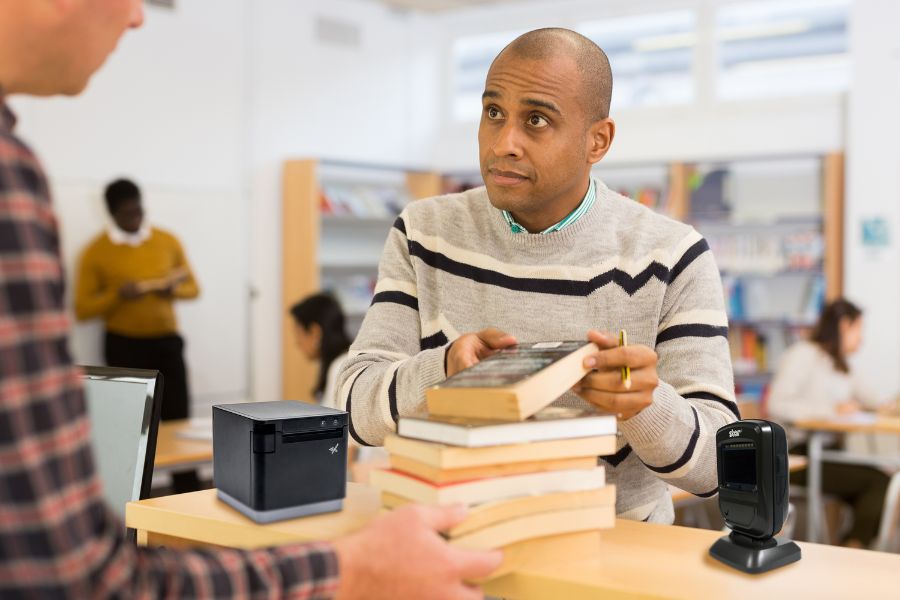
    Get the ideal library printers and scanners from Star Micronics.

    Online Services

    Library barcode systems are essential to publishing a collection online, giving patrons the convenience of reserving titles for pickup via a device. Libraries that work cooperatively can also use data from barcodes to find titles in other locations and arrange for their patrons to borrow them.

    Book Borrowing

    Barcodes for library books eliminate the need to glue library cards inside books. Librarians simply scan patrons’ library cards and the barcodes on the titles they’re borrowing. The library management system then tracks who borrowed the books and their due dates. Additionally, the system can send email or text reminders to help patrons avoid fines.

    Self-Service Returns

    Library barcode systems enhance the efficiency of dropbox returns. Patrons scan the barcodes at a kiosk when returning books, confirming the return and logging the time. The library’s system immediately updates the status, making the books available for borrowing sooner, benefiting patrons waiting for those titles.

    The Right Tools to Generate and Read Library Book Barcodes

    While library barcode systems offer numerous benefits, the value they provide depends on the quality of labels and the library’s barcode scanner capabilities.

    Library Barcode Label Printers

    Printers for library book barcodes must produce high-quality images for accurate scans. Printers that are flexible enough to work with the library’s label software will result in higher-quality barcode labels and make the labeling process easier. 

    The printer should also accommodate the label media the library chooses. It should be versatile enough to print permanent linerless or die-cut labels for book spines and repositionable sticky labels that librarians can use for holds or titles that patrons reserve online. A printer that accommodates linerless labels–labels without a silicone backing–can streamline labeling processes and reduce clutter and paper waste.

    mC-Label2 Multifunction Printer

    The mC-Label2 packs powerful features into a compact, front-loading design, including 300 dpi resolution, support for linerless, die-cut, receipt, and continuous media, and connectivity options like USB-C, LAN, WLAN, Bluetooth, and Apple MFi-certified pairing (X4 models only).


    Explore the mC-Label2 >

    The mC-Label2 multifunction label printer by Star Micronics.
    The mC-Label3 multifunction label and receipt printer from Star Micronics.

    mC-Label3 Multifunction Printer

    The Star Micronics mC-Label3 is a versatile multimedia printer that prints a wide range of labels and receipts, including both permanent and repositionable sticky linerless. It features cloud connectivity and innovative technologies like SteadyLAN and TetherLAN for enhanced printing convenience.

    Discover the mC-Label3 >

    Library Barcode Scanners

    In addition to printing high-quality labels, libraries also need reliable barcode scanners to read them. Scanners should read both one-dimensional, also known as 1D or linear barcodes, and 2D barcodes, like QR codes, to collect information from different types of codes the library uses. 

    Because labels on book spines or assets could become distorted, libraries will benefit from scanners that can read barcodes on uneven surfaces. The scanner should also work reliably in different lighting conditions, giving accurate reads even in low-light areas. 

    Libraries will also benefit from desktop scanners for use at the front counter and wireless handheld scanners for use by librarians when managing inventory.

    Star’s 1D/2D Barcode Scanners

    Star offers a comprehensive range of IP-rated 1D/2D barcode scanners, ideal for diverse business needs. From retail to healthcare, our versatile scanners excel in parsing driver’s license and ID barcodes, ensuring swift and accurate data capture. Choose the perfect fit for your setup—desktop, handheld, or wireless Bluetooth options available.
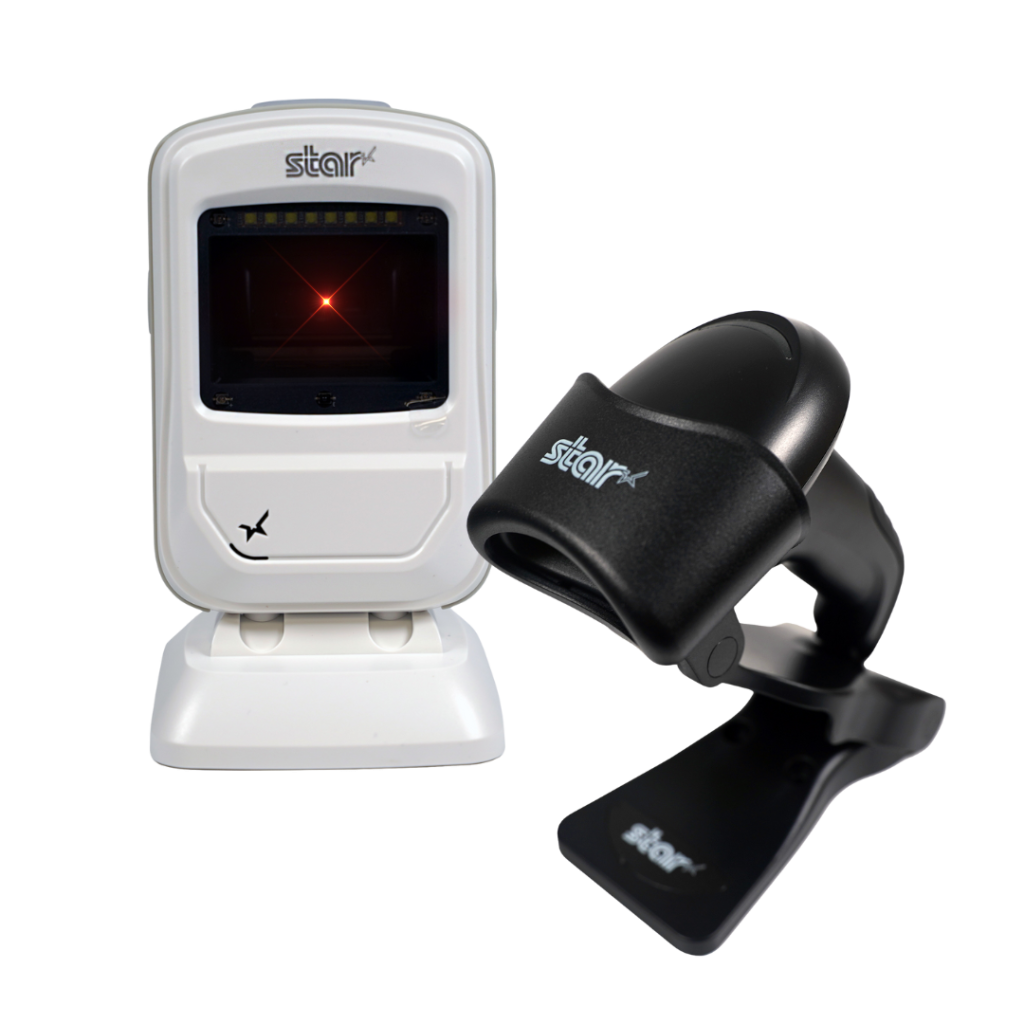
    Star Micronics has the latest in retail barcode technology solutions with a range of desktop, USB handheld, and wireless handheld scanners.

    Future-Proof Operations with a Barcode Library System

    As library collections expand and the labor shortage persists, libraries must find ways to operate more efficiently. Implementing barcodes for library books allows librarians to accurately manage inventory and gain instant visibility into their collections.

    Barcode technology transforms the management of physical books, making it as streamlined as handling digital assets. This advancement ensures libraries can continue to provide patrons with the benefits of printed works well into the future.

    Beyond the Label: Elevating Brand Connection and Loyalty ebook by Star Micronics.

    Beyond the Label: Elevating Brand Connection and Loyalty

    Discover how strategic labeling can redefine customer engagement and boost brand loyalty in this digital age.

    Find Out Now

    Learn More About Star’s Library Solutions:

    Find Your Library Solution

  • Star Micronics Unveils the Next mC-Print3: Connectivity and Sustainability Redefined

    Star Micronics Unveils the Next mC-Print3: Connectivity and Sustainability Redefined

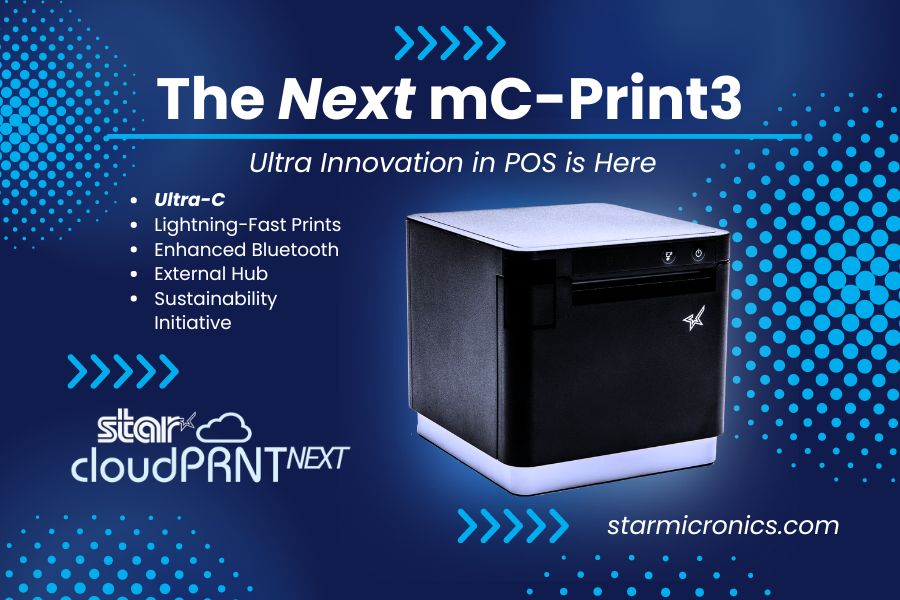
    The mC-Print31Ci and mC-Print31CBi thermal receipt printers, featuring CloudPRNT Next and Ultra-C technology, set new benchmarks in speed, efficiency, and sustainability.

    Somerset, NJ – July 24, 2024 – Star Micronics, a global leader in point-of-sale (POS) technology, is excited to announce the highly anticipated launch of the mC-Print31Ci and mC-Print31CBi, the latest additions to the esteemed mC-Print3 series of thermal receipt printers and part of the mCollection®. These new models redefine POS printing standards, combining speed, flexibility, and innovative connectivity features to significantly enhance retail and hospitality operations.

    The mC-Print31Ci and mC-Print31CBi are engineered to set new benchmarks in printing speed and connectivity. They deliver prints at an impressive rate of up to 400mm/sec, ensuring fast, high-quality outputs that boost store efficiency. These models also feature the latest CloudPRNT Next technology, providing faster and more dependable cloud-based printing using the MQTT protocol.

    Key features of the mC-Print31Ci and mC-Print31CBi include:

    • CloudPRNT Next Technology: Advanced cloud-based printing using the MQTT protocol for enhanced performance.
    • Ultra-C Technology: 20W USB-C power and data transfer for seamless connections with iOS, Android, and Windows devices.
    • Enhanced Bluetooth Connectivity: The mC-Print31CBi model offers twice the Bluetooth speed for improved communication.
    • Lightning-Fast Printing Speed: Capable of printing up to 400mm/sec, reducing transaction times and increasing efficiency.
    • External USB Hub Support: Allows connection of up to three peripherals, enhancing functionality.
    • Sustainable Packaging: Eco-friendly packaging made entirely of recyclable materials, with zero plastic wrapping.
    • Robust and Reliable: IP22 splash-proof, insect-proof, and dust-proof design suitable for demanding environments.

    In alignment with Star Micronics’ commitment to sustainability, the mC-Print31Ci and mC-Print31CBi feature compact packaging that reduces ecological impact and increases inventory capacity during transportation. The packaging is entirely plastic-free and reduces cable waste by not including cables that most people already have. The printers’ robust design ensures they can withstand the hustle of a busy kitchen and the demands of a high-traffic retail setting.

    Experience what’s next in thermal receipt printing with Star Micronics’ mC-Print31Ci and mC-Print31CBi, where efficiency, innovation, and sustainability meet.

    Schedule private demos with Star representatives by contacting sales@starmicronics.com.

    Love Industry News? Explore our Podcast:

    Rising Stars Podcast

    Star Micronics logo, point-of-sale (POS) hardware and technology company.

    Star Micronics, a world leader in point-of-sale (POS), has designated a portfolio of printing, labeling, secure cash management, and customer engagement solutions for any retail or hospitality establishment. Embracing the mPOS wave, Star’s SDKs allow developers to utilize Star printers with Android™, iOS, iPad®, and iPhone® devices to generate receipts, labels, Chit, and tickets. Star Micronics is always leading and always innovating, creating cloud-based printing solutions, including CloudPRNT and Star Cloud Services, with AOA support and MFi connectivity. Star also has a wealth of peripherals, including 2D barcode scanners, scales, tablet display stands, and more. Visit starmicronics.com or follow us on Facebook, Instagram, X, YouTube, or LinkedIn to learn more.

    Media Contact:

    Christin Dorner

    Star Micronics America, Inc.

    cdorner@starmicronics.com

    848-216-3318

  • Why Thermal and Impact Printers Remain Essential in High-Tech Restaurant Operations

    Why Thermal and Impact Printers Remain Essential in High-Tech Restaurant Operations

    Efficiency is the lifeblood of successful restaurant operations, especially when soaring food and labor costs threaten profitability. To combat these challenges, restaurants are increasingly turning to technology to streamline processes and cut expenses. Some forward-thinking chains are even exploring the feasibility of fully automated operations, testing robots and intelligent systems for food prep, service, and even bussing tables.

    But let’s face it: most restaurants aren’t ready to jump straight into a futuristic, AI-powered world. Instead, the majority are adopting a more pragmatic approach, carefully selecting technologies that offer the greatest value. Time and again, the winning strategy is a blend of innovative new solutions and dependable classics, such as thermal and impact printers, which bridge the gap between the cutting-edge and the tried-and-true.

    Restaurant & Bar Point-of-Sale Systems

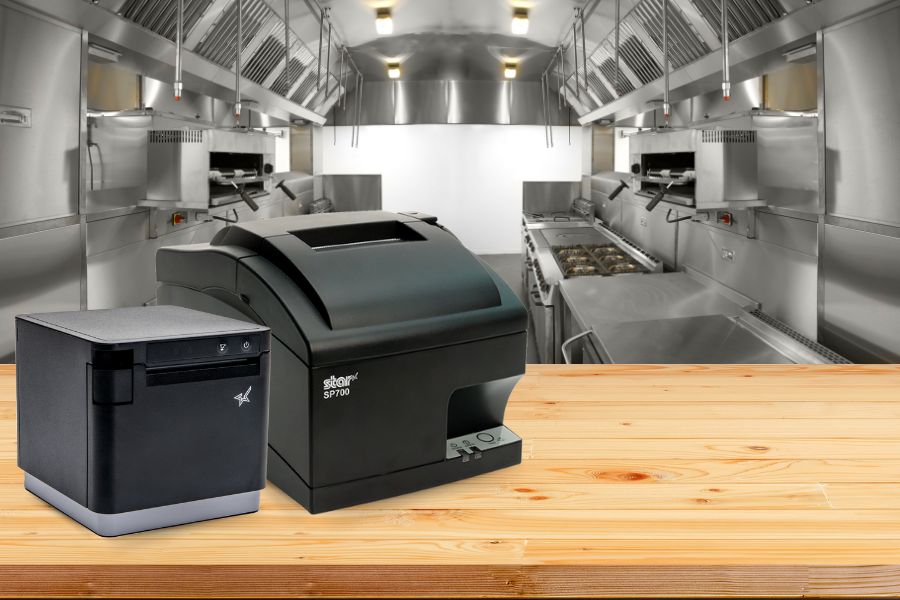
    Impact Printers in the Modern Restaurant Kitchen

    The SP742 impact kitchen printer is great for online ordering.
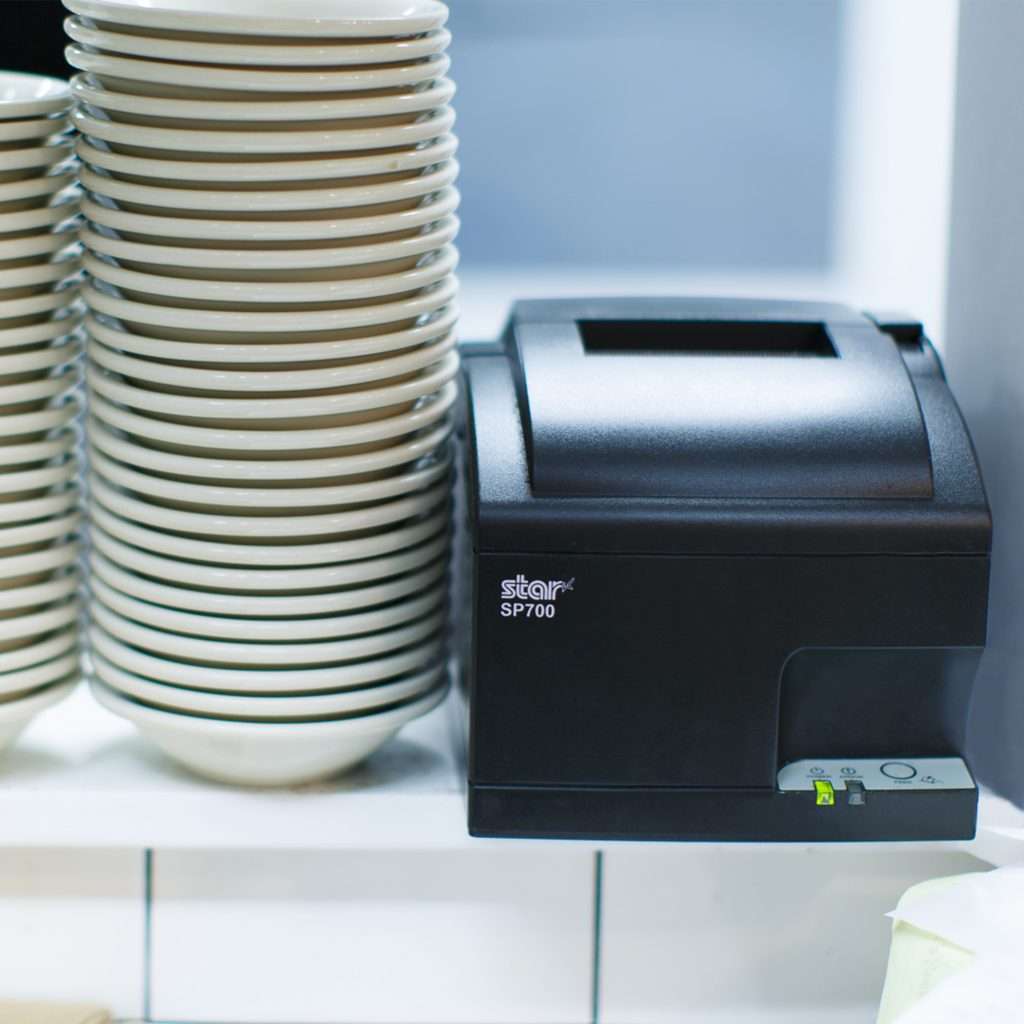
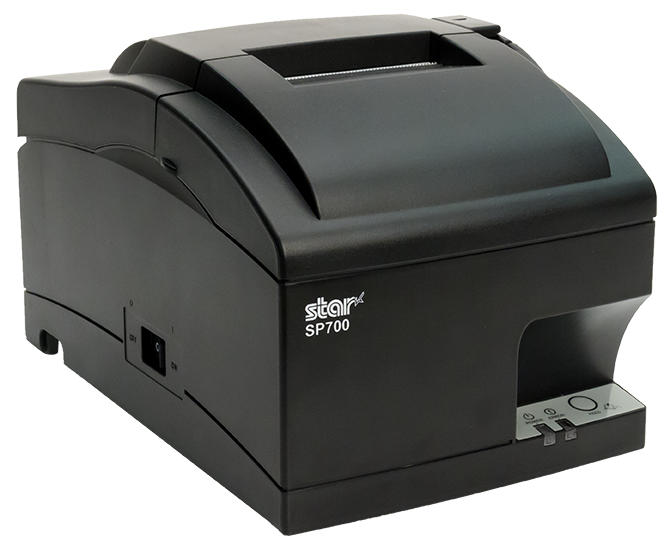
    The SP700 impact kitchen printer by Star Micronics is one of the most trusted on the market.

    Printers, paired with the point-of-sale (POS) or restaurant management system, are essential for clear communication. When a server takes an order, the printer instantly generates a ticket for the back of the house. This technology replaces handwritten notes with printed chits, ensuring all orders are legible. As accuracy improves, the positive impact on service, customer experiences, and the bottom line is substantial.

    Impact printers are the top choice for hot, humid restaurant kitchens. Orders printed on thermal printers can become illegible when exposed to steam and high temperatures. In contrast, chits from an impact printer remain clear and readable throughout the food prep process.

    Moreover, restaurants benefit from rugged, reliable models that ensure legibility and uninterrupted service, even when splashed with liquids during order preparation. Compact models with versatile connectivity options allow managers to position printers in optimal locations within food prep areas.

    Additionally, restaurants can choose impact printers that are easy to load, making them ideal for operations requiring two-color and carbon copy printing.

    The SP742 impact kitchen printer is great for online ordering.

    Discover the SP742: The Ultimate Kitchen Printer

    The SP742 printer excels in the demanding kitchen environment, offering high-speed, two-color printing for clear orders and a user-friendly design for easy handling. Enhanced with CloudPRNT and Bluetooth, it streamlines online ordering, ensuring seamless front-to-back-of-house operations.

    Discover the SP742 Series

    Role of Thermal Printers in Modern Restaurants

    While advancements in impact kitchen printers have made them indispensable in many restaurant operations, modern eateries often require a printer with broader capabilities. Multi-function thermal receipt printers fit this need perfectly, allowing restaurants to print everything from permanent food and shelf labels to repositionable sticky labels for online orders.

    These versatile printers can also generate unique, branded labels and tamper-proof labels for deliveries, enhancing both functionality and brand integrity.

    Moreover, as more modern kitchens become heat-controlled, thermal printers are emerging as attractive options. With a thermal printer at each food prep station, there’s no need for carbon copies, reducing the risk of losing important order information.

    Features such as a compact design, multiple connectivity options, cloud printing technology, and the flexibility to print labels, receipts, and orders make the right thermal printer a smart investment for any contemporary restaurant.

    The mC-Print3 thermal receipt printer is an invaluable asset for any professional kitchen. Learn more here >

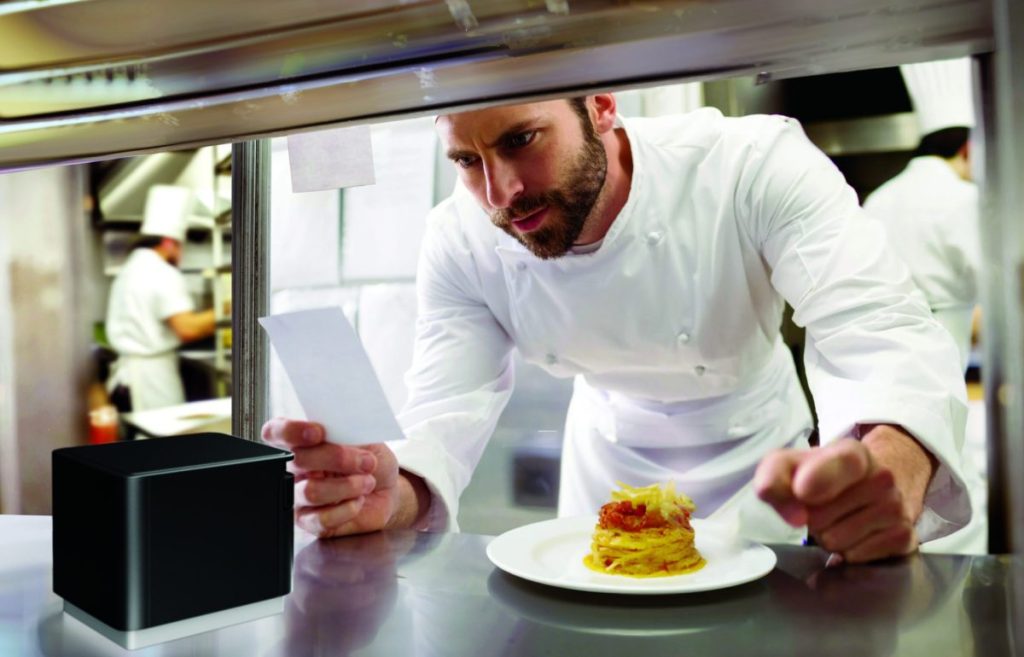
    Chef in modern, professional kitchen looking at ticket from mC-Print3 thermal receipt and restaurant printer by Star Micronics.
    The mC-Print3 by Star Micronics is ideal for professional, heat-controlled kitchens.

    Label Printing to Improve Inventory Management

    Modern restaurants deploy technology to increase efficiency and operate more cost-effectively. According to the National Restaurant Association, with food costs accounting for 33 cents of every dollar sold and overhead totaling 29 cents, pretax profit for most restaurants is only about 5 percent. Furthermore, as food costs continue to rise, there’s no margin for error.

    Accurate inventory management is essential for cost control and maintaining a viable restaurant business. Technology empowers restaurants to manage inventory effectively, decreasing waste and ensuring customer satisfaction by always serving fresh, high-quality foods.

    High-ROI inventory management solutions include barcode and RFID technology, which provide staff with visibility into inventory from receiving to food preparation and sales. These solutions also enable quick and precise identification of foods subject to recall, minimizing losses.

    Using technology to track inventory requires labels on stock and shelves. Label printers allow restaurants to create labels on demand for flawless inventory tracking. These inventory tracking solutions also provide managers with invaluable data, revealing sources of shrinkage and waste. This insight allows managers to take corrective action to keep their restaurants profitable.

    Explore Star Labeling Solutions

    The Case for Kitchen Printers in High-Tech Environments

    Although technology continues to advance, allowing restaurants to implement sophisticated solutions and automate processes, tried-and-true solutions like kitchen impact printers remain essential. These reliable traditional technologies bridge the gap between cutting-edge innovations and established methods, ensuring seamless operations during the industry’s digital transformation.

    For operators considering technology upgrades to increase efficiency, control costs, and manage inventory, it’s crucial to recognize how kitchen printers, including dependable impact printers, can strengthen their IT ecosystems.

    These printers are not just tools but foundational elements that enhance the effectiveness of modern, integrated solutions.

    How to Get Your Restaurant Ready for Online Ordering ebook by Star Micronics.

    How to Get Your Restaurant Ready for Online Ordering

    Are you looking for a new way to grow your restaurant business? Accepting online orders keeps you relevant and competitive.

    Find Out Here

    Find Out Where You Can Get Star Kitchen Printers

    Contact Star Now

  • How to Choose Between SteadyLAN & TetherLAN for Your POS Printer

    How to Choose Between SteadyLAN & TetherLAN for Your POS Printer

    Staying connected and maintaining efficiency is essential for doing business, regardless of industry. Whether you run a retail store, restaurant, or mobile food truck, you need reliable and seamless printing technology for smooth operations. However, choosing the most suitable solution for your needs can be challenging.

    Star Micronics, a leader in point-of-sale (POS) printers and hardware, provides TetherLAN and SteadyLAN® technology in select POS receipt and label printer models, like the mC-Label3 multimedia printer, ensuring reliable tethered tablet network connections. But how do you know which technology you need?

    In this guide, we’ll take a deep dive into these products. We’re here to help you understand the defining features, advantages, and essential considerations when choosing between these options.

    Explore Star’s Printing Technologies

    SteadyLAN vs. TetherLAN: What’s the Difference?

    What POS printer technology is right for your business? Here are the details so that you can make an informed decision:

    Understanding SteadyLAN

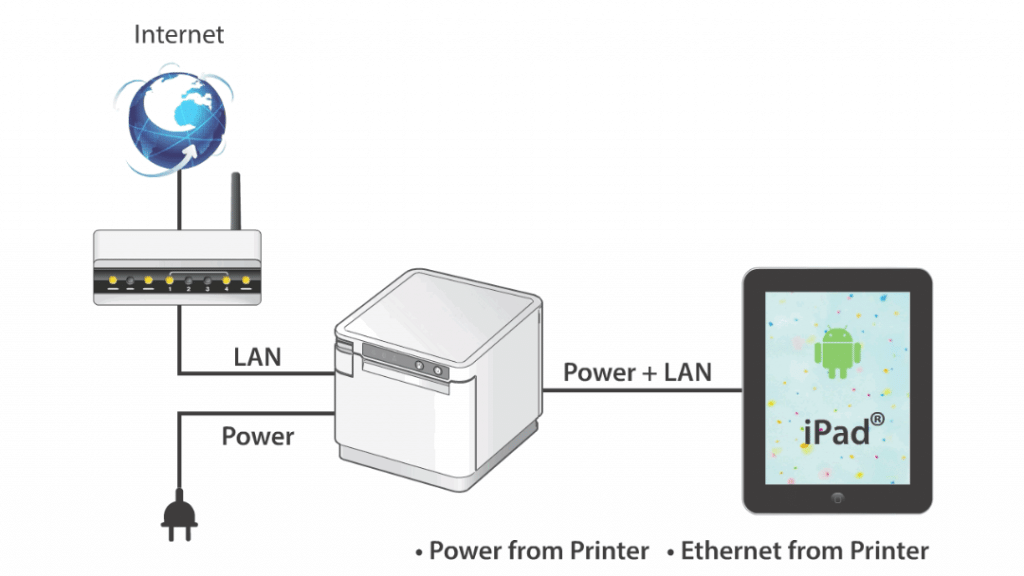
    Are you ready to leave unstable Wi-Fi behind and embrace consistent, high-speed connectivity? SteadyLAN, designed primarily for iOS devices, revolutionizes POS printing with its direct power and internet connection from a supported Star printer to your tablet or device. Through a Lightning or USB-C® cable, the mobile device secures a network connection from the Star POS printer, even if Wi-Fi signals are too unstable.

    This innovation translates to reliable and uninterrupted network connectivity with the added convenience of charging your connected tablet or device directly from the printer. SteadyLAN technology keeps your device powered up, even during the busiest hours.

    SteadyLAN’s direct connection from your POS printer provides a seamless link to your tablet and peripherals, significantly minimizing downtime and enhancing overall system performance.

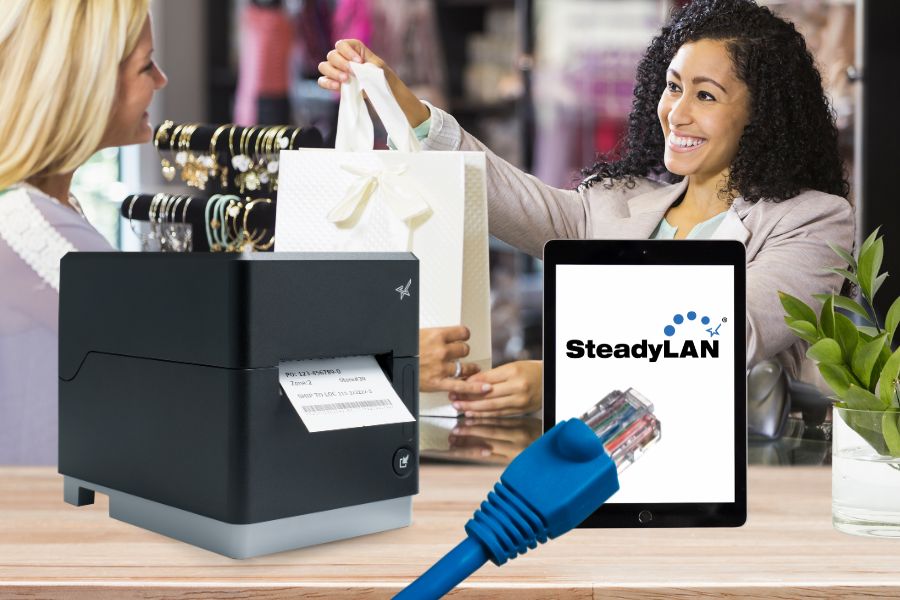
    SteadyLAN by Star Micronics allows a networked printer to share internet service with your tablet or device.

    Key Benefits of SteadyLAN

    • Reliable Connectivity: A steady network link for iPad & Android POS systems ensures continuous operations without Wi-Fi dependency.
    • Constant Device Charging: The tablet is kept fully charged, eliminating the worry of battery drain during peak business hours.
    • Streamlined POS System: SteadyLAN creates a cohesive POS environment where all activities are centrally managed and cabled to the printer for increased efficiency and control.

    Understanding TetherLAN

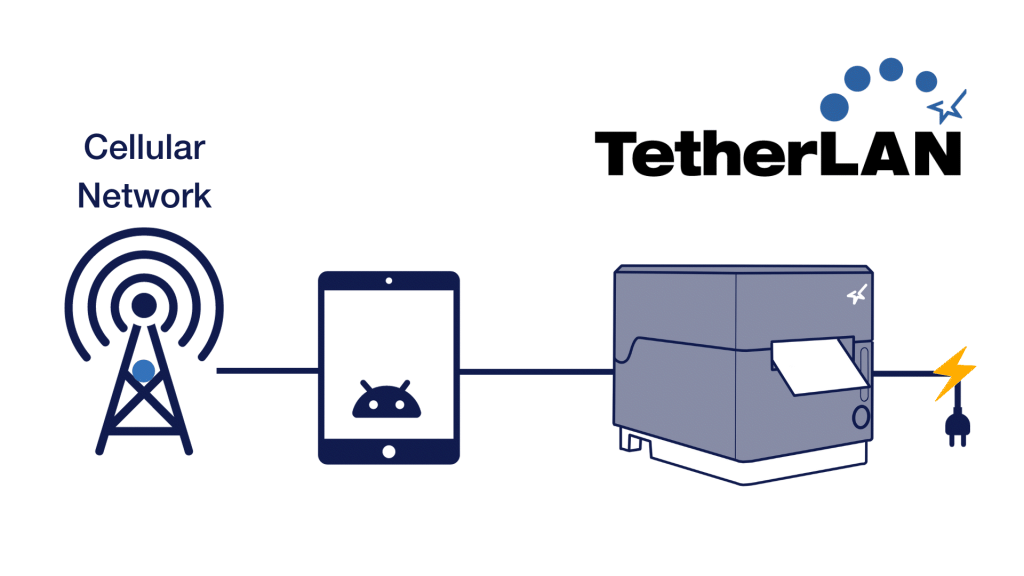
    TetherLAN is designed for mobile devices with cellular connections, such as 4G or 5G tablets, smartphones, and hotspots. The technology allows these devices to share their Wi-Fi service with select Star Micronics printers via USB. This ensures a seamless and high-quality printing experience without needing LAN cables. Compatible with Android and Windows devices, TetherLAN is currently featured in the mC-Label3 multimedia printer by Star Micronics.

    By establishing a cloud-based printing environment, this technology shines in scenarios where conventional internet setups are challenging. In addition to sharing a tablet’s cellular connection, TetherLAN also provides USB-powered connectivity, keeping devices charged for continuous operation. Moreover, it provides access to the Star Micronics Cloud Services platform, allowing users to monitor their devices in real-time and create customized receipts and labels.

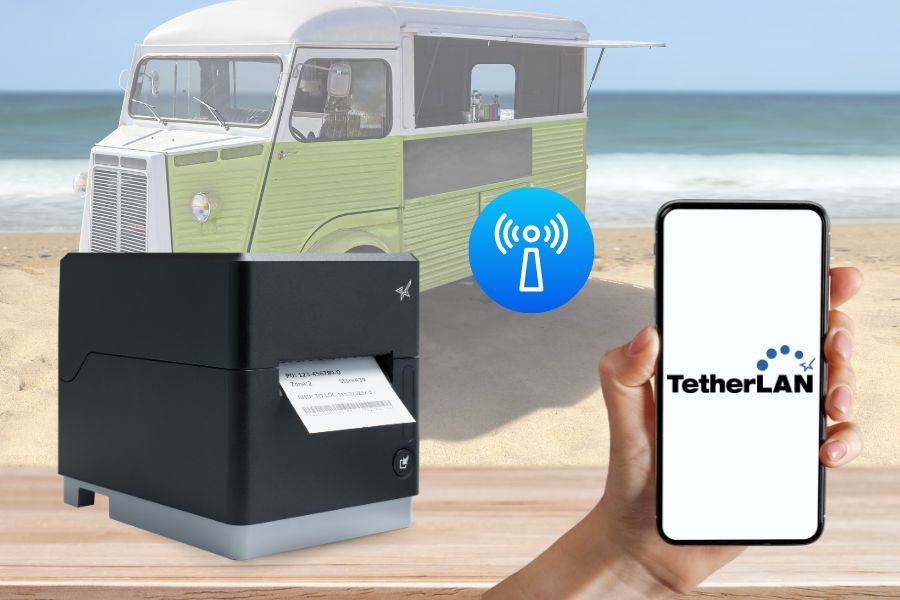
    TetherLAN technology on the mC-Label3

    Key Benefits of TetherLAN

    • Cloud-Based Printing Environment: Facilitates cloud-based printing using active cellular connections, ideal for places lacking standard internet services.
    • No LAN Cables Needed: Get efficient and reliable printing without requiring any LAN cables.
    • Continuous Device Charging: With the mC-Label3, Android and Windows devices stay charged for extended use, enhancing usability in various settings.
    • Ideal for Outdoor and Mobile Settings: Excellently suited for outdoor events or mobile operations where cabled internet access is scarce, offering versatility and ease of use.

    Star’s Android Solutions

    Choosing Between SteadyLAN and TetherLAN

    As the global printer market continues to evolve, with projections to surpass $43 billion by 2028 (Mordor Intelligence), staying informed about the latest features is crucial for making an educated decision. When it comes to selecting between SteadyLAN and TetherLAN for your POS printer, consider these key factors:

    1. Business Needs and Objectives

    Evaluate your business’s specific needs and objectives. If your environment lacks stable Wi-Fi and requires consistent internet connectivity, SteadyLAN is ideal. It ensures a reliable Ethernet connection directly from the tethered printer to your device.

    Conversely, if your business operates in dynamic settings with limited access to traditional internet setups, TetherLAN is more suitable. It leverages the cellular network on your device to maintain connectivity, making it perfect for mobile or outdoor operations.

    2. Existing Infrastructure

    Consider the existing technological infrastructure of your business. SteadyLAN is an excellent fit for setups already equipped with Ethernet infrastructure and is particularly beneficial in environments with weak Wi-Fi signals. TetherLAN, on the other hand, is ideal for businesses with no access to Ethernet ports that can rely on cellular networks to connect to their POS systems instead.

    TetherLAN technology in the mC-Label3 allows the tablet or device to share internet service with the printer.

    3. Budget Constraints

    When considering budget, it’s essential to recognize that different Star Micronics printer models have varying technologies, impacting their costs. Some models are equipped with both TetherLAN and SteadyLAN, which can influence their price. It’s important to note that not all Star printers currently have TetherLAN capability, though more models are expected to include this technology in the future.

    This variation in features means a range in pricing, allowing you to choose a printer that fits both your technological needs and budget. Evaluating the cost-effectiveness of each printer model, its capabilities, and your business requirements is crucial. For instance, investing in a printer with TetherLAN might be more cost-effective for a mobile or outdoor business environment where having the technology could enable more sales.

    Also, consider other long-term operational costs, including potential data usage fees with TetherLAN and the costs of infrastructure upkeep with SteadyLAN.

    4. Future Growth

    When planning for future growth and scalability, the choice between SteadyLAN and TetherLAN hinges on your business’s anticipated trajectory. SteadyLAN is an ideal solution for companies aiming for growth within a stable, fixed location, particularly those not planning to engage in outdoor or mobile events. Its reliable wired connection suits environments where the business infrastructure is stationary and consistent.

    On the other hand, TetherLAN offers flexibility and mobility, making it a strategic choice for businesses that foresee expansion into new areas, including outdoor events or pop-up shops. Its reliance on mobile networks makes it adaptable for scenarios where traditional, wired internet connectivity is not feasible.

    Moreover, for businesses that transition from mobile or temporary setups to permanent locations, TetherLAN presents a versatile option. It supports operations in both contexts, provided the devices used with the POS systems are compatible with cellular networks. This adaptability makes TetherLAN a future-proof investment for businesses evolving from outdoor events to fixed retail or hospitality settings.

    Real-World Use Cases

    We’ve discussed the key features, benefits, and considerations related to SteadyLAN and TetherLAN. Here are some ways that businesses use them in the real world:

    SteadyLAN

    SteadyLAN technology has become a game-changer for businesses grappling with connectivity issues. In scenarios like a café with weak Wi-Fi or a small business owner without a data plan, SteadyLAN offers a reliable solution.

    SteadyLAN by Star Micronics allows a networked printer to share internet service with your tablet or device.

    For instance, connecting an iPad POS system to a tethered Star printer with SteadyLAN allows the business owner to access a steady internet connection through the printer’s Ethernet port, circumventing the need for additional data services.

    Similarly, in environments like cafes or restaurants where Wi-Fi strength is inconsistent or physical limitations prevent network expansion, SteadyLAN-equipped printers serve as stable network hubs, ensuring uninterrupted operations and enhancing customer service without needing complex infrastructure changes.

    TetherLAN

    TetherLAN technology is revolutionizing operations in dynamic and mobile environments like outdoor events. At a music festival, where traditional internet setups are impractical, TetherLAN enables vendors to share a tablet’s cellular connection with a Star printer, thus facilitating efficient and automated order processing.

    This innovation allows for streamlined ‘order ahead’ options, reducing wait times and enhancing customer experiences. The technology’s operational flexibility and integration with CloudPRNT make it an ideal solution for vendors in mobile settings, ensuring they can manage online orders and payments seamlessly without the constraints of traditional connectivity methods.

    These real-world applications demonstrate the transformative impact of SteadyLAN and TetherLAN technologies in various business contexts, offering practical and innovative solutions to connectivity challenges.

    An ISV's Guide to Star Printer SDKs ebook.

    An Independent Software Vendor’s (ISV’s) Guide to Star Printer SDKs

    For ISVs navigating the complexities of printer integration, the path forward is often strewn with challenges. Get to know Star Micronics’ range of software development kits (SDKs), each uniquely crafted to address these challenges and enhance your integration prowess.

    Get the Guide

    All The POS Printer Options You Need for Success

    Choosing a POS printer with the right technology can significantly impact your business. SteadyLAN and TetherLAN provide innovative connectivity options for businesses of all shapes and sizes. By evaluating your business requirements, existing infrastructure, budget constraints, and future growth plans, you can make an informed decision that enhances your operations and ensures efficient printing in a sometimes inefficient world.

    Are you ready to harness flexible, durable printing solutions? Touch base with one of our experts to see how modern POS printer technology can move your business forward.

    Contact Star Now

  • Star Micronics at NRF 2024: Reflecting on a Transformative Experience

    Star Micronics at NRF 2024: Reflecting on a Transformative Experience

    Star Micronics is now back to the grind, having since returned from the National Retail Federation’s NRF 2024 conference earlier this week. Still, the valuable insights we’ve garnered from Retail’s Big Show in New York City will resonate with us far into the future.

    This premier show was more than just an event; it was a celebration of innovation and progress in the retail industry. As an industry leader, Star proudly showcased our latest POS hardware and technology, contributing to the event’s exciting atmosphere and promise for the future.

    NRF Blog Booth NYC

    Spotlighting Innovation: Star Micronics at NRF 2024

    At our booth, visitors experienced firsthand the cutting-edge solutions Star is known for. Each demonstrates our commitment to advanced POS technology, from the versatile mC-Label3 Multimedia Printer, capable of handling various label types, to our advanced high-resolution barcode scanners. We also featured the precision mG-T USB Scale with a new convenient pole display and the compact TSP143IV SK, the market’s smallest 3″ desktop sticky label printer. Everything highlights our dedication to innovative, industry-leading solutions.

    Discover Labeling Solutions

    NRF Insights and Connections

    But NRF 2024 was more than just showcasing products; it was about connecting with people. We had the pleasure of meeting so many new faces, reuniting with long-time friends, and immersing ourselves in the energetic atmosphere of New York City. The discussions we had, the insights we gained, and the connections we made were invaluable.

    Mike Hanson with Biztracker at NRF 2024
    Star Micronics at NRF 2024: Reflecting on a Transformative Experience

    Highlights from NRF 2024

    NRF’s annual show is always about the future of retail, and this year did not disappoint. From Matthew Shay’s insights on consumer spending trends to Steve Liesman’s economic outlook, the conversations revolved around adaptation, innovation, and the dynamic landscape of consumer expectations. Raj Subramaniam’s presentation on FedEx’s evolving role in e-commerce and the growing focus on global sustainability, as seen in the NRF Center for Retail Sustainability launch, were particularly enlightening.

    The advancements in foodservice technology, as showcased in the Foodservice Innovation Zone, and how they will undoubtedly affect the retail space were another highlight. The integration of IoT, AI, and autonomous operations into foodservice within retail environments demonstrated a significant shift in how retail companies are redefining customer experiences.

    Reflecting on a Successful Show

    For Star, NRF 2024 was a resounding success. We left the event feeling hopeful and energized, ready to continue our journey of excellence in POS technology. As we reflect on the show, we’re reminded of the vibrant future that lies ahead for retail, and we’re so excited to be a part of shaping that future.

    NRF 2024 was truly a glimpse into what’s possible, and Star Micronics is thrilled to be at the forefront, driving change and embracing new possibilities in the retail technology space.

    Star Micronics at NRF 2024: Reflecting on a Transformative Experience

    Love Industry News? Explore Our Podcast:

    Rising Stars Podcast

  • Tax Law Shifts in Quebec: A Guide for Bars and Restaurants

    Tax Law Shifts in Quebec: A Guide for Bars and Restaurants

    In Quebec’s bustling culinary scene, where flavors evolve and trends change, a new transformation is taking place—not in the kitchen, but in the ledger. A shift in tax laws is underway, one that will affect bars and restaurants across the province. From the established MEV model to the innovative Web-SRM system, these changes carry significant implications for the way businesses record sales and comply with tax regulations.

    This blog post is your essential guide to understanding these changes, equipping your business with the knowledge and tools needed to seamlessly adapt and stay ahead. Whether you’re a restaurateur, a bar owner, or an industry professional, these insights will empower you to navigate Quebec’s new tax landscape with confidence.

    Restaurant owner smiling because he has Star Micronics.

    Explore Hospitality POS Solutions

    From MEV to Web-SRM: What’s Changing?

    For years, bars and restaurants in Quebec operated under the MEV (Module d’Enregistrement des Ventes) model. The MEV system mandated every restaurant and bar to record all transactions using a sales recording module, thereby ensuring transparency and adherence to tax norms.

    However, the recent shift to the Web-SRM system marks a significant departure from this traditional model. The new Web-based Sales Recording Module aims to make the tax recording process more efficient and transparent, leveraging digital infrastructure to its fullest.

    The most noteworthy features of the Web-SRM system include:

    • Real-time Tracking: Sales can be recorded and monitored in real-time, allowing for more accurate and immediate insights into transactions.
    • Enhanced Security: Digital encryption ensures that data remains secure, mitigating risks associated with potential breaches.
    • Ease of Integration: The new system seamlessly integrates with various POS systems, reducing the hassles of migration.

    Navigating the Change: The Importance of Compatible Equipment

    With the Web-SRM system in place, the spotlight shines on having POS equipment that’s not just efficient but also compliant. Non-compliance can lead to hefty fines and potential legal ramifications. Therefore, businesses must assess and update their POS equipment.

    With the spotlight now on efficient and compliant point-of-sale systems in Quebec, the need for updated, top-notch printers has never been more critical. Star Micronics understands this need and recommends a range of printers designed for excellence and adaptability.

    Here’s a breakdown:

    The TSP143III Thermal Receipt Printer: Trusted Reliability

    The TSP143III thermal receipt printer by Star Micronics.
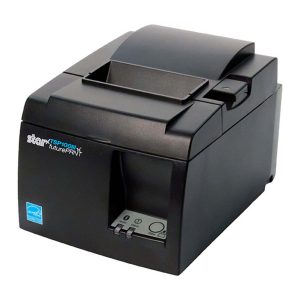
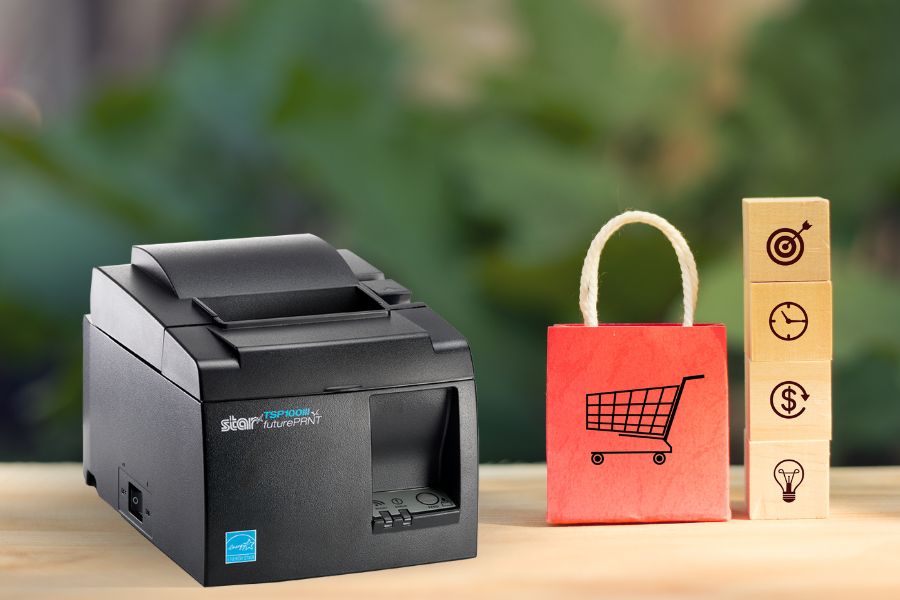
    The TSP143III thermal receipt printer by Star Micronics

    Over the years, the TSP143III has become more than just a printer—it’s become a trusted partner in enhancing business operations. Reliable, efficient, and designed for diverse industries, it promises outstanding performance, making it an excellent choice for your POS hardware needs.

    Key Features:

    • Compatible with iOS, Android, and Windows
    • High-speed printing at 250mm/s
    • Hassle-free setup across all models
    • Simultaneous charging and data transfer with Lightning connection
    • Unique Print Flat technology
    • Access to futurePRNT technology for receipt customization
    • Extensive range of optional accessories for tailored usability

    Learn More About TSP143III

    The TSP143IV Thermal Printer: Compact, Modern, & Cloud-Ready

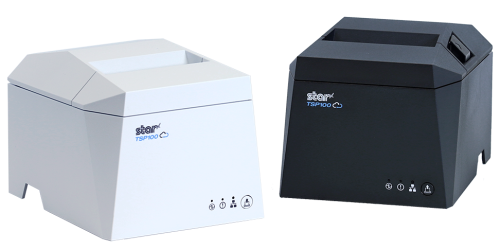
    The TSP143IV thermal receipt printer by Star Micronics comes in black or white.
    The TSP143IV thermal receipt printer by Star Micronics

    In the world of thermal printers, the TSP143IV stands out with its cutting-edge design, advanced features, and future-proof connectivity. Whether you’re in the retail, hospitality, or cannabis industries, the latest model in Star’s TSP100 series keeps you flexible and ahead of the competition.

    Key Features:

    • Sleek and sharp with a 20% smaller footprint than its predecessor
    • Compatible with iOS, Android, and Windows
    • CloudPRNT technology for cloud-based operations
    • Versatile connectivity to suit modern POS setups
    • User-friendly for effortless installation
    • Backward and forward compatibility with previous versions, ensuring continuity
    • Lightning-fast printing at 250mm/s
    • Standard two-year warranty with options for extended coverage

    Learn More About TSP143IV

    The mC-Print3 Thermal Receipt Printer: Premier & Powerful

    The mC-Print3 thermal receipt printer by Star Micronics.
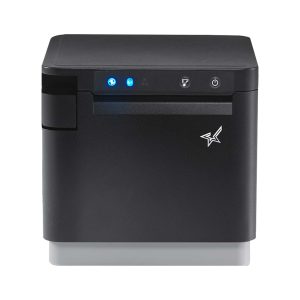
    The mC-Print3 thermal receipt printer by Star Micronics

    The mC-Print3 from the mCollection® is your go-to solution for top-tier POS receipt printing. Compact, sleek, and boasting countless features, this printer is all about blending form with functionality.

    Key Features:

    • Compact design, delivering big performance
    • Compatible with iOS, Android, and Windows
    • A myriad of connectivity options, including Bluetooth, USB, and Wi-Fi
    • Splash-proof with an IPX2 rating, ensuring longevity
    • SteadyLAN® technology for uninterrupted connection
    • A hub of peripheral connectivity options
    • Quick charge and efficient communication with the USB-C power delivery port (select models only)

    Learn More About mC-Print3

    Staying Ahead in a Changing Landscape

    Quebec’s new tax laws for bars and restaurants reflect a broader global trend of integrating technology into governance and tax administration. It’s an exciting era, albeit filled with potential challenges. By understanding these changes, ensuring compliance, and leveraging tools like Star Micronics high-performance printers, businesses can adapt and thrive in this evolving environment.

    Remember, staying informed and equipped is half the battle won.

    The Ultimate Guide to Barcode Scanner Types and Applications ebook by Star Micronics.

    The Ultimate Guide to Barcode Scanner Types and Applications

    Navigate the world of barcodes with clarity and confidence, ensuring the right fit for your business needs.

    Get the Guide

    Have questions for us about POS hardware in Canada?

    Contact Star Now

  • How to Switch to an Android POS System: A Detailed Guide

    How to Switch to an Android POS System: A Detailed Guide

    The modern retail landscape is in constant flux, mainly driven by consistent technological innovation. Among these many changes, the shift toward Android point-of-sale (POS) systems has been particularly noteworthy over the last couple of years.

    The Rise of Android POS Software

    The Android operating system, universally recognized for its user-friendly nature and cost-effectiveness, is now the first choice for a rapidly growing number of retail businesses. Its open-source nature lends itself to exceptional customization capabilities, allowing software developers to tailor their POS applications to their exact specifications. Merchants in the retail and hospitality industries have greatly benefitted from such progress.

    Such flexibility isn’t just about aesthetics; it’s about delivering a smooth, efficient customer service experience and integrating diverse software applications that manage everything from inventory to customer feedback.

    The Critical Role of Hardware in Android POS Systems

    However, an Android POS system’s success relies on more than just the software. The hardware components, particularly the printers, are pivotal in ensuring the system operates seamlessly.

    Here, Star Micronics shines in the world of retail solutions. Fully understanding the Android revolution in the POS industry, Star has dedicated its resources to craft printers that perfectly sync with Android systems.

    Explore Star Printers

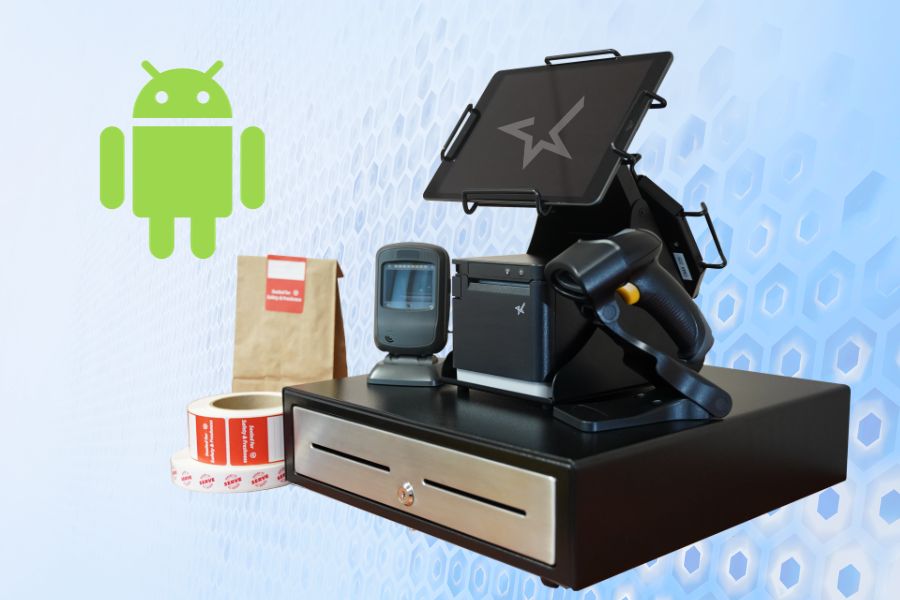
    Among Star’s crowning achievements is the TSP143IVUE thermal receipt printer. All Star Micronics receipt and label printers are compatible with Android, but the TSP143IVUE optimizes the Android experience thanks to its support for the Android Open Accessory (AOA) protocol.

    AOA support ensures communication between the Android system and the printer while keeping the tablet or device powered and charged, enhancing the user experience by leaps and bounds. Star also has industry-leading software development kits (SDKs) to aid technology providers in the integration of Star printers with developer POS software.

    Software developers, click here to contact the Star Integrations Team >

    An ISV's Guide to Star Printer SDKs ebook.

    An Independent Software Vendor’s (ISV’s) Guide to Star Printer SDKs

    Unlock seamless printer integration tailored to elevate your software’s performance and versatility.

    Discover Star’s SDKs

    If Your Current POS Software is Android-Compatible

    For many business owners, the thought of transitioning to a new system can be daunting, especially if they’re content with their current POS software. The good news? Your transition can be significantly streamlined if your POS software is already compatible with Android hardware.

    If this is you, you’re in a favorable position; your employees are already acquainted with the software, eliminating the need for extensive training.

    In such cases, while reviewing the steps detailed below for a thorough understanding is beneficial, you may not have to follow all of them. Instead, you can focus on hardware, ensuring a smoother and more efficient switch to the Android POS system of your choice.

    Star is Universally Compatible

    Preparing for a Seamless Transition

    Before considering a switch to an Android POS system, businesses without Android-compatible software should start by evaluating their current system. This means pinpointing its strengths and acknowledging its limitations.

    But introducing new technology isn’t just about installation. The importance of thorough staff training cannot be overstated. A system can only reach its full potential when those using it are proficient and confident.

    Be prepared to do the necessary work if you want the greatest rewards later on.

    Steps to Transition to an Android POS System

    Transitioning requires careful planning and execution. Here’s a structured approach for business owners looking to make the switch to an Android POS system:

    1. Assessment & Planning

    • Evaluate Current Needs: Start by analyzing the features of your current POS system. Pinpoint its strengths and any gaps in functionality. Examine both your software and hardware, identifying essentials and desired additions. Invest time in creating a detailed list. Group all your “must-have” features together and create a separate wishlist for the desirable, but not crucial, add-ons.
    • Determine Compatibility: Ensure which of your existing hardware (e.g., barcode scanners, cash drawers, printers) is compatible with Android systems or plan for necessary upgrades. 

    2. Research & Selection

    • Choose the Proper Software: Various Android POS applications cater to distinct business requirements. As features, pricing, and support differ across the board, it’s crucial to choose wisely. Refer back to your prioritized list, ensuring your software selection has all your must-have features and, ideally, some from your wishlist.
    • Hardware Selection: Decide if you’ll be using dedicated Android POS terminals or other popular devices such as tablets. If you need to upgrade to new POS hardware, be sure it’s compatible with Android, is user-friendly, and has excellent support. This may go without saying, but ensure your chosen hardware is also robust enough for your business’s daily operational demands. Cutting costs on hardware may lead to regrets when they break down, leaving you in a jam during your busiest hours.
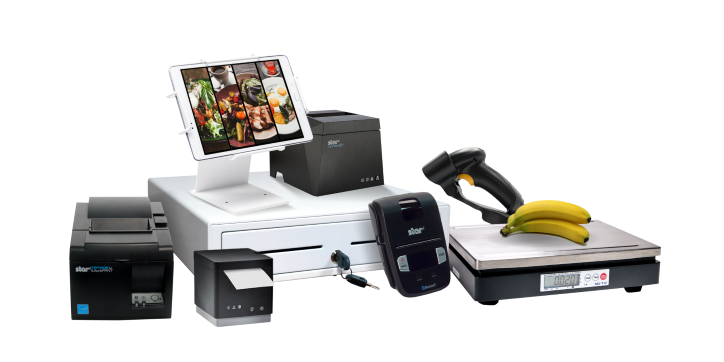
    The complete point-of-sale (POS) suite in black and white by Star Micronics.
    All point-of-sale hardware by Star Micronics works with Android operating systems.

    3. Data Migration

    • Inventory & Product Data: Most modern POS systems allow you to export product data. Once exported, this data can be imported into your new Android POS software.
    • Customer Data: If you’ve maintained a customer database or loyalty program, ensure this data is also transitioned.

    4. Configuration & Customization

    • Payment Processing: Set up payment gateways and processors to ensure seamless transactions with your Android POS system. Note: if you are using your current Android-compatible POS software and making no software changes, there will likely be no need to update your payment processing or terminal.
    • Tax & Compliance: Ensure your chosen software is configured according to local tax regulations. All POS software must comply with all federal and state tax laws.
    • Custom Features: Depending on the software, you may be able to add specialized features tailored to your business needs.

    5. Training

    • Staff Orientation: Familiarize your team with the basics of the new system.
    • In-depth Training: Consider more detailed training sessions or workshops depending on your business’s complexity.

    6. Testing

    • Pilot Run: Before fully transitioning, consider running the new Android POS system parallel to your existing system to catch any issues.
    • Feedback Loop: Allow staff to provide feedback on any challenges they encounter.

    7. Deployment & Go-Live

    • Full Transition: Once you’re confident in the new system’s functionality, make the full switch.
    • Support: Ensure there’s a system in place for staff to report issues and get help as needed.

    8. Ongoing Review & Optimization

    • Collect Feedback: It’s crucial to consistently gather feedback from staff and customers to ensure the system meets everyone’s needs.
    • Updates & Maintenance: Regularly update the software to benefit from the latest features and security enhancements.

    Remember, while there are challenges in making a significant change like this, the flexibility, customization options, and potential cost savings of an Android POS can offer many benefits to modern businesses.

    Happy Business Owner Retail Grocery Small

    Embracing Tomorrow’s POS Landscape

    Staying ahead in the ever-changing retail and hospitality world means staying informed and embracing a proactive spirit. If you’re sensing your legacy POS system may be holding back your business, there are many reasons why upgrading to a newer Android POS system would be advantageous.

    Not only is it a highly cost-effective alternative, but the operating system itself allows for excellent customization and is very user-friendly. Paired with the advanced capabilities of Star Micronics’ printers, vendors are equipped with leading technology and an edge in operational efficiency.

    Embracing innovation ensures a brighter, more efficient future for your business, positioning you at the forefront of the retail evolution.

    Contact Star Today

  • Meeting the Online Order Surge: How Hardware Impacts Efficiency

    Meeting the Online Order Surge: How Hardware Impacts Efficiency

    As online ordering charts an upward path, businesses find themselves in a whirlwind trying to adapt and catch up. The post-pandemic era has redefined modern convenience for good, with customers prioritizing speed and touchless transactions from platforms like DoorDash, Uber Eats, Grubhub, and many more.

    To stay competitive as a business owner, you must be able to handle the surge in online orders, and one crucial aspect of this is re-evaluating your hardware systems.

    The Online Order Surge is Here to Stay

    Recent data underscores an undeniable truth: online ordering is not just a fleeting trend—it’s an entrenched consumer habit well-established in everyday life. In the past couple of years alone, there’s been a substantial increase in customers opting for online food orders, grocery shopping, cannabis, and even retail.

    We’ve all heard friends and people at the office saying they’re going to “DoorDash” for lunch or dinner.

    Undeniably, this shift is mainly due to the desire for safer, faster, and more convenient shopping experiences. The appeal is hard to resist.

    Hardware Solutions for Online Ordering

    Challenges Faced by Businesses

    In effect, the growing trend of online ordering brings inevitable challenges for every business owner. Businesses are expected to maintain profitability and customer satisfaction no matter what comes their way.

    • Diverse Ordering Platforms:

      In today’s digital age, consumers have multiple avenues to place orders. From branded apps and third-party delivery platforms like Grubhub and DoorDash to direct website orders—businesses must juggle between different systems simultaneously. This can lead to potential mismanagement and oversight of specific orders.

    • Real-time Order Management:

      With the expectation of prompt deliveries and real-time order updates, businesses face pressure to manage orders in real-time, particularly with popular delivery apps. Any lag or delay can lead to a ripple effect, causing dissatisfaction, negative reviews, and, ultimately, the loss of new and loyal customers.

    • Accuracy and Detailing:

      With online orders, there’s a greater emphasis on customization and details. Whether it’s food allergies, special requests, or bespoke products, businesses must capture and execute every detail correctly. Any oversight here could lead to costly re-dos or, in extreme cases, health hazards.

    • Inventory Management:

      The rapidity of online orders requires businesses to have a robust inventory management system. Running out of crucial ingredients or products not only hampers current orders but can lead to a loss of potential future orders from disappointed customers.

    • Integration with Physical Storefront:

      For businesses operating both online and offline, there’s the added challenge of ensuring seamless integration. Physical in-store purchases must be harmonized with online orders to prevent over-commitment or under-utilization of resources.

    • Staff Training and Adaptation:

      The digital landscape is constantly changing. As new systems and technologies emerge, businesses must ensure their staff are adequately trained and can adapt swiftly. This continuous learning curve can sometimes be daunting for long-term employees or those less technologically inclined.

    Ultimately, to mitigate these challenges and streamline operations, the importance of well-structured, ergonomic, and technologically sound hardware workstations cannot be stressed enough.

    Conquering Omnichannel Order Management with Cloud-Based Technology Solutions ebook.

    Conquering Omnichannel Order Management with Cloud-Based Technology Solutions

    Consumers have spoken! The future of retail and hospitality is omnichannel, cloud-based, and connected. Is your business prepared for online ordering?

    Hardware for Online Orders

    The Role of Hardware in Streamlining Online Order Management

    The efficiency of any online ordering system is, to a large extent, influenced by the hardware it runs on. Multi-tasking is the name of the game. Therefore, an optimized workstation featuring a multi-tablet system can be transformative.

    With one or two tablets dedicated to processing incoming orders from different online ordering applications and another for customer interactions or auxiliary operational needs, businesses can achieve optimal efficiency.

    Ergonomics and User Experience

    Beyond functionality, there are the added concerns of ergonomics, organization, installation, and user comfort. These concerns should not be taken lightly. A good workstation isn’t just about speed—it’s about ensuring staff can install, view, access, and use every piece of hardware easily, reducing the potential for frustration and errors.

    Proper workstation placement can significantly improve operational flow, enhance user experience, and boost overall employee morale.

    Star Micronics: Meeting the Needs of Modern Businesses

    For years, Star Micronics has emphasized the critical nature of efficient workstations. In today’s dynamic landscape, each piece of hardware must integrate flawlessly with the next, ensuring a streamlined workflow for hassle-free operations. This synergy is essential to meeting evolving demands and maximizing customer satisfaction.

    Designed with the modern business landscape in mind, Star’s mCollection® features a multitude of standout products like the mPOP and the mC-Print series. But the mCollection is much more than POS printers. With the mUnite line of tablet stands and pole mounts, the hardware collection provides the adaptability necessary to declutter and structure even the busiest of workstations.

    Explore the mCollection

    Focusing on Multi-Tablet Workstations

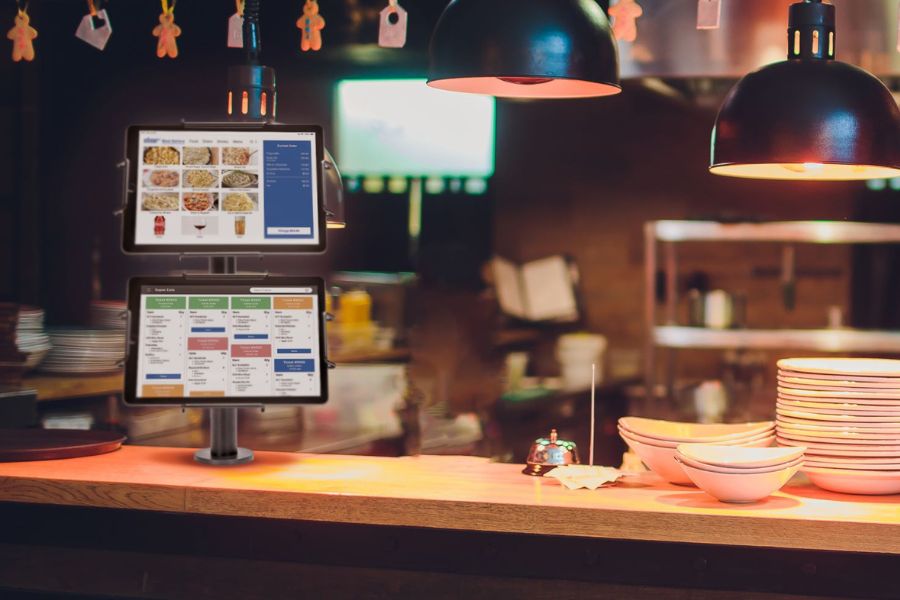
    Attached to the popular mUnite Mount 18 pole mount, the VESA mount accessory allows businesses to easily elevate their online order management by creating a versatile dual-tablet station. It’s cost-effective and ideal for companies seeking an organized, multi-functional workstation in busy retail and hospitality environments.

    The VESA pole mount accessory from Star Micronics turns the Mount 18 tablet mount into a two-tablet display.
    The VESA pole mount accessory turns the Mount 18 into a two-tablet display

    Key Features of the VESA Pole Mount Accessory on Mount 18:

    • Instantly creates a cost-effective & flexible two-tablet workstation
    • Great for organizing online ordering or customer engagement tablets
    • Compatible with any tablet enclosure using 75/100 VESA mounting
    • Tablet mount is securely fastened, protecting the tablet or device
    • Made of durable steel
    • Easy installation & removal

    mUnite Tri-Mount Multi-Tablet Display

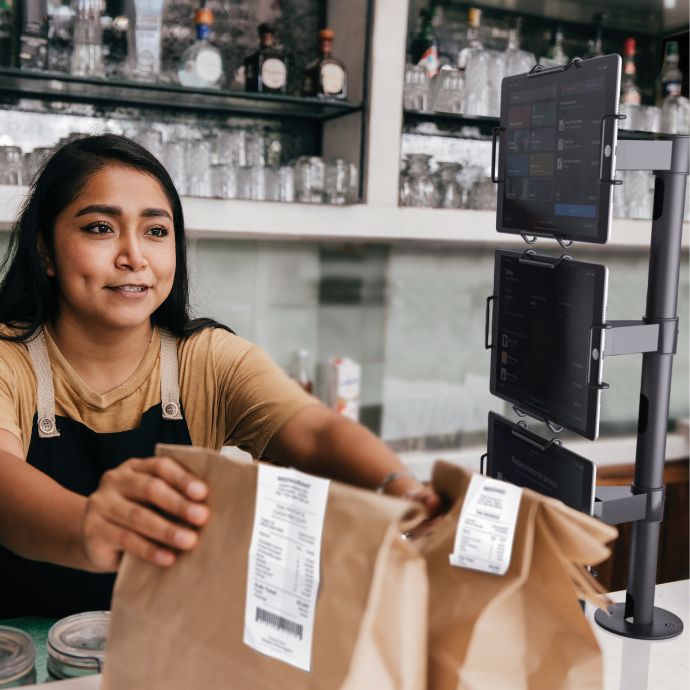
    Furthermore, the mUnite Tri-Mount pole mount is perfect for multi-tablet and online order setups, especially for restaurants that receive orders from platforms like DoorDash, Grubhub, and Uber Eats, which often require different printers and tablets.

    Easily installed on most countertops, its sleek design conserves space, making it ideal for restaurants managing online orders across multiple devices. It securely accommodates up to three tablets (see here for specifications), ensuring easy access and protection in fast-moving settings.

    Discover mUnite Tablet Stands & Pole Mounts

    The Tri-Mount multi-tablet mount from Star Micronics displays three tablets at once. Great for online orders.
    The Tri-Mount multi-tablet display by Star Micronics

    Future Readiness in the Age of Digital Ordering

    The surge in online ordering continues to reshape the business landscape. To stay competitive, businesses must invest in organized, ergonomic, and efficient hardware solutions. By doing so, they position themselves to meet current demands and be well-prepared for future challenges and opportunities.

    So, as technology continues to evolve and consumer preferences shift, is your business infrastructure flexible enough to adapt? Remember, the choices you make today will shape your success in the digital ordering era of tomorrow.

    Learn about Star Micronics reliable hardware for online orders:

    Solutions for Today’s Business

  • Your Ultimate Guide to Buying Star Micronics Printers Online

    Your Ultimate Guide to Buying Star Micronics Printers Online

    In the digital age, the convenience of online shopping has led consumers to embrace purchasing much of their tech gear via the internet. From personal gadgets to office equipment, the prospect of surfing the web, comparing prices and features, and then receiving the product right at your doorstep is hard to resist.

    Browse Star Printers

    However, it’s not without its challenges. The sheer volume of choices can be overwhelming, and the risk of ending up with a product that doesn’t quite meet your needs or expectations is ever-present. Miscommunication, shipping issues, and lack of hands-on experience with the product are also potential pitfalls.

    If you’re planning to buy a printer, more specifically, a Star Micronics printer, whether thermal or impact, receipt or label, kiosk or desktop, this guide is for you. We’ll walk you through essential tips to navigate these challenges and make your online shopping experience smoother and more successful.

    Identify Your Hardware Needs

    Your first step is to find out what type of printer would be best for you. Star Micronics offers an extensive range of printers, each designed for a specific purpose. Are you seeking a high-speed thermal printer like the innovative TSP143IV or mC-Print3 for quick and efficient receipt printing?

    Perhaps you’re in the market for a reliable kiosk printer, such as a member of the popular SK1 series, versatile solutions for businesses seeking low-maintenance, high-quality receipt, label, or ticket printing.

    You will want to take the time to read through the product descriptions thoroughly. Star Micronics printers boast many features, such as rapid print speeds, high-resolution outputs, easy-access design for hassle-free maintenance, and more.

    Please be sure that the product you’re considering matches your requirements. By understanding your specific needs, you can narrow down your search significantly.

    Also, please remember: you can always contact Star to speak with a knowledgeable team member who can help you find the perfect printer.

    Man printing from mC-Print3 thermal receipt printer by Star Micronics.

    System Compatibility and Future-Proofing

    After you identify your hardware needs, it’s crucial to ensure that your chosen printer model is compatible with your existing software system and flexible enough to accommodate any future upgrades or shifts. Star Micronics printers, renowned for their broad compatibility, integrate seamlessly with numerous POS software solutions.

    However, it’s essential to confirm this aspect before you make a purchase. Look for a printer that supports your system’s interface, connectivity options, and peripheral hub. Are you using a cloud-based POS system? Then a printer like the TSP143IV with its advanced connectivity options would be an ideal fit. Perhaps your system requires a USB, Ethernet, or Bluetooth connection?

    Star’s range includes models with various connectivity choices to fit your specific requirements. Also, consider whether you need a printer with an integrated peripheral hub to connect additional devices, such as a barcode scanner or cash drawer.

    And don’t forget, plan for the future: if you foresee a shift in your system or technology use, choose a Star printer that offers the versatility and adaptability to grow with your business needs, ensuring a wise, long-term investment.

    Conquering Omnichannel Order Management with Cloud-Based Technology Solutions ebook.

    Conquering Omnichannel Order Management with Cloud-Based Technology Solutions

    Consumers have spoken! The future of retail and hospitality is omnichannel, cloud-based, and connected. Is your business prepared?

    Find Out Now

    Trust the Official Store

    Once you’ve figured out what type of printer you require, verifying the seller’s authenticity is crucial. Many online marketplaces, including Amazon and Walmart, host official Star Micronics stores. These official stores showcase authorized Star resellers. Purchasing from these authorized dealers ensures you get an authentic product, complete with a reliable warranty.

    Customer Reviews – The Unsung Hero

    Customer reviews are a treasure trove of information. They offer real-world insights into a printer’s performance, reliability, and usability. Pay close attention to comments regarding the product’s key features and overall user-friendliness to see if they meet expectations.

    Compare and Contrast

    Take advantage of a good deal! Always compare prices across different online marketplaces. While Star Micronics printers deliver excellent value for money, it doesn’t hurt to ensure you’re snagging the best deal possible.

    Support, the Lifeline of Tech Equipment

    It’s essential to consider the after-sales support offered by the seller. Star Micronics printers are crafted for easy setup and user-friendly maintenance, but even the most tech-savvy of us may occasionally need a helping hand. Luckily, when you invest in a Star Micronics printer, you’re getting top-tier hardware and access to a highly knowledgeable and responsive support team.

    Whether you need help with setup, troubleshooting, or simply have a query about product features, you’ll be connected with a live expert dedicated to guiding you through the process. Remember, the best tech products are backed by an equally superior support team – with Star Micronics, you get precisely that.

    Visit Star Support

    Smiling tech support staff

    Understanding Seller’s Policies: Your Online Shopping Compass

    In the world of online shopping, understanding the seller’s policies is paramount. It can mean the difference between a satisfying purchase and a regrettable one. When buying a Star Micronics printer, or any technical equipment, look beyond just the product description and look into the seller’s return, refund, and warranty policies.

    Star Micronics Terms & Conditions for Online Sales

    Returns and Refunds

    Every online marketplace will have a return and refund policy. However, the extent and nature of these policies can significantly vary from one seller to another. Please always check the terms to ensure they’re reasonable and customer friendly.

    Ideally, they should offer a return period allowing you to send back the product if it doesn’t meet your needs or if there are any issues. Similarly, the refund policy should be transparent and fair, offering you a full or partial refund depending on the circumstances.

    Warranties

    The warranty policy is another crucial element, particularly for electronic devices like printers. A warranty acts as your safety net, promising repairs or replacements if the product malfunctions within a specified period. Star Micronics offers a comprehensive warranty, but it’s only applicable when purchasing from authorized sellers.

    Unauthorized sellers may not provide any warranty, or they may offer one that falls short of Star Micronics’ standards. This can leave you vulnerable to extra costs or even counterfeit products.

    Learn More About Star Warranties

    Customer Service

    In addition to the offered return, refund, and warranty policies, take note of the seller’s customer service. A responsive and helpful customer service team can make your shopping experience smoother, especially if you need assistance with setup or troubleshooting.

    As a manufacturer, Star Micronics boasts an excellent and responsive Support Team, and we are always here to help, but having top-notch customer service from your online marketplace seller is always a good idea.

    By paying close attention to these policies, you safeguard your purchase and ensure that you get the maximum benefit and peace of mind from your Star Micronics printer. Remember, it’s not just about buying a product—it’s about investing in a solution that’s supported by reliable after-sale services and time-tested quality.

    A Smart Shopper’s Final Thoughts

    Armed with this knowledge, you’re now well-prepared to navigate the online marketplace in your quest for the perfect Star Micronics printer. Remember, informed shopping goes beyond just comparing prices—it involves understanding your specific printing needs, researching product specifications, and familiarizing yourself with the seller’s policies and reputation.

    Prioritize purchasing from authorized resellers to ensure you receive an authentic Star Micronics product. Pay attention to product warranties, and remember, if a deal seems too good to be true, it probably is.

    By staying savvy in your online shopping, you’re setting the stage for a purchase that delivers value, performance, and reliability. From fast-paced retail environments to bustling hospitality spaces, Star Micronics printers are designed to elevate efficiency and improve operations.

    So, delve into the marketplace, and bring home the power of quality printing with Star Micronics. Your ultimate printing solution is just a few clicks away. Happy shopping!

    Satisfied savvy online shopper

    Enjoy reading about industry trends?

    Browse the Star Blog

  • Star Micronics Unveils Innovative Solutions at RetailNOW 2023

    Star Micronics Unveils Innovative Solutions at RetailNOW 2023

    Star Micronics is set to make a significant impact at RetailNOW 2023 with the recognition of two of its esteemed employees as it showcases its latest cutting-edge retail technologies.

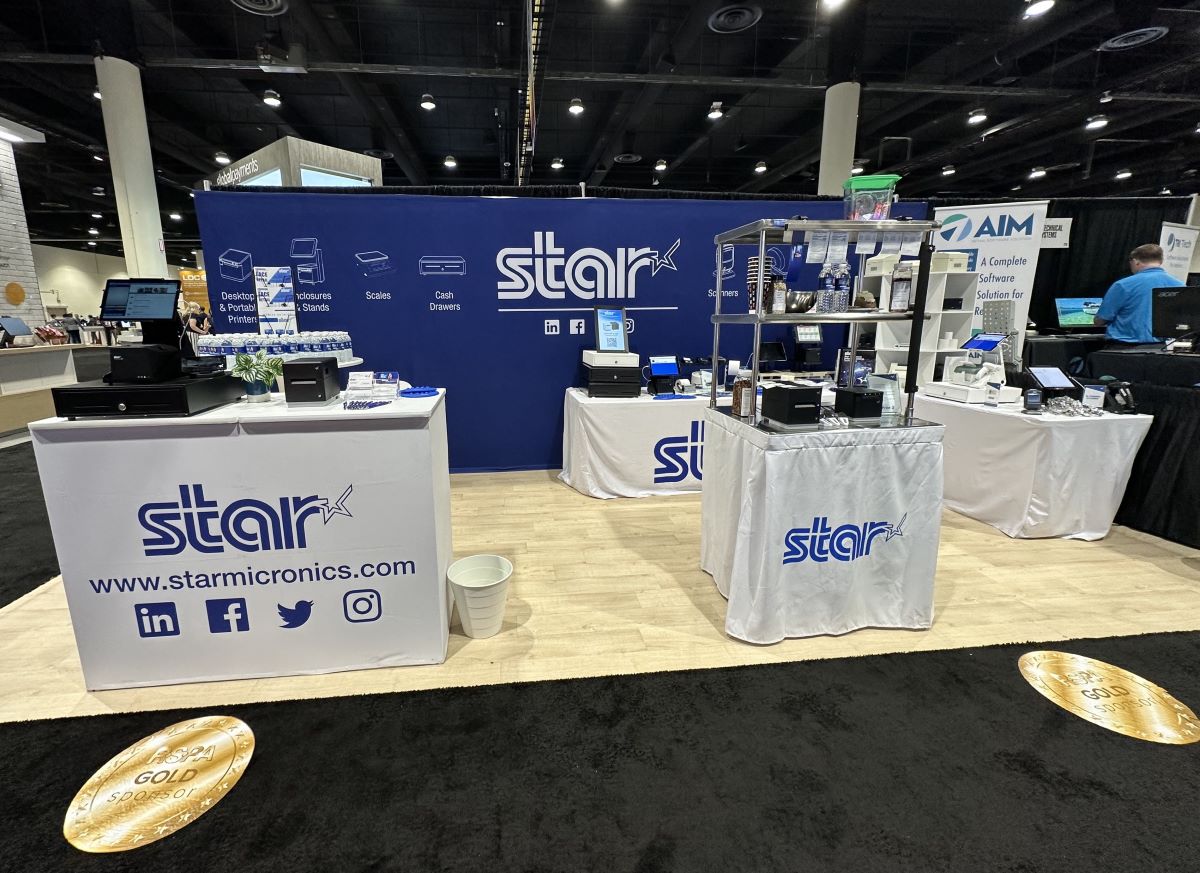
    Somerset, NJ – July 31, 2023 – Star Micronics, a global leader in mobile, point-of-sale (POS), and customer engagement technologies, is thrilled to announce its participation at RetailNOW 2023, the premier event for the retail technology industry. The event will take place at the Gaylord Palms Hotel in Orlando, FL, on July 31st and August 1st, 2023.

    RetailNOW 2023 promises to be packed with innovation, inspiration, and opportunities to connect with industry leaders and peers in person. Attendees will have the chance to explore Star Micronics’ comprehensive range of top-selling POS and self-service hardware solutions, including exciting innovations that redefine business efficiency.

    During RetailNOW 2023, visitors are invited to stop by Booth #716 to meet the Star team and experience firsthand the latest solutions that elevate business operations. Highlights at the booth include:

    The mC-Label3 Multifunctional Printer:

    • Versatile printing on various paper and label media, including linerless sticky labels, permanent linerless labels, die-cut and continuous labels, and traditional receipt paper
    • Maintenance alerts and minimal upkeep for optimal performance
    • Convenient One Touch printing for pre-made receipts and labels

    The Customizable SK5-31 Kiosk Printer:

    • Adjustable single paper arm with 12 positions
    • Fully enclosed design for streamlined maintenance
    • Smooth operation with anti-paper jam and paper eject assistance
    • Adjustable black mark sensor for diverse applications

    High-Resolution 2D Barcode Scanners:

    • Advanced data parsing capabilities for enhanced efficiency
    • Wireless model with charging cradle included for seamless mobility
    • Star-branded for superior quality and reliability

    In addition to our participation at RetailNOW 2023, Star is thrilled to announce that Kate Orara, Partner Development Manager at Star Micronics, is running for the Retail Solutions Providers Association’s (RSPA) Board of Directors. Kate’s candidacy reflects her dedication to advancing the interests of our industry and shaping the future of retail technology.

    “Running for the RSPA Board is an opportunity for me to give back to an industry I’m so passionate about,” Kate said. “I hope to contribute to a future where the RSPA is the go-to resource for all things point-of-sale and a community that fosters innovation, collaboration, and growth.”

    As an extra-special part of the event, Star would like to recognize Christin Dorner, Content & Media Manager at Star, who will be featured as a panelist in the discussion “Marketing Myths, Mistakes & Mastery” on August 1st from 2:30 pm to 3:30 pm.

    Star is also proud to announce that Christin’s added recognition as one of the RSPA’s “40 Under 40” Rising Stars exemplifies her indispensable dedication and expertise in the field.

    To ensure personalized attention at the show, RetailNOW 2023 attendees can schedule private demos with Star representatives by contacting sales@starmicronics.com.

    Take advantage of this opportunity to explore the future of retail technology with Star Micronics at RetailNOW 2023. We look forward to welcoming you to Booth #716!

    Love industry news? Check out our podcast:

    Rising Stars Podcast

    Star Micronics logo, point-of-sale (POS) hardware and technology company.

    Star Micronics, a world leader in point-of-sale (POS), has designated a portfolio of printing, secure cash management, self-service, and customer engagement solutions for any retail or hospitality establishment. Embracing the mPOS wave, Star’s SDKs allow developers to utilize Star printers in tandem with Android™, iOS, iPad®, and iPhone® devices to generate receipts, labels, Chit, and tickets. Star Micronics is always leading and always innovating, creating cloud-based printing solutions, including CloudPRNT and Star Cloud Services, with AOA support and MFi connectivity. Star also has a wealth of peripherals, including 2D barcode scanners, scales, tablet display stands, and more. Visit starmicronics.com or follow us on Facebook, Twitter, YouTube, or LinkedIn to learn more.

    Media Contact:

    Christin Dorner

    Star Micronics America, Inc.

    cdorner@starmicronics.com

    848-216-3318