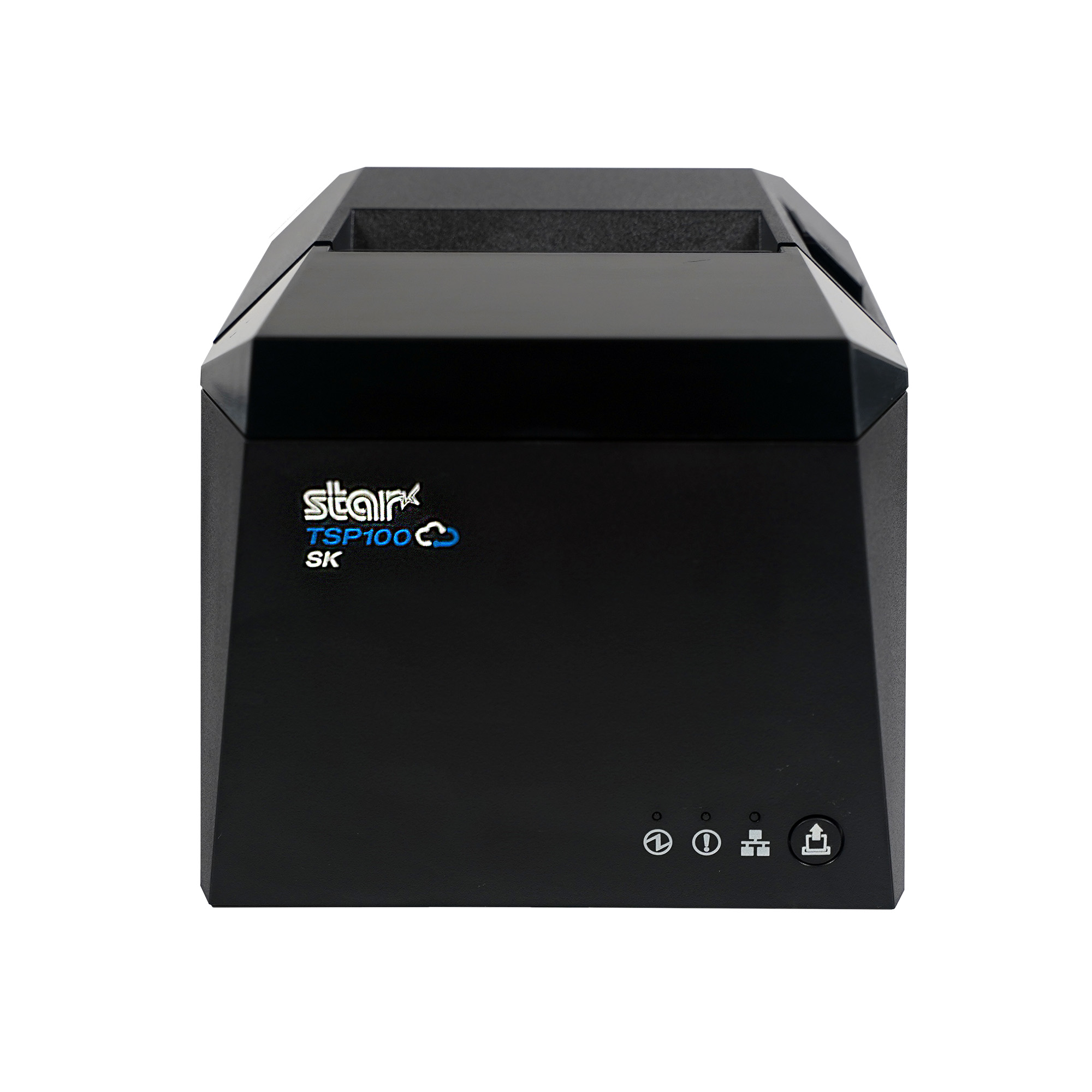
Rundoo’s retail POS connects Star’s TSP143IV thermal receipt printer through StarIO.Online, giving hardware, paint, lumber, farm and feed, and lawn and garden stores flexible receipt printing without drivers, print servers, or a wired connection to the register.
Somerset, NJ – October 8, 2026 – Star Micronics, a global provider of point-of-sale (POS) hardware, cloud printing, and labeling solutions, today announced its integration with Rundoo, an AI-first point-of-sale and business management platform built for independent hardware, paint, farm and feed, lawn and garden, and lumber stores.
Rundoo uses the Star TSP143IV as its standard receipt printer, connecting it to the Rundoo POS through CloudPRNT and StarIO.Online. The network-connected setup eliminates printer drivers and print servers, allowing merchants to print receipts from any device running Chrome, including phones and tablets used across the sales floor.
Modern POS Without Rebuilding the Counter
For merchants moving away from their 20-year-old POS system, replacing familiar hardware and workflows can make a technology upgrade feel more complicated than it needs to be. Rundoo and Star make receipt printing and cash drawer setup a straightforward part of the transition. a straightforward part of the transition.
With the TSP143IV connected to StarIO.Online over the network, Rundoo merchants can:
Print from devices across the sales floor: Any device running Chrome, including phones and tablets, can send receipts to the store’s Star printer.
Skip printer drivers and print servers:Online connects Rundoo with the printer without requiring traditional printer drivers or a dedicated print server.
Connect receipt printing and cash management: The cash drawer connects through the TSP143IV, allowing the same printer to handle receipts and drawer control.
Automatically print online orders: Incoming online orders can print directly to the store’s Star printer as soon as they arrive.
Set up quickly: Star Quick Setup Utility guides merchants through connecting the printer to the network, enabling CloudPRNT, and registering it with StarIO.Online.
StarIO.Online is Star’s fully managed cloud printing service, designed to connect cloud-based applications with Star printers without requiring businesses or software providers to build and maintain their own printing infrastructure.
Store owners replacing a system they’ve used for 20 years expect the hardware transition to be one of the painful parts. With Star, it really isn’t. The printer connects to the network, Rundoo can print to it from devices across the store, and the cash drawer runs through the same printer. Our merchants can focus on learning a better way to run their business instead of worrying about printer drivers, print servers, or complicated setup.
Titus Capilnean, Head of Marketing at Rundoo
Built for the Way Independent Stores Actually Sell
Hardware, lumber, farm and feed, and lawn and garden stores aren’t confined to a traditional checkout lane. Employees may be helping customers at a paint counter, walking a lumber yard, checking inventory in an aisle, or completing a transaction elsewhere in the store.
With Rundoo running in Chrome and receipt printing connected through StarIO.Online, the register no longer has to define where a transaction happens. Staff can work from compatible devices across the sales floor while receipts route back to the store’s TSP143IV.
Independent retailers need modern technology without losing the practical workflows that keep their stores moving. Rundoo is a great example of what cloud-connected printing can make possible. The transaction can move beyond the counter while the receipt printer and cash drawer remain dependable parts of the store’s POS infrastructure.
Christophe Naasz, Global Director of Business Development at Star Micronics
Modernizing More Than the Point of Sale
Rundoo is live in more than 500 stores across the United States and Canada, providing independent merchants with POS and business management technology built specifically for their industries.
By combining Rundoo’s software with Star’s TSP143IV thermal receipt printer, CD4 cash drawer, and StarIO.Online cloud printing, merchants can modernize checkout without adding unnecessary printing infrastructure or tying every transaction to a fixed register.
For more information about Star Micronics retail POS solutions, visit starmicronics.com.
Rundoo is an AI-first point-of-sale and business management platform built for independent hardware, paint, farm and feed, lawn and garden, and lumber stores. Used by more than 500 independent stores across the U.S. and Canada, Rundoo brings point-of-sale, inventory, purchasing, pricing, customer management, vendor catalogs, reporting, and AI-powered tools into one system. Its platform is designed around the specialized workflows of independent supply stores, helping merchants manage everything from contractor accounts and complex inventory to purchasing and day-to-day store operations.
Star Micronics is a global provider of point-of-sale (POS) hardware, cloud printing, and labeling solutions that help businesses connect digital workflows to real-world operations. Serving retail, hospitality, healthcare, and service industries, Star delivers printing, labeling, cash management, self-service, and cloud-based technologies designed to support scalable, connected, and automated environments. Star’s solutions support Android, iOS, Windows, and web-based platforms and extend into the cloud through services such as CloudPRNT Next and StarIO.Online, Star’s fully managed cloud printing service.
Star’s TSP143IV receipt printer integrates with Aldelo Express Cloud POS, offering flexible restaurant POS hardware options across POS and payment environments.
Somerset, NJ – October 6, 2026 – Star Micronics, a global provider of point-of-sale (POS) hardware, cloud printing, and labeling solutions, today announced expanded support for Aldelo restaurant technology with the integration of Star’s TSP143IV thermal receipt printer across Aldelo Express Cloud POS for Android, iOS, Aldelo Tablet, and Aldelo Mobile devices.
The integration gives restaurants and Aldelo resellers a versatile receipt printing option across multiple restaurant payment and service environments. With the TSP143IV, operators can pair Aldelo Express POS devices with modern thermal receipt printing while choosing the hardware flexibility that best fits their restaurant.
One Receipt Printer Across Multiple Environments
Restaurant technology is increasingly deployed across a mix of tablets, terminals, and operating systems. Hardware that can adapt across those environments gives operators and resellers more flexibility when building, upgrading, or standardizing POS systems.
Star’s TSP143IV supports Aldelo Express ordering and payment applications across:
Android Tablet & Mobile POS
iOS Tablet & Mobile POS
Aldelo Tablets & Mobile POS
With compact thermal receipt printing and multiple connectivity options available within the TSP143IV family, restaurants can configure receipt printing around the devices and infrastructure already in use.
“Our resellers work with restaurants that have different devices, configurations, and technology requirements. Adding support for Star’s TSP143IV alongside the Aldelo Express Point of Sale ecosystem gives them a versatile receipt printing option they can deploy across a wider range of customer environments.”
Jeff Moore, Vice President of Operations at Aldelo
Extending an Established Aldelo and Star POS Ecosystem
The TSP143IV integration builds on existing compatibility between Aldelo Express POS and Star Micronics hardware. Aldelo Express supports additional Star solutions including the TSP143III receipt printer, mC-Print3 receipt printer, mPOP combined receipt printer and cash drawer, and NTEP-certified mG‑S8200 Scale.
For Aldelo resellers, that broader hardware support provides options for different restaurant formats, counter configurations, and POS deployments. For restaurant operators, it means Star printing and POS hardware can remain part of the technology environment as business needs and devices change.
“Restaurants shouldn’t have to rethink their entire hardware environment every time their POS technology evolves. Our work with Aldelo gives operators and resellers proven printing options across different devices, operating systems, and restaurant configurations, so they can build around what works for the business. By integrating Star CloudPRNT, Aldelo recognized Star Micronics’ leadership in cloud printing and expanded the flexibility available to its restaurant customers and reseller partners.”
Christophe Naasz, Global Director of Business Development at Star Micronics
Flexible POS Technology for Restaurants and Resellers
Aldelo provides restaurant point-of-sale, payment, online ordering, and management technologies designed for a range of foodservice environments. Combined with Star’s restaurant POS hardware, the expanded integration gives operators and Aldelo resellers additional choices when configuring technology for new installations, upgrades, and multi-location deployments.
For more information about Star Micronics restaurant solutions, visit starmicronics.com.
To learn more about Aldelo Express, visit aldelo.com.
Aldelo is a restaurant technology provider offering point-of-sale, payment, online ordering, and restaurant management solutions for foodservice operators. Its Aldelo Express platform provides restaurants with tools for managing orders, payments, menus, and day-to-day restaurant operations, while Aldelo ePay supports fast, secure, and seamless restaurant payments. Designed for independent restaurants and multi-location operators, Aldelo’s technologies provide flexible options for restaurants and the resellers that support them.
Star Micronics is a global provider of point-of-sale (POS) hardware, cloud printing, and labeling solutions that help businesses connect digital workflows to real-world operations. Serving retail, hospitality, healthcare, and service industries, Star delivers printing, labeling, cash management, self-service, and cloud-based technologies designed to support scalable, connected, and automated environments. Star’s solutions support Android, iOS, Windows, and web-based platforms and extend into the cloud through services such as CloudPRNT Next and StarIO.Online, Star’s fully managed cloud printing service.
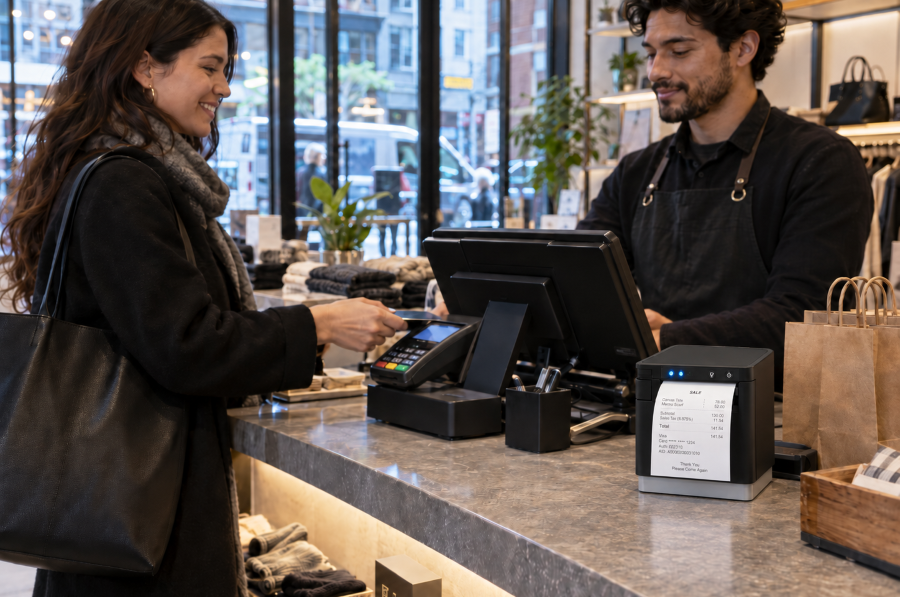
Proof of purchase gives customers a record of what they bought, how much they paid, and when the transaction occurred. Retail receipts are commonly used for returns and exchanges, warranty claims, expense reports, bookkeeping, and purchase disputes.
In New York City, sellers must offer a receipt for retail purchases of $20 or more and provide one upon request for purchases between $5 and $20. Receipts must also contain specific transaction and business information. For retailers, compliance requires more than printing a slip of paper. Receipt templates, POS rules, employee procedures, and printer output must all produce accurate proof of purchase when required.
Proof of purchase documents the transaction for both the customer and the retailer. A complete retail receipt can help resolve common post-purchase questions and disputes, including:
Returns and exchanges: Confirms the item purchased, transaction date, price paid, and whether the request meets the retailer’s return policy.
Warranties: Verifies the purchase date, product details, and eligibility for repair, replacement, or other warranty coverage.
Expense reports and bookkeeping: Provides an itemized record of the seller, purchase date, amount paid, and taxes.
Chargebacks and purchase disputes: Supports the retailer’s transaction records and may help respond to inaccurate or fraudulent claims.
When Are Retailers Required to Provide Proof of Purchase in NYC?
Under 6 RCNY § 5-32, New York City sellers must offer a receipt for any retail purchase of $20 or more. For purchases between $5 and $20, the seller must provide a receipt when the customer requests one. These requirements are enforced by the New York City Department of Consumer and Worker Protection.
The general rule does not apply to food or drinks intended for on-premises consumption or to oil, gasoline, or parking fees paid in cash. However, sellers must provide a receipt upon request when one of these purchases exceeds $5. For food or drinks sold for off-premises consumption, a register tape showing the seller’s name, purchase date, and individual item prices may serve as the receipt.
What Information Must Appear on NYC Retail Receipts?
NYC retail receipt requirements specify what stores must include with proof of purchase:
The amount paid for each item
The total amount paid, with tax listed separately
The purchase date
The retailer’s legal name and address
The DCWP license number, when applicable
The make and model of audio, photographic, or video equipment costing more than $100
The law also states what retailers cannot include on a receipt, i.e., more than the last 5 credit card digits or the payment card’s expiration date.
Paper Receipts vs. Digital Receipts
Paper and digital receipts can both give customers a record of a purchase. NYC rules specify when retailers must offer or provide a receipt and what information it must contain, but they do not expressly state whether electronic delivery alone satisfies the requirement. Retailers using digital receipts should confirm that their process complies with current NYC guidance.
Digital receipts may work well when customers choose delivery by email, text, or app and can receive the record immediately. Paper receipts remain important when a customer does not provide digital contact information, wants proof of purchase at the point of sale, or cannot access a digital receipt.
Paper receipts may be preferable when:
Digital receipts may be preferable when:
The customer pays with cash and provides no digital contact information.
The customer chooses delivery by email, text, or an app.
The customer wants immediate proof of purchase for an exit check, return, or expense report.
The customer wants a searchable record for budgeting, returns, or bookkeeping.
Internet access or digital delivery is unavailable or unreliable.
The retailer can confirm that the receipt was delivered promptly.
The customer specifically requests a printed copy.
The customer prefers not to receive paper.
Retailers that offer digital receipts should maintain a dependable printing option for customers who request paper or cannot access an electronic copy. Any receipt provided should include the required transaction and business information and protect payment card data.
Are There Penalties for Violating NYC Retail Receipt Requirements?
Retailers that fail to follow NYC receipt requirements may face a consumer complaint, a civil penalty, and problems resolving questions after the sale.
Omits required transaction or business information
Lists prices or taxes incorrectly
Displays prohibited payment card information
NYC business guidance lists a fine of $150 to $350 for failing to provide a required receipt or issuing an incomplete one. A complaint does not automatically establish a violation. DCWP may review the complaint and pursue enforcement when warranted.
Business Consequences
Missing or incomplete proof of purchase can turn a routine return, warranty claim, or price question into a dispute. Customers may be unable to confirm what they paid, how much tax was charged, or when the transaction occurred.
If the retailer cannot resolve the issue, the customer may dispute the charge with their card issuer or decide not to return. These problems also create more work for employees and can make customers question whether the retailer’s sales practices are transparent.
How Can Retailers Comply with NYC Retail Receipt Requirements?
Compliance depends on more than having a receipt printer. Retailers need accurate POS rules, approved receipt templates, trained employees, and a process for checking that receipts print correctly.
Configure NYC Receipt Rules in the POS System
Configure the POS system and employee procedures to reflect when receipts must be offered or provided:
Account for exceptions involving food consumed on-site and certain cash payments for gasoline, oil, or parking.
Train employees to recognize and respond to receipt requests.
Standardize Required Receipt Information Across Locations
Multi-location retailers should use an approved receipt template containing the required purchase, tax, and business information. Each receipt should display the correct store address and DCWP license number when applicable, while keeping prohibited payment card information masked.
Manage template updates centrally so every store and register receives the same changes when tax settings, business information, or receipt requirements are updated.
Test Receipt Output and Plan for Outages
Print sample receipts from every register and location to confirm that:
Required transaction and business information appears correctly.
Taxes are listed separately.
Payment card information is properly masked.
Store-specific details are accurate.
The receipt prints clearly and completely.
Repeat these checks after changes to POS software, hardware, taxes, or receipt templates. Retailers should also establish a backup process for issuing proof of purchase during printer, POS, network, or cloud service outages.
What Features Should Retailers Look for in a Receipt Printer?
The POS system or application controls receipt content, but the printer must reproduce that information clearly and consistently. Retailers should evaluate:
POS and software compatibility: Confirm that the printer works with the retailer’s POS platform, operating systems, devices, and cloud applications.
Appropriate connectivity: Match USB, Ethernet, WLAN, or Bluetooth connectivity to the checkout setup and store layout.
Fast, legible printing: Required purchase details, taxes, barcodes, and return information should print clearly without slowing checkout.
Simple operation: Employees should be able to load paper, identify errors, and complete routine maintenance quickly.
Proven reliability: Review printhead and cutter ratings, warranty coverage, technical support, and access to drivers and documentation.
Receipt formatting support: Make sure the POS system can include required proof-of-purchase information while keeping promotions and loyalty messaging separate.
Star Receipt Printers for Retail Environments
Star Micronics offers several receipt printers suited to retail checkout and proof-of-purchase applications:
TSP143IV: A compact thermal receipt printer with wired and wireless model options, cloud-printing support, and rapidSYNC Wi-Fi setup on X4 models.
mC-Print3: A compact front-loading receipt printer with connectivity options for fixed, mobile, and cloud-connected POS environments.
Retailers should compare POS compatibility, connectivity, available counter space, print volume, and cloud-printing requirements before choosing a model.
Support NYC Receipt Compliance with Reliable Printing
NYC receipt compliance depends on accurate POS rules, complete receipt content, and reliable printing. When those elements work together, customers receive a clear record of the transaction that they can use to verify charges, make returns, submit warranty claims, or maintain financial records.
Retailers should consider POS compatibility, connectivity, store layout, print volume, and backup procedures when choosing a receipt printer.
The 5 Best Star Receipt Printers for Retail, Restaurants, and More
From compact receipt printers for front counters to rugged models for high-volume kitchens, this guide breaks down the five best options to help you choose the right fit.
Frequently Asked Questions About Proof of Purchase and NYC Retail Receipt Laws
What counts as proof of purchase under NYC retail receipt rules?
For purposes of NYC retail receipt requirements, proof of purchase is a receipt containing the required information about the seller and transaction. For food or drinks sold for off-premises consumption, a register tape showing the seller’s name, purchase date, and individual item prices may serve as the receipt.
When must NYC retailers offer or provide a receipt?
Retailers must offer a receipt for purchases of $20 or more. For purchases between $5 and $20, they must provide one when the customer asks.
Different rules apply to food or drinks consumed on the premises and to oil, gasoline, or parking fees paid in cash. For these transactions, the seller must provide a receipt upon request when the purchase exceeds $5.
What information must appear on an NYC retail receipt?
A compliant NYC retail receipt must include:
The business name and address
The DCWP license number, when applicable
The amount paid for each item
The total amount paid, with tax listed separately
The purchase date
The make and model of audio, photographic, or video equipment costing more than $100
A receipt cannot show a payment card’s expiration date or more than its final five digits.
Which businesses and transactions are covered by NYC receipt requirements?
The rule generally applies to sellers making retail sales of goods or services to consumers in New York City. It includes specific exceptions for food or drinks consumed on-site and cash payments for oil, gasoline, or parking, although customers may still request receipts for those purchases when the total exceeds $5. Other industries may also be subject to separate receipt or recordkeeping requirements.
Does NYC require a paper receipt, or can retailers provide a digital receipt?
NYC’s published rule specifies when a receipt must be offered or provided and what it must contain, but it does not expressly state whether electronic delivery alone satisfies the requirement. Retailers using digital receipts should confirm their process with DCWP or legal counsel and maintain a reliable way to print a receipt when a customer requests or needs one.
What happens if a retailer provides an incomplete or noncompliant receipt?
Customers may file a complaint with DCWP over an incomplete, incorrect, or illegal receipt. NYC business guidance lists fines of $150 to $350 for failing to provide a required receipt or providing an incomplete one. A complaint does not automatically establish a violation; DCWP may review the matter and pursue enforcement when appropriate.
How can retailers update their POS systems for NYC receipt compliance?
Retailers should configure the POS system to prompt employees to offer or provide receipts at the correct transaction amounts. They should also:
Create an approved template containing all required receipt information.
Add accurate location-specific business and license details.
Mask prohibited payment card information.
Test receipt output at every register.
Retest after software, tax, hardware, or template changes.
Train employees on receipt requests and applicable exceptions.
For multi-location retailers, managing templates centrally can help prevent individual stores from using outdated receipt information.
For ISVs supporting mobile commerce, hardware can become a hidden source of complexity.
Printers, barcode scanners, cash drawers, tablets, and network connections all need to work together across different devices and selling environments. Add iOS and Android BYOD setups, farmers markets, pop-ups, farm stands, and temporary hotspots, and deployment support can get complicated quickly.
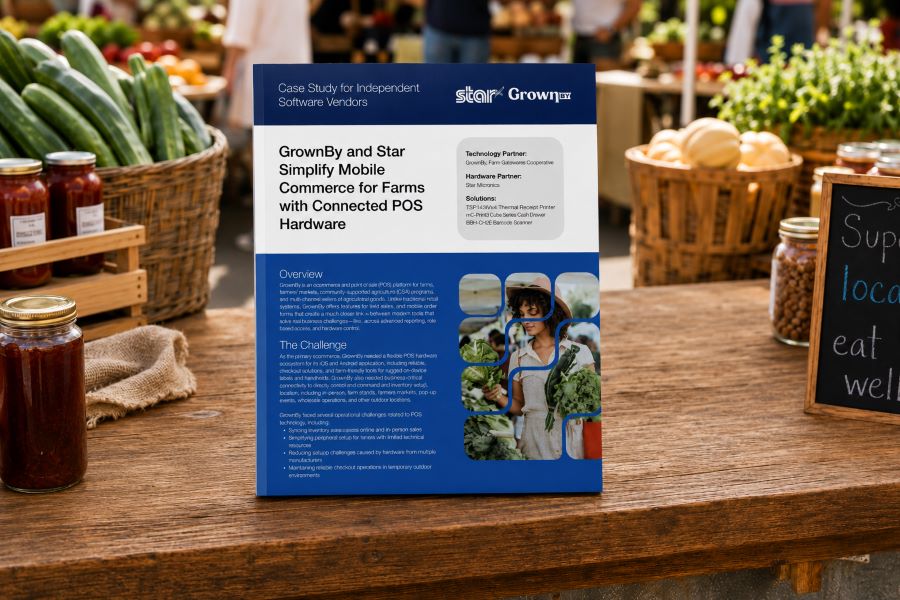
That was the challenge facing GrownBy, a commerce and POS platform built for farms, farmers markets, CSA programs, and direct-to-consumer agricultural sales. As the platform expanded, GrownBy needed a mobile POS hardware strategy that could support customers wherever they sell without creating a different peripheral setup for every location.
GrownBy standardized on a connected Star Micronics hardware ecosystem that includes receipt printing, barcode scanning, and cash management.
Instead of configuring every peripheral independently with the host tablet, compatible devices can work together as part of a coordinated POS setup. For an ISV, that approach can mean fewer compatibility variables, more consistent deployments, and a simpler experience for customers with limited technical resources.
The case study explores practical takeaways for ISVs looking to:
Reduce peripheral compatibility issues
Support iOS and Android BYOD environments
Standardize hardware across mobile locations
Simplify multi-device POS deployments
See the Full GrownBy Deployment
If your software supports mobile, temporary, or multi-location commerce, GrownBy’s approach offers a useful look at how connected hardware can reduce deployment complexity.
Your customer calls because a receipt printer is failing. The POS application isn’t the problem. It still handles transactions, employees know it, and the integration has been running for years. The challenge is replacing the printer without rebuilding software that still works.
Many legacy POS systems were built around Epson printers and ESC/POS commands. Years later, those applications may still depend on ESC/POS even when the original printer hardware is ready to be replaced.
That does not mean the entire POS system has to go with it. ESC/POS-compatible printers can interpret supported commands from the existing application, giving VARs and ISVs a way to introduce newer printer hardware while preserving the current integration.
And those options now extend beyond receipt printing. Star Micronics offers ESC/POS support across thermal receipt printers, linerless sticky label printers, and impact kitchen printers.
A legacy POS system is an established point-of-sale environment that remains in use even though newer hardware, software, connectivity, or integration options are available.
That can include a traditional POS system running on fixed terminals, industry-specific software developed years ago, or a custom application that has become deeply embedded in a retailer’s or restaurant’s operations.
Legacy does not necessarily mean obsolete. Businesses may continue using these systems because:
The POS application still handles the transactions and workflows they need.
Employees already know how to use it.
Custom integrations depend on the existing software.
The system is deployed across many locations.
Replacing it would require development, testing, installation, and training.
For VARs and ISVs, the question is often not whether the customer could replace the entire system. It is which parts actually need to change.
If the POS application still works, replacing aging printer hardware may be a much smaller project than replacing the application behind it.
What Is ESC/POS and Why Do Legacy POS Systems Still Use It?
ESC/POS is a printer command system developed by Epson. POS applications use ESC/POS commands to tell a compatible printer what to print and how to perform supported functions, such as formatting text, printing graphics, cutting paper, or opening a connected cash drawer.
Because Epson printers have long been used in POS environments, many established applications were built to communicate using ESC/POS. Years later, those applications may still depend on the same command language even when the original printer hardware is ready to be replaced.
That is where ESC/POS emulation becomes useful.
A printer with ESC/POS emulation can interpret supported ESC/POS commands even when ESC/POS is not its native printer language. For a VAR or ISV, that can make it possible to pair an existing application with newer printer hardware without rewriting the application around a different printer command language.
The important word is supported.
ESC/POS compatibility does not mean every compatible printer will behave identically. An application may rely on specific character sets, formatting, barcodes, cutter commands, cash drawer controls, status responses, or other functions.
That is why ESC/POS support provides a path to newer hardware, but the exact printer, interface, commands, and application still need to be tested before deployment.
How ESC/POS Support Helps VARs and ISVs Modernize a Legacy POS System
Once an existing application can communicate with newer printer hardware through ESC/POS, the printer replacement no longer has to be tied to a full POS migration.
For VARs and ISVs, that opens up several practical options.
Preserve the Existing Printer Integration
If the application already sends supported ESC/POS commands, much of the existing printing logic may be able to remain in place. That can reduce the scope of a printer replacement project for an ISV maintaining established POS software or a VAR supporting customers that are not ready to replace the application itself.
The integration still needs to be tested with the exact printer and functions in use, but the starting point is very different from rebuilding the printing workflow around another command language.
Expand the Printer Hardware You Can Offer
An application built around ESC/POS no longer has to limit the customer to the same type of printer hardware it was originally deployed with.
Current ESC/POS-compatible options can include:
Thermal receipt printers
Linerless sticky label printers
Impact kitchen printers
That is particularly important for established applications that need to support new workflows. A restaurant may want sticky labels for delivery orders while keeping its existing POS application. Another may need to replace an aging kitchen printer without changing the software sending the tickets.
ESC/POS compatibility gives VARs and ISVs more hardware choices while preserving the application’s existing communication method.
Separate Printer Replacement from POS Migration
A customer does not always need to replace its POS software, terminals, peripherals, and printers at the same time. An aging printer can be replaced first while the existing application remains in use. Other changes, such as new devices, online ordering, cloud applications, or different POS software, can happen on their own schedule.
For multi-location customers in particular, that can make a hardware rollout easier to test and manage than an all-at-once POS replacement.
Support Both Existing and Newer Workflows
Many customer environments already contain a mix of technologies. A traditional POS system may still handle in-store transactions while tablets, online ordering, or cloud applications are introduced elsewhere in the business.
Selecting newer printer hardware that supports the existing ESC/POS workflow and additional interfaces or integration technologies gives VARs and ISVs more options as those deployments change.
The existing application can continue using ESC/POS, while other printer capabilities can be used separately where the software and workflow support them.
What Modern Printer Capabilities Can You Add to a Legacy POS System?
Once a newer printer can interpret the ESC/POS commands used by an existing application, VARs and ISVs can look beyond basic printer replacement.
ESC/POS provides the compatibility. The printer provides the newer capabilities. Exactly which capabilities can be used depends on the printer, application, interface, and deployment, but newer hardware can open several possibilities.
1. More Types of Printing Hardware
An application built around ESC/POS does not necessarily have to remain tied to the same type of printer hardware it originally used.
Star now provides ESC/POS support across three distinct printer categories:
Thermal receipt printers for transaction receipts and other standard POS output
Linerless sticky label printers for applications that can generate adhesive labels
Impact printers for kitchen tickets and other environments where impact printing is required
That gives VARs and ISVs more hardware choices when an existing ESC/POS application needs to support a different type of output.
The application still needs to generate the appropriate content, formatting, and supported commands. ESC/POS compatibility alone does not turn a receipt workflow into a label workflow. But it can remove one of the barriers to using a different type of printer.
2. More Connectivity Options
A legacy POS system may have been designed around one specific wired interface. Newer printers can support several connection methods in the same model.
Star’s TSP143IV X4 receipt printer and TSP143IV SK X4 linerless label printer, for example, each include USB-C, Ethernet, Wireless LAN, and Bluetooth connectivity.
X4 models by Star Micronics include USB, LAN, WLAN, and Bluetooth connectivity
That gives VARs and ISVs more choices when the hardware around an established application changes.
A new workstation may use USB-C. Another location may need a network connection. A customer may be introducing tablets or other devices alongside fixed POS terminals.
ESC/POS does not provide those interfaces. It can help preserve supported communication with the existing application while the newer printer provides additional connection options.
That means an ISV could continue supporting an established ESC/POS-based in-store application while developing a separate cloud-printing workflow for online ordering, remote order fulfillment, or another cloud application.
The distinction matters: ESC/POS does not make the legacy POS system cloud-connected. It allows the existing application to continue communicating with the printer, while the same printer may support a separate cloud integration.
For a VAR, ISV, or enterprise team supporting printers across multiple locations, that can make it easier to determine whether a device is connected and investigate printer issues without starting every support case at the physical location.
Like cloud printing itself, these management capabilities are separate from ESC/POS emulation. They become relevant because the newer printer can support both the established ESC/POS workflow and additional technologies.
ESC/POS compatibility allows an existing application to communicate with supported newer printer hardware. It does not automatically give that application access to every capability the new printer offers.
For example:
A printer may include Wireless LAN, but the existing application still needs a supported way to communicate with it over the network.
A printer may support Bluetooth, but that does not turn an older desktop POS application into a mobile application.
A printer may support CloudPRNT Next, but the existing application does not become cloud-connected simply because the printer does.
A linerless label printer may support ESC/POS, but the application still needs to generate the content, formatting, and commands required for the label workflow.
The simplest way to think about it is this: ESC/POS can preserve the communication between the application and the printer. It does not rewrite the application.
New connectivity, cloud printing, label workflows, remote device management, and other capabilities still depend on the printer, software, and integration being used.
How Should VARs and ISVs Evaluate an ESC/POS Printer for a Legacy POS System?
“ESC/POS compatible” is a starting point, not a guarantee that a printer will work with an existing application.
Before recommending new hardware, VARs and ISVs should verify how the application communicates with the current printer, which functions it relies on, and whether the proposed replacement supports those requirements.
1. Confirm That the POS Application Uses ESC/POS
Start with the POS application itself. Check its documentation, printer configuration, integration settings, or developer resources to confirm that it sends ESC/POS commands.
If the application uses another printer language, a driver-specific workflow, or a proprietary integration, ESC/POS emulation alone will not make the new printer compatible.
2. Identify the Commands and Functions the Application Relies On
Two applications can both use ESC/POS while depending on very different printer functions.
Test the functions used in the actual deployment, such as:
Text formatting
Character sets and code pages
Logos and graphics
1D and 2D barcodes
Paper cutting
Cash drawer commands
Printer status
Receipt layouts
Label layouts and formatting
A basic receipt application has different requirements from one that also controls a cash drawer, prints barcodes, or generates linerless labels.
3. Verify the Connection Method
Confirm how the application communicates with the printer today and whether the proposed printer supports ESC/POS through the required interface. That may include USB, Ethernet, serial, or another connection.
This matters because ESC/POS support can vary by model and interface. For example, Star’s ESC/POS support on the SP742 impact printer is specifically LAN-based.
4. Review the Rest of the Software Environment
The printer is only one part of the integration. Also verify:
Operating system
Drivers
SDKs or libraries
Printer firmware
POS software version
Network configuration
Peripheral controls
A printer may support ESC/POS and still require changes elsewhere in the deployment before it can replace the existing hardware.
5. Match the Printer to the Required Output
Once application compatibility is established, choose the printer technology based on what the customer actually needs to print.
Thermal receipt printing: For transaction receipts and other standard POS output.
Linerless label printing: For adhesive labels used in order identification, food and beverage workflows, retail, and other labeling applications.
Impact printing: For kitchen environments where heat and humidity can affect thermal paper or where multipart copies are required.
This is also where Star’s expanded ESC/POS lineup becomes relevant. The same ESC/POS-dependent application environment may now have options across receipt, linerless label, and impact printing rather than being limited to one printer category.
6. Pilot Before a Large Deployment
Test the proposed printer with the actual application before rolling it out across a customer base.
Use the same:
POS software version
Operating system
Connection type
Printer firmware
Receipt or label layouts
Media
Peripherals
Network configuration
A controlled pilot can expose formatting, command, interface, or configuration differences before they are repeated across dozens or hundreds of installations.
Star ESC/POS Printer Options for Legacy POS Systems
Star Micronics expanded ESC/POS support across receipt, linerless label, and impact printing options, giving VARs and ISVs several choices when supporting existing ESC/POS applications.
Star Printer
Primary Output
ESC/POS Support
Connectivity
TSP143IV UE
Thermal receipts
ESC/POS emulation
USB-C, LAN
TSP143IV X4
Thermal receipts
ESC/POS emulation
USB-C, LAN, WLAN, Bluetooth
TSP143IV UE SK
Linerless sticky labels
ESC/POS emulation
USB-C, LAN
TSP143IV SK X4
Linerless sticky labels
ESC/POS emulation
USB-C, LAN, WLAN, Bluetooth
SP742 LAN
Impact kitchen tickets
LAN-based ESC/POS emulation
Ethernet
TSP143IV for Thermal Receipt Printing
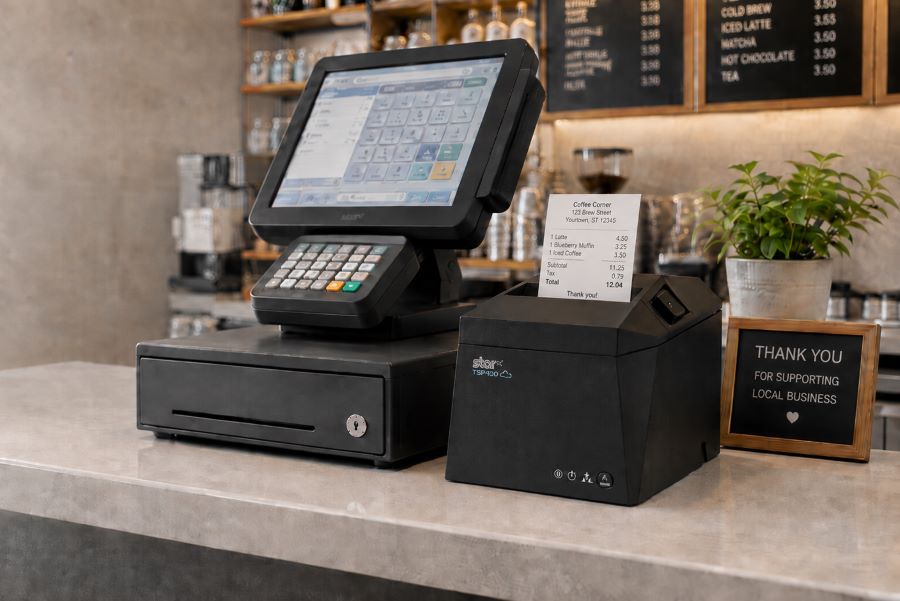
The TSP143IV thermal receipt printer gives VARs and ISVs a current thermal receipt printer option for legacy POS systems that rely on ESC/POS.
The UE model provides USB-C and LAN connectivity. The X4 adds WLAN and Bluetooth, giving solution providers a single receipt printer model that meets multiple connectivity requirements.
TSP143IV Thermal Receipt Printer
Star’s TSP143IV series thermal receipt printer combines a compact design with flexible connectivity, including Android Open Accessory (AOA). It’s Cloud Ready for Star Cloud Services and designed for straightforward installation across traditional POS, mPOS, retail, and hospitality environments.
For customers who need adhesive output rather than a conventional receipt, the TSP143IV SK brings ESC/POS support to linerless sticky label printing.
The printer supports 80 mm, 58 mm, and 40 mm media widths. The X4 model includes USB-C, LAN, WLAN, and Bluetooth, while the UE model provides USB-C and LAN.
That gives VARs and ISVs another option when an existing POS application needs to support labeling for order identification, food and beverage, retail, or other workflows.
TSP143IV SK Sticky Label Printer
The TSP143IV SK by Star Micronics sets a new standard for compact, eco-friendly liner-free label printing using residue-free removable sticky labels. It offers advanced connectivity options like Bluetooth, USB-C, Wi-Fi, and AOA support for today’s diverse business setups.
The SP742 provides LAN-based ESC/POS emulation for applications that require impact output.
Impact printing remains useful in restaurant kitchens where heat and humidity can interfere with thermal paper. The SP742 also supports two-color printing and multipart copies, which can be useful when kitchen operations require duplicate tickets.
SP742 Impact Printer
The SP742 impact printer is built for demanding kitchen environments, with fast two-color printing and support for multipart tickets. Available connectivity options include Ethernet and Bluetooth, giving restaurants and foodservice operations flexible ways to route and print kitchen orders.
Modernize the Printer Without Replacing the Entire POS System
A failing or outdated printer should not automatically force a customer into a full POS migration.
For VARs and ISVs supporting a legacy POS system, ESC/POS compatibility can provide a practical way to keep an established application in place while replacing the hardware around it. The application can continue sending supported ESC/POS commands, while newer printers provide current options for receipt printing, linerless labels, impact kitchen tickets, connectivity, and other supported integrations.
The distinction is simple: ESC/POS preserves the communication path. The newer printer changes what hardware you can put at the other end of it.
That gives solution providers more ways to address an immediate printer need without rebuilding software that is still doing its job.
An Independent Software Vendor’s Guide to Star Printer SDKs
This guide breaks down Star Micronics’ printer SDKs, APIs, and integration tools to help ISVs choose the right solution for POS systems, cloud printing platforms, and custom software applications.
Frequently Asked Questions About ESC/POS and Legacy POS Systems
What is a legacy POS system?
A legacy POS system is an established point-of-sale environment that remains in use even though newer hardware, software, connectivity, or integration options are available.
The system may still perform its required functions, but replacing peripherals or adding newer technologies can become more difficult because of existing software and hardware dependencies.
What is ESC/POS compatibility?
ESC/POS is Epson’s proprietary POS printer command system. ESC/POS compatibility means a printer can interpret supported ESC/POS commands sent by an application.
Printers that use another native command language can provide ESC/POS emulation, allowing applications built around ESC/POS to communicate with supported printer hardware.
Can a traditional POS system use a newer printer?
Yes, depending on how the POS application communicates with its current printer.
If a traditional POS system sends ESC/POS commands and the newer printer provides compatible ESC/POS support, it may be possible to replace the printer without replacing the POS application. The exact printer model, interface, commands, firmware, and software environment should still be tested before deployment.
Can an application built for an Epson ESC/POS printer work with a Star printer?
Potentially, yes. If the application sends ESC/POS commands supported by the Star printer, ESC/POS emulation may allow the existing application to communicate with the new hardware.
That does not make every Star printer a drop-in replacement for every Epson printer. VARs and ISVs should verify the exact commands, connection method, printer functions, and application behavior before deployment.
Star currently provides ESC/POS emulation across the TSP143IV UE and X4 receipt printers, TSP143IV UE SK and SK X4 linerless label printers, and LAN-based ESC/POS emulation on the SP742 impact printer.
Does ESC/POS compatibility make a printer a drop-in replacement?
Not necessarily. Two printers can both support ESC/POS but differ in command support, character sets, status handling, interfaces, configuration, and other behaviors.
VARs and ISVs should test the existing application with the exact printer model before deploying it as a replacement.
Do I need to update POS software to use an ESC/POS printer?
Not always. If the existing application already sends ESC/POS commands supported by the new printer, significant changes to the application’s printing logic may not be necessary.
However, configuration, drivers, interface settings, or application changes may still be required depending on the deployment.
Can an ESC/POS application work with receipt, label, and impact printers?
Yes, provided the application sends commands supported by the printer and can generate the content required for that type of output.
ESC/POS compatibility is available across different printer categories. Star currently offers ESC/POS emulation on TSP143IV thermal receipt printers and TSP143IV SK linerless label printers, as well as LAN-based ESC/POS emulation on the SP742 impact printer.
The printer hardware determines the media and type of output. For example, moving from receipts to linerless labels also requires the application to generate the appropriate label content and formatting.
Can ESC/POS add wireless or cloud printing to a legacy POS system?
ESC/POS itself does not add wireless or cloud printing.
A newer ESC/POS-compatible printer may also provide WLAN, Bluetooth, CloudPRNT, or CloudPRNT Next. Those are separate printer and integration capabilities. Whether they can be used depends on the application, printer model, connection method, and integration.
For example, Star’s X4 receipt and linerless label models combine ESC/POS emulation with USB-C, LAN, WLAN, Bluetooth, and CloudPRNT Next support.
The integration combines Quetzal POS software with Star Micronics hardware solutions for receipt printing, merchandise labeling, barcode scanning, and checkout, helping specialty retailers manage inventory and support both in-store and online sales.
Somerset, NJ – June 30, 2026 – Star Micronics, a global provider of point-of-sale (POS) hardware, cloud printing, and labeling solutions, today announced its integration with Quetzal POS, a point-of-sale platform designed for specialty retailers. The integration brings together Quetzal POS software and Star’s portfolio of receipt printing, merchandise labeling, barcode scanning, and hybrid POS hardware, providing retailers with flexible options for managing sales and store operations.
Quetzal POS supports Star’s full portfolio of receipt and label printers, including the TSP143IV X4, TSP143IV SK X4, mC-Print series, mC-Label series, and the mPOP® hybrid receipt printer and cash drawer, as well as Star’s BSH-32 barcode scanner. Across iOS, Android, and Windows environments, Quetzal uses StarPRNT SDK to support local device communication over USB, Ethernet, Wi-Fi, and Bluetooth, giving retailers flexibility in how they deploy hardware across store and fulfillment workflows.
Available on iOS, Android, and the web, the platform supports both single-store and multi-location retailers and can automatically discover compatible Star printers across network and Bluetooth connections.
Inventory Management with Barcode Labeling
For many specialty retailers, inventory management remains one of the most time-consuming aspects of daily operations. Manual inventory processes can lead to pricing errors, inaccurate stock counts, and lost sales opportunities.
Quetzal POS helps retailers track inventory using barcode-based workflows that improve visibility into stock levels across stores and sales channels. Through its integration with Star’s printers and barcode scanning solutions, including the mC-Label multifunction label printer series and BSH-32 barcode scanners, retailers can generate merchandise labels directly from the POS system while improving item tracking and inventory accuracy.
These capabilities help retailers:
Track inventory using barcode-based workflows
Improve inventory visibility across locations
Create merchandise labels directly from the POS system
Reduce reliance on manual inventory processes
Supporting In-Store and Online Sales
As more independent retailers expand into ecommerce, they need systems that connect online and in-store operations without adding complexity.
Quetzal POS includes a web application that integrates with WooCommerce and will soon support Shopify. Using StarPRNT SDK, Quetzal POS extends online orders into the same receipt and labeling workflows used for in-store sales, helping retailers maintain consistency across sales channels.
This allows retailers to:
Receive online orders directly within their existing workflows
Print fulfillment documents and labels automatically
Support in-store pickup and delivery workflows
Maintain consistent processes across sales channels
Built for Specialty Retail
Quetzal POS includes tools for customer relationship management, loyalty programs, integrated payments, trade-in transactions, and multi-location management. Retailers can customize receipt and label workflows based on transaction type, helping support a variety of specialty retail environments.
“We built Quetzal POS to give specialty retailers practical tools for managing inventory, sales, and customer relationships without requiring the resources of a large retail chain. Working with Star allows us to extend those workflows into labeling, receipt printing, and ecommerce fulfillment, giving merchants options in how they deploy their systems.”
Sam Gardner, Director of Sales and Operations at Quetzal POS
“Specialty retailers rarely operate the same way from store to store. By supporting Star’s full portfolio of receipt printing, labeling, barcode scanning, and hybrid POS hardware, Quetzal POS gives merchants the flexibility to choose the workflows and hardware that best fit their business.”
Christophe Naasz, Global Director of Business Development at Star Micronics
To learn more about Star Micronics solutions, visit starmicronics.com.
Quetzal POS is a point-of-sale platform built for specialty retailers, including boutiques, thrift stores, music shops, electronics retailers, and other independent businesses. Available on iOS, Android, and the web, the platform combines inventory management, customer loyalty, trade-ins, payments, and ecommerce tools to help retailers manage day-to-day operations across in-store and online sales channels. Through QuetzalPay, merchants can process payments, manage high-volume transaction workflows, simplify reconciliation, and access reporting tools that provide greater visibility into payment activity and business performance.
Star Micronics is a global provider of point-of-sale (POS) hardware, cloud printing, and labeling solutions that help businesses connect digital workflows to real-world operations. Serving retail, hospitality, healthcare, and service industries, Star delivers printing, labeling, cash management, self-service, and cloud-based technologies designed to support scalable, connected, and automated environments. Star’s solutions support Android, iOS, Windows, and web-based platforms and extend into the cloud through services such as CloudPRNT Next and StarIO.Online, Star’s fully managed cloud printing service.
Thermal paper has long been a staple in point-of-sale printing, but the conversation around receipt paper and thermal media is evolving quickly. As more businesses evaluate sustainability initiatives, regulatory requirements, and operational standards, many are reassessing the materials used for receipts, labels, tickets, and foodservice workflows.
For businesses that rely on thermal printing, understanding the differences between BPA-free, BPS-free, and bisphenol-free thermal paper has become increasingly important. From retail and restaurants to healthcare and logistics, operators are looking for thermal media that supports reliable printing performance while aligning with broader compliance and sustainability goals.
Whether your business prints receipts, barcode labels, linerless labels, or tickets, now is the time to understand how thermal media is changing and what to consider when evaluating paper suppliers and printing solutions.
Traditional thermal paper uses heat-sensitive coatings that react with the thermal print head to produce printed text and images. For many years, BPA (bisphenol A) was commonly used in thermal paper formulations. As concerns around BPA increased, many manufacturers transitioned to BPS (bisphenol S) or other alternative chemistries.
Today, many businesses are specifically looking for:
BPA-free receipt paper
BPS-free receipt paper
Bisphenol-free thermal paper
Eco-friendly thermal media
Prop 65 compliant paper
Modern thermal media options may use alternative developers and materials designed to support evolving sustainability and compliance initiatives while maintaining the print quality and reliability businesses expect from thermal printing systems.
Thermal paper and labels are handled constantly throughout the day in many business environments, especially in industries where receipts, tickets, food labels, and packaging workflows are central to daily operations.
As conversations around thermal media have evolved, many businesses have started evaluating whether receipt paper and labels contain added bisphenols such as BPA or BPS, particularly in workplaces where employees frequently handle thermal media throughout their shifts.
This is especially relevant in industries such as:
In response, many manufacturers now offer thermal paper and label media made without intentionally added BPA or BPS. In thermal media manufacturing, this generally means bisphenol-based developers are not intentionally used in the paper formulation itself, although trace amounts may still be possible due to raw material sourcing, manufacturing processes, or supply chain variables.
Some media lines also include additional sustainability-focused features such as FSC-certified materials, recyclable paper options, and select products made without added Pergafast.
Why Businesses Are Reevaluating Thermal Media
The shift toward more sustainable thermal media is being driven by several factors, including:
Evolving state and regional regulations
Sustainability initiatives
Food safety and traceability programs
Procurement standardization
Consumer expectations around environmental responsibility
Operational consistency across multi-location businesses
Several states have introduced or discussed restrictions related to thermal paper materials, including BPA and other chemicals commonly associated with receipt paper. Requirements vary by region, and businesses operating nationally are increasingly looking for media options that can support broader compliance readiness.
For many operators, updating thermal paper and labeling supplies is also part of a larger operational strategy tied to:
Sustainable restaurant operations
Eco-friendly printing supplies
Order accuracy initiatives
Food labeling compliance
Waste reduction programs
Scalable POS hardware and labeling workflows
Understanding Prop 65 and Thermal Paper Compliance
California’s Proposition 65, formally known as the Safe Drinking Water and Toxic Enforcement Act, has become one of the most recognized compliance frameworks related to product material disclosures in the United States. Businesses that distribute products in California often evaluate whether materials align with Prop 65 requirements as part of their procurement process.
For thermal paper and labels, operators may specifically look for:
Prop 65 compliant paper
No added BPA or BPS
Sustainable thermal receipt paper
FSC-certified media
Recyclable thermal paper options
Star Eco and Star Blue Eco paper lines are produced using materials with no added BPA or BPS and are designed to support Prop 65 compliant operations.
Because regulations and material standards continue evolving, many businesses are proactively standardizing compliant thermal media across locations to simplify purchasing and support long-term operational consistency.
Modern thermal paper continues to deliver the fast, reliable printing performance businesses expect while supporting updated material standards and sustainability goals.
Today’s thermal media can provide:
Clear, high-contrast printing
Reliable image retention
Compatibility with existing thermal receipt printers
Support for high-volume POS environments
Reduced material concerns compared to legacy thermal media
Importantly, businesses do not typically need to replace existing thermal printers when transitioning to updated thermal paper or label media. Modern thermal receipt paper and labels are designed to work with standard thermal printing systems, including Star Micronics receipt and label printers.
Some premium thermal media options also help:
Reduce paper dust
Maintain print head performance
Improve long-term printer reliability
Support warranty-compliant printer operation
Star Blue Eco media is specifically engineered to optimize printer performance and support long-term reliability across demanding POS environments.
Industries Transitioning to More Sustainable Thermal Media
Retail & Hospitality
Retailers and hospitality businesses continue evaluating eco-friendly receipt paper and sustainable labeling solutions as part of broader operational and customer experience initiatives.
Restaurants & QSRs
Restaurants increasingly rely on thermal labels for:
Grab-and-go labels
Catering labels
Food rotation labels
Order confirmation labels
Allergen label information
Traceability labels
Off-premise dining workflows
Many QSR operators are also adopting linerless labels to support waste reduction and operational efficiency.
Healthcare & Pharmacies
Healthcare organizations often require reliable thermal printing for:
Prescription labeling
Patient-facing receipts
Barcode labels
Traceability workflows
Grocery & Foodservice
Grocery stores and foodservice operations use thermal labels for:
Nutritional information labels
Inventory labels
Expiration date labels
Weight and serving size labels
Food identification labels
What to Look for in Thermal Receipt Paper and Labels
When evaluating thermal paper suppliers and labeling solutions, businesses should consider:
Material Standards: Look for media produced using materials with no intentionally added BPA or BPS.
Print Performance: Consistent thermal imaging and durable print quality help support reliable operations.
Printer Compatibility: Thermal media should work seamlessly with existing POS printers and label printers.
Sustainability Features: Some thermal media products offer:
FSC-certified materials
Recyclable thermal paper
Reduced packaging waste
No added Pergafast
Linerless labeling options
Operational Reliability: Higher-quality thermal media can help reduce dust buildup and support long-term print head performance.
Linerless Labels and Sustainable Labeling Workflows
Linerless labels are becoming increasingly popular across restaurant, retail, and logistics environments because they help reduce liner waste while supporting flexible labeling workflows.
Common linerless label applications include:
Order accuracy labels
Delivery bag labels
Product rotation labels
Barcode labels
Shelf labels
Grab-and-go labels
Catering workflows
Star supports both linerless and linered label workflows across its media portfolio, including:
Repositionable linerless labels
Permanent linerless labels
Die-cut labels
Continuous linered labels
These labeling solutions support modern restaurant workflows, cloud printing environments, and foodservice traceability initiatives.
Star Blue Eco is Star’s premium paper and thermal media line, designed to support reliable printing performance while aligning with evolving sustainability and operational standards.
Key advantages include:
Produced using materials with no added BPA or BPS
Prop 65 compliant
Premium-grade thermal coating for consistent print quality
Designed to optimize printer performance
Helps support long-term print head reliability
Signature blue core for fast identification
Select options include FSC-certified materials
Select options include recyclable thermal paper
No added Pergafast on select SKUs
Star Blue Eco media is designed for receipt printers, label printers, linerless labeling applications, and scalable POS environments across retail, hospitality, and foodservice industries.
Perfecting QSR Delivery with POS Scales & Advanced Labeling
Learn how QSR operators are transforming delivery with weight-based verification and advanced labeling solutions.
Frequently Asked Questions About Bisphenol-Free Thermal Paper
What is bisphenol-free thermal paper?
“Bisphenol-free thermal paper” generally refers to thermal paper formulated without bisphenol-based developers such as BPA or BPS. However, terminology, testing methods, and formulation standards can vary across manufacturers and suppliers.
In some cases, manufacturers may use phrases such as “no intentionally added BPA or BPS” to describe thermal media formulations. This reflects the fact that trace amounts may still be possible due to manufacturing, raw material, or supply chain variables, even when bisphenols are not intentionally used in the formulation itself.
Is BPA-free thermal paper the same as BPS-free paper?
Not necessarily. BPA-free thermal paper simply means BPA was not intentionally used in the formulation, but some products may still use BPS or other alternative developers.
Because terminology and material standards can vary across suppliers, many businesses now evaluate broader claims around added bisphenols and overall material composition rather than focusing on a single chemical term alone.
What is Prop 65 compliant thermal paper?
Prop 65 compliant thermal paper refers to receipt paper or labels designed to align with California Proposition 65 requirements related to listed chemicals and exposure warnings. Many businesses use Prop 65 compliant thermal media to support purchasing consistency across multiple states and locations.
Can thermal paper be recyclable?
Some thermal paper products are designed to support recyclability initiatives, though recyclability can depend on the specific paper formulation and local recycling capabilities. Some manufacturers also offer FSC-certified paper and sustainability-focused media options designed to support broader environmental initiatives.
Star Micronics offers select SKUs of Star Blue Eco thermal receipt paper that are 100% recyclable.
What is Pergafast in thermal paper?
Pergafast is a chemical developer that has been used in some thermal paper formulations as an alternative to BPA or BPS. As thermal media standards continue evolving, some manufacturers now offer paper products made without added Pergafast as part of broader sustainability and material selection initiatives.
Businesses evaluating thermal paper may review whether products contain added BPA, BPS, Pergafast, or other developers depending on their internal standards, sustainability goals, or regulatory considerations.
What does FSC-certified paper mean?
FSC-certified paper refers to paper products certified by the Forest Stewardship Council (FSC), an organization that promotes responsible forest management practices.
FSC-certified thermal paper and labels are sourced from forests and supply chains that meet specific environmental, social, and sustainability standards. Many businesses look for FSC-certified media as part of broader sustainability, sourcing, and ESG initiatives.
Do eco-friendly thermal paper rolls work with existing POS printers?
Yes. Most modern thermal paper and label products are designed to work with standard thermal receipt printers and POS systems without requiring hardware changes. Businesses can typically transition to updated thermal media while continuing to use their existing printing equipment.
What are linerless labels?
Linerless labels are adhesive labels that do not use a traditional backing liner. They help reduce liner waste, allow for more labels per roll, and support flexible custom-length printing across restaurant, retail, and logistics workflows.
Why are restaurants using more thermal labels?
Restaurants increasingly use thermal labels to support:
Order accuracy
Food traceability
Off-premise dining workflows
Grab-and-go operations
Catering workflows
Food rotation and expiration labeling
Allergen and compliance labeling
As delivery and mobile ordering continue growing, labeling has become a more important part of restaurant operations and packaging workflows.
What should businesses look for in sustainable thermal media?
Businesses evaluating thermal paper and labels often consider:
Material composition and formulation claims
Printer compatibility
Print quality and durability
Prop 65 compliance
FSC-certified materials
Recyclable paper options
Linerless labeling capabilities
Long-term media consistency and reliability
Many businesses are also looking for suppliers that clearly explain how sustainability and material claims are defined across their product lines.
Originally published on October 17, 2025, by the author.
The new driver enables ISVs and solution providers to deploy Star printers on ARM-based Windows devices, expanding compatibility for modern POS environments.
Somerset, NJ – April 7, 2026 – Star Micronics, a global provider of point-of-sale (POS) hardware, cloud printing, and labeling solutions, today announced the availability of Windows on ARM driver support for its printer portfolio. As the first POS hardware manufacturer to offer native support for Windows on ARM devices, Star is expanding compatibility with next-generation computing platforms used by ISVs, resellers, and enterprise customers.
As adoption of ARM-based Windows devices continues to grow across tablets, laptops, and compact POS systems, software developers and solution providers are increasingly building applications for these environments. Star’s Windows on ARM driver enables native integration with Star printers, allowing ISVs to support receipt, label, and ticket printing without relying on emulation or additional workarounds.
Expanding Compatibility for Modern POS Deployments
Star’s Windows on ARM driver support enables ISVs to support printing natively on ARM-based Windows devices, while giving resellers confidence that Star printers will work with newer Windows hardware without requiring emulation or additional configuration. This is especially important as businesses adopt lighter, more energy-efficient ARM-based systems across retail, hospitality, and service environments.
Supporting ISVs and Solution Providers
For ISVs, native Windows on ARM driver support removes the need for emulation and ensures consistent printing functionality across both ARM and traditional x86 platforms, simplifying development for modern POS environments.
Resellers and solution providers also gain greater flexibility in supporting customer environments that are adopting ARM-based Windows devices, allowing them to offer compatible solutions across a wider range of system configurations.
“ISVs and solution providers are increasingly working with ARM-based Windows devices as part of modern POS deployments. By offering native Windows on ARM driver support, Star ensures our partners can support the latest hardware platforms without compromising compatibility or performance.”
Jon Levin, Director of Product Management at Star Micronics
Availability
Star’s Windows on ARM drivers are available on request. To learn more or request access, please contact Star Micronics at integrations@starmicronics.com.
For more information about Star Micronics solutions, visit starmicronics.com.
Star Micronics is a global provider of point-of-sale (POS) hardware, cloud printing, and labeling solutions that help businesses connect digital workflows to real-world operations. Serving retail, hospitality, healthcare, and service industries, Star delivers printing, labeling, cash management, self-service, and cloud-based technologies designed to support scalable, connected, and automated environments. Star’s solutions support Android, iOS, Windows, and web-based platforms and extend into the cloud through services such as CloudPRNT Next and StarIO.Online, Star’s fully managed cloud printing service.
For many POS platforms, printing issues don’t show up during development. They show up during deployment. Different restaurant environments, network configurations, and connectivity challenges can quickly turn printing into one of the biggest sources of support calls.
That’s exactly what Selflane experienced. Printing instability wasn’t just a minor inconvenience. It was pulling engineering and service teams into troubleshooting instead of product development and growth.
By standardizing on the TSP143IV thermal receipt printer and moving to the StarXpand SDK, Selflane was able to modernize its POS printer integration, simplify installations, and reduce recurring support issues.
We put together a short case study that walks through what changed and what other ISVs can learn from it.
Download the Selflane case study to read the full story.
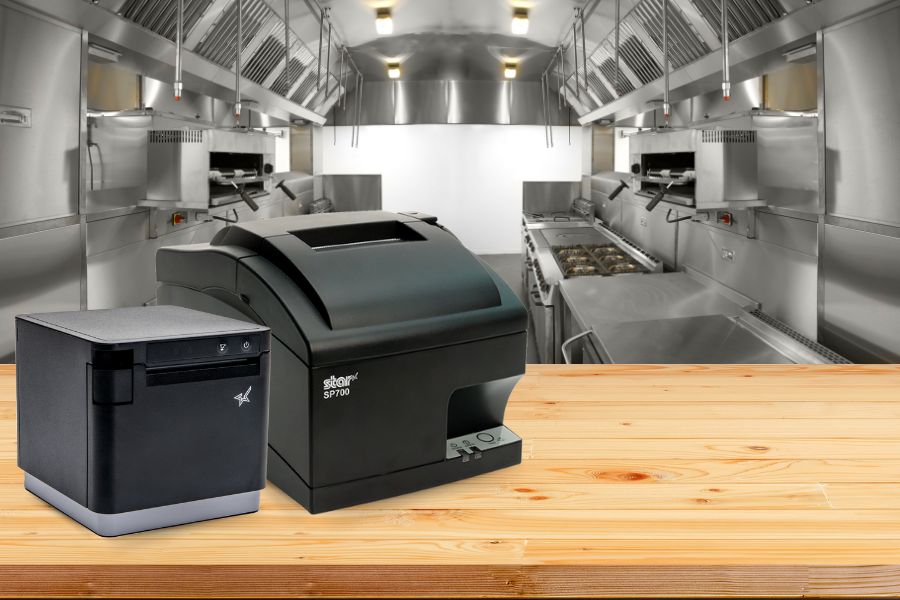
A restaurant kitchen printer is one of the most important tools for maintaining order accuracy and speed in a busy kitchen environment. By printing clear, durable tickets instantly, kitchen staff can prepare orders efficiently and reduce costly mistakes.
In modern restaurants—whether quick service, fast casual, or full service—kitchen printers connect the point-of-sale (POS) system directly to the back-of-house team. Instead of relying on handwritten tickets that can be misread or misplaced, orders are printed clearly and delivered immediately to the stations preparing them.
Choosing the right printer matters. Commercial kitchens often expose equipment to heat, grease, steam, and constant activity, so not every printer is built to perform reliably under these conditions.
A restaurant kitchen printer is a specialized printer used in commercial kitchens to print order tickets directly from a restaurant point-of-sale (POS) system. These printers ensure kitchen staff receive accurate order details immediately so food preparation can begin without delays or confusion.
Unlike standard receipt printers used at checkout counters, kitchen printers are built to operate in demanding environments and are typically installed at prep stations, grill stations, expo lines, or beverage areas where orders are fulfilled.
Restaurant kitchen printers generally use either impact printing for high-heat kitchen environments or thermal printing in modern, temperature-controlled kitchens. The best restaurant kitchen printer depends on the kitchen environment, order volume, and how the restaurant’s POS system sends orders to the back of house.
If you’re evaluating a restaurant kitchen printer, here are four features that can make the biggest difference in kitchen performance and reliability:
1. Durable Impact Printing for Harsh Kitchen Environments
A restaurant kitchen printer must be built to withstand the realities of a commercial kitchen. Heat, grease, and airborne food particles can quickly damage equipment not designed for such environments.
Impact printers, like the SP742 from Star, are widely used in restaurant kitchens because they are extremely durable and reliable. They work by striking an ink ribbon against impact paper, producing clear, legible tickets that remain readable even in high heat.
Unlike thermal paper, which can darken when exposed to high temperatures, impact paper maintains readability in hot kitchen environments. This makes impact printing particularly useful near grills, fryers, and other high-heat stations.
For these reasons, many restaurants rely on impact printers for high-heat kitchen environments.
Impact vs. Thermal Kitchen Printers: Choosing the Right Technology
While impact printers are widely used in traditional kitchen environments, some restaurants operate in modern, climate-controlled kitchens where thermal printing can also perform reliably.
Thermal kitchen printers use heat to create images on specially coated paper, eliminating the need for ink ribbons and reducing maintenance. In controlled environments where excessive heat, grease, or steam are less of a concern, thermal printers can offer fast, quiet, and efficient ticket printing.
For example, the Star mC‑Print3 thermal ticket printer is often used in modern restaurant kitchens, cafes, and quick-service environments where operators want the speed and simplicity of thermal printing.
However, for kitchens exposed to high heat, oil, or heavy airborne particles, impact printers remain a dependable choice due to their rugged design and heat-resistant paper.
Choosing between impact and thermal ultimately depends on the conditions of the kitchen and the restaurant’s operational needs.
2. Internal Power Supply for Flexible Kitchen Layouts
Kitchen space is often limited, and equipment placement can directly affect workflow efficiency.
A restaurant kitchen printer with an internal power supply simplifies installation and helps reduce cable clutter. Instead of managing bulky external power adapters, staff can install printers directly at prep stations, expo stations, or beverage areas.
Benefits of internal power supplies include:
Cleaner workstation setups
Easier installation in tight spaces
Fewer exposed cables in high-traffic areas
More flexibility when arranging kitchen equipment
In environments such as food trucks, kiosks, or compact restaurant kitchens, these small, space-saving features can make a significant difference.
3. Fast Print Speed to Keep Kitchens Moving
During peak service hours, kitchens operate at high speed. A restaurant kitchen printer must keep up with order volume without slowing down the workflow.
High-speed printers can produce 13 or more receipts per minute, allowing orders to move quickly from the POS system to the kitchen staff.
Fast printing provides several operational benefits:
Orders reach the kitchen instantly
Staff can begin preparation sooner
Order queues stay organized during busy periods
Restaurants can handle higher order volumes efficiently
Fast, clearly printed tickets help kitchens maintain speed and accuracy even during the busiest service periods.
4. Easy Paper Loading to Minimize Downtime
Even the most reliable kitchen printer will eventually need a paper refill. When that moment comes during a busy shift, the process should be quick and simple.
A restaurant kitchen printer with drop-in paper loading allows staff to replace paper rolls in seconds. This feature reduces downtime and helps kitchen operations continue smoothly during peak service periods.
Look for printers designed with:
Drop-in paper loading
Jam-resistant mechanisms
Clear paper guides
These design features allow kitchen staff to reload paper quickly and return their attention to preparing orders.
Why Kitchen Printers Matter for Restaurant Operations
A reliable restaurant kitchen printer helps restaurants maintain fast service and accurate order fulfillment. By delivering clear, durable tickets directly to kitchen stations, these printers reduce communication errors and improve overall workflow efficiency.
Restaurants that invest in the right kitchen printing technology often see improvements in:
Order accuracy
Kitchen speed and efficiency
Staff productivity
Customer satisfaction
In a fast-paced restaurant environment, even small improvements in communication and efficiency can lead to better service and stronger profitability.
When selecting a restaurant kitchen printer, prioritize durability, speed, ease of use, and compatibility with your POS system.
A well-designed printer helps kitchen staff stay organized, reduces order errors, and ensures food reaches customers quickly and correctly every time.
The Smart QSR Delivery Playbook: Labeling, Accuracy & Efficiency Done Right
This ebook explores how labeling, verification tools, and flexible POS technology can help restaurants manage QSR delivery workflows more effectively—from the kitchen to the handoff point.
A restaurant kitchen printer is a specialized printer that prints order tickets directly from a point-of-sale (POS) system to kitchen stations. These printers ensure staff receive orders immediately so food can be prepared quickly and accurately.
What printer do restaurants use in kitchens?
Many restaurants use impact printers in kitchens because they are durable and can withstand heat, grease, and steam. In modern, temperature-controlled kitchens, thermal printers may also be used for their speed and low maintenance.
When should you use an impact vs. a thermal kitchen printer?
Impact printers are typically best for:
high-heat kitchens
heavy grease environments
grill or fryer stations
Thermal printers are often used in:
temperature-controlled kitchens
cafes and quick-service restaurants
modern POS workflows
Why do restaurants use kitchen printers instead of handwritten tickets?
Kitchen printers improve order accuracy, speed, and communication between front-of-house staff and kitchen teams. Printed tickets are easier to read than handwritten orders and help reduce mistakes during busy service periods.
Ready to learn more about how the ultimate restaurant kitchen printer can impact your business?