Category: Industry Insights

  • 4 Self-Service Market Predictions in 2021

    4 Self-Service Market Predictions in 2021

    As businesses and consumers become more aware of and more familiar with what is needed to continue doing business in the new normal, a brighter light is emerging at the end of the tunnel in terms of the coronavirus pandemic – vaccines are becoming more available and the processes needed to get them into people’s arms more efficient. From a technology perspective, you may wonder which solutions that picked up steam during the past year will continue to gain momentum in the future.

    One technology that has taken flight during the pandemic – and has immense potential for years to come – is the self-service market. As the economy reopens and shutdowns become less restrictive, early adopters of self-service kiosks are coming back with revamped versions of their previous kiosk’s solutions, while new adopters are considering the latest trends in the self-service market.

    Read on to explore which industries are experiencing self-service market solution changes and key self-service technology predictions.

    Which Industries are Experiencing Self-Service Market Changes?

    Let’s take a closer look at which industries and solutions have been affected and needed some fine-tuning during the pandemic, and which were introduced as brand-new alternatives to existing technology.

    • Healthcare and Service Providers: In the healthcare and service provider sectors, a few self-service trends have emerged. These industries have begun to require a more powerful queue management system, as well as additional features such as temperature screening, AI-powered engines, and expanded access control solutions like printing name badge labels for visitors who were cleared during the screening process.
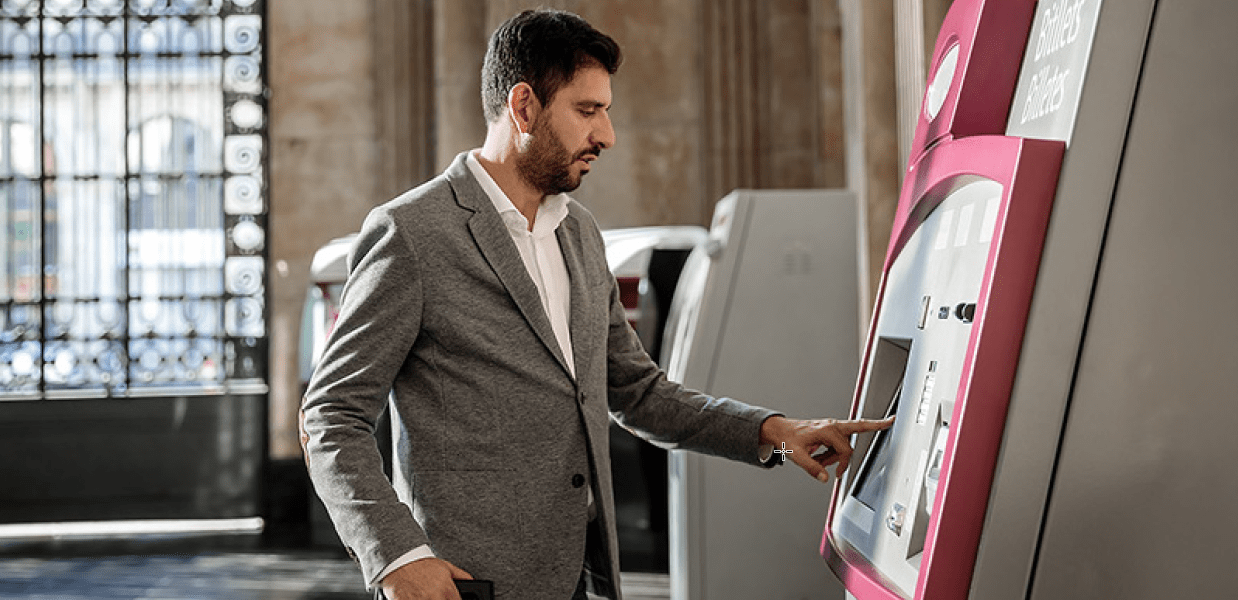
    • Banking: ATMs have recently gotten a facelift by providing additional human interaction. While ATMs are of course still a self-service solution, intelligent ATMs are pairing their automation power with a human touch by providing teller-customer communication through a speaker. The teller can answer questions, print full transactions, account details, and more.
    • Retail and Hospitality: With the proliferation of online ordering, the buy-online-pickup-in store (BOPIS) model has become more popular than ever for restaurants and retailers. In some cases, it has even helped to keep businesses afloat that would not have delivery options otherwise. One popular update to the BOPIS model is the introduction of virtual lockers to pick up small-sized orders. The virtual lockers offer many options including the ability for consumers to obtain printed receipts at the locker (or virtually) instead of having to go inside the store.

    Self-Service Market Technology Predictions

    When we look into the future of the self-service market, many of the trends we expect to see revolve around creating fully contactless processes and transactions, improving on user experience, expectations, and their perception of feeling safe. These trends include:

    1. QR Barcode Scanning / Cell Phone-Mirroring Screens

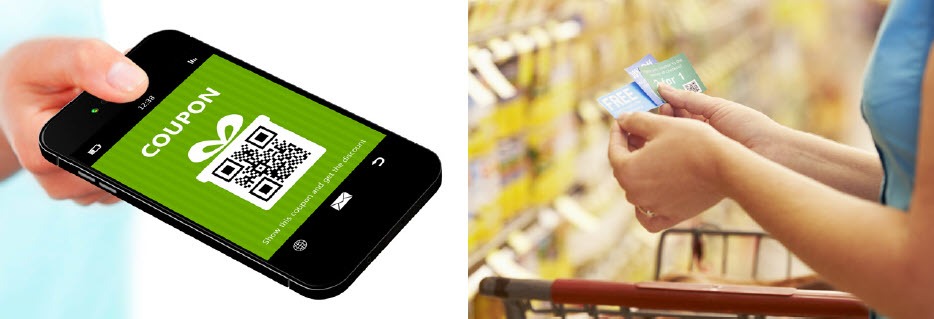
    With QR barcode scanning and cell phone-mirroring kiosk screens, customers can turn their own smartphones into a remote kiosk navigation tool and can even complete payments on their own devices.

    2. Touchless Touch Screens

    These screens are quickly becoming part of the new standard for self-service kiosks. By using infrared (IR) and even sonar-based technologies, touchless touch screens allow users to interact without touching them, and in some cases they even allow gesture interactions.

    3. New Biometric Tools

    Biometric tools have been on the market for years but are experiencing updates. For example, Amazon One, available at select Amazon Go stores, uses the latest biometric technologies to allow users to pay with just a wave of their hand. Replacing fingerprint scanners that required direct contact with contactless palm scanners is something we expect to see more of in the self-service market.

    4. Self-Cleaning Technologies

    When touching is unavoidable, what could be better than a self-cleaning kiosk? Ultraviolet C (UVC) technology, which uses ultraviolet light to kill or inactivate germs, allows this to become a reality by ensuring the touchable areas of a kiosk are cleaned and ready for the next customer after each use. As more users become aware of the benefits that UVC technology offers, it may become something they expect in all self-service kiosks which will in turn encourage a stronger adoption of it within the self-service market.

    The possibilities for the self-service kiosk market are truly endless, as the need for self-service has become more relevant and diverse than ever before. We’re excited to watch the market evolve.

    Star Micronics Self-Service Solutions

    Looking to expand your self-service offering? Star Micronics is proud to offer a wide variety of thermal kiosk printers capable of printing receipts, labels, tickets, and more. Ideal for virtually any self-service application, the printers include features like:

    • A variety of paper sizes (2”, 3”, and 4”)
    • Compact or modular footprints
    • Multiple optional accessories like bezels, presenters, large paper roll holders, and more
    • Interfaces like serial, USB, parallel, and Ethernet
    • Operating system support for Windows, Linux, Android, Mac, and iOS
    • StarPRNT emulation, allowing software developers to take advantage of all of Star Micronics’ technology like StarPRNT SDKs and its powerful line of drivers
    • A dedicated integration team ready to help you build the right solution for your needs

    Kiosk Printer Wizard

    Star Micronics offers a full variety of self-service kiosk printers – but deciding which one fits your needs can be easy. This wizard will help you select the right printer for your specific use case, based on desired paper size, interface, footprint, operating system, accessories, and more factors.

    Find your Kiosk Printer Now

    Featured Kiosk Printers

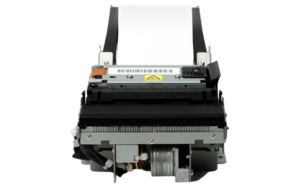
    SK1-211

    Star Micronics SK1-211 Kiosk Printer

    2” Kiosk Printer
    Compact and Lightweight
    Supports Receipt, Ticket, or Label Media
    SK1-311

    Star Micronics SK1-311 Kiosk Printer

    3” Kiosk Printer
    For Banking, ATMs, and More
    Supports Receipt, Ticket, or Label Media
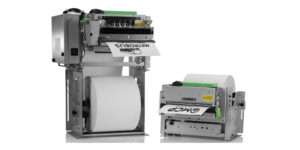
    TUP900

    Star Micronics TUP900 Kiosk Printer

    4” Wide Format Kiosk Printer
    Looping Presenter
    Easy Paper Width Adjustments

    Want to learn more about Star’s self-service kiosk printing solutions?

    Download Brochure

  • 3 Advantages of Kiosks in Retail Stores

    3 Advantages of Kiosks in Retail Stores

    Self-service kiosks have been popping up in multiple industries: you see them in airports, quick-service restaurants, and more. Kiosks are also making a splash in the retail industry – and for good reason. In today’s blog, explore the growth of kiosks in the retail industry as a whole, as well as three major advantages of kiosks in retail stores like yours.

    The Growth of Kiosks in Retail Stores

    The self-service kiosk market is flourishing  – according to a 2020 report from Research and Markets, the interactive kiosk market was valued at $23.94 billion in 2019 and is expected to reach an impressive $33.05 billion by 2025.

    While, like we explained and you have surely noticed, kiosks are abundant in a variety of markets, the retail industry is certainly a part of the growth of the overall interactive kiosk market.

    In terms of how retailers are contributing to the explosion of self-service kiosks, according to the report,

    In-store product information and promotional displays have become a prominent source of customer attraction. Self-directed bill payment, check-out, digital signage are some of the key applications that retailers offer to keep their overhead costs low.

    With the advent of AI-enabled interactive kiosks gaining popularity in retail applications, it acts as a catalyst for adoption of interactive kiosks in retail. Many organizations in the marketplace are seen collaborating with an aim to offer the retail industry with targeted marketing.

    Also, many online retailers are seen widely adopting kiosks to make an offline retail presence. For Instance, in 2019, Amazon planned to roll out more than 100 kiosks in malls across India to sell its devices such as the Kindle ebook reader, the Echo speaker, and the Fire TV dongle by the end of the year.

    Key Advantages of Self-Service Kiosks in Retail Stores

    So, why exactly are self-service kiosks popping up in so many retail applications and what’s in it for you, the retailer? Read on to learn more about three major advantages of kiosks in retail stores.

    1. Increased Profits

    Money matters and simply put, self-service kiosks can help you make more of it.

    First, upselling – or introducing an upgraded and profitable good or service, like adding an extended warranty to a product – happens easily and naturally on a self-service kiosk. In a similar vein, kiosks also present many opportunities for cross-selling, or offering a complimentary product or service, like adding an accessory on to the purchase of a shirt. According to Olea Kiosks Inc., kiosks in the quick service restaurant market can increase sales by 15% due to effective upselling and cross-selling – and that trend isn’t only found in restaurants. The kiosk manufacturer claims that studies show that customers in a variety of good and services industries also enjoy the add-on products and services that kiosks seamlessly offer – and that make your business more money.

    The money-making opportunities don’t stop there. By installing self-service kiosks in new, additional locations, they can also help your business bring in more profit by reaching new customers in different places and thus selling more product.

    Lastly, by providing a better customer experience – which we will discuss in further detail below – staff can focus on strategically selling instead of simply answering questions or ringing up sales, which can lead to a higher total sales volume.

    2. Better Customer Experience

    Satisfied customers are returning customers. Keep your shoppers happy with self-service kiosks, which can improve the customer experience in multiple ways.

    • Reduce Line Length: No one likes waiting. In fact, one study found that waiting in long lines causes roughly 50% of customers to believe that the business is run poorly, and over 50% of shoppers will take their business elsewhere if they feel the line is too long. Furthermore, 87% of shoppers say they would gladly use a self-service kiosk if it meant they don’t have to spend as much time waiting in line.
    • Easily View Inventory: Easily accessible information is important to customers, and self-service kiosks make it a piece of cake for shoppers to find product pricing, availability, and feature comparison information.
    • Omnichannel Shopping: Sometimes the product your shopper needs isn’t available in your brick-and-mortar store, but it is available online. Self-service kiosks enable customers to easily shop additional products, sizes, and options even if they are not available in-store.
    • Manage Gift Registries: Self-service kiosks help shoppers easily create, edit, and manage their gift registry, and help customers quickly find a loved one’s gift registry.

    3. More Efficient Use of Staff

    Last but not least, self-service kiosks can free up a lot of time for your staff. Like we mentioned above, instead of simply ringing up sales, staff can spend more time stocking, cleaning, and providing customer service. Focusing on these duties can lead to happier employees, too – by providing a better overall customer experience by spending more time one-on-one with shoppers and maintaining a cleaner store, more sales may be made and staff may experience higher commissions. Additionally, kiosks can be used for hiring purposes by making the job application process quick and easy for candidates.

    Star Micronics and Self-Service Kiosks

    Always leading, and always innovating, Star Micronics is proud to offer a robust range of self-service kiosk printers. With printer options available to accommodate a variety of paper sizes, interfaces, footprints, and operating systems, Star Micronics provides printing options for virtually any retailers’ needs.

    Kiosk Printer Family Features:

    • 2”, 3”, and 4” paper sizes
    • Compact or modular footprints
    • Available with multiple accessories including bezels, presenters, large paper roll holders, and more
    • Support Windows, Linux, Android, Mac, and iOS
    • Print receipts, tickets, coupons, or adhesive labels
    • Interfaces include serial, USB, parallel, and Ethernet

    Ready to learn more about Star Micronics’ self-service printing solutions?

    Learn More

  • Why Self-Service Kiosk Integration is Crucial for Restaurateurs

    Why Self-Service Kiosk Integration is Crucial for Restaurateurs

    In recent years, one can’t help but notice how many self-service kiosks are popping up in businesses of all kinds. Arguably, the most noticeable increase has been in restaurants. Kiosks are often found in quick-service restaurants (QSR) but can also be spotted in airport food courts, schools, workplace cafeterias, and many other places. So, what’s all the hype about? Why should restauranteurs prioritize implementing a self-service solution? Read on to explore five main reasons why self-service kiosk integration is not just beneficial, but crucial for restauranteurs.

    Better Customer Experience

    At the end of the day, happy customers translate into returning customers, which in turn means a successful business. Self-service kiosks are an easy way for restauranteurs to provide a better customer experience for their diners and create sticky business.

    First and foremost, kiosks mean customers spend less time waiting in line. Offering two ways to place an order – at a manned point of sale terminal and at a self-service kiosk – helps prevent a restaurant’s queue from bottlenecking. Who doesn’t enjoy quickly ordering and receiving their meal? Kiosk integration makes that a reality – and not just during slow times, but during rush hours, too.

    Another major way that kiosks benefit the customer experience is by allowing diners to customize their orders fully and rapidly. According to the North American Association of Food Equipment Manufacturers, a whopping 72% of consumers expect customization. While it’s true that customers can also customize their order at a manned point of sale terminal, face-to-face orders are more susceptible to miscommunication and inaccurate order-taking, something that simply doesn’t occur as often at self-service kiosks. Additionally, kiosks can accommodate order-taking in multiple languages, further boosting their ability to help all customers place their orders, their way.

    Boosted Profits

    Needless to say, money matters … and kiosk integration can help restauranteurs make more of it!

    Did you know that it’s been shown that customers spend 30% more when ordering from a self-service kiosk? A major reason for this is due to the ability for kiosks to naturally enhance upselling and cross-selling. Diners aren’t likely to order that extra drink or dessert if the only place they see it listed is on a separate part of a physical menu, or if the option is presented to them by a cashier in a sales pitch type of manner.

    However, in one case study measuring sales at self-service kiosks versus sales at manned cashier terminals, not only did kiosks experience more traffic, but on average a kiosk’s orders contained 1.4x more items than orders placed at the terminal. This resulted in an impressive increase of at least $5 per transaction. The ability for kiosks to naturally present add-on items to diners (in an appealing style) certainly pays off.

    More Efficient Use of Staff

    One common fear associated with self-service kiosks is that a kiosk integration means that current restaurant staff will lose their jobs. However, that tends to not be the case. In fact, McDonald’s installed kiosks in thousands of its stores – without plans to lay off its workers.

    According to a Business Insider article,

    “Our CEO, Steve Easterbrook, has said on many occasions that self-order kiosks in McDonald’s restaurants are not a labor replacement,” a spokeswoman told Business Insider. “They provide an opportunity to transition back-of-the-house positions to more customer service roles such as concierges and table service where they are able to truly engage with guests and enhance the dining experience.”

    Just like the article states, self-service kiosks allow staff to focus more of their energy on providing better customer service to customers, staying on top of cleaning and stocking napkins, utensils, and condiments, and more. And having staff prioritize the customer experience is important: 70% of consumers say they have already made a choice to support a company that delivers great customer service.

    Free Self-Service Kiosk Resources

    The future of many industries lies with self-service solutions. That’s why Star Micronics is offering free online ordering resources for resellers and software developers who are helping customers future-proof their businesses with self-service solutions.

    Visit Self-Service Toolbox

    Marketing Benefits

    Self-service kiosks present multiple marketing opportunities to restauranteurs.

    First, they provide an easy way for restaurants to promote their loyalty programs. Kiosks can prompt diners to sign up for a loyalty program or remind existing loyalty program members of program benefits, creating sticky business. Did you know that loyalty program members spend 12-18% more per year at a business than non-members?

    Kiosks also provide a great opportunity for restauranteurs to reinforce their establishment’s branding. The kiosk’s software, as well as its exterior, can be customized to match the restaurant’s look and feel, further enhancing brand awareness. Some kiosks are also able to print promotions on the bottom of the receipt where diners are sure to see them, using technology like Star Micronics PromoPRNT.

    Improved Safety

    Last but certainly not least, kiosk integration can help restauranteurs boost the safety of their restaurants, something that is more important than ever as the world navigates the new normal.

    In this day and age, nearly everyone prefers less contact with other people. Self-service kiosks not only eliminate the face-to-face interaction found at manned terminals, but they can also include safety-boosting features like antimicrobial glass, a single-piece screen design to eliminate the nooks and crannies that can harbor germs, and more.

    Star Micronics Self-Service Kiosk Printers

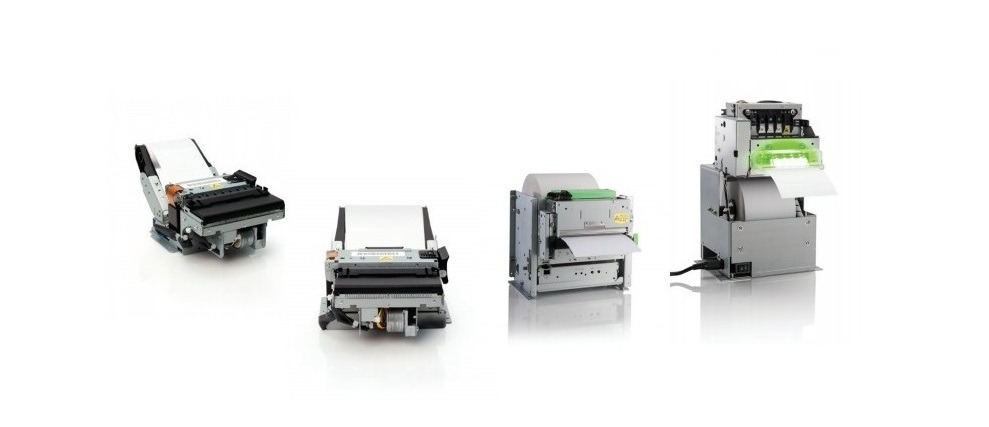
    Kiosk-Printer-Lineup

    A kiosk printing leader, Star Micronics is proud to offer a full range of self-service kiosk printers that accommodate multiple paper widths, operating systems, and more. The compact, reliable, and high-speed printers are designed to bring any restaurant self-service solution to life.

    Kiosk Printer Family Features:

    • 2”, 3”, and 4” paper sizes
    • Compact or modular footprints
    • Available with multiple accessories including bezels, presenters, large paper roll holders, and more
    • Support Windows, Linux, Android, Mac, and iOS
    • Print receipts, tickets, coupons, or adhesive labels
    • Interfaces include serial, USB, parallel, and Ethernet
    • Available with StarPRNT emulation, allowing you to take advantage of the full stack of Star Micronics technology, like StarPRNT SDKs and Star’s powerful line of drivers

    Are you looking to integrate self-service kiosk printers, but not sure how to decide on a printer? Download “A Guide to Selecting the Right Kiosk Printer” now.

    Download Guide

  • Provide a Touch-free Experience to Your Dine-in Guests with Contactless Digital Menus

    Provide a Touch-free Experience to Your Dine-in Guests with Contactless Digital Menus

    One of the major concerns for restaurant dine-in was the use of traditional (printed) menus because they are found to be the dirtiest thing on a restaurant table. Guests are hesitant to touch these traditional menus and also the CDC regulations have made it clear that disposable menus should be provided. But printing disposal menus are not ideal given the rising costs. Restaurants are quickly pivoting by offering their guests a touch-free experience with contactless digital menus/QR menus.

    Why Contactless Digital Menus?

    1. Contactless is here for the long haul

    The global pandemic has literally been life changing. More than ever, society is concerned and obsessed with their health. With COVID-19 cases still surging guests are looking for more ways to go contactless to protect themselves from the possible contact with the virus. These measures are even more heightened when it comes to ordering food at the restaurant. Therefore, contactless digital menus are ideal for restaurants like yours to adapt to.

    2. Cost-effective

    If you are going for disposal menus, a single paper menu, uncoated, in black and white print costs about 50 cents. If you are doing over 100 for lunch and 100 for dinner that’s $100, adding up to about $3,000 a month. QR menus are very cost-effective. You only have to print and place the table tents on the table and this can be used for a more extended period of time. 

    3. Easily accessible

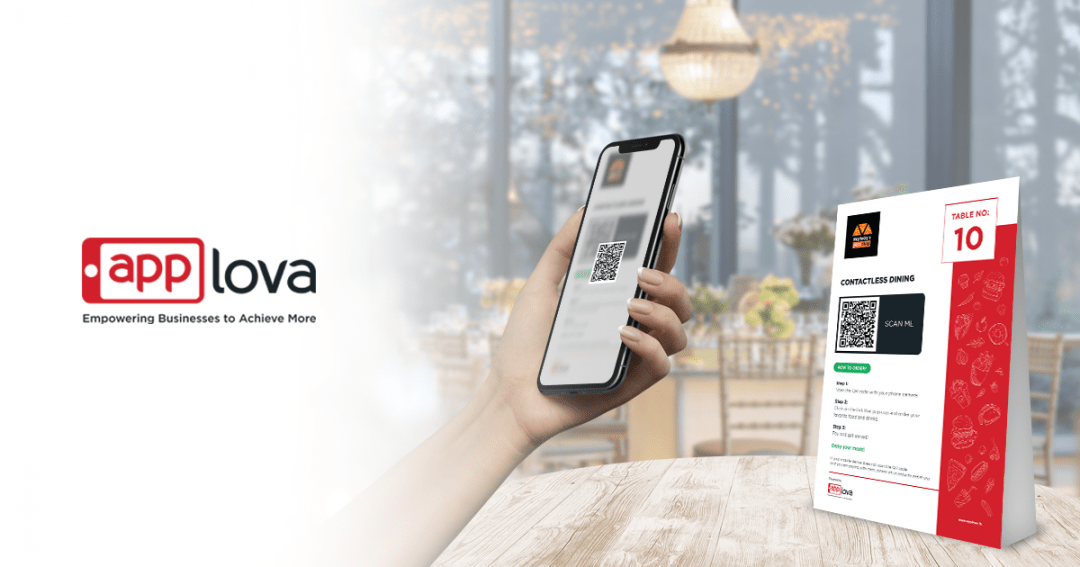
    Accessing the menu is as simple as scanning the QR code from their phones or tablets, and then accessing the web page to place their orders.

    4. No app download

    With QR menus or digital menus, guests do not need to download heavy apps to their phones. They can simply place their orders online through a web URL.

    5. Flexible menu updates

    Restaurateurs can instantly add, edit, and delete menu items and update item descriptions. If the menu is updated once, it updates on every menu scanned.

    6. Attention with images

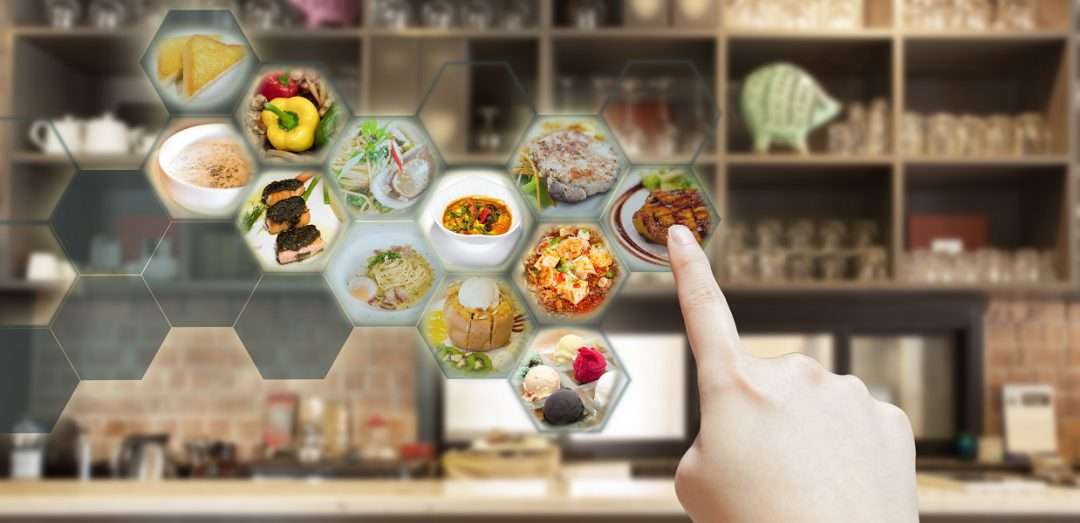
    Traditional menus do not have images mostly because it is costly to print high-quality images on paper. But with contactless digital menus, you can have mouth-watering images to make customers want to order more. Having images help them decide what they want, which therefore makes their ordering process easier.

    7. Less wait-staff assistance

    Wait-staff can be re-allocated to add value to other parts of the business. When orders are placed through contactless digital menus, the order can be sent directly to receipt or kitchen printer.

    8. Cashless payments

    Guests and staff do not have to handle cash. Cash being passed from hand to hand and can be contaminated, and compromises the safety and health of both customers and staff. 

    9. Re-ordering

    Guests can re-order their favorite dishes, or a beverage refill without having to wait for the staff approach the table, and eliminating more human contact.

    10. Quicker table turns

    With seating capacity reduced to allow tables to be placed at least 6 feet apart, restaurants are not getting their normal amount of guests, resulting in less revenue. Contactless digital menus increase the speed for ordering and payment and so you can turn more tables and increase the potential for revenues.

    11. Collect guest information and traceability

    You do not need to manually take down customer information. With contactless digital menus, the guest will have to input their information to complete their order.

    12. Run targeted campaigns

    Ordering through contactless digital menu captures guest information like email, contact number, etc. This helps you run future targeted marketing campaigns such as email campaigns on your latest offers, SMS on going discounts, and more.

    How to get Contactless Digital Menus/QR Menus?

    When you sign up for a demo with Applova, the team will get in touch with you to set up contactless digital menus. This can be ready in a couple of days. The Applova team will build the menu with enticing food imagery. Then the team will also provide you with a free marketing pack to launch contactless digital menus at your restaurant. The marketing pack would include customized table tent designs with QR codes on it for each table (each QR code will carry the table number so that the restaurant staff can easily track the table that made the order).

    How is the process contactless? How does it work?

    When you get your table tent designs, you can print them and place them on each table.

    1. Your dine-in guest scans the contactless digital menu to view the menu on their phone or tablet.
    2. They can select their food and beverages
    3. Tip the waiter and make their payment online
    4. Orders will be directly pushed to the POS and printed in the kitchen printers
    5. When the order ready, the order will be sent to the correct table.

    To wrap it up, ever since the wake of COVID-19 restaurants are quickly adapting to contactless digital menus. These contactless digital menus are hygienic and easy to roll out. They are cost effective, environmentally friendly, engaging to customers and they are mobile-optimized, simple to search and navigate. They are easy to update instantly. Adapting to contactless digital menus is a new experience for guests and it is now the way of dining life. 

    Access Contactless Menus with Applova

  • The Benefits of Self-Service Kiosks During the New Normal

    The Benefits of Self-Service Kiosks During the New Normal

    During the COVID-19 pandemic, times are challenging for most businesses that are working hard to remain afloat while keeping up with continuing fixed operating costs and coping with less revenue being generated. The question of, “What can be done?” is a part of almost every conversation.

    The benefits of self-service kiosks have been and will continue to be a key element in supporting not only the trying businesses, but companies integrating and selling solutions in those markets. As the market demand for contactless solutions continues to grow and those solutions become a part of the new normal, self-service kiosks will become even more of a focal point in the industry.

    Read on to learn more about the various benefits of self-service kiosks during the new normal, whether it’s traditional kiosks taking on a new twist, or new kiosk concepts coming to light as market demands rapidly evolve.

    Tried-and-True Kiosks Will Remain Relevant

    Many things are changing right now, but many well-known and fully tested self-service solutions will remain in the market for specific sectors.

    For example, simple and cost-effective queue management systems using small footprint kiosks will likely remain relevant, and ATMs will probably remain untouched, with some operational processes being adjusted by banks and financial institutions to accommodate the new normal.

    Not all solutions will stick around, though – it’s probable that many solutions that used to work wonderfully will fade away and start being replaced with new trends.

    Fresh Kiosk Concepts for the New Normal

    Speaking of new trends, you most likely have noticed that some companies are not only remaining open, but are actually thriving because of the new opportunities generated by the current challenges we all face. It’s hard not to notice how dynamic a motivated company can be in reinventing themselves and their solution offerings in such a short period of time.

    In terms of self-service, some of these innovations include:

    • Temperature screening kiosks
    • Kiosks featuring touchless technology and contactless payment acceptance
    • Automated cleaning operations, such as UV-C devices which disinfect kiosks in between uses
    • Contactless hand/palm vein pattern scanning, which is just as accurate as a fingerprint scanning but contactless
    • Kiosk screen mirroring using a customer’s personal smartphone to prevent touching the kiosk screen

    Free Self-Service Kiosk Resources

    The future of many industries lies with self-service solutions. That’s why Star Micronics is offering free online ordering resources for resellers and software developers who are helping customers future-proof their businesses with self-service solutions.

    Visit Self-Service Toolbox

    What Remains Important

    Regardless of the solution being designed and presented to the market, the quality of the final product, its ability to provide the needed service as expected, and its post-sale support will separate a successful solution from the rest. Because that aspect of business is not expected to change, selecting the right kiosk manufacturer, integrator, and components are essential.

    Consumer needs also remain a priority. Focusing on consumer expectations and making sure they feel safe and accommodated when using these new or adapted self-service solutions will dictate which companies and solutions succeed in the new normal.

    For example, as QSR franchises temporarily closed their dine-in areas (essentially leaving indoor kiosks unused) some businesses decided to repurpose the kiosks by moving them outside to serve the growing online delivery and takeout markets. This is a prime example of thinking outside the box and using self-service resources to better accommodate consumers’ current demands.

    Together as an industry, as we wait for the economy to stabilize, it’s important and worthwhile to think creatively and become a part of the process of adapting to the new normal – while also remembering that product quality, technical support, and consumer needs remain a priority.

    Star Micronics Self-Service Kiosk Printers

    Star Micronics is proud to offer a robust lineup of self-service kiosk printers for virtually any business need. Available with 2”, 3” and 4” printing capabilities, the kiosk printers include options such as LED bezels, anti-jam receipt capturing, and large paper roll holders so that the printers require fewer paper roll changes. Easy to integrate, the kiosk printers are fully compatible with all operating systems and platforms, including iOS, Android, and Windows tablets with easy to integrate universal SDKs, and are backed by a dedicated integration team.

    Capable of printing receipts, tickets, and labels, Star Micronics’ kiosk printers are ideal for:

    • Quick service/fast casual restaurants
    • Stadiums and parks
    • Banks
    • Retail
    • Parking facilities
    • Transportation hubs such as airports and bus and train stations
    • And more!

    Take a closer look at the Star Micronics kiosk printer family in the below video:

    Star Micronics’ self-service kiosk solutions are ideal for restaurants, retail, and more.

    Explore Solutions

  • Why You Should Recognize Coupons as a Promotional Tool

    Why You Should Recognize Coupons as a Promotional Tool

    Coupons? Really?

    Yes, really. Coupons have been around for more than 100 years and they’re just as effective today as they were in 1887, when a hand-written coupon for a free glass of Coke was issued by the Coca-Cola Company. According to TIME Magazine, the coupon campaign was so successful that more than eight million free drinks were served between 1894 and 1913. By the 1900s, cereal companies jumped on the savings bandwagon and began issuing coupons.

    Coupons

    Coupons as a Promotional Tool

    More than a century after Coca-Cola first introduced coupons to consumers, they are still a win-win, making these discount offers the top-performing marketing and promotional tools for businesses. Your customers love saving money and receiving free items or services, and coupons give them an incentive to make repeat purchases. In fact, the “2K17 Valassis Coupon Intelligence Report” revealed that 84% of shoppers surveyed said that coupons influence what products they buy, while 86% of people said that they were persuaded to purchase a new product because they had a coupon for it. And once people try something at a discount and like it, they are more willing to pay full price in the future.

    Digital vs. Print

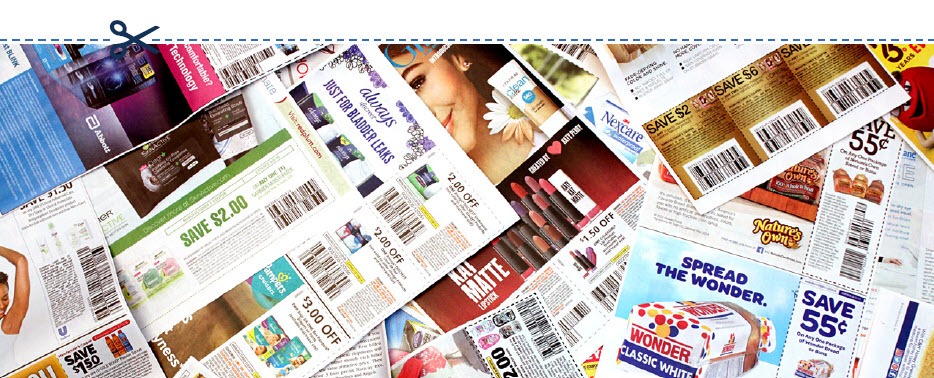
    More than 289 billion printed coupons were distributed in 2015, compared with six billion digital ones, according to statistics released by Kantar Media. And even though digital coupons and offers are growing in popularity, paper coupons are still dominating the savings landscape.

    If you want to issue a coupon, are paper or digital more effective? If you are looking to get the most bang for your promotional buck, printed coupons provide a higher return on investment (ROI).

    Although the redemption rate of digital coupons is a whopping 77%, which also means an increase in the number of sales and heightened brand awareness, these benefits come at a cost. Issuing digital coupons costs more than issuing paper coupons. You’ll shell out more money to mine data, collect email addresses, coordinate social media and develop an electronic marketing campaign. The higher redemption rate of digital coupons balances the costs, but the average ROI is still about 18% lower than the ROI from printed coupons.

    On the other hand, print coupons make up 44% of coupon usage, according to Knowledge Network. And even though the popularity and ease-of-use of digital coupons for consumers make them an attractive option, research shows that 70% of shoppers still look for coupons in printed media and mailers.

    A smart strategy may be to create a coupon campaign that integrates both the digital and print universes. A campaign that seamlessly marries the two solutions together will generate the highest return on investment since you’ll be increasing your reach and reaping the benefits of each method.

    Digital-Coupon

    Who Wants Coupons?

    The answer is: everyone. But you should pay especially close attention to the buying habits of millennials — customers born between the years 1980 and 2000. This generation, now the biggest in the U.S. wields tremendous buying power. This doesn’t mean consumers in this age group are big spenders — research shows they are cost-conscious and tech-savvy. Good branding or budget pricing isn’t enough to attract their business — millennial consumers love a good deal. According to research released by PPRI, 87% of shoppers in this age group used coupons last year. Of the people surveyed, 91% reported they used paper coupons, 85% used coupons that arrived in the mail and 48% took advantage of digital offers.

    Why does this matter? Now that many millennials are established in the workforce and have disposable income, their buying habits have started to reshape the shopping landscape as we know it. Thanks to the buying power of this generation, off-price retailers like Nordstrom Rack and TJ Maxx are thriving as they provide millennials with the thrill of the (bargain) hunt, smart marketing and the right price points.

    Yes, really.

    Coupons are still the top-performing marketing and promotional tools for businesses. Learn more in our free eBook.

    Download eBook

    What Else Can I Use Receipts For?

    Although it seems like a minor detail, the receipt is the last thing a customer receives before leaving your store. It’s your final chance to make a great impression — so make sure your receipt is a personalized take-away that is an extension of your brand. Every receipt should be customized with your store’s logo, brand messaging, website and tag line so people can easily identify where it came from.

    The receipt is also another vehicle to engage your customer. Including a customer service survey is a direct channel of communication that gives you an inside look at how your business and products are performing. Typically, customers are offered an incentive like a discount coupon, free item or a chance to be entered into a contest for completing the survey. These surveys help you understand your customers’ needs, evaluate employee performance and remedy any issues before they become a larger problem. Receipts can also be used to announce upcoming sales, promotions or special in-store events.

    Finally, receipts can help you gauge the effectiveness of a promotion because they connect the promotion directly to a purchase. If a printed coupon for a new product is issued in a magazine and sales of that product jump as a result, you’ll know it’s a successful way to draw in new business, and it’s a strategy you should repeat. This is especially important when trying new promotional vehicles. if you want to try a digital promotion via Facebook or Twitter and the desired effect doesn’t materialize, you’ll know to allocate your marketing dollars elsewhere in the future.

    There is a way that SMBs can reduce the cost of printed coupons: by using the receipts they already issue. Star Micronics’ Cloud Services has added a new solution, PromoPRNT, to its service lineup. Star’s Cloud Services was created to bring next generation customer engagement solutions to retailers by transforming their receipt printers into cloud-connected devices. Its newest offering, PromoPRNT, allows retail stores and small business locations to advertise their promotions in the most simple and effective way — printing coupons and promotional materials right onto the receipt that is issued to a customer.

    Smartphone-and-Receipt

    What is PromoPRNT?

    PromoPRNT is the newest tool merchants can use to raise product or service awareness, create unique discounts and monetize in-store traffic in an effective way. Thousands of SMBs have already started using PromoPRNT, which allows them to deliver promotions using nothing but their Star Micronics cloud-connected thermal printers. Printing coupons on customer receipts allows you to reach a higher percentage of shoppers for a fraction of the cost of a print or digital campaign and compliments the marketing campaign you already have in place.

    Merchants can reduce the cost of printing coupons and digital campaigns through external services and engaging customers at the POS terminal. Retailers can choose from the templates of coupons, store offers and messages to customize their receipts, giving them ability to advertise and run promotions at their POS system. You also have the option to integrate barcodes of discount codes and include validation dates. The coupons or promotional messages can be deployed to every store printer from the comfort of your desk.

    Printing a coupon on the receipt takes the guesswork and cost out of delivery–you can be sure the customer receives it. And as an added bonus, employees can talk about the coupon/promotion while they are processing the transaction and circle or highlight the promotional offer on the receipt so the customer doesn’t forget.

    Learn more about PromoPRNT in the below video:

    PromoPRNT is free and easy to use.

    Learn More

  • 7 Easy Tips on Selling Merchant Services

    7 Easy Tips on Selling Merchant Services

    When it comes to selling merchant services, the landscape can be quite competitive. With many options on the market for your customers, it’s critical to take the time to focus on how you can differentiate yourself as a solution provider. While it might sound intimidating, in today’s blog post we will share seven tips on selling merchant services, designed to make your journey simple – and successful.

    7 Easy Tips on Selling Merchant Services:

    1. Provide a Total Solution

    One of the best ways to differentiate as a merchant services provider is to not just offer one piece of the payment puzzle, but to provide a total solution. Customers want a one-stop shop, and offering a complete solution that provides value, including credit card processing through a merchant account and a full portfolio of necessary point of sale (POS) hardware, is a great way to create happy, sticky customers.

    2. Be a Trusted Advisor

    Although this blog post contains tips on selling merchant services, one of the most important things you can do sometimes is to not sell. What does this mean? Simply put, strive to be your customer’s trusted advisor, rather than just a salesperson. The foundation of being a trusted advisor is built on listening: listening to your customer’s needs and acting as a consultant to offer ideas and solutions, rather than just pushing products. Some other traits of trusted advisors include:

    • Putting your customer’s needs first, not your own; always think of their challenges and priorities before your own
    • Always asking questions to understand more about your customer’s specific situation – “tell me more!”
    • Providing a variety of solution options, so that they can decide on the best choice for themselves
    • Embracing the fact that you don’t always know the answer and build the confidence to admit that – doing so will demonstrate honesty and trustworthiness

    3. Be Available

    This next tip may sound obvious, but it still deserves to be said: be available for your customer! Often times, many businesses will sign up with ISO agents and then find themselves never hearing from the agent again after the contract has been signed. Don’t fall into this pattern! Make a conscious effort to touch base with your customers and be that trusted advisor who is always looking out for their best interests.

    4. Offer Affordable Options

    Besides offering a total solution, acting as a trusted advisor, and being available on a regular basis, another thing that your customers are sure to value is affordable pricing. A low cost is always a priority, especially during uncertain times. Reduce the cost of entry into your solution by offering a SaaS (Solution as a Service) model which features low monthly payments. This operating expense (OPEX) model versus a capital expense (CAPEX) model means that rather than a business needing to spend a larger lump sum for a solution, it can instead spend a lower amount as needed each month. This model helps businesses receive the best possible solution in an affordable way.

    5. Be Transparent

    Who doesn’t value transparency? It’s important to feel like you are dealing with an honest and ethical provider. Your customers also value transparency, so be sure to be understandable in every way possible. It’s especially important to make your transaction fees crystal clear and remember to be competitive with your revenue share. Being honest and laying these numbers out on the table will earn you trust as you sell merchant services.

    6. Provide a Straightforward Timeline

    Time is money, and to a business, money is a top priority. Be sure to prioritize your customer’s time by providing a straightforward go-to-market timeline. When providing this timeline, also remember to include the expected ease and speedy of any integrations that will be required.

    7. Offer Omnichannel Capabilities

    Today’s businesses require today’s payment options. Gone are the days when simple, piecemeal merchant services could suffice. If possible, be sure to offer an omnichannel solution, meaning a variety of card acceptance methods, along with a fully integrated solution. Acting as a one-stop shop and offering an omnichannel solution can lead to creating a sticky customer that is less likely to be tempted away by a competitor.

    Worldnet-Omnichannel-Payments-Image

    What can Worldnet’s Omnichannel Integrated Payments do for you?

    Worldnet is proud to offer a simple omnichannel integration that brings your eCommerce, Back Office and Cardholder Present payment solutions together, and presents all that data directly into your software solution, ERP, or CRM system.

    Download eBook

    Successfully Selling Merchant Services can be Simple

    To wrap things up, keep in mind that selling merchant services doesn’t need to be complicated. In fact, focusing on simplicity is key. Prioritize offering total solutions to your customers, as well as genuine consulting with an emphasis on the customer’s needs instead of your own product. Being seen as a trusted advisor that can also act as a go-to, one-stop shop for modern payment solutions is sure to help you successfully sell merchant services.

    mPOP™: Perfect for Today’s Payments

    Have you met the Star Micronics mPOP? This sleek all-in-one POS hub, built for modern small businesses, accommodates high-volume credit card and cash transactions and features:

    • Printer, cash drawer, scanner, and device stand
    • Compatibility with iOS, Android, and Windows
    • Cash drawer with 4 bill and 6 or 8 adjustable coin slots
    • Print Flat Technology

    Learn More about mPOP

    Star Micronics is proud to offer POS hardware with the features merchants need and the connectivity to bring together applications and payment processing.

    Explore Star’s Payment Solutions

  • Technology for the New World of Retail: Ultimate Checklist

    Technology for the New World of Retail: Ultimate Checklist

    The COVID-19 pandemic has drastically changed the way people shop, forcing retailers to reevaluate their processes and their technology. While there are uncertainties, we know stores just aren’t going to reopen and go back to normal.What will retailers do differently? What will shoppers expect? What new technology do retailers need?

    Across the country, consumers are choosing to shop with retailers that offer cleaner stores, shorter checkout lines, curbside pickup, “Buy Online, Pickup In Store” (BOPIS), touchless payments, and more. As consumers adapt, they will become accustomed to these new conveniences, and eventually expect it. Retailers that start using newer technology to adapt and offer all these options will succeed.

    Whether they want to or not, retailers have to change – not to just get through the pandemic, but to be successful in the new world of retail. There have been important lessons learned from COVID-19 for retailers, all of which should be taken into consideration moving forward.

    10 Retail Technology Solutions for Today’s New World

    Whether you are an essential retailer, or reopening your brick-and-mortar, here are 10 technology solutions to help retail businesses reopen and adopt to the new world of retail:

    1. Online Shopping

    If there’s one thing we’ve learned over the past few months, having an online storefront is vital. If you have a physical store, offer BOPIS and add curbside pickup as a delivery option on your site. Consider selling on third-party sites such as Amazon, Walmart, eBay, and Facebook to expand your market reach and increase online sales.

    2. Curbside Pickup

    While many retailers offer curbside delivery, it’s not always easy to manage, especially with lots of orders and/or limited staff. Develop a well-thought-out process to manage your orders and use text messages/emails to communicate the status of each order with customers.

    3. Mobile Point of Sale

    With current restrictions, it’s important to keep traffic flowing. With a mobile POS solution, you can process payments anywhere in your store to keep lines as short as possible (line-busting), as well as outside your store for curbside pickup.

    4. Touchless Payments

    As more brick-and-mortar businesses reopen and consumers return to shopping in stores, touchless solutions become more and more important. Consider offering Smart Wallet payment processing solutions, such as Google Pay and Apple Pay. This allows customers to pay for their orders without having to reach into their wallet or touch your credit card device.

    5. Sneeze Guards

    All stores should have a shield for virus protection. Some sneeze guards are designed for specific point of sale monitors, so check with your technology provider before buying a custom solution. They should be easy to install and relocate in case your store setup changes.

    6. Security Labels

    If you offer home delivery or curbside pickup, you can secure packages with tamper-proof labels (or seals). These labels provide visual evidence if a package has been tampered with. Your customers will appreciate it!

    7. Email Marketing Automation

    With fewer customers visiting brick-and-mortar stores, retailers need a way of communicating with customers and getting promotions out. If you aren’t already, use an email marketing solution. If your system allows it, personalize and automate your campaigns/promotions to drive up clicks and sales.

    8. Self-Service Kiosks

    If your store gets busy, add a few kiosks so customers can shop your store’s live inventory without having to walking around. Add kiosks outside your store if shoppers have to wait in a line to enter your store.

    9. Robots in Retail

    Since the pandemic, more retailers are considering robots to reduce human-to-human interaction. They can restock shelves and assist with customer service; at one Best Buy store, a robotic cart was spotted supporting curbside delivery. And they sure look impressive!

    10. Scan-and-Go

    For retailers willing to experiment, scan-and-go looks like a promising technology for mainstream retail, especially in the post-Coronavirus world. Similar to Amazon Go, customers simply grab items off the shelf and walk out, eliminating checkout lines altogether.

    Tips for Purchasing New Technology

    Before purchasing new retail technology, prepare a list of all the hardware and software you own, and what you think you may need. Even if it’s just a short list, it will help you plan a budget and compare solutions. When making your list, consider all mobile point of sale devices, credit card devices, receipt printers, cash drawers, scanners, servers, internet service, retail software, eCommerce technology, and more.

    5 ways to save on new technology purchases:

    1. Tax deductions: Save all receipts and ask your staff to save receipts too. Technology purchases for your business can be deducted on taxes.
    2. Trade-ins: Before disposing of your unneeded hardware (which can cost money), ask your technology provider if they accept trade-ins, or sell/donate it to a store that needs it.
    3. Financial assistance: Research grants and financial assistance offered by organizations to retail businesses impacted by the COVID-19 pandemic.
    4. Volume discounts: While you shouldn’t base new technology purchasing decisions solely on price, ask your technology provider if they offer volume discounts and/or have any current promotions.
    5. Defer payments: Many technology providers are currently assisting retailers and helping them adopt new technology solutions by offering either deferred payments or even buy now, pay later models. For example, at Celerant, we are currently offering your first 3 months free for any new SaaS product to help retailers get started with new technology now, while not having to pay until later.

    Are you Ready for New Retail Technology? 

    Celerant Technology is the #1 provider of innovative retail software.

    To help retailers during this challenging time, Celerant is offering up to 3 months free on new SaaS retail software contracts; from now through June 30th.

    For more information, click here

    At Star Micronics, our hearts go out to anyone impacted by COVID-19, either directly or indirectly, especially to those who are sick, to whom we extend our heartfelt wishes for a full recovery. To learn more about what we are doing as an organization to reduce the global impact of COVID-19, in terms of health and business, please click here.

    To browse all of our blog posts covering tips for small businesses during COVID-19, please visit our #StarForSmallBiz blog collection.

  • The Evolution of Printer Software Technology to Cater to mPOS

    The Evolution of Printer Software Technology to Cater to mPOS

    Point of sale (POS) is no longer limited to the traditional, fixed model. Merchants have tried and proven the benefits of mobility. They can complete payment transactions in-aisle or tableside, and set up additional checkouts for line busting. In addition, they can enhance the customer experience at their establishments by providing sales associates and wait staff with information on products and menu items, promotions and sales, and even the customer’s purchase history or loyalty program activity.

    While POS has gone mobile, so have label and receipt printers, as well as the point of sale systems they operate with. Mobile printers or mobile point of sale systems can help reduce labor time and costs of in-aisle and shelf labeling. Mobile point of sale also provides mobile receipt printing both in-store and beyond, at pop-up shops, and other outdoor sales and dining venues.

    Today’s mPOS solutions can be both lightweight and easy-to-use, are capable of printing receipts and labels with a variety of media, and can even assist businesses with their marketing strategy. Mobile POS peripherals can connect with mobile devices such as tablets or mobile phones using cabled, Bluetooth, or wireless network connection. They can also receive print jobs directly from the merchant’s network, or third-party online ordering and scheduling applications.

    From a printer software perspective, however, mPOS has created new challenges. With merchants using a variety of devices for POS functions, printing is no longer as simple as plugging in a printer that’s designed to work with the POS terminal to print receipts and other materials such as labels, tags, forms, or coupons.

    As your mobility initiative grows, you may encounter challenges to printing what you need, when and where you need it. Here are three common challenges merchants face with mobile printing and the solutions that will help you overcome them.

    Download the Full eBook: “How Printer Software Technology is Evolving to Accommodate mPOS”

    Illustration of Software

    Challenge 1: Printing from an iOS, Android, or Windows Native App

    With most legacy applications, many POS printers and printer brands could be used by just installing the right Windows driver. Since iOS and Android operating systems do not have a print engine to support drivers, the printer functions need to be integrated inside the POS software, thus limiting the choice. Fortunately, these companies have usually integrated the best of breed printers which make for an easy choice.

    Solution: SDK Integration

    A software development kit (SDK) helps software engineers or developers to speed up the process to support special features (like printing) in software applications. The printing SDKs needed to create applications are usually available for developers to download from the printer hardware manufacturer. For example, iOS applications traditionally use Objective-C or the Swift programming language, while Android uses Java.

    An advantage to SDK integration is that the application your software engineer or developer creates can give you more complete control of printing, such as adjusting print formatting, controlling the cash drawer, or checking the status of the printer. It also enables additional, innovative features to be added to the print application such as digital receipts and other cloud services.

    Another huge advantage is that an SDK provides a foundation for developers to build on. Without it, each developer would have to build the basics themselves, which can be especially complicated when working with multiple printers.

    The modern SDKs provided by printer manufacturers are designed to be powerful while also being simple to integrate – adding printing capabilities may only require a few lines of code.

    Solution: AirPrint®

    Star Micronics’ AirPrint technology allows retailers to continue to use the simple print method that they are used to. Apple has certified Star Micronics’ TSP654II AirPrint as the first and only AirPrint receipt printer, and has also certified the Star Micronics TSP847II AirPrint, which can print labels, tickets, forms, barcodes, and graphics. Modern and flexible, this new technology is beneficial to integrators as well.

    For ISVs, using Star Micronics’ AirPrint technology is the easiest and fastest way to integrate a printer with Apple software. The TSP654II AirPrint and TSP847II AirPrint work immediately after setup and are the perfect fit for the occasional print job. With Star Micronics’ Apple-certified printers, Mac and iOS developers now have another option in addition to the StarPRNT SDK, giving them more flexible printer control.

    Learn More About Star Micronics StarPRNT SDK

    Challenge 2: Managing Online Ordering and Scheduling

    Online ordering and scheduling have made a huge splash in the global marketplace. In particular, the hospitality, salon/spa, medical, and service industries have been highly effected. Customers choose to order food and schedule appointments online primarily for convenience. Online ordering and scheduling help to simplify the process, ensure accuracy, keep costs transparent, reduce human error, and more.

    This new wave of Cloud-based orders and requests presents a new set of challenges to those in effected industries – and all of those challenges revolve around having a reliable, functional mPOS and chit printer. Businesses need a printer that can promptly receive and alert staff to online orders and requests, and that is compatible with today’s modern, ever-changing online applications.

    Solution: CloudPRNT

    Star’s CloudPRNT technology is the answer to online ordering and scheduling pain points. A remote printing technology specially designed for Web-based POS printing, CloudPRNT is scalable, quick to integrate, easy to deploy, and even allows Cloud-connected control of peripherals.

    Platform-independent, CloudPRNT is compatible with the industry’s top online ordering and scheduling applications. CloudPRNT, which automatically detects and pulls Web-based orders and requests, requires no SSL certificate, has no exposed network ports or special firewall settings, and is compatible with any programming language or operating system.

    Star Micronics CloudPRNT

    Challenge 3: Printing from a Web Browser Application

    Advanced Web standards, such as HTML5, give developers the ability to build Web-based applications with nearly the same level of features as native (local) applications. Web applications have the added advantage of allowing live, automatic updating so that customers always have the most up-to-date version of the software since the application lives in the cloud.

    If the POS software is Web-based, the issue isn’t which mobile device the application is running on. Most Web-based solutions are device agnostic: if the device can connect to the Internet, it can usually use the application. In this case, it’s necessary for the printer to receive data directly from the Web-based application.

    Solution: WebPRNT

    Star’s JavaScript-based WebPRNT technology allows complete control of any Star WebPRNT Ethernet interface printer. Developers can use Star’s JavaScript library and Builder API to integrate a Web-based application with a WebPRNT printer. In addition, this functionality can be extended to Bluetooth printers by using the WebPRNT Browser with little to no changes.

    Learn More About WebPRNT

    Want to learn about the last 3 challenges? Discover how to successfully market to target audiences, continue to use legacy applications with newer hardware, and more in our free eBook.

    Download eBook

  • 8 Features Kiosk Manufacturers Should Look For When Choosing Kiosk Printing Mechanisms

    8 Features Kiosk Manufacturers Should Look For When Choosing Kiosk Printing Mechanisms

    People love to use self-service kiosks in almost every setting—parking garages, airports, restaurants, stores and entertainment venues. This reliable, consistent technology is empowering consumers to enter orders themselves in a restaurant, check into a hotel without waiting in line, or check out their own groceries in a supermarket.

    The kiosk industry is thriving, and research shows that shoppers, diners and travelers love the control of doing things themselves. Despite the shift, the basic premise of every kiosk transaction is the same: enter the data, pay (if necessary), and obtain take away collateral, whether it’s a receipt, voucher, ticket or other use.

    Kiosk manufacturers have a lot of components to fit inside an enclosure, and it can get pretty crowded in there. Among all of the internal components, the printer that produces the take away collateral is critical to the kiosk’s success. A printer that jams, drops receipts on the ground, or frequently runs out of paper renders the kiosk undesirable for end users. Or worse, it could be offline so often it’s more of a problem than a solution.

    Star Micronics has one of the world’s largest portfolios of encased, open frame modular, thermal kiosk printer solutions. Every one of Star’s kiosk printers accommodate multiple roll sizes for less frequent changes, while delivering receipts, tickets or labels.

    The kiosk printer is a critical part of a successful kiosk’s design and operation. Here are eight features every kiosk manufacturer should look for when choosing a kiosk printer, straight from the experts.

    Download Brochure

    1. Multiple Kiosk Software Support

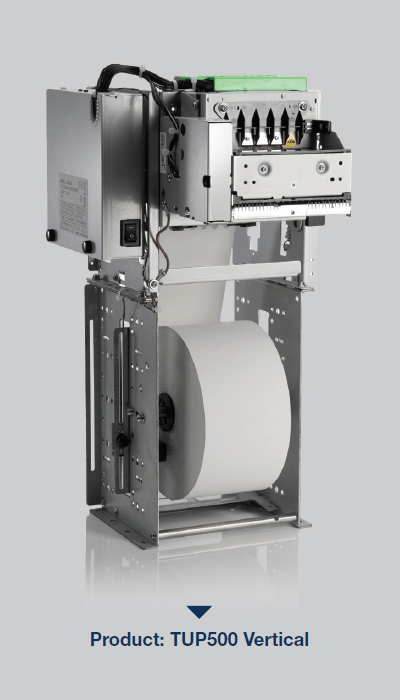
    TUP500-Vertical

    Kiosk development is expensive, and incorporating hardware and software development for different components is no small task. These efforts need to be scaled for projects that range in size from a few kiosks to several hundred units.

    Before choosing a kiosk printer, research prospective hardware partners and select one with several kiosk printer choices. It’s important that the partner also provides support for web-based or cloud-based software applications. Ask if the company supports tablet-based (iOS and Android) SDK or sample software and find out if they have an experienced and knowledgeable integration team to support the software development. The absence of an SDK means each developer would have to build the basics themselves, which can be especially complicated when working with multiple printers or a large network of kiosks.

    2. Sensors to Ensure Proper Function, Even While Unattended

    Choose a kiosk printer equipped with sensors that assist with customer information security, safety and that reduces waste. Sensors will also provide accurate status reports that verify whether a ticket or receipt has been printed and wasn’t retrieved or taken in a timely manner by the customer.

    For example, if the printer generates a receipt or ticket and it isn’t retrieved, a sensor may trigger the system to recapture the collateral instead of letting it hang in limbo, or worse, drop on the ground as garbage. Sensors that prompt the printer to recapture the medium helps safeguard customer information and ensures the ground won’t be littered with receipts for people to slip and fall on or clean up regularly. Knowing with certainty that a ticket or receipt has been generated also eliminates the possibility of theft if a customer retrieves their items and then fraudulently claims the kiosk didn’t produce what they paid for.

    Since kiosks are designed to be left unattended for long periods of time, they should be equipped with sensors and paper status alerts that will notify an employee when a kiosk is low on paper, requires a new roll, or has a jam.

    It’s a bonus if the kiosk printer supports digital receipts, because it helps reduce the use of paper and allows customers to store proofs of purchase, tickets and other information on their mobile devices.

    Free Self-Service Kiosk Resources

    The future of many industries lies with self-service solutions. That’s why Star Micronics is offering free online ordering resources for resellers and software developers who are helping customers future-proof their businesses with self-service solutions.

    Visit Self-Service Toolbox

    3. Lights/Visual Cues

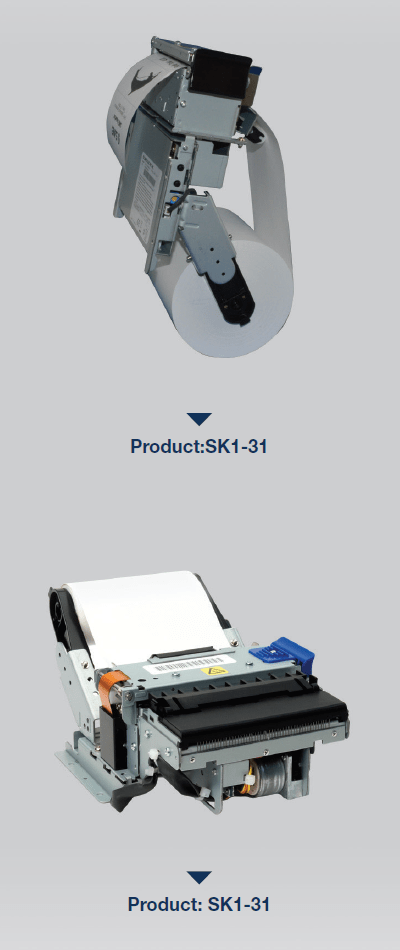
    SK1-31

    Kiosks aren’t particularly chatty, so lights or other visual cues are necessary for them to communicate different messages. For example, Star Micronics’ TUP500, a printer that supports smaller paper widths, has an optional bezel that flashes green or red to get the user’s attention. These lights may flash when the receipt or tickets are printed, signifying they are ready for pickup, or alerting the customer to a problem with their order.

    Since employees aren’t usually monitoring the kiosk, a light may illuminate to get a staff member’s attention if a problem needs to be resolved. It’s essential for the printer to notify you immediately if it requires more paper, so choose a kiosk printer that displays a light or text alert when it is low or out of paper entirely.

    4. Multiple Profiles

    Most kiosks are compact with small footprints, so choose the printer that suits your needs but will also help save a little space. Look for a printer with a flexible enclosure design, so it fits into several different styles of kiosks. A printer could be as small as 4” inches deep, including the paper. But be careful, as a small printer may be too limiting, making frequent paper changes an inconvenient reality.

    Consider the printer’s orientation. “Standard format” is a printer with a horizontal orientation and takes up more space. A vertical kiosk printer doesn’t have any “sprawl,” so it’s more convenient for a narrow width enclosure. A vertical printer’s lower profile takes up less space inside the kiosk enclosure, leaving you more room for additional components. Ideally, kiosk printers should feature drop-in paper loading because it’s the easiest, fastest way to load paper and get the kiosk back online.

    Browse Star Kiosk Printers

    5. Looping Presenter

    The looping presenter is an innovative kiosk printer technology that prints receipts in full before presenting them to the customer to be taken. Most importantly, the looping presenter prevents paper jams from occurring if users pull on the paper before printing is complete. A paper jam takes the kiosk offline, which causes customer service delays and has a negative impact on customer throughput and experience.

    A presenter increases security and supports customer privacy by ensuring that receipts are delivered only to the right person; if forgotten, they remain inside the kiosk so other people can’t grab them and access a customer’s information. A looping presenter also eliminates the chance that receipts or other collateral to fall to the floor if it is not delivered to the intended recipient. Kiosk printers equipped with this technology mean a reduction in litter generated by the kiosk, resulting in a cleaner looking store, restaurant, or other business environment.

    6. Paper Holder

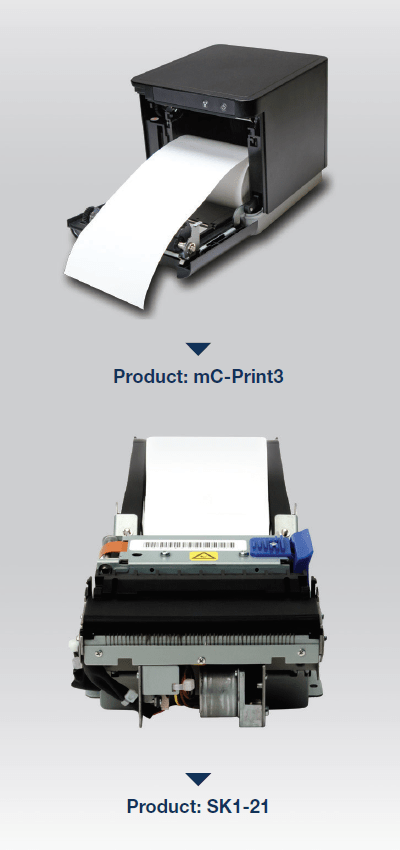
    mC-Print-3-SK1-21

    It may seem like a small feature, but a kiosk printer’s paper holder will dictate how often someone is running to the kiosk to change the paper roll. Most kiosk printers have a standard size paper holder—2”, 3”, 5”, 6” diameter supported—and a large capacity option. Although the standard size takes up less space inside the kiosk, workers may find themselves replacing the paper more often, which disrupts customers and the business’ workflow. A kiosk in a high traffic environment, like an airport, usually requires the maximum size paper holder available to accommodate heavy use. However, a kiosk doesn’t need to be in a high-traffic environment to warrant companies wanting a larger capacity. Although a larger paper holder does require a little more real estate inside the enclosure, it will save a business’ employees time spent changing the paper rolls, so they can focus on other tasks during the work day.

    Also, if the paper needs to be changed too seldom, people forget about the maintenance all together. Aim for a paper holder that allows for paper roll changes once a week.

    7. Communication

    Don’t limit a kiosk’s printing capability before it’s even installed. Look for a kiosk printer that gives you flexibility by supporting more than one communication interface, including serial and USB. Star Micronics also offers Ethernet and Bluetooth as an optional communication interface. The type of interface and the ports the printer has will dictate what type of operating system can be used. Serial is typically for legacy systems or PCs, USB is best suited for Android systems, with Bluetooth and Ethernet being the best option for iOS.

    8. Bezel

    A bezel is an alternative to the looping presenter. The bezel is positioned between the kiosk slot and the printer, so it provides a path to push paper out of the kiosk. If the best kiosk printer for your enclosure doesn’t accommodate a presenter, a bezel is an alternative solution that provides a clean delivery.

    Conclusion

    The self-service trend is gaining momentum, and consumers love to be in control—so this growing market will continue to evolve. Choosing the right kiosk printer is a matter of understanding target industries and their customers, as well as a thorough assessment of partner vendors and feature options.

    A successful kiosk design requires strategic printer evaluation and selection, and proper attention should be paid to the supported interfaces, paper roll size, alert lights and how the collateral is delivered.

    Printers that adequately check these boxes are ideal for different applications, including point of sale, entertainment, food labeling, shipping, gift registry, ATM, parking lots and transportation hubs.

    Download Brochure