Category: Industry Insights

  • How to Manage a Weigh-and-Pay Buffet in a GLP-1 World

    How to Manage a Weigh-and-Pay Buffet in a GLP-1 World

    For some diners, bigger is no longer better. Rising food costs, changing eating habits, and growing use of GLP-1 medications are giving consumers more reasons to think carefully about portion size and what they put on their plates.

    That creates an opening for a different buffet model: weigh and pay. Instead of paying one flat price, diners choose the foods and portions they want and pay based on weight.

    For restaurants, making that model work takes more than putting a scale at the end of the buffet. Accurate weighing, POS integration, food labeling, and checkout all need to work together so customers are charged correctly and staff can keep the process moving.

    Explore More Restaurant Solutions

    Why Are Diners Rethinking Portion Size?

    The Associated Press reports that restaurants are increasingly offering smaller, lower-priced portions as diners watch their budgets, appetites, and health goals.

    For some customers, a smaller portion makes dining out more affordable. Others simply do not want to pay for food they are unlikely to finish. Growing use of GLP-1 medications is adding another reason some diners are looking for greater control over portion size.

    Restaurants are responding in different ways, from smaller plates and lower-calorie menu options to more flexible portion choices. Weigh-and-pay takes that flexibility a step further by letting guests decide exactly how much food they want and pay for the amount they choose.

    What Is a Weigh-and-Pay Buffet?

    A weigh-and-pay buffet lets diners choose the foods and portions they want, then pay based on the weight of the food rather than a flat all-you-can-eat price.

    That gives customers more control over portion size, food combinations, and cost.

    Pizza Ranch is one current example. At select locations, guests can choose Weigh & Pay as an alternative to the traditional buffet, fill a container with items such as pizza, chicken, salads, sides, and desserts, and pay by weight.

    For restaurants, the appeal is flexibility: diners can build a meal around appetite, budget, or dietary preferences without committing to a full buffet price.

    What Are the Benefits of a Weigh-and-Pay Buffet?

    A weigh-and-pay buffet changes more than how the customer is charged. It can also affect staffing, food waste, pricing, menu flexibility, and the way guests move through the restaurant.

    Five potential benefits include:

    1. Less order-taking and table-service labor. Because guests choose and portion their own food, restaurants may need fewer employees dedicated to taking orders or serving individual meals. Staff are still needed to maintain the buffet, assist guests, manage food safety, and handle checkout.

    2. Better portion control and less plate waste. When customers pay based on how much food they select, they have a financial reason to take only what they expect to eat. That can help reduce the oversized portions and uneaten food often associated with traditional buffets.

    3. Pricing tied to the quantity purchased. A traditional buffet charges one flat price regardless of how much a guest eats. Weigh and pay links the transaction directly to the amount of food purchased, giving operators a clearer relationship between portion size and revenue.

    4. More menu flexibility. Restaurants can rotate buffet selections without rebuilding the entire menu. Operators can also adjust the food mix and per-weight pricing as ingredient costs change.

    5. One service model for dine-in and takeout. Guests can build a meal, pay by weight, and either take a seat or take the food to go. That gives restaurants another way to serve customers without creating separate ordering processes for each use case.

    MG T POS Scale For Buffets
    The mG-T POS scale from Star Micronics is ideal for weigh-and-pay buffets.

    What Do Restaurants Need to Manage Weigh-and-Pay Transactions?

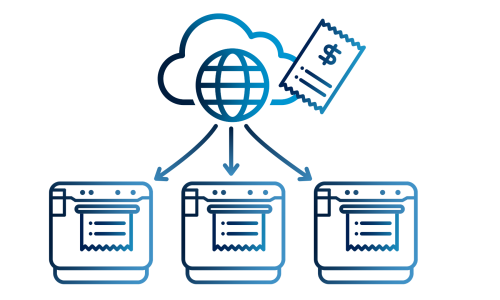
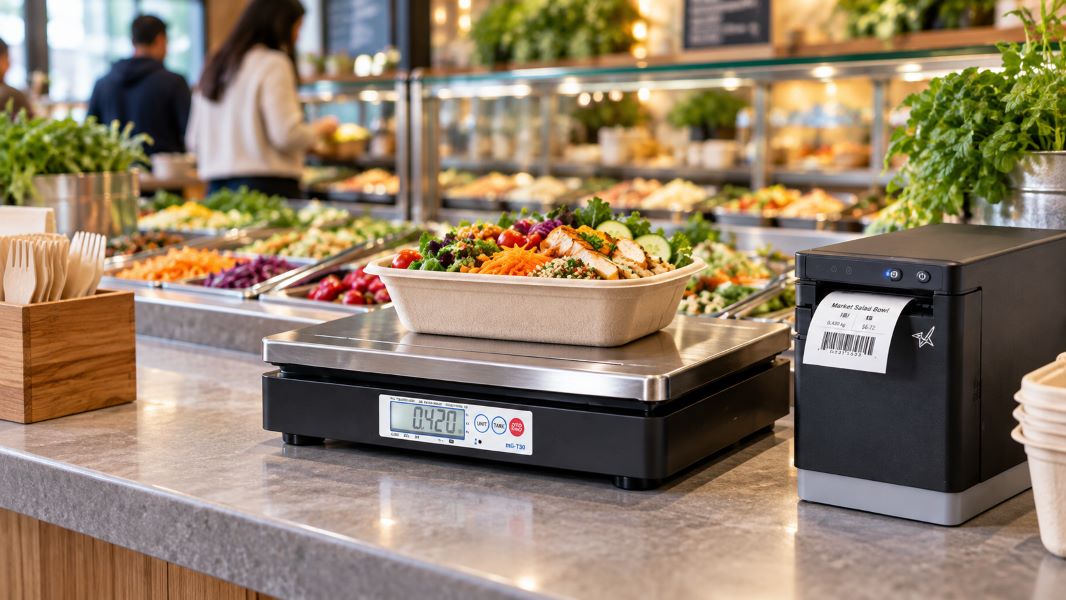
    A weigh-and-pay transaction has to connect four steps: weigh the food, calculate the price, identify the item, and complete checkout.

    That starts with the scale.

    In the U.S., restaurants should use an NTEP-certified scale and confirm applicable state and local legal-for-trade requirements. In Canada, scales used for commercial transactions must meet Measurement Canada requirements. The weighing process should also account for the container’s tare weight so customers are charged for the food, not the packaging.

    The scale should integrate with the POS system so weight and pricing data can move directly into the transaction instead of being entered manually.

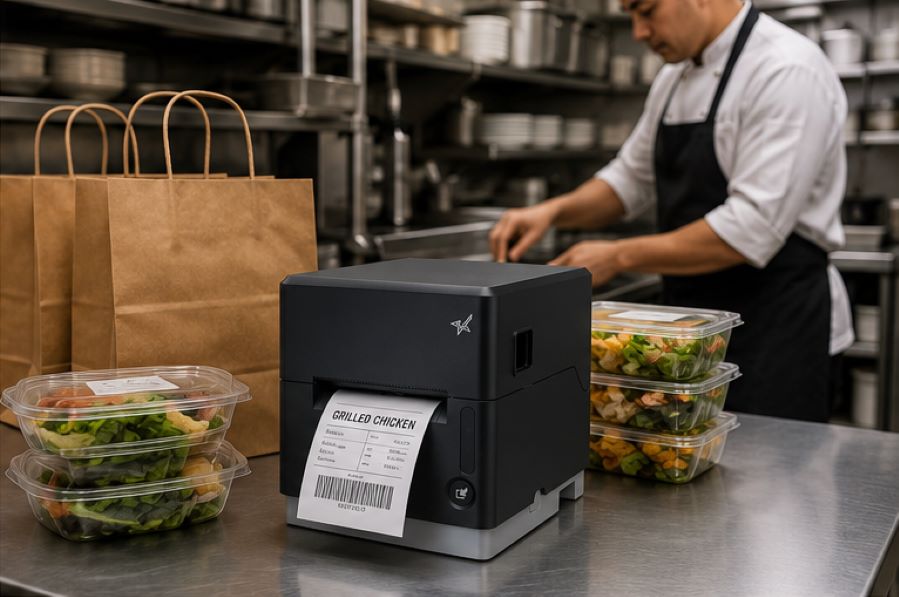
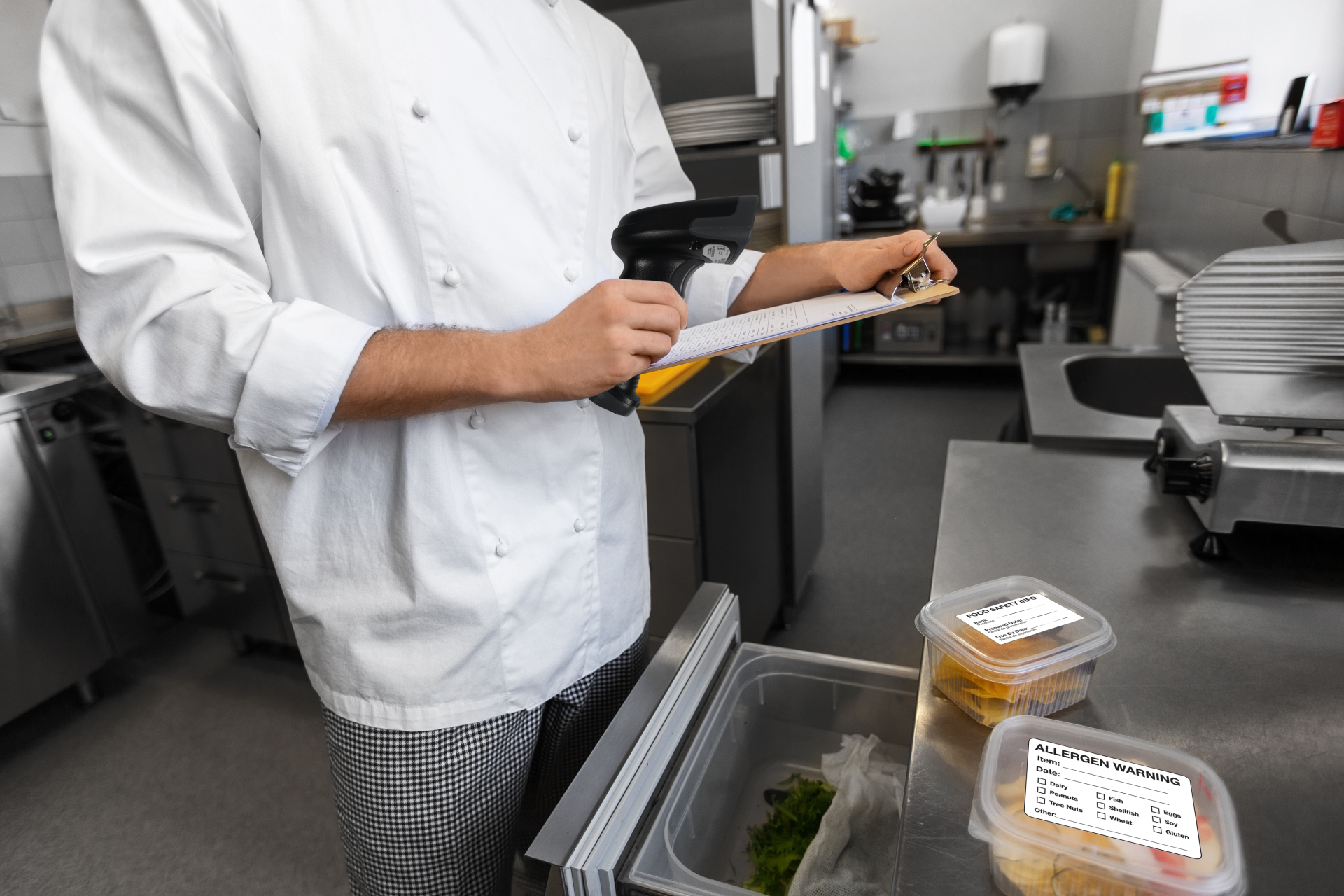
    Food labeling can make the workflow even faster, especially when the buffet and checkout are in different areas. After the food is weighed, a restaurant label printer can produce a label with information such as:

    • Net weight
    • Price
    • Product or category information
    • Barcode for checkout

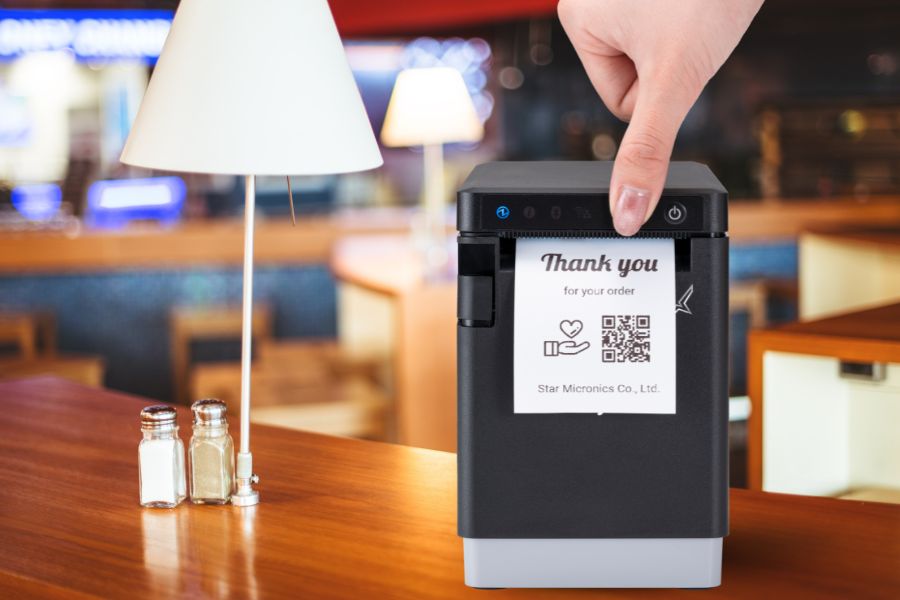
    A multifunction printer can also give restaurants the option to produce both labels and receipts from the same printer family, reducing the number of hardware types IT teams need to support.

    Connectivity matters, too. Ethernet, Wi-Fi, Bluetooth, or USB options can give restaurants more flexibility when positioning the scale and printer at the end of a buffet line, near a checkout counter, or in another area where running additional cabling is impractical.

    The goal is a simple flow: weigh, price, label, scan, and pay.

    Providing Great Dining Experiences, Pound for Pound

    Some diners want a hearty meal. Others want smaller portions, more control over what goes on the plate, or a lower total at checkout.

    A weigh-and-pay buffet can serve both by letting guests choose the amount they want and pay for what they take. For restaurants, that can mean less order-taking labor, more flexible menu planning, and better control over portion-related waste.

    To make the model work, restaurants need accurate commercial weighing, POS integration, and clear labeling. In the U.S., that means selecting an NTEP-certified scale and confirming applicable state and local legal-for-trade requirements. In Canada, scales used for commercial transactions must meet Measurement Canada requirements.

    An integrated restaurant label printer can carry weight, price, and barcode information from the buffet line to checkout, helping keep the transaction clear and easy to process.

    Need help planning a weigh-and-pay setup? Contact Star Micronics to discuss compatible scales, printers, and POS integration options.

    The Smart QSR Delivery Playbook: Labeling, Accuracy & Efficiency Done Right Ebook by Star Micronics

    The Smart QSR Delivery Playbook: Labeling, Accuracy & Efficiency Done Right

    Learn how leading QSRs are using smart labeling and scalable POS technology to support faster, more accurate QSR delivery operations.

    Get Yours Now

    Learn More About Star POS Solutions for Weigh-and-Pay Buffets

    Contact Star Today

    Frequently Asked Questions About Weigh-and-Pay Buffet Management

    How does a weigh-and-pay buffet work?

    Diners select food from the buffet and place it in a container. The food is weighed, the applicable price is calculated based on that weight, and the transaction is completed at checkout.

    Depending on the setup, a label can also carry the weight, price, product information, or a barcode from the buffet area to the POS.

    What type of scale does a restaurant need for weigh-and-pay?

    Restaurants need a commercial scale appropriate for legal-for-trade transactions.

    In the U.S., restaurants should select an NTEP-certified scale and confirm applicable state and local weights-and-measures requirements. In Canada, scales used for commercial transactions must meet Measurement Canada requirements.

    For an integrated weigh-and-pay workflow, the scale should also be compatible with the restaurant’s POS system so weight data can be used to calculate the transaction accurately.

    How is the container weight handled in a weigh-and-pay transaction?

    The weight of the empty container, or tare weight, should be deducted so the customer is charged for the food rather than the packaging.

    Restaurants can account for tare weight through the scale or integrated POS workflow, depending on the equipment and software being used.

    Can a weigh-and-pay buffet reduce food waste?

    It can help reduce portion-related waste because customers choose how much food they want and pay according to the quantity selected.

    The model does not eliminate buffet waste on its own. Restaurants still need to manage production, replenishment, and food holding carefully to avoid preparing more food than guests purchase.

    Do weigh-and-pay buffets require a label printer?

    Not necessarily, but a restaurant label printer can be useful when the weighing station and checkout are in different areas.

    After an item is weighed, the printer can produce a label containing information such as net weight, price, product details, and a barcode. The customer can then carry the labeled container to checkout for faster identification and payment.

    Can restaurants use an existing POS system with weigh-and-pay scales and printers?

    Possibly. Compatibility depends on the POS software, scale, printer, interfaces, and integration method.

    Before purchasing hardware, restaurants should confirm that the POS system can receive the required weight data and communicate with the scale and printer being considered. Star Micronics’ integration team can help software providers and restaurant technology teams identify compatible hardware and integration options.
  • Proof of Purchase: How to Comply with NYC Retail Receipts Laws

    Proof of Purchase: How to Comply with NYC Retail Receipts Laws

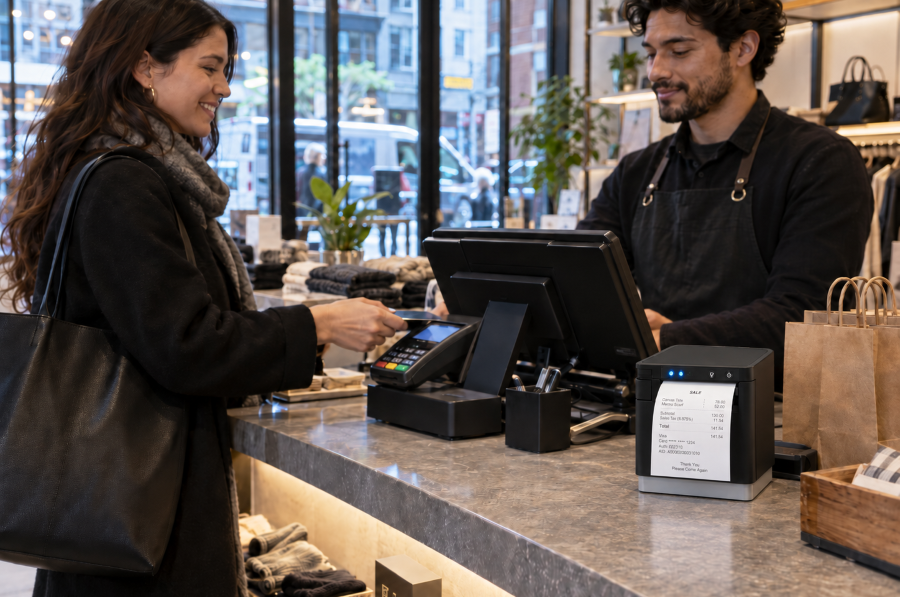
    Proof of purchase gives customers a record of what they bought, how much they paid, and when the transaction occurred. Retail receipts are commonly used for returns and exchanges, warranty claims, expense reports, bookkeeping, and purchase disputes.

    In New York City, sellers must offer a receipt for retail purchases of $20 or more and provide one upon request for purchases between $5 and $20. Receipts must also contain specific transaction and business information. For retailers, compliance requires more than printing a slip of paper. Receipt templates, POS rules, employee procedures, and printer output must all produce accurate proof of purchase when required.

    Shop Receipt Paper Now

    Why Proof of Purchase Matters

    Proof of purchase documents the transaction for both the customer and the retailer. A complete retail receipt can help resolve common post-purchase questions and disputes, including:

    • Returns and exchanges: Confirms the item purchased, transaction date, price paid, and whether the request meets the retailer’s return policy.
    • Warranties: Verifies the purchase date, product details, and eligibility for repair, replacement, or other warranty coverage.
    • Expense reports and bookkeeping: Provides an itemized record of the seller, purchase date, amount paid, and taxes.
    • Chargebacks and purchase disputes: Supports the retailer’s transaction records and may help respond to inaccurate or fraudulent claims.

    When Are Retailers Required to Provide Proof of Purchase in NYC?

    Under 6 RCNY § 5-32, New York City sellers must offer a receipt for any retail purchase of $20 or more. For purchases between $5 and $20, the seller must provide a receipt when the customer requests one. These requirements are enforced by the New York City Department of Consumer and Worker Protection.

    The general rule does not apply to food or drinks intended for on-premises consumption or to oil, gasoline, or parking fees paid in cash. However, sellers must provide a receipt upon request when one of these purchases exceeds $5. For food or drinks sold for off-premises consumption, a register tape showing the seller’s name, purchase date, and individual item prices may serve as the receipt.

    What Information Must Appear on NYC Retail Receipts?

    NYC retail receipt requirements specify what stores must include with proof of purchase:

    • The amount paid for each item
    • The total amount paid, with tax listed separately
    • The purchase date
    • The retailer’s legal name and address
    • The DCWP license number, when applicable
    • The make and model of audio, photographic, or video equipment costing more than $100

    The law also states what retailers cannot include on a receipt, i.e., more than the last 5 credit card digits or the payment card’s expiration date. 

    NYC Retail Receipt Proof Of Purchase 2

    Paper Receipts vs. Digital Receipts

    Paper and digital receipts can both give customers a record of a purchase. NYC rules specify when retailers must offer or provide a receipt and what information it must contain, but they do not expressly state whether electronic delivery alone satisfies the requirement. Retailers using digital receipts should confirm that their process complies with current NYC guidance.

    Digital receipts may work well when customers choose delivery by email, text, or app and can receive the record immediately. Paper receipts remain important when a customer does not provide digital contact information, wants proof of purchase at the point of sale, or cannot access a digital receipt.

    Paper receipts may be preferable when: Digital receipts may be preferable when:
    The customer pays with cash and provides no digital contact information. The customer chooses delivery by email, text, or an app.
    The customer wants immediate proof of purchase for an exit check, return, or expense report. The customer wants a searchable record for budgeting, returns, or bookkeeping.
    Internet access or digital delivery is unavailable or unreliable. The retailer can confirm that the receipt was delivered promptly.
    The customer specifically requests a printed copy. The customer prefers not to receive paper.

    Retailers that offer digital receipts should maintain a dependable printing option for customers who request paper or cannot access an electronic copy. Any receipt provided should include the required transaction and business information and protect payment card data.

    Are There Penalties for Violating NYC Retail Receipt Requirements?

    Retailers that fail to follow NYC receipt requirements may face a consumer complaint, a civil penalty, and problems resolving questions after the sale.

    Legal Consequences

    Consumers can file a complaint with the New York City Department of Consumer and Worker Protection when a business provides an incomplete, incorrect, or illegal receipt. A complaint may involve a retailer that:

    • Fails to provide a receipt when required
    • Omits required transaction or business information
    • Lists prices or taxes incorrectly
    • Displays prohibited payment card information

    NYC business guidance lists a fine of $150 to $350 for failing to provide a required receipt or issuing an incomplete one. A complaint does not automatically establish a violation. DCWP may review the complaint and pursue enforcement when warranted.

    Business Consequences

    Missing or incomplete proof of purchase can turn a routine return, warranty claim, or price question into a dispute. Customers may be unable to confirm what they paid, how much tax was charged, or when the transaction occurred.

    If the retailer cannot resolve the issue, the customer may dispute the charge with their card issuer or decide not to return. These problems also create more work for employees and can make customers question whether the retailer’s sales practices are transparent.

    How Can Retailers Comply with NYC Retail Receipt Requirements?

    Compliance depends on more than having a receipt printer. Retailers need accurate POS rules, approved receipt templates, trained employees, and a process for checking that receipts print correctly.

    Configure NYC Receipt Rules in the POS System

    Configure the POS system and employee procedures to reflect when receipts must be offered or provided:

    Standardize Required Receipt Information Across Locations

    Multi-location retailers should use an approved receipt template containing the required purchase, tax, and business information. Each receipt should display the correct store address and DCWP license number when applicable, while keeping prohibited payment card information masked.

    Manage template updates centrally so every store and register receives the same changes when tax settings, business information, or receipt requirements are updated.

    Test Receipt Output and Plan for Outages

    Print sample receipts from every register and location to confirm that:

    • Required transaction and business information appears correctly.
    • Taxes are listed separately.
    • Payment card information is properly masked.
    • Store-specific details are accurate.
    • The receipt prints clearly and completely.

    Repeat these checks after changes to POS software, hardware, taxes, or receipt templates. Retailers should also establish a backup process for issuing proof of purchase during printer, POS, network, or cloud service outages.

    NYC Retail Receipt Proof Of Purchase 3

    What Features Should Retailers Look for in a Receipt Printer?

    The POS system or application controls receipt content, but the printer must reproduce that information clearly and consistently. Retailers should evaluate:

    • POS and software compatibility: Confirm that the printer works with the retailer’s POS platform, operating systems, devices, and cloud applications.
    • Appropriate connectivity: Match USB, Ethernet, WLAN, or Bluetooth connectivity to the checkout setup and store layout.
    • Fast, legible printing: Required purchase details, taxes, barcodes, and return information should print clearly without slowing checkout.
    • Simple operation: Employees should be able to load paper, identify errors, and complete routine maintenance quickly.
    • Proven reliability: Review printhead and cutter ratings, warranty coverage, technical support, and access to drivers and documentation.
    • Receipt formatting support: Make sure the POS system can include required proof-of-purchase information while keeping promotions and loyalty messaging separate.

    Star Receipt Printers for Retail Environments

    Star Micronics offers several receipt printers suited to retail checkout and proof-of-purchase applications:

    • TSP143IV: A compact thermal receipt printer with wired and wireless model options, cloud-printing support, and rapidSYNC Wi-Fi setup on X4 models.
    • mC-Print3: A compact front-loading receipt printer with connectivity options for fixed, mobile, and cloud-connected POS environments.

    Retailers should compare POS compatibility, connectivity, available counter space, print volume, and cloud-printing requirements before choosing a model.

    Explore Star’s Receipt Printer Lineup

    Support NYC Receipt Compliance with Reliable Printing

    NYC receipt compliance depends on accurate POS rules, complete receipt content, and reliable printing. When those elements work together, customers receive a clear record of the transaction that they can use to verify charges, make returns, submit warranty claims, or maintain financial records.

    Retailers should consider POS compatibility, connectivity, store layout, print volume, and backup procedures when choosing a receipt printer.

    Contact Star Micronics to discuss receipt printing options for your retail environment.

    The Five Best Star Receipt Printers

    The 5 Best Star Receipt Printers for Retail, Restaurants, and More

    From compact receipt printers for front counters to rugged models for high-volume kitchens, this guide breaks down the five best options to help you choose the right fit.

    Get Yours Now

    Learn More About Star Receipt Printers for Reliable Proof of Purchase in NYC

    Contact Star Today

    Frequently Asked Questions About Proof of Purchase and NYC Retail Receipt Laws

    What counts as proof of purchase under NYC retail receipt rules?

    For purposes of NYC retail receipt requirements, proof of purchase is a receipt containing the required information about the seller and transaction. For food or drinks sold for off-premises consumption, a register tape showing the seller’s name, purchase date, and individual item prices may serve as the receipt.

    When must NYC retailers offer or provide a receipt?

    Retailers must offer a receipt for purchases of $20 or more. For purchases between $5 and $20, they must provide one when the customer asks.

    Different rules apply to food or drinks consumed on the premises and to oil, gasoline, or parking fees paid in cash. For these transactions, the seller must provide a receipt upon request when the purchase exceeds $5.

    What information must appear on an NYC retail receipt?

    A compliant NYC retail receipt must include:

    • The business name and address
    • The DCWP license number, when applicable
    • The amount paid for each item
    • The total amount paid, with tax listed separately
    • The purchase date
    • The make and model of audio, photographic, or video equipment costing more than $100

    A receipt cannot show a payment card’s expiration date or more than its final five digits.

    Which businesses and transactions are covered by NYC receipt requirements?

    The rule generally applies to sellers making retail sales of goods or services to consumers in New York City. It includes specific exceptions for food or drinks consumed on-site and cash payments for oil, gasoline, or parking, although customers may still request receipts for those purchases when the total exceeds $5. Other industries may also be subject to separate receipt or recordkeeping requirements.

    Does NYC require a paper receipt, or can retailers provide a digital receipt?

    NYC’s published rule specifies when a receipt must be offered or provided and what it must contain, but it does not expressly state whether electronic delivery alone satisfies the requirement. Retailers using digital receipts should confirm their process with DCWP or legal counsel and maintain a reliable way to print a receipt when a customer requests or needs one.

    What happens if a retailer provides an incomplete or noncompliant receipt?

    Customers may file a complaint with DCWP over an incomplete, incorrect, or illegal receipt. NYC business guidance lists fines of $150 to $350 for failing to provide a required receipt or providing an incomplete one. A complaint does not automatically establish a violation; DCWP may review the matter and pursue enforcement when appropriate.

    How can retailers update their POS systems for NYC receipt compliance?

    Retailers should configure the POS system to prompt employees to offer or provide receipts at the correct transaction amounts. They should also:

    • Create an approved template containing all required receipt information.
    • Add accurate location-specific business and license details.
    • Mask prohibited payment card information.
    • Test receipt output at every register.
    • Retest after software, tax, hardware, or template changes.
    • Train employees on receipt requests and applicable exceptions.

    For multi-location retailers, managing templates centrally can help prevent individual stores from using outdated receipt information.

  • The Benefits of Durable, Reliable Commercial Label Printers

    The Benefits of Durable, Reliable Commercial Label Printers

    Commercial label printers play an important role in how businesses identify products, communicate workflow information, maintain regulatory compliance, and track inventory. From retail and restaurants to healthcare and fulfillment, labels help employees and customers access important information quickly and consistently.

    When a label printer fails, those workflows can slow down. Orders may be delayed, inventory may become harder to track, and important product or compliance information may not be available when needed.

    For businesses that rely on labeling throughout daily operations, choosing a durable and reliable commercial label printer can help reduce downtime, support high-volume workflows, and keep labeling processes consistent across the business.

    Explore Star’s Label Printing Solutions

    What Makes a Label Printer Durable and Reliable?

    The durability and reliability of a commercial label printer depend on both its physical construction and its internal components. A printer designed for daily commercial use should be built to handle frequent printing, different media types, and the environmental conditions where it will operate.

    Key factors that affect durability and reliability include:

    • Printhead lifespan: The printhead is one of the most important components in any label printer. Longer-life printheads help maintain consistent print quality and reduce replacement frequency.
    • Cutter durability: In high-volume environments, the cutter may operate thousands of times per day. Durable cutters help reduce jams and incomplete cuts.
    • Media path design: A well-designed media path helps labels feed smoothly and reduces misfeeds, jams, and wasted labels.
    • Housing materials and construction: Commercial environments may expose printers to heat, humidity, dust, or cleaning chemicals. Durable materials help the printer withstand these conditions.
    • Stable connectivity: Reliable wired, wireless, or cloud connectivity helps prevent missed print jobs and keeps workflows moving.
    • Maintenance accessibility: Printers designed for easy cleaning, media changes, and component replacement are often easier to maintain and less likely to experience preventable downtime.

    Reliable commercial label printers are typically characterized by consistent print quality, fewer jams, stable connectivity, and components designed for long-term use.

    Choosing a Label Printer for Commercial Environments

    Choosing a commercial label printer starts with understanding where and how it will be used. In addition to supporting the label types your operation requires, the printer should be built for the environment where it will operate.

    Commercial environments can expose printers to heat, humidity, dust, frequent handling, and cleaning chemicals. A printer designed for these conditions is less likely to require frequent repairs or replacement, which can help reduce long-term ownership costs.

    When evaluating a commercial label printer, consider the following:

    Printer Form Factor for Different Workspaces

    Printer design affects where and how employees use it. Front-loading and top-loading designs can make media changes easier in tight spaces, while wall-mounting options may help free up counter space in kitchens, prep stations, or healthcare environments.

    The right form factor depends on the workflow and available space.

    High-Volume Printing for Demanding Workloads

    Some environments require continuous, high-speed printing throughout the day. This may include labeling restaurant orders, retail inventory, shipping packages, patient medications, or kiosk-generated labels.

    A commercial label printer should be designed to keep up with the expected print volume without frequent jams, cutter failures, or overheating.

    The Benefits of Durable, Reliable Commercial Label Printers - Catering

    Support for Multiple Label Types

    Commercial labeling needs often vary by application. Some workflows use linerless labels, while others require die-cut labels, receipts, or permanent adhesive labels.

    A multifunction label printer can support multiple media types from a single device, allowing businesses to standardize hardware across different workflows while reducing the number of printer models they manage.

    Reliable Connectivity

    A commercial label printer should maintain stable wired, wireless, or cloud-based connections depending on how the business operates.

    For cloud-connected workflows, reliable communication between software and printers is especially important to prevent delayed or missed print jobs.

    Easy setup also matters, especially for wireless environments. Features like BLE-assisted Wi-Fi setup, available on Star’s mC-Label2 CWBi models, can help employees connect printers quickly using a smartphone or tablet without complex network configuration.

    Easy Printer Maintenance

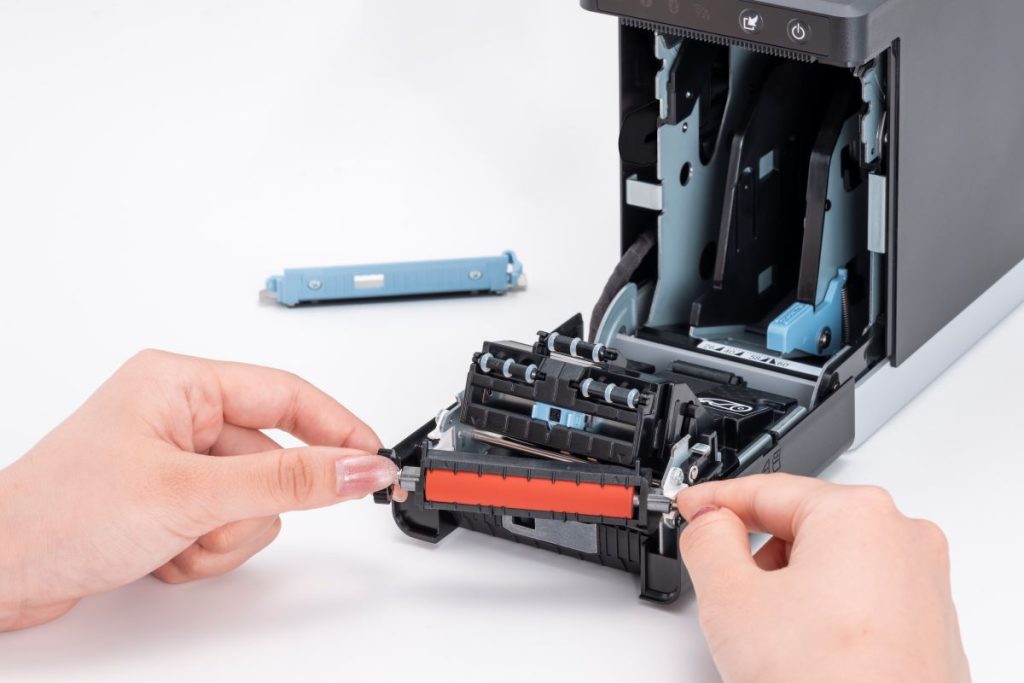
    Routine cleaning and maintenance help prevent adhesive buildup, cutter jams, and print quality issues. Commercial label printers designed with tool-free maintenance, simple media loading, and clear cleaning instructions can make routine upkeep easier for employees and reduce preventable downtime.

    The mC-Label2 multimedia printer by Star Micronics features user-friendly, tool-free maintenance.
    The mC-Label series by Star Micronics has tool-free, super easy maintenance.

    Why Durable and Reliable Printers Matter in Daily Operations

    In many businesses, labels are part of daily workflows. When a label printer stops working, those workflows can slow down or stop entirely.

    In a QSR kitchen, a printer failure can delay order packaging or delivery handoff. In an ecommerce fulfillment center, it can interrupt shipping and inventory tracking. In healthcare, missing labels on medications, patient records, or specimens can create serious operational and compliance issues.

    Reliable commercial label printers help reduce these risks by supporting consistent print quality, stable connectivity, and dependable performance during high-volume use.

    Over time, printer durability also affects ownership costs. A printer built for its environment is less likely to require frequent repairs, component replacements, or full device replacement. This can help businesses reduce downtime, maintain labeling consistency, and extend the useful life of their equipment.

    Explore Star Micronics Commercial Label Printers

    Choosing the right commercial label printer starts with understanding your environment, print volume, media requirements, connectivity needs, and maintenance expectations. The right printer should match the demands of your workflow and the types of labels your business relies on every day.

    Star Micronics offers a range of commercial label printers designed for retail, restaurant, healthcare, fulfillment, and other high-volume environments. From multifunction label printers that support linerless, die-cut, and receipt printing to purpose-built sticky linerless label printers, Star provides options for a wide range of labeling applications.

    Explore Star’s Labeling Solutions and Receipt and Label Media to learn more, or contact Star Micronics for help choosing the right commercial label printer for your business.

    Learn More About Star Label Printers

    Contact Star Today

    Frequently Asked Questions About Label Printer Durability and Reliability

    What features make label printers more durable for commercial environments?

    Durable commercial label printers are typically built with long-life printheads, durable cutters, strong housing materials, stable connectivity, and media paths designed to reduce jams and misfeeds. Easy maintenance access also helps keep the printer operating consistently over time.

    How do durable label printers reduce downtime?

    Durable printers reduce downtime by using components designed for frequent, high-volume use. Printers built for harsh environments, such as hot restaurant kitchens or healthcare settings with frequent cleaning, are less likely to fail or require frequent repair. Long-life printheads and cutters also reduce replacement frequency.

    What should businesses look for in a high-volume commercial label printer?

    Businesses should look for print speed, cutter durability, media compatibility, reliable connectivity, and maintenance accessibility. The printer should be designed for the expected daily print volume and the environment where it will operate.

    Why is label printer maintenance important for reliability?

    Routine maintenance helps prevent adhesive buildup, cutter jams, print quality issues, and media misfeeds. Cleaning the printer regularly helps ensure labels remain readable and barcodes scan correctly.

    Can durable label printers support wireless and cloud connectivity?

    Yes. Many commercial label printers support wired, wireless, and cloud-based connections. Features like BLE-assisted Wi-Fi setup can also make wireless deployment faster and easier for employees.

    How do multifunction label printers improve commercial workflows?

    Multifunction label printers can support receipts, linerless labels, die-cut labels, and other media types from a single device. This helps businesses reduce the number of printer models they manage while supporting different workflows with one platform.

    Why does media compatibility matter in commercial label printing?

    Different workflows require different label formats and adhesive types. Choosing a printer that supports the required media helps ensure consistent printing, proper label application, and reliable performance.

    How do durable label printers lower the total cost of ownership?

    Durable label printers can reduce repair costs, extend equipment lifespan, and minimize downtime. Over time, this can lower replacement frequency and reduce interruptions to daily operations.

    Are linerless label printers reliable for high-volume environments?

    Yes. Linerless label printers are commonly used in high-volume environments because they allow for faster application and fewer media roll changes. Since linerless labels do not use backing paper, they also reduce waste and help keep workspaces cleaner.

    What industries benefit most from durable commercial label printers?

    Durable commercial label printers are commonly used in retail, restaurants, ecommerce fulfillment, healthcare, pharmaceuticals, manufacturing, airports, and logistics. Any business that depends on consistent labeling can benefit from a printer designed for long-term, high-volume use.

  • Bisphenol-Free Thermal Paper: What Businesses Need to Know

    Bisphenol-Free Thermal Paper: What Businesses Need to Know

    Thermal paper has long been a staple in point-of-sale printing, but the conversation around receipt paper and thermal media is evolving quickly. As more businesses evaluate sustainability initiatives, regulatory requirements, and operational standards, many are reassessing the materials used for receipts, labels, tickets, and foodservice workflows.

    For businesses that rely on thermal printing, understanding the differences between BPA-free, BPS-free, and bisphenol-free thermal paper has become increasingly important. From retail and restaurants to healthcare and logistics, operators are looking for thermal media that supports reliable printing performance while aligning with broader compliance and sustainability goals.

    Whether your business prints receipts, barcode labels, linerless labels, or tickets, now is the time to understand how thermal media is changing and what to consider when evaluating paper suppliers and printing solutions.

    Buy Star Blue Eco Paper and Labels

    What Is Bisphenol-Free Thermal Paper?

    Traditional thermal paper uses heat-sensitive coatings that react with the thermal print head to produce printed text and images. For many years, BPA (bisphenol A) was commonly used in thermal paper formulations. As concerns around BPA increased, many manufacturers transitioned to BPS (bisphenol S) or other alternative chemistries.

    Today, many businesses are specifically looking for:

    • BPA-free receipt paper
    • BPS-free receipt paper
    • Bisphenol-free thermal paper
    • Eco-friendly thermal media
    • Prop 65 compliant paper

    Modern thermal media options may use alternative developers and materials designed to support evolving sustainability and compliance initiatives while maintaining the print quality and reliability businesses expect from thermal printing systems.

    Star Eco and Star Blue Eco media are produced using materials with no intentionally added BPA or BPS, supporting more mindful material selection across retail, hospitality, and foodservice operations.

    Why High-Contact Industries Are Paying Attention

    Thermal paper and labels are handled constantly throughout the day in many business environments, especially in industries where receipts, tickets, food labels, and packaging workflows are central to daily operations.

    As conversations around thermal media have evolved, many businesses have started evaluating whether receipt paper and labels contain added bisphenols such as BPA or BPS, particularly in workplaces where employees frequently handle thermal media throughout their shifts.

    This is especially relevant in industries such as:

    In response, many manufacturers now offer thermal paper and label media made without intentionally added BPA or BPS. In thermal media manufacturing, this generally means bisphenol-based developers are not intentionally used in the paper formulation itself, although trace amounts may still be possible due to raw material sourcing, manufacturing processes, or supply chain variables.

    Some media lines also include additional sustainability-focused features such as FSC-certified materials, recyclable paper options, and select products made without added Pergafast.

    Why Businesses Are Reevaluating Thermal Media

    The shift toward more sustainable thermal media is being driven by several factors, including:

    • Evolving state and regional regulations
    • Sustainability initiatives
    • Food safety and traceability programs
    • Procurement standardization
    • Consumer expectations around environmental responsibility
    • Operational consistency across multi-location businesses

    Several states have introduced or discussed restrictions related to thermal paper materials, including BPA and other chemicals commonly associated with receipt paper. Requirements vary by region, and businesses operating nationally are increasingly looking for media options that can support broader compliance readiness.

    For many operators, updating thermal paper and labeling supplies is also part of a larger operational strategy tied to:

    • Sustainable restaurant operations
    • Eco-friendly printing supplies
    • Order accuracy initiatives
    • Food labeling compliance
    • Waste reduction programs
    • Scalable POS hardware and labeling workflows

    Understanding Prop 65 and Thermal Paper Compliance

    California’s Proposition 65, formally known as the Safe Drinking Water and Toxic Enforcement Act, has become one of the most recognized compliance frameworks related to product material disclosures in the United States. Businesses that distribute products in California often evaluate whether materials align with Prop 65 requirements as part of their procurement process.

    For thermal paper and labels, operators may specifically look for:

    • Prop 65 compliant paper
    • No added BPA or BPS
    • Sustainable thermal receipt paper
    • FSC-certified media
    • Recyclable thermal paper options

    Star Eco and Star Blue Eco paper lines are produced using materials with no added BPA or BPS and are designed to support Prop 65 compliant operations.

    Because regulations and material standards continue evolving, many businesses are proactively standardizing compliant thermal media across locations to simplify purchasing and support long-term operational consistency.

    Explore Proposition 65 Business Resources Here >

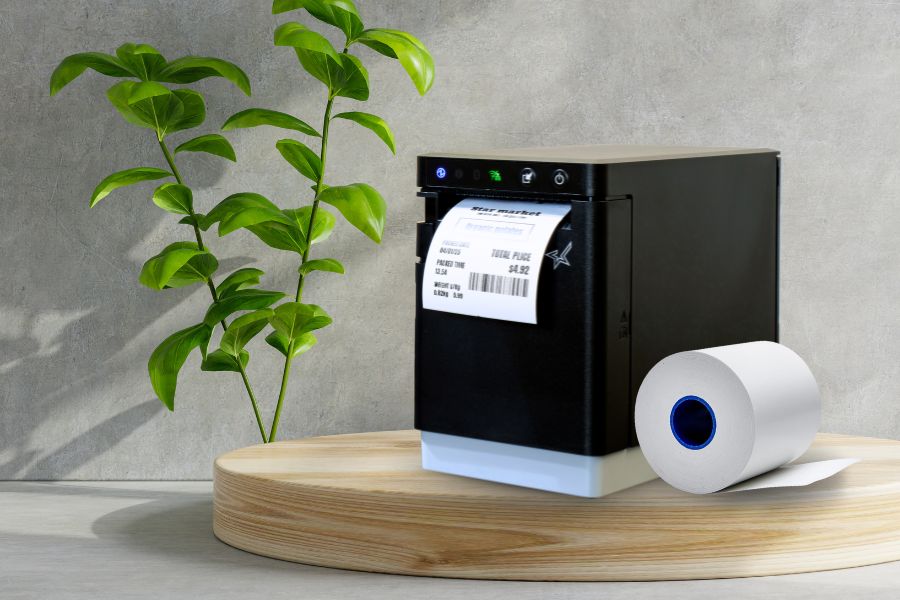
    Star Blue Eco paper and labels are thoughtfully formulated thermal media.

    How Modern Thermal Paper Works

    Modern thermal paper continues to deliver the fast, reliable printing performance businesses expect while supporting updated material standards and sustainability goals.

    Today’s thermal media can provide:

    • Clear, high-contrast printing
    • Reliable image retention
    • Compatibility with existing thermal receipt printers
    • Support for high-volume POS environments
    • Reduced material concerns compared to legacy thermal media

    Importantly, businesses do not typically need to replace existing thermal printers when transitioning to updated thermal paper or label media. Modern thermal receipt paper and labels are designed to work with standard thermal printing systems, including Star Micronics receipt and label printers.

    Some premium thermal media options also help:

    • Reduce paper dust
    • Maintain print head performance
    • Improve long-term printer reliability
    • Support warranty-compliant printer operation

    Star Blue Eco media is specifically engineered to optimize printer performance and support long-term reliability across demanding POS environments.

    Industries Transitioning to More Sustainable Thermal Media

    Retail & Hospitality

    Retailers and hospitality businesses continue evaluating eco-friendly receipt paper and sustainable labeling solutions as part of broader operational and customer experience initiatives.

    Restaurants & QSRs

    Restaurants increasingly rely on thermal labels for:

    • Grab-and-go labels
    • Catering labels
    • Food rotation labels
    • Order confirmation labels
    • Allergen label information
    • Traceability labels
    • Off-premise dining workflows

    Many QSR operators are also adopting linerless labels to support waste reduction and operational efficiency.

    Healthcare & Pharmacies

    Healthcare organizations often require reliable thermal printing for:

    • Prescription labeling
    • Patient-facing receipts
    • Barcode labels
    • Traceability workflows

    Grocery & Foodservice

    Grocery stores and foodservice operations use thermal labels for:

    • Nutritional information labels
    • Inventory labels
    • Expiration date labels
    • Weight and serving size labels
    • Food identification labels

    What to Look for in Thermal Receipt Paper and Labels

    When evaluating thermal paper suppliers and labeling solutions, businesses should consider:

    Material Standards: Look for media produced using materials with no intentionally added BPA or BPS.

    Print Performance: Consistent thermal imaging and durable print quality help support reliable operations.

    Printer Compatibility: Thermal media should work seamlessly with existing POS printers and label printers.

    Sustainability Features: Some thermal media products offer:

    • FSC-certified materials
    • Recyclable thermal paper
    • Reduced packaging waste
    • No added Pergafast
    • Linerless labeling options

    Operational Reliability: Higher-quality thermal media can help reduce dust buildup and support long-term print head performance.

    Linerless Labels and Sustainable Labeling Workflows

    Linerless labels are becoming increasingly popular across restaurant, retail, and logistics environments because they help reduce liner waste while supporting flexible labeling workflows.

    Common linerless label applications include:

    • Order accuracy labels
    • Delivery bag labels
    • Product rotation labels
    • Barcode labels
    • Shelf labels
    • Grab-and-go labels
    • Catering workflows

    Star supports both linerless and linered label workflows across its media portfolio, including:

    • Repositionable linerless labels
    • Permanent linerless labels
    • Die-cut labels
    • Continuous linered labels

    These labeling solutions support modern restaurant workflows, cloud printing environments, and foodservice traceability initiatives.

    Shop Star Blue Eco

    The Star Blue Eco Advantage

    Star Blue Eco is Star’s premium paper and thermal media line, designed to support reliable printing performance while aligning with evolving sustainability and operational standards.

    Key advantages include:

    • Produced using materials with no added BPA or BPS
    • Prop 65 compliant
    • Premium-grade thermal coating for consistent print quality
    • Designed to optimize printer performance
    • Helps support long-term print head reliability
    • Signature blue core for fast identification
    • Select options include FSC-certified materials
    • Select options include recyclable thermal paper
    • No added Pergafast on select SKUs

    Star Blue Eco media is designed for receipt printers, label printers, linerless labeling applications, and scalable POS environments across retail, hospitality, and foodservice industries.

    Perfecting QSR Delivery With POS Scales And Advanced Labeling White Paper

    Perfecting QSR Delivery with POS Scales & Advanced Labeling

    Learn how QSR operators are transforming delivery with weight-based verification and advanced labeling solutions.

    Get the White Paper

    Ready to find out more about Star Blue Eco eco-friendly thermal paper and labels?

    Contact Star Now

    Frequently Asked Questions About Bisphenol-Free Thermal Paper

    What is bisphenol-free thermal paper?

    “Bisphenol-free thermal paper” generally refers to thermal paper formulated without bisphenol-based developers such as BPA or BPS. However, terminology, testing methods, and formulation standards can vary across manufacturers and suppliers.

    In some cases, manufacturers may use phrases such as “no intentionally added BPA or BPS” to describe thermal media formulations. This reflects the fact that trace amounts may still be possible due to manufacturing, raw material, or supply chain variables, even when bisphenols are not intentionally used in the formulation itself.

    Is BPA-free thermal paper the same as BPS-free paper?

    Not necessarily. BPA-free thermal paper simply means BPA was not intentionally used in the formulation, but some products may still use BPS or other alternative developers.

    Because terminology and material standards can vary across suppliers, many businesses now evaluate broader claims around added bisphenols and overall material composition rather than focusing on a single chemical term alone.

    What is Prop 65 compliant thermal paper?

    Prop 65 compliant thermal paper refers to receipt paper or labels designed to align with California Proposition 65 requirements related to listed chemicals and exposure warnings. Many businesses use Prop 65 compliant thermal media to support purchasing consistency across multiple states and locations.

    Can thermal paper be recyclable?

    Some thermal paper products are designed to support recyclability initiatives, though recyclability can depend on the specific paper formulation and local recycling capabilities. Some manufacturers also offer FSC-certified paper and sustainability-focused media options designed to support broader environmental initiatives.

    Star Micronics offers select SKUs of Star Blue Eco thermal receipt paper that are 100% recyclable.

    What is Pergafast in thermal paper?

    Pergafast is a chemical developer that has been used in some thermal paper formulations as an alternative to BPA or BPS. As thermal media standards continue evolving, some manufacturers now offer paper products made without added Pergafast as part of broader sustainability and material selection initiatives.

    Businesses evaluating thermal paper may review whether products contain added BPA, BPS, Pergafast, or other developers depending on their internal standards, sustainability goals, or regulatory considerations.

    What does FSC-certified paper mean?

    FSC-certified paper refers to paper products certified by the Forest Stewardship Council (FSC), an organization that promotes responsible forest management practices.

    FSC-certified thermal paper and labels are sourced from forests and supply chains that meet specific environmental, social, and sustainability standards. Many businesses look for FSC-certified media as part of broader sustainability, sourcing, and ESG initiatives.

    Do eco-friendly thermal paper rolls work with existing POS printers?

    Yes. Most modern thermal paper and label products are designed to work with standard thermal receipt printers and POS systems without requiring hardware changes. Businesses can typically transition to updated thermal media while continuing to use their existing printing equipment.

    What are linerless labels?

    Linerless labels are adhesive labels that do not use a traditional backing liner. They help reduce liner waste, allow for more labels per roll, and support flexible custom-length printing across restaurant, retail, and logistics workflows.

    Why are restaurants using more thermal labels?

    Restaurants increasingly use thermal labels to support:

    • Order accuracy
    • Food traceability
    • Off-premise dining workflows
    • Grab-and-go operations
    • Catering workflows
    • Food rotation and expiration labeling
    • Allergen and compliance labeling

    As delivery and mobile ordering continue growing, labeling has become a more important part of restaurant operations and packaging workflows.

    What should businesses look for in sustainable thermal media?

    Businesses evaluating thermal paper and labels often consider:

    • Material composition and formulation claims
    • Printer compatibility
    • Print quality and durability
    • Prop 65 compliance
    • FSC-certified materials
    • Recyclable paper options
    • Linerless labeling capabilities
    • Long-term media consistency and reliability

    Many businesses are also looking for suppliers that clearly explain how sustainability and material claims are defined across their product lines.

    Originally published on October 17, 2025, by the author.

  • 3 Key Advantages of Online Food Ordering for Today’s Customers

    3 Key Advantages of Online Food Ordering for Today’s Customers

    Online food ordering has become a standard part of how customers interact with restaurants and QSR brands. What began as a convenience and accelerated during the COVID-19 pandemic has evolved into an essential way people discover menus, place orders, and enjoy meals on their own terms.

    Today, the advantages of online food ordering extend far beyond convenience. From faster ordering and improved accuracy to greater flexibility and control, digital ordering continues to redefine the customer dining experience. In this post, we explore the key benefits of online food ordering and why it remains a core part of the modern food service landscape.

    Discover Online Ordering Solutions

    Key Advantages of Online Food Ordering for Customers

    The advantages of ordering food online for customers center on convenience, flexibility, and access to a wider range of dining options.
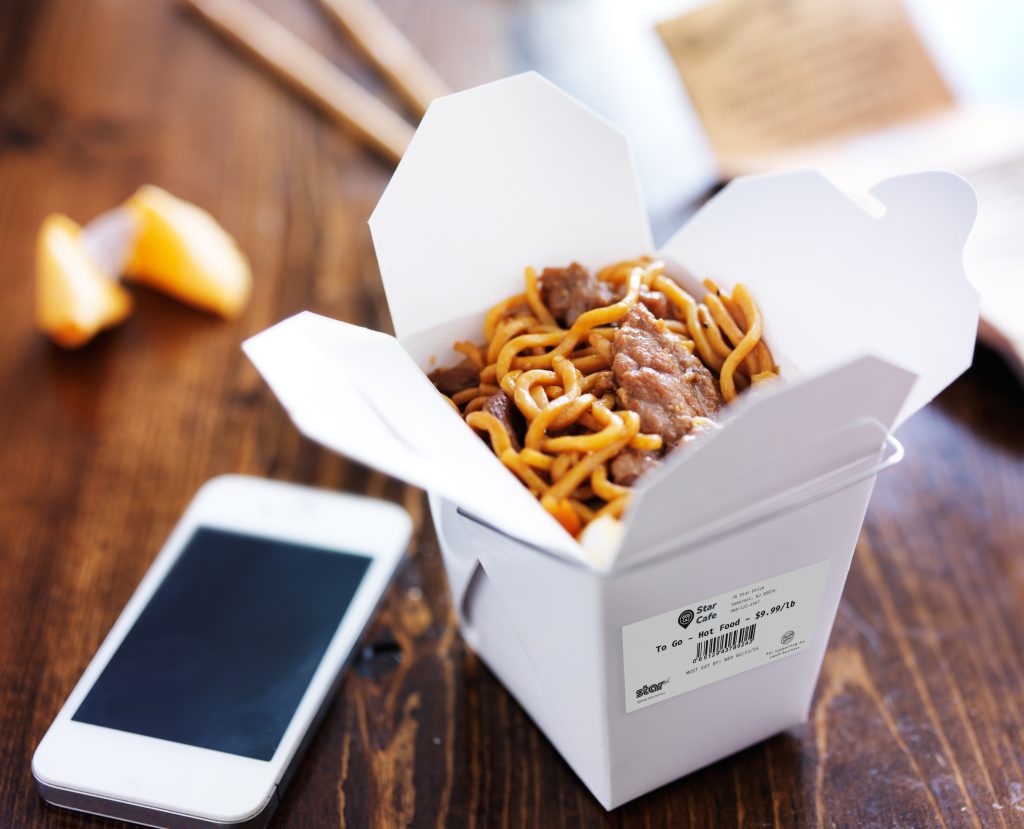
    1. A Convenient, Streamlined Experience

    The primary benefit of online food ordering is its unmatched convenience. Customers enjoy the flexibility of ordering from any location, eliminating the need to travel for meal collection. Features such as easy reordering, queue avoidance, and enhanced order accuracy significantly streamline the dining experience.

    These conveniences not only strengthen customer relationships but also encourage repeat ordering. Digital ordering platforms allow restaurants to meet customer expectations while supporting efficient, low-friction service.

    2. Catering to Evolving Dining Preferences

    Dining habits have continued to evolve as customers look for options that support both in-restaurant and at-home experiences. Online food ordering platforms help meet these expectations by offering flexible pickup, delivery, and ordering options that fit modern lifestyles.

    This shift reflects long-term changes in how people choose to dine, not just a short-term response to the pandemic.

    Explore Labeling Solutions for Online Ordering >

    3. Expanded Choices and Added Value

    Online food ordering gives customers access to a wider range of dining options and promotions. Digital platforms often feature exclusive deals, loyalty rewards, and seasonal offers that enhance value and encourage exploration.

    Virtual menus also make it easier for customers to discover new cuisines and customize their orders. High-quality images and clear descriptions create a more engaging and confident ordering experience.

    Meeting The Online Order Surge: How Hardware Impacts Efficiency

    To stay competitive as a business owner, you must be able to handle the surge in online orders, and one crucial aspect of this is re-evaluating your hardware systems.

    Explore How Hardware Effects Operations

    Online Orders with Star Micronics’ CloudPRNT Next Technology

    To fully support the advantages of online food ordering for both restaurants and customers, execution behind the scenes matters. Star Micronics developed CloudPRNT Next to ensure online orders move reliably from digital platforms to the kitchen without disruption.

    CloudPRNT Next simplifies how online ordering applications connect to restaurant printing workflows, helping orders from platforms like DoorDash and Uber Eats print accurately and consistently at the point of execution. It supports iOS, Android, Windows, and web-based environments, making it well-suited for modern POS and mobile ordering workflows.

    What is CloudPRNT Next?

    CloudPRNT Next is a cloud-based printing platform that enables direct communication between online ordering services and Star Micronics printers. Orders are securely transmitted through the cloud and printed automatically, without the need for additional hardware or complex network configurations.

    This streamlined approach makes it easier for restaurants to adopt and scale online food ordering while maintaining order accuracy and operational consistency.

    Key Features and Benefits of CloudPRNT Next:

    • Direct Cloud-to-Printer Communication
      Online food orders are sent directly from cloud-based ordering platforms to Star printers, reducing delays and eliminating unnecessary intermediary devices.

    • Improved Order Accuracy and Speed
      By automating how online orders reach the kitchen, CloudPRNT Next helps reduce manual steps, miscommunication, and missed items, improving the customer experience.

    • Scalable Support for Growing Restaurants
      CloudPRNT Next is designed to support multi-location restaurants and growing order volumes, making it easier to maintain consistent workflows as online demand increases.

    • Broad Device and Platform Compatibility
      The platform works across common operating systems and devices, giving restaurants flexibility as they adopt new POS systems or digital ordering tools.

    • Simplified Setup and Reduced IT Complexity
      CloudPRNT Next removes the need to manage IP addresses, local network configurations, or custom firewall rules, making installation and ongoing support easier for restaurant teams.

    Why This Matters for Online Food Ordering

    Reliable printing is a critical part of online food ordering. When digital orders are transmitted accurately and consistently to the kitchen, restaurants can fulfill orders faster, reduce errors, and deliver the convenience customers expect. CloudPRNT Next supports these outcomes by making printing a dependable part of the online ordering workflow rather than a point of failure.

    Learn More About CloudPRNT Next

    A Smarter Way to Support Online Food Ordering

    Online food ordering is no longer a temporary shift or a passing trend. It has become a standard part of how customers interact with restaurants. The advantages of online food ordering, from convenience and flexibility to improved accuracy and control, continue to shape customer expectations across the dining experience.

    Behind the scenes, reliable POS and printing technology plays a critical role in making online ordering work smoothly. When digital orders move accurately and consistently from the cloud to the kitchen, restaurants can fulfill orders faster, reduce errors, and deliver the experience customers expect.

    As online food ordering continues to evolve, restaurants that invest in dependable, scalable systems are better positioned to meet demand, maintain accuracy, and build long-term customer loyalty. The goal is not simply to offer online ordering, but to support it with the right technology so it works reliably every time.

    The Smart QSR Delivery Playbook: Labeling, Accuracy & Efficiency Done Right Ebook by Star Micronics

    The Smart QSR Delivery Playbook: Labeling, Accuracy & Efficiency Done Right

    Learn how leading QSRs are using smart labeling and scalable POS technology to reduce errors, cut costs, and deliver a better guest experience.

    Get Yours Now

    Frequently Asked Questions About Online Food Ordering

    What are the main advantages of online food ordering for customers?

    Online food ordering gives customers greater convenience, faster service, improved order accuracy, and access to digital menus, deals, and flexible payment options.
    Is online food ordering more accurate than ordering in person or by phone?

    Yes. Online food ordering reduces miscommunication by allowing customers to review their order before submission, resulting in fewer mistakes and higher satisfaction.

    Why do customers prefer online food ordering?

    Customers prefer online food ordering because it saves time, offers transparency, supports customization, and allows ordering anytime from mobile devices or computers.

    Does online food ordering improve the overall customer experience?

    Yes. Online food ordering improves the customer experience by making ordering faster, easier, and more reliable, especially for pickup and delivery.

    Which Star printer is right for your online ordering app?

    Get the Guide

    To browse all of our blog posts covering tips for small businesses, please visit our #StarForSmallBiz blog collection. Original article written by Heidi Orpilla and published June 18, 2020.

  • What NRF 2026 Revealed About the Future of Retail and Restaurant Technology

    What NRF 2026 Revealed About the Future of Retail and Restaurant Technology

    The National Retail Federation’s Big Show has long served as a bellwether for where retail technology is headed, offering a clear view each year into how the industry is evolving. NRF 2026, however, surfaced a more defining shift.

    The future of retail and restaurants is being built right before our eyes, as hardware, AI-powered platforms, and workflow design operate as a single system, with order accuracy forming the foundation for lasting customer loyalty. What stood out at NRF 2026 was not any single breakthrough, but how these technologies are increasingly designed to work together in real-world environments.

    Across the show floor, one theme surfaced repeatedly. Technology is no longer being evaluated in isolation. Operators are assessing complete, end-to-end workflows, from ordering and production to fulfillment and the final guest interaction. The conversation has moved beyond experimentation and toward execution, reliability, and scale.

    At NRF 2026, retail and restaurant technology clearly entered a phase of operational maturity, with solutions increasingly judged by how well they perform across locations, channels, and peak demand moments.

    Here are the key takeaways from NRF 2026, and what they signal for the rest of 2026.

    Explore Star’s Industry Solutions

    Self-Service Is No Longer Optional

    Self-service has moved beyond experimentation. At NRF 2026, kiosks, unattended stations, and automated pickup workflows were everywhere, across QSR, retail, travel, and hybrid environments.

    Operators are adopting self-service to address labor challenges, increase throughput, and meet customer expectations for speed and convenience. That shift places new demands on hardware reliability. When self-service fails, there is no staff member to step in.

    What this means for 2026:

    • Kiosks and unattended workflows will continue expanding into new verticals
    • Open-frame and kiosk printers must deliver high uptime and jam-free performance
    • Hardware flexibility will matter as much as software innovation

    Self-service is no longer a differentiator. It is the baseline.

    Order Accuracy Has Become the Guest Experience

    Speed gets orders out the door. Accuracy determines whether customers come back.

    One of the strongest signals at NRF 2026 was the growing emphasis on order accuracy, especially for off-premise dining, third-party delivery, catering, and pickup. As order volumes increase and channels multiply, operators are turning to labeling and verification workflows to reduce errors.

    Labeling is now being used to:

    • Identify individual items within an order
    • Seal bags for tamper-evident delivery
    • Improve kitchen communication and fulfillment accuracy
    • Support food safety and expiration tracking

    What this means for 2026:

    • Label printing will continue shifting from optional to mission-critical
    • KDS-driven label printing will become more common
    • Linerless and die-cut labels will be selected based on workflow, not trend

    Order accuracy is no longer only a back-of-house concern. It is central to the brand experience.

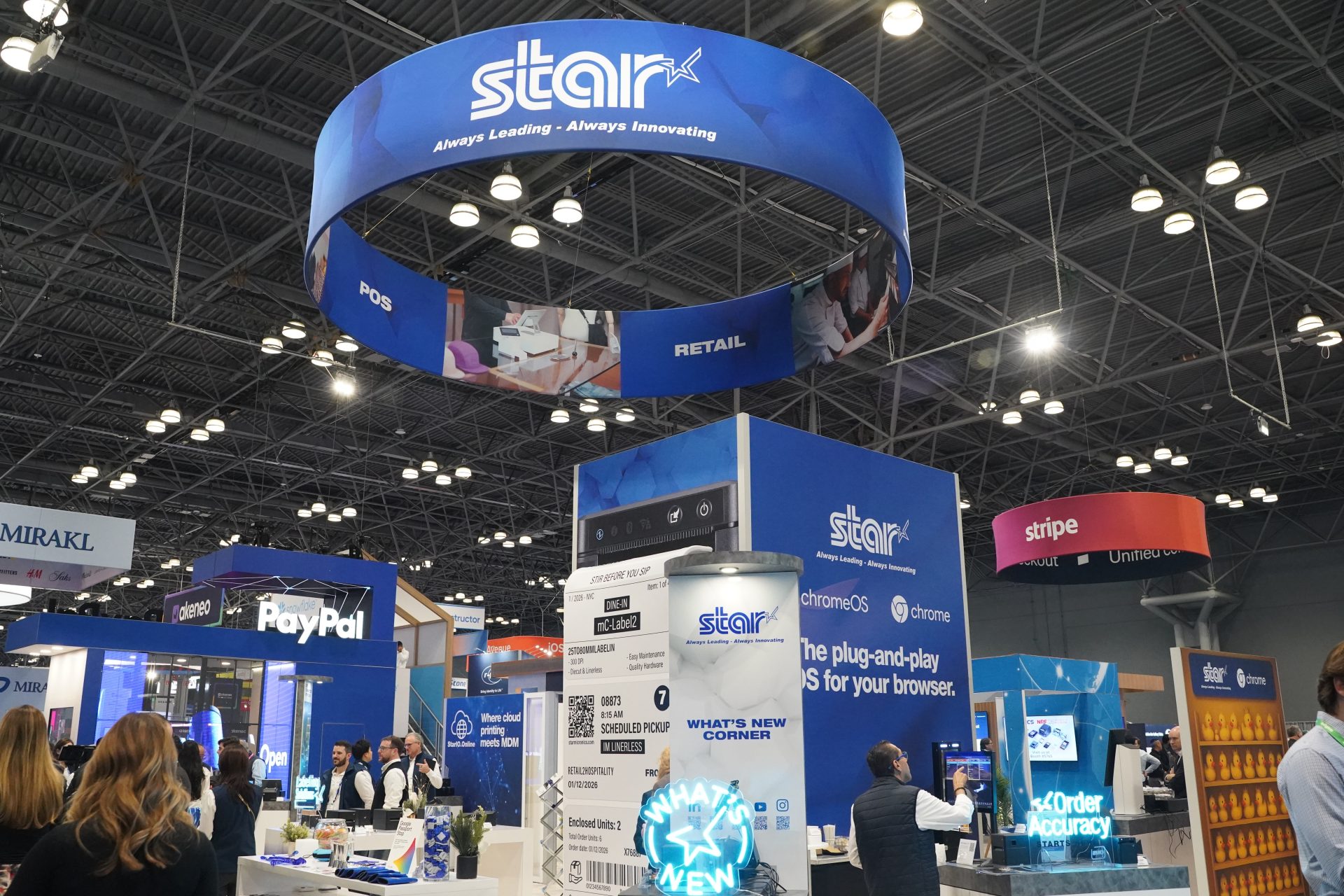
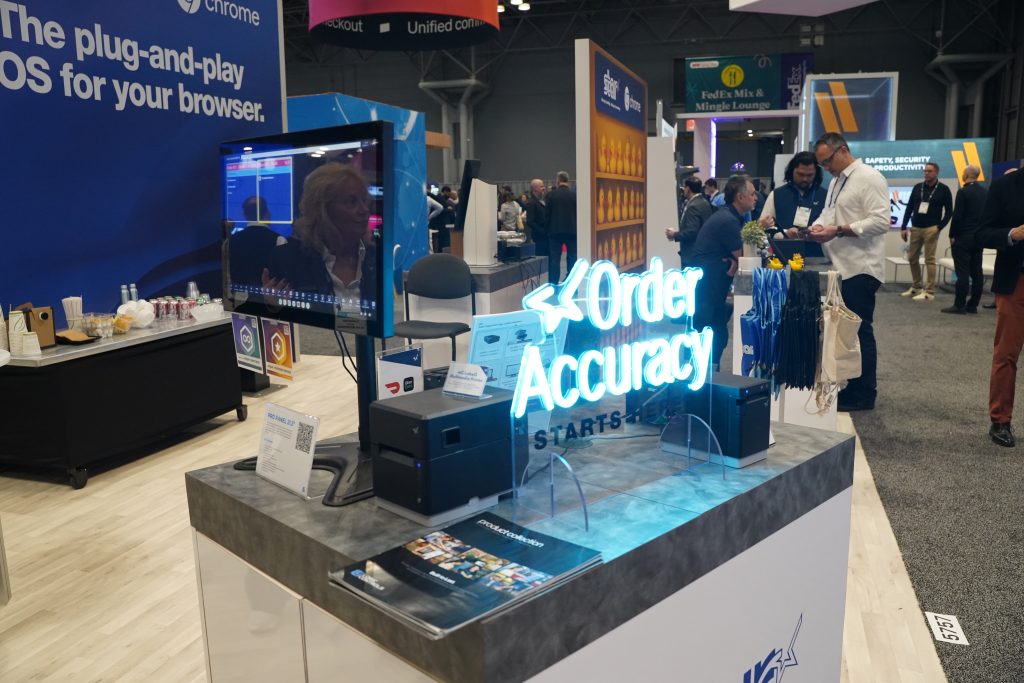
    Visit Star Micronics at booth 5757 during NRF 2026.

    Cloud Infrastructure Is Getting Simpler by Design

    ISVs and platform providers sent a clear message at NRF 2026. They want fewer systems to manage, not more.

    Rather than building and maintaining proprietary print servers, many developers are looking for hosted, API-based solutions that remove infrastructure overhead. Cloud printing is evolving from a technical challenge into a managed service expectation.

    What this means for 2026:

    • Hosted cloud printing will see increased adoption
    • API-first platforms will outperform custom infrastructure
    • Remote device monitoring and management will be table stakes

    The cloud stack is not getting more complex. It is becoming more streamlined.

    Web-Based POS and Chrome OS Are Gaining Momentum

    Another major takeaway from NRF 2026 was the continued rise of web-based POS applications and Chrome OS deployments. Developers are prioritizing flexibility, faster updates, and browser-based workflows that reduce OS dependency.

    This shift places new requirements on POS hardware. Devices must work seamlessly across Android, web, and kiosk environments without extensive integration work.

    What this means for 2026:

    • Web-based POS applications will continue to grow
    • Chrome OS kiosks will expand in retail and hospitality
    • Hardware that works across platforms will be preferred

    Platform flexibility is becoming a key purchasing criterion.

    POS Hardware Design and Ergonomics Matter More Than Ever

    NRF 2026 highlighted a growing focus on workspace design. Operators are paying closer attention to how POS environments look, function, and scale over time.

    Clean countertops, effective cable management, and ergonomic mounting solutions are no longer cosmetic concerns. They impact staff efficiency, safety, and customer perception.

    What this means for 2026:

    • Modular and adaptable hardware setups will increase
    • Mounting and peripheral integration will be planned together
    • POS design will be viewed as part of the brand experience

    Hardware must perform well and look intentional.

    Sustainability Is Becoming an Operational Advantage

    Sustainability conversations at NRF 2026 were quieter, but more serious. Operators are increasingly evaluating solutions that reduce waste, simplify operations, and support compliance without adding cost or complexity.

    Linerless labeling stood out as a clear example. It reduces liner waste, improves efficiency, and supports modern labeling workflows without changing user behavior.

    What this means for 2026:

    • Waste-reducing technologies will gain broader adoption
    • Media choices will factor into purchasing decisions
    • Sustainability and efficiency will continue to align

    Environmental considerations are becoming practical, not promotional.

    Partnerships Are Driving the Most Compelling Solutions

    Some of the most effective solutions at NRF 2026 were not built by a single company. They were the result of deep partnerships across hardware, software, and platform providers.

    Integrated ecosystems reduce friction for resellers, simplify deployments, and deliver better outcomes for operators. Collaboration is accelerating innovation faster than isolated development ever could.

    What this means for 2026:

    • Ecosystem-driven solutions will gain traction
    • Channel-friendly integrations will matter more
    • End-to-end workflows will outperform point solutions

    Looking Ahead to the Rest of 2026

    NRF 2026 made one thing unmistakable. Retail and restaurant technology is moving into a more disciplined and outcome-driven phase. The emphasis is no longer on adding disconnected features. It is on building systems that work together reliably under real operating conditions.

    As hardware, AI-powered platforms, and workflow design continue to converge, operators are prioritizing solutions that improve execution at every step of the journey. Order accuracy, uptime, and consistency across locations are becoming the true measures of success because they directly shape customer loyalty and long-term performance.

    For the rest of 2026, expect continued investment in:

    • Self-service and unattended workflows
    • Labeling and order verification
    • Cloud-managed and web-based platforms
    • Modular, adaptable POS hardware
    • Integrated partner ecosystems

    At Star Micronics, these shifts reinforce a long-standing focus on building reliable, flexible hardware that adapts as workflows evolve. When technology operates as a unified system rather than a collection of parts, it quietly enables better execution, stronger operations, and better experiences for customers.

    NRF 2026 did not just highlight what is emerging. It clarified how the next generation of retail and restaurant operations will be built.

    How VARs and ISVs Can Maximize ROI with Advanced Kiosk Printing Technology ebook by Star Micronics.

    How VARs and ISVs Can Maximize ROI with Advanced Kiosk Printing Technology

    This ebook reveals how ISVs and VARs can harness the transformative potential of kiosk printing technology to maximize ROI for both their clients and their own businesses.

    Get Yours Now

    Learn More About Star POS & Labeling Solutions

    Contact Star Today

  • How to Balance Cash Drawers Quickly and Accurately

    How to Balance Cash Drawers Quickly and Accurately

    Balancing a cash drawer is a critical daily task for businesses that handle cash transactions. Knowing how to balance cash drawers accurately helps reduce shrinkage, improve accountability, and keep end-of-shift operations running smoothly. This guide explains why cash drawer balancing still matters and how to do it quickly and correctly.

    Explore Star Cash Drawers

    What Does It Mean to Balance a Cash Drawer?

    To balance a cash drawer means reconciling the physical cash in a register with the expected total recorded by the point-of-sale (POS) system. This process confirms that cash sales, refunds, and starting cash amounts are accurately reflected. Any difference between the expected and actual amount indicates a discrepancy that must be investigated.

    Why Cash Drawer Balancing Still Matters

    Despite the continued growth of digital payments, cash remains an essential part of daily operations for many businesses. Knowing how to balance a cash drawer is still a foundational skill for retailers, restaurants, and service-based organizations that handle physical currency.

    Because cash is vulnerable to errors, loss, and misuse, balancing cash drawers is not just an administrative task—it is a core operational safeguard. When performed consistently and correctly, cash drawer balancing ensures sufficient funds are available, supports uninterrupted service, and helps businesses quickly identify discrepancies.

    Effective cash drawer management also plays a direct role in profitability. Regular reconciliation—ideally at the end of each shift or at least daily—improves accuracy, strengthens accountability, and reduces shrinkage. With a clear process and the right tools, balancing a cash drawer quickly and accurately is a skill any business can master.

    How To Balance A Cash Drawer

    How to Balance a Cash Drawer

    1. Assign One Person to Each Cash Drawer

    Assigning a single employee to each cash drawer is one of the most effective ways to balance a cash drawer accurately and consistently. This approach creates clear accountability and simplifies cash tracking at the end of each shift.

    When only one person is responsible for a drawer, it becomes much easier to identify discrepancies, resolve errors, and prevent loss. Even in high-trust environments, shared drawers increase the likelihood of mistakes and make reconciliation more time-consuming.

    When one employee is assigned to each drawer, cash balancing becomes more accurate and more consistent, helping businesses reduce shrinkage and maintain dependable cash handling practices.

    2. Count Cash at the Beginning of the Day

    Every shift should start with an accurate count of the opening cash balance. Knowing exactly how much cash is in each drawer creates a clear baseline for tracking sales and identifying discrepancies later in the day.

    Maintaining the correct starting amount is important for both efficiency and security. Too little cash can slow transactions and frustrate customers, while excess cash increases exposure to loss. Setting up each drawer with a balanced mix of bills and coins, based on expected transaction volume, helps ensure smoother operations throughout the day.

    3. Deposit Cash Throughout Shifts

    Keeping cash drawers organized during the day makes end-of-shift balancing faster and more accurate. Making regular deposits during slower periods helps prevent drawers from becoming overfilled and maintains a practical mix of bills and coins for transactions.

    These mid-shift check-ins reduce the chance of counting mistakes later and support more consistent cash handling overall. When possible, having a second employee present for interim deposits adds an extra layer of accountability and reinforces best practices for cash management.

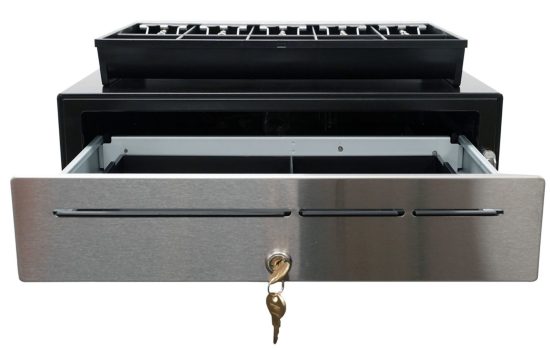
    The CD5-1918 Max Series cash drawer by Star Micronics is ideal for high-cash volume environments.
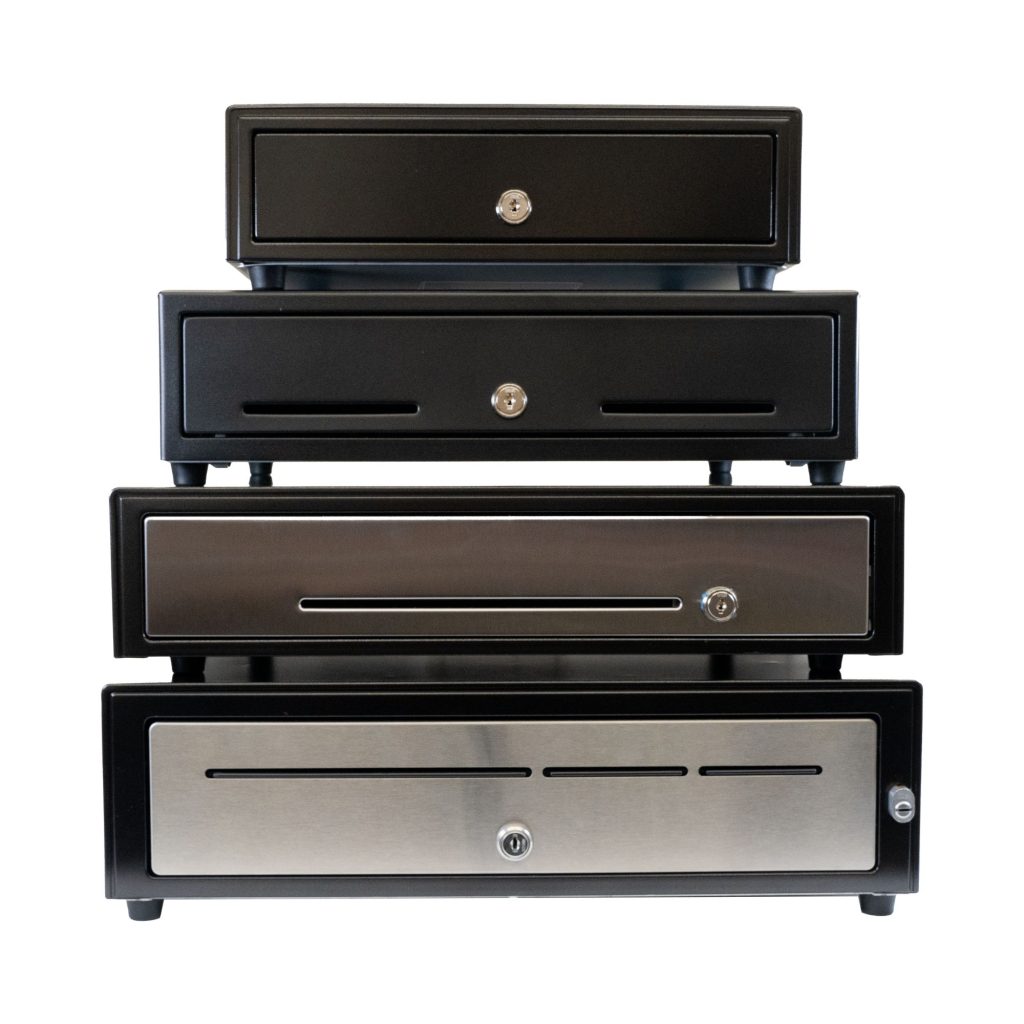
    Star Micronics has a wide range of cash drawers to fit any business environments.

    4. Pull the POS Report for Each Drawer Afterward

    Balancing a cash drawer starts with having the right data. At the end of each shift or business day, pull the POS report associated with each drawer to establish an accurate reference point. This report shows exactly what the system recorded and provides the benchmark for your cash count.

    For best results, complete this step in a quiet, controlled environment. Fewer distractions make it easier to spot discrepancies, verify totals, and ensure the drawer is balanced correctly before closing it out.

    5. Count the Cash from Each Drawer in a Discreet Location

    Cash counting should always be done carefully and away from customer-facing areas. In a secure, private space, count all bills, coins, and receipts, then compare the total against the POS report for that drawer. This controlled environment reduces distractions and helps ensure accuracy.

    If a discrepancy appears, perform a second count before drawing conclusions. Many variances are resolved through a careful recount. Taking the time to verify totals builds confidence in your cash handling process and supports consistent, reliable drawer balancing.

    Browse Star Cash Drawers

    6. Identify and Solve Discrepancies

    When a cash drawer does not balance, start by reviewing the POS data in detail. Most shortages or overages are the result of simple errors, such as incorrect change given or a transaction entered incorrectly, rather than intentional misuse.

    Compare the POS report against receipts, refunds, and cash totals to pinpoint where the variance occurred. If discrepancies happen regularly, it may be a sign that additional training or clearer procedures are needed. For unresolved issues, inspect the cash drawer area and review recent transactions to check for missing receipts or unrecorded sales. Addressing discrepancies promptly helps protect revenue and reinforces strong cash handling habits.

    7. Record Cash Drawer Transactions

    Accurate record keeping is essential to closing out the cash balancing process. Document the starting and ending balances for each drawer, along with totals for cash, cards, and any other payment types. Be sure to note any overages or shortages clearly and consistently.

    Maintaining detailed records supports accurate accounting, helps resolve questions later, and creates a clear audit trail if issues arise. Over time, these records also make it easier to spot patterns, improve procedures, and strengthen overall cash handling accuracy.

    Tools That Make It Easier to Balance a Cash Drawer

    Balancing a cash drawer is faster and more consistent when the right tools are in place. Clear POS reporting, secure cash drawers, and standardized hardware help reduce counting errors and simplify end-of-shift reconciliation.

    Cash drawers designed for frequent opening, secure storage, and smooth operation support better accountability across shifts. When combined with accurate reporting and consistent procedures, the right tools help businesses balance cash drawers more efficiently and with greater confidence.

    Balance Cash Drawers with Ease

    By adhering to these steps and maintaining a consistent approach, businesses can ensure that their cash drawers are balanced quickly and accurately. Cash management efficiency is a skill every business should acquire, as it contributes to the overall smooth operation and profitability.

    The CD5 Max Series cash drawers by Star Micronics set a new standard for secure and reliable cash management in retail and hospitality environments.

    CD5 Max Series Cash Drawers

    Designed for high-cash volume businesses, the CD5 Max Series cash drawers deliver durability, security, and sleek design. With all-steel construction, dual lock mechanisms, and under-till compartments for added organization, these drawers are ideal for grocery stores, cannabis dispensaries, and other busy retail settings. Available in multiple sizes and with dual DK and USB interface options, the CD5 Max Series integrates seamlessly into any POS system.

    Explore More >

    Conquering Omnichannel Order Management with Cloud-Based Technology Solutions ebook.

    Conquering Omnichannel Order Management with Cloud-Based Technology Solutions

    Consumers have spoken! The future of retail and hospitality is omnichannel, cloud-based, and connected. Is your business prepared?

    Download Now

    Looking for secure cash drawers to balance?

    Contact Star Now

    Cash Drawer Balancing FAQs

    How often should you balance a cash drawer?

    Most businesses should balance each cash drawer at the end of every shift. High-volume locations may also benefit from mid-shift checks to catch errors early and reduce end-of-day discrepancies.

    What does it mean to balance a cash drawer?

    To balance a cash drawer means comparing the physical cash in the drawer to the expected total shown in the POS system. When the numbers match, the drawer is balanced. Any difference results in an overage or shortage that must be investigated.

    What is an acceptable cash drawer shortage or overage?

    Acceptable thresholds vary by business, but many retailers allow a small variance such as $1–$5. Consistent discrepancies, even small ones, should be addressed through process review or staff training.

    What causes cash drawers to be out of balance?

    Most issues are caused by simple mistakes, such as incorrect change given, cash sales entered incorrectly, or skipped transactions. Fewer discrepancies occur when one person is assigned per drawer and cash is counted consistently.

    Can POS systems help balance cash drawers more accurately?

    Yes. Modern POS systems generate detailed drawer reports that make it easier to compare expected totals against physical cash. Accurate reporting is essential for identifying where errors may have occurred.

    Is it better to balance cash drawers manually or digitally?

    Both methods work best together. POS reports provide the expected totals, while manual counting confirms the actual cash on hand. Combining the two ensures accuracy and accountability.

    What should you do if a cash drawer does not balance?

    Start with a second count to rule out counting errors. Then review the POS report for voids, refunds, or missed entries. If discrepancies continue, additional training or process adjustments may be needed.

    How can businesses reduce cash drawer discrepancies over time?

    Clear ownership of drawers, consistent counting procedures, regular audits, and proper POS training all help reduce errors. Reliable hardware, secure cash drawers, and accurate reporting tools also play an important role.

    Original article written by Brianna Moriarty and published September 8, 2020.

  • 2026 IT Channel Predictions Are Optimistic

    2026 IT Channel Predictions Are Optimistic

    Star partners in the IT channel are in a strong position going into 2026. What will define success for value-added resellers (VARs), independent software vendors (ISVs), and managed services providers (MSPs) in the IT channel this coming year? Rising IT spend, growth in subscription-based software, and expanding demand for vertical solutions all point to one of the strongest years for the IT channel in a decade. 

    Macro trends are positive. Gartner predicts worldwide IT spending will increase 9.8% from 2025 to reach $6.08 trillion in 2026. The IT services market is also growing, with Grand View Research reporting a CAGR of 9.4% from 2025 to 2026, reaching $2.59 trillion. For IT channel partners, these indicators suggest sustained opportunity rather than short-term recovery.

    Learn More About Star’s Empower Partner Program

    What Is the IT Channel in 2026?

    The IT channel, comprising VARs, ISVs, MSPs, and other technology integrators, looks very different from what it did a decade ago. Today’s IT channel partners do far more than sell hardware. They design, deploy, and support complete technology ecosystems that combine software, integrations, and ongoing services.

    This modern channel model aligns closely with Star Micronics’ hardware portfolio, cloud printing technologies, and partner ecosystem. Reliable, cloud-ready hardware remains foundational to these deployments, especially in retail, restaurant, healthcare, and other multi-location environments.

    In 2026, IT channel organizations continue shifting toward recurring services, cloud-based deployments, and specialized vertical markets. According to the Retail Solutions Providers Association (RSPA) Retail IT Channel KPI Study, VARs and ISVs have rebounded from a flat or worse 2024. About 80% of the POS channel now reports growth, with 9.4% seeing revenue growth of 40% or more. These trends are setting the stage for a strong year ahead.

    Key Predictions for the IT Channel in 2026

    Based on market data and channel performance trends, several themes will define success for IT channel partners in 2026:

    • Continued growth in recurring, service-driven revenue models
    • Increased demand for cloud-ready, multi-location hardware deployments
    • Expansion into regulated and emerging verticals such as healthcare, cannabis, and senior living
    • Greater emphasis on simplifying infrastructure while enabling scale

    Partners that can deliver reliable hardware while reducing operational complexity will be best positioned to capitalize on these shifts.

    Cloud Servers and Multi Location Businesses for the IT channel

    More Insights from the Retail IT Channel KPI Study

    The RSPA’s Retail IT Channel KPI Study took a deep dive into the state of the channel, examining key performance indicators (KPIs) that IT channel partners, including VARs, ISVs, and other solutions providers, use to measure business health. One of the most telling indicators is revenue per employee.

    1. Growing Revenue per Employee

    Among RSPA member VARs and ISVs, 38.1% report $200K in revenue per employee, a long-standing benchmark for a healthy organization across both the POS channel and the broader IT channel. This figure represents a 5.6% increase from 2023 and an 11.8% improvement compared to 2022, signaling stronger operational efficiency among IT channel partners.

    RSPA views this improvement as evidence that IT channel partners are succeeding even as competition from VC-backed providers continues to grow. The study also shows that VARs and ISVs are increasingly effective at pairing high-value services with IT hardware and software. Approximately 55% of respondents report that 10% to 29% of their revenue is recurring from services, while about 6% generate more than 60% of revenue from services.

    Star partners are among the POS channel organizations benefiting from these trends. By combining managed services with hardware bundles such as printing, labeling, kiosks, and cloud-connected POS peripherals, they are well-positioned to meet evolving market demand and sustain long-term growth.

    2. Near Record Profit Margins

    In addition to revenue growth, the POS channel is seeing higher profitability. Only 1.2% of RSPA survey respondents reported a loss, while 64.7% reported profit margins between 20% and 60% or more. These results point to a healthier, more resilient channel overall.

    3. Expansion into New Markets and Niches

    Another key finding from the study is that IT channel partners are expanding beyond traditional retail and restaurant markets. Respondents reported growth in areas such as:

    In addition, many VARs and ISVs are setting their sights on healthcare (14.3%), medical office and senior living (13.1%), and non-profit organizations (11.9%). With broader solution portfolios, including cloud-ready hardware and printing technologies from Star, partners can confidently expand into these verticals.

    Ethnic Grocery Markets
    VARs and ISVs are increasingly moving into new markets, like ethnic grocery stores.

    4. Emerging Opportunities

    When asked about emerging opportunities, IT channel partners consistently pointed to larger customer profiles, expansion into enterprise accounts, and growing demand for specialized, vertical-focused software. Many also cited advancing technology as a key growth driver.

    As end customers seek to operate more efficiently and deliver better experiences, IT channel partners are increasingly positioned as strategic advisors. Simplifying infrastructure while enabling cloud-based, multi-location deployments is becoming a defining competitive advantage.

    What Makes a Star Partnership So Valuable?

    Partnerships enable VARs, ISVs, and MSPs to deliver the products, solutions, and services their markets demand. Star Micronics supports partners with an exceptional breadth of hardware, cloud technologies, and flexible deployment options designed for modern IT channel business models.

    > Star’s Portfolio

    Star Micronics offers one of the industry’s most complete portfolios of POS and labeling hardware, including receipt, label, and multifunction printers, cash drawers, scales, tablet stands, and scanners. This breadth allows VARs and ISVs to build standardized, scalable solutions across retail, restaurant, and emerging vertical markets.

    In addition to hardware, Star provides cloud technologies and services that support modern deployment models:

    • CloudPRNT Next is Star’s next-generation cloud printing technology built into compatible printers. Using MQTT-based communication, it enables fast, reliable, and scalable direct-to-cloud printing for ISVs that choose to manage their own cloud infrastructure.
    • StarIO.Online is Star’s fully managed cloud printing service. It allows ISVs to send print jobs to CloudPRNT-compatible printers through REST APIs while Star hosts and maintains the cloud infrastructure. StarIO.Online also provides real-time printer status visibility and centralized configuration related specifically to cloud printing workflows, helping partners reduce infrastructure complexity and support multi-location deployments more efficiently.
    • Star Micronics Cloud Services (SMCS) includes cloud-based tools and APIs that extend the value of Star hardware. SMCS provides developer-facing APIs that enable ISVs to build their own dashboards or workflows for printer status monitoring and connectivity. It also includes end-user tools such as PromoPRNT and Label Builder, designed to help merchants manage promotional content and customized label designs.

    Together, these options give VARs and ISVs flexibility in how they architect, deploy, and support cloud-enabled printing solutions at scale.

    StarIO.Online is a fully managed cloud printing service by Star Micronics.

    > Vertical-Specific Solutions

    Star supports a wide range of industries, with hardware designed for retail and restaurant environments, as well as for growing sectors such as healthcare, medical offices, senior living, and non-profits. Star’s experienced team provides the industry expertise needed to support partners as they expand into new verticals.

    Explore Star’s Industry-Focused Portfolios

    > Opportunities to Build Recurring Revenue

    VARs, ISVs, and MSPs can package software and services around Star’s technology to build recurring revenue streams. By supporting cloud-first offerings and Software-as-a-Service (SaaS) models, Star makes it easier for partners to create predictable, scalable revenue while reducing long-term support complexity.

    Make the Most of a Great Year for the IT Channel

    In 2026, the IT channel will favor partners who simplify infrastructure while enabling scale. Star Micronics helps VARs and ISVs do exactly that, with cloud-ready POS hardware and a fully managed cloud printing service that removes friction for both partners and their end-user customers.

    Want to learn more about the benefits of a Star partnership?

    Contact Us Today

    FAQs for VARs and ISV Partners

    What trends will matter most for the IT channel in 2026?

    Growth in cloud-based platforms, vertical specialization, and scalable hardware deployments will shape the IT channel in 2026. VARs and ISVs that simplify infrastructure and support multi-location environments will be best positioned to grow.

    Why are VARs and ISVs expanding into new vertical markets?

    Competitive pressure and maturing retail and restaurant markets are driving channel partners to explore healthcare, cannabis, senior living, and specialty retail. These industries demand reliable, purpose-built hardware and cloud-ready printing solutions.

    How does Star Micronics support VARs and ISVs as they scale?

    Star Micronics provides a broad portfolio of POS and labeling hardware, cloud-ready printing technologies, and a partner ecosystem designed to support multi-location deployments without unnecessary complexity.

    What’s the difference between StarIO.Online and Star Micronics Cloud Services?

    StarIO.Online is Star Micronics’ fully managed cloud printing service. Star hosts and maintains the cloud infrastructure, allowing ISVs to send print jobs to CloudPRNT-compatible printers through REST APIs without managing servers or middleware. StarIO.Online also provides built-in printer status visibility and cloud-printing-related configuration through Star’s managed dashboard.

    Star Micronics Cloud Services (SMCS) provides developer-facing APIs that allow ISVs to build their own dashboards and tools for printer status monitoring and related functions within their own platforms. SMCS also includes end-user cloud tools such as PromoPRNT and Label Builder, which are designed for merchant use and are not embedded into ISV platforms.

    Some partners use both: StarIO.Online to offload cloud printing infrastructure, and SMCS APIs to build customized monitoring or workflows on top of Star’s hardware ecosystem.

    Do partners need to use Star’s cloud services to work with Star hardware?

    No. Partners can choose the architecture that fits their business. ISVs may manage their own cloud infrastructure using CloudPRNT Next or opt for StarIO.Online, if they prefer a fully managed cloud printing service hosted by Star.

  • Airport Food Label Printers: How to Improve Safety, Speed, and Compliance

    Airport Food Label Printers: How to Improve Safety, Speed, and Compliance

    Airports depend on clear, accurate labeling to keep food safe, compliant, and fast-moving. Learn how modern airport food label printers support rotation, grab-and-go, allergen, and traceability workflows across terminal restaurants, QSRs, and retail operators.

    What Is an Airport Food Label Printer?

    An airport food label printer is any reliable label printer used within airport restaurants, QSRs, lounges, and grab-and-go retailers to produce rotation labels, allergen and nutritional labels, traceability labels, and barcode/QR labels. While not a specialized hardware category, these printers must support high-volume workflows, fast labeling, multiple media types, and strong connectivity options to meet the speed, safety, and compliance requirements of airport foodservice environments.

    Explore Star’s Airport Solutions

    The Rising Demand for Food Labeling in Airports

    Several trends are driving the growing need for reliable airport food labeling solutions. Passenger volume continues to rise, with FAA data showing U.S. airports surpassing pre-pandemic levels and reaching 1.1 billion travelers in 2024. As dwell times increase, so does demand for meals, snacks, and grab-and-go options across airport terminals and lounges.

    With this expansion comes a higher standard for freshness, safety, and transparency. Airport foodservice providers must label items clearly to meet consumer expectations, support accurate allergen disclosures, and comply with regulations such as the FDA’s Food Safety Modernization Act (FSMA). Many airports also maintain their own elevated safety and traceability standards to protect travelers and manage brand reputation.

    Airport food label printers are also essential tools for fast casual and QSR environments where orders come in through kiosks or mobile devices. Clear, accurate labels keep kitchens organized, speed up prep, and reduce errors—especially when menu items or ingredients change frequently. A reliable airport food label printer becomes critical for both food safety and operational speed.

    Key Label Types Used in Airport Restaurants & Grab-and-Go

    Operators must configure airport food label printers for different purposes so that they clearly communicate vital information. Key airport food label types include: 

    • Allergen Labels: These labels protect travelers with dietary restrictions and are required in many regions. They are essential for prepackaged items. 
    • Freshness/Rotation Labels: Staff can easily apply freshness labels even when preparing foods at peak volume. The timestamp on the label ensures food safety and helps to minimize food waste. 
    • Grab-and-Go Labels: Labels ensure consumers have vital information about prepackaged prepared foods like sandwiches, salads, and packaged meals. Labels can include ingredient lists, timestamps, and allergen information. Grab-and-go labels also communicate the restaurant’s brand. 
    • Nutritional Labels: These labels allow airports and their food vendors to comply with related laws in the countries where they operate. Consumers also expect nutrition labels to help them make informed food choices.  
    • Traceability Labels: Data on airport food labeling allows staff to track preparation time, batch number, and information from food prep processes. These labels are critical for multi-vendor terminals and lounge catering teams to ensure consumers receive the right orders.
    • Barcode/QR Labels: Barcodes and QR codes allow operators to automate inventory tracking, food prep progress, and update digital systems. These labels are vital to large food services with centralized kitchens.

    Read our blog, “Food Label Compliance and Traceability in QSR and Grab-and-Go Operations” >

    Star Micronics Has The Multifunction Printers Perfect For Industries That Need Versatility And User Friendliness
    The mC-Label2 multifunction label printer is ideal for airport environments.

    What Airports Need in a High-Performance Food Label Printer

    Because a range of airport food label printing is necessary to optimize food service safety, accuracy, and service, operators must choose an airport food label printer with these key features: 

    1. Versatile Media Compatibility

    Airport food label printers should create all common label types. The ability for one model to print sustainable linerless, sticky linerless, die-cut, and continuous labels reduces the food service operation’s IT equipment footprint and SKU count. 

    2. Fast, Reliable Throughput

    High-volume airport terminals can’t tolerate lag or downtime. Airport food label printers with fast printing speeds keep lines moving, even during rush periods. 

    3. Compact, Durable Hardware

    Airport food label printers with space-saving designs allow staff to use them where there’s limited counter space. Compact printers benefit QSRs and lounges and can easily integrate with kiosks. Airports shouldn’t trade compact design for durability, however. Printers must meet size and configuration requirements in addition to delivering top performance during non-stop daily use. 

    4. Easy Connectivity

    Airport networks vary, and staff may need printers in a variety of locations. Airport food label printers must support a range of connectivity options, including Ethernet, Wi-Fi, USB-C, and Bluetooth. 

    5. Centralized Management

    Airports rely on consistent oversight across multiple vendors, kiosks, and foodservice stations. Airport food label printers should support centralized monitoring and management to ensure consistency and control.

    How Star Micronics Supports Airport Food Labeling

    Star Micronics provides a full suite of airport food labeling solutions designed for speed, safety, and operational consistency. Star printers support all common media types used in airport foodservice, including linerless, die-cut, and continuous labels. They also handle sticky linerless labels ideal for grab-and-go packaging, as well as labels for freshness rotation, allergens, nutrition, and traceability. Multiple connectivity options ensure printers can be deployed wherever airport teams need them.

    Star also supports airport food labeling workflows with essential cloud and device management services:

    • CloudPRNT Next enables direct-to-server, enterprise-level cloud printing for labeling workflows across airport operations.
    • StarIO.Online provides a fully managed cloud printing service for ISVs that want Star to host the printing infrastructure, eliminating the need for local servers or middleware.
    • Star Micronics Cloud Services offers remote monitoring, device status visibility, and configuration tools, allowing IT teams to oversee printers across terminals without on-site intervention.

    Together, these services give airports flexible ways to standardize printing, reduce maintenance, and support large-scale foodservice operations from a central point of control.

    Recommended Airport Food Label Printers

    Printer Model Connectivity Label Support Best For
    mC-Label3 Ethernet, Wi-Fi, Bluetooth, USB-C Linerless, Die-Cut, Continuous Multi-station labeling, high-volume terminals
    mC-Label2 Ethernet, Wi-Fi, Bluetooth, USB-C Linerless, Die-Cut, Continuous Compact prep stations, lounges, barcoding
    TSP143IV SK X4 Ethernet, Wi-Fi, USB-C, Bluetooth Sticky Linerless Labels Grab-and-go labeling, takeout, packaging

    mC-Label2 Multifunction Printer

    The mC-Label2 packs powerful features into a compact, front-loading design, including 300 dpi resolution, support for linerless, die-cut, receipt, and continuous media, and connectivity options like USB-C, LAN, WLAN, Bluetooth, and Apple MFi-certified pairing (X4 models only).

    Explore the mC-Label2 >

    The mC-Label2 multifunction label printer by Star Micronics.
    The mC-Label3 multifunction label and receipt printer from Star Micronics.

    mC-Label3 Multifunction Printer

    The Star Micronics mC-Label3 is a versatile multifunction printer that prints a wide range of labels and receipts, including both permanent and repositionable sticky linerless. It features cloud connectivity and innovative technologies like SteadyLAN and TetherLAN for enhanced printing convenience.

    Discover the mC-Label3 >

    TSP143IV SK Sticky Label Printer

    The TSP143IV SK by Star Micronics sets a new standard for compact, eco-friendly thermal linerless label printing, offering advanced connectivity options like Wi-Fi and AOA, and efficient, residue-free labels for diverse business needs.

    Find out more >

    TSP143IV SK Thermal Linerless Sticky Label Printer by Star Micronics.

    Reliable Labeling Keeps Airport Operations Moving

    As airport traffic and the demand for food service in airports grow, operations will see more demand for prepackaged and restaurant foods for hungry travelers. However, with this increased demand, airports will also need to find ways to stay organized, operate efficiently, serve accurate orders, and comply with food safety and transparency laws. 

    Operations need highly reliable, high-speed airport food label printing solutions for the full range of labeling needs, from sustainable linerless labels for QSR and lounge orders to sticky labels for nutrition information and branding. Airports also need printing services for centralized management across multiple terminals and cloud-based oversight for auditing and traceability. 

    Star Micronics’ printer line delivers the versatility and performance airports require. Star also offers services, including CloudPRNT Next and StarIO.Online, to streamline label printing management and even versatile label media like Star Blue Eco.

    Why the Right Airport Food Label Printer Matters

    Airport foodservice operations move fast, and consistent food label compliance is essential for keeping travelers safe and maintaining smooth workflows. The right airport food label printer supports freshness and rotation labeling, allergen visibility, grab-and-go packaging, and traceability across every terminal.

    With versatile media support, reliable throughput, and centralized cloud management, modern label printers help airport operators reduce errors, meet regulatory requirements, and keep high-volume service running without interruption.

    How VARs and ISVs Can Maximize ROI with Advanced Kiosk Printing Technology ebook by Star Micronics.

    How VARs and ISVs Can Maximize ROI with Advanced Kiosk Printing Technology

    This ebook reveals how ISVs and VARs can harness the transformative potential of kiosk printing technology to maximize ROI for both their clients and their own businesses.

    Get Yours Now

    Frequently Asked Questions (FAQ)

    What is an airport food label printer?

    An airport food label printer is any label printer capable of producing rotation, allergen, nutrition, grab-and-go, and traceability labels in fast-paced airport foodservice environments. It does not need to be a specialized device — it simply needs to meet airport requirements for speed, durability, and media flexibility.

    Why do airports need specialized labeling workflows?

    Airports operate at high volume with strict food safety, traceability, and allergen-compliance requirements. Consistent labeling helps maintain freshness, reduce waste, support transparency, and ensure operational accuracy across multiple vendors and terminals.

    Can one label printer support multiple airport food label types?

    Yes. Star printers like the mC-Label3 and mC-Label2 are designed to handle a wide range of media types — including linerless, die-cut, and continuous labels — giving operators the versatility to support different labeling needs across the airport. Each printer is loaded with the label type needed for its station, and operators can easily dedicate identical models to different tasks to simplify training, reduce SKUs, and maintain consistent workflows. Software integration determines which label formats and layouts can be produced.

    Do airport food label printers need Wi-Fi to operate?

    No. While Wi-Fi is common in airport environments, Star printers also support Ethernet, Bluetooth, and USB-C. This ensures reliable operation even in congested wireless environments.

    Are linerless labels suitable for airport foodservice?

    Yes. Linerless labels are widely used in airports because they reduce waste, offer flexible sizing, and work well for grab-and-go items, rotation labeling, and order accuracy. Sticky linerless labels are especially useful for sealing to-go packaging.

    What is the best type of printer for grab-and-go airport items?

    Sticky linerless-capable printers like the TSP143IV SK X4 and media-flexible models like the multifunction mC-Label3 are ideal for grab-and-go packaging, nutritional labels, and branding stickers due to their speed, adhesion options, and compact footprint.

    Learn more about Star’s label printer lineup and get the right solution for airport restaurants and grab-and-go operations:

    Contact Sales

  • Food Label Compliance and Traceability in QSR and Grab-and-Go Operations

    Food Label Compliance and Traceability in QSR and Grab-and-Go Operations

    Food label compliance is becoming a critical requirement for restaurants, quick service operators, and grab-and-go foodservice environments. Accurate labeling helps businesses meet health regulations, communicate allergen information clearly, and maintain traceability across food preparation workflows.

    In high-volume kitchens, maintaining consistent food label compliance can be challenging. Food is prepared quickly, multiple employees interact with labeling workflows, and regulatory expectations continue to evolve. Without reliable labeling practices, operators risk food safety violations, failed inspections, and confusion for both staff and customers.

    As labeling requirements expand and traceability becomes more important, many foodservice operators are integrating labeling directly into kitchen and packaging workflows. When labeling happens automatically during preparation, restaurants can maintain compliance while keeping service fast and consistent.

    What Is Food Label Compliance?

    Food label compliance refers to ensuring that prepared food items are labeled with accurate and legally required information. In restaurant and foodservice environments, labels typically include details such as ingredient lists, allergen disclosures, preparation dates, expiration times, and storage instructions required by local health regulations.

    Maintaining food label compliance helps restaurants meet health department requirements while providing customers with clear and reliable information about the food they purchase. Consistent labeling also supports internal food safety practices such as product rotation, traceability, and quality control.

    For quick service restaurants and grab-and-go operations, effective food label compliance usually requires labeling systems that can keep pace with fast-moving kitchen workflows while maintaining consistent accuracy across every item prepared.

    In many jurisdictions, food label compliance requirements are defined by local health departments as well as federal food safety regulations such as the FDA’s Food Safety Modernization Act (FSMA).

    Labeling Has Become a Compliance Priority

    The foodservice industry is changing fast. Regulators, delivery platforms, and customers all expect clear, accurate labeling for prepared and packaged food items. Quick service restaurants, cafés, and grab-and-go operations are increasingly labeling items with ingredients, allergens, and nutrition details, both to stay compliant and meet consumer demand for transparency.

    At the same time, new regulations such as the FDA’s Food Safety Modernization Act (FSMA) Section 204 are emphasizing traceability throughout the food supply chain. Labeling has become a key part of that visibility, helping businesses record when, where, and how each item was prepared.

    Today, labeling isn’t just a packaging step. It’s part of compliance, food safety, and customer trust.

    Explore Star’s Labeling Solutions

    Key Labels That Support Compliance and Transparency

    In a regulated foodservice environment, each label serves a distinct function within the compliance workflow. Whether identifying allergens, tracking product rotation, or linking batches to traceability records, these labels help operators and technology providers align labeling practices with evolving safety standards and digital recordkeeping requirements.

    1. Allergen and Nutritional Labels

    Provide essential information for customer safety and confidence. Accurate allergen disclosures and nutrition data protect guests and strengthen compliance with local and national labeling guidelines.

    2. Traceability Labels

    Traceability labels connect the kitchen to the supply chain. They record prep dates, batch numbers, and supplier details, crucial for recall management, freshness tracking, and regulatory audits.

    3. Food Rotation Labels

    Consistent rotation labeling helps reduce waste and maintain freshness. Pre-set templates allow teams to quickly apply prep times, expiration dates, and storage details across all stations.

    4. Barcode Labels

    Barcode and QR code labels link items to digital systems, making it easy to scan, track, and verify data. They support both compliance documentation and real-time operational visibility.

    Barcode or QR code labels link items to digital systems, making it easy to scan, track, and verify data for food compliance.

    How Modern Label Printers Simplify Compliance

    Legacy labeling systems often require multiple printers or manual data entry to produce different label types. Star Micronics’ new generation of label printers, like the mC-Label3 and mC-Label2, combine media flexibility and smart control in a single device.

    These printers support most linerless, die-cut, and continuous media, allowing operators to print rotation, allergen, or traceability labels from the same model. For ISVs and technology providers, they also integrate easily into cloud or local POS workflows through CloudPRNT Next, Bluetooth, or USB connections.

    When paired with Label Builder software and the One Touch Label function, operators can easily create or update label templates to match new compliance requirements. And when combined with a connected platform such as StarIO.Online or a compatible cloud POS system, template updates can be deployed across multiple stores without manual intervention at each site.

    mC-Label2 Multifunction Printer

    The mC-Label2 packs powerful features into a compact, front-loading design, including 300 dpi resolution, support for linerless, die-cut, receipt, and continuous media, and connectivity options like USB-C, LAN, WLAN, Bluetooth, and Apple MFi-certified pairing (X4 models only).

    Explore the mC-Label2 >

    The mC-Label2 multifunction label printer by Star Micronics.
    The mC-Label3 multifunction label and receipt printer from Star Micronics.

    mC-Label3 Multifunction Printer

    The Star Micronics mC-Label3 is a versatile multifunction printer that prints a wide range of labels and receipts, including both permanent and repositionable sticky linerless. It features cloud connectivity and innovative technologies like SteadyLAN and TetherLAN for enhanced printing convenience.

    Discover the mC-Label3 >

    Why Traceability Is Becoming a Requirement, Not an Option

    Traceability is no longer limited to large-scale manufacturers. The FDA’s FSMA Section 204 now holds foodservice brands to a higher standard for documenting ingredient sources and maintaining accurate records.

    Digital labeling helps meet that requirement. By embedding batch codes, timestamps, or QR data directly onto product labels, operators can verify sourcing, monitor shelf life, and respond faster to potential recalls.

    For enterprise and franchise-level brands, traceability also enables consistency across every location. Each prep label, barcode, or rotation tag becomes a point of accountability that protects both customers and the brand itself.

    Modern Food Compliance For Restaurants Made Easy Ebook Icon

    Modern Food Compliance for Restaurants Made Easy

    This white paper breaks down how today’s smart labeling solutions, powered by Star Micronics technology, make food labeling simple, scalable, and sustainable.

    Get Yours Now

    A Smarter, More Compliant Labeling System

    Maintaining food label compliance doesn’t have to slow kitchen operations. With Star Micronics label printers, QSRs and grab-and-go operators can handle nutritional, allergen, rotation, and traceability labeling efficiently across every location.

    From fast food chains to fresh markets, Star helps operators build labeling workflows that scale with their business. The result: consistent accuracy, simplified compliance, and readiness for the next wave of regulations.

    Frequently Asked Questions (FAQs)

    What is food label compliance?

    Food label compliance means following food safety and regulatory requirements when labeling prepared food items. In restaurant and grab-and-go environments, labels typically include information such as allergens, ingredients, preparation dates, and expiration times so customers and staff can safely identify and handle food products.

    Why is food label compliance important for restaurants?

    Food label compliance helps restaurants meet health department regulations, reduce food safety risks, and provide transparency for customers. Accurate labeling ensures that allergens, ingredients, and expiration information are clearly communicated, helping prevent food safety incidents and supporting regulatory inspections.

    What information should appear on food labels in restaurants?

    Depending on local regulations, food labels may include:

    • ingredient lists
    • allergen disclosures
    • preparation date and time
    • expiration or discard time
    • storage instructions
    • supplier or batch information

    These details help maintain traceability and support food safety procedures.

    How do restaurants maintain food label compliance in high-volume kitchens?

    Many restaurants use automated labeling systems integrated with POS or kitchen workflows. Label printers can generate standardized templates that automatically print preparation dates, expiration times, and allergen information. This reduces manual errors and ensures consistent labeling across all locations.

    What role does traceability play in food label compliance?

    Traceability allows restaurants to track when and where food items were prepared and which ingredients were used. Labels containing batch numbers, timestamps, or QR codes help operators respond quickly to food safety recalls and maintain accurate records required by regulations such as the FDA’s Food Safety Modernization Act.

    How do label printers support food label compliance?

    Modern label printers help restaurants maintain food label compliance by automatically printing accurate labels for allergens, rotation schedules, traceability data, and ingredient information. Integrated labeling systems reduce manual entry, improve consistency, and help ensure that every prepared item is properly labeled.

    Learn more about Star’s popular label printers for better food label compliance:

    Contact Our Team