Category: Industry Insights

  • 5 Essential Pieces of Kitchen Technology for a Successful Restaurant

    5 Essential Pieces of Kitchen Technology for a Successful Restaurant

    Restaurants are adding new technology like never before, especially in light of the buzz around exciting innovations like AI-enabled ordering, drone deliveries, and ghost kitchens. 

    Investing in the right restaurant technologies can be the key to success for many restaurants, especially multi-location chains. In fact, 71% of food service companies surveyed in North America believe digital transformation is the most important factor towards agility.

    But one area that is often overlooked is kitchen technology. And it shouldn’t be.

    If you want to run an efficient and profitable operation, your kitchen needs tools in place to help you keep up with the high volume of orders coming in. Getting the right tech in place will make your chefs’ and line cooks’ lives a whole lot easier. 

    Every piece of your tech stack needs to speak the same language and integrate seamlessly for efficient operations and a consistent customer experience. These five essential pieces of kitchen technology will help you build that consistency and improve every area of your restaurant.

    5 Pieces of Must-Have Kitchen Technology

    The kitchen is the beating heart of any restaurant. It’s where the magic happens and it produces the product your customers have come for. As a result, your kitchen needs the latest restaurant technology solutions to make operations more efficient and to connect this area with the rest of the restaurant.

    Here are the vital pieces of kitchen technology to get in place to keep the life-blood pumping around your restaurant.

    1. Point-of-Sale System (POS)

    A point-of-sale system is the hub of your restaurant’s data and operations. It processes orders, transactions, and other restaurant data and often serves as the liaison between your front- and back-of-house restaurant technology solutions. 

    Having the right POS in place is vital to keep communication between the front-of-house and your kitchen smooth and efficient, with minimal errors. When it comes to technology for restaurants, the POS serves as your central data hub.
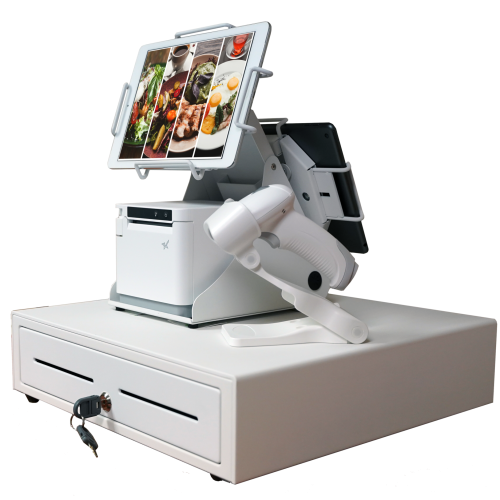
    An all-white point-of-sale system consisting of a cash drawer, an mC-Print3 printer, a wireless scanner, and tablets affixed on top.

    What is a POS?

    A restaurant POS is traditionally the system of networked hardware and software that takes orders and processes payments. But a modern POS can do a whole lot more, including managing inventory, accepting orders from third-party platforms, generating reports from analytics, and pretty much any other restaurant management task you can think of.

    These days a POS stores data in the cloud and can encompass ordering tablets, self-service kiosks, traditional tills with touchscreens, contactless payment terminals, and other restaurant POS hardware.

    Benefits of a POS

    • Streamline restaurant operations – the POS links your systems together, making operations more efficient in every department, from ordering, to payments, to production in the kitchen. 
    • Stores all your data in one place – your POS acts as the data hub for your restaurant, ensuring all your data is accurate, consistent, and accessible.
    • Reduces ordering errors – a smart POS with the latest ordering hardware and key integrations will greatly reduce the risk of costly ordering errors occurring.

    2. Kitchen Display System (KDS)

    Kitchen display systems are becoming essential pieces of technology for restaurants, especially in high-volume settings like fast-casual and quick-service restaurants, ghost kitchens, and other takeout joints where efficiency is the name of the game. 

    The KDS keeps all your orders flowing through the kitchen and makes sure all the cooks are on the same page, making it one of the most vital restaurant technology solutions on the market.
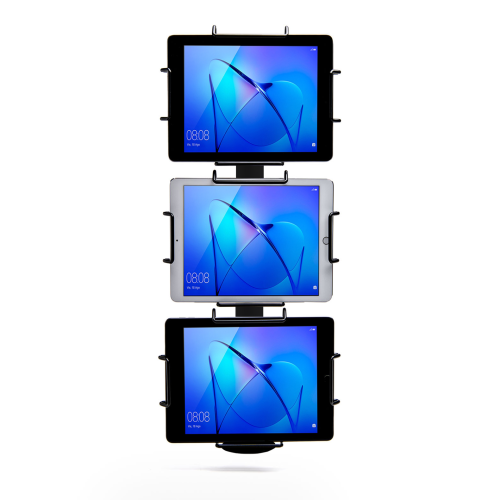
    Black Tri-Mount, which holds three tablets vertically. Tablets and tablet enclosures not included. Pole mount.
    Star Micronics’ Tri-Mount Tablet Display Stand

    What is a KDS?

    A KDS uses one or more screens in the kitchen to give the cooks a clear view of orders being processed. Typically, a screen at each station helps the cooks keep track of orders and even tells them when to fire different parts of an order for maximum efficiency.

    Traditionally, cooks keep track of orders with printed tickets that are spiked when the order is complete. A KDS can be used instead of, or in addition to, printed tickets. The real-time information provided by the system can improve efficiency and reduce the risk of costly mistakes.

    Benefits of a KDS

    • Streamline kitchen operations – a KDS keeps your kitchen production line organized and streamlined by making sure everyone knows what they need to do and when.
    • Speed up service – more efficient production helps your kitchen produce orders faster, meaning you can serve more customers at peak times.
    • Minimize errors – with a clearer picture of the orders in preparation, cooks are less likely to make mistakes that lead to food having to be remade.
    • Reduce food waste – a more efficient kitchen making fewer mistakes helps reduce wasted food from sloppy portioning, over-production, and re-fires.

    3. Printers

    Although the trend is moving toward digital solutions, printers still play a vital role in the modern restaurant in the front and back-of-house. And they are getting just as smart as the rest of the tech in the restaurant.

    Many customers want a physical receipt, whether it’s just a preference or for record-keeping, and many kitchens still use printed receipts whether or not they also use a KDS to organize orders. 

    Let’s take a look at the different types of restaurant printers.
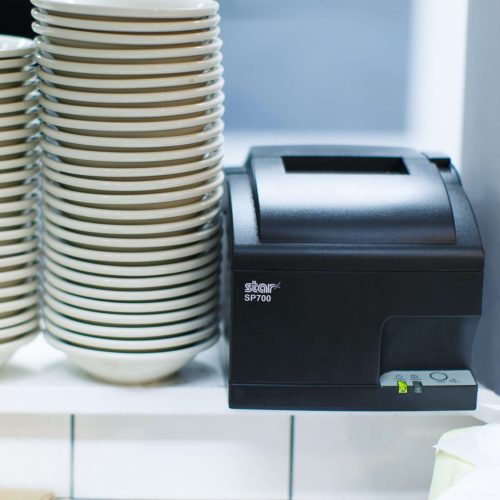
    The SP742 impact kitchen printer is great for online ordering.

    What are Restaurant Printers?

    Restaurant printers are found at the front desk, at wait stations, behind the bar, and in the kitchen – perhaps at each production station. Front-of-house printers print checks and customer receipts. Bar and kitchen printers print order tickets, so bartenders and chefs know what to prepare.

    There are two types of printers commonly used: impact printers and thermal printers. Each has its own features making each one suitable for different environments.

    Impact printers, or dot-matrix printers, physically impact the paper with ink. They can typically print in black and red, have more moving parts, and are noisier than thermal printers. 

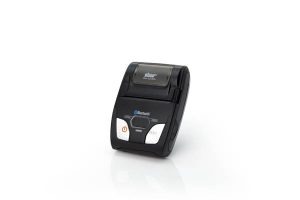
    The SP742 Impact Printer is built specifically to work in hot and humid environments, connects via Bluetooth, and can print 13 tickets per minute.
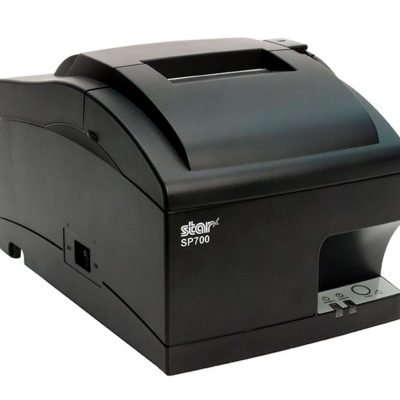
    The SP742 impact kitchen printer is great for online ordering.
    The SP700 series impact printers from Star Micronics are one of the most popular kitchen printers.

    Thermal printers directly mark heat-sensitive paper using a heated element. Thermal printers tend to be more expensive, but they could save you money over time as you don’t have to buy more ink. They are sensitive to temperature, so they would only work in a climate-controlled kitchen but can print much faster than impact printers.

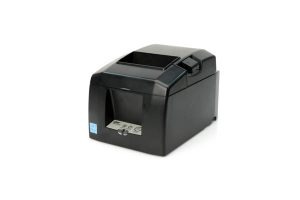
    The TSP654II Thermal Printer can print 60 receipts per minute, comes with easy drop-in paper loading, and connects to a number of peripheral devices.
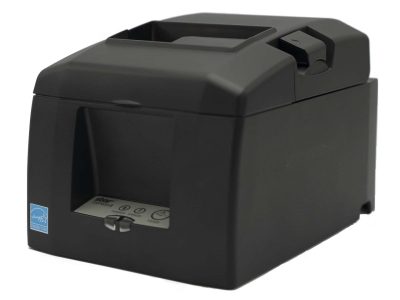
    The TSP654II thermal receipt printer and the Resto for Quebec, and the TSP654IISK Thermal Sticky Label Printer by Star Micronics
    The TSP654II thermal receipt printer by Star Micronics makes an excellent kitchen printer.

    Benefits of Printers

    • Offer a physical receipt – many customers want to keep a physical credit card receipt or check for their records and for tax purposes.
    • Redundancy in the kitchen – a printer receipt in addition to the KDS allows cooks to double-check orders and some chefs prefer to have a physical order ticket as well as the KDS.

    The Growing Industry of Ghost Kitchens: The Tech You Need to Get Started ebook.

    The Growing Industry of Ghost Kitchens: The Tech You Need to Get Started

    Learn the essentials of starting a ghost kitchen and the technology restaurateurs will need to get started.

    Download Now

    4. Cash Drawers

    Even with a modern POS, you still need a way to process cash payments. Today, most modern cash drawers can be synced with your POS terminals via USB or Bluetooth, offering the ultimate convenience without compromising security. 

    Look for cash drawers with physical and electronic locking functions that are robust and technologically enabled.

    What is a Cash Drawer?

    A cash drawer is a secured box with a sliding drawer that protects your cash. It is linked to your POS, so it opens when a cash payment is made and change is required. 

    Cash drawers typically have multiple locking functions for security, including a manual lock when not in use and automatic locking when in use during service.

    The mPOP® Multifunction System is a cash drawer and printer in one smart device. Compatible with Windows, Android, and iOS, it offers direct iOS connectivity, which allows your iOS device to be charged while data is transferring. There is also the optional handheld 2D USB barcode scanner included with some models. The mPOP® is truly an ideal device for mobile POS (mPOS) systems.
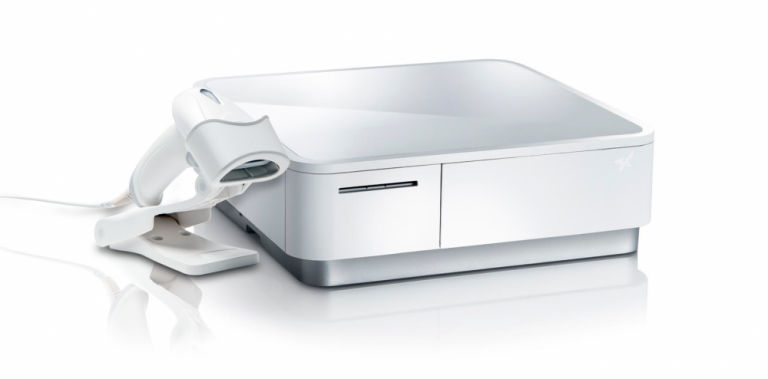
    White mPOP and 2D barcode scanner by Star Micronics.
    White mPOP® with optional 2D barcode scanner

    5. Contactless Payment Terminals

    Contactless payments are becoming the norm as customers increasingly appreciate the convenience of not having to enter a PIN or even remove their card from their wallet. It’s worth upgrading to terminals equipped with near-field communication (NFC), so you can accept payments with a phone or card tap.

    What are Contactless Payment Terminals?

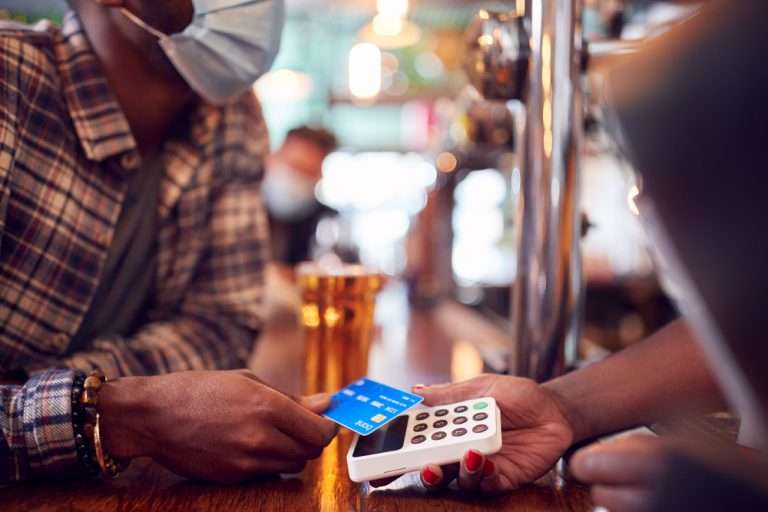
    Contactless payment terminals allow guests to pay with the tap of a card anywhere in the restaurant. They are connected to the WiFi network to communicate with the POS, so they allow customers to pay at the table, at the curb, or at the drive-thru window.

    The terminals use NFC to take contactless payments from smartphones or credit cards and have keypads and card slots if the customer needs to insert the card and enter their PIN.
    contactless-payment-terminal

    Benefits of Contactless Payment Terminals

    • Faster and more convenient – contactless wireless terminals make it quicker and easier to make payments, leading to a better customer experience and more efficient service.
    • More secure – Contactless payments eliminate the need for the customer to hand over the card or reveal their signature. Card information is sent via a secure cryptographic method to ensure information can’t be stolen.

    Boost efficiency, customer satisfaction, and revenue with better kitchen tech.

    From the POS flawlessly processing orders and contactless terminals taking payments anywhere to kitchen display systems and printers keeping your service organized, kitchen technology is vital to the success of your restaurant. 

    As we’ve seen, there are exciting products on the market that help to make transactions easier and more secure, make kitchen operations more efficient, and improve the customer experience, among many other benefits. 

    It’s not just software that counts–getting the proper hardware in place, like smarter cash drawers and the right kind of kitchen printers, can help offer better service and make your kitchen more efficient. 

    Overall, investing in the latest kitchen tech will streamline your operations, improve customer satisfaction and increase restaurant profits.

    Sam-cropped

    Guest Post Written By Sam Sinha

    Sam is a restaurant tech content writer building authority for food industry pioneers like TouchBistro. After cooking and writing his way around London and Hong Kong, he now writes and grows vegetables in the Cambridgeshire countryside.


    Love industry news? Explore our podcast:

    The Rising Stars Podcast

  • 2.4GHz or 5GHz: Which Do I Need For My Small Business?

    2.4GHz or 5GHz: Which Do I Need For My Small Business?

    If you’re a small business owner, understanding the difference between traditional 2.4GHz wireless bandwidth and the newer 5GHz might save you time, money, and future headaches. 

    Many consumers assume the higher number must be better, so they choose to use that for their devices. However, neither bandwidth is actually “better” than the other. They’re simply different, with each having pros and cons. Whether you want to use 2.4GHz or 5GHz bandwidth all boils down to what you need.

    First, let’s find out what the difference is between the two:

    The Differences Between 2.4GHz & 5GHz WiFi

    2.4GHz

    When it comes to wireless internet, 2.4GHz has been the standard used in various devices, including WiFi routers, microwave ovens, cordless phones, Bluetooth devices, and wireless cameras. It allows devices to connect over a longer range and penetrates better through solid objects such as walls. It’s a perfectly high-functioning bandwidth but falters when it comes to how much data can be exchanged (uploaded or downloaded) within a particular length of time. Plus, it’s prone to disturbance and interference from other devices on the network because of overcrowding.

    5GHz

    As mentioned above, many devices use the 2.4GHz band. As the signal becomes overcrowded and causes a lot of interference, it slows down the network considerably. In this scenario, 5GHz appears to be the rescuer, having little to no interference. Many devices still don’t use it, so it’s less clogged. It relieves internet consumers from slow network speed and facilitates a higher data range. Its only drawback is that it doesn’t cover large areas or easily penetrate through solid objects.

    Connected city of the future.

    Is 2.4GHz or 5GHz WiFi Best For My Business Environment?

    After learning the pros and cons of both frequencies, the most frequent question consumers ask is which band is preferable. Both certainly have perks, but you must consider some critical factors as a small business owner. 

    Start with determining the size of your workplace. Although the coverage area is decent and the bandwidth is more robust, 5GHz won’t be able to cover an extensive area. With larger spaces, 2.4GHz may be best suited for you. If your workplace has multiple devices using 2.4GHz wireless, it may cause interference and slow down your connection. In that case, perhaps 5GHz would be better for you.

    What devices are you using?

    Also, consider the devices you are using. How many only need a 2.4GHz network? Bluetooth devices and microwave ovens will only be using 2.4GHz, so if your business uses many, you may need 5GHz for other devices, like smartphones. Microwave ovens are staples in professional kitchens, so if you own a restaurant or food delivery service, you may also want to look into 5GHz.

    Remember that 2.4GHz uses long transmission waves that easily penetrate through solid walls and objects. It’s ideal for internet browsing, but 5GHz is the go-to for streaming or playing online games.

    Whether in retail or the restaurant industry, your answer depends on your business needs. Choosing which wireless bandwidth to employ is all about what best suits the environment of your workplace. Some businesses may get by using only 2.4GHz bandwidth, while others may need the extra power of 5GHz to make it work. The key is having the correct information and knowing what you need.

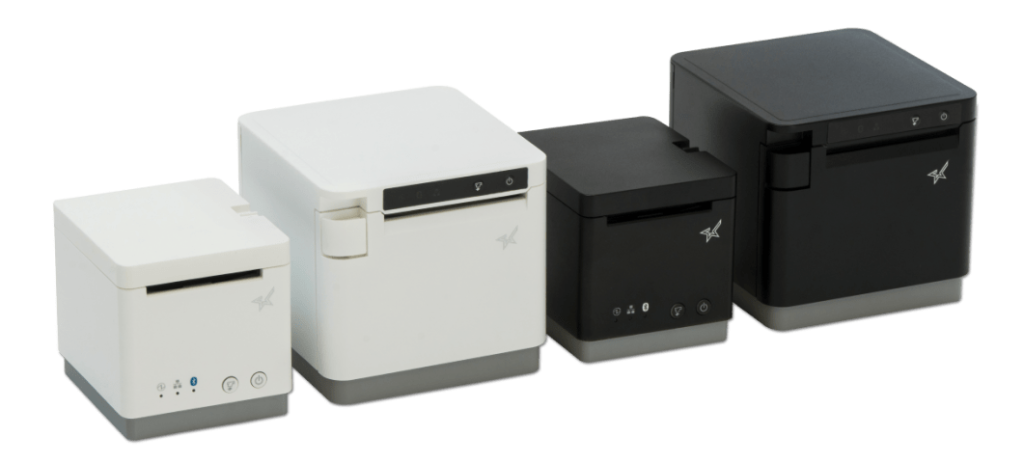
    Black and white mC-Print2 and mC-Print3 thermal receipt printers by Star Micronics.
    mC-Print21W & mC-Print31W

    With the mC-Print21W, the mC-Print31W, or the TSP143IVUW thermal receipt printers from Star, you get printing solutions that work on either bandwidth.

    Whichever bandwidth you need, Star Micronics has your printing solution. The mC-Print21W, mC-Print31W, and TSP143IVUW all support dual-band (2.4GHz / 5GHz) WiFi. Networks that need long-distance coverage can use 2.4GHz. The more powerful 5GHz is best for reducing lag and interference, especially in busy kitchens with microwaves and hardware that compete for bandwidth on a 2.4Ghz network. By offering a choice to use one of the two frequencies, 2.4GHz or 5GHz, these Star printers provide maximum flexibility when connecting to any network.

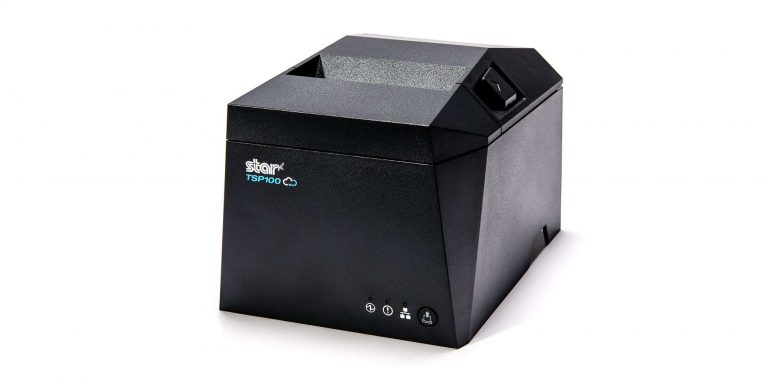
    TSP143IV thermal receipt printer by Star Micronics
    TSP143IVUW

    These thermal printers are also Cloud Ready, able to connect to any cloud application that supports Star’s CloudPRNT technology. With the addition of Star Micronics Cloud Services, including Digital Journal, cloud promotion print management, and device monitoring. They offer retailers and restaurateurs the next generation of POS printing, enabling marketing and receipt tools for the omnichannel world.

    Love industry news? Check out our podcast:

    Rising Stars Podcast

  • The Rising Stars Podcast: Retail Technology Trends For 2022

    The Rising Stars Podcast: Retail Technology Trends For 2022

    Episode 22 – Retail Technology Trends For 2022

    In this episode of the Rising Stars podcast, join us for an exciting talk about the coming trends for retail technology in 2022 and beyond. Host Brianna Moriarty interviews Nicole Leinbach Reyhle, the Founder of Retail Minded, an internationally recognized industry blog and publication that delivers news and education to independent retailers.

    Together, Brianna and Nicole discuss:

    • Consumer behaviors and retail tech trends coming down the pipeline
    • Tech for inventory control
    • Payment technology options
    • Social and augmented reality shopping
    • Facial recognition technology and how it can greatly impact the space

    Enjoy the show!

    Click here to connect with Nicole on LinkedIn. And as always, to stay up-to-date on all things Star, don’t forget to follow us on Twitter, LinkedIn, Facebook, Instagram, and YouTube.

    Loving the podcast? Subscribe now to never miss a beat, and be sure to let us know what you think by leaving a review!

    Step into the future of market tech with the Rising Stars Podcast, a bi-weekly show covering emerging and innovative market trends and technology in the retail, cannabis, and hospitality space. Join Brianna Moriarty, Partner Development Manager at Star Micronics, as she tackles eye-opening subject matter with some of the best minds in retail technology across the globe.

    Always leading, always innovating, Star Micronics has been an industry pioneer in point-of-sale and customer experience technology for over 40 years. Let’s share our ideas and partner together as we head toward a bright future full of rising stars.

    Head on over to Retail Minded for more!

    7 Key Technologies For Retailers In 2022

  • How QR Codes Can Benefit Your Business

    How QR Codes Can Benefit Your Business

    In the Information Age, technological advancements are changing every aspect of life as we know it, especially due to the global COVID-19 pandemic. QR codes have become more widespread than ever, making the hectic information-sharing process easier for us. It might not come as a surprise, but more and more businesses are adopting this technology to make shopping easier for their customers.

    QR codes, also known as quick response codes, are two-dimensional images that can provide a function or store large amounts of data. QR codes can show whoever scans them all about a business or they can be used to facilitate payment transactions. To read the details of a QR code, all you’ll need is a smartphone.

    QR codes are a huge technological advancement in the field of retail and have made product details and other information easily accessible for both customers and employees. They have enhanced the customer experience.

    This is why QR codes aren’t going anywhere.

    QR Codes are the Future of the Customer Experience

    shutterstock_607588487

    QR codes are becoming increasingly essential tools in today’s society, which is why you’ll see them everywhere. The QR code was developed for business needs but was slow to catch on. The booming cannabis industry has been using them for a specific purpose by law, but it wasn’t until the pandemic that QR codes became widely utilized in the retail and hospitality industries. Here are some of their uses:

    Advertising A Product

    A QR code can be used to run advertisements for products. Consumers can now open a website faster by simply scanning a QR code rather than inputting the URL into their browser. The unique codes can also be used to transport the scanner to a landing page displaying products for sale. This makes the purchase decision easier and quicker for the customer, helping save time.

    Informative

    QR codes are made up of hyperlinks and can be found on business cards, product labels, magazines, websites, email newsletters, and any other items where words and images can be displayed. Users can scan QR codes to acquire information on a specific subject with ease.

    Payment

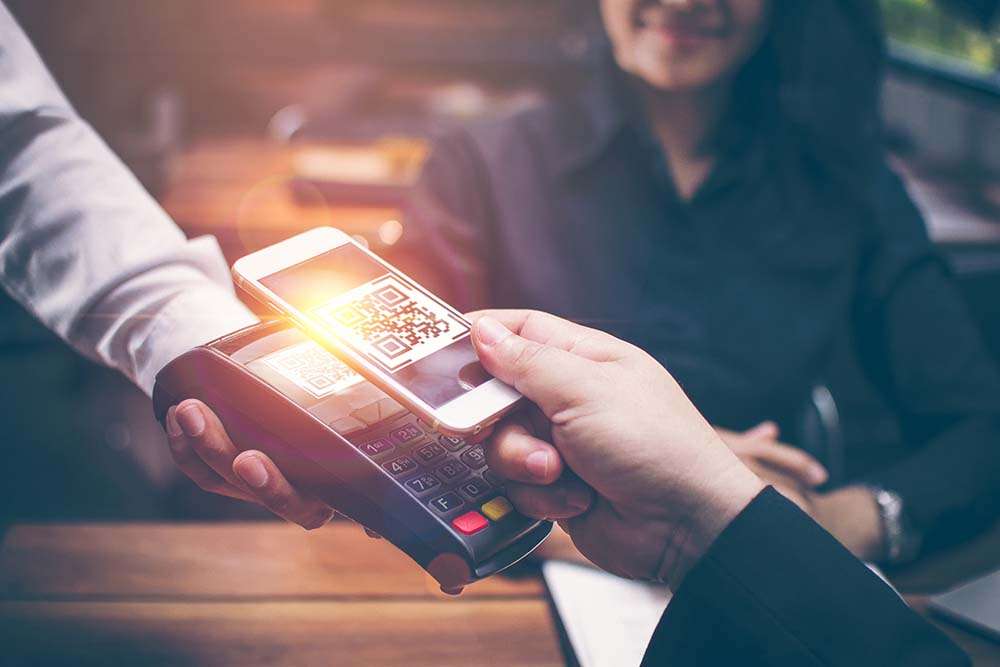
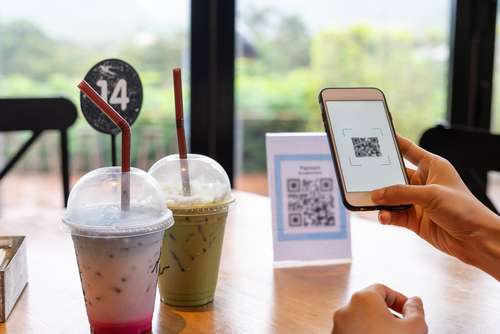
    QR codes can securely hold information about bank accounts, credit/debit cards, and other credentials. By connecting the store’s website to an account or card, the customer can pay simply by scanning the QR code with their smartphones.

    Various payment options can even be incorporated into a QR code, enabling customers to select the most convenient payment option for them. Customers can even show stores their own unique QR code, which the cashier or attendant then scans, taking payment that way.

    Many companies, like PayPal, use QR codes all the time but anyone can use them.

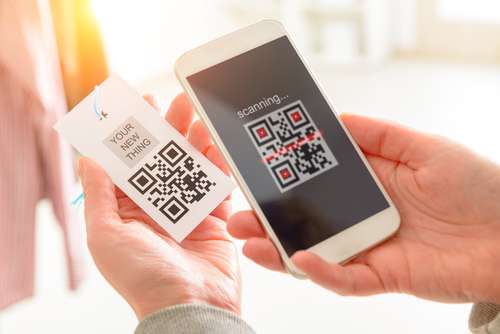
    QR-Code-Being-Scanned

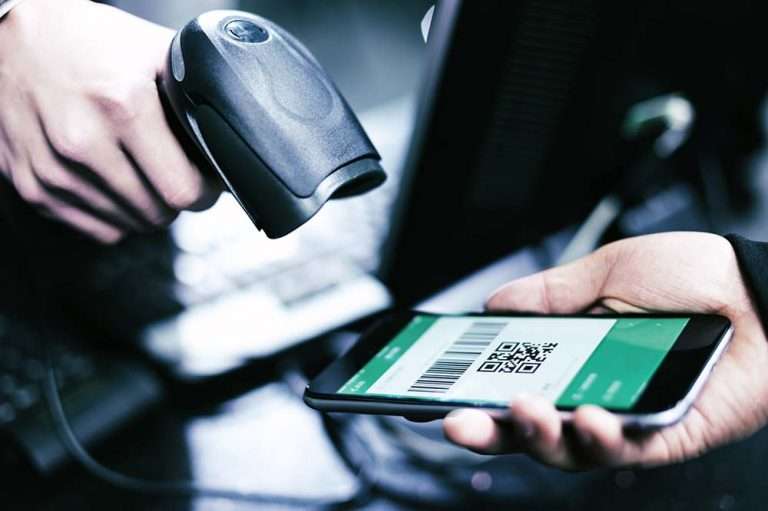
    Check out Star’s QR code scanners: desktop, handheld, and wireless handheld

    Explore Our Scanners

    The Advantages of QR Codes

    There are seemingly an unlimited number of advantages that QR codes can have for any business. From marketing to inventory control, below are just a handful of examples:

    Ideal For Marketing

    QR codes are often used as marketing tools that can direct customers to a company’s Facebook, Twitter, Instagram, and other social media sites. Getting your customers to interact with you on social media means increased engagement, promoting brand recognition and driving sales.

    Increased Chances Of Sales

    QR codes make it easy for customers to explore more of what your company has to offer. All they have to do is point their smartphone camera and they’re instantly taken to wherever you as the business owner want to take them. Everyone knows that the more traffic a store has, the more opportunities they have of making a sale. Making it easier for the customer to see and buy your product is just smart business practice.

    Improves Customer Experience

    QR codes are popular with customers for a variety of reasons. To begin with, they are simple to use. The customers only have to scan the QR code to be directed to your company’s webpage or email. They don’t have to memorize anything.

    Moreover, only a tiny percentage of consumers remember to return to your website afterward. QR codes make it much easier for your clients to visit your website by enabling them to scan the code. Again, there’s a significant possibility your customers will buy if you make it easier for them to access the latest offerings and engage with your business.

    shutterstock_1867131817

    Versatility

    One of the advantages of QR codes is that they may be used in a variety of ways. Social media marketing, online purchases, landing pages, special announcements–the possibilities are nearly endless. This is why they are so useful and, dare I say, fun? People like the excitement of seeing where a QR code will take them, so make it memorable!

    To add to this, companies can make their QR codes different shapes, having uniquely-designed codes that set them apart from their competitors, potentially attracting a larger audience.

    Digitalize Your Business

    Businesses can save time and money on traditional advertising campaigns by going digital, and that includes using QR codes. These days, going digital is a necessity. You don’t have to buy banners, flyers, or other printed materials to market your business anymore. A QR code is a one-time investment that can potentially provide a lifetime of marketing efforts.

    Check out Star’s QR code scanners: desktop, handheld, and wireless handheld

    Explore Our Scanners

    QR Codes in the Cannabis Industry

    shutterstock_2012266046

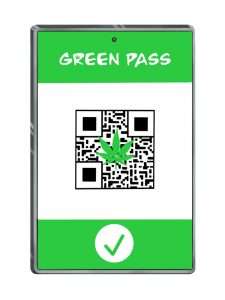
    In many states where cannabis retail is legal, it is the law that dispensaries use QR codes on their products linking to verified licenses and testing results. This way, customers can immediately determine whether or not their cannabis purchase has passed state-mandated regulatory testing.

    Not only that but these QR codes can also be integrated with point-of-sale systems to keep track of inventory. 

    QR codes can display all the relevant information about the cannabis product for sale, both for customer satisfaction and for dispensary needs. This can be done in any industry.

    How to Get QR Codes for Your Business

    Getting QR codes for your business is easy. Simply find a website that offers a code generator, fill in the required information, click to generate your code, and then stylize it. After downloading the image, you can display it on whatever you want.

    Since their creation, QR codes have gained widespread use, but their popularity is just beginning. Get in on the action before it’s too late and start using this wonderful technology today!

    Love industry news? Explore our podcast:

    The Rising Stars Podcast

  • How to Start a Ghost Kitchen

    How to Start a Ghost Kitchen

    Launching a business in the restaurant space carries a lot of risks. The nationwide restaurant failure rate is challenging to track, but the National Restaurant Association estimates a 30% failure rate in the restaurant industry. With high failure-to-thrive rates, rent, and other overhead costs, plus difficulty filling dining rooms, it’s easy to see why entering the industry is so daunting. However, many restaurateurs have found a way around these challenges: ghost kitchens.

    A ghost kitchen is a professional food preparation and cooking facility set up to prepare delivery or takeout meals without the dining room. This solution has made entering the market more manageable, allowing for flexible working space, eliminating the costs of setting up and running a larger front-of-house operation. For these reasons, many restaurateurs and other entrepreneurs are looking into how to start a ghost kitchen, including what kind of point of sale (POS) technology they will need to get started. 

    Get the Ghost Here

    Planning a Ghost Kitchen

    Ghost kitchens lower the barrier of entry to the restaurant industry. However, there is still a significant amount of planning that goes into opening a ghost kitchen. For instance, you will still need to find a kitchen space to buy or rent from. The good news is, without a dining room, you can select from a workspace that may have lower foot traffic, which means cheaper rent. 

    It may still take you a while to design a menu, however, and you will have to decide between in-house delivery services or outsourcing with partnerships from UberEats, DoorDash, or other sources. And, of course, you will still have to invest in the usual kitchen essentials: food, utensils, and technology.

    POS Technology To Invest In

    As a ghost kitchen owner, your operations will be very different from traditional restaurant operations and will require a more comprehensive digital solution. To keep up with these unique demands, you will need specific technology designed for your kitchen.

    First, you will need an ordering and payment solution that will allow customers to order and pay for their meals online or via a mobile app. Next, you’ll need a kitchen display system (KDS) to get those online orders directly in front of your kitchen staff, keeping your line moving fast and efficiently.

    Also, you can keep your kitchen moving by sending orders to a mobile printer using linerless labels and sticking them directly onto the to-go packages. This minimizes confusion, shortens delivery and pick-up time, keeping the orders moving (be sure to use tamper-proof labels to assure food order safety as well). In addition, as a digitally advanced kitchen, you’ll need a POS system that integrates all of these solutions, making it easy and seamless to manage your operations on a day-to-day basis.

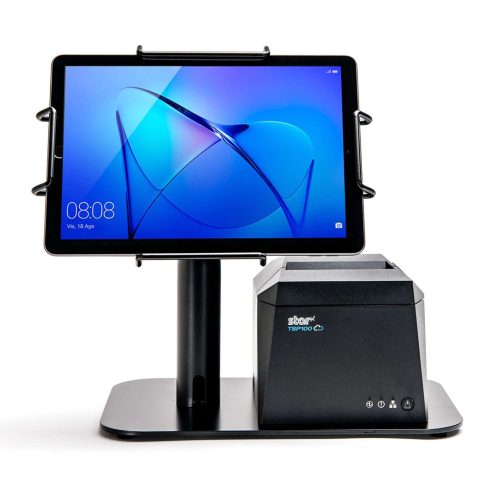
    The EZ POS tablet stand by Star Micronics. Shown in black with TSP143IV receipt printer.
    The EZPOS tablet display stand by Star Micronics

    If you use multiple delivery services and want to keep your POS system flexible by using a mobile tablet, it’s also a smart idea to invest in a tablet stand. It may quickly become one of your kitchen’s most essential tools, providing a home base for your point of sale and making it easier for staff to match up orders with corresponding delivery service providers. A proper stand should also help to protect your tablet, including any receipt or order printer you may have alongside it.

    Your go-to For Ghost Kitchen POS Technology

    Star Micronics provides flexible, futureproof POS technology designed to connect front and back-of-house operations with ease, keeping ghost kitchens operating at their peak. Star provides everything from portable printers, regular and sticky thermal receipt paper, durable tablet stands, and much more. Through one of our certified partners, you can get all of the hardware your ghost kitchen needs. 

    If you’re ready to find the best step up for your ghost kitchen and get ahead of your competition, contact Star today. Discover what our industry-leading technology can do for you and your restaurant business goals.

    The Growing Industry of Ghost Kitchens: The Tech You Need to Get Started ebook.

    The Growing Industry of Ghost Kitchens: The Tech You Need To Get Started

    Learn the essentials of starting a ghost kitchen and the technology restaurateurs will need to get started.

    Download Now

    Love industry news? Check out our podcast:

    Rising Stars Podcast

  • Retail Rebound: 5 Expected Post-COVID-19 Consumer Trends

    Retail Rebound: 5 Expected Post-COVID-19 Consumer Trends

    The retail industry has seen some interesting times in the past couple of years, to say the least. Pre-pandemic, the industry was dappling in omnichannel capabilities. When the pandemic hit in early 2020, after a brief shutdown and calibration period, the Retail Rebound emerged. Contactless payments, QR code technology, online ordering, and more have blossomed – but what is here to stay? In today’s blog post, explore some of the top solutions that have grown during the pandemic and which are predicted to remain in the Retail Rebound and beyond.

    1. Contactless Payments

    Payments are changing as we know it, and contactless payments are on the rise. In fact, according to Forbes, over 35% of consumers claim they use contactless payments for at least 75% of their retail purchases.

    Contactless payments can take several forms but the most popular are mobile wallets like Apple Pay and Google Pay that are available on smartphones and smart watches, and NFC credit and debit cards. These technologies allow customers to simply hold their device or card over a compatible payment terminal instead of having to use cash or swipe or insert their card. While these payment methods first gained traction as a way to avoid germs, their speed, convenience, and security make them liable to remain popular for the foreseeable future.

    2. BOPIS (Buy Online, Pick Up in Store)

    Buy online, pick up in store (commonly called “BOPIS”) is a prime example of a retail offering that was slowly emerging before COVID-19, but exponentially grew in popularity during the pandemic and continues to do so during the Retail Rebound.

    According to research by Kibo Commerce, BOPIS orders grew over 500% by the height of the pandemic in 2020. However, while many shoppers turned to BOPIS as a way to stay safe, it’s been found that over half of them actually favor it for its convenience, meaning we can expect for it to stay around for good. Who would want to turn back the dial to more inconvenient methods of shopping?

    3. Omnichannel Shopping

    As the pandemic began to unfold, one thing was true for retailers: if you aren’t online yet, you need to be now. The safety and convenience offered by providing customers an omnichannel shopping experience quickly went from a “nice to have” to a “must have.” It appears shoppers continue to consider online shopping a necessity – according to GWI, as of spring 2021, 76% of consumers in the US and UK said they’re still doing more online shopping compared to before the pandemic.

    BOPIS, which we mentioned above, is part of an omnichannel strategy, as is having an informative and functional website, real-time inventory management, and more. Click here to learn more about a successful omnichannel strategy.

    Free Resources During COVID-19 & Beyond

    Now more than ever, safety is a priority in retail and hospitality environments. Star Micronics is proud to offer a line of solutions and resources for businesses during this challenging time, designed to keep consumers and employees safe, as well as mitigate business impact caused by COVID-19.

    ANTIMICROBIAL COVERS
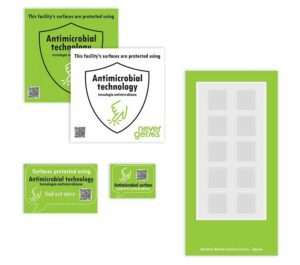
    Antimicrobial covers offered by Star

    4. Cleanliness

    This one might seem like a no-brainer, but its effects may be more long-term than you initially thought. Germ avoidance is of course extremely important, especially during the peak of the pandemic. However, even as the worries of COVID-19 eventually fade, the desire to avoid touching other people’s germs is likely to stay. Things that we used to touch regularly without a second thought, like door handles, now have us feeling some hesitation. Flu season is an example of a recurring scenario in which people will likely be a lot more cautious about germs than before the pandemic.

    Businesses can ease these worries by installing the right solutions. Most retailers probably already have a plexiglass sneeze guard installed at checkout counters, but something they may not have yet are antimicrobial covers. These peel-and-stick covers can be applied to door handles, checkout counters, elevator buttons, and more. With an easy application process and a lifespan of up to six months, they’re a great way to consumers’ ongoing need to stay safe and healthy.


    5. Self-Service

    Whether you’re ordering your meal at a restaurant or checking in to your doctor’s office, self-service kiosks are growing in popularity across several markets – and for good reason. Kiosks help minimize the risk of spreading germs via face-to-face contact, they can help with line-busting (especially during the current labor shortage), and they provide a prime opportunity for upselling and brandingThese benefits are expected to remain present during the pandemic and beyond; according to Infiniti Research Limited, during 2021-2025 the self-service kiosk market is expected to grow by $2.97bn, at a CAGR of almost 6%.

    Retail Rebound: The “Here and Now” is Here to Stay

    Retail has changed for good. The unprecedented pandemic brought on a slew of challenges seemingly overnight, and the solutions the market has created to adapt to those challenges are likely here to stay as they provide ongoing safety, convenience, and security to shoppers worldwide. Now is the time for retailers to assess and optimize their operations.

    Always leading, and always innovating, Star is proud to offer a range of retail POS hardware solutions to accompany the ever-evolving retail market trends.

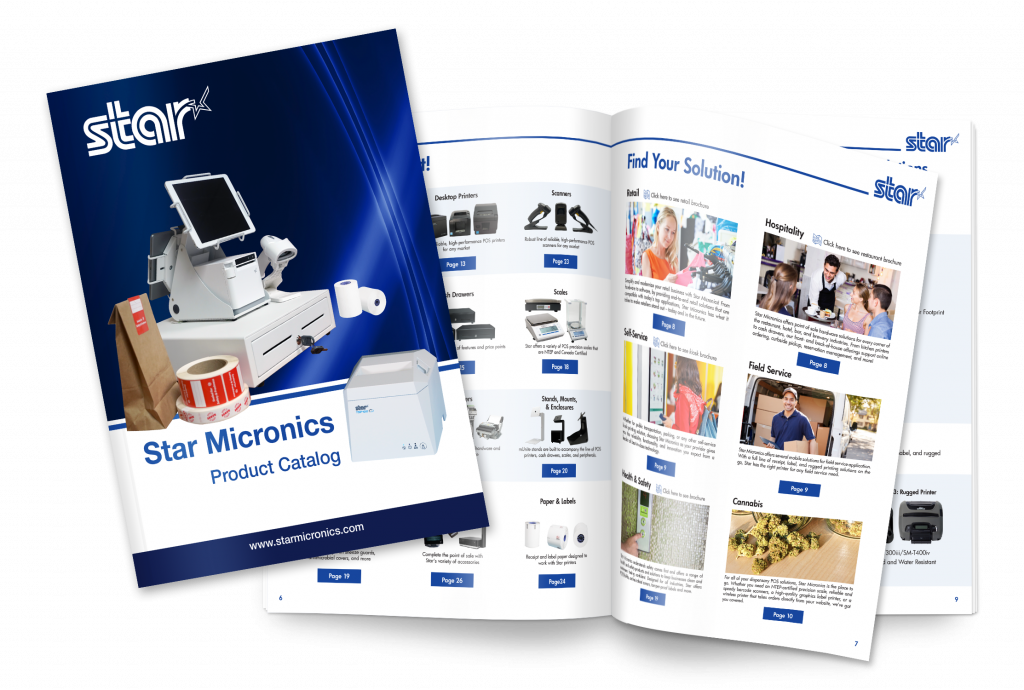
    Full 2022 Product Catalog by Star Micronics.

    Star Micronics Product Catalog

    Explore POS printers, label printers, kiosk solutions, and accessories for retail, restaurant, self-service, and more.

    Disclaimer: NeverGerms® makes no claims regarding the safety or health of the general public or those interacting with its products. “NeverGerms®” and “Touch Less Germs®” are registered trademarks and not intended to have literal interpretation. NeverGerms products are manufactured by NeverGerms and distributed by Star Micronics. Although these products are designed to reduce microbe populations on commonly-utilized surfaces and have been tested by the manufacturer for their antimicrobial properties, Star Micronics cannot guarantee that they will eliminate all risk of germ, including virus, transfer from such surfaces. Star Micronics, as distributor, relies entirely upon claims made by manufacturer as supported by prior research. For further information, please visit www.nevergerms.com.

  • What to Look for in a POS System for a Small Restaurant

    What to Look for in a POS System for a Small Restaurant

    As the owner or manager of a small restaurant, it can be intimidating to think about all of the point of sale (POS) components that you need. With so many options on the market, what’s the best POS system for a restaurant? Read on to explore the must-have POS system features, from online ordering to front-of-house management.

    1. Online Ordering Capabilities

    Online ordering went from a “nice-to-have” option to a “must -have” in just a couple of short years. In fact, online food delivery sales are estimated to grow up to $220 billion by 2023 (and comprise 40% of total restaurant sales). And let’s not forget about online orders for in-store pickup, too. Either way you cut it, online ordering isn’t just for the chains; it’s for small businesses like yours.

    Be sure to look for a POS system that includes online ordering capabilities. Some POS software may include this feature, or you may be able to simply use a printer equipped with cloud printing technology (like Star’s) to print third-party online orders from services like DoorDash, GrubHub, Uber Eats, and more.

    2. Mobile Payment Acceptance

    Just like online orders are booming, so are mobile payments. Simply put, mobile payments are those made on mobile devices like smartphones and smart watches. Instead of paying with cash or a credit/debit cards, consumers use their digital wallet to pay for their goods.

    To be able to accept mobile payments, your POS system must be equipped to handle NFC (or, near field communication) payments, which are made by a mobile device (or contactless card) being two inches or less from the NFC-equipped card reader. Examples of mobile payment providers are Apple Pay, Google Pay, and select credit/debit cards.

    3. Back-of-House Communication

    We’ve all been there: you find a restaurant that serves up delicious food but has a clunky workflow that leaves you hungrily waiting for your meal. Avoid being this restaurant by choosing a POS system that features top-of-the-line communication between the front-of-house and back-of-house. What does this look like? It looks like a POS terminal (or online ordering service) that seamlessly communicates to the restaurant kitchen KDS (kitchen display device) and kitchen ticket printer via technology like CloudPRNT. As orders are placed, they’re immediately sent to the cook in full detail. Say goodbye to long wait times and inaccurate orders with the right communication!

    4. Front-of-House Management

    Efficiently turning tables means higher revenue. Successfully navigating a large party means happy, repeat customers. Clearly, front-of-house management is key, and the right POS system for a small restaurant can help those efforts. Look for a POS system that features click-and-drag layout builders and the ability to see table times and when tables are about to turn.

    5. Menu and Order Management

    Menus change, and customers’ tastes vary. Your POS can help you navigate that. The right POS system can help you arrange your menu in a way that makes the checkout process faster, as well as let you make real-time updates from anywhere and apply them to every one of your locations.

    When it comes to order-taking, restaurant POS systems can help you quickly modify your customer’s order to their exact taste. Have a special discount idea in mind? POS systems can also allow you to create happy hours and more in mere seconds.

    Star Restaurant POS Solutions

    From online ordering printers to kitchen buzzers, Star is proud to offer POS solutions for restaurants, QSRs, food stands, and more.

    Download Brochure

    6. Marketing Capabilities

    One of the reasons people love small restaurants is for their personal touch. Leverage POS technology to take that personal touch to a new level! POS systems for small restaurants can include marketing capabilities including:

    • Detailed customer profiles so you can send customized offers
    • Loyalty/reward programs
    • White-labeled websites and apps that feature your restaurant’s branding
    • Custom receipt marketing (available on select receipt printers, like Star’s)

    7. Detailed Reporting

    If there’s one thing that POS systems have, it’s data, and you can put that to use by choosing a POS system that offers detailed reporting.

    Reporting can include:

    • Live data and daily statistics
    • Sales by category
    • Sales by item
    • Sales by payment type
    • Sales in different shifts
    • And more

    8. Integrations

    Right about now you may be thinking there’s a lot of different technologies involved in the best POS system for a restaurant. There’s the software, the hardware, and third-party services like food delivery. That leads us into the next (and possibly most important) aspect of a POS system: it’s integrations.

    Save valuable time (and avoid headaches) but choosing a POS system that is integrated with either the software and hardware you already have, or the software and hardware you want to have. For example, if you already have Star printers, choose a POS software that is integrated with Star (hint: there are many). Or, if you know you want to use a certain POS software, be sure that your hardware is integrated with it so that you can set up your system out-of-the-box.

    9. Technical support

    Support is important – and not just when something breaks! Be sure to choose a POS system and vendors that offer pre-sale support (helping you identify the right solution for your needs), installation support and training, and easily accessible post-sales support (like an online help center and live chat).

    Star’s Affordable Small Restaurant POS Bundle

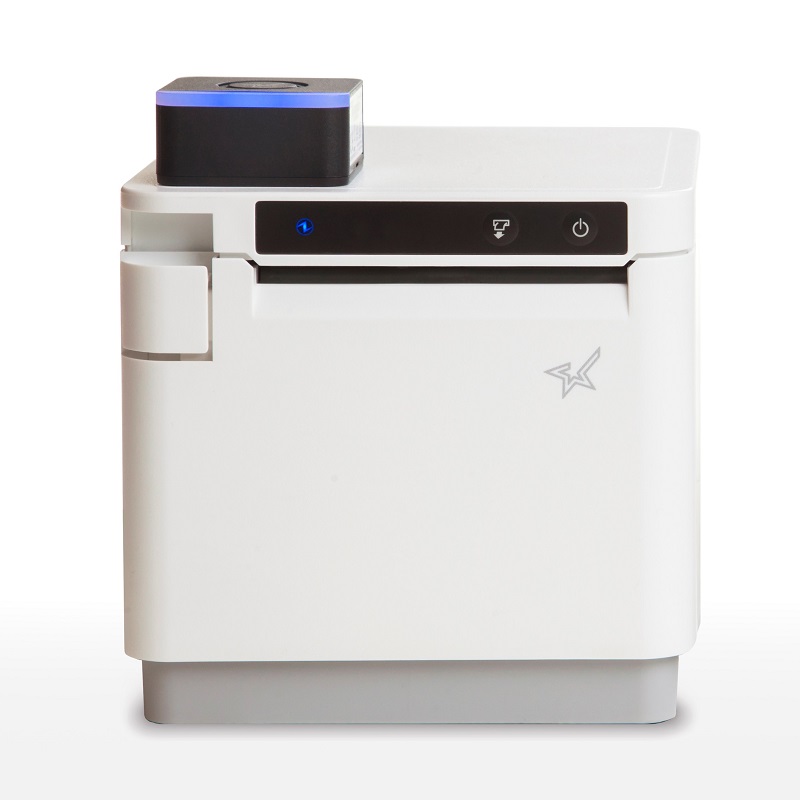
    mCP30 with mC-Sound

    mCP30 with mC-Sound

    If you’re looking for an affordable kitchen printing setup, look no further than the mCP30 paired with an mC-Sound kitchen buzzer.

    mCP30 Highlights:
    Everything you love about the mC-Print3, with an even lower price tag.

    • Ethernet
    • USB
    • CloudPRNT for online ordering

    Learn More >

    mC-Sound Highlights:
    A modern take on the kitchen buzzer.

    • Discreetly fits inside the mCP30
    • High quality sound (89dB)
    • 16 pre-recorded melodies
    • Records custom user speech

    Learn More >

    Explore all of Star’s restaurant POS solutions now.

    Learn More

  • 6 “Must-Haves” for Stadium POS System

    6 “Must-Haves” for Stadium POS System

    The economy is reopening, and consumers are excited to attend events and sports games. When visiting a large sports stadium or entertainment arena, you often find long lines for food and merchandise during half-time or intermissions. The people attending these professional sports games or concerts paid good money to see their team play or favorite artist perform, and they don’t want to miss a thing. This puts a huge amount of pressure on the employees working the concession stands or merchandise shops to complete the customer’s order as quickly as possible. A lot of this workflow plays into the stadium point of sale (POS) system being used. Here are 6 “must-haves” when looking for a stadium POS system.

    1. Intuitive Software

    First and foremost, you will need an easy-to-use and intuitive stadium POS software. Depending on how often a team plays in the stadium or how many performances take place per year, stadium employees tend to work more sporadically compared to your standard restaurant or retail employee. This means that stadiums need a POS system that concession and merchandise shop employees can pick up quickly with little to no training.

    Some other key features to look for in stadium POS software are:

    • The ability to offer ordering in a variety of ways: in-queue, in-seat, or mobile
    • Mobile wallet payment acceptance
    • Loyalty programs and benefits
    • Detailed inventory management
    • Operational insights
    • Cash management and hawker support

    2. Back-of-House Support

    While people rarely see what goes on behind the scenes at stadium concession stands, it’s important to make sure that your stadium POS manages the back-of-house just as well as it manages your transactions.

    A variety of tools – from inventory management and menu management to fan data and back-end analytics – can help you to make sure you never run out of stock during a big event. By having access to analytics that can be reported day-to-day, you can make sure that your concession menu appeals to your audience for a particular game or event.

    3. Varied Payment Support

    When you have a packed stadium with a mile-long line of customers, you simply do not have time to fuss over payment methods. In a high-pressure, high-volume environment such as sport and entertainment stadiums, you need to get your customers through the line as quickly as possible.

    One of the best ways to ensure a quick and seamless transaction is to make sure your POS system supports a multitude of payment methods. Did you know that it is estimated that by 2023, there will be 80.1 million near field communication (NFC) mobile payment users? Now, with more people adopting mobile wallets, you will see more and more retailers and concession stands accepting NFC payments at major sports arenas. Make sure that when your customer is set with their order and ready to pay, that whatever form of payment they choose will be accepted at your point of sale.

    4. Mobile Ordering

    One ordering method that’s rapidly gaining popularity in sports entertainment properties is mobile ordering. During major sports games and concerts, people don’t want to leave their seat and risk missing a big play or their favorite song. Many stadiums are adopting a mobile ordering method where fans can order food or drinks on their mobile device and either have it delivered to their seat, or go grab it when it is ready. Fans don’t have to miss a thing and concession employees don’t have to deal with a line of angry customers. It’s a win for everyone!

    5. Reliable Hardware

    In fast-paced environments such as stadium concession stands and merchandise shops, employees don’t have time to deal with flaky hardware. They need their receipt printers to print and their cash drawers to open every time a transaction is completed, and they need hardware that will withstand the high volume of transactions. Appetize and Star Micronics have teamed up to create a complete stadium POS solution that combines intuitive software and reliable hardware peripherals.

    The Appetize-Star solution includes:

    You can find the Appetize and Star Micronics bundled POS solutions in major sports and live entertainment locations including the Golden 1 Center (home of the Sacramento Kings), U.S. Bank Stadium (home of the Minnesota Vikings), over 40 Live Nation properties, and many more.

    6. Health & Safety Products

    In this day and age, health and safety are a priority. Many people are ready to venture back into the world for some fun, but they of course want to minimize the spread of illness.

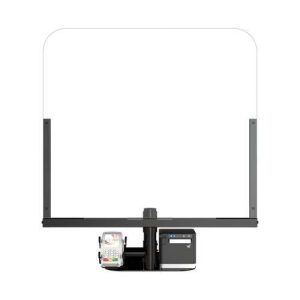
    Stadiums and event venues can keep their guests feeling safe and confident with the right health and safety products. Examples of these solutions including sneeze guards at the point of sale, antimicrobial covers on surfaces like door handles and railings, and tamper-proof labels to secure the food and beverages guests order from their seats.

    Health & Safety Solutions Brochure

    Discover which solutions can keep your business squeaky clean and help customers feel confident at your brick-and-mortar location.

    Featured Star Stadium Solutions

    TSP654IIBi

    TSP654II

    SM-S230i

    SM-S230i-300x200

    TUP500

    TUP500

    Antimicrobial Covers*

    ANTIMICROBIAL COVERS

    POSShield

    POSShield

    Tamper-Proof Labels

    Tamper-Proof Labels

    Looking to learn more about Star’s stadium POS solutions?

    *Disclaimer: NeverGerms® makes no claims regarding the safety or health of the general public or those interacting with its products. “NeverGerms®” and “Touch Less Germs®” are registered trademarks and not intended to have literal interpretation. NeverGerms products are manufactured by NeverGerms and distributed by Star Micronics. Although these products are designed to reduce microbe populations on commonly-utilized surfaces and have been tested by the manufacturer for their antimicrobial properties, Star Micronics cannot guarantee that they will eliminate all risk of germ, including virus, transfer from such surfaces. Star Micronics, as distributor, relies entirely upon claims made by manufacturer as supported by prior research. For further information, please visit www.nevergerms.com.

  • POS Trends to Expect in the Second Half of 2021

    POS Trends to Expect in the Second Half of 2021

    As we reach the midway point of 2021, one thing is certain: this year is monumental to the point of sale (POS) industry as the economy rushes into recovery. Read on to explore some of the top POS trends to expect in the second half of the year and beyond.

    POS Trend #1: Ongoing Online Ordering Boom

    In the return to normalcy, and in many regions, restaurants are reopening, and brick-and-mortar retailers are trying to resume their activities as close as possible to their pre-pandemic levels. But no matter where businesses are on their recovery journey, online ordering is here to stay, and not just because of it being the primary method available to consumers during the pandemic. In fact, consumers worldwide have discovered the convenience and benefits of online ordering and have decided to stick with that method of purchasing, even as physical businesses reopen.

    Interestingly, businesses have also found additional benefits in using online ordering platforms. Advantages include an additional revenue stream flowing into their businesses, as well as the opportunity to utilize more robust loyalty programs in a less intrusive, nearly seamless way. This improved loyalty strategy can improve the customer experience and in turn create sticky customers.

    Most of the initial challenges many online ordering systems and digital transactions faced have been mitigated, making them an even more appealing option for businesses everywhere. For example, new security measures like multi-factor authentication are becoming standard, allowing a business to offer promotions, discounts, and payments that are less susceptible to fraud.

    POS Trend #2: Faster Technology Adoption

    Complete solutions and intuitive user experiences (UX) have become essential, and although price will most definitely always be an important consideration in any technological deployment, now value and having the right solution have risen to the top of the priority list.

    In a rapidly changing market, solution integrators have no time to spare to try new things that they are not sure will work or test products from uncertain vendors. Instead, they are opting to go directly to what is already working in the market and are selecting the brands with the technologies that are being adopted massively by market leaders.

    POS Trend #3: An Emphasis on Health and Safety

    Even after the COVID-19 pandemic passes, health and safety will remain a priority to people worldwide. To put employees and customers at ease, a new POS trend has accelerated and retail and hospitality businesses that are reopening must offer a tangible sense of safety to their customers.

    Popular health and safety POS products include sneeze guards placed at the point of sale, antimicrobial covers which reduce germ transfer on high-touch surfaces, and tamper-proof labels to securely seal delivery and takeout orders.

    Health-Safety-Brochure

    Health & Safety Solutions Brochure

    Discover which solutions can keep your business squeaky clean and help customers feel confident at your brick-and-mortar location.

    Download Now

    POS Trend #4: Affordable and Simplified Development

    The development side of the industry is also experiencing changing POS trends. Development phases are accelerating, and software providers are developing using cross-platform tools (like the StarXpand™ SDK) on the React Native platform, cutting development time and cost in half.

    As most digital interactions and virtual communications are happening in the cloud, POS transactions, especially for online ordering, are not an exception. Technologies, like CloudPRNT, are allowing the seamless connection of thermal printers to the cloud. These technologies are not only cost-effective but also shorten integration and development times and are becoming the go-to solution in the market.

    POS Trend #5: The Continued Rise of Self-Service Kiosks

    Did you know that more than 65% of customers said they would be more willing to visit a restaurant if self-service kiosks were offered?

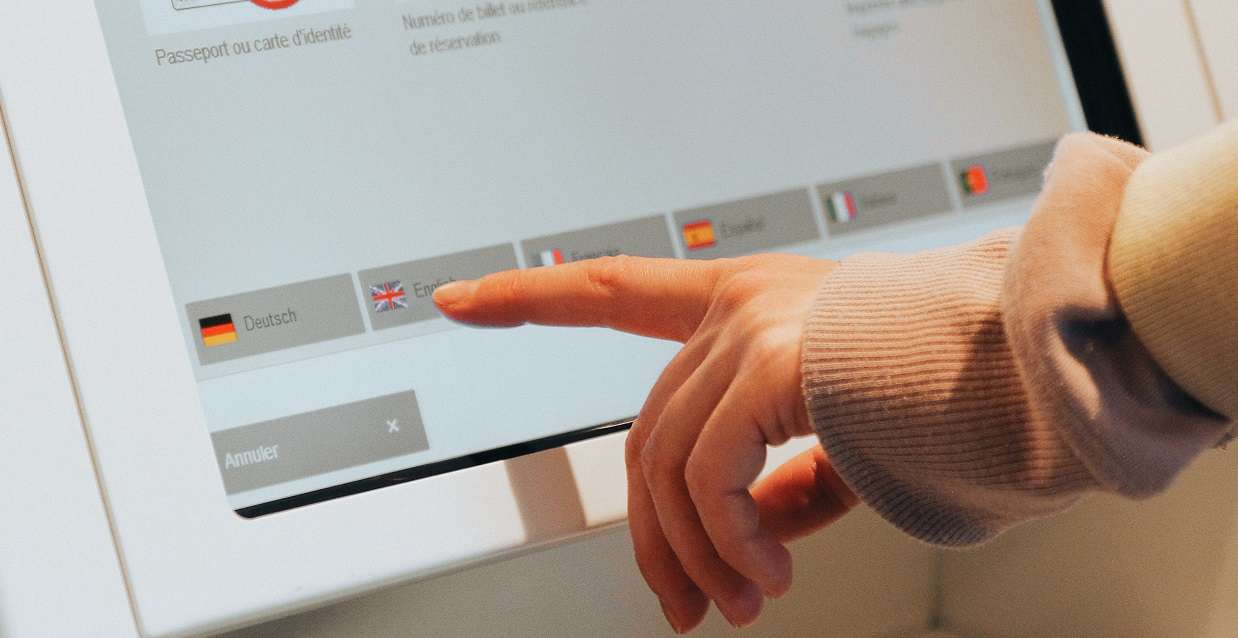
    Clearly, self-service kiosks are a rising POS trend and as they are more widely used, consumers will hold them to a higher standard and expect them to be reliable, intuitive, and safe to use. Because of this, self-service kiosks are particularly sensitive to the quality of the components they are integrated with, so it is essential that those components are selected carefully.

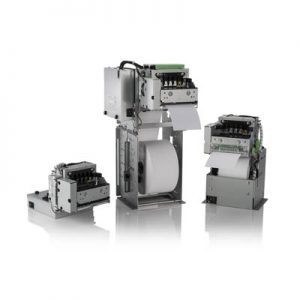
    Some POS hardware manufacturers, like Star, offer a vast portfolio of kiosk printers with receipt and labeling capabilities with features that can help ensure customer satisfaction. For example, a kiosk printer with a bezel allows for jam-free kiosk operations, and large-capacity paper rolls allow for extended paper autonomy.

    mC-Print3-Kiosk-193x300For businesses and integrators with tight budgetary constraints, there are still options for assembling a highly sophisticated self-service kiosk solution. For example, businesses can pair a desktop printer, with the right technology built-in, with a universal tablet enclosure, a tablet, and a tablet stand. This is when finding the right one-stop shop POS manufacturer to work with that can provide all of those components becomes key.

    Recommended Solution

    For an affordable yet high-quality kiosk, connect the Star Micronics mCP31L multi-interface thermal printer to an iPad via the Lightning port. Next, place the iPad in a Universal mEnclosure (which locks for security purposes), attached firmly to an mUnite stand. Pairing these Star products together can turn a potentially complicated and costly kiosk project into a functional, cost-effective, and simple one.

    As a one-stop shop, Star is proud to provide a complete range of POS hardware solutions for retailers, restaurants, and more.

    Download Product Catalogue

  • 6 Post-Pandemic Kiosk Business Ideas

    6 Post-Pandemic Kiosk Business Ideas

    For years now the self-service kiosk market has been growing but undoubtedly the COVID-19 pandemic skyrocketed its growth even further. According to Technavio Research, the self-service kiosk market grew 3.55% in 2020 alone, and it’s expected to grow by $2.29 billion USD during 2020-2024. As the world begins to recover from the unprecedented pandemic, you may be wondering what post-pandemic business ideas and self-service business ideas are emerging in the market. Read on to learn about some of the new ways kiosks are being used, from health and safety check-ins to kiosks for a good cause.

    1. Health & Safety Kiosks

    This first business idea is probably not a surprise. As the economy reopens, health and safety kiosks will be an easy addition to restaurants and retail stores. An example of this may look like a kiosk placed near the front door of establishments where customers can check their body temperature, and if applicable the kiosk can use facial recognition technology to detect if the customer is wearing a mask. Quatrefoil, a Ontario-based restaurant, uses a kiosk that checks both of those things and will display a green checkmark if requirements are met, while if the requirements are not met, a staff member is alerted to come provide assistance.

    2. COVID-19 Test Distribution

    Also health-related, another post-pandemic business idea is to use kiosks to distribute testing kits for COVID-19 – and more. In New York City, this is already happening. Vending machines from Wellness 4 Humanity conveniently provide at-home COVID-19 testing kits to the public, which can be more convenient than being tested at a pharmacy drive-through, especially for city dwellers. Kits currently cost $149 and can be paid for by credit or debit card only. These kinds of kiosks have lots of potential to distribute much more than just COVID-19 testing kits, like at-home tests for allergies, hormones, blood panels, and more.

    3. Pickup Lockers

    Restaurant Food Pickup Locker
    A heated pickup locker for food orders. (Image via Kiosk Marketplace/Rise Southern Biscuits & Righteous Chicken)

    You’ve probably heard of retail pickup lockers, like Amazon Hub Locker, a secure, self-service kiosk where customers can pick up or return Amazon packages at their convenience. Pickup lockers are for more than just retail, though. Restaurants like Rise Southern Biscuits & Righteous Chicken are beginning to incorporate heated locker systems in their brick-and-mortar establishments to further build upon their contactless ordering options for customers. These heated lockers keep food fresh while also minimizing the physical contact between customers and employees, which not only provides a safety benefit during the pandemic, but will boost convenience and help line-busting well into the future.

    4. Transportation

    A common complaint regarding department of motor vehicle (DMV) offices is the chance of experiencing a long wait time. What better way to line-bust than with self-service kiosks? Currently approximately 45 DMVs in the US operate some sort of self-service technology, but the potential is huge for a number of government agencies. At self-service kiosks, DMV customers can renew drivers licenses, register vehicles, obtain license plates, take driving and CDL exams, and more. The process can be secure by using an access code or barcode from a renewal notice or license plate number and last four digits of a VIN, and language barriers become a problem of the past with multilingual on-screen instructions and audio.

    Free Self-Service Kiosk Resources

    The future of many industries lies with self-service solutions. That’s why Star Micronics is offering free online ordering resources for resellers and software developers who are helping customers future-proof their businesses with self-service solutions.

    Visit Self-Service Toolbox

    5. Reception

    As people become more comfortable traveling again – and more workers remain remote – self-service kiosks that aid in reception will be very helpful to countless sectors. One example of this is a Zoom product that “enables a contactless, virtual receptionist in its newly introduced Zoom Rooms product to help organizations safely re-enter the office and sustain an ‘everywhere workforce.’” To use the solution, users can customize the “Start Meeting” button on a device in their building that is set up with Zoom Rooms for Touch to connect visitors with a receptionist. This kind of self-service check-in service could be useful for countless types of business and medical offices, hotels, and more.

    6. Kiosks for a Good Cause

    Marla Aaron Jewelry Vending Machine
    The Marla Aaron jewelry vending machine that benefits restaurants and those in need. (Image via Marla Aaron)

    Kiosks aren’t just about line-busting, boosting profits, and increasing convenience – they can give back, too. Self-service kiosks can be a great way to increase awareness of fundraising campaigns and make it easier for busy citizens to contribute to a cause. Take, for example, the kiosk that is a part of the “Take a Seat for Restaurants” campaign. The campaign is a part of jeweler Marla Aaron’s plan to contribute to the World Central Kitchen, a popular food-related charity that pays local restaurants to make meals for those in need. Aaron sells small 2” sterling silver chairs for $250 each from her brick-and-mortar locations, her online store, and a self-service vending machine based in New York City that changes locations to maximize its awareness (and more installations are coming!).

    The number of post-pandemic self-service business ideas is limitless. Whether you’re looking to implement a self-service solution for a restaurant or for a charity – or anything in between – you’ll likely need a built-in receipt printer. Look no further than Star Micronics. We proudly offer a wide range of thermal kiosk printers that can print receipts, labels, tickets, and more, and are ideal for a variety of applications and industries.

    Looking to implement a post-pandemic business idea involving self-service kiosks?

    Explore how Star can help you build a solution.

    Download Kiosk Brochure