Author: Brittany DeGroat

  • The Answers You Need to Make an Informed Decision About Cloud POS Services

    The Answers You Need to Make an Informed Decision About Cloud POS Services

    With the rise of the Internet of Things (IoT), artificial intelligence (AI), and other advanced technologies, cloud services adoption is becoming increasingly common. Gartner reports that public cloud services spending will grow to $723.4 billion in 2025, up from $595.7 billion last year. 

    Cloud services benefit different industries in various ways, particularly for cloud point of sale (POS) services. For retailers and restaurateurs, cloud POS services enable managing POS devices and peripherals remotely. Managers can monitor devices to ensure they’re online and operating properly. They may also be able to run diagnostics remotely to address maintenance issues that might be brewing. A cloud POS enables a proactive approach that maximizes uptime rather than reacting when a printer or other device stops working.

    Cloud POS services can also make data and tools available to employees across an organization, saving time and ensuring brand consistency.

    Cloud Printing with CloudPRNT Next

    So, What’s Holding You Back from Using Cloud POS Services?

    Even though cloud solutions offer retailers and restaurateurs numerous benefits, it’s common for business leaders to have some concerns. Getting the facts will help you understand how cloud solutions work and the safeguards that are in place so you can move forward confidently. Some of the most important facts you need to know about cloud POS services are: 

    Cloud POS Services Are Secure

    While news of cyberattacks has become common, using cloud POS services doesn’t necessarily increase your risk. Cloud service providers invest heavily in securing their offerings and keeping up with changes in the threat landscape.

    In most cases, the security measures the vendor has in place far exceed anything a single retailer or restaurateur could establish. By partnering with a trusted vendor, you can be confident that your data and your business are safeguarded by robust security measures. 

    Your Data Is Private

    Cloud POS services providers are careful to keep each customer’s data private. No other customers have access to your data; they can’t see the label templates you have built or access digital receipts you store to make returns more convenient for your customers. The only people who can access your data are your employees who use the right login credentials. 

    You Can Work Offline

    While accessing your data in the cloud requires a network connection, this doesn’t mean you can’t work when you’re offline. Cloud POS services often provide a way to establish a “hybrid” system where information is stored locally. This allows your employees to access it during network outages and sync when the connection is restored. Cloud service providers ensure that your workflows remain uninterrupted. 
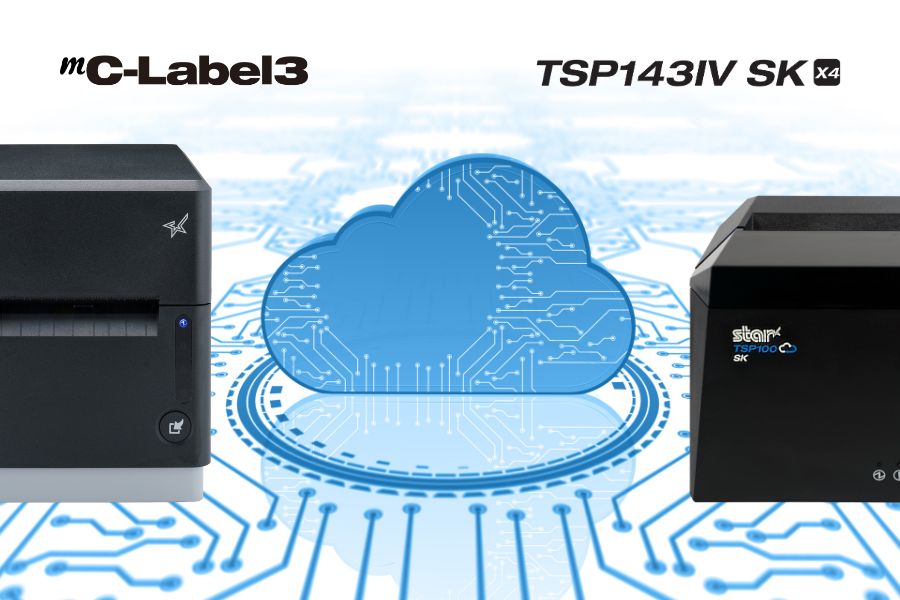
    Star Micronics CloudPRNT Next Cloud Services
    Star Micronics mC-Label3 and TSP143IV SK label printers support CloudPRNT Next for fast cloud printing.

    You Can Afford Them

    Cost is always a consideration, but with cloud POS services, it’s important to think in terms of total cost of ownership (TCO). You don’t need the same amount of infrastructure on-site to do the same things that a cloud solution does. You use the provider’s resources, not your own servers, for things like data storage, backup, and data security.  

    When you consider all costs and all cost savings, including gains in operational efficiency, cloud services are generally more cost-effective than on-premises solutions. Furthermore, when it comes to Star Micronics Cloud Services, they’re included at no additional cost with our cloud-ready printers. 

    They’re Easy to Use

    A major concern among business leaders is that cloud POS services may be too challenging for their employees to use. However, a quick demo will demonstrate how easy using cloud services can be. For instance, Star’s PromoPRNT allows you to add promotions to receipts, providing you with a new—and effective—customer engagement tool. You can easily create promotions from templates and manage them from any connected device. For your employees, adding marketing messages to receipts is effortless. 

    What Is CloudPRNT Next?

    If you’re exploring cloud POS options, it’s worth getting familiar with CloudPRNT Next—Star Micronics’ next-generation remote printing technology.

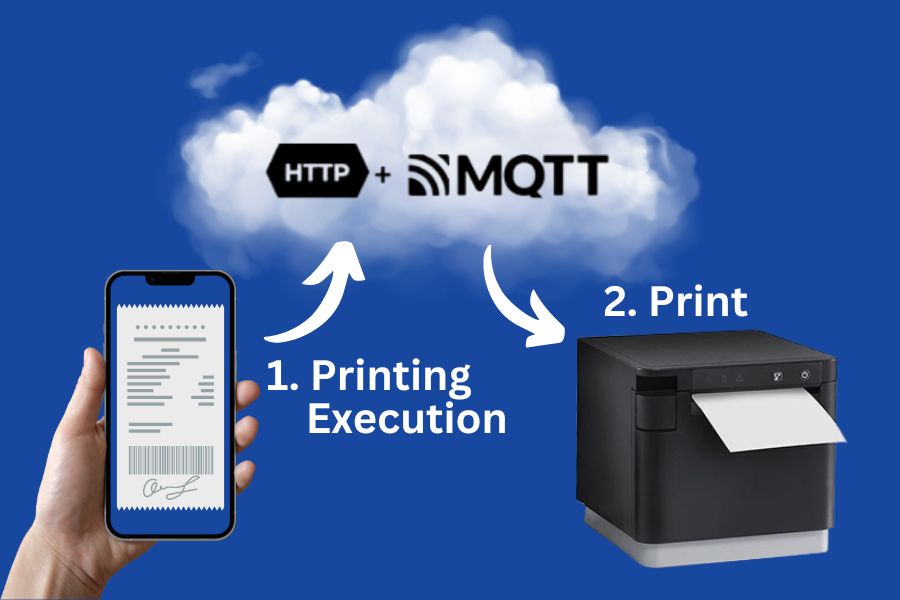
    Built on the MQTT protocol, CloudPRNT Next offers faster, more secure, and more scalable communication between cloud applications and printers. Whether you’re printing receipts, orders, labels, or tickets, CloudPRNT Next gives developers and operators the power to:

    • Print directly from web apps—no middleware or local server required

    • Receive real-time feedback from the printer (status, errors, confirmations)

    • Scale easily across locations and devices

    • Support complex workflows like multi-item labeling or off-premise fulfillment

    Star Micronics' CloudPRNT Next, featuring the MQTT protocol, sets a new standard for cloud-based printing by providing faster and more reliable communication between devices.

    It’s the ideal solution for ISVs, enterprise foodservice operators, and QSRs looking to streamline remote order fulfillment without sacrificing control or reliability.

    What’s Your Next Move?

    Once you have a clear understanding of the pros and cons of cloud POS services, you can make an informed decision about their value for your organization. You likely have more questions about how a cloud POS will operate within your organization and the benefits it will provide. The Star Micronics team is here to answer your questions and assist you in selecting the best cloud-ready solution for your company. Contact us today. 
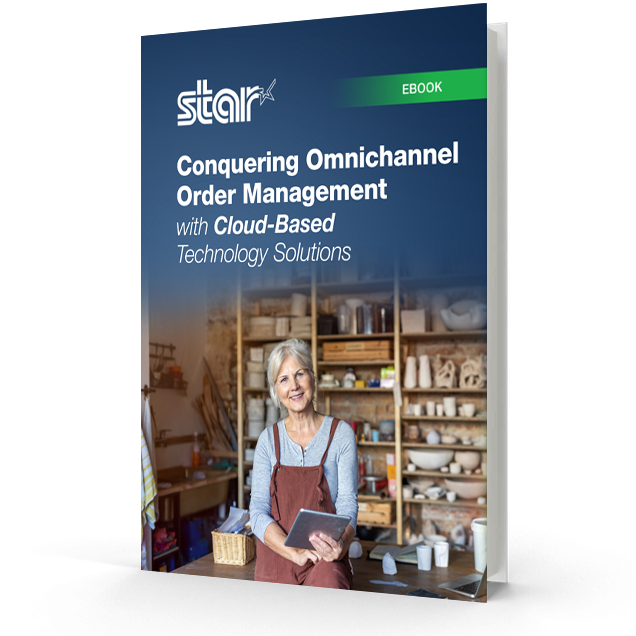
    Conquering Omnichannel Order Management with Cloud-Based Technology Solutions ebook.

    Conquering Omnichannel Order Management with Cloud-Based Technology Solutions

    Consumers have spoken! The future of retail and hospitality is omnichannel, cloud-based, and connected. Is your business prepared?
    Find Out Now

    Ready to boost your cloud printing capabilities?

    Contact Star Now

  • New Super Easy Wi-Fi Printer Setup for TSP143IV X4 and TSP143IV SK X4

    New Super Easy Wi-Fi Printer Setup for TSP143IV X4 and TSP143IV SK X4

    Traditionally, the steps to set up a printer for wireless printing take time. Although the workforce is increasingly more tech-savvy than previous generations, few employees have extra time to devote to printer setup while taking care of their core responsibilities.

    The ease of Wi-Fi printer setup is particularly important for employees with mobile devices who need to print in different areas of a facility or campus. How quickly and reliably they can set up a printer directly impacts their productivity and overall operational efficiency. 

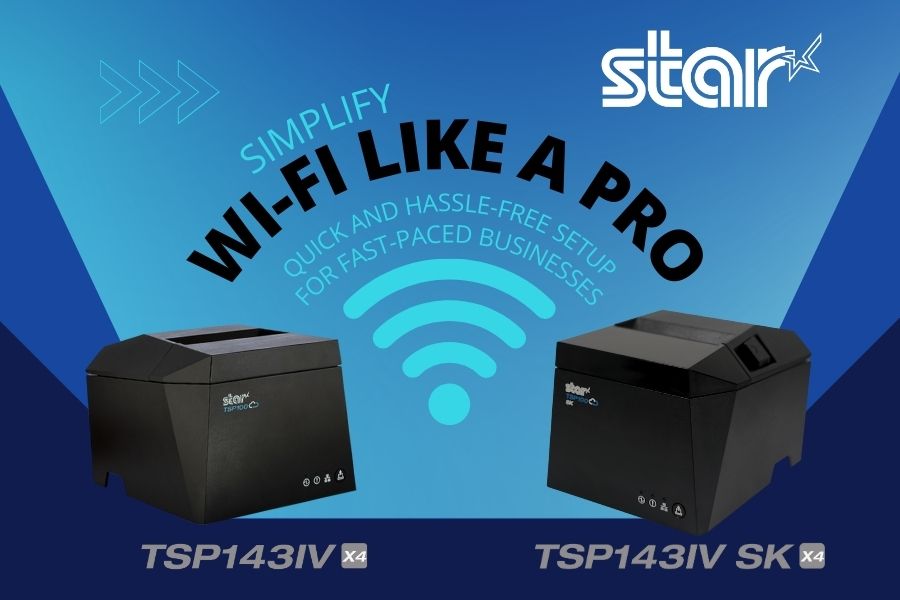
    To help organizations overcome this challenge, Star Micronics designed the TSP143IV X4 thermal receipt and TSP143IV SK X4 linerless label printers to make Wi-Fi setup as seamless and user-friendly as possible. With cutting-edge technology and two innovative setup options, these printers ensure quick, reliable connections to your wireless network.

    Love Star Technology? Explore It All

    Here’s how they work: 

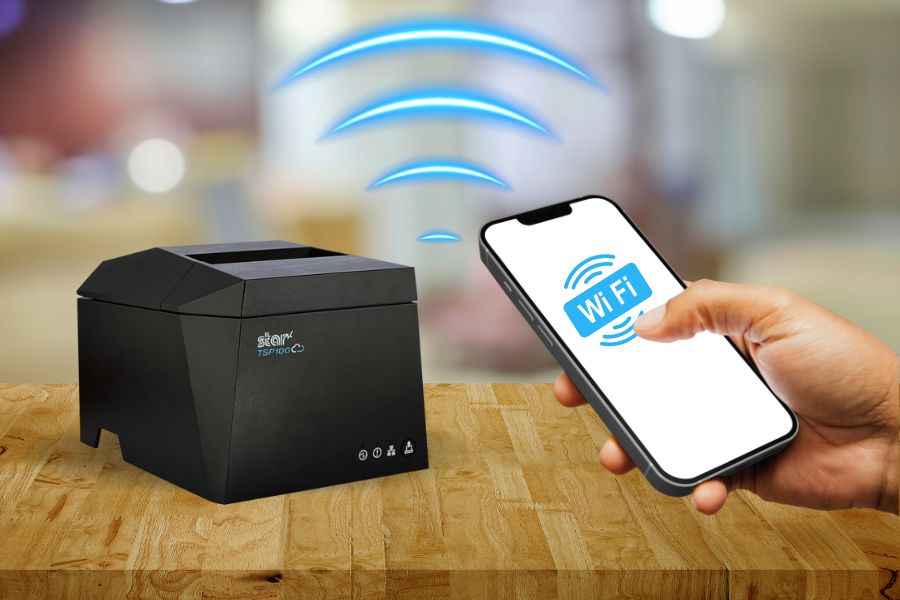
    Using the Star Quick Setup Utility

    This method leverages Bluetooth Low Energy (BLE) technology for a streamlined setup process. Wi-Fi printer setup step for this method: 

    1. Launch the Star Quick Setup Utility App: Download and open the app on your mobile device.
    2. Enter the Network Security Key: Input the password for your Wi-Fi network within the app.
    3. Proximity Pairing: Bring your mobile device close to the printer to establish a connection.
    4. Confirmation Printout: Once connected, the printer will automatically generate a diagnostic printout confirming the success of the setup.

    The advantages of using the Star Quick Setup Utility include minimal steps, speed, and ease of use. It’s a benefit for operations that require setting up Wi-Fi frequently. The Star Quick Setup Utility app also includes built-in troubleshooting options that help address any connection issues. 

    X4 Receipt Printer Wi Fi Connectivity

    Using the Hotspot Captive Portal

    Considered an alternative method, using the Hotspot Captive Portal allows users to accomplish Wi-Fi printer setup without using additional software. Instead, it uses the printer’s built-in hotspot functionality. This method also has only four easy steps: 

    1. Power On the Printer: Upon powering up, the printer will automatically print a QR code.
    2. Scan the QR Code: Use your mobile device’s camera to scan the QR code.
    3. Follow the Instructions: Your device will guide you through entering the network credentials and finalizing the setup.
    4. Confirmation Printout: As with the first method, a diagnostic printout is generated to confirm successful connectivity.

    In addition to eliminating the need to download and install an app to set up a printer for Wi-Fi, this method is also quick and easy for users unfamiliar with BLE technology.

    TSP143IV SK X4 Removable Sticky Label Printer

    The TSP143IV SK X4 by Star Micronics sets a new standard for compact, eco-friendly thermal linerless label printing, offering four advanced connectivity options like Wi-Fi with easy setup and AOA. Get efficient, residue-free repositionable labels for your diverse business needs.

    Find out more >

    TSP143IV SK Thermal Linerless Sticky Label Printer by Star Micronics.

    Key Features of TSP143IV X4 and TSP143IV SK X4 Wi-Fi Connectivity

    In addition to making Wi-Fi printer setup easy for the TSP143IV X4 and TSP143IV SK X4, Star designed these printers for reliable connectivity and maximum uptime. Organizations that count on trouble-free wireless printing benefit from: 

    • Dual-Band Connectivity: The printers support both 2.4 GHz and 5 GHz frequencies for flexibility in various network environments.
    • Diagnostic Printouts: Every setup method concludes with a detailed printout that verifies network connection status.
    • Troubleshooting Tools: In addition to helping users resolve connection issues during Wi-Fi setup, the Star Quick Setup Utility app has built-in troubleshooting tools that assist users with connectivity issues during day-to-day use. 
    • User-Friendly Design: The printers enable efficient wireless printing, ensuring minimal downtime and maximum productivity.
    TSP143IV thermal receipt printer by Star Micronics

    TSP143IV X4 Thermal Receipt Printer

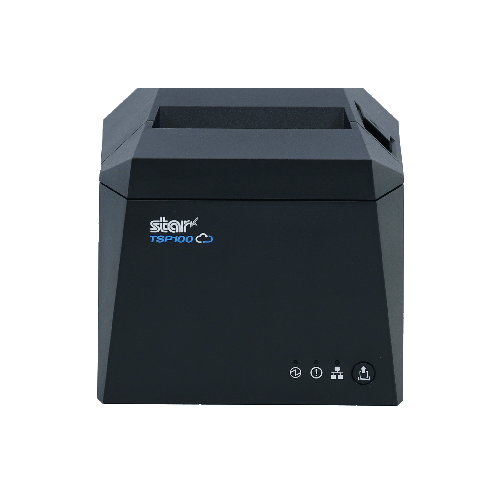
    The TSP143IV series thermal receipt printer from Star Micronics is 20% smaller than its predecessor, offering high-speed printing with USB, LAN, WLAN, and Bluetooth connectivity. With CloudPRNT Next, dual-band WLAN, and Android Open Accessory (AOA) support, it ensures seamless compatibility across Windows, iOS, Android, and cloud-based applications, making it an efficient, adaptable solution for modern POS environments.

    Discover the TSP143IV X4 >

    Flexible Wi-Fi Setup Lets You Choose the Best Option for Your Operation

    With the TSP143IV X4 and TSP143IV SK X4 printers, Star Micronics has redefined the Wi-Fi setup experience. Whether you choose the Bluetooth-assisted Star Quick Setup Utility or the Hot Spot Captive Portal, the process is straightforward, fast, and reliable. Dual-band connectivity ensures optimal performance, while diagnostic printouts and troubleshooting tools provide added confidence and support. 

    By simplifying wireless setup, these printers empower businesses to focus on what matters most: delivering exceptional service and efficiency.

    Contact us to schedule a demonstration or consultation today to see firsthand how easily and quickly printer setup is with the TSP143IV X4 receipt printer and the TSP143IV SK X4 sticky linerless label printer.

    Find out more about the easy Wi-Fi printer setup on our TSP100IV X4 models:

    Contact Star Now

  • A Better Cash Management Solution Starts with the Right Cash Drawer

    A Better Cash Management Solution Starts with the Right Cash Drawer

    Merchants have focused on adapting their IT environments to accommodate the growth of digital payments. However, in many enterprises, such as certain food services, big box and specialty retail, and cannabis, most transactions continue to involve cash. If your business falls into the high-cash category, it’s critical that you implement an effective cash management solution, including a cash drawer that meets your needs.

    Explore Cash Management Solutions

    The Pros and Cons of Cash

    Cash use can have an upside for both consumers and merchants. There aren’t any fees associated with using it. Consumers don’t build credit card debt or deal with fees for overdrawing an account, and merchants don’t pay processing fees. Additionally, merchants receive payment immediately —  there’s no waiting for checks to clear for banks to move funds from payment card transactions. Also, merchants who accept cash only never spend time and effort on challenging credit card chargebacks. 

    On the other hand, as a high-cash business operator, you face challenges related to operational efficiency, cash control, and security. You must organize cash so managers can count and balance drawers quickly and accurately. Also, cash is a target for theft, both by actors from external and internal threats.

    Cash Management System With The Right Cash Drawer

    The Right Design Makes the Difference

    Choosing a cash drawer for your cash management solution can help you give your customers and your business the benefits of cash transactions while minimizing the drawbacks. The key is to match the drawer’s features to your specific needs to create a comprehensive cash management system. Features to evaluate include: 

    1. Till Design

    The till should have the right number of compartments for the bills and coins your business commonly receives. In the U.S., a four-bill, five-coin configuration is popular, while a three-bill and five-coin option may better suit Canadian companies. However, those aren’t your only options. Models are available that help businesses efficiently store up to five bills and eight coins.

    Additionally, some models have ample space under the till for coin rolls, so cashiers can always make change without delay. Choosing the right drawer configuration for your business supports faster balancing and greater accuracy.

    2. POS System and Printer Communication

    The cash drawer should operate seamlessly with your point of sale (POS) system. When the sale is tallied, the drawer should open for the cash payment and to allow the cashier to make change. Communication with the POS system automates that process for speed and security. You can also choose a drawer that communicates with your printer to coordinate receipt printing.

    3. Durable Construction

    To optimize cash control, you need drawers for your cash management solution with heavy-duty construction. Durable steel is not only necessary to keep cash secure, but it also ensures that daily use won’t result in dents or wear that could impact the drawer’s functioning and minimize the life of your investment. 

    Reinforced slides and high-cycle components prevent jams and ensure smooth operation, even in high-traffic environments, maintaining the integrity of your cash drawer over time. Investing in a well-built cash drawer reduces maintenance costs and minimizes downtime, keeping your business running efficiently.

    4. Locks and Lock Function

    You will find models with different types of locking mechanisms, such as single key or separate manager and key lock design. Models can also give you different features that enhance cash control, such as automatic locking, manual open, and online open, which opens the drawer electronically.

    For added security, heavy-duty cash drawers feature dual locks and reinforced latching mechanisms to prevent tampering. Some models also include under-till compartments for discreet cash storage, helping businesses manage high-cash transactions while keeping funds secure. Locking features allow you to create workflows that keep cash protected and minimize fraud schemes related to returns and voids.

    Upgrade Your Cash Management with the Right Drawer

    In a high-volume, cash-heavy business, every second counts. The right cash drawer isn’t just a box to hold money—it’s a tool that keeps transactions moving smoothly, safeguards your cash, and simplifies end-of-day balancing. A durable, high-security cash drawer designed for your needs can prevent operational headaches, reduce fraud risks, and streamline cash handling so your team can focus on customers, not cash counting. If your current setup isn’t pulling its weight, it may be time for an upgrade.

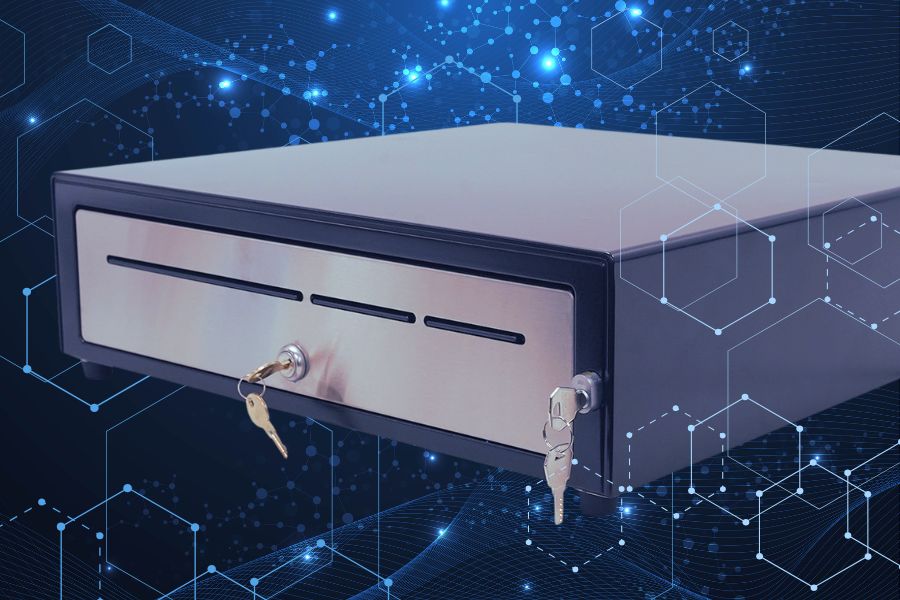
    The CD5-1918 Max Series cash drawer by Star Micronics is ideal for high-cash volume environments.
    The CD5-1918 cash drawer handles enterprise level high-cash volume environments with ease.

    Additional Resources

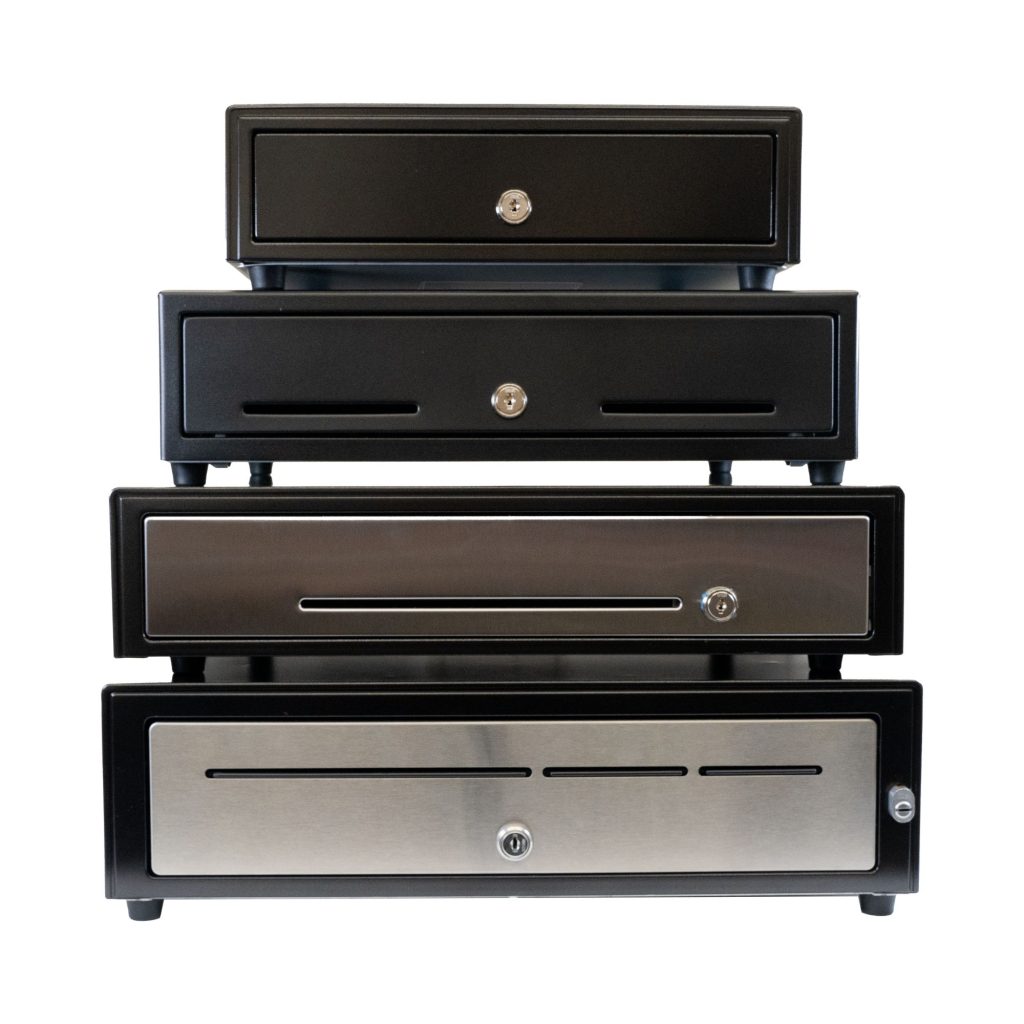
    Star Micronics has designed cash drawers for every level of durability, security, and functionality. Explore our CD5 Max Series lineup to find the perfect fit for your operation:

    • CD5-1316: Compact but tough, this heavy-duty cash drawer is ideal for high-cash businesses where counter space is limited. With a choice of standard DK or dual DK + USB interfaces, it integrates seamlessly with any POS system.
    • CD5-1617: A balance of durability and storage, this model provides a robust cash control solution in a space-efficient design. It features two media slots for added functionality and multiple connectivity options.
    • CD5-1817: Built for demanding environments, this 18-inch heavy-duty drawer is ideal for businesses processing large cash volumes daily. It includes a media slot for streamlined cash management and flexible connectivity. 
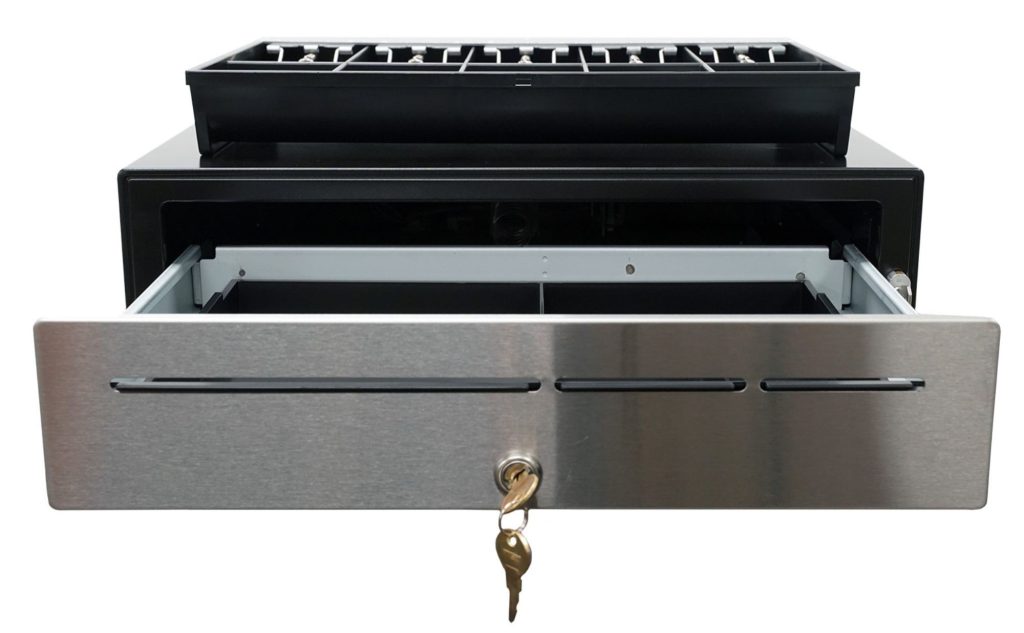
    • CD5-1918: Designed for enterprise-level operations, this extra-heavy-duty cash drawer offers maximum durability and security. With under-till coin storage, three media slots, and a dual-locking mechanism, it’s built to handle high-demand environments with ease.
    The CD5 Max Series cash drawers by Star Micronics set a new standard for secure and reliable cash management in retail and hospitality environments.

    CD5 Max Series Cash Drawers

    Designed for high-cash volume businesses, the CD5 Max Series cash drawers deliver durability, security, and sleek design. With all-steel construction, dual lock mechanisms, and under-till compartments for added organization, these drawers are ideal for grocery stores, cannabis dispensaries, and other busy retail settings. Available in multiple sizes and with dual DK and USB interface options, the CD5 Max Series integrates seamlessly into any POS system.

    Explore More >

    Is your current cash management system keeping up?

    Contact Star Now

  • Grocery Tech and Takeaways from NRF 2025: How Self-Service and AI Are Shaping the Future

    Grocery Tech and Takeaways from NRF 2025: How Self-Service and AI Are Shaping the Future

    Walking through the head-turning aisles of NRF 2025, it was impossible to ignore the pull of grocery technology. Kiosks. Self-checkout. POS scales. Everywhere you turned, there they were—showing us just how much this retail sector is leaning into innovation. In a major way, grocery tech wasn’t just a theme; it was the star of the show.

    Why? Because it’s where the retail rubber meets the road. This isn’t just about flashy setups or eye-catching displays (although there were plenty of those). It’s about the undeniable shift toward convenience, efficiency, and—most importantly—revenue potential. For VARs and ISVs, this is a moment to seize.

    Explore Star’s Kiosk Solutions

    The Self-Service Revolution: Grocery Edition

    Grocery technology at NRF 2025 didn’t just stand out; it shouted its presence. Self-service kiosks and checkout stations were front and center, and not just for the sake of automation. They’re solving real problems for grocery retailers: long lines, labor shortages, and the skyrocketing customer expectation for speed and ease.

    Kiosks and AI: The Perfect Pairing

    The buzz wasn’t just about kiosks; it was about what’s powering them. AI is no longer just a futuristic idea—it’s here, and it’s delivering ROI for retailers. Picture this: AI-driven self-checkout systems that don’t just weigh produce but predict trends, analyze purchasing patterns, and suggest product placements. As Jim Roddy put it, “Nobody cares if you used AI. They just care about the ROI.”

    For grocery, AI transforms self-checkout from a convenience feature into a data powerhouse. It’s identifying theft with computer vision, optimizing inventory in real-time, and even delivering personalized coupons at the point of sale. For VARs and ISVs, knowing how to leverage these tools can turn their clients’ grocery operations into well-oiled, revenue-generating machines.

    How VARs and ISVs Can Capitalize

    This is where it gets exciting. Self-checkout systems, kiosks, and AI aren’t just shiny new toys; they’re solutions that bring measurable results. VARs and ISVs who understand the potential of this tech can become the heroes of their clients’ grocery businesses.

    Here’s how:

    1. Show Them the ROI: Whether it’s through AI-powered theft prevention or kiosks that reduce labor costs, explain how these solutions save money and boost revenue.
    2. Offer Scalable Systems: Grocery operations aren’t static. Provide hardware and software that can grow with the business, from small neighborhood grocers to big-box chains.
    3. Be the Trusted Advisor: As Jim Roddy pointed out, retailers are drowning in options. Be the guide who cuts through the noise and points them to the right tools.

    Star Micronics: Hardware Built for Grocery Success

    Star Micronics has the tools to help VARs and ISVs make the most of the grocery tech boom. From kiosk printing to POS scales, our hardware is designed to meet the demands of modern grocery environments tenfold.

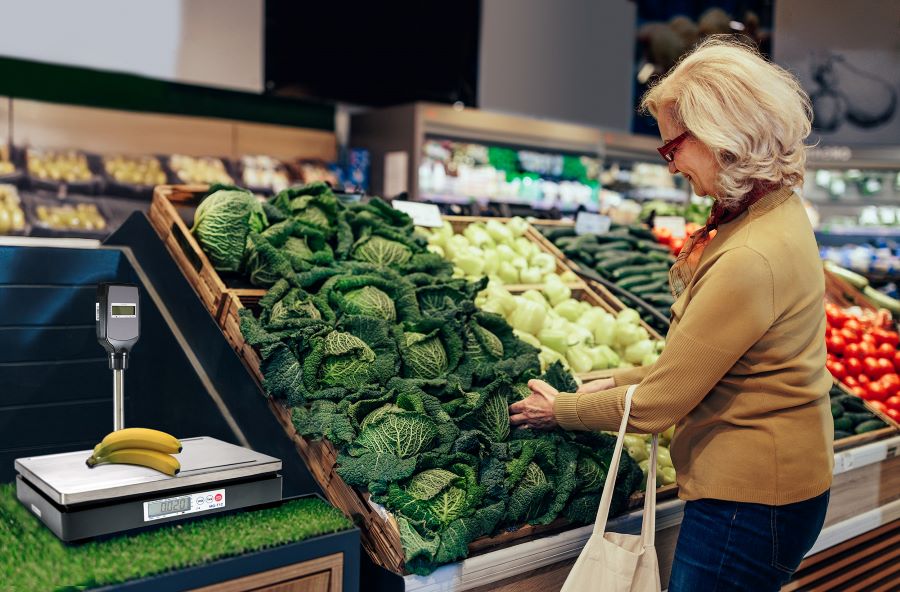
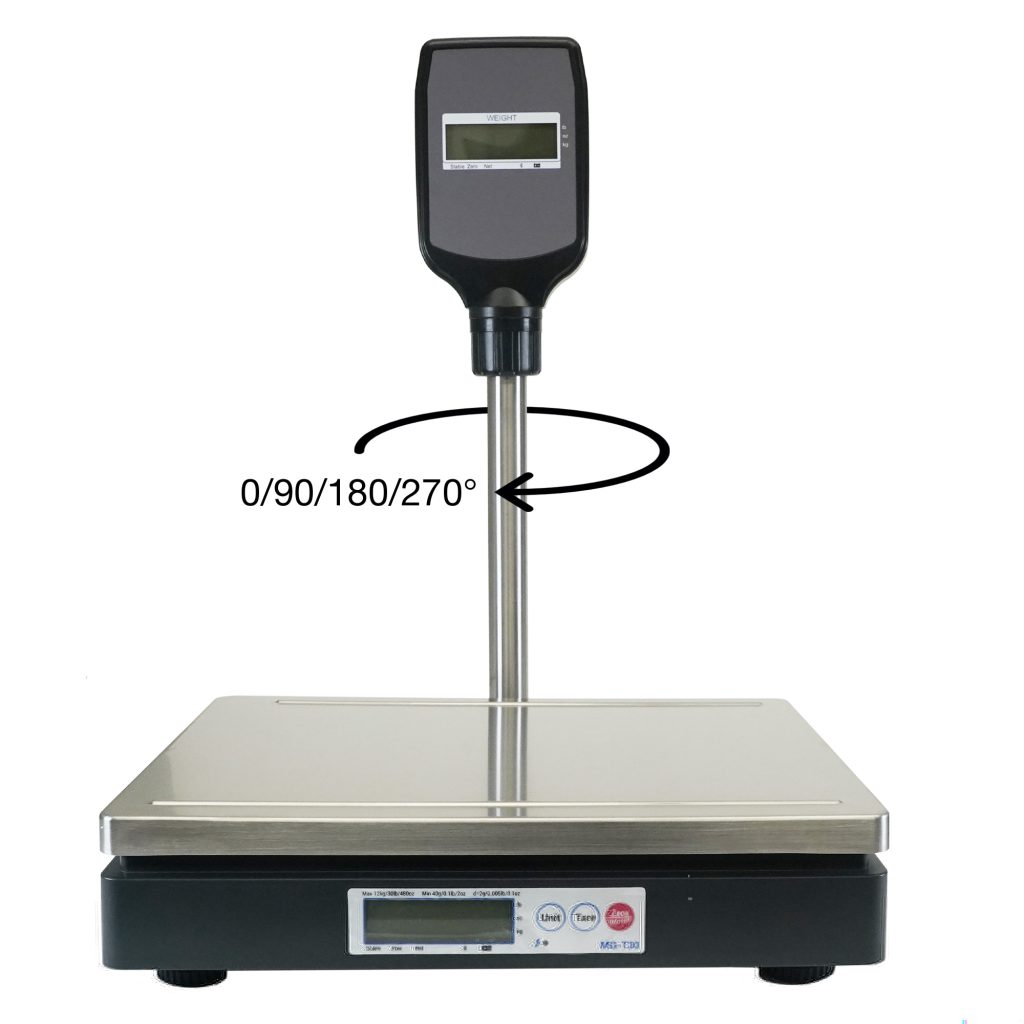
    The latest mG-T POS scales from Star Micronics are perfect for grocery stores and environments.

    Kiosk Printers

    Behind every seamless self-checkout experience is a reliable kiosk printer quietly doing its job. From printing crisp receipts to generating order tickets and labels, kiosk printers are the unsung heroes of modern grocery stores. Star Micronics brings precision and speed to the table, offering solutions built to keep self-service stations efficient and customers happy—even during the busiest rush hours.

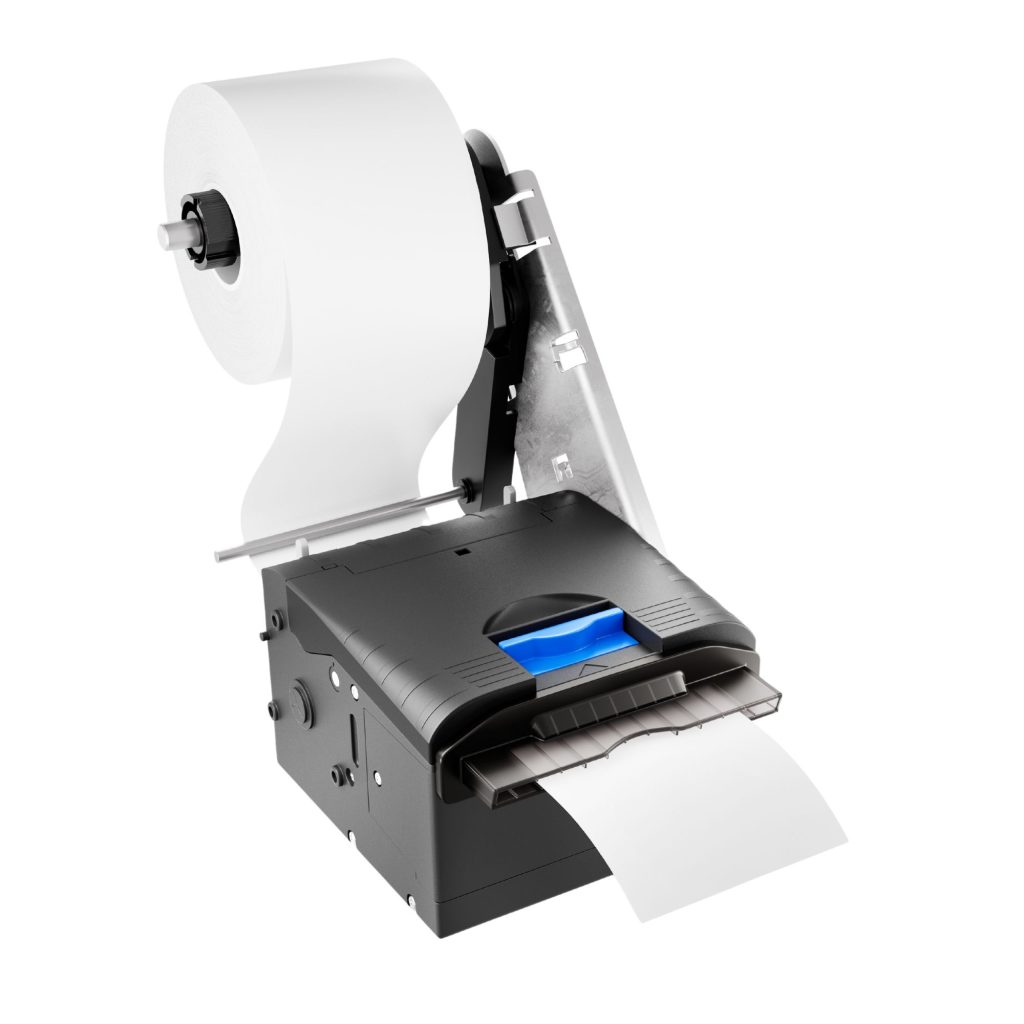
    SK5-31 Kiosk Printer

    Designed for high-demand environments, the SK5-31 combines a sleek, fully enclosed design with advanced features like anti-jam technology, paper eject assistance, and an adjustable paper guide with 12 positions. With a print speed of 250mm/s and versatile connectivity options (USB/Serial or USB/LAN), this printer ensures smooth, efficient, and reliable operations.

    Explore the SK5-31 >

    The SK5-31 Thermal Kiosk Printer is adjustable, customizable, and feature-rich, with all the latest in kiosk printing technology.
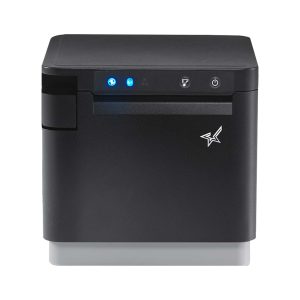
    The mC-Print3 thermal receipt printer by Star Micronics.

    mC-Print3 Receipt Printer

    The Star Micronics mC-Print3 combines high-speed printing with advanced connectivity options like Ultra-C and CloudPRNT Next. Its Ultra-C USB-C port provides seamless power and data transfer with any device, while CloudPRNT Next offers enhanced remote printing using the MQTT protocol, ideal for modern POS environments.

    Discover the mC-Print3 >

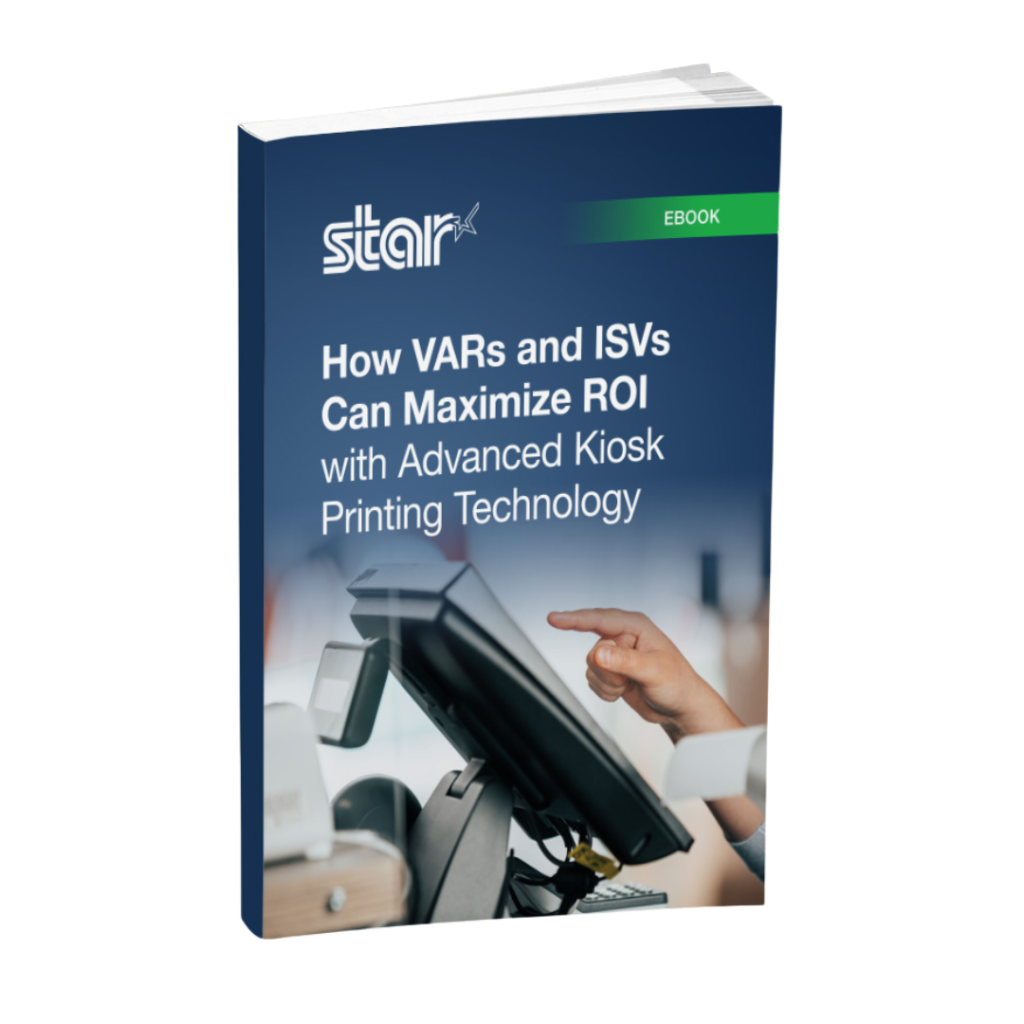
    How VARs and ISVs Can Maximize ROI with Advanced Kiosk Printing Technology ebook by Star Micronics.

    How VARs and ISVs Can Maximize ROI with Advanced Kiosk Printing Technology

    Find out how ISVs and VARs can harness the transformative potential of kiosk printing technology to maximize ROI for both their clients and their own businesses.

    Maximize Now

    Precision POS Scales

    mG-TUDB Scales

    Designed for precision and versatility, the mG-TUDB scales are a perfect fit for grocery self-checkout stations, produce sections and bulk item sales. With trade-legal certification for the U.S. and Canada, these scales offer Class III accuracy and seamless connectivity via Bluetooth, serial, or USB-C. Their large platter and optional pole display accessory ensure effortless setup with your POS system, making them ideal for a wide range of applications, from delis to farmer’s markets.

    Find Out More >

    The mG-TUDB digital pole display for POS scales by Star Micronics.

    Cash Management

    The CD5 Max Series cash drawers by Star Micronics set a new standard for secure and reliable cash management in retail and hospitality environments.

    CD5 Max Series Cash Drawers

    Designed for high-cash volume businesses, the CD5 Max Series cash drawers deliver durability, security, and sleek design. With all-steel construction, dual lock mechanisms, and under-till compartments for added organization, these drawers are ideal for grocery stores, cannabis dispensaries, and other busy retail settings. Available in multiple sizes and with dual DK and USB interface options, the CD5 Max Series integrates seamlessly into any POS system.

    Explore More >

    Scanning Technology

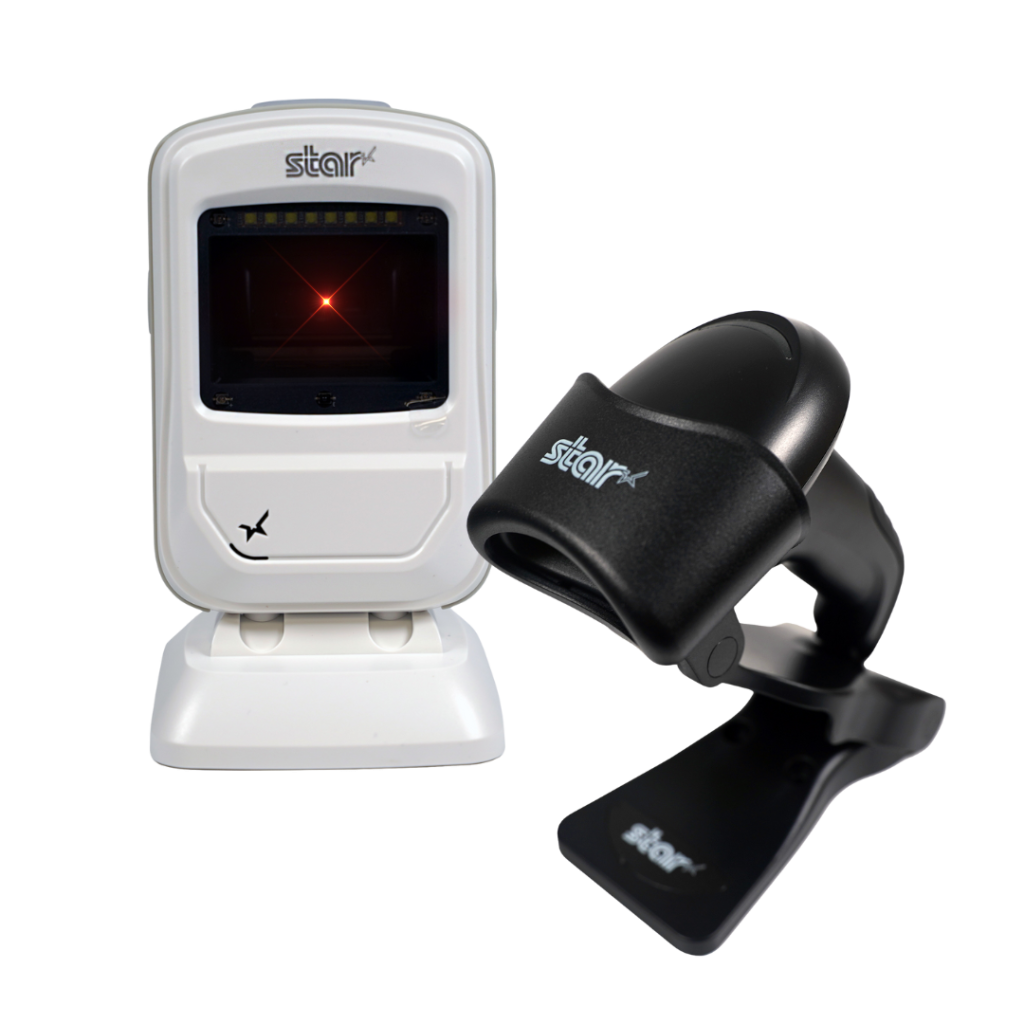
    Star’s 1D/2D Barcode Scanners

    Star offers a comprehensive range of IP-rated 1D/2D barcode scanners, ideal for diverse business needs. From retail to healthcare, our versatile scanners excel in parsing driver’s license and ID barcodes, ensuring swift and accurate data capture. Choose the perfect fit for your setup—desktop, handheld, or wireless Bluetooth options available.

    2D Barcode Scanners

    Star Micronics has the latest in retail barcode technology solutions with a range of desktop, USB handheld, and wireless handheld scanners.

    The Takeaway: Grocery Tech Is a Golden Opportunity

    Grocery retail is truly exploding with possibilities. NRF 2025 made it clear that self-service, kiosks, and AI are here to stay, and they’re revolutionizing how grocers operate. For VARs and ISVs, this is the moment to step in, guide clients toward the right solutions, and build partnerships that drive growth.

    With Star Micronics by your side, you’re equipped to offer the tools grocery retailers need to stay competitive now and into the future.

    Ready for the grocery tech you need?

    Contact Star Now

  • Optimize Dry Cleaning Processes with Print-On-Demand Garment Tracking

    Optimize Dry Cleaning Processes with Print-On-Demand Garment Tracking

    As long as people cherish luxury fabrics like silk and velvet, rely on sharp business suits to make a lasting impression, or don formalwear for special occasions, the dry cleaning process will remain essential for garment care. Customers turn to dry cleaners not only for the expertise required to handle delicate materials but also for the convenience and reliability that come with professional service. 

    However, times are changing. In the digital age, consumers expect more than just clean clothes—they demand a seamless, efficient, and error-free experience. Outdated practices, such as stapled dry cleaning labels and handwritten tickets, are no longer sufficient to meet these expectations. These methods not only appear antiquated but also increase the likelihood of errors, such as lost items or incorrect orders, which can damage customer trust and loyalty. 

    Updating your labeling and ticketing equipment to meet modern standards can dramatically improve your dry cleaning processes, enhancing accuracy, efficiency, and customer satisfaction in today’s competitive market.

    Discover Star Dry Cleaning Solutions

    Printing Can Enhance Each Step of the Dry Cleaning Process

    Modernizing operations with advanced printing technology can significantly improve garment tracking and communication across all stages of the dry cleaning process.

    1. Garment Tagging

    When customers drop off their clothes, dry cleaners tag each item with a unique number so they can accurately identify them. These tags need to withstand the chemicals used in the operation and stay readable throughout dry cleaning processes. It’s common for dry cleaners to purchase prenumbered tags in various colors to help direct items back to the right location after cleaning or to sort items quickly by the day the customer returns to pick them up. 

    However, preprinted tags require an upfront investment and storage in dry cleaning operations where space is at a premium. Preprinted tags could also lead to errors. If two customers come to the counter at about the same time, it’s possible the tags could be switched. 

    Printing tags on demand can overcome those challenges. By choosing tag media and inks that withstand dry cleaning processes, businesses can revise their tagging processes to be customer-specific and accurate. When receiving clothing for cleaning, employees can print tags with the job number, the customer’s name, or other essential information.

    Optimize Dry Cleaning Processes with Print-On-Demand Garment Tracking
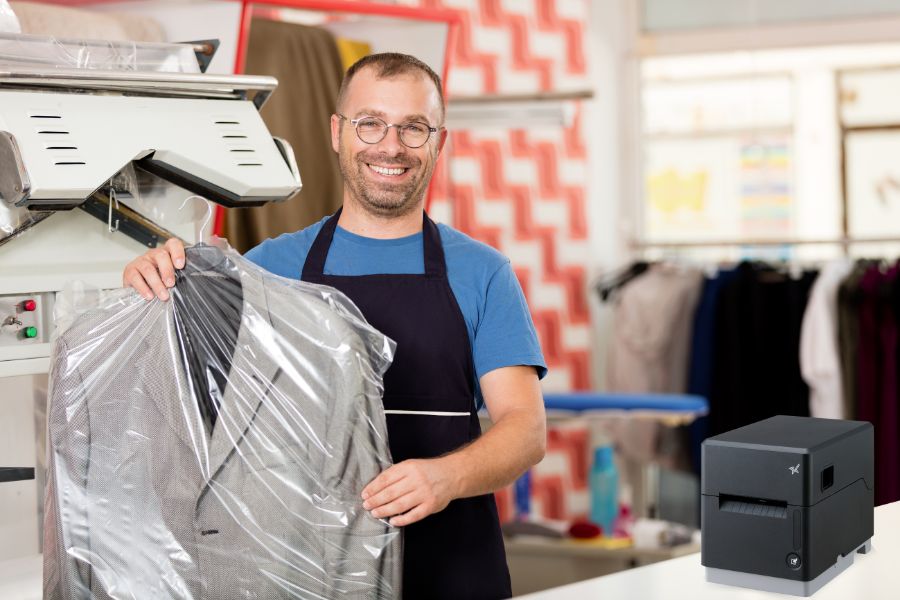
    The mC-Label3 multimedia printer by Star Micronics is perfect for labels.
    The mC-Label3 multifunction label and receipt printer from Star Micronics.

    mC-Label3 Multimedia Printer

    The Star Micronics mC-Label3 is a versatile multimedia printer that prints a wide range of labels and receipts, including both permanent and repositionable sticky linerless. It features cloud connectivity and innovative technologies like SteadyLAN and TetherLAN for enhanced printing convenience.

    Discover the mC-Label3 >

    2. Inspection

    Before garments proceed to the dry cleaning process, an inspector looks for specific issues that the cleaner must address. The inspector will mark stains that need pretreatment and find tears or missing buttons that the cleaner must document or repair. The inspector typically tags these spots. 

    Equipping inspectors with a printer can enable them to provide clear, detailed instructions on tags, ensuring that cleaners address all issues during the dry cleaning process. This additional layer of precision supports smoother operations and helps ensure customer satisfaction with the final results.

    3. Garment Tracking and Second Inspection

    It’s common for dry cleaners to transport clothing and fabrics that customers drop off at a storefront to a cleaning facility. Dry cleaners often use legacy methods, such as color coding, for tracking items from multiple locations so that they return to the right place on time. 

    However, printing linerless sticky labels that communicate exactly where the job originated and when it’s scheduled for pickup can optimize the process. With linerless dry cleaning labels, there’s no backing to remove, so employees can print the label and immediately apply it to the garment’s plastic wrapping. This method also eliminates waste from silicone label backing, reducing clutter in work areas. Using repositionable linerless sticky labels also means the labels stay in place but are easier to remove, keeping the garment’s plastic casing neat and intact.

    After cleaning, an inspector will ensure the job meets quality standards. If not, the inspector will mark the garment for further care. Printing a label or tag can provide the information necessary to correct issues and facilitate garment tracking so employees can bundle the item with the rest of the customer’s order in time for pickup.

    TSP143IV SK Sticky Label Printer

    The TSP143IV SK by Star Micronics sets a new standard for compact, eco-friendly thermal linerless label printing, offering advanced connectivity options like Wi-Fi and AOA, and efficient, residue-free labels for diverse business needs.

    Find out more >

    TSP143IV SK Thermal Linerless Sticky Label Printer by Star Micronics.

    Explore Star’s Labeling Solutions

    4. Customer Pickup

    When clean clothes and fabric items return to the dry cleaner’s storefront, employees need to organize them so they can find them quickly when customers arrive. Dry cleaning labels on the items will help them hang them in the proper location and ensure that all items in the order are together. 

    When customers arrive, employees take payment and provide customers with a receipt. The receipt is proof that the customer paid their bill, but dry cleaners can leverage it to engage customers and incentivize return business. The right printer will enable dry cleaners to print receipts that include coupons or discounts for the next visit, give customers instructions to enroll in the dry cleaners’ loyalty program, or encourage customers to provide feedback with a brief survey. 

    A multifunction printer will also enable dry cleaners to print custom labels, which can be used to increase brand awareness and add professional finishing touches when returning items to customers.

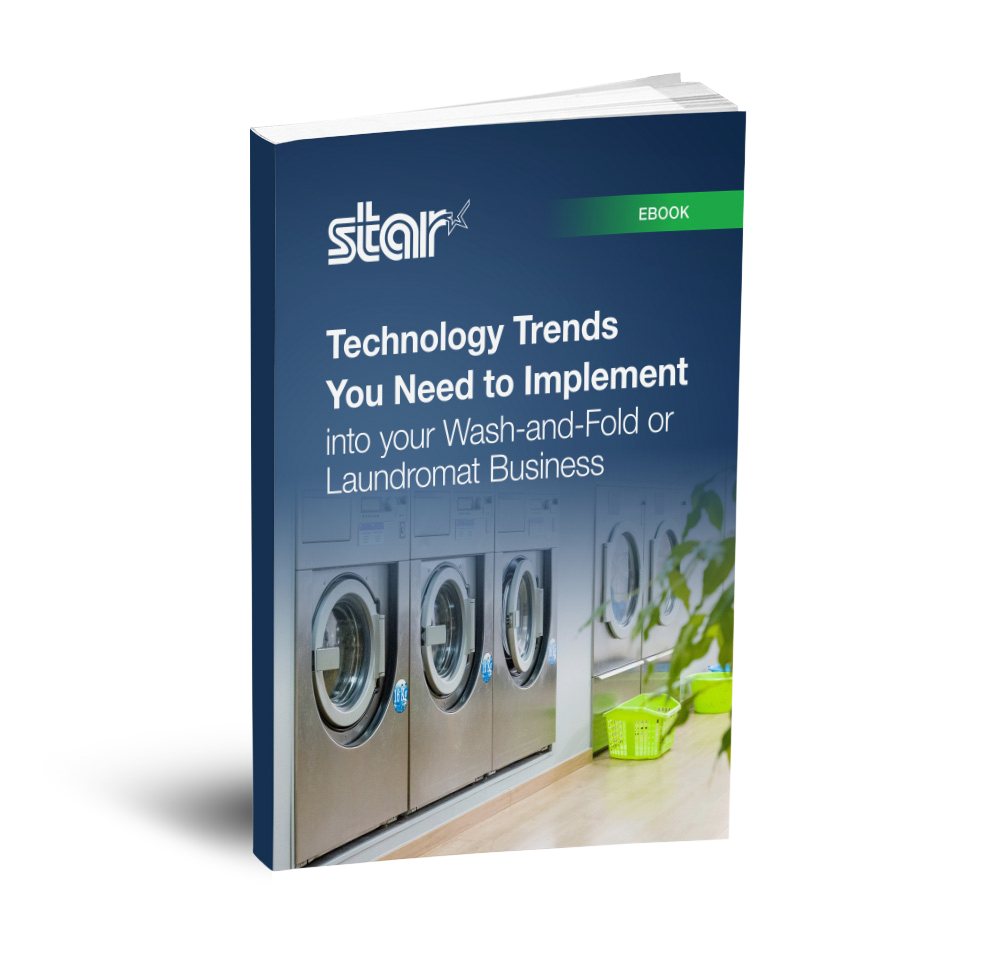
    Technology Trends You Need to Implement into your Wash-and-Fold or Laundromat Business ebook.

    Technology Trends You Need to Implement into your Wash-and-Fold or Laundromat Business

    Run your competitors through the rinse cycle using the POS technology explained in this helpful guide!

    Get Yours Now

    Take the Next Step for Your Dry Cleaning Process

    Printing can modernize and optimize each step of the dry cleaning process, resulting in more efficient garment tracking, accurate orders, and customer satisfaction. To learn more about printers that are ideal for dry cleaning operations and adapt to your specific requirements, contact us. 

    Additional Resources

    Star Micronics offers several options for dry cleaning label, tag, and receipt printing. Follow these links to learn more:

    • mC-Label3 – This multifunction printer enables printing on a variety of media, including linerless labels, both permanent and removable sticky linerless, traditional die-cut labels, and thermal receipts. The mC-Label3 is also cloud-ready. It connects with Star Micronics Cloud Services and Label Builder, so you can design labels and receipts and print them on demand without an internet connection using its One Touch multifunction button. 
    • TSP143IV SK – This thermal linerless sticky label printer is compact, features multiple connectivity options, and can accommodate paper widths of 80 mm, 58 mm, and 40 mm. 
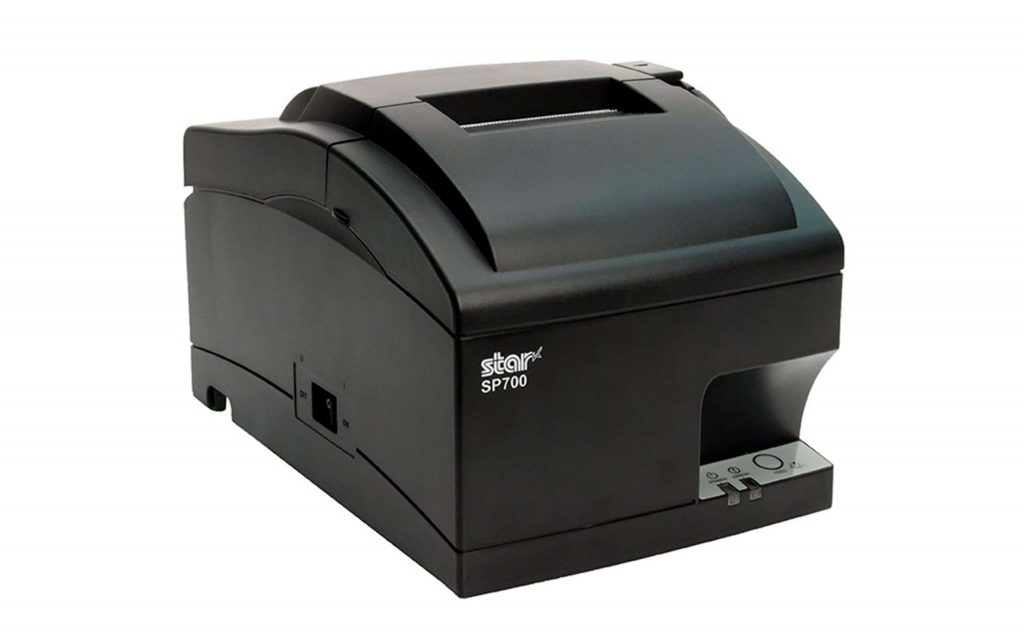
    • SP742 – If ticket stapling is still part of your workflow, the SP742 impact printer is the optimal choice for producing clear, durable receipts that withstand the rigors of the dry cleaning process. This high-speed, reliable impact printer performs well where heat and humidity are concerns. Plus, it features multiple connectivity options and easy maintenance.
    The SP742 impact kitchen printer is great for online ordering.

    SP700 Impact Printer

    With its robust design and consistent print quality, the SP700 impact printer enhances both operational efficiency and customer satisfaction by streamlining order management.

    Explore the SP700 >

    Ready to boost your dry cleaning workflow?

    Contact Star Now

  • Build a Visitor Badge System for Better Guest Experiences

    Build a Visitor Badge System for Better Guest Experiences

    Many organizations have established processes to identify visitors and control access within their facilities via visitor badge systems. Government buildings and schools require procedures to monitor who has entered the building and ensure everyone has registered, helping to keep their facilities and people secure. Hospitals and long-term care facilities require visitor badge printers as a part of a system to protect patients and to help control access to restricted areas. 

    Corporate enterprises issue badges to alert employees to the presence of visitors and ensure they don’t enter sensitive or unsafe areas. Whatever the setting, organizations across a wide range of industries have determined that identifying visitors and providing information about them on badges helps organizations operate more efficiently and securely.

    Explore Star Labeling Solutions

    How to Increase Badge-Issuing Efficiency

    While visitor badges are an integral part of a comprehensive access control strategy, the process of issuing them may be inefficient and interfere with positive guest experiences. Issuing badges manually takes time, and handwritten badges may be difficult to read. Moreover, it’s often impractical to include a visitor photo or other key details when badges are created by hand.

    Badge solutions that incorporate purpose-built software, cameras, scanners, and printers streamline these processes. The system can allow guests to scan their ID to auto-populate fields on a badge, use an integrated camera to include a photo, and automatically add details like permissions and entry time. These systems also create a log for real-time tracking and auditing purposes. 

    While issuing badges in most cases will continue to require an employee to check credentials and ensure policy compliance, a visitor badge system saves time, keeps lines short, and improves the overall user experience.

    Features of the Optimal Visitor Badge Printer

    A visitor badge printer is a key component of any badge solution. To ensure efficient processes and high-quality badges, printers need the following features:

    1. Print Width

    You need the capability to print the right-sized labels so your team can easily read information and confirm that the badge is authentic. The ability to print on varying widths from the same printer is even more efficient, depending on your purposes.

    2. Print Quality and Speed

    A good visitor badge printer balances quick output with sharp, clear results to avoid bottlenecks while maintaining professionalism. 

    3. Flexible Connectivity

    Not all entrances to your facilities allow for a wired network connection to your software. Printers with wireless or Bluetooth connectivity options enable printing wherever necessary. 

    4. Access to Label Templates

    Printers that allow you to build and store pre-designed templates will make badge printing easier, especially when visitors have varying levels of permissions or unique needs.

    5. Hardware Design

    Choose a compact, space-saving printer with adaptable power options to suit your processes.

    6. Easy User-Friendly Maintenance

    A visitor badge printer with easy, user-friendly maintenance is essential for minimizing downtime and ensuring smooth operations. Features like toolless repair and straightforward upkeep allow staff to quickly address issues, keeping the badge-issuing process efficient and hassle-free.

    The mC-Label3 multifunction label and receipt printer from Star Micronics can fit media of multiple widths and types.
    The mC-Label3 multimedia printer by Star Micronics offers simple, user-friendly maintenance alerts.

    Choose the Right Label Media for Your Visitor Badge System

    The type of label media used is another crucial factor in building an efficient system.  Peel-and-stick die-cut labels, a common option, can slow down processes, extend visitor wait times, and generate waste from backing materials. These label rolls also need to be changed more often because they contain labels plus silicone backing, giving fewer labels per roll. Business owners will also need to keep more rolls stocked in-house, taking up valuable storage space. 

    Because of the drawbacks of using linered labels, many organizations are choosing linerless labels. These labels exit the printer ready to apply—there is no silicone backing to peel off. This allows employees to issue badges more quickly and efficiently. It’s also a more sustainable choice for the system, reducing paper waste and allowing organizations to store more labels per shipment, minimizing transportation emissions.

    Find out more about more about the eco-friendly advantages of linerless labels here >

    Evaluate Your Current Processes—and Your Options

    Transitioning from manual processes or outdated, legacy systems to a modern efficient badge solution will save time, streamline workflows, and help visitors get where they need to go with less friction and in less time. 

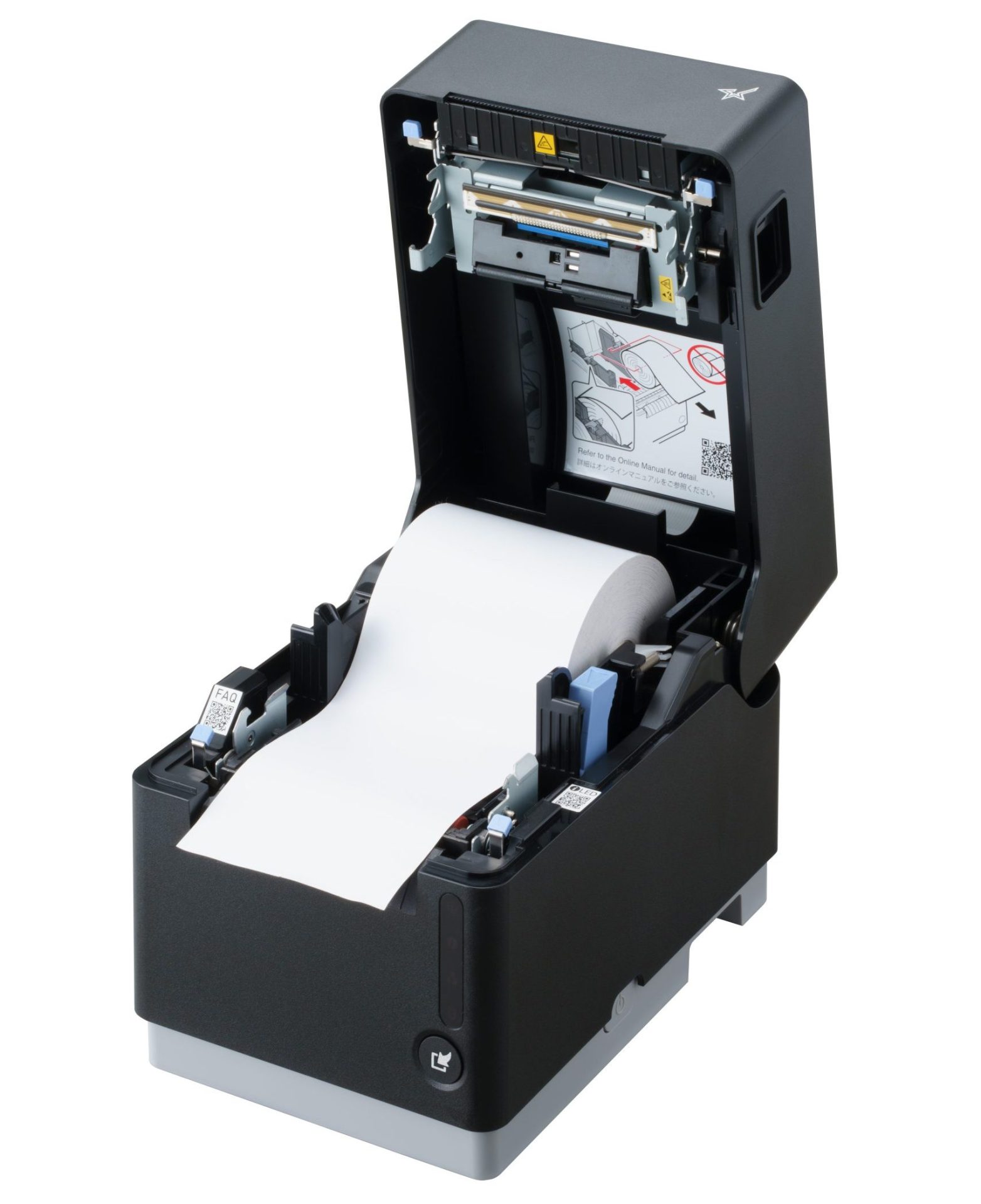
    Star’s mC-Label3 multimedia printer has all of the features you need to generate high-quality, easily readable badges that are customized to your needs. It allows flexible print widths and accommodates linerless sticky labels (whether diamond or full adhesive), permanent linerless labels, die-cut labels, and continuous labels. It also features multiple connectivity options, whether connecting requires wireless or wired options. 

    Designed with user-friendly maintenance in mind, the mC-Label3 offers toolless repair and provides maintenance alerts with QR codes that guide users to detailed instructions on what the printer needs. This multifunctional printer includes One Touch Label, allowing your team to print custom, pre-designed label templates stored directly in the printer—even without a network connection.

    Visit the mC-Label3 page for more information.

    The mC-Label3 multifunction label and receipt printer from Star Micronics.

    mC-Label3 Multimedia Printer

    The Star Micronics mC-Label3 is a versatile multimedia printer that prints a wide range of labels and receipts, including both permanent and repositionable sticky linerless. It features cloud connectivity and innovative technologies like SteadyLAN and TetherLAN for enhanced printing convenience.

    Discover the mC-Label3 >

    Learn More About Visitor Badge Printers From Star

    Contact Star Now

  • Energy Star Certified: Star Micronics is Printing a Greener Future

    Energy Star Certified: Star Micronics is Printing a Greener Future

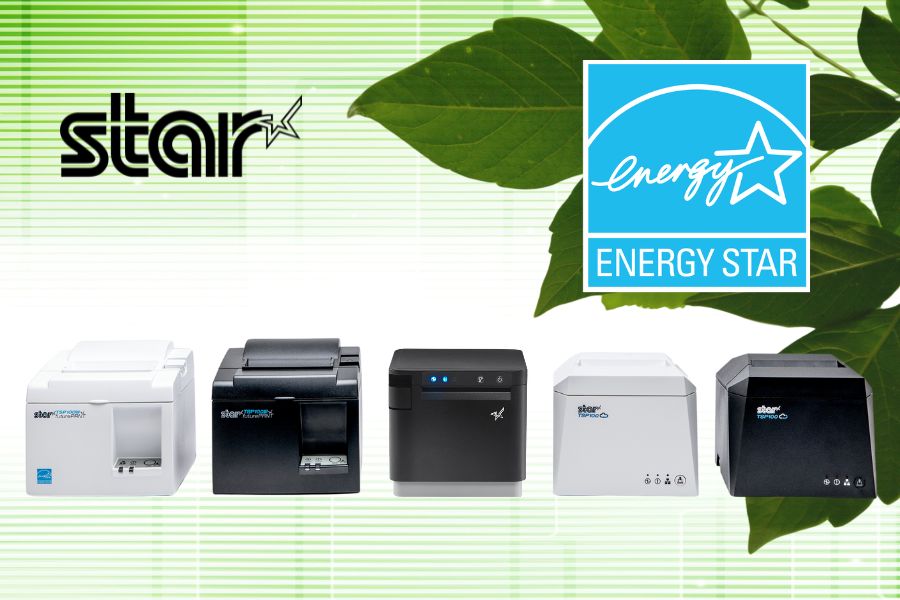
    Sustainability is more than just a buzzword—businesses are increasingly taking action to reduce their environmental impact. Every choice, from the products we use to the energy we consume, plays a role in shaping a greener future. At Star Micronics, we’re proud to do our part by offering Energy Star-certified printers that combine exceptional performance with energy efficiency.

    Read Star’s 2023 Environmental Report

    What Does It Mean to Be Energy Star Certified?

    When you see the Energy Star logo, it’s not just a marketing ploy; it’s a promise. This certification, awarded by the U.S. Environmental Protection Agency (EPA) and the Department of Energy (DOE), signifies that a product meets strict energy efficiency standards. Energy Star-certified devices are designed to use less energy without sacrificing performance, helping businesses cut costs while contributing to a cleaner environment.

    For printers, this means efficient energy usage during operation and standby, reducing electricity consumption and helping to lower greenhouse gas emissions. By choosing Energy Star-certified printers, businesses can demonstrate their commitment to sustainability while enjoying long-term savings.

    Energy Star Certified: Star Micronics is Printing a Greener Future

    Why Energy Efficiency Matters in Printers

    Printers are essential workhorses in industries worldwide, from retail and hospitality to healthcare and logistics. However, they’re also notorious for their energy demands. That’s where Energy Star certification makes a difference. By using less energy, these printers reduce operational costs and support global sustainability efforts.

    For businesses, it’s more than just a numbers game. Choosing energy-efficient products signals to customers and employees that you prioritize environmentally responsible practices. It’s a small change with big implications for the planet and your brand.

    Sustainability is not just for printers! Find out about the eco-friendly advantages of linerless labels >

    Star Micronics Energy Star-Certified Printers

    At Star, we believe innovation and responsibility go hand in hand. That’s why we’re thrilled to offer a lineup of printers that have achieved Energy Star certification, ensuring you don’t have to choose between performance and sustainability.

    Leading the charge are our TSP143III and TSP143IV series printers, known for their reliability and advanced connectivity. These models are designed to handle high-demand environments while conserving energy at every step.

    TSP143IV SK Sticky Label Printer

    The TSP143IV SK by Star Micronics sets a new standard for compact, eco-friendly thermal linerless label printing, offering advanced connectivity options like Wi-Fi and AOA, and efficient, residue-free labels for diverse business needs.

    Find out more >

    TSP143IV SK Thermal Linerless Sticky Label Printer by Star Micronics.

    If compact and sleek is more your style, look no further than the mC-Print3. The second generation of this model (MCP31) is packed with cutting-edge features like “Ultra-C” USB-C connectivity and CloudPRNT Next, all while meeting Energy Star standards. And let’s not forget the mPOP, our complete point of purchase solution that combines a printer and cash drawer in an energy-efficient and space-saving design.

    The mC-Print3 thermal receipt printer by Star Micronics.

    mC-Print3 Receipt Printer

    The Star Micronics mC-Print3 combines high-speed printing with advanced connectivity options like “Ultra-C” and CloudPRNT Next. Its “Ultra-C” USB-C port provides seamless power and data transfer with any device, while CloudPRNT Next offers enhanced remote printing using the MQTT protocol, ideal for modern POS environments.

    Discover the mC-Print3 >

    Choosing Star Means Choosing a Better Tomorrow

    Every business decision shapes the world we leave behind. With Star Micronics Energy Star-certified printers, you’re not just investing in reliable, high-quality hardware; you’re choosing a future where sustainability and efficiency go hand in hand.

    Whether it’s reducing your electricity bill or lowering your carbon footprint, these printers empower your business to make a difference. By supporting greener technologies, you’re joining a global effort to create a healthier planet for generations to come.

    Ready to upgrade to Energy Star-certified printing? Explore our range of printers today and discover how Star Micronics can help your business thrive sustainably.

    Contact Star Now

  • The Best Receipt and Label Printer Options for Spas and Salons

    The Best Receipt and Label Printer Options for Spas and Salons

    As a salon or spa owner, you create the personalized, relaxing — even luxurious — experiences your customers crave. However, managing a successful business behind the scenes is often anything but relaxing. In the 2020s, hiring, training, and overseeing staff have become increasingly time-consuming, taking you away from focusing on clients. Rising inflation has made product selection and inventory control essential to staying profitable, while effective marketing and brand-building are crucial to retaining customers. 

    Fortunately, investing in the right technology, like a versatile receipt or sticky label printer, can help address these challenges. A modern label printer as part of your spa or salon point of sale (POS) system can help lighten the load, giving you a practical way to keep things organized, showcase your brand, and free up time to focus on what matters most: delivering that perfect experience for every client.

    Explore Spa & Salon Solutions

    Receipt and Label Printer Features for Salons and Spas

    In choosing a receipt and label printer, it’s all about finding one that adds ease and polish to your day-to-day. Think of it as choosing a tool that blends seamlessly into the ambiance of your space—reliable, aesthetically pleasing, and able to handle the flow of customers. Start with high-quality output; after all, your brand is on every receipt and label that leaves your business. Clear, professional-looking prints keep things elegant, whether it’s a transaction receipt or a label for custom-blended products.

    Speed and reliability are also key players here, especially during peak hours. You want a device that’s as efficient as it is intuitive—because training new or seasonal staff should be easy, leaving more time for creating client magic. A compact design that preserves precious counter space is also a plus, allowing you to maintain a clutter-free, welcoming atmosphere.

    The TSP143IV SK linerless sticky label printer by Star Micronics is a great choice for spas, salons, and beauty parlors.
    The TSP143IV SK repositionable linerless label printer by Star is the most compact 3″ desktop sticky label printer on the market.

    Connectivity with Your Spa or Salon Point of Sale System

    Your POS system, whether it’s Square, Clover, or otherwise, is the backbone of your business, so any printer worth considering should connect seamlessly with it, creating a truly well thought-out experience. Look for printers with multiple connectivity options, like Bluetooth, Wi-Fi, USB, and Ethernet. These options allow for flexible placement and make sure the printer works with a variety of devices, from a mobile POS tablet to a desktop computer at the front desk.

    Imagine the freedom of mobile connectivity: you’re no longer tethered to a single checkout counter, allowing staff to close out transactions wherever they need.

    Star Micronics provides a range of printers with the right connectivity compatible with many POS systems, ensuring smooth operations so you can spend less time on tech management and more time on your clients.

    The mC-Print3 thermal receipt printer by Star Micronics.

    mC-Print3 Receipt Printer

    The Star Micronics mC-Print3 combines high-speed printing with advanced connectivity options like “Ultra-C” and CloudPRNT Next. Its “Ultra-C” USB-C port provides seamless power and data transfer with any device, while CloudPRNT Next offers enhanced remote printing using the MQTT protocol, ideal for modern POS environments.

    Discover the mC-Print3 >

    Printers that Allow You to Use Different Paper and Label Types

    A truly versatile printer meets the needs of both receipt and label printing, whether you’re printing product labels for a new line of bath products or creating a thank-you label for customer orders. The Star Micronics mC-Label3 multimedia label printer is an excellent choice here, designed to handle various media types, including repositionable and permanent linerless label media, giving you the flexibility to print both receipts and adhesive labels.

    With support for different media widths, this printer allows you to print everything from transaction receipts to customized labels (using Star’s Label Builder platform) that reflect your brand’s unique style.

    Find out “The Importance of Permanent Linerless Labeling in Modern Business” here >

    The mC-Label3 multifunction label and receipt printer from Star Micronics.

    mC-Label3 Multimedia Printer

    The Star Micronics mC-Label3 is a versatile multimedia printer that prints a wide range of labels and receipts, including both permanent and repositionable sticky linerless. It features cloud connectivity and innovative technologies like SteadyLAN and TetherLAN for enhanced printing convenience.

    Discover the mC-Label3 >

    Eco-Friendly Printing Solutions for a Sustainable Salon or Spa

    There’s a reason modern receipt and label printers are a must for today’s salons and spas. Not only do they create that smooth client experience, but they also add value behind the scenes. These printers help support eco-friendly options, like energy-saving features, allowing your business to operate more sustainably while cutting down on waste. 

    Linerless label printers in particular use high-quality label rolls similar to traditional linered options, but without the silicone backing. This eliminates substantial liner waste, helping reduce environmental impact. Additionally, without a liner, each roll holds nearly twice as many labels, maximizing space and reducing the frequency of roll replacements.

    Learn more about the eco-friendly sustainability features of linerless labels here >

    More Benefits of a Modern Printer for Your Spa or Salon

    Modern printers are also built for durability and ease. Features like auto-cutters and simple paper loading ensure minimal downtime, while advanced thermal print heads reduce maintenance needs. This level of reliability frees up your time for the things that matter most—like delivering the kind of service that keeps clients coming back.

    Below are some more benefits that modern receipt and label printers can bring to spas, salons, and beauty parlors:

    1. Easier Employee Training

    Spas and salons often rely on the owner or long-time employees to share their knowledge of running the shop. Labeling the stockroom and equipment allows new employees to find what they need more quickly, collect information for effective inventory management, and communicate warranty information to service techs when equipment or tools need replacement or repair. New employees can learn how to print from your spa or salon POS system faster, work independently sooner, and devote their attention to customers to increase satisfaction with your business.

    2. Inventory Control Made Simple

    Receipt and label printers can help track products, whether they’re for salon use or retail. Barcodes or QR codes can be added to customized labels, marking inventory for easy identification. Also, transaction data from receipts provides insights into what’s selling, helping you make smart, data-driven inventory decisions.

    3. Brand-Building Opportunities

    Customized receipts and product labels featuring your logo add a professional touch that clients notice. Personalized messages and QR codes that send customers to loyalty programs or landing pages all work to create a better customer experience. This cohesive client experience reinforces your brand’s image and reflects the quality and personality of your spa or salon.

    Beyond the Label: Elevating Brand Connection and Loyalty ebook by Star Micronics.

    Beyond the Label: Elevating Brand Connection and Loyalty

    Discover how strategic labeling can redefine customer engagement and boost brand loyalty in this digital age. “Beyond the Label” offers insights into innovative labeling techniques that help retailers and restaurateurs captivate and connect with their audience more effectively.

    Get Yours Now

    Receipt and Label Printers Made for Spas and Salons

    Adding a high-quality thermal receipt or label printer is more than a business decision; it’s an investment in a smoother, more efficient client experience. With seamless POS connectivity, versatile media options, and thoughtful design, printers like the Star Micronics mC-Label3 multimedia label printer let you keep your workflow moving while maintaining your brand’s professional edge.

    Imagine the time and energy you’ll save for the things that truly matter—like creating those unforgettable experiences your clients love and expect.

    Get the Best of Star for Your Salon or Spa.

    Contact Us Today

  • Essential Airport Restaurant Solutions for Modern Hospitality

    Essential Airport Restaurant Solutions for Modern Hospitality

    Restaurants and food service companies with airport locations have an immense opportunity to provide the meals and snacks travelers count on to sustain them before or after flights. However, filling orders and optimizing customer experiences can be a challenge without the right airport restaurant solutions. 

    Airport restaurant and concessions staff have to deal with demand from thousands of people, particularly when large flights land or at traditional mealtimes. Furthermore, travelers are looking for a variety of experiences. Some want quick service before catching a connecting flight and will not be patient if forced to waste time standing in line. Others want to relax in a restaurant during a long day of travel. 

    Regardless of how they engage, travelers want efficient service and food made to order. The complexity of managing multiple restaurants can make meeting those demands even more challenging. Operators may have numerous locations throughout an airport or have locations with different branding and menus. Ensuring smooth operations at each restaurant, counter, and concession stand requires real-time visibility and centralized control.

    Discover Star’s Airline Solutions

    Must-Have Airport Restaurant Solutions

    Technology tailored specifically for airport restaurants helps meet high customer expectations for quick, efficient service, even during peak times. Modern airport restaurant and food service operations leverage the following technologies: 

    1. Online Ordering and Cloud-Ready Hardware

    With more travelers opting to order food and beverages from their mobile devices, online ordering has become an essential service for airport restaurants. Allowing customers to browse menus, place orders, and pay directly from their phones not only enhances convenience but also helps reduce wait times at busy counters. Customers can complete an order with a few taps as they move through the terminal, allowing staff to prepare the food before they even approach the restaurant.

    To support this level of convenience, having cloud-ready hardware is ideal. Cloud-print-enabled printers receive orders directly from online ordering platforms, whether from mobile apps or websites, minimizing the need for extra devices or manual input. This technology helps staff stay updated with orders in real time, reducing delays and making sure that all orders—no matter where they come from—are accurately printed and efficiently managed.

    Star Micronics’ CloudPRNT technology makes this process flawless by allowing printers to communicate directly with web-based ordering services. With Star’s CloudPRNT Next, enhanced by the MQTT protocol, airport restaurants benefit from faster, more reliable cloud communication, ensuring orders are printed promptly, even in high-demand environments.

    Explore CloudPRNT Next

    Star Micronics' CloudPRNT Next, featuring the MQTT protocol, sets a new standard for cloud-based printing by providing faster and more reliable communication between devices.

    2. Self-Service Kiosks

    Deploying kiosks is one of the best ways to keep lines short and minimize errors and waste. Instead of waiting for assistance from an employee, travelers place their orders at a kiosk, using a touchscreen to choose precisely what they want. 

    Self-service “kiosks” can take many forms, from large interactive digital signage to touchscreens embedded in cabinets. However, a tablet in a secure enclosure supported by a tablet stand or display gives airport restaurants a space-saving way to provide self-service options. 

    With self-service kiosks, travelers are free to quickly browse their options and potentially even place orders with different restaurants or vendors near them from the same screen. Kiosk software can make nutrition and allergen information readily available and upsell customers with offers to expand an order into a combo or add a side. 

    After making their selections, travelers can pay at the kiosk using cash, a payment card, or a mobile wallet. A receipt or ticket with an order number is then printed for easy tracking. The receipt can also include an estimated time when the order will be ready so travelers can purchase items for their flights or run other errands before picking up their food.

    Airport Restaurant Solutions Kiosk

    3. Kitchen Printers

    Once travelers place their orders, it’s essential for airport kitchens to receive them quickly and accurately. Kitchen printers ensure each order reaches the back of house promptly, helping staff prepare and serve food efficiently, even during busy times. By improving the order process, these printers contribute to faster service, ultimately creating a smoother experience and happier customers.

    Impact printers are known for their durability and can handle the demands of busy kitchen environments. They reliably produce clear, legible orders, performing well despite the heat and humidity often found in kitchen spaces. These printers also offer fast output, simple paper loading, and a compact design to optimize space.

    The SP700 series by Star Micronics supports CloudPRNT technology, which allows kitchen printers to receive online orders directly from cloud-based platforms without additional hardware. This capability makes it easier for staff to keep up with orders and reduces delays, providing a positive experience for both in-house and online customers.

    SP700 Impact Printer

    With its robust design and consistent print quality, the SP700 impact printer enhances both operational efficiency and customer satisfaction by streamlining order management.

    Explore the SP700 >

    The SP742 impact kitchen printer is great for online ordering.

    As modern kitchens adopt effective heat control, thermal receipt printers are quickly becoming the standard for reliable performance in high-temperature settings. Thermal ticket or chit printers offer faster speeds and enhanced connectivity options, making them ideal for a more streamlined kitchen workflow.

    Learn “Why Thermal Receipt Printers Have a Place in Today’s Modern Kitchens” here >

    4. POS and Receipt Printers

    For airport restaurant operations, POS and receipt printers play a crucial role in ensuring fast and polished customer experiences. High-volume environments require efficient POS systems that can quickly process various payment types, from mobile wallets to contactless cards, meeting the fast-paced demands of airport travelers. Paired with high-speed thermal receipt printers, these systems speed up transactions, minimizing wait times for customers eager to grab a bite before their flights.

    In addition to efficient processing, clear and readable receipts improve order tracking and pickup for customers and staff alike. Thermal receipt printers provide crisp, legible receipts with order numbers and instructions, helping travelers and staff stay organized in the fast-moving airport environment.

    The mC-Print3 thermal receipt printer by Star Micronics.

    mC-Print3 Receipt Printer

    The Star Micronics mC-Print3 combines high-speed printing with advanced connectivity options like Ultra-C and CloudPRNT Next. Its Ultra-C USB-C port provides seamless power and data transfer with any device, while CloudPRNT Next offers enhanced remote printing using the MQTT protocol, ideal for modern POS environments.

    Discover the mC-Print3 >

    5. Label Printers

    Label printers have become essential in airport restaurants, providing a versatile solution for labeling various items, from grab-and-go meals to fresh ingredients. Clear, easy-to-read labels display product names, nutrition facts, and prices, allowing travelers to make quick purchasing decisions, which is particularly valuable in fast-paced environments. 

    Linerless label printers, in particular, offer substantial benefits for airport restaurants. Unlike traditional labels, linerless labels do not have a silicone backing, which makes them quicker to apply, eliminates unnecessary waste, and keeps workstations cleaner and safer. These printers can use either a repositionable adhesive for temporary labeling or a stronger adhesive for more permanent applications. 

    The mC-Label3 multifunction label and receipt printer from Star Micronics.

    mC-Label3 Multimedia Printer

    The Star Micronics mC-Label3 is a versatile multimedia printer that prints a wide range of labels and receipts, including both permanent and repositionable sticky linerless. It features cloud connectivity and innovative technologies like SteadyLAN and TetherLAN for enhanced printing convenience.

    Discover the mC-Label3 >

    6. Barcode Scanners

    For restaurants looking to optimize inventory management and simplify workflows, barcodes or QR codes are an ideal addition to labels. Scanning these codes allows staff to quickly verify product details, check inventory levels, and even monitor sales trends for efficient reordering. Barcodes on receipts or QR codes for mobile app ordering also streamline the customer experience by making it easier to retrieve order details or participate in loyalty programs.

    Additionally, barcode scanners, whether handheld or countertop, are invaluable for smooth and accurate order processing, age verification, and stock tracking. From portable devices for stockroom use to fixed scanners for checkout, barcode scanning equipment enhances operational efficiency and accuracy, giving airport restaurant staff reliable tools to improve customer service and maintain organized, well-stocked inventory.

    Star’s 1D/2D Barcode Scanners

    Star offers a comprehensive range of IP-rated 1D/2D barcode scanners, ideal for diverse business needs. From retail to healthcare, our versatile scanners excel in parsing driver’s license and ID barcodes, ensuring swift and accurate data capture. Choose the perfect fit for your setup—desktop, handheld, or wireless Bluetooth options available.

    2D Barcode Scanners

    Star Micronics has the latest in retail barcode technology solutions with a range of desktop, USB handheld, and wireless handheld scanners.
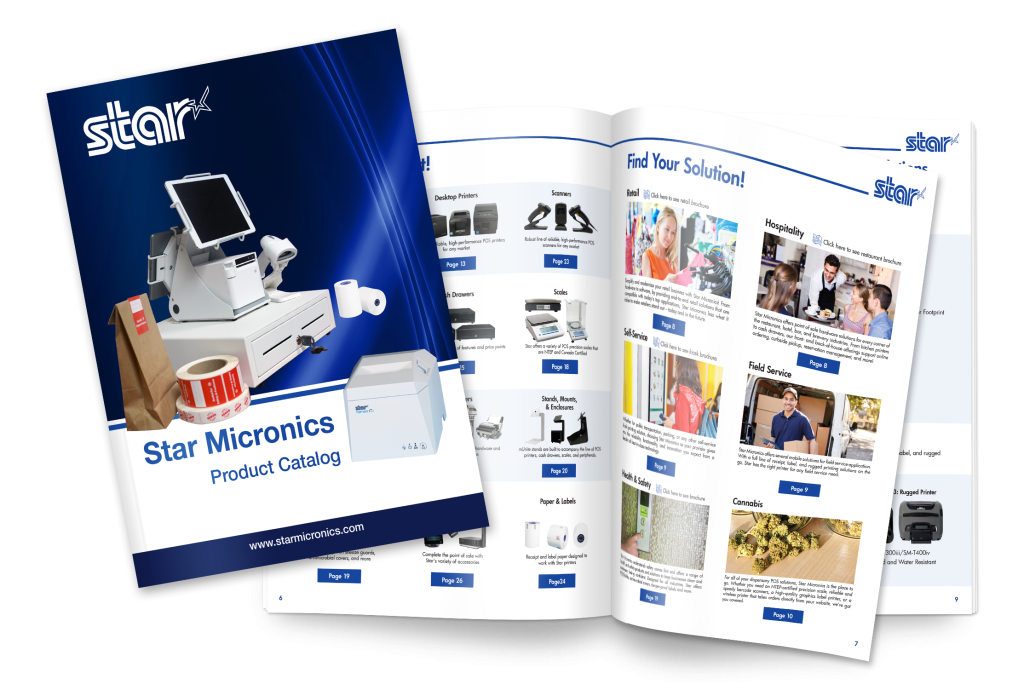
    Star Micronics full catalog of POS and labeling solutions.

    View the Star Catalog

    Discover the full range of Star Micronics airport restaurant solutions in our product catalog, offering the tools you need for efficient, high-performing airport dining operations.

    View Now

    Think Omnichannel for Airport Restaurant Solutions

    Travelers come from all walks of life, and their preferences for how they interact with businesses vary widely. For instance, non-native speakers may find it easier to use a kiosk with multilingual support, while travelers with mobility issues may prefer browsing menu options on a screen instead of moving from restaurant to restaurant. Some guests may even want the convenience of ordering from multiple airport eateries at once.

    On the other hand, travelers rushing to catch a connecting flight often seek quick grab-and-go options with fast self-checkout. Leveraging an omnichannel approach with airport restaurant solutions makes all types of engagement possible.

    Additionally, these solutions empower airport restaurants to drive greater operational efficiency, improve order accuracy, and minimize waste. By connecting front- and back-of-house processes, operators can ensure control, consistency, and high-quality customer service. With the right technology, airport restaurants can overcome the unique challenges of airport hospitality, creating a frictionless, low-stress experience that benefits both travelers and staff.

    Find Your Airport Restaurant Solutions Today:

    Contact Star Now

  • How the MQTT Protocol Saves ISVs Time, Money, and Cloud Space

    How the MQTT Protocol Saves ISVs Time, Money, and Cloud Space

    Today, the cloud reigns in the world of point-of-sale technology. Businesses are moving from on-premises systems to cloud-based solutions. This is especially true for the retail and hospitality sectors, which are embracing the benefits of cloud printing technology.

    As a result, these sectors are demanding from their independent software vendors (ISVs) something they never requested in the era of on-premises software: fast, reliable, and scalable cloud solutions. This is where the MQTT protocol offers transformative benefits, helping ISVs save time, cut costs, and optimize cloud resources.

    Explore Star’s POS Technologies

    What is the MQTT Protocol and Why Does It Matter to ISVs?

    MQTT (Message Queuing Telemetry Transport) is a lightweight communication protocol built for efficient, low-bandwidth data transfer, providing ISVs with a solution that boosts system performance while keeping operational demands low. Unlike traditional protocols like HTTP, which rely on constant polling, MQTT uses a publish-subscribe model—where devices (publishers) send data to a central broker, which then forwards the data only to devices that have expressed interest in receiving it (subscribers). This method sends data only when necessary, eliminating the need for constant checks and updates.

    The difference results in faster, more efficient cloud communication that reduces resource burdens and cuts unnecessary costs. For ISVs managing cloud-based printing systems, such as POS printers or remote services, this approach offers a significant advantage in reliability and performance.

    At its core, MQTT facilitates real-time communication between devices and cloud applications, making it especially valuable for ISVs handling systems that require stable connections. The protocol helps ISVs manage cloud-based applications more effectively by reducing network congestion and allowing for faster, real-time data transfer.

    This efficiency is particularly beneficial for companies operating across multiple locations—such as retail chains, hospitality franchises, or food delivery services—where smooth operations across dispersed regions are essential.

    Find Out About Star SDKs

    For ISVs navigating the complexities of printer integration, the path forward is often strewn with challenges. Get to know Star Micronics’ range of software development kits (SDKs), each uniquely crafted to address these challenges and enhance your integration prowess.

    Get the Guide

    Time-Saving Benefits of MQTT for ISVs

    Implementing MQTT in your systems can greatly optimize print job management and POS communication. Its instantaneous data transfer reduces latency, making operations faster and more efficient. This is especially useful for businesses in retail or hospitality, where speedy data processing is critical.

    Key Benefits:

    • Reduced Latency: Real-time data transfer processes print jobs faster, minimizing delays and downtime.
    • Automated Communication: Automatically maintains server-device connections, removing the need for frequent manual checks.
    • Improved Scalability: Lightweight design supports easy expansion without overloading networks as businesses grow.
    • Faster Transactions: Quicker print jobs result in improved customer service, particularly in fast-moving environments.

    Cost-Saving Advantages of MQTT

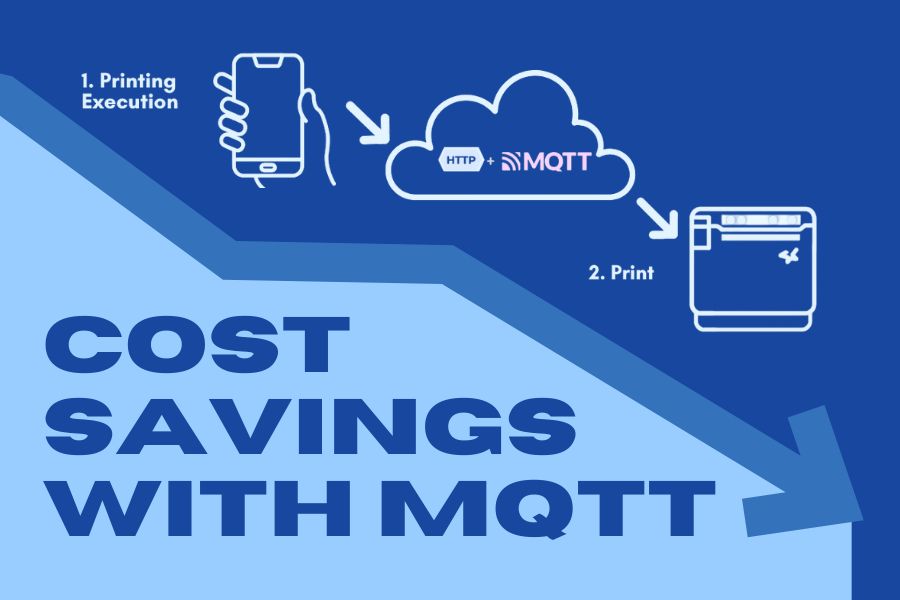
    In addition to time savings, MQTT also provides notable financial savings for ISVs. One of the main ways this is achieved is through minimized bandwidth usage. Unlike HTTP, which consumes bandwidth continuously by polling for updates, MQTT only transmits data when it’s needed. This results in lower data consumption, which directly reduces expenses related to bandwidth and server use.

    For cloud-based printing solutions, the MQTT protocol can also help ISVs reduce their cloud storage needs. By limiting data transmissions to necessary updates, less information is stored in the cloud, meaning ISVs need fewer resources to manage their systems. This leads to lower cloud hosting costs and makes it easier to maintain scalable, cost-efficient operations as business demands increase.

    Additionally, the use of MQTT can lower infrastructure costs by streamlining server needs to handle constant data traffic. ISVs can operate with leaner infrastructure, which translates to reduced investment in hardware and network systems.

    How the MQTT Protocol Saves ISVs Time, Money, and Cloud Space

    How MQTT Optimizes Cloud Space

    Another critical benefit of MQTT for ISVs is its ability to minimize cloud storage usage. The protocol uses a publish-subscribe model, dramatically reducing the amount of cloud space required, which is particularly advantageous for ISVs managing multi-location businesses that rely on cloud-based systems for remote printing, inventory management, and more.

    By refining data transfer practices and reducing the amount of unnecessary information stored in the cloud, MQTT helps ISVs reduce reliance on costly cloud storage solutions. This is particularly useful for businesses experiencing rapid growth or those looking to expand into new locations without increasing their cloud infrastructure costs.

    As cloud storage fees continue to rise, the efficiency provided by MQTT can result in significant long-term savings for ISVs. With MQTT, you’re only using cloud resources when absolutely necessary, which helps you avoid overage fees and ensures that you always have sufficient cloud capacity for the most critical tasks.

    • Reduced Cloud Storage Usage: MQTT sends data only when updates are necessary, which significantly decreases cloud space requirements, especially for businesses managing multiple locations.
    • Optimized Data Transfer: By cutting down on unnecessary data transmissions, MQTT ensures that ISVs need fewer cloud resources, lowering reliance on expensive storage solutions.
    • Long-Term Cost Savings: As cloud storage fees increase, the reduced data transmission of MQTT helps ISVs avoid overage fees, resulting in substantial cost savings over time.
    • Scalability for Growing Businesses: MQTT’s lightweight design allows ISVs to scale their operations efficiently without overwhelming the network, making it ideal for businesses looking to expand.
    • Improved Cloud Resource Management: With MQTT, ISVs can ensure that cloud resources are used only when necessary, maintaining ample capacity for critical tasks without overspending on storage infrastructure.

    All About Star’s CloudPRNT

    Scalability and Efficiency for Multi-Location Businesses

    For businesses operating across multiple locations, adaptability is essential. The MQTT protocol makes it easier for ISVs to manage print jobs and other critical tasks across geographically dispersed locations without overwhelming the system. Whether you’re running a chain of retail stores, restaurants, or even healthcare clinics, MQTT ensures that your cloud-based systems stay responsive, reliable, and easy to manage.

    With the MQTT protocol, ISVs can monitor multiple devices and systems from a centralized hub, simplifying communication and ensuring consistency across all locations. This allows businesses to scale without needing major infrastructure updates, making it an ideal solution for growing companies looking to maintain efficiency while expanding.

    Discover the power of Star Micronics' industry-leading point-of-sale (POS) technologies designed to revolutionize business operations in this free ebook.

    Learn About Star’s Industry-Leading Tech

    Experience the difference with Star Micronics’ advanced POS technology, designed to make your business run smoother.

    Get the Knowledge

    The Future of ISV Solutions with the MQTT Protocol

    The MQTT protocol represents a shift toward more efficient cloud communication, offering ISVs a scalable solution that lowers costs and maximizes performance. By reducing bandwidth consumption, lowering cloud storage needs, and enabling real-time data transfer, MQTT is revolutionizing how cloud-based printing and POS solutions operate.

    For ISVs looking to implement cutting-edge technology, Star Micronics offers CloudPRNT Next, a cloud-based printing solution that harnesses the power of MQTT to deliver fast, efficient, and reliable remote printing. With CloudPRNT Next, ISVs can leverage the full benefits of MQTT, ensuring their systems remain future-proof while providing the best possible service to clients.

    If you’re ready to explore how CloudPRNT Next and the MQTT protocol can transform your cloud operations, reach out to the Star Micronics integrations team today.

    Star Micronics' CloudPRNT Next, featuring the MQTT protocol, sets a new standard for cloud-based printing by providing faster and more reliable communication between devices.

    Contact Star Integrations