Tag: Printing Technology

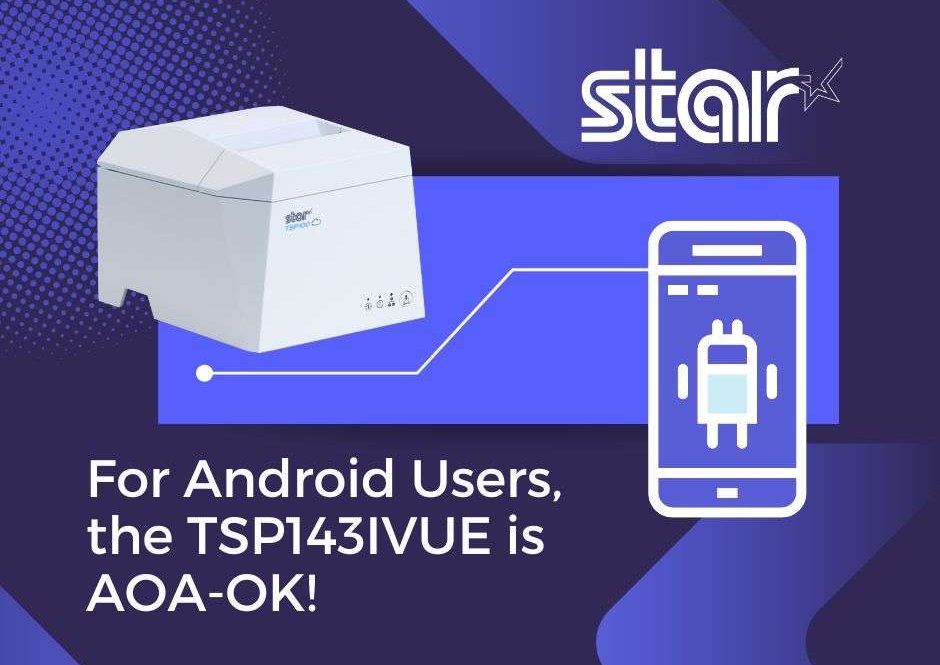
  • For Android Users, The TSP143IVUE Printer is AOA-OK!

    For Android Users, The TSP143IVUE Printer is AOA-OK!

    At Star Micronics, we’re always attuned to market dynamics and trends. Following our successful launch of MFi technology, which facilitated seamless Lightning connections between our printers and Apple’s iOS devices, we recognized the surging adoption of Android devices in powering small business point-of-sale (POS) systems.

    To remain at the forefront of industry innovation, we swiftly adapted to serve this expanding Android market segment, ensuring compatibility and operational excellence.

    Embracing the Android Open Accessory (AOA) protocol has been transformative for both software developers and business owners. The TSP143IVUE is ultra-connected and boasts an array of features ensuring future-proof adaptability. With AOA integration, this thermal printer not only streamlines operations but also underscores the sophistication and innovation at the helm of today’s businesses.

    Let’s dive into the specs for the TSP143IVUE, but first, let’s find out what AOA is:

    What is Android Open Accessory (AOA)?

    Android puts it best on their website, so why ruin a good thing?

    Here’s what they said about AOA:

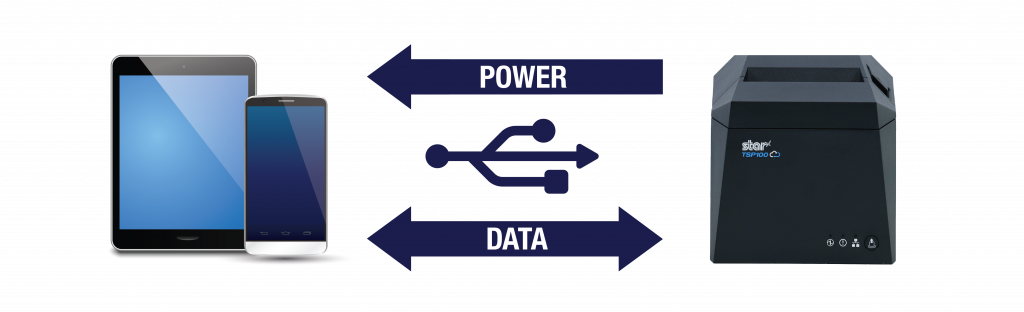
    “Android Open Accessory (AOA) support allows external USB hardware (Android USB accessories) to interact with Android-powered devices in accessory mode. When an Android-powered device is in accessory mode, the connected accessory acts as the USB host (powers the bus and enumerates devices) and the Android-powered device acts as the USB accessory.”

    Star Micronics receipt and label printers have models that support the Android Open Accessory (AOA) protocol.

    “Android USB accessories are designed to attach to Android-powered devices. Such accessories adhere to AOA, enabling them to detect Android-powered devices that support accessory mode, and must provide 500mA at 5V for charging power.

    Some previously-released Android-powered devices are capable of acting only as a USB device and cannot initiate connections with external USB devices. AOA support overcomes this limitation, enabling you to build accessories that can initiate connections and interact with an assortment of Android-powered devices.”

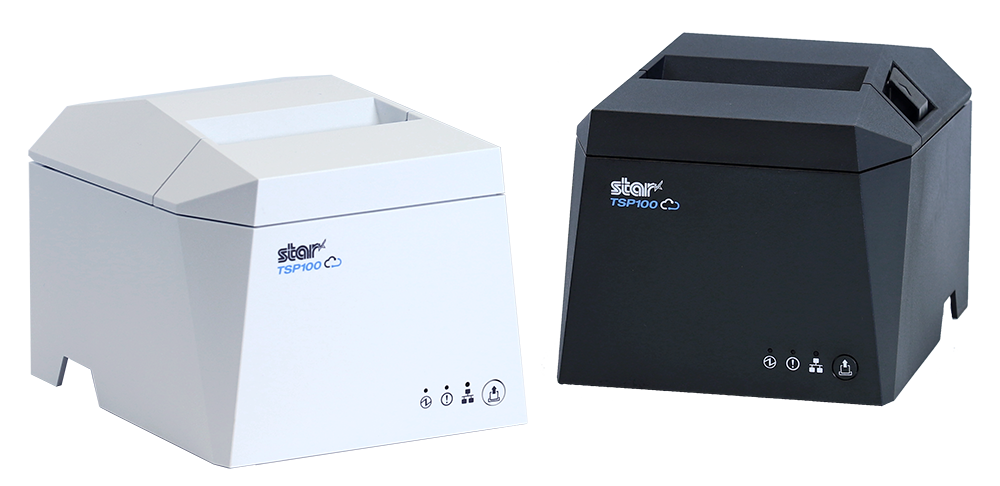
    The TSP143IVUE Thermal Printer Supports AOA

    Star’s new innovative printing solution accommodates the fast-growing Android-user market with the connectivity people want. The future-proof TSP143IVUE supports the Android Open Accessory (AOA) protocol, allowing the printer to communicate with and power most Android devices when plugged in.

    With its modern design, enhanced connectivity, ease of integration, and 20% smaller footprint than its predecessor, the TSP143IVUE is the perfect solution for the demands of today’s market.

    The TSP143IVUE Supports CloudPRNT & More

    Along with AOA support, adding a USB/LAN Dual Interface and CloudPRNT to the newest TSP143IVUE thermal receipt printer has fully elevated our popular printing series for today’s needs. This advanced printing solution seamlessly integrates with Android, iOS, and Windows applications, offering unparalleled versatility and ease of use.

    Plus, it’s backward compatible with its previous version, the TSP143III, making it effortless for people to upgrade.

    It’s also Cloud Ready, connecting to cloud-based POS software and Star Micronics Cloud Services. Star’s Cloud Services enable offsite device monitoring in real-time, custom-designed promotions, and more. 

    Here are some key features of the TSP143IVUE:

    • A Dual Interface: LAN + USB (USB-C and USB-A)
    • A Compact and Ultra-Modern Design
    • AOA Protocol Support: Charging and Communicating with Android Devices
    • CloudPRNT technology to work with cloud-based software
    • 100% Cloud Ready with Star Micronics Cloud Services
    • Full compatibility with its previous version
    • 250mm/s High-Speed Thermal Printing
    • Easy “Drop-In & Print” Paper Loading

    Discover the TSP143IVUE: AOA Excellence and Beyond

    Find out more about the TSP143IV series, including the UE model here.

    Questions? Talk to a member of our friendly Sales Team:

  • Star Micronics Introduces Wireless Technology for the Latest TSP100IV

    Star Micronics Introduces Wireless Technology for the Latest TSP100IV

    The TSP143IVUW supports dual-band WiFi, becoming a hub that gives maximum flexibility when connecting to any network.

    Somerset, NJ – April 19, 2022 – Star Micronics, a leading manufacturer of mobile, point-of-sale (POS), and customer engagement technologies, is excited to announce the release of the TSP143IVUW, the latest model in the new TSP100IV series that now boasts dual-band wireless technology.

    This innovative printing solution supports dual-band connectivity (2.4GHz / 5GHz), giving ultimate control over the local printing environment. Wireless networks that need long-distance coverage can use 2.4GHz, while the more powerful 5GHz is best for reducing lag and interference, especially in busy kitchens with microwaves and hardware that compete for bandwidth on a 2.4Ghz network. By offering a choice to use one of the two frequencies, 2.4GHz or 5GHz, Star’s TSP143IVUW provides maximum flexibility when connecting to any network.

    The TSP143IVUW is Cloud Ready, able to connect to any cloud application that supports Star’s CloudPRNT technology. With the addition of Star Micronics Cloud Services, including digital journal, cloud promotion print management, and device monitoring, the TSP143IVUW offers retailers and restaurateurs the next generation of POS printing, enabling marketing and receipt tools for the omnichannel world.

    Featuring a wide range of OS support, including Windows, iOS, Android, web- and cloud-based applications, the TSP143IVUW is high-speed and can print up to 250 millimeters per second. Its sleek, compact design boasts a 20% smaller footprint, with a protected internal power supply and fast “drop-in and print” paper loading. Offered with WLAN and USB-C connectivity, this printer has exceptionally easy installation, making it simple to incorporate into your existing POS system.

    Love industry news? Check out our podcast:

    About Star Micronics

    Star Micronics, a world leader in point-of-sale (POS), has designated a portfolio of printing, secure cash management, self-service, and customer engagement solutions for any retail or hospitality establishment. Embracing the mPOS wave, Star’s SDKs allow developers to utilize Star printers in tandem with Android™, iOS, iPad®, and iPhone® devices to generate receipts, labels, Chit, and tickets. Star Micronics is always leading and always innovating, creating cloud-based printing solutions, including CloudPRNT and Star Cloud Services, with AOA support and MFi connectivity. Star also has a wealth of peripherals, including 2D barcode scanners, scales, tablet display stands, and more. Visit www.starmicronics.com or follow us on FacebookTwitterYouTube, or LinkedIn to learn more.

    Media Contact:

    Christin Dorner

    Star Micronics America, Inc.

    cdorner@starmicronics.com

    848-216-3318

  • Star Micronics Releases StarXpand™ SDK for React Native

    Star Micronics Releases StarXpand™ SDK for React Native

    An industry-first, the SDK supports the integration of Star printers for React Native apps

    Somerset, NJ – April 8, 2021 – Star Micronics, a leading manufacturer of mobile, point of sale (POS), and customer engagement technologies, is excited to announce the release of the StarXpand™ SDK for React Native, a software development kit for Star printer control for the popular cross-platform framework, React Native.

    In the past, mobile POS applications had been developed exclusively for each operating system (OS), such as iOS and Android. However, in recent years cross-platform development – which allows more of the programs of an application to be developed with one code for multiple OS’s – is attracting attention. Cross-platform development is expected to become essential to application development in the future.

    To respond to this trend – and for the first time in the receipt printer industry – Star has developed StarXpand™ SDK for React Native. The SDK supports the development of connecting to and controlling Star printers in applications that utilize React Native. StarXpand™ SDK for React Native will help shorten the development time and maintenance costs associated with printer connection, and will be published on GitHub, a website where developers around the world publish and share program codes.

    StarXpand™ SDK for React Native uses a new StarIO10 framework which includes multiple advantages including: asynchronous communication allowing print jobs to happen in parallel; an emulation-free design so that one StarXpand™ document will work with any Star printer; human-readable command creation; faster printer search allowing users to discover all devices in under second; and a logging function between the OS and printer to be used for debugging.

    “As React Native becomes more prominent in the industry, the StarXpand™ SDK will be there to help developers easily create cross-platform POS solutions,” said Jon Levin, Director of Product Management at Star Micronics. “Easy-to-use and developer-friendly, the new StarIO10 framework is at the heart of that and will provide a great foundation for our SDKs going forward.”

  • POS Software and Systems Buyer’s Guide

    POS Software and Systems Buyer’s Guide

    Investing in a point of sale (POS) system is one of the best things you can do for your business, but with so many options on the market, how do you determine which POS hardware and software best suit your business needs and your budget?

    This guide can help you get on the right path to finding the perfect POS system for your business.

    Download the full POS Software and Systems Buyer’s Guide

    Step 1: Define Business Needs

    No one wants to waste time and money on a POS solution that lacks needed capabilities, or has unnecessary features that increase the price. To avoid purchasing a system that isn’t right for your business, you need to identify the specific challenges that you will need your new POS system to address.

    You can start by asking questions such as:

    • Is business suffering because customers must often wait in long lines at the POS?
    • Do shoppers frequently leave your establishment empty-handed because you don’t have the merchandise they want?
    • Are you spending too much time managing employees or trying to find out why your sales volume often doesn’t jibe with your inventory levels?
    • Do you want to attract new customers?

    The answers will help you identify the pain points you want to eliminate and the goals you want to achieve with a new POS system. Also consider the amount of time you spend on operations-related tasks and whether you need the POS system to automate processes. You may also want to consider whether you need the POS system to support initiatives that can help grow your business.

    Once you have clearly identified your business needs, research which POS functions address them. The list of the functions you need your new system to provide will help narrow the field of choices when you shop for a new POS system. The solutions you consider are likely to have a mix of “must-have” and “nice-to-have” features; remember to focus on what you need, which can help you minimize the cost of the system. “More” isn’t necessarily better when it comes to technology solutions.

    Step 2: Set a Budget

    Decide how much your business can afford to spend on a POS system. By most accounts, the average industry investment in POS systems totals 2 to 3 percent of retailers’ annual volume, and 1 to 1.5 percent of restaurant operators’ annual volume. Consider ongoing costs, such as software maintenance/updates, hardware maintenance, and technical support.

    Ask about payment options. Financing may be available to help with the considerable capital investment you will make. You may also be able to lease or lease-to-own POS hardware, which can minimize upfront costs, but may add to the total cost of the system. Another option available to you may be a POS-as-a-Service offer, which provides your system, as well as software updates and system upgrades, for a subscription fee to use (rather than own) the system.

    When choosing from among these options, always consider the total cost of ownership (TCO) and return on investment (ROI). The price of a full-featured POS system may seem high, but don’t forget the financial savings that such a system will yield throughout its lifecycle by reducing labor expenditures, improving inventory control, order accuracy, and cash-tracking, and putting a lid on shrinkage. A comprehensive POS system will also help to up the sales ante by facilitating more effective customer engagement and better customer service, as well as by giving you real-time insight into all aspects of your operation.

    Software-Stock-Image

    Step 3: Shop for Software

    As you consider your options, you will find that not every software solution is compatible with all POS hardware. Selecting your software first will prevent you from being limited in functionality.

    There are different types of software you can choose from:

    • Native. Native POS software is installed on your POS hardware. It is easier to customize than cloud-based software.
    • Cloud-based software (Software-as-a-Service, or SaaS). In a SaaS model, software is delivered via the cloud, and you pay for it on a monthly subscription basis. Also, cloud-based software can be accessed from anywhere there is an Internet connection, giving you enhanced visibility into, and control over your operation. Customizing this type of software may be difficult.
    • Hybrid software. This software can be run online in the cloud or offline.

    It can be helpful to research the types of POS software that other businesses like yours are using. Find out through references or reviews if these retailers or restaurateurs are happy with the type of solution, the functionality it provides, and the benefits the solutions provide to their businesses.

    It can also be helpful to learn about the POS software vendors that provide the software, gaining insights on the level of customer service they provide and their experience working with companies in your market or industry. Also consider whether the vendor is an established company — one that is not likely to close its doors and leave you without support for your system.

    Once you have created a list of POS solutions to consider for your business, it’s time to arrange for demonstrations. Using the solution yourself will give you a sense of how easy it will be for your employees to learn, to use efficiently, and to discover whether it will support your operations. It may be helpful to compare similar features side-by-side to arrive at an accurate assessment of the best solution for your business.

    Step 4: Find Compatible Hardware
    mPOP-300x202

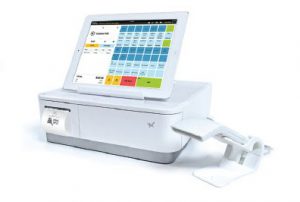
    The POS software you choose will dictate the POS hardware that you can use. In many cases, however, there will still be a number of options to choose from. Some of the choices you must make are related to how your employees will use the system. For example:

    • What is the preferred input method? Some operators favor keyboards or a scanner interface for POS data input, while others prefer a touchscreen interface that facilitates faster data input and easier training for new employees.
    • Will you use mobile POS? POS functionality on a tablet or other mobile device can give you linebusting, in aisle assist, and pay-at-the-table capabilities that can greatly enhance customer experiences. Your options include adding mobile POS to a traditional, stationary system, or using mobile POS alone.
    • Which peripherals are needed? You need to consider printers, cash drawers, PIN pads, payment card readers, and barcode scanners, and select the model that best suits your needs.
    • Will you accept all forms of payment? Make sure your new system gives your customers the ability to pay by their preferred methods. Now that the U.S. is migrating toward EMV payments, all new POS systems should have the ability to accept chip card payments. Failure to do so can result in bearing liability for fraudulent payment card charges. Also consider trends that indicate emerging payment types. Mobile wallet use, for example, is gaining ground. To accept payments of this type, you’ll need POS solutions that include near field communications (NFC) technology.
    • Which terminal design do you prefer? A traditional POS terminal design may work well for your business. If space at the checkout counter is limited, however, you may want to consider a more ergonomic solution with a smaller footprint, such as an all-in-one configuration that incorporates basic peripherals (e.g., printers, cash drawers, credit card readers, PIN pads, and customer displays) or a tablet POS system. You will also find options that are aesthetically pleasing and don’t detract from a store’s décor or restaurant’s ambiance.

    Just as you did with software vendors, find out all you can about POS hardware vendors. Read references and reviews, and speak with other businesses — preferably similar to yours — that use their solutions. Also ensure that the company provides warranties and technical support.

    Need Help Navigating This Process?

    Choosing a new POS system is an important decision, and to properly research your options and find the right solutions can be a time-consuming task. Fortunately, value-added resellers who specialize in POS systems for retail and restaurants are ready to assist you as you consider business needs and challenges that a POS system can address, set a budget, and select solutions that are right for your business. They will also help you deploy the new system and provide training and technical support.

    Download the Full Buyers Guide Now to Learn More
  • Keep Your Restaurant Operating with a POS Offline Mode and Tethered Connections

    Keep Your Restaurant Operating with a POS Offline Mode and Tethered Connections

    When it comes to running a restaurant business, there aren’t many things that are worse than downtime in your operations. It’s critically important to keep a restaurant running and avoid costly, inefficient downtime. Did you know choosing the right point of sale (POS) technology can help you do just that? Read on to explore how technology such as POS offline mode and tethered connections can help you mitigate interruption and keep your business sailing smoothly.

    POS Offline Mode

    POS offline mode can be a game changer when it comes to maintaining efficient, profitable restaurant operations. But first, let’s explore some reasons why your POS may go offline in the first place:

    • Your payment processor may have lost connectivity
    • Network issues can cause your POS to become disconnected
    • Various internet connectivity issues can make your system go offline
    • Unpredictable, unexpected POS server issues

    So, how does POS offline mode help? The mode is a feature within some restaurant POS solutions that keeps all your vital restaurant operations running even if your internet connection fails. Most importantly, POS offline mode can help businesses continue to process payments, including credit card transactions, safely and securely even without the internet.

    Choosing a solution that includes POS offline mode is extremely beneficial. Like we mentioned, this mode offers restaurants seamless operation, no matter the status of your internet connection. Due to the smooth operations that POS offline mode creates, you can rest assured that you are mitigating any possible downtime. And last but certainly not least, both of these factors contribute to a positive customer experience. No more impatient customers waiting for your system to come back online or scrambling to find a second payment method because your credit card processor is not functioning properly.

    Tethered Connections

    As a restaurant owner, another POS technology that can give you peace of mind when it comes to dependable operations is a tethered connection.

    There are several ways that tethered connections contribute to a business’s bottom line:

    • Less worrying: With tethered connections, there’s no need to worry about unreliable or shaky Bluetooth or Wi-Fi signals
    • Constant connection: A hardwired connection means constant and steady network connection
    • Decreased downtime: Less downtime means you remain as profitable as possible
    • Happy customers: Customers will be grateful to pay when and how they want, every time, helping to maintain a positive customer experience
    • Smooth sailing: Uninterrupted restaurant operation will keep your revenue flowing and reduce your employees’ frustration

    Star’s SteadyLAN® for Tethered Connections

    If you are looking for an unwavering tethered connection to always keep your business online, look no further than your receipt printer!

    Star’s SteadyLAN technology is a patent-pending technology available on certain mC-Print Series printers. It provides wired Ethernet service to iOS, Android, and Windows devices connected to a networked printer via the Lightning or USB-C® cable.

    With SteadyLAN, restaurants never have to worry about failed communication between their tablet and printer, or the tablet losing Internet connection. And the best part is that SteadyLAN provides both power and Ehernet connection through one single Lightning or USB-C® cable!

    Available on mC-Print2 and mC-Print3, SteadyLAN technology is a world first and provides the stability of a cabled LAN connection for tablet POS systems. By connecting the SteadyLAN-compatible printer to the Internet via wired LAN and connecting the printer and a tablet with a Lightning-USB or USB-C® cable, the device can use the Internet without Wi-Fi communication. At the same time, the tablet can communicate with the printer via USB or LAN and can be charged from the printer.

    Choosing a POS That Won’t Leave You Hanging

    If you’re looking to improve the reliability and stability of your POS solution, think of it as a two-part project: choosing the right software and selecting the proper hardware.

    Be sure to choose a POS software provider that offers POS offline mode to ensure that even if you lose internet connection, you can still seamlessly complete essential POS functions like processing credit card payments.

    Your hardware matters, too. Even if your POS software is able to function offline, you cannot afford to have a shaky, unreliable Bluetooth or Wi-Fi connection on your tablet day-in and day-out. By selecting POS hardware that has been designed with tethered connection in mind – like a receipt printer that can route both Ethernet and power to your iPad through a Lightning cable – you know that your system is quite literally hardwired for success.

    And of course, you want your software and hardware to work properly together, so it’s smart to choose a hardware provider like Star that partners with the industry’s leading and most popular POS software companies. Why not have all of the benefits of a reliable POS software and the advantages of trusted POS hardware that has been designed for steady operations? Together, the right POS software and hardware can work together to ensure optimal business operations all day, every day.

    Explore Star’s Certified Software Partners.

    Star is proud to offer a full range of dependable restaurant POS hardware offerings.

  • 3 Reasons Self-Service Kiosk Solution Providers Should Choose a Printer with Android SDK Support

    3 Reasons Self-Service Kiosk Solution Providers Should Choose a Printer with Android SDK Support

    The growth of the self-service kiosk industry is undeniable: 2019 was the third consecutive year of double-digit growth for the industry, according to Kiosk Marketplace. This data confirms that the industry is a very attractive specialized vertical to focus on, and as a kiosk solution provider, being prepared to provide what the market needs – with the right technology and innovation – is key.One example of this innovation is the ability for a kiosk to support tablets, including Android-based systems. Why is supporting Android tablets so important? As a kiosk solution provider, read on to discover three reasons you should choose a printer with Android SDK support.

    Free Self-Service Kiosk Resources

    The future of many industries lies with self-service solutions. That’s why Star Micronics is offering free online ordering resources for resellers and software developers who are helping customers future-proof their businesses with self-service solutions.

    Reason #1: Android as a Replacement Device

    The times are changing, and so are the go-to devices found in self-service kiosks. As the industry grows and sectors that were previously indifferent to self-service solutions become a part of the demanding force, the need for cost-effective, flexible, and easy-to-integrate solutions has emerged.

    One ideal solution to meet this need is the Android tablet. Affordable, compact, and simple to use, Android tablets are replacing computers, all-in-ones, and touchscreens across the industry, and it’s important to support them.

    Reason #2: Android as a Cost-Effective Solution

    The tablet world has evolved at lightning speed with bigger and more powerful devices available at every price point imaginable. Interestingly, this shift was not triggered by self-service kiosk solutions, but it has changed the way kiosks are designed and has disrupted the industry at its core.

    Although highly customized Windows- and Linux-based kiosks running costly CPUs and larger-than-life touchscreens are still available for those with the budget and need, the self-service market has been disrupted by newer, cost-conscious tablet solutions, with Android becoming the leading operating system for this type of integration.

    Reason #3: Android as a Sleek Design

    When it comes to self-service kiosks, the design follows the function, meaning that the most effective kiosks are designed with their specific use cases in mind.

    Not surprisingly, as the demand for self-service solutions increases, ideal solution designs have also changed. In many cases, this means a smaller footprint, a minimalist style, and more intuitive interfaces – all of which can be found in an Android-based system.

    In addition to the device itself, selecting the right set of components to accompany your Android tablet-based kiosk will dictate how successful your proposed solution will be today and into the future.

    In Summary: Why It’s Imperative to Support Android

    One size does not fit all when it comes to self-service kiosks. Some kiosks print sales receipts in quick service restaurants (QSRs), others print shipping labels in courier companies, some print tickets in parking garages, and so on.

    With so many potential applications (and potential customers), offering the right operating system support is extremely important. And with their high quality, compact size, affordable price point, specific functionality, and easy compatibility, Android devices are now the norm for the market. To ensure your entire kiosk solution is Android-friendly, it’s a must to choose a printer with Android SDK support.

    How to Choose an Android-Compatible Kiosk Printer

    The self-service kiosk journey does not end at the tablet. To ensure maximum efficiency and success, it’s important to choose a kiosk printer that not only supports Android but is also reliable and high-performance. Here are some kiosk printer features to look for:

    • Paper Size: One of the first considerations when it comes to a kiosk printer is what size paper you need to be printing. Common widths include 2”, 3”, and 4”.
    • Interface: Next up on your list of kiosk printer features to think about is the interface. Will you need serial, USB, parallel, or an Ethernet connection? Be sure that the kiosk printer you choose is compatible with the interface(s) you plan on using.
    • Footprint: Another important consideration is the kiosk printer’s footprint. Do you need the most compact printer possible? Or do you need a larger, more modular printer?
    • Position: Like the printer’s footprint, you must also consider whether the printer needs to be in a horizontal or vertical position and choose a printer that can accommodate that requirement.
    • Accessories: Last but not least, be sure to assess which kiosk printer accessories you will need and make sure the printer you are considering is offered with them. Common accessories include a bezel, a presenter, a large paper roll holder, and more.

    Meet Star’s Kiosk Printers

    Star is proud to offer a wide range of kiosk printers featuring multiple paper widths, interfaces, footprints, positions, and available accessories – all compatible with the Android operating system! Learn more about Star’s kiosk printer family in the below video, featuring Star’s Kiosk Printer Champion Augusto Echecopar:

    View the Full Star Product Catalog

    Looking for more help choosing a kiosk printer? Download our free cheat sheet: How to Select Your Kiosk Printer.