Tag: Payments

  • 3 Self-Service Kiosk Trends Restaurant ISVs Can Capitalize On

    3 Self-Service Kiosk Trends Restaurant ISVs Can Capitalize On

    The rise in demand for self-service kiosks is undeniable – in 2019, the market was valued at $28 billion and it’s expected to reach $68 billion by 2025. During this period of such vast growth that also happens to be occurring as the world navigates the new normal, what are the hottest self-service kiosk trends in the hospitality industry?

    In this blog post, we’ll explore three self-service kiosk trends that restaurant ISVs can capitalize on – while providing peace of mind to restaurant staff and consumers alike.

    1. Simple, One-Piece Screen Design

    Style has always mattered when it comes to self-service kiosks, but since COVID-19 has rocked the world, hygiene is becoming even more of a priority. As the globe adapts to the new normal, providing solutions that help people stay safe is going to become not just an ongoing self-service kiosk trend, but a need.

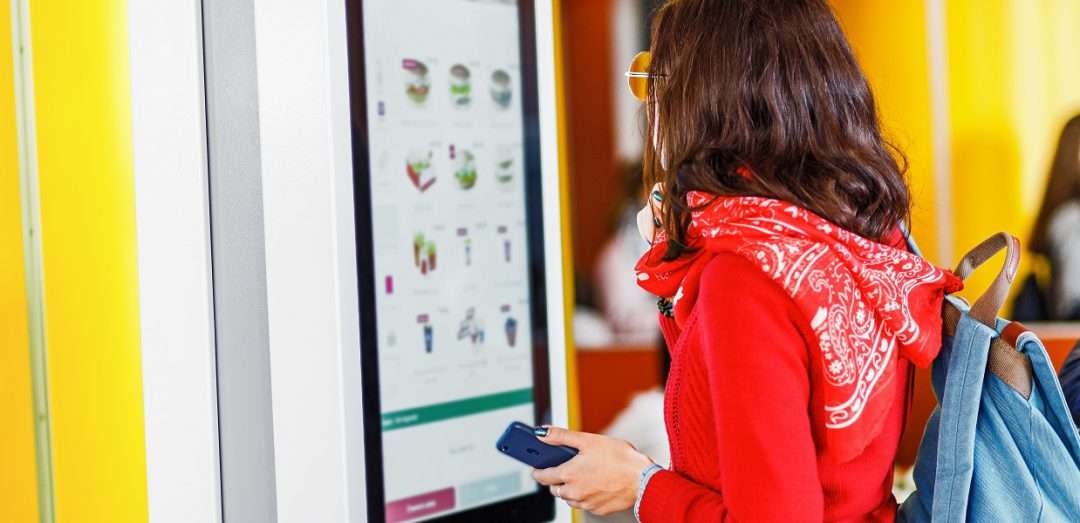
    Did you know that leveraging a one-piece, bezel-free kiosk screen design can provide aesthetic and hygienic benefits? A single, completely flat glass touch interface for customers to use can easily be cleaned and avoids mechanical keys and buttons which can contain germs and viruses.

    The simple screen design is possible even if the self-service kiosk’s use case requires some grooves to help users feel their way across a surface, thanks to the ability for the glass to be precision machined without giving up the sleek, safe, and easy-to-clean one-piece design.

    2. Antimicrobial Glasses/Coatings

    Now that we’ve discussed the benefits of a bezel-free screen design, how can you go about making sure that glass stays as clean and germ-free as possible? The answer is antimicrobial glasses and coatings.

    Antimicrobial glass – or glass that includes an ionic silver component that effectively reduces bacteria’s ability to multiply – exists on the market today. Additionally, this glass is designed to be scratch- and crack-resistant, helping to prevent cracks and crevices that bacteria can call home.

    Just like self-service kiosks are growing in popularity, so is antimicrobial glass. It’s projected that the North American antimicrobial glass market alone will grow over 6% – to $270 million – by 2023. Additionally, the food and beverage market is expected to see a growth of over 7% over by 2023.

    Free Self-Service Kiosk Resources

    The future of many industries lies with self-service solutions. That’s why Star Micronics is offering free online ordering resources for resellers and software developers who are helping customers future-proof their businesses with self-service solutions.

    3. QR Codes on Receipts

    Contactless payments – or payments that can be made by consumers via a quick tap of their credit/debit card, smartphone, or smart watch – are in high demand, especially during the new normal. Luckily, there are many ways for restaurants to take advantage of the trend even if they do not want to adopt a payment terminal that accepts NFC (near field communication) payments.

    A more affordable option for restaurants that are looking to easily take advantage of contactless payments so that their customers don’t need to touch a card or pin pad to pay is by taking advantage of QR codes printed on receipts. Whether the receipt is printed at the point of sale terminal or at a self-service kiosk, providing the customer with a printed QR code enables them to simply scan the code with their smartphone which then opens a direct link between the restaurant and the customer, where they can complete the transaction. This method is easy, cost-effective, and contactless.

    According to Kiosk Marketplace,

    “As restaurants, independent retailers and micro-businesses begin their recovery efforts from the COVID-19 pandemic, a growing number of merchants are embracing QR code technology as a simple, low cost alternative for payments and customer interaction as demand grows for a safe and cost efficient payments solution.

    While widely popular in China and other overseas markets, QR codes have generally lagged NFC as the preferred methods of digital payment technology in the U.S. However for a growing number of micro-businesses and boutique merchants, they are giving QR codes a hard look as the safest, fastest and most cost efficient path to get customers willing conduct in person transactions.”

    QR codes aren’t just for payments, either – restaurants can take their business to the next level with them. Restaurants can create QR codes that when scanned direct customers to join a loyalty program, visit social media accounts, access special promotions, and more. And when restaurants use a Star Micronics printer, they can easily customize and design these promotions and QR codes for free with PromoPRNT.

    Star Micronics Self-Service Kiosk Printers

    Always leading and always innovating, Star Micronics is proud to offer a full range of self-service kiosk printers that accommodate multiple paper widths, operating systems, and more. The compact, reliable, and high-speed printers are designed to bring any restaurant self-service solution to life.

    Kiosk Printer Family Features:

    • 2”, 3”, and 4” paper sizes
    • Compact or modular footprints
    • Available with multiple accessories including bezels, presenters, large paper roll holders, and more
    • Support Windows, Linux, Android, Mac, and iOS
    • Print receipts, tickets, coupons, or adhesive labels
    • Interfaces include serial, USB, parallel, and Ethernet
    • Available with StarPRNT emulation, allowing software developers to take advantage of the full stack of Star Micronics technology, like StarPRNT SDKs and Star’s powerful line of drivers

    Infographic: Self-Service Kiosks in Foodservice

    Looking to learn more about the impact of self-service kiosks on the restaurant market? Explore the infographic below to discover more about:

    • The growth of the industry
    • How kiosks help restaurants boost profits
    • Operational benefits of kiosks
    • Marketing, branding, and loyalty perks of kiosks
    • And more!

  • mPOS: How it’s Revolutionizing Payments

    mPOS: How it’s Revolutionizing Payments

    Mobility is rocking the point of sale world. From line busting to omnichannel marketing, it’s changing the way retailers and restaurateurs do business. The payments branch of the POS world has not been isolated from mPOS and its effects. In fact, as margins shrink and the competition in merchant processing grows fierce, the payment industry is rushing to adopt tablet POS systems. This is due to ISOs (Independent Sales Organizations) needing to add value to their solutions to stay competitive; tablet POS is a prime way to do this.

    What’s more, with the EMV liability shift having gone into effect October 2015, now is the time to look into the latest and greatest in mPOS solutions and what they mean for your payment and transaction options. When you upgrade, you might as well go the extra mile and ensure that you’ve got the edge on your competition.

    Credit-Card-Payment

    Hardware and Software Upgrades: EMV Liability Shift

    EMV Acceptance

    The Oct. 1, 2015 EMV liability shift is driving equipment upgrades across the industry. This shift means that retailers without payment processing equipment certified to the Europay, Mastercard, Visa (EMV) security standard — i.e., credit and debit cards featuring secure microprocessor embedded chips — are liable for any fraudulent activity committed with chip-enabled cards, instead of holding the card issuers liable. Javelin Strategy and Research estimates that U.S. businesses will invest $8 billion to become EMV compliant.

    At an estimated cost of $150 to $1,000 per terminal, retailers must upgrade both their hardware and software systems to become EMV compliant. The good news is that vendors in the retail payment processing industry already have taken the crucial first step of ensuring their product offerings meet the latest standard. When undertaking your EMV upgrade, consider the following:

    • Enlist your vendor: Check with your POS hardware vendor to ensure that your equipment is certified to be EMV compliant.
    • Double-check the app: Is your software EMV compliant? From each of the Big Four card networks (American Express, Discover, Mastercard and Visa), you will need to secure EMV certification through your acquiring bank.

    Now that you know what steps you will need to take, it’s time to determine your options, and to leap into the 21st century, not only to gain the edge on your competitors, but also to deliver a superlative customer experience.

    Graduating from the Electronic Cash Register (ECR)

    Upgrading from the traditional electronic cash register (ECR) to a mobile point of sale (mPOS) platform is one solution to addressing the new payments conundrum.

    mPOS is your POS — unleashed. mPOS, also known as EPOS, generally includes a small, portable, handheld wireless device, such as a lightweight tablet or smartphone combined with a small, usually Bluetooth-based, swipe-and-chip-based payment device and payment app (and any other pertinent peripherals), so that employees can assist customers with transactions from any location in a restaurant or retail store. While traditional POS calls for fixed checkout areas, the accompanying long customer queues, and also takes up considerable floor space, mobile POS enables greater flexibility in the store or restaurant layout, while also enabling superior customer service.

    One solution to the need for EMV compliance is to choose a modern tablet POS platform. Consider the following benefits of tablet POS versus ECR:

    • Lower total cost of ownership: While the initial cost of a tablet POS may be higher than an ECR, the mobile platform will earn back more than its investment over time. ECR does nothing more than accept transactions. With tablet POS, you not only can conduct transactions (including cash payments and returns) and queue-bust during peak volume times, but you can also “save the sale” by looking up inventory information for stockouts. In addition, the tablet POS is built to be durable for any retail or restaurant environment.
    • Easy to setup and use: Tablet POS is user-friendly and compatible with AndroidTM, Apple® iOS, and Windows® — the very same mobile software platforms your employees use on their personal mobile devices. In no time at all, your tablet POS can be up and running, and earning its ROI.
    • Expanded features: ECRs offer few, if any, features beyond basic sale and return transactions. On the other hand, tablet POS offers Bluetooth and USB connectivity so you can add on peripherals that will be useful to your associates and to your customers. Some tablet POS hardware comes with a built-in cash drawer, scanner and receipt printer, so you simply need to pick the tablet that best matches your needs to go live with your new system.
    • Cloud POS offers better data security: Tablet POS software backs up data to the cloud, enhancing your data security. With transactions backed up outside of the local tablet device, you can rest assured that your information is still available in the event that the equipment is lost or stolen.
    • Versatility: Tablet POS gives you options. Restaurants using mobile POS can generate higher table turnover and accelerate order processing during peak hours. Users also have the option to dock your tablet POS as a fixed terminal to checkout customers primarily in one location. What’s more, your tablet POS can seamlessly integrate with loyalty and rewards programs, inventory software, or workforce scheduling and optimization applications.

    The Benefits of mPOS are Endless

    Discover more reasons why mPOS is a wise decision.

    NFC-Payment

    How Do Payments Factor into the Equation?

    Many modern mPOS and tablet POS don’t require upgrading — they’re already purpose-built to accept the latest advancements in payment technologies. To be EMV compliant, your mPOS needs a dip-in card reader that holds the card to read the embedded chip until the entire transaction is complete (unlike previous cards that just needed to be swiped).

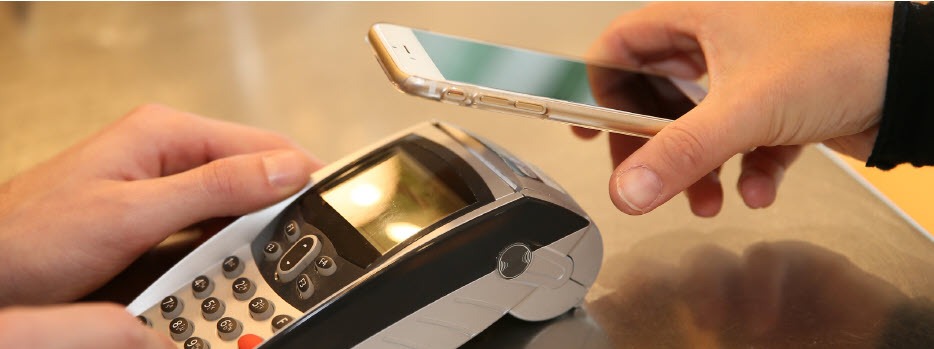
    NFC (Near Field Communications) enables touchless payment applications, such as AndroidTM Pay and Apple® Pay. Customers today expect to be able to pay without pulling out their credit or debit card. These proximity-based payments offer security benefits, as your business never actually receives the customer’s card number, thereby reducing your liability.

    While many mPOS devices aren’t designed to accept cash transactions without forcing the associate back to a fixed station to dock the device, some of the latest tablet POS offerings are built with a sleek and secure, wireless drawer to store cash, receipts, and other essentials. This enables you to serve a wider variety of customers, and not just those seeking cashless transactions.

    In order to complete transactions, you’ll need to print off receipts on-the-fly. Tablet POS can be easily paired, or connected, with wireless, mobile printers that can be carried by, or displayed closely to, the sales representative. These wireless, mobile printers deliver a neatly printed receipt quickly and quietly, offering an end-to-end transaction experience from anywhere in your restaurant or store.

    Why Choose an Ergonomic Mobile Solution?

    When considering mPOS, look at ergonomic mobile solutions. These solutions recognize that some businesses need peripherals beyond the basic tablet POS, such as a combination cash drawer/receipt printer. Here’s what ergonomic mobile solutions offer:

    • Convenience: With an ergonomic tablet POS plus cash drawer/receipt printer, you can accept all payments anywhere, anytime. This is a big improvement over common mPOS, which traditionally only handles electronic payments.
    • Space saver: Ergonomic solutions reduce your POS footprint significantly. With their small size and sleek profile, these platforms are attractive and unobtrusive in your retail or restaurant environment, freeing up space in which you can add tables or expand merchandise displays.
    • Assist mPOS solutions: Because these ergonomic mobile solutions rely on Bluetooth technology for connectivity, they’re fully mobile when needed and rid you of tangled wires and a jumble of dongles.
    • Full functionality: Ergonomic mobile solutions offer robust features and functionality for a wide range of applications.
    • Receipt printer: Small and compact, a built-in printer lets you quickly and quietly print a receipt as soon as the transaction closes. Additionally, sometimes single accessories are needed without a full system. In this case, you should check to see if your system can support additional printers for your bar, kitchen, and other areas.
    • Barcode scanner: If your tablet or mobile device lacks a barcode scanner, your ergonomic mobile solution easily accommodates an optional plug-and-play scanner for reading merchandise.
    • Cash drawer: A secure cash drawer stores currency, checks, receipts and other important items. The size of cash drawer you choose will depend on the number of cash transactions you process a day.
    • Software application: To get the greatest value of your ergonomic mobile solution, pick a software application that supports the latest payment options such as NFC and EMV. This will help you to avoid another technology upgrade in the near future.Digital-Receipts
    • Tablet/device: When evaluating tablet and mobile device options on the market, be sure to select hardware that’s designed to process NFC and EMV payments, preferably without requiring add-ons or peripherals to do so. Choose a device that’s compatible with your preferred software application. Most software applications have a preferred operating system, however if you need a software application to be cross compatible, make sure to do your research and find a web-based solution.
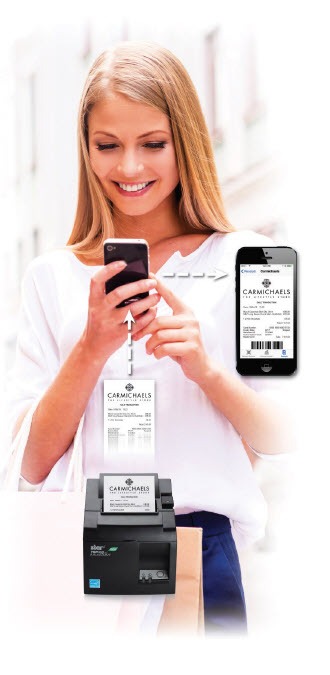
    • Digital receipt: More and more retailers want to deliver an in-store experience that provides digital support. There are innovative, downloadable apps on the market today that are supported by many POS systems. These apps allow your customers to receive a digital copy of their receipt on their smartphones. Some of these apps even allow functionality for customer satisfaction surveys, so retailers can always get a gauge on how they are perceived by their customers.

    Conclusion

    As the payments landscape proliferates at a dizzying speed, retailers and restaurateurs are now facing significant pressure to keep up with the latest technology, and let consumers pay how they want, when they want. mPOS — and tablet POS in particular — is emerging as an essential means of ensuring compliance with the new EMV standard while delivering the brand-building customer experience that your consumers have come to expect.

    mPOP™: An All-in-One mPOS Solution

    mPOP-mPOS-eBook

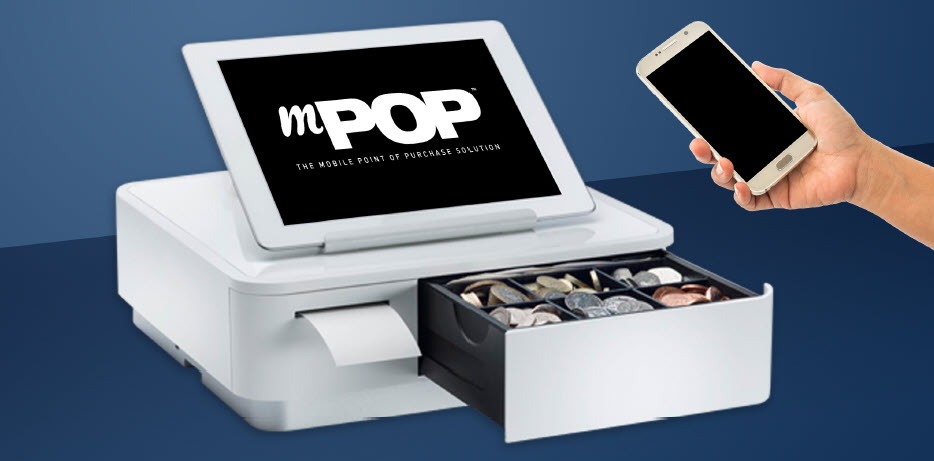
    The sleek, all-in-one mPOP is an ideal solution for businesses looking to implement mPOS. The functions and connectivity of the mPOP make processing customer transactions smooth and effective for small shops, cafes, florists, bars, and many more. Aesthetically simple and elegant, the mPOP provides the ultimate point of sale solution for the new face of mPOS.

    Key Features:

    • Printer – cash drawer – scanner – device stand
    • Compatible with iOS, Android, and Windows
    • Cable management with multiple exit options
    • Cash drawer: 4 bill and 6 or 8 adjustable coin slots
    • Bluetooth 2.1 and USB connectivity
    • “Drop-In & Print” paper loading

  • 7 Easy Tips on Selling Merchant Services

    7 Easy Tips on Selling Merchant Services

    When it comes to selling merchant services, the landscape can be quite competitive. With many options on the market for your customers, it’s critical to take the time to focus on how you can differentiate yourself as a solution provider. While it might sound intimidating, in today’s blog post we will share seven tips on selling merchant services, designed to make your journey simple – and successful.

    7 Easy Tips on Selling Merchant Services:

    1. Provide a Total Solution

    One of the best ways to differentiate as a merchant services provider is to not just offer one piece of the payment puzzle, but to provide a total solution. Customers want a one-stop shop, and offering a complete solution that provides value, including credit card processing through a merchant account and a full portfolio of necessary point of sale (POS) hardware, is a great way to create happy, sticky customers.

    2. Be a Trusted Advisor

    Although this blog post contains tips on selling merchant services, one of the most important things you can do sometimes is to not sell. What does this mean? Simply put, strive to be your customer’s trusted advisor, rather than just a salesperson. The foundation of being a trusted advisor is built on listening: listening to your customer’s needs and acting as a consultant to offer ideas and solutions, rather than just pushing products. Some other traits of trusted advisors include:

    • Putting your customer’s needs first, not your own; always think of their challenges and priorities before your own
    • Always asking questions to understand more about your customer’s specific situation – “tell me more!”
    • Providing a variety of solution options, so that they can decide on the best choice for themselves
    • Embracing the fact that you don’t always know the answer and build the confidence to admit that – doing so will demonstrate honesty and trustworthiness
    3. Be Available

    This next tip may sound obvious, but it still deserves to be said: be available for your customer! Often times, many businesses will sign up with ISO agents and then find themselves never hearing from the agent again after the contract has been signed. Don’t fall into this pattern! Make a conscious effort to touch base with your customers and be that trusted advisor who is always looking out for their best interests.

    4. Offer Affordable Options

    Besides offering a total solution, acting as a trusted advisor, and being available on a regular basis, another thing that your customers are sure to value is affordable pricing. A low cost is always a priority, especially during uncertain times. Reduce the cost of entry into your solution by offering a SaaS (Solution as a Service) model which features low monthly payments. This operating expense (OPEX) model versus a capital expense (CAPEX) model means that rather than a business needing to spend a larger lump sum for a solution, it can instead spend a lower amount as needed each month. This model helps businesses receive the best possible solution in an affordable way.

    5. Be Transparent

    Who doesn’t value transparency? It’s important to feel like you are dealing with an honest and ethical provider. Your customers also value transparency, so be sure to be understandable in every way possible. It’s especially important to make your transaction fees crystal clear and remember to be competitive with your revenue share. Being honest and laying these numbers out on the table will earn you trust as you sell merchant services.

    6. Provide a Straightforward Timeline

    Time is money, and to a business, money is a top priority. Be sure to prioritize your customer’s time by providing a straightforward go-to-market timeline. When providing this timeline, also remember to include the expected ease and speedy of any integrations that will be required.

    7. Offer Omnichannel Capabilities

    Today’s businesses require today’s payment options. Gone are the days when simple, piecemeal merchant services could suffice. If possible, be sure to offer an omnichannel solution, meaning a variety of card acceptance methods, along with a fully integrated solution. Acting as a one-stop shop and offering an omnichannel solution can lead to creating a sticky customer that is less likely to be tempted away by a competitor.

    Worldnet-Omnichannel-Payments-Image

    What can Worldnet’s Omnichannel Integrated Payments do for you?

    Worldnet is proud to offer a simple omnichannel integration that brings your eCommerce, Back Office and Cardholder Present payment solutions together, and presents all that data directly into your software solution, ERP, or CRM system.

    Successfully Selling Merchant Services can be Simple

    To wrap things up, keep in mind that selling merchant services doesn’t need to be complicated. In fact, focusing on simplicity is key. Prioritize offering total solutions to your customers, as well as genuine consulting with an emphasis on the customer’s needs instead of your own product. Being seen as a trusted advisor that can also act as a go-to, one-stop shop for modern payment solutions is sure to help you successfully sell merchant services.

    mPOP™: Perfect for Today’s Payments

    Have you met the Star Micronics mPOP? This sleek all-in-one POS hub, built for modern small businesses, accommodates high-volume credit card and cash transactions and features:

    • Printer, cash drawer, scanner, and device stand
    • Compatibility with iOS, Android, and Windows
    • Cash drawer with 4 bill and 6 or 8 adjustable coin slots
    • Print Flat Technology

    Star Micronics is proud to offer POS hardware with the features merchants need and the connectivity to bring together applications and payment processing.

  • Star Micronics and Marijuana Software to Offer a Simple E-Commerce Solution for Cannabis

    Star Micronics and Marijuana Software to Offer a Simple E-Commerce Solution for Cannabis

    OMMPOS adds an online ordering plugin for cannabis dispensary customers using Star Micronics mC-Print3 with CloudPRNT

    Somerset, NJ – July 8, 2020 – Star Micronics, a leading manufacturer of mobile, point of sale (POS), and customer engagement technologies, is proud to announce that OMMPOS.COM from Marijuana Software, LLC has certified a number of Star Micronics hardware peripherals to support their POS software and online ordering solution for cannabis dispensaries. OMMPOS supports Star’s mC-Print3 receipt printer, TSP743II label printer, Star’s CD3 Value Series of cash drawers, and mG-Scales, to offer the full hardware and software POS solution to their cannabis dispensary customers. OMMPOS has decided to expand their offering even further to help their customers during the COVID-19 outbreak by offering a simple solution for online ordering.

    OMMPOS is offering their new online ordering feature for cannabis dispensaries at $15 per month, and $1 per order, making it a cost effective and competitive solution in the market. The online ordering plugin offers an API that allows current OMMPOS customers to transfer their current menu in their POS to their new e-commerce website seamlessly, using templates to custom brand their website with their own domain name. The API also allows cannabis dispensaries using other POS software to use the OMMPOS online ordering feature. The solution is compatible with WordPress and Wix for full website customization.

    When OMMPOS users set up their e-commerce website, customers can then place their order for pick-up or delivery through that site. When customers place their order, the order gets sent to Star’s mC-Print3 receipt printer using CloudPRNT. CloudPRNT will work with the OMMPOS software to store and create print jobs, and communicate status with the printer. The store owner or service providers do not need to maintain an SSL certificate for this CloudPRNT printers since the printer communicates with the server as a client.

    “We are excited to be able to offer this powerful, easy-to-use solution for online ordering. It used to take a lot of technical know how to set up a website shopping cart, and until now it has been very difficult for dispensaries to keep the inventory on their website accurate,” says Raja Afrika, Co-Founder of Marijuana Software, LLC. “Now, with our push button solution, anyone can instantly add a shopping cart to their existing website or use our instant website option if they don’t already have one. Our online ordering solutions supports delivery and curbside pickup as well as online payments with CanPay.”

  • Why BLE Thermal Printers are Ideal for DSD Applications

    Why BLE Thermal Printers are Ideal for DSD Applications

    Direct store delivery (DSD), selling or distributing products directly to the point of sale (POS) or point of consumption (POC), is especially popular for food, drink, and other high-volume goods. Eliminating the “middlemen” in the supply chain is most efficient, especially when products have a short shelf life or are in high demand. Manufacturers ranging from Coca-Cola® and Budweiser® to Entenmann’s® and Hallmark Cards use DSD to get products right to the store — and to shoppers faster.

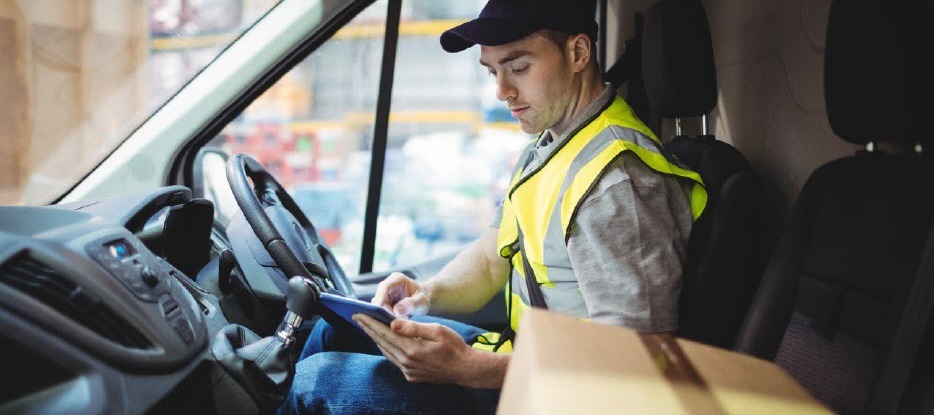
    One of the elements essential to a successful DSD process is to add a mobile automation solution that supports receipt and label printing. Mobile DSD solutions give drivers more time to spend on merchandising, information gathering, campaign management, and other value-adding DSD-related services, instead of having to manually create invoices and receipts.

    The ability to print on-demand is also extremely helpful. For example, a driver may find that an individual store’s needs have changed, and mobile printing can quickly and easily produce accurate, up-to-date invoices, orders, pick lists, receipts, labels, and more.

    Your customers rely on you for solutions that enable their mobile sales teams to work most efficiently and maximize profits. Providing reliable on-demand printing in the field, however, hasn’t always been easy. Smart solution providers are offering their customers Bluetooth Low Energy (BLE) mobile thermal printers, an ideal choice for DSD applications.

    What Makes BLE Printers Different?

    BLE printers support a communication range similar to “classic” Bluetooth of at least 330 feet, with significantly reduced power consumption. This feature offers operational cost savings and prolongs battery life. But perhaps an even greater advantage is that BLE printers can work with any compatible iOS device (iPhone®, iPad®, iPod Touch®) without the need for pairing. With standard Bluetooth, only one printer can be paired with an iOS device, and each user must use that specific mobile printer every day. However, BLE allows any employee to use any mobile receipt printer since no pairing is required. This feature makes BLE printers perfect for bring your own device (BYOD) environments.

    Benefits of BLE

    There are several benefits your clients can expect when you provide a BLE mobile thermal receipt printer for their DSD applications:

    • Easy to use: Because BLE mobile printers are shareable between multiple iOS devices, drivers can simply grab a printer and go without worrying about matching a particular printer to their devices. No pairing also means that drivers who aren’t tech savvy don’t have to go into their iOS settings and deal with configuring. Connections between the printer and mobile device are handled automatically by applications, so the user can just open an app and print from there. Ease of use also extends to fast and simple paper loading, with printers offering “drop in and print” roll changes.
    • Smaller, Portable Footprint: A mobile printer needs to be compact and lightweight. Drivers use these printers all day, so they need something small and easy to carry. There are BLE mobile printers that fit easily in the palm of one’s hand and can be worn comfortably on a belt clip. Some weigh about 1 ounce or less, including the battery.
    • Reliability: Productivity depends upon consistent device performance. BLE printers deliver high-quality print resolution, ensuring your driver has a clean and readable receipt every time. BLE printers also have high mean cycles between failure (MCBF) rates, with the ability to print millions of lines before requiring maintenance beyond paper changes. In addition, durable print heads can last for 30+ miles of printing.
    • Battery Life: Related to reliability, don’t under estimate the importance of battery life. DSD drivers’ long shifts mean that printer batteries need to last. Look for BLE printers that offer at least 10+ hours of battery life. A good BLE printer will also have a USB port and cable for convenient charging with any mobile device USB power adapter or PC USB port.

    Delivery-Man-in-Truck


    Must-Have Features

    When you are looking for the best BLE mobile printer for your customers, make sure it has the right features to meet the greatest variety of printing needs.

    • Direct Thermal Printing: With thermal transfer or impact printing, the print head comes into contact with an ink ribbon to produce text. Direct thermal printing eliminates the need for a ribbon, as the print head contacts the thermal paper and produces text through a heat reaction. There are several reasons why direct thermal printing is the best choice for mobile printing and in particular for the fast-paced environment of DSD. The only consumable is the paper, which saves time and maintenance (no worries about having to change ribbons) and is more economical, providing significant cost savings. Direct thermal printing also produces a higher resolution than thermal transfer, creating crisp, legible receipts. They print faster as well, with some printers offering speeds of 1 to 2.5 inches per second. In addition, they operate quietly, which is a necessity when working in a customer’s store.
    • Connectivity: Besides BLE 4.0 for use with any iOS devices, it’s helpful to also have standard Bluetooth 3.0 for use with Android and Windows devices as well as iOS. In BYOD environments, some users may not have an iOS device to take advantage of BLE, so having a backup means of connectivity is wise.
    • Backlit Display: These printers may be used in bright sunlight conditions, and a backlit LCD is easier to read.
    • Versatility: A good BLE printer should offer 1D and 2D barcode support to suit a range of printing needs. There are also BLE printers that offer adjustable paper width for greater flexibility. Some printers also provide special capabilities such as a “de-curl” feature for smooth and flat receipts.
    • Durability: Mobile printers need to be able to withstand tough working conditions and various environments. An ingress protection (IP) rating will tell you about the level of the printer’s resistance to dust and moisture. The first digit refers to dust protection, and the second digit refers to protection against liquids (everything from raindrops to soda spills). The higher the digits, the greater the resistance. Also look for printers that have a drop test rating of 3 to 4 feet to see whether they can withstand a fall to pavement or a store floor.

    And of course, it’s good to look for a product backed by a warranty that will help you maximize your profits as a value-added reseller.

    Truck-Driver

    Other Industries that Benefit from BLE Printing

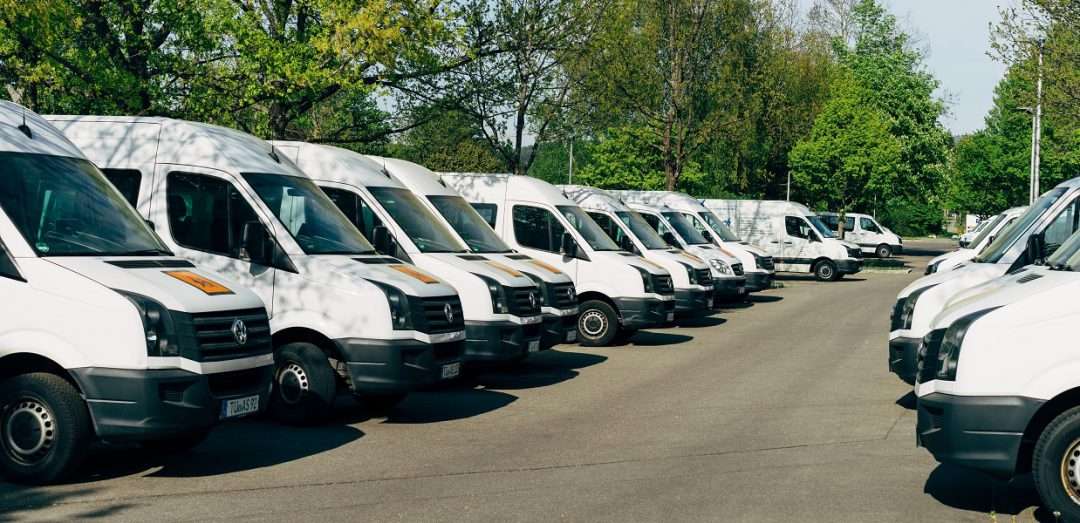
    BLE mobile thermal printing isn’t just for DSD applications. It will benefit any of your customers within an industry or corporation where employees use devices of their choice for BYOD environments. Any workplace that uses a pool of printers for a fleet of mobile workers will appreciate the “grab and go” convenience of not having to pair specific devices. A great example of this type of workplace is a taxi, limo, or rideshare service. BLE mobile printers can also be an economical choice for linebusting in retail stores or faster service in restaurants.

    Give Your Customers the Best Choice

    A BLE thermal receipt printer for DSD applications is the most sensible option for your manufacturer customers. Set their DSD drivers up for success with a printer such as the Star Micronics SM-L200 and the new Star Micronics SM-L300.

    Providing solutions that address your clients’ pain points and increase their efficiency will help cement your role as a trusted business advisor. They need your guidance when it comes to technology — helping them find the very best solutions for their applications will establish you as a true partner that has their business’ best interests in mind, not just someone who sells technology.

    Partnering with an industry leader in mobile printing technology can help you stay on the cutting edge of technology and provide your clients with state-of-the-art solutions that can give them new operational efficiencies and a competitive advantage.

    Taxi-Driver

    About the SM-L200 and SM-L300

    SM-L200Star Micronics SM-L200 Portable BLE Thermal Printer

    The SM-L200 supports Bluetooth low energy (BLE 4.0) technology for all iOS mobile devices such as the Apple iPad®, iPhone® and iPod touch®. Its compact and lightweight design make this two-inch portable printer perfect for a wide range of applications from queue busting in retail and hospitality to home delivery 58mm wide invoicing.

    The SM-L200 is the first portable printer currently on the market which offers the ability to connect any Apple, iOS BLE compatible device without having to pair to it. With no limitation on the number of devices connected, BLE is the perfect solution for BYOD (bring your own device) environments that does not require any certification or prior authorization from your iOS operating system. In addition to the BLE feature for iOS, the SM-L200 is Bluetooth (3.0/ 4.0) compatible with all operating systems (Windows, Android, and iOS).

    SM-L300Star Micronics SM-L300 BLE Portable Thermal Printer

    Always leading – always innovating, Star Micronics is proud to introduce the SM-L300, 3-inch portable printer. This addition to the SM-L series of Bluetooth low evergy portable printers allows users to connect to any Apple iPad®, iPhone®, or iPod touch®, iOS BLE compatible device without having to pair to it. With no limitation on the number of devices connected, BLE is the perfect solution for any environment using multiple devices for mPOS printing. In addition, it requires no certification or prior authorization from your iOS application. The SM-L300 is Bluetooth (3.0/4.0) compatible with all operating systems including Windows, Android™, and iOS.

    Ready to learn more about BLE thermal printing? Get your copy of our free eBook, “Why BLE Thermal Printers are Ideal for DSD Applications” now!

  • Technology for the New World of Retail: Ultimate Checklist

    Technology for the New World of Retail: Ultimate Checklist

    The COVID-19 pandemic has drastically changed the way people shop, forcing retailers to reevaluate their processes and their technology. While there are uncertainties, we know stores just aren’t going to reopen and go back to normal.What will retailers do differently? What will shoppers expect? What new technology do retailers need?

    Across the country, consumers are choosing to shop with retailers that offer cleaner stores, shorter checkout lines, curbside pickup, “Buy Online, Pickup In Store” (BOPIS), touchless payments, and more. As consumers adapt, they will become accustomed to these new conveniences, and eventually expect it. Retailers that start using newer technology to adapt and offer all these options will succeed.

    Whether they want to or not, retailers have to change – not to just get through the pandemic, but to be successful in the new world of retail. There have been important lessons learned from COVID-19 for retailers, all of which should be taken into consideration moving forward.

    10 Retail Technology Solutions for Today’s New World

    Whether you are an essential retailer, or reopening your brick-and-mortar, here are 10 technology solutions to help retail businesses reopen and adopt to the new world of retail:

    1. Online Shopping

    If there’s one thing we’ve learned over the past few months, having an online storefront is vital. If you have a physical store, offer BOPIS and add curbside pickup as a delivery option on your site. Consider selling on third-party sites such as Amazon, Walmart, eBay, and Facebook to expand your market reach and increase online sales.

    2. Curbside Pickup

    While many retailers offer curbside delivery, it’s not always easy to manage, especially with lots of orders and/or limited staff. Develop a well-thought-out process to manage your orders and use text messages/emails to communicate the status of each order with customers.


    3. Mobile Point of Sale

    With current restrictions, it’s important to keep traffic flowing. With a mobile POS solution, you can process payments anywhere in your store to keep lines as short as possible (line-busting), as well as outside your store for curbside pickup.

    4. Touchless Payments

    As more brick-and-mortar businesses reopen and consumers return to shopping in stores, touchless solutions become more and more important. Consider offering Smart Wallet payment processing solutions, such as Google Pay and Apple Pay. This allows customers to pay for their orders without having to reach into their wallet or touch your credit card device.

    5. Sneeze Guards

    All stores should have a shield for virus protection. Some sneeze guards are designed for specific point of sale monitors, so check with your technology provider before buying a custom solution. They should be easy to install and relocate in case your store setup changes.

    6. Security Labels

    If you offer home delivery or curbside pickup, you can secure packages with tamper-proof labels (or seals). These labels provide visual evidence if a package has been tampered with. Your customers will appreciate it!

    7. Email Marketing Automation

    With fewer customers visiting brick-and-mortar stores, retailers need a way of communicating with customers and getting promotions out. If you aren’t already, use an email marketing solution. If your system allows it, personalize and automate your campaigns/promotions to drive up clicks and sales.

    8. Self-Service Kiosks

    If your store gets busy, add a few kiosks so customers can shop your store’s live inventory without having to walking around. Add kiosks outside your store if shoppers have to wait in a line to enter your store.

    9. Robots in Retail

    Since the pandemic, more retailers are considering robots to reduce human-to-human interaction. They can restock shelves and assist with customer service; at one Best Buy store, a robotic cart was spotted supporting curbside delivery. And they sure look impressive!

    10. Scan-and-Go

    For retailers willing to experiment, scan-and-go looks like a promising technology for mainstream retail, especially in the post-Coronavirus world. Similar to Amazon Go, customers simply grab items off the shelf and walk out, eliminating checkout lines altogether.

    Tips for Purchasing New Technology

    Before purchasing new retail technology, prepare a list of all the hardware and software you own, and what you think you may need. Even if it’s just a short list, it will help you plan a budget and compare solutions. When making your list, consider all mobile point of sale devices, credit card devices, receipt printers, cash drawers, scanners, servers, internet service, retail software, eCommerce technology, and more.

    5 ways to save on new technology purchases:
    1. Tax deductions: Save all receipts and ask your staff to save receipts too. Technology purchases for your business can be deducted on taxes.
    2. Trade-ins: Before disposing of your unneeded hardware (which can cost money), ask your technology provider if they accept trade-ins, or sell/donate it to a store that needs it.
    3. Financial assistance: Research grants and financial assistance offered by organizations to retail businesses impacted by the COVID-19 pandemic.
    4. Volume discounts: While you shouldn’t base new technology purchasing decisions solely on price, ask your technology provider if they offer volume discounts and/or have any current promotions.
    5. Defer payments: Many technology providers are currently assisting retailers and helping them adopt new technology solutions by offering either deferred payments or even buy now, pay later models. For example, at Celerant, we are currently offering your first 3 months free for any new SaaS product to help retailers get started with new technology now, while not having to pay until later.

    Are you Ready for New Retail Technology? 

    Celerant Technology is the #1 provider of innovative retail software.

    To help retailers during this challenging time, Celerant is offering up to 3 months free on new SaaS retail software contracts; from now through June 30th.

    At Star Micronics, our hearts go out to anyone impacted by COVID-19, either directly or indirectly, especially to those who are sick, to whom we extend our heartfelt wishes for a full recovery. To learn more about what we are doing as an organization to reduce the global impact of COVID-19, in terms of health and business, please click here.
    To browse all of our blog posts covering tips for small businesses during COVID-19, please visit our #StarForSmallBiz blog collection.

  • Star Micronics and C-Trax to Offer a Simple POS Solution for Cannabis Dispensaries

    Star Micronics and C-Trax to Offer a Simple POS Solution for Cannabis Dispensaries

    C-Trax, paired with Star Micronics printers, helps cannabis dispensaries and CBD retailers to streamline business operations 

    Somerset, NJ – June 10, 2020 – Star Micronics, a leading manufacturer of mobile, point of sale (POS), and customer engagement technologies, is proud to announce that C-Trax has added support for Star’s mPOP, along with the mUnite POP and 2D Imager to offer a complete point of sale solution for cannabis dispensaries and CBD retailers. With C-Trax and Star Micronics, hemp retailers have the ease of mind knowing that their sales and store management are being done right.

    C-Trax is the only point of sale that has been designed with the hemp retailer in mind. Designed with franchises and multi-store management in mind, C-Trax brings easy to use POS functionality tied together with a comprehensive back-office management solution. In addition, C-Trax is the first cannabis point of sale software to be fully integrated with payments solutions.

    Star Micronics mPOP is ideal for retail businesses with a lower volume of cash transactions. The all-in-one receipt printer and cash drawer is sleek and compact, taking up less valuable counter space, and allowing retailers to operate from a modern, tablet point of sale. The latest addition to the mPOP offers Flat Bill cash management, with a stacked cash till, offering management for 4 bill and 4 or 6 adjustable coin slots. Additionally, the mPOP comes with its own custom tablet stand, helping to manage cables and keep your point of sale sleek and clean.

    “There is enough to worry about as a cannabis retailer, maintaining equipment shouldn’t be one of them,” states Sean Tolliver, CEO C-Trax. “Our partnership with Star Micronics helps us relieve some of the pressure by providing a reliable and cost-effective hardware solution.”

  • Restaurant Disaster Relief: Survive and Recover

    Restaurant Disaster Relief: Survive and Recover

    When disaster strikes, how will your restaurant handle it?

    In a world rife with natural disasters, recessions, and pandemics, restaurant owners must be flexible and agile enough to withstand uncertainty, while still having a plan in place to survive and recover whenever these events strike.

    In these instances, it’s no longer about understanding customer desires and capitalizing on trends. It’s now about taking care of needs and ensuring the safety of your customers and your business.

    In order to survive such dramatic shifts in customer demands, you need to combine agility and creativity.

    Click here to download our free restaurant relief guide.

    Evaluate Cost Centers and Cut Where Possible

    Making cuts to any area of business can be difficult. Sometimes, however, it is inevitable. In order to protect your business, weather the storm, and be able to come out of a disaster ready to operate at full force, you must be able to make sacrifices somewhere. Review your labor and inventory data very carefully to understand where you can afford to make cuts and where you can’t.

    Labor

    In the event of recessions or pandemics, when fewer people are going out to eat, you’ll need to evaluate which positions are mission-critical.

    Front-of-house staff

    If customers aren’t able to enjoy a meal on your premises, it won’t be cost-effective to keep FOH staff at full force. Perhaps schedule employees for fewer days or shorter shifts. In extreme circumstances, furloughs may be necessary, though it is wise to refrain from letting employees go completely. Once the disaster is over, you may need them in order to operate effectively and you don’t want to burn those bridges.

    If you have the right restaurant technology like a POS system, you can use the data and management tools it provides to help optimize labor and streamline tasks so you can reduce labor costs without cutting too many hours.

    Inventory

    It’s important to take inventory of everything to see what you have on-hand. Try to adjust your menu offerings to include meals or ingredients you have on hand and stretch your current inventory as far as possible to prevent waste and spoilage. You may need to create new specials and promotions to entice customers to order items that need to be moved quickly.

    Invest in an inventory management system before old, wasteful habits come back. Now is the perfect time to assess your old processes and identify any sources of waste within your inventory so you can better optimize it. An inventory management system can help you increase inventory accuracy, reduce waste, cut costs, and improve the overall quality of your inventory management.

    Now is also a good time to reach out to your vendors to see if they have been affected. You will want to know whether orders will need to be delayed or canceled under these circumstances.

    Reconsider Your Go-to-Market Strategies

    Your customers are likely spending a lot of their time online. That’s where you should be directing your marketing. With social media, post early and post often. The more you post, the wider the audience you will reach. Consider social media advertising, which can put your brand in front of new audiences instantly. Find local community groups on social platforms and join them to help get the word out about your business. It is important to both communicate and listen to customers on these platforms. When faced with disaster, it’s important to recognize that your customers’ needs evolve very quickly. For this reason, you must adjust your message to accommodate, and ensure that you are delivering that message through the most effective channels. Every restaurant should know their customers, and should be reaching out and communicating with them through a variety of methods.

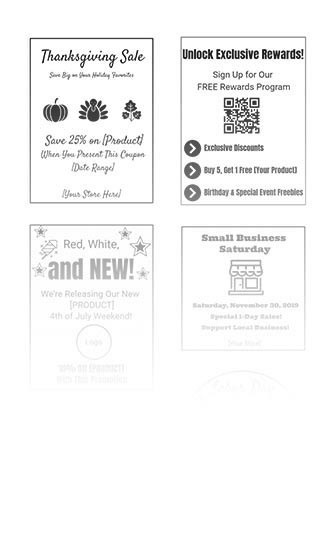
    It is beneficial for restaurants to have a loyalty program through which they can communicate with customers. These are easy to implement with the right technology, and can provide valuable customer data that you can use to engage customers. With Star Micronics PromoPRNT, promotion printing technology, restaurants can reward their loyal customers by printing coupons or promotions to be attached to their take-out or delivery orders that can be used for their next order.

    Email marketing is also an effective way to boost your marketing efforts. If you are offering any new promotions that can address customer needs or save on packaging costs like family-style orders, leverage drip campaigns to your customer database. Implement a monthly newsletter or some other form of communication campaign to engage your loyal customers and keep your business top of mind. You can also do this to get the word out about online ordering, adjusted menu items, or changes in your hours of operation.

    Focus on Existing Revenue Centers: Online Ordering, Pickup, and Delivery

    Continuing to operate in some form or another could be your saving grace. You may be able to run your operation as a ghost kitchen, allowing customers to place orders through your website, mobile app, phone, or third-party service.

    Every restaurant needs to exist online. Online and mobile ordering has become a necessity. Utilize your website as a tool to communicate with and engage your customers. Many sites are static and do not encourage customers to continue coming back. Dynamic websites allow chefs and owners to make changes and update menus daily or weekly, keeping customers engaged with new recipes, offers, and specials.

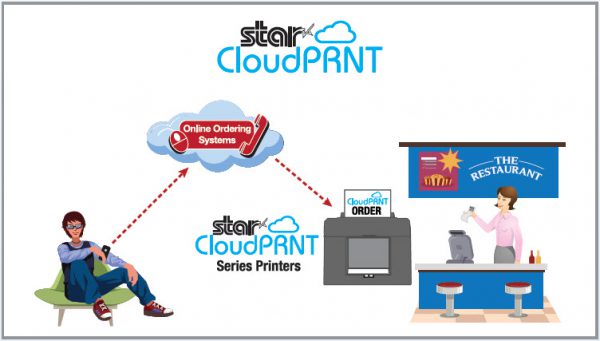
    With solutions like Star Micronics CloudPRNT, you can get online ordering capabilities set up quickly and efficiently if you don’t already have them. This frees you up to redirect more of your efforts on pickup, to-go, and delivery. Reallocate some of your front-of-house staff to courier and delivery operations. For pickup, you can offer in-store, drive through, or curbside depending on your needs and capabilities.

    Integrating online payments into your website can facilitate contactless pickup or delivery in the event of a viral pandemic. For contactless payments curbside, mobile receipt printers can be used to print receipts while tablets can be used to carry out transactions. You can also set up tools that text or call customers when orders are ready so they can run in and out to pick up orders without the need for face-to-face transactions.

    Adapt to Overcome

    When faced with disaster and uncertainty, you must do what you can to remain in business. That requires you to develop the agility and flexibility to adapt to new circumstances that arise and overcome the challenges that you face.

    With any disaster, prepare for consumer preferences and expectations to change. It’s important that you align your technology to help you evolve alongside these changes. Star Micronics offers easy, intuitive solutions like CloudPRNT to help you incorporate online ordering quickly into your operations. For more information on how you can adapt to meet current events, contact the experts at Star Micronics today.

    Our free Disaster Recovery Checklist has all the information you need, at a glance.

    At Star Micronics, our hearts go out to anyone impacted by COVID-19, either directly or indirectly, especially to those who are sick, to whom we extend our heartfelt wishes for a full recovery. To learn more about what we are doing as an organization to reduce the global impact of COVID-19, in terms of health and business, please click here.
    To browse all of our blog posts covering tips for small businesses during COVID-19, please visit our #StarForSmallBiz blog collection.

    Reopening Toolbox

    Now more than ever, safety and convenience are priorities in retail and hospitality environments. As businesses reopen their doors, Star is proud to offer a line of solutions and resources designed to keep consumers and employees safe and satisfied.

  • POS Software and Systems Buyer’s Guide

    POS Software and Systems Buyer’s Guide

    Investing in a point of sale (POS) system is one of the best things you can do for your business, but with so many options on the market, how do you determine which POS hardware and software best suit your business needs and your budget?

    This guide can help you get on the right path to finding the perfect POS system for your business.

    Download the full POS Software and Systems Buyer’s Guide

    Step 1: Define Business Needs

    No one wants to waste time and money on a POS solution that lacks needed capabilities, or has unnecessary features that increase the price. To avoid purchasing a system that isn’t right for your business, you need to identify the specific challenges that you will need your new POS system to address.

    You can start by asking questions such as:

    • Is business suffering because customers must often wait in long lines at the POS?
    • Do shoppers frequently leave your establishment empty-handed because you don’t have the merchandise they want?
    • Are you spending too much time managing employees or trying to find out why your sales volume often doesn’t jibe with your inventory levels?
    • Do you want to attract new customers?

    The answers will help you identify the pain points you want to eliminate and the goals you want to achieve with a new POS system. Also consider the amount of time you spend on operations-related tasks and whether you need the POS system to automate processes. You may also want to consider whether you need the POS system to support initiatives that can help grow your business.

    Once you have clearly identified your business needs, research which POS functions address them. The list of the functions you need your new system to provide will help narrow the field of choices when you shop for a new POS system. The solutions you consider are likely to have a mix of “must-have” and “nice-to-have” features; remember to focus on what you need, which can help you minimize the cost of the system. “More” isn’t necessarily better when it comes to technology solutions.

    Step 2: Set a Budget

    Decide how much your business can afford to spend on a POS system. By most accounts, the average industry investment in POS systems totals 2 to 3 percent of retailers’ annual volume, and 1 to 1.5 percent of restaurant operators’ annual volume. Consider ongoing costs, such as software maintenance/updates, hardware maintenance, and technical support.

    Ask about payment options. Financing may be available to help with the considerable capital investment you will make. You may also be able to lease or lease-to-own POS hardware, which can minimize upfront costs, but may add to the total cost of the system. Another option available to you may be a POS-as-a-Service offer, which provides your system, as well as software updates and system upgrades, for a subscription fee to use (rather than own) the system.

    When choosing from among these options, always consider the total cost of ownership (TCO) and return on investment (ROI). The price of a full-featured POS system may seem high, but don’t forget the financial savings that such a system will yield throughout its lifecycle by reducing labor expenditures, improving inventory control, order accuracy, and cash-tracking, and putting a lid on shrinkage. A comprehensive POS system will also help to up the sales ante by facilitating more effective customer engagement and better customer service, as well as by giving you real-time insight into all aspects of your operation.

    Software-Stock-Image

    Step 3: Shop for Software

    As you consider your options, you will find that not every software solution is compatible with all POS hardware. Selecting your software first will prevent you from being limited in functionality.

    There are different types of software you can choose from:

    • Native. Native POS software is installed on your POS hardware. It is easier to customize than cloud-based software.
    • Cloud-based software (Software-as-a-Service, or SaaS). In a SaaS model, software is delivered via the cloud, and you pay for it on a monthly subscription basis. Also, cloud-based software can be accessed from anywhere there is an Internet connection, giving you enhanced visibility into, and control over your operation. Customizing this type of software may be difficult.
    • Hybrid software. This software can be run online in the cloud or offline.

    It can be helpful to research the types of POS software that other businesses like yours are using. Find out through references or reviews if these retailers or restaurateurs are happy with the type of solution, the functionality it provides, and the benefits the solutions provide to their businesses.

    It can also be helpful to learn about the POS software vendors that provide the software, gaining insights on the level of customer service they provide and their experience working with companies in your market or industry. Also consider whether the vendor is an established company — one that is not likely to close its doors and leave you without support for your system.

    Once you have created a list of POS solutions to consider for your business, it’s time to arrange for demonstrations. Using the solution yourself will give you a sense of how easy it will be for your employees to learn, to use efficiently, and to discover whether it will support your operations. It may be helpful to compare similar features side-by-side to arrive at an accurate assessment of the best solution for your business.

    Step 4: Find Compatible Hardware

    mPOP-300x202

    The POS software you choose will dictate the POS hardware that you can use. In many cases, however, there will still be a number of options to choose from. Some of the choices you must make are related to how your employees will use the system. For example:

    • What is the preferred input method? Some operators favor keyboards or a scanner interface for POS data input, while others prefer a touchscreen interface that facilitates faster data input and easier training for new employees.
    • Will you use mobile POS? POS functionality on a tablet or other mobile device can give you linebusting, in aisle assist, and pay-at-the-table capabilities that can greatly enhance customer experiences. Your options include adding mobile POS to a traditional, stationary system, or using mobile POS alone.
    • Which peripherals are needed? You need to consider printers, cash drawers, PIN pads, payment card readers, and barcode scanners, and select the model that best suits your needs.
    • Will you accept all forms of payment? Make sure your new system gives your customers the ability to pay by their preferred methods. Now that the U.S. is migrating toward EMV payments, all new POS systems should have the ability to accept chip card payments. Failure to do so can result in bearing liability for fraudulent payment card charges. Also consider trends that indicate emerging payment types. Mobile wallet use, for example, is gaining ground. To accept payments of this type, you’ll need POS solutions that include near field communications (NFC) technology.
    • Which terminal design do you prefer? A traditional POS terminal design may work well for your business. If space at the checkout counter is limited, however, you may want to consider a more ergonomic solution with a smaller footprint, such as an all-in-one configuration that incorporates basic peripherals (e.g., printers, cash drawers, credit card readers, PIN pads, and customer displays) or a tablet POS system. You will also find options that are aesthetically pleasing and don’t detract from a store’s décor or restaurant’s ambiance.

    Just as you did with software vendors, find out all you can about POS hardware vendors. Read references and reviews, and speak with other businesses — preferably similar to yours — that use their solutions. Also ensure that the company provides warranties and technical support.

    Need Help Navigating This Process?

    Choosing a new POS system is an important decision, and to properly research your options and find the right solutions can be a time-consuming task. Fortunately, value-added resellers who specialize in POS systems for retail and restaurants are ready to assist you as you consider business needs and challenges that a POS system can address, set a budget, and select solutions that are right for your business. They will also help you deploy the new system and provide training and technical support.

    Download the Full Buyers Guide Now to Learn More

  • Famous Belgian Waffle Company Serves Up Better Customer Experiences

    Famous Belgian Waffle Company Serves Up Better Customer Experiences

    Wafels & Dinges, best known for its delicious Belgian waffles that come with a variety of options for toppings, has been in business since 2007, and since expanded to over 15 locations. Originally selling from a single food truck, the authentic award-winning Belgian waffle vendor has made a name for itself in its home of New York City, even appearing alongside Al Roker on the Today Show. Awards include NYC Vendy Award for Best Mobile Vendor in 2009, Winner of “Throwdown with Bobby Flay” in 2010, “Best Dessert Truck in America” by the Daily Meal in 2013, and Time Out’s “Top 5 Best Quick Serve Restaurants in New York” in 2016.

    The Challenge

    As self-service started becoming more popular in New York City and people became busier, long lines took more and more of a toll on businesses. People no longer had the time to wait in line and didn’t want to interact. Wafels & Dinges wasn’t an exception. Because of its unexpected surging popularity in a thriving city like New York, Wafels & Dinges faced significant growing pains. Lines were too long, and customers were leaving before they even got to the front of the queue. Additionally, because Wafels & Dinges is located right in the middle of a tourist capital, the restaurant also had the challenge of navigating language barriers.

    The company originally tried to line-bust by having employees use tablet solutions to take orders in the queue, but even that proved not to be enough. Even with two manned registers, lines were still too long.

    The SolutionWafels-Dinges-1

    Since much of their business operates out of outdoor venues, Wafles & Dinges required a self-checkout kiosk solution for the operation in Bryant Park. The kiosk solution needed to be custom-built to be able to withstand the elements. Restaurant operators also needed to be able to remove the tablet from the kiosk enclosure so that it could be brought in at the end of the day.

    The Kiosk Group custom built a wireless kiosk solution for Wafels & Dinges that met the restaurant’s brand standards. The custom kiosk enclosure houses an iPad and is paired with Newline self-ordering software, Square payments, and an integrated Star TSP743II printer. Kiosk Group developed the solution with a built-in external battery. The Star printer also offers Wi-Fi and Bluetooth connectivity.

    The kiosk itself was custom-built in 10 months, and was fully installed within one day. It took only a week to go live, and employees were able to easily train on the system within 15 minutes.

    Explore Star Micronics self-service kiosk solutions.

    Free Self-Service Kiosk Resources

    The future of many industries lies with self-service solutions. That’s why Star Micronics is offering free online ordering resources for resellers and software developers who are helping customers future-proof their businesses with self-service solutions.

    The Results

    With the new kiosk and integrated printer solution in place, customers can now place orders much more quickly and effectively. The menu layout is easy to create and the interface is easier for customers to navigate. Guests can now view the menu while placing orders, rather than reviewing the menu while trying to place an order with an employee at the counter.

    Wafels & Dinges also experienced a decrease in order errors. Where before, orders were transmitted through employees, the kiosk now allows customers to enter orders and have tickets printed with all order details and instructions.

    Average check size has also increased, thanks to the automated upselling and cross-selling prompts that can be leveraged with the kiosk technology.

    “The custom, branded self-ordering kiosk has improved customer experiences and increased customer retention,” says Matthias Laga, Chief Business Officer of Wafels and Dinges. “And, as a result, boosted profits.”