Category: Solutions & Use Cases

  • Optimize Senior Care with Assisted Living Technology

    Optimize Senior Care with Assisted Living Technology

    The senior living landscape is rapidly evolving as technology takes center stage, transforming elder care facilities. This blog post explores the impactful role of innovative point-of-sale (POS) technology in optimizing facility management. We will show how the proper assisted living technology reduces costs and enhances resident care.

    Moreover, we will highlight how Star Micronics healthcare solutions meet the unique needs of the senior care industry.

    Embracing Technology in the Senior Care Industry

    Like many industries, nursing homes and assisted living facilities are embracing technology. Advanced tools are no longer just a convenience – they help to provide senior residents with more efficient and high-quality care.

    As the demand for senior care increases, implementing effective, time-saving technologies becomes crucial. These advancements streamline facility operations and significantly improve the experience of residents.

    According to federal data, the number of people living in the United States who are 65+ represented 17.3% of the population in 2022 and is projected to reach 22% by 2040. An estimated 3,152 new senior care facilities will be required to accommodate the growing demand. Consequently, the urgency for advanced technology to enhance resident care is more critical than ever. 

    Ideally, the POS solutions in senior care facilities should go far beyond payment transactions. They should be pivotal in helping to manage daily operations like visitor check-ins, cafeteria services, and in-house pharmacy applications.

    Assisted Living Technology Makes an Impact

    Technology is used extensively in nursing homes and long-term care facilities. It helps to modernize operations, enhancing resident and visitor experience, while also improving overall workflow. Plus, technology empowers staff to focus on what matters most: providing care to residents.

    Here’s how assisted living technology contributes to cost savings and enriches the caregiving experience:

    1. Self Check-In Operations

    Firstly, assisted living technology is revolutionizing visitor check-in processes, traditionally a task requiring multiple staff members. Now, facilities can implement an automated system using kiosks equipped to print linerless or die-cut labels.

    Alternatively, self-service workstations can be set up with tablets, display stands, mounts, and label printers. This setup offers a versatile and cost-effective approach. 

    In both setups, visitors enter their details at the kiosk or scan their driver’s licenses or IDs, and a name tag is instantly printed for them. This automation not only eases the workload for staff but also enhances visitor monitoring capabilities.

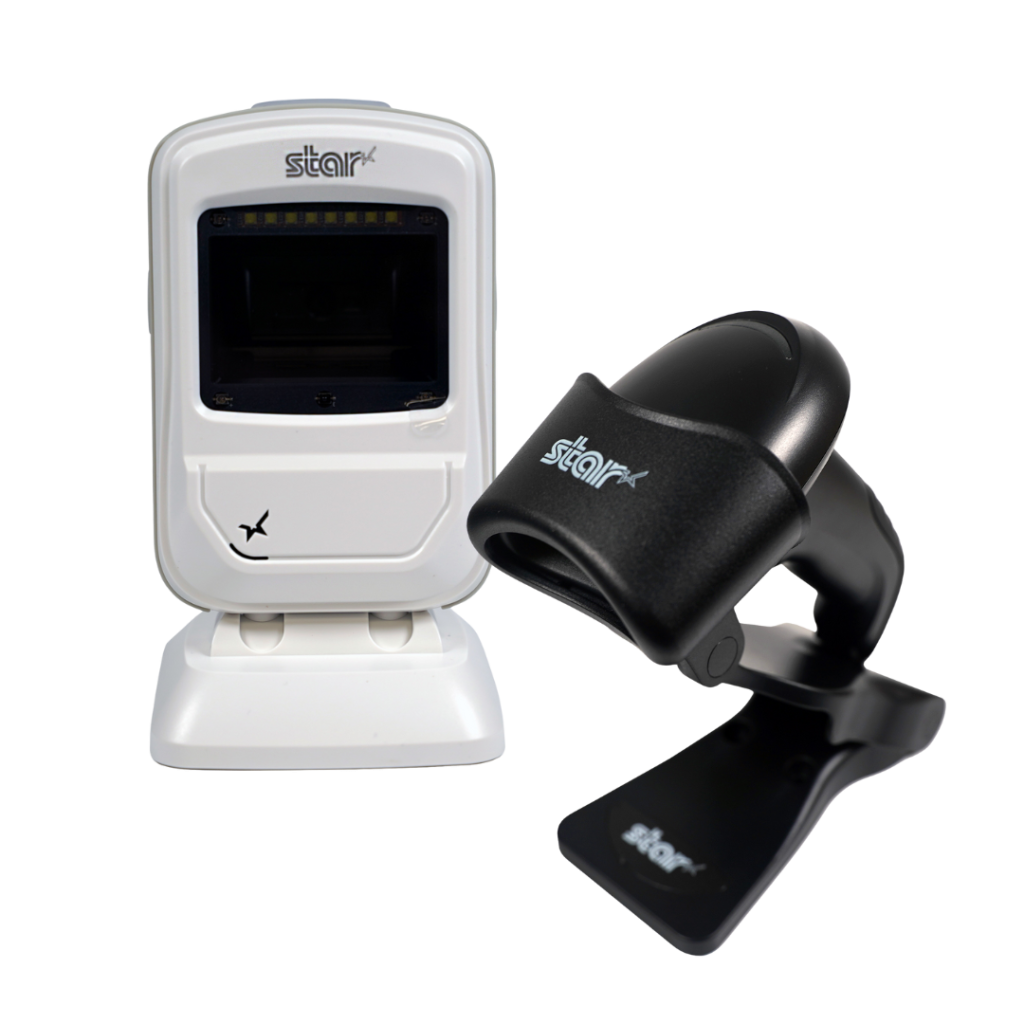
    Notably, white desktop and handheld scanner models by Star Micronics feature antimicrobial housing, which is particularly important in environments with vulnerable residents, enhancing safety and hygiene standards.
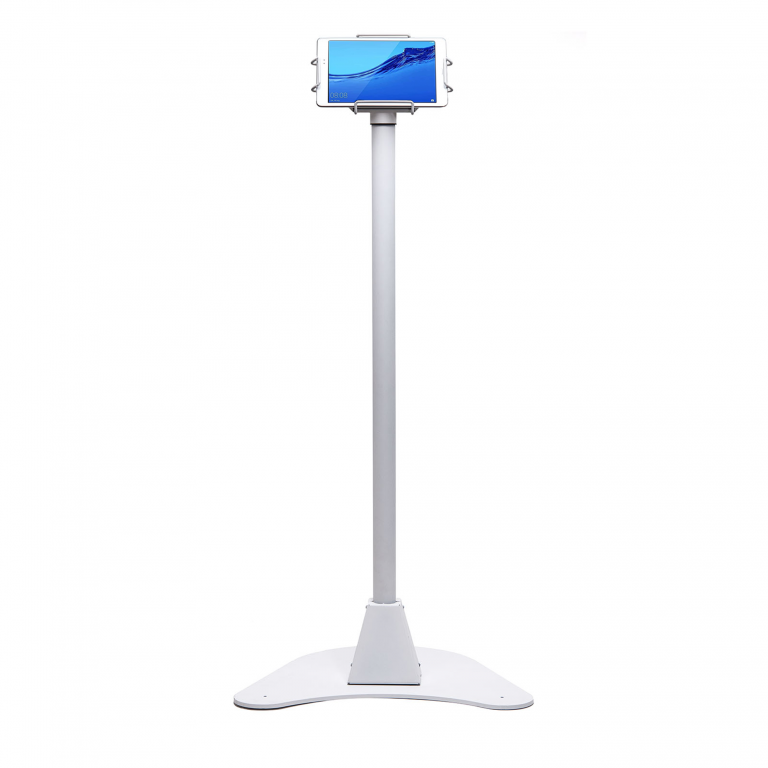
    Simplify Guest Check-ins with the mUnite Kiosk Stand

    Star Micronics’ mUnite Kiosk Floor Stand makes self-check-in easy for nursing homes and assisted living facilities. Its stable yet mobile and clean design is also perfect for displaying essential information and welcome messages to guests.

    2. Streamlined Cafeteria Services

    Optimize Senior Care with Advanced Assisted Living Technology

    Now, we all know that cafeterias in senior care facilities are essential for offering nutritious and delicious meals to residents. However, they often are there to serve visitors as well. To streamline the purchasing and checkout processes here, modern POS technology is indispensable.

    Star Micronics provides a comprehensive suite of POS hardware and technology ideally suited for both large and small nursing home cafeterias:

    Innovative Solutions for Small and Large Facilities

    Our range includes high-efficiency receipt printers, robust cash drawers, and versatile tablet POS stands. Each piece of equipment is designed to enhance operational efficiency, ensuring smooth transactions and a better dining experience. With Star Micronics, senior care facilities can equip their cafeterias with the latest in POS technology, ensuring every mealtime is as enjoyable as it is efficient.

    The Star Micronics mPOP® is an all-in-one healthcare technology solution that streamlines transactions and perfectly fits smaller facilities that don’t work with high amounts of cash. It includes an optional 2D handheld barcode scanner with antimicrobial housing in white models, adding extra peace of mind in assisted living facilities.

    Advanced Labeling for Diverse Requirements

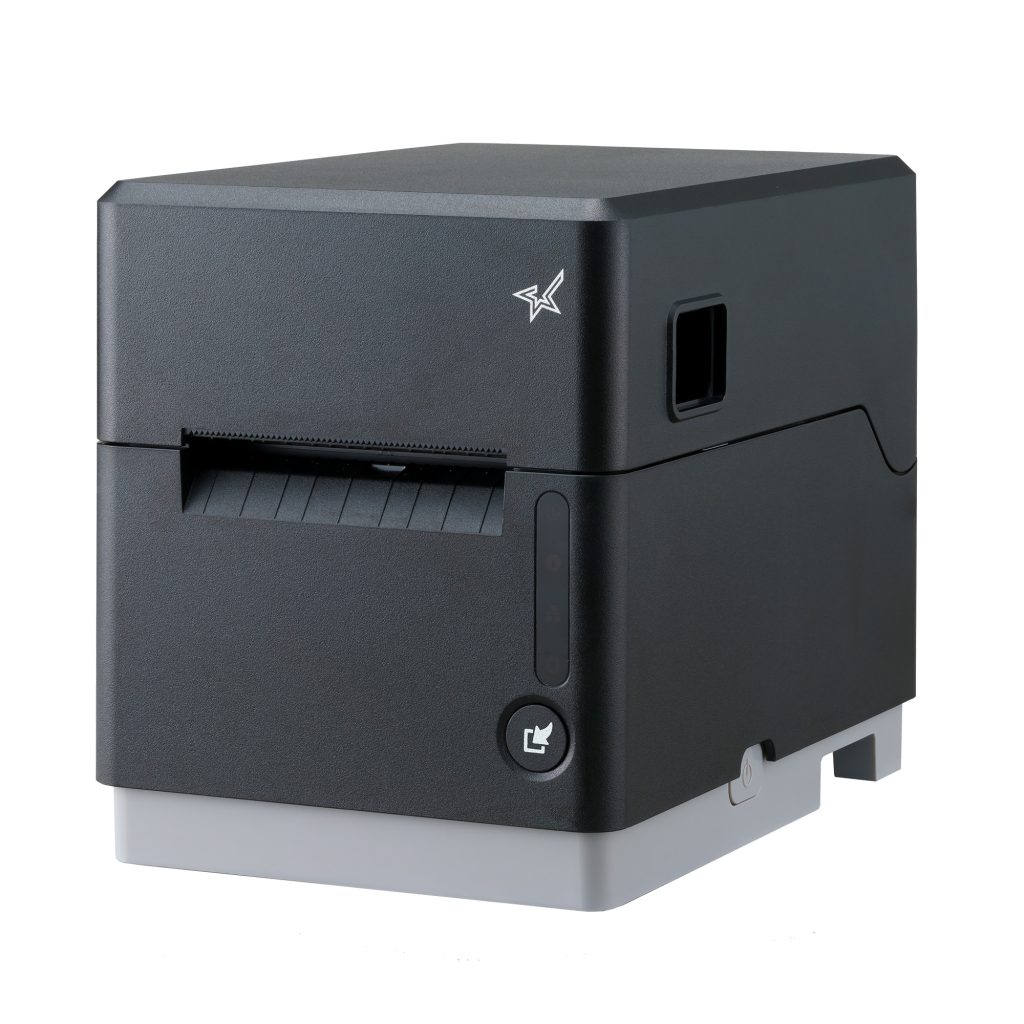
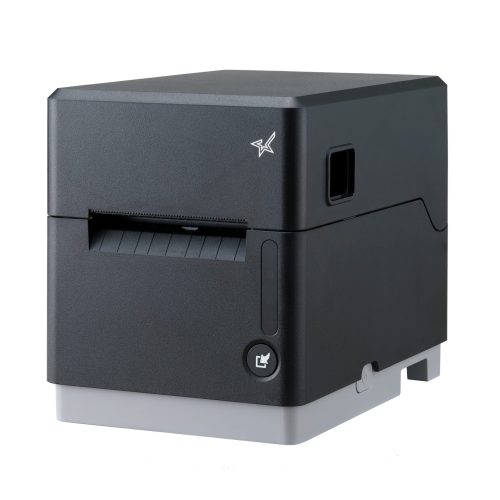
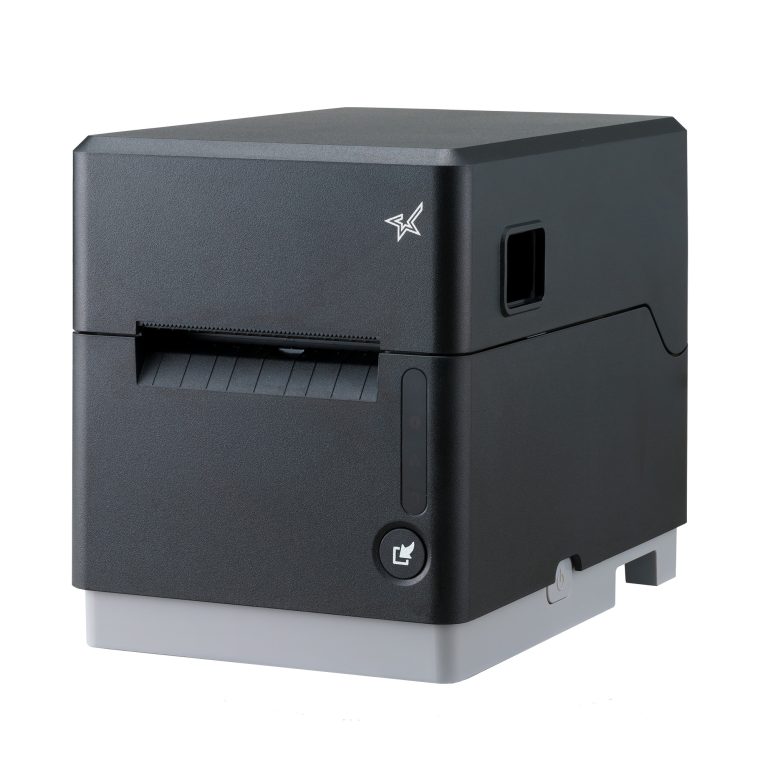
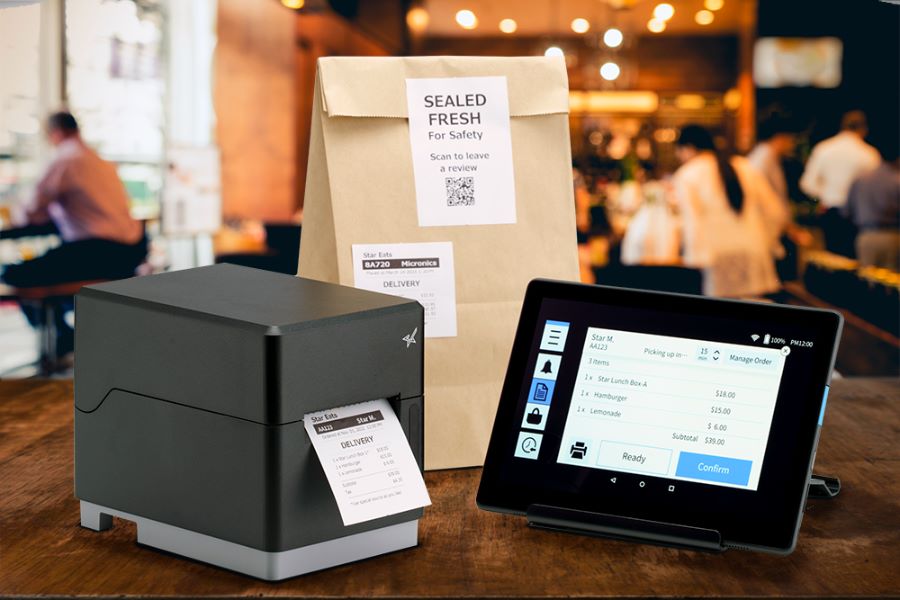
    The mC-Label3 multimedia printer is an ideal solution for diverse cafeteria labeling requirements in nursing homes. These range from detailing ingredient lists and item descriptions to preparing labels for food delivered to residents’ rooms. This printer features a convenient One Touch function, enabling users to effortlessly print up to three preset label images with the press of a single button. 

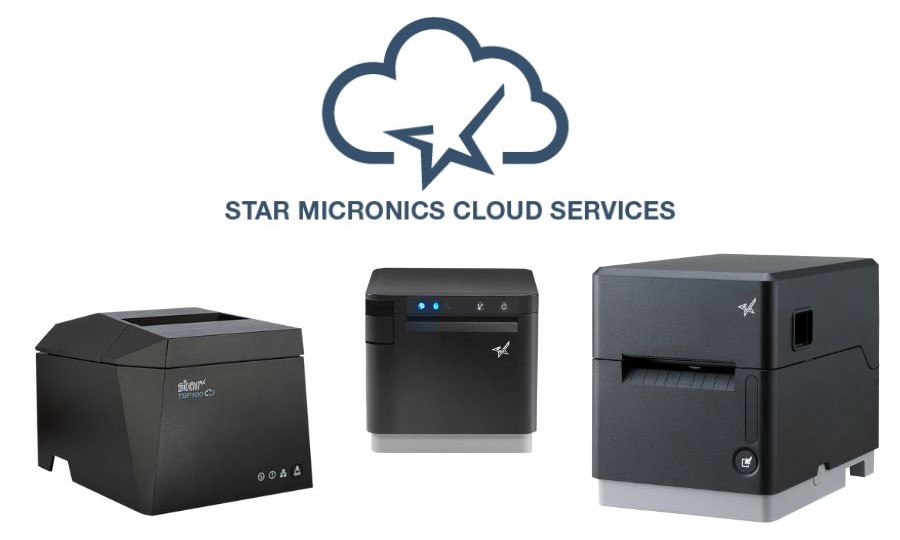
    These labels, which can include important information like allergens and dietary restrictions, are preloaded onto the mC-Label3 through Star Micronics Cloud Services and can be printed without an internet connection.

    Additionally, Star Cloud Services offers a range of free receipt and label image templates tailored to specific dietary needs, ensuring clear and accurate communication of crucial information. This is especially critical in nursing home facilities.

    Multimedia Label Printer for Senior Care Facilities

    The mC-Label3 multimedia printer prints on most media types, including permanent and removable linerless sticky labels, die-cut labels, and receipt paper. This multifunctionality allows for one product for diverse applications.
    Self-Service Solutions for Visitor Convenience

    Furthermore, incorporating self-service kiosks or workstations in the cafeteria offers a cost-effective and versatile approach for visitors. These assisted living technology solutions especially cater to the needs of kitchens offering made-to-order food or self-checkout options. Self-checkout adds efficiency to the entire dining process, particularly helpful in senior care facilities.

    3. In-House Pharmacy Optimization

    In-house pharmacies in assisted living facilities are well-positioned to benefit from the reduced long-term costs due to technology. Multifunctional label printers like the mC-Label3 help with medication labels, resident record folders, and more.

    Star’s TSP847IIRx secure prescription printer is ideal for pharmacies in senior care facilities, with fast print speeds, built-in security features, and modern connectivity options.

    In addition, Bluetooth scanners enhance mobility for employees working at the customer counter and handling inventory.

    Enhanced Software Integration and Compatibility

    The ease of integrating Star Micronics solutions with existing nursing home software and healthcare POS systems is a significant advantage for developers and technology providers. Star also offers a wide range of software development kits (SDKs) that help developers get the most out of our POS hardware and technology. In turn, this aids in allowing their software to function the way it was intended. 

    Compatibility with popular software applications used in healthcare facilities ensures a seamless and interconnected ecosystem that works for everyone.

    Healthcare Goes High-Tech: How Technology is Solving Healthcare’s Operational Challenges

    The proper technology can help businesses in the healthcare industry streamline workflow and make up for employment shortages, helping to prevent costly errors.

    Stay Ahead of the Curve With Assisted Living Technology

    As we progress into the coming decade, the demand for senior care services is set to experience a remarkable rise. Star Micronics is at the forefront of this transformation, providing innovative technology solutions to address the unique challenges of senior living facilities.

    For administrators and caregivers, adopting these technological advancements represents not just a step toward the future but a commitment to elevating the standard of care for our aging population.

    Discover how Star Micronics can help your facility embrace this new era of senior care with innovative, efficient solutions.

    Modernize Your Senior Care Facility Today:

  • How to Choose Between SteadyLAN & TetherLAN for Your POS Printer

    How to Choose Between SteadyLAN & TetherLAN for Your POS Printer

    Staying connected and maintaining efficiency is essential for doing business, regardless of industry. Whether you run a retail store, restaurant, or mobile food truck, you need reliable and seamless printing technology for smooth operations. However, choosing the most suitable solution for your needs can be challenging.

    Star Micronics, a leader in point-of-sale (POS) printers and hardware, provides TetherLAN and SteadyLAN® technology in select POS receipt and label printer models, like the mC-Label3 multimedia printer, ensuring reliable tethered tablet network connections. But how do you know which technology you need?

    In this guide, we’ll take a deep dive into these products. We’re here to help you understand the defining features, advantages, and essential considerations when choosing between these options.

    SteadyLAN vs. TetherLAN: What’s the Difference?

    What POS printer technology is right for your business? Here are the details so that you can make an informed decision:

    Understanding SteadyLAN

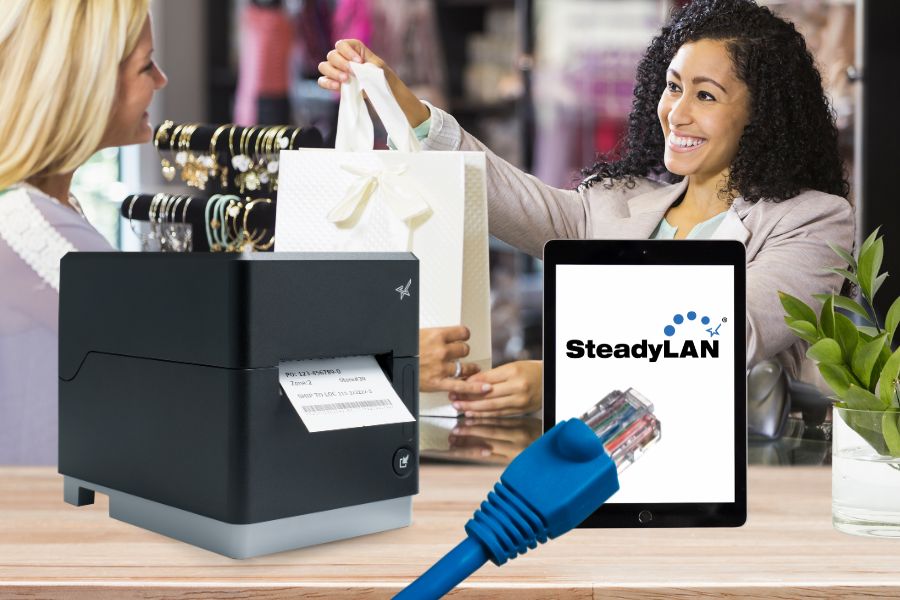
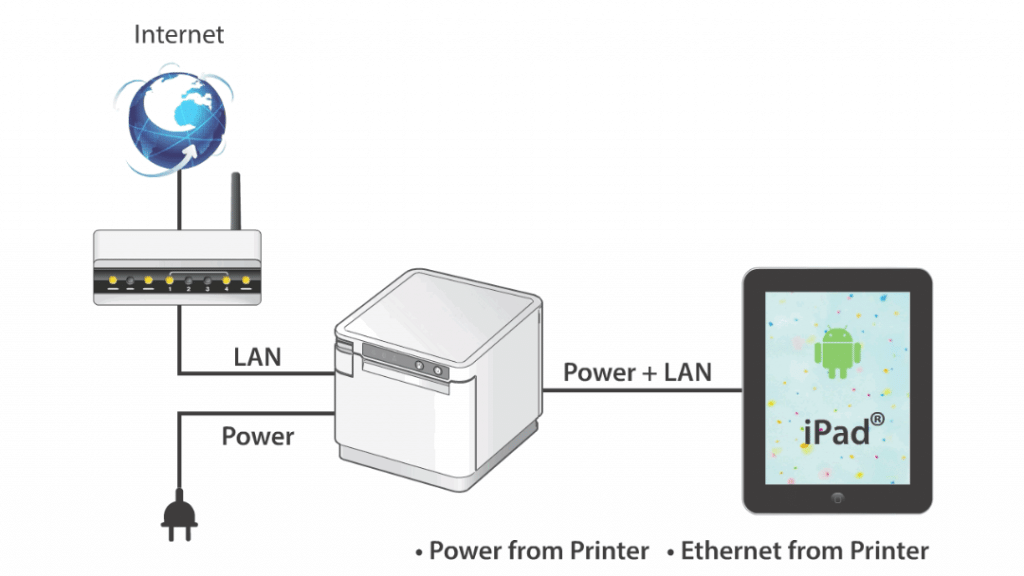
    Are you ready to leave unstable Wi-Fi behind and embrace consistent, high-speed connectivity? SteadyLAN, designed primarily for iOS devices, revolutionizes POS printing with its direct power and internet connection from a supported Star printer to your tablet or device. Through a Lightning or USB-C® cable, the mobile device secures a network connection from the Star POS printer, even if Wi-Fi signals are too unstable.

    This innovation translates to reliable and uninterrupted network connectivity with the added convenience of charging your connected tablet or device directly from the printer. SteadyLAN technology keeps your device powered up, even during the busiest hours.

    SteadyLAN’s direct connection from your POS printer provides a seamless link to your tablet and peripherals, significantly minimizing downtime and enhancing overall system performance.

    SteadyLAN by Star Micronics allows a networked printer to share internet service with your tablet or device.

    Key Benefits of SteadyLAN

    • Reliable Connectivity: A steady network link for iPad & Android POS systems ensures continuous operations without Wi-Fi dependency.
    • Constant Device Charging: The tablet is kept fully charged, eliminating the worry of battery drain during peak business hours.
    • Streamlined POS System: SteadyLAN creates a cohesive POS environment where all activities are centrally managed and cabled to the printer for increased efficiency and control.

    Understanding TetherLAN

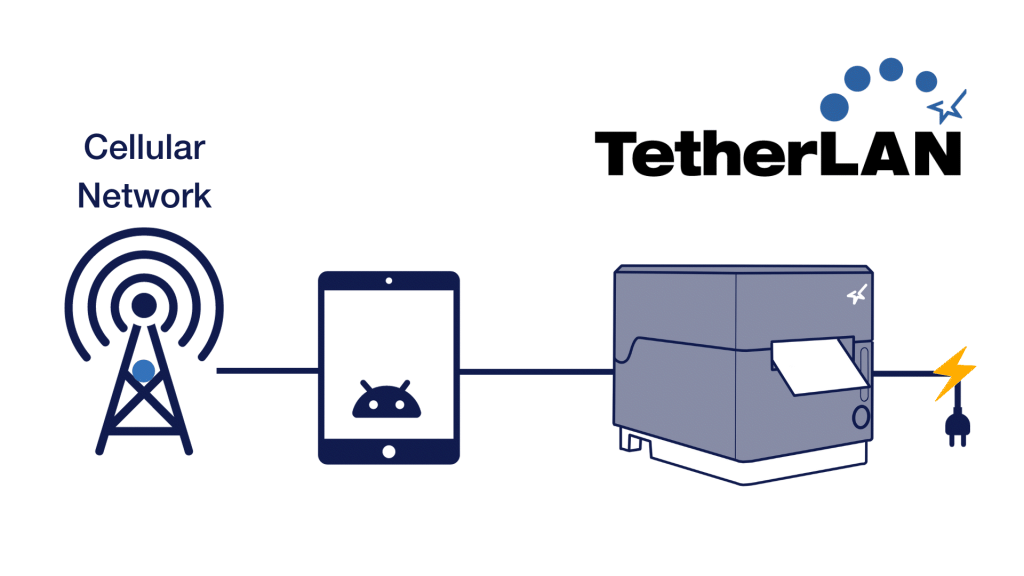
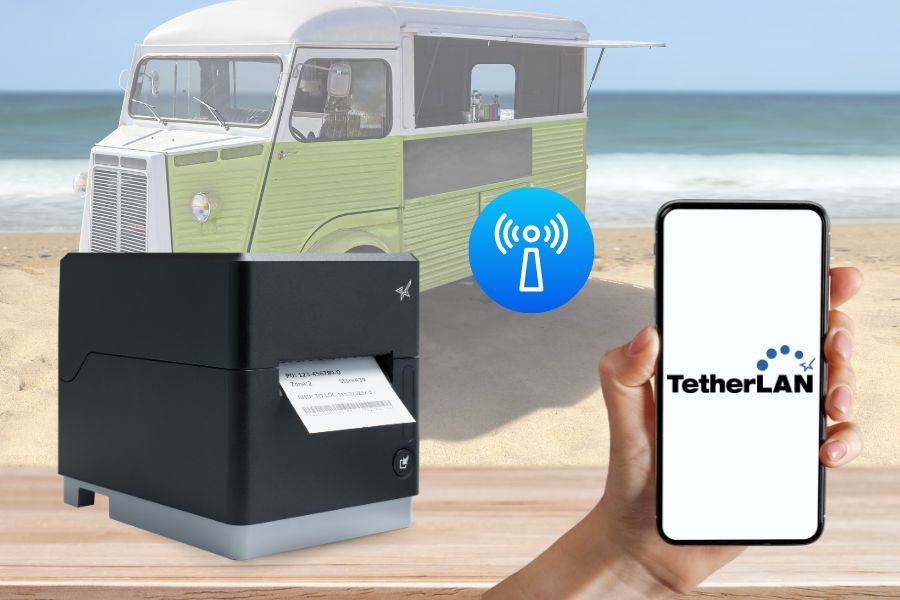
    TetherLAN is designed for mobile devices with cellular connections, such as 4G or 5G tablets, smartphones, and hotspots. The technology allows these devices to share their Wi-Fi service with select Star Micronics printers via USB. This ensures a seamless and high-quality printing experience without needing LAN cables. Compatible with Android and Windows devices, TetherLAN is currently featured in the mC-Label3 multimedia printer by Star Micronics.

    By establishing a cloud-based printing environment, this technology shines in scenarios where conventional internet setups are challenging. In addition to sharing a tablet’s cellular connection, TetherLAN also provides USB-powered connectivity, keeping devices charged for continuous operation. Moreover, it provides access to the Star Micronics Cloud Services platform, allowing users to monitor their devices in real-time and create customized receipts and labels.

    TetherLAN mC Label3 Technology GIF

    Key Benefits of TetherLAN

    • Cloud-Based Printing Environment: Facilitates cloud-based printing using active cellular connections, ideal for places lacking standard internet services.
    • No LAN Cables Needed: Get efficient and reliable printing without requiring any LAN cables.
    • Continuous Device Charging: With the mC-Label3, Android and Windows devices stay charged for extended use, enhancing usability in various settings.
    • Ideal for Outdoor and Mobile Settings: Excellently suited for outdoor events or mobile operations where cabled internet access is scarce, offering versatility and ease of use.

    Choosing Between SteadyLAN and TetherLAN

    As the global printer market continues to evolve, with projections to surpass $43 billion by 2028 (Mordor Intelligence), staying informed about the latest features is crucial for making an educated decision. When it comes to selecting between SteadyLAN and TetherLAN for your POS printer, consider these key factors:

    1. Business Needs and Objectives

    Evaluate your business’s specific needs and objectives. If your environment lacks stable Wi-Fi and requires consistent internet connectivity, SteadyLAN is ideal. It ensures a reliable Ethernet connection directly from the tethered printer to your device.

    Conversely, if your business operates in dynamic settings with limited access to traditional internet setups, TetherLAN is more suitable. It leverages the cellular network on your device to maintain connectivity, making it perfect for mobile or outdoor operations.

    2. Existing Infrastructure

    Consider the existing technological infrastructure of your business. SteadyLAN is an excellent fit for setups already equipped with Ethernet infrastructure and is particularly beneficial in environments with weak Wi-Fi signals. TetherLAN, on the other hand, is ideal for businesses with no access to Ethernet ports that can rely on cellular networks to connect to their POS systems instead.

    TetherLAN technology in the mC-Label3 allows the tablet or device to share internet service with the printer.

    3. Budget Constraints

    When considering budget, it’s essential to recognize that different Star Micronics printer models have varying technologies, impacting their costs. Some models are equipped with both TetherLAN and SteadyLAN, which can influence their price. It’s important to note that not all Star printers currently have TetherLAN capability, though more models are expected to include this technology in the future.

    This variation in features means a range in pricing, allowing you to choose a printer that fits both your technological needs and budget. Evaluating the cost-effectiveness of each printer model, its capabilities, and your business requirements is crucial. For instance, investing in a printer with TetherLAN might be more cost-effective for a mobile or outdoor business environment where having the technology could enable more sales.

    Also, consider other long-term operational costs, including potential data usage fees with TetherLAN and the costs of infrastructure upkeep with SteadyLAN.

    4. Future Growth

    When planning for future growth and scalability, the choice between SteadyLAN and TetherLAN hinges on your business’s anticipated trajectory. SteadyLAN is an ideal solution for companies aiming for growth within a stable, fixed location, particularly those not planning to engage in outdoor or mobile events. Its reliable wired connection suits environments where the business infrastructure is stationary and consistent.

    On the other hand, TetherLAN offers flexibility and mobility, making it a strategic choice for businesses that foresee expansion into new areas, including outdoor events or pop-up shops. Its reliance on mobile networks makes it adaptable for scenarios where traditional, wired internet connectivity is not feasible.

    Moreover, for businesses that transition from mobile or temporary setups to permanent locations, TetherLAN presents a versatile option. It supports operations in both contexts, provided the devices used with the POS systems are compatible with cellular networks. This adaptability makes TetherLAN a future-proof investment for businesses evolving from outdoor events to fixed retail or hospitality settings.

    Real-World Use Cases

    We’ve discussed the key features, benefits, and considerations related to SteadyLAN and TetherLAN. Here are some ways that businesses use them in the real world:

    SteadyLAN

    SteadyLAN technology has become a game-changer for businesses grappling with connectivity issues. In scenarios like a café with weak Wi-Fi or a small business owner without a data plan, SteadyLAN offers a reliable solution.

    SteadyLAN by Star Micronics allows a networked printer to share internet service with your tablet or device.

    For instance, connecting an iPad POS system to a tethered Star printer with SteadyLAN allows the business owner to access a steady internet connection through the printer’s Ethernet port, circumventing the need for additional data services.

    Similarly, in environments like cafes or restaurants where Wi-Fi strength is inconsistent or physical limitations prevent network expansion, SteadyLAN-equipped printers serve as stable network hubs, ensuring uninterrupted operations and enhancing customer service without needing complex infrastructure changes.

    TetherLAN

    TetherLAN technology is revolutionizing operations in dynamic and mobile environments like outdoor events. At a music festival, where traditional internet setups are impractical, TetherLAN enables vendors to share a tablet’s cellular connection with a Star printer, thus facilitating efficient and automated order processing.

    This innovation allows for streamlined ‘order ahead’ options, reducing wait times and enhancing customer experiences. The technology’s operational flexibility and integration with CloudPRNT make it an ideal solution for vendors in mobile settings, ensuring they can manage online orders and payments seamlessly without the constraints of traditional connectivity methods.

    These real-world applications demonstrate the transformative impact of SteadyLAN and TetherLAN technologies in various business contexts, offering practical and innovative solutions to connectivity challenges.

    An Independent Software Vendor’s (ISV’s) Guide to Star Printer SDKs

    For ISVs navigating the complexities of printer integration, the path forward is often strewn with challenges. Get to know Star Micronics’ range of software development kits (SDKs), each uniquely crafted to address these challenges and enhance your integration prowess.

    All The POS Printer Options You Need for Success

    Choosing a POS printer with the right technology can significantly impact your business. SteadyLAN and TetherLAN provide innovative connectivity options for businesses of all shapes and sizes. By evaluating your business requirements, existing infrastructure, budget constraints, and future growth plans, you can make an informed decision that enhances your operations and ensures efficient printing in a sometimes inefficient world.

    Are you ready to harness flexible, durable printing solutions? Touch base with one of our experts to see how modern POS printer technology can move your business forward.

  • Thriving in Economic Uncertainty: Strategies for VARs and ISVs

    Thriving in Economic Uncertainty: Strategies for VARs and ISVs

    In today’s uncertain economic climate, strategic agility and resilience have become indispensable qualities for Value-Added Resellers (VARs) and Independent Software Vendors (ISVs). This blog explores essential strategies tailored to help VARs and ISVs navigate these tumultuous times. Our focus is not just on survival but on harnessing opportunities for growth and efficiency in an economy that will test your resolve and that of your clients.

    Here, we explore a range of tactics designed to underscore and amplify the unique value you bring to your clients, ensuring your business is weathering the storm while setting a course for success.

    Strategic Inventory Management

    Effective inventory management is crucial for maintaining healthy cash flow, especially during challenging economic times. A smart strategy includes focusing on multifunctional products that provide a variety of features in one package. This approach minimizes the need for a wide range of single-function items and significantly reduces inventory size.

    Versatile Solutions, Less Inventory

    The mC-Label3 multimedia printer prints on most media types, including permanent and repositionable linerless labels, die-cut labels, and receipt paper. This multifunctionality allows for the consolidation of printer stock, saving space and streamlining inventory management.

    Additionally, adopting a just-in-time inventory model can be particularly beneficial during a recession. This approach involves ordering and receiving goods as needed, which helps cut down costs linked to overstocking. However, success with this model requires a thorough understanding of both your supply chain and customer demands. It may be more helpful for some to keep a reduced inventory, only restocking after orders have been filled.

    Equally important is leveraging the right tools and software for inventory management. Modern solutions offer real-time tracking, automated reordering, and comprehensive analytics, all of which are invaluable in making informed decisions about inventory levels. These tools can significantly boost efficiency, allowing you to adapt quickly to changing market demands and maintain a lean, cost-effective inventory.

    Thriving in Economic Uncertainty: Strategies for VARs and ISVs - Blog Post from Star Micronics

    It is also highly likely that your clients would benefit from knowing about the above strategic inventory tactics. Stepping into a leadership role and passing on these suggestions would be a great way to differentiate yourself from your competitors and build loyalty.

    Innovative Sales and Marketing Tactics

    Navigating an economic downturn demands strategic adjustments in sales and marketing tactics to match evolving customer needs. Embracing cost-effective channels like social media and content marketing is vital; these platforms offer a direct line to customers while allowing caps on advertising expenditures.

    In your marketing efforts, emphasize the long-term value and cost-efficiency of your offerings. This will resonate with budget-conscious clients looking for substantial, tangible benefits from their investments, particularly in more challenging economic times.

    Make Purchasing Easier by Offering Complete & Tailored Setups

    Providing POS printers with peripherals and accessories like cash drawers, tablet stands, and Star’s latest premium 1D/2D barcode scanners simplifies your client’s operations. Offer complete, top-quality hardware and software setups tailored to their needs.

    VARs and ISVs must cultivate strong customer relationships whether the economy is struggling or not. Distinguish your services by providing bespoke solutions tailored to each client’s unique challenges and goals. Position yourself as a reliable expert and a go-to resource in times of need, offering comprehensive support from the initial installation to ongoing service.

    By focusing on crafting enduring client relationships and delivering personalized, value-added solutions, you can create a competitive edge that endures beyond economic challenges.

    Read our blog post, “The Power of VARs: A Candid Conversation with POS Guys” for more helpful tips >

    Embracing Collaboration and Partnerships

    Forming or strengthening current strategic partnerships can offer mutual benefits and shared resources, which are especially valuable in a tight economy. Partnerships that offer loyalty programs can provide added help when your funds are running thin, notably when they help with marketing and tradeshow sponsorship.

    Strategic Financial Management for VARs and ISVs

    In the face of economic challenges, VARs and ISVs must adopt a multifaceted financial strategy. This includes:

    Diversifying Revenue Streams: Diversification is key. Exploring new markets, especially niche areas within the POS industry that are often overlooked, can provide stability and growth opportunities. This strategy reduces risk exposure and can also pave the way for business expansion.

    Budget-friendly Tech Solutions: Aligning your offerings with the financial realities of your clients is crucial. Creating bundled service packages enhances value perception and can lead to greater customer satisfaction. Collaborating with established brands known for their comprehensive and compatible retail technology solutions simplifies operations and bolsters client relationships.

    Smart Cost Management: It’s critical to find ways to cut costs without compromising quality. This involves scrutinizing expenses to identify areas for reduction while maintaining high standards in products and services. Achieving this balance requires careful planning but is essential for staying competitive and positioning your business for future growth.

    Financial Budget Management

    Thriving Amidst Economic Challenges

    In the face of economic uncertainties, adapting and innovating becomes crucial for VARs and ISVs. A proactive approach that encompasses strategic inventory management, innovative sales and marketing, strong partnerships, budget-friendly solutions, and cost-effective strategies is critical.

    This multifaceted approach not only helps in navigating the current challenges but also sets the foundation for long-term growth and stability.

    Embracing agility in business strategy and decision-making, fostering a culture of innovation and creative thinking, focusing on post-sale services, and leveraging customer feedback for continuous improvement are also essential steps in staying ahead.

    By focusing on these strategies and maintaining a balance between immediate adaptability and long-term planning, VARs and ISVs can absolutely thrive in shaky times, turning economic challenges into roadmaps for sustained success.

    6 Industry Trends Affecting POS VARs and How to Handle Them

    Explore the transformative changes in the POS sector with this exclusive ebook, examining the shifts and challenges reshaping the landscape for POS VARs. Get actionable strategies for staying competitive!

    Ready for a Partner in Success?

  • Navigating 6 Key Business Trends Impacting POS VARs

    Navigating 6 Key Business Trends Impacting POS VARs

    In today’s rapidly evolving digital landscape, businesses face significant changes in customer buying habits and expectations. Point-of-sale (POS) value-added resellers (VARs) play a crucial role in helping many companies, especially small to medium-sized businesses, to adapt and thrive amidst these transformations. 

    This blog explores six major business trends impacting POS VARs and provides insights on navigating and leveraging these trends.

    Shift in Shopping Habits With Digital Here to Stay

    The accelerated digital transformation has led to changes in customer buying habits. To adapt to this shift, VARs should focus on offering comprehensive technology solutions and flexible online buying options. VARs should also emphasize digital content marketing, data-driven decision-making, and evaluating the potential benefits and challenges of transitioning to a direct-to-consumer (D2C) model.

    Merchants Turn to VARs for Their Expertise

    As consumers have access to extensive product knowledge, merchants expect VARs to be industry experts. VARs should prioritize ensuring their employees possess an in-depth understanding of the products and services offered. By positioning themselves as trusted advisors and providing industry insights, VARs can differentiate themselves and add value to merchant partnerships.

    Business people going over stats.

    A Growing Need for Differentiation

    Merchants seek to stand out from competitors through technology and service-driven solutions. VARs should prioritize flexibility and scalability, offering customizable options that meet unique merchant requirements. By focusing on outcomes and demonstrating the value their solutions provide, VARs can position themselves as strategic partners rather than mere product providers.
    The Talent Challenge

    Merchants face talent acquisition and retention challenges, relying on technology solutions to compensate for labor shortages. VARs can play a vital role in addressing these challenges by offering workplace automation solutions. VARs should highlight the benefits of automation in reducing reliance on manual labor, increasing operational efficiency, and freeing up employees for higher-value tasks.
    Inflation and Supply Chain Security

    Inflation and disruptions impact supply chains, requiring businesses to enhance resilience and mitigate risks. POS VARs should collaborate with suppliers, explore alternative sourcing options, and offer value-added services to optimize supply chain operations. By addressing these concerns, VARs can position themselves as trusted partners, providing necessary solutions and support to overcome supply chain challenges.

    Business success

    The Importance of Providing Support as a True Partner to Merchants

    POS VARs should go beyond initial setup and offer ongoing technical assistance, customization, and system maintenance. By providing regular software updates, security patches, and consultation on business process optimization, VARs can establish themselves as reliable partners. Integration with third-party applications further enhances the value VARs bring to merchants.

    The Empower Partner Program

    The Star Micronics Empower Partner Program represents a strategic alliance for Value-Added Resellers (VARs) in the POS industry. Designed with a focus on collaboration and shared success, this program provides VARs with extensive cost savings and resources to enhance their operational capabilities.

    Participants in the program also benefit from access to a range of sales and marketing materials. Additionally, features like deal registration and personalized access to the Star Micronics Partner Portal offer VARs tailored support and insights.

    Navigating Trends and Partnering for Success

    POS VARs are at the forefront of a dynamic business landscape shaped by technological advancements and evolving customer expectations. By recognizing and navigating the key trends, VARs can position themselves as strategic partners, differentiate their offerings, and provide comprehensive support to merchants. Choosing the right vendors and partnerships is crucial for VARs. Star Micronics is one such POS solution provider offering innovative solutions to help VARs adapt to changing trends.

    6 Industry Trends Affecting POS VARs and How to Handle Them

    Explore the transformative changes in the POS sector with this exclusive ebook, examining the shifts and challenges reshaping the landscape for POS VARs. Get actionable strategies for staying competitive!

    Star Micronics Partners with VARs for their Success:

  • eCitation and Printing: Creating a Safe and Secure Environment for Police

    eCitation and Printing: Creating a Safe and Secure Environment for Police

    In the fast-paced world of law enforcement, efficiency, accuracy, and safety are non-negotiable. Officers constantly on the move – responding to calls, serving warrants, and conducting traffic stops – face the challenge of managing vast amounts of data swiftly and precisely.

    Enter the era of eCitation: a game-changer in law enforcement technology. Portable and in-car eTicket and eCitation printers have revolutionized the traditional methods of police work, bringing a new level of efficiency to routine but critical tasks.

    The right mobile printers can help with the following:

    • Issuing parking tickets effectively
    • Streamline electronic citations (eCitation)  
    • Manage permit violation tickets
    • Simplify inventory management at Sheriff’s offices
    • Plus, a range of additional applications

    This blog post explores the numerous advantages and diverse applications of mobile and label printers in law enforcement, highlighting how they are essential in modern policing.

    Understanding Optimal Printer Solutions for Law Enforcement

    When collaborating with law enforcement agencies to identify the ideal printer solutions, it’s crucial to comprehend the tools that can simplify their operational processes.

    Modern thermal printers stand out as the most efficient choice for law enforcement duties. Key advantages of these printers include rapid printing speeds, low maintenance needs, and overall reduced operational costs – primarily because they eliminate the need for ink. These printers come in various forms, accommodating different law enforcement scenarios: traditional stationary models are ideal for office environments, while mobile units offer flexibility and convenience for officers in the field.


    The mC-Print3 thermal receipt printer by Star Micronics.
    The premier mC-Print3 series thermal receipt printer excels in office environments.

    Integration capabilities are also a vital consideration. Law enforcement agencies frequently employ specific software applications for mobile ticketing and eCitations. Therefore, the chosen printers must be fully compatible with these systems. Additionally, these printers should seamlessly connect with other in-office technologies, such as scanners and PCs, essential for managing evidence, inventory, and administrative tasks.

    Understanding these factors is essential in providing law enforcement with printer solutions that meet their immediate ticketing and citation needs, enhancing their overall efficiency and effectiveness in serving the community.

    ECitation And Printing: Creating A Safe And Secure Environment For Police

    Advanced Printer Applications for Policing

    Law enforcement is a complex, multifaceted field that demands a wide array of skills. In this context, the right mobile printer becomes an invaluable tool for officers in various scenarios, enhancing efficiency and safety.

    Traffic Stops and Citations

    Safety is a critical concern for officers, particularly during traffic stops, a common yet hazardous duty due to factors like low visibility and busy roads. With nearly 10% of officer fatalities from 2012-2022 being vehicle-related (National Law Enforcement Officers Memorial Fund), the necessity for streamlined, safe processes is evident. 

    Utilizing printers with fast printing speeds and reliable data transfer, like Star Micronics’ range, can expedite the eCitation process, minimizing roadside time and enhancing officer safety.

    Field Interviews and Reports

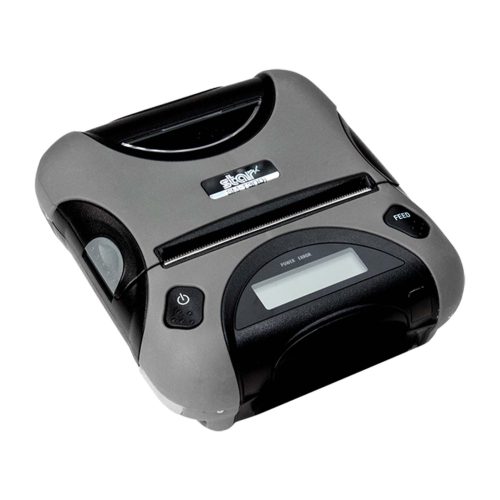
    Away from the roads, officers conduct field interviews and compile incident reports. The portability of Star Micronics printers – models like the SM-S230i, SM-T300, SM-T300i, and SM-T400i – proves invaluable, allowing officers to document and print essential information on the spot. 

    Additionally, printer accessories such as shoulder straps, battery chargers, USB cables, and belt clips further ease the challenges of a demanding day.

    Evidence Labeling and Chain of Custody

    In law enforcement, the accuracy and integrity of data are crucial, extending well beyond the scope of eCitation and ticketing. Thermal printers play a vital role in evidence management, specifically in labeling and maintaining the chain of custody. Their capabilities include:

    • Accurate Evidence Labeling: They guarantee precise labeling, ensuring each piece of evidence is correctly identified and tracked.
    • Enhanced Security in Evidence Handling: Thermal printers contribute to the overall security of evidence management, helping to prevent mishandling or misplacement.
    • Reliable Documentation for Sensitive Inventory: These printers provide meticulous documentation for sensitive items, such as weaponry, thereby supporting comprehensive inventory control.


    The mC-Label3 multifunction label and receipt printer from Star Micronics can fit media of multiple widths and types.
    The mC-Label3 multimedia printer is ideal for various law enforcement needs.

    A significant advancement in modern printing solutions for law enforcement is the adoption of linerless labels. By eliminating the liner or backing paper, these labels not only reduce waste but also offer more labels per roll – a critical factor in the fast-paced environment of law enforcement. This enhances the efficiency of the ticketing and evidence-labeling processes and demonstrates a commitment to environmental sustainability, aligning with modern eco-conscious standards.

    Advantages of Printers for Law Enforcement

    In law enforcement, where efficiency and accuracy are of utmost importance, the choice of mobile or stationary printers extends far beyond embracing new technology. These devices offer substantial benefits:

    • Boosted Efficiency for Rapid Response: In a profession where every second counts, reducing paperwork and administrative tasks is crucial. Advanced printing technology speeds up information sharing among officers and different agencies, streamlining processes in time-critical situations.
    • Heightened Accuracy for Enhanced Public Service: Accuracy is non-negotiable in law enforcement, a sector under constant public scrutiny. The right printers minimize the risk of data entry errors, ensuring the precision of citations, reports, and evidence records. They also allow officers to maintain better situational awareness during stops, enhancing safety and reducing time spent on administrative tasks.
    • Strengthened Community Engagement: The ability of officers to provide immediate and clear documentation to citizens reflects a commitment to transparency and efficiency. This not only improves public interactions but also reinforces the community’s trust in law enforcement processes.

    ECitation And Printing: Creating A Safe And Secure Environment For Police

    Key Factors for Law Enforcement Agencies in Printer Purchasing

    When assisting law enforcement agencies in acquiring new printing technology, there are a few crucial factors to consider:

    Balancing Cost and Budget Efficiency: Cost is often a primary concern for both public and private entities. As a VAR or reseller, providing local precincts with detailed cost estimates, including the potential for bulk purchases, can aid in their budget planning. Demonstrating how the investment aligns with responsible budgeting can differentiate you from competitors.

    Evaluating Long-Term Value: It’s important to emphasize the long-term benefits of investing in high-quality printers. While not always the cheapest upfront, superior products offer greater durability and lower maintenance costs over time, making them a more cost-effective solution in the long run.

    Training and Implementation Support: The transition to new technology can be challenging for large organizations like police departments. By offering comprehensive training and support resources, you position yourself as not just a supplier but a partner in their technological advancement. This approach can help overcome resistance to change and is often a decisive factor in winning their business.

    eCitation Printing Solutions as Tough as Law Enforcement

    Navigating the complexities of law enforcement requires courage, dedication, and the support of advanced technological tools. Modern printing solutions designed explicitly for policing can significantly aid officers by:

    • Fast and Reliable Printing: Ensuring quick issuance of eCitations to minimize roadside time.
    • Minimizing Data Entry Errors: Enhancing the accuracy of information captured during stops.
    • Seamless Software Integration: Working in tandem with existing law enforcement software systems.
    • Reduced Roadside Exposure: Limiting the time officers spend on the road during traffic stops for enhanced safety.

    ECitation And Printing: Creating A Safe And Secure Environment For Police

    As a VAR or reseller catering to law enforcement needs, staying ahead of technological advancements is crucial. Understanding the daily demands and challenges officers face allows you to provide solutions that genuinely enhance their operational efficiency and safety.

    For a comprehensive insight into industry-leading printers, scanners, stands, and other essential law enforcement tools, contact Star Micronics. We offer tailored consultations to help equip law enforcement agencies with the best in modern technology.

    Ready to Upgrade Your eCitation Printing?

  • It’s That Time of Year: Is Your Retail POS Technology Ready for Holiday Pop-Up Shops?

    It’s That Time of Year: Is Your Retail POS Technology Ready for Holiday Pop-Up Shops?

    With the holiday season upon us, retailers are actively preparing to make the most of the upcoming customer rush. A rising trend in this arena is the concept of holiday pop-up shops, which are becoming part of the broader movement toward temporary retail spaces. These pop-up shops, varying from expansive holiday markets to cozy storefronts, are transient retail events tailored for the winter holiday season.

    Taking part in this growing trend is crucial to accelerating your business, especially considering the competitive landscape. Data from Capital One Shopping reveals that pop-up shops contribute up to $80 billion in annual revenue, a figure expected to climb to an impressive $95 billion by 2025. Notably, 80% of retailers who have ventured into the pop-up shop domain report significant success (Capital One Shopping Research).

    This article will explore why embracing the holiday pop-up shop could be a game-changer for your brand’s visibility and engagement. Additionally, we’ll highlight the crucial role of advanced retail point-of-sale (POS) technology in ensuring the smooth operation and success of your pop-up, allowing you to concentrate on what matters most – making sales and delighting customers.

    Why Participate in Holiday Markets or Pop-Up Shops?

    Choosing a holiday pop-up shop to showcase your products this season offers numerous benefits, particularly in the realm of customer engagement. Despite the surge in online shopping, many consumers worldwide still cherish the in-store experience. 

    According to the Klarna Shopping Pulse global survey, a striking 80% of shoppers believe that social interaction is more rewarding in physical stores, and 70% favor the customer service they receive in-store over online. Holiday pop-up shops create an ideal environment for these valuable face-to-face interactions, enhancing the connection between customers and your product offerings.

    Is Your Retail POS Technology Ready for Holiday Pop-Up Shops?

    The temporary nature of pop-ups themselves is also great for driving consumer demand. The “get-it-before-it’s-gone” feeling creates a sense of urgency amongst shoppers. Holiday markets also offer a low-cost yet effective opportunity to put your marketing and promotions to the test. 

    Getting your name out there provides an opportunity to significantly boost your brand visibility during the holiday season.

    Retail POS Technology for Holiday Market Success

    Distinguishing your booth in the bustling holiday market scene demands more than just eye-catching products; it calls for leveraging advanced POS technology to elevate the customer experience. For retailers aiming to streamline their operations in a pop-up or market setting, sophisticated retail POS technology solutions are not just beneficial—they’re essential. 

    These tools simplify transactions and help to make your brand stand out, all while amplifying overall business efficiency. This ensures every customer interaction is seamless and engaging.

    Customized Receipts and Labels

    On top of decorating your booth to have a festive and distinct look, having customized receipts and labels imprinted with your logo and business details will elevate your brand’s visibility. Incorporating your social media handles on these materials can significantly boost your digital presence and foster customer engagement. Adorn your labels with unique, holiday-themed designs, adding a touch of seasonal charm to each purchase. 

    Moreover, design your receipts to be more than transaction records; transform them into valuable marketing tools featuring exclusive coupons, your website URL, store hours, and other relevant information.

    To truly stand out this holiday season, having a multifunctional printer that can create these receipts and labels becomes crucial. Opt for models with versatility in printing on various media types, ranging from linerless sticky labels and permanent linerless options to traditional labels and standard receipt paper. Tailor your choice of labels to suit your specific requirements, whether you need repositionable or permanent adhesives.


    Star Micronics Cloud Services provides receipt and label customization.
    Star Micronics Cloud Services provides receipt and label customization.

    Buy Online, Pick Up In-Store (BOPIS)

    Technology has added flexibility to the holiday shopping process. Buy online, pick up in-store (BOPIS) allows customers to shop on their devices and pick up their items in person. BOPIS can speed up transactions and minimize crowds at holiday pop-up shops. And if you operate a brick-and-mortar store, it can streamline your processes there, too. To offer this functionality, you must have printers and other POS hardware that help facilitate online ordering.

    Keep POS Printers Connected

    During the critical holiday season, the last thing your business needs is disruption due to network issues. Fortunately, with the right printers and technology, your tablet or device can effectively share its network connection with the printer and vice versa. 

    Imagine a scenario where your mobile device, equipped with a 4G or 5G cellular connection, can extend this network to your printer. This innovative setup – TetherLAN – creates a cloud-based printing environment virtually anywhere, ensuring uninterrupted printing operations, even in the often unpredictable settings of pop-up shops or markets.

    Moreover, some advanced printers offer the ability to share their Ethernet (LAN) network connection with the connected tablet or device. SteadyLAN® by Star Micronics provides a stable and reliable internet connection from the printer to the device, ensuring smoother business operations. 

    By leveraging these smart printers and technologies, you can significantly enhance the efficiency and reliability of your holiday pop-up POS systems, assuring a productive selling experience during this bustling time of year.

    Easy Setup and Breakdown With Compact Hardware

    Holiday pop-up shops present a fantastic opportunity to engage with new customers, but they often pose unique challenges from a technological perspective. In the confined spaces of these booths, every inch counts for showcasing your products and promotional materials.

    Additionally, the frequent need to set up and break down your booth at these markets can become cumbersome with most equipment. However, this process becomes effortlessly manageable by choosing compact printers and accessories designed specifically for mobile point-of-sale (mPOS) systems. mPOS hardware is space-efficient, ensuring a minimal footprint, and has modern connectivity options to get your system up and running without hassle.


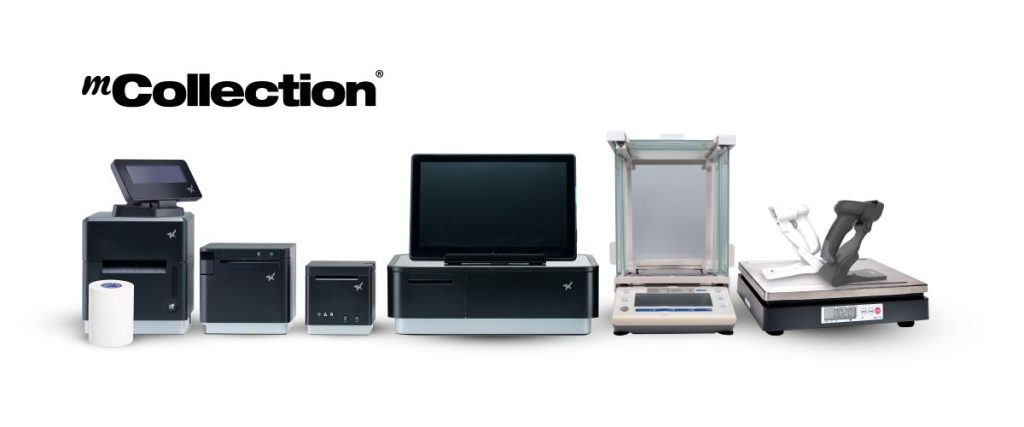
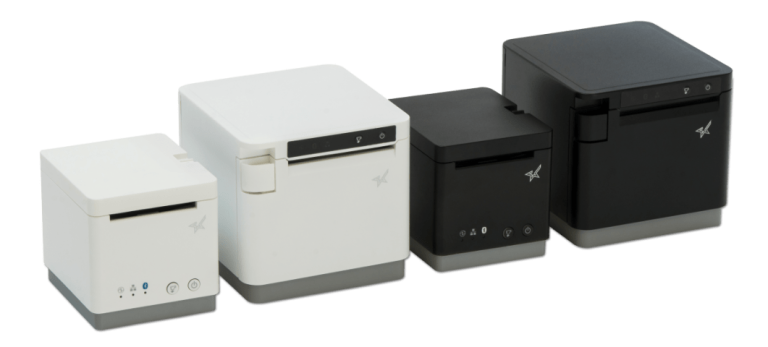
    The sleek, versatile mCollection by Star Micronics. A line of modern POS and mPOS products.
    Star Micronics mCollection® is designed to optimize mobile point-of-sale (mPOS).

    Connected Peripherals for Optimal Performance

    Achieving success in a holiday pop-up shop hinges significantly on employing the proper POS hardware. An ideal technology suite should provide hub functionality, facilitating seamless USB connectivity for multiple peripherals.

    Your POS solution should effortlessly support connections with essential hardware, including:

    With this cohesive setup, your holiday pop-up shop is well-equipped to handle high-volume transactions with ease and precision, enhancing the overall customer experience.

    Embrace Next-Gen Retail POS Technology for a Successful Holiday Pop-Up Shop

    In the fiercely competitive landscape of the holiday season, the combination of standout products and proper pricing remains crucial. However, incorporating modern POS technology can be the catalyst for maximizing the potential of holiday markets and pop-up shops. 

    This season, transform your business approach by opting for a POS printer that not only offers customizable receipts and BOPIS capabilities but also ensures seamless connectivity and boasts a compact, space-efficient design. 

    Embrace the advancements in retail POS technology and hardware to navigate this holiday season with greater efficiency, enhanced customer experience, and boosted sales.

    Is Your Retail POS Technology Ready for Holiday Pop-Up Shops?

    Make This Holiday Memorable:

  • The Hardware Your Food Truck POS System Needs

    The Hardware Your Food Truck POS System Needs

    The food truck phenomenon, a staple of the last decade-plus, continues to flourish, with new entrants joining the scene regularly. However, the distinctive environment of a food truck—with its compact space, high heat, and rapid pace—poses specific challenges for POS technology. Food trucks require robust and efficient solutions distinct from those used in traditional quick service restaurants (QSRs).

    Before the season approaches, newcomers to the food truck business should act swiftly to get their operations up and running in time to capitalize on the bustling market. Equipping your truck with the right technology is not just about keeping pace; it’s about setting the foundation for success.

    For food truck operators, relying on outdated POS systems could mean falling behind in an increasingly competitive field. If you’re a Value-Added Reseller (VAR), Independent Software Vendor (ISV), or other channel partner catering to the food service industry, staying abreast of the latest hardware innovations is crucial to serving your clients adequately.

    In this article, we delve into the essential POS hardware needed for a food truck operation. We’ll explore options for tablet stands, printers, and other vital components, focusing on features that streamline operations and enhance service in the unique food truck setting.

    Finding the Right Printer For Your Food Truck

    The competition in the food truck space continues to heat up. Even with the explosion in food trucks over the last decade, the industry is expected to expand at an annual rate of 6%, according to Grand View Research. To stay in the game, you need compact, durable food truck POS hardware that works as hard as you do. 

    If you’re looking for the best of both worlds, the Star Micronics mPOP® combines a receipt printer and cash drawer into one simple, elegant unit. 

    Pairing your receipt printer with the right POS software allows you to email receipts directly to customers—an excellent option for customers who prefer paperless transactions.

    Receipt Printers

    When you’re looking to get customers on their way without hassle, a reliable receipt printer is a must. Many legacy printers fail in the food truck environment because they are too bulky, difficult to operate or break down under pressure.

    Printer features to look for in the food truck include:

    • The durability to handle the lunch or dinner rush day after day
    • Spill-proof and easily cleanable for the food services environment 
    • Connectability to the internet and other devices via Bluetooth or LAN
    • Paper that is easy to reload 


    Black and white mC-Print2 and mC-Print3 thermal receipt printers by Star Micronics.
    The mC-Print series thermal printers offer connectivity perfect for food truck POS systems.

    Impact (dot matrix) printers are typically reasonably priced, can withstand the high-heat environment of a food truck, and produce receipts that won’t rip when pulled out.

    Label Printers

    In food trucks, space is at a premium, meaning every inch of usable real estate matters. Instituting a cohesive labeling system can help you organize your orders, ingredients, and packaging in a way that works for your staff. As receipts move around the truck, an organized system will keep them with their associated order. And if you’re selling pre-made baked goods or other products, labels can also make organizing inventory a breeze! 

    A food truck POS label printer should have features like:

    • State-of-the-art durability for a fast-paced environment
    • Cloud-based printing and Bluetooth connectivity
    • Straightforward repairs and minimal maintenance 
    • Compatibility with various operating systems
    • Fast printing speeds to get customers on their way

    Quality is also a factor—a high-quality label printer will produce crisp, easy-to-read receipts that impress customers.


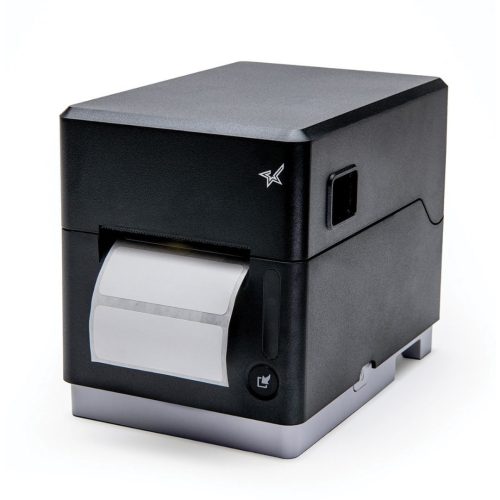
    The mC-Label3 multifunction label and receipt printer from Star Micronics can fit media of multiple widths and types.
    Meet the mC-Label3: a multimedia printer that works with receipt, linerless, and traditional label paper.

    TetherLAN, a cutting-edge technology, enables food trucks to utilize a tablet or device with a cellular connection (4G/5G) to share Wi-Fi service directly with Star’s mC-Label3 multimedia label printer via USB.

    This innovative solution ensures reliable, cloud-based printing capabilities for food truck POS systems, even in locations lacking traditional internet access, while keeping the connected device charged for uninterrupted service.

    Portable Printers

    It’s hard to beat portable receipt printers when it comes to convenience and portability for your food truck operation. Many food trucks do business in a variety of different environments every week, whether it’s festivals, farmer’s markets, pop-up events, and more. A portable printer and mobile food truck POS technology allow vendors to process on-the-go orders and receipts. This enables you to go where your customers already are. 

    Are you looking to provide your customers with a dine-in vibe? You can offer seating and print receipts on the go as you deliver the orders. 

    Some food truck operators have even made their mobile printers a more permanent solution to replace traditional countertop printers. Accessories like shoulder straps or belt clips allow employees to use portable printers on the go for extended periods comfortably.

    Star Micronics offers Android and iOS-compatible printers in 2”, 3”, and 4” sizes. View our line of portable printers.

    The correct printer is essential for seamless operations in the fast-moving food truck environment. 


    The SM-T300i portable thermal printer by Star Micronics.
    Star has a wide range of innovative mobile receipt and label printers.

    Enhancing Operations with Food Truck POS Tablet Stands

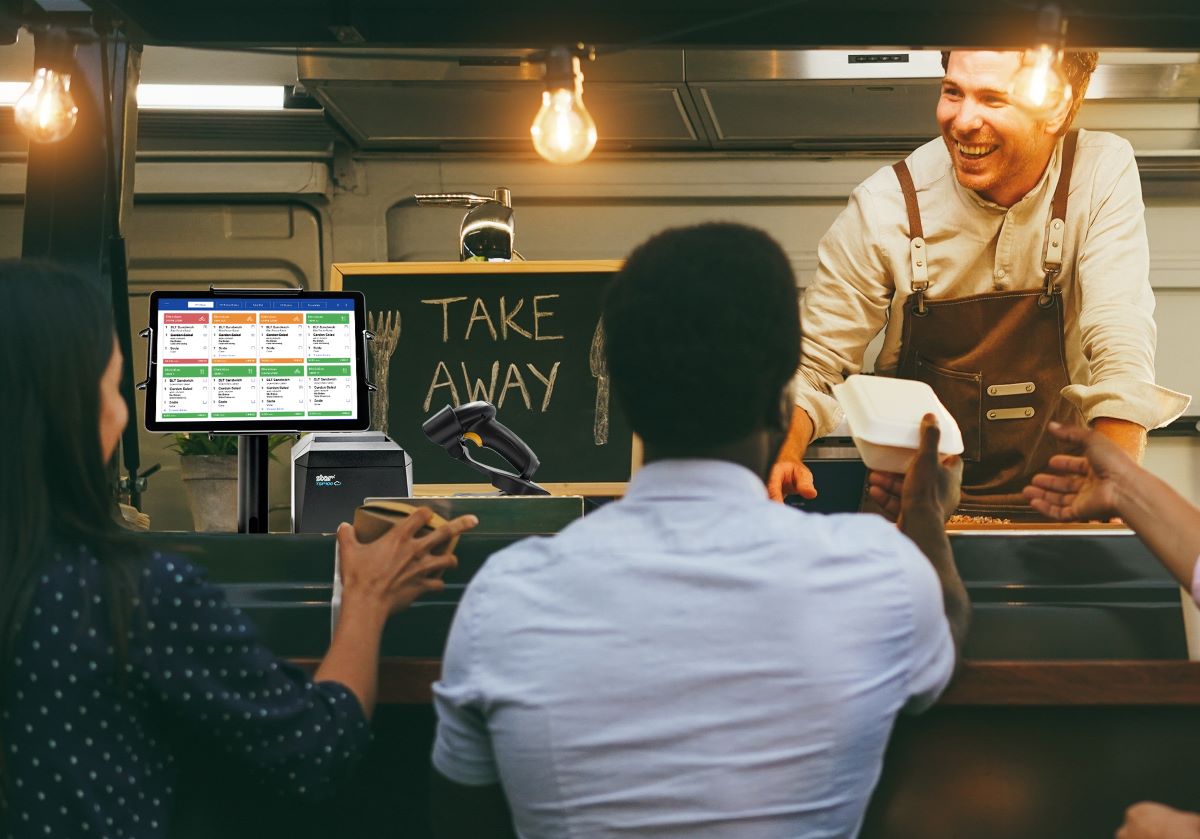
    To space-strapped food trucks, tablet POS stands and pole mounts can be a lifesaver. They provide an organized and accessible point of transaction, and self-service capabilities can save your staff precious time—all with a slim, sleek profile.

    The right tablet stand can:

    • Provide a customer-facing self-service option for ordering and tipping
    • Allow customers to check in if they have ordered online
    • Save space and offer versatility in placement

    Another significant advantage of a tablet stand is integration with your Kitchen Display System (KDS). Tablet stands can help you effectively relay orders to the kitchen, minimize communication errors, and expedite order preparation.


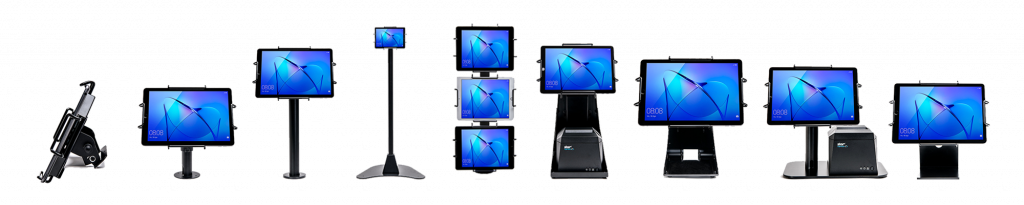
    Some tablet display stands and mounts from Star Micronics' mCollection, shown with tablets in Universal mEnclosures.
    Explore Star’s collection of mUnite POS stands and pole mounts.

    Scanners, Scales, and Cash Drawers

    When every second counts, your accessories can separate you from the competition. Star Micronics is a world-class provider of POS printers and stands, but we offer a range of accessories beyond printers and stands that are essential for day-to-day operations.

    Indispensable POS accessories include:

    • Scales to drive savings and efficiency on the food preparation side by helping to maintain consistency in portioning. An accurate scale can also allow you to charge by weight, allowing greater customer transparency.
    • Many diners still prefer to use cash, so a reliable cash drawer can keep your currency safe and organized. Modern cash drawers offer a range of lock settings to maximize security. 
    • Payment terminals are another vital accessory that food trucks utilize to securely accept credit, debit, and mobile payments from customers.

    And a comprehensive food truck POS operation isn’t just about hardware. The right integrated payments solution will help you make sure you’re processing credit cards smoothly. 

    Food Truck 101: Your Top 5 Questions Answered

    From startup costs to standing out in the market, this ebook covers everything you need to know to drive your food truck business forward.

    A Better Food Truck POS Solution

    To compete in the food truck space, you need every advantage. By embracing these POS hardware options specifically for food truck operations, entrepreneurs can build efficiency, reduce errors, improve customer experiences, and drive overall success.

    Star Micronics’ wide range of innovative hardware and technology is tailored to the unique challenges of the restaurant and food service industry, including food trucks. Learn more about Star Micronics’ specialized POS tech for restaurants and food service

    Contact us today to learn more about our fine dining, quick service, and food truck POS solutions.
  • Decoding Labels: The Importance of Permanent Linerless Labeling in Modern Business

    Decoding Labels: The Importance of Permanent Linerless Labeling in Modern Business

    In an era marked by the exponential growth of online ordering, delivery, and take-out services, alongside eco-conscious consumers and streamlined business processes, product labeling has taken center stage. The need for efficient, eco-friendly labeling solutions has become critical, especially with the growing demand for quick and accurate deliveries.

    Beyond mere product identification, today’s labeling solutions, especially permanent linerless labels, embody a business’s commitment to environmental responsibility, operational efficiency, and cost savings. As the trajectory points towards the wider adoption of labeling technologies, let’s find out why permanent linerless labels are revolutionizing modern businesses.

    The Rise of Permanent Linerless Labels

    With the meteoric rise of online ordering reshaping consumer behavior and expectations, the use of labeling in various sectors—from retail to pharmaceuticals—has surged. This shift underscores the pivotal role of labels in product identification, brand promotion, and ensuring timely and accurate deliveries. 


    As businesses grapple with the mounting demand for labels, especially with the boom in ecommerce, a multitude of labeling solutions has surfaced. Amid the choices, linerless labels have distinguished themselves, attracting attention for their eco-friendliness and operational efficiencies. 


    And, within the linerless label trend, permanent linerless labels are further marking their territory, presenting businesses with a durable and sustainable alternative that resonates with modern needs. In fact, several reasons underscore the growing preference for permanent linerless labels:

    Eco-friendly Approach

    Traditional labels come with linered backing that contributes to environmental waste. In contrast, linerless labels produce up to 50% less waste and significantly reduce CO2 production. Some are even made of biodegradable materials. Plus, once the roll of linerless labels is used up, only the cardboard core remains, which can be recycled. All of this makes linerless labels advantageous and a greener choice for labeling.

    Versatility & Increased Production Capacity

    Linerless labels can be tailored to any length, fitting diverse products without the roll change. This versatility inherently increases production and application.

    Decreased Inventory Space

    Without liners, linerless labels are more compact, allowing for twice as many labels on a roll. This can significantly reduce inventory requirements.

    Safety and Reduced Downtime

    Traditional linered labels often leave waste on floors that can pose serious slip hazards. Linerless labels enhance workplace safety and decrease applicator downtime as well. The reduced need to repeatedly change rolls directly increases printer uptime.

    Top-Quality Adhesion

    In addition to all the above benefits, permanent linerless labels provide the perfect blend of eco-friendliness and functionality. They live up to their name with the same solid stick as traditional labels, if not better, without the need for a wasteful liner. This makes permanent linerless labels an ideal solution for businesses looking to make a sustainable choice without compromising quality or performance.

    The Tangible Business Upsides of Going Linerless

    Adopting linerless labels isn’t merely a sustainable choice; it presents tangible business benefits:


    • Branding & Visibility: Full-color printing capabilities across the entire label heighten branding potential and shelf visibility.
    • Operational Efficiency: Linerless labels simplify the labeling process as a whole, boosting overall efficiency, and permanent linerless labels are no exception. Businesses get the same permanent stick that traditional labels can have without the added bulk or waste.
    • Economic Advantages: Using permanent linerless labels can lead to significant cost savings. Businesses get more labels for their money while enjoying reduced shipping costs and decreased storage space requirements.
    • Elevated Reputation: With more consumers leaning toward eco-friendly brands, using linerless labels can enhance a company’s sustainability profile.

    The mC-Label3 Multimedia Printer

    The latest innovation by Star Micronics, the mC-Label3 Multimedia Printer, prints across a wide array of media types, including permanent linerless label paper.

    Embracing the Future with Linerless Labeling

    The transformation of labeling technology, driven by both environmental concerns and business efficiency, has made it clear: linerless labels, especially permanent linerless labels, are here to stay. As modern businesses aim to balance operational prowess with eco-responsibility, the transition to permanent linerless labels is compelling. 


    Whether it’s about reducing waste, boosting production, or simply getting more labels for your buck, the benefits are undeniable. As the demand for labeling continues to surge, particularly with the growth of online ordering, businesses need to align their strategies with the trends that matter—and permanent linerless labeling will undoubtedly lead the pack.


    Always Leading, Always Innovating

    Star Micronics is a leading provider of linerless labeling solutions tailored to meet your unique business needs. Learn more about our linerless label printer options and how we can help your business make a positive impact on the environment and gain a competitive edge:

  • Essential POS Hardware for Cannabis Sellers at Farmers Markets

    Essential POS Hardware for Cannabis Sellers at Farmers Markets

    Farmers markets are a beloved tradition, offering fresh, locally sourced produce, handmade goods, and unique treats. The landscape of cannabis commerce in New York is transforming with the recent approval of cannabis farmers markets by state regulators. This groundbreaking change allows licensed cannabis cultivators and retailers to connect directly with consumers in a market-style setting, creating a new avenue for cannabis sales. 

    But what does it mean for your cannabis business regarding the necessary point-of-sale (POS) hardware for selling at farmers markets? 

    Cannabis POS Hardware for Farmers Markets

    In the bustling environment of a farmers market, the right POS system for cannabis can be a game-changer. Not only does it streamline business operations, making sales swifter and more efficient, but it can also enhance the overall customer experience. When patrons have a seamless transaction process, they’re more likely to think highly of your brand and return, fostering a loyal customer base and boosting your long-term sales. It’s a win-win.

    So, here’s what cannabis vendors need for the ideal farmers market POS:

    1. Mobile POS System and Tablet or Smartphone

    When selling cannabis at farmers markets, a robust mobile POS system is the cornerstone of your POS setup. As transactions will happen on the fly, a mobile POS system, operated via a tablet or smartphone, is an indispensable tool for a seamless customer experience.

    These mobile systems offer valuable features like real-time inventory management and sales tracking – a critical aspect for cannabis businesses adhering to strict regulatory requirements. Many mobile POS systems are cloud-based, ensuring your data updates in real-time and is accessible from anywhere.

    2. Receipt Printer

    Providing receipts is a standard practice in any sales environment, and cannabis farmers markets are no exception. A portable, battery-operated thermal printer can be a practical choice for vendors, allowing you to print customer receipts immediately after the transaction.

    A traditional desktop thermal printer can be an excellent choice for vendors with access to a power source. Especially advantageous are those printers that come with wireless capability, seamlessly pairing to your mobile device and eliminating the clutter of unnecessary cables.

    These printers offer wireless connectivity and can quickly print receipts for customers. They also play a significant role in maintaining transaction records, which is especially important in the highly regulated cannabis industry.


    TSP143IV thermal receipt printer by Star Micronics
    The TSP143IVUW thermal receipt printer has wireless capability

    3. POS Scale

    As cannabis is often sold by weight, having a POS scale is crucial. It enables you to weigh cannabis products accurately and in full view of customers, ensuring transparency in your transactions.

    A POS scale can be easily incorporated into your mobile POS system, automatically entering weight information to speed up the sales process and reduce the potential for human error. Remember to use a scale that is “Legal for Trade,” “NTEP Certified” (in the US), or “Measurement Canada Certified” to ensure it meets commercial standards for accuracy.


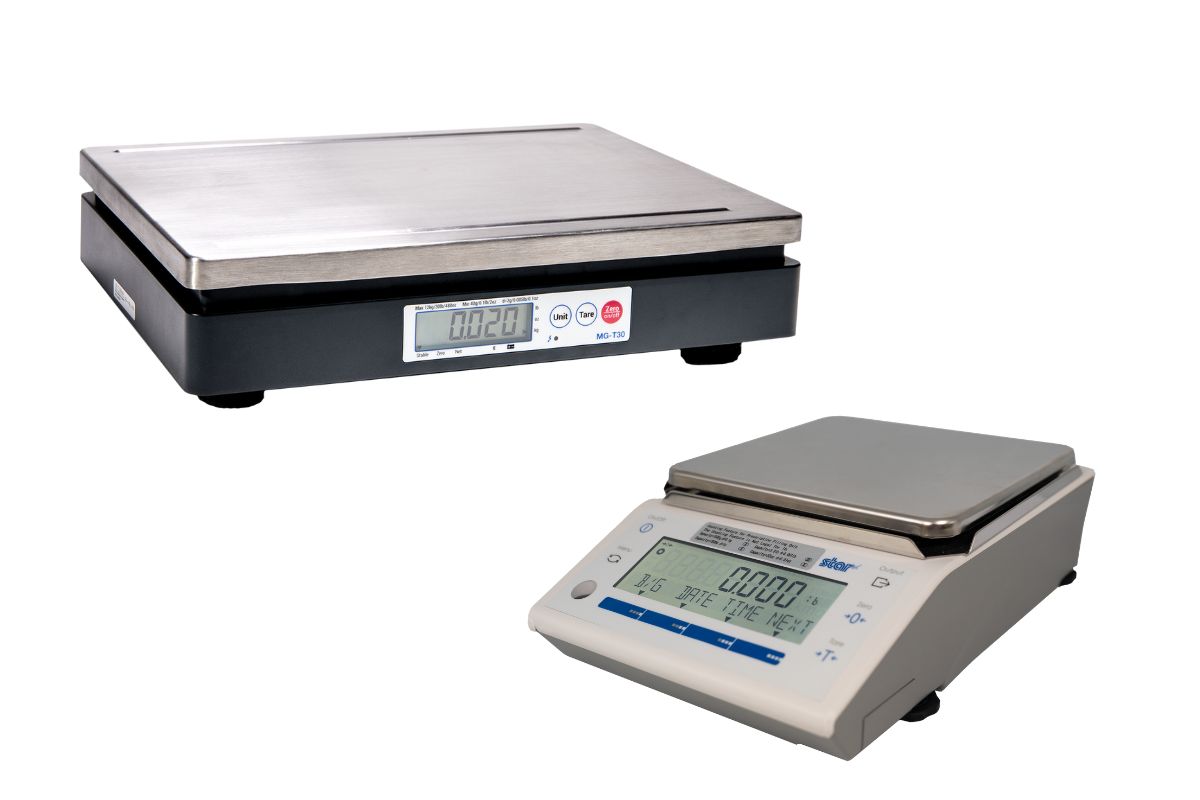
    Star Micronics offers mG-T and mG-S series of POS scales.
    Star Micronics offers Trade Legal POS scales ideal for weighing cannabis

    4. Cash Drawer

    Even with the surge in digital payments, cash transactions are still everyday occurrences at farmers markets. Therefore, having a secure cash drawer is vital for safe and organized cash handling.

    This also allows for quick and convenient change-making, contributing to a smooth checkout process. A secured cash drawer will help you organize bills and coins and keep them safe during your day at the market and on the way home.


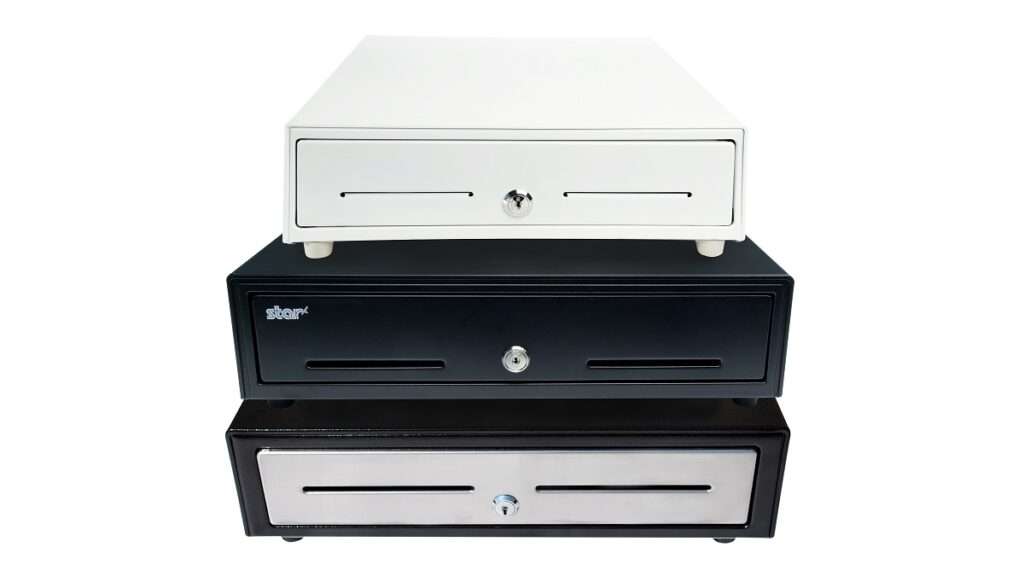
    Stacked Cash Drawers by Star Micronics.
    Keep cash secure with cash drawers by Star Micronics

    5. Barcode Scanner

    If your products come pre-packaged with barcodes, a barcode scanner can speed up the checkout process. Portable, wireless scanners can be especially useful in the typically compact setup of a farmers market stall.

    A barcode scanner is essential to streamline the checkout process and keep track of inventory in real time. It enables quick, accurate product identification and price lookup, enhancing efficiency at the point of sale – an essential consideration when dealing with a high volume of customers at farmers markets.


    Black wireless handheld 2D barcode scanner by Star Micronics.
    Star offers 1D/2D wireless barcode scanners perfect for farmers markets

    6. Card Reader

    While cash transactions are common at farmers markets, the trend of cashless payments is on the rise. This means having a card reader that can accept credit and debit card payments can put you ahead of your competition.

    Ensure your card reader can handle EMV chip cards and contactless payments (NFC), like Apple Pay or Google Wallet, to provide your customers with diverse payment options. This ensures a smooth and convenient payment process for customers, which can enhance their shopping experience and increase sales.

    The Right POS Hardware Can Maximize Cannabis Sales at Farmers Markets

    Selling at a farmers market can be a rewarding experience, building community and connecting directly with your customers. The proper POS hardware can help make this experience run smoothly, ensuring you can focus more on your patrons and less on handling delays.

    As New York blazes the trail in this new form of commerce, cannabis businesses must prepare and adapt. However, having the POS hardware essentials down will keep you well-equipped to seize this unique opportunity in the growing cannabis industry.

    Remember, before investing in any POS hardware, consider your specific needs and do your research to ensure compatibility with your POS software. The perfect setup can create a seamless checkout experience, ensuring every transaction is as smooth as your finest roll.

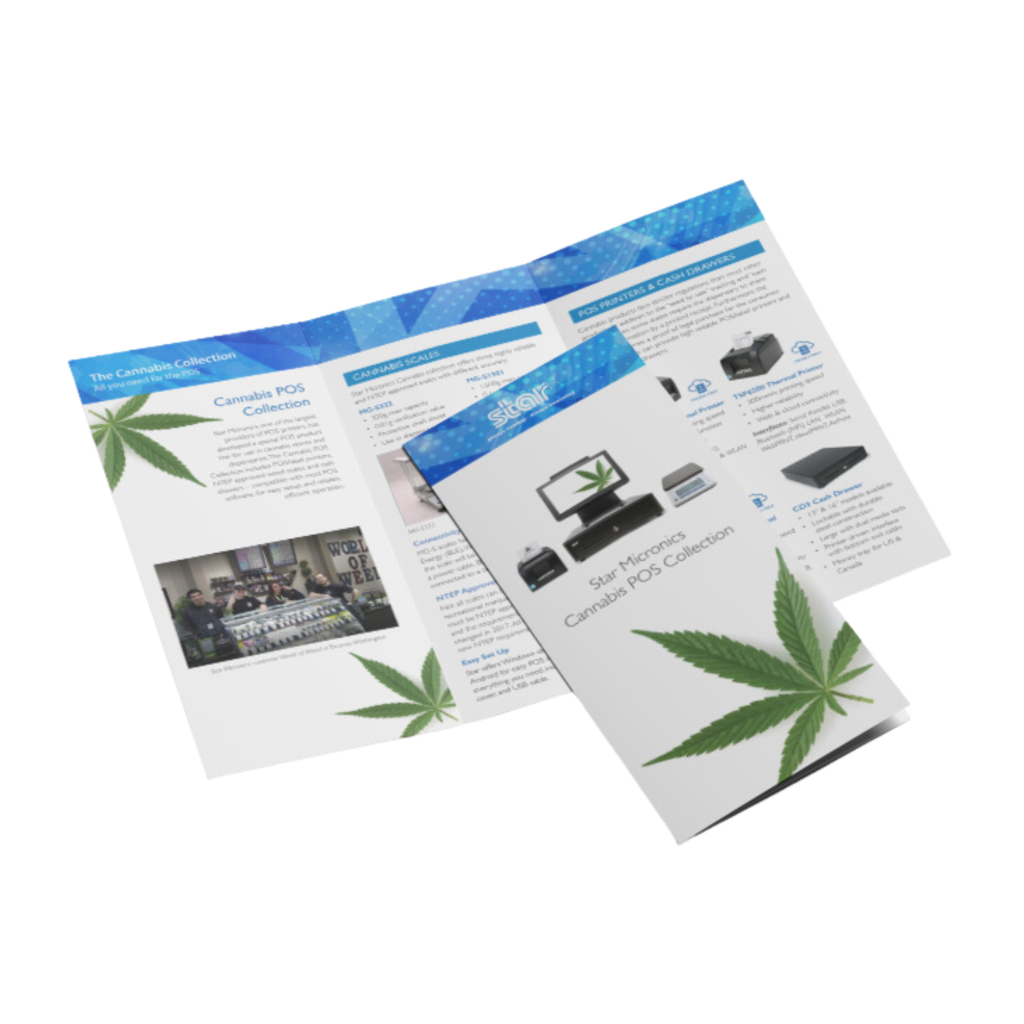
    Star Micronics Cannabis POS Solutions Brochure

    Star is proud to offer the latest POS hardware and technology solutions for cannabis stores and dispensaries.

    Want to know more about cannabis POS hardware?

  • How to Switch to an Android POS System: A Detailed Guide

    How to Switch to an Android POS System: A Detailed Guide

    The modern retail landscape is in constant flux, mainly driven by consistent technological innovation. Among these many changes, the shift toward Android point-of-sale (POS) systems has been particularly noteworthy over the last couple of years.

    The Rise of Android POS Software

    The Android operating system, universally recognized for its user-friendly nature and cost-effectiveness, is now the first choice for a rapidly growing number of retail businesses. Its open-source nature lends itself to exceptional customization capabilities, allowing software developers to tailor their POS applications to their exact specifications. Merchants in the retail and hospitality industries have greatly benefitted from such progress.

    Such flexibility isn’t just about aesthetics; it’s about delivering a smooth, efficient customer service experience and integrating diverse software applications that manage everything from inventory to customer feedback.

    The Critical Role of Hardware in Android POS Systems

    However, an Android POS system’s success relies on more than just the software. The hardware components, particularly the printers, are pivotal in ensuring the system operates seamlessly.

    Here, Star Micronics shines in the world of retail solutions. Fully understanding the Android revolution in the POS industry, Star has dedicated its resources to craft printers that perfectly sync with Android systems.
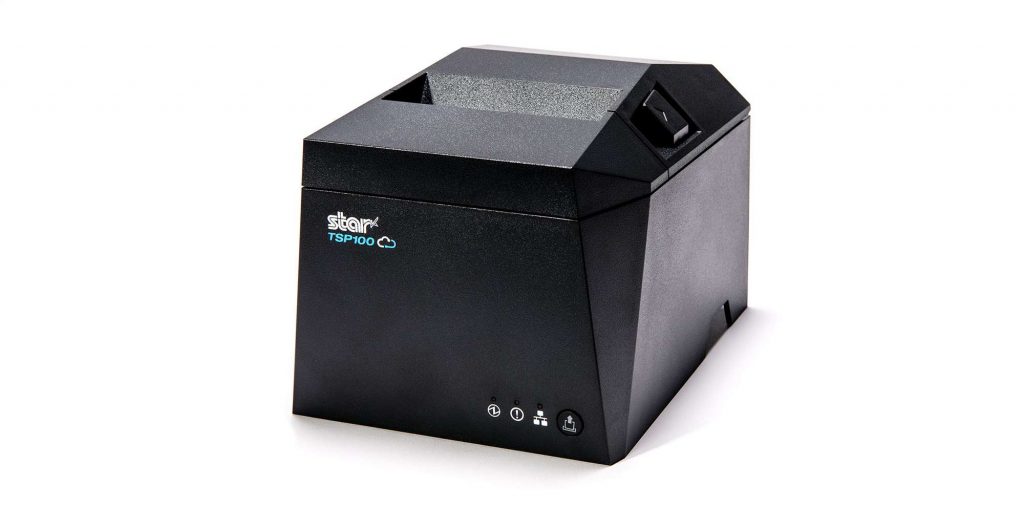
    Among Star’s crowning achievements is the TSP143IVUE thermal receipt printer. All Star Micronics receipt and label printers are compatible with Android, but the TSP143IVUE optimizes the Android experience thanks to its support for the Android Open Accessory (AOA) protocol.

    AOA support ensures communication between the Android system and the printer while keeping the tablet or device powered and charged, enhancing the user experience by leaps and bounds. Star also has industry-leading software development kits (SDKs) to aid technology providers in the integration of Star printers with developer POS software.

    Software developers, click here to contact the Star Integrations Team >

    An Independent Software Vendor’s (ISV’s) Guide to Star Printer SDKs

    Unlock seamless printer integration tailored to elevate your software’s performance and versatility.

    If Your Current POS Software is Android-Compatible

    For many business owners, the thought of transitioning to a new system can be daunting, especially if they’re content with their current POS software. The good news? Your transition can be significantly streamlined if your POS software is already compatible with Android hardware.

    If this is you, you’re in a favorable position; your employees are already acquainted with the software, eliminating the need for extensive training.

    In such cases, while reviewing the steps detailed below for a thorough understanding is beneficial, you may not have to follow all of them. Instead, you can focus on hardware, ensuring a smoother and more efficient switch to the Android POS system of your choice.

    Preparing for a Seamless Transition

    Before considering a switch to an Android POS system, businesses without Android-compatible software should start by evaluating their current system. This means pinpointing its strengths and acknowledging its limitations.
    But introducing new technology isn’t just about installation. The importance of thorough staff training cannot be overstated. A system can only reach its full potential when those using it are proficient and confident.

    Be prepared to do the necessary work if you want the greatest rewards later on.

    Steps to Transition to an Android POS System

    Transitioning requires careful planning and execution. Here’s a structured approach for business owners looking to make the switch to an Android POS system:

    1. Assessment & Planning

    • Evaluate Current Needs: Start by analyzing the features of your current POS system. Pinpoint its strengths and any gaps in functionality. Examine both your software and hardware, identifying essentials and desired additions. Invest time in creating a detailed list. Group all your “must-have” features together and create a separate wishlist for the desirable, but not crucial, add-ons.


    • Determine Compatibility: Ensure which of your existing hardware (e.g., barcode scanners, cash drawers, printers) is compatible with Android systems or plan for necessary upgrades. 

    2. Research & Selection

    • Choose the Proper Software: Various Android POS applications cater to distinct business requirements. As features, pricing, and support differ across the board, it’s crucial to choose wisely. Refer back to your prioritized list, ensuring your software selection has all your must-have features and, ideally, some from your wishlist.
    • Hardware Selection: Decide if you’ll be using dedicated Android POS terminals or other popular devices such as tablets. If you need to upgrade to new POS hardware, be sure it’s compatible with Android, is user-friendly, and has excellent support. This may go without saying, but ensure your chosen hardware is also robust enough for your business’s daily operational demands. Cutting costs on hardware may lead to regrets when they break down, leaving you in a jam during your busiest hours.


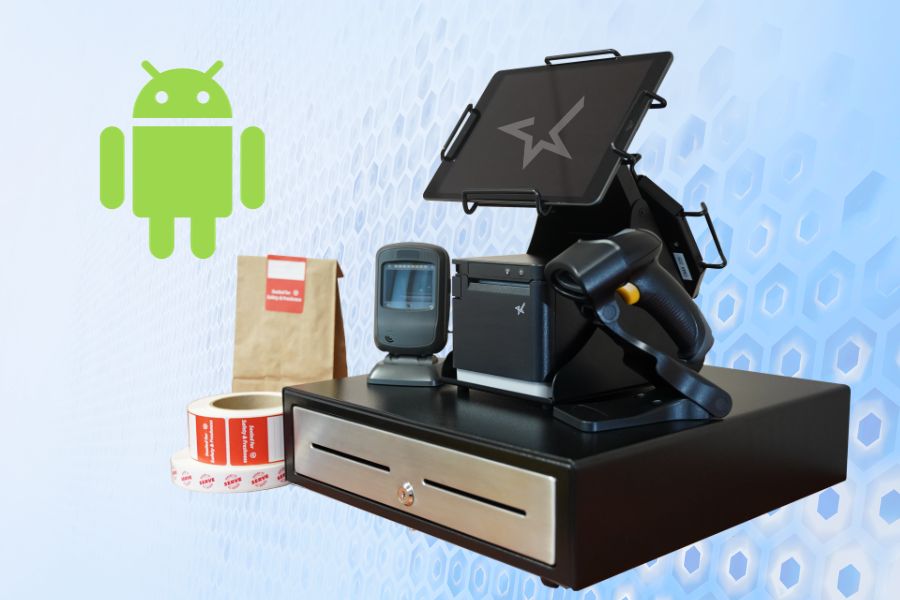
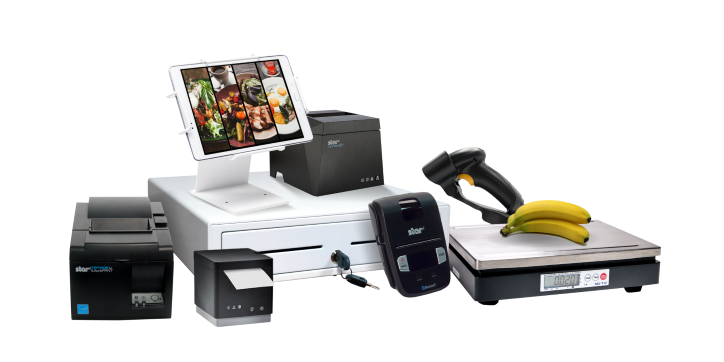
    The complete point-of-sale (POS) suite in black and white by Star Micronics.
    All point-of-sale hardware by Star Micronics works with Android operating systems.

    3. Data Migration

    • Inventory & Product Data: Most modern POS systems allow you to export product data. Once exported, this data can be imported into your new Android POS software.
    • Customer Data: If you’ve maintained a customer database or loyalty program, ensure this data is also transitioned.

    4. Configuration & Customization

    • Payment Processing: Set up payment gateways and processors to ensure seamless transactions with your Android POS system. Note: if you are using your current Android-compatible POS software and making no software changes, there will likely be no need to update your payment processing or terminal.
    • Tax & Compliance: Ensure your chosen software is configured according to local tax regulations. All POS software must comply with all federal and state tax laws.

    • Custom Features: Depending on the software, you may be able to add specialized features tailored to your business needs.
    5. Training

    • Staff Orientation: Familiarize your team with the basics of the new system.
    • In-depth Training: Consider more detailed training sessions or workshops depending on your business’s complexity.

    6. Testing

    • Pilot Run: Before fully transitioning, consider running the new Android POS system parallel to your existing system to catch any issues.
    • Feedback Loop: Allow staff to provide feedback on any challenges they encounter.

    7. Deployment & Go-Live

    • Full Transition: Once you’re confident in the new system’s functionality, make the full switch.
    • Support: Ensure there’s a system in place for staff to report issues and get help as needed.

    8. Ongoing Review & Optimization

    • Collect Feedback: It’s crucial to consistently gather feedback from staff and customers to ensure the system meets everyone’s needs.
    • Updates & Maintenance: Regularly update the software to benefit from the latest features and security enhancements.

    Remember, while there are challenges in making a significant change like this, the flexibility, customization options, and potential cost savings of an Android POS can offer many benefits to modern businesses.

    Happy Business Owner Retail Grocery Small

    Embracing Tomorrow’s POS Landscape

    Staying ahead in the ever-changing retail and hospitality world means staying informed and embracing a proactive spirit. If you’re sensing your legacy POS system may be holding back your business, there are many reasons why upgrading to a newer Android POS system would be advantageous.

    Not only is it a highly cost-effective alternative, but the operating system itself allows for excellent customization and is very user-friendly. Paired with the advanced capabilities of Star Micronics’ printers, vendors are equipped with leading technology and an edge in operational efficiency.

    Embracing innovation ensures a brighter, more efficient future for your business, positioning you at the forefront of the retail evolution.