Category: Solutions & Use Cases

  • Sophatar Digital Signage Service, Sophatar® POS Signage™ added to Star Cloud Services

    Sophatar Digital Signage Service, Sophatar® POS Signage™ added to Star Cloud Services

    Easy and affordable solution for in-store digital signage

    Somerset, NJ – January 4, 2017 – Star Micronics is proud to announce that Star Cloud Services has added another great benefit to its long list of value-added services: Sophatar® POS Signage. Star Micronics, together with Sophatar, launch this brand new digital signage service for all Star Cloud Services members. Star Micronics customers can sign-up for this monthly service currently available on the Star Cloud Services dashboard. The service automatically creates in-store digital signage with product recommendations based on the line items of your Star printer receipts.

    This monthly service brought to you by Sophatar is available at a low-cost but adds key business solutions that would normally require a long-term contract with expensive upfront costs. With a month to month subscription and a choice of hardware priced in a variety of ranges to meet any budget, this digital signage solution is affordable and cost-effective. Automatic content updates are included with the service resulting in a ‘set & forget’ operation, so your signage doesn’t go stale over time as with other solutions based on a static playlist. If retailers do not have pictures of their products or services, the solution’s engine will automatically retrieve images based on UPC codes and textual descriptions. Content on the signage continuously updates through a networked media player by using a data feed from the retailer’s printed sales receipts already stored through the Star Micronics printer and the Star Cloud.

    This solution also allows retailers to display the store’s social media content, such as tweets and Instagram posts, when connecting social media feeds in the Sophatar web console. So when a special is promoted through social media, it will appear on the retailer’s in-store signage as well.

    This revolutionary solution will empower retailers to boost in-store sales revenue simply from advertising the great products sold in your store while customers shop!

    This new Star Cloud Service is just one of the added benefits to Star printers. Look for more services in the next year. For more information about Sophatar® POS Signage, visit Star Cloud Services’ website or Sophatar’s website.

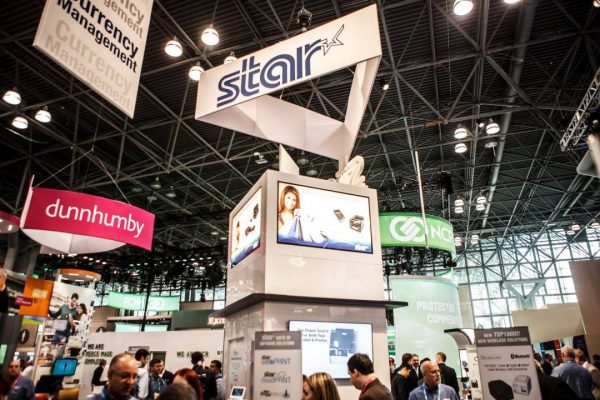
    Sophatar POS Signage will be on display at the National Retail Federation’s Big Show, January 14-16 2018, Javits Center, New York, at Star booth #2745 and Sophatar booth #1012.
  • The Amazing Retail Machine

    The Amazing Retail Machine

    V1422-NRF-Retail-Machine-e1574795679863

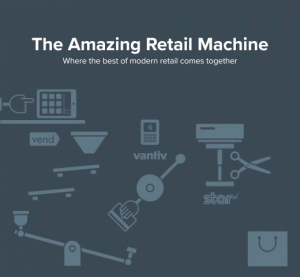
    See the best of modern retail come together at NRF Retail’s Big Show, with displays from Star Micronics, Vend, and Vantiv

    It’s almost that time.
    With over 600 exhibitors, 18,000 retailers and 35,000 attendees from 95 countries, NRF truly is Retail’s, BIG Show. All of our partners will be there debuting something pretty special – The Amazing Retail Machine — and we’re giving away an iPhone X to celebrate!

    What: NRF, Retail’s BIG Show
    When: Jan 14-16, 2017
    Where: Booth 2745, Jacob K Javits Convention Center, NYC (map)

    Come to booth 2745 to see how the best of retail come together with a quirky chain-reaction machine designed by Kinetic Artist Joseph Herscher, in the original Rube Goldberg style. The Amazing Retail Machine will show how Vend, Vantiv and Star Micronics power the modern retail transaction. See how to make the perfect POS system with each part coming together seamlessly.

    Joseph Herscher’s videos have been viewed by over 30 million people online. He has built a page turner, watered plants on Sesame Street, and been featured in the New York Times. This is his first installation at NRF and you won’t want to miss it!

    And you can win an iPhone X! Drop by booth 2745 to see the amazing retail machine in action then post about your visit and tag it with #nrf2018 & #amazingretail for your chance to win.

    Interested in attending?
    Retailers can register for their free EXPO Hall pass at https://nrfbigshow.nrf.com/register

    Want to catch up at the show?
    We’ll be at Booth 2745 during expo hours – but if you’d like to set up some specific time to chat just email events@vendhq.com. We’re all really looking forward to meeting you.

  • 4 Ways to Prepare for Your New 2018 POS Integration

    4 Ways to Prepare for Your New 2018 POS Integration

    For an easy POS integration in 2018, follow these four steps

    It’s almost 2018, and a new year means setting sales numbers to zero and making a new start. Position your business to make 2018 a great year by giving your customers the shopping or dining experiences they want while enabling your staff to work smarter, not harder. A new or upgraded point of sale (POS) system will allow you to have the POS integration your business needs now and also gives you some room to grow.

    Here are four things to do if a new POS integration is on your wish list this holiday season:

    1. Speak with your staff about what they need to make their jobs run more smoothly.

    Talk to your staff to understand their challenges and the technology that can help them do their jobs more easily and efficiently. A retail store’s counter staff and sales associates or a restaurant’s servers and line cooks are on the front lines of dealing with customers and hearing their feedback — especially when your business doesn’t live up to their expectations. Your employees’ input can help you identify which POS integrations are important for reducing wait times, increasing order accuracy and providing a higher level of customer service.

    1. Choose a system with these five capabilities.

    When making an investment in a new POS system, ensure it has at least the POS integration capabilities to support these five types of solutions:

    • Sales reporting and analytics: Gain better insight into sales numbers and profit margins, identify top selling items.
    • Inventory management: Maintain proper inventory counts and gain transparency into which store locations have items available.
    • Customer relationship management: Collect important data about customer buying habits and preferences, which can be used as the basis of a marketing campaign.
    • Employee management: Time clock functionality, scheduling, and integrated payroll processing will automate some of the most time-consuming processes.
    • Check out tools: Make sure your POS system integrates with peripherals that help the checkout run smoothly, including barcode technology and fast, accurate scanning capability.


    1. Select a dealer partner that will train your staff and provide support so you get the most out of your investment.

    Choose a reputable POS provider with a solid track record of success. Before signing on the dotted line, ask what types of training and support services are available. Star Micronics offers top of the line support through its website. Adding functionality to your POS system will require expert training to make sure your staff understands how to use new functions and features and how your business can leverage them to get the greatest ROI. Be sure to inquire about the availability of on-site training, tech support hours, repair services (on- or off-site) and additional support that’s available.

    1. Determine whether you will be using mobile POS, how, and when.

    Carefully consider the choice to integrate mobile POS with your POS system. Mobile POS is a reliable way to increase table turn or reduce waiting at the check-out. Servers can take orders and process payments right from the table, which cuts several minutes of waiting for hungry diners. In retail stores, adding tablets or ruggedized mobile devices allows employees to search for inventory or process transactions right from the sales floor. Some retailers may opt to remove some of their traditional cash wraps and replace them with mobile devices, which frees up floor space for additional products. When you upgrade, evaluate whether adding mobile capabilities is a smart strategy for your business.

    Star Cloud Services can offer all of these steps and more. After initial set up of your Star Micronics printer, you have a whole suite of tools ready to help improve your business. Star has an excellent support team for any issue that can arise, giving one less thing to worry about while managing your business. Mobile POS is also a large part of Star Micronics printers. We offer multiple printers that can even change from portable to desktop with a simple addition of a charging cradle.

    A new POS integration can help optimize operations at your store or restaurant, improve inventory management and ease the workload on employees. If you’re considering purchasing a new POS system or upgrading the one you already own, choose one that enables integrations that automates processes, manage inventory and helps your business run more efficiently. The New Year gives you a fresh start, so make it the best one you can with a cutting-edge technology refresh.

  • How to Find the Best POS Solution for Your Restaurant

    How to Find the Best POS Solution for Your Restaurant

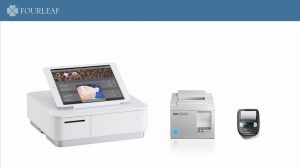
    four-leaf-products-e1574795534725Starting a restaurant business or a coffee shop has never been easy for people who don’t have experience. Such business requires large spending – from purchasing and investing in all necessary equipment to over hiring staff and releasing monthly salaries. Consequently, these have direct negative effects on a restaurant’s profitability. Last but not least, traditional systems cause difficulty for owners when they want to quickly expand their business.

    Contrary to popular belief, restaurant point of sale is not a one size fits all models. In the restaurant industry, you’ll find large to mid-sized sit-down restaurants, mom and pop shops with 5 to 10 tables, cafes, fast-casual, food trucks, and more. Finding the right point of sale system for your restaurant really depends on the type of business your running.

    1. Pop-up Restaurants & Food Trucks

    food-truck-e1574795558435

    For a pop-up restaurant or food truck scenario, you will want a point of sale that allows you to be mobile. Tablet POS or mPOS are very popular in this market because the mobility of the tablet or mobile device allows users to take up less space and take the POS outside of the pop-up or food truck to take orders and process payments of those waiting in line. With this type of mobile solution, you will want a receipt printer with the same mobility. A portable receipt printer that can hook right to your belt strap is ideal for these pop-up and food truck environments because they are lightweight, compact, and can print receipts from anywhere, at any time.

    2. mPOP™

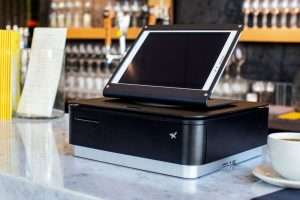
    mPOP-bar-e1574795580555In cafes and smaller restaurants, mobility is still preferred, but you will need a POS system that is more static. The mPOP allows restaurateurs to still utilize the mobility of a tablet or smartphone while having a set POS checkout station with a small footprint. This is the perfect solution for smaller restaurants or cafes that have a lower cash flow and want to maintain an aesthetically pleasing counter space.
    3. TSP143III

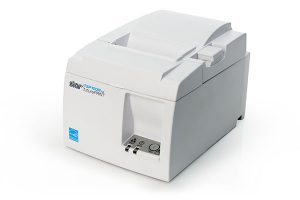
    For larger restaurants, you will need a more robust solution that can withstand busy periods with a high volume of orders being transmitted and receipts being printed. The TSP143III is the best printer for this scenario with a tethered USB connection for Apple iPad® devices that simultaneously facilitate data communication to the printer and charges the mobile device. The TSP143III is also offered with WLAN and Bluetooth connectivity option to print receipts from anywhere in the restaurant.

    TSP100IIILAN_600x377-IMG_9539-e1574795601338The FOURLEAF POS App aims to connect owners to their business 24/7. Help owners to track their sales income in real time and it is specially designed from fundamental concept to be an online restaurant POS system.
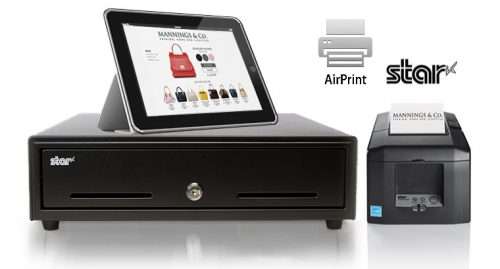
    Star and FOURLEAF strive to help restaurant owners to track their inventory and be able to send wireless orders to the kitchen within a fraction of a second.

  • Why Restaurants are Cashing in on Self-Checkouts

    Why Restaurants are Cashing in on Self-Checkouts

    Self-checkouts in your restaurant can increase the average ticket size, improve order accuracy, and increase customer satisfaction.

    It’s the holiday shopping season, which means that malls and stores are packed with customers. After fighting crowds, shoppers don’t want to wait on long lines at your restaurant, holding bags and tired children, wasting precious shopping time. Instead, quick-service restaurants can facilitate the ordering process with self-checkouts that move lines quicker, increase the average ticket size, improve order accuracy and serve customers faster.

    Movie theaters, banks, hotels and other venues are giving their customers control over the purchasing process with kiosks. Consumers are accustomed to using ATMs, automatic ticketing, and self-check-out at hotels — and they may prefer self-checkouts in your restaurant as well. A report from iVend Retail found nearly 40% of consumers felt customer experiences could be improved by kiosks.

    Kiosks are typically easy to use and engage people while they are placing an order at your quick service restaurant. Not convinced? Here are four reasons why you should be:

    1. Line busting capability.

      A restaurant kiosk is a cost-effective, line busting solution that puts your customers in control of the ordering process. These kiosks help ensure shorter lines, less waiting and a more pleasant experience for shoppers, diners, and employees. It’s recommended that the restaurant have staff ready to assist people at the kiosks for the first several weeks after they go live. Additionally, self-checkouts give cardholders another layer of protection. Payments are processed by the patrons themselves and their credit cards never leave their hands.

    1. Expedited orders.

      Restaurant kiosks cut out virtually all the waiting to place an order. More kiosks to order from means that orders are going to come in fast and furious, especially during the busiest shifts. During these busiest of times, your staff can focus on food preparation, keeping the dining room clean, and turning tables, creating a more efficient, customer-friendly operation.


    1. Promotions and upselling.

      Fast-food giant McDonald’s reported that its average check size went up 30 percent after implementing self-checkouts. Upselling guests on drinks, sides, desserts or appetizers takes some training and skill. Even the best upsellers may not remember to make suggestions to every customer, but a kiosk will upsell/cross-sell on every screen and every transaction, without fail. This gives diners the opportunity to try extras they may not have otherwise ordered.

    1. Improved order accuracy.

      When customers enter their orders into the restaurant kiosk, orders are transmitted to the kitchen immediately so staff can begin preparing them. This eliminates unreadable, hand-written tickets that are run back to the kitchen and deciphered by staff, or inputting handwritten orders into a workstation, which are invitations to make mistakes. Remaking meals that were prepared incorrectly is frustrating for your staff and a waste of time, energy, and resources. Taking orders on a self-checkout can save staff time and money by reducing the number of forgotten orders, errors and resources spent remaking food or drinks that were improperly inputted into the POS system.

    Mobile-Bytes-e1574795497560

    Implementing self-checkouts at quick-service restaurants can increase the average check size, reduce wait times and increase customer satisfaction. These kiosks encourage larger orders by giving customers extra time to look through the menu and automatically suggesting combinations and upsells. People love to control the ordering process, so instituting this technology will build brand loyalty and help turn first time diners in high-value, repeat customers.

    Having the perfect products for your kiosk is key to a successful checkout process. Star Micronics along with Mobile Bytes can offer all that you would need. Line busting is simple with the high speed of Star’s TSP100III. Expedited ordering is easily handled by Mobile Bytes online ordering app. Star Micronics can offer you promotional support with Engage Now and Receipt Flip. You can rely on the accuracy of the TSP100III as well. Using Star Micronics printer and Mobile Bytes solution you have everything you need in the perfect POS system.

  • Star Micronics Announces First Apple AirPrint POS Printer

    Star Micronics Announces First Apple AirPrint POS Printer

    The First Receipt Printer on the Market with Apple AirPrintCertification

    Somerset, NJ, November 14, 2017 Star Micronics, a leading manufacturer of mobile, point of sale (POS), and customer engagement technologies, has officially received certification for the first Apple AirPrint POS printer. The new TSP654II AirPrint will be available to the market in coming months. With both Ethernet and WLAN capabilities, the printer will work seamlessly with all Apple® devices enabling quick setup and simple, high-quality receipt printing.

    Always leading, Always innovating, the TSP654II AirPrint allows the Apple user to continue with the familiar AirPrint experience accustomed when using their Apple iOS® POS system. In addition, receipt printing requires no extra configurations, software or additional drivers.

    For ISVs this is the easiest and fastest way to integrate a printer with Apple software. The TSP654II AirPrint works immediately after setup and is the perfect fit for the occasional print job. With the TSP654II, Mac and iOS developers now have another option in addition to the StarPRNT SDK, giving them more flexible printer control. Look for Star Micronics to be on Apple’s AirPrint certified device list in the coming months.

    For more information about Star Micronics POS solutions visit, https://starmicronics.com.

  • How Cloud-Based Software is Changing the POS Game

    How Cloud-Based Software is Changing the POS Game

    SCS-certified-e1574795386768

    Cloud-based point of sale (POS) packages are comprehensive solutions that are easy on your wallet. These affordable, powerful platforms reduce downtime and increase mobility, provide in-depth reports and securely store your important data. “Software as a Service” (SaaS) solutions are easy to install and update automatically, so you are always running the most recent version of the software. But how can a cloud-based POS solution help your restaurant up its game?

    1. Reduced downtime

    Today’s cloud-based POS solutions keep functioning, even in the event of an internet outage. Solutions are available that secure your data in the cloud but that store data locally on restaurant hardware. When connectivity returns, data is synced to the cloud automatically. This allows your restaurant to operate without disruption.

    A cloud-based solution also provides the benefit of keeping your data secure in the event of a power outage, theft or accident, so you are assured of business continuity and nothing is at risk for permanent loss.

    2. Cost-effective

    Cloud-based software providers charge a budget-friendly monthly fee for software and data storage. This service is perfect for businesses that don’t have thousands of dollars in upfront fees to make an outright software purchase. There are no upgrade costs or unexpected charges — the monthly fee includes everything you need.

    Using cloud-based software, there is also less of a burden on your IT staff. Updating POS terminals can be done quickly and easily. You are no longer required to update each terminal individually and restart the computer several times. Instead, owners of multiple restaurants or small chains can manage all their locations from one computer or mobile device saving you time and resources.

    3. Mobility

    Cloud-based software makes it easy to add more terminals, mobile POS or additional checkouts — you just configure new sites and equipment for the software, sync them and you’re good to go. They automatically run the same solution, with the same data accessibility, as the other terminals in your restaurant. And once your network is established, you can manage every location from one computer or mobile device, whether it’s an on-site terminal in a back office or your home computer.

    4. Remote data access

    With cloud-based POS, you can login in from any location at any time to view sales and inventory information, allowing you to keep track of your business throughout the day. Cloud-based POS systems include a variety of reporting options that give you an in-depth look into every shift, hour, day, week, month or year. Running sales reports also help restaurant owners and managers identify the most popular menu items so they can make sure top-selling selections are always available, maximizing profitability and increasing customer satisfaction.

    If you are considering upgrading a legacy POS system for your restaurant, learn more about the features of cloud-based software and how these solutions could benefit your business. With their business continuity, mobility, and scalability features — as well as anytime, anywhere access to your POS system and data — cloud-based software can be a smart choice for your next POS system.

  • 4 Reasons Why Integrated Online Ordering is a Must-Have for Restaurants

    4 Reasons Why Integrated Online Ordering is a Must-Have for Restaurants

    If you haven’t integrated online ordering with your point of sale system yet, it’s time to add this valuable feature and start operating more efficiently.

    Every take-out or delivery meal starts with an order. Although phone orders are universally accepted at restaurants, integrated online ordering is a must-have alternative to phone calls. If you haven’t integrated online ordering with your point of sale system yet, it’s time to add this valuable feature and start operating more efficiently.

    Free Online Ordering Resources

    Social distancing has deeply affected our customers in the restaurant industry. That’s why Star Micronics is offering free online ordering resources for VARs and ISVs helping restaurants navigate the implementation of online ordering.

    What is integrated online ordering?

    Integrated online ordering allows diners to enter their orders online through the restaurant’s website or app, designate whether it’s pickup or dine-in, pay with a credit card and send the orders automatically to the kitchen. This functionality is a crowd-pleaser that, depending on the integration, updates the customer on their order’s progress and gives an ETA for delivery or pick-up.  In turn, restaurant owners and managers can increase revenues by accurately processing more orders with less staff.

    Here are four ways online ordering will positively impact your restaurant:

    1. Restaurants gain a new revenue stream with online ordering.

    For smaller restaurants with only a few tables, it can be difficult to increase profits without adding capacity, turning tables faster, or extending the hours your eatery is open. All these options add overhead in the form of higher rent, more employees and additional costs related to a longer work day. Adding online ordering and delivery generates an additional revenue stream without impacting the on-premises operations.

    People are looking for eateries with the technology that allows them to order in the way they feel most comfortable in the least amount of time. On average, restaurants that implemented online ordering increased their takeout revenue by 30%.

    2. Order accuracy will improve and customer satisfaction will increase.

    More people are logging on to place their orders for everything from doughnuts to Thanksgiving dinners. Customers want to be able to place their orders online —in fact, a National Restaurant Association survey shows that 63% of respondents said that they would use online ordering if it were offered.

    Without online ordering, an employee must reenter orders received via phone or non-integrated application into the restaurant POS, which creates double work and opens the door for mistakes to be made keying orders into the workstation. ­Removing these steps means more confident staff at the POS, less errors and a reduction in the amount of time and resources wasted on remaking orders prepared incorrectly.

    3. Integrated online ordering is more cost effective.

    If you currently offer menu items for delivery or take out, but do not have online ordering, your staff needs to spend time answering the phone. This means they are interrupted from another task, need to stop and place the order, and then return to their original task. This translates to a decrease in productivity — and an increase in labor costs. Paring with a POS system that uses Star’s CloudPRNT solution offers the option to have orders print automatically when received. Online orders that are directly transmitted to the kitchen save time and money.

    4. It helps you compete — your competition has already implemented it.

    Patrons expect your restaurant to have the technology that allows them to order online or with a mobile app. Online ordering is booming — it’s projected to be a $38 billion industry in the U.S. by 2020.  The restaurant industry is extremely competitive and has a high failure rate, so restaurateurs simply cannot afford a “wait-and-see” attitude.

    Online ordering delivers hot, fresh food quickly and correctly, so it’s time to integrate if haven’t already. Integrated online ordering will allow people to order their meals the way they want and when they want. This functionality will help you reduce human error while inputting orders and cut down on payroll cost and wasted resources. The restaurant business is fierce, so you can’t afford not to offer this cutting edge technology.

    Is Your Restaurant Ready for the Growing Online Ordering Trend?

  • Why Retailers Should Select a Receipt Printer that Doubles as a Label Printer

    Why Retailers Should Select a Receipt Printer that Doubles as a Label Printer

    If you’ve been using a printer only for receipts, it’s time to consider using a receipt printer that also doubles as a label printer. Label printers give SMB retailers the ability to print price tags, labels for online orders, shelf tags and even labels with your logo that help brand your business.

    If you’re in the market for a new printer, choose one that can work double duty for labels and receipts. Not convinced? Here are three reasons why you should be:

    Improved Customer Service

    The holiday shopping season is upon us, and according to a survey conducted by the National Retail Federation, people will spend an average of $967.13 this year. Buy online pickup in store is hugely popular, with more than 49% of the people surveyed saying they would take advantage of this option. The pickup counter is going to be busy, so using printed labels instead of a receipt taped onto a bag or box helps speed up customer service by cutting down the time it takes an employee to locate an order.

    Stores using a label/receipt printer combination can produce proof-of-purchase labels for bag-free shopping as well as labels for returns that help store associates return products to inventory more easily and accurately — something they’ll especially appreciate after the holidays.

    Better Branding

    Labels and receipts take the guesswork out of determining where your customers purchased something. These small takeaways should be a consistent extension of your brand.

    Custom Labels

    Your store’s logo, address, phone number and website can be added to the label template, so each label is easily identifiable. A customized label is an advertising opportunity that helps drive new and repeat business to your store. Using Star Micronics Cloud Services you can easily customize your receipts and get the most out of your printer.

    Star Micronics Label Solutions

    From printing product labels in a warehouse to quickly attaching linerless labels to coffee cups in a café, Star Micronics understands labeling solutions aren’t “one size fits all.” Designed with the application and user in mind, Star Micronics offers label printers with the technology needed for today’s digital, fast-moving world, and label paper for virtually any business scenario.

    Receipts

    Label printers also have templates for customized receipt printing, so your store’s branding is cohesive. Every receipt should be customized with your store’s logo, brand messaging, website and tag line so people can easily see where it came from.

    Increased Operational Efficiency

    Mobile label printers can be used anywhere on the sales floor to print product labels, shelf tags and price tags for new products or markdowns. A mobile printer eliminates added back and forth to the point of sale terminal to print labels, so restocking and display changes can be done quickly.

    SM-L300
    SM-L300

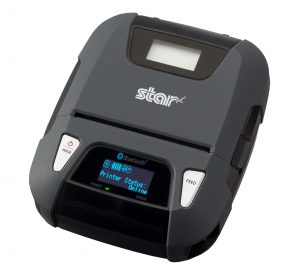
    An example is the Star Micronics’ SM-L300 portable receipt printer, which doubles as a fully integrated label printer for retail store, restaurant, delivery and warehouse applications. The SM-L300 supports thermal receipt paper and lined or linerless MAXstick label paper, making it the perfect mobile label printing solution for any business setting.

    Protect your profit margin and inventory by labeling your items properly and displaying the prices. Proper labeling helps maintain accurate inventory counts in the POS system and protects you from pricing errors that can eat away at the bottom line. Many stores are subject to laws pertaining to pricing conflicts. For example, if a full-priced item is accidentally marked 50% off, the retailer to sell the item at the lowest marked price, even if it’s a mistake.

    Get the most out of your printer investment with a model that can provide both labels and receipts to increase efficiency and accuracy, enhance customer service and ensure that online orders can be picked up easily.

  • Star Micronics Money 20/20 2017 Recap

    Star Micronics Money 20/20 2017 Recap

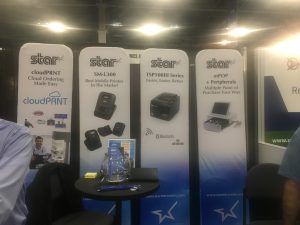
    Star Micronics is grateful to all of those who helped make Money 20/20 a successful event. Here are some highlights from the event.

    The Star Micronics team wants to extend a big thank you to our visitors at Money 20/20. We always enjoy the opportunity the show provides for relationship building and connecting with our partners. The intrigue that we saw on our visitors faces is amazing. Showing the attendees all the added features and benefits that Star can provide is always a wonderful experience for us.

    money-e1574795257725

    SM-L300 + Cradle

    The SM-L300 + Cradle were a popular display.  The effortless way the printer switches from portable to desktop mode with the cradle piqued visitors’ interest. That, added to the fact that the SM-L300 can connect to any iOS device without pairing, makes it the perfect mobile solution for environments that use multiple devices for mobile printing.

    mPOP™ + Peripherals

    The mPOP and its peripherals pulled in quite a few fans at Money 20/20. The new set of sleek looking, versatile peripherals including 2D barcode scanner, scale, customer display, and external cash drawer, make the mPOP a no-brainer for those looking for a cohesive and ergonomic all-in-one solution.

    CloudPRNT

    Star Micronics is always leading, always innovating, and CloudPRNT is a prime example. Booth visitors were able to take CloudPRNT for a test drive on their cell phones, experiencing first-hand the convenience of sending online orders directly to the kitchen receipt printer.

    Star Micronics Cloud Services

    Star Micronics Cloud Services provided another significant point of interest for our booth visitors. With a wide variety of benefits and functionalities, Star Micronics Cloud Services was created to ensure that Star Micronics users get the most out of their Star products. Featuring the AllReceipts® digital receipt solution, Micro Receipts and Receipt Flip, visitors were introduced to the latest in mobile receipt management and customer engagement solutions.

    Elo I-Series + TSP143IIIU

    Elo Touch made an excellent partner for Star at Money 20/20, just as our TSP143IIIU is an excellent partner to Elo’s I-Series. Available with optional flip stand that houses the TSP143III, the Elo I-Series Android all-in-one is capable of providing businesses with a complete and ergonomic kiosk solution.

    Sophatar and Star Micronics

    sophatar-logo

    A big thank you goes out to Sophatar for their contributions to our booth this year. Sophatar showcased digital display solutions capable of boosting the customer experience by bringing the advantages of the web into a physical space.

    Thank you again to those of you who took the time to stop by our booth at Money 20/20 2017 and to our software and hardware partners who participated in the event with us. If you weren’t able to visit our booth at Money 20/20, feel free to contact us to discuss the products we showcased or arrange a demo.