Tag: Restaurant & Hospitality

  • How To Choose The Best POS Cash Drawer

    How To Choose The Best POS Cash Drawer

    Choosing the best POS cash drawer might seem straightforward, but it’s more intricate than it appears. While cash drawers may seem like simple metal boxes designed to secure money, selecting the ideal one for your business involves several critical considerations.

    For business owners and decision-makers, the complexity increases with questions about fit, capacity, and functionality. How will the cash drawer fit into your workspace? Does it have sufficient space to handle your daily transaction volume? What type of till best suits your operational needs? And, perhaps most importantly, how do you balance these requirements against your budget?

    Star is dedicated to simplifying your decision-making process. Let’s examine some key factors you should consider to ensure you choose the best POS cash drawer for your business.
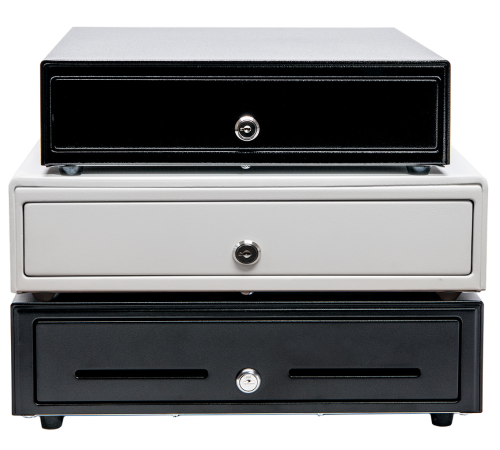
    Star Micronics has a range of robust cash drawers for any industry.

    1. Connectivity

    First, let’s discuss connectivity options when it comes to cash drawers. Many overlook this important factor, only to realize how critical it is. Making sure your cash drawers work with your point-of-sale (POS) system is a must! Researching what hardware works with your POS software ahead of time will save you headaches. You’ll want to make sure the cash drawer works with your system’s peripherals and accessories as well, such as a POS scale or scanner.

    The most common type of connectivity for cash drawers is a printer-driven interface, which means the cash drawer is controlled through the printer’s DK port. The DK port, which stands for Drawer Kick, sends a 24V DC signal that opens the drawer. The majority of cash drawers use this function.

    Another way to open a cash drawer is quite obvious: manually with a key. Most cash drawers actually have both DK port connectivity and manual key access. This allows the drawer to be opened in case the electricity acts up.

    There are also wireless cash functions controlled by Wi-Fi and Bluetooth. These tend to be more expensive and not as common, but they are an option.

    Finally, don’t forget to check how a cash drawer is powered before you buy. Some use the USB interface only, getting power from the computer they’re attached to, while others need to plug into an outlet. Make sure to put your cash drawer in an area that works.

    2. Security

    Needless to say, security is a huge consideration when looking to purchase a cash drawer. To start, here are some options to look for:

    • An additional lock that secures the drawer itself to the counter.
    • A locking till cover, so when you need to take the till to the back office at closing time, cash can’t be stolen during transport.
    • A universal key, so that cash drawers are easier to open in a rush and during an emergency. There is no need to look through a huge key ring for the correct key.
    • A manual release option, so you can open the cash drawer no matter what. Manual release is quicker than waiting for a Bluetooth signal and even faster than some DK port signals.
    • Hidden locked compartments, which require extra space and likely a higher budget.

    How many people will be using the drawer at one time? How much money do you want to keep inside? Think about your day-to-day operations and how the money will be handled, then make a list of necessities for security and be sure your new cash drawer fulfills each one.

    3. Size & Cash Flow

    Next, you want to make sure your new cash drawer is going to fit in its space. Either there’s already an allotted area you have in mind, or you have some different options to play with. Whichever it is, you’ll need to measure the space correctly (width, height, and length) and consider your cash flow to find the right-sized cash drawer for you. 

    Some important questions to ask yourself are: will your drawer be on top of the counter or mounted below? Will there be important items on top of the cash drawer? Is there enough space for the till to fully open with a person comfortably behind it?

    Some cash drawers specifically come with below-counter mounting options, so it’s important to figure this out ahead of time. You’ll also want to know the height of the drawer.

    On the market, there are normally two different sizes for cash drawers: a smaller option (typically 13” x 13”) and a larger option (typically 16” x 16” and larger). Most cash drawers are 4-5 inches in height, but be sure to check.
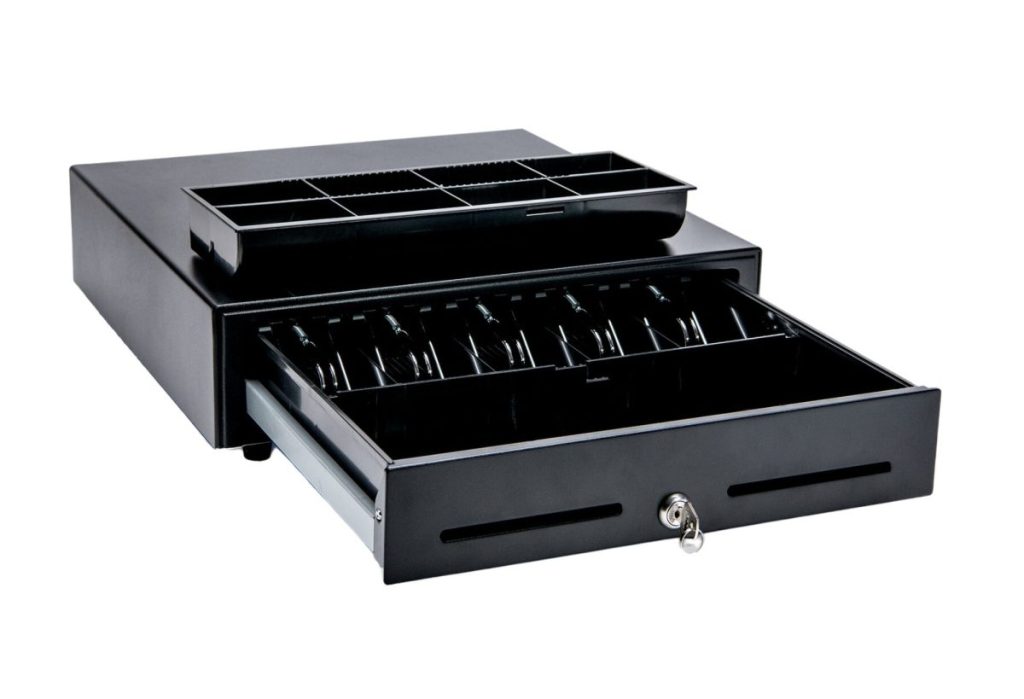
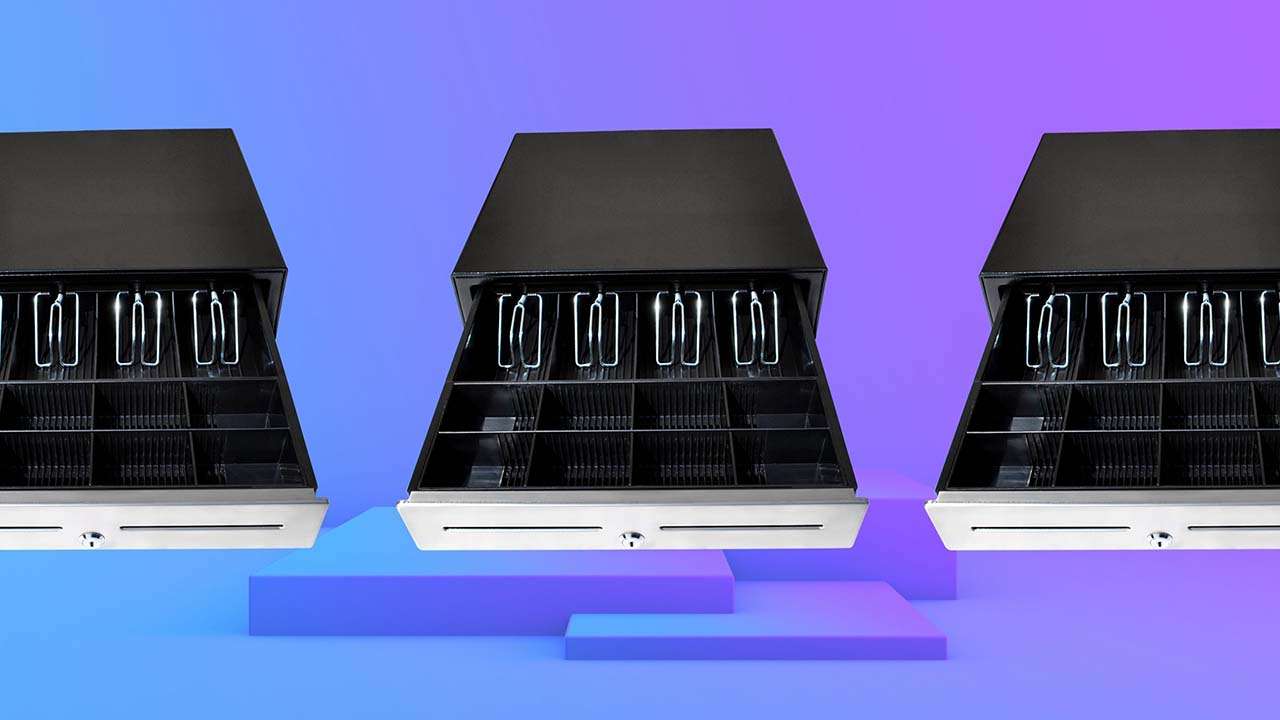
    The CD3-1616 Value Cash Drawer by Star Micronics.
    Star’s cash drawers come in a variety of sizes to suit multiple industries.

    Currency & Media

    Now, which currency do you use? Cash drawer tills (the part of the cash drawer that holds the money) come in several different sizes with distinct layouts for different currencies. Some tills have room for the US standard (five bills and four coins).

    Other tills come with room for more coins or bills if larger, higher-value bills, such as $100, are accepted. They could also have options to adjust sections or remove coin trays entirely. There are also tills available specifically for Canadian and Latin American currencies.

    Finally, you’ll want to know how your POS system opens your cash drawer (if it opens electronically). Some systems open the drawer on every transaction, while others open for cash transactions only. 

    Especially if you handle a lot of credit card slips, coupons, or checks, be sure to choose a cash drawer with media slots in the front. Media slots are openings in the drawer that receipts or other documents are fed into. These documents are securely stored beneath the till, in a hidden space. You may even want added space beneath the till for extra coin rolls or bills.

    Use the Cash Drawer Selector Tool

    Effortlessly find the ideal cash drawer for your business with our Cash Drawer Selector Tool—filter options by width, region, connection type, and more to ensure a perfect fit.

    Cash Drawer Wizard

    4. Durability

    Next on the list of considerations is durability. Why would anyone want a cash drawer to be of poor quality?

    You’ll want to know exactly what a cash drawer is made of. Cash drawers like Star’s are made of steel, which not only makes your investment worthwhile, but is also a security feature.

    A cash drawer should also have a multi-year warranty. Be sure to choose a warranty that includes at least 1 million opens. It would also be smart to have a strengthened key, so it doesn’t break, while having an outer finish that can withstand abuse from the surrounding environment.

    5. Style & Design

    Although not as important as the above considerations, how your cash drawer looks should factor in your decision at least a little. Usually, you’ll want a cash drawer that matches the look and feel of your counter space and other POS components.

    For example, if you have a white receipt printer and white tablet-based POS stand, choosing a white cash drawer will help provide a sleek look to your counter.

    The look of your cash drawer is something that only you can decide. Cash drawers come in many different colors, sizes, and styles, but I would recommend you consider the top factors first. 

    Cash drawers are must-have items for the majority of businesses. Knowing how to choose the best POS cash drawer for yours can save time and money, all while creating a secure, efficient, and productive business.

    Meet Star’s Cash Drawers

    Star Micronics is proud to offer feature-rich cash drawers for any budget or application.

    Value Series

    The Value Series includes cost-effective cash drawers that integrate seamlessly into any retail or hospitality environment. Connected to a standard printer communication interface with a bottom exit cable, Star’s Value Series cash drawers are reliable and come with a standard warranty. They also feature four lock functions: locked, closed, online (opens electronically), manual open, and locked open.


    Choice Series

    Our Choice Series cash drawers include features businesses already know and love, but with added strength to support touch tablets and POS terminals on top. They also have a secure dual-drawer cable, enabling the Choice Series to work as either cash drawer 1 or cash drawer 2.

    These drawers also include a foldable hinged key which minimizes the possibility of breaking off in the lock, with over 10 different lockset options for added security.

    Max Series

    Max Series cash drawers are the premier choice for retailers. Featuring durable, high-quality drawers with Kensington lock compatibility and sleek Star branding, these cash drawers are designed to securely manage cash while delivering professional looks and reliability. They also feature four lock functions: locked, closed, online (opens electronically), manual open, and locked open.
    Find the Ideal Cash Drawer for Your Business

    Explore Star Cash Drawers

  • Star Micronics Launches New Solutions Line at NRF 2022

    Star Micronics Launches New Solutions Line at NRF 2022

    At NRF 2022, Star’s latest in their famed TSP100 line-up of POS printers, the TSP143IV, sat pretty on a shining podium, ultra-connected and feature-rich.

    Somerset, NJ – January 27, 2022 – Star Micronics recently exhibited at the National Retail Federation (NRF): Retail’s Big Show where they not only displayed their traditional line of products, but also introduced their latest lines of receipt, label, and kiosk printers, scales, and stands as well. Perhaps their most anticipated product launch was the latest generation of TSP100 printers, the new TSP143IV. This cutting-edge printer offers advanced connectivity and a sleek design to enhance any retailer’s point of sale system.

    Other new product launches include scales specifically designed for restaurants and retailers, and a new line of stands with modern functionalities, designed to clean up any retail counter. Proving once again that Star Micronics is not only your go-to provider of receipt printers but a one-stop shop for all your POS hardware solutions.

    In lieu of a traditional press conference, Star Micronics has chosen to promote the show’s events via video. This has allowed them to ensure the safety of their team, as well as the health and safety of the dedicated reporters and employees at the show.

    “In 2022, we’re so excited to introduce you to our expanding printer product portfolio, along with our complimentary solution products we are launching this year. I think our solution products would be perfect for your business because they’re simple and easy to use with the right features that you and your customers need.”

    Mike Hanson, Executive Vice-President of Star Micronics America

    About Star Micronics

    Star Micronics, a world’s leader in point of sale, has designated a portfolio of printing, secure cash management, scanners, scales, stands and customer engagement solutions for any retail or hospitality establishment in POS and mPOS environments. Embracing the mobility wave, Star’s complementary SDKs allow users to utilize Star in tandem with Android™, iOS iPad®, and iPhone® devices to generate receipts, Chit and label for its printers. In addition, Star Micronics is always leading and innovating, enabling web-based printing solutions, including remote cloud printing, wireless cash drawer solutions, proximity-based printing, and secure cash management. For more information, visit www.starmicronics.com or follow us on Facebook, Twitter, YouTube, or LinkedIn.

    Love industry news? Check out our podcast:

    Rising Stars Podcast

    Media Contact

    Christin Dorner

    Star Micronics America, Inc.

    cdorner@starmicronics.com

    848-216-3318

  • Tech That Helps The Restaurant Labor Shortage: A Quick Guide

    Tech That Helps The Restaurant Labor Shortage: A Quick Guide

    When dining rooms abruptly shut down during the pandemic, restaurants quickly adapted. By either establishing new processes or shifting to new business models entirely, once-elegant spaces gave way to outdoor dining. Indoors were reconfigured for social distancing or managing delivery and curbside pickup. Plexiglass dividers became standard. But, after all of the effort and investment, restaurants are still operating below 2019 levels. The only constant seems to be change.

    The pandemic is partly to blame for the slow recovery. Customers have been hesitant to return to in-person dining. But it isn’t the only challenge restaurants must overcome — the labor shortage is arguably an even bigger issue. Though the leisure and hospitality sector added 2.6 million jobs in 2021, employment in food services is still 653,000 below where it was before the pandemic really hit. On top of that, many employers are now dealing with high turnover, losing and taking on workers at a greater pace than usual.

    shutterstock_1983755087-e1656373761469

    Restaurant Labor Shortages

    The ongoing labor shortage is impacting the entire range of restaurant segments, forcing operators to make changes to stay in business. From an operations perspective, this may mean offering in-person dining at fewer hours per day or fewer days per week and seating fewer patrons. Businesses may also abbreviate menus to make food prep workloads more manageable with a smaller staff. These measures may help keep the doors open, but they add up to fewer table turns and less revenue.

    Employees are also feeling the pinch. They may be working longer hours and taking on more responsibility. Employees have options, however. They don’t necessarily have to stay in their current jobs. Some will leave, enticed by competitive offers and attractive signing bonuses. Others may opt to explore careers in different industries altogether, ones that offer stable hours and better benefits. In any case, departing employees make the situation even worse for the co-workers and restaurants they leave behind.

    Point-of-Sale-System-Tablet-2

    Furthermore, customers have quickly realized that eating out just isn’t the same as it was. The waits are longer. Favorite foods are no longer on the menu. The staff seems rushed and maybe even less friendly. At a time when restaurants need to rebuild, they can’t afford negative customer experiences. They can’t afford to keep hiring new people just to watch them leave. They can’t afford fewer tables turned and lower revenues. 

    So, how can restaurateurs take their power back?

    Tech That Helps Overcome Labor Shortage Challenges

    In the face of all of these problems, perhaps investing in new restaurant tech can help. Here are five technologies that can ease the burden of operating short-staffed in a constantly changing environment. What’s even better is that this tech can improve the customer experience while future-proofing your restaurant at the same time.

    Self-Service Kiosks

    Freestanding and table-top kiosks allow guests to place their own orders when ready.  As an added advantage, self-service kiosks have been shown to increase customer spending by an average of 20 percent, according to recent studies. Researchers attribute higher average tickets to customers’ ability to scroll through menu choices at their own pace, giving them privacy and control of their ordering experience. These unattended solutions are programmed to optimize the customer experience with smart displays and upselling suggestions, increasing the potential for impulse menu selections. 

    From an operational standpoint, kiosks cover the relatively simple task of entering orders into the restaurant’s system, freeing managers to reassign employees to higher-value activities, such as food prep or curbside pickup management. Additionally, kiosks with advanced capabilities can automatically update menus when items are 86ed, or even tailor selections to returning customers, personalizing their experience.

    Kitchen Display System (KDS)

    Modern KDS technology is designed to help fewer people manage more orders. An effective KDS routes information to specific food prep stations automatically, eliminating service interruptions and paper trails, keeping kitchens and food prep areas organized and efficient. 

    KDS makes real-time data accessible to busy staff, further balancing workloads and boosting productivity. When part of an integrated system, staff can also print to-go box labels as part of the workflow, keeping orders organized, reducing excess waste, and optimizing back-of-house operations.

    TSP654SKII-Bl-Re
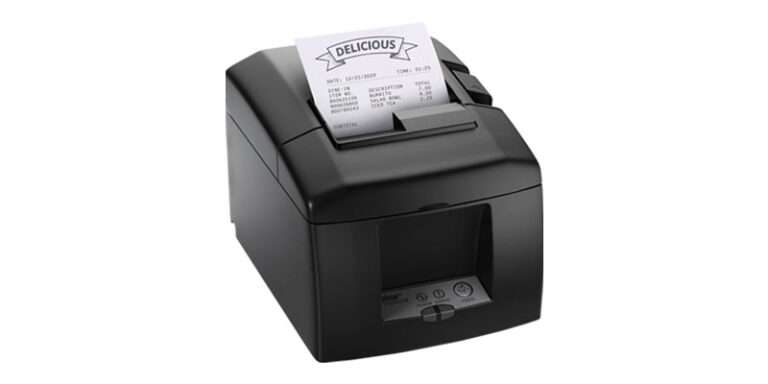
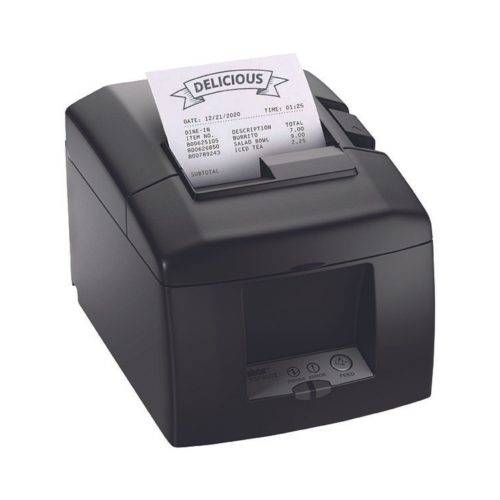
    The TSP654IISK thermal receipt, label, and linerless sticky paper printer by Star Micronics is capable of printing orders directly from the cloud, compatible with many popular POS and kitchen display systems.

    Online and Mobile Ordering

    When a restaurant implements online and mobile ordering solutions, employees no longer have to step away from other important tasks to take orders. Online and mobile ordering also minimizes human error from staff reducing waste and losses due to misinterpreted orders. 

    Additionally, when the online ordering solutions are integrated with the point of sale (POS) system and kitchen display system (KDS), work is immediately prioritized and scheduled, ensuring all food prep occurs at the right time. Fewer items are missed, and orders are ready for the customer efficiently and on time.

    Furthermore, online and mobile ordering solutions drive repeat business and customer loyalty by providing customers with an easy, convenient way to order. It also gives restaurants valuable data they can use to personalize future orders on any channel.

    Woman-Using-Smartphone-Featured-Image

    Contactless Pay at the Table

    Pay-at-the-table solutions increase table turns by eliminating the back and forth to stationary POS terminals, including the time it takes to wait in line to use them. Instead, wait staff can accept credit, debit, and touchless payment methods on the spot, allowing guests to check out with a tap or a swipe of a card on contactless-enabled devices. Portable receipt printers complete pay-at-the-table transactions, with staff providing receipts immediately after payment. 

    Another option for creating a quick, touchless payment experience is to print a QR code on the customer’s receipt, allowing guests to pay privately, securely, and conveniently from personal devices. Like contactless pay-at-the-table, QR code payments make settling the check a one-step process, saving time and helping staff provide service to more customers.

    Antimicrobial Covers

    Antimicrobial_Covers_40119_37950620_DH-416-BRS
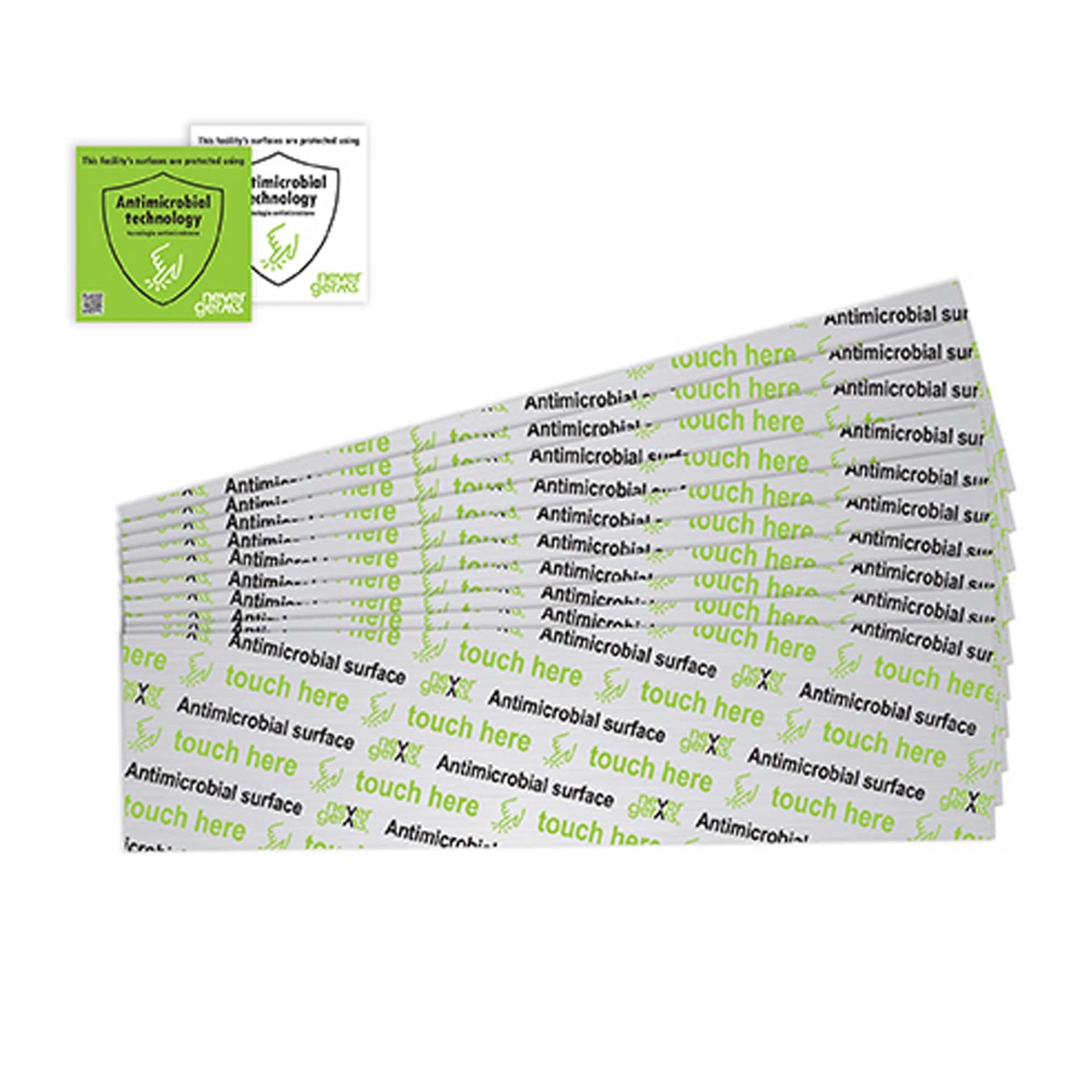
    Antimicrobial covers are sold by Star Micronics to help keep germs off high-traffic surfaces.

    With ongoing health and safety concerns, antimicrobial covers add another layer of confidence, not only for staff but for customers as well. This helps people feel safer in your establishment. Available in multiple shapes and sizes, protective covers are easy to affix and remove, leaving zero residue. Once applied, anything from door handles and panels to elevator buttons are less likely to harbor and spread bacteria and germs. Antimicrobial covers protect workers and customers without needing constant staff attention and supplies.

    In businesses where there’s a shortage of staff, antimicrobial covers can help keep workers healthy and on the job, too.

    Smart Investments Deliver Value Now & In The Future

    As the restaurant industry continues its slow yet steady road to recovery, it’s vital to make smart investments. Restauranteurs want to ensure survival through this labor crisis, but they also need to think long-term. By automating mundane tasks, technology can help restaurants increase operational efficiency, greatly improving customer experience. Plus, they’ll be able to function whether fully staffed or not. 

    When restaurants settle into the new normal, the technology used during the crisis will only continue to bolster customer dining experiences, proving strong ROI. 

    Those who last are the ones who act. Which technology will you be looking into?

    Find Out More About Star’s Future-Proof POS Solutions:

    Contact The Star Sales Team

  • Star Micronics Receipt Printer Integrates with Fatwood Barbeque Food Truck for a Sweet Mobile POS Solution

    Star Micronics Receipt Printer Integrates with Fatwood Barbeque Food Truck for a Sweet Mobile POS Solution

    Fatwood Barbeque, a local restaurant in Alamogordo, NM with a brick-and-mortar restaurant and food truck, offers customers a unique experience on the Holloman Air Force Base with their classic barbeque. They’re known throughout the local area and always have people coming in for a bite.

    Download the full case study >

    The Challenge

    The obstacle Fatwood BBQ faced was the consistent bottleneck line of customers coming to the truck to place their orders. Like many food trucks and other small establishments, the Fatwood team would relay orders by shouting to each other, complicating order management as volume increased. This backed everything else up, making customers wait longer and longer.

    Management knew this problem had to be addressed before it soured customer sentiment.

    Boosting employee efficiency while retaining customer satisfaction quickly went to the top of their list. They needed to ensure that staff could manage a large number of orders on a regular basis to continue increasing revenue.

    “I’m a huge believer in speed and efficiency in the food business and that’s what I wanted for the POS.” David QuinlanOwner of Fatwood Barbeque

    The Solution

    The TSP143III thermal printer by Star Micronics integrated with a point-of-sale and online ordering software application, allowing Fatwood to eliminate bottleneck lines and make operations a truckload easier.

    Find out how Fatwood BBQ reached its business goals.

    Download the Success Story

    Get your tongs on this winning pair: Addmi software and Star’s TSP143III printer.

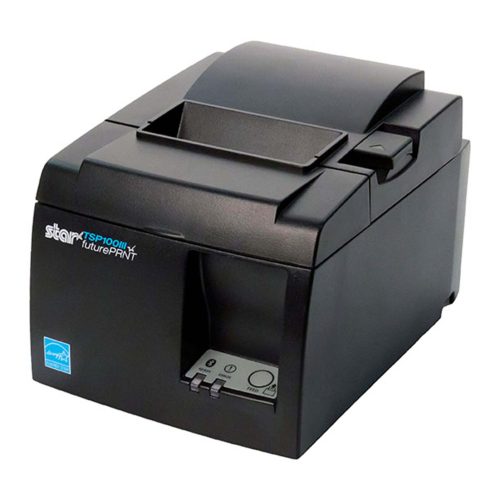
    The TSP143III thermal receipt printer by Star Micronics.
    The TSP143III thermal receipt printer paired with Addmi POS software is one sizzlin’ solution!

    Interested in integrating with Star Micronics?

    Contact Integrations Now

  • How to Start a Ghost Kitchen

    How to Start a Ghost Kitchen

    Launching a business in the restaurant space carries a lot of risks. The nationwide restaurant failure rate is challenging to track, but the National Restaurant Association estimates a 30% failure rate in the restaurant industry. With high failure-to-thrive rates, rent, and other overhead costs, plus difficulty filling dining rooms, it’s easy to see why entering the industry is so daunting. However, many restaurateurs have found a way around these challenges: ghost kitchens.

    A ghost kitchen is a professional food preparation and cooking facility set up to prepare delivery or takeout meals without the dining room. This solution has made entering the market more manageable, allowing for flexible working space, eliminating the costs of setting up and running a larger front-of-house operation. For these reasons, many restaurateurs and other entrepreneurs are looking into how to start a ghost kitchen, including what kind of point of sale (POS) technology they will need to get started. 

    Get the Ghost Here

    Planning a Ghost Kitchen

    Ghost kitchens lower the barrier of entry to the restaurant industry. However, there is still a significant amount of planning that goes into opening a ghost kitchen. For instance, you will still need to find a kitchen space to buy or rent from. The good news is, without a dining room, you can select from a workspace that may have lower foot traffic, which means cheaper rent. 

    It may still take you a while to design a menu, however, and you will have to decide between in-house delivery services or outsourcing with partnerships from UberEats, DoorDash, or other sources. And, of course, you will still have to invest in the usual kitchen essentials: food, utensils, and technology.

    POS Technology To Invest In

    As a ghost kitchen owner, your operations will be very different from traditional restaurant operations and will require a more comprehensive digital solution. To keep up with these unique demands, you will need specific technology designed for your kitchen.

    First, you will need an ordering and payment solution that will allow customers to order and pay for their meals online or via a mobile app. Next, you’ll need a kitchen display system (KDS) to get those online orders directly in front of your kitchen staff, keeping your line moving fast and efficiently.

    Also, you can keep your kitchen moving by sending orders to a mobile printer using linerless labels and sticking them directly onto the to-go packages. This minimizes confusion, shortens delivery and pick-up time, keeping the orders moving (be sure to use tamper-proof labels to assure food order safety as well). In addition, as a digitally advanced kitchen, you’ll need a POS system that integrates all of these solutions, making it easy and seamless to manage your operations on a day-to-day basis.

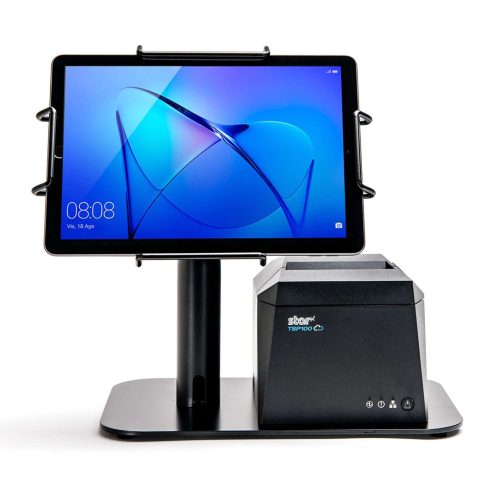
    The EZ POS tablet stand by Star Micronics. Shown in black with TSP143IV receipt printer.
    The EZPOS tablet display stand by Star Micronics

    If you use multiple delivery services and want to keep your POS system flexible by using a mobile tablet, it’s also a smart idea to invest in a tablet stand. It may quickly become one of your kitchen’s most essential tools, providing a home base for your point of sale and making it easier for staff to match up orders with corresponding delivery service providers. A proper stand should also help to protect your tablet, including any receipt or order printer you may have alongside it.

    Your go-to For Ghost Kitchen POS Technology

    Star Micronics provides flexible, futureproof POS technology designed to connect front and back-of-house operations with ease, keeping ghost kitchens operating at their peak. Star provides everything from portable printers, regular and sticky thermal receipt paper, durable tablet stands, and much more. Through one of our certified partners, you can get all of the hardware your ghost kitchen needs. 

    If you’re ready to find the best step up for your ghost kitchen and get ahead of your competition, contact Star today. Discover what our industry-leading technology can do for you and your restaurant business goals.

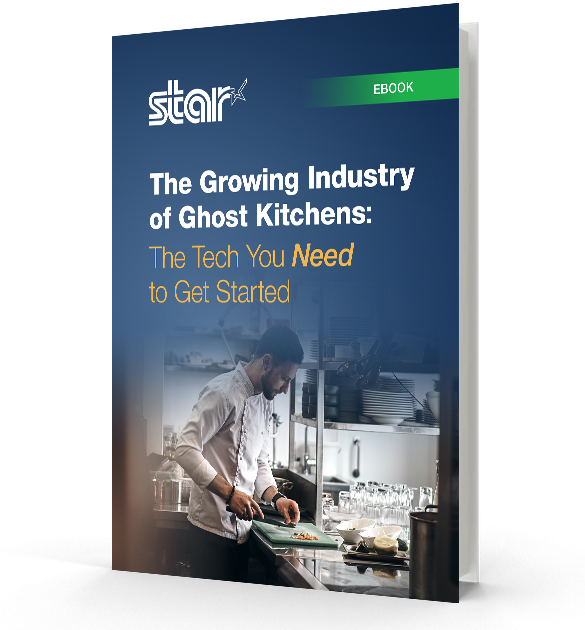
    The Growing Industry of Ghost Kitchens: The Tech You Need to Get Started ebook.

    The Growing Industry of Ghost Kitchens: The Tech You Need To Get Started

    Learn the essentials of starting a ghost kitchen and the technology restaurateurs will need to get started.

    Download Now

    Love industry news? Check out our podcast:

    Rising Stars Podcast

  • How POS Value-Added Resellers Can Profit from Ghost Kitchen Startups

    How POS Value-Added Resellers Can Profit from Ghost Kitchen Startups

    As a POS value-added reseller (VAR), you are constantly looking for new opportunities to grow your business. Ghost kitchen startups offer just that opportunity. With 8,000 active operations across North America, ghost kitchens have moved past the proof-of-concept stage and are well on their way to becoming mainstream. In fact, a November 2020 report by Valuates Reports predicts ghost kitchens will generate $71.4 billion by 2027.

    VARs providing ghost kitchen solutions have the perfect opportunity to differentiate their businesses. You can expand beyond providing solutions to traditional restaurant models, help your clients enter this nontraditional space, and win back their declining revenue streams by offering ghost kitchen solutions.

    Download the Guide

    Products VARs Can Provide For Ghost Kitchen Startups

    For VARs looking to help clients open their new businesses, or expand current ones, these are the technologies that are essential:

    Mobile POS

    The first thing you will need to help clients obtain is a mobile point of sale (POS) solution. This point of sale system should feature wireless connectivity and integrations necessary to allow ghost kitchen operations to be flexible and efficient. This may mean that the POS software is used on a tablet so that managers can take their work with them as they review operations.

    Online Ordering and Payment

    Ghost kitchens are specialized kitchens designed to handle to-go orders. Thus, the POS system you provide must integrate with an online ordering and payment system. Bonus points if that integration comes with an easy-to-use mobile app!

    Printers & Paper

    Additionally, your POS solution should integrate with portable printers. Having a solution that can intake orders and print them instantly to keep operations running quickly is vital. Improve their operations even more by stocking them up on linerless labels and receipt paper for commercial-grade linerless sticky label printers, like the TSP654IISK, which allows online order labels to be placed directly on corresponding to-go boxes for frictionless operations that make food preparation and pickup a breeze.

    TSP654IISK Thermal Sticky Label Printer by Star Micronics
    The TSP654IISK sticky linerless label printer by Star Micronics

    Tablet Stands & Pole Mounts

    Provide clients a home base for their tablet and printer system with a durable and protective tablet stand. With the right stand, you can give clients style and function within a sleek, compact frame. The mUnite stand is highly configurable and easy to set up and use. These reliable steel tablet display stands and pole mounts support Star’s extended line of POS printers, in addition to all major Android, iOS, and Windows tablet models, affording protection to each device.

    Ready to Begin?

    Star Micronics provides flexible, futureproof POS technology designed to seamlessly connect front and back-of-house operations to keep ghost kitchens operating at their peak. They can help you provide clients with all the technology above and more! If you’re ready to start making a profit off of ghost kitchen startups, contact Star Micronics today.

    Ghost Kitchens: A Growing Market within the Restaurant Point of Sale Space ebook.

    Ghost Kitchens: A Growing Market Within the Restaurant Point-of-Sale Space

    Insights for VARs on why more restaurateurs and entrepreneurs are utilizing ghost kitchen business models and how to leverage existing technology to assist those clients.

    Download Now

  • Labor Shortage Solutions: The Most Helpful Technology

    Labor Shortage Solutions: The Most Helpful Technology

    The COVID-19 pandemic has sparked many unexpected changes in the economy and the way we live our lives. At the beginning of the pandemic, jobs were lost – in April 2020, as a result of the lockdown, the unemployment rate peaked at 14.8%. But now small businesses are facing a similar yet entirely different challenge: there are millions of job openings but a shortage of workers. Read on to learn more about the labor shortage and how the right technology can help businesses not just survive but thrive.

    The Labor Shortage: Facts and Figures

    The current labor shortage is a historic one. According to CNBC, as of August 2021 there were 4.3 million people leaving their jobs, the highest level on records dating back to 2000. Additionally, per the most recent U.S. Labor Department Job Openings and Labor Turnover Survey, there were 10.4 million job openings as of August 2021.

    Service-heavy industries that traditionally required abundant manual labor, like accommodation and food services, are being majorly affected by the labor shortage. That puts you, a small business owner, under pressure to pivot your operations to keep up with consumers’ needs. Read on to explore how the right technology can help your business succeed during the labor shortage and beyond.

    Labor Shortage Solutions

    Self-Service Kiosks

    Self-service kiosks can be extremely beneficial when your business is short-handed. A kiosk can enable your customers to take matters into their own hands (literally), avoiding potential long lines and bottlenecks.

    Kiosks allow customers to order their own meal at a restaurant, check themselves in to an appointment, and check prices or pay for their own purchase at a retail shop. All the while, kiosks allow precious available staff to dedicate themselves to improving the customer experience in more worthwhile ways, like providing more personal customer service, restocking shelves, preparing online and curbside orders, and more.

    Mobile Checkouts

    mobile checkout
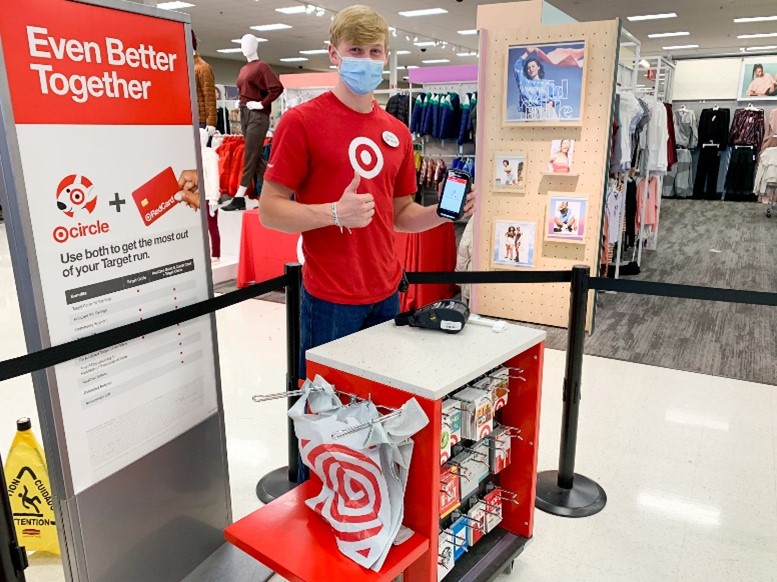
    A mobile checkout at Target (source: thekrazycouponlady.com)

    In the retail and QSR space, long lines are a serious danger. According to a study conducted by payment platform Ayden, retailers lose a collective $37.7 billion in potential sales due to long checkout lines (and that figure is surely even higher now during the labor shortage).

    The answer? Mobile checkouts. Instead of requiring customers to queue up at a traditional point of sale, mobile checkouts enable staff to process payments anywhere in the store or restaurant as long as they have a mobile point of sale device and a mobile receipt printer. Implementing mobile checkouts not only help your business with line-busting, but they offer a more convenient method of payment for your customers and allow staff to be out and about in the building completing other tasks while also being able to ring up sales along the way.

    Reopening Toolbox

    Now more than ever, safety and convenience are priorities in retail and hospitality environments. As businesses reopen their doors, Star is proud to offer a line of solutions and resources designed to keep consumers and employees safe and satisfied.

    POS Software & Online Ordering

    If there’s ever been a time to upgrade your POS software and become a part of the online ordering scene, the pandemic is it. If you’re considering upgrading, be sure to choose a POS software that includes features like:

    • Online and brick-and-mortar selling capabilities
    • Mobile checkouts and mobile payment acceptance
    • Inventory management and menu management
    • Employee reporting, management, and payroll
    • Customer management and loyalty programs
    • Stock transfers
    • Detailed reporting

    Online ordering is not only widely sought after by consumers but can help you optimize your in-store and in-restaurant labor by having customers pay online and simply drop by to pick up their item or meal (or have it delivered to them). This can help keep your remaining brick-and-mortar business flowing, while allowing staff to package orders in-between ringing up customers or providing other customer support.

    Antimicrobial Film Covers

    Between the Delta variant and the upcoming flu season, avoiding germs is a priority for all shoppers and diners, whether they’re browsing your brick-and-mortar establishment or simply dropping by to pick up a curbside order.

    Help protect your customers and staff alike by applying antimicrobial film covers (like the ones from Star) to various surfaces in your store. Antimicrobial covers take seconds to apply, last up to 6 months, and can be placed on anything from door handles and checkout counters to restaurant tables and bathroom surfaces. Additionally, the covers provided by Star are thoroughly tested, EPA-compliant, and latex-free.

    The Labor Shortage: A Trying Time, but Also a Time to Improve

    The labor shortage is without a doubt one of the most stressful times the retail and restaurant industries have endured in recent years. However, the technology needed to help businesses through this challenge should be considering an investment in long-term success. Solutions like self-service kiosks, mobile checkouts, top-of-the-line POS software, and antimicrobial covers help you survive the now – and thrive in the tomorrow.

    From antimicrobial film covers to mobile receipt printers, Star has the right POS technology to boost your business – whether you’re fully staffed or short-handed.

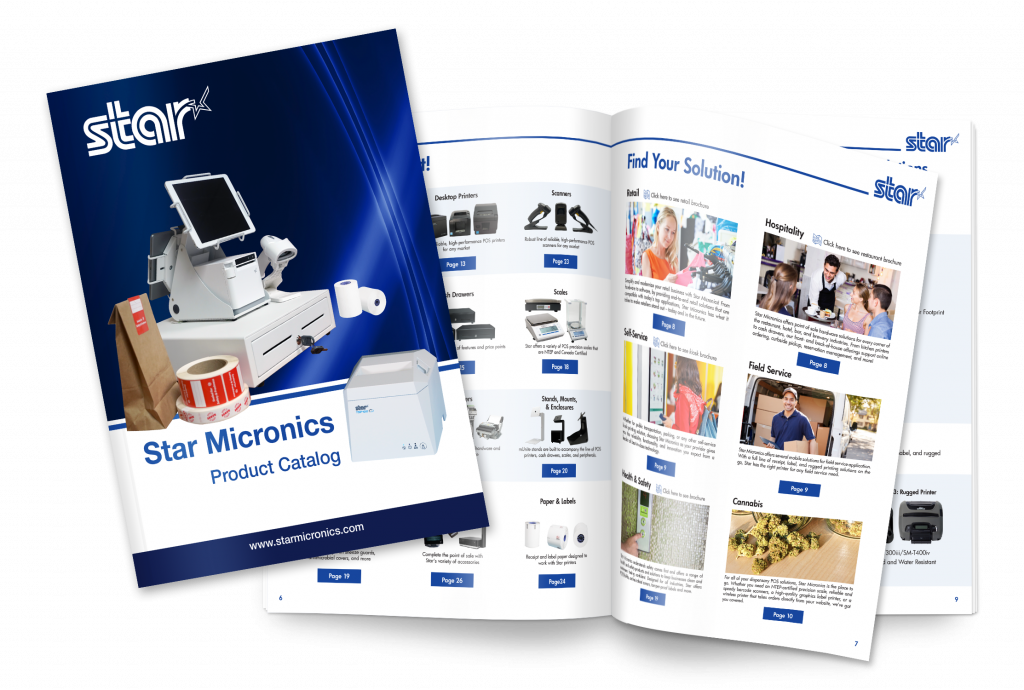
    Full 2022 Product Catalog by Star Micronics.

    Star Micronics Product Catalog

    Explore POS printers, label printers, kiosk solutions, and accessories for retail, restaurant, self-service, and more.

    Disclaimer: NeverGerms® makes no claims regarding the safety or health of the general public or those interacting with its products. “NeverGerms®” and “Touch Less Germs®” are registered trademarks and not intended to have literal interpretation. NeverGerms products are manufactured by NeverGerms and distributed by Star Micronics. Although these products are designed to reduce microbe populations on commonly-utilized surfaces and have been tested by the manufacturer for their antimicrobial properties, Star Micronics cannot guarantee that they will eliminate all risk of germ, including virus, transfer from such surfaces. Star Micronics, as distributor, relies entirely upon claims made by manufacturer as supported by prior research. For further information, please visit www.nevergerms.com.

  • What to Look for in a POS System for a Small Restaurant

    What to Look for in a POS System for a Small Restaurant

    As the owner or manager of a small restaurant, it can be intimidating to think about all of the point of sale (POS) components that you need. With so many options on the market, what’s the best POS system for a restaurant? Read on to explore the must-have POS system features, from online ordering to front-of-house management.

    1. Online Ordering Capabilities

    Online ordering went from a “nice-to-have” option to a “must -have” in just a couple of short years. In fact, online food delivery sales are estimated to grow up to $220 billion by 2023 (and comprise 40% of total restaurant sales). And let’s not forget about online orders for in-store pickup, too. Either way you cut it, online ordering isn’t just for the chains; it’s for small businesses like yours.

    Be sure to look for a POS system that includes online ordering capabilities. Some POS software may include this feature, or you may be able to simply use a printer equipped with cloud printing technology (like Star’s) to print third-party online orders from services like DoorDash, GrubHub, Uber Eats, and more.

    2. Mobile Payment Acceptance

    Just like online orders are booming, so are mobile payments. Simply put, mobile payments are those made on mobile devices like smartphones and smart watches. Instead of paying with cash or a credit/debit cards, consumers use their digital wallet to pay for their goods.

    To be able to accept mobile payments, your POS system must be equipped to handle NFC (or, near field communication) payments, which are made by a mobile device (or contactless card) being two inches or less from the NFC-equipped card reader. Examples of mobile payment providers are Apple Pay, Google Pay, and select credit/debit cards.

    3. Back-of-House Communication

    We’ve all been there: you find a restaurant that serves up delicious food but has a clunky workflow that leaves you hungrily waiting for your meal. Avoid being this restaurant by choosing a POS system that features top-of-the-line communication between the front-of-house and back-of-house. What does this look like? It looks like a POS terminal (or online ordering service) that seamlessly communicates to the restaurant kitchen KDS (kitchen display device) and kitchen ticket printer via technology like CloudPRNT. As orders are placed, they’re immediately sent to the cook in full detail. Say goodbye to long wait times and inaccurate orders with the right communication!

    4. Front-of-House Management

    Efficiently turning tables means higher revenue. Successfully navigating a large party means happy, repeat customers. Clearly, front-of-house management is key, and the right POS system for a small restaurant can help those efforts. Look for a POS system that features click-and-drag layout builders and the ability to see table times and when tables are about to turn.

    5. Menu and Order Management

    Menus change, and customers’ tastes vary. Your POS can help you navigate that. The right POS system can help you arrange your menu in a way that makes the checkout process faster, as well as let you make real-time updates from anywhere and apply them to every one of your locations.

    When it comes to order-taking, restaurant POS systems can help you quickly modify your customer’s order to their exact taste. Have a special discount idea in mind? POS systems can also allow you to create happy hours and more in mere seconds.

    Star Restaurant POS Solutions

    From online ordering printers to kitchen buzzers, Star is proud to offer POS solutions for restaurants, QSRs, food stands, and more.

    Download Brochure

    6. Marketing Capabilities

    One of the reasons people love small restaurants is for their personal touch. Leverage POS technology to take that personal touch to a new level! POS systems for small restaurants can include marketing capabilities including:

    • Detailed customer profiles so you can send customized offers
    • Loyalty/reward programs
    • White-labeled websites and apps that feature your restaurant’s branding
    • Custom receipt marketing (available on select receipt printers, like Star’s)

    7. Detailed Reporting

    If there’s one thing that POS systems have, it’s data, and you can put that to use by choosing a POS system that offers detailed reporting.

    Reporting can include:

    • Live data and daily statistics
    • Sales by category
    • Sales by item
    • Sales by payment type
    • Sales in different shifts
    • And more

    8. Integrations

    Right about now you may be thinking there’s a lot of different technologies involved in the best POS system for a restaurant. There’s the software, the hardware, and third-party services like food delivery. That leads us into the next (and possibly most important) aspect of a POS system: it’s integrations.

    Save valuable time (and avoid headaches) but choosing a POS system that is integrated with either the software and hardware you already have, or the software and hardware you want to have. For example, if you already have Star printers, choose a POS software that is integrated with Star (hint: there are many). Or, if you know you want to use a certain POS software, be sure that your hardware is integrated with it so that you can set up your system out-of-the-box.

    9. Technical support

    Support is important – and not just when something breaks! Be sure to choose a POS system and vendors that offer pre-sale support (helping you identify the right solution for your needs), installation support and training, and easily accessible post-sales support (like an online help center and live chat).

    Star’s Affordable Small Restaurant POS Bundle

    mCP30 with mC-Sound

    mCP30 with mC-Sound

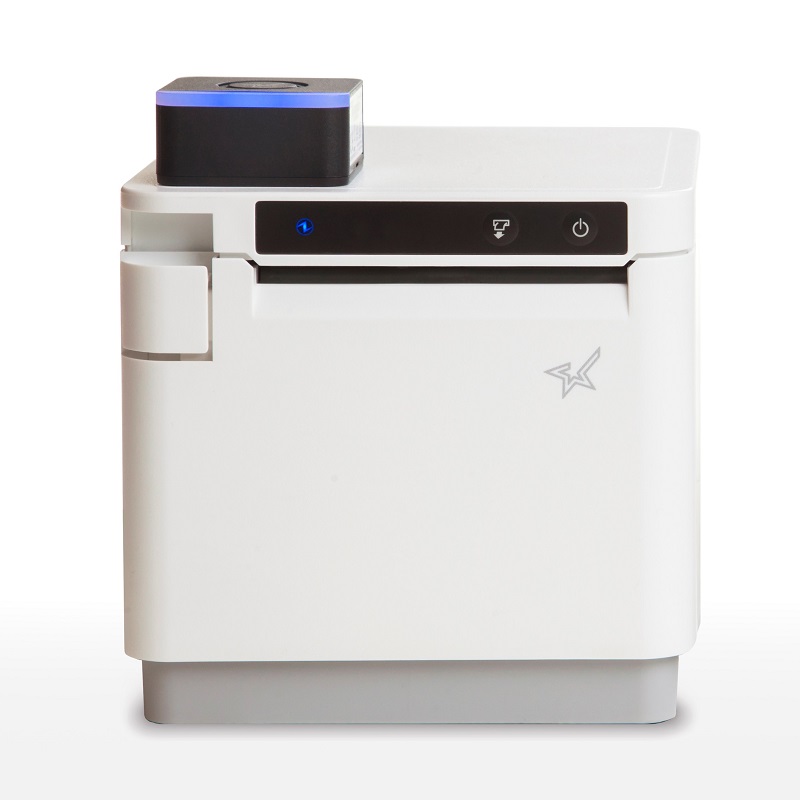
    If you’re looking for an affordable kitchen printing setup, look no further than the mCP30 paired with an mC-Sound kitchen buzzer.

    mCP30 Highlights:
    Everything you love about the mC-Print3, with an even lower price tag.

    • Ethernet
    • USB
    • CloudPRNT for online ordering

    Learn More >

    mC-Sound Highlights:
    A modern take on the kitchen buzzer.

    • Discreetly fits inside the mCP30
    • High quality sound (89dB)
    • 16 pre-recorded melodies
    • Records custom user speech

    Learn More >

    Explore all of Star’s restaurant POS solutions now.

    Learn More

  • How to Improve Restaurant Operations with Single Flow Technology

    How to Improve Restaurant Operations with Single Flow Technology

    Technology has been evolving with the food industry for a long time, to the point where a restaurant can no longer stay competitive without it. In the past, a restaurant’s success depended on word of mouth, but today it relies on online reviews and social posts which give the business the opportunity to become globally renowned. Did you know that in addition to fueling notoriety, technology can also greatly improve restaurant operations?

    Technology in Restaurants

    Technology has revolutionized restaurant operations.

    For example, mobile point of sale (POS) systems like Square, delivery applications like Uber Eats, and kiosks like those from Curbngo are user-friendly and built to improve both the user experience and operational efficiency. Not only do these tools enable restaurants to offer better, faster services but they also allow them to provide new services that they may not have been able to offer on their own. For instance, prior to delivery apps not many restaurants were able to offer delivery. Now with the help of this technology, they all can deliver and even expand to new areas outside of their neighborhoods. They share customers and drivers with all other restaurants, and they don’t have to worry about how to find those customers, or how to manage the drivers.

    An unexpected additional benefit of these technologies is that they have helped the industry survive the COVID-19 pandemic. Just imagine if these technologies weren’t available when the pandemic started; the impact to restaurant businesses and the food industry caused by lockdowns would have been much greater.

    Single Flow: The Restaurant Operations Answer to Technology-Related Growing Pains

    This evolution of technology has also brought challenges to some restaurant owners. To serve more customers restaurants are signing up for more delivery platforms, but this can come with a high price tag during busy hours when multiple orders arrive at the same time through multiple online platforms. It makes it even more difficult when, at the same time, customers are ordering at the restaurant through the POS. Staff may have a hard time writing down and manually tracking orders, something that will impact performance and, as a result, the restaurant’s reviews.

    In reality, this commotion is not a result of using the technology, but rather a mismanagement of the technology. With proper planning and the right approach, multiple ordering channels can easily be managed. One such approach is by creating a proper workflow, known as a “Single Flow,” in which all orders from all platforms seamlessly flow to the kitchen and back to the customer.

    Single Flow Basics

    Single Flow Chart

    Operational efficiency is the key to remaining competitive in any industry. This can only be achieved by establishing an efficient workflow that can easily be followed by all employees. The specifics of the flow differ from business-to-business, but its supporting principle is the same across all businesses: to operate as efficiently as possible by maintaining the desired cost and quality.

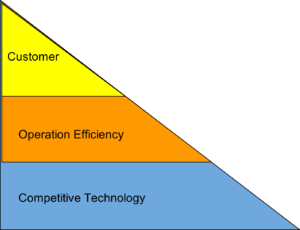
    You can think of a single flow like the triangle diagram below. You can only provide the best customer experience when you are operating efficiently, maintaining product quality, and operating efficiently by utilizing the right technology.

    What Does Single Flow Look Like for Restaurants?

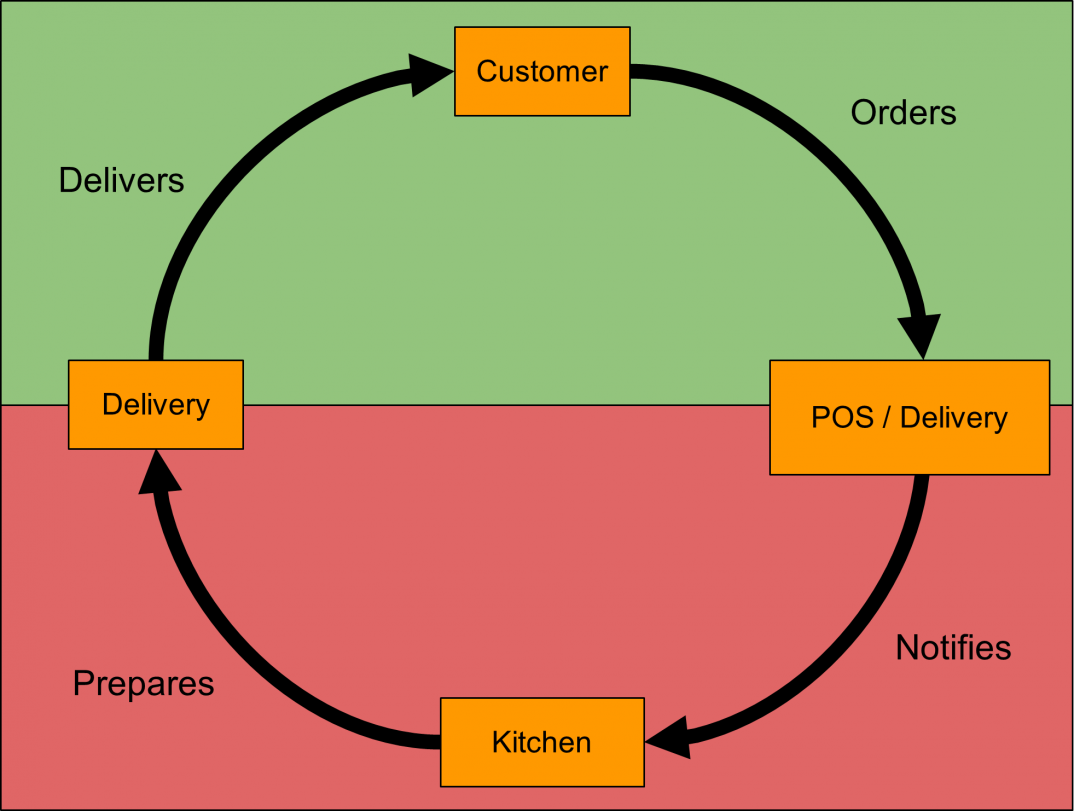
    A restaurant’s single flow looks like the circle below. It’s simple, streamlined, and starts and ends at the customer, with the focus being on the efficiency of the operation. The customer orders the food through a delivery platform like Uber Eats, on the restaurant’s website, or at the restaurant (dine-in or takeout). The ordering platform notifies the kitchen of the new order, then kitchen staff prepare and package the food, and hand it over to the person who delivers the food to the customer. This can be a food delivery driver or staff handing it to the customer in the restaurant.

    Single-Flow-2

    The top portion of the graph (in green) requires less of the restaurant’s energy because the delivery platforms and their associated technologies are already providing the required efficiency for this phase.

    The bottom portion of the graph is the operational center of a restaurant and where the efficiency focus should be, from streamlining order notifications reaching the kitchen staff to food preparation and packaging.

    There are two ways to tackle conquering this portion of the Single Flow:

    • Using an aggregator platform that combines all the delivery platforms and the POS into one single platform.
    • Using one, or multiple, Star Micronics thermal printers.

    Both options come with their own pros and cons but what’s common between the two is the need for a reliable and compatible printer.

    A 3-inch wide, high-resolution (200+ dpi) order has to be available to the kitchen staff as soon as it’s made by the customer on a platform, whether the order originates on a delivery app or the restaurant’s POS. Once the restaurant gets busy, orders can get mixed up and even missed, making negative, damaging customer reviews more likely to occur. A Star Micronics thermal printer, like the TSP143III or a TSP654II equipped with CloudPRNT technology, can make a huge difference.

    Option 1: Aggregators

    There are many aggregators available in the market. They all offer different features, settings, and benefits, but one advantage they all have in common is the streamlining of order notifications to the kitchen. This is a huge plus for a high-traffic takeout restaurant.

    These aggregators also offer their disadvantages. The most common disadvantage is their monthly fees. Depending on the features and technologies being offered, this can vary from $50 per month to $250 per month. Please note that if you choose to use an aggregator, you will still need to purchase a thermal printer to deliver orders to the kitchen.

    Option 2: Thermal Printers

    A simple, affordable single flow solution is the use of thermal printers. Some thermal printers, like those from Star Micronics, offer a variety of benefits like:

    • High-quality and high-performance
    • Integrations with virtually all well-known delivery platforms and POS software in North America
    • A reliable Ethernet (LAN) interface which allows one Star Micronics printer to support unlimited applications/platforms as long as those applications/platforms support the LAN interface and the printer APIs. (For example, Shopify, Uber Eats, and Ritual support the TSP143IIILAN, so a restaurant with Shopify as its POS, and Ritual and Uber Eats as its ordering apps, would only need one TSP143IIILAN printer in its kitchen to print all orders from all these platforms without a need for an aggregator)
    • Cloud printing technology, like CloudPRNT, enabling users to print directly through a cloud service

    Order Preparation and Packaging

    The two options mentioned above will take care of the notification portion of the single flow, but order preparation and packaging are also very important. If one of the two options above is implemented, then this part can easily be resolved by utilizing a printed receipt or label. For example, a liner-free label printed by the TSP654IISK printer can be used to adhere order information and modifications to the food from the prep line to the pickup counter. Better yet, it can be removed and reapplied without leaving any residue behind, further streamlining the process.

    Using Technology to Boost Business

    In conclusion, the right technology can make a huge difference in improving a business’s operational efficiency. The two options above (an aggregator or the use of thermal printers) are equally effective at delivering order notifications to a kitchen, but one might carry more weight compared to other based on a business’s needs. For instance, an aggregator offering menu management for a restaurant with multiple menus would likely be the most efficient option. Vice versa, a high-traffic, single-menu restaurant would likely benefit from multiple high-speed thermal printers more than anything else.

    Minunat’s Smart Business Solutions

    Minunat Banner

    Looking for a solution provider to help you streamline your restaurant’s operations? Minunat can help. They are a business IT solution providers focused and specialized in POS and kiosk solutions for bars, restaurants, and cafes. Check out the Minunat website to find the right hardware for your application or contact them now for a free consultation for your business.

    Request Free Consultation

  • UBMe and Star Serve Up Curbside Success to C&H Hawaiian Grill

    UBMe and Star Serve Up Curbside Success to C&H Hawaiian Grill

    C&H Hawaiian Grill was a long-time passion project, founded by Hensan and Cora Timo. They have been in business for 16 years, starting in Killeen, TX, serving hearty island BBQ. The Timo family wanted to share the “Aloha” spirit with their community combining the essence of vibrant Hawaiian experiences with a laid-back atmosphere. They recently opened their Austin, TX location and plan to open in San Antonio, TX in May, 2021.

    Download the full case study >

    C&H Hawaiian Grill LogoThe Situation

    Like many other independent restaurants, C&H Hawaiian Grill felt the impact of the COVID-19 pandemic and were forced to shift their business model. Prior to the pandemic, C&H used third-party delivery services such as Uber Eats and DoorDash, and hired someone full-time to handle delivery and pickup orders via phone. When the global pandemic hit, the amount of delivery and pickup orders coming in via phone quickly became too much to handle manually.

    The Solution

    Since their current third-party ordering services did not have a solution for curbside pickup, and many of their orders were still call-ins, C&H knew they needed another solution. That’s where UBMe and Star Micronics come in.

    UBMe offers a social, mobile technology that is built to help local businesses connect with their customers. UBMe’s seamless technology allowed C&H customers to search and order food directly through the app for curbside pick up. Even more, the app allowed C&H to communicate with these customers when they arrived to pick up their orders with specific safety instructions and procedures.

    C&H started by installing the UBMe platform without the Star printer, but quickly realized it was too difficult to track the orders coming to their tablet or phone. Once they installed Star’s mC-Print3 with CloudPRNT technology, online ordering became a breeze. Orders placed through the UBMe app would print directly to the kitchen so they could begin food prep right away.

    “UBMe and Star helped solve an issue that we never expected to arise,” says Hensan Timo, Owner of C&H Hawaiian Grill. “Curbside pickup seemed to grow overnight, and many of the existing online ordering apps did not have an easy solution for this transition. With UBMe and Star, online ordering has never been easier.”

    After seeing success with UBMe and Star in their Killeen location, they installed the solution in their Austin location as well.

    The Results

    From the time that C&H installed the UBMe and Star solution, they nearly doubled their profits from online orders. C&H has printed hundreds of curbside pickup orders at their Killeen location. The system has been easy to use for both employees and customers, and the customers love being able to communicate directly with the restaurant through the UBMe app.

    With UBMe’s 5% flat commission per order, the solution is maintainable and affordable for C&H Hawaiian Grill.

    Take a closer look at C&H’s curbside success.

    Download Success Story

    Recommended Bundle

    Recreate this success story by pairing UBMe software with:

    mC-Print3

    mC-Print3
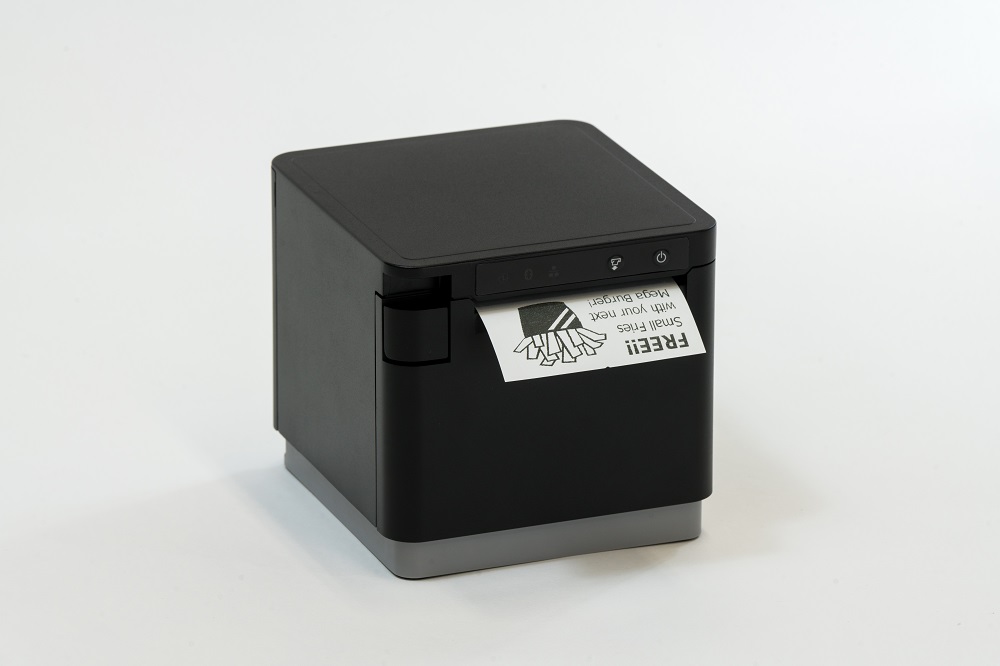
     The Star mC-Print3 with CloudPRNT technology is ideal for printing online orders.