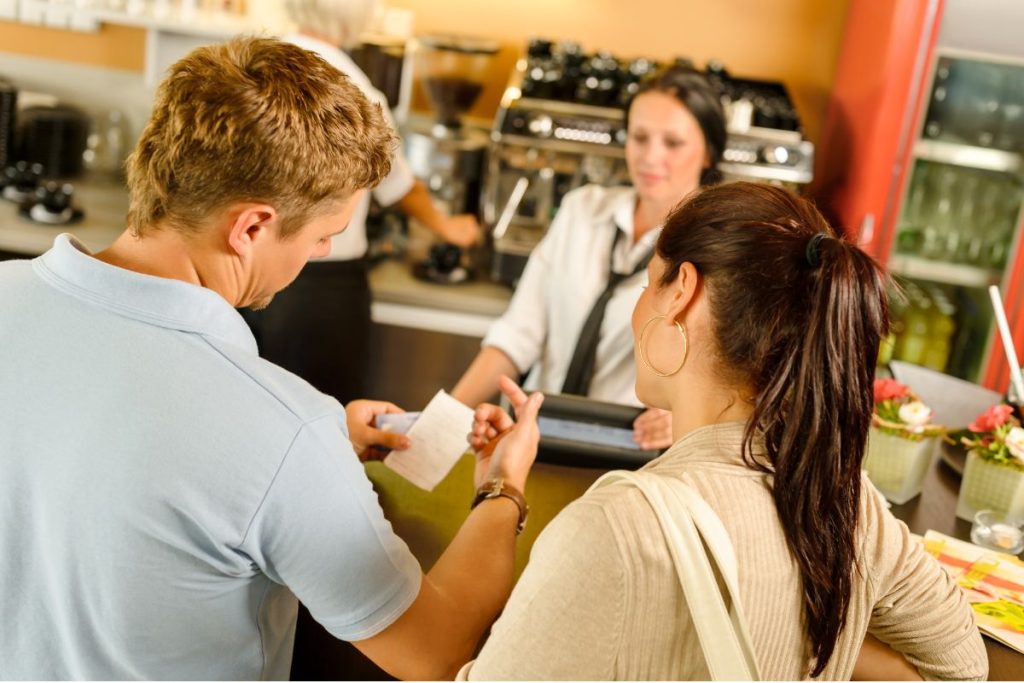
Receipt marketing, or receipt advertising, is a strategy businesses can use to promote their products or services by printing marketing messages or offers on receipts. Receipts are a powerful marketing tool because they are something that customers will always receive after making a purchase. This means businesses can use receipts to promote their brand, products, or services and incentivize customers to return.
In this blog post, we will discuss the benefits of receipt marketing and provide some tips on how to implement a successful receipt marketing campaign.
The Benefits of Receipt Marketing
Increased Brand Awareness
One of the primary benefits of receipt marketing is that it helps increase brand awareness. Printing your company logo, tagline, or website on your receipts reminds customers about your brand every time they look at it. This repetition can help your brand stick in the minds of your customers and encourage them to return to your business in the future.
Increased Customer Loyalty
Receipt marketing can also help to increase customer loyalty. Offering discounts or promotions on receipts can incentivize customers to return to your business. This can lead to repeat business and increased customer loyalty. Customers appreciate getting a little something extra, and the personal touch of a promo or discount on their next purchase can make them feel valued and appreciated.
Cost-Effective Marketing
Another benefit of receipt marketing is that it is cost-effective. Receipts are something that your business already prints, so there are no additional costs associated with creating new marketing materials. This can make receipt marketing an attractive option for companies looking to promote their brand without spending much money.
Tips for Implementing a Successful Receipt Marketing Campaign
Keep it Simple – When designing your receipt marketing campaign, it’s essential to keep it simple. Customers will only spend a few seconds looking at their receipts, so make sure your message is clear and concise. Keep your design clean and easy to read, and focus on promoting one or two key messages.
Offer Incentives – To make your receipt marketing campaign more effective, it’s a good idea to offer incentives to customers. This could include discounts, free gifts, or the opportunity to join a loyalty club. By providing customers with an incentive, you can increase their chances of returning to your business.
Track Your Results – It’s essential to track your results when running a receipt marketing campaign. Doing so lets you determine what works and what doesn’t and make adjustments as needed. This could include changing the messaging or design of your receipts or adjusting the incentives you offer.
PromoPRNT Receipt Marketing Tool
PromoPRNT from Star Micronics is an innovative online tool that allows businesses to create and print custom coupons, surveys, and other promotional material directly on their receipts. With PromoPRNT, companies can easily create customized promotions and engage customers, all while improving their overall brand image.
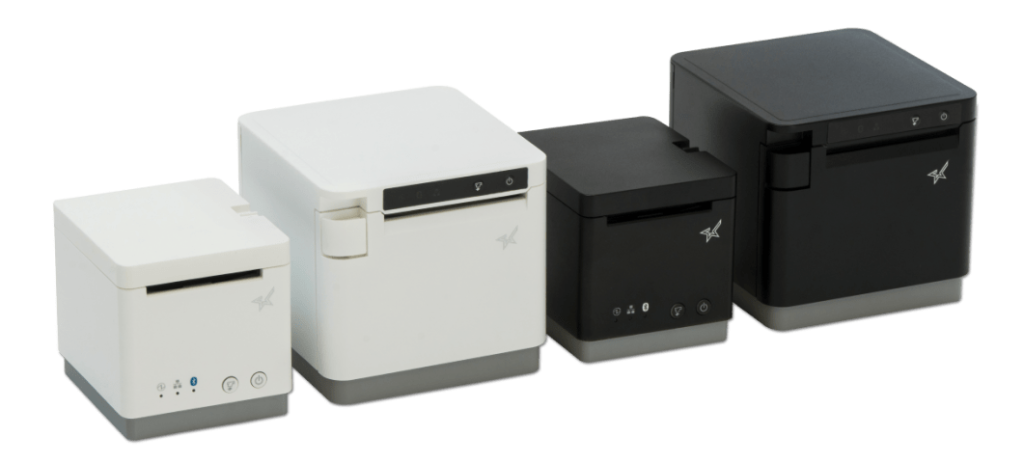
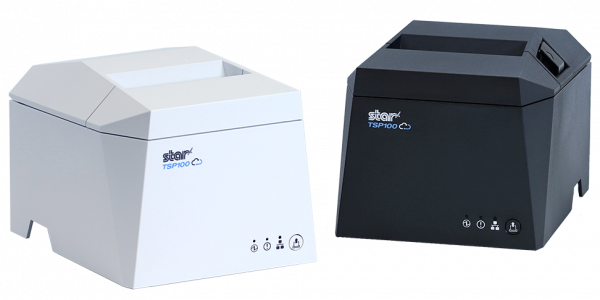
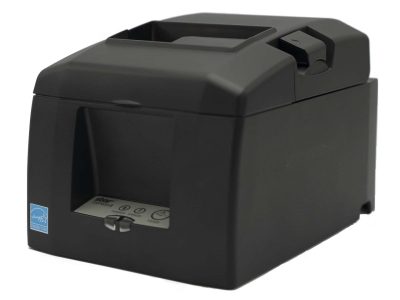
The tool is entirely free and can be accessed through a web browser, making it accessible to businesses of all sizes. The models that can currently access PromoPRNT are the TSP143IV, mC-Print2, and mC-Print3 receipt printers.
PromoPRNT offers a wide range of customization options, including adding logos, images, and text. Businesses can create coupons for discounts on specific products or services and surveys to gather customer feedback. The tool is easy to use, and companies can make them in just a few minutes.
Using PromoPRNT, businesses can increase customer loyalty, drive sales, and gain valuable insights into customers’ preferences and behaviors. It’s a powerful tool that can help businesses improve their marketing efforts and drive growth.
Take Advantage of Receipt Marketing
Receipt marketing is a powerful tool businesses can use to promote their brand, products, and services. By printing marketing messages or offers on receipts, companies can increase brand awareness, customer loyalty, and cost-effectively engage customers. When implementing a receipt marketing campaign, it’s essential to keep your design simple, offer incentives, and track your results to ensure campaign success. Doing so can drive sales and build lasting relationships with your customers.
The Value of Receipts: Printed and Digital
There’s no getting away from it: receipts hold great value and are an irrefutable part of everyday life.
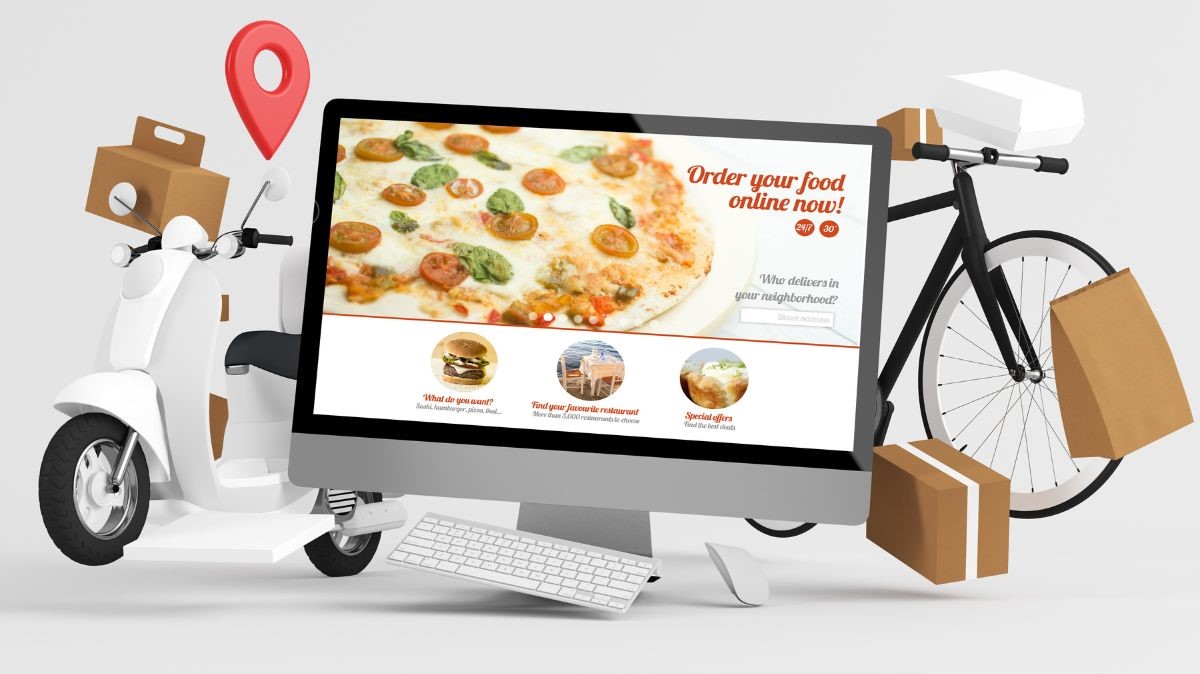
In today’s digital age, online ordering is more popular than ever, especially in the restaurant industry. DoorDash, Grubhub, and Uber Eats are just a few of the most popular online ordering platforms, and many restaurants are now using these services to reach a wider audience and increase sales.
But with the influx of online orders on top of in-person customers, managing things can become overwhelming.
That’s where proper thermal receipt printers come in.
Some thermal receipt printers are better for printing online orders than others because they connect to cloud- and web-based POS systems directly. They’re faster, more efficient, and easy to use. They print out orders as soon as they arrive, allowing the kitchen staff to fulfill them immediately.
Many of these printers are designed to work with a wide range of devices, including mobile phones and tablets, making them an ideal choice for online ordering.
So, how can restaurants use thermal printers with online ordering applications like DoorDash and Uber Eats? Usually, online ordering applications will suggest certain printers to use, or their software also comes with hardware. However, some people may need to purchase a thermal receipt printer on their own.
In any case, here are some tips on how to get started with the proper receipt printer to use with online ordering applications like DoorDash and Uber Eats:
1. Choose a Compatible Thermal Printer
To start, it’s important to choose a thermal printer that is compatible with the online ordering platform you are using. DoorDash and Uber Eats have guidelines for compatible printers, and it’s essential to make sure that the printer you choose meets these requirements. Some of the most popular printers used for online ordering include Star’s TSP100 and mC-Print3 series.
2. Connect the Printer and Set it Up
Once you’ve chosen a compatible printer, you’ll need to connect it to the online ordering application. This typically involves pairing the printer to the tablet or connecting it to the router of your restaurant. The application provider will provide instructions on how to do this. Still, if you have complications, you may also want to consult a professional to ensure the setup is done correctly.
3. Customize the Printer Settings
Finally, you can customize the printer settings to meet your specific needs. For example, you can adjust the font size, add your restaurant’s logo to the printout, and customize the order layout to make it easier for your kitchen staff to read and fulfill the orders.
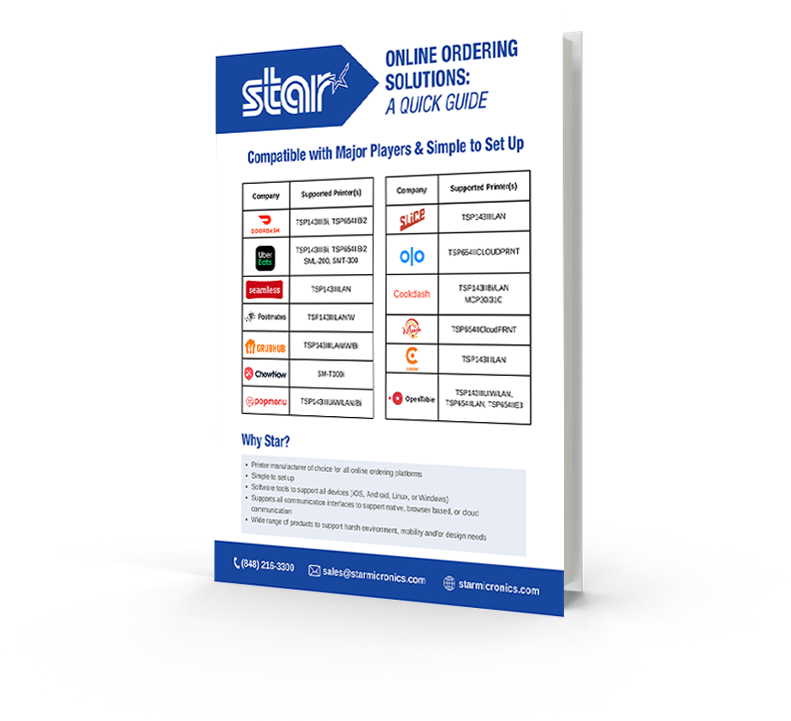
Online Ordering Solutions: A Quick Guide
Want to know which Star printers are compatible with some of the most popular online ordering applications?
By using thermal printers like Star’s TSP100 series for online ordering apps like DoorDash, Grubhub, and Uber Eats, restaurants can streamline operations and improve efficiency. Orders will arrive faster, print in real-time, and be sent directly to the kitchen.
This lets kitchen staff start orders immediately and ensures customers receive their food quickly. Plus, the improved accuracy and organization of online orders with the proper printers can help reduce errors and improve the overall customer experience.
If you are a restaurant owner and want to start using online ordering applications like DoorDash or Uber Eats, purchasing the correct thermal printer for what you need can streamline operations and help boost revenue.
With the right printer and a little setup, start taking orders from popular online apps and expand your restaurant’s clientele. Just keep in mind you’ll be busy!
Star Micronics has the POS hardware and technology to help keep your business ahead.
How to Get Your Restaurant Ready for Online Ordering
Are you looking for a new way to grow your restaurant business? Accepting online orders keeps you relevant and competitive.
When people hear the term “artificial intelligence” (AI), it might conjure images of futuristic androids or sentient computers from movies such as I, Robot or AI. But while those things are still in the realm of science fiction, AI has become increasingly engrained in the modern technology we now use every day, from our smartphones to our point-of-sale (POS) systems. AI helps consumers and workers streamline their activities and increase productivity.
But what is artificial intelligence? The Oxford English Dictionary defines AI as “the development of computer systems able to perform tasks that normally require human intelligence, such as visual perception, speech recognition, decision-making, and translation between languages.”
Before AI began to appear in retail technology, large-scale monitoring of employees, inventories, transactions, customer purchase histories, or sales was next to impossible due to limited data management and analysis capabilities. Now, your POS system can incorporate AI to generate smart reports and optimize your data into actionable insights.
Those insights may give you a potent competitive edge. In the recent results of 2022’s McKinsey Global Survey on AI revealed that the number of businesses using AI technologies since 2017 has more than doubled. On top of that, the companies that use AI for marketing and other purposes consistently outperform those that do not.
In fact, a recent blog posted by Techjury revealed that the AI market is projected to grow at CAGR of 38.0% from 2021 to 2030, and that 77% of the devices we already use feature one form of AI or another.
By integrating AI into day-to-day operations, companies can:
Boost efficiency by spending less time sifting through vast streams of data from a variety of disparate sources
Focus on what really matters for their business
Speed up time to action
So, what is artificial intelligence in the context of POS technology, and what does it look like for merchants?
AI Combines and Analyzes POS Data with Real-Time Reports
AI and POS software work together to create continuous intelligence. According to the Gartner Glossary of Information Technology, continuous intelligence is “a design pattern in which real-time analytics are integrated into business operations, processing current and historical data to prescribe actions in response to business moments and other events.” It provides decision automation or decision support.
This intelligence involves a variety of technologies, such as machine learning, event stream processing, optimization, and business rule management. Some of the technologies that can help generate better real-time data include:
Facial Recognition: This technology can generate customer profiles, enhance security, track behaviors, and make specific suggestions that improve sales by providing a personalized experience.
IoT-Enabled Sensors: The Internet of Things (IoT) enables communication and data exchange between objects with computer devices connected to the Internet. A smart POS system can utilize electronic shelf labels to track user behavior, update inventory, and complete transactions anywhere in the store through connected sensors. This function prevents long queues with smart scan technology during peak hours or end-of-season sales (EOSS). It also automatically alerts the inventory manager when items are nearly out of stock, prompting timely reorders and preventing disappointed customers.
With these AI technologies paired with traditional POS reports, merchants can take their data strategy to the next level by leveraging predictive analytics to enhance their insights into inventory management, customer marketing, and sales, creating actionable plans.
With more advanced, AI-based reports, you can create SMART (Specific, Measurable, Attainable, Realistic, and Timely) goals and actionable plans. These reports provide managers and owners with information that uncovers deeper insights.
You can take it a step further with AI power that makes recommendations for you. Some AI programs give you insights and suggest the best responses.
Leverage smart insights to discover shopping patterns and preferences, which you can turn into successful sales strategies. For example, the information you gain can help you decide which products to place near each other and where to position the best or most profitable items for higher sales based on buyer behavior reports and foot-traffic heat maps.
Other SMART insights might assist with decisions and strategies, such as:
Generating loyalty programs for preferred customers who visit your store regularly
Placing additional staff in new locations for customer support
Creating electronic displays that change using facial recognition to show products and promotions tailored to a recognized customer’s profile
Optimize Your Business Operations with AI POS Software
Once you have SMART insights and create strategic responses, watch as your operations speed up and become more optimized. You’ll use your reports to take action to eliminate long checkout lines, reduce stock-outs, and enhance the customer experience in-store and online.
Your actions will bring:
More efficient workflows that eliminate redundancies
Streamlined stocking and other in-store maintenance
Automation of previously manual, tedious processes, freeing your staff to devote more attention to customers
So, what is artificial intelligence when paired with POS solutions? It’s the key to true business intelligence.
Get Your AI from a Smart Provider
AI is readily available to merchants ready to invest in their businesses, streamline their processes, and take control of their data. It starts with understanding which AI technology is best for your business needs, gathering and analyzing your data to generate actionable insights, then optimizing your operations.
Get everything you need to utilize AI with your POS system from your trusted POS hardware provider. Star Micronics has been dedicated to innovation for more than five decades. To learn about the latest POS hardware options to improve your business, contact us today.
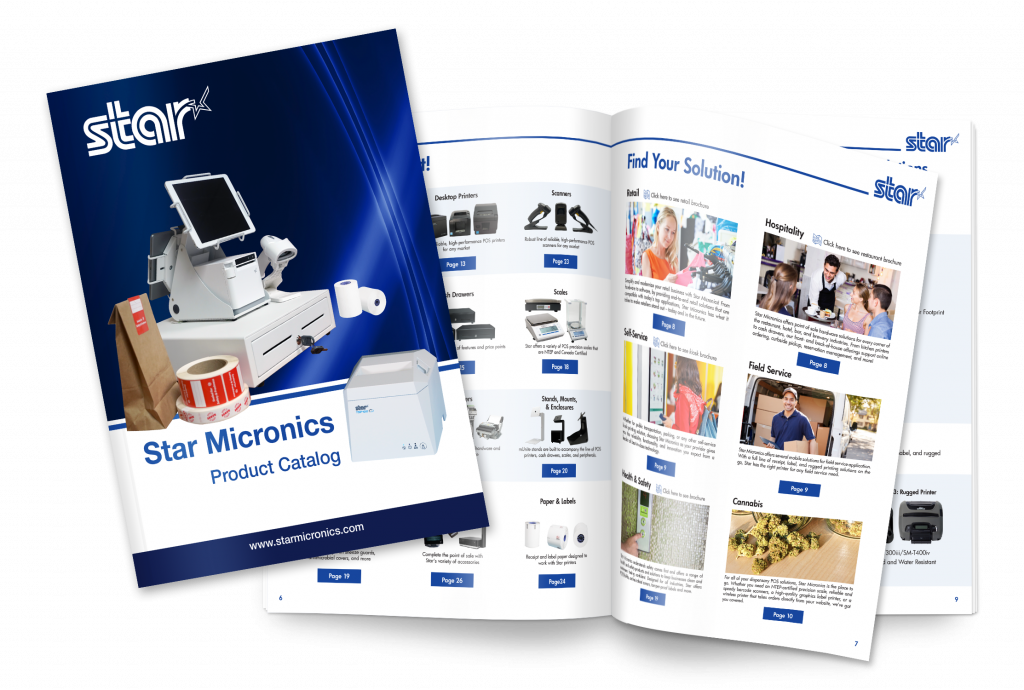
Check out Star’s full Product Catalog!
Discover the innovative technology solutions Star Micronics has to offer.
With the right point-of-sale (POS) tablet software and a well-designed tablet display stand, you can transform a simple tablet into an agile, versatile workstation. POS tablets are gaining traction in numerous industries, including restaurants, stores, boutiques, hotels, and entertainment venues. Their lightweight form, affordability, and ease of use make tablet-based POS solutions popular among small and midsize business owners. A recent study by Statista predicts that U.S. tablet usage will reach nearly 155.3 million units by 2025.
When compared to traditional PC-based systems, POS tablets offer a healthy ROI. Unlike legacy integrated POS systems or terminals, which can cost upwards of $5,000 per unit, tablet-based POS solutions are competitively priced, offering a range of low-cost hardware and software options. They take up less space and give your POS a sleek, modern look and feel.
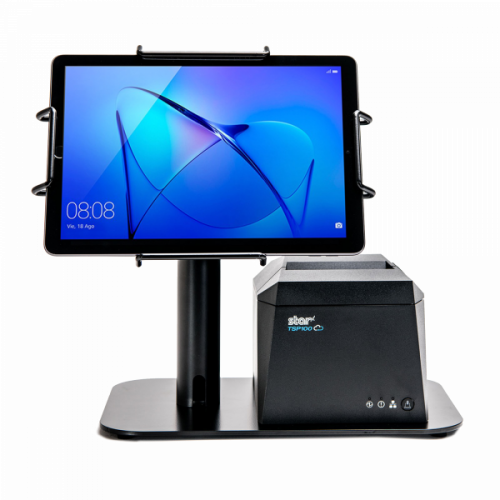
Having the proper display stand to hold your tablet can not only provide a single secure workspace for your busy store or restaurant, but it keeps your tablet protected as well. Low cost does not mean the POS tablet has no value!
Let’s look at what makes a great tablet display stand:
7 Features to Look for in the Best Tablet Stand
The right tablet stand for your business operations will not only enhance and protect your tablet POS investment but also boost customer experience, enhancing your brand’s appeal. Designs vary, but market-leading tablet stands share fundamental characteristics and are easy to spot.
Secure Tablet Mounting
VESA mounting, an industry standard used by numerous industries and manufacturers, enables a tablet stand to accommodate virtually any type of tablet enclosure that holds the tablet and secures it to the stand. However, there are perfectly fine stands out there that do not use VESA. The key is that the attachment is 100% firm and secure. Otherwise, your valuables will end up on the floor.
Clean Cable Management
Sleek, aesthetically designed tablet stands route cables internally, making a favorable first impression and saving precious counter space.
They do more than make your POS station look clean, however. The best POS tablet stands help protect cables from spills, dust, or other accidents that could cause damage.
Enclosure Option
Tablets should be housed in protective enclosures that also look nice. A universal mEnclosure holds virtually any tablet and enables it to be mounted horizontally or vertically. This way, you can change your tablet without buying a new enclosure.
Compatibility with a Variety of Printers
Many shops and restaurants using tablets for their POS also use POS printers. The ability to support a variety of receipt and label printers increases your point-of-sale tablet stand’s functionality, keeping your tablet safe and protecting and housing your printer.
This adds to a stand’s overall versatility. With your POS hardware in one place, you and your staff manage multiple tasks from a single point of access. It’s better for security and better for the customer experience as well.
Sturdy & Made to Last
An all-steel tablet stand with VESA compatibility can reliably support and protect any tablet, future-proofing your investment.
Easy Installation & Readily Available Support
Installation and use should require minimal effort, with best-in-class technical support if needed via live chat and phone, giving you more time to focus on business priorities.
Business-Boosting Features
Optional configuration settings, combined with easy-to-tilt maneuverability and a customer-facing option, can boost your brand and customer experience. When customers see you have a neat and put-together POS, it gives them more trust in your business overall.
Star’s mUnite Tablet Display Stands
Star Micronics has created the mUnite series of tablet display stands and mounts, the latest addition to its acclaimed mCollection series. The stands and mounts are sleekly designed, highly configurable, and easy to set up and use.
A perfect choice for POS and self-service environments, mUnite stands and mounts include the following key features:
Universal VESA Mounting
Most mUnite stands use universal VESA mounting hardware to support all tablet and computer manufacturers, including the Star Micronics mPOS and mCollection lines. But there are a couple of fantastic tablet display stands that do not. Either way, the hold on your tablet is long-term.
Clean Cable Management
mUnite stands hide wires and cables within their sleek housing while routing power supplies under the counter, maximizing valuable countertop real estate.
Easy to Tilt for Customer Interactions
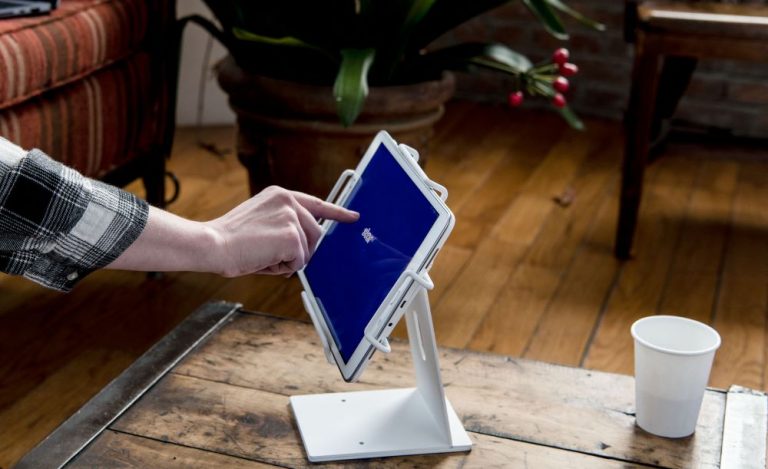
mUnite stands have excellent maneuverability, making them adaptable to numerous settings and easy to tilt for order review, signature capture, and additional functions.
Supports Two Screens
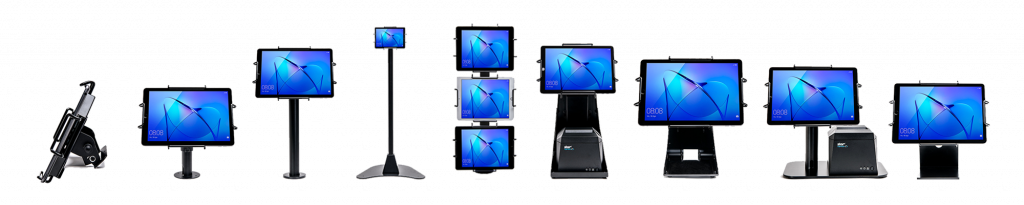
Many mUnite stands can support additional customer-facing displays as well as horizontal and vertical tablet views, extending and enhancing the mUnite experience.
Discover mUnite
Take back your counter with Star’s sleek and functional mUnite stands. Their clean designs keep your tablets connected and optimized while hiding cables, wires, and power supplies. Enhance your brand and delight customers with purpose-built, aesthetically pleasing mUnite tablet stands.
Discover which tablet stand by Star is right for you:
Your clients are facing some of the most severe challenges they’ve ever encountered. Overhead and labor costs are rising, online competition has increased, customer loyalty is fleeting, and labor is hard to find. Merchants committed to business growth need new solutions to overcome these hurdles – and they need value-added resellers (VARs) and other point-of-sale (POS) solution providers to provide guidance and technical expertise to implement them successfully.
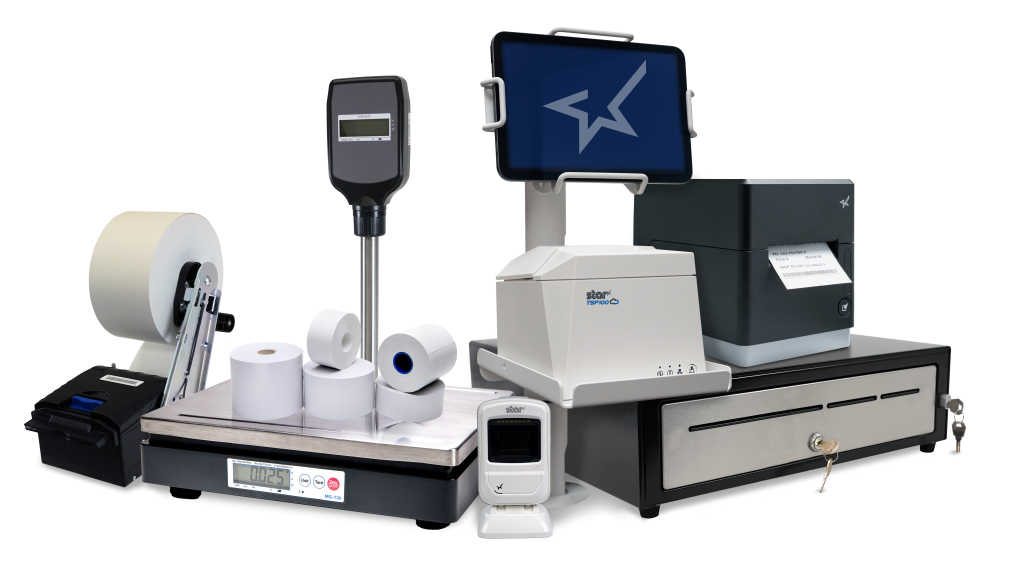
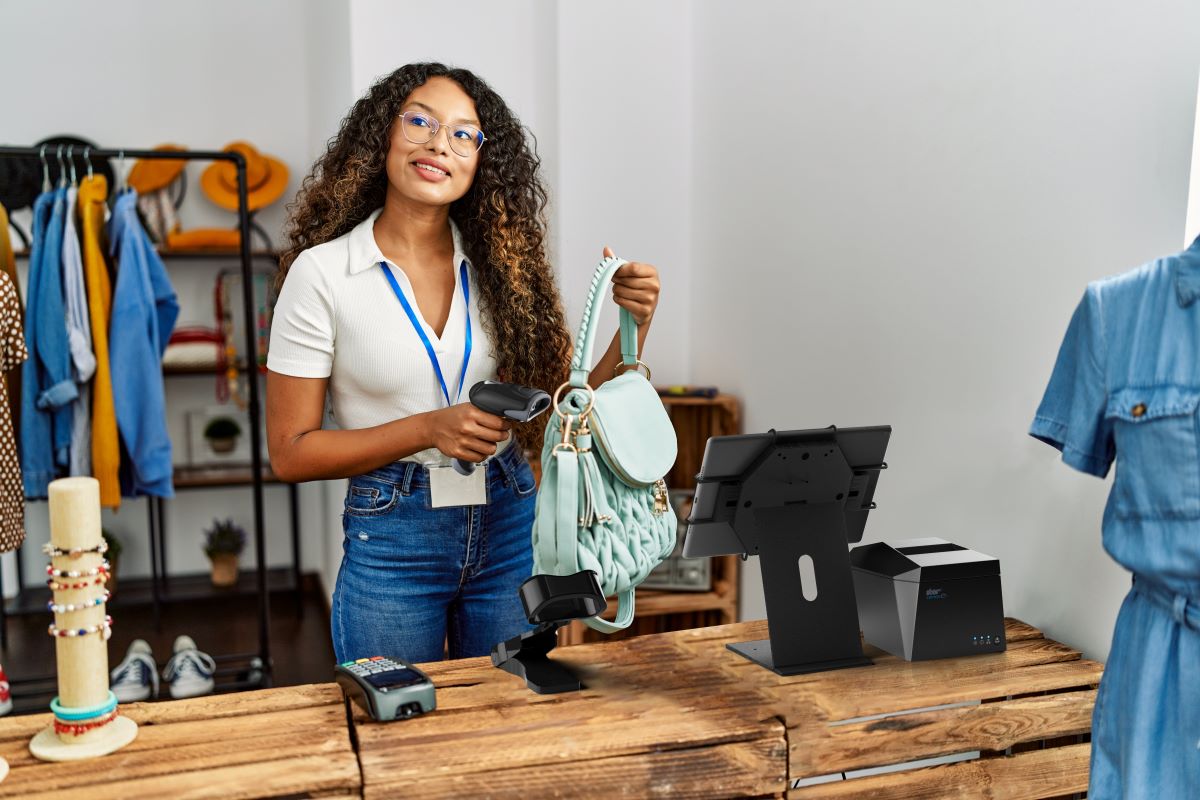
Connected workstations that feature terminals or tablets and stands, printers, scales, and online ordering integration increase productivity and efficiency to help merchants future-proof their IT investments.
Providing and adding value to these solutions can also strengthen relationships with your clients and boost your bottom line as you help them use technology to navigate these challenges and achieve success.
But first, what exactly is a connected workstation?
A connected workstation is a grounding place where POS software connects with multiple hardware devices to create cohesive workflows. Employees or customers can enter and manage orders, purchases, payments, inventory, and more.
In an era where customer expectations and industry demands are continuously evolving, the value of a connected workstation cannot be overstated, as it plays a pivotal role in boosting productivity, optimizing workflow, and, ultimately, driving business success.
The Value of a Connected POS Workstation
Connected workstations have become increasingly vital in the retail and hospitality industries as they greatly help streamline operations and enhance customer experiences. By integrating various devices and applications in one area, businesses can create a seamless, data-driven environment that enables real-time communication, improved order accuracy, and efficient inventory management.
Furthermore, a connected workstation offers a centralized platform for staff to access crucial information, empowering them to make better-informed decisions and provide exceptional service.
Future-proofing these POS or back-of-house workstations can help combat the most significant struggles faced by the hospitality industries:
Online ordering management
Labor shortages
Delivery automation
New payment methods
Let’s dive into each of these issues:
Online Ordering and Delivery
Online ordering and delivery have become necessary to compete in the hospitality industry. By implementing these solutions, your clients can improve cash flow; however, it requires a range of new software and hardware solutions for effective management.
A backend-connected workstation, including printing solutions for labels and receipts for third-party delivery services, can help a restaurant organize these operations, ensuring every customer receives accurate, on-time orders. Additionally, a solution like CloudPRNT gives employees managing online orders and delivery the freedom to print from any location in the restaurant by communicating directly with web-based POS applications.
Find out more about the benefits of creating connected POS workstations by downloading the rest of our free ebook:
The Future-Proof Technology You Need To Create Connected Workstations For Your Industry
Discover how future-proof technology can create optimized workstations to keep your business ahead of the competition.
In today’s connected world, dining and shopping experiences are no longer limited to physical restaurants and stores. Restaurateurs and retailers leverage cloud-based, omnichannel order management and fulfillment solutions to reach customers across various mobile and digital channels. In the post-pandemic era of retail and hospitality, technology is critical.
Throughout the pandemic, cloud-based, omnichannel ordering options kept restaurants, stores, and customers connected. In addition, convenience and ease of use helped scale online ordering, curbside pickup, and delivery services, all becoming a mainstay of the modern customer experience.
Even before the global pandemic, studies have shown that consumers and merchants were pivoting to digital and mobile technologies. As consumers lean into new technologies, retail and restaurant brands must increasingly adapt and compete on multiple fronts to win and retain their customers.
So, what does omnichannel mean, and why is it essential for your business?
Frost & Sullivan, a major consulting firm, has defined omnichannel as “seamless and effortless, high-quality customer experiences that occur within and between contact channels.”
In simpler terms, omnichannel is a more individualized form of retail. It’s a customer-focused business strategy that integrates all channels to provide the perfect experience for the consumer. Patrons connect with businesses online and in person. They order through both. Their experiences from one channel to the next are natural and more tailored to them.
Mass Implementation of Omnichannel Strategy
Beyond being a buzzword, omnichannel strategy is a tactical reality for business owners who can’t afford to get sidelined in the race to fast and secure commerce. Surviving and thriving in the digital-first economy means reaching customers anytime and anywhere, including after hours.
COVID-19 created a renaissance for multiple industries, including hospitality, retail, and the emerging cannabis sector. Stores invited customers to take virtual tours and try cosmetics and apparel in digitally-enabled dressing rooms. Restaurants introduced online ordering and curbside pick-up.
The power of cloud and omnichannel solutions enabled these companies to deliver an uninterrupted experience while driving orders, marketing, and customer service across all channels, platforms, and devices.
Omnichannel ordering options are an expectation, not an exception. Consumers have become accustomed to patronizing their favorite brands from multiple touchpoints. Our experts have compiled the following list of items needed for developing a consistent brand experience across all channels.
Cloud enablement: Invest in hardware and software that operates with the cloud to ensure your omnichannel strategy runs smoothly.
Single-access view: Create a secure portal where you can monitor all of your channels to streamline communications and manage operations from one place.
Automated task management: Implement order displays, cloud printing, and other purpose-built technology to save time and labor by automating basic procedures.
Enhanced connectivity: Select products that connect with the cloud to create a cohesive work environment and use peripheral connectivity to improve and accelerate business processes.
How to Create a Connected Environment
In 2021, retail e-commerce sales amounted to approximately 5.2 trillion U.S. dollars worldwide. This figure is forecast to grow by 56 percent over the following years, reaching about 8.1 trillion dollars by 2026. In addition, global online food delivery services are poised to reach nearly $344 billion this year, projected to reach more than $466 billion by 2027. With such high ROI at stake, getting products to customers via cohesive online or mobile channels is essential.
Our experts compiled these six products every business should invest in to get the most out of omnichannel ordering. To read about these crucial omnichannel technology solutions, download our free ebook:
Conquering Omnichannel Order Management with Cloud-Based Technology Solutions
Consumers have spoken! The future of retail and hospitality is omnichannel, cloud-based, and connected. Is your business prepared?
SaaS, HaaS, and On-Premises: Different Go-to-Market Models for Software Developers and ISVs
Independent software vendors (ISVs) and developers devote time, attention, and resources to developing applications that address their markets’ challenges and pain points. An ISV’s success depends on achieving those objectives. However, it’s equally important to determine the best way to deliver software to consumers and take it to market.
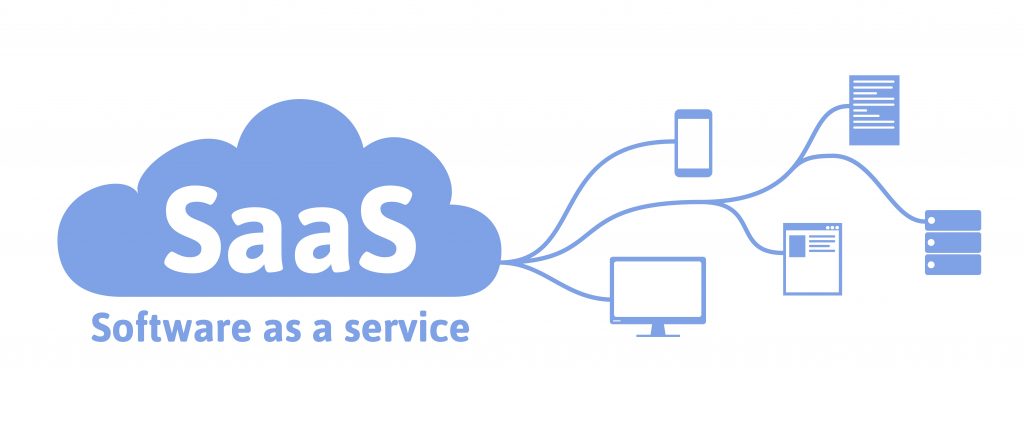
The Software as a Service (SaaS) model is an increasingly popular choice. Grand View Research predicts the SaaS market, valued at $165.9 billion in 2021, will grow at an 11% compound annual growth rate (CAGR) through 2028 to reach more than $382 billion, while overall software growth predicts a 4% CAGR in the same timeframe.
The benefits to users, developers, ISVs, and their partner channels are driving SaaS growth faster.
The Benefits of SaaS vs. On-Premises
SaaS has several advantages over on-premises software delivery for users. Compare the two options, point-by-point:
Maintenance: When a business buys a software license and uploads an application onto an on-premises server, that business is responsible for software maintenance, patches, and updates. With SaaS, the vendor typically handles software maintenance at no added cost, making it easier on customers.
Upfront costs: SaaS usually offers users more flexibility with lower upfront costs. It’s perfect for businesses just starting, or those looking to reallocate funds to other focuses like R&D. Users often pay for the first month to begin using the software, plus a one-time integration or onboarding fee. SaaS pricing models often enable lower costs than paying for the software outright.
Free trials: One SaaS business model example allows ISVs to use a product-led marketing strategy. Users can try the software risk-free to ensure it meets their needs and provides value – and when it does, they can subscribe with just a few clicks. This option isn’t possible with on-premises software.
Flexibility: Technology is advancing at a fast pace. So much so that it’s hard for some on-premises software users to get their money’s worth from a license before the application is outdated. SaaS software vendors can add features and update their software with the times, allowing users to take advantage of the latest and greatest tech.
Remote access: SaaS products usually reside in the cloud, allowing users to log in and use them from internet-connected devices. On-premises software requires a VPN or other means of securely connecting to the server to use it remotely.
SaaS Business Model Benefits ISVs & Channels
The SaaS business model also has benefits for ISVs and their channels. SaaS solutions are already provisioned. In many cases, users can install them on their own and get up and running in minutes, saving your team time.
SaaS products also typically reside in a multitenant, cloud environment, helping keep your costs low and allowing you to scale up or down easily. Developing via microservices architecture in the cloud also makes it simple for you to create and test new features. You can have multiple instances and migrate incrementally to minimize risk and disruption.
Additionally, ISVs and their channel can benefit financially by the ability to build a steady, monthly recurring revenue stream (MRR) from SaaS subscriptions. With a solution customers love, MRR will build as sales reps close additional deals. It’s a much easier path toward growth than making one-time sales, and it helps level out cash flow.
Keep in mind, however, that some markets prefer on-premises software. Examples include embedded point-of-sale (POS) software, MedTech solutions that must be installed in healthcare facilities, and railroad or intermodal transportation signaling. The key is to know your market and the delivery method they require.
SaaS with HaaS: Bundle Software and Hardware
Another option ISVs should consider, particularly for complex business applications, is to take your software to market by bundling it with hardware. Users appreciate simplicity. Bundling eliminates the need for them to find hardware certified with your solution that provides them with the necessary functionality. They also have the assurance that everything works together the way it’s supposed to out of the box.
Moreover, depending on the business model you choose, you may be able to offer users Hardware as a Service (HaaS) as well as SaaS. This may be even more attractive to customers as they “lease” your software and your integrated hardware, sparing them the hassles of seeking out and buying any hardware. Bundling HaaS and SaaS can bring you considerable revenue you can rely on.
If the bundle is relatively easy to deploy and set up, you could consider selling directly. However, if it requires IT expertise, you may benefit from selling the bundle through a channel that can provide the end user with the proper service and support. Another option is to work with a value-added distributor that bundles solutions for ISV and hardware partners. In either case, partnerships are vital to raising brand visibility and increasing SaaS or on-premises software sales. Make sure you and your partners are on the same page with sales goals, responsibilities, pricing, and margin to build a mutually beneficial relationship.
How Does Inflation Factor in Your Decision?
If you’re about to launch a new solution in an uncertain economy, it’s wise to factor that into your launch strategy. An economic downturn may make pricing models for SaaS or HaaS solutions more attractive to end users because it allows them to upgrade or refresh their technology without significant capital expenditure. It can enable them to make IT a manageable monthly operating expense, which can have tax benefits.
Suppose your application is designed to save money, such as offering automated processes that help decrease labor hours, incorporate self-service, or solve other pain points in your market. In that case, more businesses could choose your solution because of an economic downturn based on the ROI.
Also, remember the software delivery cost to your organization, whether SaaS, a HaaS bundle, or on-premises, and choose to take your application to market most cost-effectively and successfully.
As always, making an informed choice that’s best for your business and market makes all the difference.
Star will feature its extensive line of innovations at VARTECH 2022 in Orlando, FL, including the latest mPOP® & TSP143IV solutions.
Somerset, NJ – August 31, 2022 – Star Micronics, a leading manufacturer of mobile, point-of-sale (POS), and customer engagement technologies, is excited to show off its latest technology at BlueStar’s VARTECH 2022 show, held in Orlando, Florida, September 12-13, at the Rosen Shingle Creek.
The VARTECH conference is the prime opportunity for value-added resellers to cultivate thriving and rewarding business relationships with hardware manufacturers and software solution providers. Despite current supply-chain issues, Star Micronics has worked hard to meet market demand, assist channel partners, and provide innovative benefits to many retail verticals.
Star has launched a variety of modern POS and self-service solutions since the last VARTECH conference and will be showcasing:
The return of the mPOP® with new direct iOS connectivity for all-day use.
The acclaimed TSP143IV in two models; the TSP143IVUE with Android Open Accessory (AOA) support and a USB/LAN dual interface, and the TSP143IVUW with USB-C and dual-band WiFi connectivity.
A kiosk printing solution that uses repositionable linerless label paper, the SK1-311 SK.
Three models within the mG-T series of POS scales, the mG-T12, mG-T30, & mG-T60; ideal for shops, grocery stores, and farmer’s markets.
The extensive new line of mUnite modern tablet display stands and mounts.
New WiFi-loving models of the popular mC-Print2 & mC-Print3 series; two thermal printing solutions from the state-of-the-art mCollection®.
A wide variety of popular accessories, consumables, and portable thermal printers.
Want to see Star outside of the tradeshow floor? Star will host a Sunday night reception from 6 – 9 pm with a Star Patio Soiree under the beautiful Floridian stars! They’ll also participate in Monday’s International Food Fest by the Ice Wall with light-up cornhole. On the final night, Star will be jammin’ in the Bob Marley VIP section upstairs during the Universal City Walk Block Party. The fun will be had by all!
“Star Micronics has been investing in several areas to help channel partners succeed. Following our ‘Always Leading, Always Innovating’ decree, this includes diversifying and expanding our product offerings and bolstering our supply chain operations and sourcing. Globally, Star has been strategic, expanding manufacturing capacity aggressively… Star is dedicated to providing our channel partners with a full solution suite.”
Mike Hanson, Executive Vice President of Star Micronics America
Star Micronics, a world’s leader in point of sale, has designated a portfolio of printing, secure cash management, scanners, scales, stands, and customer engagement solutions for any retail or hospitality establishment in POS and mPOS environments. Embracing the mobility wave, Star’s complementary SDKs allow users to utilize Star in tandem with Android™, iOS, iPad®, and iPhone® devices to generate receipts, Chit, and labels for its printers. In addition, Star Micronics is always leading and innovating, enabling web-based printing solutions, including remote cloud printing, wireless cash drawer solutions, proximity-based printing, and secure cash management. For more information, visit www.starmicronics.com or follow us on Facebook, Twitter, YouTube, or LinkedIn.
The future of hospitality is connected, and for many tech-enabled businesses that offer alternative dining and shopping experiences, that future is already here. Companies need new technology to reach customers and give them convenient ways to purchase products and services. As consumers acclimate to mobile and online reservations and ordering, advanced hospitality technologies facilitate a seamless and enjoyable customer experience.
How SaaS Impacts The Restaurant and Retail Industry
The hospitality ecosystem supports an array of technology solutions. Single-suite providers can simplify point-of-sale (POS) deployments, from hardware devices to cloud-based tools, through subscription-as-a-service (SaaS) models. SaaS models are increasingly popular in hospitality due to their cost-effectiveness and flexibility.
Subscription services enable merchants to pay for hardware and software monthly instead of making an upfront investment. These services include automatic upgrades or enhancements that keep technology up to date. Many of these services provide ongoing IT support.
Hospitality leaders, attracted by lower costs and extended lifetime value, choose single-suite SaaS partners with cloud-based tools and connected commerce solutions. In addition to easy installations, remote management, and IT support features, SaaS solutions offer regular software updates, hardware swap-outs, enhanced security, and flexible, customizable software.
Conquering Omnichannel Order Management with Cloud-Based Technology Solutions
Consumers have spoken! The future of retail and hospitality is omnichannel, cloud-based, and connected. Is your business prepared?
Remote manageability is just one facet of hospitality’s connected future. Restaurateurs and hoteliers have added online and mobile ordering in record numbers to meet consumer demand for touchless experiences. Omnichannel solutions provided these during Covid-19, but their convenience and ease of use have made them permanent fixtures in the hospitality landscape.
In the pandemic’s aftermath, omnichannel ordering is an expectation, not an exception, for consumers. However, as many business owners have found, implementing omnichannel ordering adds complexity to business operations and requires staff to be mindful of both online and in-store order flows. To keep operations running smoothly, hospitality businesses need many tools to create a cohesive, connected workspace.
Cloud-Based Operations
A cloud technology system will keep your business running smoothly by providing solutions that work well together, such as cloud printing. Used by retail and restaurant owners, cloud printing seamlessly expedites and organizes online ordering. Additionally, these agile systems are easy to integrate and deploy as you scale your business.
CloudPRNT technology from Star Micronics sends online orders directly to your kitchen printer and is supported by an array of devices and peripherals, including the TSP143IV, mC-Print2, and mC-Print3 thermal printers. These thermal solutions are compatible with POS scales, scanners, and cash drawers with many connectivity options, such as Lightning and USB connection, Bluetooth, LAN, WLAN, and more. They are also easy to integrate with POS systems.
Mobile and Online Ordering
The mC-Print2 & mC-Print3
Currently, online food ordering accounts for about 40% of total restaurant sales in the U.S., and researchers expect these numbers to continue to climb. Restaurants with an online ordering system tend to raise their takeout profits by 30% over those that do not. In 2022, the number of Americans using apps to order food and other groceries is expected to rise from 27.9 million to 30.4 million. In addition, about 92% of all top-performing restaurants offered mobile order-ahead and loyalty rewards programs, or a combination of both. If your restaurant is not giving the consumers what they want, you’re missing out on some serious revenue. With the right technology, it’s easy to add mobile sales and online ordering to your business.
Let’s take a look at some technologies that help boost efficiency and customer satisfaction:
Printers
Embrace cloud-based solutions and online ordering with Star Micronics’ reliable Cloud Ready thermal printers. A receipt printer that connects to your cloud- or web-based point-of-sale software is a must-have. Cloud Ready printers reliably print orders directly to the kitchen as they come in.
CloudPRNT technology from Star Micronics sends online orders directly to your kitchen printer and is supported by an array of devices and peripherals, including the TSP143IV, mC-Print2, and mC-Print3 thermal printers. These thermal solutions are also compatible with cash drawers, POS scales, and barcode scanners. They’re offered with multiple connectivity options, such as Lightning and USB connection, Bluetooth, LAN, WLAN, and more, and Star makes integration with your POS software a breeze.
The TSP143IV Thermal Receipt Printer is Cloud Ready
Labels
While labels may be the last thing on your mind, equipping your cloud technology suite with the proper labeling capabilities is vital when completing your connected workstation. Whether your business requires traditional or linerless labels, ensure you have the appropriate solution. You may need food service and delivery labels, like tamper-proof labels or labels showing nutritional, shipping, or inventory information.
Traditional label printing solutions like the TSP743II or repositionable linerless label printers like the TSP654IISK are high-speed graphics printers able to connect to supported cloud- or web-based software. Food orders with special dietary requests can automatically be printed on takeout or delivery labels. Linerless labels are sticky but can be removed and re-applied following an online order from start to finish. These methods can help prevent potentially devastating mistakes.
The TSP654IISK Linerless Label Printer
Payment Solutions
Connected hospitality businesses also need flexible, cloud-based payment software that supports many traditional and mobile POS systems and payment schemes. When linked to omnichannel ordering, these software applications enable customers to pay in-store, online, and via mobile apps using credit cards and mobile wallets.
Contactless POS systems support mobile wallets, wearables, and contactless cards, meeting consumer demand for touchless payment methods. Mobile payment applications that support pay-at-table solutions are popular fixtures in stores and restaurants.
As you search for the right payment solution, look for technology compatible with leading operating systems and interfaces and consider Star Micronics. From contactless payments to paper checks – and everything in between – Star solutions support various payment software applications. Star also has a high-quality selection of portable printers, which may be precisely what your business needs.
Star’s Line of 2D Precision Barcode Scanners
Barcode Scanners
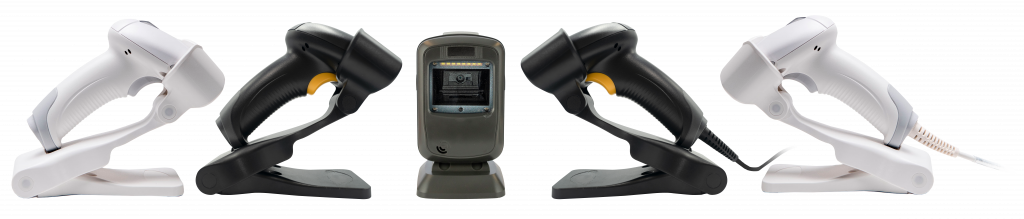
Star’s 1D/2D barcode scanners perfectly fit omnichannel hospitality environments. These drop-resistant scanners are accurate when scanning barcodes or QR codes on paper, screens, or uneven media. The wireless handheld model has up to 12-hour battery power, and the white models are made with antimicrobial agents, helping to reduce the spread of germs and bacteria.
These highly reliable scanners can also be used in a warehouse setting to scan items on the floor for inventory purposes or to locate orders, product details, and stock availability. Scanner technology also helps businesses streamline everyday necessities. Check out this article for more information.
Get Advanced Omnichannel Solutions Today!
If you want to be part of hospitality’s connected future, partnering with a single-suite technology provider will help your business scale. Advanced omnichannel solutions, coupled with front- and back-of-house systems, will securely and efficiently manage orders across multiple channels, driving efficiency and growth.
Your single-suite provider will simplify integrations, keep your systems running optimally and meet all your technology needs. Contact your Star Micronics representative today if you’re ready to take your business into the future.
But one area that is often overlooked is kitchen technology. And it shouldn’t be.
If you want to run an efficient and profitable operation, your kitchen needs tools in place to help you keep up with the high volume of orders coming in. Getting the right tech in place will make your chefs’ and line cooks’ lives a whole lot easier.
Every piece of your tech stack needs to speak the same language and integrate seamlessly for efficient operations and a consistent customer experience. These five essential pieces of kitchen technology will help you build that consistency and improve every area of your restaurant.
5 Pieces of Must-Have Kitchen Technology
The kitchen is the beating heart of any restaurant. It’s where the magic happens and it produces the product your customers have come for. As a result, your kitchen needs the latest restaurant technology solutions to make operations more efficient and to connect this area with the rest of the restaurant.
Here are the vital pieces of kitchen technology to get in place to keep the life-blood pumping around your restaurant.
1. Point-of-Sale System (POS)
A point-of-sale system is the hub of your restaurant’s data and operations. It processes orders, transactions, and other restaurant data and often serves as the liaison between your front- and back-of-house restaurant technology solutions.
Having the right POS in place is vital to keep communication between the front-of-house and your kitchen smooth and efficient, with minimal errors. When it comes to technology for restaurants, the POS serves as your central data hub.
What is a POS?
A restaurant POS is traditionally the system of networked hardware and software that takes orders and processes payments. But a modern POS can do a whole lot more, including managing inventory, accepting orders from third-party platforms, generating reports from analytics, and pretty much any other restaurant management task you can think of.
These days a POS stores data in the cloud and can encompass ordering tablets, self-service kiosks, traditional tills with touchscreens, contactless payment terminals, and other restaurant POS hardware.
Benefits of a POS
Streamline restaurant operations – the POS links your systems together, making operations more efficient in every department, from ordering, to payments, to production in the kitchen.
Stores all your data in one place – your POS acts as the data hub for your restaurant, ensuring all your data is accurate, consistent, and accessible.
Reduces ordering errors – a smart POS with the latest ordering hardware and key integrations will greatly reduce the risk of costly ordering errors occurring.
2. Kitchen Display System (KDS)
Kitchen display systems are becoming essential pieces of technology for restaurants, especially in high-volume settings like fast-casual and quick-service restaurants, ghost kitchens, and other takeout joints where efficiency is the name of the game.
The KDS keeps all your orders flowing through the kitchen and makes sure all the cooks are on the same page, making it one of the most vital restaurant technology solutions on the market.
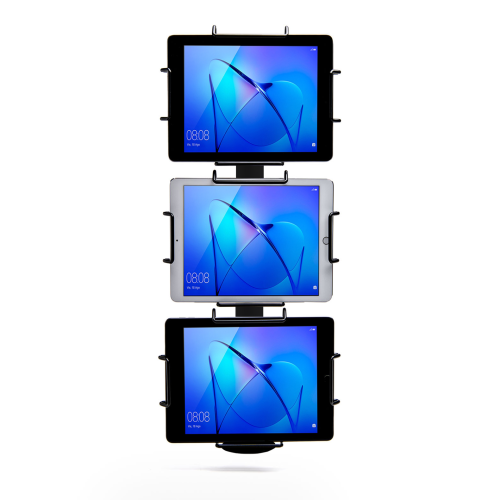
Star Micronics’ Tri-Mount Tablet Display Stand
What is a KDS?
A KDS uses one or more screens in the kitchen to give the cooks a clear view of orders being processed. Typically, a screen at each station helps the cooks keep track of orders and even tells them when to fire different parts of an order for maximum efficiency.
Traditionally, cooks keep track of orders with printed tickets that are spiked when the order is complete. A KDS can be used instead of, or in addition to, printed tickets. The real-time information provided by the system can improve efficiency and reduce the risk of costly mistakes.
Benefits of a KDS
Streamline kitchen operations – a KDS keeps your kitchen production line organized and streamlined by making sure everyone knows what they need to do and when.
Speed up service – more efficient production helps your kitchen produce orders faster, meaning you can serve more customers at peak times.
Minimize errors – with a clearer picture of the orders in preparation, cooks are less likely to make mistakes that lead to food having to be remade.
Reduce food waste –a more efficient kitchen making fewer mistakes helps reduce wasted food from sloppy portioning, over-production, and re-fires.
3. Printers
Although the trend is moving toward digital solutions, printers still play a vital role in the modern restaurant in the front and back-of-house. And they are getting just as smart as the rest of the tech in the restaurant.
Many customers want a physical receipt, whether it’s just a preference or for record-keeping, and many kitchens still use printed receipts whether or not they also use a KDS to organize orders.
Let’s take a look at the different types of restaurant printers.
What are Restaurant Printers?
Restaurant printers are found at the front desk, at wait stations, behind the bar, and in the kitchen – perhaps at each production station. Front-of-house printers print checks and customer receipts. Bar and kitchen printers print order tickets, so bartenders and chefs know what to prepare.
There are two types of printers commonly used: impact printers and thermal printers. Each has its own features making each one suitable for different environments.
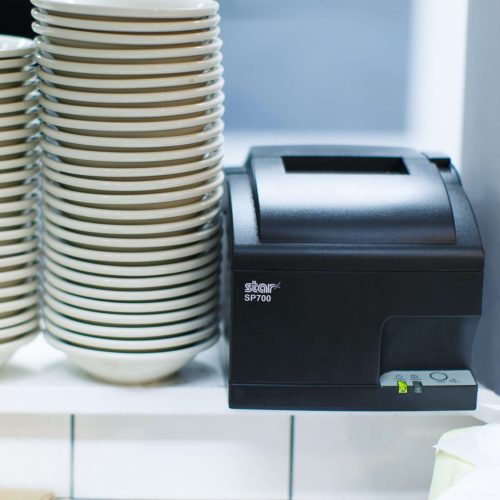
Impact printers, or dot-matrix printers, physically impact the paper with ink. They can typically print in black and red, have more moving parts, and are noisier than thermal printers.
The SP742 Impact Printer is built specifically to work in hot and humid environments, connects via Bluetooth, and can print 13 tickets per minute.
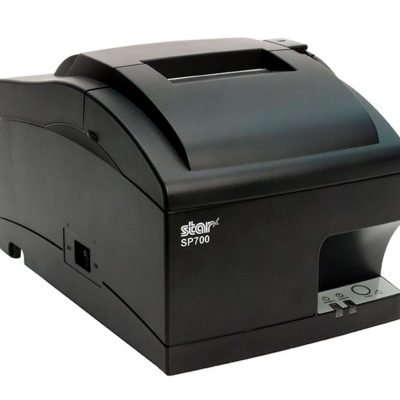
The SP700 series impact printers from Star Micronics are one of the most popular kitchen printers.
Thermal printers directly mark heat-sensitive paper using a heated element. Thermal printers tend to be more expensive, but they could save you money over time as you don’t have to buy more ink. They are sensitive to temperature, so they would only work in a climate-controlled kitchen but can print much faster than impact printers.
The TSP654II Thermal Printer can print 60 receipts per minute, comes with easy drop-in paper loading, and connects to a number of peripheral devices.
The TSP654II thermal receipt printer by Star Micronics makes an excellent kitchen printer.
Benefits of Printers
Offer a physical receipt – many customers want to keep a physical credit card receipt or check for their records and for tax purposes.
Redundancy in the kitchen – a printer receipt in addition to the KDS allows cooks to double-check orders and some chefs prefer to have a physical order ticket as well as the KDS.
The Growing Industry of Ghost Kitchens: The Tech You Need to Get Started
Learn the essentials of starting a ghost kitchen and the technology restaurateurs will need to get started.
Even with a modern POS, you still need a way to process cash payments. Today, most modern cash drawers can be synced with your POS terminals via USB or Bluetooth, offering the ultimate convenience without compromising security.
Look for cash drawers with physical and electronic locking functions that are robust and technologically enabled.
What is a Cash Drawer?
A cash drawer is a secured box with a sliding drawer that protects your cash. It is linked to your POS, so it opens when a cash payment is made and change is required.
Cash drawers typically have multiple locking functions for security, including a manual lock when not in use and automatic locking when in use during service.
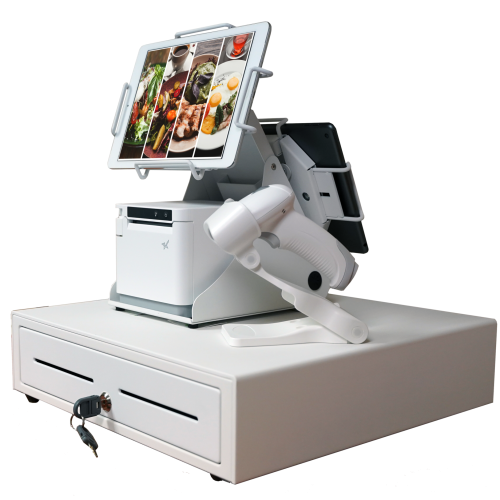
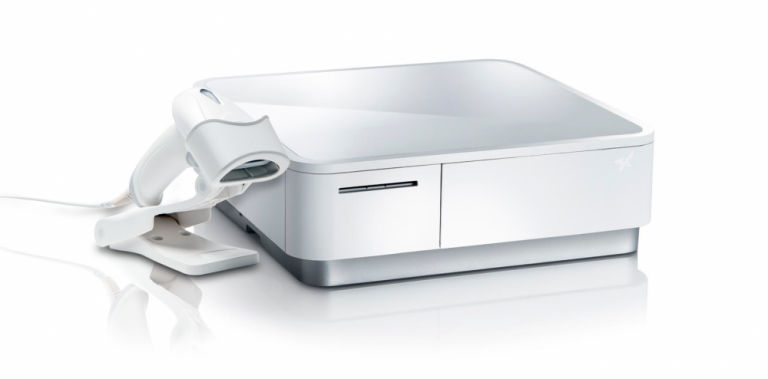
The mPOP® Multifunction System is a cash drawer and printer in one smart device. Compatible with Windows, Android, and iOS, it offers direct iOS connectivity, which allows your iOS device to be charged while data is transferring. There is also the optional handheld 2D USB barcode scanner included with some models. The mPOP® is truly an ideal device for mobile POS (mPOS) systems.
White mPOP® with optional 2D barcode scanner
5. Contactless Payment Terminals
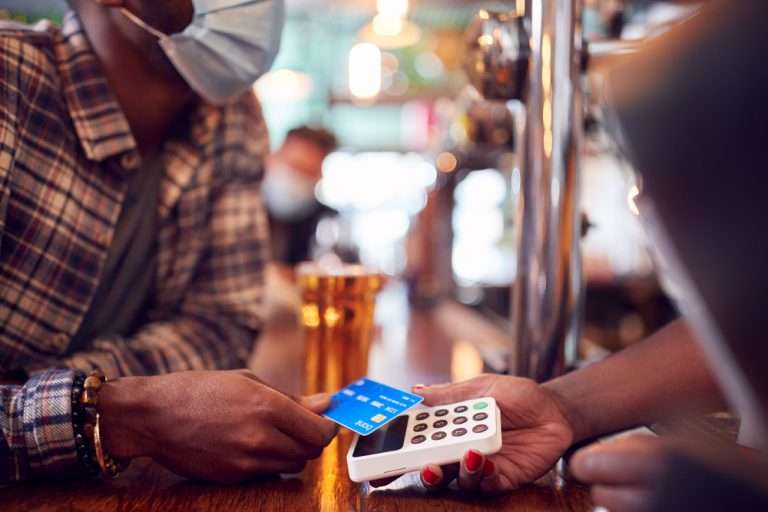
Contactless payments are becoming the norm as customers increasingly appreciate the convenience of not having to enter a PIN or even remove their card from their wallet. It’s worth upgrading to terminals equipped with near-field communication (NFC), so you can accept payments with a phone or card tap.
What are Contactless Payment Terminals?
Contactless payment terminals allow guests to pay with the tap of a card anywhere in the restaurant. They are connected to the WiFi network to communicate with the POS, so they allow customers to pay at the table, at the curb, or at the drive-thru window.
The terminals use NFC to take contactless payments from smartphones or credit cards and have keypads and card slots if the customer needs to insert the card and enter their PIN.
Benefits of Contactless Payment Terminals
Faster and more convenient – contactless wireless terminals make it quicker and easier to make payments, leading to a better customer experience and more efficient service.
More secure – Contactless payments eliminate the need for the customer to hand over the card or reveal their signature. Card information is sent via a secure cryptographic method to ensure information can’t be stolen.
Boost efficiency, customer satisfaction, and revenue with better kitchen tech.
From the POS flawlessly processing orders and contactless terminals taking payments anywhere to kitchen display systems and printers keeping your service organized, kitchen technology is vital to the success of your restaurant.
As we’ve seen, there are exciting products on the market that help to make transactions easier and more secure, make kitchen operations more efficient, and improve the customer experience, among many other benefits.
It’s not just software that counts–getting the proper hardware in place, like smarter cash drawers and the right kind of kitchen printers, can help offer better service and make your kitchen more efficient.
Overall, investing in the latest kitchen tech will streamline your operations, improve customer satisfaction and increase restaurant profits.
Guest Post Written By Sam Sinha
Sam is a restaurant tech content writer building authority for food industry pioneers like TouchBistro. After cooking and writing his way around London and Hong Kong, he now writes and grows vegetables in the Cambridgeshire countryside.