Tag: QSR & Fast Casual

  • Choosing the Appropriate Kiosk Printer: A Comprehensive Guide

    Choosing the Appropriate Kiosk Printer: A Comprehensive Guide

    Self-service technology, including kiosks with kiosk printers, continues to increase in popularity in a wide range of vertical markets. Retailers of all types, as well as quick-service restaurants, gas stations, parking lots, casinos, telecommunications companies, banks, transportation providers, and other organizations are implementing these solutions. According to a recent study by Technavio, the self-service market is estimated to reach $18 billion by 2020.

    What’s more, consumer demand for access to kiosks is growing. For instance, a survey by InRetail revealed that 69% of shoppers are more likely to make purchases from stores with kiosks, than from stores that do not have them.

    However, capitalizing on the self-service trend and consumers’ affinity for kiosks in any application — retail or otherwise — necessitates strategic kiosk printer selection. Choosing the right kiosk printer is a matter of understanding the business, the business environment, and customers. It involves careful assessment of the range of feature options. This guide presents a roadmap for selecting the kiosk printer that best suits the needs of an operation and its clientele.

    Discover all of Star Micronics’ Self-Service Kiosk Solutions.

    Free Self-Service Kiosk Resources

    The future of many industries lies with self-service solutions. That’s why Star Micronics is offering free online ordering resources for resellers and software developers who are helping customers future-proof their businesses with self-service solutions.

    Visit Self-Service Toolbox

    Top 3 Key Considerations

    The road to finding the right kiosk printer starts with a few key considerations. Here at the top three; find out the rest by downloading the full free guide now!

    Size

    In most applications, space for the kiosk — and the kiosk printer — is at a premium. For example, in a typical retail or hospitality environment, the area in which the kiosk is installed is not sufficiently large enough to accommodate a unit with a bulky peripheral. Therefore, you will want to look for printer options configured as “open frame” printing mechanisms. There should be no unnecessary casings that increase the unit’s size and occupy space that may be needed for other components to make the kiosk more user friendly.

    Use Case

    One of the most common mistakes in selecting a kiosk printer is designing the actual kiosk before the printer and other accessories have been chosen. To ensure that the kiosk printer really satisfies the requirements of your business, think first about the use case and its parameters. For instance, if the kiosk will be installed in an environment where transaction volume is high, and thousands of receipts will be printed daily, you may need a kiosk printer that accommodates very large rolls of paper. However, many kiosk printers have a slender design and cannot support these large rolls, or necessitate the purchase of a special attachment at an additional cost.

    Customer Experience

    A kiosk allows businesses to interact directly with customers, and provide high-caliber customer service, all while decreasing wait times. To kick things up a notch, you can select a kiosk printer that can support graphical printing at a high speed. This allows you to offer coupons, special promotion options, product information, and other materials that customers can print out on the spot, increasing their engagement level with your establishment, and cultivating repeat business.

    Must-Have Kiosk Technologies

    Here are the top three kiosk printer technologies and accessories that you will find essential, depending on the application (get the full list in our guide):

    Presenter

    A presenter increases security and supports customer privacy by ensuring that receipts are delivered only to the right person; if forgotten, they remain inside the kiosk where unauthorized parties cannot access them.

    The presenter also offers other benefits that make it worthwhile. Perhaps most importantly, the presenter prevents paper jams from occurring if receipts are inadvertently left in the printer. This, in turn, decreases the incidence of operating interruptions that cause customer service delays, and have a negative impact on the customer experience.

    What’s more, with a presenter, there is no opportunity for receipts or other collateral to fall to the floor if it is not delivered to the intended recipient. The end result is reduction in litter, and a cleaner-looking store, restaurant, or other business environment.

    Bezel

    The bezel is an alternative to the presenter. Typically positioned between the kiosk slot and the printer, it acts as a guide
    to push paper out of the kiosk. If the best kiosk printer for your application is not designed to accommodate a presenter, or there is another reason why a presenter would not work with a particular kiosk printer model (e.g., space constraints), a bezel is a viable solution.

    Paper Status Alerts

    Kiosks are typically left unattended for extended periods of time. However, you’ll need to know immediately when a kiosk printer requires more paper. Select a kiosk printer that displays alerts when it is low or entirely out of paper.


    Looking for more tips on key considerations and must-have technologies, and information on how to source your kiosk printer?

    Download Brochure

  • Do You Really Need a Receipt?

    Do You Really Need a Receipt?

    This is the fourth part of “Keep the Receipt,” a five-part blog series about the various advantages paper receipts offer to businesses and consumers, and why you should elect to choose to offer – and accept – paper receipts.

    The world has become digital – very quickly. In 1990, only 0.25% of the world population had a cell phone, and as of February 2019, it was estimated that more than 5 billion people have them. In today’s technologically advanced society, you might wonder if you still need a receipt. And guess what. You do!

    In today’s blog post, we’re going to explore why you still need a receipt, whether it’s for a traditional reason like confirming a tip amount, or if it’s part of an omnichannel retail experience, like to be used with cashback apps. Without further ado, let’s explore why shoppers do indeed need a receipt.

    While receipts are important, Star Micronics provides retailers with much more than just receipt printers – explore our full suite of Retail POS Solutions.

    In the hospitality business? Check out our Restaurant and Kitchen Solutions and QSR Solutions!

    7 Reasons Why You Need a Receipt

    1. Immediate Itemized Information

    Simply put, receipts are great at providing information. Many times, digital receipts provide basic transaction information, like a grand total, transaction date, and payment method. But with paper receipts, it’s a given that you’ll receive full itemized, line-by-line details – within seconds of payment.

    Besides basic transparency into what you paid for, this line item information can be useful to confirm you received the correct discount/promotion, and can even come in handy if you accidentally set off the alarm at the store and need to quickly provide proof of purchase for a specific item (we’ve all been there).

    2. Tip Amount Confirmation

    It’s not unheard of to be charged the wrong amount for the tip you leave on the bill at a restaurant, bar, or other establishment. While most of the time the information was simply entered incorrectly by mistake and it is easy enough to correct the issue directly with the business, that’s a hassle that not many people have time for. By keeping your paper receipt and filling out the tip amount on your personal copy, it becomes easy to double-check the amount on your credit card statement and correct any issues that may arise.

    3. Warranty/Return/Exchange Policies

    When you want to check if your product is still under warranty or able to be returned/exchanged, you want that information to be easily (and quickly) accessible. A surefire way to promise that is by keeping a paper receipt for the purchase in question. While some systems allow for that information to be stored automatically, that process is tied to the credit card used for the original transaction. This can present problems if you no longer have the card, lost the card, or didn’t use a card for the original purchase. Keep reimbursement, return/exchange, and warranty issues simple by keeping the paper receipt for those important items!

    4. Cashback Apps

    Who doesn’t want a little extra cash? Luckily, there are a variety of easy-to-use cashback apps on the market today, like Ibotta, Fetch Rewards, Shopkick, and more. How do these apps work? It’s easy: you simply make purchases normally, and then scan your receipt to receive rewards. It’s a pretty great reason to keep the receipt, if you ask us.

    And speaking of savings, if a business prints on-receipt promotions, those can be a great way to save money on future purchases and can be easily kept in your wallet so you don’t forget them during your next shopping trip.

    5. Instant Account Information

    You might see a pattern emerging: paper receipts are simply the best at providing fully detailed transaction information – instantly. That pattern also applies to providing account information instantly.

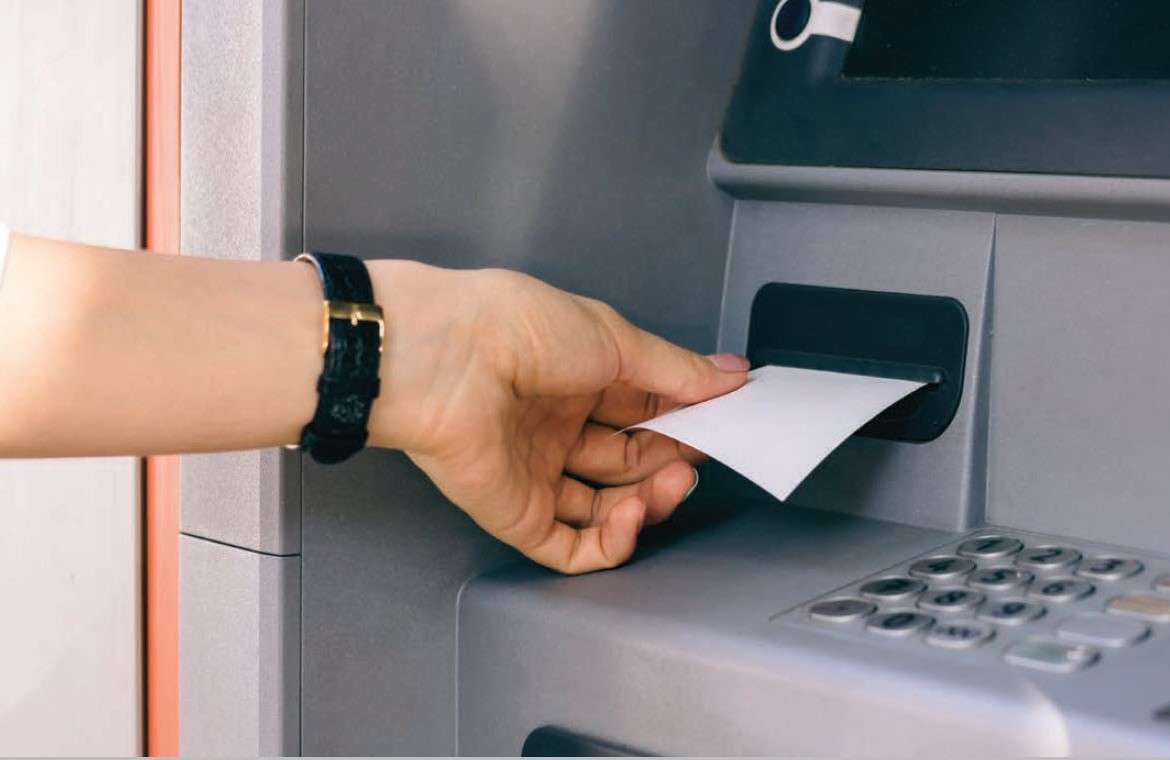
    Take, for example, a bank ATM. You need to take some cash out, and you want to check your account balance. An easy and private way to do that is to retrieve a receipt from the kiosk printer, which lists your current account information. When you do that, there’s no need to engage in a second step (like opening an app or logging on to a website) to get that account information, and it’s easy to quickly look back on that information at any time.

    6. Recordkeeping

    Paper receipts are simply the best for recordkeeping! First, and arguably most crucial, it’s important to keep proper records for tax purposes. According to Investopedia, it’s important to hold on to receipts, “so you have a record of even the smallest expenses you incur for business, charity and your health. As those expenses add up, they can start to lower your tax bill.” On a business owner-level, the IRS has further details regarding what kind of records you should keep.

    Receipts come in handy for other kinds of recordkeeping, too, like expense tracking for business trips, and personal budgeting. It’s also important to get a paper copy of gift receipts to make returns and exchanges easier/possible for your friends and family.

    7. Private and Personal

    The information provided on a receipt is personal, and in an ideal world, it is private. However, in a world filled with cybersecurity concerns (there is a hacker attack every 39 seconds!), it comes as no surprise that some consumers may feel hesitant about that information being stored in their email inbox.

    A paper receipt stays right where it should – in your wallet! With a hard copy receipt, there’s no need to worry about your sensitive information getting into the wrong hands.

    So – what do you think? When do you need a receipt? What other ways can they be useful? Let us know in the comments!

    Be sure to tune into our fifth Keep the Receipt blogs, which will take a deep dive into the sustainable features of Star receipts.

    Learn more about the Value of Printed and Digital Receipts

  • 5 Reasons Why You Need a Coffee Shop POS System

    5 Reasons Why You Need a Coffee Shop POS System

    Did you know that in the United States alone, nearly 70% of consumers drink at least two cups of coffee per day? That’s a lot of java to serve, and even more customers to provide with a fast, personalized (and profitable) experience. Luckily, managing all of those caffeinated purchases can become easier than you ever thought possible when you choose the right POS for coffee shop for your needs.

    Let’s explore 5 reasons why you need a coffee shop POS system – and some features to look for:

    1. Empower Staff to Keep the Line of Customers Moving Fast

    At the end of the day, providing your customers with what they need in a timely manner will make or break your business. To keep your customer queue moving quickly and efficiently, be sure to select a coffee shop POS system with a user-friendly interface to let your baristas take orders fast and without errors.

    What does that look like? It looks like a POS system that accepts all kinds of payments (including cash, mobile payments, credit and debit cards, reward points, and more).

    While the speed of each individual transaction may not seem that important at times when store foot traffic is low, the speed in which your coffee shop POS system processes payments makes a big difference during busy hours.

    2. Customers Can Customize Their Own Drink

    We live in the age of, “I’ll take a small iced coffee, 2 pumps of no-sugar caramel syrup, light on the soy milk, and a double shot.” That’s right, today’s customers want things their way, and we can’t blame them. What we can take some blame for, though, is misunderstanding those orders, wasting product, and losing money as well as the customer’s patience.

    But don’t worry – your coffee shop POS system can help with those complicated customized orders! If your POS app has a modifier feature, like for example, Poster POS, taking custom orders becomes easy for your baristas. It’s a win-win: give your customers their favorite drinks without delays, and accurately track inventory in your POS when customers order different milk alternatives and toppings.

    3. Make the Most of Your POS Using its Marketing Features

    A big part of creating coffee shop customers that keep coming back for more is by marketing to them. When there’s a choice between a coffee shop that has a special coupon/sale, or a coffee shop that only has set, standard prices, the customer will most likely choose the discounted cup of Joe.

    Create the customer retention you crave by setting up a unique happy hour promotion for each day right in your coffee shop POS system! These built-in deals allow your baristas apply discounts without any additional bother and can create more sales during traditionally slow hours. You can also let customers know about your special deals (and loyalty programs, social media accounts, and more) by promoting them on your receipt.

    4. Know and Sell Your Most Profitable Drinks and Desserts

    Without a feature-packed coffee shop POS system, it can be hard to answer questions like:

    • Which of my products has the highest profit margin?
    • Which of my items is the most expensive to make?
    • Which product is most popular? And during which days and times?

    You guessed it – you can use your POS system to answer all of these questions and more. Food costs and margins can be calculated automatically in your POS, as well as sales data which allows you to understand and analyze your top products. Use this valuable data to rotate items on your menu based on their profitability and popularity!

    5. Securely Store Your Business Data in the Cloud

    Last but not least, keep all that data safe and just a click away by choosing a cloud-based coffee shop POS system. Gone are the worries of your data being lost if your hardware breaks! And there’s an added benefit of working in the cloud: you’ll become a more flexible manager with access to your coffee shop management system from any computer and any place in the world.

    Star Has the Coffee Shop POS System Solutions You Need – Learn More Now!

  • Star Micronics and Cova Software Join Forces to Streamline Cannabis Retail Point of Sale

    Star Micronics and Cova Software Join Forces to Streamline Cannabis Retail Point of Sale

    Together, Cova’s retail software and Star Micronics’ printing solutions simplify complex dispensary POS operations

    Somerset, NJ – August 15, 2019 – Star Micronics, a leading manufacturer of mobile, point of sale (POS), and customer engagement technologies, is proud to announce that Cova Software is supporting Star’s mC-Print3 printers for use in its suite of cannabis retail software solutions.

    Cova is an award-winning cannabis retail POS with an intuitive design and robust tech platform. Cova helps cannabis retailers simplify compliance, raise the customer experience bar, and increase revenue through automated compliance, touchscreen menus, an express check-out app, and mobile reporting dashboards. With a growing network of partners including Leafly, Weedmaps, I Heart Jane, springbig, Enlighten, Merrco, Lift & Co, Budtender and Budvue, Cova’s seamless tech ecosystem provides retailers access to industry-leading tools to run their business.

    The Star Micronics mC-Print3 thermal printer features a sleek design and Bluetooth, Ethernet, and Lightning connectivity, making it the ideal choice for modern, connected dispensaries. Easy to integrate through common SDK, the mC-Print3 is also cloud-ready and includes access to a suite of value-added Star Micronics Cloud Services, including tools for digital receipts and custom on-receipt printed promotions. Cova also supports the Star Micronics TSP143III, an easy-to-use, reliable thermal printer featuring high-speed printing, Print Flat Technology, Star Micronics Cloud Services, and more.

    “We’re really excited to partner with a top-tier POS hardware provider,” said Gary Cohen, CEO of Cova. “They get it—the reliability and innovation needed to stay ahead in retail, especially in the cannabis industry. Their hardware performance, how fast and flexible it is, and their reputation for great support, it all aligns perfectly with Cova’s values and commitment to provide robust solutions for our customers’ growth. This is a long-term strategic partnership that makes perfect sense for us and creates big value for cannabis retailers.”

  • Buyers Guide: 5 Things to Consider When Purchasing a Scale

    Buyers Guide: 5 Things to Consider When Purchasing a Scale

    Any retail, restaurant, or hospitality venue that sells items by weight needs a scale to protect their customers and business. Point of sale (POS) scales are used by different types of merchants that charge for their items by weight, including supermarkets, jewelers, coffee shops, self-service restaurants and buffets, butchers, candy stores, and more. Whether you’re dealing in pounds of fruit or ounces of gold, scales measure the weight of a customer’s purchase, calculate the price accurately, and help track inventory.

    On the surface, the scale’s operation seems relatively straightforward: weigh the items, print tags, and move on to the next customer. This deceptively easy process is backed and regulated by the science of weights and measures, a battery of federal and local laws, inspectors, and several government agencies dedicated to calculating weights and prices correctly. Although it may seem like overkill, these safeguards protect you from over- or under-charging customers and the fallout that comes from making these types of errors.

    If you’re in the market for a new scale, consider your products and how accurate the scale needs to be, where it will be set up, and how often it should be calibrated. States monitor merchants with scales for accuracy, so know the local laws in your area to help ensure your POS scales are always in compliance.

    No matter what type of business you operate, purchasing a NTEP-certified scale should be nonnegotiable. A retailer that is caught using a non-NTEP-certified scale may be subject to heavy fines, seizure of the illegal scale, or work shutdown. You should never purchase a scale that doesn’t have this important designation, but that doesn’t mean that every scale automatically goes through the process. NTEP certification was developed by the National Conference on Weights and Measures.

    Look for a scale with a NTEP Certificate of Conformance (CoC), which means the scale can be used in a commercial setting to sell products by weight. Every NTEP-certified scale will have a CoC number that an inspector uses to verify that the scale meets the agency’s testing standards. Only a NTEPcertified scale, when properly inspected and calibrated, is “legal for trade.”

    What else should you think about when you’re shopping for a scale? Here is a quick preview of the five things to put at the top of your list.

    Candy-e1574805441361

    1. State Regulations

    Across the US, every state has its own agencies and departments that regulate scales and inspect them for accuracy. Some states may require a yearly inspection, while others are inspected less frequently.

    Although every industry is different, some require a higher level of accuracy than others. One of the most talked about industries right now is cannabis retail, which relies heavily on scales for its products. Medical marijuana retailers and dispensaries are legal in more than half of the US, and although they sell products by weight, you can’t expect the same regulations that apply at a salad bar to also work for medical uses. In fact, the standards and regulations for cannabis scales vary by state, so choose the scale that will keep you in compliance and accurately serve your customers.

    2. Environment

    Like any POS component, harsh environments demand more rugged scales. The unit that looks pretty sitting on a counter is not going to cut it in a busy warehouse or inside a cold storage facility. Before purchasing a scale, decide where and how it’s going to be used, so you can choose one that’s tough enough for your business.

    Pharmacy-Scale-e1574805457851

    3. Applications

    Before you purchase POS scales, identify how they’re going to be used and what you need to weigh. Are you dealing with fresh produce, bulk candy and meat, or items like mail and packages? Are most of your products heavy or light? Large or small?

    Star Micronics scales have the option to be powered by electrical outlet or battery for additional flexibility and portable use. This feature is especially valuable if you need to take the scale to farmer’s markets, street fairs, or pop-up stores.

    4. Connectivity Options

    Adding a scale doesn’t mean you need a whole new POS system, so check your current system and see what connectivity options it has and go from there. Look at the operating system and make sure you choose a scale that’s compatible with what you already have. Star Micronics scales offer software support for Windows, iOS, and  Android, so adding the scale to an existing system is easy. The scales have a triple interface, and connect using Bluetooth BLE, USB, and Serial. Everything you need to get started comes in the box, including a waterproof and dustproof cover, power cable, and USB cable.

    5. Industries

    For industries that deal with products by weight, including cannabis, retail, jewelers, restaurants, and pharmacies, a properly calibrated, NTEP-certified scale ensures you are not over- or under-charging customers. These POS components also assist with inventory tracking at your store or restaurant. Running a business that charges based on weight is impossible without a properly-calibrated scale, so make sure you choose the one that best takes care of your needs.

    It’s important to pay attention to the accuracy class. Always choose a scale that’s the correct accuracy class, because a candy store doesn’t need to adhere to the same levels of compliance required for medicinal purposes.

    Coffee-Beans-e1574805473484

    Leverage Agency Expertise for Installation Compliance

    Once you have selected the scale of your choice, consider who will be in charge of installation, calibration, and getting the NTEP seal with your local measurement organization. You may think this is an easy DIY-job, but doing this by yourself is not recommended. If you try calibrating scales yourself, and they fail any tests administered by government agencies, you will be penalized with fines. Click here to learn more about Star’s nationwide scale installation partners.

    Ready to learn even more about how to select the right scale for your business? Download our full, free eBook now!

  • Star Micronics and IndicaOnline to Provide an Integrated Weighing Solution for Cannabis Dispensaries

    Star Micronics and IndicaOnline to Provide an Integrated Weighing Solution for Cannabis Dispensaries

    IndicaOnline, with Star Micronics mG-S322 scale, offers a simple, streamlined solution for cannabis point of sale

    Somerset, NJ – August 9, 2019 – Star Micronics, a leading manufacturer of mobile, point of sale (POS), and customer engagement technologies, is proud to announce that IndicaOnline has added support for the new mG-S322 scale. Already supporting many of Star’s other printing peripherals, IndicaOnline can now offer a full solution for the point of sale at cannabis dispensaries.

    IndicaOnline is a marijuana point of sale and delivery app for dispensaries. The platform allows dispensaries to streamline their business with inventory, sales, staff management, and e-commerce, along with digital signage displays for pricing and the patient queue. The IndicaOnline platform also offers an electronic medical record (EMR) system for medical marijuana physicians.

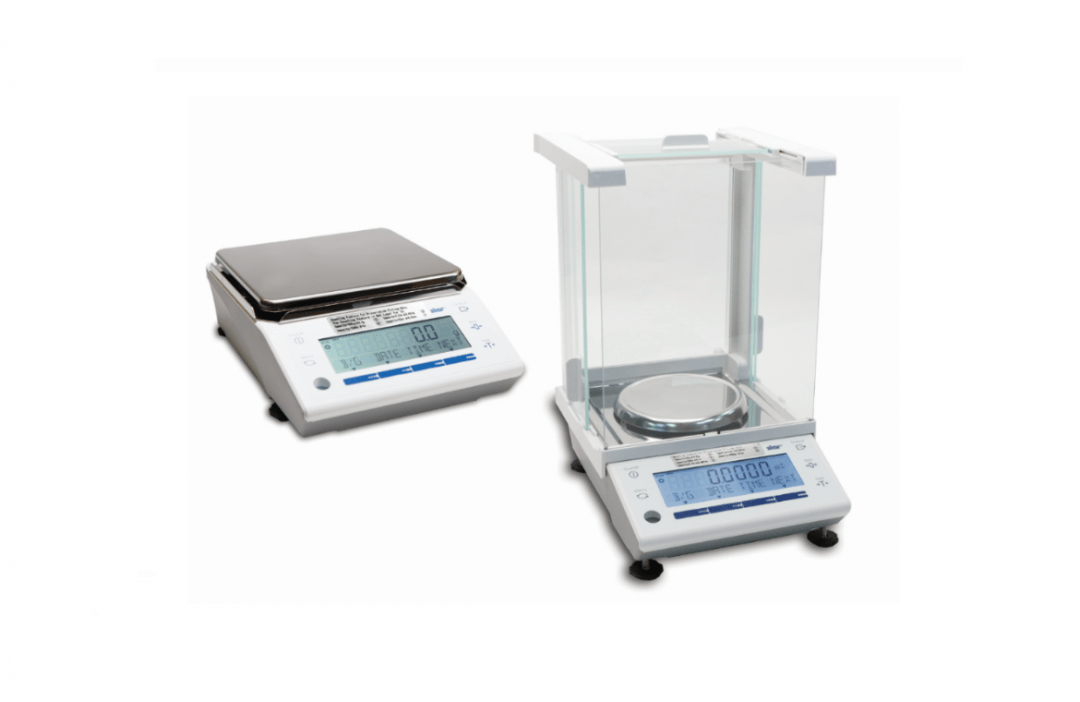
    Star Micronics mG-S322 scale is a part of the new mCollection, including a unified and connected line of hardware for retail point of sale. The scale is NTEP-certified, making it legal for trade in the U.S., with Class II Accuracy for the cannabis industry. With multi-interface support (BLE, USB, and Serial) and the ability to operate with iOS, Android, and Windows, the mG-S322 provides the ideal solution for cannabis dispensaries.

    “Integrating with the Star Micronics mG-S322 scale is going to provide a hassle-free way for our dispensary clients to precisely weigh and price their inventory,” says Steven Lynn, Director of Marketing for IndicaOnline.

  • How Kiosks Benefit the Community

    How Kiosks Benefit the Community

    This is the second part of “The Benefits of Self-Service Kiosks,” a three-part blog series about the many ways self-service kiosk technology is improving businesses, communities, the customer experience, and more.

    Sometimes when you think about technology, it’s easy to assume the latest advancements are reserved for a select, more fortunate portion of the community. After all, who can afford each new updated smartphone? And if we’re being honest, the learning curve of keeping up with new technology can be daunting.

    However, technology is improving quality of life for all people, not just the wealthy and early adopters. Take, for example, kiosks. Thanks to self-service touchscreen technology, kiosks are able to provide a truly unifying experience, and don’t discriminate user experience based on any criteria.

    The benefits of kiosks extend well beyond increased profits and helping businesses compete in the modern world. From making communication easier to enabling payments of all types, let’s explore how kiosks are benefiting all corners of the community.

    Free Self-Service Kiosk Resources

    The future of many industries lies with self-service solutions. That’s why Star Micronics is offering free online ordering resources for resellers and software developers who are helping customers future-proof their businesses with self-service solutions.

    Visit Self-Service Toolbox

    Kiosks Make Communication Easier

    A huge group of people that benefits from kiosks is those who do not speak the native language of the area they are in.

    Thanks to their dynamic experience, kiosks allow users to customize their experience depending on their language (i.e. language selection). In the United States, ESL (English as a Second Language) customers can order confidently without the burden of having to try to communicate with front-of-house workers, and kiosks make it easier for global travelers to order meals, tickets, and more, as well.

    The benefits of offering kiosk technology to ESL customers is huge: not only is there an instant transactional benefit, but in the long run kiosks can create a new level of equality and provide emotional benefits to all involved parties.

    Kiosks Serve the Underserved and Less Fortunate

    On top of their many other benefits, kiosks also do a great job at serving the underserved and accommodating the less fortunate. Kiosks can easily be placed in marginalized communities, helping to serve the underserved in an inclusive, go-at-your-own-pace way.

    It’s important to note that implementing kiosk technology doesn’t mean businesses have to go cashless. In fact, a proper kiosk implementation will allow cash transactions at both the counter and the kiosk. Cash acceptance is important because while some businesses choose to go cashless, according to Wakefield Research, 83% of small business owners in the U.S. say they will never stop accepting cash. Why’s that? Doing so can leave out people who are unbanked or underbanked – and that’s a lot of folks: 6.5% of Americans are unbanked, and nearly 19% are underbanked.

    And in case you didn’t know, cash is, in fact, still king (across the board): it makes up some 30% of all transactions, and a whopping 55% of transactions valued $10 and under.

    How to Start Better Serving Your Customers (and Community)

    Are you ready to reap all of the benefits that kiosks have to offer? Star can help! By partnering with industry-leading kiosk solution providers, we help spread the technology’s many benefits across various industries, from retailers to restaurants, and everything in between.

    And kiosks aren’t just for large establishments. Star works with kiosk solution providers, like Flash Order, that are uniquely positioned to help small businesses adopt the latest kiosk technology … because when all businesses can adopt kiosks, all businesses can give back to their community.

    Do you build kiosks? Curious about integrating with Star’s kiosk printing solutions? Download our free Guide to Selecting the Right Kiosk Printer.

    Download Brochure

  • 4 Ways Self-Service Kiosks Help Small Businesses Succeed

    4 Ways Self-Service Kiosks Help Small Businesses Succeed

    This is the first part of “The Benefits of Self-Service Kiosks,” a three-part blog series about the many ways self-service kiosk technology is improving businesses, communities, the customer experience, and more.

    Operating a small business can be tough. In a world where online and big box retailers permeate the market, small businesses need to work even harder to differentiate themselves, stay profitable, and create a customer experience that has shoppers coming back for more.

    Designated holidays like National Small Business Week and Small Business Saturday certainly help small businesses stand out, but how can business owners make a lasting impression on a daily basis? The answer lies at the customer’s fingertips: self-service kiosks!

    Self-service kiosks are attractive, highly visible, and user-friendly. But on top of that, they can help small businesses boost profits, optimize efficiency, and more. Let’s take a dive into the many ways self-service kiosks help small businesses not just survive, but thrive.

    1. Kiosks Make Money

    Let’s be real: when it comes to staying afloat in the world of small business, money is key. Implementing a self-service kiosk (or two, or three) can cause small businesses to reap big rewards: when ordering through kiosks, consumers spend 30% more!  One big reason for this is that it’s easier for customers to customize their orders using a kiosk, and it’s also an intuitive, private way for them to browse other products. Long story short, kiosks are proven to drive increased revenue per transaction which can make or break a small business.

    2. Kiosks Boost Efficiency

    Shoppers expect businesses to run like a well-oiled machine, and if they don’t, they are likely to choose a different place to spend their money next time. Kiosks can help you avoid this pitfall by boosting the efficiency of every order. By providing a flexible way to maximize throughput, kiosks shift the bottleneck from the front-of the house (i.e. how fast to get orders into the system) to the back of the house (i.e. how much food can be made). Hello, line-busting!

    3. Kiosks Enhance Loyalty Program Onboarding

    Simply put, customers love loyalty programs – and small businesses should, too. In fact, it’s estimated that loyalty program members spend 12-18% more per year than non-loyalty members. Small businesses can have their self-service kiosk ask customers at the time of purchase to sign up for a loyalty program, and may feel more comfortable providing personal information on a kiosk versus out loud to another person. Additionally, if the loyalty program lives in a mobile wallet application, customers may be able to seamlessly provide sign-up information by transferring it from their smart device to the kiosk.

    And why not promote that loyalty program on the receipt that prints out of the kiosk? With Star Micronics PromoPRNT, small businesses can create custom promotions from templates that are delivered in the most valuable place: on the receipt, in the customer’s hand.

    4. Kiosks Optimize Operations

    On top of making money, kiosks also help you save it by positively impacting operational costs. It’s expensive to run a small business: in the restaurant world alone, labor costs can reach 30-40%. Self-service kiosks can help soften this expense by providing an easy way for business owners to efficiently manage headcount costs and reduce unnecessary operational costs.

    In a Nutshell: Kiosks Increase Return on Investment

    At the end of the day, return on investment (ROI) is the most important factor when it comes to self-service kiosks. Due to upside from increased revenue, throughput, and reduced costs, ROI on self-service kiosk implementation is unmatched. And the proof is in the numbers: when shopping for a kiosk solution, many providers are able to deliver examples from businesses similar to yours that show the dramatic ROI impact kiosks can make.

    Free Self-Service Kiosk Resources

    The future of many industries lies with self-service solutions. That’s why Star Micronics is offering free online ordering resources for resellers and software developers who are helping customers future-proof their businesses with self-service solutions.

    Visit Self-Service Toolbox

    How to Adopt Self-Service Kiosk Technology

    Any way you slice it, self-service kiosks are huge: food and beverage revenue generated from kiosks alone is expected to top $310 million by 2021. But, of course, to be adopted by a small business, price and ease-of-implementation is critical.

    Fortunately, inexpensive, easy-to-use kiosk solutions exist on the market. Take, for example, Star Micronics’ partner, Flash Order. Flash Order provides all of the benefits associated with kiosks, while being very affordable and easy for small businesses to implement. With a reasonably priced, easy-to-use kiosk implementation, it’s never been easier for small businesses to positively impact their ROI – and prosper.

    Are you a kiosk manufacturer looking to find the right kiosk printer to fit your solution? Download Star’s free eBook, ” 8 Features Kiosk Manufacturers Should Look for When Choosing Kiosk Printing Mechanisms.”

    Download eBook

  • This Summer’s Hottest Restaurant Trends

    This Summer’s Hottest Restaurant Trends

    People love dining out… and people love summer! But most of all, people love dining out in summer: almost half of all U.S. diners report they eat out the most during the sunny, warm season. Are you curious about this summer’s (and year’s) hottest restaurant trends? We have the know-how!

    With more than 1 million restaurant locations in the country, and annual sales of $799 billion, the restaurant industry is booming – and constantly changing. We read the “What’s Hot” forecast from the National Restaurant Association, which surveys American Culinary Federation (ACF) chefs, and will save you some time by sharing some of the top trends – check them out below.

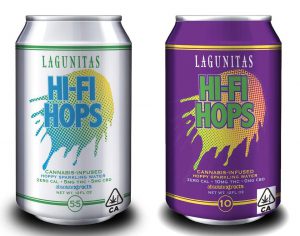
    Lagunitas-Cannabis-Beer-e1574803984629
    Even mainstream breweries, like Lagunitas, are incorporating cannabis into their beverages.

    1. Cannabis-Infused Food & Beverages

    A whopping 76% and 77% of chefs ranked cannabis-infused food and drinks as the first and second most popular trends this year, respectively. Why? They say the infused goods have the potential to create unique cuisine opportunities and new markets for experiential dining experiences.

    This number-one trend comes as the cannabis industry overall is growing rapidly – it’s predicted that the global legal cannabis market will be worth $63.5 billion by 2024. (If you’re looking to cash in on the cannabis industry, be sure to download our free guide).

    2. Zero-Waste Meals

    Waste not, want not: 70% of surveyed chefs reported zero-waste meals as the third biggest trend this year. In general, eco-friendly products are thriving, and this carries over into the culinary world, as well.

    So, what exactly is zero-waste? It’s food that’s focused on using food scraps, damaged produce, and leftovers to create delicious dishes. These foods, like coffee grind-flavored ice cream and cabbage butt stir fries, take what chefs used to throw away and make them into crave-worthy, guilt-free crowd-pleasers. Plant-based menu items are also a current hot trend (veggie “meat” products, we’re looking at you).

    Gazoz-e1574804000334
    International menu items are having a moment right now, like “gazoz,” or Israeli soda. Source: www.fromthegrapevine.com

    3. Globally Inspired Dishes for the Whole Family

    It probably comes as no surprise that global foods are popular right now – but what might surprise you is which cultures’ cuisines are having a moment, and who the meals are for.

    According to the report, the most popular cuisines right now are from North, West, and East Africa, as well as foods such as Israeli soda (gazoz), Thai-rolled ice cream, and shakshuka. And if you think American kids only like chicken nuggets and macaroni and cheese, think again: the number-one trend for kids’ meals this year is global flavors!

    4. Hyper-Local Items

    Next up on the list of hot restaurant trends is hyper-locally sourced items, or items that are essentially cultivated by the restaurant itself. You may notice this is similar to #2 in that it seems today’s consumers care more about where their foods come from, and how they are sourced. Hyper-local items that are popular now include locally-sourced produce, meat, seafood, and spirits/wine/beer. In particular, on-site barrel-aged drinks are the second most popular trend in the Alcoholic Beverages category.

    Which Trends are Fading?

    According to surveyed chefs, overnight oats, anise-flavored cocktails, novel cuts of meat, and desserts that feature pretzels are all not-so-hip anymore.

    Download the full report now to learn about top restaurant trends by category (produce, dishes, condiments, kids’ meals, snacks/sweets, and more).

    One thing that won’t fade out like other restaurant trends is the receipt. Discover when (and why) receipts are critical, as well as the value in both printed and digital receipts, now!

  • How Food Robots are Making Waves in the Restaurant Industry

    How Food Robots are Making Waves in the Restaurant Industry

    Food robots might sound futuristic, but believe it or not, they’re already showing up in restaurants across the world. Offering both front- and back-of-house services, food robots work in a variety of roles, from cooking and cleaning up to bartending and bussing tables. Let’s take a look at some of the most popular food robots on the market today, and how restaurants can get their very own robot.

    Cooking

      • Flippy: Meet Flippy, a robot that works at Caliburger in Pasadena, California. Flippy is capable of (impressively) frying 80 baskets of food per hour and serving 300 burgers a day. And Flippy can do more than just cook – it can even monitor food and clean up. Flippy helps the burger joint minimize headcount costs, as many short-order cooks were leaving the kitchen due to high temperatures (it’s worth noting that not one Caliburger employee has lost their job due to Flippy; in fact, Flippy requires humans to operate).

      • Vincenzo: Vincenzo is a pizza-making robot at Zume Pizza in Mountain View, California. Capable of creating 370 pizzas an hour, Vincenzo can press dough, dispense and spread sauce, and lift pizzas in and out of the oven, reducing delivery times to 5-20 minutes. Interestingly, there is no storefront for Zume Pizza; all pizzas are delivered via mobile kitchen food trucks.

      • Café X Barista Bot: Café X, a San Francisco coffeeshop, utilizes a one-armed assembly line-style robot that can create two drinks in under a minute. The café’s robot helps ensure complicated orders come out correctly, and apparently the drinks even taste good, too; according to Wired, “This robot barista makes a dang good latte.”

    Bartending

      • Cyberdog Bartender Bot: When you step inside Prague’s Cyberdog, a two-level futuristic wine bar, you’ll soon realize it’s home to a robotic bartender that serves up drinks ordered via a smartphone app. The red robotic arm can pour up to four drinks simultaneously before they are placed on a tray and delivered via a mechanical system housed in the ceiling. Humorously, the robot can put on a show, too; if business is slow and the robot doesn’t have any orders to make, it gets “bored” and performs dances.

    Serving

      • Penny: Created by Bear Robotics, Penny is a robot created to help complete tedious restaurant tasks. Penny serves food to diners tables in a fun and futuristic way, and can even bus the tables. Bear Robotics CEO Jon Ha said that waitstaff appreciate not having to lift heavy trays, and have experience higher tips because they now have more time and energy to dedicate to customer service.

      • Delivery Robots: In addition to serving customers in restaurants, fleets of delivery robots are hitting the streets to also deliver food (and other items) to consumers’ homes and offices. In 2018, the delivery robot market was worth $11.9 billion, and it’s predicted to be worth a whopping $34 billion by 2024. It makes sense, when you realize that more than 60% of a merchant’s customers live within three miles of one of their stores!

    How Do Restaurants Get Their Hands on Food Robots?

    Not surprisingly, robots can come with a hefty price tag. However, renting one (versus buying one) makes them surprisingly affordable. According to one robotics company, a robot can be leased, and that lease is reported to offer immediate return. The estimated price range for a lease is $15K-$50K (USD) per year, depending on the complexity of the duties wished to be performed. It still might feel futuristic, but quick-service restaurants where customers order and pay on kiosks, and eat food that is cooked and delivered by robots, is entirely possible.

    Even if you’re unsure about employing a robot just yet, Star Micronics can help you automate other restaurant processes with self-service kiosks. Download our Kiosk Printing Solutions brochure to learn more about the durability, versatility, and industry-specific features Star offers.