Tag: Receipt Paper

  • Linerless Label Paper vs. Traditional Label Paper: Which Is Right for Your Business?

    Linerless Label Paper vs. Traditional Label Paper: Which Is Right for Your Business?

    Navigating the world of label paper can be more of a complex task than most would assume. The choice is no longer as simple as picking between small and large label paper. Now, businesses have an array of options to choose from, including traditional label paper, linerless, permanent linerless, and more. Each type comes with unique applications and benefits, so it would be wise to know enough about each to identify the right fit for your business.

    This article offers a comprehensive guide, demystifying the various types of label paper and their respective applications and advantages to empower you to make an informed decision. So, let’s explore the fascinating world of label paper!

    Traditional Label Paper

    Traditional label paper is perhaps the most commonly used type in the market. It comes in a simple geometric shape (square, circle, etc.) with a paper, polyester, or polypropylene facestock, an adhesive layer, and a liner. The liner protects the adhesive until the label is ready to be used.

    Traditional label paper, often referred to as direct thermal labels, is a classic choice that has stood the test of time in various industries. It’s used extensively across various industries, such as retail, logistics, and manufacturing.
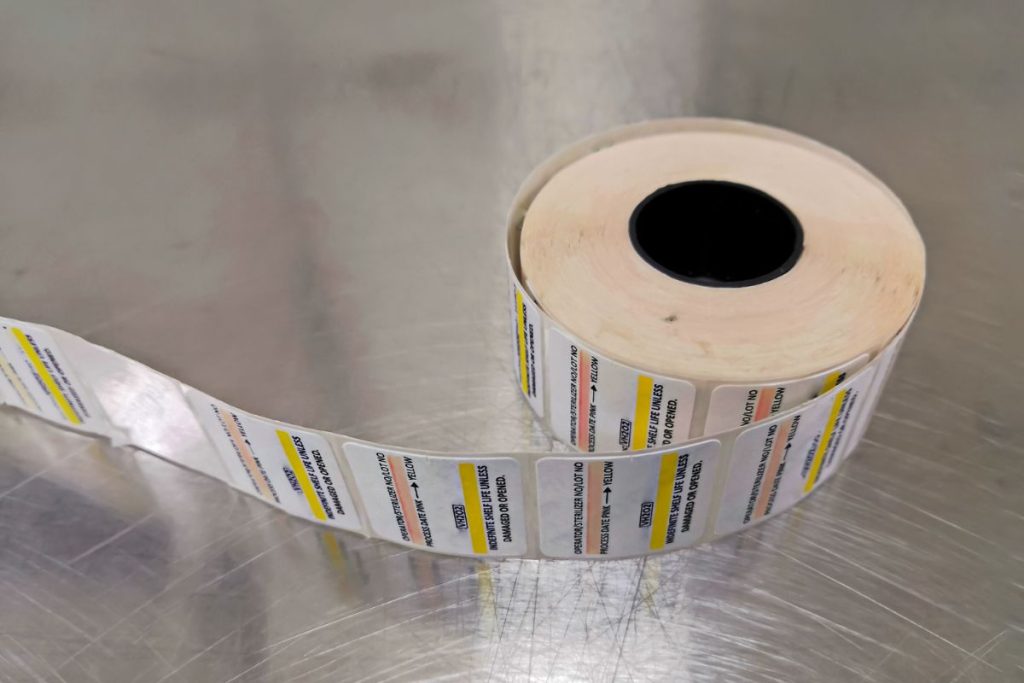
    A roll of labels.

    Key attributes of traditional label paper include:

    • Versatility: Traditional label paper is adaptable to a wide array of applications, including shipping, barcoding, inventory tracking, and more. This versatility makes it a strong contender in many business contexts.
    • Dependability: With a proven track record of performance, traditional label paper is reliable and trusted by many businesses. It offers consistent quality and performance, providing clear and durable prints.
    • Printer Compatibility: Traditional label paper can be used with various types of printers, including direct thermal and thermal transfer printers. This makes it a flexible option compatible with various printing technologies.

    However, traditional label paper is not without its limitations. Traditional label paper may not have the look or shape you desire. Labels also incur waste generation. Each label comes with a liner that is discarded after the label is used, contributing to waste. This can be a concern for environmentally conscious businesses.

    Moreover, these labels are sensitive to heat and light, which may cause the ink to fade over time or the labels to darken if exposed to extreme conditions.

    Die-Cut Label Rolls

    Die-cut labels differ from traditional labels because they are specifically cut around the label designs. They come pre-cut, allowing for a clean and professional finish in various applications. This makes die-cut labels a popular option among businesses for their precision, customization, high quality, and ease of use.

    Key features of die-cut label paper include:

    • Precision: Each label is pre-cut with precision, ensuring consistent and accurate dimensions across the entire roll.
    • Customization: Die-cut labels are available in a wide range of shapes, sizes, and materials to suit various branding needs. This allows businesses to find the perfect fit for their specific labeling requirements.
    • Ease of Use: Since die-cut labels are pre-cut and separated from each other, they can be easily peeled off from the liner and applied to the desired surface. This feature can save time, especially when dealing with a large volume of labels.
    • Compatibility: Die-cut labels can be used with various types of printers, including thermal, inkjet, and laser printers. This broad compatibility makes them a versatile option for many businesses.

    However, there are some reasons not to use die-cut label paper. The pre-cut designs limit flexibility, as the size and shape of the labels are fixed. Businesses may need to buy several different customized labels to use for various applications. Also, the presence of a liner contributes to a lot of waste generation, which can be a concern for some businesses.
    The Value of Receipts: Printed and Digital

    There’s no getting away from it: receipts hold great value and are an irrefutable part of everyday life. Learn how to use them to your business’s advantage!

    Linerless Label Paper

    Linerless label paper, or sticky paper, presents a unique solution for businesses looking to enhance efficiency and sustainability. As the name suggests, linerless labels don’t have backing paper, which is unlike traditional label rolls. This leads to a significant reduction in waste, making linerless labels a more environmentally friendly choice.

    Many industries are now using linerless labels. They’re ideal for takeout orders, food packaging, retail price marking, and logistics.

    Linerless label paper offers the following advantages:

    • Less Waste: As there is no liner, there’s significantly less waste produced, making this option better for the environment.
    • Increased Efficiency: Without a liner, the roll can hold more labels. This means fewer roll changes and increased productivity in high-volume environments.
    • Versatility: The length of the label can be customized on the spot without changing the roll, making it versatile for varying product sizes and shapes.
    • Cost-Effective: Less material is used in the production of linerless labels, and they take up less storage space. This can lead to cost savings in the long run.

    However, like any other type of label paper, linerless label paper might not be the perfect fit for all businesses. These labels require special printers designed to handle them and may not be suitable for some applications where a long-term label is required. They also might not be the best choice if you need pre-printed labels, as the print can wear off over time.
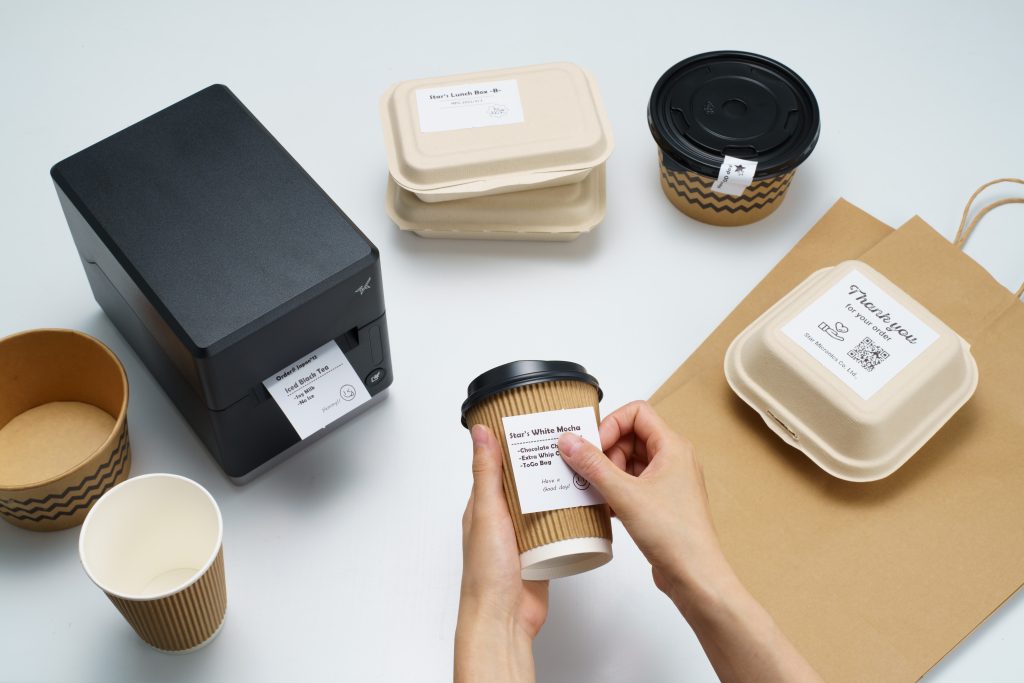
    mC-Label thermal printer by Star Micronics using linerless label paper.

    Permanent Linerless Label Paper

    Permanent linerless label paper has emerged as an innovative addition to the lineup of label solutions. It offers the same environmental and efficiency benefits as standard linerless labels but with an added level of adhesion.

    Permanent linerless labels are suitable where a more robust label is required, such as outdoor use, chemical containers, and high-traffic areas. If your business needs labels in challenging environments, these labels would be your go-to choice.

    Features of permanent linerless label paper include:

    • Strong Adhesion: As suggested by the name, permanent linerless labels are designed to stick and stay put. This makes them an ideal solution for applications where long-lasting labeling is necessary, such as product identification, shipping labels, or asset tracking.
    • Environmental Benefits: Like their linerless counterparts, permanent linerless labels eliminate the waste associated with liners. This contributes to an eco-friendlier labeling solution.
    • Maximized Efficiency: With more labels per roll due to the absence of a liner, businesses experience fewer roll changes, increasing productivity in fast-paced environments.
    • Customizable Lengths: The lack of a pre-cut shape allows the label length to be adjusted as per the requirement, providing flexibility for different product sizes.

    Of course, permanent linerless labels are not without their considerations. The increased adhesion means they stick firmly, and removing them can be difficult without leaving a residue. Therefore, they may not be suitable for applications where labels need to be removed cleanly. Also, like standard linerless labels, they require specific printers designed to handle repeatedly cutting the adhesive.

    Wrapping Up: Picking the Right Label Paper for Your Business Success

    In conclusion, the label paper you choose will significantly influence your business operations, affecting everything from efficiency to sustainability. Whether it’s the precision of die-cut labels, the eco-friendly appeal of linerless labels, the reliability of traditional labels, or the versatility of permanent linerless labels, each type brings unique merits to the table. Understanding these differences is crucial in making an informed decision that aligns with your business’s unique needs and goals.

    Remember, the right label paper is not just about meeting your current needs; it’s about anticipating your future demands and staying ahead in the ever-evolving marketplace.

    Labels on products.

    Want to know more about what Star can offer your business?

  • Are You Compromising Your Star Printer’s ROI with Cheap Paper? Choose Star Receipt Paper & Labels

    Are You Compromising Your Star Printer’s ROI with Cheap Paper? Choose Star Receipt Paper & Labels

    As a business owner, you understand the importance of maximizing your investments. So why jeopardize the ROI of your top-quality Star printer by using cheap, unbranded paper? Many paper alternatives found on the market today are abrasive, gradually eroding the printhead and damaging your Star printer over time.

    Don’t get left feeling crumply! Star Blue and Star Blue Eco paper offer exceptional quality and compatibility with your Star printer to ensure optimal performance and peak longevity. Our paper has a perfectly smooth, crisp white surface to proudly represent your brand while protecting your printhead from erosion and damage. Plus, Star Blue Eco is BPA-free, non-toxic, and Prop 65 compliant, ensuring safety for those in regular contact with the material.

    In this article, we’ll explore the numerous advantages of using Star Blue paper and examine the various types of paper Star offers, highlighting the benefits and key features of each.

    Star Blue Paper: The Ultimate Choice for Your Printer

    Using low-quality paper can significantly reduce the lifespan and performance of your printer, negatively impacting your bottom line. Star Blue and Star Blue Eco paper are specifically designed to work with Star printers, ensuring optimal performance and maximizing printer lifespan.

    These Star paper rolls work efficiently with your printer to extend the life of the printhead, preventing embarrassing paper jams and clogs that can ruin the customer experience. Star paper is clean, bright white, instead of the gray or yellowish receipts often found on the market today. Get crisp, clearly legible receipts every time for a professional, tidy presentation.

    Star’s paper has longer paper lengths for fewer roll changes. Every roll is guaranteed to fit and is fully compliant with any Star warranties. Star’s paper comes in many varieties, including thermal receipt paper, linerless label paper (both removable sticky and permanent adhesive), and traditional die-cut label paper. Each type has its unique benefits and features. Star also offers 1-ply and 2-ply bond paper for your Star impact printer.

    1. Star Receipt Paper

    Keep your Star printer rolling in optimal condition with the exceptional quality and compatibility of Star Blue receipt paper.

    Star Blue and Star Blue Eco receipt paper offers:

    • Thermal and bond choices
    • High-quality, crisp printing for improved readability and branding
    • Smooth surface to stop printhead erosion and printer damage
    • Prevents annoying jams and clogs that slow business operations
    • Star Blue Eco is phenol-free and made from non-toxic materials, making it full Prop 65 compliant

    2. Linerless Sticky Label Paper

    Stick with Star Blue and Star Blue Eco linerless label paper for versatile, eco-friendly, and repositionable labeling solutions that leave no glue residue behind. Our linerless rolls have all the benefits of Star Blue in sticky label fashion.

    Star Blue linerless label paper provides:

    • A waste-reducing design that is more environmentally friendly
    • Easy repositioning for improved label placement with ZERO residue left behind
    • Versatile applications, from food packaging to retail labeling
    • Different adhesive strengths available

    3. Traditional Label Paper

    When it comes to traditional label paper, Star Blue adheres to the highest standards of quality and performance. Enjoy all the benefits of the Star Blue promise in a variety of sizes.

    Star Blue and Star Blue Eco traditional label paper features:

    • High-quality adhesive for secure, long-lasting labels
    • Excellent print clarity for enhanced readability
    • Wide range of sizes to suit various applications
    • Code-compliant cannabis labels are also available

    Preserve Your Printer’s ROI Now with Star Blue & Star Blue Eco Paper

    While competitors’ paper may leave you feeling rough around the edges, Star Blue and Star Blue Eco paper promise a smooth and seamless printing experience. Not only will they help maintain your printer’s optimal performance and extend its lifespan, but they also ensure high-quality, clear printing that meets the needs of various industries, including retail, restaurant and hospitality, and cannabis.

    By investing in Star Blue paper, you’re protecting your printer’s ROI and providing the best possible experience for your customers. Switch to Star paper today and experience the difference for yourself.

    Find more information about Star paper here and access the complete paper line spec sheet here.

    The Value of Receipts: Printed and Digital

    There’s no getting away from it: receipts hold great value and are an irrefutable part of everyday life. Use them for your business’s benefit!

    Love industry news? Learn the latest in our podcast:

  • Sandwiching Success: Unveiling the Power of POS Tech in Our Latest Deli eBook

    Sandwiching Success: Unveiling the Power of POS Tech in Our Latest Deli eBook

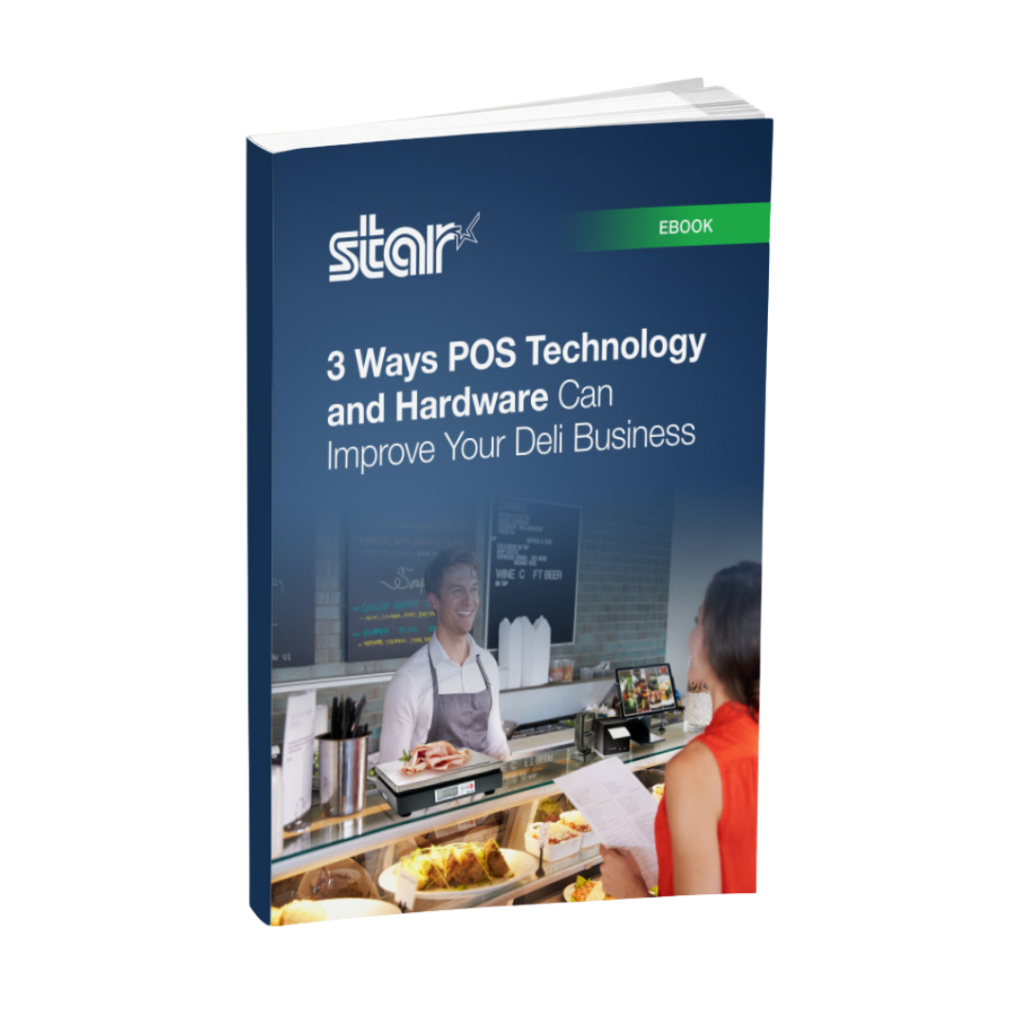
    In the fast-paced, competitive world of food service, delis, butcher shops, and fish markets require efficient, tech-driven solutions to stay ahead. In our latest eBook, “3 Ways POS Tech and Hardware Improve Deli Operations and Customer Experiences,” we delve into the transformative power of modern point-of-sale (POS) technology and how it can optimize deli businesses.

    Addressing Key Challenges in Deli Operations

    Handling perishables, managing a vast array of items, and delivering top-notch service is no easy feat. Our eBook sheds light on how innovative POS tech addresses three key areas: order accuracy, customer service, and inventory management.

    Order Accuracy with Cutting-Edge POS Tools

    Delis juggle diverse offerings, making error-free orders crucial. This eBook illustrates how cutting-edge POS tools like integrated deli scales, receipt and label printers, and tablet stands keep things running smoothly.

    Enhancing Customer Experience and Satisfaction

    Delis thrive on repeat patrons, and exceptional experiences are non-negotiable. The eBook highlights POS-driven technologies like CloudPRNT and SteadyLAN®, self-service kiosks, and accessories, all aimed at streamlining the customer experience, boosting satisfaction, and nurturing loyalty.

    Streamlining Inventory Management

    Learn how real-time tracking and automation through advanced POS systems save time and curb errors, making stock management a breeze.

    Elevate Your Deli with POS Technology by Star Micronics

    Our eBook is a must-read for deli owners seeking to harness POS technology and stay ahead of the game. Don’t miss out—elevate your deli today!

    3 Ways POS Technology and Hardware Can Improve Your Deli Business

    Get the latest point-of-sale (POS) technology and hardware to streamline deli, butcher shop, or fish market operations.

    Want to know more about what Star can offer your business?

  • Can Printed Receipts Help Brick-and-Mortar Merchants Avoid Chargebacks?

    Can Printed Receipts Help Brick-and-Mortar Merchants Avoid Chargebacks?

    During the Covid lockdown, a lot of retail spending moved online. This was good for both merchants and consumers, but it ultimately led to a surge in chargebacks and friendly fraud.

    As things slowly return to normal, buyers are making their way back into physical stores. Unfortunately, chargebacks are coming with them.

    Merchants have the right to contest invalid chargebacks, but proving a claim is bogus requires evidence. Brick-and-mortar merchants may have an advantage when it comes to collecting compelling transaction proof: printed receipts.

    How a Consumer Protection Became Friendly Fraud

    First, let’s examine how this problem developed in the first place.
    A chargeback occurs when a customer requests their bank to reverse a transaction. An important safeguard for cardholders, chargebacks were only intended for cases involving criminal fraud or merchant abuse, such as deliberate overcharging.

    Chargebacks give cardholders a last resort in situations where the merchant cannot—or will not—provide a refund. The system works well enough under those conditions, but these days, the process is more commonly used to commit friendly fraud.

    Friendly fraud occurs when customers leverage the chargeback system to obtain an undeserved refund. This may be unintentional; when a cardholder sees an unrecognized charge on their statement, the automatic reaction is often to call the bank, not the merchant.

    On the other hand, the cardholder could be deliberately trying to obtain free merchandise. This is a practice called “cyber shoplifting.” The scam works like this: a cardholder makes a purchase at a brick-and-mortar store, then calls the bank. They’ll say they cannot resolve the issue with the merchant and ask to have the charge reversed. The buyer then keeps the merchandise, but gets their money back.

    Ironically, what began as a consumer protection mechanism has become a tool consumers use to steal from merchants.

    “Friendly Fraud Doesn’t Happen in Physical Stores!”

    Historically, friendly fraud has been more of an issue for eCommerce; most of the claims still happen in the card-not-present space. That doesn’t mean, however, that brick-and-mortar merchants can ignore the threat.

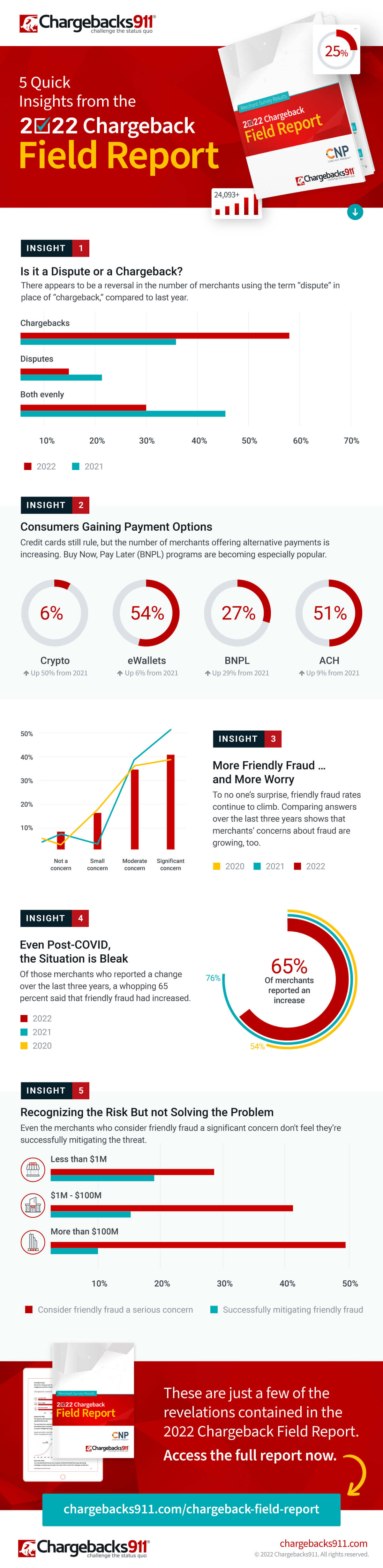
    The reality is that friendly fraud has become a growing menace to merchants as a whole, according to findings from the recently published 2022 Chargeback Field Report.

    The study, a joint endeavor between Chargebacks911 and Card Not Present, is based on survey results drawn from over 300 retail merchants across all verticals. Of the respondents, nearly two-thirds said that chargeback abuse—friendly fraud—had increased over the last three years.

    As mentioned earlier, merchants have the right to contest unwarranted chargebacks. To have an illegitimate chargeback overturned, however, the retailer must demonstrate that the customer’s claim is false. For in-store sales, this is where printed receipts come into play.

    How Receipts Work in the Merchant’s Favor

    To understand the role receipts can play in fighting friendly fraud, it’s important to know how the process is supposed to work.

    When a cardholder calls their bank to dispute a charge, the bank will usually tell the cardholder to try resolving the issue directly with the merchant. If the customer says they have already tried, the dispute will likely advance to a chargeback. Transaction funds are removed from the merchant’s account and returned to the cardholder. The merchant may not be informed about this until days later.

    This may seem unfair, but again, merchants can contest the claim through the process of representment, which involves providing the bank with compelling evidence showing the transaction was valid.

    Sometimes, a copy of the transaction details will be all that’s needed. Some point-of-sale solutions at physical stores will record and store copies of receipts, and can send them in response to the bank’s request.

    That sounds convenient, but it may not be the best choice. While digital files work in the majority of cases, electronic files are more susceptible to manipulation. That means the bank may require more evidence.

    Online retailers don’t really have another option, but for in-person sales, a scanned copy of a printed paper receipt can be more efficient and cost-effective. It’s hard to argue against a printed receipt. The specifics are literally all there in black and white.

    If the bank sees that the customer’s claim is unwarranted, it may overturn the chargeback. Not representing the chargeback, however, means the fraudster may end up with both the product and a refund.

    Physical Receipts Can Also Boost Prevention Efforts

    Unfortunately, the merchant will get hit with a non-refundable chargeback fee whether the chargeback is reversed or not. That means preventing chargebacks is usually more efficient than challenging them.

    There are numerous steps merchants can take to prevent chargebacks stemming from errors or criminal activity. However, the friendly fraud we’ve been talking about is post-transactional; it’s hard to prevent something you won’t even see until days or weeks after the fact. Fraudsters know this and have learned how to play the system.

    It’s possible that the merchant will be able to produce an electronic receipt that contains enough information to invalidate the cardholder’s claim. The fraudster is betting against it, though.

    A printed receipt is a different story. For a cyber shoplifter, a receipt printed with names, dates, prices, and truncated card data is like seeing a record of the crime before it’s even committed. One look makes it obvious that the merchant has too much evidence for the scam to work. The receipt signals that it’s time to move on to an easier target.

    The Value of Receipts: Printed and Digital

    There’s no getting away from it: receipts hold great value and are an irrefutable part of everyday life. 

    The Bottom Line

    Electronic transaction receipts are useful, but technology can be exploited, and systems can be hacked. Printed receipts can benefit merchants in many ways, including chargeback management and prevention.

    Having a hard record of transactions can simplify representment and increase the odds of success. At the same time, a printed receipt may encourage would-be friendly fraudsters to take their scams elsewhere. For brick-and-mortar merchants, it’s a win-win.

    Guest Post Written by Monica Eaton-Cardone, COO and Co-Founder of Chargebacks911

  • 5 Essential Pieces of Kitchen Technology for a Successful Restaurant

    5 Essential Pieces of Kitchen Technology for a Successful Restaurant

    Restaurants are adding new technology like never before, especially in light of the buzz around exciting innovations like AI-enabled ordering, drone deliveries, and ghost kitchens

    Investing in the right restaurant technologies can be the key to success for many restaurants, especially multi-location chains. In fact, 71% of food service companies surveyed in North America believe digital transformation is the most important factor towards agility.

    But one area that is often overlooked is kitchen technology. And it shouldn’t be.

    If you want to run an efficient and profitable operation, your kitchen needs tools in place to help you keep up with the high volume of orders coming in. Getting the right tech in place will make your chefs’ and line cooks’ lives a whole lot easier. 

    Every piece of your tech stack needs to speak the same language and integrate seamlessly for efficient operations and a consistent customer experience. These five essential pieces of kitchen technology will help you build that consistency and improve every area of your restaurant.

    5 Pieces of Must-Have Kitchen Technology

    The kitchen is the beating heart of any restaurant. It’s where the magic happens and it produces the product your customers have come for. As a result, your kitchen needs the latest restaurant technology solutions to make operations more efficient and to connect this area with the rest of the restaurant.

    Here are the vital pieces of kitchen technology to get in place to keep the life-blood pumping around your restaurant.

    1. Point-of-Sale System (POS)

    A point-of-sale system is the hub of your restaurant’s data and operations. It processes orders, transactions, and other restaurant data and often serves as the liaison between your front- and back-of-house restaurant technology solutions. 

    Having the right POS in place is vital to keep communication between the front-of-house and your kitchen smooth and efficient, with minimal errors. When it comes to technology for restaurants, the POS serves as your central data hub.

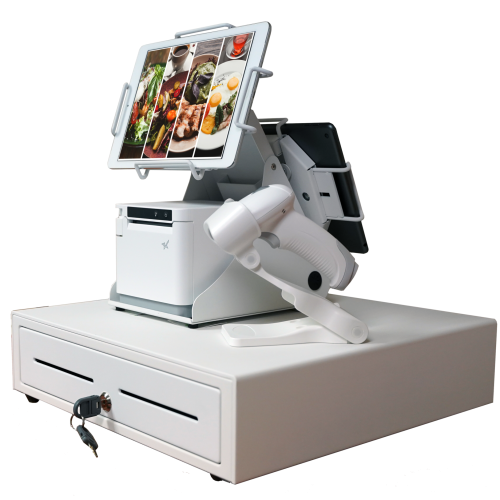
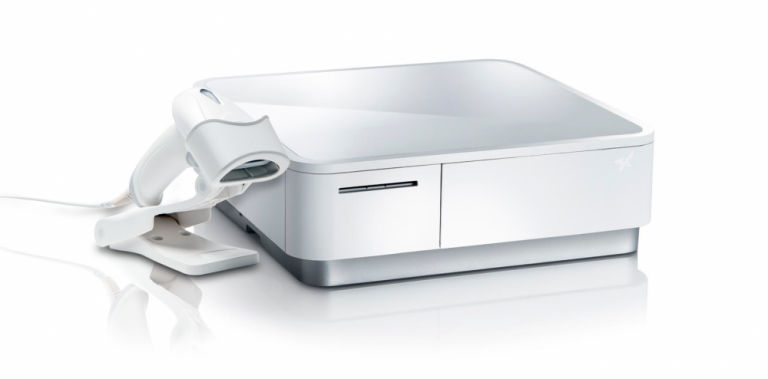
    An all-white point-of-sale system consisting of a cash drawer, an mC-Print3 printer, a wireless scanner, and tablets affixed on top.

    What is a POS?

    A restaurant POS is traditionally the system of networked hardware and software that takes orders and processes payments. But a modern POS can do a whole lot more, including managing inventory, accepting orders from third-party platforms, generating reports from analytics, and pretty much any other restaurant management task you can think of.

    These days a POS stores data in the cloud and can encompass ordering tablets, self-service kiosks, traditional tills with touchscreens, contactless payment terminals, and other restaurant POS hardware.

    Benefits of a POS

    • Streamline restaurant operations – the POS links your systems together, making operations more efficient in every department, from ordering, to payments, to production in the kitchen. 
    • Stores all your data in one place – your POS acts as the data hub for your restaurant, ensuring all your data is accurate, consistent, and accessible.
    • Reduces ordering errors – a smart POS with the latest ordering hardware and key integrations will greatly reduce the risk of costly ordering errors occurring.

    2. Kitchen Display System (KDS)

    Kitchen display systems are becoming essential pieces of technology for restaurants, especially in high-volume settings like fast-casual and quick-service restaurants, ghost kitchens, and other takeout joints where efficiency is the name of the game. 

    The KDS keeps all your orders flowing through the kitchen and makes sure all the cooks are on the same page, making it one of the most vital restaurant technology solutions on the market.


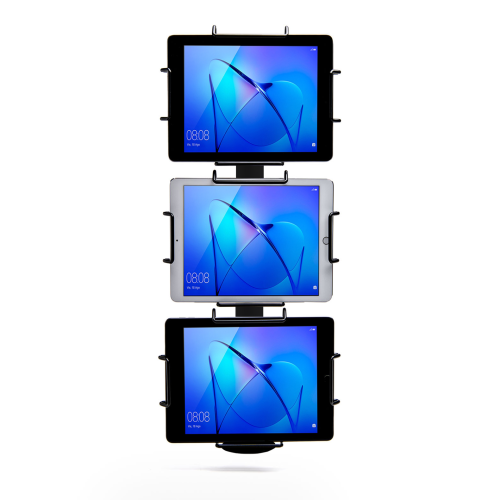
    Black Tri-Mount, which holds three tablets vertically. Tablets and tablet enclosures not included. Pole mount.
    Star Micronics’ Tri-Mount Tablet Display Stand

    What is a KDS?

    A KDS uses one or more screens in the kitchen to give the cooks a clear view of orders being processed. Typically, a screen at each station helps the cooks keep track of orders and even tells them when to fire different parts of an order for maximum efficiency.

    Traditionally, cooks keep track of orders with printed tickets that are spiked when the order is complete. A KDS can be used instead of, or in addition to, printed tickets. The real-time information provided by the system can improve efficiency and reduce the risk of costly mistakes.

    Benefits of a KDS

    • Streamline kitchen operations – a KDS keeps your kitchen production line organized and streamlined by making sure everyone knows what they need to do and when.
    • Speed up service – more efficient production helps your kitchen produce orders faster, meaning you can serve more customers at peak times.
    • Minimize errors – with a clearer picture of the orders in preparation, cooks are less likely to make mistakes that lead to food having to be remade.
    • Reduce food waste a more efficient kitchen making fewer mistakes helps reduce wasted food from sloppy portioning, over-production, and re-fires.

    3. Printers

    Although the trend is moving toward digital solutions, printers still play a vital role in the modern restaurant in the front and back-of-house. And they are getting just as smart as the rest of the tech in the restaurant.

    Many customers want a physical receipt, whether it’s just a preference or for record-keeping, and many kitchens still use printed receipts whether or not they also use a KDS to organize orders. 

    Let’s take a look at the different types of restaurant printers.

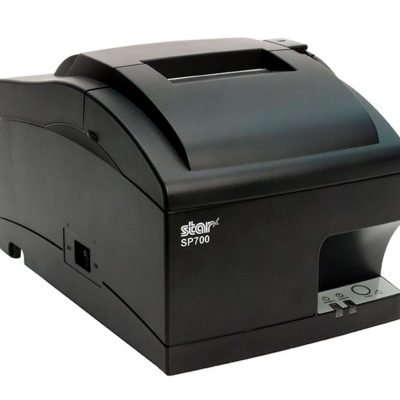
    The SP742 impact kitchen printer is great for online ordering.

    What are Restaurant Printers?

    Restaurant printers are found at the front desk, at wait stations, behind the bar, and in the kitchen – perhaps at each production station. Front-of-house printers print checks and customer receipts. Bar and kitchen printers print order tickets, so bartenders and chefs know what to prepare.

    There are two types of printers commonly used: impact printers and thermal printers. Each has its own features making each one suitable for different environments.

    Impact printers, or dot-matrix printers, physically impact the paper with ink. They can typically print in black and red, have more moving parts, and are noisier than thermal printers. 

    The SP742 Impact Printer is built specifically to work in hot and humid environments, connects via Bluetooth, and can print 13 tickets per minute.

    The SP742 impact kitchen printer is great for online ordering.
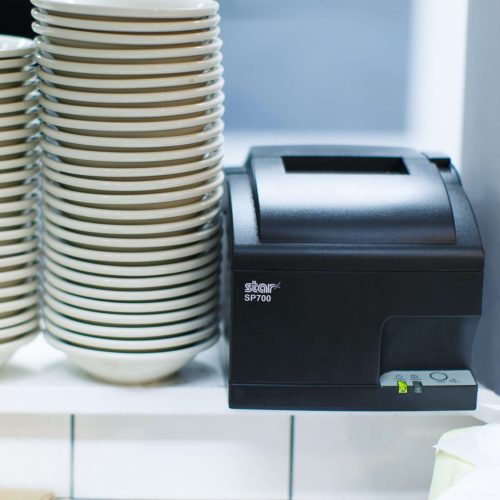
    The SP700 series impact printers from Star Micronics are one of the most popular kitchen printers.

    Thermal printers directly mark heat-sensitive paper using a heated element. Thermal printers tend to be more expensive, but they could save you money over time as you don’t have to buy more ink. They are sensitive to temperature, so they would only work in a climate-controlled kitchen but can print much faster than impact printers.

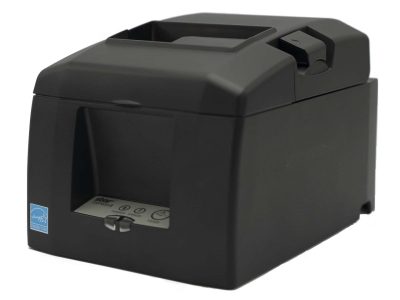
    The TSP654II Thermal Printer can print 60 receipts per minute, comes with easy drop-in paper loading, and connects to a number of peripheral devices.

    The TSP654II thermal receipt printer and the Resto for Quebec, and the TSP654IISK Thermal Sticky Label Printer by Star Micronics
    The TSP654II thermal receipt printer by Star Micronics makes an excellent kitchen printer.

    Benefits of Printers

    • Offer a physical receipt – many customers want to keep a physical credit card receipt or check for their records and for tax purposes.
    • Redundancy in the kitchen – a printer receipt in addition to the KDS allows cooks to double-check orders and some chefs prefer to have a physical order ticket as well as the KDS.

    The Growing Industry of Ghost Kitchens: The Tech You Need to Get Started

    Learn the essentials of starting a ghost kitchen and the technology restaurateurs will need to get started.

    4. Cash Drawers

    Even with a modern POS, you still need a way to process cash payments. Today, most modern cash drawers can be synced with your POS terminals via USB or Bluetooth, offering the ultimate convenience without compromising security. 

    Look for cash drawers with physical and electronic locking functions that are robust and technologically enabled.

    What is a Cash Drawer?

    A cash drawer is a secured box with a sliding drawer that protects your cash. It is linked to your POS, so it opens when a cash payment is made and change is required. 

    Cash drawers typically have multiple locking functions for security, including a manual lock when not in use and automatic locking when in use during service.

    The mPOP® Multifunction System is a cash drawer and printer in one smart device. Compatible with Windows, Android, and iOS, it offers direct iOS connectivity, which allows your iOS device to be charged while data is transferring. There is also the optional handheld 2D USB barcode scanner included with some models. The mPOP® is truly an ideal device for mobile POS (mPOS) systems.


    White mPOP and 2D barcode scanner by Star Micronics.
    White mPOP® with optional 2D barcode scanner

    5. Contactless Payment Terminals

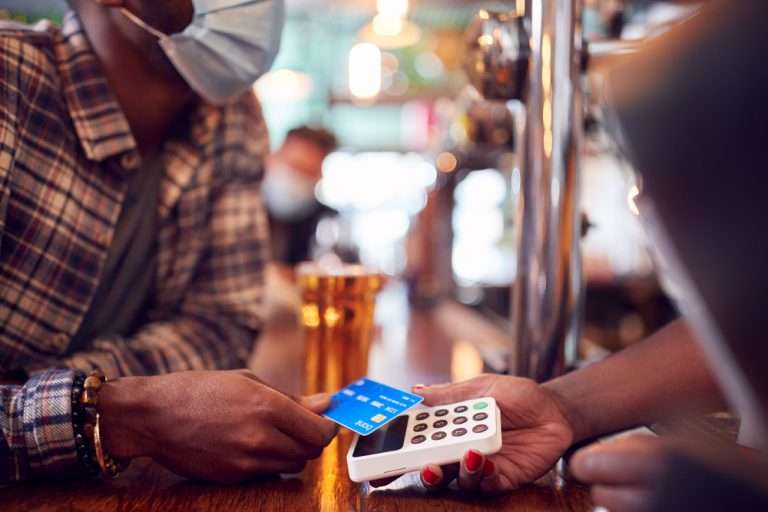
    Contactless payments are becoming the norm as customers increasingly appreciate the convenience of not having to enter a PIN or even remove their card from their wallet. It’s worth upgrading to terminals equipped with near-field communication (NFC), so you can accept payments with a phone or card tap.

    What are Contactless Payment Terminals?

    Contactless payment terminals allow guests to pay with the tap of a card anywhere in the restaurant. They are connected to the WiFi network to communicate with the POS, so they allow customers to pay at the table, at the curb, or at the drive-thru window.

    The terminals use NFC to take contactless payments from smartphones or credit cards and have keypads and card slots if the customer needs to insert the card and enter their PIN.

    contactless-payment-terminal

    Benefits of Contactless Payment Terminals

    • Faster and more convenient – contactless wireless terminals make it quicker and easier to make payments, leading to a better customer experience and more efficient service.
    • More secure – Contactless payments eliminate the need for the customer to hand over the card or reveal their signature. Card information is sent via a secure cryptographic method to ensure information can’t be stolen.

    Boost efficiency, customer satisfaction, and revenue with better kitchen tech.

    From the POS flawlessly processing orders and contactless terminals taking payments anywhere to kitchen display systems and printers keeping your service organized, kitchen technology is vital to the success of your restaurant. 

    As we’ve seen, there are exciting products on the market that help to make transactions easier and more secure, make kitchen operations more efficient, and improve the customer experience, among many other benefits. 

    It’s not just software that counts–getting the proper hardware in place, like smarter cash drawers and the right kind of kitchen printers, can help offer better service and make your kitchen more efficient. 

    Overall, investing in the latest kitchen tech will streamline your operations, improve customer satisfaction and increase restaurant profits.

    Sam-cropped

    Guest Post Written By Sam Sinha

    Sam is a restaurant tech content writer building authority for food industry pioneers like TouchBistro. After cooking and writing his way around London and Hong Kong, he now writes and grows vegetables in the Cambridgeshire countryside.

    Love industry news? Explore our podcast:

  • Star Introduces Sticky Label Kiosk Printer, The SK1-311 SK

    Star Introduces Sticky Label Kiosk Printer, The SK1-311 SK

    The newest kiosk printer by Star Micronics is made for repositionable linerless label paper, perfect for the food, travel, and self-service industries.

    Somerset, NJ – June 21, 2022 – Star Micronics, a leading manufacturer of mobile, point-of-sale (POS), and customer engagement technologies, is proudly releasing their new SK1-311 SK thermal kiosk printer with repositionable linerless label paper printing capability, ideal for creating food labels and more.

    Repositionable thermal labels stick to virtually any surface and are easy to remove and reapply, leaving no residue. They move around the workspace without losing their ability to stay in place. Liner-free labels are an alternative to silicone-lined labels or tape and are more eco-friendly. There’s no need to peel off the liner paper from the label, so there’s less waste.

    The SK1-311 SK kiosk printer is excellent for food labels, especially in busy restaurants, delis, coffee houses, and other establishments packaging goods for customers. Labels for coffee cups, sandwich wraps, and other to-go orders can help staff keep track of them as they move down the line. These labels can also show production dates on food prep items or keep track of parts in warehouses. They’re great for luggage tags in hotels or any other items from the concierge for guests.

    This repositionable label kiosk printer is perfect for any self-service application. Customers can check themselves in at places like airports, conferences, or doctor’s offices and be notified of any announcements or directions on the display as their bag tags or personalized badges print.

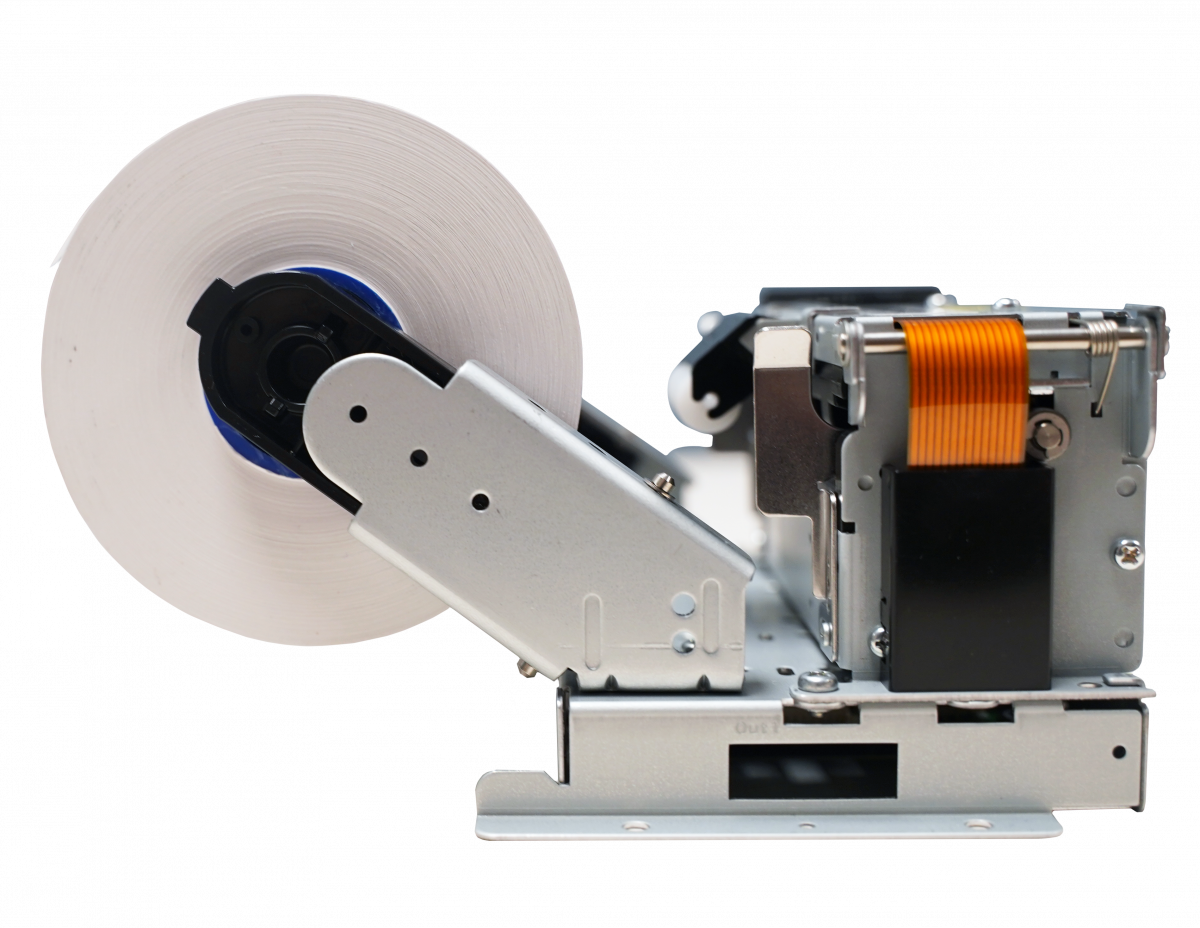
    The SK1-311 SK printer itself is small and lightweight, has a long service life, and is designed for a wide variety of equipment. Capable of printing on multiple mediums, the SK1-311 SK can print using linerless label paper and regular receipt paper. This fast-printing kiosk solution prints at a maximum of 200mm per second with an auto paper cutter, and partial or full-cutting options are available.

    Love industry news? Check out our podcast:

    About Star Micronics

    Star Micronics, a world’s leader in point of sale, has designated a portfolio of printing, secure cash management, scanners, scales, stands, and customer engagement solutions for any retail or hospitality establishment in POS and mPOS environments. Embracing the mobility wave, Star’s complementary SDKs allow users to utilize Star in tandem with Android™, iOS, iPad®, and iPhone® devices to generate receipts, Chit, and labels for its printers. In addition, Star Micronics is always leading and innovating, enabling web-based printing solutions, including remote cloud printing, wireless cash drawer solutions, proximity-based printing, and secure cash management. For more information, visit www.starmicronics.com or follow us on Facebook, Twitter, YouTube, or LinkedIn.

    Media Contact:

    Christin Dorner

    Star Micronics America, Inc.

    cdorner@starmicronics.com

    848-216-3318

  • How QR Codes Can Benefit Your Business

    How QR Codes Can Benefit Your Business

    In the Information Age, technological advancements are changing every aspect of life as we know it, especially due to the global COVID-19 pandemic. QR codes have become more widespread than ever, making the hectic information-sharing process easier for us. It might not come as a surprise, but more and more businesses are adopting this technology to make shopping easier for their customers.

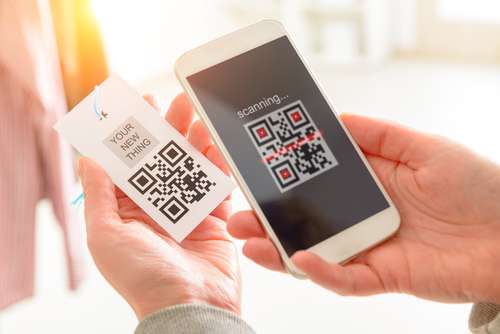
    QR codes, also known as quick response codes, are two-dimensional images that can provide a function or store large amounts of data. QR codes can show whoever scans them all about a business or they can be used to facilitate payment transactions. To read the details of a QR code, all you’ll need is a smartphone.

    QR codes are a huge technological advancement in the field of retail and have made product details and other information easily accessible for both customers and employees. They have enhanced the customer experience.

    This is why QR codes aren’t going anywhere.

    QR Codes are the Future of the Customer Experience

    shutterstock_607588487

    QR codes are becoming increasingly essential tools in today’s society, which is why you’ll see them everywhere. The QR code was developed for business needs but was slow to catch on. The booming cannabis industry has been using them for a specific purpose by law, but it wasn’t until the pandemic that QR codes became widely utilized in the retail and hospitality industries. Here are some of their uses:

    Advertising A Product

    A QR code can be used to run advertisements for products. Consumers can now open a website faster by simply scanning a QR code rather than inputting the URL into their browser. The unique codes can also be used to transport the scanner to a landing page displaying products for sale. This makes the purchase decision easier and quicker for the customer, helping save time.

    Informative

    QR codes are made up of hyperlinks and can be found on business cards, product labels, magazines, websites, email newsletters, and any other items where words and images can be displayed. Users can scan QR codes to acquire information on a specific subject with ease.

    Payment

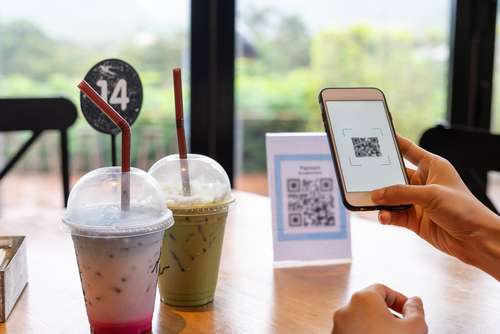
    QR codes can securely hold information about bank accounts, credit/debit cards, and other credentials. By connecting the store’s website to an account or card, the customer can pay simply by scanning the QR code with their smartphones.

    Various payment options can even be incorporated into a QR code, enabling customers to select the most convenient payment option for them. Customers can even show stores their own unique QR code, which the cashier or attendant then scans, taking payment that way.

    Many companies, like PayPal, use QR codes all the time but anyone can use them.

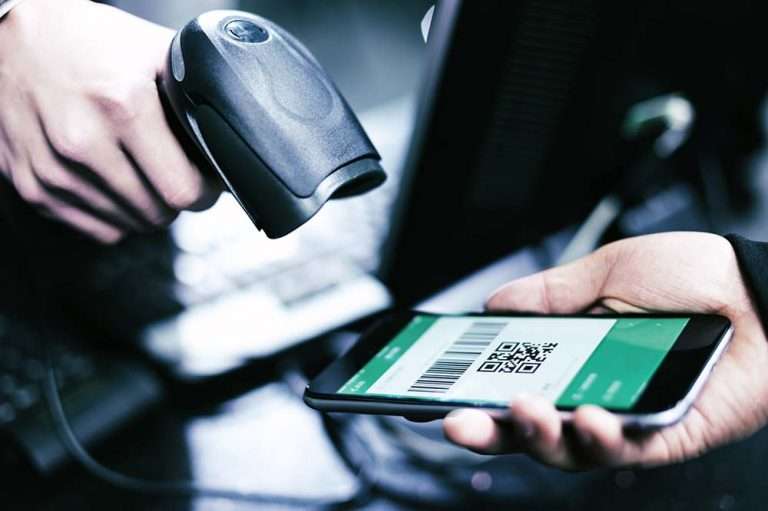
    Check out Star’s QR code scanners: desktop, handheld, and wireless handheld

    The Advantages of QR Codes

    There are seemingly an unlimited number of advantages that QR codes can have for any business. From marketing to inventory control, below are just a handful of examples:

    Ideal For Marketing

    QR codes are often used as marketing tools that can direct customers to a company’s Facebook, Twitter, Instagram, and other social media sites. Getting your customers to interact with you on social media means increased engagement, promoting brand recognition and driving sales.

    Increased Chances Of Sales

    QR codes make it easy for customers to explore more of what your company has to offer. All they have to do is point their smartphone camera and they’re instantly taken to wherever you as the business owner want to take them. Everyone knows that the more traffic a store has, the more opportunities they have of making a sale. Making it easier for the customer to see and buy your product is just smart business practice.

    Improves Customer Experience

    QR codes are popular with customers for a variety of reasons. To begin with, they are simple to use. The customers only have to scan the QR code to be directed to your company’s webpage or email. They don’t have to memorize anything.

    Moreover, only a tiny percentage of consumers remember to return to your website afterward. QR codes make it much easier for your clients to visit your website by enabling them to scan the code. Again, there’s a significant possibility your customers will buy if you make it easier for them to access the latest offerings and engage with your business.

    shutterstock_1867131817

    Versatility

    One of the advantages of QR codes is that they may be used in a variety of ways. Social media marketing, online purchases, landing pages, special announcements–the possibilities are nearly endless. This is why they are so useful and, dare I say, fun? People like the excitement of seeing where a QR code will take them, so make it memorable!

    To add to this, companies can make their QR codes different shapes, having uniquely-designed codes that set them apart from their competitors, potentially attracting a larger audience.

    Digitalize Your Business

    Businesses can save time and money on traditional advertising campaigns by going digital, and that includes using QR codes. These days, going digital is a necessity. You don’t have to buy banners, flyers, or other printed materials to market your business anymore. A QR code is a one-time investment that can potentially provide a lifetime of marketing efforts.

    Check out Star’s QR code scanners: desktop, handheld, and wireless handheld

    QR Codes in the Cannabis Industry

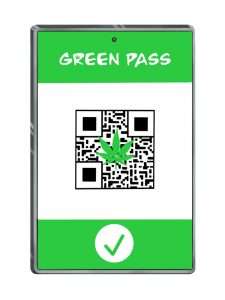
    In many states where cannabis retail is legal, it is the law that dispensaries use QR codes on their products linking to verified licenses and testing results. This way, customers can immediately determine whether or not their cannabis purchase has passed state-mandated regulatory testing.

    Not only that but these QR codes can also be integrated with point-of-sale systems to keep track of inventory. 

    QR codes can display all the relevant information about the cannabis product for sale, both for customer satisfaction and for dispensary needs. This can be done in any industry.

    How to Get QR Codes for Your Business

    Getting QR codes for your business is easy. Simply find a website that offers a code generator, fill in the required information, click to generate your code, and then stylize it. After downloading the image, you can display it on whatever you want.

    Since their creation, QR codes have gained widespread use, but their popularity is just beginning. Get in on the action before it’s too late and start using this wonderful technology today!

    Love industry news? Explore our podcast:

  • CloudPRNT: The Best Google Cloud Print Alternative

    CloudPRNT: The Best Google Cloud Print Alternative

    Are you a Google Cloud Print user? If so, you are probably aware that Google Cloud Print is no longer supported, as of January 1, 2021. Migrating to a new service sounds daunting but it doesn’t have to be. Read on to learn more about Google Cloud Print, its depreciation, and why Star Micronics’ CloudPRNT technology is an ideal Google Cloud Print alternative.

    About Google Cloud Print

    According to Wikipedia,

    “Google Cloud Print is a Google service that lets users print from any Cloud Print-aware application (web, desktop, mobile) on any device in the network cloud to any printer with native support for connecting to cloud print services – without Google having to create and maintain printing subsystems for all the hardware combinations of client devices and printers, and without the users having to install device drivers to the client, but with documents being fully transmitted to Google. Since July 23, 2013 it also allows printing from any Windows application, if Google Cloud Printer is installed on the machine.

    Google Cloud Print integrates with the mobile versions of Gmail and Google Docs, allowing users to print from their mobile devices. Google Cloud Print is listed as a printer option in the Print Preview page of Google’s Web browser, Google Chrome, in Chrome 16 and higher. Printers without built-in Cloud Print support, often referred to as ‘legacy’ or ‘classic’, are supported through a ‘Cloud Print Connector’ integrated with Google Chrome versions 9 and higher.”

    The End of Google Cloud Print

    In November 2019, Google officially announced that Google Cloud Print will no longer be supported starting on January 1, 2021. Why the change? Google has claimed that improvements in native Chrome OS printing, as well as a wide market of comparable print solutions has contributed to its decision to terminate Google Cloud Print.

    Google recommends that all users find an alternative print solution and migrate print services prior to the end of the 2020 calendar year. To learn how to disable your Google Cloud Print services, please click here.

    CloudPRNT as a Google Cloud Print Alternative

    If you’re a software provider who uses, or is looking to use, Google Cloud Print with receipt printers, don’t worry; Star Micronics has an easy cloud printing solution (or replacement) for you. Star Micronics CloudPRNT technology is not just a Google Cloud Print alternative, but an even better solution.

    About CloudPRNT

    Quick to integrate. Easy to deploy. Scalable.

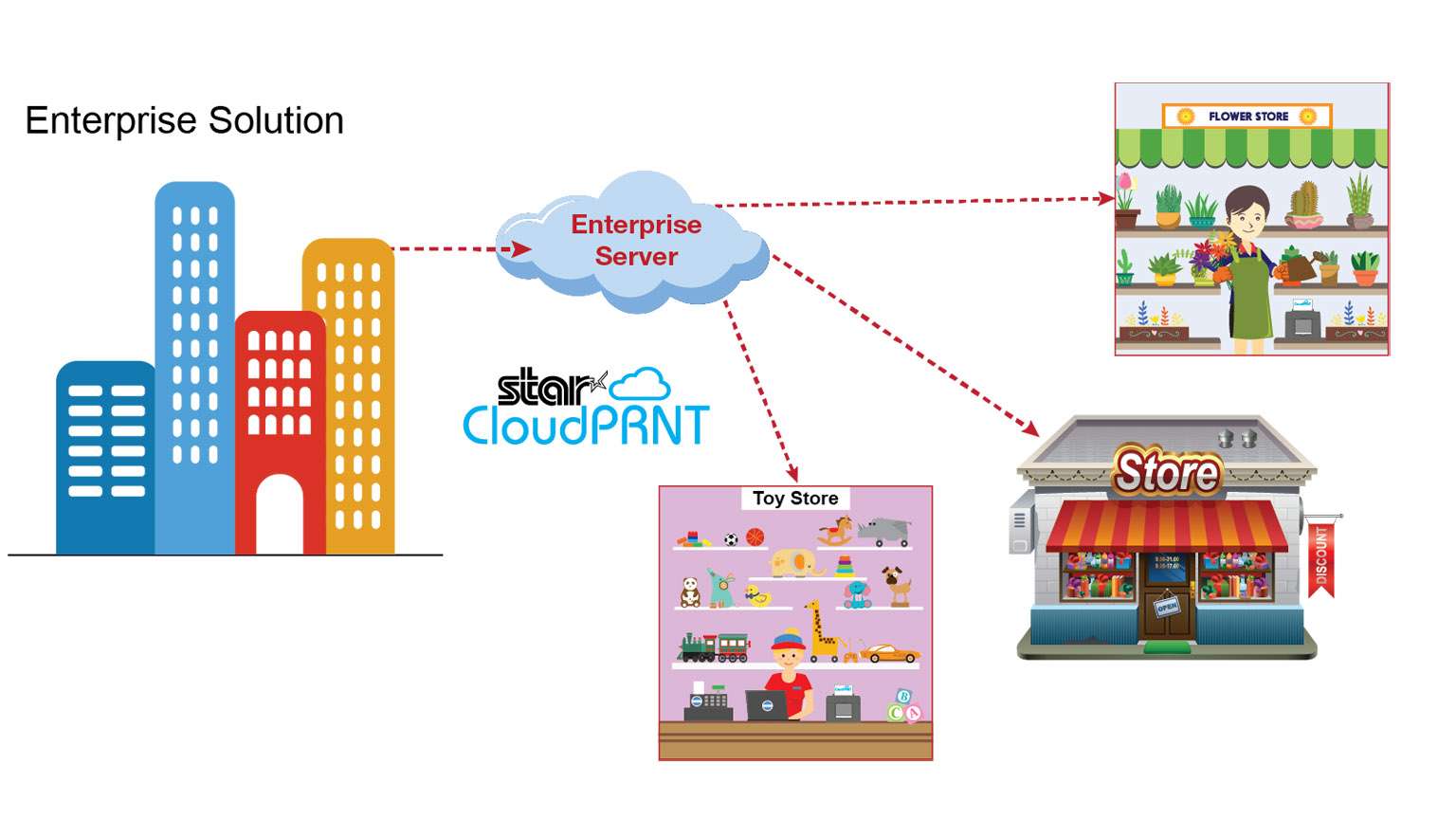
    CloudPRNT-Illustration_Enterprise-scaled-1

    Star Micronics’ CloudPRNT is an innovative technology enabling users to print to Star printers directly through a cloud service. The CloudPRNT printer retrieves and prints orders and data from any web-based point of sale (POS) system integrating Star’s communication protocol.

    CloudPRNT works with web-based applications to store and create print jobs, and communicate status with the printer. Cloud POS services post information using a JSON format, while the Star CloudPRNT printer pulls this information on a defined interval. CloudPRNT is built on the solution provider/ISV’s server, in the preferred language and architecture.

    Star’s CloudPRNT technology provides benefits to businesses of all types by eliminating the need for an extra tablet to send information to the printer. Instead, the web-based POS is able to communicate directly with the printer. As an added benefit, businessowners and service providers do not need to maintain an SSL certificate for the CloudPRNT printers since they communicate with the server as a client.

    By adopting web-based POS systems, organizations can embrace the latest technology, boost efficiency, and more. Using CloudPRNT, cloud-based POS systems have a new and easier solution to offer businesses, allowing them to seamlessly integrate online transactions into their operations.

    Key Features
    • CloudPRNT printer communicates directly with the server
    • The server can control peripherals connected to the printer (e.g. cash drawer, scanner, digital display, buzzer/sounder)
    • Multi-interface supporting POS (native) and web-based POS systems (cloud)
    • Hosted by the solution provider/ISV – can be built in desired language/ architecture
    • Suitable for any business using web-based applications
      • Labels
      • Orders
      • Receipts
      • Ticket
      • Scheduling
      • And more
    CloudPRNT Compatible Printers

    CloudPRNT is compatible with a variety of Star Micronics printers, including 2” and 3” thermal receipt printers, thermal label printers, impact kitchen printers, and 4” wide-format thermal printers.

    mC-Print3

    mC-Print3-150x150

    3” thermal receipt printer
    Bluetooth, USB, Lightning, LAN
    IPX2 splash-proof design
    Peripheral device connectivity
    Fast charge and communication via USC-C® power delivery port
    SteadyLAN® technology

    mC-Print2

    mC-Print2-150x150

    2” thermal receipt printer
    Bluetooth, USB, Lightning, LAN
    Sleek, compact, connected
    Easy setup
    Guillotine auto-cutter
    SteadyLAN® technology

    TSP654II

    TSP654II

    3” thermal receipt printer
    Swappable interfaces: serial, parallel, USB, LAN
    High reliability and performance
    High-speed printing of 60 receipts per minute (300mm/s)
    External power supply included
    Compatible with PromoPRNT

    TSP654IISK

    TSP654IISK-300x200

    Repositionable, liner-free thermal label solution
    Improves order accuracy up to 99%
    Liner-free yields 60% more labels/roll than diecut
    80mm and 58mm paper support
    High reliability and performance at a low cost
    Optional vertical stand

    SP742

    SP742 Kitchen Printer

    Reliable kitchen printer
    Apple MFi Certified Bluetooth, serial, parallel, USB, LAN
    Internal power supply
    High-speed throughput: 13 receipts/tickets per minute
    “Drop-In and Print” paper loading
    All accessories included (except cable)

    TSP743II

    Star Micronics TSP743II

    3” receipt and label printer
    Apple MFi Certified Bluetooth, serial, parallel, USB, LAN
    Up to 0.15mm paper thickness
    Black mark label support
    Rear paper feed
    Vertically mountable

    TSP847II

    TSP847II-AirPrint-PR-150x150

    4” wide-format thermal printer
    Apple MFi Certified Bluetooth, serial, parallel, USB, LAN
    Ultra high speed: 37 receipts per minute (180mm/sec)
    Wide paper format: 4.4” (112mm)
    “Drop-In and Print” paper loading
    Barcode capabilities

    CloudPRNT: Ideal for Online Ordering

    Interesting in CloudPRNT as a Google Cloud Print Alternative?

  • How a Paper Receipt Benefits ROI and the Customer Experience

    How a Paper Receipt Benefits ROI and the Customer Experience

    This is the second part of “Keep the Receipt,” a five-part blog series about the various advantages paper receipts offer to businesses and consumers, and why you should elect to choose to offer – and accept – paper receipts.

    Welcome to the next part of our Keep the Receipt blog series, where we’ll explore the ways that a paper receipt benefits a business’s return on investment (ROI), as well as its customer experience. During a time when options abound for consumers when it comes to retailers and restaurants, it’s important to not only boost cost efficiency, but also optimize the experience customers have from the moment they enter the door, up until the transaction is completed. Read on to discover how paper receipts can help you achieve all of that – and more.

    Paper Receipt Benefits | Return on Investment

    At the end of the day, businesses need to communicate with shoppers to inform them of transaction details, promotionsreturn policies, and more. That need is not going away, so the question becomes, what’s the most effective and cost-efficient way to share that necessary information?

    Email services can cost hundreds or thousands of dollars a year, while direct mail can cost nearly $1.00 per piece! Receipts, on the other hand, are extremely cost-effective. Printing 1,000 receipts costs only approximately $1.50 – that’s just $0.0015 per receipt!

    With a laundry list of expenses including rent, utilities, wages, POS hardware, commerce software, payment processing, and more, saving on regular expenses like receipts and marketing communications can make a big difference for businesses of all sizes.

    The receipt is also a very cost-efficient and effective marketing medium. Don’t miss our next Keep the Receipt blog post, where we’ll explore marketing advantages of paper receipts.

    Another less obvious way that receipts boost ROI is by increasing the efficiency of the checkout process. When a business chooses to offer paper receipts, no customer contact information needs to be collected at the point of purchase, meaning the transaction can completed in mere seconds. Speeding up long lines and serving more customers, faster? Sounds like a win to us!

    Paper Receipt Benefits | A Smoother Customer Experience

    Simply put, if you don’t provide your customers with a positive experience, chances are they will begin to spend their money elsewhere. While building an optimal customer experience is a multifaceted endeavor, offering paper receipts is an easy way to help create a more reliable, comfortable experience for shoppers. Here are three major reasons why:

    • No Need for a Digital Device: Smartphones are great, but putting all your eggs in one basket and only offering digital POS services can be problematic. For starters, according to Pew Research, 19% of Americans don’t own a smartphone. Offering paper receipts is a surefire way to navigate that digital divide and avoid leaving out a significant portion of the population.
    • Fewer Junk Emails: A whopping 281 billion emails were sent and received worldwide per day in 2018. And while 99% of consumers check their mail every day, that doesn’t mean they open every single one of the emails they receive, especially when it comes to retail emails. That being said, it’s becoming increasingly easy for consumers to misplace their digital receipts, which can cause a headache when going to return or exchange an item, budget the purchase, and more.
    • A Consistent, Reliable Format: Having a smartphone doesn’t necessarily mean a smooth digital experience: retail stores are built of concrete, brick, and steel, which can block signals and create wireless dead zones. For customers, this poor wireless service can mean difficulty retrieving promotions, proof of purchase, return policies, and more. And even in the midst of a digital transformation, consumers are used to receiving a paper receipt. There’s no question of where to find transaction, promotion, and return policy information when it’s all on a printed receipt safely tucked away in a wallet, not lost in an email inbox. Avoid all of the digital risk by choosing paper receipts (which can include promotions)!

    Are you a business owner? Do you find paper receipts valuable, even in a digital age? Let us know in the comments!

    Be sure to tune into our future Keep the Receipt blogs, which will take a deep dive into even more topics like marketing advantages, bookkeeping/informational benefits, and sustainable features of Star receipts.

  • 4 Reasons Why You Should Keep Your Receipt

    4 Reasons Why You Should Keep Your Receipt

    This is the first part of “Keep the Receipt,” a five-part blog series about the various advantages paper receipts offer to businesses and consumers, and why you should elect to choose to offer – and accept – paper receipts.

    There’s no denying it. The world is going digital. But does it make sense to digitize everything?

    In our latest blog series, “Keep the Receipt,” we will discuss the myriad of advantages a paper receipt can offer over an emailed one. These benefits range from higher return on investment (ROI) for a business, to bookkeeping benefits for consumers, and everything in between. Don’t just take it from us; in a recent survey, 68% of US consumers said they would rather receive a physical receipt.

    While this blog post will give you a brief overview of the different reasons why to keep the receipt, check back for future blog posts that will dive deeper into each benefit.

    So, without further ado, here are the four reasons why you should keep your receipt:

    1. Return on Investment and User Experience

    The ROI when it comes to a paper receipt versus an email receipt is irrefutable. In the next post of our series, we will explore the different ways paper receipts can save businesses a real chunk of change – let’s just say the numbers are eye-opening. Did you know the cost to print a receipt is just fractions of a penny? When compared to direct mail, which can cost between 30 cents to over $10 per person, you can see how easily the savings can stack up.

    Our second blog post will also explore how paper receipts offer a smoother, more reliable user experience for shoppers. When you choose to provide paper receipts, you’re helping your shoppers receive fewer junk emails, as well as making it easier to retrieve promotions.

    2. Marketing Advantages

    One of the great advantages of a paper receipt is that it’s a valuable marketing opportunity for businesses. Our third blog post will discuss the various marketing features a paper receipt can provide, including its ability to successfully deliver messaging to nearly every single shopper, as well as its potential to onboard customers to loyalty programs and grow a retailer’s social media following.

    We’ll also discuss the value of printed promotions. For example, did you know that consumers still prefer print over digital coupons?

    3. Informational Benefits

    At the end of the day, a receipt communicates information from a business to a shopper. While the above blog post dives into the marketing side of this, our fourth blog will explore the informational benefits paper receipts have. Receipts can help business owners and shoppers alike keep track of:

    • Itemized purchase information,
    • Return policy details,
    • Correct tip amounts,
    • And much more.
    4. Sustainability

    We understand that one of the biggest selling points of an emailed receipt is that it can be more environmentally friendly. That may be true when comparing an emailed receipt to a traditional paper receipt that is coated with BPA (Bisphenol A), a controversial chemical. However, in our fifth and final blog post, we’ll explore the reasons Star receipts are eco-friendlier than others on the market, including:

    • Being BPA-free,
    • Featuring recyclable packaging,
    • Including paper reduction technologies,
    • And more!

    Be sure to tune into our future Keep the Receipt blogs, which will take a deeper dive into these topics.

    Don’t miss out on our upcoming Keep the Receipt blogs, subscribe to the Star blog! On desktop, you will find a subscription form on the right side of this page; on mobile, you will find it in the footer of this page.