Tag: POS Printers

  • What to Look for in a POS System for a Small Restaurant

    What to Look for in a POS System for a Small Restaurant

    As the owner or manager of a small restaurant, it can be intimidating to think about all of the point of sale (POS) components that you need. With so many options on the market, what’s the best POS system for a restaurant? Read on to explore the must-have POS system features, from online ordering to front-of-house management.

    1. Online Ordering Capabilities

    Online ordering went from a “nice-to-have” option to a “must -have” in just a couple of short years. In fact, online food delivery sales are estimated to grow up to $220 billion by 2023 (and comprise 40% of total restaurant sales). And let’s not forget about online orders for in-store pickup, too. Either way you cut it, online ordering isn’t just for the chains; it’s for small businesses like yours.

    Be sure to look for a POS system that includes online ordering capabilities. Some POS software may include this feature, or you may be able to simply use a printer equipped with cloud printing technology (like Star’s) to print third-party online orders from services like DoorDash, GrubHub, Uber Eats, and more.

    2. Mobile Payment Acceptance

    Just like online orders are booming, so are mobile payments. Simply put, mobile payments are those made on mobile devices like smartphones and smart watches. Instead of paying with cash or a credit/debit cards, consumers use their digital wallet to pay for their goods.

    To be able to accept mobile payments, your POS system must be equipped to handle NFC (or, near field communication) payments, which are made by a mobile device (or contactless card) being two inches or less from the NFC-equipped card reader. Examples of mobile payment providers are Apple Pay, Google Pay, and select credit/debit cards.

    3. Back-of-House Communication

    We’ve all been there: you find a restaurant that serves up delicious food but has a clunky workflow that leaves you hungrily waiting for your meal. Avoid being this restaurant by choosing a POS system that features top-of-the-line communication between the front-of-house and back-of-house. What does this look like? It looks like a POS terminal (or online ordering service) that seamlessly communicates to the restaurant kitchen KDS (kitchen display device) and kitchen ticket printer via technology like CloudPRNT. As orders are placed, they’re immediately sent to the cook in full detail. Say goodbye to long wait times and inaccurate orders with the right communication!

    4. Front-of-House Management

    Efficiently turning tables means higher revenue. Successfully navigating a large party means happy, repeat customers. Clearly, front-of-house management is key, and the right POS system for a small restaurant can help those efforts. Look for a POS system that features click-and-drag layout builders and the ability to see table times and when tables are about to turn.

    5. Menu and Order Management

    Menus change, and customers’ tastes vary. Your POS can help you navigate that. The right POS system can help you arrange your menu in a way that makes the checkout process faster, as well as let you make real-time updates from anywhere and apply them to every one of your locations.

    When it comes to order-taking, restaurant POS systems can help you quickly modify your customer’s order to their exact taste. Have a special discount idea in mind? POS systems can also allow you to create happy hours and more in mere seconds.

    Star Restaurant POS Solutions

    From online ordering printers to kitchen buzzers, Star is proud to offer POS solutions for restaurants, QSRs, food stands, and more.

    6. Marketing Capabilities

    One of the reasons people love small restaurants is for their personal touch. Leverage POS technology to take that personal touch to a new level! POS systems for small restaurants can include marketing capabilities including:

    • Detailed customer profiles so you can send customized offers
    • Loyalty/reward programs
    • White-labeled websites and apps that feature your restaurant’s branding
    • Custom receipt marketing (available on select receipt printers, like Star’s)

    7. Detailed Reporting

    If there’s one thing that POS systems have, it’s data, and you can put that to use by choosing a POS system that offers detailed reporting.

    Reporting can include:

    • Live data and daily statistics
    • Sales by category
    • Sales by item
    • Sales by payment type
    • Sales in different shifts
    • And more

    8. Integrations

    Right about now you may be thinking there’s a lot of different technologies involved in the best POS system for a restaurant. There’s the software, the hardware, and third-party services like food delivery. That leads us into the next (and possibly most important) aspect of a POS system: it’s integrations.

    Save valuable time (and avoid headaches) but choosing a POS system that is integrated with either the software and hardware you already have, or the software and hardware you want to have. For example, if you already have Star printers, choose a POS software that is integrated with Star (hint: there are many). Or, if you know you want to use a certain POS software, be sure that your hardware is integrated with it so that you can set up your system out-of-the-box.

    9. Technical support

    Support is important – and not just when something breaks! Be sure to choose a POS system and vendors that offer pre-sale support (helping you identify the right solution for your needs), installation support and training, and easily accessible post-sales support (like an online help center and live chat).

    Star’s Affordable Small Restaurant POS Bundle

    mCP30 with mC-Sound

    mCP30 with mC-Sound

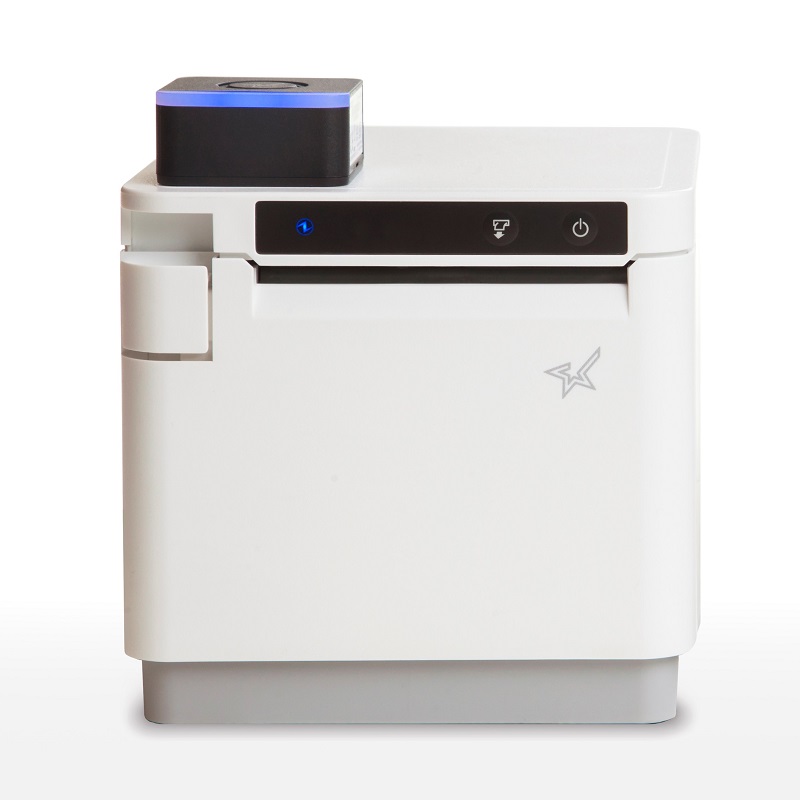
    If you’re looking for an affordable kitchen printing setup, look no further than the mCP30 paired with an mC-Sound kitchen buzzer.


    mCP30 Highlights:
    Everything you love about the mC-Print3, with an even lower price tag.

    • Ethernet
    • USB
    • CloudPRNT for online ordering

    Learn More >


    mC-Sound Highlights:
    A modern take on the kitchen buzzer.

    • Discreetly fits inside the mCP30
    • High quality sound (89dB)
    • 16 pre-recorded melodies
    • Records custom user speech

    Learn More >

    Explore all of Star’s restaurant POS solutions now.

  • The Best Way to Clean Star Micronics Printers

    The Best Way to Clean Star Micronics Printers

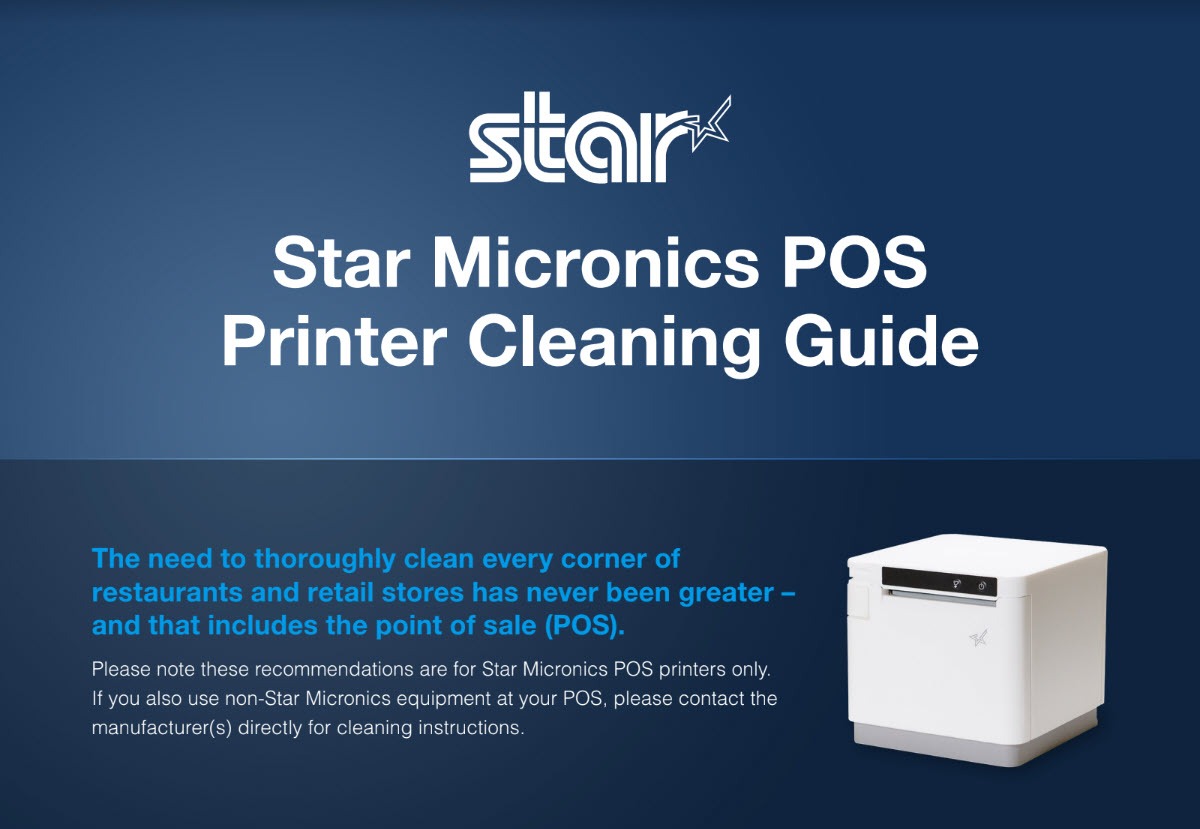
    Across the globe, cleaning policies have been released to combat the spread of COVID-19 (coronavirus). These cleaning policies apply to every inch of a business or office – from tabletops to, of course, the point of sale (POS). There has never been a more important time to pay attention to the proper way to clean your POS station, and that includes the receipt printer. In today’s blog, explore some common cleaning and social distancing policies, as well as the proper way to clean Star Micronics printers.

    The Best Way to Clean Star Micronics Printers: Download the free guide.

    Cleaning and Social Distancing Policies During COVID-19

    Cleaning and social distancing policies vary by region, but a common thread among policies is the need for frequent sanitization of common areas and maintaining a healthy distance in between individuals.

    For an example of some policies that are in place, see below protocols that are active in New Jersey*, where the Star Micronics America headquarters is located, for businesses deemed essential. Please consult your local government to learn about the policies that apply to your region.

    • Requirements for All Businesses Continuing to Operate
      • Owners of buildings used for commercial, industrial, or other enterprises, and of residential buildings with at least 50 units, must implement the following policies at minimum:
        • Clean and disinfect high-touch areas routinely in accordance with CDC guidelines, particularly in spaces accessible to staff, customers, tenants, or other individuals, particularly following a known or potential exposure;
        • Maintain current cleaning procedures in all other areas of the facility;
        • Ensure that the facility has a sufficient number of workers to perform the above protocols effectively.
      • Additional Requirements for Restaurants, Cafeterias, Food Courts, Bars, etc. That are Still Permitted to Operate
        • Limit occupancy to 10% of stated maximum capacity;
        • Ensure 6 feet of distance between workers and customers except at the moment of payment or exchange of goods;
        • Arrange for contactless pay options, pickup, or delivery wherever possible;
        • Provide hand sanitizer and wipes to staff and customers;
        • Frequently sanitize high-touch areas like credit card machines, keypads, and counters;
        • Require infection control practices such as regular hand washing, coughing and sneezing etiquette, and proper tissue usage;
        • Place conspicuous signage at entrances and throughout the food business alerting staff and customers to the required 6 feet of distance;
        • Require workers and customers to wear cloth face coverings, and require workers to wear gloves. A business must provide, at its own expense, these face coverings and gloves for employees. Customers may be exempted if it would inhibit their health, or if under two years of age. If a customer refuses, they must be denied entry, but another method of pickup should be provided.
      • Additional Requirements for Essential Retail
        • Limit occupancy to 50% of maximum store capacity at one time;
        • Establish hours of operation specifically for the exclusive use of high-risk individuals;
        • Install a physical barrier, such as a shield guard, between customers and cashiers/baggers where possible and anywhere you cannot maintain 6 feet of distance;
        • Require regular hand washing, coughing and sneezing etiquette, and proper tissue usage and disposal;
        • Provide employees break time for regular hand washing;
        • Arrange for contactless pay options, pickup, or delivery of goods wherever possible;
        • Provide hand sanitizer and wipes to staff and customers;
        • Frequently sanitize high-touch areas like restrooms, credit card machines, keypads, counters and shopping carts;
        • Require infection control practices such as regular hand washing, coughing and sneezing etiquette, and proper tissue usage;
        • Place conspicuous signage at entrances and throughout the store alerting staff and customers to the required 6 feet of distance;
        • Demarcate 6 feet of spacing in check-out lines to demonstrate appropriate social distancing;
        • Require workers and customers to wear cloth face coverings, and require workers to wear gloves. A business must provide, at its own expense, these face coverings and gloves for employees. Customers may be exempted if it would inhibit their health, or if under two years of age. If a customer refuses, they must be denied entry, unless the business is providing medication, medical supplies, or food, in which case another method of pickup should be provided.

    How to Clean Star Micronics Printers

    Cleaning-Guide-Screenshot

    Clean and safeguard your Star POS printer – quickly, easily, and effectively. Here are some basic tips on cleaning your Star printer:

    • Clean with 70% isopropyl alcohol
    • Clean the exterior and print head only
    • Spray solution into a microfiber or cloth towel first and then wipe
    • Do not soak/submerge equipment or spray directly into product
    • For additional security, it’s recommended to always have the device powered down when cleaning
    • Correctly cleaning the printer should not affect its performance or life
    • If you have any questions about cleaning your Star printer, please contact us

    Click here to download the complete cleaning guide.

    Free Resources During COVID-19 & Beyond

    Now more than ever, safety is a priority in retail and hospitality environments. Star Micronics is proud to offer a line of solutions and resources for businesses during this challenging time, designed to keep consumers and employees safe, as well as mitigate business impact caused by COVID-19.

    At Star Micronics, our hearts go out to anyone impacted by COVID-19, either directly or indirectly, especially to those who are sick, to whom we extend our heartfelt wishes for a full recovery. To learn more about what we are doing as an organization to reduce the global impact of COVID-19, in terms of health and business, please click here.
    To browse all of our blog posts covering tips for small businesses during COVID-19, please visit our #StarForSmallBiz blog collection.

    *Source: https://faq.business.nj.gov/en/articles/3839687-what-mitigation-protocols-are-required-for-businesses-continuing-to-operate

    Discover the Best Way to Clean Star Printers

  • The Evolution of Printer Software Technology to Cater to mPOS

    The Evolution of Printer Software Technology to Cater to mPOS

    Point of sale (POS) is no longer limited to the traditional, fixed model. Merchants have tried and proven the benefits of mobility. They can complete payment transactions in-aisle or tableside, and set up additional checkouts for line busting. In addition, they can enhance the customer experience at their establishments by providing sales associates and wait staff with information on products and menu items, promotions and sales, and even the customer’s purchase history or loyalty program activity.

    While POS has gone mobile, so have label and receipt printers, as well as the point of sale systems they operate with. Mobile printers or mobile point of sale systems can help reduce labor time and costs of in-aisle and shelf labeling. Mobile point of sale also provides mobile receipt printing both in-store and beyond, at pop-up shops, and other outdoor sales and dining venues.

    Today’s mPOS solutions can be both lightweight and easy-to-use, are capable of printing receipts and labels with a variety of media, and can even assist businesses with their marketing strategy. Mobile POS peripherals can connect with mobile devices such as tablets or mobile phones using cabled, Bluetooth, or wireless network connection. They can also receive print jobs directly from the merchant’s network, or third-party online ordering and scheduling applications.

    From a printer software perspective, however, mPOS has created new challenges. With merchants using a variety of devices for POS functions, printing is no longer as simple as plugging in a printer that’s designed to work with the POS terminal to print receipts and other materials such as labels, tags, forms, or coupons.

    As your mobility initiative grows, you may encounter challenges to printing what you need, when and where you need it. Here are three common challenges merchants face with mobile printing and the solutions that will help you overcome them.

    Download the Full eBook: “How Printer Software Technology is Evolving to Accommodate mPOS”
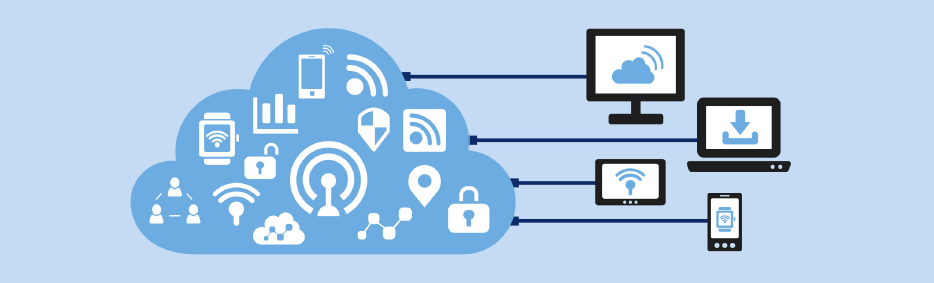
    Illustration of Software

    Challenge 1: Printing from an iOS, Android, or Windows Native App

    With most legacy applications, many POS printers and printer brands could be used by just installing the right Windows driver. Since iOS and Android operating systems do not have a print engine to support drivers, the printer functions need to be integrated inside the POS software, thus limiting the choice. Fortunately, these companies have usually integrated the best of breed printers which make for an easy choice.

    Solution: SDK Integration

    A software development kit (SDK) helps software engineers or developers to speed up the process to support special features (like printing) in software applications. The printing SDKs needed to create applications are usually available for developers to download from the printer hardware manufacturer. For example, iOS applications traditionally use Objective-C or the Swift programming language, while Android uses Java.

    An advantage to SDK integration is that the application your software engineer or developer creates can give you more complete control of printing, such as adjusting print formatting, controlling the cash drawer, or checking the status of the printer. It also enables additional, innovative features to be added to the print application such as digital receipts and other cloud services.

    Another huge advantage is that an SDK provides a foundation for developers to build on. Without it, each developer would have to build the basics themselves, which can be especially complicated when working with multiple printers.

    The modern SDKs provided by printer manufacturers are designed to be powerful while also being simple to integrate – adding printing capabilities may only require a few lines of code.

    Solution: AirPrint®

    Star Micronics’ AirPrint technology allows retailers to continue to use the simple print method that they are used to. Apple has certified Star Micronics’ TSP654II AirPrint as the first and only AirPrint receipt printer, and has also certified the Star Micronics TSP847II AirPrint, which can print labels, tickets, forms, barcodes, and graphics. Modern and flexible, this new technology is beneficial to integrators as well.

    For ISVs, using Star Micronics’ AirPrint technology is the easiest and fastest way to integrate a printer with Apple software. The TSP654II AirPrint and TSP847II AirPrint work immediately after setup and are the perfect fit for the occasional print job. With Star Micronics’ Apple-certified printers, Mac and iOS developers now have another option in addition to the StarPRNT SDK, giving them more flexible printer control.

    Learn More About Star Micronics StarPRNT SDK

    Challenge 2: Managing Online Ordering and Scheduling

    Online ordering and scheduling have made a huge splash in the global marketplace. In particular, the hospitality, salon/spa, medical, and service industries have been highly effected. Customers choose to order food and schedule appointments online primarily for convenience. Online ordering and scheduling help to simplify the process, ensure accuracy, keep costs transparent, reduce human error, and more.

    This new wave of Cloud-based orders and requests presents a new set of challenges to those in effected industries – and all of those challenges revolve around having a reliable, functional mPOS and chit printer. Businesses need a printer that can promptly receive and alert staff to online orders and requests, and that is compatible with today’s modern, ever-changing online applications.

    Solution: CloudPRNT

    Star’s CloudPRNT technology is the answer to online ordering and scheduling pain points. A remote printing technology specially designed for Web-based POS printing, CloudPRNT is scalable, quick to integrate, easy to deploy, and even allows Cloud-connected control of peripherals.

    Platform-independent, CloudPRNT is compatible with the industry’s top online ordering and scheduling applications. CloudPRNT, which automatically detects and pulls Web-based orders and requests, requires no SSL certificate, has no exposed network ports or special firewall settings, and is compatible with any programming language or operating system.

    Star Micronics CloudPRNT

    Challenge 3: Printing from a Web Browser Application

    Advanced Web standards, such as HTML5, give developers the ability to build Web-based applications with nearly the same level of features as native (local) applications. Web applications have the added advantage of allowing live, automatic updating so that customers always have the most up-to-date version of the software since the application lives in the cloud.

    If the POS software is Web-based, the issue isn’t which mobile device the application is running on. Most Web-based solutions are device agnostic: if the device can connect to the Internet, it can usually use the application. In this case, it’s necessary for the printer to receive data directly from the Web-based application.

    Solution: WebPRNT

    Star’s JavaScript-based WebPRNT technology allows complete control of any Star WebPRNT Ethernet interface printer. Developers can use Star’s JavaScript library and Builder API to integrate a Web-based application with a WebPRNT printer. In addition, this functionality can be extended to Bluetooth printers by using the WebPRNT Browser with little to no changes.

    Learn More About WebPRNT

    Want to learn about the last 3 challenges? Discover how to successfully market to target audiences, continue to use legacy applications with newer hardware, and more in our free eBook.