Tag: POS Printers

  • The Benefits of Durable, Reliable Commercial Label Printers

    The Benefits of Durable, Reliable Commercial Label Printers

    Commercial label printers play an important role in how businesses identify products, communicate workflow information, maintain regulatory compliance, and track inventory. From retail and restaurants to healthcare and fulfillment, labels help employees and customers access important information quickly and consistently.

    When a label printer fails, those workflows can slow down. Orders may be delayed, inventory may become harder to track, and important product or compliance information may not be available when needed.

    For businesses that rely on labeling throughout daily operations, choosing a durable and reliable commercial label printer can help reduce downtime, support high-volume workflows, and keep labeling processes consistent across the business.

    Table of Contents

    What Makes a Label Printer Durable and Reliable?

    The durability and reliability of a commercial label printer depend on both its physical construction and its internal components. A printer designed for daily commercial use should be built to handle frequent printing, different media types, and the environmental conditions where it will operate.

    Key factors that affect durability and reliability include:

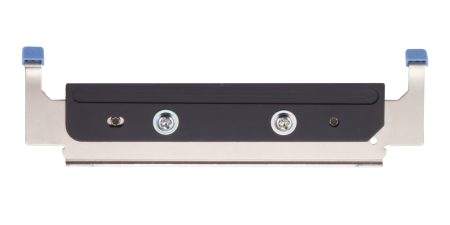
    • Printhead lifespan: The printhead is one of the most important components in any label printer. Longer-life printheads help maintain consistent print quality and reduce replacement frequency.
    • Cutter durability: In high-volume environments, the cutter may operate thousands of times per day. Durable cutters help reduce jams and incomplete cuts.
    • Media path design: A well-designed media path helps labels feed smoothly and reduces misfeeds, jams, and wasted labels.
    • Housing materials and construction: Commercial environments may expose printers to heat, humidity, dust, or cleaning chemicals. Durable materials help the printer withstand these conditions.
    • Stable connectivity: Reliable wired, wireless, or cloud connectivity helps prevent missed print jobs and keeps workflows moving.
    • Maintenance accessibility: Printers designed for easy cleaning, media changes, and component replacement are often easier to maintain and less likely to experience preventable downtime.

    Reliable commercial label printers are typically characterized by consistent print quality, fewer jams, stable connectivity, and components designed for long-term use.

    Choosing a Label Printer for Commercial Environments

    Choosing a commercial label printer starts with understanding where and how it will be used. In addition to supporting the label types your operation requires, the printer should be built for the environment where it will operate.

    Commercial environments can expose printers to heat, humidity, dust, frequent handling, and cleaning chemicals. A printer designed for these conditions is less likely to require frequent repairs or replacement, which can help reduce long-term ownership costs.

    When evaluating a commercial label printer, consider the following:

    Printer Form Factor for Different Workspaces

    Printer design affects where and how employees use it. Front-loading and top-loading designs can make media changes easier in tight spaces, while wall-mounting options may help free up counter space in kitchens, prep stations, or healthcare environments.

    The right form factor depends on the workflow and available space.

    High-Volume Printing for Demanding Workloads

    Some environments require continuous, high-speed printing throughout the day. This may include labeling restaurant orders, retail inventory, shipping packages, patient medications, or kiosk-generated labels.

    A commercial label printer should be designed to keep up with the expected print volume without frequent jams, cutter failures, or overheating.
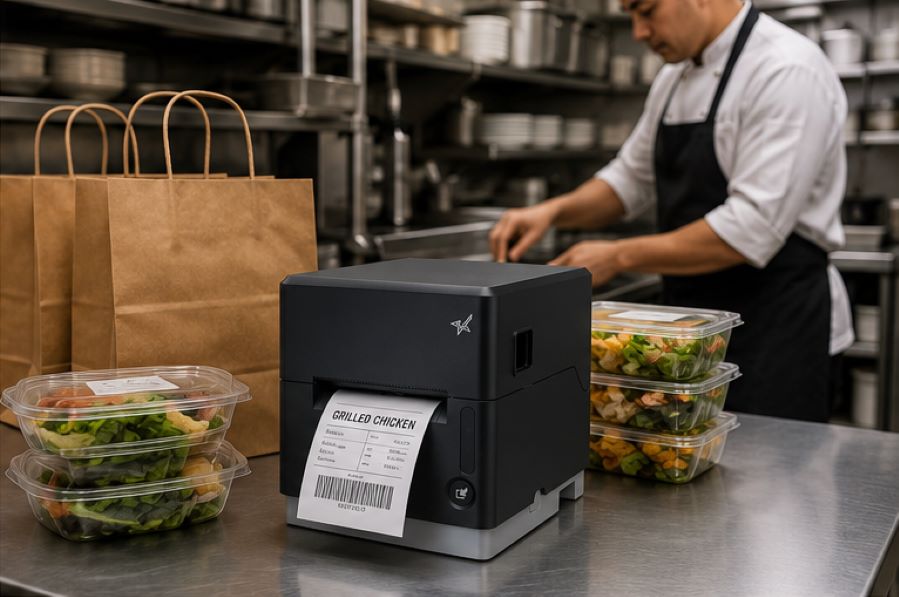
    The Benefits of Durable, Reliable Commercial Label Printers - Catering

    Support for Multiple Label Types

    Commercial labeling needs often vary by application. Some workflows use linerless labels, while others require die-cut labels, receipts, or permanent adhesive labels.

    A multifunction label printer can support multiple media types from a single device, allowing businesses to standardize hardware across different workflows while reducing the number of printer models they manage.

    Reliable Connectivity

    A commercial label printer should maintain stable wired, wireless, or cloud-based connections depending on how the business operates.

    For cloud-connected workflows, reliable communication between software and printers is especially important to prevent delayed or missed print jobs.

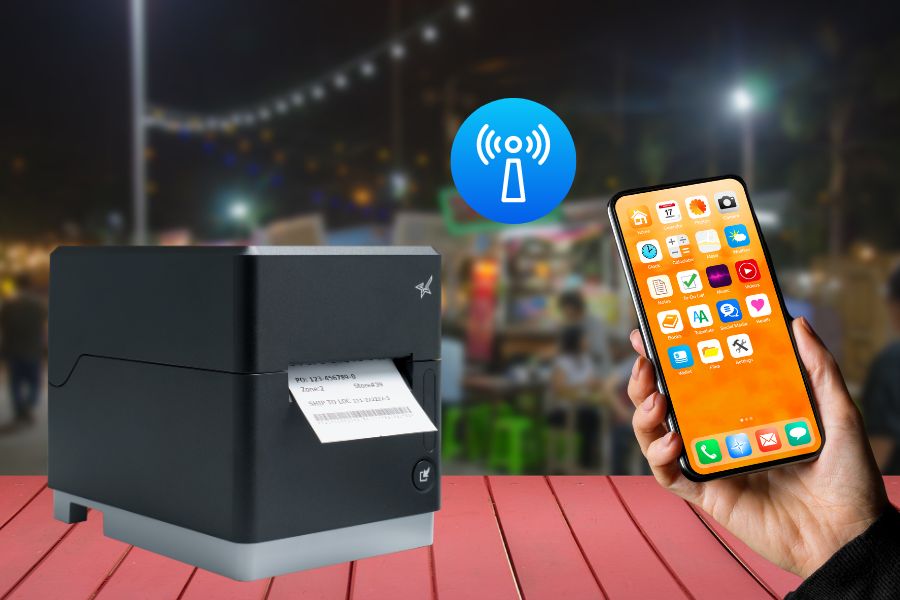
    Easy setup also matters, especially for wireless environments. Features like BLE-assisted Wi-Fi setup, available on Star’s mC-Label2 CWBi models, can help employees connect printers quickly using a smartphone or tablet without complex network configuration.

    Easy Printer Maintenance

    Routine cleaning and maintenance help prevent adhesive buildup, cutter jams, and print quality issues. Commercial label printers designed with tool-free maintenance, simple media loading, and clear cleaning instructions can make routine upkeep easier for employees and reduce preventable downtime.
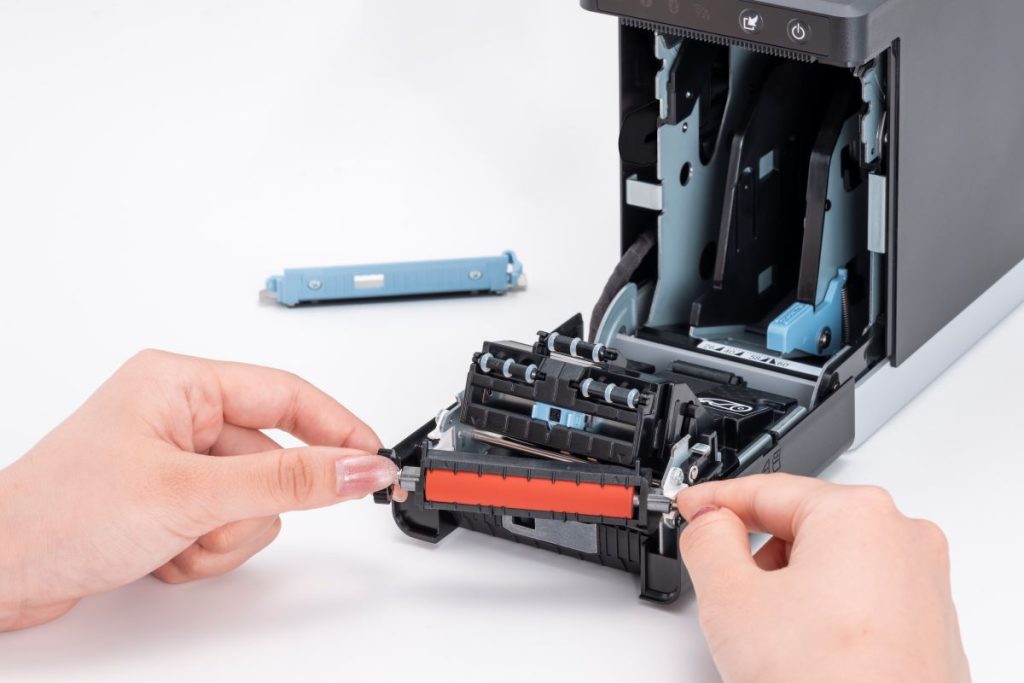
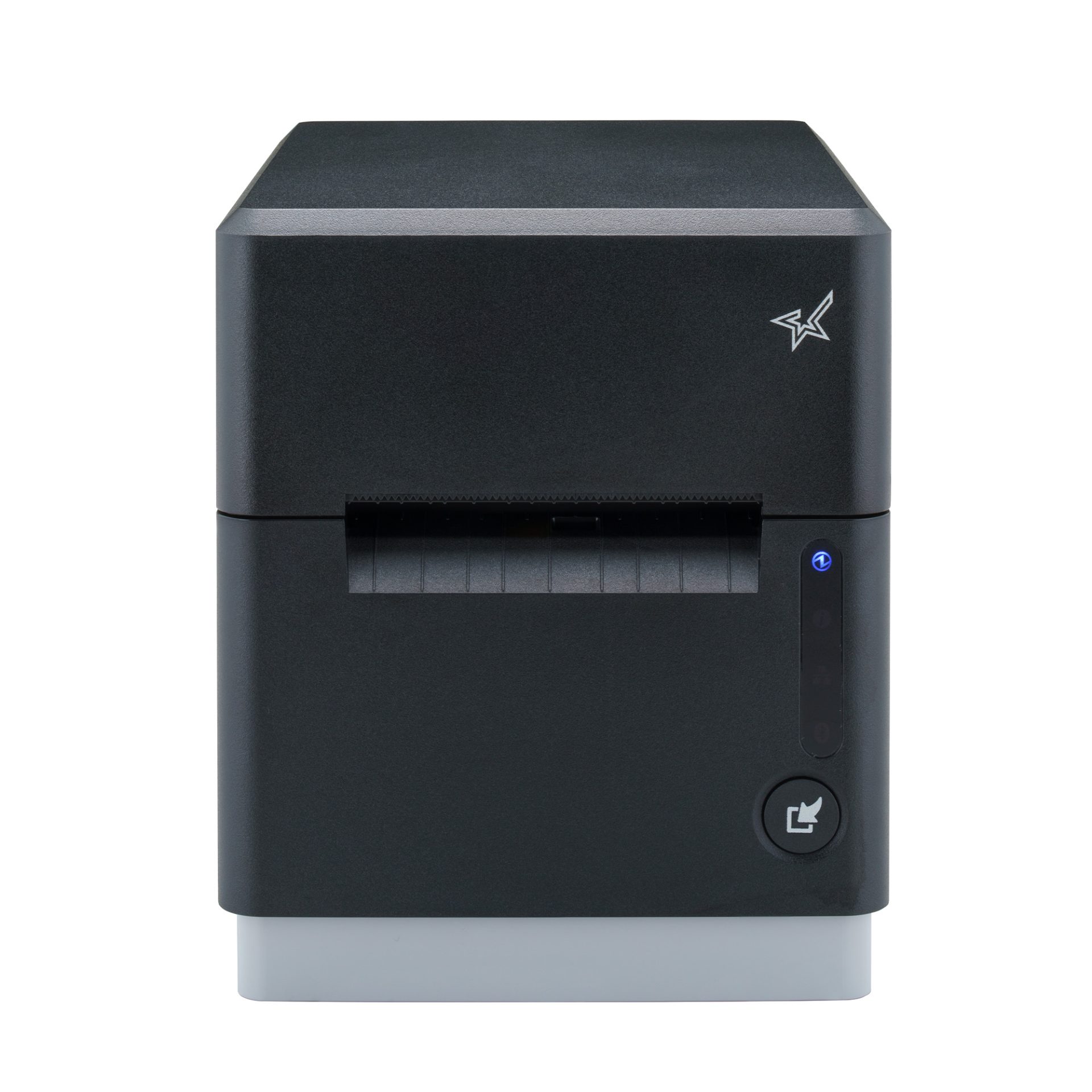
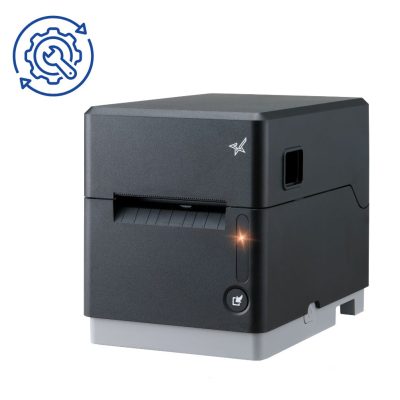
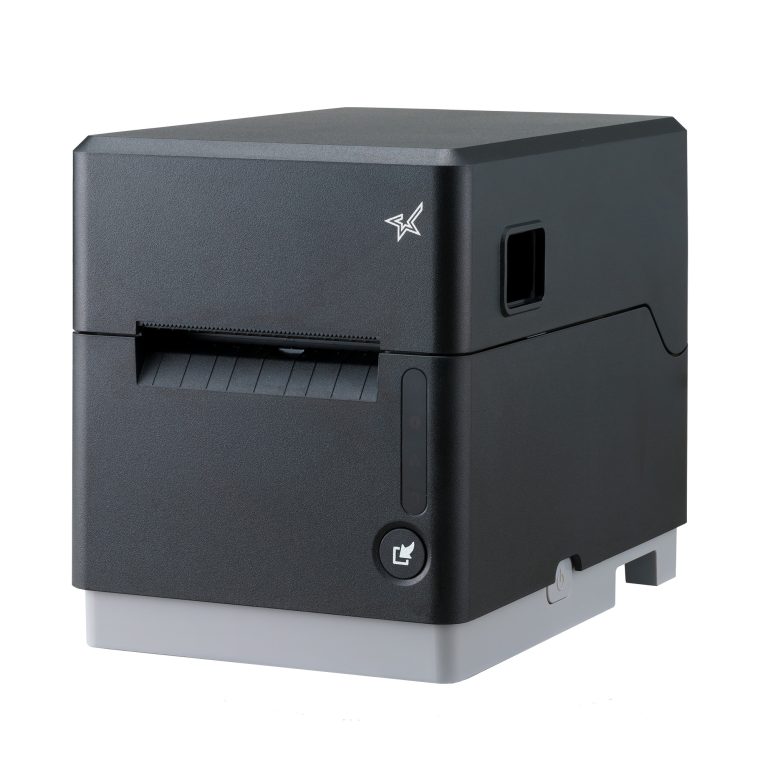
    The mC-Label2 multimedia printer by Star Micronics features user-friendly, tool-free maintenance.
    The mC-Label series by Star Micronics has tool-free, super easy maintenance.

    Why Durable and Reliable Printers Matter in Daily Operations

    In many businesses, labels are part of daily workflows. When a label printer stops working, those workflows can slow down or stop entirely.

    In a QSR kitchen, a printer failure can delay order packaging or delivery handoff. In an ecommerce fulfillment center, it can interrupt shipping and inventory tracking. In healthcare, missing labels on medications, patient records, or specimens can create serious operational and compliance issues.

    Reliable commercial label printers help reduce these risks by supporting consistent print quality, stable connectivity, and dependable performance during high-volume use.

    Over time, printer durability also affects ownership costs. A printer built for its environment is less likely to require frequent repairs, component replacements, or full device replacement. This can help businesses reduce downtime, maintain labeling consistency, and extend the useful life of their equipment.

    Explore Star Micronics Commercial Label Printers

    Choosing the right commercial label printer starts with understanding your environment, print volume, media requirements, connectivity needs, and maintenance expectations. The right printer should match the demands of your workflow and the types of labels your business relies on every day.

    Star Micronics offers a range of commercial label printers designed for retail, restaurant, healthcare, fulfillment, and other high-volume environments. From multifunction label printers that support linerless, die-cut, and receipt printing to purpose-built sticky linerless label printers, Star provides options for a wide range of labeling applications.

    Explore Star’s Labeling Solutions and Receipt and Label Media to learn more, or contact Star Micronics for help choosing the right commercial label printer for your business.

    Learn More About Star Label Printers

    Frequently Asked Questions About Label Printer Durability and Reliability

    What features make label printers more durable for commercial environments?

    Durable commercial label printers are typically built with long-life printheads, durable cutters, strong housing materials, stable connectivity, and media paths designed to reduce jams and misfeeds. Easy maintenance access also helps keep the printer operating consistently over time.

    How do durable label printers reduce downtime?

    Durable printers reduce downtime by using components designed for frequent, high-volume use. Printers built for harsh environments, such as hot restaurant kitchens or healthcare settings with frequent cleaning, are less likely to fail or require frequent repair. Long-life printheads and cutters also reduce replacement frequency.

    What should businesses look for in a high-volume commercial label printer?

    Businesses should look for print speed, cutter durability, media compatibility, reliable connectivity, and maintenance accessibility. The printer should be designed for the expected daily print volume and the environment where it will operate.

    Why is label printer maintenance important for reliability?

    Routine maintenance helps prevent adhesive buildup, cutter jams, print quality issues, and media misfeeds. Cleaning the printer regularly helps ensure labels remain readable and barcodes scan correctly.

    Can durable label printers support wireless and cloud connectivity?

    Yes. Many commercial label printers support wired, wireless, and cloud-based connections. Features like BLE-assisted Wi-Fi setup can also make wireless deployment faster and easier for employees.

    How do multifunction label printers improve commercial workflows?

    Multifunction label printers can support receipts, linerless labels, die-cut labels, and other media types from a single device. This helps businesses reduce the number of printer models they manage while supporting different workflows with one platform.

    Why does media compatibility matter in commercial label printing?

    Different workflows require different label formats and adhesive types. Choosing a printer that supports the required media helps ensure consistent printing, proper label application, and reliable performance.

    How do durable label printers lower the total cost of ownership?

    Durable label printers can reduce repair costs, extend equipment lifespan, and minimize downtime. Over time, this can lower replacement frequency and reduce interruptions to daily operations.

    Are linerless label printers reliable for high-volume environments?

    Yes. Linerless label printers are commonly used in high-volume environments because they allow for faster application and fewer media roll changes. Since linerless labels do not use backing paper, they also reduce waste and help keep workspaces cleaner.

    What industries benefit most from durable commercial label printers?

    Durable commercial label printers are commonly used in retail, restaurants, ecommerce fulfillment, healthcare, pharmaceuticals, manufacturing, airports, and logistics. Any business that depends on consistent labeling can benefit from a printer designed for long-term, high-volume use.

  • Star Micronics Expands ESC/POS Printer Compatibility Across Thermal and Impact Printing Solutions

    Star Micronics Expands ESC/POS Printer Compatibility Across Thermal and Impact Printing Solutions

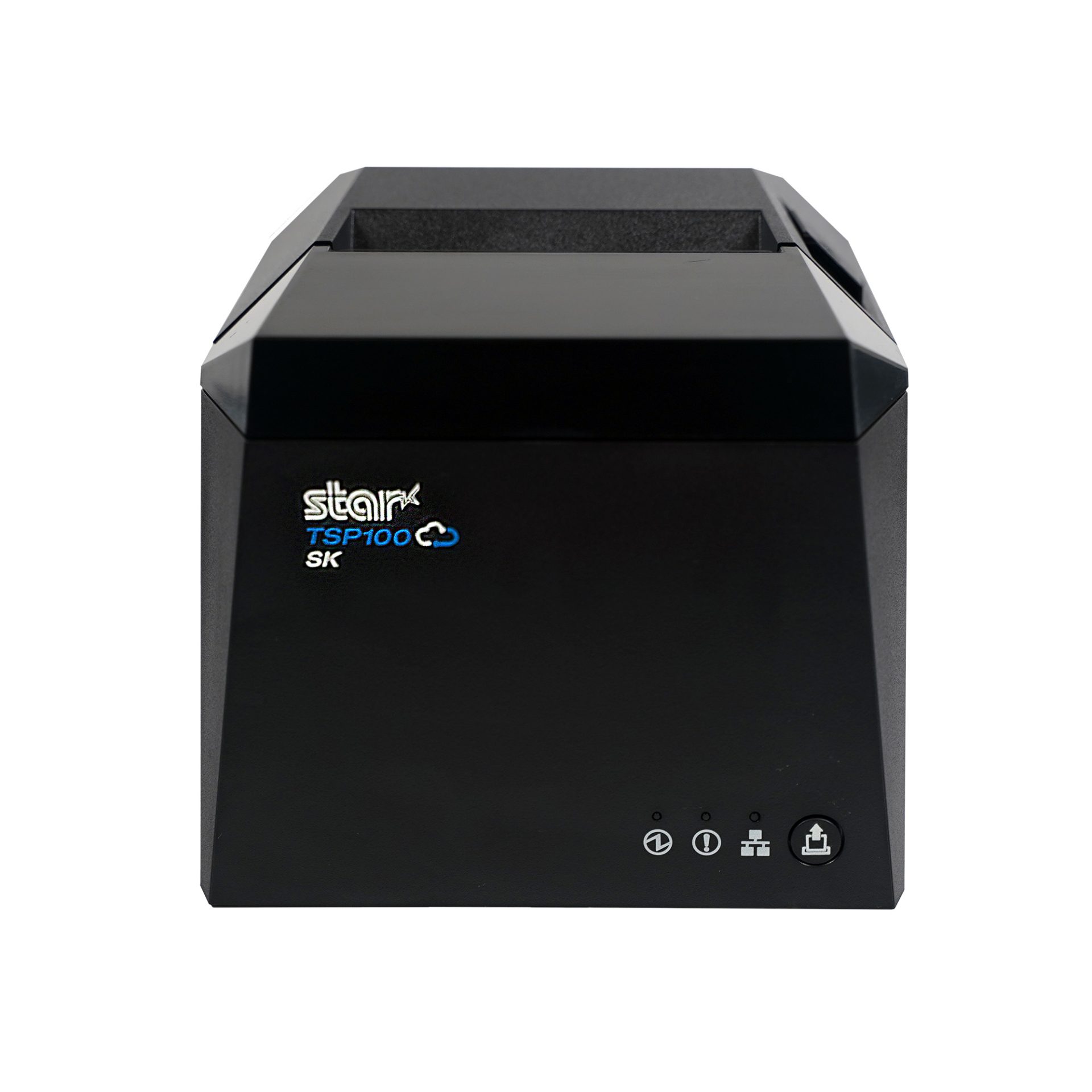
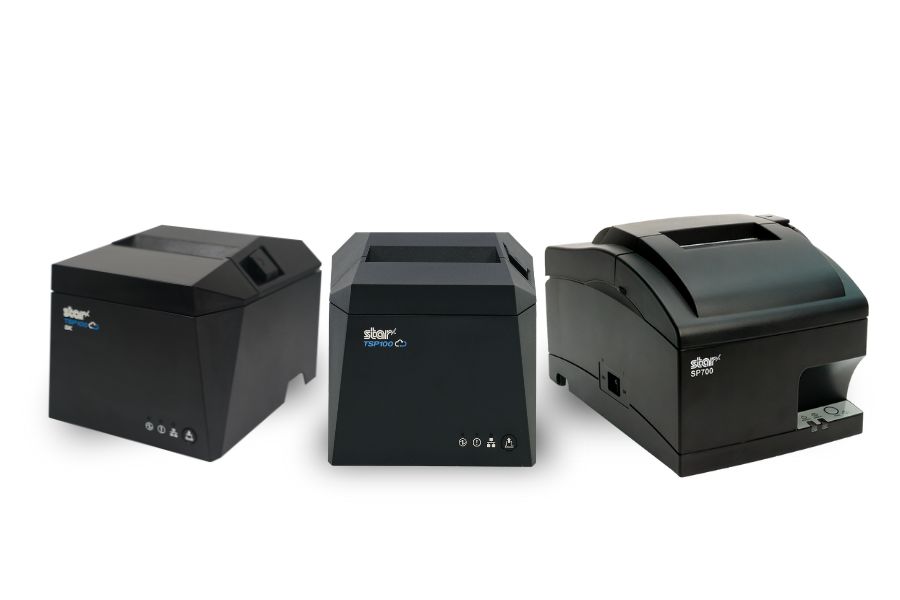
    New ESC/POS printer support includes the TSP100IV series, including SK models, and LAN-based ESC/POS emulation for the SP742 impact printer.

    Somerset, NJ – January 30, 2026 – Star Micronics today announced expanded ESC/POS printer support for the TSP100IV thermal printer series, including TSP100IV SK models, and added LAN-based ESC/POS emulation for the SP742 impact printer. This update extends across the UE and X4 models, including both receipt and linerless sticky label printers. It gives retailers, resellers, and software developers the flexibility to expand their Star hardware portfolio or move to Star, even when their current applications rely on ESC/POS support.

    TSP143IV Series with ESC/POS: Compact & Connected

    The TSP143IV UE (thermal receipt) and TSP143IV UE SK (linerless sticky label) provide a balance of compact design and versatile connectivity. Both models feature USB-C, LAN, CloudPRNT, and Android Open Accessory (AOA) support. With the addition of ESC/POS emulation, integration with legacy systems is even simpler.

    TSP143IV X4 Series with ESC/POS: Future-Proof Versatility

    The TSP143IV X4 (thermal receipt) and TSP143IV SK X4 (linerless sticky label) printers bring four interfaces in one device — “Ultra-C” USB-C, LAN, WLAN, and Bluetooth — along with CloudPRNT Next for faster, more reliable cloud-based printing. Now with ESC/POS emulation, the X4 series ensures maximum compatibility while maintaining industry-leading performance and connectivity.

    Shared Features Across All Models

    • ESC/POS emulation for broader software support
    • High-speed thermal printing (up to 250mm/s on receipt models, 180mm/s on SK label models)
    • Built-in guillotine auto-cutters
    • Compact, space-saving design with internal power supply
    • EnergyStar certification and eco-friendly packaging with minimal plastic

    SP742 Impact Printer Adds ESC/POS Support via LAN

    Star Micronics has also expanded ESC/POS™ emulation support to its SP742 impact printer with the LAN interface. This update enables broader compatibility with legacy POS systems that rely on ESC/POS while continuing to support environments that require durable, impact-printed output. The SP742 remains well suited for kitchens, back-office operations, and other applications where impact printing is preferred.

    Supporting Retail & Hospitality Innovation

    “By adding ESC/POS emulation to all four models in the TSP100IV series, we’re giving businesses and ISVs greater flexibility without compromising the advanced performance that defines Star. Whether for receipts or linerless sticky labels, the UE and X4 models deliver the connectivity, reliability, and sustainability today’s businesses need.”

    For more details on the new ESC/POS-enabled models, visit starmicronics.com or contact sales@starmicronics.com.

    Can’t get enough industry news?

    Star Micronics logo, point-of-sale (POS) hardware and technology company.

    Star Micronics is a global leader in POS hardware and transaction technology, providing printers, secure cash management, and connected peripherals for retail and hospitality environments. Known for reliability and developer-friendly integration, Star solutions work seamlessly with Android™, iOS, Windows®, and web-based POS platforms to power receipt, label, ticket, and order printing across modern commerce environments.

    Star’s cloud technologies extend printing beyond the counter. CloudPRNT Next enables scalable direct cloud printing, while StarIO.Online is Star’s fully managed cloud printing service that removes the need for server infrastructure and simplifies remote printer management across distributed locations. Star also offers a broad portfolio of POS peripherals, including barcode scanners, scales, and tablet stands, designed to work together as a complete hardware solution.

    Learn more at starmicronics.com or follow Star on LinkedIn, YouTube, Facebook, Instagram, and X.

    Media Contact:

    Christin Dorner
    Star Micronics America, Inc.
    cdorner@starmicronics.com
    848-216-3318

  • Avoid POS Downtime: Why Your Business Needs an Extended Warranty

    Avoid POS Downtime: Why Your Business Needs an Extended Warranty

    In the latest episode of the Rising Stars Podcast, host Kate Orara is joined by Paul Leduc, CEO of Globe POS Systems, for an insightful discussion on the importance of extended warranties in the POS industry. In “Avoid POS Downtime: Why Your Business Needs an Extended Warranty,” Paul shares his expertise on how businesses can safeguard their POS investments and minimize costly disruptions.

    Paul breaks down the most common hardware failures, the true cost of downtime, and how extended warranties help businesses stay operational while reducing unexpected repair expenses. He also discusses how Globe POS partners with Star Micronics to offer seamless warranty solutions that keep retail and hospitality businesses running smoothly.

    The Business Benefits of POS Extended Warranties

    From reducing downtime to ensuring long-term cost savings, this episode is packed with actionable advice for business owners, ISVs, and resellers looking to perfect their POS system reliability. Whether you run a small retail shop or a multi-location restaurant, Paul’s insights will help you understand how to make the smartest investment in POS hardware protection.

    • Protect your business from costly repairs
    • Maximize POS uptime and efficiency
    • Gain peace of mind with long-term hardware coverage

    Loving the podcast? Subscribe now, and let us know what you think by leaving a review!

    Stay up-to-date on all things Star, don’t forget to follow us on X, LinkedIn, Facebook, Instagram, and YouTube.

    The Rising Stars Podcast

    Immerse yourself in the world of point-of-sale (POS) with the Rising Stars Podcast by Star Micronics, hosted by industry pro, Kate Orara. Twice a month, we explore the fascinating journeys of innovators and businesses navigating the challenges of POS technology’s rapid pace.

    In every episode, Kate Orara, Star Micronics’ Partner Development Manager, discusses emerging retail technology trends and strategies with global industry giants. She’s spent her entire career meeting all the right people, and now listeners everywhere can benefit from this vast network of channel gurus.

    Always leading and always innovating, Star Micronics, a pioneer in POS and customer experience technology for over 60 years, welcomes you to join us in shaping a brighter future in the retail, hospitality, and cannabis industries.

    Want more industry news?

    Episode Transcript:

    [Music]

    Kate Orara: Hey there, retail tech enthusiasts! Welcome to the Rising Stars Podcast, your go-to for all things retail tech and point of sale. I’m Kate Orara, Partner Development Manager at Star Micronics, and I’m excited to guide you through this journey. Here, we dive into the latest innovations shaping the retail, hospitality, and cannabis industries. So whether you’re a techie or a business owner, this is your backstage pass to insider knowledge. Join me and the Star Micronics team as we innovate and rise together.

    Welcome back to another episode of Rising Stars Podcast! I’m your host, Kate Orara, and I’m really excited for today’s discussion. I have a good friend and industry partner with me—Paul Leduc, CEO of Globe POS. Paul, how are you?

    Paul Leduc: I’m great! How are you? Nice to see you again.

    Kate Orara: Good to see you too! I’m super excited for today’s conversation. We had a call a couple of weeks ago that really inspired this topic, and I knew we had to bring it to the podcast. We’re talking about something near and dear to my heart—extended service warranties. I have experience in the services industry, working in warranty and non-warranty repair, so I know firsthand how important this topic is.

    But before we dive in, I’d love for you to introduce yourself to our listeners. Tell us a little about your experience in the channel and about Globe POS.

    Paul Leduc: Sure! I’ve been in the industry for a long time. I started in a software company as a dealer rep across North America, working with a variety of VARs of different sizes and focuses. Before that, I owned a grocery store, so I understand the retail environment firsthand. Over the years, I worked with different dealerships across different states and provinces. About 15 years ago, I decided to acquire Globe POS Systems because I wanted something stable and closer to home while staying active in the industry.

    To stay connected, I’ve remained involved in the RSPA (Retail Solutions Providers Association), serving on the board and keeping my ears on the ground for industry trends. I love engaging with resellers and partners and providing assistance wherever I can.

    Kate Orara: That’s great! Yes, we both have been involved with RSPA, and it’s such a fantastic organization. If any listeners have questions about RSPA, Paul and I are happy to help!

    Now, let’s dive into today’s topic: extended warranties. Our conversation a few weeks ago was about how Globe POS successfully incorporates extended warranties into its overall solution and how that has helped your business. To start, what inspired Globe POS to offer extended warranties on point-of-sale hardware, and how does this address common customer pain points?

    Paul Leduc: Years ago, manufacturers didn’t always offer extended warranties, and as a smaller VAR, that posed challenges. We wanted to grow beyond our immediate region while still offering high-level service, but the logistics were difficult. I remember flying out on a Sunday night to replace a hard drive for a customer, which was expensive and time-consuming.

    Without extended warranties, service and replacement costs could quickly add up for both us and our customers. It became clear that offering extended service plans was the best way to provide cost-effective, scalable support. When manufacturers started offering warranty add-ons more actively about eight years ago, we fully embraced it. Now, we can ensure that even customers in remote locations get the same level of service and peace of mind.

    Kate Orara: That makes so much sense. Having a warranty in place removes a lot of uncertainty for customers and prevents unexpected expenses.

    What are some of the key benefits for merchants who opt for extended warranties on their POS hardware? How do these warranties contribute to overall business continuity and cost savings?

    Paul Leduc: Beyond peace of mind, the cost savings are significant. One repair on a critical component like a scanner or cash drawer can be costly. Having a warranty means that rather than paying for an expensive repair or replacement, businesses are covered.

    Another benefit is faster service. If a business encounters an issue, they have a dedicated support line to troubleshoot first. Many times, it’s a simple fix—like pressing a reset button—but without support, the customer might have sent the unit in for repair, leading to unnecessary downtime.

    Extended warranties also ensure that businesses stay operational. If a POS terminal goes down, sales stop, and that’s lost revenue. For industries like hospitality and restaurants, where peak hours are critical, having warranty-backed support can mean the difference between minimal disruption and a full-blown crisis.

    Kate Orara: Absolutely! When I worked in services, restaurants would call us in a panic if their systems went down during the dinner rush. Having that warranty-backed support helped them get back up and running quickly.

    What are some of the most common POS hardware failures, and how do extended warranties help mitigate these challenges?

    Paul Leduc: It really depends on the environment. In restaurants, touchscreens take a lot of wear and tear—grease, spills, and heavy use can lead to dead zones or calibration issues. In retail, the biggest issues tend to be scanners, cash drawers, and occasionally printers.

    Having an extended warranty means businesses don’t have to worry about costly repairs. If a scanner is dropped or a cord is damaged, they can quickly get a replacement without extra expenses. It ensures minimal downtime and maintains business continuity.

    Kate Orara: That makes sense. Now, let’s talk about how extended warranties work with Star Micronics printers and other hardware. What should businesses know about coverage, response times, and maintenance support?

    Paul Leduc: Star Micronics is one of the easiest manufacturers to work with when it comes to extended warranties. The process is simple—when we sell a new printer, we can add the warranty with just a quick call. No complicated paperwork.

    If an issue arises, Star provides advanced exchange services. They’ll ship a replacement printer, and the customer just sends the faulty one back. Most issues, however, are solved over the phone. Instead of directing us to a knowledge base, Star’s team actually helps troubleshoot in real time, which saves a lot of frustration.

    Kate Orara: That hands-on support is invaluable. As technology continues to evolve, how do you see the role of extended warranties changing in the POS industry?

    Paul Leduc: While POS hardware itself is fairly stable, extended warranties will become even more important as businesses rely more on these devices. Many businesses keep their hardware for five to ten years, so offering a long-term warranty makes sense.

    The future changes in POS are happening more on the software side with AI and advanced analytics, but hardware remains the foundation of operations. Ensuring longevity and reliability through extended warranties will always be a smart investment.

    Kate Orara: Absolutely! Before we wrap up, here’s a curveball question I ask all my guests: If you could change one thing about the channel today, what would it be and why?

    Paul Leduc: I’d like to see more manufacturers commit fully to either channel sales or direct sales, rather than doing both. The channel has proven its value, and companies that truly invest in it see long-term success. While some direct sales efforts still exist, I think the channel is in a better position today than it was a decade ago.

    Kate Orara: That’s a great perspective. Thank you so much for joining me today, Paul! How can listeners reach out to you if they want to learn more about Globe POS?

    Paul Leduc: You can visit our website at globpos.ca for more information.

    Kate Orara: Perfect! Thank you again, Paul. I really appreciate your time and insights.

    And that’s a wrap for this episode of the Rising Stars Podcast! A huge thanks to our listeners for tuning in. Don’t forget to subscribe, rate, and leave a review—your feedback fuels our journey to bring you the best in retail tech. Stay connected with us on social media for updates and behind-the-scenes content.

    As we sign off, remember: the future of retail technology is in our hands, and together, we are shaping it. Keep innovating, keep rising, and until next time, this is Kate Orara signing off. Together, we rise.

    [Music]


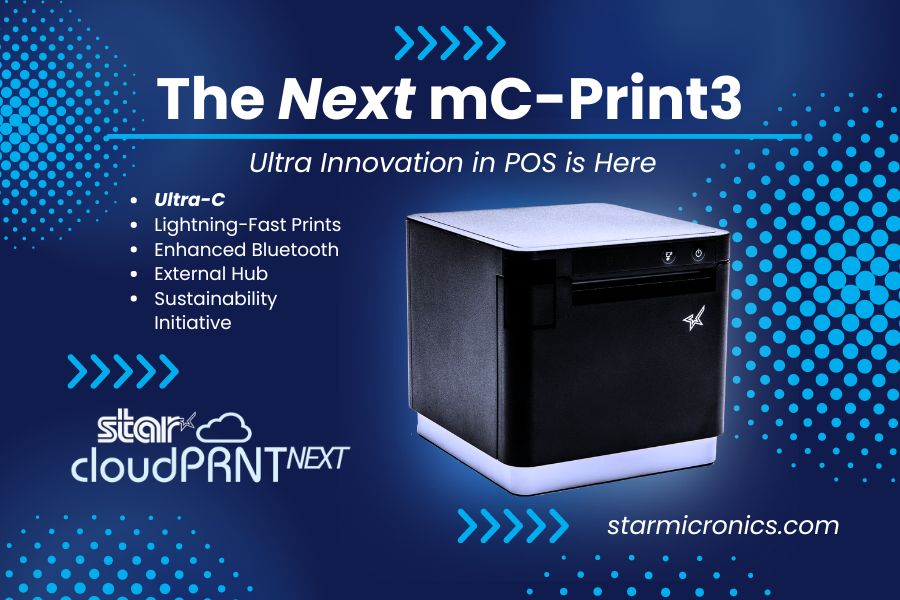
  • Star Micronics Unveils the Next mC-Print3: Connectivity and Sustainability Redefined

    Star Micronics Unveils the Next mC-Print3: Connectivity and Sustainability Redefined

    The mC-Print31Ci and mC-Print31CBi thermal receipt printers, featuring CloudPRNT Next and Ultra-C technology, set new benchmarks in speed, efficiency, and sustainability.

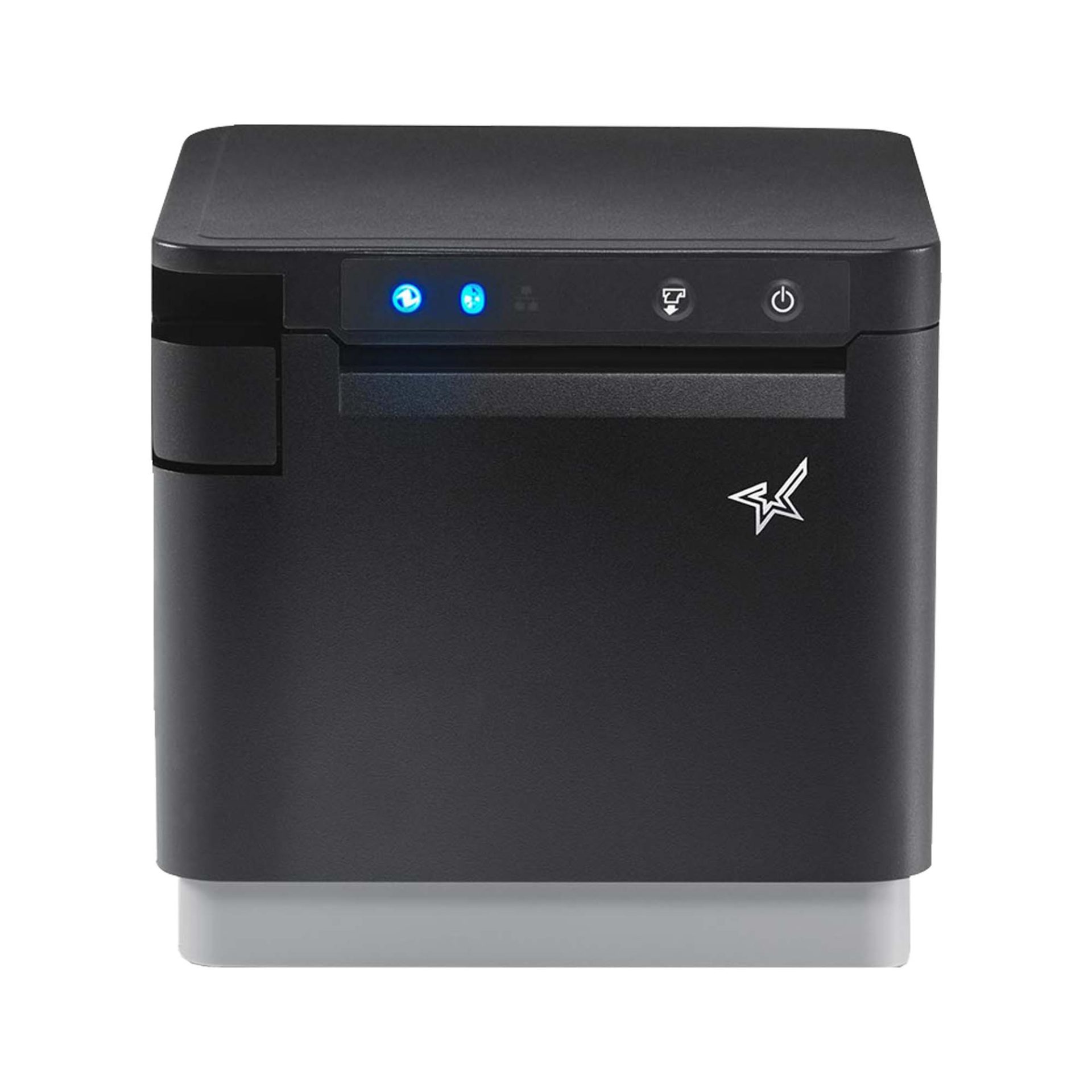
    Somerset, NJ – July 24, 2024 – Star Micronics, a global leader in point-of-sale (POS) technology, is excited to announce the highly anticipated launch of the mC-Print31Ci and mC-Print31CBi, the latest additions to the esteemed mC-Print3 series of thermal receipt printers and part of the mCollection®. These new models redefine POS printing standards, combining speed, flexibility, and innovative connectivity features to significantly enhance retail and hospitality operations.

    The mC-Print31Ci and mC-Print31CBi are engineered to set new benchmarks in printing speed and connectivity. They deliver prints at an impressive rate of up to 400mm/sec, ensuring fast, high-quality outputs that boost store efficiency. These models also feature the latest CloudPRNT Next technology, providing faster and more dependable cloud-based printing using the MQTT protocol.

    Key features of the mC-Print31Ci and mC-Print31CBi include:

    • CloudPRNT Next Technology: Advanced cloud-based printing using the MQTT protocol for enhanced performance.
    • Ultra-C Technology: 20W USB-C power and data transfer for seamless connections with iOS, Android, and Windows devices.
    • Enhanced Bluetooth Connectivity: The mC-Print31CBi model offers twice the Bluetooth speed for improved communication.
    • Lightning-Fast Printing Speed: Capable of printing up to 400mm/sec, reducing transaction times and increasing efficiency.
    • External USB Hub Support: Allows connection of up to three peripherals, enhancing functionality.
    • Sustainable Packaging: Eco-friendly packaging made entirely of recyclable materials, with zero plastic wrapping.
    • Robust and Reliable: IP22 splash-proof, insect-proof, and dust-proof design suitable for demanding environments.

    In alignment with Star Micronics’ commitment to sustainability, the mC-Print31Ci and mC-Print31CBi feature compact packaging that reduces ecological impact and increases inventory capacity during transportation. The packaging is entirely plastic-free and reduces cable waste by not including cables that most people already have. The printers’ robust design ensures they can withstand the hustle of a busy kitchen and the demands of a high-traffic retail setting.

    Experience what’s next in thermal receipt printing with Star Micronics’ mC-Print31Ci and mC-Print31CBi, where efficiency, innovation, and sustainability meet.

    Schedule private demos with Star representatives by contacting sales@starmicronics.com.

    Love Industry News? Explore our Podcast:

    Star Micronics logo, point-of-sale (POS) hardware and technology company.

    Star Micronics, a world leader in point-of-sale (POS), has designated a portfolio of printing, labeling, secure cash management, and customer engagement solutions for any retail or hospitality establishment. Embracing the mPOS wave, Star’s SDKs allow developers to utilize Star printers with Android™, iOS, iPad®, and iPhone® devices to generate receipts, labels, Chit, and tickets. Star Micronics is always leading and always innovating, creating cloud-based printing solutions, including CloudPRNT and Star Cloud Services, with AOA support and MFi connectivity. Star also has a wealth of peripherals, including 2D barcode scanners, scales, tablet display stands, and more. Visit starmicronics.com or follow us on Facebook, Instagram, X, YouTube, or LinkedIn to learn more.

    Media Contact:

    Christin Dorner
    Star Micronics America, Inc.
    cdorner@starmicronics.com
    848-216-3318

  • The 5 Best Star Receipt Printers

    The 5 Best Star Receipt Printers

    Star Micronics offers a diverse range of thermal receipt printers designed to meet the unique demands of different work environments. Whether you seek a stylish printer to complement your aesthetic or a robust model capable of withstanding temperature fluctuations, liquids, dust, and intensive usage, there’s a Star receipt printer for you.

    Our lineup spans thermal and impact printers, each tailored to specific business needs. For those aiming to enhance promotional strategies, Star provides comprehensive solutions to craft receipts, coupons, and promotional messages with ease.

    Unsure which Star receipt printer aligns best with your business? Discover our top picks, perfect for various retail, restaurant, and hospitality settings:

    1. The TSP143IV Series

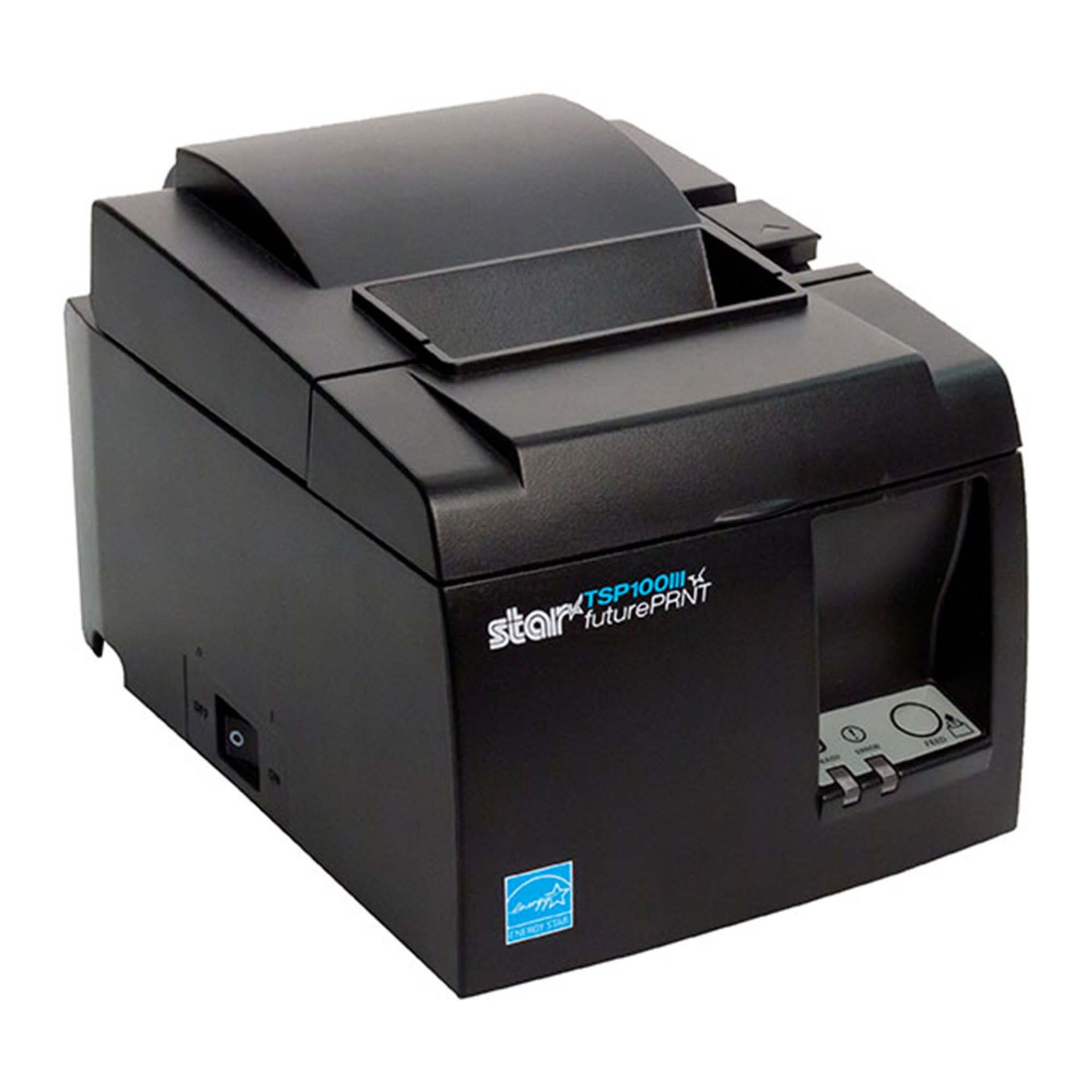
    The sleek TSP143IV series sets new standards in thermal printing with its compact design, reducing its footprint by 20% compared to the TSP143III. Ideal for mPOS and POS systems, it offers versatile connectivity (including Android Open Accessory (AOA) support and WLAN) and seamless integration with Windows, iOS, and Android. This series excels in cloud-based applications with CloudPRNT technology support and connects to Star Micronics Cloud Services for enhanced device monitoring and promotional capabilities. 

    The TSP143IV series also includes a sticky linerless label model, the TSP143IV SK, expanding its online ordering and delivery capabilities. Its efficient “drop-in and print” paper loading and internal power supply make it an indispensable tool in retail or hospitality.

    2. The mC-Label3 Multimedia Printer

    The mC-Label3 from Star Micronics is a multifunctional printer that excels in versatility, supporting a wide range of media from linerless labels (permanent and sticky) to die-cut labels and standard receipt paper. Its Cloud Ready capability enables connection to Star Micronics Cloud Services and Label Builder for customized label solutions. 

    With One Touch Label, users can easily print pre-set labels or receipts with the touch of a button. Its compatibility with iOS, Android, and Windows devices, combined with advanced connectivity options like SteadyLAN® and TetherLAN, positions the mC-Label3 as a top choice for diverse printing needs.

    Discover Star’s wide range of printing technologies >

    3. The mC-Print3 Series

    The premier mC-Print3 series combines style and next-gen functionality in a compact cube design, perfect for busy retail and restaurant spaces. It has an IP22 splash-proof rating and withstands harsh environments, including professional kitchens and outdoor venues. It excels in speed (400 mm/second) and connectivity, supporting various USB peripherals and offering access to Star CloudPRNT Next and Star Micronics Cloud Services.

    Its small footprint and robust design, coupled with multiple connection options (including CloudPRNT and SteadyLAN), make the mC-Print3 a powerful solution for any modern POS system.

    4. The mPOP® Multifunction System

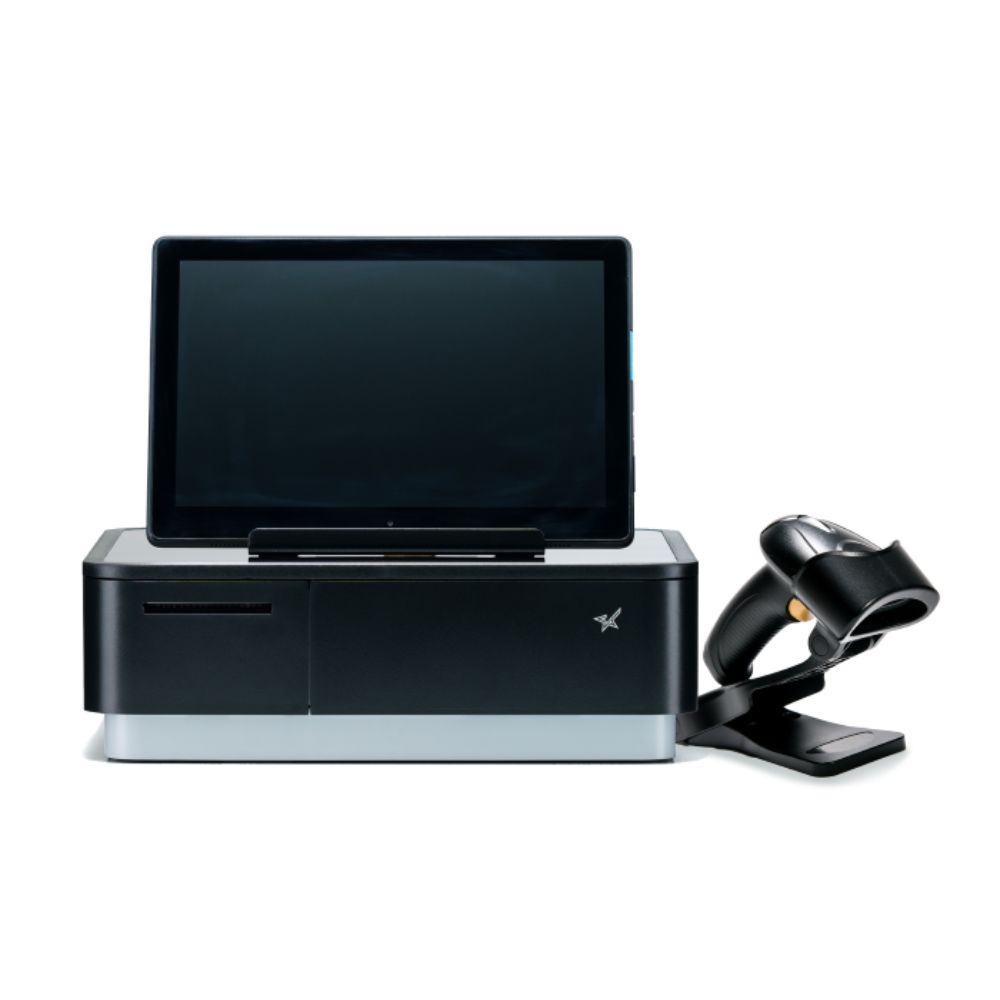
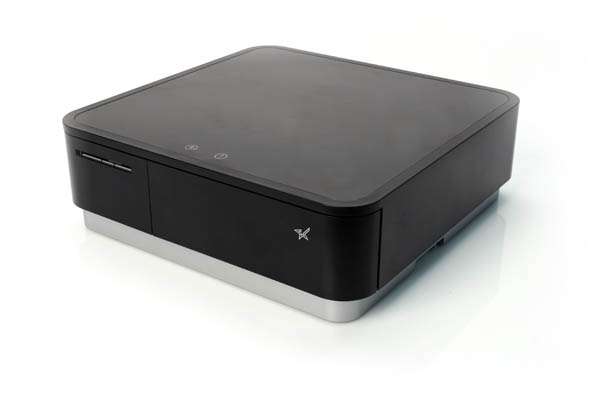
    Star Micronics’ mPOP redefines the tablet POS experience by combining a cash drawer with a 2-inch thermal printer into one innovative solution. It fits perfectly in boutique or salon settings, offering a sleek and ergonomic design without sacrificing functionality. It supports all major operating systems, providing versatility for diverse POS software. The addition of USB ports enhances its functionality, enabling connections with external devices like the optional Star 2D barcode scanner.


    Black mPOP with optional 2D Scanner shown with Tablet
    Tablets not included

    5. The TSP143III Series

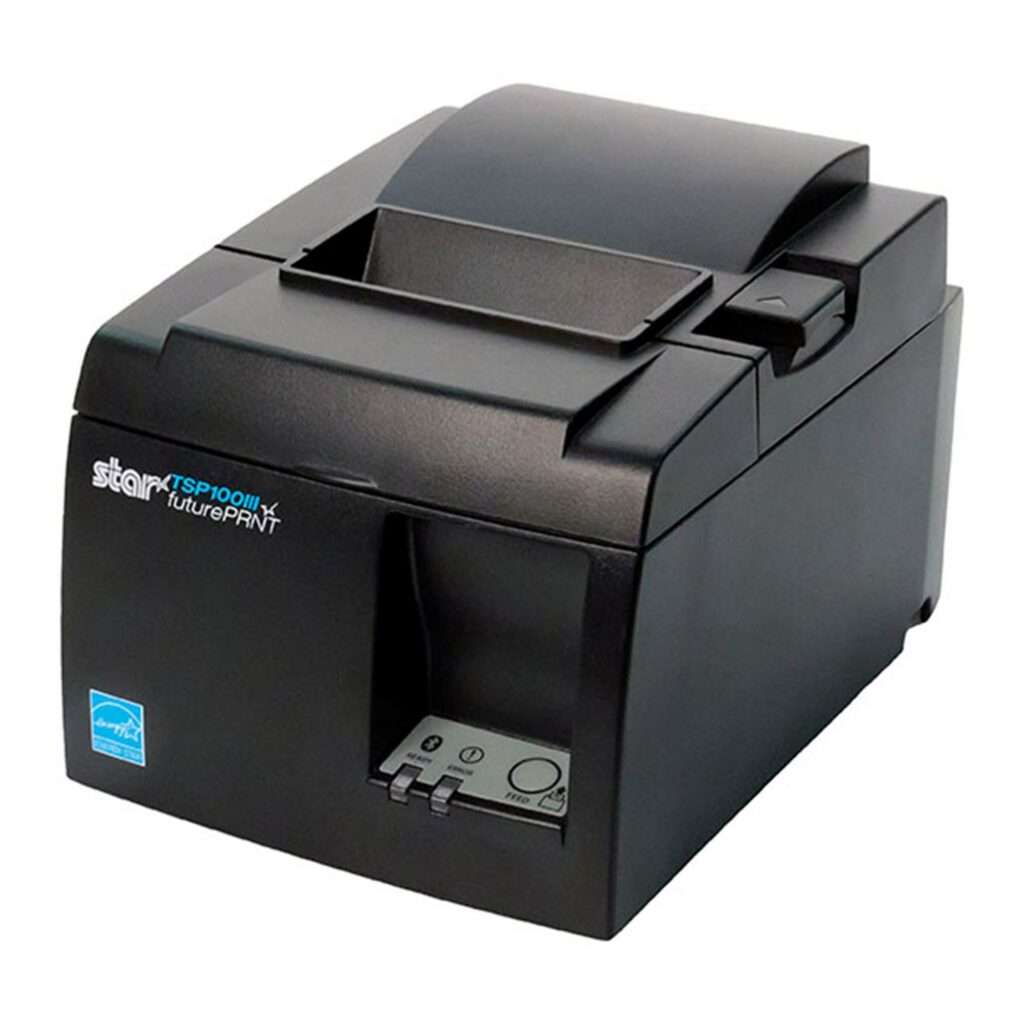
    The acclaimed TSP143III is a thermal receipt printer designed for businesses seeking reliable, high-quality printing solutions. Its diverse connectivity options, including USB, Bluetooth, LAN, and WLAN, make it suitable for various industries. With features like USB charging for mobile devices and access to futurePRNT software for receipt customization, it’s an adaptable solution for any retail or hospitality environment. It comes with a complete package for immediate setup, enhancing its appeal for businesses looking for an easy-to-use, comprehensive printing solution.

    How to Get Your Restaurant Ready for Online Ordering

    Are you looking for a new way to grow your restaurant business? Accepting online orders keeps you relevant and competitive.

    Star Micronics’ printer lineup complements any device and includes options for every type of business and environment, even where space is limited. The company’s roster of printers includes thermal units for clear printing, impact printers for harsh work stations, and hardware with functional, compact footprints.

    Learn more about Star Solutions:

    Original article written by Heidi Orpilla and published on January 10, 2019.

  • 8 Essential Must-Haves in a Linerless Label Printer

    8 Essential Must-Haves in a Linerless Label Printer

    Operational efficiency and sustainability are more critical than ever in today’s fast-paced business world. A linerless label printer can transform your operations, reducing waste and boosting productivity. To make the most of this technology, you must know what features to look for. This guide will help you identify the key elements that make a linerless label printer stand out and meet your business needs.

    1. Media Compatibility & Printing Quality

    A high-quality, linerless label printer should be able to handle diverse media sizes and widths. Optimally, it should handle all linerless media types, both permanent linerless and removable sticky linerless, but one type will suffice if it meets your business requirements.

    Ensuring crisp, high-resolution prints is vital whether you’re printing barcodes, product tags, or delivery labels. This guarantees that essential information like barcodes, pricing, and product details are easily readable and professionally presented.

    Additionally, check that the printer supports different media widths and types to accommodate various applications and operational needs, as not all linerless label printers can take different types of label paper or widths.

    2. Cutting Mechanism

    An efficient cutting mechanism significantly impacts the speed and consistency of your label production. For linerless labels, a reliable auto-cutter can enhance productivity by delivering precise cuts that optimize material use. The cutter should also handle various media types without frequent maintenance or jamming issues.

    The cutter for the mC-Label3 multimedia linerless label printer is easy to replace.
    The cutter for the mC-Label3 multimedia linerless label printer handles most media types.

    3. Durability & Reliability

    Linerless label printers often function in demanding environments like retail, warehouses, logistics, and healthcare. The printer’s components must be rugged and resistant to wear and tear from constant use. Consider models with a sturdy frame and high-quality internal parts to minimize downtime and maintenance.

    If you’re operating in challenging conditions, look for a printer with dust and moisture resistance, which ensures dependable performance day in and day out. Additionally, consider the warranty provided to ensure long-term reliability and that the brand stands behind its product.

    4. Connectivity

    With businesses relying on diverse systems and devices, seamless connectivity is essential. A versatile linerless label printer should offer multiple connectivity options, including USB, Ethernet, Bluetooth, and Wi-Fi, to integrate effortlessly with your existing infrastructure.

    Ensure compatibility with your software systems, whether you’re using legacy systems or modern cloud-based solutions. Direct connectivity to mobile devices and tablets can further streamline printing operations.

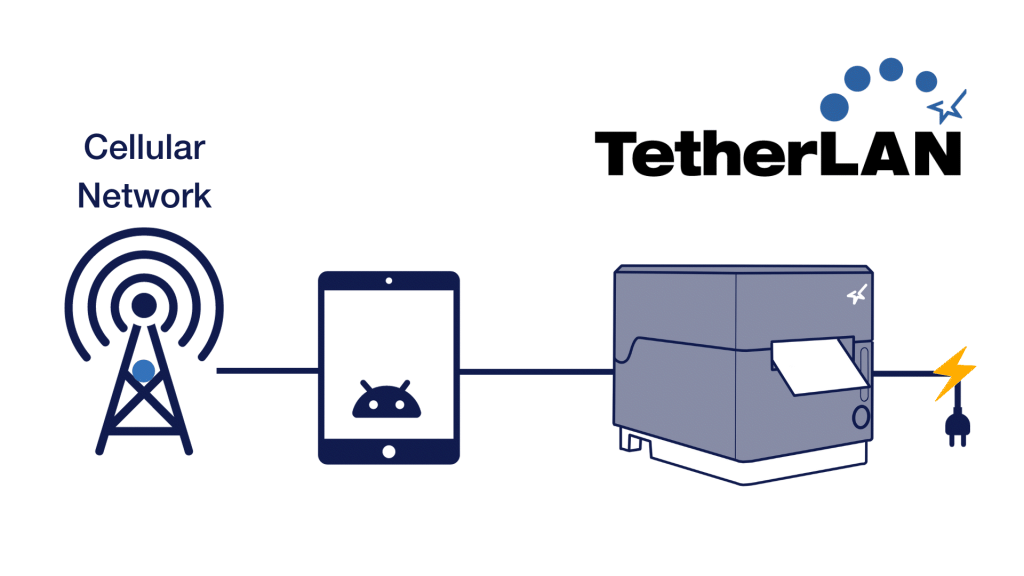
    Advanced connectivity features like SteadyLAN, TetherLAN, and CloudPRNT can expand business operations into new areas, like mobile and outdoor vending, enhancing your overall point-of-sale (POS), so look into printing technologies like these.

    TetherLAN technology in the mC-Label3 allows the tablet or device to share internet service with the printer.
    The mC-Label3 multimedia and linerless label printer uses TetherLAN technology.

    5. Integration

    For independent software vendors (ISVs) looking for linerless label printing solutions, proper integration is crucial. Look for printers that come with comprehensive SDKs to facilitate seamless integration with your software and other existing systems.

    Additionally, having access to a knowledgeable support team can help guide the integration process and troubleshoot any issues that arise.

    6. Cost-Effectiveness

    While investing in a high-quality printer is crucial, ensure it’s also cost-effective. Consider not just the initial price but the overall cost of ownership. This includes consumable expenses like label rolls, replacement parts, and maintenance requirements.

    Linerless label printers already reduce material waste by eliminating label liners, and a cost-effective model will amplify your ROI through efficient media use, high-speed printing, and minimized downtime. Look for a printer that will offer high ROI and significant value for your investment.

    7. User-Friendly Operation

    A linerless label printer’s interface and operational workflow should be intuitive, reducing training time and minimizing operational errors. Features like user-friendly maintenance, accessible loading mechanisms, and intuitive controls make it easy to train staff quickly.

    Some printers also offer maintenance alerts and cloud-management features for updating firmware, reducing downtime and ensuring maintenance is handled proactively.


    The mC-Label3 multifunction label printer has convenient maintenance alerts.
    The mC-Label3 multimedia linerless label printer has convenient maintenance alerts.

    8. Brand Support

    Choosing a trusted brand can significantly improve your long-term satisfaction with your linerless label printer. Strong customer support, robust warranties, and accessible technical resources ensure you can rely on prompt assistance if any issues arise.

    Additionally, readily available replacement parts and supplies ensure your printer continues to function optimally over its lifespan. A brand with a reputation for excellence and extensive experience can provide the reliability and trust you need.

    Top Star Micronics Linerless Label Printers to Consider

    Star Micronics offers a range of linerless label printers designed to meet various business needs. Here are a couple of standout models that deliver exceptional performance and reliability:

    TSP143IV SK Sticky Label Printer

    The TSP143IV SK by Star Micronics sets a new standard for compact, eco-friendly thermal linerless label printing, offering advanced connectivity options like Wi-Fi and AOA, and efficient, residue-free labels for diverse business needs.

    Find out more >

    mC-Label3 Multimedia Printer

    The Star Micronics mC-Label3 is a versatile multimedia printer that prints a wide range of labels and receipts, including both permanent and repositionable sticky linerless. It features cloud connectivity and innovative technologies like SteadyLAN and TetherLAN for enhanced printing convenience.

    Discover the mC-Label3 >

    Final Considerations for Linerless Label Printers

    Investing in the right linerless label printer can streamline your labeling operations and align with your business’s sustainability goals. By focusing on crucial features like print quality, durability, connectivity, and user-friendliness, you can select a printer that meets your specific business needs. Choose a printer that enhances your operational capabilities and supports your long-term business objectives by helping you achieve more efficiency, profitability, and customer satisfaction.

    Mastering Label Compliance in the U.S.

    Grasp the essentials of U.S. label compliance with this insightful guide, designed to navigate the complexities of label regulations across multiple industries.

    Ready to find your linerless label printer?

  • Why Every Café and Coffee Shop Needs a Linerless Sticky Label Printer

    Why Every Café and Coffee Shop Needs a Linerless Sticky Label Printer

    Operating a coffee shop or café is an exercise in multitasking. Orders come in from self-service kiosks, online, the drive-thru, and the counter. Keeping customers happy requires a wide range of options, like offering the choice of whole, skim, 2%, almond, oat, or coconut milk, adding an extra shot of syrup, or topping off their beverages with whipped cream or a sprinkle of cinnamon.

    In such a dynamic setting, utilizing labels from a dependable linerless sticky label printer can significantly streamline operations and ensure each unique customer request is handled accurately and efficiently.

    The teams at these shops must ensure they work accurately; mistakes and shrinkage can account for 4-10% of inventory loss. However, they must also work quickly to keep lines short and accommodate busy customers.

    Furthermore, counter workers, baristas, and other employees must communicate effectively in noisy, tight spaces. Sticky labels help maintain necessary organization and increase efficiency, making them indispensable in your busy café or coffee shop environment.

    Another challenge labeling solutions can help you overcome is operating in markets with increasing competition. The U.S. coffee shop market expanded to more than 40K stores in 2023, 7% growth over 2019. Daily Coffee News reports that many of the new stores are part of large chains. Small coffee shop and café businesses need tools that help them enhance customer experiences and engagement to hold onto their share of the market as larger companies attempt to overtake it.

    Why Every Café and Coffee Shop Needs a Linerless Sticky Label Printer

    Overcome Challenges with a Linerless Sticky Label Printer

    Labels may seem like a simple operational tool, but they can significantly impact café and coffee shop efficiency, profitability, and customer loyalty. Using a label printer for coffee shop orders lets you automatically communicate every order detail to baristas and prep stations so they can delight customers every time. In addition, labels with clear instructions decrease errors, boosting profitability.

    Linerless sticky label solutions are an excellent choice for cafes and coffee shops. They allow employees to print labels for each order, stick them to their work area, reposition them as they complete orders, and then attach them to beverage cups. Employees don’t need to communicate orders verbally or in handwriting. Linerless sticky labels streamline work and enhance productivity. 

    Sticky labels can also give cafes and coffee shops an effective method to elevate their brands and engage customers beyond the order’s completion. Full-featured label printers for coffee shops allow you to enhance labels with your logo, QR codes that simplify loyalty rewards program sign-ups, or personalized thank you messages. Labels give you quick, creative opportunities to engage with customers long after the service is provided.

    Read: The Importance of Permanent Linerless Labeling in Modern Business >

    Choose the Right Sticky Label Solution

    To get the greatest value from a label printer, work with a value-added reseller to create a solution tailored to your business. Discuss these options with your provider:  

    Repositionable linerless sticky labels

    Labels that your team can peel and reapply as needed—from order to workstation and to the customer’s beverage cup—ensure accurate order prep. Linerless sticky labels add even more efficiency.

    Linerless labels have no silicone backing that employees must remove, eliminating waste that can clutter counters and floors and allowing you to operate more sustainably. Additionally, employees can easily print, apply, and reapply the removable label with one hand, saving time. 

    Linerless labels also increase operational efficiency in other ways. Since there’s no backing, linerless label rolls contain 40% more labels, so employees spend less time loading printers and more time serving customers. In addition, because you’ll need fewer rolls on hand, they help you conserve storage space for other essential supplies to keep your business running.

    Label design capabilities

    Make sure you deploy a label solution that allows you to print different labels and create designs that enhance your brand. Label design solutions enable you to build a template for the labels your team uses to communicate order details and to generate creative labels, even die-cut, brand-enhancing labels, on demand. 

    Star Micronics Label Builder, one of Star Micronics Cloud Services, is an ideal option for cafes and coffee shops. It allows you to build customized labels, combining text, barcodes, QR codes, images, and shapes to create unique designs.

    If you use a Star mC-Label3 multifunction printer, you can store up to three labels directly on the printer, and your team can easily print them with the One Touch button. It also prints with any paper roll width between 25mm and 80mm for further customization.

    Why Food Packaging Labels Are Essential to Online Order Fulfillment
    The mC-Label3 multimedia printer can use permanent or repositionable sticky linerless labels.

    If you use the TSP143IV SK linerless sticky label printer, your team can quickly customize Star’s Cloud Services image templates and print a variety of labels as needed. Flexible label widths of 40mm, 58mm, and 80mm cater to all your labeling needs as well, enabling you to print everything from slim drink labels to wider order details.

    Tsp100iv Sk Left2 Small 1
    The TSP143IV SK sticky label printer from Star Micronics is great for cafes and coffee shops.

    Flexibility with modern features

    Your labeling solution must also include a printer designed to work well in your environment. A small footprint and vertical mounting options will help you save counter space and workspace. The TSP143IV SK is currently the market’s most compact 3” desktop sticky label printer. It also has a built-in vertical mounting capability and internal power supply, freeing up valuable counter space and optimizing your service area like never before.

    The ideal printer for cafés and coffee shops should feature versatile connectivity options such as USB and Wi-Fi, enabling seamless pairing with any setup. As cloud-based operations gain popularity, the ability to print directly from the cloud is also essential.

    Additionally, the best sticky label printers in this sector are characterized by their rapid printing speeds and low total cost of ownership (TCO). This affordability stems from their reliability and durability, ensuring they meet the demands of busy environments without overly frequent maintenance or replacement.

    Café and Coffee Shop Sticky Label Printer ROI

    Investing in a high-quality sticky label printer can yield substantial returns for your café or coffee shop. The tangible benefits include increased employee productivity and higher throughput, directly contributing to a healthy return on investment (ROI).

    By using linerless sticky labels, your business can enhance order accuracy, significantly reducing shrinkage and boosting profitability. Additionally, this sustainable choice minimizes waste from both paper and ingredients.

    Conquering Omnichannel Order Management with Cloud-Based Technology Solutions

    Consumers have spoken! The future of retail and hospitality is omnichannel, cloud-based, and connected. Is your business prepared?

    Perhaps even more crucial is the impact on customer satisfaction. Delivering consistently accurate orders can dramatically boost the customer experience. Furthermore, sticky labels can play a pivotal role in your strategy to increase customer engagement and build loyalty, keeping you competitive in a whirlwind market. 

    These benefits are measurable and often happen swiftly after implementing a new streamlined labeling solution. Beyond these immediate advantages, employee satisfaction increases when they are equipped with tools that make their tasks more manageable.

    As the business landscape evolves, relying on legacy tools and outdated processes is no longer viable. Upgrading to modern solutions that utilize linerless sticky labels ensures that your business remains efficient and competitive.

    Ready to upgrade your sticky label game?

  • Restaurant Printer Solutions: Back-of-House vs. Front-of-House Essentials

    Restaurant Printer Solutions: Back-of-House vs. Front-of-House Essentials

    In today’s rapid-paced dining environment, coupled with high employee turnover, the efficiency and reliability of restaurant operations are more critical than ever. Leveraging the right printer technology can significantly streamline workflows, from the kitchen to the counter, enhancing both the staff and customer experience.

    This guide explores the essential types of restaurant printers, covering back-of-house, front-of-house, and label printers to ensure seamless service and operation.

    Kitchen Printers for Efficient Back-of-House Operations

    In the heart of any bustling restaurant, the kitchen demands resilient and adaptable tools to match its vigorous pace. While impact printers have long been the stalwarts of back-of-house operations, modern advancements have made thermal printers equally indispensable. Engineered to endure the challenging kitchen environment, both types of printers ensure clear, quick order communication.

    Thermal printers, with their specific features like splash resistance and insect-proof design, alongside traditional impact printers, which use bond paper known for its durability under heat and humidity, collectively offer comprehensive solutions that cater to the diverse needs of professional kitchens, enhancing efficiency and reducing order preparation errors.

    Impact Printers: The Backbone of Kitchen Printing

    Impact printers stand as the traditional choice for kitchens, where the physical impact of a printhead against an ink ribbon ensures orders are printed in a durable, dual-color format. Using bond paper, these printers produce orders that can withstand the harsh heat and humidity conditions in busy kitchens. Also, bond paper is typically multi-ply, a favorite in the industry, providing a practical solution for orders shared across multiple stations.

    The distinct advantage of using two colors—black for the main order and red for modifiers—alongside the audible printout delivery on 2-ply bond paper makes impact printers invaluable for maintaining clear communication with kitchen staff. It all helps to minimize preparation errors, ensuring coordinated efforts and flawless dish preparation.

    Chef in modern, professional kitchen looking at ticket from mC-Print3 thermal receipt and restaurant printer by Star Micronics.

    Thermal Printers: Embrace the Modern Kitchen

    Thermal printers, with their advanced features tailored for modern professional kitchens, offer a compelling alternative to impact printers. These printers thrive in environments where direct heat and grease are minimized, providing high-quality printouts without the need for ink or ribbons. Attributes such as splash resistance, warning buzzers for incoming orders, and an insect-proof design make thermal printers irreplaceable in today’s kitchen setups.

    As for having multiple tickets for the same order, thermal printers can print back-to-back copies of the same order at a rapid pace. This guarantees that every workstation receives its required orders for timely food preparation. In fact, many modern kitchens equip each station with a thermal printer, streamlining the entire process to ensure appetizers precede entrees and orders are sent out just as guests expect.

    Coupled with electronic kitchen display systems (KDS), thermal printers integrate seamlessly into digital workflows, offering a cleaner, more efficient alternative to traditional printing methods and supporting the dynamic nature of back-of-house operations.

    Here are Star’s recommendations for kitchen and back-of-house printers:

    SP742 Impact Printer

    The SP742 Impact Printer from Star Micronics offers a durable, efficient solution for kitchens, combining high-speed, two-color printing with seamless CloudPRNT and Bluetooth integration for streamlined online order processing.

    Explore the SP742 >

    mC-Print3 Thermal Printer

    The mC-Print3 stands out as a versatile and sleek POS receipt printer, ideal for both front- and back-of-house environments that are heat controlled. Thanks to its compact size, splash-proof design, and robust connectivity options, like CloudPRNT Next and enhanced Bluetooth, this future-proof printer is adaptable to any POS system changes.

    Learn more >

    POS Receipt Printers for Front-of-House Excellence

    In the front-of-house areas of restaurants, the selection of a POS receipt printer is crucial to creating lasting impressions and facilitating quick transactions. Thermal printers stand out as the preferred choice, offering rapid, high-quality printouts essential for fast-paced service environments. Equipped with features like wireless connectivity and cloud-based printing, these printers integrate seamlessly with various POS systems, catering to the evolving demands of restaurant operations.

    The design of front-of-house printers plays a significant role in maintaining the aesthetic and functional harmony of restaurant settings. Thermal printers boast a sleek, compact design that minimizes space usage and operates quietly, preventing disruption in bustling dining areas.

    Furthermore, these printers deliver exceptional resolution, enabling the production of detailed receipts, branded coupons, and promotional materials. This capability not only meets the essential requirement for clarity in customer receipts but also contributes to enhancing the dining experience and building customer loyalty through personalized touches.

    mC-Print3 Thermal Printer

    The Star Micronics mC-Print3 wins again. This compact and versatile 3-inch thermal printer excels in both front- and back-of-house settings. Its splash-proof design and multiple connectivity options, including CloudPRNT Next, make it an adaptable choice for any restaurant environment.

    Find out about the mC-Print3 >

    TSP143IV Thermal Printer

    The TSP143IV series thermal printer offers a compact, future-proof solution with enhanced connectivity options like Android Open Accessory (AOA). It’s Cloud Ready for Star Cloud Services and has easy installation, ideal for modern mPOS or POS systems.

    Discover more >

    TSP143III Thermal Printer

    The TSP143III sets the standard for thermal receipt printing, offering versatile connectivity options, easy setup, and customization capabilities, making it an all-in-one solution for retail, hospitality, and cannabis sectors.

    Learn about the TSP143III >

    mPOP® Multifunction System

    The Star Micronics mPOP combines a cash drawer and printer into a sleek, hybrid POS solution. Now with direct iOS connectivity, supporting Windows and Android, it’s an ideal choice for versatile mPOS systems.

    Explore the mPOP >

    Label Printers for Streamlined Order and Inventory Management

    Accuracy and organization are paramount in a restaurant’s service, making label printing solutions invaluable. These printers facilitate the production of custom labels for food items, identifying special orders, allergy information, or takeout packages, thus ensuring correct order fulfillment.

    Versatile label printers can handle a range of media types, from sticky labels for food packaging to die-cut labels for shelf labeling, enhancing the efficiency and accuracy of both kitchen and front-of-house operations.

    TSP143IV SK Sticky Label Printer

    The TSP143IV SK by Star Micronics sets a new standard for compact, eco-friendly thermal linerless label printing, offering advanced connectivity options like Wi-Fi and AOA, and efficient, residue-free labels for diverse business needs.

    Find out more >

    mC-Label3 Multimedia Label Printer

    The Star Micronics mC-Label3 is a versatile multimedia label printer that prints a wide range of labels and receipts, including both permanent and repositionable sticky linerless. It features cloud connectivity and innovative technologies like SteadyLAN and TetherLAN for enhanced printing convenience.

    Discover the mC-Label3 >

    mC-Label2 Multimedia Label Printer

    The mC-Label2 packs powerful features into a compact, front-loading design, including 300 dpi resolution, support for linerless, die-cut, receipt, and continuous media, and connectivity options like USB-C, LAN, WLAN, Bluetooth, and Apple MFi-certified pairing (X4 models only).

    Explore the mC-Label2 >

    POS Printers for Restaurant Success

    The choice of printing solutions within a restaurant significantly influences operational efficiency, accuracy, and customer satisfaction. Integrating the right mix of back-of-house, front-of-house, and label printers into your restaurant’s operations can lead to smoother service, better food management, and an overall enhanced dining experience.

    As technology evolves, staying informed about the latest printing solutions and how they can benefit your restaurant is essential for staying competitive and meeting the high expectations of today’s diners.

    4 Restaurant Technology Challenges for the Next Decade

    The wants and needs of the consumer are constantly evolving and changing. SMB restaurant owners can prepare for the shifts in the restaurant industry by deploying the right technology.

    Find Your Restaurant Printer Solution Today:

    Original article written by Brianna Moriarty and published September 6, 2018.

  • Optimize Senior Care with Assisted Living Technology

    Optimize Senior Care with Assisted Living Technology

    The senior living landscape is rapidly evolving as technology takes center stage, transforming elder care facilities. This blog post explores the impactful role of innovative point-of-sale (POS) technology in optimizing facility management. We will show how the proper assisted living technology reduces costs and enhances resident care.

    Moreover, we will highlight how Star Micronics healthcare solutions meet the unique needs of the senior care industry.

    Embracing Technology in the Senior Care Industry

    Like many industries, nursing homes and assisted living facilities are embracing technology. Advanced tools are no longer just a convenience – they help to provide senior residents with more efficient and high-quality care.

    As the demand for senior care increases, implementing effective, time-saving technologies becomes crucial. These advancements streamline facility operations and significantly improve the experience of residents.

    According to federal data, the number of people living in the United States who are 65+ represented 17.3% of the population in 2022 and is projected to reach 22% by 2040. An estimated 3,152 new senior care facilities will be required to accommodate the growing demand. Consequently, the urgency for advanced technology to enhance resident care is more critical than ever. 

    Ideally, the POS solutions in senior care facilities should go far beyond payment transactions. They should be pivotal in helping to manage daily operations like visitor check-ins, cafeteria services, and in-house pharmacy applications.

    Assisted Living Technology Makes an Impact

    Technology is used extensively in nursing homes and long-term care facilities. It helps to modernize operations, enhancing resident and visitor experience, while also improving overall workflow. Plus, technology empowers staff to focus on what matters most: providing care to residents.

    Here’s how assisted living technology contributes to cost savings and enriches the caregiving experience:

    1. Self Check-In Operations

    Firstly, assisted living technology is revolutionizing visitor check-in processes, traditionally a task requiring multiple staff members. Now, facilities can implement an automated system using kiosks equipped to print linerless or die-cut labels.

    Alternatively, self-service workstations can be set up with tablets, display stands, mounts, and label printers. This setup offers a versatile and cost-effective approach. 

    In both setups, visitors enter their details at the kiosk or scan their driver’s licenses or IDs, and a name tag is instantly printed for them. This automation not only eases the workload for staff but also enhances visitor monitoring capabilities.

    Notably, white desktop and handheld scanner models by Star Micronics feature antimicrobial housing, which is particularly important in environments with vulnerable residents, enhancing safety and hygiene standards.

    Simplify Guest Check-ins with the mUnite Kiosk Stand

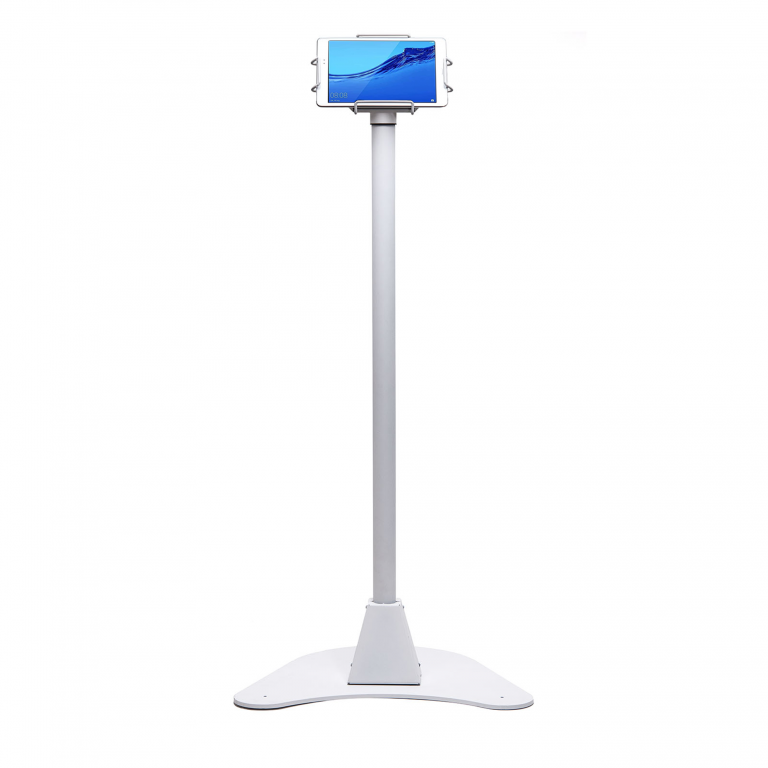
    Star Micronics’ mUnite Kiosk Floor Stand makes self-check-in easy for nursing homes and assisted living facilities. Its stable yet mobile and clean design is also perfect for displaying essential information and welcome messages to guests.

    2. Streamlined Cafeteria Services

    Optimize Senior Care with Advanced Assisted Living Technology

    Now, we all know that cafeterias in senior care facilities are essential for offering nutritious and delicious meals to residents. However, they often are there to serve visitors as well. To streamline the purchasing and checkout processes here, modern POS technology is indispensable.

    Star Micronics provides a comprehensive suite of POS hardware and technology ideally suited for both large and small nursing home cafeterias:

    Innovative Solutions for Small and Large Facilities

    Our range includes high-efficiency receipt printers, robust cash drawers, and versatile tablet POS stands. Each piece of equipment is designed to enhance operational efficiency, ensuring smooth transactions and a better dining experience. With Star Micronics, senior care facilities can equip their cafeterias with the latest in POS technology, ensuring every mealtime is as enjoyable as it is efficient.

    The Star Micronics mPOP® is an all-in-one healthcare technology solution that streamlines transactions and perfectly fits smaller facilities that don’t work with high amounts of cash. It includes an optional 2D handheld barcode scanner with antimicrobial housing in white models, adding extra peace of mind in assisted living facilities.

    Advanced Labeling for Diverse Requirements

    The mC-Label3 multimedia printer is an ideal solution for diverse cafeteria labeling requirements in nursing homes. These range from detailing ingredient lists and item descriptions to preparing labels for food delivered to residents’ rooms. This printer features a convenient One Touch function, enabling users to effortlessly print up to three preset label images with the press of a single button. 

    These labels, which can include important information like allergens and dietary restrictions, are preloaded onto the mC-Label3 through Star Micronics Cloud Services and can be printed without an internet connection.

    Additionally, Star Cloud Services offers a range of free receipt and label image templates tailored to specific dietary needs, ensuring clear and accurate communication of crucial information. This is especially critical in nursing home facilities.

    Multimedia Label Printer for Senior Care Facilities

    The mC-Label3 multimedia printer prints on most media types, including permanent and removable linerless sticky labels, die-cut labels, and receipt paper. This multifunctionality allows for one product for diverse applications.

    Self-Service Solutions for Visitor Convenience

    Furthermore, incorporating self-service kiosks or workstations in the cafeteria offers a cost-effective and versatile approach for visitors. These assisted living technology solutions especially cater to the needs of kitchens offering made-to-order food or self-checkout options. Self-checkout adds efficiency to the entire dining process, particularly helpful in senior care facilities.

    3. In-House Pharmacy Optimization

    In-house pharmacies in assisted living facilities are well-positioned to benefit from the reduced long-term costs due to technology. Multifunctional label printers like the mC-Label3 help with medication labels, resident record folders, and more.

    Star’s TSP847IIRx secure prescription printer is ideal for pharmacies in senior care facilities, with fast print speeds, built-in security features, and modern connectivity options.

    In addition, Bluetooth scanners enhance mobility for employees working at the customer counter and handling inventory.

    Enhanced Software Integration and Compatibility

    The ease of integrating Star Micronics solutions with existing nursing home software and healthcare POS systems is a significant advantage for developers and technology providers. Star also offers a wide range of software development kits (SDKs) that help developers get the most out of our POS hardware and technology. In turn, this aids in allowing their software to function the way it was intended. 

    Compatibility with popular software applications used in healthcare facilities ensures a seamless and interconnected ecosystem that works for everyone.

    Healthcare Goes High-Tech: How Technology is Solving Healthcare’s Operational Challenges

    The proper technology can help businesses in the healthcare industry streamline workflow and make up for employment shortages, helping to prevent costly errors.

    Stay Ahead of the Curve With Assisted Living Technology

    As we progress into the coming decade, the demand for senior care services is set to experience a remarkable rise. Star Micronics is at the forefront of this transformation, providing innovative technology solutions to address the unique challenges of senior living facilities.

    For administrators and caregivers, adopting these technological advancements represents not just a step toward the future but a commitment to elevating the standard of care for our aging population.

    Discover how Star Micronics can help your facility embrace this new era of senior care with innovative, efficient solutions.

    Modernize Your Senior Care Facility Today:

  • How to Choose Between SteadyLAN & TetherLAN for Your POS Printer

    How to Choose Between SteadyLAN & TetherLAN for Your POS Printer

    Staying connected and maintaining efficiency is essential for doing business, regardless of industry. Whether you run a retail store, restaurant, or mobile food truck, you need reliable and seamless printing technology for smooth operations. However, choosing the most suitable solution for your needs can be challenging.

    Star Micronics, a leader in point-of-sale (POS) printers and hardware, provides TetherLAN and SteadyLAN® technology in select POS receipt and label printer models, like the mC-Label3 multimedia printer, ensuring reliable tethered tablet network connections. But how do you know which technology you need?

    In this guide, we’ll take a deep dive into these products. We’re here to help you understand the defining features, advantages, and essential considerations when choosing between these options.

    SteadyLAN vs. TetherLAN: What’s the Difference?

    What POS printer technology is right for your business? Here are the details so that you can make an informed decision:

    Understanding SteadyLAN

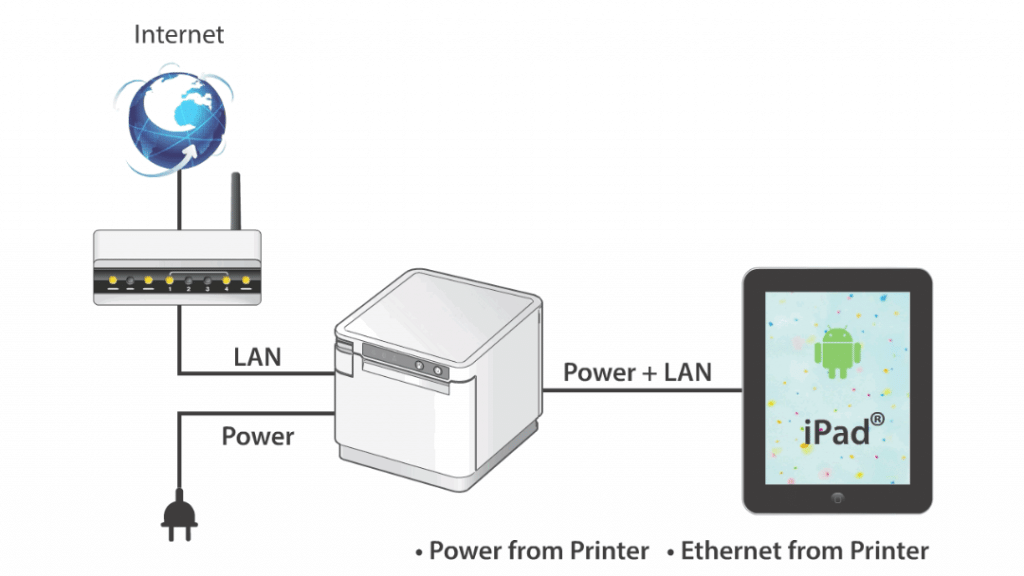
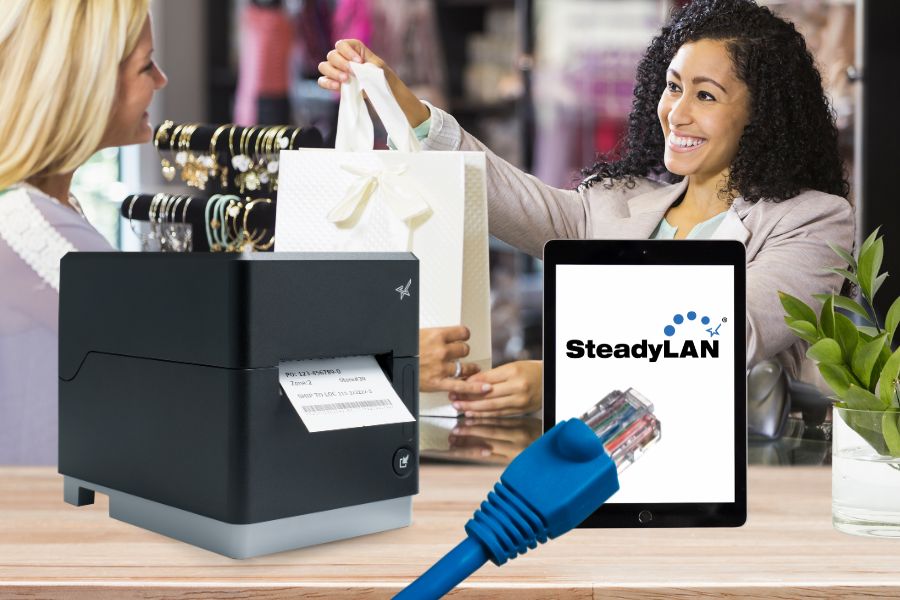
    Are you ready to leave unstable Wi-Fi behind and embrace consistent, high-speed connectivity? SteadyLAN, designed primarily for iOS devices, revolutionizes POS printing with its direct power and internet connection from a supported Star printer to your tablet or device. Through a Lightning or USB-C® cable, the mobile device secures a network connection from the Star POS printer, even if Wi-Fi signals are too unstable.

    This innovation translates to reliable and uninterrupted network connectivity with the added convenience of charging your connected tablet or device directly from the printer. SteadyLAN technology keeps your device powered up, even during the busiest hours.

    SteadyLAN’s direct connection from your POS printer provides a seamless link to your tablet and peripherals, significantly minimizing downtime and enhancing overall system performance.

    SteadyLAN by Star Micronics allows a networked printer to share internet service with your tablet or device.

    Key Benefits of SteadyLAN

    • Reliable Connectivity: A steady network link for iPad & Android POS systems ensures continuous operations without Wi-Fi dependency.
    • Constant Device Charging: The tablet is kept fully charged, eliminating the worry of battery drain during peak business hours.
    • Streamlined POS System: SteadyLAN creates a cohesive POS environment where all activities are centrally managed and cabled to the printer for increased efficiency and control.

    Understanding TetherLAN

    TetherLAN is designed for mobile devices with cellular connections, such as 4G or 5G tablets, smartphones, and hotspots. The technology allows these devices to share their Wi-Fi service with select Star Micronics printers via USB. This ensures a seamless and high-quality printing experience without needing LAN cables. Compatible with Android and Windows devices, TetherLAN is currently featured in the mC-Label3 multimedia printer by Star Micronics.

    By establishing a cloud-based printing environment, this technology shines in scenarios where conventional internet setups are challenging. In addition to sharing a tablet’s cellular connection, TetherLAN also provides USB-powered connectivity, keeping devices charged for continuous operation. Moreover, it provides access to the Star Micronics Cloud Services platform, allowing users to monitor their devices in real-time and create customized receipts and labels.

    TetherLAN mC Label3 Technology GIF

    Key Benefits of TetherLAN

    • Cloud-Based Printing Environment: Facilitates cloud-based printing using active cellular connections, ideal for places lacking standard internet services.
    • No LAN Cables Needed: Get efficient and reliable printing without requiring any LAN cables.
    • Continuous Device Charging: With the mC-Label3, Android and Windows devices stay charged for extended use, enhancing usability in various settings.
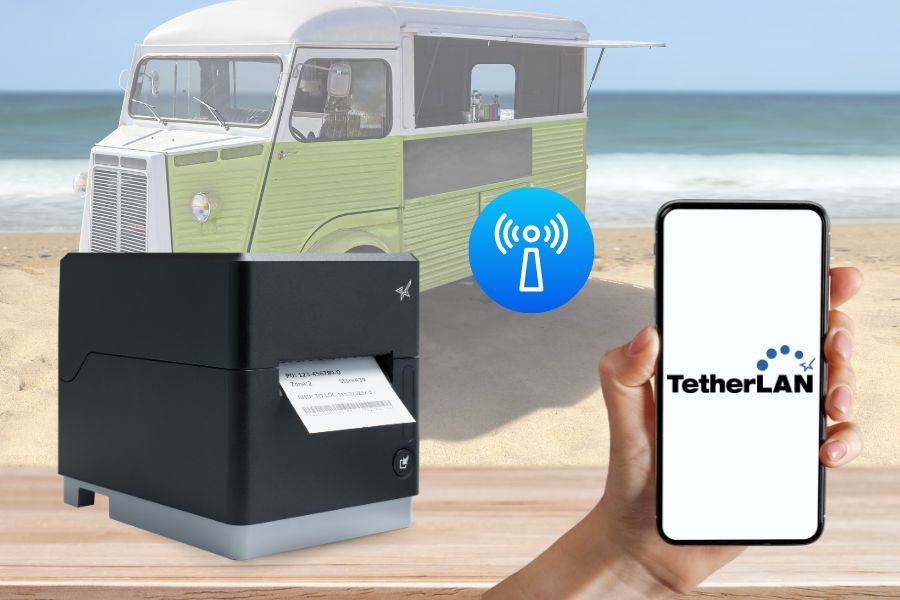
    • Ideal for Outdoor and Mobile Settings: Excellently suited for outdoor events or mobile operations where cabled internet access is scarce, offering versatility and ease of use.

    Choosing Between SteadyLAN and TetherLAN

    As the global printer market continues to evolve, with projections to surpass $43 billion by 2028 (Mordor Intelligence), staying informed about the latest features is crucial for making an educated decision. When it comes to selecting between SteadyLAN and TetherLAN for your POS printer, consider these key factors:

    1. Business Needs and Objectives

    Evaluate your business’s specific needs and objectives. If your environment lacks stable Wi-Fi and requires consistent internet connectivity, SteadyLAN is ideal. It ensures a reliable Ethernet connection directly from the tethered printer to your device.

    Conversely, if your business operates in dynamic settings with limited access to traditional internet setups, TetherLAN is more suitable. It leverages the cellular network on your device to maintain connectivity, making it perfect for mobile or outdoor operations.

    2. Existing Infrastructure

    Consider the existing technological infrastructure of your business. SteadyLAN is an excellent fit for setups already equipped with Ethernet infrastructure and is particularly beneficial in environments with weak Wi-Fi signals. TetherLAN, on the other hand, is ideal for businesses with no access to Ethernet ports that can rely on cellular networks to connect to their POS systems instead.

    TetherLAN technology in the mC-Label3 allows the tablet or device to share internet service with the printer.

    3. Budget Constraints

    When considering budget, it’s essential to recognize that different Star Micronics printer models have varying technologies, impacting their costs. Some models are equipped with both TetherLAN and SteadyLAN, which can influence their price. It’s important to note that not all Star printers currently have TetherLAN capability, though more models are expected to include this technology in the future.

    This variation in features means a range in pricing, allowing you to choose a printer that fits both your technological needs and budget. Evaluating the cost-effectiveness of each printer model, its capabilities, and your business requirements is crucial. For instance, investing in a printer with TetherLAN might be more cost-effective for a mobile or outdoor business environment where having the technology could enable more sales.

    Also, consider other long-term operational costs, including potential data usage fees with TetherLAN and the costs of infrastructure upkeep with SteadyLAN.

    4. Future Growth

    When planning for future growth and scalability, the choice between SteadyLAN and TetherLAN hinges on your business’s anticipated trajectory. SteadyLAN is an ideal solution for companies aiming for growth within a stable, fixed location, particularly those not planning to engage in outdoor or mobile events. Its reliable wired connection suits environments where the business infrastructure is stationary and consistent.

    On the other hand, TetherLAN offers flexibility and mobility, making it a strategic choice for businesses that foresee expansion into new areas, including outdoor events or pop-up shops. Its reliance on mobile networks makes it adaptable for scenarios where traditional, wired internet connectivity is not feasible.

    Moreover, for businesses that transition from mobile or temporary setups to permanent locations, TetherLAN presents a versatile option. It supports operations in both contexts, provided the devices used with the POS systems are compatible with cellular networks. This adaptability makes TetherLAN a future-proof investment for businesses evolving from outdoor events to fixed retail or hospitality settings.

    Real-World Use Cases

    We’ve discussed the key features, benefits, and considerations related to SteadyLAN and TetherLAN. Here are some ways that businesses use them in the real world:

    SteadyLAN

    SteadyLAN technology has become a game-changer for businesses grappling with connectivity issues. In scenarios like a café with weak Wi-Fi or a small business owner without a data plan, SteadyLAN offers a reliable solution.

    SteadyLAN by Star Micronics allows a networked printer to share internet service with your tablet or device.

    For instance, connecting an iPad POS system to a tethered Star printer with SteadyLAN allows the business owner to access a steady internet connection through the printer’s Ethernet port, circumventing the need for additional data services.

    Similarly, in environments like cafes or restaurants where Wi-Fi strength is inconsistent or physical limitations prevent network expansion, SteadyLAN-equipped printers serve as stable network hubs, ensuring uninterrupted operations and enhancing customer service without needing complex infrastructure changes.

    TetherLAN

    TetherLAN technology is revolutionizing operations in dynamic and mobile environments like outdoor events. At a music festival, where traditional internet setups are impractical, TetherLAN enables vendors to share a tablet’s cellular connection with a Star printer, thus facilitating efficient and automated order processing.

    This innovation allows for streamlined ‘order ahead’ options, reducing wait times and enhancing customer experiences. The technology’s operational flexibility and integration with CloudPRNT make it an ideal solution for vendors in mobile settings, ensuring they can manage online orders and payments seamlessly without the constraints of traditional connectivity methods.

    These real-world applications demonstrate the transformative impact of SteadyLAN and TetherLAN technologies in various business contexts, offering practical and innovative solutions to connectivity challenges.

    An Independent Software Vendor’s (ISV’s) Guide to Star Printer SDKs

    For ISVs navigating the complexities of printer integration, the path forward is often strewn with challenges. Get to know Star Micronics’ range of software development kits (SDKs), each uniquely crafted to address these challenges and enhance your integration prowess.

    All The POS Printer Options You Need for Success

    Choosing a POS printer with the right technology can significantly impact your business. SteadyLAN and TetherLAN provide innovative connectivity options for businesses of all shapes and sizes. By evaluating your business requirements, existing infrastructure, budget constraints, and future growth plans, you can make an informed decision that enhances your operations and ensures efficient printing in a sometimes inefficient world.

    Are you ready to harness flexible, durable printing solutions? Touch base with one of our experts to see how modern POS printer technology can move your business forward.