Tag: POS Printers

  • The Best POS System for Small Businesses on a Budget

    The Best POS System for Small Businesses on a Budget

    Securing your business’s financial future begins at the checkout counter. For small and medium-sized companies, balancing quality with affordability often poses a significant challenge, especially when you’re just starting out. You need tools that won’t break the bank but are robust enough to handle your daily operations in retail, hospitality, or the burgeoning cannabis industry, especially at your point-of-sale (POS).

    Here’s where the TSP143IIIU thermal printer and CD3-1616 cash drawer combo by Star Micronics steps in. These cost-effective yet high-performing devices are more than just peripherals; they’re the linchpins of your POS system, revolutionizing not only your transactions but the very way your business operates and thrives. The journey to enhancing your customer checkout experience starts here.

    In this article, we’ll dive into the details of this incredible pair and show you why it’s the perfect investment for your growing business.

    TSP143IIIU Thermal Receipt Printer

    The TSP143IIIU is a high-speed thermal receipt printer that offers easy, reliable USB connectivity. It’s great for busy environments that require a stable connection and fast and accurate receipt printing. The TSP143IIIU also has an easy-to-use design, making it ideal for businesses that are looking for a hassle-free printing solution. Plus, it’s certified with major companies like Square, Clover, Chromebook, Postmates, and more.
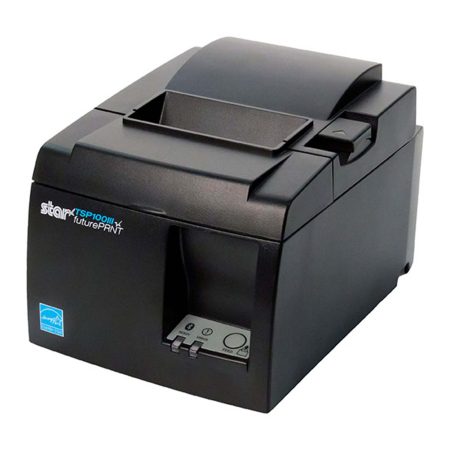
    The TSP143III thermal receipt printer by Star Micronics.
    The TSP143III series thermal receipt printer from Star Micronics

    Features of the TSP143IIIU

    • High-speed printing of up to 43 receipts per minute.
    • Easy “Drop-In and Print” paper loading.
    • Effortless USB “plug-and-play” connectivity.
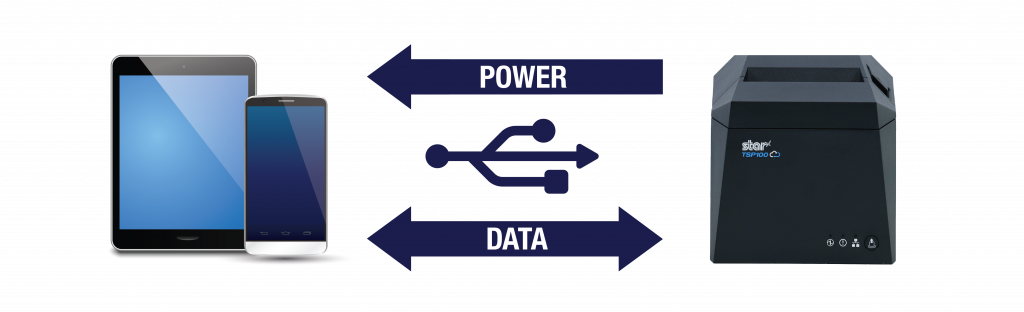
    • Connects and charges the tablet or mobile device simultaneously.
    • Standard 2-year warranty included with options to extend.
    • Energy Star certification for eco-friendliness.
    • Access to futurePRNT software for receipt customization.

    Benefits of the TSP143IIIU

    • Faster transactions and shorter customer wait times.
    • Ready to use out of the box.
    • Simple installation, easy-to-use design and maintenance.
    • Keep your connected tablet or mobile device charged while data transfers for convenient all-day use.
    • Simple receipt customization with logos and graphics for branding purposes.
    • Energy efficient, reducing operating costs, paper waste, and overall environmental impact.
    • Widespread popularity means industry familiarity is high.
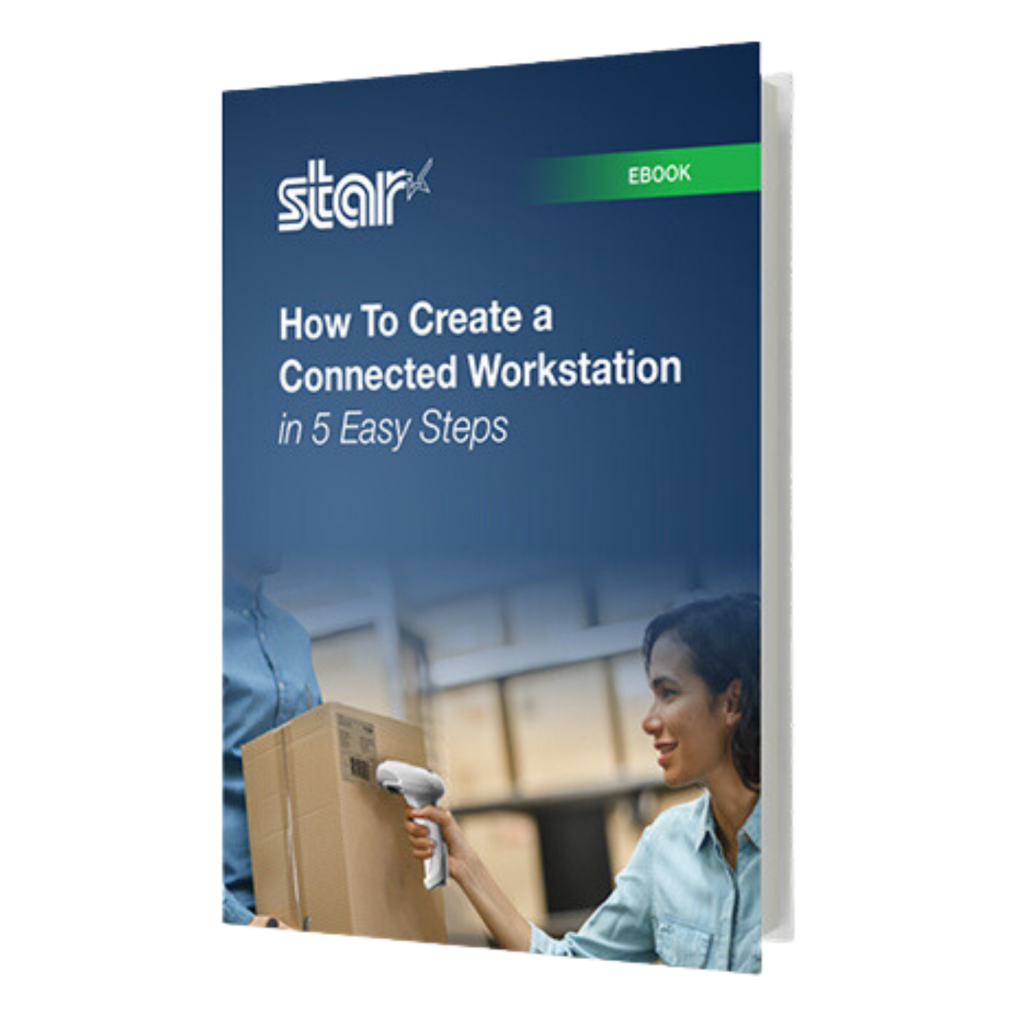
    How To Create a Connected Workstation in 5 Easy Steps

    Connected workstations are perfect for modern-day hospitality, retail, and restaurant businesses, offering a unique setup to optimize workflows.

    CD3-1616 Value Series Cash Drawer

    When the TSP143IIIU thermal receipt printer is paired with the CD3-1616 cash drawer, small to medium-sized businesses create an unstoppable POS duo. The CD3-1616 is a versatile, all-steel drawer designed for businesses that need secure cash management with all the expected features. Its 16″ x 16″ size is large enough to handle a lot of cash, with dual media slots to accommodate extra storage options for checks, credit card receipts, and coupons.
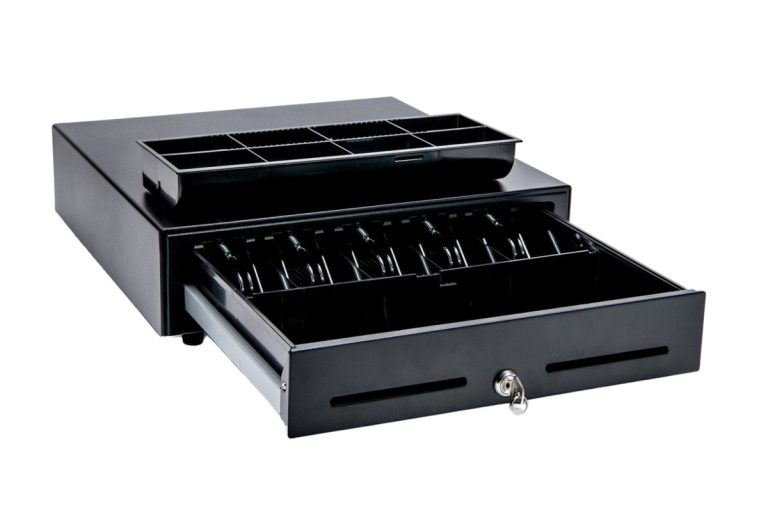
    The CD3-1616 Value Cash Drawer by Star Micronics.
    The CD3-1616 cash drawer from Star Micronics

    Features of the CD3-1616

    • Durable steel construction with sturdy housing for long-lasting use.
    • Compact design with a small footprint, making it ideal for small retail spaces or crowded countertops.
    • Dual media slots for added storage options.
    • Smooth operation with a reliable lock mechanism and ball-bearing rollers for easy opening and closing.
    • Optional accessories available for added security, including a dual-drawer cable and under-counter mounting brackets.
    • Warranty-protected with options to extend up to 4 years.

    Benefits of the CD3-1616

    • Improved cash management with secure storage and organization of cash and media.
    • Reduced risk of theft or loss of cash and media with added security accessories.
    • Durability and reliability in a busy business environment.
    • Compact design, saving valuable counter space.
    • Easy operation and smooth opening and closing, reducing transaction times or snags.
    • Warranty protection for peace of mind.

    An Ideal Solution for New Businesses & Startups

    The TSP143IIIU and CD3-1616 combo is not only perfect for established small to medium-sized businesses but also offers an excellent solution for new businesses and startups. As new businesses enter the market, they need reliable and efficient tools to support their growth and streamline their operations. The TSP143IIIU and CD3-1616 combo provides these essential features from a trusted name in POS for businesses just starting out.

    Features that Benefit New Businesses

    • Affordable pricing: Both the TSP143IIIU thermal receipt printer and CD3-1616 cash drawer are priced competitively, making them an accessible and cost-effective solution for businesses with limited budgets.
    • Easy setup: The TSP143IIIU and CD3-1616 are designed for quick installation and compatibility with popular POS systems, so businesses can get up and running right away.
    • Scalability: As new businesses grow, the TSP143IIIU and CD3-1616 combo can easily scale with them, supporting journeys from inception to expansion.

    Small business owner.

    Added Benefits for Startups

    • Professional appearance: High-quality printed receipts and secure cash management contribute to a professional image, helping new businesses establish credibility and trust with customers.
    • Enhanced customer experience: Fast transactions, shorter wait times, and clear receipts contribute to a positive customer experience, encouraging repeat business and fostering customer loyalty.
    • Streamlined operations: By simplifying cash handling and receipt printing, the TSP143IIIU and CD3-1616 combo allow new businesses to focus on other aspects of their operations, such as marketing, inventory management, and customer service.


    In summary, the TSP143IIIU and CD3-1616 combo is a fantastic investment for new businesses and startups looking to optimize their operations, enhance customer experiences, and build a solid foundation for growth.

    The Perfect Pairing for Your POS System

    The TSP143IIIU and CD3-1616 cash drawer combo is simply the perfect pairing for small to medium-sized businesses in the retail, hospitality, and cannabis industries. Especially for new businesses that need affordability with top quality, high ROI, and simple installation, the TSP143IIIU and CD3-1616 together serve as the best place to start.

    This combination offers a range of benefits, including faster transactions, improved accuracy, and better cash management, streamlining daily operations. All of that boosts the customer experience and frees up headspace to focus on other important matters, making this formidable POS duo a great investment for any business.
  • Are You Compromising Your Star Printer’s ROI with Cheap Paper? Choose Star Receipt Paper & Labels

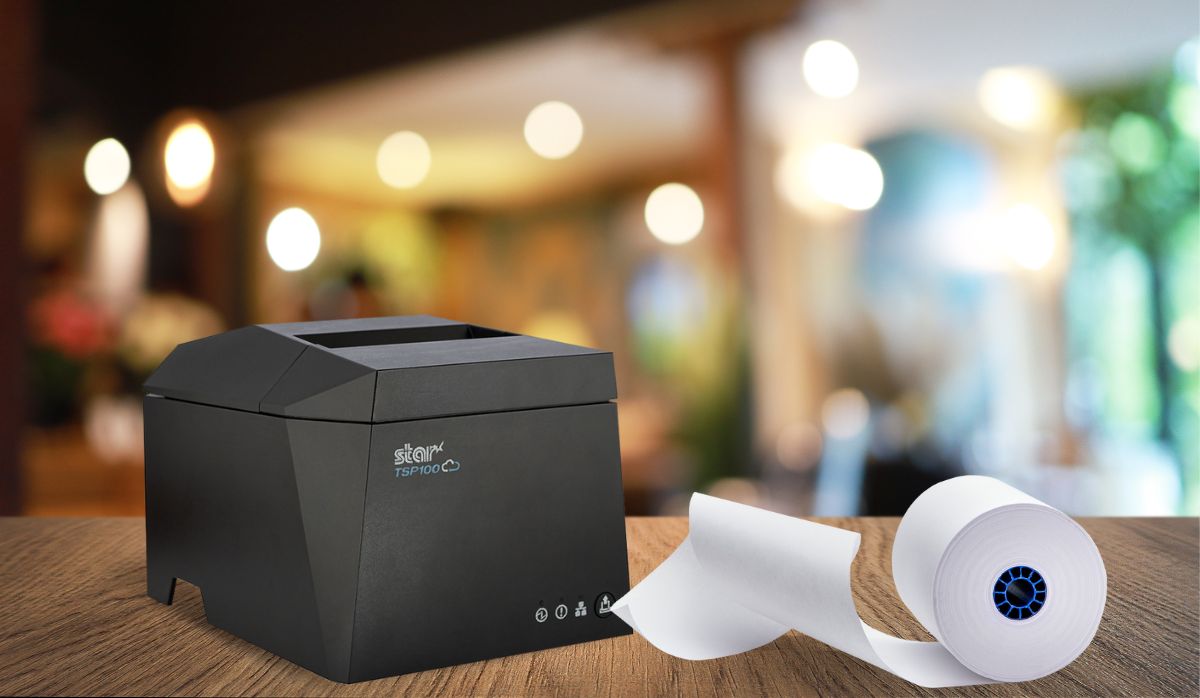
    Are You Compromising Your Star Printer’s ROI with Cheap Paper? Choose Star Receipt Paper & Labels

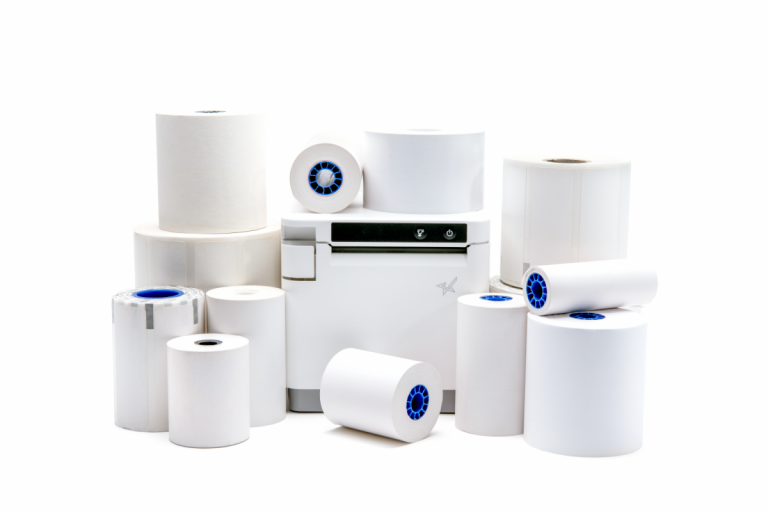
    As a business owner, you understand the importance of maximizing your investments. So why jeopardize the ROI of your top-quality Star printer by using cheap, unbranded paper? Many paper alternatives found on the market today are abrasive, gradually eroding the printhead and damaging your Star printer over time.

    Don’t get left feeling crumply! Star Blue and Star Blue Eco paper offer exceptional quality and compatibility with your Star printer to ensure optimal performance and peak longevity. Our paper has a perfectly smooth, crisp white surface to proudly represent your brand while protecting your printhead from erosion and damage. Plus, Star Blue Eco is BPA-free, non-toxic, and Prop 65 compliant, ensuring safety for those in regular contact with the material.

    In this article, we’ll explore the numerous advantages of using Star Blue paper and examine the various types of paper Star offers, highlighting the benefits and key features of each.

    Star Blue Paper: The Ultimate Choice for Your Printer

    Using low-quality paper can significantly reduce the lifespan and performance of your printer, negatively impacting your bottom line. Star Blue and Star Blue Eco paper are specifically designed to work with Star printers, ensuring optimal performance and maximizing printer lifespan.

    These Star paper rolls work efficiently with your printer to extend the life of the printhead, preventing embarrassing paper jams and clogs that can ruin the customer experience. Star paper is clean, bright white, instead of the gray or yellowish receipts often found on the market today. Get crisp, clearly legible receipts every time for a professional, tidy presentation.

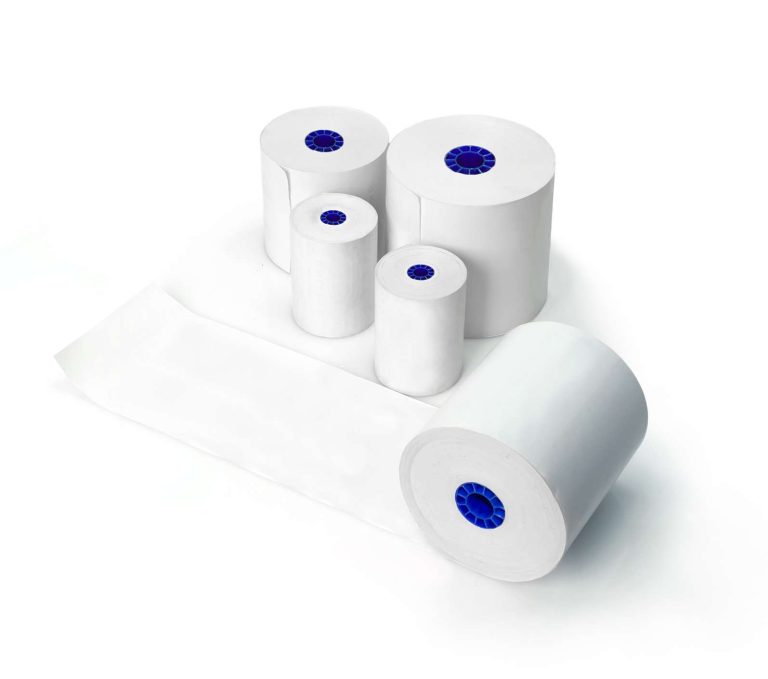
    Star’s paper has longer paper lengths for fewer roll changes. Every roll is guaranteed to fit and is fully compliant with any Star warranties. Star’s paper comes in many varieties, including thermal receipt paper, linerless label paper (both removable sticky and permanent adhesive), and traditional die-cut label paper. Each type has its unique benefits and features. Star also offers 1-ply and 2-ply bond paper for your Star impact printer.

    1. Star Receipt Paper

    Keep your Star printer rolling in optimal condition with the exceptional quality and compatibility of Star Blue receipt paper.

    Star Blue and Star Blue Eco receipt paper offers:

    • Thermal and bond choices
    • High-quality, crisp printing for improved readability and branding
    • Smooth surface to stop printhead erosion and printer damage
    • Prevents annoying jams and clogs that slow business operations
    • Star Blue Eco is phenol-free and made from non-toxic materials, making it full Prop 65 compliant

    2. Linerless Sticky Label Paper

    Stick with Star Blue and Star Blue Eco linerless label paper for versatile, eco-friendly, and repositionable labeling solutions that leave no glue residue behind. Our linerless rolls have all the benefits of Star Blue in sticky label fashion.

    Star Blue linerless label paper provides:

    • A waste-reducing design that is more environmentally friendly
    • Easy repositioning for improved label placement with ZERO residue left behind
    • Versatile applications, from food packaging to retail labeling
    • Different adhesive strengths available

    3. Traditional Label Paper

    When it comes to traditional label paper, Star Blue adheres to the highest standards of quality and performance. Enjoy all the benefits of the Star Blue promise in a variety of sizes.

    Star Blue and Star Blue Eco traditional label paper features:

    • High-quality adhesive for secure, long-lasting labels
    • Excellent print clarity for enhanced readability
    • Wide range of sizes to suit various applications
    • Code-compliant cannabis labels are also available

    Preserve Your Printer’s ROI Now with Star Blue & Star Blue Eco Paper

    While competitors’ paper may leave you feeling rough around the edges, Star Blue and Star Blue Eco paper promise a smooth and seamless printing experience. Not only will they help maintain your printer’s optimal performance and extend its lifespan, but they also ensure high-quality, clear printing that meets the needs of various industries, including retail, restaurant and hospitality, and cannabis.

    By investing in Star Blue paper, you’re protecting your printer’s ROI and providing the best possible experience for your customers. Switch to Star paper today and experience the difference for yourself.

    Find more information about Star paper here and access the complete paper line spec sheet here.

    The Value of Receipts: Printed and Digital

    There’s no getting away from it: receipts hold great value and are an irrefutable part of everyday life. Use them for your business’s benefit!

    Love industry news? Learn the latest in our podcast:

  • Star Micronics Warranties and Product Protection

    Star Micronics Warranties and Product Protection

    In today’s fast-paced business environment, having reliable point-of-sale (POS) technology is crucial to keep operations running smoothly. And when it comes to protecting your POS technology investment, Star Micronics is a trusted provider of top-quality hardware and warranties to ensure your devices are up and running whenever you need them. From printers and scanners to cash drawers and peripherals, Star offers a variety of warranties to protect your investment for up to five years.

    In this article, we’ll explore Star Micronics’ warranties, including the necessary steps to make a warranty claim, applicable warranty periods by product type, and the benefits of their Swap-A-Star® and Extend-A-Star® programs.

    Whether you’re a small business owner or a large retailer, read on to discover how Star Micronics can help you protect your POS technology investment and keep your business running smoothly.

    Star’s Standard Warranties

    Star Micronics understands the importance of having reliable and high-quality point-of-sale technology for businesses. That’s why all their products come with standard manufacturer’s warranties with bumper-to-bumper coverage against defects in materials and quality to help ensure maximum uptime.

    Having a standard warranty for Star Micronics products gives businesses the peace of mind that they are investing in technology that is backed by the manufacturer. This means that in case of any issues, companies can easily make a warranty claim and receive prompt support from the Star Micronics technical support team.

    Additionally, standard warranties provide an added layer of protection for businesses that may face unexpected downtime or lost sales due to malfunctioning equipment. Ultimately, having a standard warranty for Star Micronics products is an excellent way for companies to protect their investment and keep their operations running smoothly.

    Standard Warranty Periods by Product Type

    Star’s Supplemental Warranties and Programs

    Star Micronics offers several programs to provide added protection for your POS technology investment. These programs include:

    Swap-A-Star®

    Swap-A-Star is a product replacement service program by Star Micronics that provides fast and hassle-free replacement of your Star printer or scanner in the event of a malfunction. With Swap-A-Star, you can avoid costly downtime and lost sales by receiving a replacement device as soon as within two business days.

    Some of the benefits of Swap-A-Star include:

    • Quick and easy device replacement: Simply call or chat with a Star Micronics support team member to receive a replacement device as soon as within two business days.
    • Prepaid shipping label: Star Micronics provides a prepaid shipping label for returning the malfunctioning device.
    • Free shipping: Star Micronics covers the cost of shipping for both the replacement and malfunctioning devices.
    • No hidden fees: Swap-A-Star is a flat-rate program with no additional fees or charges.

    Extend-A-Star®

    Extend-A-Star is a supplemental warranty extension program that adds additional coverage beyond the standard warranty period. With Extend-A-Star, you can protect your Star Micronics printer or scanner investment for up to five years.

    Some of the benefits of Extend-A-Star include:

    • Additional coverage: Extend-A-Star extends the warranty period beyond the standard coverage period, providing additional protection for your investment.
    • Peace of mind: With Extend-A-Star, you can have peace of mind knowing that your device is protected against defects and malfunctions for an extended period.
    • Priority support: Extend-A-Star customers receive priority support from the Star Micronics technical support team.
    • Easy enrollment: You can easily enroll in Extend-A-Star at the time of product purchase or within 30 days of purchase.

    Overall, Swap-A-Star and Extend-A-Star are valuable programs offered by Star Micronics to provide added protection and support for their customers’ POS technology investments.

    Supplemental Warranty Lifecycle

    Before making a supplemental warranty claim, it’s important to follow these necessary steps:

    • Purchase Star Micronics product
    • Purchase and register any supplemental warranty within 30 days of purchasing the product
    • Make a warranty claim during the allotted time period

    Upon purchasing a supplemental warranty, Star Micronics will send you an enrollment letter that includes important details regarding your warranty purchase. It is recommended to keep this letter for your records.

    How To Create a Connected Workstation in 5 Easy Steps

    Connected workstations are perfect for modern-day hospitality, retail, and restaurant businesses, offering a unique setup to optimize workflows.

    Invest in the Trusted POS Hardware Provider

    In conclusion, investing in reliable and high-quality point-of-sale technology is essential for businesses of all sizes. And with Star Micronics’ comprehensive warranties and programs, businesses can have peace of mind knowing that their investment is protected against any unexpected defects or malfunctions.

    Whether it’s printers, scanners, cash drawers, or peripherals, Star Micronics offers a range of warranties to suit different product types and needs. By following the necessary steps to make a warranty claim, businesses can receive prompt support from the Star Micronics technical support team and get their operations back up and running with minimal downtime.

    Additionally, their Swap-A-Star and Extend-A-Star programs provide added protection and support for businesses looking to maximize their POS technology investment. Overall, Star Micronics is a trusted provider of warranties and programs that can help businesses protect their investments and stay ahead of the competition.

    Interested in integrating with Star Micronics?

  • Receipt Marketing: A Powerful Tool to Boost Your Business

    Receipt Marketing: A Powerful Tool to Boost Your Business

    Receipt marketing, or receipt advertising, is a strategy businesses can use to promote their products or services by printing marketing messages or offers on receipts. Receipts are a powerful marketing tool because they are something that customers will always receive after making a purchase. This means businesses can use receipts to promote their brand, products, or services and incentivize customers to return.

    In this blog post, we will discuss the benefits of receipt marketing and provide some tips on how to implement a successful receipt marketing campaign.

    The Benefits of Receipt Marketing

    Couple looking at their receipt with receipt marketing.

    Increased Brand Awareness

    One of the primary benefits of receipt marketing is that it helps increase brand awareness. Printing your company logo, tagline, or website on your receipts reminds customers about your brand every time they look at it. This repetition can help your brand stick in the minds of your customers and encourage them to return to your business in the future.

    Increased Customer Loyalty

    Receipt marketing can also help to increase customer loyalty. Offering discounts or promotions on receipts can incentivize customers to return to your business. This can lead to repeat business and increased customer loyalty. Customers appreciate getting a little something extra, and the personal touch of a promo or discount on their next purchase can make them feel valued and appreciated.

    Cost-Effective Marketing

    Another benefit of receipt marketing is that it is cost-effective. Receipts are something that your business already prints, so there are no additional costs associated with creating new marketing materials. This can make receipt marketing an attractive option for companies looking to promote their brand without spending much money.

    Tips for Implementing a Successful Receipt Marketing Campaign

    1. Keep it SimpleWhen designing your receipt marketing campaign, it’s essential to keep it simple. Customers will only spend a few seconds looking at their receipts, so make sure your message is clear and concise. Keep your design clean and easy to read, and focus on promoting one or two key messages.
    2. Offer Incentives – To make your receipt marketing campaign more effective, it’s a good idea to offer incentives to customers. This could include discounts, free gifts, or the opportunity to join a loyalty club. By providing customers with an incentive, you can increase their chances of returning to your business.
    3. Track Your Results – It’s essential to track your results when running a receipt marketing campaign. Doing so lets you determine what works and what doesn’t and make adjustments as needed. This could include changing the messaging or design of your receipts or adjusting the incentives you offer.

    PromoPRNT Receipt Marketing Tool

    PromoPRNT from Star Micronics is an innovative online tool that allows businesses to create and print custom coupons, surveys, and other promotional material directly on their receipts. With PromoPRNT, companies can easily create customized promotions and engage customers, all while improving their overall brand image.

    The tool is entirely free and can be accessed through a web browser, making it accessible to businesses of all sizes. The models that can currently access PromoPRNT are the TSP143IV, mC-Print2, and mC-Print3 receipt printers.

    PromoPRNT offers a wide range of customization options, including adding logos, images, and text. Businesses can create coupons for discounts on specific products or services and surveys to gather customer feedback. The tool is easy to use, and companies can make them in just a few minutes.

    Using PromoPRNT, businesses can increase customer loyalty, drive sales, and gain valuable insights into customers’ preferences and behaviors. It’s a powerful tool that can help businesses improve their marketing efforts and drive growth.

    Take Advantage of Receipt Marketing

    Receipt marketing is a powerful tool businesses can use to promote their brand, products, and services. By printing marketing messages or offers on receipts, companies can increase brand awareness, customer loyalty, and cost-effectively engage customers. When implementing a receipt marketing campaign, it’s essential to keep your design simple, offer incentives, and track your results to ensure campaign success. Doing so can drive sales and build lasting relationships with your customers.

    The Value of Receipts: Printed and Digital

    There’s no getting away from it: receipts hold great value and are an irrefutable part of everyday life.

    Love industry news? Check out our podcast:

  • How Restaurants Use Thermal Printers for Online Ordering with DoorDash, Uber Eats & More

    How Restaurants Use Thermal Printers for Online Ordering with DoorDash, Uber Eats & More

    In today’s digital age, online ordering is more popular than ever, especially in the restaurant industry. DoorDash, Grubhub, and Uber Eats are just a few of the most popular online ordering platforms, and many restaurants are now using these services to reach a wider audience and increase sales.

    But with the influx of online orders on top of in-person customers, managing things can become overwhelming.

    That’s where proper thermal receipt printers come in.

    Some thermal receipt printers are better for printing online orders than others because they connect to cloud- and web-based POS systems directly. They’re faster, more efficient, and easy to use. They print out orders as soon as they arrive, allowing the kitchen staff to fulfill them immediately.

    Many of these printers are designed to work with a wide range of devices, including mobile phones and tablets, making them an ideal choice for online ordering.

    Find your Android-compatible Star solutions here >

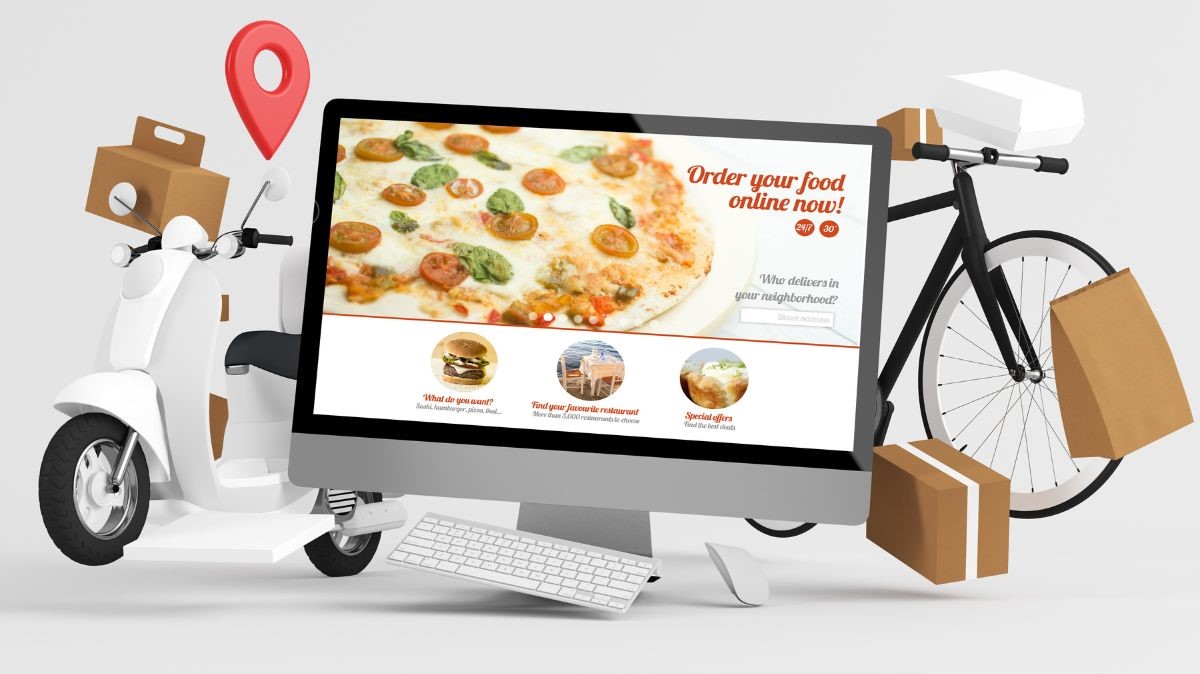
    Ordering food online on phone.

    How Do Restaurants Use Thermal Receipt Printers?

    So, how can restaurants use thermal printers with online ordering applications like DoorDash and Uber Eats? Usually, online ordering applications will suggest certain printers to use, or their software also comes with hardware. However, some people may need to purchase a thermal receipt printer on their own. 

    In any case, here are some tips on how to get started with the proper receipt printer to use with online ordering applications like DoorDash and Uber Eats:

    1. Choose a Compatible Thermal Printer

    To start, it’s important to choose a thermal printer that is compatible with the online ordering platform you are using. DoorDash and Uber Eats have guidelines for compatible printers, and it’s essential to make sure that the printer you choose meets these requirements. Some of the most popular printers used for online ordering include Star’s TSP100 and mC-Print3 series.

    2. Connect the Printer and Set it Up

    Once you’ve chosen a compatible printer, you’ll need to connect it to the online ordering application. This typically involves pairing the printer to the tablet or connecting it to the router of your restaurant. The application provider will provide instructions on how to do this. Still, if you have complications, you may also want to consult a professional to ensure the setup is done correctly.

    3. Customize the Printer Settings

    Finally, you can customize the printer settings to meet your specific needs. For example, you can adjust the font size, add your restaurant’s logo to the printout, and customize the order layout to make it easier for your kitchen staff to read and fulfill the orders.

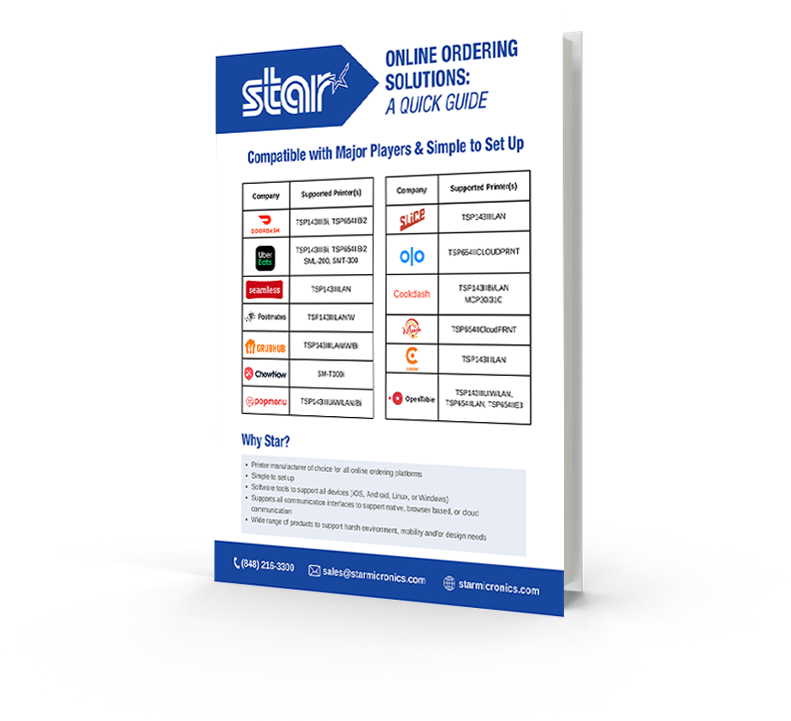
    Find out which online ordering platform works with which Star Micronics printer with our Online Ordering Guide for restaurant and QSR owners.

    Online Ordering Solutions:
    A Quick Guide

    Want to know which Star printers are compatible with some of the most popular online ordering applications?

    Streamline Business with the Correct Printer

    By using thermal printers like Star’s TSP100 series for online ordering apps like DoorDash, Grubhub, and Uber Eats, restaurants can streamline operations and improve efficiency. Orders will arrive faster, print in real-time, and be sent directly to the kitchen.

    This lets kitchen staff start orders immediately and ensures customers receive their food quickly. Plus, the improved accuracy and organization of online orders with the proper printers can help reduce errors and improve the overall customer experience.

    If you are a restaurant owner and want to start using online ordering applications like DoorDash or Uber Eats, purchasing the correct thermal printer for what you need can streamline operations and help boost revenue.

    With the right printer and a little setup, start taking orders from popular online apps and expand your restaurant’s clientele. Just keep in mind you’ll be busy!

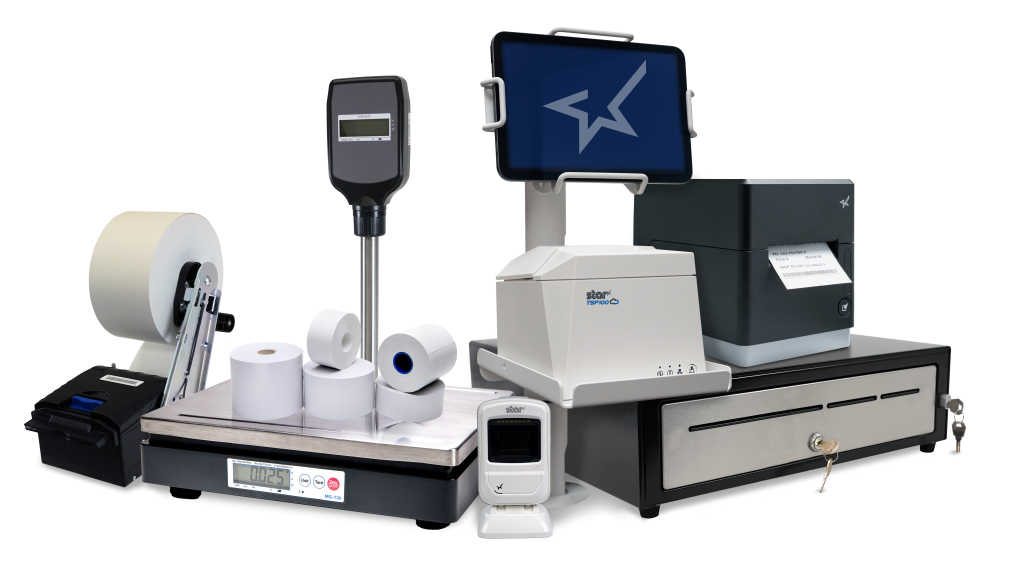
    Get the complete POS solutions from Star Micronics.
    Star Micronics has the POS hardware and technology to help keep your business ahead.

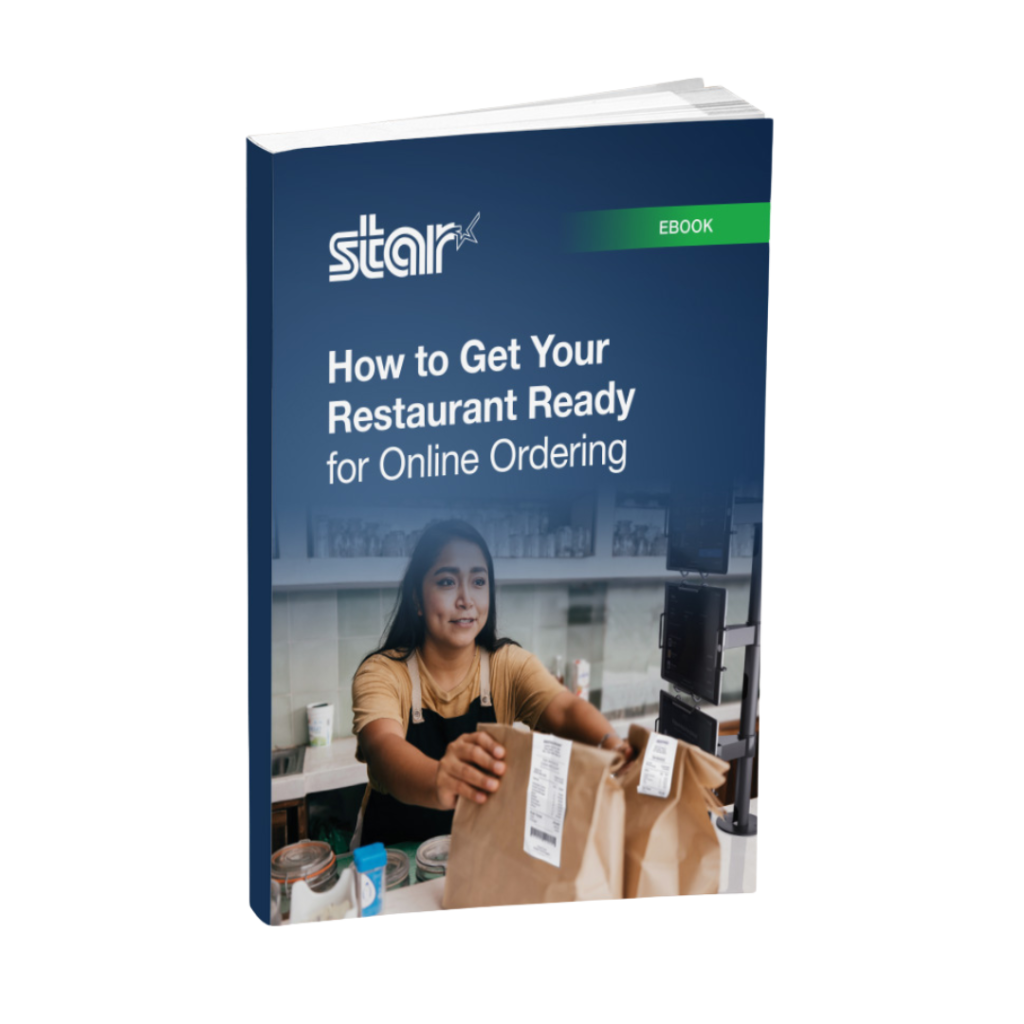
    How to Get Your Restaurant Ready for Online Ordering

    Are you looking for a new way to grow your restaurant business? Accepting online orders keeps you relevant and competitive.

    Wondering where you can buy Star?

  • Can Printed Receipts Help Brick-and-Mortar Merchants Avoid Chargebacks?

    Can Printed Receipts Help Brick-and-Mortar Merchants Avoid Chargebacks?

    During the Covid lockdown, a lot of retail spending moved online. This was good for both merchants and consumers, but it ultimately led to a surge in chargebacks and friendly fraud.

    As things slowly return to normal, buyers are making their way back into physical stores. Unfortunately, chargebacks are coming with them.

    Merchants have the right to contest invalid chargebacks, but proving a claim is bogus requires evidence. Brick-and-mortar merchants may have an advantage when it comes to collecting compelling transaction proof: printed receipts.

    How a Consumer Protection Became Friendly Fraud

    First, let’s examine how this problem developed in the first place.

    A chargeback occurs when a customer requests their bank to reverse a transaction. An important safeguard for cardholders, chargebacks were only intended for cases involving criminal fraud or merchant abuse, such as deliberate overcharging.

    Chargebacks give cardholders a last resort in situations where the merchant cannot—or will not—provide a refund. The system works well enough under those conditions, but these days, the process is more commonly used to commit friendly fraud.

    Friendly fraud occurs when customers leverage the chargeback system to obtain an undeserved refund. This may be unintentional; when a cardholder sees an unrecognized charge on their statement, the automatic reaction is often to call the bank, not the merchant.

    On the other hand, the cardholder could be deliberately trying to obtain free merchandise. This is a practice called “cyber shoplifting.” The scam works like this: a cardholder makes a purchase at a brick-and-mortar store, then calls the bank. They’ll say they cannot resolve the issue with the merchant and ask to have the charge reversed. The buyer then keeps the merchandise, but gets their money back.

    Ironically, what began as a consumer protection mechanism has become a tool consumers use to steal from merchants.

    “Friendly Fraud Doesn’t Happen in Physical Stores!”

    Historically, friendly fraud has been more of an issue for eCommerce; most of the claims still happen in the card-not-present space. That doesn’t mean, however, that brick-and-mortar merchants can ignore the threat.

    The reality is that friendly fraud has become a growing menace to merchants as a whole, according to findings from the recently published 2022 Chargeback Field Report.

    The study, a joint endeavor between Chargebacks911 and Card Not Present, is based on survey results drawn from over 300 retail merchants across all verticals. Of the respondents, nearly two-thirds said that chargeback abuse—friendly fraud—had increased over the last three years.

    As mentioned earlier, merchants have the right to contest unwarranted chargebacks. To have an illegitimate chargeback overturned, however, the retailer must demonstrate that the customer’s claim is false. For in-store sales, this is where printed receipts come into play.

    How Receipts Work in the Merchant’s Favor

    To understand the role receipts can play in fighting friendly fraud, it’s important to know how the process is supposed to work.

    When a cardholder calls their bank to dispute a charge, the bank will usually tell the cardholder to try resolving the issue directly with the merchant. If the customer says they have already tried, the dispute will likely advance to a chargeback. Transaction funds are removed from the merchant’s account and returned to the cardholder. The merchant may not be informed about this until days later.

    This may seem unfair, but again, merchants can contest the claim through the process of representment, which involves providing the bank with compelling evidence showing the transaction was valid.

    Sometimes, a copy of the transaction details will be all that’s needed. Some point-of-sale solutions at physical stores will record and store copies of receipts, and can send them in response to the bank’s request.

    That sounds convenient, but it may not be the best choice. While digital files work in the majority of cases, electronic files are more susceptible to manipulation. That means the bank may require more evidence.

    Online retailers don’t really have another option, but for in-person sales, a scanned copy of a printed paper receipt can be more efficient and cost-effective. It’s hard to argue against a printed receipt. The specifics are literally all there in black and white.

    If the bank sees that the customer’s claim is unwarranted, it may overturn the chargeback. Not representing the chargeback, however, means the fraudster may end up with both the product and a refund.

    Physical Receipts Can Also Boost Prevention Efforts

    Unfortunately, the merchant will get hit with a non-refundable chargeback fee whether the chargeback is reversed or not. That means preventing chargebacks is usually more efficient than challenging them.

    There are numerous steps merchants can take to prevent chargebacks stemming from errors or criminal activity. However, the friendly fraud we’ve been talking about is post-transactional; it’s hard to prevent something you won’t even see until days or weeks after the fact. Fraudsters know this and have learned how to play the system.

    It’s possible that the merchant will be able to produce an electronic receipt that contains enough information to invalidate the cardholder’s claim. The fraudster is betting against it, though.

    A printed receipt is a different story. For a cyber shoplifter, a receipt printed with names, dates, prices, and truncated card data is like seeing a record of the crime before it’s even committed. One look makes it obvious that the merchant has too much evidence for the scam to work. The receipt signals that it’s time to move on to an easier target.

    The Value of Receipts: Printed and Digital

    There’s no getting away from it: receipts hold great value and are an irrefutable part of everyday life. 

    The Bottom Line

    Electronic transaction receipts are useful, but technology can be exploited, and systems can be hacked. Printed receipts can benefit merchants in many ways, including chargeback management and prevention.

    Having a hard record of transactions can simplify representment and increase the odds of success. At the same time, a printed receipt may encourage would-be friendly fraudsters to take their scams elsewhere. For brick-and-mortar merchants, it’s a win-win.

    Guest Post Written by Monica Eaton-Cardone, COO and Co-Founder of Chargebacks911

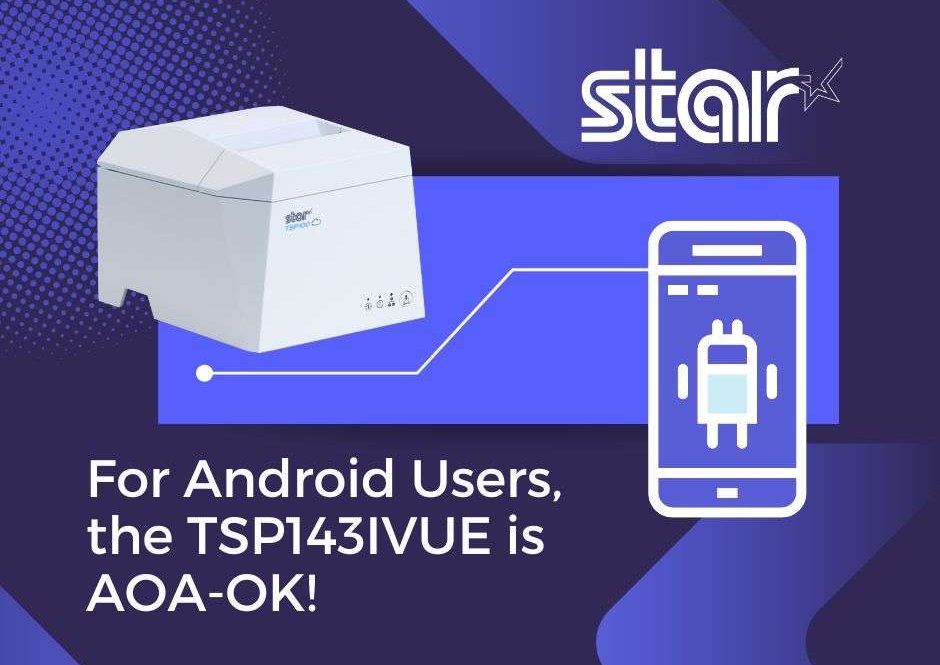
  • For Android Users, The TSP143IVUE Printer is AOA-OK!

    For Android Users, The TSP143IVUE Printer is AOA-OK!

    At Star Micronics, we’re always attuned to market dynamics and trends. Following our successful launch of MFi technology, which facilitated seamless Lightning connections between our printers and Apple’s iOS devices, we recognized the surging adoption of Android devices in powering small business point-of-sale (POS) systems.

    To remain at the forefront of industry innovation, we swiftly adapted to serve this expanding Android market segment, ensuring compatibility and operational excellence.

    Embracing the Android Open Accessory (AOA) protocol has been transformative for both software developers and business owners. The TSP143IVUE is ultra-connected and boasts an array of features ensuring future-proof adaptability. With AOA integration, this thermal printer not only streamlines operations but also underscores the sophistication and innovation at the helm of today’s businesses.

    Let’s dive into the specs for the TSP143IVUE, but first, let’s find out what AOA is:

    What is Android Open Accessory (AOA)?

    Android puts it best on their website, so why ruin a good thing?

    Here’s what they said about AOA:

    “Android Open Accessory (AOA) support allows external USB hardware (Android USB accessories) to interact with Android-powered devices in accessory mode. When an Android-powered device is in accessory mode, the connected accessory acts as the USB host (powers the bus and enumerates devices) and the Android-powered device acts as the USB accessory.”

    Star Micronics receipt and label printers have models that support the Android Open Accessory (AOA) protocol.

    “Android USB accessories are designed to attach to Android-powered devices. Such accessories adhere to AOA, enabling them to detect Android-powered devices that support accessory mode, and must provide 500mA at 5V for charging power.

    Some previously-released Android-powered devices are capable of acting only as a USB device and cannot initiate connections with external USB devices. AOA support overcomes this limitation, enabling you to build accessories that can initiate connections and interact with an assortment of Android-powered devices.”

    The TSP143IVUE Thermal Printer Supports AOA

    Star’s new innovative printing solution accommodates the fast-growing Android-user market with the connectivity people want. The future-proof TSP143IVUE supports the Android Open Accessory (AOA) protocol, allowing the printer to communicate with and power most Android devices when plugged in.

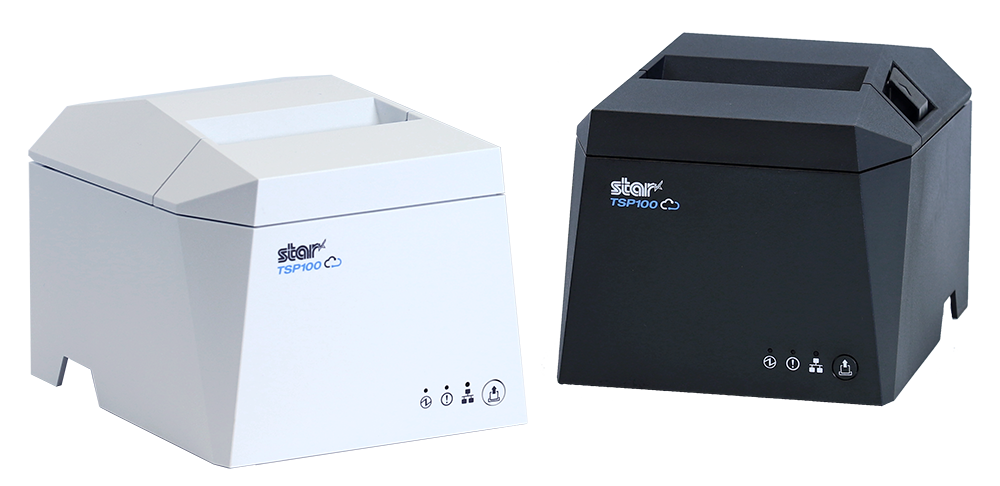
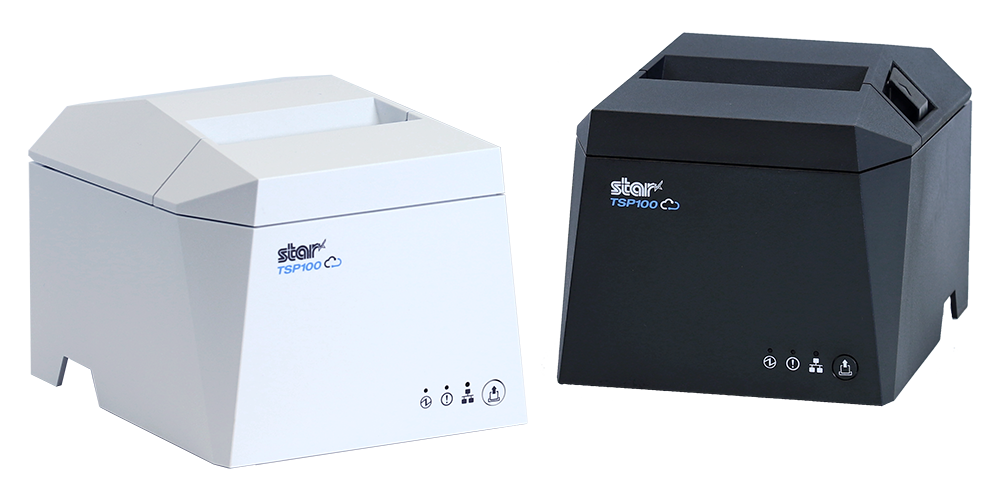
    With its modern design, enhanced connectivity, ease of integration, and 20% smaller footprint than its predecessor, the TSP143IVUE is the perfect solution for the demands of today’s market.

    The TSP143IVUE Supports CloudPRNT & More

    Along with AOA support, adding a USB/LAN Dual Interface and CloudPRNT to the newest TSP143IVUE thermal receipt printer has fully elevated our popular printing series for today’s needs. This advanced printing solution seamlessly integrates with Android, iOS, and Windows applications, offering unparalleled versatility and ease of use.

    Plus, it’s backward compatible with its previous version, the TSP143III, making it effortless for people to upgrade.

    It’s also Cloud Ready, connecting to cloud-based POS software and Star Micronics Cloud Services. Star’s Cloud Services enable offsite device monitoring in real-time, custom-designed promotions, and more. 

    Here are some key features of the TSP143IVUE:

    • A Dual Interface: LAN + USB (USB-C and USB-A)
    • A Compact and Ultra-Modern Design
    • AOA Protocol Support: Charging and Communicating with Android Devices
    • CloudPRNT technology to work with cloud-based software
    • 100% Cloud Ready with Star Micronics Cloud Services
    • Full compatibility with its previous version
    • 250mm/s High-Speed Thermal Printing
    • Easy “Drop-In & Print” Paper Loading

    Discover the TSP143IVUE: AOA Excellence and Beyond

    Find out more about the TSP143IV series, including the UE model here.

    Questions? Talk to a member of our friendly Sales Team:

  • The Tech You Need For Your Cannabis Delivery Service

    The Tech You Need For Your Cannabis Delivery Service

    If you are a dispensary owner, you will undoubtedly consider starting a cannabis delivery service for your customers. Demand for the plant, either for recreational consumption or medical needs, has taken the industry to new highs, and surely you want to be in on the action. Of course, that is assuming cannabis delivery is legal in your area! Let’s say it is.

    Now, where do you start? What do you need?

    In cannabis delivery, technical equipment is required to successfully meet your customers’ needs. Software that helps you create an online store, allows for online ordering, accounts for inventory management, and integrates with the proper point-of-sale (POS) hardware is a must-have to assist your delivery aims.

    Let’s see what tech you’ll need to start your cannabis delivery service:

    Online Store & Website

    Using the omnichannel approach for setting up a cannabis delivery service is ideal for the best results. Online ordering has rapidly grown, and it will only continue. An omnichannel strategy means that the customer can access your product through multiple channels such as social media, websites, apps, etc. This way, the customer has many convenient options and can order the product quickly and wherever they are the most comfortable. An online store is one of those options.

    You must first set up a website and online store to get started. An online store is usually an extension of a website. If you are a dispensary owner, you likely already have a website for your business. You can look into your web development platform for online store options. Many companies use application software that provides your delivery service needs, from creating an online store to payment and marketing. Setting up an online shop for your cannabis will take some work, but it is worth every effort.

    Cannabis delivery POS hardware.

    It should be mentioned that a dispensary looking to deliver should incorporate some essential features into its online store. These features include the ability to calculate sales tax in each region. The website should be able to see which areas are legally allowed to deliver cannabis. Moreover, the website should also be able to scan customer IDs so their ages can be verified.

    Again, there are companies that provide products with these capabilities, including POS software.

    POS Software & Hardware

    Both software and hardware for POS are essential to process and calculate the transactions received from online customer orders. They also help fulfill payments, print order tickets and receipts, and keep your entire POS space tidy while protecting your valuables.

    Hardware

    If you already own a dispensary, you’ll have most of what’s listed here. But, if you’re starting from scratch or want to update your point-of-sale, you’ll first need a tablet or a computer. Many people go for tablets these days as they are more cost-effective and can be just as powerful. There is a lot of software out there that works great on tablets.

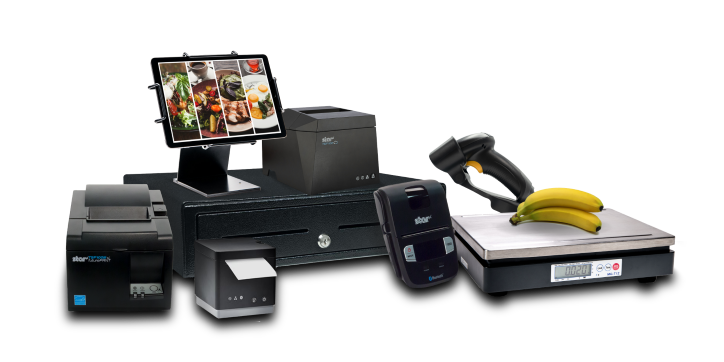
    Whether you choose a tablet or computer, having a protective display stand to hold it steady would be wise. At Star, we have a variety of tablet display stands, including an all-steel tablet display stand built for three different tablets so you can see them all at once. This is great for having multiple online orders coming in, especially orders for delivery. Each tablet is held firmly in place yet can easily be seen and accessed.

    If you don’t have tablets that display orders, have a printer that prints the online order you have received, indicating that you have an order pending. There are also printers out there that print repositionable sticky labels so that the order can move along with the product as it’s being prepared. Customers will want receipts once their products arrive, so a well-connected printer is necessary.

    Other than tablets or computers, Star Micronics has all the hardware you need for your dispensary point-of-sale if you’d like to check it out here.

    Software

    Well-performing POS software is a must for any business in general. Luckily for the cannabis industry, there is software made especially for it. Many cannabis-related POS apps can help with online store setup, inventory management, delivery operations, omnichannel marketing, taking care of payments, and much more. There are even companies that take care of the delivery logistics for your storefront entirely. It’s so easy to get started!

    MicrosoftTeams-image-8-scaled

    Another critical piece of the puzzle is the proper integration of your POS hardware with your software. Your online ordering system and point-of-sale machinery should work together seamlessly. Some people choose their hardware first and find software that works with it, while others select their software first.

    Delivery Logistics

    Delivering cannabis is a tremendous job, and some safety precautions must be taken when the order is dispatched to deliver. If you are looking to manage your deliveries, you must have a GPS tracker in your vehicle so you know where your driver is at all times and whether the parcel has been delivered to the correct address or not.

    Cannabis delivery POS hardware.

    Another thing to remember is that the driver or deliverer must have a tablet with access to your online store delivery software so they can update it after every delivery. This is crucial for inventory control and management of your cannabis products.

    Most dispensaries take payments online, but if you don’t, you’ll need a mobile payment terminal so your delivery person can accept payments on the spot.

    Conclusion

    Technology is a massive part of our lives, and the trend may never slow down. If you decide to introduce a cannabis delivery service to your customers, make sure you have the equipment mentioned above in place. There will be upfront costs, but the upside is incredibly lucrative long-term. Anywhere they’re legal, cannabis delivery services have taken off in this country. Why not be part of the action?

    Love industry news? Check out our podcast:

  • Star Micronics Introduces Wireless Technology for the Latest TSP100IV

    Star Micronics Introduces Wireless Technology for the Latest TSP100IV

    The TSP143IVUW supports dual-band WiFi, becoming a hub that gives maximum flexibility when connecting to any network.

    Somerset, NJ – April 19, 2022 – Star Micronics, a leading manufacturer of mobile, point-of-sale (POS), and customer engagement technologies, is excited to announce the release of the TSP143IVUW, the latest model in the new TSP100IV series that now boasts dual-band wireless technology.

    This innovative printing solution supports dual-band connectivity (2.4GHz / 5GHz), giving ultimate control over the local printing environment. Wireless networks that need long-distance coverage can use 2.4GHz, while the more powerful 5GHz is best for reducing lag and interference, especially in busy kitchens with microwaves and hardware that compete for bandwidth on a 2.4Ghz network. By offering a choice to use one of the two frequencies, 2.4GHz or 5GHz, Star’s TSP143IVUW provides maximum flexibility when connecting to any network.

    The TSP143IVUW is Cloud Ready, able to connect to any cloud application that supports Star’s CloudPRNT technology. With the addition of Star Micronics Cloud Services, including digital journal, cloud promotion print management, and device monitoring, the TSP143IVUW offers retailers and restaurateurs the next generation of POS printing, enabling marketing and receipt tools for the omnichannel world.

    Featuring a wide range of OS support, including Windows, iOS, Android, web- and cloud-based applications, the TSP143IVUW is high-speed and can print up to 250 millimeters per second. Its sleek, compact design boasts a 20% smaller footprint, with a protected internal power supply and fast “drop-in and print” paper loading. Offered with WLAN and USB-C connectivity, this printer has exceptionally easy installation, making it simple to incorporate into your existing POS system.

    Love industry news? Check out our podcast:

    About Star Micronics

    Star Micronics, a world leader in point-of-sale (POS), has designated a portfolio of printing, secure cash management, self-service, and customer engagement solutions for any retail or hospitality establishment. Embracing the mPOS wave, Star’s SDKs allow developers to utilize Star printers in tandem with Android™, iOS, iPad®, and iPhone® devices to generate receipts, labels, Chit, and tickets. Star Micronics is always leading and always innovating, creating cloud-based printing solutions, including CloudPRNT and Star Cloud Services, with AOA support and MFi connectivity. Star also has a wealth of peripherals, including 2D barcode scanners, scales, tablet display stands, and more. Visit www.starmicronics.com or follow us on FacebookTwitterYouTube, or LinkedIn to learn more.

    Media Contact:

    Christin Dorner

    Star Micronics America, Inc.

    cdorner@starmicronics.com

    848-216-3318

  • Star Micronics Introduces the TSP143IVUE Thermal Receipt Printer

    Star Micronics Introduces the TSP143IVUE Thermal Receipt Printer

    Star Micronics releases the new TSP143IVUE, an ultra-connected and innovative thermal receipt printer.

    Somerset, NJ – March 8, 2022 – Continuing its “Always Leading – Always Innovating” philosophy, Star Micronics presents the TSP143IVUE, a modern and ultra-connected point-of-sale (POS) printing solution.

    Already a leading player in the mobile POS (mPOS) market, the new Star Micronics TSP143IVUE offers multiple ways to connect. It has a USB/LAN Dual Interface and cloud printing capabilities for traditional POS and mPOS solutions.

    Built with all the capabilities you have come to expect, the TSP143IVUE has a more compact and sleek design, with added features like AOA (Android Open Accessory) support and CloudPRNT. AOA technology gives the printer full communication with your Android device while keeping it powered and charged.

    The TSP143IVUE is high-speed and can print up to 250 millimeters per second. Its innovative design boasts a 20% smaller footprint, with a protected internal power supply and fast “drop-in and print” paper loading. This printer has exceptionally easy installation, making it simple to incorporate into your existing POS system.

    The Star TSP143IVUE is also Cloud Ready, able to connect to any cloud application that supports Star’s CloudPRNT technology. It’s part of a new generation of devices that can connect to the Star Micronics Cloud Services platform, where users can customize and enhance their receipts by adding graphics or logos and triggering coupons, enhancing customer experience.

    Love industry trends? Check out our podcast:

    About Star Micronics

    Star Micronics, one of the world’s largest POS providers, has designated a portfolio of printing, secure cash management, and customer engagement solutions for any retail or hospitality establishment in POS and mPOS environments. Embracing the mobility wave, Star’s complementary SDKs allow users to utilize Star printers in tandem with Android™, iOS iPad®, and iPhone® devices to generate receipts for all of its printers. In addition, Star Micronics is always leading and innovating, enabling web-based printing solutions, including remote cloud printing, wireless cash drawer solutions, proximity-based printing, and secure cash management. For more information, visit www.starmicronics.com or follow us on Facebook, Twitter, YouTube, or LinkedIn.

    Media Contact

    Christin Dorner

    Star Micronics America, Inc.

    cdorner@starmicronics.com

    848-216-3318