Tag: mC-Label Series

  • The Role of Labels in Modern Off-Premise Dining Solutions

    The Role of Labels in Modern Off-Premise Dining Solutions

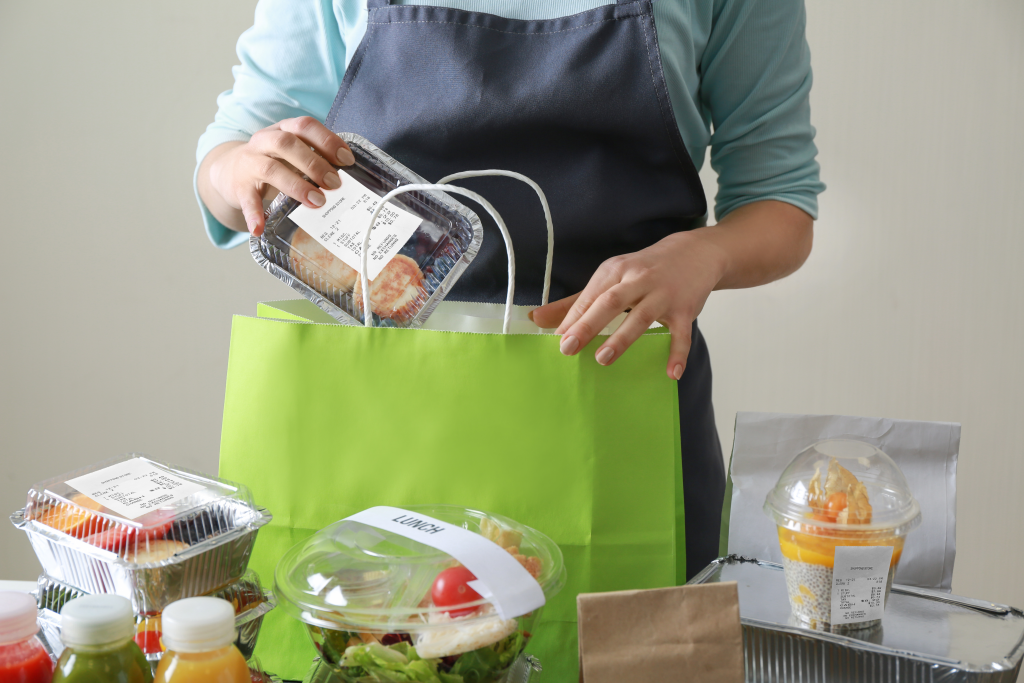
    Off-premise dining is no longer a side channel. Because of popular demand, it’s become a core part of how restaurants operate. With digital orders flooding in from mobile apps, third-party platforms, kiosks, and drive-thru lanes, the pressure is on to deliver food fast, fresh, and error-free. And behind the scenes? It’s labeling that makes it all run smoothly.

    Let’s break down how smart labeling plays a pivotal role in powering today’s workflows and explore the off-premise dining solutions that make it happen.

    Why Off-Premise Dining Needs Better Labeling

    From kitchen prep to bag sealing, off-premise fulfillment relies on clear communication. Without effective labeling, it’s easy for orders to get mixed up, items to be forgotten, or bags to go unverified.

    Restaurants that don’t label effectively risk:

    • Incorrect or missing items in delivery and pickup orders
    • Chargebacks from third-party delivery platforms
    • Slower order assembly and longer wait times
    • Frustrated customers and negative reviews

    As off-premise volume increases, so does the need for strategy and precision, and that starts with the right labels.

    Key Label Types for Off-Premise Dining Success

    No two off-premise orders are exactly the same, which means clear, consistent labeling is essential at every step. From the moment the order comes in to the moment it’s handed off, each label plays a specific role in keeping things accurate, organized, and customer-ready. Below are some of the key label types that help restaurants succeed in today’s fast-paced off-premise environment.

    1. Order Confirmation Labels

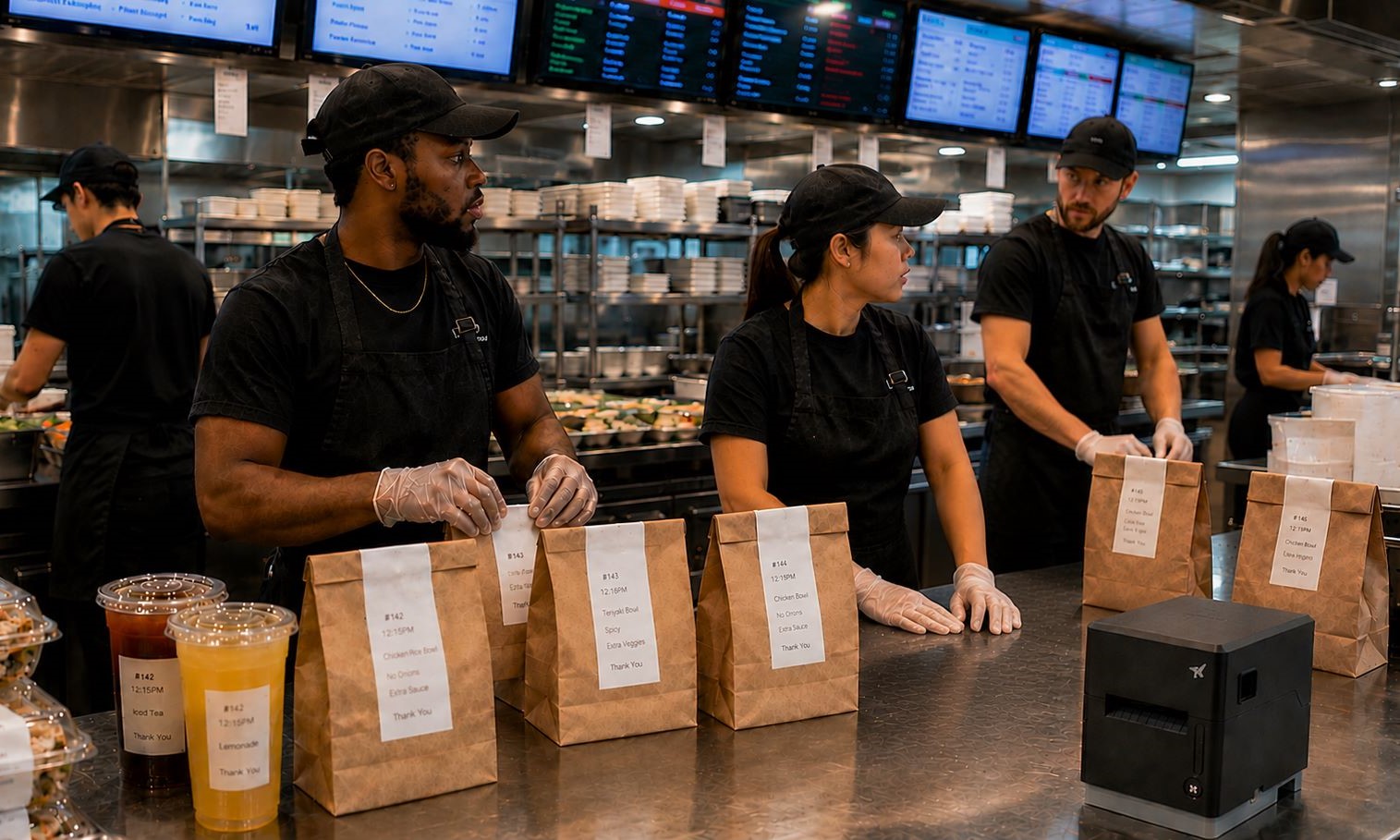
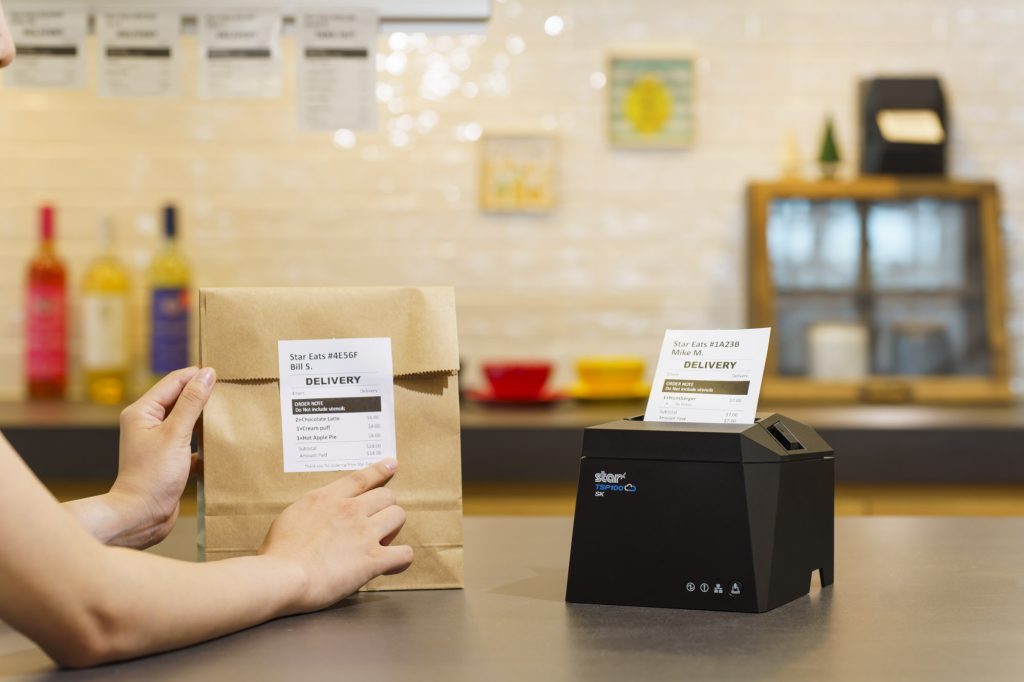
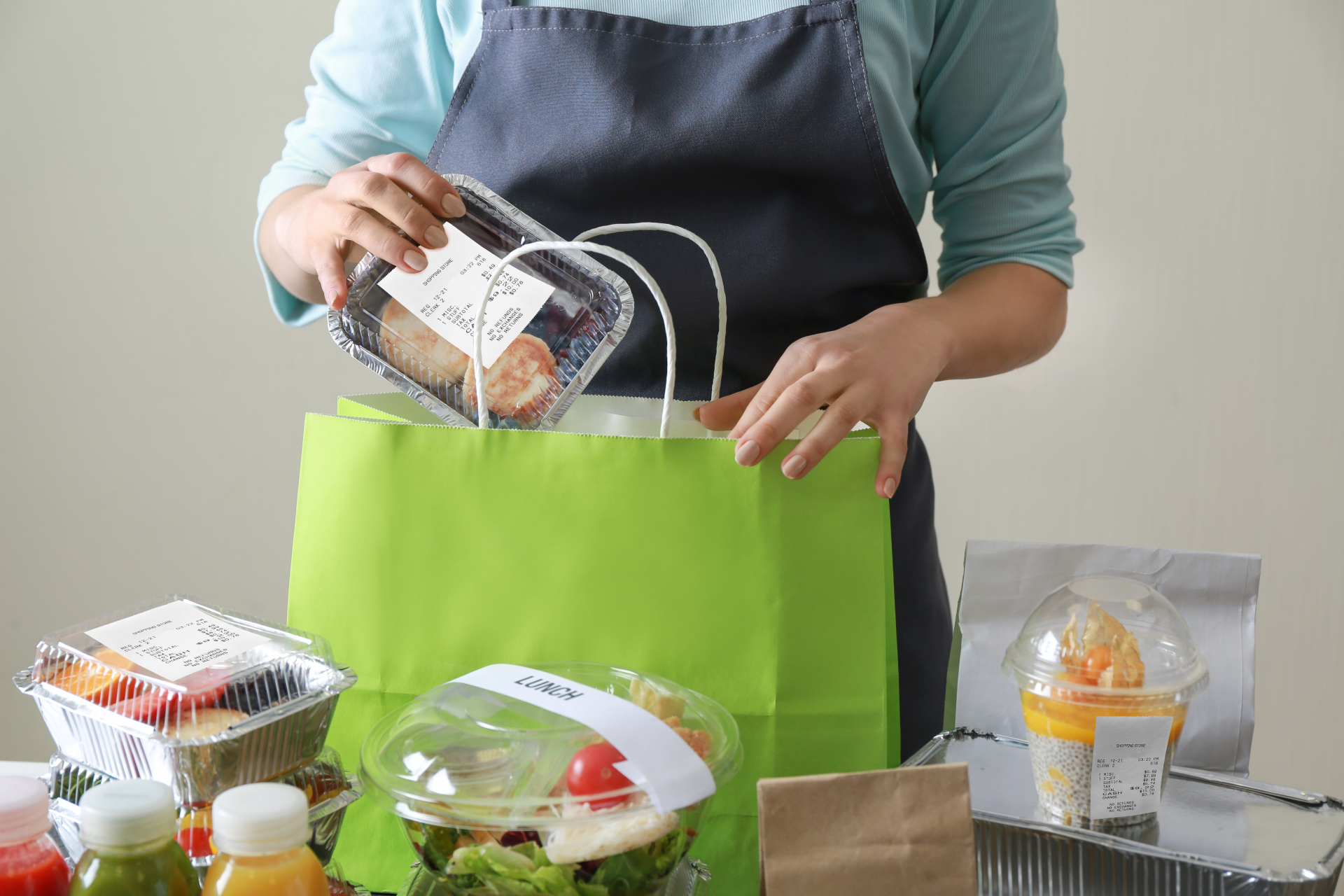
    Printed as soon as the order is received, these labels identify the customer, order number, pickup method, and fulfillment status, ensuring nothing gets lost in the shuffle.

    2. Item & Inventory Labels

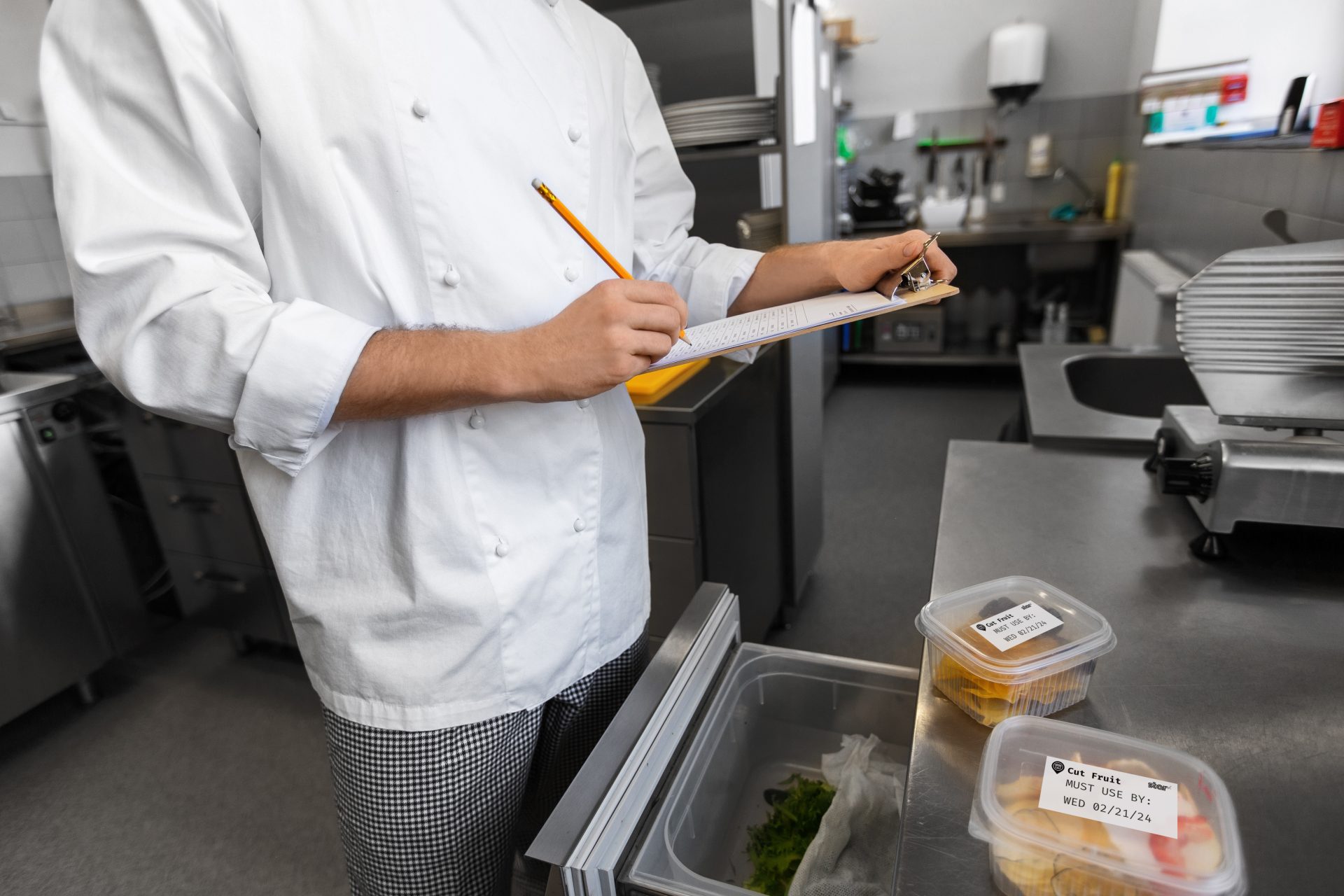
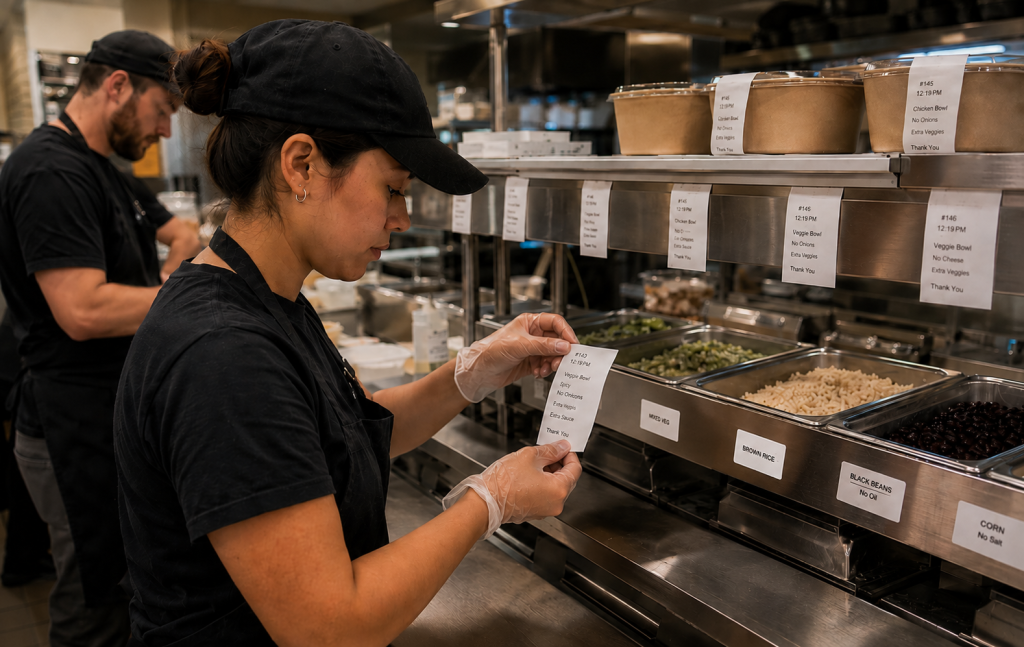
    Used in kitchens and staging areas to clearly tag and date each item. Especially important for personalized or modified orders, including allergen warnings and special dietary instructions. Keeping labels on food items with clear date markings also helps teams monitor spoilage, support food safety compliance, and reduce unnecessary waste.
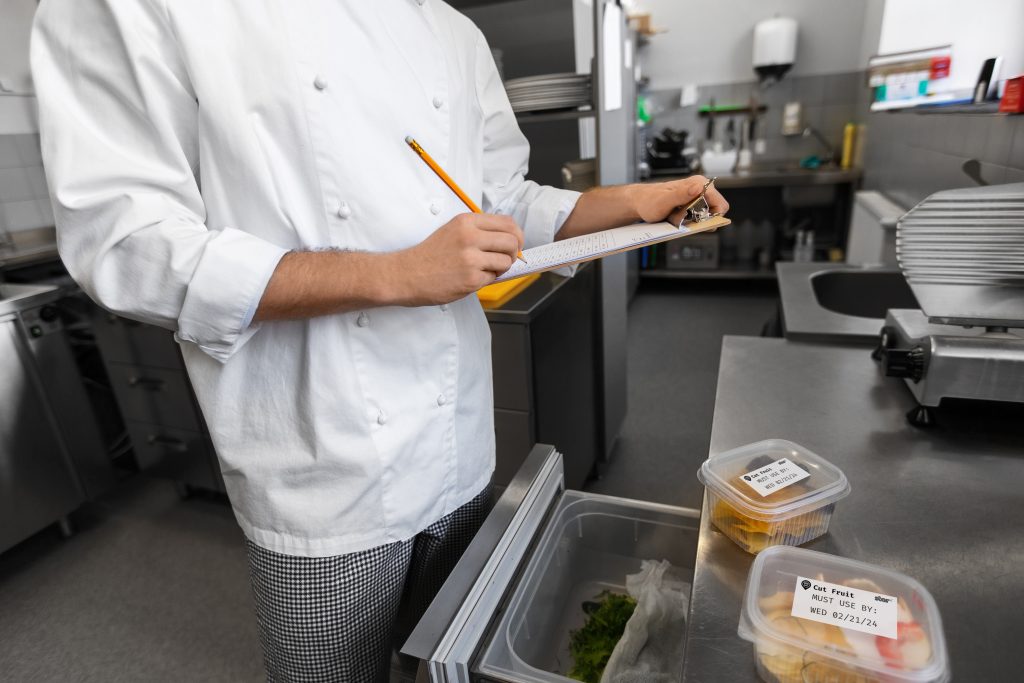
    Kitchen Use By Labels

    3. Bag Seal Labels

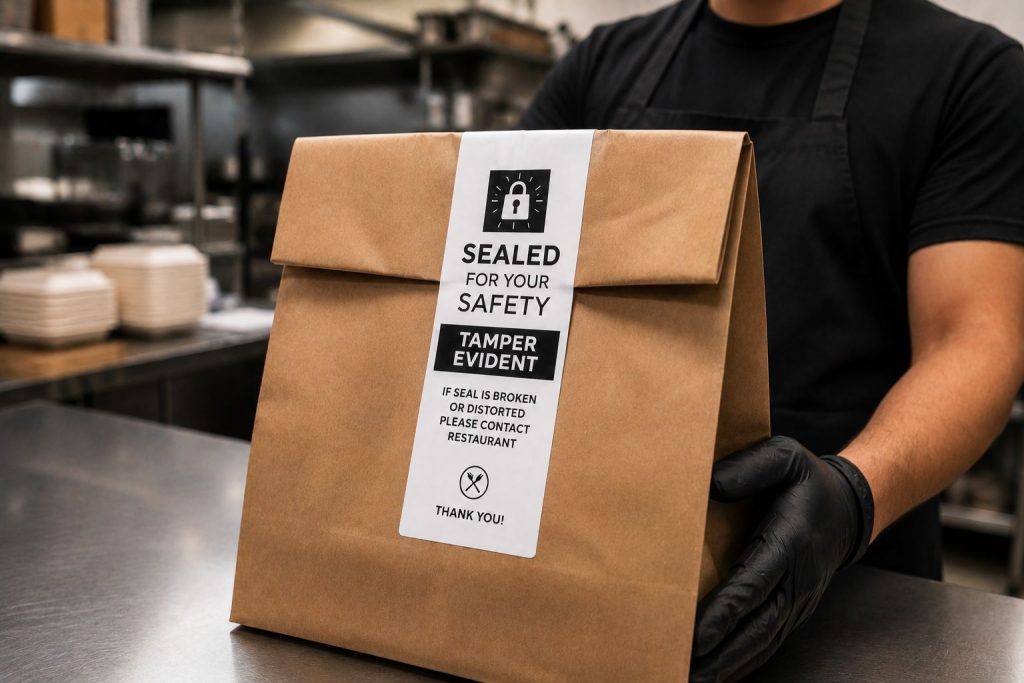
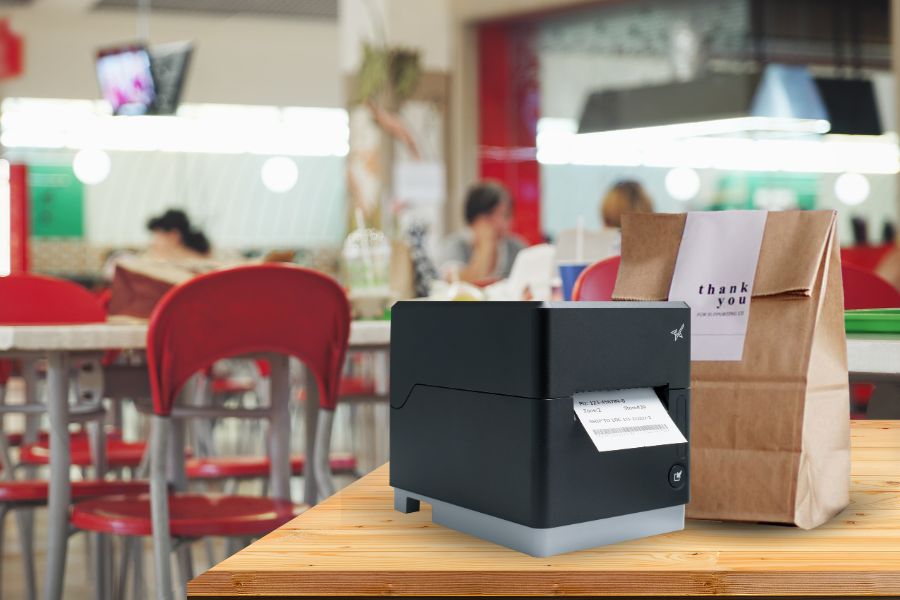
    Often made with permanent linerless adhesive or die-cut formats, these labels seal the bag shut for tamper-evident delivery, giving customers peace of mind.

    4. Staging Labels

    Used to organize and queue multiple orders during rushes, particularly in drive-thru and curbside workflows.

    Off-Premise Dining Solutions from Star Micronics

    To meet the demands of modern off-premise operations, restaurants need tools that are fast, flexible, and easy to manage. Star Micronics offers a suite of hardware and cloud-based solutions designed to simplify labeling, reduce errors, and support seamless workflows at every station. Below are the key features that make Star a trusted choice for off-premise dining success.

    > One Printer Model Per Station

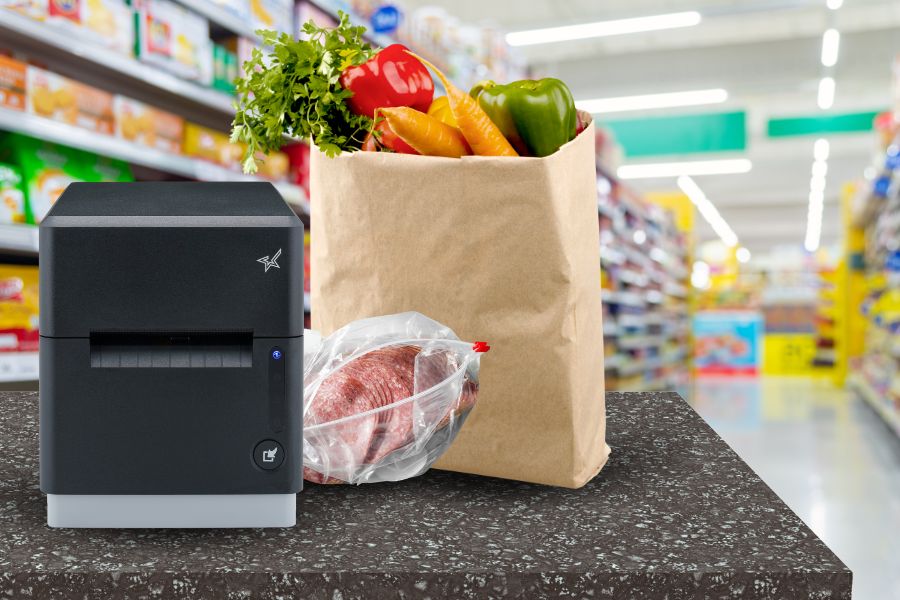
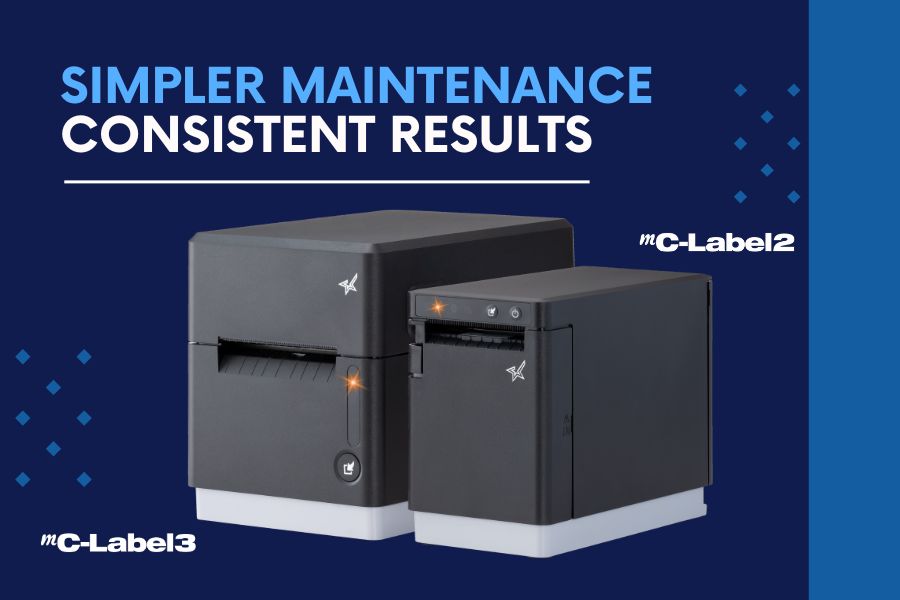
    Star’s mC-Label3 multimedia printers print receipts, die-cut labels, and linerless labels, all from one device. That means you can standardize across stations with less complexity: fewer SKUs to manage, less training for staff, simpler IT support when needed, and easier maintenance. Need a replacement? Keep one extra on hand and drop it in at any station. No compatibility issues, no reconfiguration.

    mC-Label3 Multifunction Printer

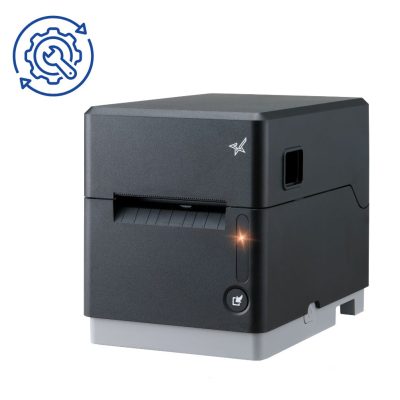
    The Star Micronics mC-Label3 is a versatile multimedia printer that prints a wide range of labels and receipts, including both permanent and repositionable sticky linerless. It features cloud connectivity and innovative technologies like SteadyLAN and TetherLAN for enhanced printing convenience.

    Discover the mC-Label3 >

    > Linerless Compatibility

    Star printers support both repositionable and permanent linerless labels, offering flexibility across multiple use cases. Sticky linerless labels are often used for item labeling, such as sandwiches, drinks, or personalized orders. Permanent linerless labels are ideal for securely sealing to-go bags and other types of delivery packaging.

    Because linerless labels don’t use silicone backing, you get more labels per roll, reduce roll changes, and eliminate liner waste. That means lower supply costs, less downtime, and a more environmentally responsible operation.

    The mC-Label3 can handle various linerless applications, but for simpler workflows, the TSP143IV SK series prints receipts and sticky linerless labels only.

    > Scales for Order Accuracy

    Pair Star printers with mG-T series scales to enable accurate weight-based pricing, portioning, and order verification. This is especially valuable in QSRs, delis, meal kit programs, and food prep lines where consistency and speed matter.

    Many QSRs are now using POS-integrated scales to confirm that assembled orders match expected weight totals before handoff. When supported by their POS software, this real-time weight check adds an extra layer of quality control. It helps reduce errors, avoid refunds, and improve the customer experience.

    Scales are no longer just for pricing. They are becoming a key part of efficient off-premise dining operations.
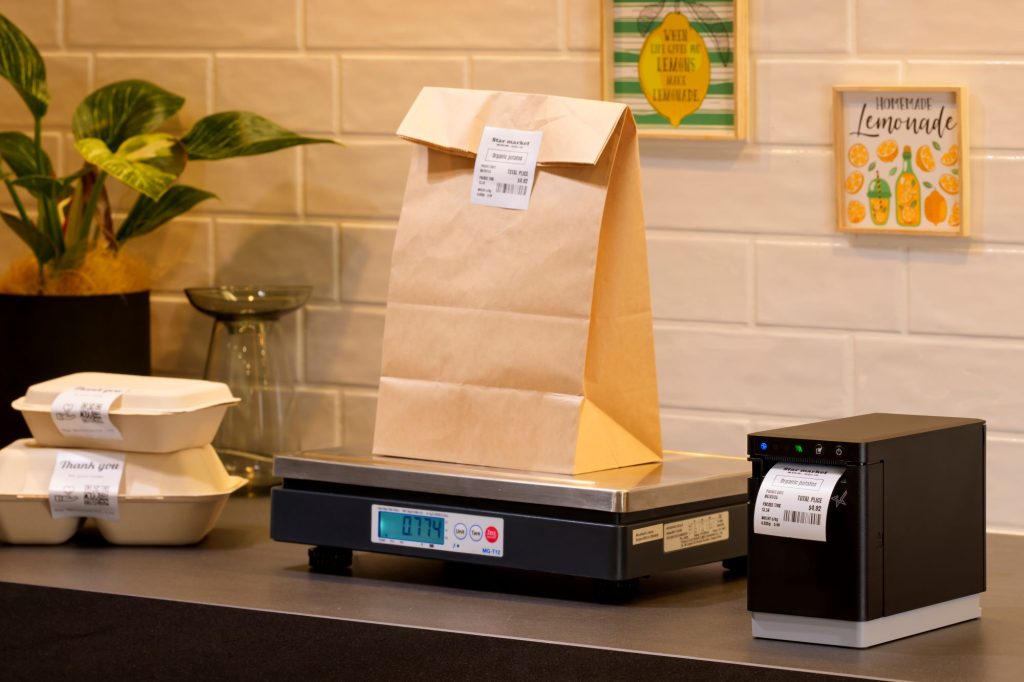
    MG TUDB MCL2

    mG-TUDB Scales

    Designed for precision and versatility, Star’s mG-TUDB POS scales are ideal for everything from self-checkout produce stations to QSR order prep and deli portioning. With Class III trade-legal certification, a large platter, and Bluetooth, USB-C, and serial connectivity, they easily connect to most POS systems. An optional pole display adds customer-facing visibility where it counts.
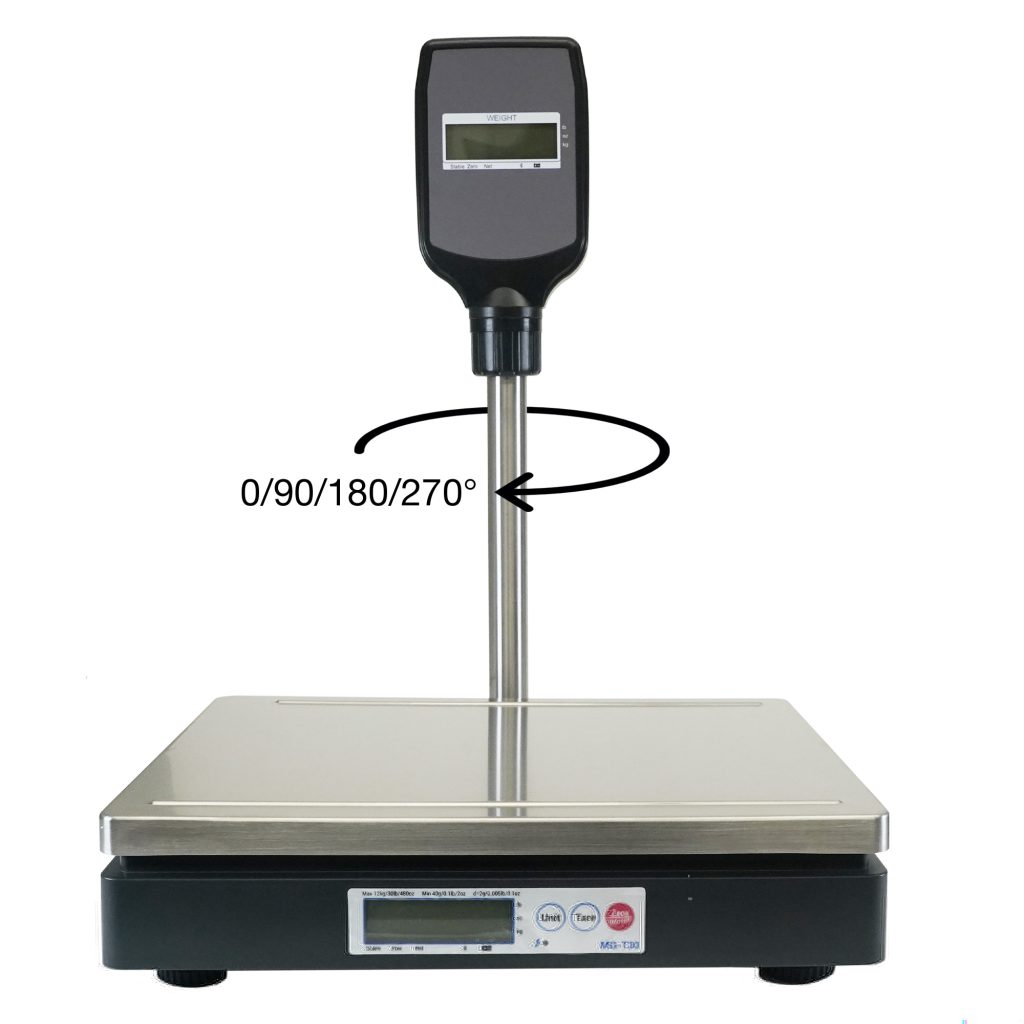
    Find Out More >

    > Cloud Capable

    Star’s mC-Label series of printers supports both CloudPRNT Next and StarIO.Online, giving restaurants the flexibility to choose how they manage their cloud infrastructure.

    • CloudPRNT Next is ideal for businesses that want to run their own servers and maintain control of the back end.
    • StarIO.Online is a fully managed service hosted by Star Micronics, perfect for operators who want cloud printing without the burden of server management.

    Both options enable real-time printing from cloud-based ordering platforms, allowing your kitchen and pickup stations to run more efficiently with fewer hardware constraints.

    > Certified by the Best

    Star’s mC-Label3 is trusted by some of the largest and most respected QSR and fast casual brands around the world. Its speed, accuracy, and media versatility make it a go-to choice for high-volume environments where every second counts. From front-of-house to kitchen to delivery staging, operators rely on the mC-Label3 to support multiple stations using one compact, reliable model. It’s been tested in demanding real-world workflows and proven to perform.
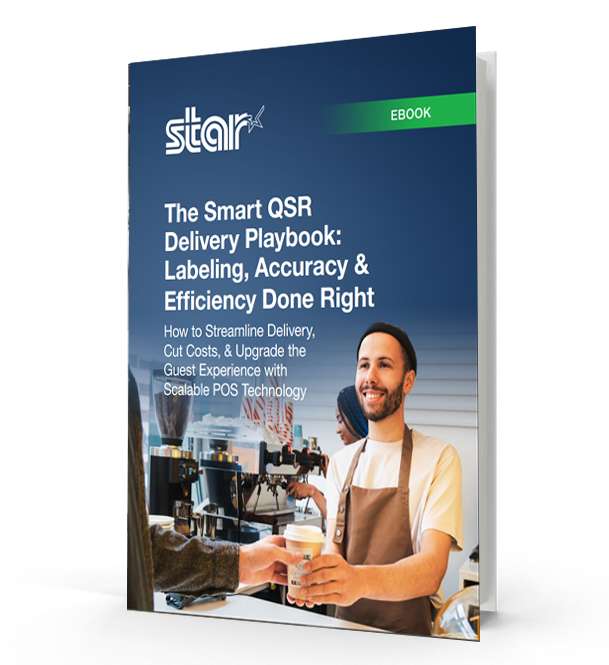
    The Smart QSR Delivery Playbook: Labeling, Accuracy & Efficiency Done Right

    Download the free QSR delivery playbook to learn how labeling, POS scales, and multi-function printers can improve accuracy, speed, and guest trust.

    The Takeaway

    In the world of off-premise dining, labeling is essential. From confirming orders to sealing bags and staging pickups, smart labeling keeps operations moving and customers coming back.

    With the right off-premise dining solutions in place, including flexible printers, linerless label support, and optional scale integration, restaurants can operate faster, more accurately, and with greater confidence.
    Find the best off-premise dining solutions for you:

  • Reduce Label Printer Downtime with Smarter Maintenance Tools

    Reduce Label Printer Downtime with Smarter Maintenance Tools

    When orders pile up and customers are waiting, restaurants and retailers can’t afford wasted time. Every second counts, especially when label printer downtime threatens to derail the entire workflow. The right label printer can help with order accuracy, speed, and customer satisfaction. But without smart, proactive label printer maintenance, even the best devices can fail mid-shift, delaying orders, frustrating staff, and risking customer trust.

    Unfortunately, traditional label printers offer little warning before they fail. Maintenance procedures are often buried in technical manuals, and staff members may not know what to do when a problem arises. The result? Unplanned downtime, lost revenue, and missed opportunities.

    There’s a smarter way forward. Maintenance tools built into today’s best label printers help operators stay proactive, avoid surprises, and keep their operations running smoothly.

    Table of Contents

    Why Label Printer Downtime Hurts QSR and Retail Operations

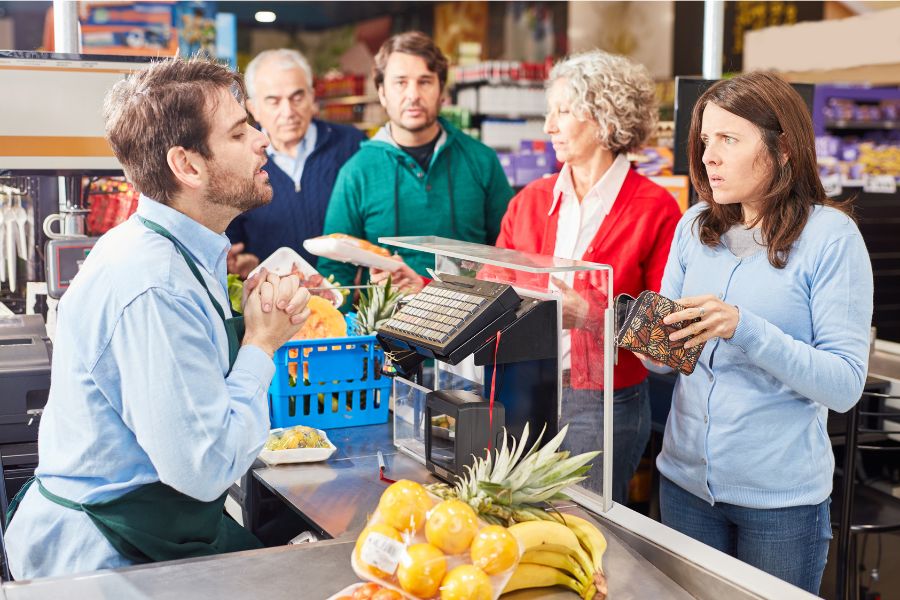
    Label printer downtime hits hardest when your team needs it most. During rush periods, a single stalled device can trigger a ripple effect: delayed tickets, packing errors, and frustrated customers.

    When a label printer fails, the order accuracy chain breaks. Bags leave without tamper-evident seals. Orders get misrouted or repacked. Allergen and ingredient labels may be skipped, creating food safety risks and compliance issues. For QSRs and retailers, that means chargebacks, reputation damage, and slower service when speed matters most.

    Label printer downtime doesn’t just slow things down; it disrupts trust and hurts the bottom line.

    Unhappy Customers Printer Downtime

    The Hidden Gaps in Label Printer Maintenance & Why They Happen

    Too often, label printer maintenance is an afterthought. There’s no real warning before issues arise, and no clear process for routine upkeep. Most teams only respond once something breaks, and by then, it’s too late.

    Without maintenance alerts or built-in guidance, staff may not know a part is worn or how to fix it. Manuals are buried, IT is busy, and backup printers aren’t always available. That leaves teams scrambling to recover.

    These gaps create recurring pain points:

    • Lost productivity during peak times
    • Wasted materials from failed prints
    • Packaging errors that impact customer satisfaction
    • Avoidable damage to brand trust

    Without a proactive maintenance system, even the best labeling strategy can fall short.

    Meet the mC-Label Series: Smarter Label Printer Maintenance, Built In

    When it comes to avoiding label printer downtime, the best defense is a device that knows how to take care of itself. That’s why Star Micronics designed the mC-Label multifunction printer series with proactive maintenance tools that keep QSR and retail workflows moving without disruption.

    1. Maintenance Alerts

    Real-time notifications let staff know exactly when printer maintenance is due before it becomes a problem.

    The mC-Label3 multifunction label printer has convenient maintenance alerts.

    2. Auto-Printed QR Codes

    The printer prints a QR code that links directly to simple, step-by-step instructions. No manuals needed.

    3. Tool-Free Maintenance

    Downtime often starts with small issues, like adhesive buildup or worn components. That’s why Star mC-Label printers are designed with tool-free maintenance in mind.

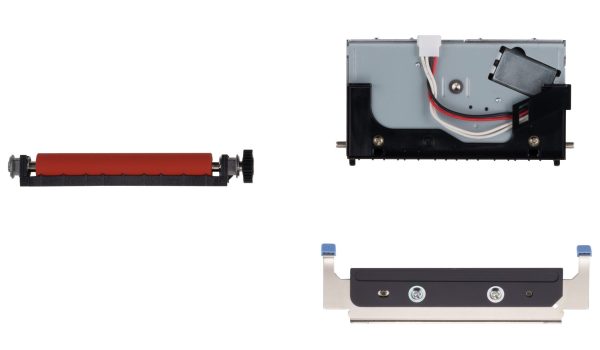
    Color-coded parts, including the cutter and platen, are easy to identify, remove, clean, and reinstall without any tools. No technician is required. Your team can handle routine maintenance on the spot without waiting for IT or scheduling a service call. That means less downtime, fewer disruptions, and a label printer that’s always ready to go.

    For the mC-Label2 and mC-Label3 multifunction label printers, routine cutter cleaning is simple. If adhesive begins to accumulate on the cutter blade, use the adhesive side of a separate label or linerless label and gently tap it against the blade. This helps remove gum and debris before buildup affects cutting performance.

    When components eventually wear over time, Star offers replacement cutter and platen sets so you can restore performance quickly without replacing the entire printer. Fast, user-level maintenance keeps labeling workflows running smoothly, even in high-volume environments.

    4. Built for the Front and Back of House

    Whether you’re sealing to-go bags, labeling food items, or printing ingredient info, the mC-Label series prints die-cut and linerless labels (with all adhesive strengths) plus receipts, helping you maintain speed, accuracy, and peace of mind.

    mC-Label2 Multifunction Printer

    The mC-Label2 packs powerful features into a compact, front-loading design, including 300 dpi resolution, support for linerless, die-cut, receipt, and continuous media, and connectivity options like USB-C, LAN, WLAN, Bluetooth, and Apple MFi-certified pairing (X4 models only).

    Explore the mC-Label2 >

    mC-Label3 Multifunction Printer

    The Star Micronics mC-Label3 is a versatile multimedia printer that prints a wide range of labels and receipts, including both permanent and repositionable sticky linerless. It features cloud connectivity and innovative technologies like SteadyLAN and TetherLAN for enhanced printing convenience.

    Discover the mC-Label3 >

    Keep Labeling Simple and Reliable

    In today’s high-volume, high-expectation environment, printer downtime is a problem you can’t afford.

    Smart maintenance tools like those built into the mC-Label series give operators the confidence that their labeling workflow won’t be derailed by preventable issues. Proactive alerts, guided instructions, and simple part handling turn maintenance from a challenge into an opportunity to keep operations running at their best.

    Smarter maintenance enables smarter labeling—and smarter labeling helps QSRs and retailers deliver the speed, accuracy, and trust their customers expect.

    Beyond the Label: Elevating Brand Connection and Loyalty

    “Beyond the Label” offers insights into innovative labeling techniques that help retailers and restaurateurs captivate and connect with their audience more effectively.

    Minimize label printer downtime and keep customers smiling with the mC-Label series:

  • On BlueStar Nation: How Modern Kitchen Technology Is Evolving in Restaurants and QSRs

    On BlueStar Nation: How Modern Kitchen Technology Is Evolving in Restaurants and QSRs

    Restaurant kitchens are facing more demands than ever. From food safety compliance to lightning-fast delivery expectations, operators are turning to modern kitchen technology to keep pace. As cloud POS systems and restaurant label printers reshape how kitchens run, efficiency and accuracy are becoming essential to delivering a superior customer experience.

    In the latest episode of the BlueStar Nation Podcast, Star Micronics’ Christophe Naasz dives into how QSR kitchen technology and restaurant efficiency tools are helping restaurants evolve. He shares insights on trends from the National Restaurant Association Show, the growing advantages of cloud POS vs on-prem, and how kitchen labeling solutions and modern scanning are driving new levels of order accuracy.

    Podcast Highlights: Smarter Kitchens, Better Results

    From restaurant scanning solutions that improve accuracy to kitchen label printers that streamline order staging, Christophe explains how the right technology can transform back-of-house operations. He also discusses why restaurant kitchens adopting cloud POS platforms are seeing faster innovation cycles and improved delivery outcomes.

    Read the blog post, “Why Restaurant Refunds Happen and How to Prevent Them” >

    Stay up-to-date on all things Star, don’t forget to follow us on X, LinkedIn, Facebook, Instagram, and YouTube.

    Want more industry news?

  • Why Restaurant Refunds Happen and How to Prevent Them

    Why Restaurant Refunds Happen and How to Prevent Them

    Restaurant refunds are more than just a minor frustration—they’re a direct hit to profitability. In quick service restaurants (QSRs) and fast-paced foodservice environments, even one missed item or overlooked modifier can trigger a refund, a chargeback, and a disappointed customer who may never come back.

    While it’s easy to blame delivery platforms or POS glitches, most refund-worthy mistakes don’t come from your system; they are a result of what happens in the kitchen. In fact, recent data from Loop shows that over 70% of refund triggers are tied to operational issues, including missing items, incorrect prep, or poor packaging. These errors aren’t random. They’re patterns, and they’re preventable.

    Let’s take a closer look at where things go wrong, what it’s really costing your restaurant, and how better labeling can help you stay ahead.

    The Top Reasons Refunds Happen

    Across restaurants and QSRs, the most common causes of order inaccuracies are operational, not technical. Food gets prepped on different stations. Items are added late. Orders are rushed during peak service. And the wrong bag ends up in the hands of the wrong guest.

    The most frequent refund triggers include missing entrees, forgotten sides or add-ons, beverages left behind, and modifiers ignored during prep. These mistakes typically occur on the line, during expo, or while bagging, not at the register or in the app.

    And while many restaurants work hard to train staff and optimize flow, the truth is that verbal communication and handwritten notes aren’t enough in high-volume settings.

    The Hidden Cost of Operational Mistakes

    Even when caught early, these mistakes cost valuable time and labor. When they’re not caught, they result in refunds and chargebacks, and those add up fast. Most operators lose around 0.5% of revenue to refund-related losses. That might not sound like much, but at scale, it’s thousands of dollars per month.

    Refund policies from delivery platforms are also becoming more strict. Uber Eats now requires photo evidence for many refund claims. DoorDash merchants win more disputes (around 60%), but only when there’s documentation to back them up.

    Beyond the dollars, the damage to your brand is harder to calculate. Trust is fragile in the foodservice industry, and one wrong order, especially when allergens or modifiers are involved, can drive guests to a competitor with just one tap.

    Order Inaccuracy Can Ruin Your Restaurant Or QSRs Brand

    Where Things Go Wrong—And Why Labels Matter

    Most refund triggers happen because there’s a gap in the process: a missing visual, an unconfirmed step, or an instruction that gets lost in the rush. Without clear, consistent labeling, teams rely on memory or guesswork, and that’s where mistakes creep in.

    Labels make information visible and actionable. They confirm what was ordered, how it should be made, and whether the right items made it into the bag. They reduce the cognitive load on busy teams and help different stations stay in sync.

    Whether it’s a bag label that shows what’s inside, an item label with allergen info, or a food rotation label in the walk-in, these small stickers create major clarity.

    How to Hardwire Order Accuracy into Your Workflow

    To reduce refunds in the long term, restaurant operators need to stop treating mistakes as one-offs and start identifying patterns. That’s where labeling systems shine. They give your team consistent, repeatable tools to stay on track, even during peak periods or staff turnover.

    Labeling can be integrated at every touchpoint:

    • Use item-level labels to ensure modifiers and customizations are followed.
    • Apply bag labels to confirm contents and add tamper-evident sealing.
    • Mark inventory with expiration or use-by dates for food safety and waste reduction.
    • Identify clean vs. dirty equipment with repositionable sanitation labels.
    • Add QR codes for customer engagement—loyalty sign-ups, surveys, or promotions.

    When labeling becomes part of the workflow, accuracy becomes second nature.

    Blog: Why Leading QSRs Use POS Scales & Labels to Increase Order Accuracy >

    The mC-Label Series: One Printer Model, Every Station

    To make labeling work in a busy restaurant, you need printers that can keep up. The Star Micronics mC-Label series of multifunction printers are built to deliver speed, flexibility, and simplicity across your entire operation—front of house, kitchen, prep, and packing.

    These compact printers support virtually any media type, including linerless labels (permanent or repositionable sticky), die-cut labels, and standard receipts. They fit into tight spaces (especially the mC-Label2), include all modern connectivity options, and work seamlessly with all modern operating systems, like iOS, Android, and Windows devices.

    mC-Label3 Multifunction Printer

    The Star Micronics mC-Label3 is a versatile multimedia printer that prints a wide range of labels and receipts, including both permanent and repositionable sticky linerless. It features cloud connectivity and innovative technologies like SteadyLAN and TetherLAN for enhanced printing convenience.

    Discover the mC-Label3 >

    mC-Label2 Multifunction Printer

    The mC-Label2 packs powerful features into a compact, front-loading design, including 300 dpi resolution, support for linerless, die-cut, receipt, and continuous media, and connectivity options like USB-C, LAN, WLAN, Bluetooth, and Apple MFi-certified pairing (X4 models only).

    Explore the mC-Label2 >

    With Label Builder from Star Micronics Cloud Services, your team can create and store up to three custom label templates directly on the printers. Then, using One Touch functionality, print those labels on demand with the touch of a button—no internet required. That means anyone, at any station, can label restaurant items clearly and correctly without skipping a beat.

    With the mC-Label series, you can eliminate complexity, unify your print ecosystem, and reduce the friction that causes costly mistakes.

    Beyond the Label: Elevating Brand Connection and Loyalty

    Discover how strategic labeling can redefine customer engagement and boost brand loyalty in this digital age.

    Labeling: The Unsung Hero of Order Accuracy

    Refunds don’t just hurt your bottom line. They reveal where your processes need reinforcement. And in today’s fast-paced QSR environment, there’s no room for guesswork.

    Labeling helps restaurants communicate clearly, execute accurately, and build trust with every order. When you label restaurant orders and assets consistently, you empower your team to deliver the right experience every time.

    Perfect Your Labeling Workflow:

  • Label Restaurant Orders and Assets for Better CX

    Label Restaurant Orders and Assets for Better CX

    The restaurant industry isn’t what it was even three years ago, and quick service restaurants (QSRs) are on the front lines of that shift. With demand soaring for drive-thru, mobile orders, delivery, and self-service, operators need tools that move as fast as their customers. One of the smartest upgrades you can make? Implement a system to label restaurant orders and assets. It’s a simple move with powerful results: clearer communication, fewer mistakes, and a faster, more reliable handoff from kitchen to customer.

    But this isn’t just about organization—it’s about experience. Labels give your team the clarity they need to move confidently, your customers the trust they crave, and your operation the polish that sets you apart. From tamper-evident delivery seals to ingredient tracking and cleaning protocols, labeling is how modern restaurants stay sharp, scalable, and a step ahead.

    Where to Use Restaurant Labels

    Whether you’re labeling delivery orders, grab-and-go items, or back-of-house inventory, restaurant labels provide essential clarity at every step. Implementing a plan to label restaurant assets and orders helps your team stay accurate and organized, building trust, loyalty, and better bottom-line performance.

    1. Receiving Orders

    QSR operations have become omnichannel. The drive-thru market is booming, valued at $626.16 billion in 2022 and on pace to reach $1.12 trillion by 2030. Restaurant Technology News reports that the majority of consumers order online, with 13% ordering from third-party apps and 40% preferring to order directly from the restaurant. Datos Insights reports that there are now more than 110,000 kiosks deployed in the U.S. 

    With orders originating in multiple places—still including counters attended by a cashier—QSRs need a way to organize orders and make sure they get to the right customer at the right time. Repositionable labels allow restaurant staff to print order details on the label for accurate tracking. Restaurant labels can also include additional, vital information, such as an allergy alert or special requests, so staff can prepare the order safely and serve exactly what the customer wants.

    The Role of Labels in Modern Off-Premise Dining Solutions

    2. Streamlining Quality Control

    Fast-paced service often means orders are assembled at different times by different team members. Items can get swapped, missed, or packed incorrectly, especially during peak hours.

    A weigh-before-you-hand-off approach helps solve this. Just like self-checkout scales at grocery stores, integrated POS scales verify that the total weight matches what’s expected and that the package contains all ordered items. Combine this with tamper-evident labels, and you’ve created a closed, secure, and confirmed order, reducing customer complaints and increasing delivery confidence.

    3. Managing Inventory

    Restaurant success starts with inventory that’s fresh, organized, and trackable. Labeling incoming stock with dates and product details helps staff rotate ingredients properly, avoid spoilage, and minimize over-ordering.

    It also simplifies audits and health inspections—staff can immediately identify what’s fresh, what’s expiring, and what needs to be used next. In the long run, it saves money, reduces food waste, and builds customer trust in your quality control.

    4. Nutrition and Dietary Information

    Consumers want transparency, especially when it comes to food allergies, calorie counts, and ingredients. If your QSR offers grab-and-go meals, pre-packed snacks, or seasonal items, restaurant labels are a simple way to provide that information.

    By printing allergen warnings, nutrition facts, and ingredients directly onto each item, you make it easier for customers to make safe, informed choices. It’s also a great way to ensure compliance with local or national food labeling regulations.

    5. Branding and Marketing

    Labels aren’t just for logistics—they’re an extension of your brand. When you consistently label restaurant packaging with your logo, messaging, or QR codes, you create a more polished and recognizable customer experience. 

    Use labels to drive engagement: link to your loyalty program, promote limited-time offers, collect survey feedback, or encourage social follows. You can even run contests or giveaways with QR code entry right on the bag. Every label is a chance to build your brand and start a conversation.

    With Label Builder on Star Micronics Cloud Services, restaurants and QSRs can easily create custom label designs for branding, operations, and promotions. Store up to three label images directly on the mC-Label3 multimedia printer and print them on demand—no internet connection required. It’s a simple, scalable way to label restaurant items with purpose and consistency.

    Blog: One Printer, Every Station: Rethinking Labeling for QSRs & Grocery Stores >

    6. Optimizing Cleaning Processes

    A clean, well-maintained restaurant keeps customers coming back—and protects your reputation. But when multiple shifts, locations, or team members are responsible for cleaning, tasks can fall through the cracks or get duplicated. Labeling brings clarity to your cleaning protocols. 

    Use repositionable labels to mark equipment that’s been sanitized, flag areas that need attention, or identify whether tools are clean or dirty. Labels can also track maintenance schedules on machinery or signal when restrooms or prep areas were last serviced. It’s a simple solution that keeps your staff aligned and your operation inspection-ready.

    Label Restaurant Orders and Assets with Precision and Purpose

    Every label is a message. When you incorporate clear labeling into your workflows, it gives your team what they need to work quickly and stay accurate. It also reassures customers that their food was prepared correctly, safely, and with attention to detail. From bag labels and allergen warnings to stock rotation and cleaning protocols, restaurant labels ensure the right information is visible at the right time, in the right place.

    The result? Fewer mistakes, smoother shifts, and a more polished experience from kitchen to counter. Labels help you track expiration dates, confirm sanitation tasks, and guide customers to loyalty programs or promotions with a simple QR code. If your restaurant is aiming to reduce waste, tighten operations, and raise customer satisfaction, investing in a smart labeling system isn’t just helpful—it’s essential.

    Additional Resources

    Star Micronics has developed solutions specifically for the restaurant industry and the challenges that restaurateurs face as consumer behaviors change. Our line includes: 

    mC-Label2 Multifunction Printer

    The mC-Label2 packs powerful features into a compact, front-loading design, including 300 dpi resolution, support for linerless, die-cut, receipt, and continuous media, and connectivity options like USB-C, LAN, WLAN, Bluetooth, and Apple MFi-certified pairing (X4 models only).

    Explore the mC-Label2 >

    mC-Label3 Multifunction Printer

    Print sticky or permanent linerless, die-cut, or continuous labels and receipts—all from one compact, cloud-ready printer. Includes One Touch label printing and connects to Star Micronics Cloud Services for more powerful tools.

    Discover the mC-Label3 >

    TSP143IV SK Sticky Label Printer

    The industry’s smallest sticky label printer for restaurants. Prints repositionable thermal linerless labels in multiple widths (80, 58, 40 mm) and supports all modern connectivity options for frictionless deployment.

    Find out more >

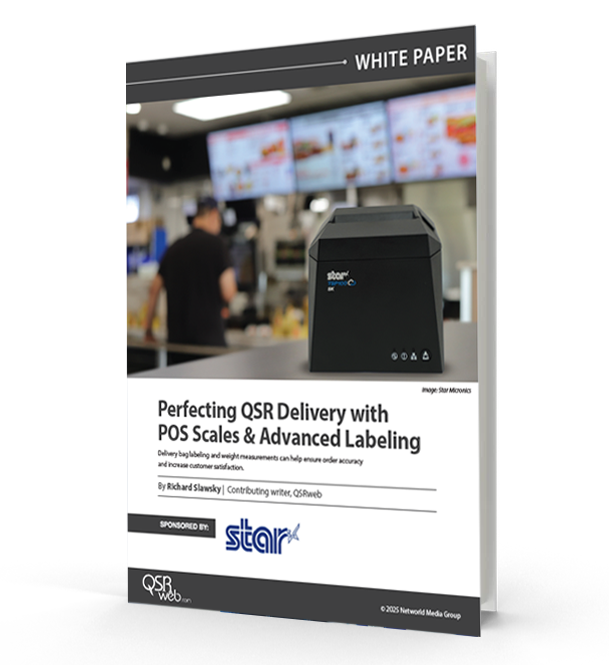
    Perfecting QSR Delivery with POS Scales & Advanced Labeling

    Learn how QSR operators are transforming delivery with weight-based verification and advanced labeling solutions. 

    Build better labeling strategies now.

  • Use Repair Labels to Streamline Phone Repair Operations

    Use Repair Labels to Streamline Phone Repair Operations

    Smartphone repair is a growing business opportunity. But, with higher demand comes greater operational pressure. To stay efficient and meet customer expectations, repair shops must streamline how they track, manage, and return devices. 

    The right labeling solution can make a big difference, especially when it generates repair labels designed specifically for your workflow. It’s a simple upgrade that saves time, cuts costs, and keeps your entire operation moving smoothly.

    Why Demand is Growing

    The global smartphone repair market, valued at $215.2 billion in 2023, could grow at a 5% compound annual growth rate (CAGR) through 2032 to reach more than $333 billion. In the U.S. alone, 78 million consumers damaged their smartphone screens in 2023 and paid a total of $8.3 billion for repairs. 

    In the recent past, damage would have meant simply replacing the smartphone. However, the average replacement cycle has now extended to 21 months. Consumers are investing in devices they plan to use long term—and devices they count on for a range of activities day to day. 

    They’re most often sending devices for damaged screens, which account for 67% of repairs, but you’ll also see increased demand for fixes including Wi-Fi or connectivity issues, touchscreen malfunctions, damaged charging ports, and water damage.

    How to Increase Smartphone Repair Process Efficiency

    As repair volumes rise, smartphone service providers need a reliable way to track every device from intake to return—and ensure clear communication across the team. Repair labels are a simple but powerful tool to strengthen your repair management system.

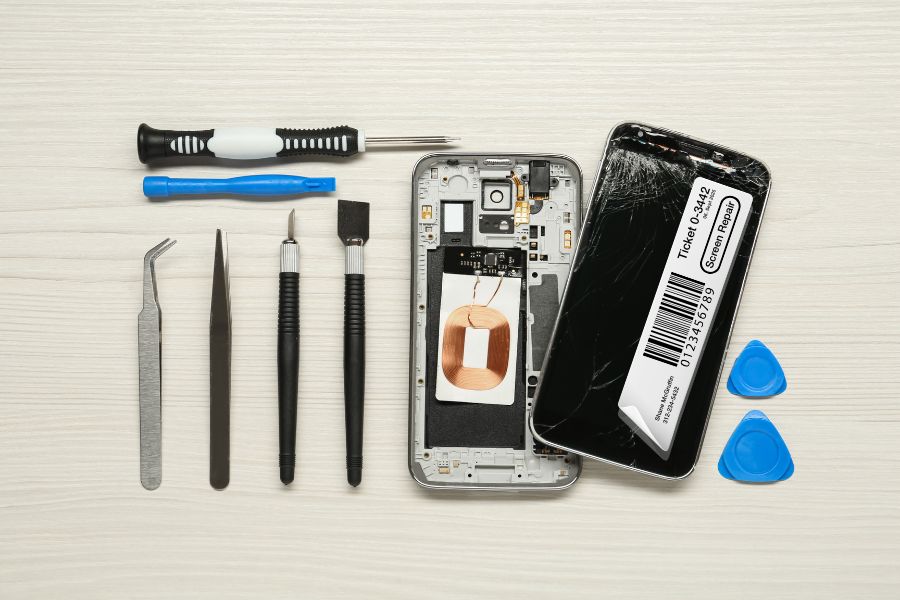
    Repositionable sticky labels help you tag each phone the moment it enters your workflow, whether dropped off in-store or received by mail. These labels identify the owner, the device’s repair destination, and any issues reported, like water damage, connectivity problems, or screen malfunctions. You can also use labels to flag parts needed for a repair, keeping your process organized from the start.

    Use Repair Labels to Streamline Phone Repair Operations

    Once the work is complete, labels can mark that the device passed QA/QC inspection, or even double as shipping labels when sending phones back to customers. If a repair isn’t possible, labeled devices can be routed for return or handled according to your recycling procedures.

    By using repair labels at every stage, you create a more efficient, traceable, and professional repair process.

    Choose the Right Labeling Solutions for Your Repair Management System

    To optimize your repair operation, you need technology with the right features to help you generate repair labels efficiently. Printing solutions features that will enhance your repair management system include:

    > Removable Label Printing

    Many repair shops currently rely on die-cut labels for tracking and managing smartphone repairs. While these labels get the job done, it’s worth considering linerless labels as a more efficient and flexible option, especially as repair volumes increase.

    Removable, or repositionable, labels are linerless labels that give your team the ability to move, remove, and reapply labels without leaving behind sticky residue. With no silicon liner to peel off, employees can print and apply labels with one hand, making the process faster and less error-prone.

    Linerless labels also deliver operational advantages. Because there is no backing, each roll holds more labels, which reduces the time spent on refills and maintenance and saves storage space. In addition, with less waste, your repair operation becomes more sustainable without compromising on performance.

    > Easy Label Design

    Look for a solution that allows you to design repair label templates for consistency and maximum efficiency. Leading solutions will allow you to use label builders in the cloud and make them available to your team directly on the printer, so you don’t add steps to employees’ workflows. 

    > One Touch Printing

    Repair labels should simplify your workflow, not slow it down. Choose a printer that lets your team quickly select the correct label template, enter any required details from your repair management system, and print instantly with one touch. This streamlines the process for both receiving and technicians, ensuring accurate labeling without extra steps.

    > Fast, High-Quality Printing

    Make sure the printer you choose can keep up with your workflow. A quick demo will show whether it can produce labels fast enough to avoid slowing down your team, while still delivering the print quality you need. 

    This is especially important if your repair process relies on barcodes. Sharp, high-resolution barcode printing ensures reliable scanning and accurate tracking, so you always know where each device is in your system.

    Where to Learn More About Repair Label Solutions

    As demand—and your operation—grows, you’ll need to deploy technology to keep your processes on track. A smart strategy is to talk to printing experts to find the best printing solutions for your business. Star Micronics has designed printers and printing solutions to enhance smartphone repair label operations. 

    Star’s mC-Label multimedia printer series produces high-quality repair labels that you can design with Label Builder in Star’s Cloud Services, included with the printer. You can print on nearly all media: linerless sticky labels, permanent labels, and even die-cut labels that allow you to highlight your brand on packaging. 

    The mC-Label series includes flexible connectivity options and makes work easier for your team with One Touch Label printing. Employees can print from up to three stored label templates with just the touch of a button, even without an internet connection.

    mC-Label2 Multifunction Printer

    The mC-Label2 packs powerful features into a compact, front-loading design, including 300 dpi resolution, support for linerless, die-cut, receipt, and continuous media, and connectivity options like USB-C, LAN, WLAN, Bluetooth, and Apple MFi-certified pairing (X4 models only).

    Explore the mC-Label2 >

    mC-Label3 Multifunction Printer

    The Star Micronics mC-Label3 is a versatile multimedia printer that prints a wide range of labels and receipts, including both permanent and repositionable sticky linerless. It features cloud connectivity and innovative technologies like SteadyLAN and TetherLAN for enhanced printing convenience.

    Discover the mC-Label3 >

    Another option is Star’s TSP143IV SK sticky linerless label printer, which is the market’s smallest desktop sticky label printer, featuring Android Open Accessory (AOA) support, dual-band wireless connectivity, and is integrated with CloudPRNT Next technology. 

    TSP143IV SK Sticky Label Printer

    The TSP143IV SK by Star Micronics sets a new standard for compact, eco-friendly thermal linerless label printing, offering advanced connectivity options like Wi-Fi and AOA, and efficient, residue-free labels for diverse business needs.

    Find out more >

    The Ultimate Guide to Barcode Scanner Types and Applications

    Navigate the world of barcodes with clarity and confidence, ensuring the right fit for your business needs.

    Wondering how Star solutions can help your business?

  • Smarter Pizza Restaurant Labeling Solutions: One Printer for Every Station

    Smarter Pizza Restaurant Labeling Solutions: One Printer for Every Station

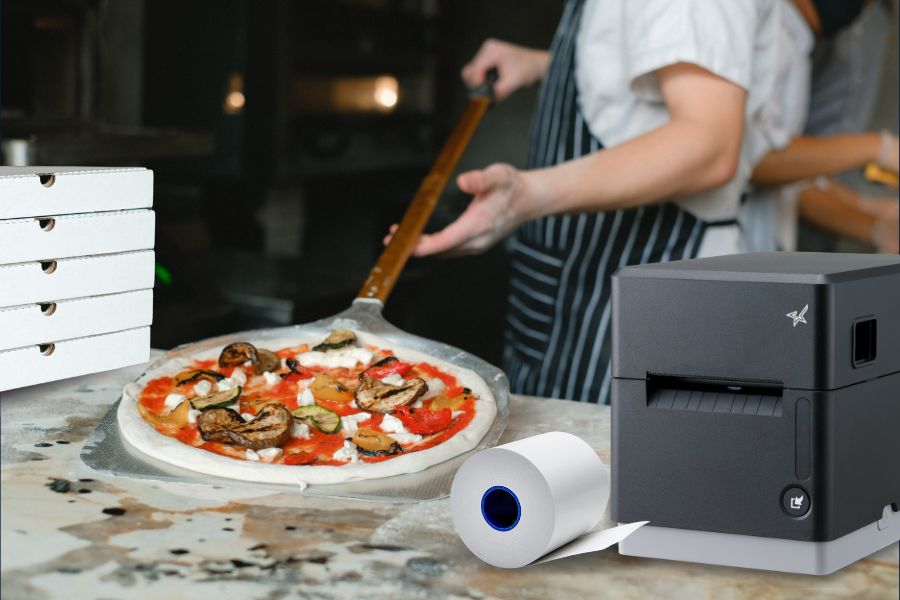
    In the fast-paced world of pizza, there’s no room for guesswork. Every second counts, and every label matters, especially when it comes to choosing the right pizza restaurant labeling solutions. Whether it’s a lunchtime rush or a Friday night delivery marathon, your labeling strategy can either keep the orders flying out the door or bring the whole line to a halt.

    That’s where Star Micronics steps in. Our smarter approach to labeling is designed for restaurants that move fast, think bigger, and refuse to settle for outdated workflows. With the mC-Label3 multimedia printer at the center of your operation, you can simplify everything, starting with one printer model for every station.

    One Printer Model for Every Job

    Most restaurants use different printers for different tasks—a label printer here, a receipt printer there, maybe a specialty solution for online orders or kitchen tickets. That works… until it doesn’t. When something breaks or needs replacing, operators are stuck managing multiple SKUs, multiple vendors, and more training for their staff.

    With the mC-Label3, you can standardize your hardware across your entire pizza business. It’s one compact, reliable printer that supports receipt printing, linerless labeling, sticky labels, and more. Whether it’s printing an order label in the kitchen, a receipt at the POS, or a tamper-proof seal for delivery, the mC-Label3 does it all.

    mC-Label3 Multifunction Printer

    The Star Micronics mC-Label3 is a versatile multimedia printer that prints a wide range of labels and receipts, including both permanent and repositionable sticky linerless. It features cloud connectivity and innovative technologies like SteadyLAN and TetherLAN for enhanced printing convenience.

    Discover the mC-Label3 >

    Smarter Pizza Station Setup

    The one-printer-per-station model isn’t just about reducing clutter. It improves order accuracy by giving each touchpoint—prep, packaging, inventory, pickup, POS—its own dedicated, high-performance printer. And because it’s always the same model, there’s no learning curve, no confusion, and fewer support headaches.

    It’s a smarter layout that:

    • Boosts labeling speed and consistency
    • Reduces printer downtime and maintenance
    • Simplifies training and inventory management

    The Power of Permanent Linerless Labels

    Labels are only as good as their stick. Star’s permanent linerless labels pair perfectly with the mC-Label3, offering strong adhesion without the waste of traditional liners. They work as tamper-proof labels for pizza boxes, to-go bags, and delivery containers, sealing each order with confidence.

    No staplers. No tape. No mess. Just clean, secure, professional packaging every time.

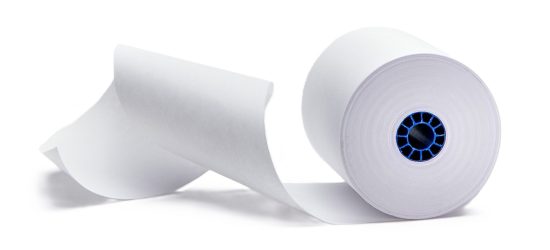
    Star Blue thermal paper rolls by Star Micronics. Receipt, linerless, sticky, traditional, permanent, thermal, bond, label.
    Star offers permanent linerless labels in a variety of widths and pack sizes.

    Built for Busy Pizza Shops

    The mC-Label3 isn’t just versatile—it’s built for speed and volume. With fast print speeds, multiple connectivity options (USB-C, Ethernet, Bluetooth, and Wi-Fi), and compatibility with leading POS and ordering platforms, it’s designed to keep up with the pace of modern pizza operations, even during peak hours.

    Plus, features like onboard label memory and one-touch printing make it even easier for busy teams to stay focused on what matters: making and delivering great food, keeping orders accurate, and ensuring a smooth flow from kitchen to customer.

    Final Slice

    If you’re running a pizza operation with multiple stations, locations, or order types, don’t settle for a patchwork of printers. A smarter labeling strategy—built around the powerful mC-Label3 multimedia printer and Star’s permanent linerless labels—can help you serve faster, label better, and scale easier.

    One printer model at every station. All media types. No compromises.

    How to Get Your Restaurant Ready for Online Ordering

    Are you looking for a new way to grow your restaurant business? Accepting online orders keeps you relevant and competitive.

    Ready for better pizza restaurant labeling solutions?

  • The Hidden Cost of Bad QSR Labeling in Quick Service Operations

    The Hidden Cost of Bad QSR Labeling in Quick Service Operations

    Today’s quick-service restaurants (QSRs) are more complex than ever. Between mobile orders, delivery apps, kiosks, drive-thrus, and in-store traffic, your team is juggling a high-speed, high-stakes environment.

    That’s why QSR labeling is now a critical part of modern restaurant operations—keeping order accuracy high, workflows smooth, and customers satisfied. But if your labeling process is outdated or overlooked, it could be quietly draining your profits and damaging your brand.

    The Real Costs of QSR Labeling Mistakes

    Using the wrong label can slow down restaurant operations, but it can also hurt the bottom line. Poor QSR labeling can negatively impact profitability and hinder business growth in several ways. 

    > Order Mix-Ups & Customer Frustration

    Restaurants implement QSR labeling solutions to communicate order details, including special requests or allergy alerts, to food prep stations. Labels also indicate to the expeditor where the order will be sent when it’s ready, whether to the drive-thru, the front counter, for online order pickup, or to a delivery driver. 

    If the information on the label is incorrect or if the label does not remain in place throughout the process, order accuracy suffers, and both customer satisfaction and food safety are compromised. You must remember that getting every order right is essential. Research by customer service solution provider Simplr found that 51% of customers will not return after a single negative experience.

    > Operational Slowdowns and Excess Waste

    Manually labeling with handwritten notes, tape, and stickers is slow and unreliable. An employee in a food prep area can misread a scribbled note, leading to the wrong items being prepared in the wrong way. It slows down fulfillment, which customers waiting in line during peak times at the drive-thru or pickup counter won’t tolerate. 

    Subpar order accuracy rates also lead to a high volume of food waste. U.S. restaurants generate between 22 and 33 billion pounds of food waste each year, accounting for approximately 15% of the country’s total food waste sent to landfills. Minimizing food waste is key to operating profitably and sustainably. Optimizing QSR labeling processes and improving accuracy rates can decrease food waste, wasted time, and unnecessary resource consumption.

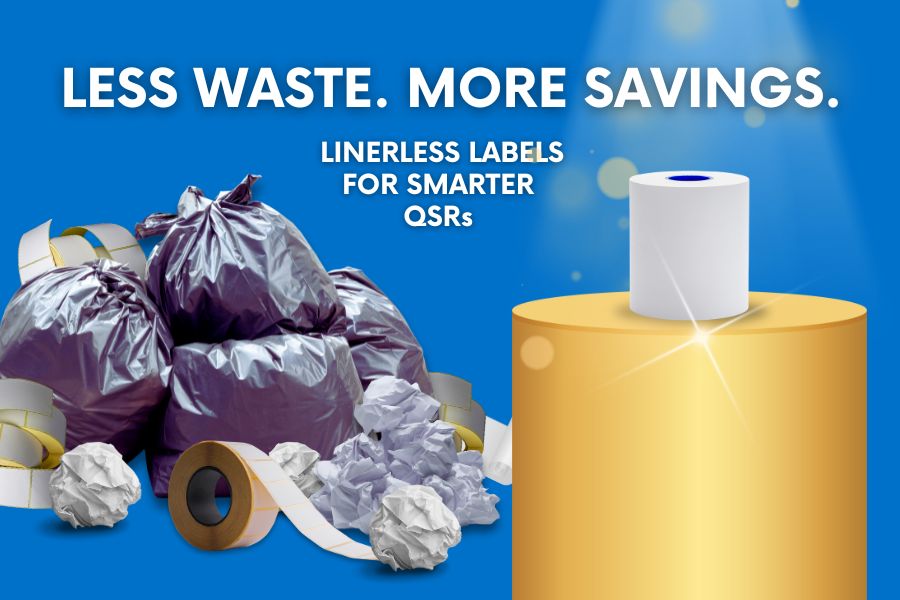
    Traditional labels with liners also generate unnecessary waste. Backings pile up quickly in high-volume environments, creating more trash to manage and dispose of. In a time when consumers increasingly prioritize sustainability, liner waste is not only inefficient and costly—it’s also out of step with modern environmental expectations.

    Linerless Labels No Waste

    > Damaged Brand Perception

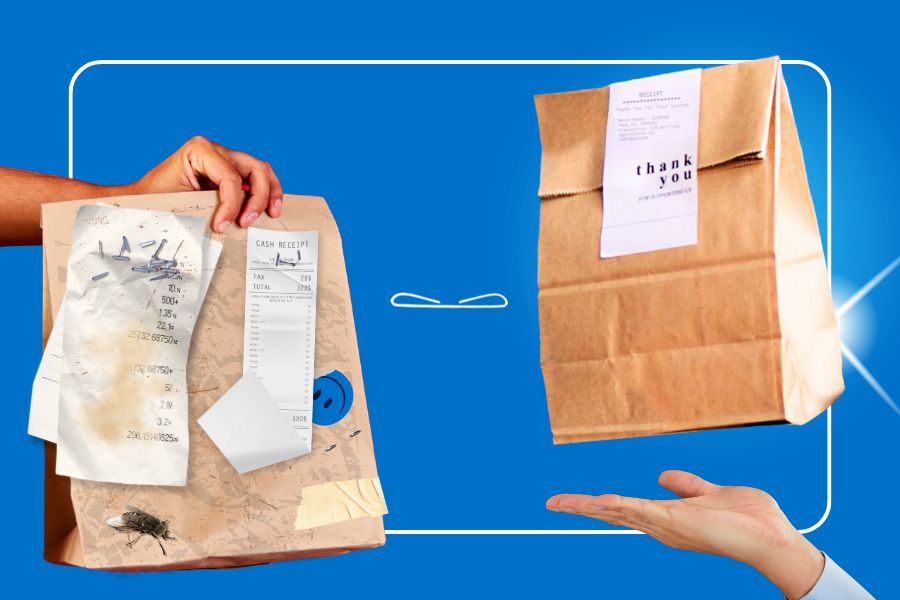
    One of the effects of poor labeling is a bit harder to quantify, but it will be evident in the number of daily or weekly orders and revenues. Customers may perceive handwritten notes stapled or taped to bags as unprofessional, particularly if they’ve received clearly labeled orders from one of your competitors.

    Additionally, antiquated order packing methods may give a third-party delivery driver the opportunity to open the bag and take a few fries for themselves. It happens more than you may think. A study from US Foods found that 28% of drivers admitted to taking food from an order. If this occurs frequently, customer retention will plummet, and it will be reflected in sales reporting. Sealing bags and containers with tamper-evident labels will help you prevent this issue and maintain your customers’ trust.

    Why Traditional Labeling Doesn’t Cut It Any Longer

    Traditionally, QSR labeling has involved using stickers or tape to attach a receipt or handwritten note to a bag or container. The cons far outweigh the pros of this approach:

    • Employees waste time writing, and errors are hard to trace.
    • The kitchen and delivery drivers can misinterpret handwritten information.
    • Traditional processes don’t produce tamper-evident labels. 
    • Removing label backing slows down processes, creating clutter and waste.
    • The process slows down service, particularly in high-volume QSRs.
    • Hurts brand perception with unprofessional, inconsistent packaging.

    The Smarter Alternative: Linerless Labeling

    A better approach to QSR labeling is printing linerless labels. Consider how the benefits of these labels can impact your bottom line:

    1. Labeling That’s Clean, Sticky, and Fast

    Linerless labels have no backing, making them faster to apply and keeping counters and floors cleaner. Employees can print and apply them with one hand, making them perfect for busy QSR stations. 

    2. Multifunction Printers Support All Label Types

    One device, like Star’s mC-Label3 multifunction printer, prints linerless labels in addition to receipts and traditional labels. One label printer can do it all, allowing you to optimize your labeling processes. You can even print tamper-evident, permanent linerless labels to secure bags for delivery and assure your customers of food safety. 

    mC-Label3 Multifunction Printer

    The Star Micronics mC-Label3 is a versatile multimedia printer that prints a wide range of labels and receipts, including both permanent and repositionable sticky linerless. It features cloud connectivity and innovative technologies like SteadyLAN and TetherLAN for enhanced printing convenience.

    Discover the mC-Label3 >

    3. Efficient Labeling Leads to Order Accuracy and Food Safety

    When you use the right labels for each application in restaurant operations, whether repositionable labels for internal processes or tamper-evident labels for food safety, order accuracy and customer satisfaction improve. Both ultimately have a positive impact on your bottom line.

    Don’t Let Bad QSR Labeling Processes Undermine Your Restaurant Operations

    Bad labeling is a silent killer of QSR efficiency and profitability. Investing in better tools, such as linerless label printers, is an easy fix with a fast return on investment (ROI). Take the next step toward a more efficient restaurant and better financials with the right QSR labeling solution. Your customers, staff, and margins will thank you. 

    👉 Explore Star’s Labeling Solutions for QSRs:

    Perfecting QSR Delivery with POS Scales & Advanced Labeling

    Learn how QSR operators are transforming delivery with weight-based verification and advanced labeling solutions.

    Find out more from our QSR labeling experts:

  • Choosing the Best Adhesive for QSR Labeling: Diamond, Full, or Permanent

    Choosing the Best Adhesive for QSR Labeling: Diamond, Full, or Permanent

    The market is filled with label media options for quick service restaurant (QSR) labeling. However, all labels are not created equal, and neither are their adhesives. While your focus may be on label size and finish, you must also select labels based on their ability to stay in place or allow for repositioning when necessary. The right choice will support operational speed, order accuracy, and food safety in any food service labeling workflow.

    QSR labeling plays a critical role in modern restaurant operations. Labels help communicate modifiers and allergy information in food prep areas, identify pickup and drive-thru orders, support delivery workflows, and create tamper-evident seals for customer confidence.
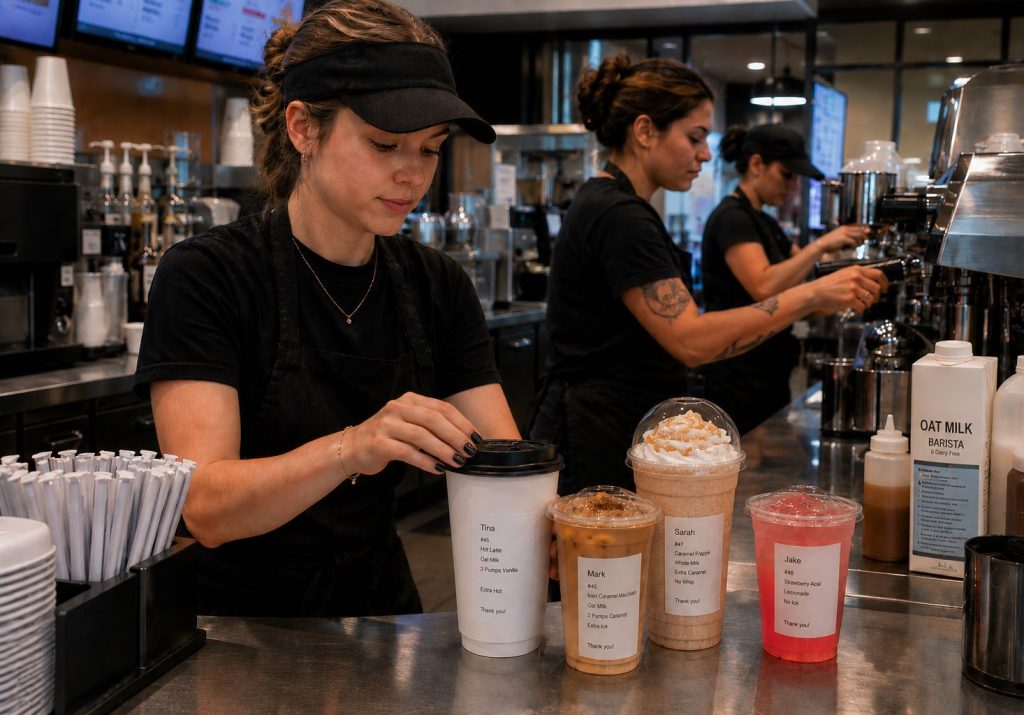
    However, all labels are not created equal, and neither are their adhesives. Choosing the right adhesive for each QSR labeling application helps improve workflow efficiency, food safety, order accuracy, and customer satisfaction.

    Table of Contents

    Understanding Linerless Label Adhesives for QSR Applications

    Linerless labeling is gaining major traction in QSR and fast casual environments—and for good reason. These labels print without a paper or silicone liner, allowing staff to peel and apply in one quick step. That means faster workflows, less clutter, and fewer disruptions during high-volume service hours.

    Without the waste backing, linerless labels also help reduce slip hazards, keep prep areas cleaner, and minimize landfill waste. More labels per roll means fewer roll changes, less storage space required, and more uptime at every station.

    But the benefits go beyond logistics. Linerless labels also:

    • Improve order accuracy with clearer item- and bag-level labeling
    • Create a more professional, branded presentation—no staples, no handwritten notes
    • Support sustainability goals while lowering supply costs
    • Provide more labels per roll, increasing uptime and boosting ROI
    • Simplify employee training with an intuitive, one-step labeling process

    From prep to packing, linerless labeling offers a smarter, more scalable approach to QSR operations.

    The TSP143IV SK linerless sticky label printer is ideal for QSRs, takeout, deliveries, and more.

    Why Adhesive Strength Matters in Food Service Labeling

    The benefits of linerless labels are clear. However, to maximize the value you get from them, you need to choose labels with the right adhesive strength. Everyone has experienced the frustration of not being able to remove a permanent label in the wrong place, or labels that don’t stay fixed where you need them. 

    QSR labeling often requires labels to be applied to different surfaces like paper or plastic, making adhesive choice even more important. Ensuring labels for each quick service label printing application have the right adhesive will lead to greater efficiency, productivity, and customer satisfaction.

    In general, QSRs can choose from labels with three types of linerless label adhesives: diamond-pattern, full, or permanent.

    1. Diamond-Pattern Label Adhesives: The Repositionable Option

    Diamond-pattern adhesive allows you to place a label and reposition or move it. Repositionable linerless labels with diamond-pattern adhesive also have the advantage of not leaving sticky residue behind, keeping work surfaces, shelves, food containers, and packaging clean. They also help reduce waste due to mislabeling.

    • Can be repositioned after application
    • Leaves little to no residue
    • Helps reduce waste from mislabeling
    • Ideal when information needs to move with the workflow

    2. Full-Coverage Label Adhesives: Strong Temporary Adhesion

    You can also choose full adhesive coverage for QSR labeling. These repositionable linerless labels stay in place reliably for a short time, for example, when labeling a package with a breakdown of contents or for customer pickup. Customers can remove the labels with little effort if they choose.

    • Provides greater surface coverage
    • Holds securely for short-term applications
    • Can still be removed when needed
    • Useful when labels need to stay attached through handoff

    3. Permanent Linerless Label Adhesives: Tamper-Evident and Secure

    Permanent linerless label adhesive doesn’t budge. Once applied, these labels will not budge easily, giving QSRs a solution to generate tamper-evident labels. Permanent linerless labels help QSRs build trust in their delivery processes, showing that once employees package an order, no one opens or touches it.

    • Designed for long-term adhesion
    • Difficult to remove once applied
    • Supports tamper-evident applications
    • Helps build confidence in delivery workflows

    Choosing the Best Adhesive for QSR Labeling: Diamond, Full, or Permanent - Delivery Label

    Matching Adhesives to Common QSR Labeling Applications

    Choosing the right adhesive for each QSR labeling application helps improve communication, food safety, order accuracy, and workflow efficiency. Different stations and processes require different levels of adhesion, repositionability, and durability.

    Food Prep Labels

    Recommended Adhesive: Diamond-Pattern

    Diamond-pattern adhesive is ideal for food preparation workflows because labels can be repositioned without leaving residue behind.

    Common applications include:

    • Order modifiers
    • Allergy and dietary alerts
    • Special preparation instructions
    • Routing orders between prep stations
    • Ingredient tracking
    • Internal kitchen communication

    Choosing the Best Adhesive for QSR Labeling: Diamond, Full, or Permanent - Prep labels

    Expeditor and Order Verification Labels

    Recommended Adhesive: Diamond-Pattern or Full Coverage

    At the expeditor station, labels help verify that orders are complete and ready for handoff.

    Common applications include:

    • Order identification
    • Customer pickup information
    • Drive-thru order tracking
    • Online order verification
    • Order accuracy workflows using POS scales
    • Handoff communication between kitchen and fulfillment staff

    Pickup and Takeout Labels

    Recommended Adhesive: Full Coverage

    Full-coverage adhesive provides reliable short-term adhesion while still allowing customers to remove labels easily if desired.

    Common applications include:

    • Takeout bags
    • Pickup orders
    • Food containers
    • Customer identification labels
    • Order contents labels
    • Curbside pickup workflows

    Beverage Labels

    Recommended Adhesive: Full Coverage

    Drink orders often require labels that remain attached during preparation and customer handoff.

    Common applications include:

    • Coffee orders
    • Specialty beverages
    • Smoothies
    • Tea and espresso drinks
    • Customized drink orders
    • Customer name labels

    Choosing the Best Adhesive for QSR Labeling: Diamond, Full, or Permanent - Beverage labels

    Delivery and Tamper-Evident Labels

    Recommended Adhesive: Permanent

    Permanent adhesive helps create tamper-evident seals that remain attached throughout delivery.

    Common applications include:

    • Delivery bags
    • Tamper-evident package seals
    • Third-party delivery orders
    • Food safety labeling
    • Long-distance delivery packaging
    • Security seals

    Grab-and-Go and Pre-Packaged Food Labels

    Recommended Adhesive: Permanent

    Permanent labels are ideal when information must remain attached throughout storage, display, and sale.

    Common applications include:

    • Grab-and-go foods
    • Pre-packaged meals
    • Made-on and use-by dates
    • Nutrition information
    • Product identification
    • Retail food labeling

    Star’s mC-Label Series Can Handle It All

    Although different quick service label printing use cases require different labels for the best results, QSR labeling only requires one printer. A flexible multi-function printer can print labels with diamond-pattern adhesive, linerless labels with full adhesive, or permanent, tamper-evident labels. QSRs have the option of printing standard or die-cut labels and can even use these printers for receipt printing. Leading printers also make it easy for employees to switch label rolls for each use case.

    mC-Label2 Multifunction Printer

    The mC-Label2 packs powerful features into a compact, front-loading design, including 300 dpi resolution, support for linerless, die-cut, receipt, and continuous media, and connectivity options like USB-C, LAN, WLAN, Bluetooth, and Apple MFi-certified pairing (X4 models only).

    Explore the mC-Label2 >

    mC-Label3 Multifunction Printer

    The Star Micronics mC-Label3 is a versatile multimedia printer that prints a wide range of labels and receipts, including both permanent and repositionable sticky linerless. It features cloud connectivity and innovative technologies like SteadyLAN and TetherLAN for enhanced printing convenience.

    Discover the mC-Label3 >

    The Right Adhesive Supports Better QSR Labeling

    Effective QSR labeling depends on more than choosing the right printer or label size. The adhesive behind the label plays a major role in how information moves through food prep, packaging, pickup, and delivery workflows.

    Whether you need repositionable labels for food preparation, full-coverage labels for pickup orders, or permanent labels for tamper-evident delivery packaging, matching the adhesive to the application helps improve consistency, reduce errors, and support smoother restaurant operations.

    Choosing the right adhesive for each labeling task ensures your labels work as hard as your team.

    Explore Star’s Labeling Media and Printers for QSRs

    Star Micronics offers a wide range of label media designed to support QSR labeling applications, from food prep and pickup workflows to delivery and tamper-evident packaging. The Star Blue Eco portfolio includes label, thermal, and bond paper solutions made without bisphenols, helping businesses align with evolving industry expectations and regulatory requirements.

    Combined with Star’s multifunction and linerless label printers, businesses can implement labeling solutions designed for modern restaurant workflows:

    TSP143IV SK Sticky Label Printer

    The TSP143IV SK by Star Micronics sets a new standard for compact, eco-friendly thermal linerless label printing, offering advanced connectivity options like Wi-Fi and AOA, and efficient, residue-free labels for diverse business needs.

    Find out more >

    Perfecting QSR Delivery with POS Scales & Advanced Labeling

    Delivery bag labeling and weight measurements can help ensure order accuracy and increase customer satisfaction.

    Ready to get your QSR labeling upgraded?

    Frequently Asked Questions About QSR Labeling

    What is QSR labeling?

    QSR labeling refers to the use of labels throughout quick service restaurant operations to communicate order details, modifiers, allergen information, pickup instructions, delivery information, food safety data, and more.

    Why is QSR labeling important?

    QSR labeling helps improve communication, increase order accuracy, support food safety, and streamline workflows across food prep, packaging, pickup, and delivery operations.

    What is the difference between diamond-pattern, full, and permanent adhesive labels?

    Diamond-pattern labels are repositionable and leave no residue. Full adhesive labels provide stronger temporary adhesion. Permanent adhesive labels are designed to remain attached and can support tamper-evident applications.

    Which adhesive is best for food prep labels?

    Diamond-pattern adhesive is often ideal because labels can be repositioned as orders move through food preparation workflows.

    Which adhesive is best for food delivery labels?

    Permanent adhesive is often preferred because it supports tamper-evident labeling and helps keep packaging sealed during transit.

    What are tamper-evident labels?

    Tamper-evident labels show visible signs if a package has been opened after sealing, helping restaurants build customer confidence in delivery orders.

    What are the benefits of linerless labels for QSRs?

    Linerless labels reduce waste, provide more labels per roll, minimize storage requirements, reduce roll changes, and help support faster workflows.

    How do restaurants choose the right adhesive for different labeling applications?

    Restaurants should match adhesive strength to the workflow. Repositionable labels work well for food prep, while stronger adhesives may be better for pickup, delivery, or tamper-evident packaging.

  • One Printer, Every Station: Rethinking Labeling for QSRs & Grocery Stores

    One Printer, Every Station: Rethinking Labeling for QSRs & Grocery Stores

    Today’s grocery and QSR labeling demands more than just speed—it demands precision across every touchpoint. From front-counter orders to back-of-house prep and last-mile delivery, modern operations are expected to move fast and get it right every time. As service channels multiply, so do the challenges. And unless your labeling strategy can keep up, efficiency and consistency take a hit.

    Labels have become essential here, offering a way to clearly communicate item details, reduce order errors, and streamline pickup and delivery. But creating a smooth, end-to-end labeling experience isn’t always easy. As menus and product assortments grow, and workflows evolve, many businesses find themselves struggling to keep labeling consistent across their POS, kitchen, bagging, and inventory stations.

    For enterprise brands with dozens or even hundreds of locations, this complexity scales rapidly, resulting in increased costs, heightened training needs, and avoidable inefficiencies.

    The Multi-Station Challenge

    Most QSRs and grocery stores operate multiple service zones, each with its own tasks, and often, its own printer. The POS counter may have a thermal receipt printer, the kitchen a die-cut label printer for ingredients, and the bagging station a linerless printer for sealing takeout or delivery bags. While this setup gets the job done, it introduces a host of operational inefficiencies.

    Here’s what that fragmented setup often leads to:

    • Higher hardware costs with different printer types at each station
    • Inconsistent print quality across devices and use cases
    • Increased training and support needs for staff and IT
    • Media management headaches with different paper sizes, adhesives, and formats, all requiring different printers
    • Workflow friction as teams juggle multiple systems and devices

    As operations scale across multiple locations, these small inefficiencies add up, creating friction in daily workflows and making it harder to deliver a consistent customer experience across every store.

    The Ideal Solution? One Printer That Does It All.

    What if every station in your operation—front counter, kitchen, delivery, self-checkout—could run on the same printer model? Instead of managing multiple printer types with different media formats, drivers, and maintenance protocols, QSRs and grocery stores could simplify with one device that does it all.

    That’s the benefit of standardizing on a single, versatile printer across the operation. The model may serve different functions at each station, but because the device is the same, it streamlines ordering, training, IT support, and overall consistency.

    This isn’t entirely about reducing the number of printers—one will have to be at each station—but it is about reducing the number of printer models. With one printer that can handle everything from receipts to bag seals, operators can reduce complexity while maintaining quality across every customer interaction.

    This isn’t just a wish list item. It’s real, and it’s available today.

    One Printer for Every Station | QSR & Grocery Labeling Solutions

    Versatility at Its Core: Star Micronics mC-Label3

    The mC-Label3 is a multifunction thermal printer built for the fast pace of today’s QSR and grocery operations. Designed to support unified labeling workflows, it can handle a wide range of media types, streamlining labeling across your business.

    This one model can be used to print:

    • POS receipts at the front counter
    • Die-cut labels for food prep, inventory, or shelf displays
    • Linerless labels (sticky or permanent) for bag sealing and delivery orders
    • Continuous linered media for specialty or regulatory labeling

    mC-Label3 Multifunction Printer

    The Star Micronics mC-Label3 is a versatile multimedia printer that prints a wide range of labels and receipts, including both permanent and repositionable sticky linerless. It features cloud connectivity and innovative technologies like SteadyLAN and TetherLAN for enhanced printing convenience.

    Discover the mC-Label3 >

    Standardizing on a single printer model like the mC-Label3 transforms QSR labeling and grocery labeling from a daily hurdle into a streamlined, scalable strategy. With just one printer across stations, teams deal with less hardware confusion, faster onboarding, and fewer support tickets—without sacrificing output quality or consistency.

    Swapping media is fast and foolproof, letting staff move from receipts to die-cut to linerless labels without skipping a beat. And that’s key, because linerless media is quickly becoming the future of labeling. It’s cleaner, faster, more flexible, and reduces waste, making it ideal for high-volume, multi-use environments like coffee chains, QSRs, convenience stores, and grocery pickup stations.

    With fewer disruptions and a leaner labeling setup, enterprises can keep counters clean, workflows smooth, and customers moving—no IT intervention required.

    Built for Enterprise Flexibility

    The mC-Label3 also supports multiple interfaces (USB, Ethernet, Bluetooth, WLAN) and CloudPRNT, ensuring straightforward connectivity with your current POS or labeling infrastructure. With its sleek footprint, it saves space without sacrificing performance.

    And because it’s from Star Micronics, you get industry-leading reliability, developer support, and the ability to scale across locations.

    Smarter Labeling Strategies for QSRs and Grocers

    When you rethink your labeling strategy to revolve around one printer, you unlock:

    • Simpler training and operations
    • Cleaner counters and kitchen setups
    • Faster service and fewer labeling errors

    The mC-Label3 isn’t just a printer. It’s your receipt station, kitchen expediter, and delivery labeler—all in one.

    Perfecting QSR Delivery with POS Scales & Advanced Labeling

    Learn how QSR operators are transforming delivery with weight-based verification and advanced labeling solutions.

    Ready to simplify your labeling across every station?