Tag: Case Studies

  • Star Spotlight with Shift4

    Star Spotlight with Shift4

    Shift4 blog

    What does Shift4 do?

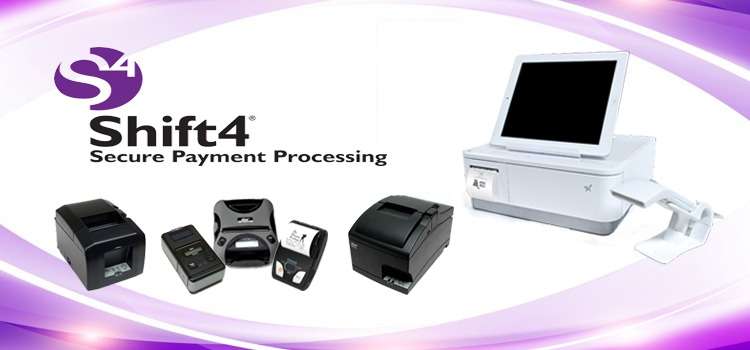
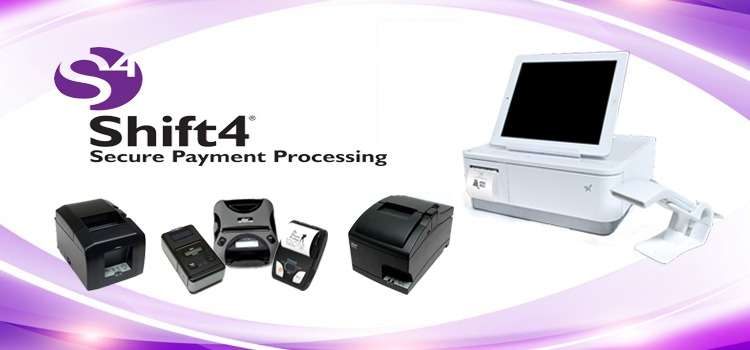
    Shift4, the first card-present payment gateway and the largest independent payment gateway in North America, is now launching their mobile point of sale system. Shift4 decided to take a different appraoch in building their mPOS solution and wanted to put a focus on the enterprise market. Shift4 offers specific solutions to hospitality, retail, food and beverage, eCommerce, and most other industries which are scalable from a single store to an international enterprise with franchise and company-owned locations.

    How is Shift4 working with Star Micronics?

    Shift4 is a software-as-a-service provider that was seeking the perfect hardware to compliment their solution. They decided to go with Star Micronics base on their reliable and advanced printer models. Shift4 has integrated throughout Star’s entire line of point of sale peripherals including desktop thermal and impact printers, portable printers, and the all-in-one mPOP™ peripheral. Shift4 currently supports Star Micronics’ SM-S220i, SM-S230i, and SM-T300i portable printers, the TSP650II BTi and WebPRNT thermal printer, the SP700 impact kitchen printer, and the mPOP™.

    What key benefits does the mPOP™ bring to Shift4 customers?

    Shift4 values customer communication and keeps in close contact to make sure that all of their customers are satisfied with their solution. The mPOP offers a compact solution that can work with any mobile device. Having the printer and cash drawer combined into one peripheral is a huge benefit in the mPOS space, and it is simple to operate.

    [youtube https://www.youtube.com/watch?v=O-0tK2zvRSE]

    “In mobile point of sale, it’s important to have a solution that is versatile and doesn’t take up a lot of space. The mPOP combines the cash drawer and receipt printer into one compact form factor that it perfect for mPOS needs.” – Jeremy Fried, System Architect at Shift4.

     

  • Guelph Public Library Improves Functionality with Star Micronics

    Guelph Public Library Improves Functionality with Star Micronics

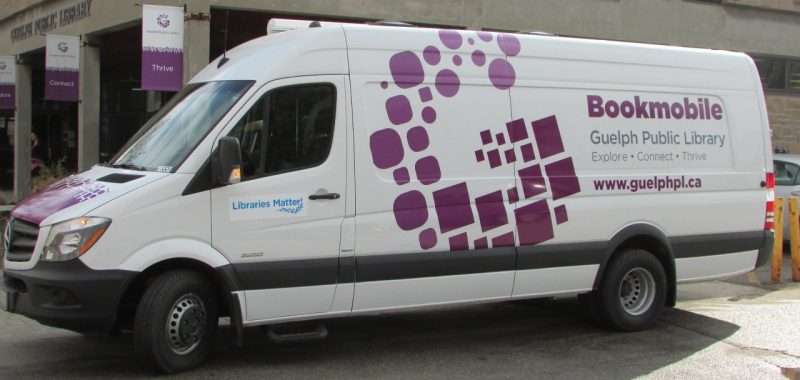
    Guelph Public Library (GPL) is a public library system serving the City of Guelph in Canada. Including the main downtown library, there are five branches, plus a bookmobile, GPL strives to educate the public by providing books of various topics to all ages, and by showcasing new technologies such as 3D printers and virtual reality labs.

    To update their technology, Andrew Kwan, IT Manager and Jeff Fernandes, System Administrator for GPL at the library’s main branch, decided it was time to move to a virtual desktop infrastructure solution, utilizing the VMware Horizon View software suite. In order to successfully do this with their old USB printers, Andrew and Jeff would have been required to install drivers on every dedicated PC in all six of their locations. They wanted a simpler solution to upgrade their system and improve the overall daily workflow for the library staff. They were already using the Polaris Integrated Library System software and Star Micronics receipt printers, and they decided to stick with the brands they knew. After doing their research, Andrew and Jeff found that Star’s new TSP100IIIWLAN printer was the perfect printer for their library system.

    guelphlibrary___Super_Portrait

    Star Micronics’ TSP100IIIWLAN printer provided a simple solution for GPL to upgrade their system, and efficiently print hold slips, overdue slips, receipts, renewals and more from any of their locations. With the WLAN connectivity, GPL had the flexibility to place the printer anywhere in the library, and were able to reduce the clutter of cables on circulation desks. With no need for reconfiguration or reprogramming on the IT side, GPL was able to get the printer connected and printing receipts in less than an hour. GPL plans to install the TSP100IIIWLAN in all six of their locations and their bookmobile.

    Rather than operating individually, all six location’s data operations are now centralized in one data centre, which improved the overall functionality of their library system, and allowed GPL to save on operational costs. Guelph Public Library’s now Virtual Desktop Infrastructure system, with Star’s TSP100IIIWLAN, now operates “100 times faster” than their previous system.

    “Guelph Public Library likes to usually have two employees working the bookmobile – one at the front and one at the back – and equip them both with their own receipt printer. With the TSP100III’s convenient WLAN connectivity, we can use one printer in the bookmobile. It’s much easier and faster for both employees. The new solution with the Star printer really improves the overall functionality of the library.” – Andrew Kwan, IT Manager, GPL


  • Star Spotlight with iVend Retail

    Star Spotlight with iVend Retail

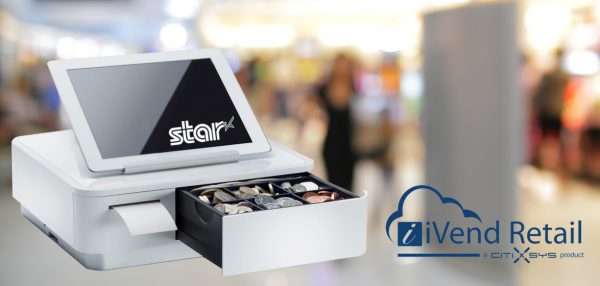
    Star_mPOP_iVend

    What does iVend Retail do?

    CitiXSys develops technology and omnichannel retail solutions with the iVend Retail suite. The solution consists of about seven modules that has the terminal POS, mobile POS, e-commerice, loyalty, and more, all in one solution that works right out of the box. iVend Retail is designed to address the challenges faced by omnichannel retailers today.

    How is iVend Retail working with Star Micronics?

    iVend Retail certified Star Micronics’ mPOP™, combination cash drawer and receipt printer peripheral, in order to provide their retailers with a compact, sleek, and attractive contemporary offering. Star’s mPOP has been integrated with iVend Retail’s terminal POS and mPOS solution to deliver their customers an all-in-one, out of the box offering with a hardware component. The mPOP and iVend Retail solution has been hugely popular within the footwear and apparel retail industry due to the mPOP’s sleek look, and it’s ability to compliment the retailer’s image and brand.

    [youtube https://www.youtube.com/watch?v=SJ_En9FH4Wg]

    What key benefits and features is the mPOP bringing to iVend Retail customers?

    CitiXSys has recent released iVend 6.5 with the new POS designer. This solution allows the retailer to take advantage of the slick, mPOP device and tailer the point of sale screen to match. The mPOP and iVend solution also offers a highly functional and reliable solution for the retailer that requires no technical knowledge to operate.

    “The main attraction of the mPOP to our customers is that it gives a sleek, compact look in the store,” says Paula DiSilva, VP of Sales for Asia Pacific for CitiXSys. “They’re looking for a larger footprint in brick and mortar stores and need something that will blend in nicely with their brand.”


  • 5 Reasons Retailers Want Ergonomic mPOS Solutions in 2017

    5 Reasons Retailers Want Ergonomic mPOS Solutions in 2017

    mpop_press_main

    Mobile point of sale (mPOS) solutions have ranked on retailers’ list of “nice to have” technologies since their introduction several years ago. However, for most merchants, mPOS solutions are “must-haves” for 2017. Here’s why.

    1. Convenience. Customers are no longer willing to stand in long lines to complete sales transactions. They want options that allow them to pay for their items quickly, and that allow them to pay from locations other than the stationary checkout lane. With mPOS solutions, retailers can accept payments in store aisles, at temporary checkout stations on the sales floor and, in the case of sidewalk sales, in front of the store itself. Additionally, retailers that sell merchandise in other environments, such as craft shows or farmer’s markets, can securely process credit card payments when mPOS solutions are in their technology toolbox.

    2. Access to Information. Increasingly, consumers are using their smartphone while shopping at brick-and-mortar stores. According to a recent survey by mobile loyalty firm SessionM, 90 percent of respondents said they research products on their smartphones; 54 percent search for price comparisons; 48 percent search for product information; and 42 percent check reviews online. Equipping sales associates with mPOS devices allows store employees to access the same product information as shoppers, and it allows them to engage shoppers at the point of decision.

    3. Endless aisle capability. Today’s consumers want what they want, when they want it – and if it’s not available at your store, shoppers will turn to your competitors to get it. mPOS solutions can prevent this from happening by providing endless aisle capability. Endless aisle capability allows customers to access an establishment’s e-commerce store, find the item that is out of stock in the current brick-and-mortar location and order immediately. Customers can shop endless aisles and arrange for the item to be delivered or picked up at the store, thanks to mPOS.

    4. Space saving. Traditional POS technology occupies a lot of room on retail counters; the bulkier the equipment, the more difficult it is for store employees to operate in tight spaces. Bulky tech equipment is also less aesthetically pleasing. By contrast, ergonomic mPOS solutions have a small footprint and a sleek appearance, as well as require only minimal counter space. This paves the way for a more attractive store, with more room on the counters to display merchandise.

    5. Support for a top-notch customer experience. Retail in 2017 is all about providing customers with the first-class customer experience they have come to expect and demand. mPOS solutions contribute heavily to that experience by allowing retailers to offer efficient customer service, payment flexibility, access to the widest possible range of merchandise, and a higher level of customer engagement.

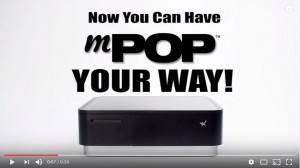
    mPOP your way 3When you plan for a new mPOS, a complete retail solution is more than a tablet. Easy-to-integrate peripheral components, such as a 1D or 2D barcode scanner, receipt printers, scales, customer displays, and cash drawers, are vital to the retailer’s mPOS success. Star Micronics’ mPOP™, Mobile Point of Purchase, is the first “hybrid for tablet” POS and is an ideal solution for tablet and mobile device-based POS. It affords the above-mentioned benefits and so much more. To learn about mPOP™ and other POS options from Star Micronics, visit www.starmicronics.com.


    Download the our eBook: 5 Ways Ergonomic mPOS Solutions for Large Retailers Increase Sales and Boost Customer Satisfaction

  • Star Spotlight with Quetzal

    Star Spotlight with Quetzal

    quetzal-banner

    What does Quetzal do?

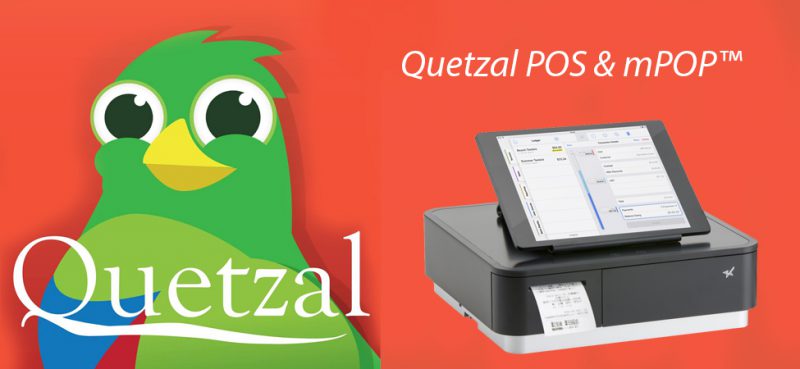
    Quetzal is designed from the ground up for one specific group of customers: forward-thinking and stylish clothing and shoe retailers who have one or two locations with ambitions to open a few more. Quetzal POS is a cloud-based point of sale software that can be ran on Apple iPad® devices, with the ability to connect up to ten locations. The fully integrated point of sale allows users to do everything from the iPad from importing, to sales, to customer management, to visual retail-time reporting.

    How is Quetzal working with Star Micronics?

    Quetzal has integrated Star’s mPOP™, Mobile Point of Purchase, peripheral for a sleek, all-in-one solution for their specialty retailers. In addition to the mPOP, Quetzal has also certified support for Star’s TSP100 printers and the AllReceipts™ digital receipt app. Retailers can use both the mPOP and TSP100 peripherals to offer their customers digital receipts through the AllReceipts app, and engage with customers and manage their devices with Star Cloud Services.

    [youtube https://www.youtube.com/watch?v=aUzXnTB8z2s]

    What key benefits do Star peripherals bring the the specialty retail market?

    Star’s mPOP and printer peripherals offer an easy solution for retailers to set up their point of sale using and iPad device. With no need for additional development or integration, retailers can get the entire point of sale up and running in no time. In addition to the easy set-up, Star’s mPOP offers an attractive, yet reliable cash drawer and receipt printer for the retailer, with the option of digital receipts being an added bonus.

    “Our customers are able to get set up with any of the Star products literally in moments of opening it out of the box. It’s a very simple solution for our retailers to set up and we can complete the implementation in less than five minutes with no technical skills required.” – Joshua Stanphill, VP of Sales and Marketing for Quetzal.

  • Star Spotlight with Hike POS

    Star Spotlight with Hike POS

    What does Hike POS do?

    Hike POS is an award-winning omnichannel retail point of sale solution designed for small businesses around the world. With Hike POS, retailers can sell in-store, online, and on-the-go. Hike believes that point of sale should be modern, flexible, and user-friendly, which is why they have made their solution available for PC, Mac, and iOS users. With a wide application suite including inventory management, gift cards, customer loyalty, and more, Hike POS makes it easier than ever to start & grow your business.

    How are you working with Star Micronics?

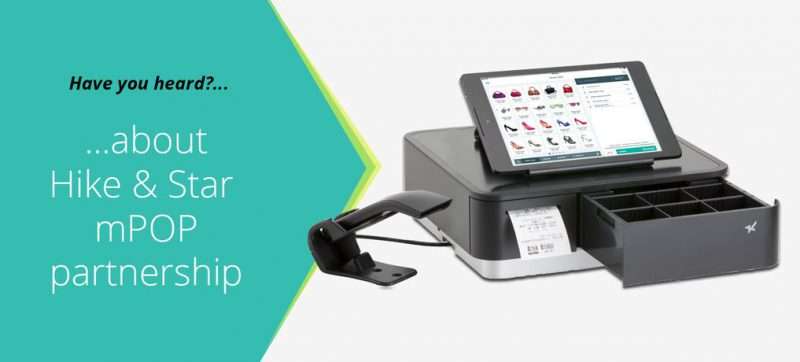
    Star was the first choice of point of sale printers for Hike POS. Hike POS promotes Star printers with their cloud-based feature which was recently introduced. Hike POS software combined with Star’s mPOP combination cash drawer, receipt printer, and barcode scanner, allows retailers to get a true, all-in-one mPOS solution that is easy to use and helps grow business.

    Hike POS has also been one of the first Star Certified Software Partners to fully integrate Star Cloud Services’ digital receipt and customer engagement tools. Using Star Cloud Services, Hike POS retailers can now offer their customers the option of digital receipts through Star’s AllReceipts™ digital receipts app.

    What are the biggest benefits of AllReceipts™ for retailers and for Hike POS?

    Retailers love the idea of offering their customer digital receipts, but struggle to get their customers to give up their email address. Hike POS wanted to provide a solution for this problem that their customers where experiencing, so they turned to AllReceipts™. Allowing their retailers to still offer digital receipts without needing any personal information from the customer was a huge win for Hike POS customers.

    [youtube https://www.youtube.com/watch?v=qUkSXZ_oW1Y]

    Hike POS vendors were also able to take advantage of other Star Cloud Services features including the instant customer feedback survey, Engage NOW, and Receipt Flip.

    “Star is a leader in technology and manufactures fully integrated printers that are easy for our customers to use, including their USB and Ethernet printers, along with the all-in-one mPOP. Star is truly the printer provider of choice for Hike POS” – Jay Sutaria, Business Development Director for Hike POS.

  • 10 Ways mPOS Can Benefit Your Business

    10 Ways mPOS Can Benefit Your Business

    As a business owner, the last thing you should need to stress over is your point-of-sale system. POS  systems are designed to make your daily workflow smoother and easier for business owners and employees alike. If you’re considering a mobile POS solution, be sure to look at ergonomic mobile solutions.

    These solutions recognize that some businesses need peripherals beyond the basic tablet POS, such as a combination cash drawer/receipt printer. Here’s what ergonomic mobile solutions offer:

    1. Convenience. With an ergonomic tablet POS plus cash drawer/receipt printer, you can accept all payments anywhere, anytime. This is a big improvement over common mPOS, which traditionally only handles electronic payments.

    2. Space saver. Ergonomic solutions reduce your POS footprint significantly. With their small size and sleek profile, these platforms are attractive and unobtrusive in your retail or restaurant environment, freeing up space in which you can add tables or expand merchandise displays.

    3. Assist mPOS solutions. Because these ergonomic mobile solutions rely on Bluetooth technology for connectivity, they’re fully mobile when needed and rid you of tangled wires and a jumble of dongles.

    4. Full functionality. Ergonomic mobile solutions offer robust features and functionality for a wide range of applications.

    5. Receipt printer. Small and compact, a built-in printer lets you quickly and quietly print a receipt as soon as the transaction closes. Additionally, sometimes single accessories are needed without a full system. In this case, you should check to see if your system can support additional printers for your bar, kitchen, and other areas.

    6. Barcode scanner. If your tablet or mobile device lacks a barcode scanner, your ergonomic mobile solution easily accommodates an optional plug-and-play scanner for reading merchandise.

    7. Cash Drawer. A secure cash drawer stores currency, checks, receipts and other important items. The size of the cash drawer you choose will depend on the number of cash transactions you process a day.

    8. Software application. To get the greatest value of your ergonomic mobile solution, pick a software application that supports the latest payment options such as NFC and EMV. This will help you to avoid another technology upgrade in the near future.

    9. Tablet/device. When evaluating tablet and mobile device options on the market, be sure to select hardware that’s designed to process NFC and EMV payments, preferable without requiring add-ons or peripherals to do so. Choose a device that’s compatible with your preferred software application. Most software applications have a preferred operating system, however if you need a software application to be cross compatible, make sure to do your research and find a web-based solution.

    10. Digital receipt. More and more retailers want to deliver an in-store experience that provides digital support. There are innovative, downloadable apps on the market today that are supported by many POS systems. These apps allow your customers to receive a digital copy of their receipt on their smatphones. Some of these apps even allow functionality for customer satisfaction surveys, so retailers can always get a gauge on how they are perceived by their customers.

    For more information on mPOS solutions, download our eBook: mPOS: How it’s Revolutionizing Payments

  • Dry Cleaning POS Software Checklist: 10 Things Not to Compromise On

    Dry Cleaning POS Software Checklist: 10 Things Not to Compromise On

    Your dry cleaning business must operate efficiently and profitably to succeed in this highly competitive market. So it stands to reason that when you are considering new point of sale (POS) software for your business, that you would settle for nothing less than the solution that allows you to operate most efficiently and maximize profits.

    There are many POS software options available, but you need to narrow the field of choices to those that have the features best suited for operating a dry cleaning business.

    This checklist of POS software for dry cleaners can help. It lists 10 features essential to your operations, and finding software with these features can bring you one step closer to the right solutions for your business.

    1. Intuitive Interfaces and Functionality. POS software with an easy to use interface will also benefit your business by making the task of training new employees easier and quicker.
    2. Labor Management. The POS system can help managers monitor attendance and control overtime.
    3. Peripheral Support. Make sure the POS solution you invest in today can accommodate your business’ changing needs, and can scale or be upgraded to accommodate new technology.
    4. Customer Engagement. The customer relationship management (CRM) module of your POS software solution provides you with an updated database of customer contacts, delivery information, and even how much starch individual customers like in their shirts.
    5. Delivery. Your POS software should also support mobile POS and a mobile printer to equip your drivers with tools for delivery confirmation, to print invoices and receipts, and to accept payments.
    6. Labeling and Tags. You’ll want to ensure that your receipt printer can handle wash tag printing that will be durable after the customer takes it home.
    7. Payment Processing. Your POS system should provide your customers with the convenience of accepting any of their preferred payment methods.
    8. Inventory Management. Whether you use a numbering or a barcode system, your POS software solution should include an inventory management tool that helps you track items from drop off to pickup or delivery.
    9. Assisted Assembly. If your dry cleaning business has automatic assembly systems or if you are considering it for the future, make sure your POS system can integrate with them so your business can take full advantage of this time-saving technology.
    10. Reporting. Your POS solution should provide reports in a format that allows you to keep a close watch on operations and on your bottom line.

    In a highly competitive dry cleaning market, decisions that can impact your efficiency and profitability are too important to take lightly. Practice due diligence to ensure your new POS software solution will provide the right features, and ultimately, the right outcomes for your business.

    Download our full eBook: Dry Cleaning POS Software Checklist: 10 Things Now to Compromise On.