Tag: Case Studies

  • Kitchen Order Routing Breaks Down at Scale. A QSR Case Study.

    Kitchen Order Routing Breaks Down at Scale. A QSR Case Study.

    For many QSRs, order complexity doesn’t become a problem until volume increases. Dine-in, takeout, online ordering, and delivery platforms all feed into the same kitchen, but without structured routing, orders can bottleneck at the wrong stations or get lost in the flow.

    That’s exactly what Sal y Limón Mexican Cuisine was facing. As order volume grew across channels, the kitchen needed a way to route items to the right preparation areas and ensure tickets were clear, consistent, and easy to act on during peak hours.

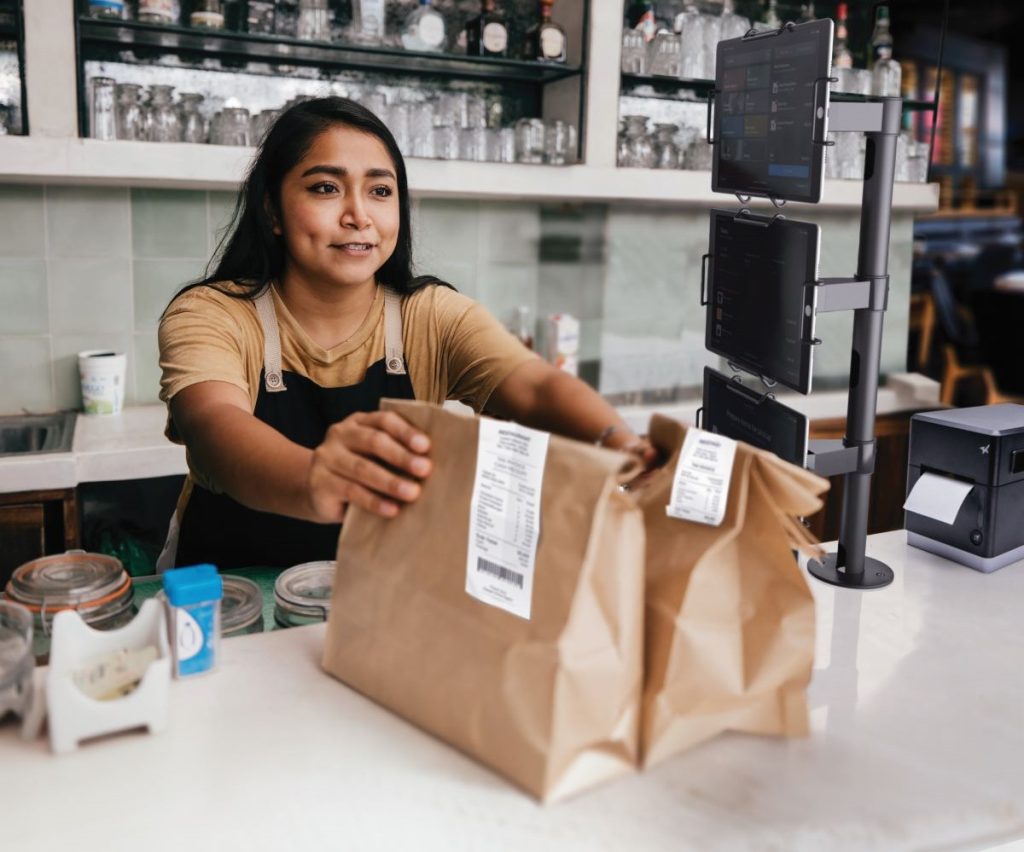
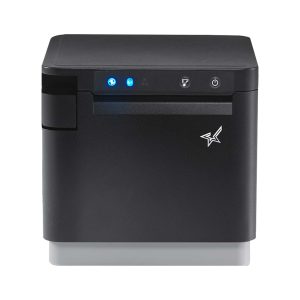
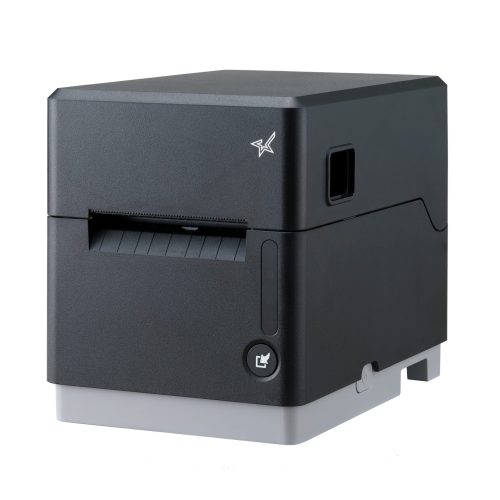
    Working with YOGO POS, the team implemented a kitchen printing and order routing system using Star Micronics printers and the StarXpand™ SDK. Orders from multiple sources were directed to specific stations, with dedicated printers supporting each part of the workflow.

    We put together a short case study that looks at how the system was configured, how the integration was handled, and what changed once routing and printing were aligned with kitchen operations.


    Download the full case study to see how the deployment was structured and scaled.

  • POS Printer Integration Shouldn’t Slow Down Your Platform. A New Case Study.

    POS Printer Integration Shouldn’t Slow Down Your Platform. A New Case Study.

    For many POS platforms, printing issues don’t show up during development. They show up during deployment. Different restaurant environments, network configurations, and connectivity challenges can quickly turn printing into one of the biggest sources of support calls.

    That’s exactly what Selflane experienced. Printing instability wasn’t just a minor inconvenience. It was pulling engineering and service teams into troubleshooting instead of product development and growth.

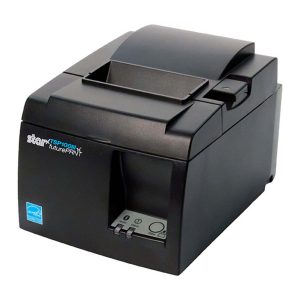
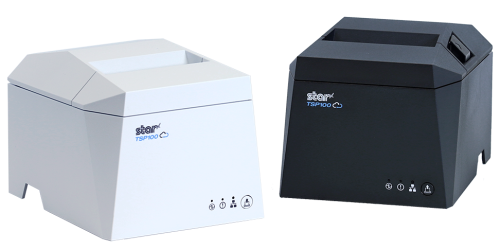
    By standardizing on the TSP143IV thermal receipt printer and moving to the StarXpand SDK, Selflane was able to modernize its POS printer integration, simplify installations, and reduce recurring support issues.

    We put together a short case study that walks through what changed and what other ISVs can learn from it.

    Download the Selflane case study to read the full story.

  • Build Your Product. Not Your Cloud Printing Infrastructure. A New Case Study by Star Micronics.

    Build Your Product. Not Your Cloud Printing Infrastructure. A New Case Study by Star Micronics.

    If you’re building a software platform that connects to the physical world, whether it’s for hospitality, retail, healthcare, or logistics, you eventually hit the same wall.

    Your app is triggering real-world actions. Orders are placed. Labels need to print. Receipts must be generated. Workflows move from screen to counter to customer.

    But how do those digital events reliably become real-world output without your engineering team building and maintaining the entire printing infrastructure layer?

    That was the challenge facing Maple as it scaled across thousands of locations.

    A Critical Infrastructure Decision

    Do you build and maintain your own cloud printing layer?

    Or integrate and stay focused on your product?

    They chose focus.

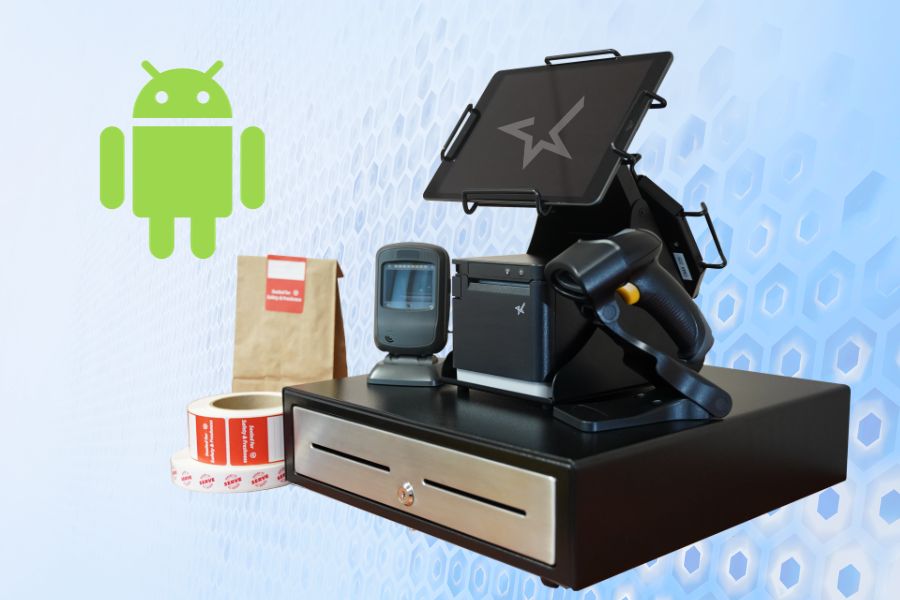
    By leveraging Star’s managed cloud printing infrastructure, StarIO.Online, Maple was able to scale rapidly without turning printing into an engineering burden.

    For ISVs, the lesson is clear: printing may be essential, but it shouldn’t pull engineering time away from what makes your platform unique.

    Read the full case study to see how Maple implemented secure, scalable cloud printing without building it themselves:

  • How to Balance Cash Drawers Quickly and Accurately

    How to Balance Cash Drawers Quickly and Accurately

    Balancing a cash drawer is a critical daily task for businesses that handle cash transactions. Knowing how to balance cash drawers accurately helps reduce shrinkage, improve accountability, and keep end-of-shift operations running smoothly. This guide explains why cash drawer balancing still matters and how to do it quickly and correctly.

    Table of Contents

    What Does It Mean to Balance a Cash Drawer?

    To balance a cash drawer means reconciling the physical cash in a register with the expected total recorded by the point-of-sale (POS) system. This process confirms that cash sales, refunds, and starting cash amounts are accurately reflected. Any difference between the expected and actual amount indicates a discrepancy that must be investigated.

    Why Cash Drawer Balancing Still Matters

    Despite the continued growth of digital payments, cash remains an essential part of daily operations for many businesses. Knowing how to balance a cash drawer is still a foundational skill for retailers, restaurants, and service-based organizations that handle physical currency.

    Because cash is vulnerable to errors, loss, and misuse, balancing cash drawers is not just an administrative task—it is a core operational safeguard. When performed consistently and correctly, cash drawer balancing ensures sufficient funds are available, supports uninterrupted service, and helps businesses quickly identify discrepancies.

    Effective cash drawer management also plays a direct role in profitability. Regular reconciliation—ideally at the end of each shift or at least daily—improves accuracy, strengthens accountability, and reduces shrinkage. With a clear process and the right tools, balancing a cash drawer quickly and accurately is a skill any business can master.

    How To Balance A Cash Drawer

    How to Balance a Cash Drawer

    1. Assign One Person to Each Cash Drawer

    Assigning a single employee to each cash drawer is one of the most effective ways to balance a cash drawer accurately and consistently. This approach creates clear accountability and simplifies cash tracking at the end of each shift.

    When only one person is responsible for a drawer, it becomes much easier to identify discrepancies, resolve errors, and prevent loss. Even in high-trust environments, shared drawers increase the likelihood of mistakes and make reconciliation more time-consuming.

    When one employee is assigned to each drawer, cash balancing becomes more accurate and more consistent, helping businesses reduce shrinkage and maintain dependable cash handling practices.

    2. Count Cash at the Beginning of the Day

    Every shift should start with an accurate count of the opening cash balance. Knowing exactly how much cash is in each drawer creates a clear baseline for tracking sales and identifying discrepancies later in the day.

    Maintaining the correct starting amount is important for both efficiency and security. Too little cash can slow transactions and frustrate customers, while excess cash increases exposure to loss. Setting up each drawer with a balanced mix of bills and coins, based on expected transaction volume, helps ensure smoother operations throughout the day.

    3. Deposit Cash Throughout Shifts

    Keeping cash drawers organized during the day makes end-of-shift balancing faster and more accurate. Making regular deposits during slower periods helps prevent drawers from becoming overfilled and maintains a practical mix of bills and coins for transactions.

    These mid-shift check-ins reduce the chance of counting mistakes later and support more consistent cash handling overall. When possible, having a second employee present for interim deposits adds an extra layer of accountability and reinforces best practices for cash management.


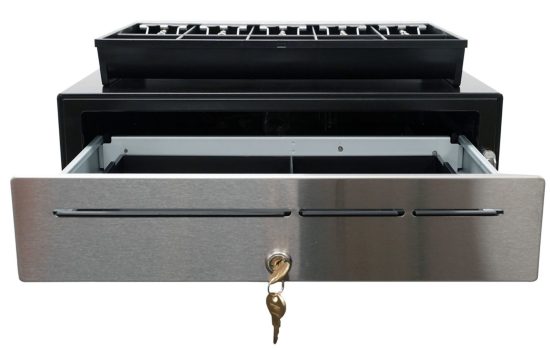
    The CD5-1918 Max Series cash drawer by Star Micronics is ideal for high-cash volume environments.
    Star Micronics has a wide range of cash drawers to fit any business environments.

    4. Pull the POS Report for Each Drawer Afterward

    Balancing a cash drawer starts with having the right data. At the end of each shift or business day, pull the POS report associated with each drawer to establish an accurate reference point. This report shows exactly what the system recorded and provides the benchmark for your cash count.

    For best results, complete this step in a quiet, controlled environment. Fewer distractions make it easier to spot discrepancies, verify totals, and ensure the drawer is balanced correctly before closing it out.

    5. Count the Cash from Each Drawer in a Discreet Location

    Cash counting should always be done carefully and away from customer-facing areas. In a secure, private space, count all bills, coins, and receipts, then compare the total against the POS report for that drawer. This controlled environment reduces distractions and helps ensure accuracy.

    If a discrepancy appears, perform a second count before drawing conclusions. Many variances are resolved through a careful recount. Taking the time to verify totals builds confidence in your cash handling process and supports consistent, reliable drawer balancing.

    6. Identify and Solve Discrepancies

    When a cash drawer does not balance, start by reviewing the POS data in detail. Most shortages or overages are the result of simple errors, such as incorrect change given or a transaction entered incorrectly, rather than intentional misuse.

    Compare the POS report against receipts, refunds, and cash totals to pinpoint where the variance occurred. If discrepancies happen regularly, it may be a sign that additional training or clearer procedures are needed. For unresolved issues, inspect the cash drawer area and review recent transactions to check for missing receipts or unrecorded sales. Addressing discrepancies promptly helps protect revenue and reinforces strong cash handling habits.

    7. Record Cash Drawer Transactions

    Accurate record keeping is essential to closing out the cash balancing process. Document the starting and ending balances for each drawer, along with totals for cash, cards, and any other payment types. Be sure to note any overages or shortages clearly and consistently.

    Maintaining detailed records supports accurate accounting, helps resolve questions later, and creates a clear audit trail if issues arise. Over time, these records also make it easier to spot patterns, improve procedures, and strengthen overall cash handling accuracy.

    Tools That Make It Easier to Balance a Cash Drawer

    Balancing a cash drawer is faster and more consistent when the right tools are in place. Clear POS reporting, secure cash drawers, and standardized hardware help reduce counting errors and simplify end-of-shift reconciliation.

    Cash drawers designed for frequent opening, secure storage, and smooth operation support better accountability across shifts. When combined with accurate reporting and consistent procedures, the right tools help businesses balance cash drawers more efficiently and with greater confidence.

    Balance Cash Drawers with Ease

    By adhering to these steps and maintaining a consistent approach, businesses can ensure that their cash drawers are balanced quickly and accurately. Cash management efficiency is a skill every business should acquire, as it contributes to the overall smooth operation and profitability.

    CD5 Max Series Cash Drawers

    Designed for high-cash volume businesses, the CD5 Max Series cash drawers deliver durability, security, and sleek design. With all-steel construction, dual lock mechanisms, and under-till compartments for added organization, these drawers are ideal for grocery stores, cannabis dispensaries, and other busy retail settings. Available in multiple sizes and with dual DK and USB interface options, the CD5 Max Series integrates seamlessly into any POS system.

    Explore More >

    Conquering Omnichannel Order Management with Cloud-Based Technology Solutions

    Consumers have spoken! The future of retail and hospitality is omnichannel, cloud-based, and connected. Is your business prepared?

    Looking for secure cash drawers to balance?

    Cash Drawer Balancing FAQs

    How often should you balance a cash drawer?

    Most businesses should balance each cash drawer at the end of every shift. High-volume locations may also benefit from mid-shift checks to catch errors early and reduce end-of-day discrepancies.

    What does it mean to balance a cash drawer?

    To balance a cash drawer means comparing the physical cash in the drawer to the expected total shown in the POS system. When the numbers match, the drawer is balanced. Any difference results in an overage or shortage that must be investigated.

    What is an acceptable cash drawer shortage or overage?

    Acceptable thresholds vary by business, but many retailers allow a small variance such as $1–$5. Consistent discrepancies, even small ones, should be addressed through process review or staff training.

    What causes cash drawers to be out of balance?

    Most issues are caused by simple mistakes, such as incorrect change given, cash sales entered incorrectly, or skipped transactions. Fewer discrepancies occur when one person is assigned per drawer and cash is counted consistently.

    Can POS systems help balance cash drawers more accurately?

    Yes. Modern POS systems generate detailed drawer reports that make it easier to compare expected totals against physical cash. Accurate reporting is essential for identifying where errors may have occurred.

    Is it better to balance cash drawers manually or digitally?

    Both methods work best together. POS reports provide the expected totals, while manual counting confirms the actual cash on hand. Combining the two ensures accuracy and accountability.

    What should you do if a cash drawer does not balance?

    Start with a second count to rule out counting errors. Then review the POS report for voids, refunds, or missed entries. If discrepancies continue, additional training or process adjustments may be needed.

    How can businesses reduce cash drawer discrepancies over time?

    Clear ownership of drawers, consistent counting procedures, regular audits, and proper POS training all help reduce errors. Reliable hardware, secure cash drawers, and accurate reporting tools also play an important role.

    Original article written by Brianna Moriarty and published September 8, 2020.

  • The Rise of Social Commerce: How Retailers Can Leverage Social Media

    The Rise of Social Commerce: How Retailers Can Leverage Social Media

    Something I find particularly exciting about the start of each new year is getting to look through the growing retail and e-commerce trends, and 2024 did not disappoint. At a time when digital storefronts and spaces are just as crucial as physical ones, the retail landscape is undergoing yet another epic transformation.

    Part of this shift is the emergence of social commerce, a trend that’s setting the stage for this next retail revolution. Combining mobile shopping and social media, two of the most popular contemporary pastimes, retailers are finding more creative ways to engage consumers, drive sales, and enhance the shopping experience. It’s never been easier to meet your customers where they already are.

    This blog post explores the rise of social commerce and how retailers can leverage this trend to their advantage. I will also show how Star Micronics is leading innovation in mobile point-of-sale (mPOS) hardware for businesses entering and thriving in the online ordering space.

    Understanding Social Commerce

    Social commerce, the process of selling products and services directly through social media platforms, is not just an extension of ecommerce; it’s a new frontier in retail, and still a relatively new one. Social commerce combines the interactive and social aspects of social media with the modern convenience of online shopping, creating a powerful tool for retailers.

    Compelling statistics support growth in this sector: According to Statista, sales through social commerce in the United States hit an estimated $64.8 billion and are expected to surge to around $150 billion by 2028, more than doubling. It would be a mistake for retailers not to pursue this market.

    The Rise of Social Commerce: How Retailers Can Leverage Social Media

    The Convergence of Mobile Ecommerce and Social Media

    The explosion of mobile ecommerce has been a critical driver for social commerce. Innovations in mobile technology have made smartphones the primary device for internet access, social interaction, and online shopping. Retailers leveraging mobile commerce hardware and technologies are uniquely positioned to capitalize on social commerce growth.

    Platforms like Facebook, Instagram, Pinterest, and TikTok have native shopping features, allowing users to purchase without leaving the app. This harmony of social media and ecommerce is transforming how consumers discover and buy products.

    Benefits of Social Commerce for Retailers

    The advantages of social commerce extend beyond just increased sales. Here are a few benefits that highlight its importance for retailers:

    • Enhanced Customer Engagement: Social commerce turns shopping into a social experience, encouraging users to share, like, and comment on products. This engagement builds a community around a brand, fostering loyalty and repeat business.
    • Direct Sales Channel: By selling directly on social media, retailers can reduce the steps in the buying process, making it easier for consumers and the potential for higher conversion rates.
    • Rich Customer Insights: Social commerce platforms offer detailed analytics about customer preferences and behavior. Retailers can use this data to modify their marketing strategies, product offerings, and even product development.
    • Credibility via Social Proof: Social commerce boosts brand visibility and trust by leveraging user reviews and recommendations as powerful forms of social proof.
    • Cost-Effective Marketing: Marketing on social media platforms is extremely cost-effective for merchants, allowing small businesses the chance to be competitive in the market.

    Implementing Social Commerce: Strategies for Retailers

    A successful social commerce initiative requires more than just setting up a shop on a social platform. Here are effective strategies retailers should consider:

    1. Cultivate a Robust Social Media Presence

    The foundation of successful social commerce lies in maintaining an active, engaging presence on social media. Retailers should craft content that resonates with their audience, prompts engagement, and showcases their products attractively.

    The Rise of Social Commerce: How Retailers Can Leverage Social Media

    2. Create and Nurture Online Communities

    Beyond posting content, use your social channels to foster vibrant online communities. Engage with your audience through interactive content, Q&A sessions, live footage, and community discussions to build a loyal customer base.

    3. Embrace Influencer Partnerships

    Influencers can significantly amplify your reach and credibility. But don’t pick just anyone! Work with influencers who align with your brand values and appeal to your target audience, leveraging their reach to introduce your products to real potential customers.

    4. Maximize Platform Shopping Features

    Leverage the built-in shopping functionalities of social platforms to facilitate easy purchases. Utilize features like Instagram’s Shopping tags and Facebook Marketplace to integrate seamless shopping experiences within your social profiles. Make sure your store is easily seen on your business profile.

    5. Offer Exclusive Social Media Discounts

    Encourage purchases directly through social platforms by offering special discounts and promotions exclusive to your followers. This not only rewards engagement but boosts followers and incentivizes direct sales through these channels. This activity can signal to platform algorithms that your store deserves to be seen by more people.

    6. Add User-Generated Content

    Encourage and share user-generated content (UGC) to enhance credibility and trust among potential customers. UGC, such as customer reviews, unboxing videos, and product photos, serves as authentic social proof that can influence buying decisions.

    7. Optimize for Mobile Shopping

    With most social media browsing done on mobile devices, ensure your social commerce experience is optimized for mobile users. This includes easy navigation, quick loading times, and a streamlined checkout.

    The Rise of Social Commerce: How Retailers Can Leverage Social Media

    8. Implement Targeted Social Media Advertising

    Utilize social media ads to get your message out to a broader audience with precision targeting. By running ads on platforms where your audience is most active, you can increase brand visibility, drive traffic to your social commerce channels, and boost conversions.

    Preparing for the Surge

    With social commerce set to continue its rapid growth, retailers must be prepared to adapt and refine. This means investing in mobile-friendly platforms, exploring new social media features, and finding creative ways to engage with your audience.

    Building a solid social media presence takes time and consistency, so start as soon as you can and keep going. Retailers that can effectively leverage social commerce will find themselves well-positioned to capitalize on it and drive significant business growth.

    Omnichannel Ordering with Social Commerce

    As retailers strive to provide the easiest shopping experience across all platforms, incorporating social commerce into an omnichannel strategy becomes essential. Omnichannel retail solutions ensure that whether a customer shops online from a mobile device, a laptop, their television, or in a brick-and-mortar store, the experience is consistent and complementary.

    For instance, a customer might see a product on a brand’s social media, purchase it through their mobile app, and choose to pick it up in-store. This streamlined process enhances customer satisfaction and loyalty, driving further growth in social commerce.

    Conquering Omnichannel Order Management with Cloud-Based Technology Solutions

    Consumers have spoken! The future of retail and hospitality is omnichannel, cloud-based, and connected. Is your business prepared?

    Navigating the Challenges of Social Commerce

    While the benefits of social commerce are clear, retailers must also be prepared for its challenges. Privacy concerns, the complexity of managing different social media platforms, and the need to craft engaging content require thoughtful strategy and execution.

    Consumer skepticism about data privacy on social platforms remains a barrier, especially for smaller businesses. Shoppers often show a preference for dealing with well-established retailers. Instances of counterfeit products and unsatisfactory delivery experiences reported by social commerce consumers could exacerbate this mistrust.

    Retailers must ensure they can handle these challenges by investing in technology with robust security, training their teams, and staying informed about changes in social media platform policies and consumer behavior.

    Equipping for Online Orders with Smart Hardware Solutions

    As social commerce amplifies online order volumes, having the proper hardware becomes crucial for managing this influx. Printers equipped with innovative technologies like CloudPRNT from Star Micronics offer seamless integration with cloud-based and mobile ordering systems, ensuring orders are processed swiftly and accurately.

    Strategic labeling, facilitated by advanced printers such as the mC-Label3 multimedia printer, becomes indispensable for sorting and fulfilling online orders, enhancing operational efficiency. Additionally, organizing workstations with versatile solutions like the Tri-Mount from Star, which can secure three tablets simultaneously, allows for streamlined handling of orders from multiple online platforms.

    This suite of smart hardware solutions not only supports the rise in online orders but also helps maintain organized, efficient operations in the fast-paced world of social commerce.

    Takeout Restaurant Lifestyle 2 Small
    The mUnite Tri-Mount and mC-Label3 multimedia printer are perfect for online orders.

    Seizing the Social Commerce Wave with Star Micronics

    It’s clear that embracing social commerce is essential for retailers aiming to thrive in today’s digital-first marketplace. This digital revolution, powered by the fusion of social media and ecommerce, offers a platform for brands of any size to enhance engagement, drive sales, and solidify their market presence.

    Star Micronics offers innovative hardware solutions for every industry, including CloudPRNT technology and the versatile mC-Label3 multimedia printer. These solutions are designed to streamline online orders and enhance operational efficiency. By incorporating these tools into your omnichannel strategy, you can ensure a seamless, engaging shopping experience that aligns with the rising demands of mobile commerce and social media shopping.

    Retail is going places – get there first with the support of Star Micronics.

    Harness the Power of Social Commerce Today:

  • eCitation and Printing: Creating a Safe and Secure Environment for Police

    eCitation and Printing: Creating a Safe and Secure Environment for Police

    In the fast-paced world of law enforcement, efficiency, accuracy, and safety are non-negotiable. Officers constantly on the move – responding to calls, serving warrants, and conducting traffic stops – face the challenge of managing vast amounts of data swiftly and precisely.

    Enter the era of eCitation: a game-changer in law enforcement technology. Portable and in-car eTicket and eCitation printers have revolutionized the traditional methods of police work, bringing a new level of efficiency to routine but critical tasks.

    The right mobile printers can help with the following:

    • Issuing parking tickets effectively
    • Streamline electronic citations (eCitation)  
    • Manage permit violation tickets
    • Simplify inventory management at Sheriff’s offices
    • Plus, a range of additional applications

    This blog post explores the numerous advantages and diverse applications of mobile and label printers in law enforcement, highlighting how they are essential in modern policing.

    Understanding Optimal Printer Solutions for Law Enforcement

    When collaborating with law enforcement agencies to identify the ideal printer solutions, it’s crucial to comprehend the tools that can simplify their operational processes.

    Modern thermal printers stand out as the most efficient choice for law enforcement duties. Key advantages of these printers include rapid printing speeds, low maintenance needs, and overall reduced operational costs – primarily because they eliminate the need for ink. These printers come in various forms, accommodating different law enforcement scenarios: traditional stationary models are ideal for office environments, while mobile units offer flexibility and convenience for officers in the field.


    The mC-Print3 thermal receipt printer by Star Micronics.
    The premier mC-Print3 series thermal receipt printer excels in office environments.

    Integration capabilities are also a vital consideration. Law enforcement agencies frequently employ specific software applications for mobile ticketing and eCitations. Therefore, the chosen printers must be fully compatible with these systems. Additionally, these printers should seamlessly connect with other in-office technologies, such as scanners and PCs, essential for managing evidence, inventory, and administrative tasks.

    Understanding these factors is essential in providing law enforcement with printer solutions that meet their immediate ticketing and citation needs, enhancing their overall efficiency and effectiveness in serving the community.

    ECitation And Printing: Creating A Safe And Secure Environment For Police

    Advanced Printer Applications for Policing

    Law enforcement is a complex, multifaceted field that demands a wide array of skills. In this context, the right mobile printer becomes an invaluable tool for officers in various scenarios, enhancing efficiency and safety.

    Traffic Stops and Citations

    Safety is a critical concern for officers, particularly during traffic stops, a common yet hazardous duty due to factors like low visibility and busy roads. With nearly 10% of officer fatalities from 2012-2022 being vehicle-related (National Law Enforcement Officers Memorial Fund), the necessity for streamlined, safe processes is evident. 

    Utilizing printers with fast printing speeds and reliable data transfer, like Star Micronics’ range, can expedite the eCitation process, minimizing roadside time and enhancing officer safety.

    Field Interviews and Reports

    Away from the roads, officers conduct field interviews and compile incident reports. The portability of Star Micronics printers – models like the SM-S230i, SM-T300, SM-T300i, and SM-T400i – proves invaluable, allowing officers to document and print essential information on the spot. 

    Additionally, printer accessories such as shoulder straps, battery chargers, USB cables, and belt clips further ease the challenges of a demanding day.

    Evidence Labeling and Chain of Custody

    In law enforcement, the accuracy and integrity of data are crucial, extending well beyond the scope of eCitation and ticketing. Thermal printers play a vital role in evidence management, specifically in labeling and maintaining the chain of custody. Their capabilities include:

    • Accurate Evidence Labeling: They guarantee precise labeling, ensuring each piece of evidence is correctly identified and tracked.
    • Enhanced Security in Evidence Handling: Thermal printers contribute to the overall security of evidence management, helping to prevent mishandling or misplacement.
    • Reliable Documentation for Sensitive Inventory: These printers provide meticulous documentation for sensitive items, such as weaponry, thereby supporting comprehensive inventory control.


    The mC-Label3 multifunction label and receipt printer from Star Micronics can fit media of multiple widths and types.
    The mC-Label3 multimedia printer is ideal for various law enforcement needs.

    A significant advancement in modern printing solutions for law enforcement is the adoption of linerless labels. By eliminating the liner or backing paper, these labels not only reduce waste but also offer more labels per roll – a critical factor in the fast-paced environment of law enforcement. This enhances the efficiency of the ticketing and evidence-labeling processes and demonstrates a commitment to environmental sustainability, aligning with modern eco-conscious standards.

    Advantages of Printers for Law Enforcement

    In law enforcement, where efficiency and accuracy are of utmost importance, the choice of mobile or stationary printers extends far beyond embracing new technology. These devices offer substantial benefits:

    • Boosted Efficiency for Rapid Response: In a profession where every second counts, reducing paperwork and administrative tasks is crucial. Advanced printing technology speeds up information sharing among officers and different agencies, streamlining processes in time-critical situations.
    • Heightened Accuracy for Enhanced Public Service: Accuracy is non-negotiable in law enforcement, a sector under constant public scrutiny. The right printers minimize the risk of data entry errors, ensuring the precision of citations, reports, and evidence records. They also allow officers to maintain better situational awareness during stops, enhancing safety and reducing time spent on administrative tasks.
    • Strengthened Community Engagement: The ability of officers to provide immediate and clear documentation to citizens reflects a commitment to transparency and efficiency. This not only improves public interactions but also reinforces the community’s trust in law enforcement processes.

    ECitation And Printing: Creating A Safe And Secure Environment For Police

    Key Factors for Law Enforcement Agencies in Printer Purchasing

    When assisting law enforcement agencies in acquiring new printing technology, there are a few crucial factors to consider:

    Balancing Cost and Budget Efficiency: Cost is often a primary concern for both public and private entities. As a VAR or reseller, providing local precincts with detailed cost estimates, including the potential for bulk purchases, can aid in their budget planning. Demonstrating how the investment aligns with responsible budgeting can differentiate you from competitors.

    Evaluating Long-Term Value: It’s important to emphasize the long-term benefits of investing in high-quality printers. While not always the cheapest upfront, superior products offer greater durability and lower maintenance costs over time, making them a more cost-effective solution in the long run.

    Training and Implementation Support: The transition to new technology can be challenging for large organizations like police departments. By offering comprehensive training and support resources, you position yourself as not just a supplier but a partner in their technological advancement. This approach can help overcome resistance to change and is often a decisive factor in winning their business.

    eCitation Printing Solutions as Tough as Law Enforcement

    Navigating the complexities of law enforcement requires courage, dedication, and the support of advanced technological tools. Modern printing solutions designed explicitly for policing can significantly aid officers by:

    • Fast and Reliable Printing: Ensuring quick issuance of eCitations to minimize roadside time.
    • Minimizing Data Entry Errors: Enhancing the accuracy of information captured during stops.
    • Seamless Software Integration: Working in tandem with existing law enforcement software systems.
    • Reduced Roadside Exposure: Limiting the time officers spend on the road during traffic stops for enhanced safety.

    ECitation And Printing: Creating A Safe And Secure Environment For Police

    As a VAR or reseller catering to law enforcement needs, staying ahead of technological advancements is crucial. Understanding the daily demands and challenges officers face allows you to provide solutions that genuinely enhance their operational efficiency and safety.

    For a comprehensive insight into industry-leading printers, scanners, stands, and other essential law enforcement tools, contact Star Micronics. We offer tailored consultations to help equip law enforcement agencies with the best in modern technology.

    Ready to Upgrade Your eCitation Printing?

  • Tax Law Shifts in Quebec: A Guide for Bars and Restaurants

    Tax Law Shifts in Quebec: A Guide for Bars and Restaurants

    In Quebec’s bustling culinary scene, where flavors evolve and trends change, a new transformation is taking place—not in the kitchen, but in the ledger. A shift in tax laws is underway, one that will affect bars and restaurants across the province. From the established MEV model to the innovative Web-SRM system, these changes carry significant implications for the way businesses record sales and comply with tax regulations.

    This blog post is your essential guide to understanding these changes, equipping your business with the knowledge and tools needed to seamlessly adapt and stay ahead. Whether you’re a restaurateur, a bar owner, or an industry professional, these insights will empower you to navigate Quebec’s new tax landscape with confidence.

    Restaurant owner smiling because he has Star Micronics.

    From MEV to Web-SRM: What’s Changing?

    For years, bars and restaurants in Quebec operated under the MEV (Module d’Enregistrement des Ventes) model. The MEV system mandated every restaurant and bar to record all transactions using a sales recording module, thereby ensuring transparency and adherence to tax norms.

    However, the recent shift to the Web-SRM system marks a significant departure from this traditional model. The new Web-based Sales Recording Module aims to make the tax recording process more efficient and transparent, leveraging digital infrastructure to its fullest.

    The most noteworthy features of the Web-SRM system include:

    • Real-time Tracking: Sales can be recorded and monitored in real-time, allowing for more accurate and immediate insights into transactions.
    • Enhanced Security: Digital encryption ensures that data remains secure, mitigating risks associated with potential breaches.
    • Ease of Integration: The new system seamlessly integrates with various POS systems, reducing the hassles of migration.

    Navigating the Change: The Importance of Compatible Equipment

    With the Web-SRM system in place, the spotlight shines on having POS equipment that’s not just efficient but also compliant. Non-compliance can lead to hefty fines and potential legal ramifications. Therefore, businesses must assess and update their POS equipment.

    With the spotlight now on efficient and compliant point-of-sale systems in Quebec, the need for updated, top-notch printers has never been more critical. Star Micronics understands this need and recommends a range of printers designed for excellence and adaptability.

    Here’s a breakdown:

    The TSP143III Thermal Receipt Printer: Trusted Reliability


    The TSP143III thermal receipt printer by Star Micronics.
    The TSP143III thermal receipt printer by Star Micronics

    Over the years, the TSP143III has become more than just a printer—it’s become a trusted partner in enhancing business operations. Reliable, efficient, and designed for diverse industries, it promises outstanding performance, making it an excellent choice for your POS hardware needs.

    Key Features:

    • Compatible with iOS, Android, and Windows
    • High-speed printing at 250mm/s
    • Hassle-free setup across all models
    • Simultaneous charging and data transfer with Lightning connection
    • Unique Print Flat technology
    • Access to futurePRNT technology for receipt customization
    • Extensive range of optional accessories for tailored usability

    The TSP143IV Thermal Printer: Compact, Modern, & Cloud-Ready


    The TSP143IV thermal receipt printer by Star Micronics comes in black or white.
    The TSP143IV thermal receipt printer by Star Micronics

    In the world of thermal printers, the TSP143IV stands out with its cutting-edge design, advanced features, and future-proof connectivity. Whether you’re in the retail, hospitality, or cannabis industries, the latest model in Star’s TSP100 series keeps you flexible and ahead of the competition.

    Key Features:

    • Sleek and sharp with a 20% smaller footprint than its predecessor
    • Compatible with iOS, Android, and Windows
    • CloudPRNT technology for cloud-based operations
    • Versatile connectivity to suit modern POS setups
    • User-friendly for effortless installation
    • Backward and forward compatibility with previous versions, ensuring continuity
    • Lightning-fast printing at 250mm/s
    • Standard two-year warranty with options for extended coverage

    The mC-Print3 Thermal Receipt Printer: Premier & Powerful


    The mC-Print3 thermal receipt printer by Star Micronics.
    The mC-Print3 thermal receipt printer by Star Micronics

    The mC-Print3 from the mCollection® is your go-to solution for top-tier POS receipt printing. Compact, sleek, and boasting countless features, this printer is all about blending form with functionality.

    Key Features:

    • Compact design, delivering big performance
    • Compatible with iOS, Android, and Windows
    • A myriad of connectivity options, including Bluetooth, USB, and Wi-Fi
    • Splash-proof with an IPX2 rating, ensuring longevity
    • SteadyLAN® technology for uninterrupted connection
    • A hub of peripheral connectivity options
    • Quick charge and efficient communication with the USB-C power delivery port (select models only)

    Staying Ahead in a Changing Landscape

    Quebec’s new tax laws for bars and restaurants reflect a broader global trend of integrating technology into governance and tax administration. It’s an exciting era, albeit filled with potential challenges. By understanding these changes, ensuring compliance, and leveraging tools like Star Micronics high-performance printers, businesses can adapt and thrive in this evolving environment.

    Remember, staying informed and equipped is half the battle won.

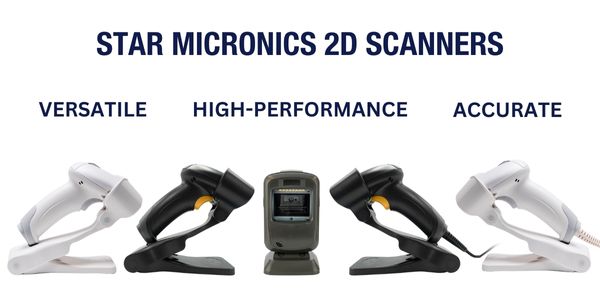
    The Ultimate Guide to Barcode Scanner Types and Applications

    Navigate the world of barcodes with clarity and confidence, ensuring the right fit for your business needs.

    Have questions for us about POS hardware in Canada?

  • How to Switch to an Android POS System: A Detailed Guide

    How to Switch to an Android POS System: A Detailed Guide

    The modern retail landscape is in constant flux, mainly driven by consistent technological innovation. Among these many changes, the shift toward Android point-of-sale (POS) systems has been particularly noteworthy over the last couple of years.

    The Rise of Android POS Software

    The Android operating system, universally recognized for its user-friendly nature and cost-effectiveness, is now the first choice for a rapidly growing number of retail businesses. Its open-source nature lends itself to exceptional customization capabilities, allowing software developers to tailor their POS applications to their exact specifications. Merchants in the retail and hospitality industries have greatly benefitted from such progress.

    Such flexibility isn’t just about aesthetics; it’s about delivering a smooth, efficient customer service experience and integrating diverse software applications that manage everything from inventory to customer feedback.

    The Critical Role of Hardware in Android POS Systems

    However, an Android POS system’s success relies on more than just the software. The hardware components, particularly the printers, are pivotal in ensuring the system operates seamlessly.

    Here, Star Micronics shines in the world of retail solutions. Fully understanding the Android revolution in the POS industry, Star has dedicated its resources to craft printers that perfectly sync with Android systems.

    Among Star’s crowning achievements is the TSP143IVUE thermal receipt printer. All Star Micronics receipt and label printers are compatible with Android, but the TSP143IVUE optimizes the Android experience thanks to its support for the Android Open Accessory (AOA) protocol.

    AOA support ensures communication between the Android system and the printer while keeping the tablet or device powered and charged, enhancing the user experience by leaps and bounds. Star also has industry-leading software development kits (SDKs) to aid technology providers in the integration of Star printers with developer POS software.

    Software developers, click here to contact the Star Integrations Team >

    An Independent Software Vendor’s (ISV’s) Guide to Star Printer SDKs

    Unlock seamless printer integration tailored to elevate your software’s performance and versatility.

    If Your Current POS Software is Android-Compatible

    For many business owners, the thought of transitioning to a new system can be daunting, especially if they’re content with their current POS software. The good news? Your transition can be significantly streamlined if your POS software is already compatible with Android hardware.

    If this is you, you’re in a favorable position; your employees are already acquainted with the software, eliminating the need for extensive training.

    In such cases, while reviewing the steps detailed below for a thorough understanding is beneficial, you may not have to follow all of them. Instead, you can focus on hardware, ensuring a smoother and more efficient switch to the Android POS system of your choice.

    Preparing for a Seamless Transition

    Before considering a switch to an Android POS system, businesses without Android-compatible software should start by evaluating their current system. This means pinpointing its strengths and acknowledging its limitations.
    But introducing new technology isn’t just about installation. The importance of thorough staff training cannot be overstated. A system can only reach its full potential when those using it are proficient and confident.

    Be prepared to do the necessary work if you want the greatest rewards later on.

    Steps to Transition to an Android POS System

    Transitioning requires careful planning and execution. Here’s a structured approach for business owners looking to make the switch to an Android POS system:

    1. Assessment & Planning

    • Evaluate Current Needs: Start by analyzing the features of your current POS system. Pinpoint its strengths and any gaps in functionality. Examine both your software and hardware, identifying essentials and desired additions. Invest time in creating a detailed list. Group all your “must-have” features together and create a separate wishlist for the desirable, but not crucial, add-ons.

    • Determine Compatibility: Ensure which of your existing hardware (e.g., barcode scanners, cash drawers, printers) is compatible with Android systems or plan for necessary upgrades. 

    2. Research & Selection

    • Choose the Proper Software: Various Android POS applications cater to distinct business requirements. As features, pricing, and support differ across the board, it’s crucial to choose wisely. Refer back to your prioritized list, ensuring your software selection has all your must-have features and, ideally, some from your wishlist.
    • Hardware Selection: Decide if you’ll be using dedicated Android POS terminals or other popular devices such as tablets. If you need to upgrade to new POS hardware, be sure it’s compatible with Android, is user-friendly, and has excellent support. This may go without saying, but ensure your chosen hardware is also robust enough for your business’s daily operational demands. Cutting costs on hardware may lead to regrets when they break down, leaving you in a jam during your busiest hours.


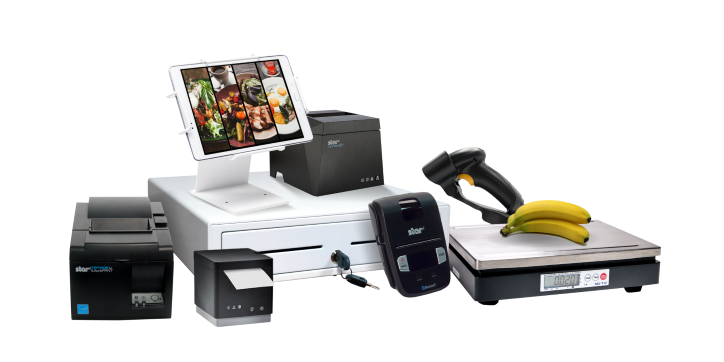
    The complete point-of-sale (POS) suite in black and white by Star Micronics.
    All point-of-sale hardware by Star Micronics works with Android operating systems.

    3. Data Migration

    • Inventory & Product Data: Most modern POS systems allow you to export product data. Once exported, this data can be imported into your new Android POS software.
    • Customer Data: If you’ve maintained a customer database or loyalty program, ensure this data is also transitioned.

    4. Configuration & Customization

    • Payment Processing: Set up payment gateways and processors to ensure seamless transactions with your Android POS system. Note: if you are using your current Android-compatible POS software and making no software changes, there will likely be no need to update your payment processing or terminal.
    • Tax & Compliance: Ensure your chosen software is configured according to local tax regulations. All POS software must comply with all federal and state tax laws.
    • Custom Features: Depending on the software, you may be able to add specialized features tailored to your business needs.

    5. Training

    • Staff Orientation: Familiarize your team with the basics of the new system.
    • In-depth Training: Consider more detailed training sessions or workshops depending on your business’s complexity.

    6. Testing

    • Pilot Run: Before fully transitioning, consider running the new Android POS system parallel to your existing system to catch any issues.
    • Feedback Loop: Allow staff to provide feedback on any challenges they encounter.

    7. Deployment & Go-Live

    • Full Transition: Once you’re confident in the new system’s functionality, make the full switch.
    • Support: Ensure there’s a system in place for staff to report issues and get help as needed.

    8. Ongoing Review & Optimization

    • Collect Feedback: It’s crucial to consistently gather feedback from staff and customers to ensure the system meets everyone’s needs.
    • Updates & Maintenance: Regularly update the software to benefit from the latest features and security enhancements.

    Remember, while there are challenges in making a significant change like this, the flexibility, customization options, and potential cost savings of an Android POS can offer many benefits to modern businesses.

    Happy Business Owner Retail Grocery Small

    Embracing Tomorrow’s POS Landscape

    Staying ahead in the ever-changing retail and hospitality world means staying informed and embracing a proactive spirit. If you’re sensing your legacy POS system may be holding back your business, there are many reasons why upgrading to a newer Android POS system would be advantageous.

    Not only is it a highly cost-effective alternative, but the operating system itself allows for excellent customization and is very user-friendly. Paired with the advanced capabilities of Star Micronics’ printers, vendors are equipped with leading technology and an edge in operational efficiency.

    Embracing innovation ensures a brighter, more efficient future for your business, positioning you at the forefront of the retail evolution.

  • Beat a Taylor Swift Concert Rush with Your POS Software

    Beat a Taylor Swift Concert Rush with Your POS Software

    In the world of point-of-sale (POS) software, understanding client needs and environmental context is critical. Concerning the event space, it’s well-known that large stadium events are nothing short of grandeur. Whether it’s a fierce football match, an international cricket tournament, or a musical evening with an iconic artist like Taylor Swift, the sheer number of attendees is staggering.

    Such high-capacity events pose unique logistical challenges for independent software vendors (ISVs) and software developers in the POS solution space. So, let’s dive into these challenges and discuss the essentials a robust stadium POS software application needs to crush them, using a Taylor Swift concert as our guiding star.

    The POS Developer’s Dilemma in the “Swift” Surge

    When Taylor Swift drops a tour date, tickets vanish from virtual shelves. Crowds spanning generations pack huge venues with infectious enthusiasm, eager to sway and sing along to the tunes of their beloved pop icon. While the concert’s central attraction is Taylor herself, behind the scenes, stadiums must ensure that every aspect of the fan experience is seamless.

    That’s where an efficient POS system with the latest software and hardware plays a pivotal role. Beyond the glitter and glamour of the stage, an intricate infrastructure is working overtime. When powered by the proper technology, a stadium’s POS can provide exceptional customer satisfaction across the board.

    Where Does Stadium POS Software Need to Rock?

    Volume Handling

    Stadiums, especially during events like Taylor Swift concerts, see an unprecedented influx of patrons. Your POS software must be able to handle tens of thousands of transactions within a short window without any glitches or lags.

    Numerous & Diverse Sale Points

    The challenge isn’t just about volume – it’s about variety. From exclusive merchandise to gourmet food stalls, the software must ensure seamless integrations and fast, unified processing.

    Swift Transactions

    No fan wants to miss even a minute of Taylor’s performance. Your software must ensure quick, hassle-free, secure transactions, allowing Swifties to get back to the concert without long waiting times.

    Someone makes a heart with their hands at a large concert. Likely a Taylor Swift concert.

    Essential Features for Next-Gen Stadium POS Software

    1. Scalability

    Mega-events demand robust software that scales rapidly, maintaining speed and security despite sudden sales surges.

    2. Mobility

    With patrons scattered throughout the venue, equipping your clients with the power of mobile POS (mPOS) technology can facilitate quicker transactions. Pairing your software with handheld devices for stadium staff ensures fans can make purchases without moving far from their seats.

    Explore Popular Portable Receipt Printers >>

    3. Real-Time Inventory Tracking

    No more stock-outs. Whether it’s Taylor Swift’s exclusive concert tees or the most popular snacks, the software should provide real-time inventory insights to your clients.

    4. Versatile Payment Methods

    From Apple Pay to good old cash, your software must be adaptable, catering to the diverse preferences of a global fan base.

    5. Uncompromised Security

    Given the volume of transactions and the variety of payment methods, security is paramount. Encryption, secure data handling, and fraud detection should be incorporated features.

    6. Offline Capabilities

    Even in our digital age, network issues can arise. Your software must have offline capabilities to ensure sales continue even in the face of internet connectivity challenges.

    4 Elements of a Valuable ISV-Hardware Integration Partnership

    With so many hardware vendors to choose from, it may not be clear which direction to take. Equip yourself with insights to forge partnerships that truly elevate your software.

    Addressing Real-World Challenges for POS Software Devs

    • Challenge: Peaks and troughs in customer flow, leading to potential bottlenecks.
      Solution: Empower clients with software supporting mPOS systems, enabling on-the-go transactions to alleviate counter pressures.
    • Challenge: Catering to a spectrum of payment preferences.
      Solution: Offer hybrid solutions that cater to all payment forms, ensuring every fan is satisfied.
    • Challenge: Unexpected stock-out situations of popular merch or food items.
      Solution: Real-time inventory monitoring ensures replenishment is timely and sales don’t suffer.

    The POS Tech Developer’s Encore

    Imagine this: Taylor Swift is about to start her encore. A fan realizes they haven’t bought the limited-edition concert tee. They rush, make a quick purchase thanks to your software, and are back just in time for the first chord.

    That’s the value you, as an ISV or POS software developer, bring to stadium events. With the right software solutions, you can amplify client satisfaction, making each transaction a part of concert history, even amidst the electrifying chaos of a Taylor Swift concert. For developers aiming to mark their territory in such dynamic arenas, evolving isn’t just an option; it’s a necessity.

    Silhouette of female concert artist onstage. Might be Taylor Swift.

    Enjoy this article? Uncover more from Star:

  • The Role of POS Hardware in Compliant Cannabis Retailing

    The Role of POS Hardware in Compliant Cannabis Retailing

    Balancing compliance and efficient operations in the rapidly evolving cannabis retail landscape can feel akin to walking a tightrope. The secret to mastering this balance? A robust point-of-sale (POS) system. With the proper POS hardware, you can effortlessly navigate regulatory requirements and keep your customers happy.

    This article is your roadmap to understanding how POS hardware plays a pivotal role in running a compliant and successful cannabis dispensary. Let’s dive in and discover how the right tech can transform your operations, making compliance a breeze and customer service a pleasure.

    The State of Cannabis Retail Regulations

    Cannabis retailers face unique challenges, one of them being the vast differences in regulations across states and countries. Compliance demands can be overwhelming, from tracking and reporting sales to verifying age and calculating taxes. Choosing the right POS hardware can alleviate these pressures and keep your business running smoothly.

    How online ordering for cannabis dispensaries boosts profits.

    POS Hardware and Compliance

    Key to ensuring regulatory compliance in your cannabis dispensary is leveraging the power of modern POS hardware. Real-time inventory tracking capabilities ensure your records are always up-to-date, which is essential for states where seed-to-sale tracking is mandatory. Secure transaction recording helps prevent discrepancies and ensures traceability.

    Furthermore, POS systems with built-in age verification tools eliminate the risk of non-compliant sales. Finally, robust tax calculation features remove the guesswork from complex and often fluctuating cannabis taxes.

    Essential POS Hardware for Cannabis Retailers

    Your cannabis retail store needs a variety of POS hardware to streamline operations and ensure compliance. Here is a quick rundown of the POS hardware that can help:

    • POS terminal: This is the primary device used to process transactions, whether it’s a desktop system or a mobile device.
    • Cash drawer: An essential component for transactions, a secure and reliable cash drawer is necessary to store cash and give change.
    • Receipt printer: Printers provide customers with physical receipts, which is often a regulatory requirement in the cannabis industry.
    • Barcode scanner: Scanners speed up the transaction process and ensure accuracy in sales and inventory tracking.
    • Label printer: Used to print barcodes for products and shelf labels, essential for inventory management, sales tracking, and compliance.
    • POS scale: For dispensaries selling cannabis by weight, compliant scales are crucial.
    • POS stand: For tablet-based POS setups, an all-steel tablet display stand or pole mount can help protect your equipment while projecting a modern look to customers.
    • Card reader: A secure and reliable card reader is needed to accept debit and credit card payments.

    All these elements combined make for an efficient, compliant, and customer-friendly retail experience. However, remember that your dispensary’s specific needs may vary based on size, customer volume, and specific state or local regulations.


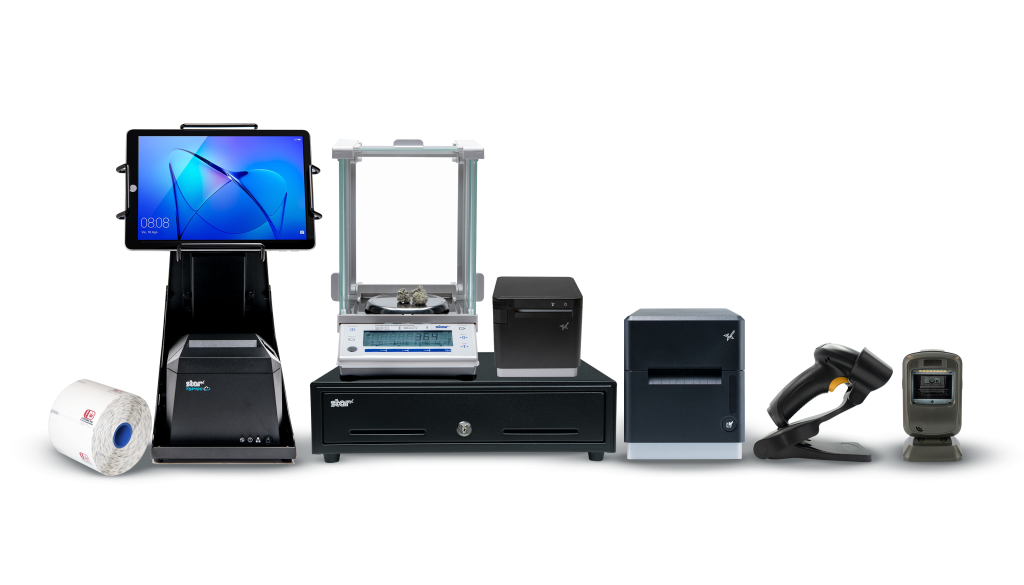
    The complete POS hardware solution for cannabis dispensaries by Star Micronics.
    Star Micronics has the complete POS hardware solution for cannabis dispensaries.

    POS Hardware Can Add to Cannabis Retailing Success

    Many cannabis retailers have already realized the benefits of investing in high-quality POS hardware. Many success stories highlight how comprehensive POS systems can improve operational efficiency and reduce regulatory risk. Numerous dispensaries, for instance, cut their inventory management time in half thanks to their POS system’s real-time tracking feature and the accuracy and speed of their supporting hardware.

    Choosing a POS System for Compliance

    When selecting a POS system for your cannabis dispensary, look for in-depth reporting features that will make regulatory reporting a breeze. It’s also beneficial to opt for a system that integrates easily with other software used in your business, such as customer relationship management or accounting tools. Notably, strong security measures are a must, not only for protecting sensitive customer data but also for ensuring transaction integrity.

    Securing Future Success with POS Hardware

    By now, it should be evident that upgrading your POS hardware isn’t just about streamlining operations or staying compliant—it’s about setting your cannabis dispensary up for long-term success. With the right tools, you can transform compliance from a daunting challenge into a smooth process, allowing you to focus on what really matters—providing an unmatched customer experience.

    Remember, investing in POS hardware is investing in the future of your dispensary. Let the right technology take you a step ahead in the dynamic world of cannabis retail. It’s time to embrace the power of POS hardware and let your dispensary flourish in a world that will only grow greener.

    Star Micronics Cannabis POS Solutions Brochure

    Navigate the evolving cannabis industry with confidence. Star Micronics delivers the complete POS hardware solutions your modern dispensary needs to keep its edge.

    Love industry news? Check out our podcast: