Category: Industry Insights

  • Embracing Sustainability: The Eco-Friendly Advantages of Linerless Sticky Labels

    Embracing Sustainability: The Eco-Friendly Advantages of Linerless Sticky Labels

    In an age of heightened environmental awareness, businesses increasingly seek eco-friendly alternatives in all aspects of their operations. From reducing waste to minimizing carbon footprints, sustainability has become a crucial consideration for modern enterprises. Among the innovative solutions making a positive impact is the adoption of linerless sticky labels.

    Whether permanent linerless or repositionable linerless, these versatile labels offer a greener alternative to traditional labels, aligning with businesses’ commitment to eco-conscious practices. But why are they the greener choice, and are there any issues that need further consideration?

    In this article, we will explore the many eco-friendly advantages of linerless sticky labels and why they are an essential addition to any environmentally-conscious business that uses labels.

    Why Linerless Sticky Labels are the Greener Choice
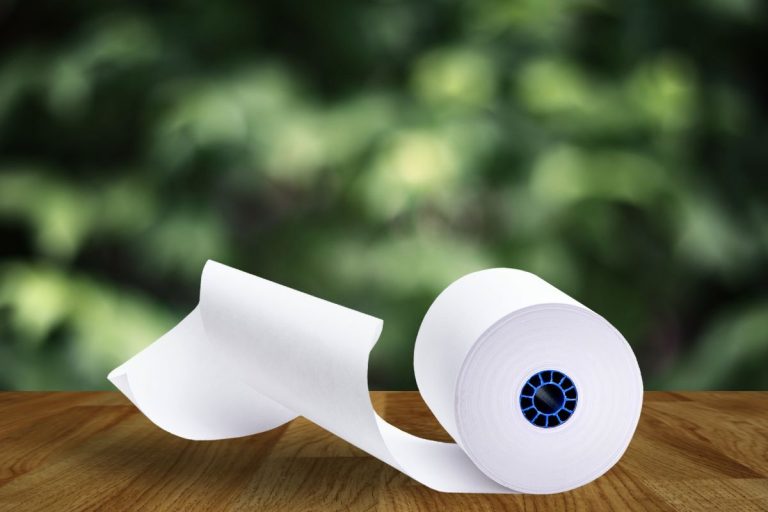
    Linerless sticky labels are greener, more sustainable, and eco-friendly environmentally.

    Waste Reduction

    First and foremost, linerless sticky labels eliminate the need for backing paper, a significant source of waste with traditional labels. Silicone backing paper, also known as liner waste, contributes to the bulk of discarded materials in labeling processes.

    With linerless labels, this waste is drastically reduced during production and application, leading to less environmental strain and landfill usage. By adopting linerless sticky labels, whether repositionable or permanent, businesses can demonstrate their commitment to waste reduction and a circular economy.

    Recyclable Materials

    Linerless sticky labels can be made from eco-friendly, fully recyclable, and even biodegradable materials. These materials can be chosen to ensure minimal environmental impact throughout their lifecycle. As businesses aim to meet their sustainability goals, opting for eco-friendly sticky labels becomes an essential step toward reducing their environmental impact.

    Improved Material Efficiency

    The absence of backing paper with linerless labels translates to optimized efficiency in printing processes. Linerless labels have more labels per roll, reducing the frequency of roll changes and ultimately saving resources. Plus, businesses don’t need to change the sticky paper roll as often.
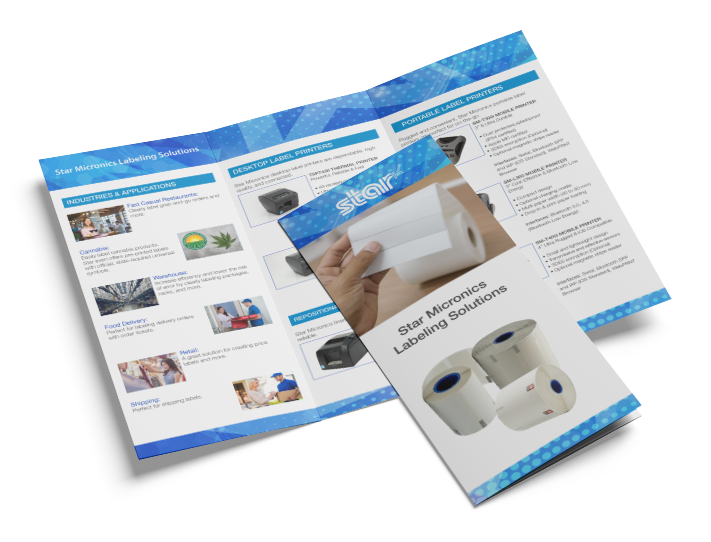
    Star Micronics Labeling Solutions Brochure

    Ideal for self-ordering, Star Micronics kiosk label printers have a small footprint and are easy to incorporate.

    Space-Saving and Cost-Effective

    The higher number of labels per roll and the elimination of liner waste contribute to significant space-saving advantages. Businesses can store and transport more sticky labels at once, reducing storage space requirements and logistic costs. This space-saving feature also extends to retail environments where compact label rolls allow for more products on display, enhancing visual appeal.

    Versatility in Applications

    Linerless sticky labels are incredibly versatile and can be used for a wide range of applications. Whether you need labels for food and beverages, retail items, shipping, or any other purpose, these labels offer a convenient all-in-one solution. 

    By using linerless labels, businesses can simplify inventory management and reduce the need for multiple label types, resulting in less material consumption and a more efficient labeling process.

    Exploring Linerless Labels Responsibly

    When it comes to linerless labels, understanding their potential environmental advantages requires careful consideration of critical factors:

    • Adhesive Selection: Linerless labels rely on specialized adhesives that eliminate the need for liners. The environmental impact of these adhesives may vary, making it crucial to opt for eco-friendly options that align with your application requirements.
    • Label Application Process: Efficient application techniques and equipment are vital for minimizing waste and reducing environmental impact when working with linerless labels. Ensuring streamlined processes can contribute to sustainable practices.
    • Responsible Disposal: Maximizing the environmental benefits of linerless labels necessitates proper disposal or recycling. Educating consumers about recyclability and providing clear disposal instructions can encourage eco-friendly habits.


    As with any labeling solution, the overall environmental impact of linerless labels depends on factors like material choices, manufacturing practices, and end-of-life disposal. Collaborating with knowledgeable suppliers or sustainability experts can assist in evaluating specific linerless label options and understanding their environmental implications.

    Paving the Way to a Greener Future

    Environmentally friendly business man

    Sustainability is a top priority for many businesses, so opting for eco-friendly solutions like linerless sticky labels makes perfect sense. Not only do these labels help reduce waste and minimize carbon footprints, but they also offer cost-effective benefits and can be used in a variety of applications.

    By making the switch to linerless labels, businesses showcase their dedication to environmental responsibility, attracting eco-conscious customers and playing their part in building a greener future. Take a leap toward sustainability and enhance your business’s environmental profile by embracing linerless sticky labels today.

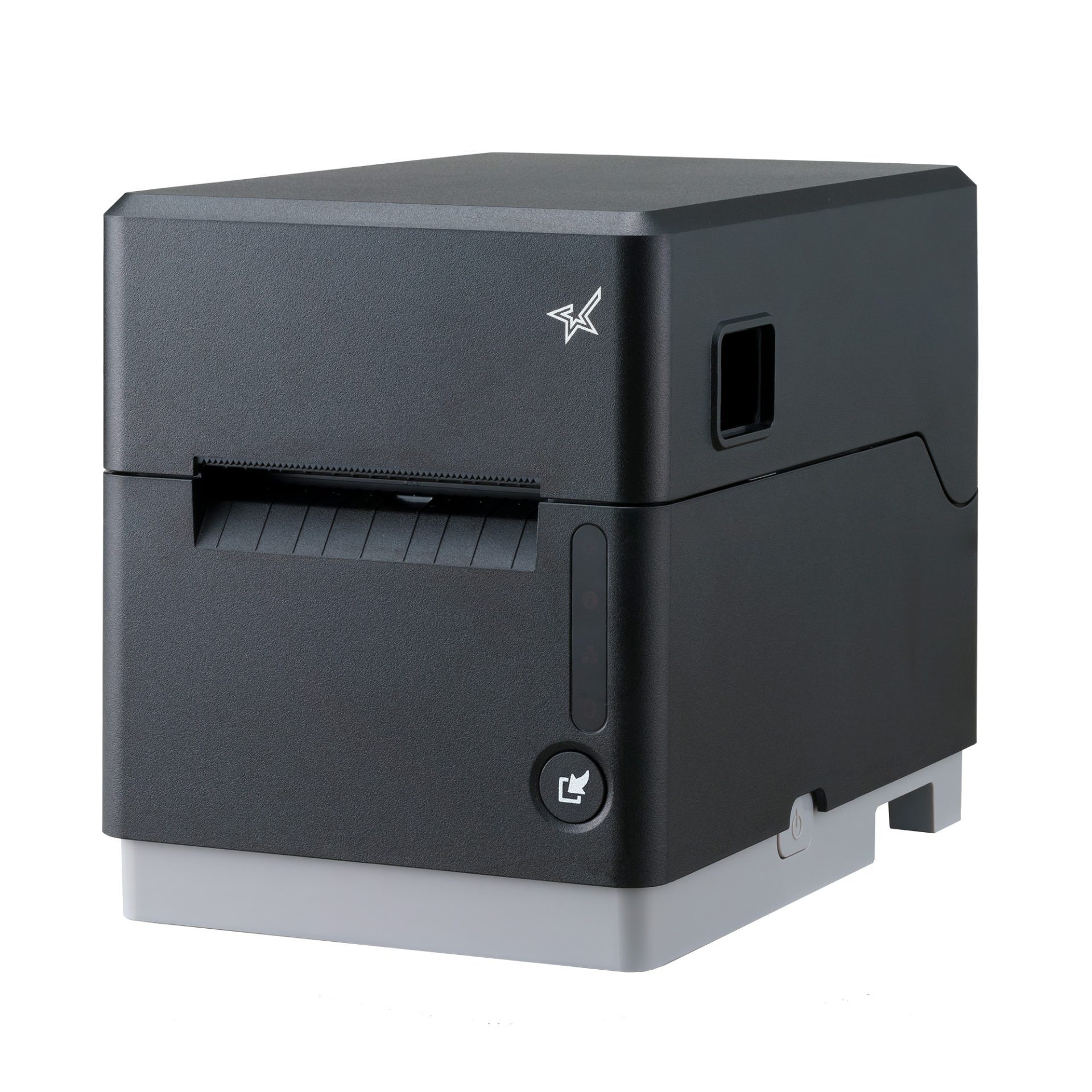
    The mC-Label3 Multimedia Printer

    The latest innovation by Star Micronics, the mC-Label3 Multimedia Printer, prints across a wide array of media types, including repositionable linerless sticky label paper.

    Always Leading, Always Innovating

    Star Micronics is a leading provider of sustainable labeling solutions tailored to meet your unique business needs. Learn more about our eco-friendly printer and label options and how we can help your business make a positive impact on the environment:


  • A Look Back at 75 Years of Retail Innovation

    A Look Back at 75 Years of Retail Innovation

    As we commemorate the 75th anniversary of the Retail Solutions Providers Association (RSPA), it’s the perfect time to acknowledge the profound shifts in the retail industry brought about by technology. Over the past 75 years, technological innovations have drastically reshaped the retail landscape. To honor RSPA’s enduring relationship with the retail sector, let’s revisit the key ways technology has transformed the industry over these pivotal years.

    The RSPA celebrates its 75th anniversary being the POS technology place to be for the retail industry.

    A Short Timeline of Retail Innovations From the Last 75 Years

    1948: A small group of cash register dealers formed the ICRDA (Independent Cash Register Dealers Association), which would later become the RSPA.

    1958: Bank of America launched BankAmericard, which laid the foundation for credit cards in retail transactions, revolutionizing payment methods.

    1965: Nobel Prize laureate, Jack Kilby, invented the world’s first semiconductor-based thermal printer. This invention paved the way for efficient printing solutions in retail environments.

    1965: Digital scales, initially invented in Japan, became the most popular type of weighing scale worldwide, offering accurate measurements for various retail applications.

    1968: The Japanese company Epson introduced the EP-101, the first electronic printer, which was crucial in enhancing printing capabilities in retail operations.

    1971: Cash registers capable of handling currency conversions were created, streamlining international transactions.

    1973: The first computer-operated cash register marked a significant shift from mechanical to electronic systems, improving efficiency and accuracy in retail transactions.

    1976: The first Universal Product Code (UPC) was scanned from a barcode attached to a pack of gum. This technology revolutionized inventory management and checkout processes.

    1977: The University of Illinois introduced the “Plato Hotline,” the first interactive kiosk that provided campus information, opening doors to self-service and information dissemination.

    1985: Mosher introduced the first color touch-screen-driven point-of-sale (POS) interface, improving the user experience and making transactions more intuitive.

    1997: The first contactless payment system, Mobil Speedpass, was launched, paving the way for convenient and fast payment methods in retail.

    2002: The United Kingdom introduced the first cloud-based POS system, enabling businesses to manage their operations remotely and efficiently.

    The future of retail innovation and cloud technology.

    Advanced Features

    These groundbreaking steps have landed a place in history while others are still solidifying a stronghold. Applications like integrations with artificial intelligence and machine learning, along with barcode scanning, RFID, and QR codes, are all evolving to create new and exciting retail experiences. 

    There’s no denying the power of artificial intelligence (AI) and machine learning (ML). These incredible technologies promise to redefine the retail sector, analyzing data to reveal critical findings about customer behaviors, likes, and trends. Such insights empower retailers to offer personalized shopping experiences, manage inventory more effectively, and predict demand. Moreover, AI-fueled chatbots and virtual assistants are enhancing customer service by providing immediate assistance and suggestions.

    Furthermore, tools such as 1D barcodes, RFID, and 2D QR codes are propelling retailers to new heights, improving inventory management, minimizing errors in shipping and receiving, and streamlining logistics. These innovations are quickly becoming integral to the ultimate omnichannel experience for consumers.

    Future Potential

    Over the past 75 years, the retail industry has seen impressive transformations, reshaping consumer behavior and business operations. Technology has been the catalyst behind these changes, and its rapid progress leaves us wondering about the future of retail.

    As we look to the next 75 years, we can expect even more profound technological advancements influencing the retail scene. The incorporation of AI and ML will continue to personalize shopping experiences and optimize business processes. Emerging technologies like RFID and QR codes will further enhance data collection and foster smooth interactions between consumers and businesses.

    The future of retail innovation and AI technology.

    The Next Wave of Retail Innovations

    The future presents a vast landscape for creative breakthroughs and newcomers in the retail industry. It’s exhilarating to think about the innovations that will define the next wave of retail. As we celebrate RSPA’s 75th anniversary, we acknowledge their significant achievements and contributions to the industry.

    At Star, we are dedicated to offering product lines and technologies that stay up-to-date with the evolving retail sector. Here’s to celebrating another 75 years of success, collaboration, and exciting retail innovations!

  • Chowbus: Revolutionizing Asian Cuisine Delivery in the U.S.

    Chowbus: Revolutionizing Asian Cuisine Delivery in the U.S.

    Food delivery apps have emerged as game-changing platforms, reshaping the dynamics of dining and food consumption. Among these trailblazers is Chowbus, an app revolutionizing food delivery for Asian and prominently Chinese restaurants across the United States.

    What sets Chowbus apart is its focus on underserved cuisines and smaller, family-run establishments, allowing them to reach a broader customer base while preserving their unique culinary identity.

    Interested in integrating with Star Micronics?

    We live in an age of convenience and digital integration, and Chowbus serves as an exceptional facilitator, connecting food lovers with authentic Asian eats. Yet, as with any technology-driven service, it can’t function in a vacuum. Online ordering apps like Chowbus underscore the necessity for more and more restaurants to have robust and reliable point-of-sale (POS) systems that manage transactions and keep up with this growing industry trend.

    As an industry leader, Star Micronics offers impressive POS hardware that aligns perfectly with these needs, paving the way for seamless restaurant operations in the digital era.

    A Niche Market Focus – Chowbus and Asian Cuisine

    Chowbus has carved a distinctive niche in the food delivery app market by concentrating exclusively on Asian cuisine. By having a range of Asian restaurants on a single platform and allowing customers to order different items from multiple restaurants without any extra fees, Chowbus has simplified the process of exploring a variety of Asian food joints one at a time.

    In doing so, this app not only bridges the gap between consumers craving authentic Asian food and smaller, local restaurants, but it also offers curated meal suggestions in select cities, further enhancing user experience. Plus, they offer same-day grocery delivery as well.

    By strictly catering to the Asian community in cities around the U.S., Chowbus has carved itself out a nice slice of niche pie! In a world with so many options, focusing on a small market is often your best bet, especially in the restaurant industry.

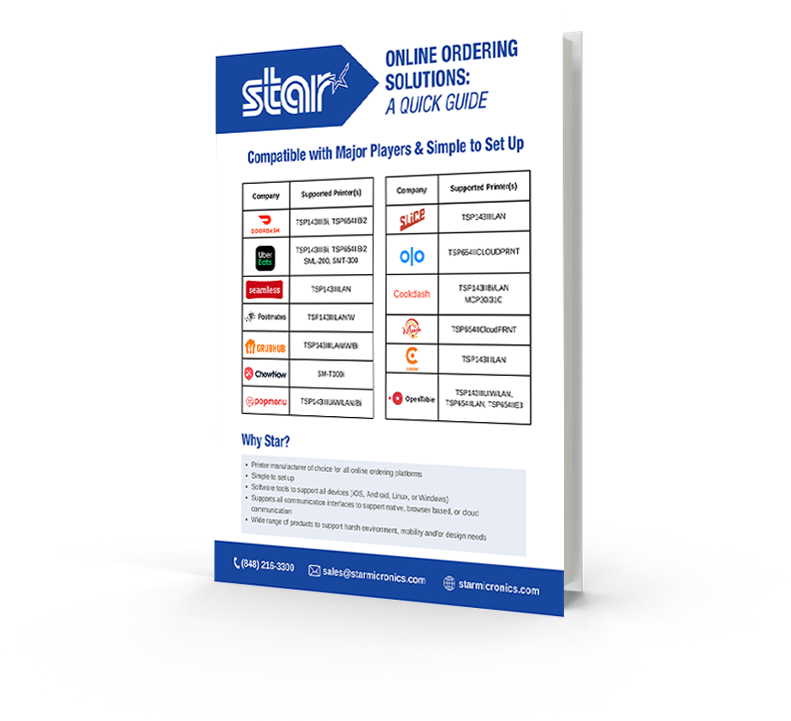
    Online Ordering Solutions: A Quick Guide

    Use this quick guide to find out which Star printer is right for your business. Don’t see your app? We are integrated with most POS software on the market. Contact us for more info.

    Embracing the Mobile Ordering Revolution

    The rise of Chowbus coincides with a broader trend in the food industry: the surge in mobile and online ordering. Consumers appreciate the convenience and simplicity that apps like Chowbus provide, allowing them to browse menus, read reviews, and place orders—all from the comfort of their homes or offices.

    Chowbus has embraced this trend and successfully catered to this digital preference. The app offers an intuitive user interface, making it easy for customers to navigate through different food options and place their orders in just a few taps. Mobile and online ordering are not going away, and it’s exciting to see how apps like Chowbus will continue to evolve.

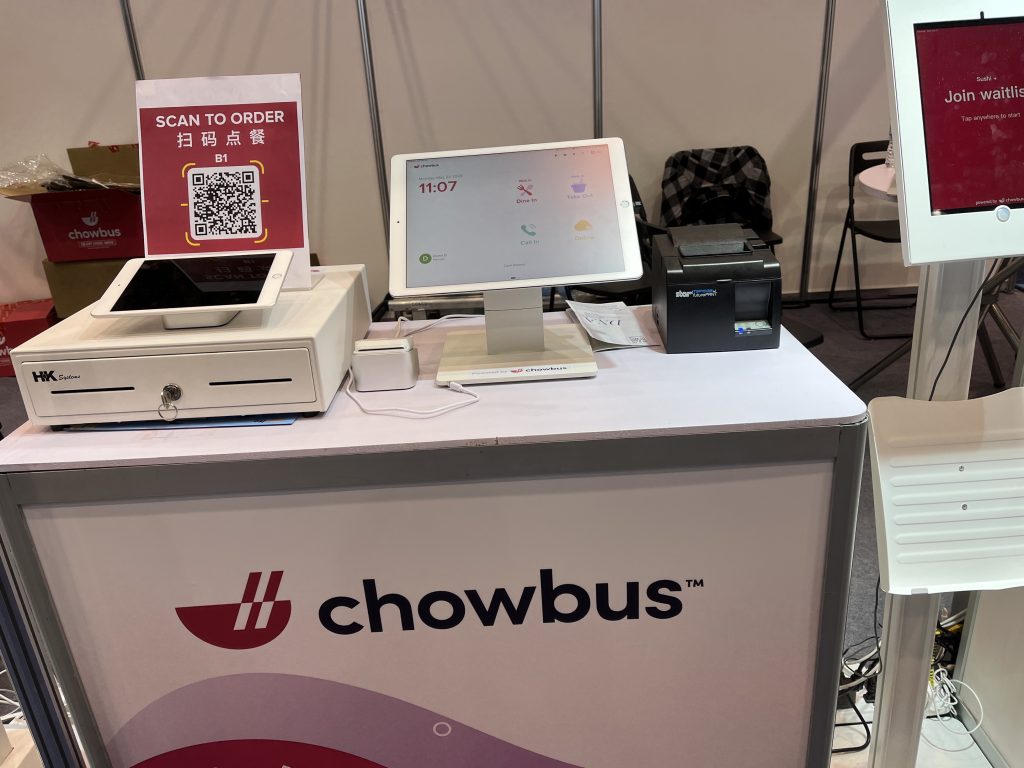
    The authentic Asian food delivery app, Chowbus, uses the TSP143III thermal receipt printer by Star Micronics at the National Restaurant Association Show 2023.
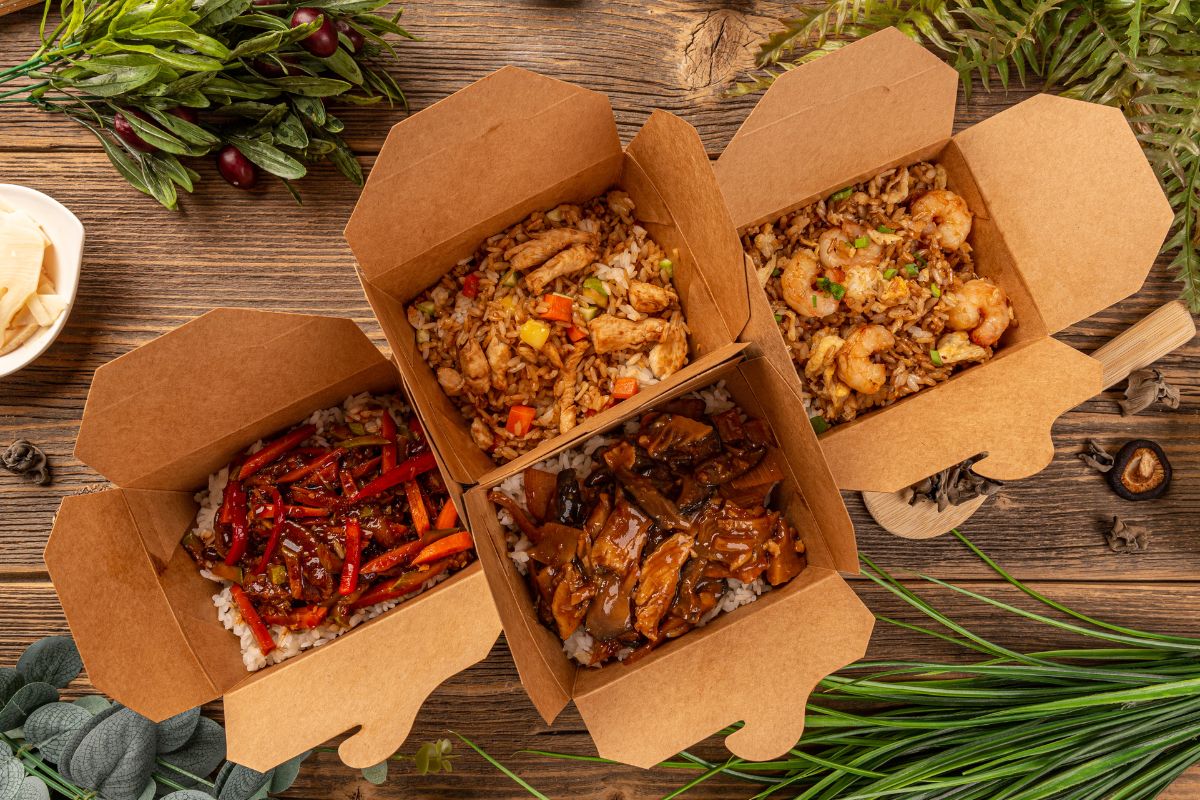
    Chowbus online ordering and delivery app for authentic Asian food uses Star Micronics hardware

    Star Micronics – Complete POS Hardware Solutions

    Many small-business restaurants struggle with growing too large for their operations at some point in their journeys. Especially when moving to online ordering platforms, orders can keep coming in but the way those orders get to the kitchen, make it into the delivery vehicle, and are paid for may be haphazard at best.

    Sloppy operations can cause orders to come out incorrectly, which can be the cause of lost revenue and a lack of customer loyalty. While having a delivery platform like Chowbus helps indie restaurants reach wider audiences, ensuring the seamless management of day-to-day transactions is equally critical.

    This is where quality POS hardware comes into play. Top-of-the-line equipment, like those provided by Star Micronics, ensures a secure, efficient, and reliable operational flow. When your restaurant has the proper hardware, online orders come in a rhythmic fashion. They’re delivered to the kitchen without issue, and everything is kept organized to make it to the customer in a timely manner.

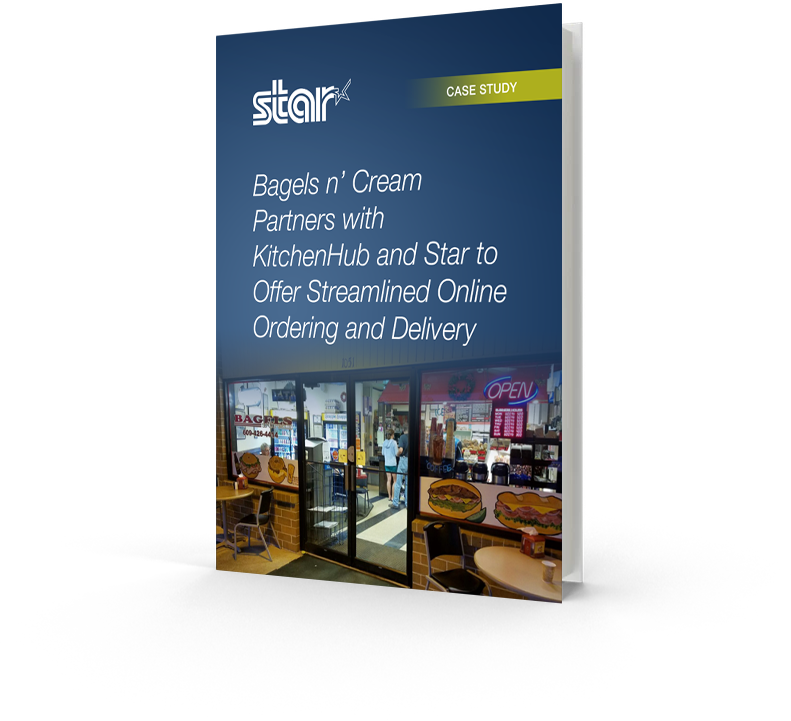
    Bagels n’ Cream Partners with KitchenHub and Star to Offer Streamlined Online Ordering and Delivery

    Restaurant management knew they needed a solution to handle high customer demand.

    Software Isn’t Everything

    As Chowbus continues to transform the Asian cuisine delivery experience in the U.S. (and Australia), its partnering restaurants must make sure they’re meeting the increased demand with confidence. Simply having your menu on food delivery apps is not enough to stay competitive. Restaurants must make sure they have the proper in-house hardware to handle the influx of online and mobile orders.

    The continued rise of Chowbus and similar platforms asks restauranteurs to consider – are we positioned to take advantage of these sweeping changes? Embracing online ordering apps is just one piece of the puzzle. In an industry that sees near-constant change, are you equipped with the right tools and technologies to ensure seamless operations and excellent customer experience?

    With online and mobile ordering apps, it is possible to boost your restaurant’s revenue immensely. Plenty of your competitors are doing just that. But you need to stay ahead of the curve and keep your customers coming back with great food and service. You can do so with the help of the Chowbus platform and apps like it, but also through the reliable operation of top-quality physical POS systems and hardware that connect the front of the house with the back in real-time.

    Don’t miss out on all that online ordering can offer!

  • How Restaurants Use Thermal Printers for Online Ordering with DoorDash, Uber Eats & More

    How Restaurants Use Thermal Printers for Online Ordering with DoorDash, Uber Eats & More

    In today’s digital age, online ordering is more popular than ever, especially in the restaurant industry. DoorDash, Grubhub, and Uber Eats are just a few of the most popular online ordering platforms, and many restaurants are now using these services to reach a wider audience and increase sales.

    But with the influx of online orders on top of in-person customers, managing things can become overwhelming.

    That’s where proper thermal receipt printers come in.

    Some thermal receipt printers are better for printing online orders than others because they connect to cloud- and web-based POS systems directly. They’re faster, more efficient, and easy to use. They print out orders as soon as they arrive, allowing the kitchen staff to fulfill them immediately.

    Many of these printers are designed to work with a wide range of devices, including mobile phones and tablets, making them an ideal choice for online ordering.

    Find your Android-compatible Star solutions here >

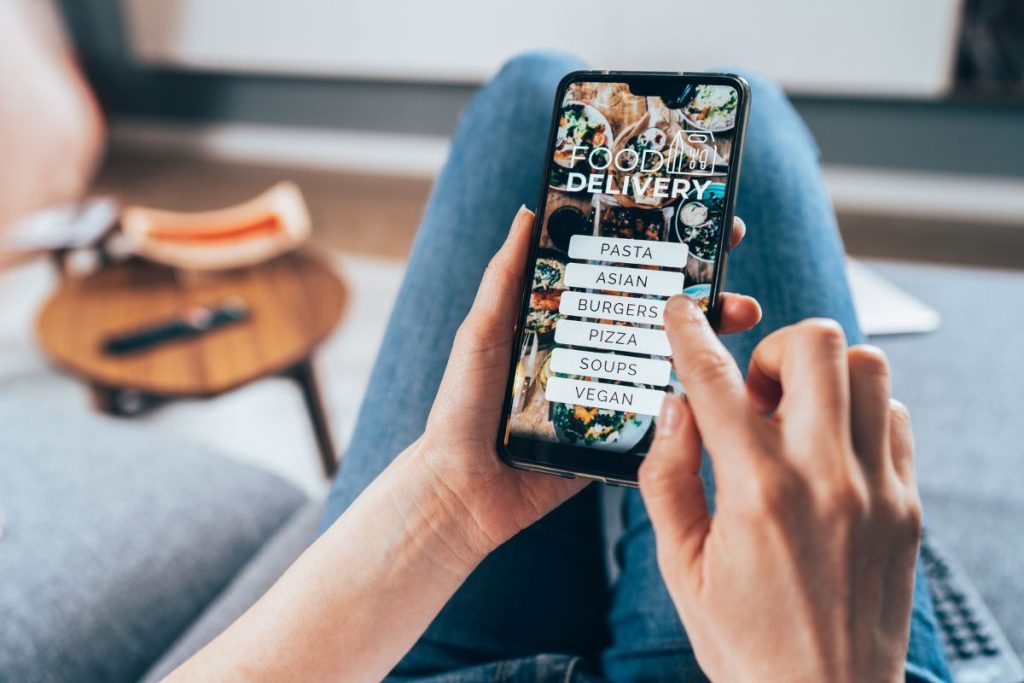
    Ordering food online on phone.

    How Do Restaurants Use Thermal Receipt Printers?

    So, how can restaurants use thermal printers with online ordering applications like DoorDash and Uber Eats? Usually, online ordering applications will suggest certain printers to use, or their software also comes with hardware. However, some people may need to purchase a thermal receipt printer on their own. 

    In any case, here are some tips on how to get started with the proper receipt printer to use with online ordering applications like DoorDash and Uber Eats:

    1. Choose a Compatible Thermal Printer

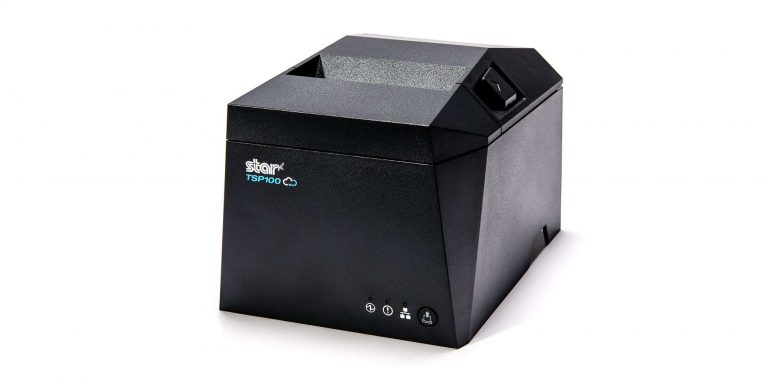
    To start, it’s important to choose a thermal printer that is compatible with the online ordering platform you are using. DoorDash and Uber Eats have guidelines for compatible printers, and it’s essential to make sure that the printer you choose meets these requirements. Some of the most popular printers used for online ordering include Star’s TSP100 and mC-Print3 series.

    2. Connect the Printer and Set it Up

    Once you’ve chosen a compatible printer, you’ll need to connect it to the online ordering application. This typically involves pairing the printer to the tablet or connecting it to the router of your restaurant. The application provider will provide instructions on how to do this. Still, if you have complications, you may also want to consult a professional to ensure the setup is done correctly.

    3. Customize the Printer Settings

    Finally, you can customize the printer settings to meet your specific needs. For example, you can adjust the font size, add your restaurant’s logo to the printout, and customize the order layout to make it easier for your kitchen staff to read and fulfill the orders.

    Find out which online ordering platform works with which Star Micronics printer with our Online Ordering Guide for restaurant and QSR owners.

    Online Ordering Solutions:
    A Quick Guide

    Want to know which Star printers are compatible with some of the most popular online ordering applications?

    Streamline Business with the Correct Printer

    By using thermal printers like Star’s TSP100 series for online ordering apps like DoorDash, Grubhub, and Uber Eats, restaurants can streamline operations and improve efficiency. Orders will arrive faster, print in real-time, and be sent directly to the kitchen.

    This lets kitchen staff start orders immediately and ensures customers receive their food quickly. Plus, the improved accuracy and organization of online orders with the proper printers can help reduce errors and improve the overall customer experience.

    If you are a restaurant owner and want to start using online ordering applications like DoorDash or Uber Eats, purchasing the correct thermal printer for what you need can streamline operations and help boost revenue.

    With the right printer and a little setup, start taking orders from popular online apps and expand your restaurant’s clientele. Just keep in mind you’ll be busy!

    Get the complete POS solutions from Star Micronics.
    Star Micronics has the POS hardware and technology to help keep your business ahead.

    How to Get Your Restaurant Ready for Online Ordering

    Are you looking for a new way to grow your restaurant business? Accepting online orders keeps you relevant and competitive.

    Wondering where you can buy Star?

  • How Technology Helps Today’s Healthcare Challenges

    How Technology Helps Today’s Healthcare Challenges

    In recent years, the healthcare industry has been dealing with a storm of challenges. First and foremost has been managing the COVID-19 pandemic. As new variants emerge and surges occur, the Centers for Disease Control (CDC) have continually updated guidelines and recommended new protocols ranging from surge mitigation to optimizing limited personal protective equipment (PPE).

    Pandemic pressures have contributed to another healthcare challenge: a growing labor shortage. According to the American Nurses Association (ANA), nurses are retiring or leaving the profession (many citing burnout) in large numbers: an estimated 1 million will retire by 2030. As a result, nursing programs cannot produce enough graduates to keep up with demand and are turning away thousands of qualified applicants because of a shortage of faculty and facilities. Now, nurses and other remaining medical staff are overworked and exhausted.

    Tired and overworked nurses sitting to rest.

    The stresses of the pandemic and the labor shortage add to a third major challenge: the need to reduce medical errors. On-the-job mistakes range from misdiagnoses and surgical errors to patient misidentification and medication errors (all of which account for between 7,000 and 9,000 US deaths annually). Integrating technology to assist hardworking medical professionals can significantly reduce these tragic errors.

    Tech Solutions Help Hospitals, Clinics, and Pharmacies Overcome Challenges

    Ever-shifting pandemic protocols, fewer available professionals, and an increased need for efficiency and accuracy are major healthcare pain points. However, technology is available to help clear these hurdles.

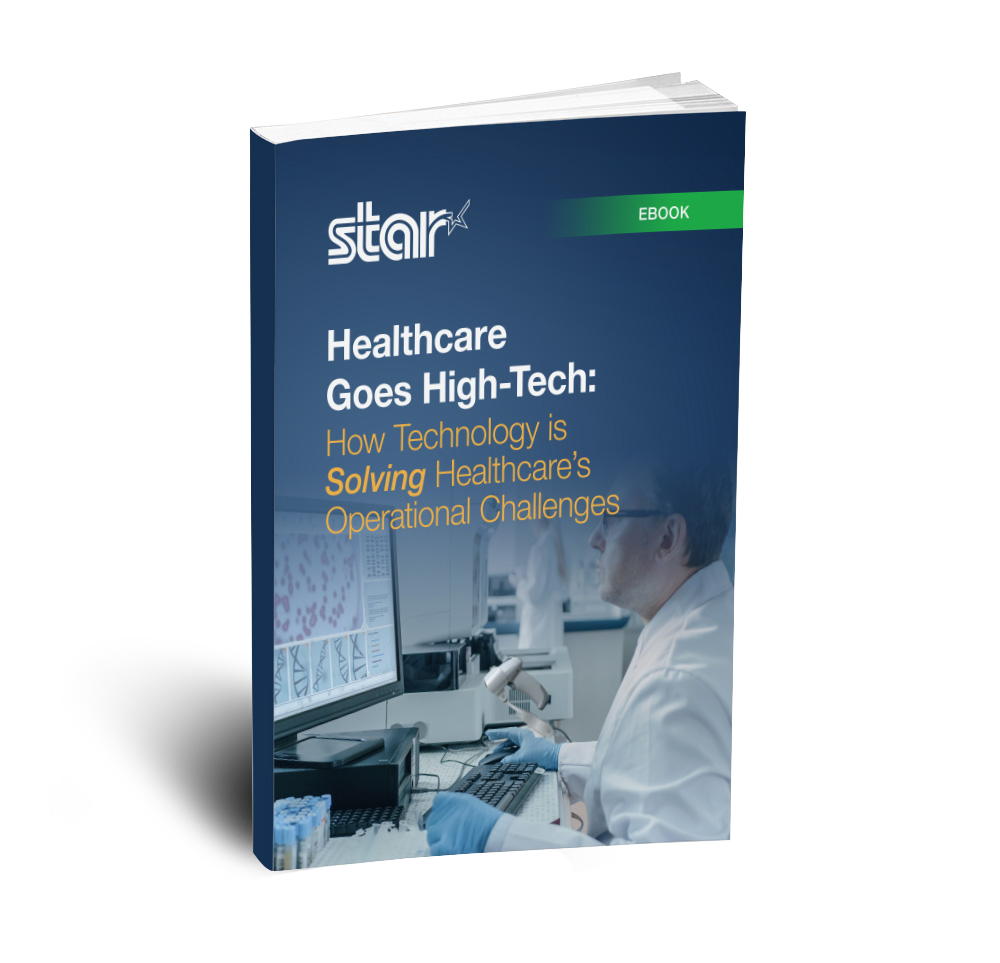
    Download our free ebook below to find out more!

    Healthcare Goes High-Tech: How Technology is Solving Healthcare’s Operational Challenges

    The proper technology can help businesses in the healthcare industry streamline workflow and make up for employment shortages, helping to prevent costly errors.

    Check out our Health & Safety Toolbox for the Retail & Hospitality Industries for more info about how Star solutions can help overcome current challenges:

  • 5 Ways a Self-Service Kiosk Can Boost Retail Sales

    5 Ways a Self-Service Kiosk Can Boost Retail Sales

    In a world where consumer attention spans are shrinking, and store competition has never been more cutthroat, retailers need to find new ways to make their customers want to return to their stores again and again. One way to do this is by introducing a self-service kiosk in stores.

    Many reports have found that customers want more self-service options as they shop, especially as technology improves. Self-service kiosks allow customers to quickly get the information they need and make purchases without waiting on any service staff, but there are more benefits, and they all lead to more sales.

    5 Ways A Self-Service Kiosk Can Boost Retail Sales

    The following five ways a self-service kiosk can boost retail sales will show how these changes can help retailers compete in today’s market.

    1) Help with Labor Shortage

    Self-service kiosks can help retailers bypass much of the pain of the ongoing labor shortage. They reduce the overhead costs of labor and allow shoppers to interact with products without a salesperson’s assistance. This also allows retailers to give better customer service since the kiosks can provide in-depth product knowledge and personalized recommendations.

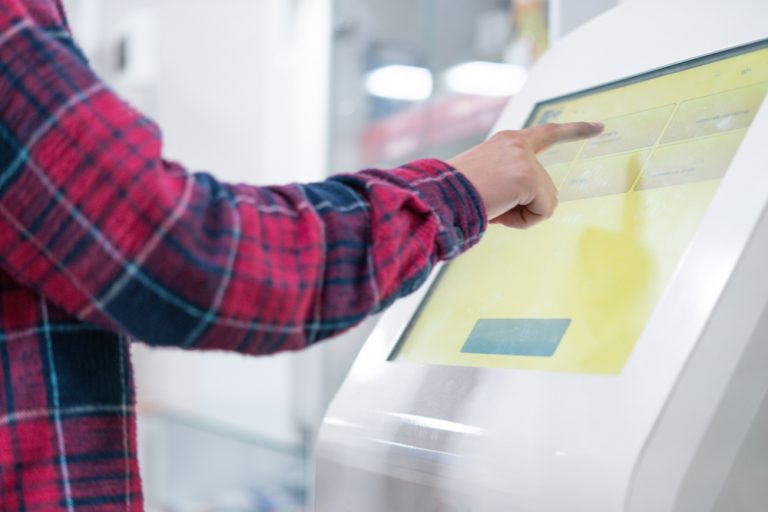
    Young man using a self-service kiosk.

    All items are neatly organized onscreen and show whether they’re in stock, saving employees time and energy going back and forth to check on supply or answer customer questions. Self-service kiosk software can answer most questions right on the spot. Then, in-store employees have more time to help shoppers with other needs.

    2) Decreased Wait Times

    Long wait times are a major reason retailers lose sales, but self-service kiosks can help. By allowing customers to serve themselves, they help shorten the wait time and create an experience where the customer is in control. Some self-service kiosks require a clerk to monitor, but one employee may be all you need to serve many customers at once with multiple kiosks around. An example of this we see every day is at the grocery check-out.

    3) Increased Upselling

    The use of self-service kiosks can also increase upselling. POS software for self-service kiosks can show customers other items they may like as they ring up current selections, often resulting in greater sales. The shopper might have been looking for a sweater, but after viewing more products in the clothing department, they may buy a jacket or pair of pants as well. With the help of self-order kiosks, retailers can track what each customer is looking at so that staff members know to suggest other items that are likely to sell.

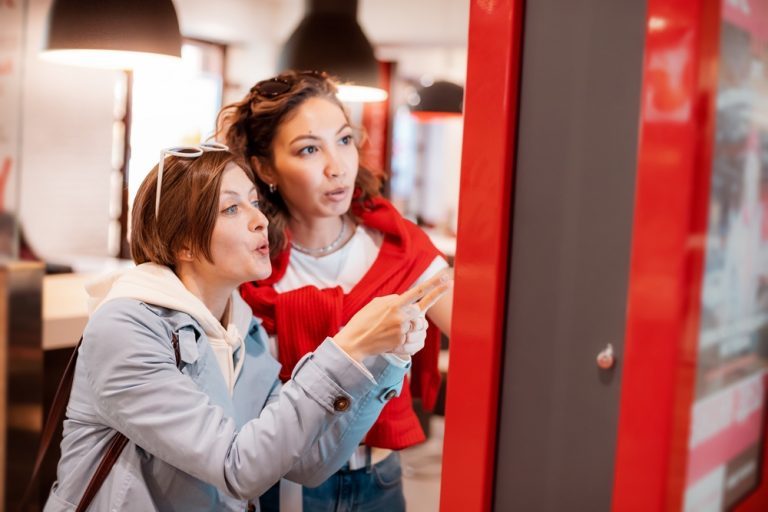
    Two young women browsing on a self-service kiosk machine.

    4) Real-time Analytics

    This brings us to our next point: self-service kiosks can track customer behavior in real time. Having up-to-date analyses of your customers is critical in decision-making and marketing. The data from POS software on self-service kiosks can help you make more strategic decisions about your store. For example, email campaigns can be optimized based on customer browsing behavior and buying trends tracked within the software.
    On the other hand, for retail managers, these tools can provide a wealth of insights into customer demographics and a breakdown of how different people browse your store. Inventory is tracked automatically, and merchants can see which items are selling better and at what times. Self-service kiosks can help retailers get to know their customers based on purchases, so knowing what items are popular and what to stock more of is easier than ever. Self-ordering kiosks also allow customers to complete simple tasks like signing up for rewards programs or redeeming coupons on the spot.

    5) Increased Customer Satisfaction

    Self-service kiosks work great because they’re easily accessible to most consumers. Most people are comfortable using a touchscreen to navigate through a platform. The kiosks cut back on lines, getting rid of awful waiting times. They also create a welcoming environment by providing instant gratification, and they offer personalized services to each customer that makes them feel valued.

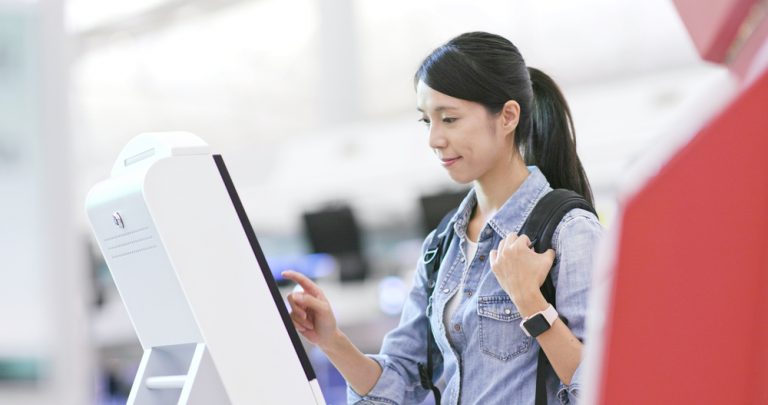
    Woman using a kiosk machine.

    Customer satisfaction inevitably rises with less waiting time and more personalized shopping experiences. When shoppers are happy with their experience, they are much more likely to return for repeat purchases and recommend the store to friends and family members. All of this leads to increased sales.

    Self-Service Kiosks Boost Sales

    With all the above benefits, it’s easy to see how self-service kiosks can boost retail sales. Using technology to help customers ring themselves up and browse through store selections isn’t going away. Self-service is growing. How are you incorporating it into your own business to stay competitive?

    Star has all you need for self-service kiosk printing and more!

  • The Future of The Hospitality Industry is Connected

    The Future of The Hospitality Industry is Connected

    The future of hospitality is connected, and for many tech-enabled businesses that offer alternative dining and shopping experiences, that future is already here. Companies need new technology to reach customers and give them convenient ways to purchase products and services. As consumers acclimate to mobile and online reservations and ordering, advanced hospitality technologies facilitate a seamless and enjoyable customer experience.

    How SaaS Impacts The Restaurant and Retail Industry

    The hospitality ecosystem supports an array of technology solutions. Single-suite providers can simplify point-of-sale (POS) deployments, from hardware devices to cloud-based tools, through subscription-as-a-service (SaaS) models. SaaS models are increasingly popular in hospitality due to their cost-effectiveness and flexibility. 

    Subscription services enable merchants to pay for hardware and software monthly instead of making an upfront investment. These services include automatic upgrades or enhancements that keep technology up to date. Many of these services provide ongoing IT support. 

    Hospitality leaders, attracted by lower costs and extended lifetime value, choose single-suite SaaS partners with cloud-based tools and connected commerce solutions. In addition to easy installations, remote management, and IT support features, SaaS solutions offer regular software updates, hardware swap-outs, enhanced security, and flexible, customizable software.

    Conquering Omnichannel Order Management with Cloud-Based Technology Solutions

    Consumers have spoken! The future of retail and hospitality is omnichannel, cloud-based, and connected. Is your business prepared?

    Implementing Omnichannel Ordering

    Remote manageability is just one facet of hospitality’s connected future. Restaurateurs and hoteliers have added online and mobile ordering in record numbers to meet consumer demand for touchless experiences. Omnichannel solutions provided these during Covid-19, but their convenience and ease of use have made them permanent fixtures in the hospitality landscape. 

    In the pandemic’s aftermath, omnichannel ordering is an expectation, not an exception, for consumers. However, as many business owners have found, implementing omnichannel ordering adds complexity to business operations and requires staff to be mindful of both online and in-store order flows. To keep operations running smoothly, hospitality businesses need many tools to create a cohesive, connected workspace.

    Cloud-Based Operations

    A cloud technology system will keep your business running smoothly by providing solutions that work well together, such as cloud printing. Used by retail and restaurant owners, cloud printing seamlessly expedites and organizes online ordering. Additionally, these agile systems are easy to integrate and deploy as you scale your business. 

    CloudPRNT technology from Star Micronics sends online orders directly to your kitchen printer and is supported by an array of devices and peripherals, including the TSP143IV, mC-Print2, and mC-Print3 thermal printers. These thermal solutions are compatible with POS scales, scanners, and cash drawers with many connectivity options, such as Lightning and USB connection, Bluetooth, LAN, WLAN, and more. They are also easy to integrate with POS systems.

    Mobile and Online Ordering


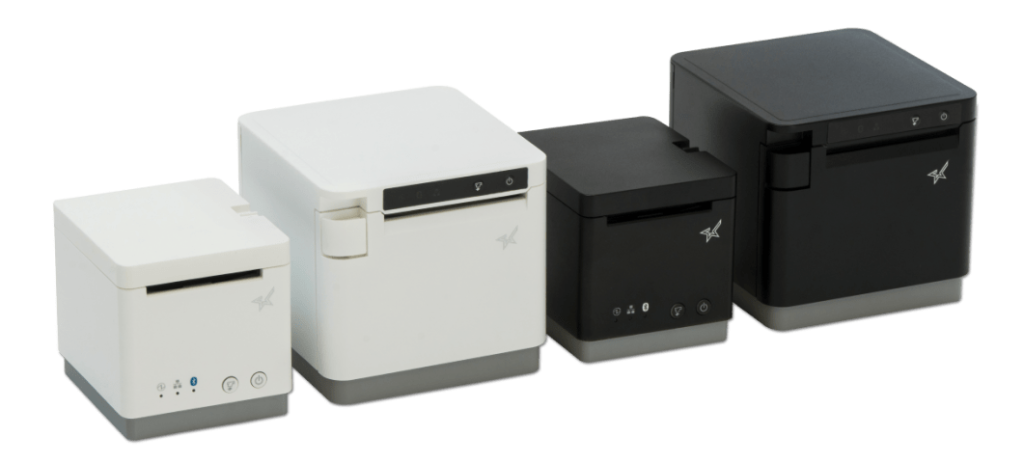
    Black and white mC-Print2 and mC-Print3 thermal receipt printers by Star Micronics.
    The mC-Print2 & mC-Print3

    Currently, online food ordering accounts for about 40% of total restaurant sales in the U.S., and researchers expect these numbers to continue to climb. Restaurants with an online ordering system tend to raise their takeout profits by 30% over those that do not. In 2022, the number of Americans using apps to order food and other groceries is expected to rise from 27.9 million to 30.4 million. In addition, about 92% of all top-performing restaurants offered mobile order-ahead and loyalty rewards programs, or a combination of both. If your restaurant is not giving the consumers what they want, you’re missing out on some serious revenue. With the right technology, it’s easy to add mobile sales and online ordering to your business.

    Let’s take a look at some technologies that help boost efficiency and customer satisfaction:

    Printers

    Embrace cloud-based solutions and online ordering with Star Micronics’ reliable Cloud Ready thermal printers. A receipt printer that connects to your cloud- or web-based point-of-sale software is a must-have. Cloud Ready printers reliably print orders directly to the kitchen as they come in.

    CloudPRNT technology from Star Micronics sends online orders directly to your kitchen printer and is supported by an array of devices and peripherals, including the TSP143IV, mC-Print2, and mC-Print3 thermal printers. These thermal solutions are also compatible with cash drawers, POS scales, and barcode scanners. They’re offered with multiple connectivity options, such as Lightning and USB connection, Bluetooth, LAN, WLAN, and more, and Star makes integration with your POS software a breeze.

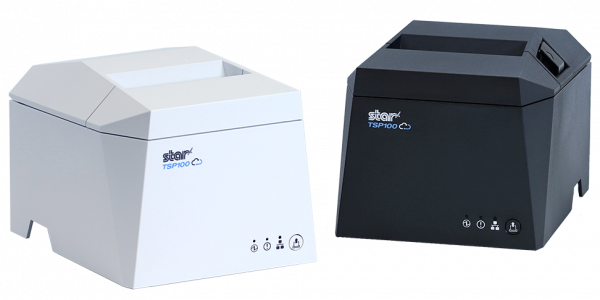
    The TSP143IV thermal receipt printer by Star Micronics comes in black or white.
    The TSP143IV Thermal Receipt Printer is Cloud Ready

    Labels

    While labels may be the last thing on your mind, equipping your cloud technology suite with the proper labeling capabilities is vital when completing your connected workstation. Whether your business requires traditional or linerless labels, ensure you have the appropriate solution. You may need food service and delivery labels, like tamper-proof labels or labels showing nutritional, shipping, or inventory information.

    Traditional label printing solutions like the TSP743II or repositionable linerless label printers like the TSP654IISK are high-speed graphics printers able to connect to supported cloud- or web-based software. Food orders with special dietary requests can automatically be printed on takeout or delivery labels. Linerless labels are sticky but can be removed and re-applied following an online order from start to finish. These methods can help prevent potentially devastating mistakes.

    The TSP654II thermal receipt printer and the Resto for Quebec, and the TSP654IISK Thermal Sticky Label Printer by Star Micronics
    The TSP654IISK Linerless Label Printer

    Payment Solutions

    Connected hospitality businesses also need flexible, cloud-based payment software that supports many traditional and mobile POS systems and payment schemes. When linked to omnichannel ordering, these software applications enable customers to pay in-store, online, and via mobile apps using credit cards and mobile wallets. 

    Contactless POS systems support mobile wallets, wearables, and contactless cards, meeting consumer demand for touchless payment methods. Mobile payment applications that support pay-at-table solutions are popular fixtures in stores and restaurants. 

    As you search for the right payment solution, look for technology compatible with leading operating systems and interfaces and consider Star Micronics. From contactless payments to paper checks – and everything in between – Star solutions support various payment software applications. Star also has a high-quality selection of portable printers, which may be precisely what your business needs.


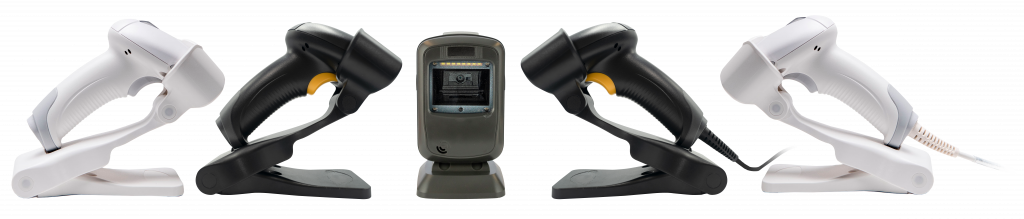
    All five 2D barcode scanners by Star Micronics - white and black wireless, one desktop, and a white and black wired handheld.
    Star’s Line of 2D Precision Barcode Scanners

    Barcode Scanners

    Star’s 1D/2D barcode scanners perfectly fit omnichannel hospitality environments. These drop-resistant scanners are accurate when scanning barcodes or QR codes on paper, screens, or uneven media. The wireless handheld model has up to 12-hour battery power, and the white models are made with antimicrobial agents, helping to reduce the spread of germs and bacteria.

    These highly reliable scanners can also be used in a warehouse setting to scan items on the floor for inventory purposes or to locate orders, product details, and stock availability. Scanner technology also helps businesses streamline everyday necessities. Check out this article for more information.

    Get Advanced Omnichannel Solutions Today!

    If you want to be part of hospitality’s connected future, partnering with a single-suite technology provider will help your business scale. Advanced omnichannel solutions, coupled with front- and back-of-house systems, will securely and efficiently manage orders across multiple channels, driving efficiency and growth. 

    Your single-suite provider will simplify integrations, keep your systems running optimally and meet all your technology needs. Contact your Star Micronics representative today if you’re ready to take your business into the future.

  • Can Printed Receipts Help Brick-and-Mortar Merchants Avoid Chargebacks?

    Can Printed Receipts Help Brick-and-Mortar Merchants Avoid Chargebacks?

    During the Covid lockdown, a lot of retail spending moved online. This was good for both merchants and consumers, but it ultimately led to a surge in chargebacks and friendly fraud.

    As things slowly return to normal, buyers are making their way back into physical stores. Unfortunately, chargebacks are coming with them.

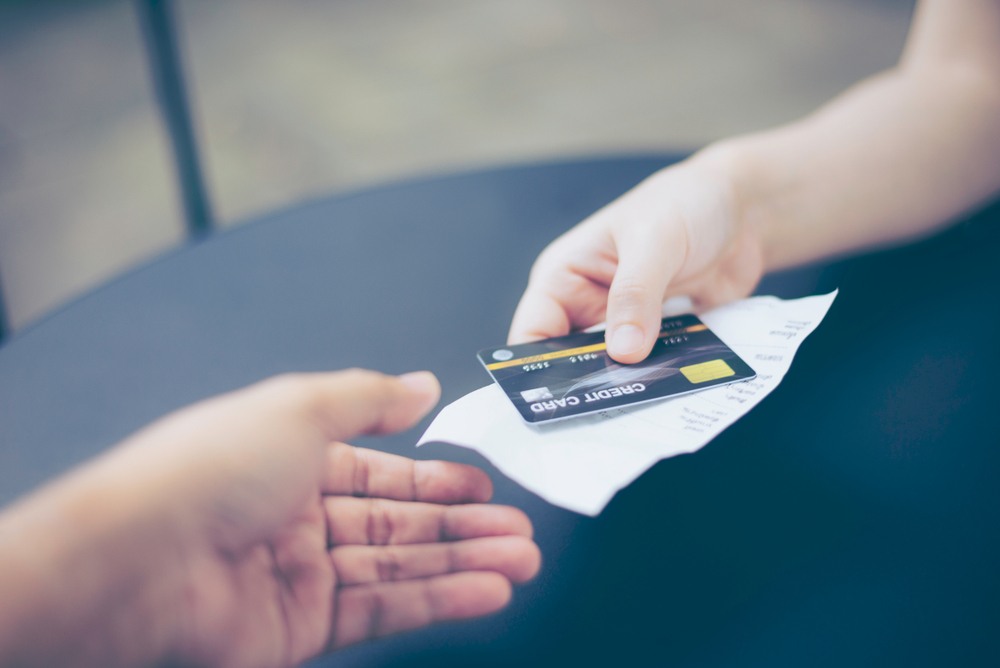
    Merchants have the right to contest invalid chargebacks, but proving a claim is bogus requires evidence. Brick-and-mortar merchants may have an advantage when it comes to collecting compelling transaction proof: printed receipts.

    How a Consumer Protection Became Friendly Fraud

    First, let’s examine how this problem developed in the first place.

    A chargeback occurs when a customer requests their bank to reverse a transaction. An important safeguard for cardholders, chargebacks were only intended for cases involving criminal fraud or merchant abuse, such as deliberate overcharging.

    Chargebacks give cardholders a last resort in situations where the merchant cannot—or will not—provide a refund. The system works well enough under those conditions, but these days, the process is more commonly used to commit friendly fraud.

    Friendly fraud occurs when customers leverage the chargeback system to obtain an undeserved refund. This may be unintentional; when a cardholder sees an unrecognized charge on their statement, the automatic reaction is often to call the bank, not the merchant.

    On the other hand, the cardholder could be deliberately trying to obtain free merchandise. This is a practice called “cyber shoplifting.” The scam works like this: a cardholder makes a purchase at a brick-and-mortar store, then calls the bank. They’ll say they cannot resolve the issue with the merchant and ask to have the charge reversed. The buyer then keeps the merchandise, but gets their money back.

    Ironically, what began as a consumer protection mechanism has become a tool consumers use to steal from merchants.

    “Friendly Fraud Doesn’t Happen in Physical Stores!”

    Historically, friendly fraud has been more of an issue for eCommerce; most of the claims still happen in the card-not-present space. That doesn’t mean, however, that brick-and-mortar merchants can ignore the threat.

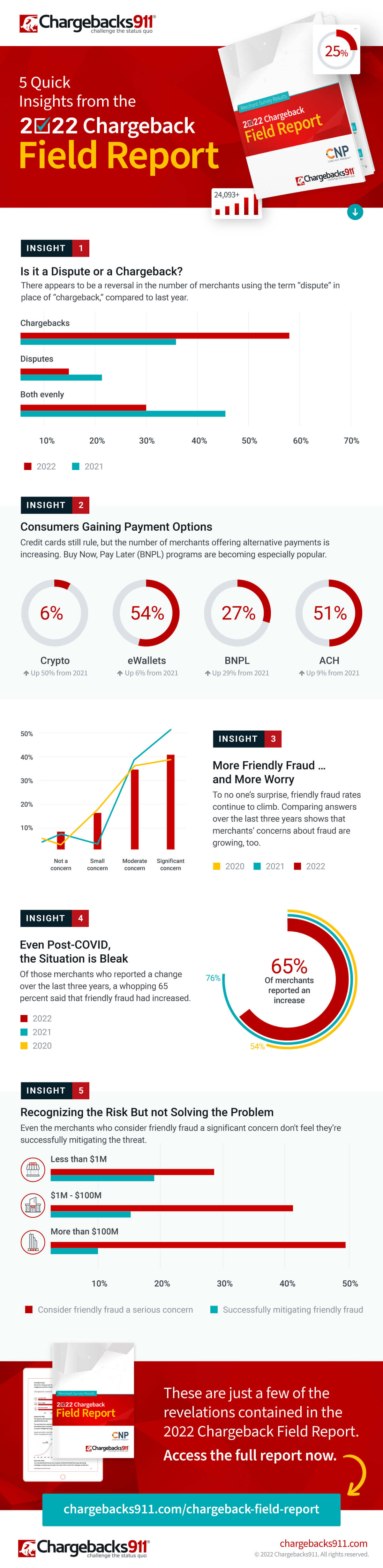
    The reality is that friendly fraud has become a growing menace to merchants as a whole, according to findings from the recently published 2022 Chargeback Field Report.

    The study, a joint endeavor between Chargebacks911 and Card Not Present, is based on survey results drawn from over 300 retail merchants across all verticals. Of the respondents, nearly two-thirds said that chargeback abuse—friendly fraud—had increased over the last three years.

    As mentioned earlier, merchants have the right to contest unwarranted chargebacks. To have an illegitimate chargeback overturned, however, the retailer must demonstrate that the customer’s claim is false. For in-store sales, this is where printed receipts come into play.

    How Receipts Work in the Merchant’s Favor

    To understand the role receipts can play in fighting friendly fraud, it’s important to know how the process is supposed to work.

    When a cardholder calls their bank to dispute a charge, the bank will usually tell the cardholder to try resolving the issue directly with the merchant. If the customer says they have already tried, the dispute will likely advance to a chargeback. Transaction funds are removed from the merchant’s account and returned to the cardholder. The merchant may not be informed about this until days later.

    This may seem unfair, but again, merchants can contest the claim through the process of representment, which involves providing the bank with compelling evidence showing the transaction was valid.

    Sometimes, a copy of the transaction details will be all that’s needed. Some point-of-sale solutions at physical stores will record and store copies of receipts, and can send them in response to the bank’s request.

    That sounds convenient, but it may not be the best choice. While digital files work in the majority of cases, electronic files are more susceptible to manipulation. That means the bank may require more evidence.

    Online retailers don’t really have another option, but for in-person sales, a scanned copy of a printed paper receipt can be more efficient and cost-effective. It’s hard to argue against a printed receipt. The specifics are literally all there in black and white.

    If the bank sees that the customer’s claim is unwarranted, it may overturn the chargeback. Not representing the chargeback, however, means the fraudster may end up with both the product and a refund.

    Physical Receipts Can Also Boost Prevention Efforts

    Unfortunately, the merchant will get hit with a non-refundable chargeback fee whether the chargeback is reversed or not. That means preventing chargebacks is usually more efficient than challenging them.

    There are numerous steps merchants can take to prevent chargebacks stemming from errors or criminal activity. However, the friendly fraud we’ve been talking about is post-transactional; it’s hard to prevent something you won’t even see until days or weeks after the fact. Fraudsters know this and have learned how to play the system.

    It’s possible that the merchant will be able to produce an electronic receipt that contains enough information to invalidate the cardholder’s claim. The fraudster is betting against it, though.

    A printed receipt is a different story. For a cyber shoplifter, a receipt printed with names, dates, prices, and truncated card data is like seeing a record of the crime before it’s even committed. One look makes it obvious that the merchant has too much evidence for the scam to work. The receipt signals that it’s time to move on to an easier target.

    The Value of Receipts: Printed and Digital

    There’s no getting away from it: receipts hold great value and are an irrefutable part of everyday life. 

    The Bottom Line

    Electronic transaction receipts are useful, but technology can be exploited, and systems can be hacked. Printed receipts can benefit merchants in many ways, including chargeback management and prevention.

    Having a hard record of transactions can simplify representment and increase the odds of success. At the same time, a printed receipt may encourage would-be friendly fraudsters to take their scams elsewhere. For brick-and-mortar merchants, it’s a win-win.

    Guest Post Written by Monica Eaton-Cardone, COO and Co-Founder of Chargebacks911

  • 5 Essential Pieces of Kitchen Technology for a Successful Restaurant

    5 Essential Pieces of Kitchen Technology for a Successful Restaurant

    Restaurants are adding new technology like never before, especially in light of the buzz around exciting innovations like AI-enabled ordering, drone deliveries, and ghost kitchens

    Investing in the right restaurant technologies can be the key to success for many restaurants, especially multi-location chains. In fact, 71% of food service companies surveyed in North America believe digital transformation is the most important factor towards agility.

    But one area that is often overlooked is kitchen technology. And it shouldn’t be.

    If you want to run an efficient and profitable operation, your kitchen needs tools in place to help you keep up with the high volume of orders coming in. Getting the right tech in place will make your chefs’ and line cooks’ lives a whole lot easier. 

    Every piece of your tech stack needs to speak the same language and integrate seamlessly for efficient operations and a consistent customer experience. These five essential pieces of kitchen technology will help you build that consistency and improve every area of your restaurant.

    5 Pieces of Must-Have Kitchen Technology

    The kitchen is the beating heart of any restaurant. It’s where the magic happens and it produces the product your customers have come for. As a result, your kitchen needs the latest restaurant technology solutions to make operations more efficient and to connect this area with the rest of the restaurant.

    Here are the vital pieces of kitchen technology to get in place to keep the life-blood pumping around your restaurant.

    1. Point-of-Sale System (POS)

    A point-of-sale system is the hub of your restaurant’s data and operations. It processes orders, transactions, and other restaurant data and often serves as the liaison between your front- and back-of-house restaurant technology solutions. 

    Having the right POS in place is vital to keep communication between the front-of-house and your kitchen smooth and efficient, with minimal errors. When it comes to technology for restaurants, the POS serves as your central data hub.

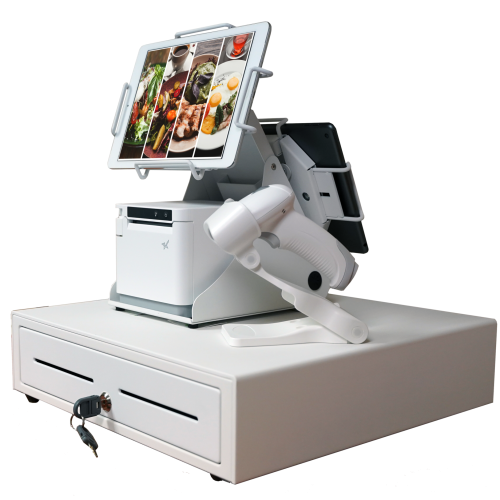
    An all-white point-of-sale system consisting of a cash drawer, an mC-Print3 printer, a wireless scanner, and tablets affixed on top.

    What is a POS?

    A restaurant POS is traditionally the system of networked hardware and software that takes orders and processes payments. But a modern POS can do a whole lot more, including managing inventory, accepting orders from third-party platforms, generating reports from analytics, and pretty much any other restaurant management task you can think of.

    These days a POS stores data in the cloud and can encompass ordering tablets, self-service kiosks, traditional tills with touchscreens, contactless payment terminals, and other restaurant POS hardware.

    Benefits of a POS

    • Streamline restaurant operations – the POS links your systems together, making operations more efficient in every department, from ordering, to payments, to production in the kitchen. 
    • Stores all your data in one place – your POS acts as the data hub for your restaurant, ensuring all your data is accurate, consistent, and accessible.
    • Reduces ordering errors – a smart POS with the latest ordering hardware and key integrations will greatly reduce the risk of costly ordering errors occurring.

    2. Kitchen Display System (KDS)

    Kitchen display systems are becoming essential pieces of technology for restaurants, especially in high-volume settings like fast-casual and quick-service restaurants, ghost kitchens, and other takeout joints where efficiency is the name of the game. 

    The KDS keeps all your orders flowing through the kitchen and makes sure all the cooks are on the same page, making it one of the most vital restaurant technology solutions on the market.


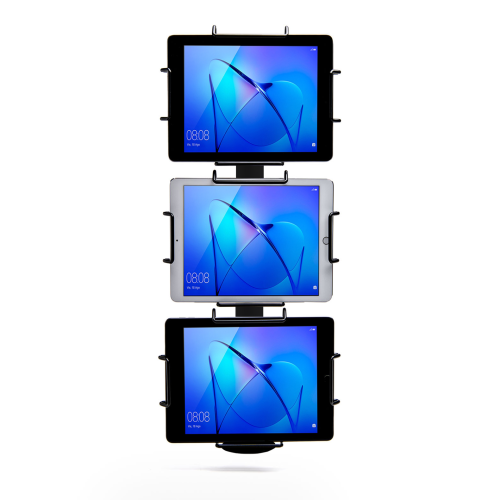
    Black Tri-Mount, which holds three tablets vertically. Tablets and tablet enclosures not included. Pole mount.
    Star Micronics’ Tri-Mount Tablet Display Stand

    What is a KDS?

    A KDS uses one or more screens in the kitchen to give the cooks a clear view of orders being processed. Typically, a screen at each station helps the cooks keep track of orders and even tells them when to fire different parts of an order for maximum efficiency.

    Traditionally, cooks keep track of orders with printed tickets that are spiked when the order is complete. A KDS can be used instead of, or in addition to, printed tickets. The real-time information provided by the system can improve efficiency and reduce the risk of costly mistakes.

    Benefits of a KDS

    • Streamline kitchen operations – a KDS keeps your kitchen production line organized and streamlined by making sure everyone knows what they need to do and when.
    • Speed up service – more efficient production helps your kitchen produce orders faster, meaning you can serve more customers at peak times.
    • Minimize errors – with a clearer picture of the orders in preparation, cooks are less likely to make mistakes that lead to food having to be remade.
    • Reduce food waste a more efficient kitchen making fewer mistakes helps reduce wasted food from sloppy portioning, over-production, and re-fires.

    3. Printers

    Although the trend is moving toward digital solutions, printers still play a vital role in the modern restaurant in the front and back-of-house. And they are getting just as smart as the rest of the tech in the restaurant.

    Many customers want a physical receipt, whether it’s just a preference or for record-keeping, and many kitchens still use printed receipts whether or not they also use a KDS to organize orders. 

    Let’s take a look at the different types of restaurant printers.

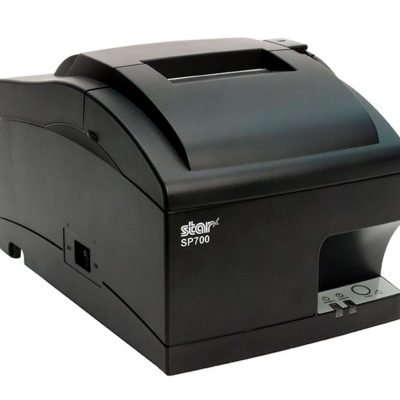
    The SP742 impact kitchen printer is great for online ordering.

    What are Restaurant Printers?

    Restaurant printers are found at the front desk, at wait stations, behind the bar, and in the kitchen – perhaps at each production station. Front-of-house printers print checks and customer receipts. Bar and kitchen printers print order tickets, so bartenders and chefs know what to prepare.

    There are two types of printers commonly used: impact printers and thermal printers. Each has its own features making each one suitable for different environments.

    Impact printers, or dot-matrix printers, physically impact the paper with ink. They can typically print in black and red, have more moving parts, and are noisier than thermal printers. 

    The SP742 Impact Printer is built specifically to work in hot and humid environments, connects via Bluetooth, and can print 13 tickets per minute.

    The SP742 impact kitchen printer is great for online ordering.
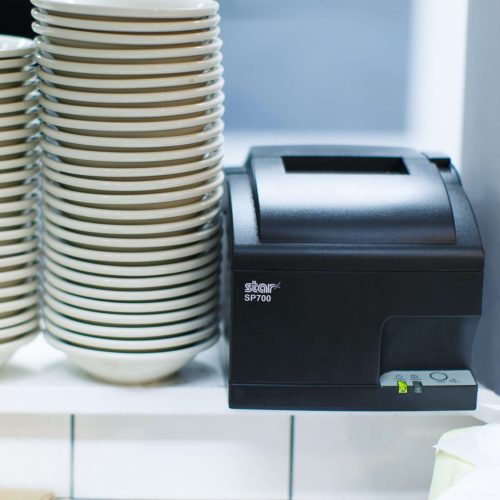
    The SP700 series impact printers from Star Micronics are one of the most popular kitchen printers.

    Thermal printers directly mark heat-sensitive paper using a heated element. Thermal printers tend to be more expensive, but they could save you money over time as you don’t have to buy more ink. They are sensitive to temperature, so they would only work in a climate-controlled kitchen but can print much faster than impact printers.

    The TSP654II Thermal Printer can print 60 receipts per minute, comes with easy drop-in paper loading, and connects to a number of peripheral devices.

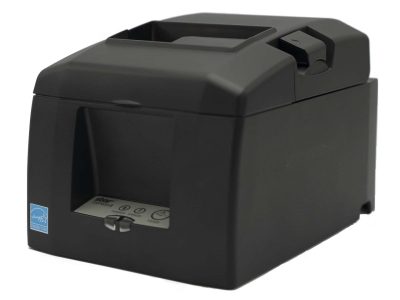
    The TSP654II thermal receipt printer and the Resto for Quebec, and the TSP654IISK Thermal Sticky Label Printer by Star Micronics
    The TSP654II thermal receipt printer by Star Micronics makes an excellent kitchen printer.

    Benefits of Printers

    • Offer a physical receipt – many customers want to keep a physical credit card receipt or check for their records and for tax purposes.
    • Redundancy in the kitchen – a printer receipt in addition to the KDS allows cooks to double-check orders and some chefs prefer to have a physical order ticket as well as the KDS.

    The Growing Industry of Ghost Kitchens: The Tech You Need to Get Started

    Learn the essentials of starting a ghost kitchen and the technology restaurateurs will need to get started.

    4. Cash Drawers

    Even with a modern POS, you still need a way to process cash payments. Today, most modern cash drawers can be synced with your POS terminals via USB or Bluetooth, offering the ultimate convenience without compromising security. 

    Look for cash drawers with physical and electronic locking functions that are robust and technologically enabled.

    What is a Cash Drawer?

    A cash drawer is a secured box with a sliding drawer that protects your cash. It is linked to your POS, so it opens when a cash payment is made and change is required. 

    Cash drawers typically have multiple locking functions for security, including a manual lock when not in use and automatic locking when in use during service.

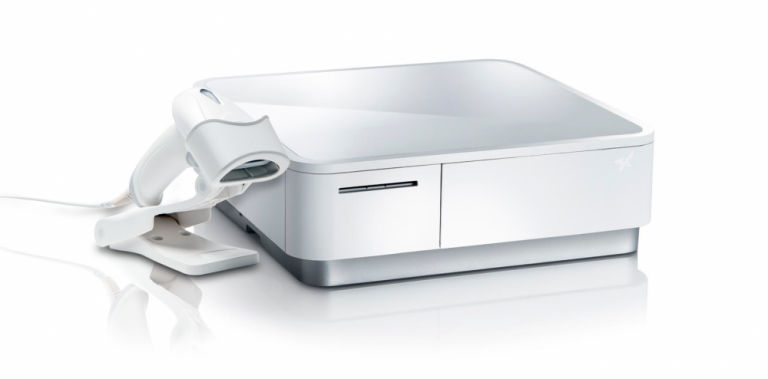
    The mPOP® Multifunction System is a cash drawer and printer in one smart device. Compatible with Windows, Android, and iOS, it offers direct iOS connectivity, which allows your iOS device to be charged while data is transferring. There is also the optional handheld 2D USB barcode scanner included with some models. The mPOP® is truly an ideal device for mobile POS (mPOS) systems.


    White mPOP and 2D barcode scanner by Star Micronics.
    White mPOP® with optional 2D barcode scanner

    5. Contactless Payment Terminals

    Contactless payments are becoming the norm as customers increasingly appreciate the convenience of not having to enter a PIN or even remove their card from their wallet. It’s worth upgrading to terminals equipped with near-field communication (NFC), so you can accept payments with a phone or card tap.

    What are Contactless Payment Terminals?

    Contactless payment terminals allow guests to pay with the tap of a card anywhere in the restaurant. They are connected to the WiFi network to communicate with the POS, so they allow customers to pay at the table, at the curb, or at the drive-thru window.

    The terminals use NFC to take contactless payments from smartphones or credit cards and have keypads and card slots if the customer needs to insert the card and enter their PIN.

    contactless-payment-terminal

    Benefits of Contactless Payment Terminals

    • Faster and more convenient – contactless wireless terminals make it quicker and easier to make payments, leading to a better customer experience and more efficient service.
    • More secure – Contactless payments eliminate the need for the customer to hand over the card or reveal their signature. Card information is sent via a secure cryptographic method to ensure information can’t be stolen.

    Boost efficiency, customer satisfaction, and revenue with better kitchen tech.

    From the POS flawlessly processing orders and contactless terminals taking payments anywhere to kitchen display systems and printers keeping your service organized, kitchen technology is vital to the success of your restaurant. 

    As we’ve seen, there are exciting products on the market that help to make transactions easier and more secure, make kitchen operations more efficient, and improve the customer experience, among many other benefits. 

    It’s not just software that counts–getting the proper hardware in place, like smarter cash drawers and the right kind of kitchen printers, can help offer better service and make your kitchen more efficient. 

    Overall, investing in the latest kitchen tech will streamline your operations, improve customer satisfaction and increase restaurant profits.

    Sam-cropped

    Guest Post Written By Sam Sinha

    Sam is a restaurant tech content writer building authority for food industry pioneers like TouchBistro. After cooking and writing his way around London and Hong Kong, he now writes and grows vegetables in the Cambridgeshire countryside.

    Love industry news? Explore our podcast:

  • 2.4GHz or 5GHz: Which Do I Need For My Small Business?

    2.4GHz or 5GHz: Which Do I Need For My Small Business?

    If you’re a small business owner, understanding the difference between traditional 2.4GHz wireless bandwidth and the newer 5GHz might save you time, money, and future headaches. 

    Many consumers assume the higher number must be better, so they choose to use that for their devices. However, neither bandwidth is actually “better” than the other. They’re simply different, with each having pros and cons. Whether you want to use 2.4GHz or 5GHz bandwidth all boils down to what you need.

    First, let’s find out what the difference is between the two:

    The Differences Between 2.4GHz & 5GHz WiFi

    2.4GHz

    When it comes to wireless internet, 2.4GHz has been the standard used in various devices, including WiFi routers, microwave ovens, cordless phones, Bluetooth devices, and wireless cameras. It allows devices to connect over a longer range and penetrates better through solid objects such as walls. It’s a perfectly high-functioning bandwidth but falters when it comes to how much data can be exchanged (uploaded or downloaded) within a particular length of time. Plus, it’s prone to disturbance and interference from other devices on the network because of overcrowding.

    5GHz

    As mentioned above, many devices use the 2.4GHz band. As the signal becomes overcrowded and causes a lot of interference, it slows down the network considerably. In this scenario, 5GHz appears to be the rescuer, having little to no interference. Many devices still don’t use it, so it’s less clogged. It relieves internet consumers from slow network speed and facilitates a higher data range. Its only drawback is that it doesn’t cover large areas or easily penetrate through solid objects.

    Connected city of the future.

    Is 2.4GHz or 5GHz WiFi Best For My Business Environment?

    After learning the pros and cons of both frequencies, the most frequent question consumers ask is which band is preferable. Both certainly have perks, but you must consider some critical factors as a small business owner. 

    Start with determining the size of your workplace. Although the coverage area is decent and the bandwidth is more robust, 5GHz won’t be able to cover an extensive area. With larger spaces, 2.4GHz may be best suited for you. If your workplace has multiple devices using 2.4GHz wireless, it may cause interference and slow down your connection. In that case, perhaps 5GHz would be better for you.

    What devices are you using?

    Also, consider the devices you are using. How many only need a 2.4GHz network? Bluetooth devices and microwave ovens will only be using 2.4GHz, so if your business uses many, you may need 5GHz for other devices, like smartphones. Microwave ovens are staples in professional kitchens, so if you own a restaurant or food delivery service, you may also want to look into 5GHz.

    Remember that 2.4GHz uses long transmission waves that easily penetrate through solid walls and objects. It’s ideal for internet browsing, but 5GHz is the go-to for streaming or playing online games.

    Whether in retail or the restaurant industry, your answer depends on your business needs. Choosing which wireless bandwidth to employ is all about what best suits the environment of your workplace. Some businesses may get by using only 2.4GHz bandwidth, while others may need the extra power of 5GHz to make it work. The key is having the correct information and knowing what you need.


    Black and white mC-Print2 and mC-Print3 thermal receipt printers by Star Micronics.
    mC-Print21W & mC-Print31W

    With the mC-Print21W, the mC-Print31W, or the TSP143IVUW thermal receipt printers from Star, you get printing solutions that work on either bandwidth.

    Whichever bandwidth you need, Star Micronics has your printing solution. The mC-Print21W, mC-Print31W, and TSP143IVUW all support dual-band (2.4GHz / 5GHz) WiFi. Networks that need long-distance coverage can use 2.4GHz. The more powerful 5GHz is best for reducing lag and interference, especially in busy kitchens with microwaves and hardware that compete for bandwidth on a 2.4Ghz network. By offering a choice to use one of the two frequencies, 2.4GHz or 5GHz, these Star printers provide maximum flexibility when connecting to any network.


    TSP143IV thermal receipt printer by Star Micronics
    TSP143IVUW

    These thermal printers are also Cloud Ready, able to connect to any cloud application that supports Star’s CloudPRNT technology. With the addition of Star Micronics Cloud Services, including Digital Journal, cloud promotion print management, and device monitoring. They offer retailers and restaurateurs the next generation of POS printing, enabling marketing and receipt tools for the omnichannel world.

    Love industry news? Check out our podcast: