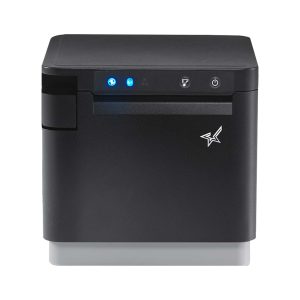
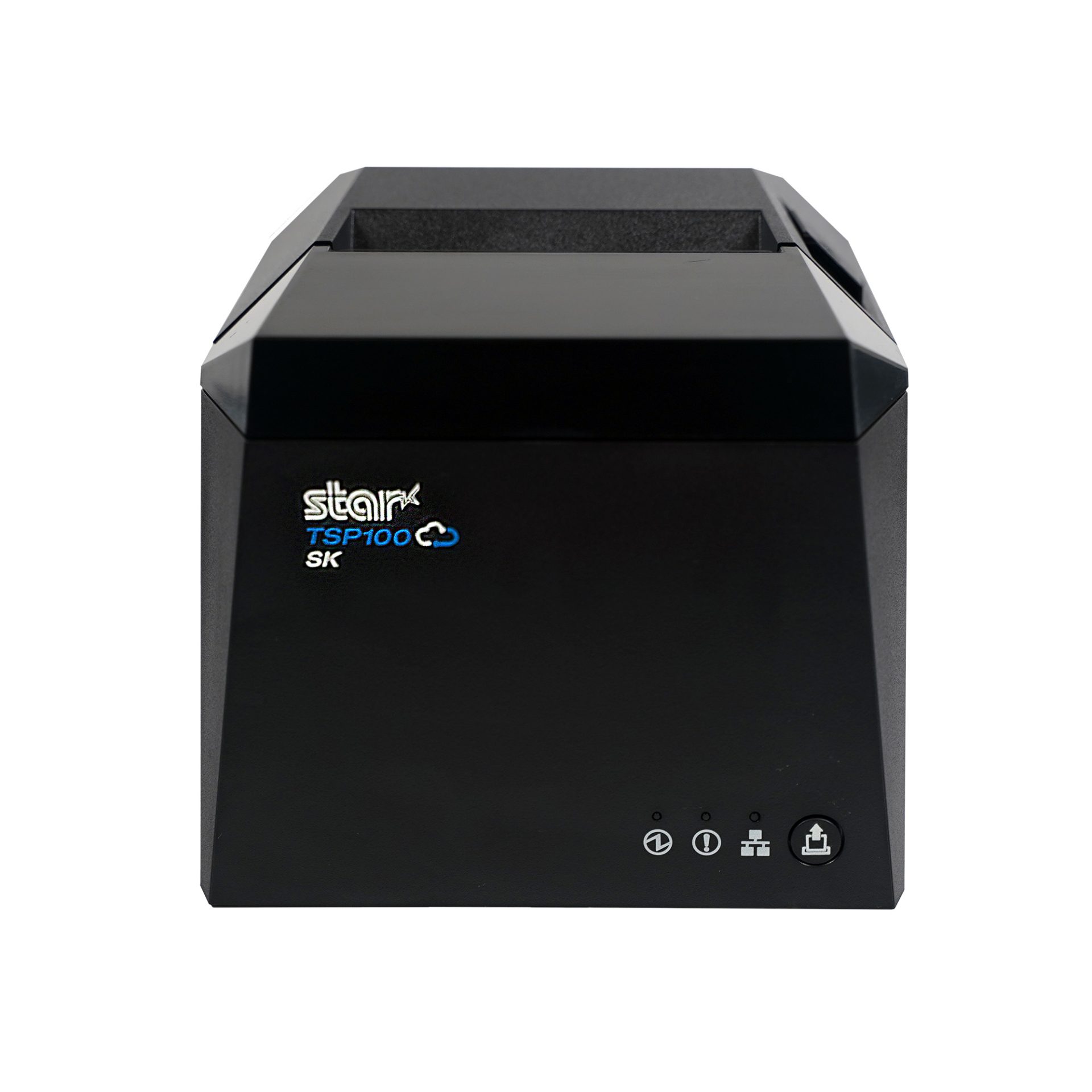
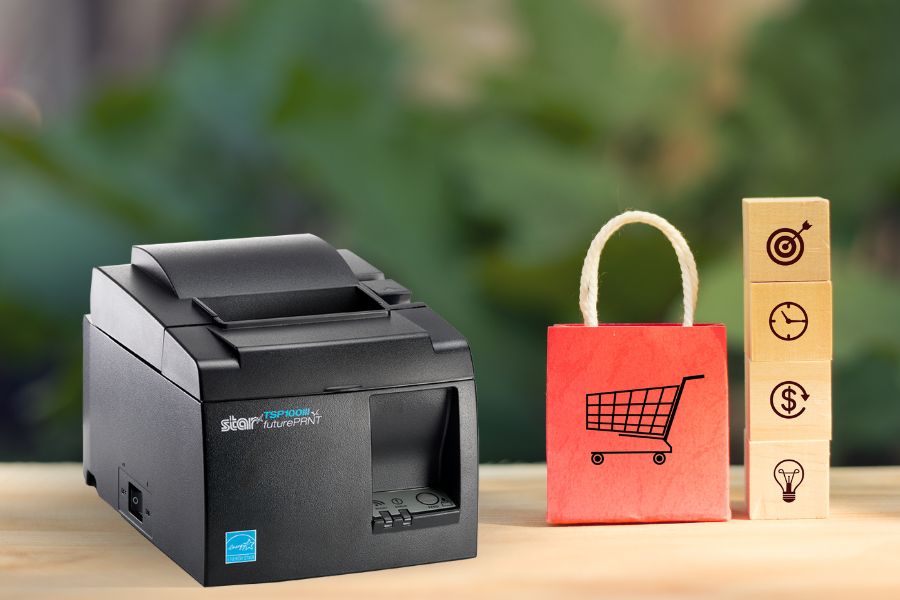
Rundoo’s retail POS connects Star’s TSP143IV thermal receipt printer through StarIO.Online, giving hardware, paint, lumber, farm and feed, and lawn and garden stores flexible receipt printing without drivers, print servers, or a wired connection to the register.
Somerset, NJ – October 8, 2026 – Star Micronics, a global provider of point-of-sale (POS) hardware, cloud printing, and labeling solutions, today announced its integration with Rundoo, an AI-first point-of-sale and business management platform built for independent hardware, paint, farm and feed, lawn and garden, and lumber stores.
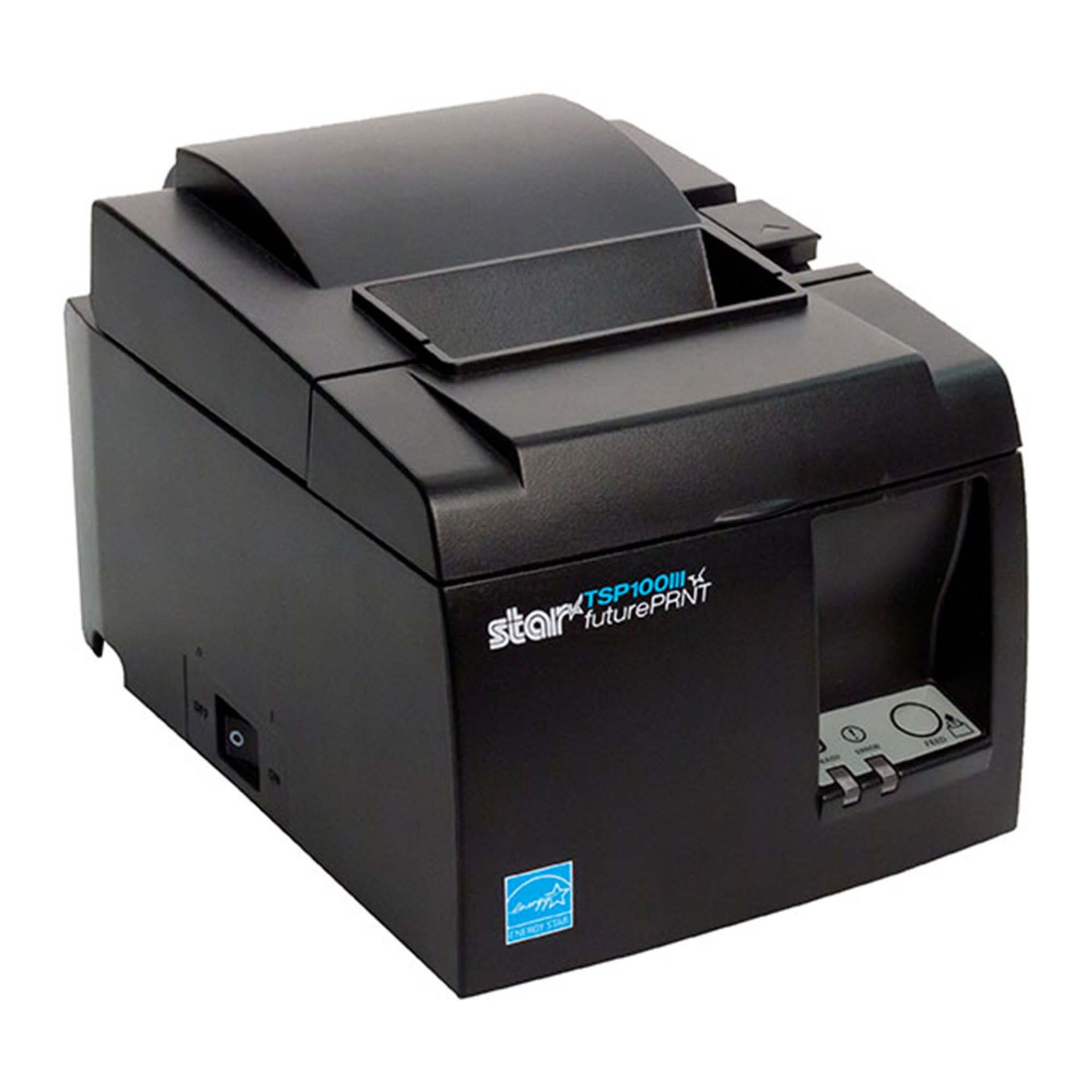
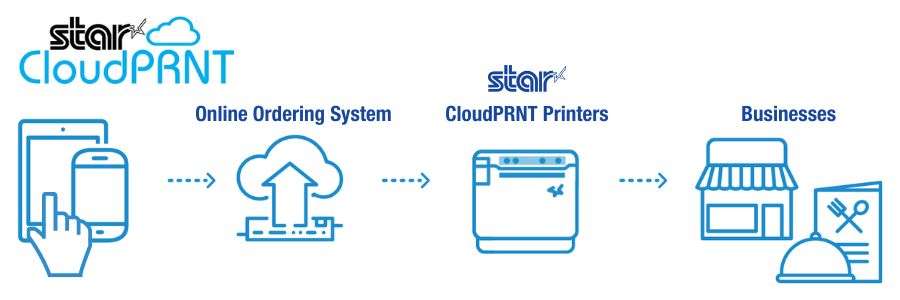
Rundoo uses the Star TSP143IV as its standard receipt printer, connecting it to the Rundoo POS through CloudPRNT and StarIO.Online. The network-connected setup eliminates printer drivers and print servers, allowing merchants to print receipts from any device running Chrome, including phones and tablets used across the sales floor.
Modern POS Without Rebuilding the Counter
For merchants moving away from their 20-year-old POS system, replacing familiar hardware and workflows can make a technology upgrade feel more complicated than it needs to be. Rundoo and Star make receipt printing and cash drawer setup a straightforward part of the transition. a straightforward part of the transition.
With the TSP143IV connected to StarIO.Online over the network, Rundoo merchants can:
Print from devices across the sales floor: Any device running Chrome, including phones and tablets, can send receipts to the store’s Star printer.
Skip printer drivers and print servers:Online connects Rundoo with the printer without requiring traditional printer drivers or a dedicated print server.
Connect receipt printing and cash management: The cash drawer connects through the TSP143IV, allowing the same printer to handle receipts and drawer control.
Automatically print online orders: Incoming online orders can print directly to the store’s Star printer as soon as they arrive.
Set up quickly: Star Quick Setup Utility guides merchants through connecting the printer to the network, enabling CloudPRNT, and registering it with StarIO.Online.
StarIO.Online is Star’s fully managed cloud printing service, designed to connect cloud-based applications with Star printers without requiring businesses or software providers to build and maintain their own printing infrastructure.
Store owners replacing a system they’ve used for 20 years expect the hardware transition to be one of the painful parts. With Star, it really isn’t. The printer connects to the network, Rundoo can print to it from devices across the store, and the cash drawer runs through the same printer. Our merchants can focus on learning a better way to run their business instead of worrying about printer drivers, print servers, or complicated setup.
Titus Capilnean, Head of Marketing at Rundoo
Built for the Way Independent Stores Actually Sell
Hardware, lumber, farm and feed, and lawn and garden stores aren’t confined to a traditional checkout lane. Employees may be helping customers at a paint counter, walking a lumber yard, checking inventory in an aisle, or completing a transaction elsewhere in the store.
With Rundoo running in Chrome and receipt printing connected through StarIO.Online, the register no longer has to define where a transaction happens. Staff can work from compatible devices across the sales floor while receipts route back to the store’s TSP143IV.
Independent retailers need modern technology without losing the practical workflows that keep their stores moving. Rundoo is a great example of what cloud-connected printing can make possible. The transaction can move beyond the counter while the receipt printer and cash drawer remain dependable parts of the store’s POS infrastructure.
Christophe Naasz, Global Director of Business Development at Star Micronics
Modernizing More Than the Point of Sale
Rundoo is live in more than 500 stores across the United States and Canada, providing independent merchants with POS and business management technology built specifically for their industries.
By combining Rundoo’s software with Star’s TSP143IV thermal receipt printer, CD4 cash drawer, and StarIO.Online cloud printing, merchants can modernize checkout without adding unnecessary printing infrastructure or tying every transaction to a fixed register.
For more information about Star Micronics retail POS solutions, visit starmicronics.com.
Rundoo is an AI-first point-of-sale and business management platform built for independent hardware, paint, farm and feed, lawn and garden, and lumber stores. Used by more than 500 independent stores across the U.S. and Canada, Rundoo brings point-of-sale, inventory, purchasing, pricing, customer management, vendor catalogs, reporting, and AI-powered tools into one system. Its platform is designed around the specialized workflows of independent supply stores, helping merchants manage everything from contractor accounts and complex inventory to purchasing and day-to-day store operations.
Star Micronics is a global provider of point-of-sale (POS) hardware, cloud printing, and labeling solutions that help businesses connect digital workflows to real-world operations. Serving retail, hospitality, healthcare, and service industries, Star delivers printing, labeling, cash management, self-service, and cloud-based technologies designed to support scalable, connected, and automated environments. Star’s solutions support Android, iOS, Windows, and web-based platforms and extend into the cloud through services such as CloudPRNT Next and StarIO.Online, Star’s fully managed cloud printing service.
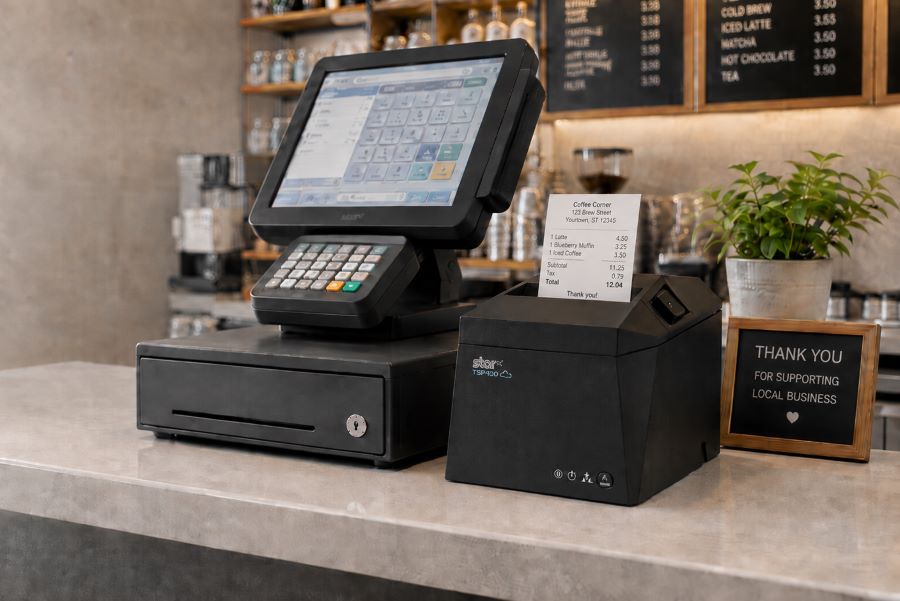
Star’s TSP143IV receipt printer integrates with Aldelo Express Cloud POS, offering flexible restaurant POS hardware options across POS and payment environments.
Somerset, NJ – October 6, 2026 – Star Micronics, a global provider of point-of-sale (POS) hardware, cloud printing, and labeling solutions, today announced expanded support for Aldelo restaurant technology with the integration of Star’s TSP143IV thermal receipt printer across Aldelo Express Cloud POS for Android, iOS, Aldelo Tablet, and Aldelo Mobile devices.
The integration gives restaurants and Aldelo resellers a versatile receipt printing option across multiple restaurant payment and service environments. With the TSP143IV, operators can pair Aldelo Express POS devices with modern thermal receipt printing while choosing the hardware flexibility that best fits their restaurant.
One Receipt Printer Across Multiple Environments
Restaurant technology is increasingly deployed across a mix of tablets, terminals, and operating systems. Hardware that can adapt across those environments gives operators and resellers more flexibility when building, upgrading, or standardizing POS systems.
Star’s TSP143IV supports Aldelo Express ordering and payment applications across:
Android Tablet & Mobile POS
iOS Tablet & Mobile POS
Aldelo Tablets & Mobile POS
With compact thermal receipt printing and multiple connectivity options available within the TSP143IV family, restaurants can configure receipt printing around the devices and infrastructure already in use.
“Our resellers work with restaurants that have different devices, configurations, and technology requirements. Adding support for Star’s TSP143IV alongside the Aldelo Express Point of Sale ecosystem gives them a versatile receipt printing option they can deploy across a wider range of customer environments.”
Jeff Moore, Vice President of Operations at Aldelo
Extending an Established Aldelo and Star POS Ecosystem
The TSP143IV integration builds on existing compatibility between Aldelo Express POS and Star Micronics hardware. Aldelo Express supports additional Star solutions including the TSP143III receipt printer, mC-Print3 receipt printer, mPOP combined receipt printer and cash drawer, and NTEP-certified mG‑S8200 Scale.
For Aldelo resellers, that broader hardware support provides options for different restaurant formats, counter configurations, and POS deployments. For restaurant operators, it means Star printing and POS hardware can remain part of the technology environment as business needs and devices change.
“Restaurants shouldn’t have to rethink their entire hardware environment every time their POS technology evolves. Our work with Aldelo gives operators and resellers proven printing options across different devices, operating systems, and restaurant configurations, so they can build around what works for the business. By integrating Star CloudPRNT, Aldelo recognized Star Micronics’ leadership in cloud printing and expanded the flexibility available to its restaurant customers and reseller partners.”
Christophe Naasz, Global Director of Business Development at Star Micronics
Flexible POS Technology for Restaurants and Resellers
Aldelo provides restaurant point-of-sale, payment, online ordering, and management technologies designed for a range of foodservice environments. Combined with Star’s restaurant POS hardware, the expanded integration gives operators and Aldelo resellers additional choices when configuring technology for new installations, upgrades, and multi-location deployments.
For more information about Star Micronics restaurant solutions, visit starmicronics.com.
To learn more about Aldelo Express, visit aldelo.com.
Aldelo is a restaurant technology provider offering point-of-sale, payment, online ordering, and restaurant management solutions for foodservice operators. Its Aldelo Express platform provides restaurants with tools for managing orders, payments, menus, and day-to-day restaurant operations, while Aldelo ePay supports fast, secure, and seamless restaurant payments. Designed for independent restaurants and multi-location operators, Aldelo’s technologies provide flexible options for restaurants and the resellers that support them.
Star Micronics is a global provider of point-of-sale (POS) hardware, cloud printing, and labeling solutions that help businesses connect digital workflows to real-world operations. Serving retail, hospitality, healthcare, and service industries, Star delivers printing, labeling, cash management, self-service, and cloud-based technologies designed to support scalable, connected, and automated environments. Star’s solutions support Android, iOS, Windows, and web-based platforms and extend into the cloud through services such as CloudPRNT Next and StarIO.Online, Star’s fully managed cloud printing service.
Your customer calls because a receipt printer is failing. The POS application isn’t the problem. It still handles transactions, employees know it, and the integration has been running for years. The challenge is replacing the printer without rebuilding software that still works.
Many legacy POS systems were built around Epson printers and ESC/POS commands. Years later, those applications may still depend on ESC/POS even when the original printer hardware is ready to be replaced.
That does not mean the entire POS system has to go with it. ESC/POS-compatible printers can interpret supported commands from the existing application, giving VARs and ISVs a way to introduce newer printer hardware while preserving the current integration.
And those options now extend beyond receipt printing. Star Micronics offers ESC/POS support across thermal receipt printers, linerless sticky label printers, and impact kitchen printers.
A legacy POS system is an established point-of-sale environment that remains in use even though newer hardware, software, connectivity, or integration options are available.
That can include a traditional POS system running on fixed terminals, industry-specific software developed years ago, or a custom application that has become deeply embedded in a retailer’s or restaurant’s operations.
Legacy does not necessarily mean obsolete. Businesses may continue using these systems because:
The POS application still handles the transactions and workflows they need.
Employees already know how to use it.
Custom integrations depend on the existing software.
The system is deployed across many locations.
Replacing it would require development, testing, installation, and training.
For VARs and ISVs, the question is often not whether the customer could replace the entire system. It is which parts actually need to change.
If the POS application still works, replacing aging printer hardware may be a much smaller project than replacing the application behind it.
What Is ESC/POS and Why Do Legacy POS Systems Still Use It?
ESC/POS is a printer command system developed by Epson. POS applications use ESC/POS commands to tell a compatible printer what to print and how to perform supported functions, such as formatting text, printing graphics, cutting paper, or opening a connected cash drawer.
Because Epson printers have long been used in POS environments, many established applications were built to communicate using ESC/POS. Years later, those applications may still depend on the same command language even when the original printer hardware is ready to be replaced.
That is where ESC/POS emulation becomes useful.
A printer with ESC/POS emulation can interpret supported ESC/POS commands even when ESC/POS is not its native printer language. For a VAR or ISV, that can make it possible to pair an existing application with newer printer hardware without rewriting the application around a different printer command language.
The important word is supported.
ESC/POS compatibility does not mean every compatible printer will behave identically. An application may rely on specific character sets, formatting, barcodes, cutter commands, cash drawer controls, status responses, or other functions.
That is why ESC/POS support provides a path to newer hardware, but the exact printer, interface, commands, and application still need to be tested before deployment.
How ESC/POS Support Helps VARs and ISVs Modernize a Legacy POS System
Once an existing application can communicate with newer printer hardware through ESC/POS, the printer replacement no longer has to be tied to a full POS migration.
For VARs and ISVs, that opens up several practical options.
Preserve the Existing Printer Integration
If the application already sends supported ESC/POS commands, much of the existing printing logic may be able to remain in place. That can reduce the scope of a printer replacement project for an ISV maintaining established POS software or a VAR supporting customers that are not ready to replace the application itself.
The integration still needs to be tested with the exact printer and functions in use, but the starting point is very different from rebuilding the printing workflow around another command language.
Expand the Printer Hardware You Can Offer
An application built around ESC/POS no longer has to limit the customer to the same type of printer hardware it was originally deployed with.
Current ESC/POS-compatible options can include:
Thermal receipt printers
Linerless sticky label printers
Impact kitchen printers
That is particularly important for established applications that need to support new workflows. A restaurant may want sticky labels for delivery orders while keeping its existing POS application. Another may need to replace an aging kitchen printer without changing the software sending the tickets.
ESC/POS compatibility gives VARs and ISVs more hardware choices while preserving the application’s existing communication method.
Separate Printer Replacement from POS Migration
A customer does not always need to replace its POS software, terminals, peripherals, and printers at the same time. An aging printer can be replaced first while the existing application remains in use. Other changes, such as new devices, online ordering, cloud applications, or different POS software, can happen on their own schedule.
For multi-location customers in particular, that can make a hardware rollout easier to test and manage than an all-at-once POS replacement.
Support Both Existing and Newer Workflows
Many customer environments already contain a mix of technologies. A traditional POS system may still handle in-store transactions while tablets, online ordering, or cloud applications are introduced elsewhere in the business.
Selecting newer printer hardware that supports the existing ESC/POS workflow and additional interfaces or integration technologies gives VARs and ISVs more options as those deployments change.
The existing application can continue using ESC/POS, while other printer capabilities can be used separately where the software and workflow support them.
What Modern Printer Capabilities Can You Add to a Legacy POS System?
Once a newer printer can interpret the ESC/POS commands used by an existing application, VARs and ISVs can look beyond basic printer replacement.
ESC/POS provides the compatibility. The printer provides the newer capabilities. Exactly which capabilities can be used depends on the printer, application, interface, and deployment, but newer hardware can open several possibilities.
1. More Types of Printing Hardware
An application built around ESC/POS does not necessarily have to remain tied to the same type of printer hardware it originally used.
Star now provides ESC/POS support across three distinct printer categories:
Thermal receipt printers for transaction receipts and other standard POS output
Linerless sticky label printers for applications that can generate adhesive labels
Impact printers for kitchen tickets and other environments where impact printing is required
That gives VARs and ISVs more hardware choices when an existing ESC/POS application needs to support a different type of output.
The application still needs to generate the appropriate content, formatting, and supported commands. ESC/POS compatibility alone does not turn a receipt workflow into a label workflow. But it can remove one of the barriers to using a different type of printer.
2. More Connectivity Options
A legacy POS system may have been designed around one specific wired interface. Newer printers can support several connection methods in the same model.
Star’s TSP143IV X4 receipt printer and TSP143IV SK X4 linerless label printer, for example, each include USB-C, Ethernet, Wireless LAN, and Bluetooth connectivity.
X4 models by Star Micronics include USB, LAN, WLAN, and Bluetooth connectivity
That gives VARs and ISVs more choices when the hardware around an established application changes.
A new workstation may use USB-C. Another location may need a network connection. A customer may be introducing tablets or other devices alongside fixed POS terminals.
ESC/POS does not provide those interfaces. It can help preserve supported communication with the existing application while the newer printer provides additional connection options.
That means an ISV could continue supporting an established ESC/POS-based in-store application while developing a separate cloud-printing workflow for online ordering, remote order fulfillment, or another cloud application.
The distinction matters: ESC/POS does not make the legacy POS system cloud-connected. It allows the existing application to continue communicating with the printer, while the same printer may support a separate cloud integration.
For a VAR, ISV, or enterprise team supporting printers across multiple locations, that can make it easier to determine whether a device is connected and investigate printer issues without starting every support case at the physical location.
Like cloud printing itself, these management capabilities are separate from ESC/POS emulation. They become relevant because the newer printer can support both the established ESC/POS workflow and additional technologies.
ESC/POS compatibility allows an existing application to communicate with supported newer printer hardware. It does not automatically give that application access to every capability the new printer offers.
For example:
A printer may include Wireless LAN, but the existing application still needs a supported way to communicate with it over the network.
A printer may support Bluetooth, but that does not turn an older desktop POS application into a mobile application.
A printer may support CloudPRNT Next, but the existing application does not become cloud-connected simply because the printer does.
A linerless label printer may support ESC/POS, but the application still needs to generate the content, formatting, and commands required for the label workflow.
The simplest way to think about it is this: ESC/POS can preserve the communication between the application and the printer. It does not rewrite the application.
New connectivity, cloud printing, label workflows, remote device management, and other capabilities still depend on the printer, software, and integration being used.
How Should VARs and ISVs Evaluate an ESC/POS Printer for a Legacy POS System?
“ESC/POS compatible” is a starting point, not a guarantee that a printer will work with an existing application.
Before recommending new hardware, VARs and ISVs should verify how the application communicates with the current printer, which functions it relies on, and whether the proposed replacement supports those requirements.
1. Confirm That the POS Application Uses ESC/POS
Start with the POS application itself. Check its documentation, printer configuration, integration settings, or developer resources to confirm that it sends ESC/POS commands.
If the application uses another printer language, a driver-specific workflow, or a proprietary integration, ESC/POS emulation alone will not make the new printer compatible.
2. Identify the Commands and Functions the Application Relies On
Two applications can both use ESC/POS while depending on very different printer functions.
Test the functions used in the actual deployment, such as:
Text formatting
Character sets and code pages
Logos and graphics
1D and 2D barcodes
Paper cutting
Cash drawer commands
Printer status
Receipt layouts
Label layouts and formatting
A basic receipt application has different requirements from one that also controls a cash drawer, prints barcodes, or generates linerless labels.
3. Verify the Connection Method
Confirm how the application communicates with the printer today and whether the proposed printer supports ESC/POS through the required interface. That may include USB, Ethernet, serial, or another connection.
This matters because ESC/POS support can vary by model and interface. For example, Star’s ESC/POS support on the SP742 impact printer is specifically LAN-based.
4. Review the Rest of the Software Environment
The printer is only one part of the integration. Also verify:
Operating system
Drivers
SDKs or libraries
Printer firmware
POS software version
Network configuration
Peripheral controls
A printer may support ESC/POS and still require changes elsewhere in the deployment before it can replace the existing hardware.
5. Match the Printer to the Required Output
Once application compatibility is established, choose the printer technology based on what the customer actually needs to print.
Thermal receipt printing: For transaction receipts and other standard POS output.
Linerless label printing: For adhesive labels used in order identification, food and beverage workflows, retail, and other labeling applications.
Impact printing: For kitchen environments where heat and humidity can affect thermal paper or where multipart copies are required.
This is also where Star’s expanded ESC/POS lineup becomes relevant. The same ESC/POS-dependent application environment may now have options across receipt, linerless label, and impact printing rather than being limited to one printer category.
6. Pilot Before a Large Deployment
Test the proposed printer with the actual application before rolling it out across a customer base.
Use the same:
POS software version
Operating system
Connection type
Printer firmware
Receipt or label layouts
Media
Peripherals
Network configuration
A controlled pilot can expose formatting, command, interface, or configuration differences before they are repeated across dozens or hundreds of installations.
Star ESC/POS Printer Options for Legacy POS Systems
Star Micronics expanded ESC/POS support across receipt, linerless label, and impact printing options, giving VARs and ISVs several choices when supporting existing ESC/POS applications.
Star Printer
Primary Output
ESC/POS Support
Connectivity
TSP143IV UE
Thermal receipts
ESC/POS emulation
USB-C, LAN
TSP143IV X4
Thermal receipts
ESC/POS emulation
USB-C, LAN, WLAN, Bluetooth
TSP143IV UE SK
Linerless sticky labels
ESC/POS emulation
USB-C, LAN
TSP143IV SK X4
Linerless sticky labels
ESC/POS emulation
USB-C, LAN, WLAN, Bluetooth
SP742 LAN
Impact kitchen tickets
LAN-based ESC/POS emulation
Ethernet
TSP143IV for Thermal Receipt Printing
The TSP143IV thermal receipt printer gives VARs and ISVs a current thermal receipt printer option for legacy POS systems that rely on ESC/POS.
The UE model provides USB-C and LAN connectivity. The X4 adds WLAN and Bluetooth, giving solution providers a single receipt printer model that meets multiple connectivity requirements.
TSP143IV Thermal Receipt Printer
Star’s TSP143IV series thermal receipt printer combines a compact design with flexible connectivity, including Android Open Accessory (AOA). It’s Cloud Ready for Star Cloud Services and designed for straightforward installation across traditional POS, mPOS, retail, and hospitality environments.
For customers who need adhesive output rather than a conventional receipt, the TSP143IV SK brings ESC/POS support to linerless sticky label printing.
The printer supports 80 mm, 58 mm, and 40 mm media widths. The X4 model includes USB-C, LAN, WLAN, and Bluetooth, while the UE model provides USB-C and LAN.
That gives VARs and ISVs another option when an existing POS application needs to support labeling for order identification, food and beverage, retail, or other workflows.
TSP143IV SK Sticky Label Printer
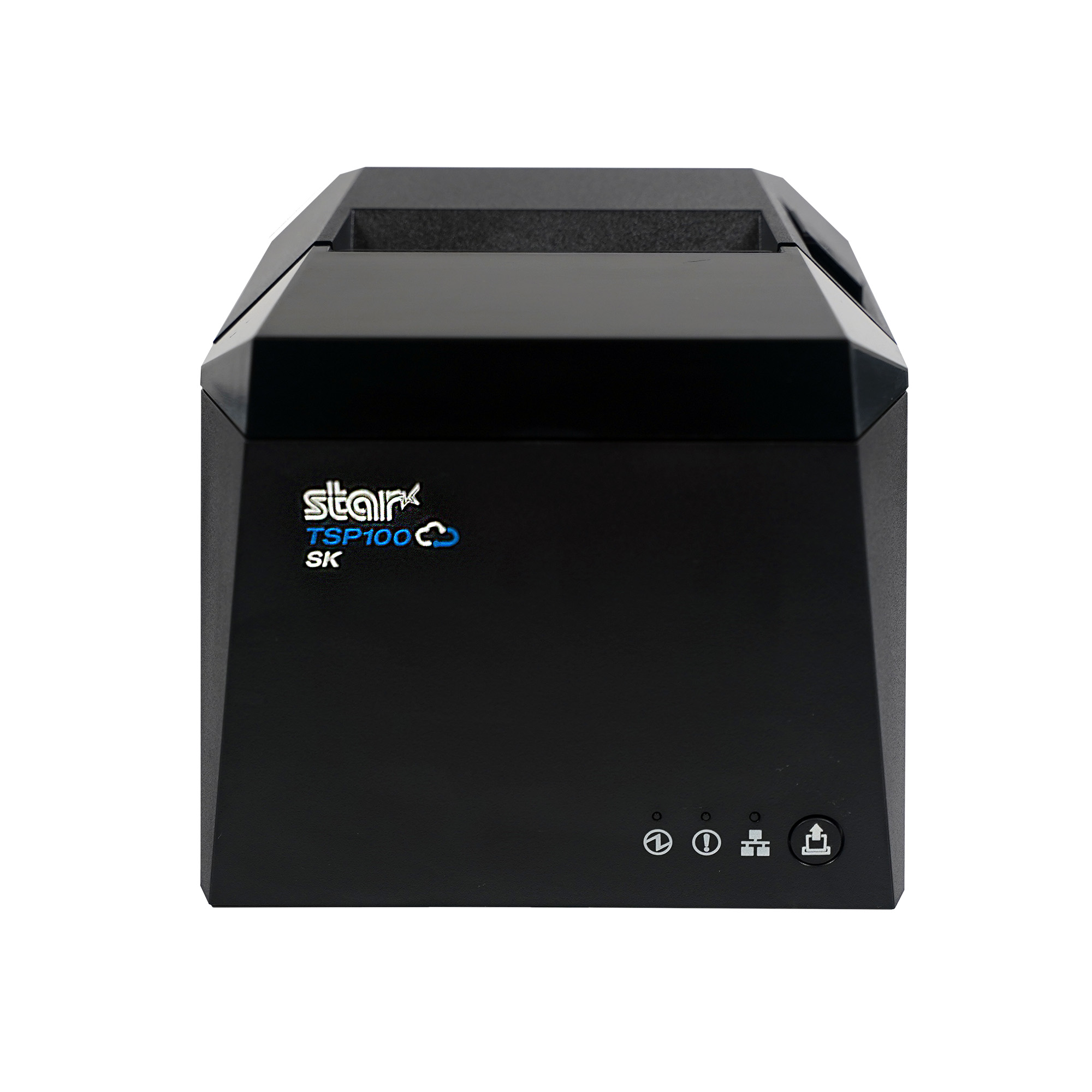
The TSP143IV SK by Star Micronics sets a new standard for compact, eco-friendly liner-free label printing using residue-free removable sticky labels. It offers advanced connectivity options like Bluetooth, USB-C, Wi-Fi, and AOA support for today’s diverse business setups.
The SP742 provides LAN-based ESC/POS emulation for applications that require impact output.
Impact printing remains useful in restaurant kitchens where heat and humidity can interfere with thermal paper. The SP742 also supports two-color printing and multipart copies, which can be useful when kitchen operations require duplicate tickets.
SP742 Impact Printer
The SP742 impact printer is built for demanding kitchen environments, with fast two-color printing and support for multipart tickets. Available connectivity options include Ethernet and Bluetooth, giving restaurants and foodservice operations flexible ways to route and print kitchen orders.
Modernize the Printer Without Replacing the Entire POS System
A failing or outdated printer should not automatically force a customer into a full POS migration.
For VARs and ISVs supporting a legacy POS system, ESC/POS compatibility can provide a practical way to keep an established application in place while replacing the hardware around it. The application can continue sending supported ESC/POS commands, while newer printers provide current options for receipt printing, linerless labels, impact kitchen tickets, connectivity, and other supported integrations.
The distinction is simple: ESC/POS preserves the communication path. The newer printer changes what hardware you can put at the other end of it.
That gives solution providers more ways to address an immediate printer need without rebuilding software that is still doing its job.
An Independent Software Vendor’s Guide to Star Printer SDKs
This guide breaks down Star Micronics’ printer SDKs, APIs, and integration tools to help ISVs choose the right solution for POS systems, cloud printing platforms, and custom software applications.
Frequently Asked Questions About ESC/POS and Legacy POS Systems
What is a legacy POS system?
A legacy POS system is an established point-of-sale environment that remains in use even though newer hardware, software, connectivity, or integration options are available.
The system may still perform its required functions, but replacing peripherals or adding newer technologies can become more difficult because of existing software and hardware dependencies.
What is ESC/POS compatibility?
ESC/POS is Epson’s proprietary POS printer command system. ESC/POS compatibility means a printer can interpret supported ESC/POS commands sent by an application.
Printers that use another native command language can provide ESC/POS emulation, allowing applications built around ESC/POS to communicate with supported printer hardware.
Can a traditional POS system use a newer printer?
Yes, depending on how the POS application communicates with its current printer.
If a traditional POS system sends ESC/POS commands and the newer printer provides compatible ESC/POS support, it may be possible to replace the printer without replacing the POS application. The exact printer model, interface, commands, firmware, and software environment should still be tested before deployment.
Can an application built for an Epson ESC/POS printer work with a Star printer?
Potentially, yes. If the application sends ESC/POS commands supported by the Star printer, ESC/POS emulation may allow the existing application to communicate with the new hardware.
That does not make every Star printer a drop-in replacement for every Epson printer. VARs and ISVs should verify the exact commands, connection method, printer functions, and application behavior before deployment.
Star currently provides ESC/POS emulation across the TSP143IV UE and X4 receipt printers, TSP143IV UE SK and SK X4 linerless label printers, and LAN-based ESC/POS emulation on the SP742 impact printer.
Does ESC/POS compatibility make a printer a drop-in replacement?
Not necessarily. Two printers can both support ESC/POS but differ in command support, character sets, status handling, interfaces, configuration, and other behaviors.
VARs and ISVs should test the existing application with the exact printer model before deploying it as a replacement.
Do I need to update POS software to use an ESC/POS printer?
Not always. If the existing application already sends ESC/POS commands supported by the new printer, significant changes to the application’s printing logic may not be necessary.
However, configuration, drivers, interface settings, or application changes may still be required depending on the deployment.
Can an ESC/POS application work with receipt, label, and impact printers?
Yes, provided the application sends commands supported by the printer and can generate the content required for that type of output.
ESC/POS compatibility is available across different printer categories. Star currently offers ESC/POS emulation on TSP143IV thermal receipt printers and TSP143IV SK linerless label printers, as well as LAN-based ESC/POS emulation on the SP742 impact printer.
The printer hardware determines the media and type of output. For example, moving from receipts to linerless labels also requires the application to generate the appropriate label content and formatting.
Can ESC/POS add wireless or cloud printing to a legacy POS system?
ESC/POS itself does not add wireless or cloud printing.
A newer ESC/POS-compatible printer may also provide WLAN, Bluetooth, CloudPRNT, or CloudPRNT Next. Those are separate printer and integration capabilities. Whether they can be used depends on the application, printer model, connection method, and integration.
For example, Star’s X4 receipt and linerless label models combine ESC/POS emulation with USB-C, LAN, WLAN, Bluetooth, and CloudPRNT Next support.
Wi-Fi printer setup gives businesses more options for placing receipt and label printers. A wireless printer can operate at a checkout counter, pickup station, prep area, kiosk, or other location where running an Ethernet cable may be difficult.
Connecting a printer to a wireless network, however, has traditionally required several manual steps. Users may need to find the printer’s temporary network, open a configuration page, enter network credentials, and confirm that the printer received an IP address.
Star Micronics created rapidSYNC, its Bluetooth Low Energy (BLE)-based setup technology, to make that process easier. Available on select Star receipt and label printers, rapidSYNC uses the Star Quick Setup Utility to guide users through Wi-Fi printer setup with a smartphone or tablet, without relying on the traditional captive portal process. For users who prefer the standard QR code setup method, that option is also available on supported models.
Once setup is complete, the printer produces a network diagnosis confirming whether it connected successfully.
Star Micronics’ rapidSYNC is Bluetooth Low Energy (BLE)-based Wi-Fi onboarding technology for supported receipt and label printers. It helps users transfer their wireless network name and password to the printer without navigating printer buttons or entering settings directly on the hardware.
Star product materials may also use the term WLAN, or wireless local area network. In this article, WLAN and Wi-Fi both refer to the wireless network the printer uses to receive print jobs.
Star’s rapidSYNC is a setup process, not a printing protocol. Bluetooth Low Energy is used to detect the printer and transfer network settings during setup, while the printer communicates over Wi-Fi after the connection is established.
Supported printers also produce a wireless network diagnosis after setup. The printout confirms whether the connection succeeded and provides information such as the printer’s assigned IP address.
How Does rapidSYNC Wi-Fi Printer Setup Work?
Star’s rapidSYNC uses the Star Quick Setup Utility and Bluetooth Low Energy (BLE) to guide Wi-Fi printer setup on supported models. Some Star printers also offer a separate QR-code-based setup method for users who prefer a traditional captive portal process.
Set Up Wi-Fi with the Star Quick Setup Utility
The Star Quick Setup Utility provides guided Wi-Fi printer setup from a compatible iOS or Android device.
Choose the printer from the list of detected devices.
Enter the Wi-Fi network name and security key.
Bring the mobile device close to the printer when prompted.
Wait for the printer to produce its wireless network diagnosis.
The network name and password are case-sensitive, so users should confirm both before beginning setup. When the printer connects successfully, the diagnosis page displays “Successful” along with the printer’s IP address. The utility also allows users to continue configuring additional printers without restarting the process.
Alternative: Set Up Wi-Fi with a QR Code
Supported TSP143IV X4 models also provide a QR-code-based Wi-Fi setup option that does not require the Star Quick Setup Utility. This is a separate setup method from rapidSYNC.
The process includes:
Power on the printer.
Wait for the printer to produce the WLAN setup QR code.
Scan the code with a smartphone or tablet.
Open the printer’s web configuration page.
Select the business Wi-Fi network.
Enter the network password and save the settings.
Review the printed network diagnosis.
This option uses the printer’s temporary wireless network to open its configuration page. Once the business network information is saved, the printer disconnects from the temporary network and connects to the selected Wi-Fi network.
Which Star Printers Support rapidSYNC?
Star’s rapidSYNC is available on select Star receipt and label printers and uses Bluetooth Low Energy (BLE) with the Star Quick Setup Utility for Wi-Fi setup. Supported models may also offer QR code setup as a separate alternative.
Compatible Printer
Primary Use
rapidSYNC Setup
Alternative Wi-Fi Setup
Wireless Connection
TSP143IV X4
Thermal receipt printing
Star Quick Setup Utility via BLE
QR code
Dual-band 2.4 GHz and 5 GHz Wi-Fi
TSP143IV SK X4
Repositionable linerless label printing
Star Quick Setup Utility via BLE
QR code
Dual-band 2.4 GHz and 5 GHz Wi-Fi
mC-Label2 MCL21CWBi and MCL21CWBi LBL
Labels and receipts
Star Quick Setup Utility via BLE
QR code
Wi-Fi and Bluetooth
TSP143IV X4 Thermal Receipt Printer
The TSP143IV X4 is a 3-inch thermal receipt printer with USB-C, Ethernet, WLAN, and Bluetooth connectivity. It supports both 2.4 GHz and 5 GHz wireless networks and offers rapidSYNC Wi-Fi setup through the Star Quick Setup Utility using Bluetooth Low Energy (BLE). Supported models also provide QR-code onboarding as a separate Wi-Fi setup option.
The printer is designed for receipts, return documentation, order tickets, and other point-of-sale printing in retail, restaurant, hospitality, and service environments.
TSP143IV X4 Thermal Receipt Printer
The TSP143IV series thermal receipt printer from Star Micronics is 20% smaller than its predecessor, offering high-speed printing with USB, LAN, WLAN, and Bluetooth connectivity. With CloudPRNT Next, dual-band WLAN, and Android Open Accessory (AOA) support, it ensures seamless compatibility across Windows, iOS, Android, and cloud-based applications, making it an efficient, adaptable solution for modern POS environments.
Like the receipt-printing model, it includes USB-C, Ethernet, WLAN, and Bluetooth connectivity. It supports dual-band 2.4 GHz and 5 GHz Wi-Fi and offers rapidSYNC setup through the Star Quick Setup Utility using Bluetooth Low Energy (BLE). QR-code onboarding is also available as a separate Wi-Fi setup option. Diagnostic printouts confirm whether the wireless connection succeeded.
TSP143IV SK Sticky Label Printer
The TSP143IV SK by Star Micronics sets a new standard for compact, eco-friendly liner-free label printing using residue-free removable sticky labels. It offers advanced connectivity options like Bluetooth, USB-C, Wi-Fi, and AOA support for today’s diverse business setups.
Wireless mC-Label2 X4 multifunction label printer models, including the MCL21CWBi and MCL21CWBi LBL, support rapidSYNC Wi-Fi setup through the Star Quick Setup Utility using Bluetooth Low Energy (BLE). QR-code onboarding is also available as a separate Wi-Fi setup option.
With rapidSYNC, users enter the network credentials on a smartphone or tablet and transfer them to the printer through BLE-assisted setup. The app-free QR-code method uses printed QR codes to connect the device to the printer’s temporary network and open its web configuration page.
mC-Label2 Multifunction Label Printer
The mC-Label2 packs powerful features into a compact, front-loading design, including high-precision 300 dpi resolution, support for linerless, die-cut, receipt, and continuous media, and connectivity options like USB-C, LAN, WLAN, Bluetooth, and Apple MFi-certified pairing.
Star’s rapidSYNC can be used during initial printer installation or whenever a supported printer needs new wireless network settings using Star’s BLE-based setup method.
Common situations include:
Installing a new receipt or label printer
Moving a printer to another location
Connecting a printer after replacing a router
Updating a printer after changing the Wi-Fi name or password
Adding printers at a new store or restaurant
Configuring multiple printers during a rollout
Installing a printer where Ethernet cabling is unavailable
Reconnecting a printer after network settings have been reset
For multi-printer deployments, the Star Quick Setup Utility allows users to configure another printer after completing the first connection. The printed network diagnosis also gives installers an IP address they can record for testing, POS configuration, or technical support.
What Should You Check Before Wi-Fi Printer Setup?
A few checks before installation can prevent common connection problems.
1. Confirm the Exact Printer Model
Not every version of a printer includes WLAN. Check the model number and interface specifications before starting a Wi-Fi printer setup.
For example, the TSP143IV X4 includes Wi-Fi and Bluetooth, while the TSP143IV UE is a wired USB and Ethernet model. Star’s rapidSYNC applies to supported WLAN-equipped models and uses Bluetooth Low Energy (BLE) during setup.
2. Have the Correct Network Credentials
Confirm the following information:
Wi-Fi network name, also called the SSID
Case-sensitive Wi-Fi password
Correct business network
Network frequency supported by the printer
Avoid connecting business printers to a public or customer guest network unless that network is specifically configured for POS hardware.
3. Check the Wireless Signal
Place the printer where it can maintain a stable connection to the wireless access point. Walls, metal equipment, distance, and crowded wireless channels can affect signal strength.
The TSP143IV X4 and TSP143IV SK X4 support both 2.4 GHz and 5 GHz networks. A 2.4 GHz network typically reaches farther, while 5 GHz may provide less interference and more bandwidth over shorter distances.
4. Reset Old Network Settings When Necessary
A printer that was previously connected to another network may retain its old wireless settings. Resetting the printer’s network configuration may be necessary before connecting it to a replacement router or a network with a new SSID.
5. Save the Network Diagnosis
After setup, keep the printed diagnosis page until the printer has been tested with the POS or business application. The IP address and connection status can help identify whether a problem is related to the network, printer, or software configuration.
Connect Supported Star Printers with rapidSYNC
Wireless printer installation should not require employees or installers to work through complex printer menus. Star rapidSYNC provides a guided Wi-Fi printer setup process using Bluetooth Low Energy (BLE), a smartphone or tablet, and the Star Quick Setup Utility. Supported models may also offer QR-code onboarding as a separate Wi-Fi setup option.
The right rapidSYNC-compatible printer depends on what the business needs to print:
Choose the TSP143IV X4 for thermal POS receipts.
Choose the TSP143IV SK X4 for 3-inch repositionable linerless labels.
Choose the mC-Label2 MCL21CWBi or MCL21CWBi LBL for compact 2-inch all-media printing.
Contact Star Micronics to compare compatible models, confirm POS compatibility, or plan a multi-location printer deployment.
The Case for Sourcing POS Hardware from a Single Manufacturer
Discover how retailers, restaurants, and solution providers can reduce complexity, improve support, and simplify growth with a unified POS hardware ecosystem.
Frequently Asked Questions About rapidSYNC Wi-Fi Printer Setup
What is Wi-Fi printer setup?
Wi-Fi printer setup is the process of connecting a printer to a wireless network so it can receive print jobs from POS systems, computers, tablets, or mobile devices without an Ethernet cable.
What is rapidSYNC?
rapidSYNC is Star Micronics’ Bluetooth Low Energy (BLE)-based Wi-Fi printer setup technology for supported receipt and label printers. Using the Star Quick Setup Utility on a smartphone or tablet, users can transfer wireless network settings to the printer in just a few steps.
Which Star printers support rapidSYNC?
Compatible printers include the TSP143IV X4 thermal receipt printer, TSP143IV SK X4 linerless label printer, and wireless mC-Label2 X4 models, including the MCL21CWBi and MCL21CWBi LBL.
These models support rapidSYNC through the Star Quick Setup Utility using Bluetooth Low Energy (BLE). Supported models may also offer QR-code onboarding as a separate Wi-Fi setup option.
Do I need an app to use rapidSYNC?
Yes. Star’s rapidSYNC uses the Star Quick Setup Utility and Bluetooth Low Energy (BLE) to configure Wi-Fi on supported printers.
Some supported Star printers also provide QR-code onboarding that does not require the utility. That is a separate Wi-Fi setup method from rapidSYNC.
Does rapidSYNC use Bluetooth or Wi-Fi?
rapidSYNC uses Bluetooth Low Energy (BLE) to detect the printer and transfer wireless network credentials during setup. After configuration, the printer connects to the selected Wi-Fi network to receive print jobs.
How do I reconnect a printer after changing the Wi-Fi password?
Use the Star Quick Setup Utility and rapidSYNC to enter the new Wi-Fi network credentials and transfer them to the printer through Bluetooth Low Energy (BLE). Supported models may also offer QR-code setup as a separate option.
After configuration, review the printed network diagnosis to confirm the connection. A network reset may be required if the printer retains its previous settings.
Does rapidSYNC support 2.4 GHz and 5 GHz Wi-Fi?
Frequency support depends on the printer. The TSP143IV X4 and TSP143IV SK X4 support both 2.4 GHz and 5 GHz wireless networks. Check the specifications for the exact model before installation.
How do I know whether Wi-Fi printer setup was successful?
The printer automatically produces a wireless network diagnosis after configuration. A successful connection printout displays “Successful” and includes the printer’s assigned IP address.
Can rapidSYNC be used to configure multiple printers?
Yes. Printers can be configured one at a time with the Star Quick Setup Utility. After completing one setup, the utility provides an option to continue with another printer, which is useful when installing multiple devices at one location.
Star Micronics’ CloudPRNT Next technology, initially introduced on the mC-Print3 models, is now also available for the latest TSP143IV thermal receipt printers, including the TSP143IV SK sticky linerless label printer models. By updating the firmware to version 2.2 or later, users of these TSP143IV models can now take advantage of CloudPRNT Next’s benefits, improving cloud printing operations in environments needing higher efficiency, dependability, and scalability.
CloudPRNT Next supports streamlined remote printing through the MQTT protocol, providing more reliable, real-time communication between cloud systems and connected devices. This results in lower latency and bandwidth consumption, particularly advantageous for businesses with high-demand or multi-location setups. Additionally, CloudPRNT Next’s scalable infrastructure accommodates an increased number of connected devices, helping businesses grow without compromising performance.
To enable CloudPRNT Next on the TSP143IV and TSP143IV SK printers, update to firmware version 2.2 or later. This update allows businesses and developers to leverage the full capacity of CloudPRNT Next’s advanced printing capabilities, optimizing order management and workflow efficiency across the board.
If you’re looking to start a wash-and-fold laundry service (also known as wash-dry-fold) or add it to your current laundromat or dry-cleaning business, having the right POS system for wash and fold services is essential. To save both money and time, it’s helpful to know exactly what POS hardware is required to operate efficiently. In this post, we’ll outline the key components your POS system for wash and fold laundry services should include for success.
A wash-and-fold laundry service is an onsite laundry service that washes, dries, and neatly folds clothing and other items from the customer for pickup or delivery. The customer either drops off and picks up the clean clothes at a later date from the same location, or a driver will pick up the laundry from the customer’s location and then wash, dry, fold, and deliver the clothes back to the customer.
Adding Wash-and-Fold Services to Your Laundry Business Can Be Profitable
Wash-and-fold laundry services are rapidly increasing in demand, making it a highly profitable addition to any laundry business. With more people working from home and less need for dry-cleaning, casual and comfortable clothing is piling up. Many customers prefer the convenience of outsourcing their laundry rather than handling it themselves, driving the growing popularity of wash-and-fold services.
Providing exceptional customer service is crucial for standing out in the competitive wash-and-fold laundry industry. Offering pick-up and delivery services adds convenience for your customers, setting you apart from competitors. Along with neatly folding and packaging their laundry, including a personalized note, coupons, or branded tags can enhance the customer experience and present your business as more professional.
Considerations When Choosing a POS System for Wash and Fold
To run a successful business in this industry, having the right POS system for wash and fold laundry services is necessary. Think about all the different aspects of your business before choosing a point-of-sale system. It’s important to consider the following:
How many employees will use the system?
What payment methods will you accept?
Will you offer recurring laundry services?
Do I need in-house payment terminals or mobile payment options?
These are just a few factors that should be considered when selecting which POS system best suits your needs.
The Best POS System for Wash and Fold Services
Having the best hardware and software for your POS system for wash and fold laundry services is crucial. Here’s what you’ll need:
POS Software
POS software does more than print receipts—it manages inventory, tracks customer preferences, and provides detailed analytics. Many POS software solutions are tailored to laundry services, including wash-and-fold operations.
POS Hardware
Next, you’ll need a computer or tablet device to interact with your POS software and take payments. You’ll need a tablet display stand and a proper enclosure for your mobile device to secure and protect it. A credit card terminal that reads EMV cards to comply with future security updates is critical.
If you want to accept payments via customers’ phones, be sure to have the correct payment terminal for that. You will also want a cash drawer with the proper capacity for your cash flow so you never run out of change.
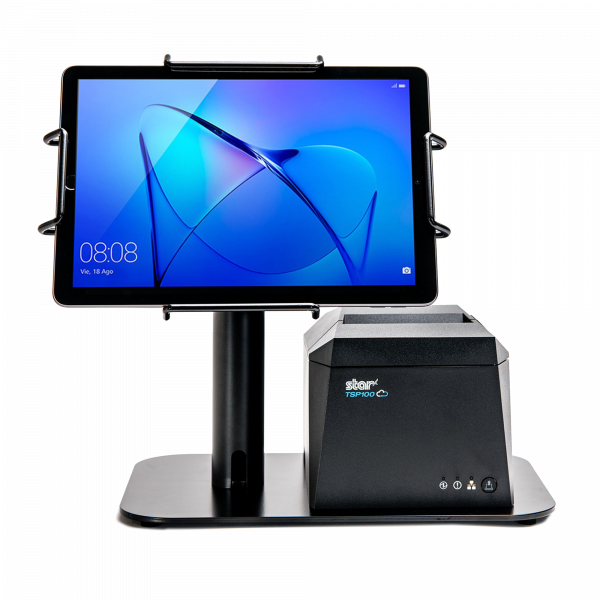
A POS setup with the Universal mEnclosure, the EZPOS Desktop Tablet Stand, & the TSP143IV thermal receipt printer by Star Micronics is perfect for wash and fold laundry services.
Trade Legal POS Scale
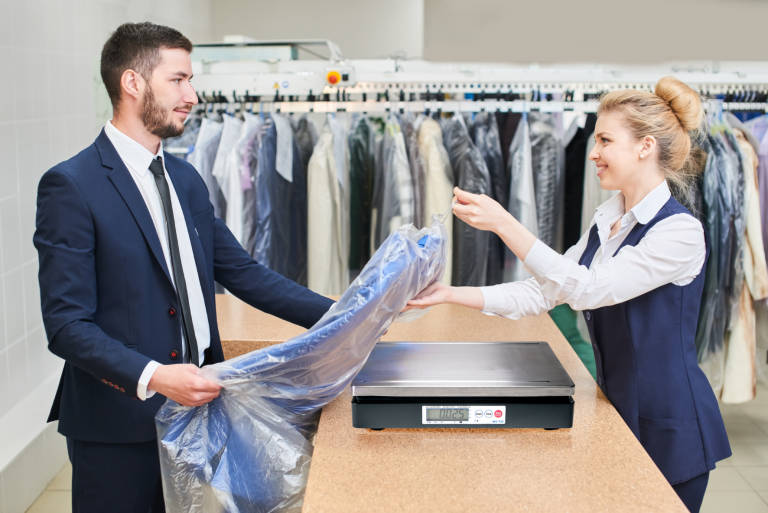
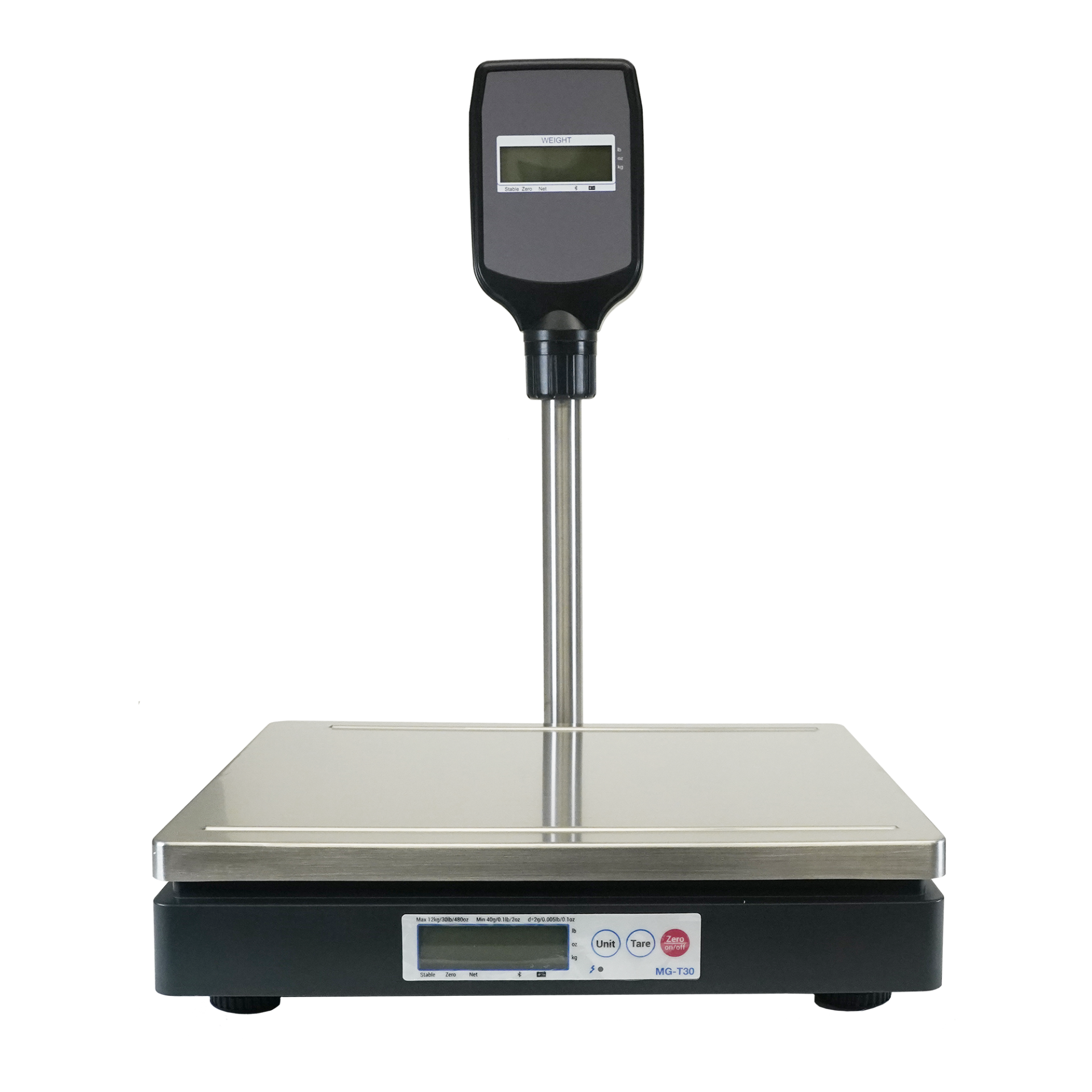
Most wash-and-fold laundry services charge by the pound, so an accurate POS scale is a must. You want a scale that is easy to connect to the rest of your POS hardware and can be integrated with your POS software without any problem or delay. Be sure the scale is “trade legal” and can measure a hefty amount of weight.
An mG-TUDB POS scale, perfect for wash-and-fold laundry services.
Barcode Scanner
A reliable barcode scanner is essential for tracking items and managing inventory. For your wash and fold POS system, choose a scanner that reads both 1D and 2D barcodes to streamline order management and customer payments.
2D barcodes cover things like QR codes, which are now widely used and hugely popular. Since customers can also scan them with their phones, QR codes can be utilized on order labels or receipts to take clients right to your website or landing page. This way, you can showcase ongoing promotions or holiday hours, and increase customer engagement with your brand.
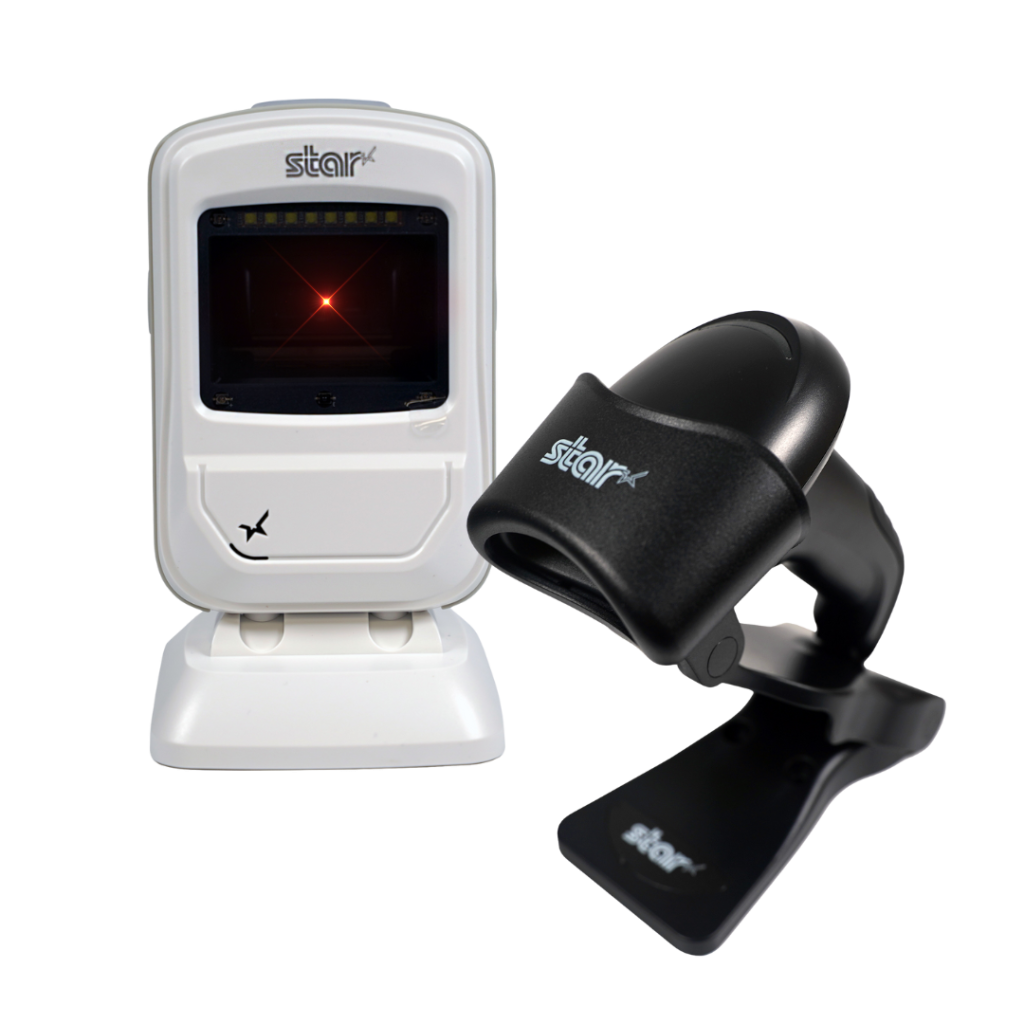
Star’s 1D/2D Barcode Scanners
Star offers a comprehensive range of IP-rated 1D/2D barcode scanners, ideal for diverse business needs. From retail to healthcare, our versatile scanners excel in parsing driver’s license and ID barcodes, ensuring swift and accurate data capture. Choose the perfect fit for your setup—desktop, handheld, or wireless Bluetooth options available.
Finally, having trusted receipt and label printers will do your company wonders. A thermal receipt printer allows you to print professional-looking receipts, enhancing your brand. Still, some cloud-based printers can even allow automated promotional marketing to be set up and scheduled, printing with your customized receipt with the same QR code or promotional information to boost customer engagement as mentioned above.
The Star Micronics mC-Print3 combines high-speed printing with advanced connectivity options like Ultra-C and CloudPRNT Next. Its Ultra-C USB-C port provides seamless power and data transfer with any device, while CloudPRNT Next offers enhanced remote printing using the MQTT protocol, ideal for modern POS environments.
In addition to a receipt printer, you’ll also want a label printer. More people are using linerless label printers these days, whether repositionable sticky or permanent linerless labels. When customers receive their freshly cleaned garments, seeing a professionally applied label with their contact information adds an extra touch of care and attention. Details like this can differentiate your business from competitors and help foster customer loyalty, encouraging repeat visits.
The TSP143IV SK by Star Micronics sets a new standard for compact, eco-friendly thermal linerless label printing, offering advanced connectivity options like Wi-Fi and AOA, and efficient, residue-free labels for diverse business needs.
The Star Micronics mC-Label3 is a versatile multimedia printer that prints a wide range of labels and receipts, including both permanent and repositionable sticky linerless. It features cloud connectivity and innovative technologies like SteadyLAN and TetherLAN for enhanced printing convenience.
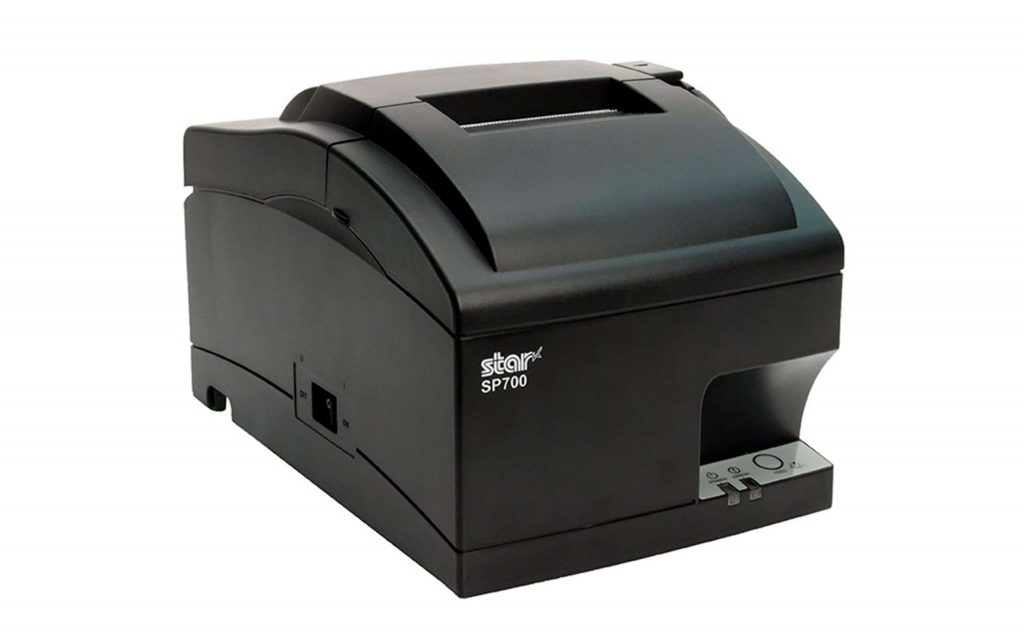
Impact printers, like the SP700 from Star Micronics, are particularly useful in wash-and-fold laundry services for their ability to produce durable, long-lasting prints. Impact printers use ink ribbons to create clear, smudge-proof tags that can withstand the high temperatures and humidity commonly found in laundry environments.
For laundry services, these printers can produce durable tags that are attached to customer orders for tracking. This ensures that clothes are easily identified and organized throughout the washing, drying, and folding processes.
Additionally, most impact printers offer two-color printing, which allows for important details, like customer names or special instructions, to stand out on the tags, further improving efficiency and accuracy. Impact printers like the SP700 provide reliable performance in hot and humid settings, making them an ideal solution for laundromats or any business offering wash-and-fold services.
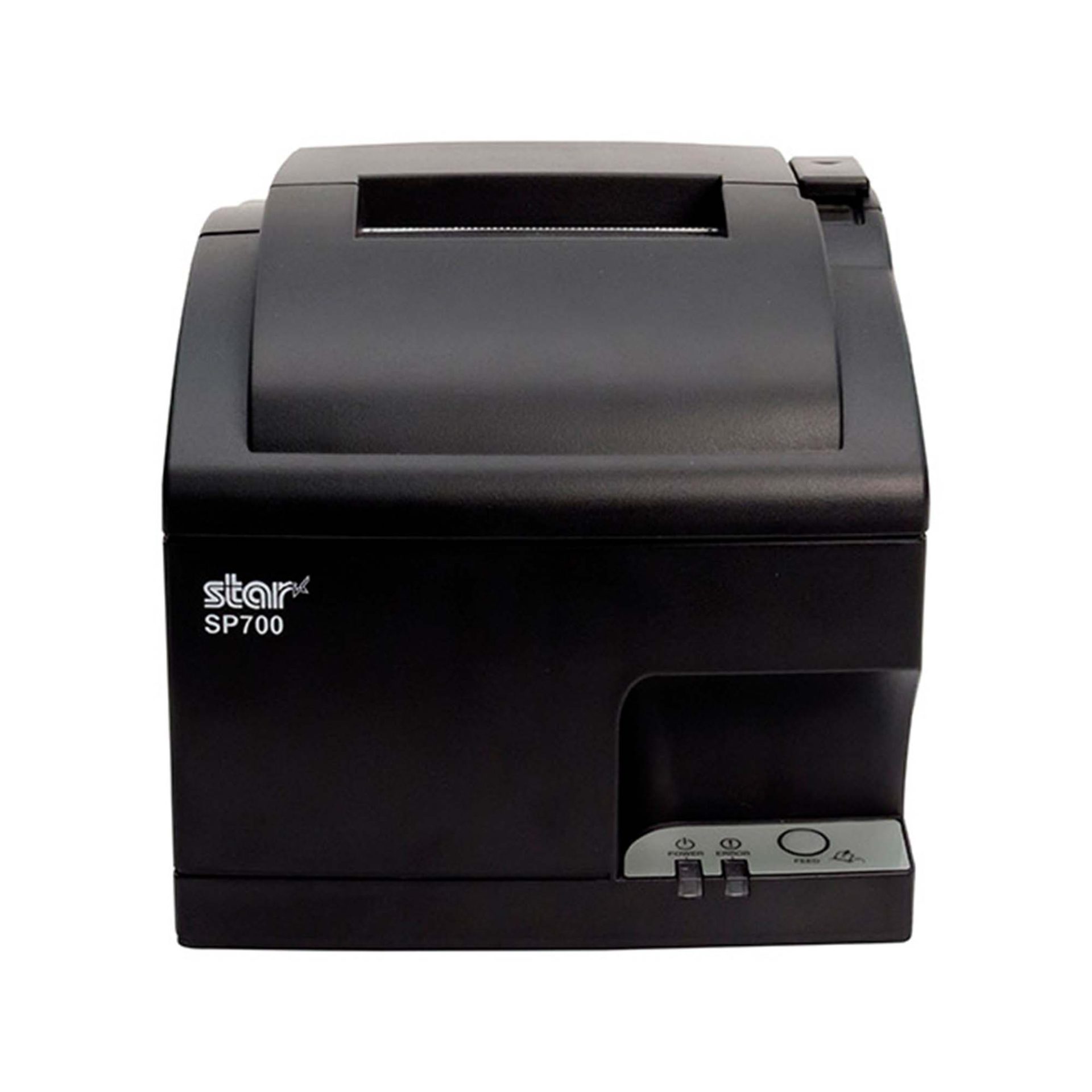
SP700 Impact Printer
With its robust design and consistent print quality, the SP700 impact printer enhances both operational efficiency and customer satisfaction by streamlining order management.
Star Micronics Has the POS Hardware Your Wash and Fold Service Needs
As a trusted industry leader for over 60 years, Star Micronics offers a wide range of POS hardware solutions ideal for wash-and-fold laundry services. Our portfolio includes desktop, portable, and kiosk printers, cash drawers, barcode scanners, scales, and more—all designed to meet the demands of any retail or hospitality environment. Additionally, Star Micronics Cloud Services can help businesses engage customers with automated receipt marketing tools.
At Star, we prioritize seamless integration across all POS hardware. That’s why we offer a complete solution for your POS system needs, including reliable receipt and label printers, trade legal POS scales, barcode scanners, and cash drawers—all backed by one dedicated support team.
With partnerships with top POS software developers, Star provides the tools to keep your business running efficiently. Our expert support and integration teams will work diligently to get your wash-and-fold laundry business online quickly, ensuring smooth operations and happy customers.
Tech Trends You Need to Implement into your Wash-and-Fold or Laundromat Business
Run your competitors through the rinse cycle using the POS technology explained in this helpful guide.
Star Micronics offers a diverse range of thermal receipt printers designed to meet the unique demands of different work environments. Whether you seek a stylish printer to complement your aesthetic or a robust model capable of withstanding temperature fluctuations, liquids, dust, and intensive usage, there’s a Star receipt printer for you.
Our lineup spans thermal and impact printers, each tailored to specific business needs. For those aiming to enhance promotional strategies, Star provides comprehensive solutions to craft receipts, coupons, and promotional messages with ease.
Unsure which Star receipt printer aligns best with your business? Discover our top picks, perfect for various retail, restaurant, and hospitality settings:
The sleek TSP143IV series sets new standards in thermal printing with its compact design, reducing its footprint by 20% compared to the TSP143III. Ideal for mPOS and POS systems, it offers versatile connectivity (including Android Open Accessory (AOA) support and WLAN) and seamless integration with Windows, iOS, and Android. This series excels in cloud-based applications with CloudPRNT technology support and connects to Star Micronics Cloud Services for enhanced device monitoring and promotional capabilities.
The TSP143IV series also includes a sticky linerless label model, the TSP143IV SK, expanding its online ordering and delivery capabilities. Its efficient “drop-in and print” paper loading and internal power supply make it an indispensable tool in retail or hospitality.
2. The mC-Label3 Multimedia Printer
The mC-Label3 from Star Micronics is a multifunctional printer that excels in versatility, supporting a wide range of media from linerless labels (permanent and sticky) to die-cut labels and standard receipt paper. Its Cloud Ready capability enables connection to Star Micronics Cloud Services and Label Builder for customized label solutions.
With One Touch Label, users can easily print pre-set labels or receipts with the touch of a button. Its compatibility with iOS, Android, and Windows devices, combined with advanced connectivity options like SteadyLAN® and TetherLAN, positions the mC-Label3 as a top choice for diverse printing needs.
The premier mC-Print3 series combines style and next-gen functionality in a compact cube design, perfect for busy retail and restaurant spaces. It has an IP22 splash-proof rating and withstands harsh environments, including professional kitchens and outdoor venues. It excels in speed (400 mm/second) and connectivity, supporting various USB peripherals and offering access to Star CloudPRNT Next and Star Micronics Cloud Services.
Its small footprint and robust design, coupled with multiple connection options (including CloudPRNT and SteadyLAN), make the mC-Print3 a powerful solution for any modern POS system.
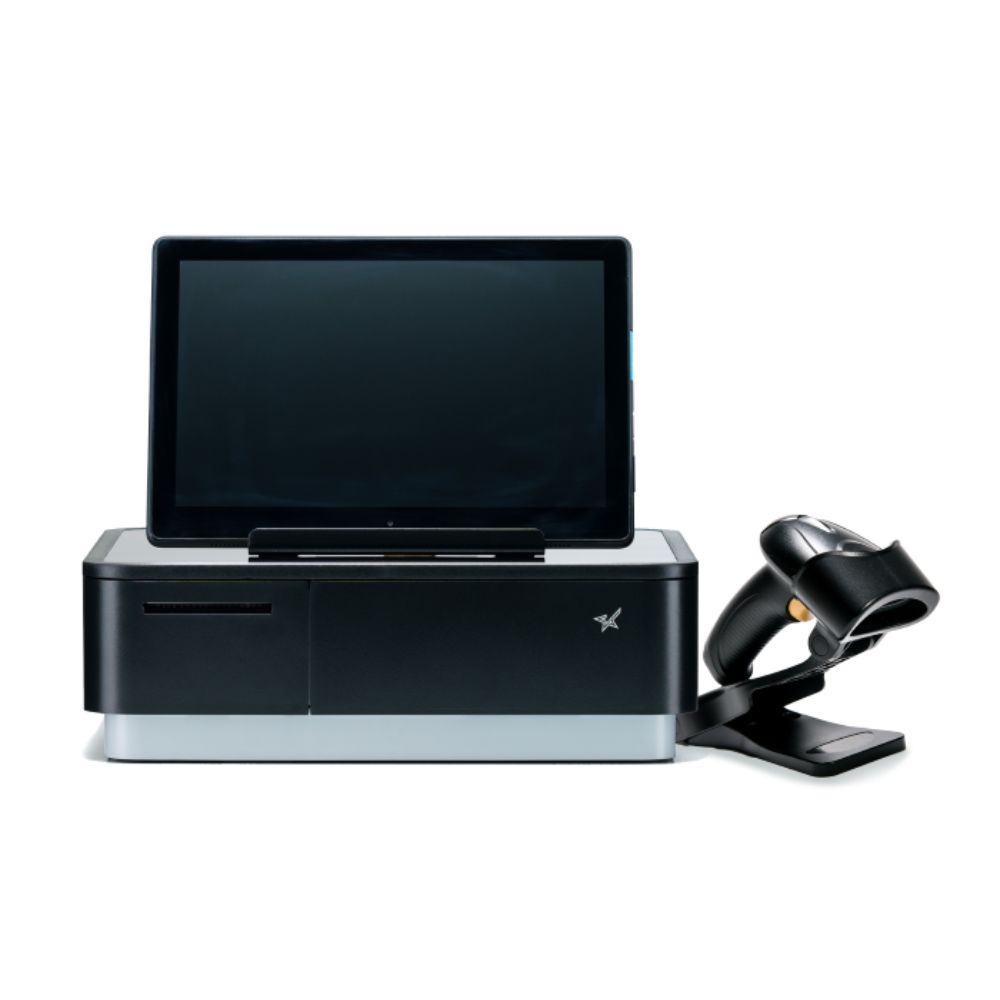
Star Micronics’ mPOP redefines the tablet POS experience by combining a cash drawer with a 2-inch thermal printer into one innovative solution. It fits perfectly in boutique or salon settings, offering a sleek and ergonomic design without sacrificing functionality. It supports all major operating systems, providing versatility for diverse POS software. The addition of USB ports enhances its functionality, enabling connections with external devices like the optional Star 2D barcode scanner.
Tablets not included
5. The TSP143III Series
The acclaimed TSP143III is a thermal receipt printer designed for businesses seeking reliable, high-quality printing solutions. Its diverse connectivity options, including USB, Bluetooth, LAN, and WLAN, make it suitable for various industries. With features like USB charging for mobile devices and access to futurePRNT software for receipt customization, it’s an adaptable solution for any retail or hospitality environment. It comes with a complete package for immediate setup, enhancing its appeal for businesses looking for an easy-to-use, comprehensive printing solution.
How to Get Your Restaurant Ready for Online Ordering
Are you looking for a new way to grow your restaurant business? Accepting online orders keeps you relevant and competitive.
Star Micronics’ printer lineup complements any device and includes options for every type of business and environment, even where space is limited. The company’s roster of printers includes thermal units for clear printing, impact printers for harsh work stations, and hardware with functional, compact footprints.
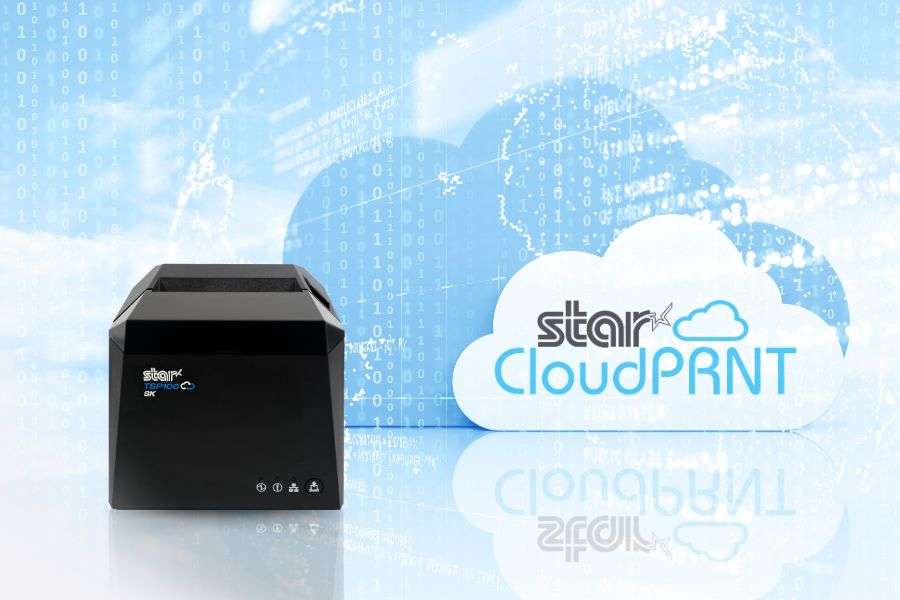
As businesses continue to navigate the challenges of a fast-moving marketplace, the efficiency of online order processing has become crucial. Developed by Star Micronics, CloudPRNT and WebPRNT are two pivotal technologies designed to enhance modern printing with improved connectivity and efficiency. CloudPRNT communicates directly to the specified cloud server, while WebPRNT connects through the local network, enabling printing via a web browser.
Both technologies lead the way in modernizing printing solutions to meet the demands of today’s businesses. However, for Independent Software Vendors (ISVs) seeking superior connectivity and efficiency, CloudPRNT is the standout choice. Let’s explore the reasons behind this.
CloudPRNT and WebPRNT serve the fundamental purpose of enabling remote printing capabilities, but they approach the task differently. CloudPRNT facilitates direct communication between the server and the printer, bypassing the need for an intermediate device. This direct server connection simplifies the hardware setup for businesses and streamlines the process of managing online orders.
The Case for CloudPRNT: Benefits for ISVs
1. Direct Cloud Integration
CloudPRNT’s ability to allow direct communication between the server and the printer significantly simplifies the hardware setup for businesses. This integration not only reduces complexity but also cuts down on costs associated with traditional local network configurations, making it an attractive and cost-effective option for ISVs looking to offer simplified solutions to their clients.
2. Enhanced Order Management
CloudPRNT, with its streamlined process for managing online orders, significantly reduces the likelihood of missed or delayed prints. This efficiency reassures businesses that they can maintain a high level of service, contributing to a better overall customer experience.
CloudPRNT’s compatibility with a wide range of applications and services allows ISVs to integrate their software with a variety of solutions. This compatibility ensures that ISVs can cater to the diverse needs of their clients, making CloudPRNT a versatile choice for integrating printing solutions.
4. Scalability and Reliability
As businesses evolve, so do their needs. CloudPRNT’s scalable nature accommodates business growth without significant additional investment. Furthermore, CloudPRNT’s reliability in maintaining constant communication with cloud servers ensures streamlined printing, vital for businesses that rely on timely order fulfillment.
Why CloudPRNT Over WebPRNT for ISVs?
Ease of Integration
CloudPRNT offers a straightforward integration process with various cloud-based services, simplifying the task for ISVs. This ease of integration allows ISVs to quickly implement CloudPRNT into their solutions, providing a seamless experience for their clients.
With the ongoing shift toward cloud computing, CloudPRNT ensures that ISVs and their clients are well-prepared for future technological trends. By choosing CloudPRNT, ISVs position their solutions at the forefront of innovation, ready to meet the demands of the digital age. CloudPRNT ensures their solutions remain relevant and competitive in a quickly changing market.
Elevating the Customer Experience
The direct benefits of CloudPRNT’s efficiency—faster service and reduced wait times—translate into an enhanced customer experience. For ISVs, integrating CloudPRNT means offering solutions that meet and exceed customer expectations, driving loyalty and satisfaction.
Star Micronics Technologies for Today’s Market
Your POS software deserves hardware that enhances its capabilities – not limits it. Star Micronics ensures your application stands out, helping you address customer demands, mitigate challenges, and drive sales by offering comprehensive POS solutions.
For ISVs focused on delivering top-tier connectivity and operational efficiency, CloudPRNT is the clear choice. Its advantages in streamlining operations and ensuring scalability make it an invaluable asset in the competitive landscape of technology-driven markets. ISVs are encouraged to leverage CloudPRNT to elevate their offerings, ensuring they remain relevant and competitive.
Discover CloudPRNT’s full potential and how it can revolutionize your software solutions.
In the digital age, the convenience of online shopping has led consumers to embrace purchasing much of their tech gear via the internet. From personal gadgets to office equipment, the prospect of surfing the web, comparing prices and features, and then receiving the product right at your doorstep is hard to resist.
However, it’s not without its challenges. The sheer volume of choices can be overwhelming, and the risk of ending up with a product that doesn’t quite meet your needs or expectations is ever-present. Miscommunication, shipping issues, and lack of hands-on experience with the product are also potential pitfalls.
If you’re planning to buy a printer, more specifically, a Star Micronics printer, whether thermal or impact, receipt or label, kiosk or desktop, this guide is for you. We’ll walk you through essential tips to navigate these challenges and make your online shopping experience smoother and more successful.
Identify Your Hardware Needs
Your first step is to find out what type of printer would be best for you. Star Micronics offers an extensive range of printers, each designed for a specific purpose. Are you seeking a high-speed thermal printer like the innovative TSP143IV or mC-Print3 for quick and efficient receipt printing?
Perhaps you’re in the market for a reliable kiosk printer, such as a member of the popular SK1 series, versatile solutions for businesses seeking low-maintenance, high-quality receipt, label, or ticket printing.
You will want to take the time to read through the product descriptions thoroughly. Star Micronics printers boast many features, such as rapid print speeds, high-resolution outputs, easy-access design for hassle-free maintenance, and more.
Please be sure that the product you’re considering matches your requirements. By understanding your specific needs, you can narrow down your search significantly.
Also, please remember: you can always contact Star to speak with a knowledgeable team member who can help you find the perfect printer.
System Compatibility and Future-Proofing
After you identify your hardware needs, it’s crucial to ensure that your chosen printer model is compatible with your existing software system and flexible enough to accommodate any future upgrades or shifts. Star Micronics printers, renowned for their broad compatibility, integrate seamlessly with numerous POS software solutions.
However, it’s essential to confirm this aspect before you make a purchase. Look for a printer that supports your system’s interface, connectivity options, and peripheral hub. Are you using a cloud-based POS system? Then a printer like the TSP143IV with its advanced connectivity options would be an ideal fit. Perhaps your system requires a USB, Ethernet, or Bluetooth connection?
Star’s range includes models with various connectivity choices to fit your specific requirements. Also, consider whether you need a printer with an integrated peripheral hub to connect additional devices, such as a barcode scanner or cash drawer.
And don’t forget, plan for the future: if you foresee a shift in your system or technology use, choose a Star printer that offers the versatility and adaptability to grow with your business needs, ensuring a wise, long-term investment.
Conquering Omnichannel Order Management with Cloud-Based Technology Solutions
Consumers have spoken! The future of retail and hospitality is omnichannel, cloud-based, and connected. Is your business prepared?
Once you’ve figured out what type of printer you require, verifying the seller’s authenticity is crucial. Many online marketplaces, including Amazon and Walmart, host official Star Micronics stores. These official stores showcase authorized Star resellers. Purchasing from these authorized dealers ensures you get an authentic product, complete with a reliable warranty.
Customer Reviews – The Unsung Hero
Customer reviews are a treasure trove of information. They offer real-world insights into a printer’s performance, reliability, and usability. Pay close attention to comments regarding the product’s key features and overall user-friendliness to see if they meet expectations.
Compare and Contrast
Take advantage of a good deal! Always compare prices across different online marketplaces. While Star Micronics printers deliver excellent value for money, it doesn’t hurt to ensure you’re snagging the best deal possible.
Support, the Lifeline of Tech Equipment
It’s essential to consider the after-sales support offered by the seller. Star Micronics printers are crafted for easy setup and user-friendly maintenance, but even the most tech-savvy of us may occasionally need a helping hand. Luckily, when you invest in a Star Micronics printer, you’re getting top-tier hardware and access to a highly knowledgeable and responsive support team.
Whether you need help with setup, troubleshooting, or simply have a query about product features, you’ll be connected with a live expert dedicated to guiding you through the process. Remember, the best tech products are backed by an equally superior support team – with Star Micronics, you get precisely that.
Understanding Seller’s Policies: Your Online Shopping Compass
In the world of online shopping, understanding the seller’s policies is paramount. It can mean the difference between a satisfying purchase and a regrettable one. When buying a Star Micronics printer, or any technical equipment, look beyond just the product description and look into the seller’s return, refund, and warranty policies.
Every online marketplace will have a return and refund policy. However, the extent and nature of these policies can significantly vary from one seller to another. Please always check the terms to ensure they’re reasonable and customer friendly.
Ideally, they should offer a return period allowing you to send back the product if it doesn’t meet your needs or if there are any issues. Similarly, the refund policy should be transparent and fair, offering you a full or partial refund depending on the circumstances.
Warranties
The warranty policy is another crucial element, particularly for electronic devices like printers. A warranty acts as your safety net, promising repairs or replacements if the product malfunctions within a specified period. Star Micronics offers a comprehensive warranty, but it’s only applicable when purchasing from authorized sellers.
Unauthorized sellers may not provide any warranty, or they may offer one that falls short of Star Micronics’ standards. This can leave you vulnerable to extra costs or even counterfeit products.
In addition to the offered return, refund, and warranty policies, take note of the seller’s customer service. A responsive and helpful customer service team can make your shopping experience smoother, especially if you need assistance with setup or troubleshooting.
As a manufacturer, Star Micronics boasts an excellent and responsive Support Team, and we are always here to help, but having top-notch customer service from your online marketplace seller is always a good idea.
By paying close attention to these policies, you safeguard your purchase and ensure that you get the maximum benefit and peace of mind from your Star Micronics printer. Remember, it’s not just about buying a product—it’s about investing in a solution that’s supported by reliable after-sale services and time-tested quality.
A Smart Shopper’s Final Thoughts
Armed with this knowledge, you’re now well-prepared to navigate the online marketplace in your quest for the perfect Star Micronics printer. Remember, informed shopping goes beyond just comparing prices—it involves understanding your specific printing needs, researching product specifications, and familiarizing yourself with the seller’s policies and reputation.
Prioritize purchasing from authorized resellers to ensure you receive an authentic Star Micronics product. Pay attention to product warranties, and remember, if a deal seems too good to be true, it probably is.
By staying savvy in your online shopping, you’re setting the stage for a purchase that delivers value, performance, and reliability. From fast-paced retail environments to bustling hospitality spaces, Star Micronics printers are designed to elevate efficiency and improve operations.
So, delve into the marketplace, and bring home the power of quality printing with Star Micronics. Your ultimate printing solution is just a few clicks away. Happy shopping!
Receipt marketing, or receipt advertising, is a strategy businesses can use to promote their products or services by printing marketing messages or offers on receipts. Receipts are a powerful marketing tool because they are something that customers will always receive after making a purchase. This means businesses can use receipts to promote their brand, products, or services and incentivize customers to return.
In this blog post, we will discuss the benefits of receipt marketing and provide some tips on how to implement a successful receipt marketing campaign.
The Benefits of Receipt Marketing
Increased Brand Awareness
One of the primary benefits of receipt marketing is that it helps increase brand awareness. Printing your company logo, tagline, or website on your receipts reminds customers about your brand every time they look at it. This repetition can help your brand stick in the minds of your customers and encourage them to return to your business in the future.
Increased Customer Loyalty
Receipt marketing can also help to increase customer loyalty. Offering discounts or promotions on receipts can incentivize customers to return to your business. This can lead to repeat business and increased customer loyalty. Customers appreciate getting a little something extra, and the personal touch of a promo or discount on their next purchase can make them feel valued and appreciated.
Cost-Effective Marketing
Another benefit of receipt marketing is that it is cost-effective. Receipts are something that your business already prints, so there are no additional costs associated with creating new marketing materials. This can make receipt marketing an attractive option for companies looking to promote their brand without spending much money.
Tips for Implementing a Successful Receipt Marketing Campaign
Keep it Simple – When designing your receipt marketing campaign, it’s essential to keep it simple. Customers will only spend a few seconds looking at their receipts, so make sure your message is clear and concise. Keep your design clean and easy to read, and focus on promoting one or two key messages.
Offer Incentives – To make your receipt marketing campaign more effective, it’s a good idea to offer incentives to customers. This could include discounts, free gifts, or the opportunity to join a loyalty club. By providing customers with an incentive, you can increase their chances of returning to your business.
Track Your Results – It’s essential to track your results when running a receipt marketing campaign. Doing so lets you determine what works and what doesn’t and make adjustments as needed. This could include changing the messaging or design of your receipts or adjusting the incentives you offer.
PromoPRNT Receipt Marketing Tool
PromoPRNT from Star Micronics is an innovative online tool that allows businesses to create and print custom coupons, surveys, and other promotional material directly on their receipts. With PromoPRNT, companies can easily create customized promotions and engage customers, all while improving their overall brand image.
The tool is entirely free and can be accessed through a web browser, making it accessible to businesses of all sizes. The models that can currently access PromoPRNT are the TSP143IV, mC-Print2, and mC-Print3 receipt printers.
PromoPRNT offers a wide range of customization options, including adding logos, images, and text. Businesses can create coupons for discounts on specific products or services and surveys to gather customer feedback. The tool is easy to use, and companies can make them in just a few minutes.
Using PromoPRNT, businesses can increase customer loyalty, drive sales, and gain valuable insights into customers’ preferences and behaviors. It’s a powerful tool that can help businesses improve their marketing efforts and drive growth.
Take Advantage of Receipt Marketing
Receipt marketing is a powerful tool businesses can use to promote their brand, products, and services. By printing marketing messages or offers on receipts, companies can increase brand awareness, customer loyalty, and cost-effectively engage customers. When implementing a receipt marketing campaign, it’s essential to keep your design simple, offer incentives, and track your results to ensure campaign success. Doing so can drive sales and build lasting relationships with your customers.
The Value of Receipts: Printed and Digital
There’s no getting away from it: receipts hold great value and are an irrefutable part of everyday life.