If your business handles thermal paper, whether it be receipts, kitchen tickets, or labels, Proposition 65 is not just a California issue anymore. Although Prop 65 is a California law, its reach is already stretching nationwide. Many companies are reformulating products or adjusting labeling strategies across the board to meet the standards. Not understanding the rules is not only risky health-wise, but it could also mean fines, lawsuits, or damage to your brand’s reputation.
Let’s break down what Prop 65 is, why it matters for thermal paper, and how retailers and restaurants everywhere can stay compliant.
Proposition 65, officially called the Safe Drinking Water and Toxic Enforcement Act of 1986, is California’s way of keeping consumers informed about potential exposure to harmful chemicals. The law requires businesses to provide “clear and reasonable” warnings if their products expose consumers to substances known to cause cancer, birth defects, or other reproductive harm.
While it’s a California law, its influence extends far beyond the state. Many national brands and businesses choose to comply everywhere because consistency is simpler than running two different playbooks.
Why Prop 65 Matters for Receipts and Thermal Paper
Here’s where it connects to your day-to-day: thermal paper.
Traditional thermal paper has often used chemicals like BPA and BPS to develop printed text. These substances are on California’s Prop 65 list. That means something as ordinary as handing a customer a receipt or printing a kitchen ticket could technically count as “exposure.”
For retailers and restaurants, that’s a big deal. Customers touch receipts. Employees handle rolls all day. It’s more than compliance, it’s about health and safety.
And it doesn’t stop with receipts. Paper-based touchpoints like order confirmation labels, allergen label information, grab-and-go labels, and nutritional information labels may also be impacted if the wrong media is used.
Prop 65 Compliance Requirements for Businesses
If your receipts, labels, or kitchen tickets contain Prop 65–listed substances, you may need to provide visible warnings. The requirements include:
Clear communication that a listed chemical is present
Placement of warnings where customers and employees will see them
Consistency across all impacted locations
Non-compliance can result in penalties that add up fast. In addition to fines, businesses risk lawsuits and reputational harm, which are two things every operator wants to avoid.
What Prop 65 Means for Retail and Restaurants
Prop 65 compliance is not just a back-office concern. It shows up in everyday touchpoints where customers and staff interact with paper.
> For Retailers
Receipts are the obvious starting point, but compliance extends far beyond the checkout counter. Retailers also rely on:
Barcode labels for pricing and scanning
Inventory labels for stock management and traceability
Product rotation labels to manage freshness and reduce shrink
Loyalty coupons and promotional tickets handed directly to customers
Each of these is a potential source of exposure if the wrong thermal paper is used.
Foodservice operations depend heavily on thermal paper for smooth workflows and accurate orders. Prop 65 compliance comes into play with:
Kitchen tickets that keep back-of-house organized
Catering labels for large orders and off-premise service
Weight and serving size labels that provide critical portioning information
Food identification labels to separate allergen-sensitive items or specialty orders
Special product offerings labels and nutritional information labels that help guests make informed choices
From grab-and-go stations to off-premise dining, labels are everywhere in modern foodservice. Each printed piece is a small but important part of both compliance and customer trust.
The solution is simple: choose the right media. Look for thermal paper that is:
BPA-free and BPS-free (phenol-free)
Tested for Prop 65 compliance
Verified by a trusted supplier
The right paper doesn’t just protect your business legally. It also reassures your customers and employees that you take their safety seriously, which makes them feel good about doing business with your brand.
The Star Micronics Commitment
Star is committed to anticipating industry trends and staying ahead of them. That’s why we offer thermal paper options that are Prop 65 compliant, BPA-free, BPS-free, and non-toxic. These media choices are designed for receipts, linerless labels, and the wide variety of labeling applications retailers and restaurants rely on every day.
Prop 65 may feel like just another piece of red tape, but in reality, it’s about protecting people and protecting your brand. If your business prints receipts, kitchen tickets, or labels, compliance isn’t just the smart move; it’s the safe one.
With Star, businesses can simplify compliance by choosing trusted solutions for Prop 65 and thermal paper in both retail and restaurant environments. Connect with us to explore your options and keep your business ahead of the curve.
Ready to get your business Prop 65 compliant thermal paper and labels?
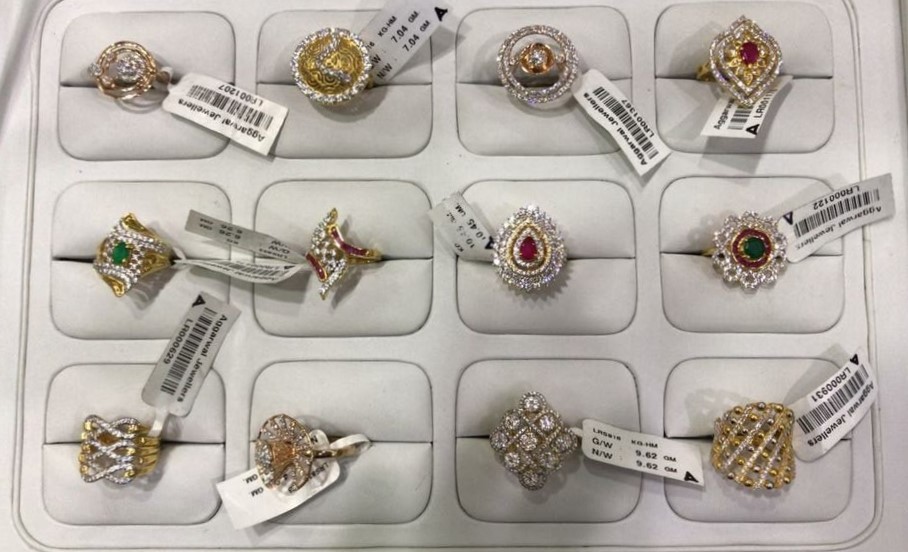
Jewelry labeling is no ordinary labeling task. In most retail environments, labels support inventory management, pricing, compliance, and brand presentation. But in a jewelry store, the stakes are higher, the space is smaller, and the details matter more than ever.
Imagine fitting a scannable barcode, pricing, SKU, and brand logo onto a tag smaller than an inch, all while ensuring it stays securely attached to a diamond ring, gold chain, or luxury watch without damaging the item. Jewelry labeling has to communicate complex supply chain details, sync with inventory and e-commerce systems, and maintain absolute accuracy, even for one-of-a-kind pieces.
Getting it right requires the perfect combination of high-resolution printing and premium media designed for the demands of fine jewelry retail.
How to Print the Perfect Small Barcode Labels for Jewelry
Jewelry labeling quality begins with the printer you choose. Your printer should be capable of printing small barcode labels as small as 25 mm, and work well in your operational environment. Features that will help you print quality micro-labels include:
🔹High Resolution
Look for a printer with at least 300 dpi resolution to ensure clear, scannable barcode output. This level of detail is essential for printing small, crisp text and preserving image clarity, especially if you want to include your logo or branded design elements on the label.
🔹Practical Design
Consider where your team will use the printer and choose a design that fits the space. A front-loading, front-exit layout works well for tight areas like under-shelf installations or jewelry prep counters. Flexible connectivity, like USB, LAN, WLAN, or MFi-certified Bluetooth, lets you label items on the spot, whether you’re in the stockroom or behind the display case.
🔹Cloud Support
A managed cloud service gives you centralized control over labeling across your locations. Your team can access approved, pre-designed templates (even offline) and print consistent, accurate jewelry labels that sync with your inventory and e-commerce systems.
🔹Multimedia Printing
Consider printers that support multiple types of media, such as small ID tags, barcode labels, die-cut labels, linerless labels, continuous labels, and even receipts. A single model that meets all your printing needs helps reduce costs and maintenance while improving flexibility.
mC-Label2 Multifunction Printer
The mC-Label2 packs powerful features into a compact, front-loading design, including 300 dpi resolution, support for linerless, die-cut, receipt, and continuous media, and connectivity options like USB-C, LAN, WLAN, Bluetooth, and Apple MFi-certified pairing (X4 models only).
It’s not just the printer that matters—media quality is equally important. Choosing the right label material and adhesive ensures you produce reliable tags that stand up to the demands of jewelry retail. Your labeling media must be:
1. Durable
Labels should be tear- and smudge-resistant, even when sales associates repeatedly remove and reapply items from display cases or when customers try them on.
2. Non-Marking
Jewelry labels must stay in place without damaging delicate metals or finishes. After purchase, customers should be able to remove the label cleanly, with no adhesive residue left behind.
3. High-Quality and Jewelry-Friendly
When labeling intricate, high-value pieces, your media must print reliably, look professional, and perform consistently. Star Blue label rolls are engineered for smooth, jam-free performance, clear imaging, and reduced paper dust, which helps protect both your printer and your merchandise.
Recognized by their distinctive blue core, Star Blue rolls are built for retail environments that demand precision and presentation.
Overcome Jewelry Labeling Challenges for a More Efficient Operation
In today’s competitive retail landscape, jewelry labeling is more than a necessity. Retailers who still rely on handwritten tags or manual inventory updates struggle to meet modern expectations for unified commerce, accurate pricing, and seamless cross-channel sales.
By printing small barcode labels tailored for jewelry, you can capture and share essential product data, track inventory with precision, and present your merchandise with the level of professionalism customers expect from a luxury purchase.
The right combination of a high-resolution printer and premium label media ensures your jewelry labels are clear, consistent, and worthy of the items they represent, whether they’re displayed in a case, sold online, or shipped across the globe.
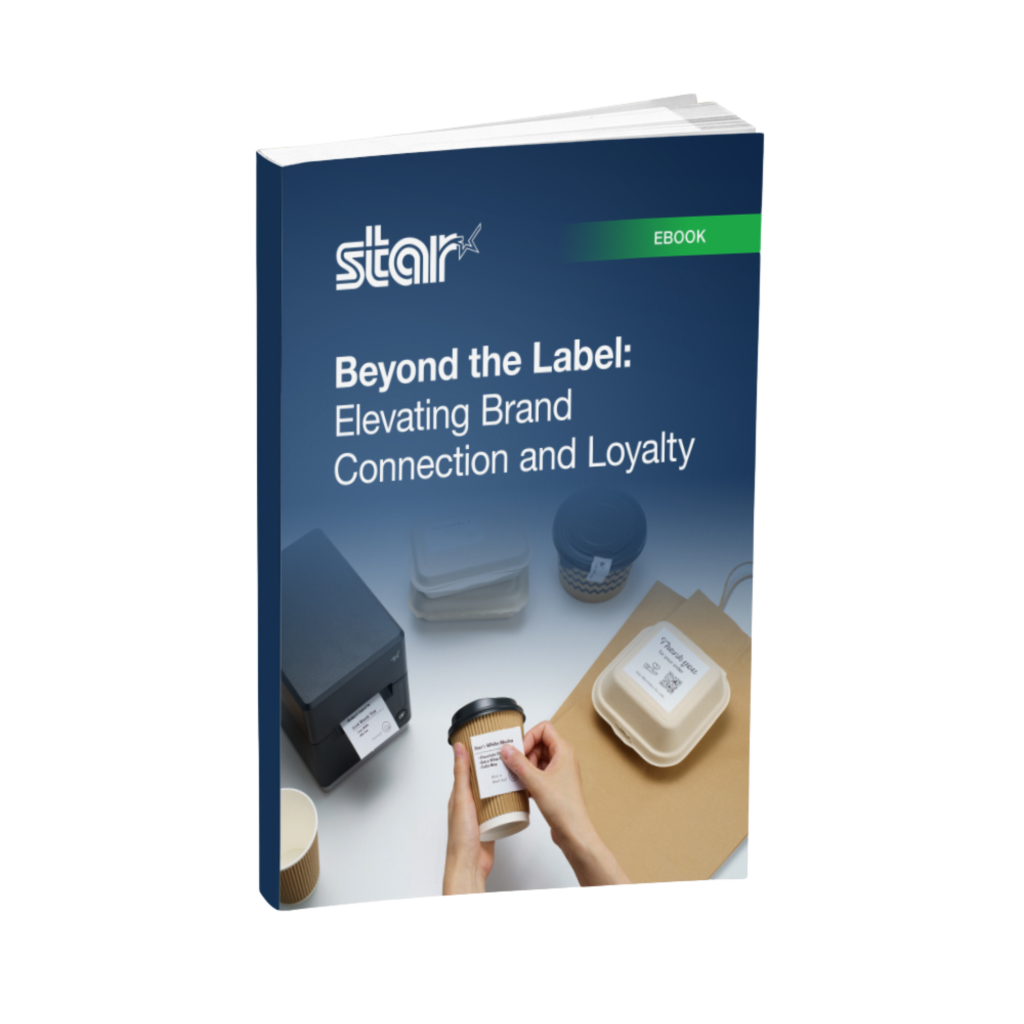
Beyond the Label: Elevating Brand Connection and Loyalty
This free ebook offers insights into innovative labeling techniques that help retailers and restaurateurs captivate and connect with their audience more effectively.
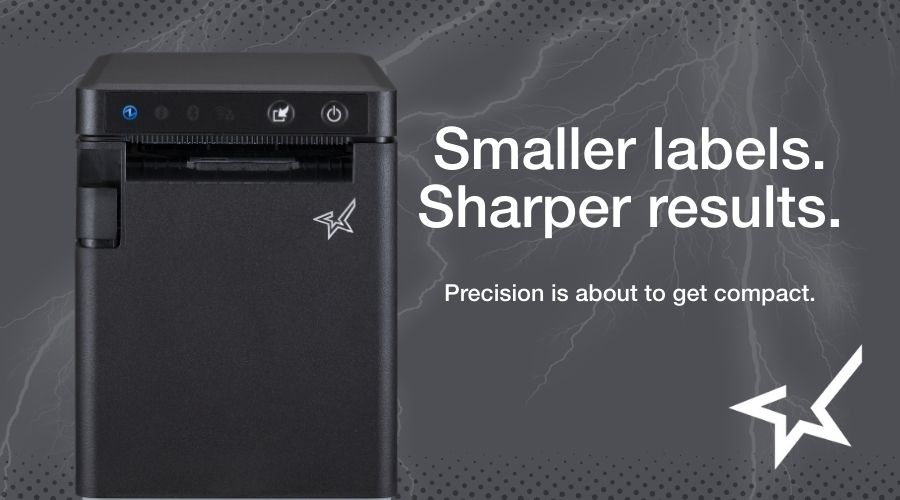
This compact, 2-inch multimedia printer prints at 300 dpi to produce sharp logos, small text, and high-resolution barcode labels. With a front-loading, front-exit design and flexible media support (linerless, die-cut, traditional labels, and receipts), the mC-Label2 is ideal for jewelry counters and compact workstations.
Our premium Star Blue media is built for consistent cuts, reduced dust, and smooth performance—essential for printing small, professional-quality jewelry labels that reflect the value of your merchandise.
Enable reliable remote cloud printing with MQTT technology. Perfect for multi-location jewelry retailers that need fast, secure communications between cloud systems and labeling hardware.
A fully managed, cloud printing service and printer management platform that eliminates the need for local infrastructure. Print and manage labels from anywhere using web-based applications.
A portfolio of connected technologies designed for modern retailers, including Star Label Builder and PromoPRNT for custom messaging on receipts and labels.
Ready to find out more about Star’s jewelry labeling solutions?
A space-saving, cloud-connected printer that supports linerless, die-cut, and receipt media, perfect for retail, cannabis, pharmacy, jewelers, and more.
Somerset, NJ – July 23, 2025 – Star Micronics, a global leader in point-of-sale (POS) and labeling solutions, is pleased to announce the launch of the mC-Label2, a 2-inch multifunction printer built for sharp, small-format labeling in space-constrained environments. Designed for retailers, QSRs, dispensaries, and more, the mC-Label2 combines high-resolution 300 dpi printing, front-loading design, and multi-media compatibility into one sleek device.
With a compact footprint and front-exit paper path, the mC-Label2 can be installed under shelves or flush against walls, making it ideal for locations where space is at a premium. Businesses can choose between two models: an all-media version that supports linerless, die-cut, continuous labels and receipts, or an LBL model dedicated to die-cut label and receipt printing.
Key Features of the mC-Label2 include:
300 dpi Resolution: Crisp, detailed text, barcodes, and logos, even on small labels.
Front-Loading, Front-Exit Design: Ideal for tight spaces, such as counters and shelves. Devices can even be mounted on top of the printer for added versatility.
Two Model Options: • All Media Model – Supports linerless, die-cut, continuous labels, and receipts • LBL Model – Optimized for die-cut labels and receipts only
Flexible Connectivity Options: The X4 models feature USB, LAN, WLAN, and MFi-certified Bluetooth for full wireless and wired connectivity, while the Ci models offer a streamlined, wired-only configuration with USB-C, LAN, and USB-A ports.
Cloud & App Support: Compatible with CloudPRNT Next, StarIO.Online, and Star’s Label Builder app for template-based label creation and One Touch Label printing.
Like the mC-Label3, the mC-Label2 is part of Star’s growing lineup of multimedia printers designed to simplify operations across retail and hospitality. It’s built on the same developer-friendly platform, with native SDKs for iOS, macOS, Android, Linux, and Windows, and supports Star’s incredibly easy BLE-assisted wireless setup.
“The mC-Label2 brings the power of our labeling technology into an even smaller footprint. With 300 dpi resolution, support for multiple media types, and all communication interfaces, this printer meets the super precision needs of our customers without taking up valuable counter space.”
Jon Levin, Director of Product Management at Star Micronics America
Star Micronics, a world leader in point-of-sale (POS), has designated a portfolio of printing, secure cash management, self-service, and customer engagement solutions for any retail or hospitality establishment. Embracing the mPOS wave, Star’s SDKs allow developers to utilize Star printers in tandem with Android™, iOS, iPad®, and iPhone® devices to generate receipts, labels, Chit, and tickets. Star Micronics is always leading and always innovating, creating cloud-based printing solutions, including CloudPRNT Next and Star Cloud Services, with AOA support and MFi connectivity. Star also has a wealth of peripherals, including 2D barcode scanners, scales, tablet display stands, and more. Visit starmicronics.com or follow us on Facebook, X, YouTube, or LinkedIn to learn more.
RSPA Members can see and demo Star printers, cash drawers, BPA/BPS-free Prop 65-compliant paper and labels, and cloud solutions in Booth 411 at RetailNOW 2025.
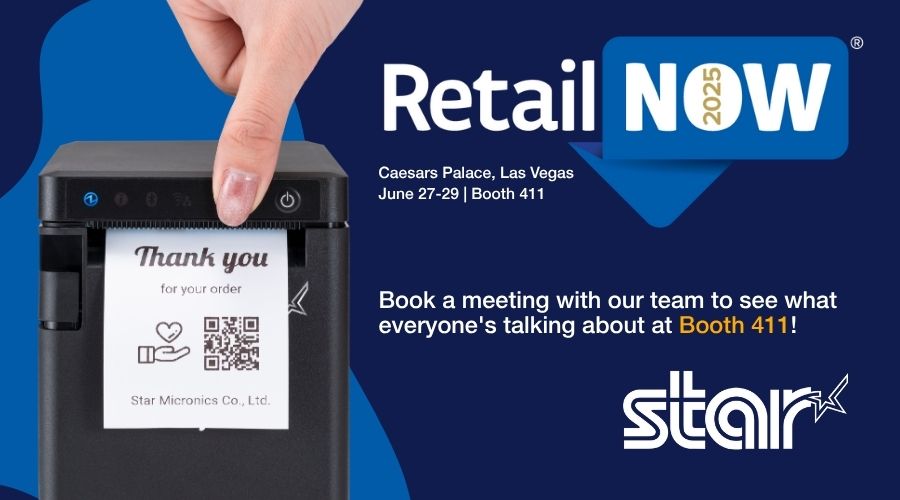
Las Vegas, NV – July 17, 2025 –Star Micronics, a trailblazer in point of sale (POS), cloud printing, and retail technology solutions, is excited to announce participation in RetailNOW 2025, the annual Retail Solutions Provider Association (RSPA) trade show, education conference, and networking event. RetailNOW will take place from July 27 to 29, 2025, at Caesars Palace in Las Vegas, and attendees can meet with the Star team in Booth 411.
Star will demonstrate how independent software vendors (ISVs), value-added resellers (VARs), and other solutions providers can grow their businesses by adding Star products and services to their portfolio. At RetailNOW, Star will highlight its retail and hospitality solutions, including:
The mC-Label2 Multifunction Printer: This front-loading, 2-inch label printer is designed for compact stations, delivering ultra-sharp 300 DPI resolution in a wide range of print widths. It prints traditional and linerless labels, tags, die-cut labels, and receipts, all from one device. The mC-Label2 X4 models feature all four connectivity ports (USB, LAN, Bluetooth, and Wi-Fi) in a single interface, providing maximum flexibility. Like the popular mC-Label3 multimedia printer, it features the One Touch Label function that streamlines workflows.
The TSP143IV X4 and SK X4 Series: This line of advanced thermal printers features all four modern interfaces, effortless Wi-Fi connectivity, and support for linerless labels (SK X4 model). These printers are perfect for online ordering, labeling, and POS environments and redefine efficiency and scalability.
StarIO.Online: StarIO.Online is a fully managed cloud printing service that gives businesses and ISVs the ability to monitor and manage their entire fleet of Star printers from a single dashboard—no servers or custom infrastructure required. With real-time device monitoring, remote updates, and multi-location visibility, it’s the simplest way to bring Star printers into a cloud-first ecosystem.
New CD5 Max Series Cash Drawers: As the highest-tier model in Star’s cash drawer lineup, the CD5 Max Series sets a new standard for secure, heavy-duty cash management. Designed for cash-heavy environments, these drawers combine rugged durability with flexible configurations, like dual printer-driven and USB connectivity options. Backed by Star’s five-year warranty and full range of accessories, the CD5 Max helps position Star as the new leader in modern cash drawer solutions for retail and hospitality.
Star Blue Receipt Paper and Label Rolls: Solutions providers can meet the demand for eco-friendly, BPA/BPS-free, and Prop 65-compliant receipt paper and labels with Star Blue Eco. It’s one of the products in Star’s full line of consumables designed for optimal performance and compatibility with Star printers.
Star Micronics is a long-time RetailNOW sponsor and an RSPA vendor member, committed to the success of its channel partners. Technology and solutions providers attending RetailNOW 2025 are encouraged to schedule private demos with Star representatives to get a closer look at these cutting-edge solutions.
Star Micronics, a world leader in point-of-sale (POS), has designated a portfolio of printing, labeling, secure cash management, and customer engagement solutions for any retail or hospitality establishment. Embracing the mPOS wave, Star’s SDKs allow developers to utilize Star printers with Android™, iOS, iPad®, and iPhone® devices to generate receipts, labels, Chit, and tickets. Star Micronics is always leading and always innovating, creating cloud-based printing solutions, including CloudPRNT and Star Cloud Services, with AOA support and MFi connectivity. Star also has a wealth of peripherals, including 2D barcode scanners, scales, tablet display stands, and more. Visit starmicronics.com or follow us on Facebook, Instagram, X, YouTube, or LinkedIn to learn more.
Inventory is one of the most valuable and vulnerable assets in any retail or foodservice business. From stock miscounts to expired goods and theft, shrink can quietly chip away at profits. And with tighter regulations and growing customer expectations, traceability and compliance are more important than ever.
That’s where smart inventory labeling makes a real difference.
Inventory labels don’t just keep shelves organized. They’re the foundation for traceability, food safety, regulatory compliance, and operational control. With the right labeling system in place, businesses can track every item, meet inspection requirements, and reduce waste across the board.
Why Traceability and Compliance Matter More Than Ever
Today’s restaurants, QSRs, and retailers are under growing pressure to track every product through its full lifecycle. Whether it’s a local health inspection or a national recall, regulators expect clear labeling, real-time tracking, and accurate records.
Without proper labeling, operators risk:
Product misidentification and stock confusion
Poor FIFO (first in, first out) rotation
Delays during recalls or health inspections
Missed expiration dates leading to spoilage
Lost items or manual tracking errors
Increased shrink from theft or disorganization
Fines or violations due to noncompliance
The solution? Smarter inventory labels and reliable hardware that make printing those labels easy.
Types of Labels That Improve Inventory Control
Not all labels are created equal. Here are some of the most impactful types of inventory labels that help reduce shrink and support compliance:
>Inventory Labels
Used to tag incoming products, backroom stock, or bulk ingredients with SKUs, storage instructions, or shelf life details. These labels make stock easy to locate and manage from receiving to removal.
>Traceability Labels
Include supplier info, batch numbers, and lot codes. Essential for tracking high-risk or perishable items through the supply chain and required documentation in case of a recall or audit.
>Barcode Labels
Enable fast, accurate scanning for receiving, transfers, and counts. Barcode inventory labels eliminate manual entry errors and ensure that digital systems reflect physical stock.
>Rotation & Expiration Labels
Support FIFO systems and help staff use the oldest items first. These labels often include prep dates, expiration times, or storage instructions, reducing spoilage and keeping inventory compliant with health regulations.
How Inventory Labels Reduce Shrink
Shrink often occurs because of inconsistent labeling, poor visibility, or reliance on manual tracking.
Imagine a hectic kitchen during the lunch rush: staff members are reaching for ingredients, prepping items, and trying to move quickly, only to discover two opened containers of the same product, both unlabeled, one of which may be expired. Or, picture a back stock area where boxes are marked by hand, and no one’s quite sure when each arrived or how much is left.
These moments may seem minor, but they add up to lost product, potential health risks, and unnecessary waste.
Inventory labels directly address these challenges by:
Improving shelf visibility and product identification
Supporting better rotation with expiration labeling
Speeding up audits, receiving, and restocking
Helping prevent overordering, underordering, or missed use-by dates
Creating accountability and traceable paper trails
Ensuring compliance with food safety and storage regulations
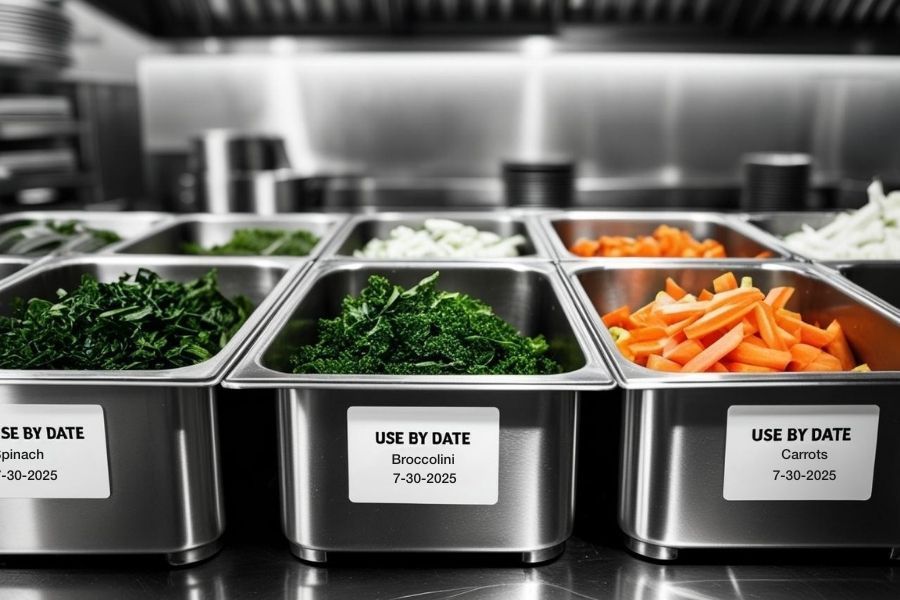
In foodservice especially, date-based inventory labels play a critical role in meeting health code requirements and reducing the risk of contamination, spoilage, or noncompliance penalties.
Inventory Labeling Tools from Star Micronics
Star Micronics provides flexible, compact, and high-performance labeling solutions to support smarter inventory workflows in any environment—from retail stockrooms to restaurant kitchens.
> All-in-One Labeling: Star’s mC-Label series of multifunction printers handle die-cut, linerless, and continuous labels (receipts, too), making them ideal for receiving, prep, storage, and inventory tracking. With One Touch Label, you can store up to three static label designs directly on the printers and print them instantly using the multifunction button. No internet needed!
> Compact, Flexible Designs: These space-saving printers install easily at any workstation. One model supports multiple labeling applications, reducing hardware SKUs and simplifying training and support.
The Star Micronics mC-Label3 is a versatile multimedia printer that prints a wide range of labels and receipts, including both permanent and repositionable sticky linerless. It features cloud connectivity and innovative technologies like SteadyLAN and TetherLAN for enhanced printing convenience.
The mC-Label2 packs powerful features into a compact, front-loading design, including 300 dpi resolution, support for linerless, die-cut, receipt, and continuous media, and connectivity options like USB-C, LAN, WLAN, Bluetooth, and Apple MFi-certified pairing (X4 models only).
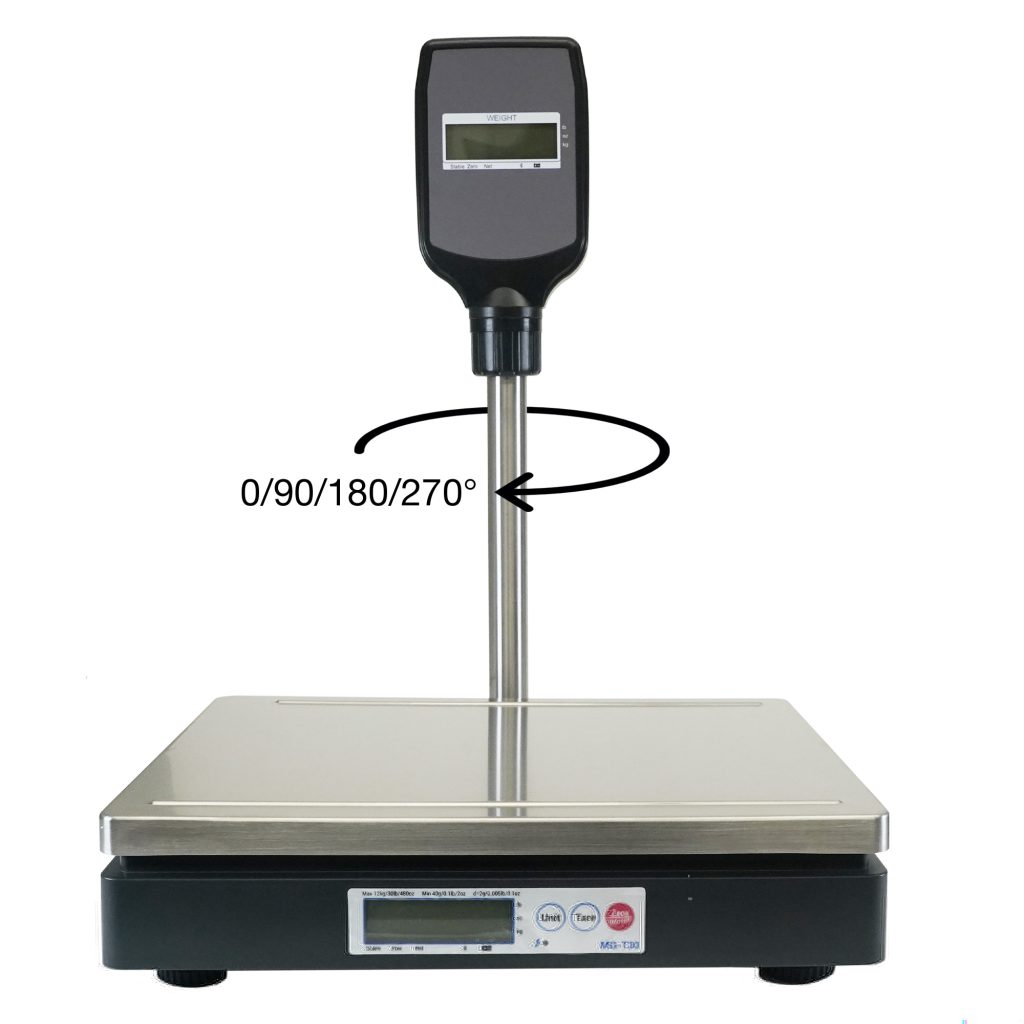
> Scales for Accuracy: Pair Star printers with mG-T series POS scales for accurate weight-based labeling. Ideal for portioning, serving size tracking, and receiving by weight.
mG-TUDB Scales
Designed for precision and versatility, the mG-TUDB scales are a perfect fit for grocery self-checkout stations, produce sections and bulk item sales. With trade-legal certification for the U.S. and Canada, these scales offer Class III accuracy and seamless connectivity via Bluetooth, serial, or USB-C. Their large platter and optional pole display accessory ensure effortless setup with your POS system, making them ideal for a wide range of applications, from delis to farmer’s markets.
> Software Compatibility: Star printers work with modern cloud-based and legacy inventory systems via USB, Bluetooth, Ethernet, Wi-Fi, CloudPRNT Next, and fully-managed cloud printing with StarIO.Online. Easy to integrate, easy to scale.
Inventory Labels: The Bottom Line
Inventory shrink may feel like an unavoidable cost, but with the right inventory labels and strategy, it’s entirely manageable. Whether you’re dodging spoilage, staying on top of compliance, or just trying to make it through the lunch rush without losing your mind, smart labeling gives you one less thing to stress about.
The Smart QSR Delivery Playbook: Labeling, Accuracy & Efficiency Done Right
Learn how leading QSRs are using smart labeling and scalable POS technology to reduce errors, cut costs, and deliver a better guest experience.
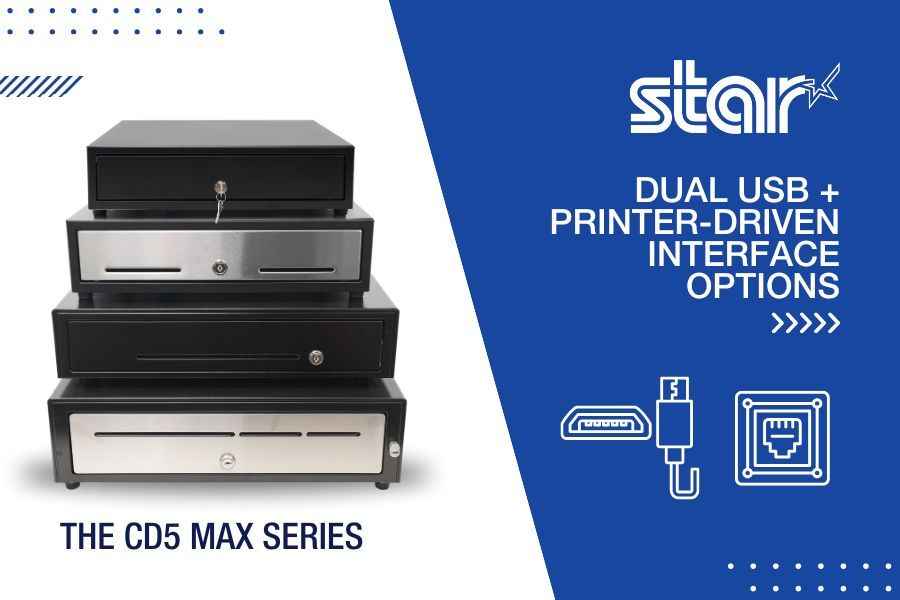
A dual interface cash drawer may not get much attention in point-of-sale conversations, but it plays a critical role in how payments flow, especially in today’s hybrid retail and hospitality environments. As businesses juggle fixed terminals, mobile tablets, kiosks, and mixed setups across locations, managing hardware compatibility has become increasingly difficult.
Too often, cash drawers are treated as one-size-fits-all, only to cause problems when the connection type doesn’t match the printer or POS terminal. This leads to delays during installation, extra support calls, and wasted time troubleshooting.
That’s why more ISVs, VARs, and end users are turning to dual interface cash drawers. By supporting both USB and printer-driven connections in one model, they eliminate guesswork and simplify deployment, no matter how your customers run their point of sale.
In most POS systems, the cash drawer connects either to the receipt printer or directly to the POS terminal via USB. Each setup has its benefits, but when your drawer only supports one option, it limits where and how it can be used. This creates challenges for VARs, ISVs, and end users who manage a variety of environments.
It also creates limitations down the line. If a business wants to upgrade its POS system—moving from fixed terminals to tablets, adding kiosks, or switching printer brands—those single-interface drawers may no longer work with the new setup. That means more hardware to replace, more installation friction, and fewer options for scaling efficiently.
A single-interface drawer can mean:
Compatibility issues
Extra SKUs to manage
Delays during install
More field support tickets
Less flexibility for future hardware upgrades
To solve this, Star Micronics created a smarter approach.
What Is a Dual Interface Cash Drawer?
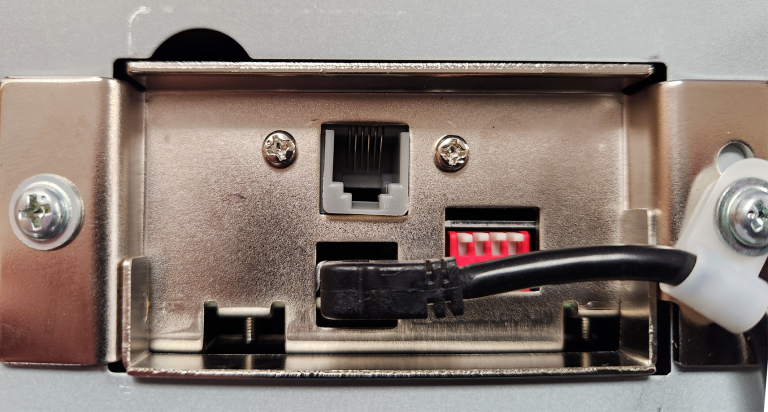
A dual interface cash drawer supports both USB and printer-driven (DK port) connections in a single model. This means the same drawer can connect directly to a printer or plug into the POS terminal itself, giving you more options and fewer complications.
Instead of choosing between USB or DK models, you get both. This helps reduce inventory confusion, ensures a smoother installation process, and gives your customers flexibility if their setup evolves.
Star’s CD5 Max Series offers this level of versatility out of the box.
Who Benefits from Dual Interface Connectivity
1. VARs and Installers
A dual interface cash drawer means fewer models to stock and less time troubleshooting compatibility in the field. The drawer will work whether the customer uses a printer, a USB-connected touchscreen, or both.
2. ISVs
Software developers can build solutions that work across more environments, knowing the drawer will connect through whichever method the end user prefers. That makes onboarding and deployment smoother.
3. Retailers and QSRs
Enterprise-level or growing businesses often run a mix of hardware setups across locations. A dual interface drawer allows them to standardize on a single model that works everywhere, whether at the counter, in the kitchen, or at a self-checkout kiosk.
4. Mobile POS and Kiosk Applications
Many self-service stations and mPOS setups do not use receipt printers at all. USB becomes essential. With a dual interface drawer, you can still use the same hardware, regardless of the station design.
The CD5 Max Series is Built for Flexibility
Star’s CD5 Max Series is a rugged, reliable cash drawer designed for modern retail. It offers:
Dual USB and printer-driven connectivity
All-steel construction for high-volume environments
Multiple size options for tight counters or large setups
Support for Star, Epson, Bixolon, NCR, Oracle, and other major brands
Simplify Cash Handling with the Right Connectivity
The more flexible your hardware, the more adaptable your business becomes. A dual interface cash drawer is a small shift that delivers big value. It cuts down on support issues, reduces install time, and keeps your POS system ready for whatever setup comes next.
If you are looking for a cash drawer that fits every connection, every environment, and every POS strategy, the CD5 Max Series is your answer.
6 Industry Trends Affecting POS VARs and How to Handle Them
Explore the shifts and challenges reshaping the landscape for POS Value-Added Resellers (VARs), offering actionable strategies for staying competitive.
When orders pile up and customers are waiting, restaurants and retailers can’t afford wasted time. Every second counts, especially when label printer downtime threatens to derail the entire workflow. The right label printer can help with order accuracy, speed, and customer satisfaction. But without smart, proactive label printer maintenance, even the best devices can fail mid-shift, delaying orders, frustrating staff, and risking customer trust.
Unfortunately, traditional label printers offer little warning before they fail. Maintenance procedures are often buried in technical manuals, and staff members may not know what to do when a problem arises. The result? Unplanned downtime, lost revenue, and missed opportunities.
There’s a smarter way forward. Maintenance tools built into today’s best label printers help operators stay proactive, avoid surprises, and keep their operations running smoothly.
Why Label Printer Downtime Hurts QSR and Retail Operations
Label printer downtime hits hardest when your team needs it most. During rush periods, a single stalled device can trigger a ripple effect: delayed tickets, packing errors, and frustrated customers.
When a label printer fails, the order accuracy chain breaks. Bags leave without tamper-evident seals. Orders get misrouted or repacked. Allergen and ingredient labels may be skipped, creating food safety risks and compliance issues. For QSRs and retailers, that means chargebacks, reputation damage, and slower service when speed matters most.
Label printer downtime doesn’t just slow things down; it disrupts trust and hurts the bottom line.
The Hidden Gaps in Label Printer Maintenance & Why They Happen
Too often, label printer maintenance is an afterthought. There’s no real warning before issues arise, and no clear process for routine upkeep. Most teams only respond once something breaks, and by then, it’s too late.
Without maintenance alerts or built-in guidance, staff may not know a part is worn or how to fix it. Manuals are buried, IT is busy, and backup printers aren’t always available. That leaves teams scrambling to recover.
These gaps create recurring pain points:
Lost productivity during peak times
Wasted materials from failed prints
Packaging errors that impact customer satisfaction
Avoidable damage to brand trust
Without a proactive maintenance system, even the best labeling strategy can fall short.
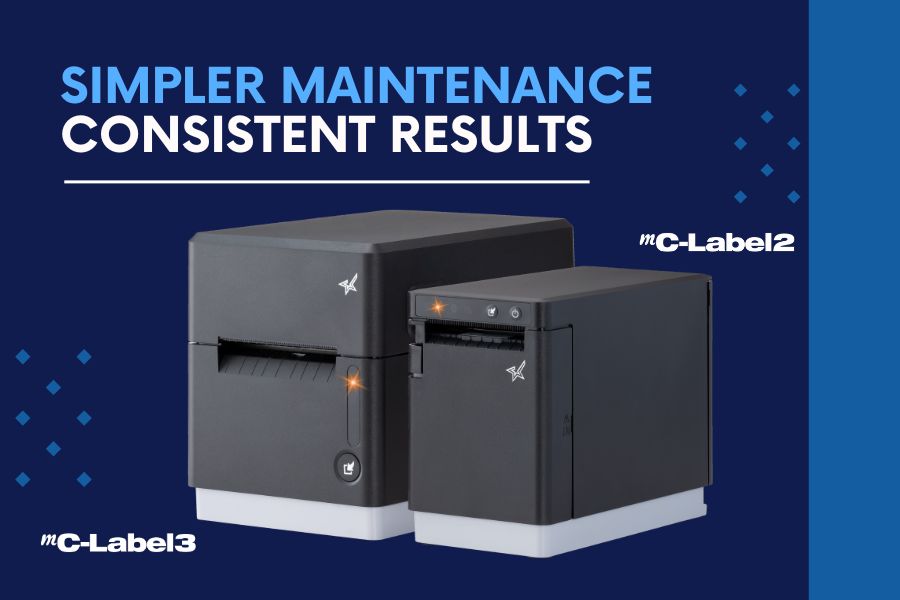
Meet the mC-Label Series: Smarter Label Printer Maintenance, Built In
When it comes to avoiding label printer downtime, the best defense is a device that knows how to take care of itself. That’s why Star Micronics designed the mC-Label multifunction printer series with proactive maintenance tools that keep QSR and retail workflows moving without disruption.
1. Maintenance Alerts
Real-time notifications let staff know exactly when printer maintenance is due before it becomes a problem.
2. Auto-Printed QR Codes
The printer prints a QR code that links directly to simple, step-by-step instructions. No manuals needed.
3. Tool-Free Maintenance
Downtime often starts with small issues, like adhesive buildup or worn components. That’s why Star mC-Label printers are designed with tool-free maintenance in mind.
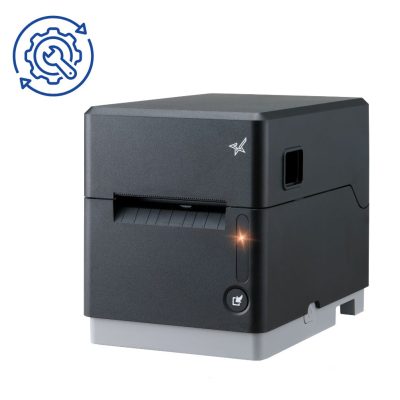
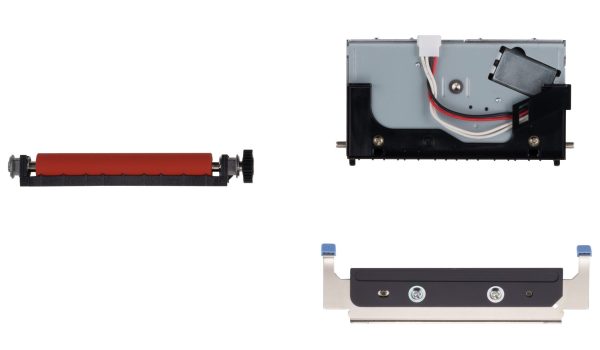
Color-coded parts, including the cutter and platen, are easy to identify, remove, clean, and reinstall without any tools. No technician is required. Your team can handle routine maintenance on the spot without waiting for IT or scheduling a service call. That means less downtime, fewer disruptions, and a label printer that’s always ready to go.
For the mC-Label2 and mC-Label3 multifunction label printers, routine cutter cleaning is simple. If adhesive begins to accumulate on the cutter blade, use the adhesive side of a separate label or linerless label and gently tap it against the blade. This helps remove gum and debris before buildup affects cutting performance.
When components eventually wear over time, Star offers replacement cutter and platen sets so you can restore performance quickly without replacing the entire printer. Fast, user-level maintenance keeps labeling workflows running smoothly, even in high-volume environments.
4. Built for the Front and Back of House
Whether you’re sealing to-go bags, labeling food items, or printing ingredient info, the mC-Label series prints die-cut and linerless labels (with all adhesive strengths) plus receipts, helping you maintain speed, accuracy, and peace of mind.
mC-Label2 Multifunction Printer
The mC-Label2 packs powerful features into a compact, front-loading design, including 300 dpi resolution, support for linerless, die-cut, receipt, and continuous media, and connectivity options like USB-C, LAN, WLAN, Bluetooth, and Apple MFi-certified pairing (X4 models only).
The Star Micronics mC-Label3 is a versatile multimedia printer that prints a wide range of labels and receipts, including both permanent and repositionable sticky linerless. It features cloud connectivity and innovative technologies like SteadyLAN and TetherLAN for enhanced printing convenience.
In today’s high-volume, high-expectation environment, printer downtime is a problem you can’t afford.
Smart maintenance tools like those built into the mC-Label series give operators the confidence that their labeling workflow won’t be derailed by preventable issues. Proactive alerts, guided instructions, and simple part handling turn maintenance from a challenge into an opportunity to keep operations running at their best.
Smarter maintenance enables smarter labeling—and smarter labeling helps QSRs and retailers deliver the speed, accuracy, and trust their customers expect.
Beyond the Label: Elevating Brand Connection and Loyalty
“Beyond the Label” offers insights into innovative labeling techniques that help retailers and restaurateurs captivate and connect with their audience more effectively.
In the latest episode of the Rising Stars Podcast, host Kate Orara is joined by Paul Leduc, CEO of Globe POS Systems, for an insightful discussion on the importance of extended warranties in the POS industry. In “Avoid POS Downtime: Why Your Business Needs an Extended Warranty,” Paul shares his expertise on how businesses can safeguard their POS investments and minimize costly disruptions.
Paul breaks down the most common hardware failures, the true cost of downtime, and how extended warranties help businesses stay operational while reducing unexpected repair expenses. He also discusses how Globe POS partners with Star Micronics to offer seamless warranty solutions that keep retail and hospitality businesses running smoothly.
From reducing downtime to ensuring long-term cost savings, this episode is packed with actionable advice for business owners, ISVs, and resellers looking to perfect their POS system reliability. Whether you run a small retail shop or a multi-location restaurant, Paul’s insights will help you understand how to make the smartest investment in POS hardware protection.
Protect your business from costly repairs
Maximize POS uptime and efficiency
Gain peace of mind with long-term hardware coverage
Immerse yourself in the world of point-of-sale (POS) with the Rising Stars Podcast by Star Micronics, hosted by industry pro, Kate Orara. Twice a month, we explore the fascinating journeys of innovators and businesses navigating the challenges of POS technology’s rapid pace.
In every episode, Kate Orara, Star Micronics’ Partner Development Manager, discusses emerging retail technology trends and strategies with global industry giants. She’s spent her entire career meeting all the right people, and now listeners everywhere can benefit from this vast network of channel gurus.
Always leading and always innovating, Star Micronics, a pioneer in POS and customer experience technology for over 60 years, welcomes you to join us in shaping a brighter future in the retail, hospitality, and cannabis industries.
Kate Orara: Hey there, retail tech enthusiasts! Welcome to the Rising Stars Podcast, your go-to for all things retail tech and point of sale. I’m Kate Orara, Partner Development Manager at Star Micronics, and I’m excited to guide you through this journey. Here, we dive into the latest innovations shaping the retail, hospitality, and cannabis industries. So whether you’re a techie or a business owner, this is your backstage pass to insider knowledge. Join me and the Star Micronics team as we innovate and rise together.
Welcome back to another episode of Rising Stars Podcast! I’m your host, Kate Orara, and I’m really excited for today’s discussion. I have a good friend and industry partner with me—Paul Leduc, CEO of Globe POS. Paul, how are you?
Paul Leduc: I’m great! How are you? Nice to see you again.
Kate Orara: Good to see you too! I’m super excited for today’s conversation. We had a call a couple of weeks ago that really inspired this topic, and I knew we had to bring it to the podcast. We’re talking about something near and dear to my heart—extended service warranties. I have experience in the services industry, working in warranty and non-warranty repair, so I know firsthand how important this topic is.
But before we dive in, I’d love for you to introduce yourself to our listeners. Tell us a little about your experience in the channel and about Globe POS.
Paul Leduc: Sure! I’ve been in the industry for a long time. I started in a software company as a dealer rep across North America, working with a variety of VARs of different sizes and focuses. Before that, I owned a grocery store, so I understand the retail environment firsthand. Over the years, I worked with different dealerships across different states and provinces. About 15 years ago, I decided to acquire Globe POS Systems because I wanted something stable and closer to home while staying active in the industry.
To stay connected, I’ve remained involved in the RSPA (Retail Solutions Providers Association), serving on the board and keeping my ears on the ground for industry trends. I love engaging with resellers and partners and providing assistance wherever I can.
Kate Orara: That’s great! Yes, we both have been involved with RSPA, and it’s such a fantastic organization. If any listeners have questions about RSPA, Paul and I are happy to help!
Now, let’s dive into today’s topic: extended warranties. Our conversation a few weeks ago was about how Globe POS successfully incorporates extended warranties into its overall solution and how that has helped your business. To start, what inspired Globe POS to offer extended warranties on point-of-sale hardware, and how does this address common customer pain points?
Paul Leduc: Years ago, manufacturers didn’t always offer extended warranties, and as a smaller VAR, that posed challenges. We wanted to grow beyond our immediate region while still offering high-level service, but the logistics were difficult. I remember flying out on a Sunday night to replace a hard drive for a customer, which was expensive and time-consuming.
Without extended warranties, service and replacement costs could quickly add up for both us and our customers. It became clear that offering extended service plans was the best way to provide cost-effective, scalable support. When manufacturers started offering warranty add-ons more actively about eight years ago, we fully embraced it. Now, we can ensure that even customers in remote locations get the same level of service and peace of mind.
Kate Orara: That makes so much sense. Having a warranty in place removes a lot of uncertainty for customers and prevents unexpected expenses.
What are some of the key benefits for merchants who opt for extended warranties on their POS hardware? How do these warranties contribute to overall business continuity and cost savings?
Paul Leduc: Beyond peace of mind, the cost savings are significant. One repair on a critical component like a scanner or cash drawer can be costly. Having a warranty means that rather than paying for an expensive repair or replacement, businesses are covered.
Another benefit is faster service. If a business encounters an issue, they have a dedicated support line to troubleshoot first. Many times, it’s a simple fix—like pressing a reset button—but without support, the customer might have sent the unit in for repair, leading to unnecessary downtime.
Extended warranties also ensure that businesses stay operational. If a POS terminal goes down, sales stop, and that’s lost revenue. For industries like hospitality and restaurants, where peak hours are critical, having warranty-backed support can mean the difference between minimal disruption and a full-blown crisis.
Kate Orara: Absolutely! When I worked in services, restaurants would call us in a panic if their systems went down during the dinner rush. Having that warranty-backed support helped them get back up and running quickly.
What are some of the most common POS hardware failures, and how do extended warranties help mitigate these challenges?
Paul Leduc: It really depends on the environment. In restaurants, touchscreens take a lot of wear and tear—grease, spills, and heavy use can lead to dead zones or calibration issues. In retail, the biggest issues tend to be scanners, cash drawers, and occasionally printers.
Having an extended warranty means businesses don’t have to worry about costly repairs. If a scanner is dropped or a cord is damaged, they can quickly get a replacement without extra expenses. It ensures minimal downtime and maintains business continuity.
Kate Orara: That makes sense. Now, let’s talk about how extended warranties work with Star Micronics printers and other hardware. What should businesses know about coverage, response times, and maintenance support?
Paul Leduc: Star Micronics is one of the easiest manufacturers to work with when it comes to extended warranties. The process is simple—when we sell a new printer, we can add the warranty with just a quick call. No complicated paperwork.
If an issue arises, Star provides advanced exchange services. They’ll ship a replacement printer, and the customer just sends the faulty one back. Most issues, however, are solved over the phone. Instead of directing us to a knowledge base, Star’s team actually helps troubleshoot in real time, which saves a lot of frustration.
Kate Orara: That hands-on support is invaluable. As technology continues to evolve, how do you see the role of extended warranties changing in the POS industry?
Paul Leduc: While POS hardware itself is fairly stable, extended warranties will become even more important as businesses rely more on these devices. Many businesses keep their hardware for five to ten years, so offering a long-term warranty makes sense.
The future changes in POS are happening more on the software side with AI and advanced analytics, but hardware remains the foundation of operations. Ensuring longevity and reliability through extended warranties will always be a smart investment.
Kate Orara: Absolutely! Before we wrap up, here’s a curveball question I ask all my guests: If you could change one thing about the channel today, what would it be and why?
Paul Leduc: I’d like to see more manufacturers commit fully to either channel sales or direct sales, rather than doing both. The channel has proven its value, and companies that truly invest in it see long-term success. While some direct sales efforts still exist, I think the channel is in a better position today than it was a decade ago.
Kate Orara: That’s a great perspective. Thank you so much for joining me today, Paul! How can listeners reach out to you if they want to learn more about Globe POS?
Paul Leduc: You can visit our website at globpos.ca for more information.
Kate Orara: Perfect! Thank you again, Paul. I really appreciate your time and insights.
And that’s a wrap for this episode of the Rising Stars Podcast! A huge thanks to our listeners for tuning in. Don’t forget to subscribe, rate, and leave a review—your feedback fuels our journey to bring you the best in retail tech. Stay connected with us on social media for updates and behind-the-scenes content.
As we sign off, remember: the future of retail technology is in our hands, and together, we are shaping it. Keep innovating, keep rising, and until next time, this is Kate Orara signing off. Together, we rise.
With the rise of the Internet of Things (IoT), artificial intelligence (AI), and other advanced technologies, cloud services adoption is becoming increasingly common. Gartner reports that public cloud services spending will grow to $723.4 billion in 2025, up from $595.7 billion last year.
Cloud services benefit different industries in various ways, particularly for cloud point of sale (POS) services. For retailers and restaurateurs, cloud POS services enable managing POS devices and peripherals remotely. Managers can monitor devices to ensure they’re online and operating properly. They may also be able to run diagnostics remotely to address maintenance issues that might be brewing. A cloud POS enables a proactive approach that maximizes uptime rather than reacting when a printer or other device stops working.
Cloud POS services can also make data and tools available to employees across an organization, saving time and ensuring brand consistency.
So, What’s Holding You Back from Using Cloud POS Services?
Even though cloud solutions offer retailers and restaurateurs numerous benefits, it’s common for business leaders to have some concerns. Getting the facts will help you understand how cloud solutions work and the safeguards that are in place so you can move forward confidently. Some of the most important facts you need to know about cloud POS services are:
Cloud POS Services Are Secure
While news of cyberattacks has become common, using cloud POS services doesn’t necessarily increase your risk. Cloud service providers invest heavily in securing their offerings and keeping up with changes in the threat landscape.
In most cases, the security measures the vendor has in place far exceed anything a single retailer or restaurateur could establish. By partnering with a trusted vendor, you can be confident that your data and your business are safeguarded by robust security measures.
Your Data Is Private
Cloud POS services providers are careful to keep each customer’s data private. No other customers have access to your data; they can’t see the label templates you have built or access digital receipts you store to make returns more convenient for your customers. The only people who can access your data are your employees who use the right login credentials.
You Can Work Offline
While accessing your data in the cloud requires a network connection, this doesn’t mean you can’t work when you’re offline. Cloud POS services often provide a way to establish a “hybrid” system where information is stored locally. This allows your employees to access it during network outages and sync when the connection is restored. Cloud service providers ensure that your workflows remain uninterrupted.
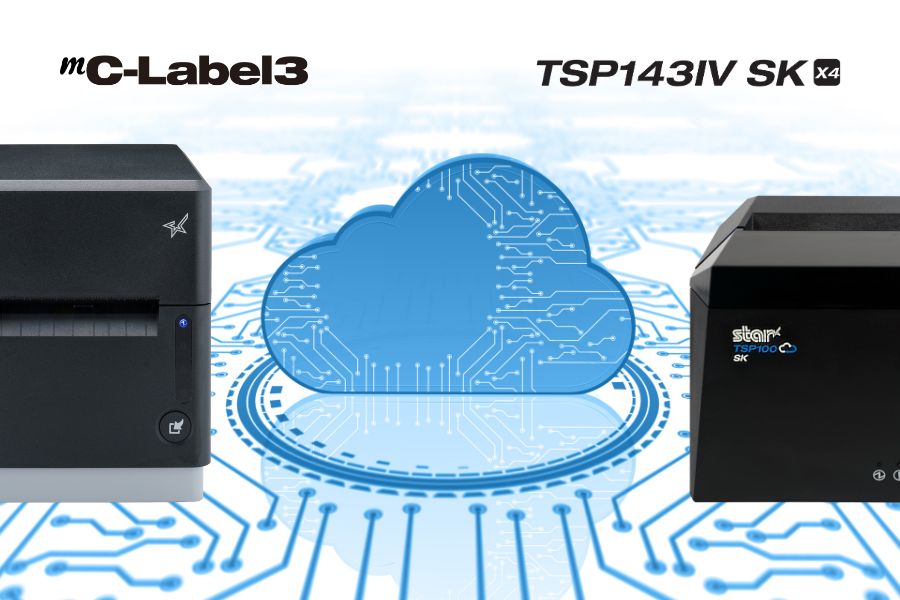
Star Micronics mC-Label3 and TSP143IV SK label printers support CloudPRNT Next for fast cloud printing.
You Can Afford Them
Cost is always a consideration, but with cloud POS services, it’s important to think in terms of total cost of ownership (TCO). You don’t need the same amount of infrastructure on-site to do the same things that a cloud solution does. You use the provider’s resources, not your own servers, for things like data storage, backup, and data security.
When you consider all costs and all cost savings, including gains in operational efficiency, cloud services are generally more cost-effective than on-premises solutions. Furthermore, when it comes to Star Micronics Cloud Services, they’re included at no additional cost with our cloud-ready printers.
They’re Easy to Use
A major concern among business leaders is that cloud POS services may be too challenging for their employees to use. However, a quick demo will demonstrate how easy using cloud services can be. For instance, Star’s PromoPRNT allows you to add promotions to receipts, providing you with a new—and effective—customer engagement tool. You can easily create promotions from templates and manage them from any connected device. For your employees, adding marketing messages to receipts is effortless.
What Is CloudPRNT Next?
If you’re exploring cloud POS options, it’s worth getting familiar with CloudPRNT Next—Star Micronics’ next-generation remote printing technology.
Built on the MQTT protocol, CloudPRNT Next offers faster, more secure, and more scalable communication between cloud applications and printers. Whether you’re printing receipts, orders, labels, or tickets, CloudPRNT Next gives developers and operators the power to:
Print directly from web apps—no middleware or local server required
Receive real-time feedback from the printer (status, errors, confirmations)
Scale easily across locations and devices
Support complex workflows like multi-item labeling or off-premise fulfillment
It’s the ideal solution for ISVs, enterprise foodservice operators, and QSRs looking to streamline remote order fulfillment without sacrificing control or reliability.
What’s Your Next Move?
Once you have a clear understanding of the pros and cons of cloud POS services, you can make an informed decision about their value for your organization. You likely have more questions about how a cloud POS will operate within your organization and the benefits it will provide. The Star Micronics team is here to answer your questions and assist you in selecting the best cloud-ready solution for your company. Contact us today.
Conquering Omnichannel Order Management with Cloud-Based Technology Solutions
Consumers have spoken! The future of retail and hospitality is omnichannel, cloud-based, and connected. Is your business prepared?
In this episode of the Rising Stars Podcast, “Why Businesses Are Moving to Cloud-Based POS – And Why You Should Too,” host Kate Orara explores the growing shift toward cloud-based POS solutions and why businesses are making the transition. Drawing from her expertise as Star Micronics’ Partner Development Manager, Kate highlights how VARs, ISVs, and business owners can leverage cloud POS technology to drive efficiency, lower costs, and keep their operations competitive.
This episode provides valuable insights into the benefits of cloud POS, including real-time data access, scalability, security enhancements, and lower total cost of ownership (TCO)—helping businesses stay competitive in an evolving digital landscape.
The transition to cloud-based POS is reshaping the way businesses manage operations, customer interactions, and multi-location growth. Kate discusses key advantages such as automatic software updates, reduced IT maintenance, and enhanced data security. She also addresses common concerns, including offline functionality, PCI compliance, and data ownership, ensuring businesses understand how to navigate the shift with confidence.
This episode is a must-listen for anyone looking to optimize their POS strategy. Whether you’re a QSR, retail chain, or enterprise business, embracing cloud technology can unlock new efficiencies and set the stage for continued success.
Immerse yourself in the world of point-of-sale (POS) with the Rising Stars Podcast by Star Micronics, hosted by industry pro, Kate Orara. Twice a month, we explore the fascinating journeys of innovators and businesses navigating the challenges of POS technology’s rapid pace.
In every episode, Kate Orara, Star Micronics’ Partner Development Manager, discusses emerging retail technology trends and strategies with global industry giants. She’s spent her entire career meeting all the right people, and now listeners everywhere can benefit from this vast network of channel gurus.
Always leading and always innovating, Star Micronics, a pioneer in POS and customer experience technology for over 60 years, welcomes you to join us in shaping a brighter future in the retail, hospitality, and cannabis industries.
Kate Orara: Hey there, retail tech enthusiasts! Welcome to the Rising Stars Podcast, your go-to for all things retail tech and point of sale. I’m Kate Orara, Partner Development Manager at Star Micronics, and I’m excited to guide you through this journey. Here, we dive into the latest innovations shaping the retail, hospitality, and cannabis industries. So whether you’re a techie or a business owner, this is your backstage pass to insider knowledge. Join me and the Star Micronics team as we innovate and rise together.
Today, we’re diving into an exciting topic that’s all about modernizing the way we do business—the move to cloud-based point-of-sale (POS) systems. Whether you’re a reseller or an independent software vendor (ISV), helping your end users understand the value of moving their POS to the cloud can be a game-changer, not just for their business but for yours too. So, let’s unpack this topic with an upbeat, practical lens.
Accessibility and Flexibility
Here’s the deal: cloud-based POS systems act like the ultimate remote control for business operations. With just an internet connection, business owners can manage sales, track inventory, and even oversee employee performance—no matter where they are.
Think about it: a business owner could be at the beach (lucky them!) or visiting another store location, and they can still pull up real-time sales data on their smartphone or tablet. It’s like having their entire business in their back pocket. That level of flexibility isn’t just a perk—it’s a necessity in today’s fast-paced retail world.
For resellers and ISVs, this is a golden selling point. You’re not just pitching software; you’re offering freedom and control.
Operational Efficiency
Cloud-based systems simplify many day-to-day processes, making them incredibly efficient for end users. Here’s an example: instead of manually updating inventory across multiple stores or platforms, a cloud system updates everything in real time. One click, and boom—inventory is synced. No spreadsheets, no guesswork, no headaches.
What about software updates? Traditional POS systems often require manual updates, leading to downtime. With the cloud, updates happen automatically behind the scenes, ensuring no disruption to business operations. It’s seamless.
As a reseller or ISV, you can confidently position cloud-based systems as tools that make life easier for end users. When businesses operate more efficiently, they grow faster, and that success reflects back on you as a trusted advisor.
Packaging the Benefits for Customers
So, how do you package these benefits into a compelling message for your customers? Here’s the win-win scenario you can paint for the business owner: Moving to a cloud-based POS means they gain freedom, speed, and peace of mind. For you, the reseller or ISV, it’s an opportunity to build deeper relationships, drive recurring revenue through subscriptions, and help your customers stay ahead of the curve.
This isn’t just about selling technology; it’s about being a partner in growth.
When Cloud-Based POS Might Not Be Ideal
Now, before we wrap up, let’s address a common question: Are there businesses where a cloud-based POS might not be the ideal solution? The short answer: yes. While cloud-based systems offer significant benefits, they’re not a one-size-fits-all solution.
Here are a few scenarios where they may not be the best fit:
Businesses in areas with unreliable internet: While many systems offer offline modes, consistent connectivity is essential to fully leverage the benefits of the cloud. In such cases, a hybrid system or a traditional locally hosted POS might be a better choice.
Specialized software or hardware requirements: Certain manufacturing businesses or highly specialized retail environments may use equipment or workflows that require older, on-premise systems.
Small businesses with minimal transactions: While cloud-based POS systems often have a lower total cost of ownership, very small businesses with extremely low transaction volumes may find subscription costs unnecessary compared to basic cash registers or standalone systems.
As resellers and ISVs, your role is to guide end users toward the best solution for their unique situation. Ask thoughtful questions about their infrastructure, location, and operational needs. If a cloud-based system isn’t right for them, they’ll appreciate your honesty, and that trust can lead to future opportunities.
Final Thoughts
To wrap things up, remember: cloud-based POS systems bring tremendous value, but they’re not the answer for every business. Knowing when and why to recommend or not recommend them is what will set you apart as a trusted advisor.
Thank you for tuning in to this episode of the Rising Stars Podcast! If you found today’s discussion valuable, share it with a colleague or post it on your socials. Let’s keep these conversations going! And if you’ve got more questions about cloud-based POS, reach out to me or the team at Star. I’d love to hear from you.
Until next time, stay inspired, stay innovative, and keep reaching for the stars.
And that is a wrap for this episode of the Rising Stars Podcast! A huge thanks to our incredible listeners for tuning in. Don’t forget to subscribe, rate, and leave a review. Your feedback fuels our journey to bring you the best in retail tech. Stay connected with us on social media for updates and behind-the-scenes content.
As you sign off, remember: the future of retail technology is in our hands, and together, we are shaping it. Keep innovating, keep rising, and until next time, this is Kate Orara signing off. Together, we rise.