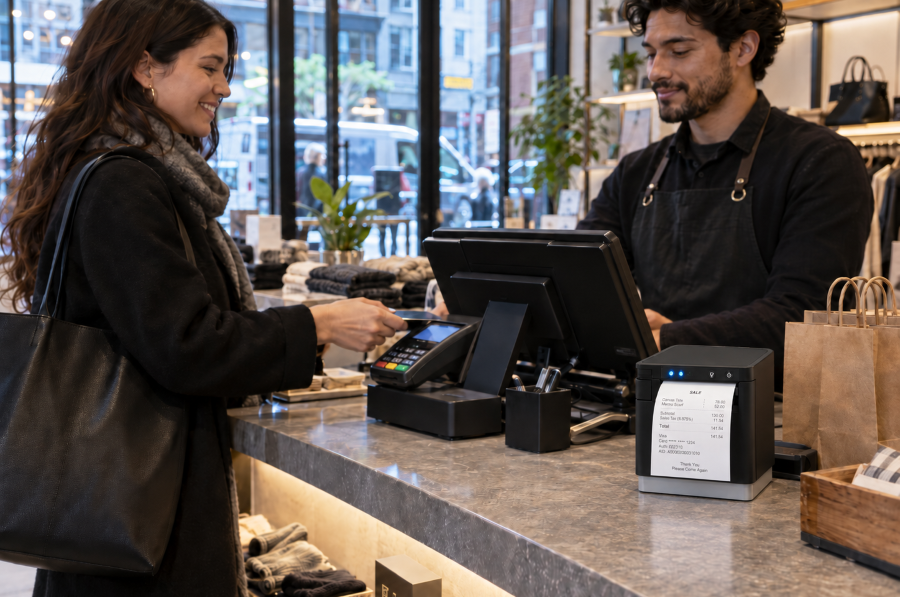
Rundoo’s retail POS connects Star’s TSP143IV thermal receipt printer through StarIO.Online, giving hardware, paint, lumber, farm and feed, and lawn and garden stores flexible receipt printing without drivers, print servers, or a wired connection to the register.
Somerset, NJ – October 8, 2026 – Star Micronics, a global provider of point-of-sale (POS) hardware, cloud printing, and labeling solutions, today announced its integration with Rundoo, an AI-first point-of-sale and business management platform built for independent hardware, paint, farm and feed, lawn and garden, and lumber stores.
Rundoo uses the Star TSP143IV as its standard receipt printer, connecting it to the Rundoo POS through CloudPRNT and StarIO.Online. The network-connected setup eliminates printer drivers and print servers, allowing merchants to print receipts from any device running Chrome, including phones and tablets used across the sales floor.
Modern POS Without Rebuilding the Counter
For merchants moving away from their 20-year-old POS system, replacing familiar hardware and workflows can make a technology upgrade feel more complicated than it needs to be. Rundoo and Star make receipt printing and cash drawer setup a straightforward part of the transition. a straightforward part of the transition.
With the TSP143IV connected to StarIO.Online over the network, Rundoo merchants can:
Print from devices across the sales floor: Any device running Chrome, including phones and tablets, can send receipts to the store’s Star printer.
Skip printer drivers and print servers:Online connects Rundoo with the printer without requiring traditional printer drivers or a dedicated print server.
Connect receipt printing and cash management: The cash drawer connects through the TSP143IV, allowing the same printer to handle receipts and drawer control.
Automatically print online orders: Incoming online orders can print directly to the store’s Star printer as soon as they arrive.
Set up quickly: Star Quick Setup Utility guides merchants through connecting the printer to the network, enabling CloudPRNT, and registering it with StarIO.Online.
StarIO.Online is Star’s fully managed cloud printing service, designed to connect cloud-based applications with Star printers without requiring businesses or software providers to build and maintain their own printing infrastructure.
Store owners replacing a system they’ve used for 20 years expect the hardware transition to be one of the painful parts. With Star, it really isn’t. The printer connects to the network, Rundoo can print to it from devices across the store, and the cash drawer runs through the same printer. Our merchants can focus on learning a better way to run their business instead of worrying about printer drivers, print servers, or complicated setup.
Titus Capilnean, Head of Marketing at Rundoo
Built for the Way Independent Stores Actually Sell
Hardware, lumber, farm and feed, and lawn and garden stores aren’t confined to a traditional checkout lane. Employees may be helping customers at a paint counter, walking a lumber yard, checking inventory in an aisle, or completing a transaction elsewhere in the store.
With Rundoo running in Chrome and receipt printing connected through StarIO.Online, the register no longer has to define where a transaction happens. Staff can work from compatible devices across the sales floor while receipts route back to the store’s TSP143IV.
Independent retailers need modern technology without losing the practical workflows that keep their stores moving. Rundoo is a great example of what cloud-connected printing can make possible. The transaction can move beyond the counter while the receipt printer and cash drawer remain dependable parts of the store’s POS infrastructure.
Christophe Naasz, Global Director of Business Development at Star Micronics
Modernizing More Than the Point of Sale
Rundoo is live in more than 500 stores across the United States and Canada, providing independent merchants with POS and business management technology built specifically for their industries.
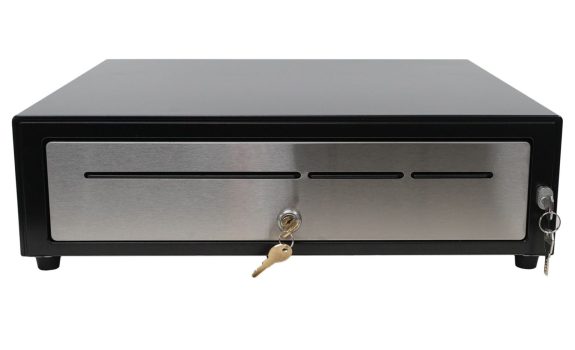
By combining Rundoo’s software with Star’s TSP143IV thermal receipt printer, CD4 cash drawer, and StarIO.Online cloud printing, merchants can modernize checkout without adding unnecessary printing infrastructure or tying every transaction to a fixed register.
For more information about Star Micronics retail POS solutions, visit starmicronics.com.
Rundoo is an AI-first point-of-sale and business management platform built for independent hardware, paint, farm and feed, lawn and garden, and lumber stores. Used by more than 500 independent stores across the U.S. and Canada, Rundoo brings point-of-sale, inventory, purchasing, pricing, customer management, vendor catalogs, reporting, and AI-powered tools into one system. Its platform is designed around the specialized workflows of independent supply stores, helping merchants manage everything from contractor accounts and complex inventory to purchasing and day-to-day store operations.
Star Micronics is a global provider of point-of-sale (POS) hardware, cloud printing, and labeling solutions that help businesses connect digital workflows to real-world operations. Serving retail, hospitality, healthcare, and service industries, Star delivers printing, labeling, cash management, self-service, and cloud-based technologies designed to support scalable, connected, and automated environments. Star’s solutions support Android, iOS, Windows, and web-based platforms and extend into the cloud through services such as CloudPRNT Next and StarIO.Online, Star’s fully managed cloud printing service.
Proof of purchase gives customers a record of what they bought, how much they paid, and when the transaction occurred. Retail receipts are commonly used for returns and exchanges, warranty claims, expense reports, bookkeeping, and purchase disputes.
In New York City, sellers must offer a receipt for retail purchases of $20 or more and provide one upon request for purchases between $5 and $20. Receipts must also contain specific transaction and business information. For retailers, compliance requires more than printing a slip of paper. Receipt templates, POS rules, employee procedures, and printer output must all produce accurate proof of purchase when required.
Proof of purchase documents the transaction for both the customer and the retailer. A complete retail receipt can help resolve common post-purchase questions and disputes, including:
Returns and exchanges: Confirms the item purchased, transaction date, price paid, and whether the request meets the retailer’s return policy.
Warranties: Verifies the purchase date, product details, and eligibility for repair, replacement, or other warranty coverage.
Expense reports and bookkeeping: Provides an itemized record of the seller, purchase date, amount paid, and taxes.
Chargebacks and purchase disputes: Supports the retailer’s transaction records and may help respond to inaccurate or fraudulent claims.
When Are Retailers Required to Provide Proof of Purchase in NYC?
Under 6 RCNY § 5-32, New York City sellers must offer a receipt for any retail purchase of $20 or more. For purchases between $5 and $20, the seller must provide a receipt when the customer requests one. These requirements are enforced by the New York City Department of Consumer and Worker Protection.
The general rule does not apply to food or drinks intended for on-premises consumption or to oil, gasoline, or parking fees paid in cash. However, sellers must provide a receipt upon request when one of these purchases exceeds $5. For food or drinks sold for off-premises consumption, a register tape showing the seller’s name, purchase date, and individual item prices may serve as the receipt.
What Information Must Appear on NYC Retail Receipts?
NYC retail receipt requirements specify what stores must include with proof of purchase:
The amount paid for each item
The total amount paid, with tax listed separately
The purchase date
The retailer’s legal name and address
The DCWP license number, when applicable
The make and model of audio, photographic, or video equipment costing more than $100
The law also states what retailers cannot include on a receipt, i.e., more than the last 5 credit card digits or the payment card’s expiration date.
Paper Receipts vs. Digital Receipts
Paper and digital receipts can both give customers a record of a purchase. NYC rules specify when retailers must offer or provide a receipt and what information it must contain, but they do not expressly state whether electronic delivery alone satisfies the requirement. Retailers using digital receipts should confirm that their process complies with current NYC guidance.
Digital receipts may work well when customers choose delivery by email, text, or app and can receive the record immediately. Paper receipts remain important when a customer does not provide digital contact information, wants proof of purchase at the point of sale, or cannot access a digital receipt.
Paper receipts may be preferable when:
Digital receipts may be preferable when:
The customer pays with cash and provides no digital contact information.
The customer chooses delivery by email, text, or an app.
The customer wants immediate proof of purchase for an exit check, return, or expense report.
The customer wants a searchable record for budgeting, returns, or bookkeeping.
Internet access or digital delivery is unavailable or unreliable.
The retailer can confirm that the receipt was delivered promptly.
The customer specifically requests a printed copy.
The customer prefers not to receive paper.
Retailers that offer digital receipts should maintain a dependable printing option for customers who request paper or cannot access an electronic copy. Any receipt provided should include the required transaction and business information and protect payment card data.
Are There Penalties for Violating NYC Retail Receipt Requirements?
Retailers that fail to follow NYC receipt requirements may face a consumer complaint, a civil penalty, and problems resolving questions after the sale.
Omits required transaction or business information
Lists prices or taxes incorrectly
Displays prohibited payment card information
NYC business guidance lists a fine of $150 to $350 for failing to provide a required receipt or issuing an incomplete one. A complaint does not automatically establish a violation. DCWP may review the complaint and pursue enforcement when warranted.
Business Consequences
Missing or incomplete proof of purchase can turn a routine return, warranty claim, or price question into a dispute. Customers may be unable to confirm what they paid, how much tax was charged, or when the transaction occurred.
If the retailer cannot resolve the issue, the customer may dispute the charge with their card issuer or decide not to return. These problems also create more work for employees and can make customers question whether the retailer’s sales practices are transparent.
How Can Retailers Comply with NYC Retail Receipt Requirements?
Compliance depends on more than having a receipt printer. Retailers need accurate POS rules, approved receipt templates, trained employees, and a process for checking that receipts print correctly.
Configure NYC Receipt Rules in the POS System
Configure the POS system and employee procedures to reflect when receipts must be offered or provided:
Account for exceptions involving food consumed on-site and certain cash payments for gasoline, oil, or parking.
Train employees to recognize and respond to receipt requests.
Standardize Required Receipt Information Across Locations
Multi-location retailers should use an approved receipt template containing the required purchase, tax, and business information. Each receipt should display the correct store address and DCWP license number when applicable, while keeping prohibited payment card information masked.
Manage template updates centrally so every store and register receives the same changes when tax settings, business information, or receipt requirements are updated.
Test Receipt Output and Plan for Outages
Print sample receipts from every register and location to confirm that:
Required transaction and business information appears correctly.
Taxes are listed separately.
Payment card information is properly masked.
Store-specific details are accurate.
The receipt prints clearly and completely.
Repeat these checks after changes to POS software, hardware, taxes, or receipt templates. Retailers should also establish a backup process for issuing proof of purchase during printer, POS, network, or cloud service outages.
What Features Should Retailers Look for in a Receipt Printer?
The POS system or application controls receipt content, but the printer must reproduce that information clearly and consistently. Retailers should evaluate:
POS and software compatibility: Confirm that the printer works with the retailer’s POS platform, operating systems, devices, and cloud applications.
Appropriate connectivity: Match USB, Ethernet, WLAN, or Bluetooth connectivity to the checkout setup and store layout.
Fast, legible printing: Required purchase details, taxes, barcodes, and return information should print clearly without slowing checkout.
Simple operation: Employees should be able to load paper, identify errors, and complete routine maintenance quickly.
Proven reliability: Review printhead and cutter ratings, warranty coverage, technical support, and access to drivers and documentation.
Receipt formatting support: Make sure the POS system can include required proof-of-purchase information while keeping promotions and loyalty messaging separate.
Star Receipt Printers for Retail Environments
Star Micronics offers several receipt printers suited to retail checkout and proof-of-purchase applications:
TSP143IV: A compact thermal receipt printer with wired and wireless model options, cloud-printing support, and rapidSYNC Wi-Fi setup on X4 models.
mC-Print3: A compact front-loading receipt printer with connectivity options for fixed, mobile, and cloud-connected POS environments.
Retailers should compare POS compatibility, connectivity, available counter space, print volume, and cloud-printing requirements before choosing a model.
Support NYC Receipt Compliance with Reliable Printing
NYC receipt compliance depends on accurate POS rules, complete receipt content, and reliable printing. When those elements work together, customers receive a clear record of the transaction that they can use to verify charges, make returns, submit warranty claims, or maintain financial records.
Retailers should consider POS compatibility, connectivity, store layout, print volume, and backup procedures when choosing a receipt printer.
The 5 Best Star Receipt Printers for Retail, Restaurants, and More
From compact receipt printers for front counters to rugged models for high-volume kitchens, this guide breaks down the five best options to help you choose the right fit.
Frequently Asked Questions About Proof of Purchase and NYC Retail Receipt Laws
What counts as proof of purchase under NYC retail receipt rules?
For purposes of NYC retail receipt requirements, proof of purchase is a receipt containing the required information about the seller and transaction. For food or drinks sold for off-premises consumption, a register tape showing the seller’s name, purchase date, and individual item prices may serve as the receipt.
When must NYC retailers offer or provide a receipt?
Retailers must offer a receipt for purchases of $20 or more. For purchases between $5 and $20, they must provide one when the customer asks.
Different rules apply to food or drinks consumed on the premises and to oil, gasoline, or parking fees paid in cash. For these transactions, the seller must provide a receipt upon request when the purchase exceeds $5.
What information must appear on an NYC retail receipt?
A compliant NYC retail receipt must include:
The business name and address
The DCWP license number, when applicable
The amount paid for each item
The total amount paid, with tax listed separately
The purchase date
The make and model of audio, photographic, or video equipment costing more than $100
A receipt cannot show a payment card’s expiration date or more than its final five digits.
Which businesses and transactions are covered by NYC receipt requirements?
The rule generally applies to sellers making retail sales of goods or services to consumers in New York City. It includes specific exceptions for food or drinks consumed on-site and cash payments for oil, gasoline, or parking, although customers may still request receipts for those purchases when the total exceeds $5. Other industries may also be subject to separate receipt or recordkeeping requirements.
Does NYC require a paper receipt, or can retailers provide a digital receipt?
NYC’s published rule specifies when a receipt must be offered or provided and what it must contain, but it does not expressly state whether electronic delivery alone satisfies the requirement. Retailers using digital receipts should confirm their process with DCWP or legal counsel and maintain a reliable way to print a receipt when a customer requests or needs one.
What happens if a retailer provides an incomplete or noncompliant receipt?
Customers may file a complaint with DCWP over an incomplete, incorrect, or illegal receipt. NYC business guidance lists fines of $150 to $350 for failing to provide a required receipt or providing an incomplete one. A complaint does not automatically establish a violation; DCWP may review the matter and pursue enforcement when appropriate.
How can retailers update their POS systems for NYC receipt compliance?
Retailers should configure the POS system to prompt employees to offer or provide receipts at the correct transaction amounts. They should also:
Create an approved template containing all required receipt information.
Add accurate location-specific business and license details.
Mask prohibited payment card information.
Test receipt output at every register.
Retest after software, tax, hardware, or template changes.
Train employees on receipt requests and applicable exceptions.
For multi-location retailers, managing templates centrally can help prevent individual stores from using outdated receipt information.
Employees increasingly use smartphones and tablets to manage inventory, look up products, process orders, and complete other work away from a desk. Creating labels, however, can still require a trip back to a computer.
A missing barcode, updated price, new expiration date, or incoming product may mean stopping the task, opening desktop labeling software, finding the right template, entering the information, and sending the label to a printer.
A mobile label printing app removes the desktop from that process. Employees can create, edit, and manage labels on a smartphone or tablet, then send them to a compatible label printer from the same device.
For businesses that create labels throughout the day, that means the information can be entered while the employee is already working with the product, shelf, package, or food item that needs the label.
A mobile label printing app is software for creating, editing, managing, and sending labels from a smartphone or tablet to a compatible label printer.
Depending on the app, users may be able to:
Create and save label templates
Enter or update product information
Add prices, dates, SKUs, quantities, and other variable data
Generate barcodes and QR codes
Add logos and images
Import product information
Organize frequently used labels
Send completed labels to a connected printer
The app handles label creation and product information, while the compatible label printer produces the finished label.
Why Move Label Creation Away from the Desktop?
Consider an employee conducting an inventory count who finds an item with a damaged barcode label.
In a desktop-based process, that employee may need to:
Stop the inventory count
Walk to a computer
Open the labeling program
Find the correct product or label template
Enter or verify the product information
Send the label to the printer
Collect the new label
Return to the product
The same thing can happen when an employee discovers an outdated shelf price, needs an expiration label in a food prep area, or receives merchandise without the correct identification.
Each interruption may be short. The problem is how often the process is repeated.
A mobile label printing app lets the employee work with the label information while the product, package, shelf, or food item is still in front of them. That can eliminate several steps between identifying a labeling need and producing the replacement label.
What Can You Do with a Mobile Label Printing App?
The exact capabilities vary by app, but several functions are particularly useful when moving label creation away from a desktop.
Create and Reuse Label Templates: Frequently used layouts can be saved rather than recreated for each print job. A business might maintain separate designs for product labels, price labels, food rotation labels, inventory labels, or other applications. Employees can select the appropriate design and change only the information that varies.
Update Variable Information: Many labels contain information that changes even when the basic design stays the same. Updating those fields from a mobile device allows the employee to verify the information against the actual item before the label is sent to the printer. Changes or updates may include:
Product name
SKU
Price
Date
Expiration date
Quantity
Lot number
Size
Color
Location
Create Barcode and QR Code Labels: A mobile label printing app can also support barcode label printing and QR code creation. That is useful for product identification, inventory tracking, pricing, asset identification, order information, and other workflows in which information needs to be scanned later.
Add Images and Branding: Logos, product images, icons, and other graphics can be incorporated into label designs when the application requires more than text and barcodes. This can be useful for product packaging, branded merchandise, specialty products, or labels customers will see.
Import Product Data: For businesses managing more than a handful of items, importing structured product data can be faster than manually creating every record on a mobile device. The appropriate import method depends on the app and what is being imported. Product information and label designs, for example, are two different types of data and may require different formats.
Where Can Mobile Label Printing Apps Be Used?
The value of a mobile label printing app becomes clearer when the employee creating the label is not normally sitting at a desk.
Inventory and Restocking Labels
Employees can create or replace inventory labels while receiving, counting, moving, or restocking products. If an item arrives without a barcode or an existing label is damaged, the employee can prepare the replacement while working with the product rather than making a note to fix it later.
Product, Price, and Shelf Labels
Retail employees can create product identification labels, price labels, shelf labels, and markdown tags while working on the sales floor. That is particularly useful when prices or product information need to be updated across multiple shelves or departments.
Food Preparation and Rotation Labels
Restaurants, grocery stores, convenience stores, and other food businesses can use mobile label creation for:
Food identification labels
Product rotation labels
Expiration or use-by dates
Ingredient information
Grab-and-go labels
Prepared food labels
An employee working in a prep or storage area can enter the relevant information there and send the completed label to a compatible printer nearby.
Labels can also be created for packages, orders, catering items, pickup orders, or other items moving through a fulfillment process. Clear identification can help employees distinguish between similar orders, products, or packages before handoff.
Asset and Equipment Labels
Employees performing an inventory audit, equipment installation, or maintenance check can create identification labels for tools, electronics, equipment, and other assets while they are working with the item.
Branded Product and Packaging Labels
Small retailers, specialty businesses, makers, and other sellers can use label templates for product names, pricing, logos, or other branding applied to merchandise and packaging.
What Should You Look for in a Mobile Label Printing App?
The right app depends on what employees need to print and how product information is managed. Before choosing a solution, consider the following:
1. Mobile Device Support
Check which operating systems and devices the app supports. If employees use iPhones or iPads, for example, confirm that the application supports the required versions of iOS or iPadOS.
2. Label Template Controls
Consider whether users can create their own templates, customize prebuilt designs, save frequently used layouts, and control which information employees are allowed to change.
3. Variable Data and Product Management
If labels frequently change by item, the app should provide a practical way to manage information such as SKUs, prices, dates, quantities, and other fields. For larger product lists, data import can reduce repetitive manual entry.
4. Barcode and QR Code Support
Businesses using labels for scanning should verify which 1D and 2D barcode formats are supported and whether barcode data can be populated from product records.
The app and printer must be able to communicate through a supported connection such as Bluetooth or a local network. This is separate from whether the employee’s phone or tablet is physically close to the printer. A network connection may allow employees to send labels to a printer located elsewhere in the work area.
6. Printer and Media Compatibility
The printer ultimately determines the label widths, media types, resolution, and other physical output options available. The application and printer therefore need to be considered together rather than as separate purchases.
How Does the Star Label Print App Work?
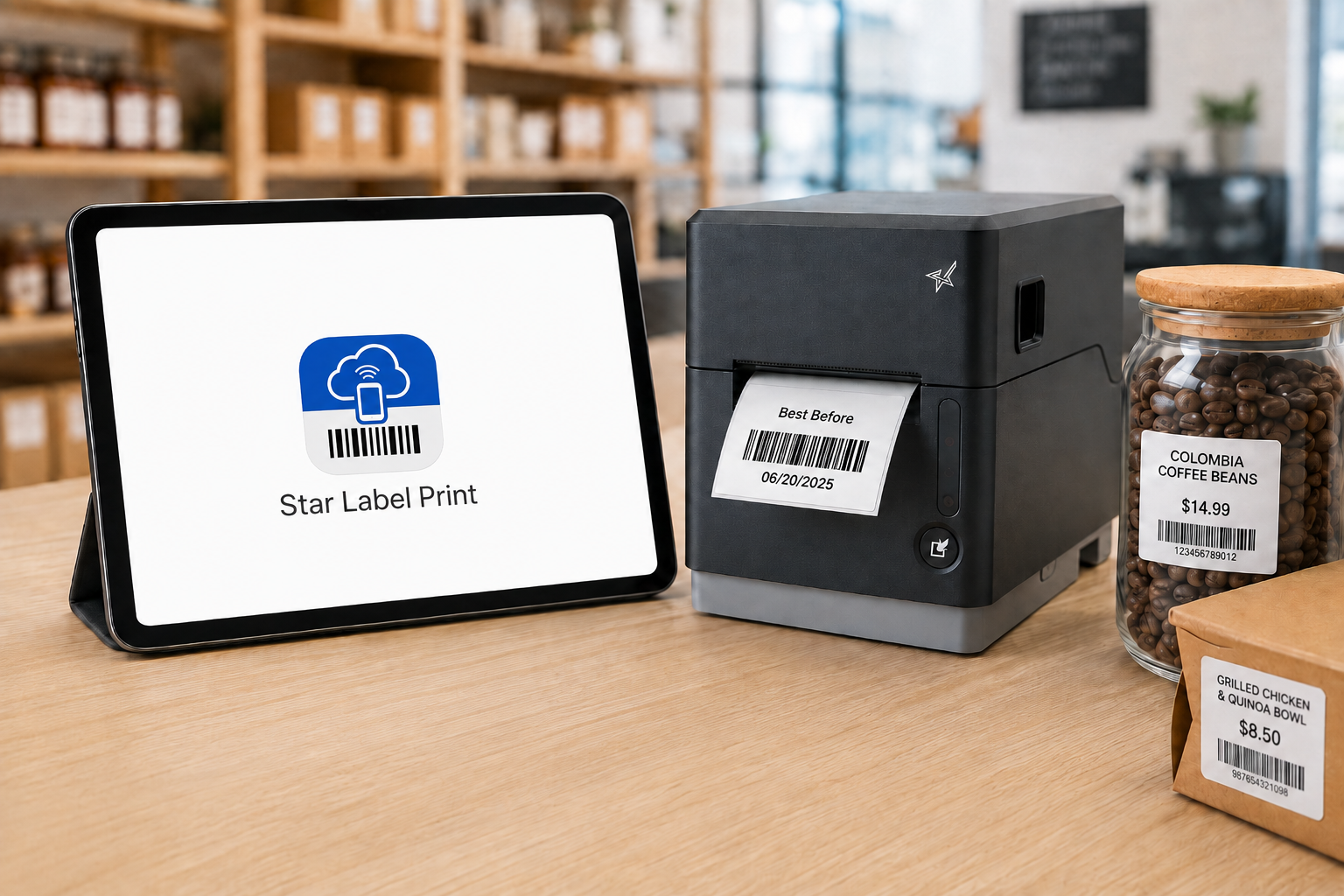
Star Label Print is Star Micronics’ mobile label printing app for iPhone and iPad. It allows users to create and manage labels on a mobile device and send them to a compatible Star label printer over LAN or Bluetooth.
The app can be used without a separate desktop labeling program for routine label creation and printing.
Users can create their own designs or customize pre-designed templates, enter individual product information, save labels for later use, and manage product data within the app.
Organize Products into Groups, Categories, and Items
Star Label Print organizes product information into three levels:
Groups → Categories → Items
A retailer, for example, could create a group for a department, categories for different product types, and individual items within each category.
That gives employees a structured way to locate the product they need rather than searching through an unorganized collection of labels.
Design Labels in the App
Users can build and edit label layouts on the mobile device. Label designs can include elements such as:
Text
Barcodes
QR codes
Images
Lines
Shapes
Variable product information
Frequently used designs can be saved so employees do not have to rebuild the layout whenever another label is needed.
Import Product Information with CSV Files
Star Label Print supports CSV import for businesses that already maintain product information in a spreadsheet or another structured data source. Instead of manually entering each item individually, product information can be imported into the app. The fields in the CSV need to correspond with the fields used by the label template.
This makes CSV particularly useful when a business needs to prepare labels for a larger product catalog.
Capture Item Information with a Camera
Star Label Print also provides an image-based option for adding or editing item information. A user can take a photo with the iPhone or iPad or select an existing image and use optical character recognition, or OCR, to read information from it.
OCR controls allow the user to determine which information should be captured and adjust settings such as language and sensitivity. For example, an employee replacing an existing product label may be able to capture information from that label rather than typing every field from scratch.
JSON Label Design Import for ISVs and Developers
Star Label Print also supports importing label designs using JSON. This capability serves a different purpose from CSV import. CSV import is for product and item data. JSON import is for the label design itself.
The JSON capability is primarily relevant to ISVs, developers, and organizations that want to prepare predefined label designs for business owners. Rather than asking each employee or location to manually recreate a particular layout in the app, a developer can define the required label structure and make that design available for import.
Required design parameters include information such as the design title, media dimensions, and print dimensions. This gives Star Label Print two distinct ways to bring outside information into the app:
CSV: Import the information that changes from product to product.
JSON: Import the structure and design of the label.
For most everyday employees, CSV product management and the app’s built-in label editor will be the more relevant functions. JSON provides another option when an ISV or developer is involved in defining the labeling workflow.
Create the Label Where the Information Is
The main advantage of a mobile label printing app is not that the printer moves. It is that the employee no longer has to bring every labeling task back to a desktop computer.
A damaged barcode can be addressed while counting inventory. A price can be updated while an employee is standing at the shelf. A food label can be created in the prep area. A product label can be prepared while merchandise is being received. The smartphone or tablet handles the label creation. The compatible label printer handles the physical print.
With Star Label Print, businesses using supported Star printers can bring those two parts of the workflow together without requiring a desktop computer for every label.
Frequently Asked Questions About Mobile Label Printing Apps
What is a mobile label printing app?
A mobile label printing app is software that allows users to prepare labels on a smartphone or tablet instead of using desktop labeling software.
Depending on the app, users may be able to create templates, enter product information, generate barcodes or QR codes, import data, and send the completed label to a compatible printer.
Can an iPhone or iPad be used to create labels?
Yes. A compatible label printing app can turn an iPhone or iPad into the interface used to design, edit, and manage labels.
The mobile device then sends the completed print job to a separate compatible label printer.
What is the Star Label Print app?
Star Label Print is a mobile label printing app from Star Micronics for iPhone and iPad. Users can create and save label designs, manage product information, create barcodes and QR codes, import product data, and send labels to compatible Star printers.
Which operating systems support Star Label Print?
Star Label Print is currently available for iPhone and iPad, requiring iOS 17.0 or later or iPadOS 17.0 or later. The app is not currently available for macOS, Android, Windows, or Linux.
Can Star Label Print import product information?
Yes. Star Label Print supports CSV import for product and item information.
Businesses can use a CSV file to bring multiple product records into the app rather than entering each item individually. The CSV fields need to correspond with the fields used by the applicable label template.
What is JSON import used for in Star Label Print?
JSON import is used to bring a label design into Star Label Print rather than product data.
This feature is primarily intended for ISVs, developers, and organizations that want to create predefined label layouts that can then be imported by users.
CSV and JSON therefore serve different purposes: CSV handles product information, while JSON handles label design.
Can Star Label Print create barcode and QR code labels?
Yes. Star Label Print supports barcode and QR code elements that can be incorporated into label designs along with text, images, shapes, and variable product information.
What can Star Label Print be used to label?
Star Label Print can support applications such as product and price labels, shelf labels, markdown tags, inventory and restocking labels, food expiration and ingredient labels, barcode labels, and branded product or packaging labels.
Which printers support Star Label Print?
Star Label Print currently supports the TSP100IV SK with firmware 2.0 or later, mC-Label3 with firmware 1.0 or later, and mC-Label2 with firmware 1.0 or later.
The printer must also use a connection supported by the app, such as LAN or Bluetooth.
As digital payment options continue to expand, some businesses are considering going cashless. Mobile wallets, contactless cards, QR codes, buy now, pay later (BNPL), and even cryptocurrency offer customers more ways to pay while helping merchants speed up checkout and reduce cash handling.
However, cash remains an important payment method for millions of consumers. In response, a growing number of states and cities have enacted cash acceptance laws that require certain businesses to accept cash for in-person purchases. Understanding where these laws apply and implementing effective cash management practices can help merchants stay compliant while serving customers who choose to pay with cash.
Cash is no longer the most common payment method in the United States, but it remains an important part of the payment landscape. According to the Federal Reserve Financial Services’ 2026 Diary of Consumer Payment Choice, consumers use debit and credit cards for about two-thirds of transactions, while cash accounts for about one in seven payments. Although cash use has fallen by roughly half since 2016, it has remained relatively stable over the past six years despite the continued growth of digital payment options.
Cash also remains more common among certain groups. Adults over age 55, rural consumers, and households earning less than $25,000 per year are more likely to pay with cash than other demographics.
The study also found that:
76% of consumers carry cash, averaging $69 on hand.
45% keep cash in reserve for emergencies, averaging $364.
90% expect to continue using cash in the future.
These findings help explain why many lawmakers continue to support cash acceptance laws. While digital payments continue to grow, cash remains an essential payment option for millions of consumers.
Why Are States Passing Cash Acceptance Laws?
As more businesses choose to go cashless, lawmakers in several states and cities have enacted cash acceptance laws to ensure consumers can continue using U.S. currency for in-person purchases.
These laws are intended to prevent businesses from excluding customers who rely on cash, including:
People without access to banking services or digital payment methods
Older adults, who are more likely to use cash for everyday purchases
Consumers who prefer cash for privacy or budgeting
Individuals who keep cash on hand for emergencies or unexpected situations
While the purpose of these laws is consistent, the specific cash acceptance requirements vary by state and city.
For merchants, that means understanding whether cash acceptance laws apply where they operate and implementing cash management practices that help them remain compliant.
Where Are Businesses Required to Accept Cash?
Several states and cities have enacted cash acceptance laws requiring certain businesses to accept cash for in-person transactions. While the requirements and exemptions vary, merchants should understand the laws that apply where they operate.
States with Cash Acceptance Laws
Massachusetts was the first state to require merchants to accept cash, passing legislation in 1978. More recently, additional states have adopted similar laws:
2019: New Jersey and Rhode Island
2021: Colorado and Connecticut (Connecticut exempts parking facilities and wholesale clubs.)
2022:
Delaware (exempts major entertainment and sports venues)
Oregon (allows merchants to refuse certain denominations, such as $50 and $100 bills)
Tennessee (requires merchants to accept cash for all transactions)
Includes penalties of up to $1,000 for non-compliance
Cities with Local Cash Acceptance Laws
Several cities also require businesses to accept cash, even if their states have not adopted statewide legislation, including:
Philadelphia
San Francisco
Detroit
Washington, D.C.
Several states and cities have enacted cash acceptance laws requiring certain businesses to accept cash for in-person transactions.
How to Optimize Cash Management
Whether a business is required to accept cash under cash acceptance laws or chooses to offer cash as a payment option, an effective cash management strategy helps improve security, accountability, and cash handling consistency.
Choose the Right Cash Drawer
Start by selecting a cash drawer that fits your business’s needs. Consider:
Cash volume your business handles each day
Security requirements for your environment
Access control options for employees
Till configurations that support your preferred bill and coin organization
Choosing the right cash drawer supports faster cash transactions and more secure cash handling.
Establish Cash Handling Best Practices
Develop clear procedures for handling cash throughout the day. Employee training should include:
Scheduled cash drops
Secure transport from the cash drawer to the safe
End-of-shift balancing procedures
Policies for handling discrepancies
Consistent processes help reduce theft, errors, and unnecessary losses.
Control Cash Drawer Access
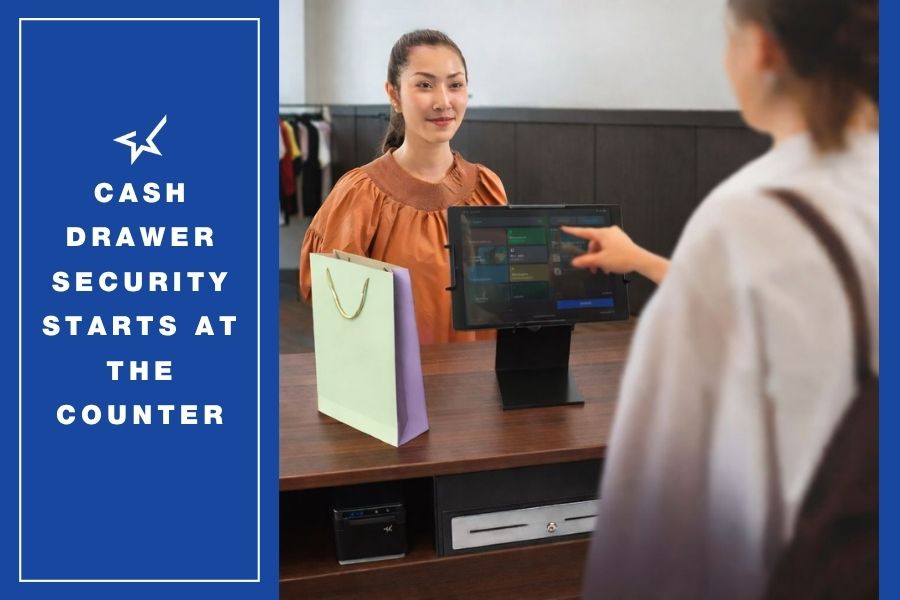
Connecting the cash drawer to the POS system helps improve both security and accountability. The drawer opens only when triggered by a cash sale or receipt printing and remains locked unless a manager authorizes a refund, void, or other exception.
POS-controlled access also creates a clear record of which employee accessed the drawer, making discrepancies easier to investigate.
Perform Regular Cash Drawer Audits
Regular audits help verify that drawers balance correctly and that employees are following established cash management procedures. Reviewing cash activity routinely can identify process issues early and reinforce accountability across the team.
Comply with Cash Acceptance Mandates Efficiently and Effectively
Cash acceptance laws require many businesses to continue accepting cash, even as digital payments become more common. Complying with those requirements starts with reliable cash management.
A secure cash drawer, controlled access through the POS system, and consistent cash handling procedures help businesses accept cash efficiently, reduce discrepancies, and maintain accountability at the checkout.
Cash Management Solutions from Star Micronics
Businesses that accept cash need hardware that helps secure the till, control drawer access, and improve accountability. Whether complying with cash acceptance laws or simply providing customers with more payment options, the right cash management solution can help businesses manage cash more securely and efficiently.
Star Micronics offers cash management solutions for retail, restaurants, hospitality, and other service businesses, including:
CD5 Max Series Cash Drawers: Built for high-volume cash transactions, these durable cash drawers provide dependable performance and multiple configuration options to support secure cash handling.
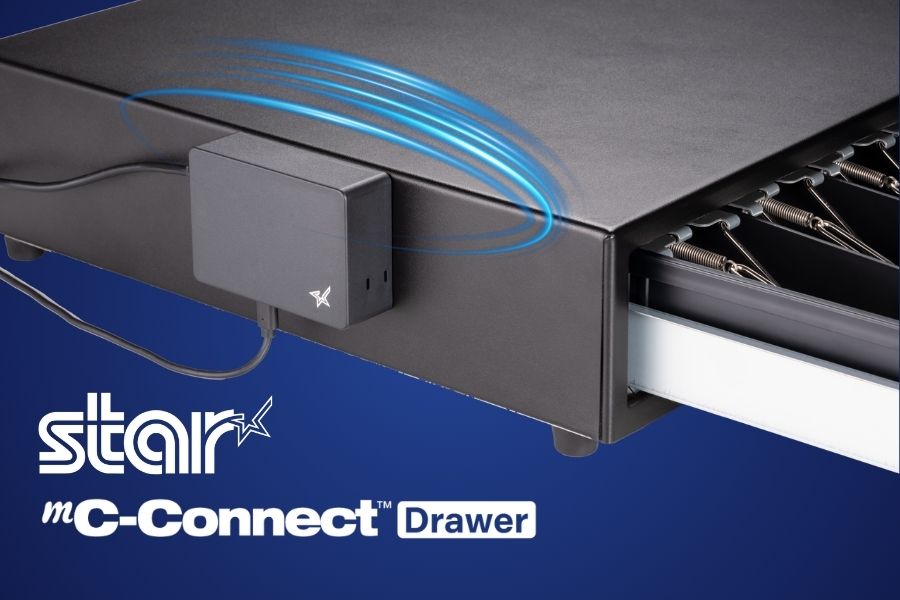
mC-Connect Drawer: Add USB, Ethernet, Wireless LAN, and Bluetooth® Low Energy connectivity to cash drawers with standard RJ-12 connectivity. The mC-Connect Drawer enables direct communication with POS systems, tablets, mobile devices, and cloud applications while continuing to support traditional printer-driven cash drawer setups.
CD5 Max Series Cash Drawers
Designed for high-cash volume businesses, the CD5 Max Series cash drawers deliver durability, security, and sleek design. With all-steel construction, dual lock mechanisms, and under-till compartments for added organization, these drawers are ideal for grocery stores, cannabis dispensaries, and other busy retail settings. Available in multiple sizes and with dual DK and USB interface options.
From traditional POS terminals to modern tablet- and cloud-based systems, Star’s cash management solutions help businesses accept cash securely, control drawer access, and maintain accountability throughout the checkout process.
Frequently Asked Questions About Cash Acceptance Laws
Are businesses legally required to accept cash?
Not always. Cash acceptance laws vary by state and city, so merchants should determine whether the laws apply where they operate. For example, New York’s statewide law requires many retail establishments, food stores, and consumer service businesses, such as hair salons and auto repair shops, to accept cash for in-person purchases. However, some businesses, including legal, accounting, and B2B consulting services, are exempt.
Which states require businesses to accept cash?
Several states have enacted cash acceptance laws, including Massachusetts, New Jersey, Rhode Island, Colorado, Connecticut, Delaware, Oregon, Tennessee, Montana, and New York. Some cities, including Philadelphia, San Francisco, Detroit, and Washington, D.C., also have local cash acceptance requirements. Because these laws continue to evolve, merchants should verify the requirements where they operate.
Are there exemptions to cash acceptance laws?
Yes. Some jurisdictions allow exemptions or restrictions. For example, Oregon allows merchants to refuse certain bill denominations, while Connecticut exempts parking facilities and wholesale clubs. Merchants should review applicable laws and seek legal guidance when establishing cash acceptance policies.
Why are states passing cash acceptance laws?
Many lawmakers view cash as an essential payment option for consumers who do not have access to banking services, prefer using cash for privacy or budgeting, or keep cash available for emergencies. Cash acceptance laws help ensure these consumers are not excluded from making in-person purchases.
How can merchants that accept cash reduce theft and employee fraud?
Connecting the cash drawer to the POS system helps improve security and accountability. The drawer opens only for authorized transactions, employee activity is recorded, and managers can review transaction logs and reconciliations to identify discrepancies more quickly.
What technologies improve cash management?
In addition to secure cash drawers and cash drawer controllers, merchants can improve cash management with smart safes, counterfeit detection devices, POS reporting tools, and analytics that reduce manual handling and improve visibility into cash flow.
How can a POS system improve cash handling accountability?
A POS system records every cash transaction, identifies the employee responsible, tracks refunds and voids, and automates end-of-day reconciliation. These records help managers investigate discrepancies, improve procedures, and maintain greater accountability.
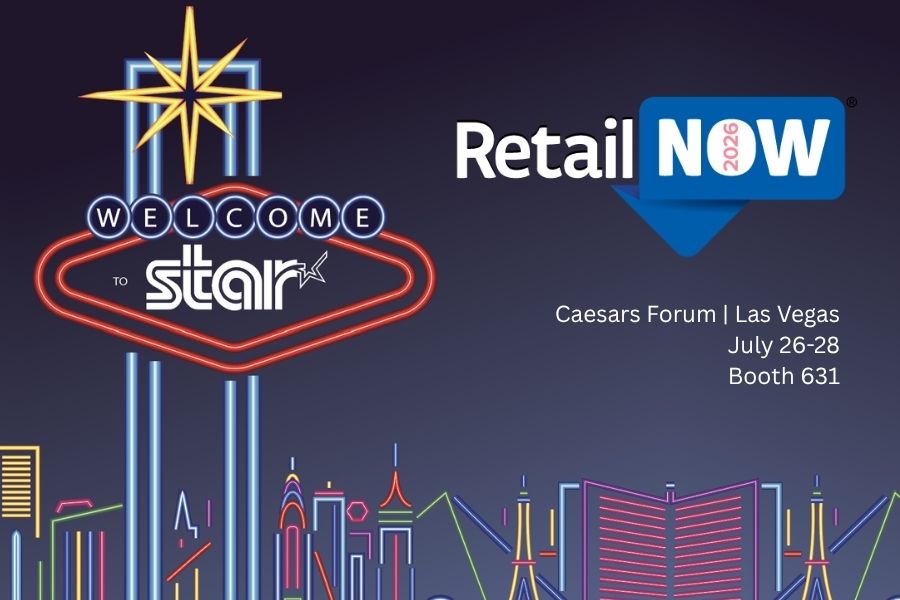
Visit Booth 631 to see the new mC-Connect Drawer, cloud printing, multifunction labeling, kiosk barcode scanning, and live demonstrations with MagTek and Logic Controls.
RetailNOW attendees will see Star hardware working alongside software and payment technologies used across retail and hospitality.
Featured Solutions at Booth 631
Attendees can explore Star’s latest POS hardware and cloud technologies, including:
The new mC-Connect Drawer: Modernize any cash drawer with USB, Ethernet, Wireless LAN, and Bluetooth® Low Energy connectivity, enabling direct communication with today’s POS systems, tablets, and mobile devices.
Cloud Printing Solutions:CloudPRNT Next and StarIO.Online simplify cloud printing for online ordering, web applications, and multi-location deployments. From direct cloud communication using MQTT to fully managed cloud printing with remote device management, Star offers flexible options for cloud-connected POS environments.
Multifunction Labeling Solutions: The mC-Label2 and mC-Label3 support receipts, linerless labels, die-cut labels, and continuous media from a single device, allowing businesses to print food safety labels, order labels, barcode labels, receipts, and more.
Kiosk Barcode Scanning: Star’s fixed-mount kiosk barcode scanners, the NLS-FM431 and the NLS-FM3280, provide fast, hands-free scanning of 1D and 2D barcodes from printed labels and mobile devices for self-service kiosks, lockers, and customer-facing terminals.
Enterprise POS Hardware: From receipt printers and cash drawers to barcode scanners and cloud-connected peripherals, Star’s hardware portfolio supports retail, restaurant, grocery, healthcare, cannabis, and hospitality applications.
Live Partner Demonstrations
Star will feature several integrated demonstrations throughout the show.
One Touch Label with Logic Controls KitchenGO KDS and the mC-Label3: See Logic Controls’ KitchenGO KDS working with Star’s mC-Label3 multifunction printer to demonstrate the One Touch Label feature. Kitchen staff can generate labels directly from the KDS as orders move through production, helping identify orders and improve fulfillment accuracy.
Direct Cash Drawer Control with MagTek and the mC-Connect Drawer: MagTek will demonstrate the mC-Connect Drawer, showing how payment devices and POS systems can control cash drawers directly without requiring a printer connection.
Star Solutions Featured Throughout the Show Floor
Attendees can also see Star solutions featured at the following partner booths:
“RetailNOW brings together the channel partners, ISVs, and solution providers that help businesses deploy POS technology every day. This year, we’re demonstrating how our hardware works alongside leading software and payment providers, from the new mC-Connect Drawer and cloud printing to multifunction labeling and kiosk technologies, showing how these technologies work together in real-world deployments.”
Christophe Naasz, Global Director of Business Development at Star Micronics
Meet the Star Team at RetailNOW 2026
Francis Angoyar, Sales Accounts Executive at Star Micronics, will participate in a speaking session at the ScanSource booth on Monday, July 27, from 11:45 a.m. to 11:55 a.m., where attendees can ask questions about Star’s POS hardware and integrations.
Visitors are encouraged to stop by Booth 631 to see the demonstrations, meet with the Star team, and learn more about Star’s latest POS hardware and cloud technologies.
To schedule time with the Star team or for more information, contact sales@starmicronics.com.
Star Micronics is a global provider of point-of-sale (POS) hardware, cloud printing, and labeling solutions that help businesses connect digital workflows to real-world operations. Serving retail, hospitality, healthcare, and service industries, Star delivers printing, labeling, cash management, self-service, and cloud-based technologies designed to support scalable, connected, and automated environments. Star’s solutions support Android, iOS, Windows, and web-based platforms and extend into the cloud through services such as CloudPRNT Next and StarIO.Online, Star’s fully managed cloud printing service.
The integration combines Quetzal POS software with Star Micronics hardware solutions for receipt printing, merchandise labeling, barcode scanning, and checkout, helping specialty retailers manage inventory and support both in-store and online sales.
Somerset, NJ – June 30, 2026 – Star Micronics, a global provider of point-of-sale (POS) hardware, cloud printing, and labeling solutions, today announced its integration with Quetzal POS, a point-of-sale platform designed for specialty retailers. The integration brings together Quetzal POS software and Star’s portfolio of receipt printing, merchandise labeling, barcode scanning, and hybrid POS hardware, providing retailers with flexible options for managing sales and store operations.
Quetzal POS supports Star’s full portfolio of receipt and label printers, including the TSP143IV X4, TSP143IV SK X4, mC-Print series, mC-Label series, and the mPOP® hybrid receipt printer and cash drawer, as well as Star’s BSH-32 barcode scanner. Across iOS, Android, and Windows environments, Quetzal uses StarPRNT SDK to support local device communication over USB, Ethernet, Wi-Fi, and Bluetooth, giving retailers flexibility in how they deploy hardware across store and fulfillment workflows.
Available on iOS, Android, and the web, the platform supports both single-store and multi-location retailers and can automatically discover compatible Star printers across network and Bluetooth connections.
Inventory Management with Barcode Labeling
For many specialty retailers, inventory management remains one of the most time-consuming aspects of daily operations. Manual inventory processes can lead to pricing errors, inaccurate stock counts, and lost sales opportunities.
Quetzal POS helps retailers track inventory using barcode-based workflows that improve visibility into stock levels across stores and sales channels. Through its integration with Star’s printers and barcode scanning solutions, including the mC-Label multifunction label printer series and BSH-32 barcode scanners, retailers can generate merchandise labels directly from the POS system while improving item tracking and inventory accuracy.
These capabilities help retailers:
Track inventory using barcode-based workflows
Improve inventory visibility across locations
Create merchandise labels directly from the POS system
Reduce reliance on manual inventory processes
Supporting In-Store and Online Sales
As more independent retailers expand into ecommerce, they need systems that connect online and in-store operations without adding complexity.
Quetzal POS includes a web application that integrates with WooCommerce and will soon support Shopify. Using StarPRNT SDK, Quetzal POS extends online orders into the same receipt and labeling workflows used for in-store sales, helping retailers maintain consistency across sales channels.
This allows retailers to:
Receive online orders directly within their existing workflows
Print fulfillment documents and labels automatically
Support in-store pickup and delivery workflows
Maintain consistent processes across sales channels
Built for Specialty Retail
Quetzal POS includes tools for customer relationship management, loyalty programs, integrated payments, trade-in transactions, and multi-location management. Retailers can customize receipt and label workflows based on transaction type, helping support a variety of specialty retail environments.
“We built Quetzal POS to give specialty retailers practical tools for managing inventory, sales, and customer relationships without requiring the resources of a large retail chain. Working with Star allows us to extend those workflows into labeling, receipt printing, and ecommerce fulfillment, giving merchants options in how they deploy their systems.”
Sam Gardner, Director of Sales and Operations at Quetzal POS
“Specialty retailers rarely operate the same way from store to store. By supporting Star’s full portfolio of receipt printing, labeling, barcode scanning, and hybrid POS hardware, Quetzal POS gives merchants the flexibility to choose the workflows and hardware that best fit their business.”
Christophe Naasz, Global Director of Business Development at Star Micronics
To learn more about Star Micronics solutions, visit starmicronics.com.
Quetzal POS is a point-of-sale platform built for specialty retailers, including boutiques, thrift stores, music shops, electronics retailers, and other independent businesses. Available on iOS, Android, and the web, the platform combines inventory management, customer loyalty, trade-ins, payments, and ecommerce tools to help retailers manage day-to-day operations across in-store and online sales channels. Through QuetzalPay, merchants can process payments, manage high-volume transaction workflows, simplify reconciliation, and access reporting tools that provide greater visibility into payment activity and business performance.
Star Micronics is a global provider of point-of-sale (POS) hardware, cloud printing, and labeling solutions that help businesses connect digital workflows to real-world operations. Serving retail, hospitality, healthcare, and service industries, Star delivers printing, labeling, cash management, self-service, and cloud-based technologies designed to support scalable, connected, and automated environments. Star’s solutions support Android, iOS, Windows, and web-based platforms and extend into the cloud through services such as CloudPRNT Next and StarIO.Online, Star’s fully managed cloud printing service.
Commercial label printers play an important role in how businesses identify products, communicate workflow information, maintain regulatory compliance, and track inventory. From retail and restaurants to healthcare and fulfillment, labels help employees and customers access important information quickly and consistently.
When a label printer fails, those workflows can slow down. Orders may be delayed, inventory may become harder to track, and important product or compliance information may not be available when needed.
For businesses that rely on labeling throughout daily operations, choosing a durable and reliable commercial label printer can help reduce downtime, support high-volume workflows, and keep labeling processes consistent across the business.
The durability and reliability of a commercial label printer depend on both its physical construction and its internal components. A printer designed for daily commercial use should be built to handle frequent printing, different media types, and the environmental conditions where it will operate.
Key factors that affect durability and reliability include:
Printhead lifespan: The printhead is one of the most important components in any label printer. Longer-life printheads help maintain consistent print quality and reduce replacement frequency.
Cutter durability: In high-volume environments, the cutter may operate thousands of times per day. Durable cutters help reduce jams and incomplete cuts.
Media path design: A well-designed media path helps labels feed smoothly and reduces misfeeds, jams, and wasted labels.
Housing materials and construction: Commercial environments may expose printers to heat, humidity, dust, or cleaning chemicals. Durable materials help the printer withstand these conditions.
Stable connectivity: Reliable wired, wireless, or cloud connectivity helps prevent missed print jobs and keeps workflows moving.
Maintenance accessibility: Printers designed for easy cleaning, media changes, and component replacement are often easier to maintain and less likely to experience preventable downtime.
Reliable commercial label printers are typically characterized by consistent print quality, fewer jams, stable connectivity, and components designed for long-term use.
Choosing a Label Printer for Commercial Environments
Choosing a commercial label printer starts with understanding where and how it will be used. In addition to supporting the label types your operation requires, the printer should be built for the environment where it will operate.
Commercial environments can expose printers to heat, humidity, dust, frequent handling, and cleaning chemicals. A printer designed for these conditions is less likely to require frequent repairs or replacement, which can help reduce long-term ownership costs.
When evaluating a commercial label printer, consider the following:
Printer Form Factor for Different Workspaces
Printer design affects where and how employees use it. Front-loading and top-loading designs can make media changes easier in tight spaces, while wall-mounting options may help free up counter space in kitchens, prep stations, or healthcare environments.
The right form factor depends on the workflow and available space.
High-Volume Printing for Demanding Workloads
Some environments require continuous, high-speed printing throughout the day. This may include labeling restaurant orders, retail inventory, shipping packages, patient medications, or kiosk-generated labels.
A commercial label printer should be designed to keep up with the expected print volume without frequent jams, cutter failures, or overheating.
Support for Multiple Label Types
Commercial labeling needs often vary by application. Some workflows use linerless labels, while others require die-cut labels, receipts, or permanent adhesive labels.
A multifunction label printer can support multiple media types from a single device, allowing businesses to standardize hardware across different workflows while reducing the number of printer models they manage.
Reliable Connectivity
A commercial label printer should maintain stable wired, wireless, or cloud-based connections depending on how the business operates.
For cloud-connected workflows, reliable communication between software and printers is especially important to prevent delayed or missed print jobs.
Easy setup also matters, especially for wireless environments. Features like BLE-assisted Wi-Fi setup, available on Star’s mC-Label2 CWBi models, can help employees connect printers quickly using a smartphone or tablet without complex network configuration.
Easy Printer Maintenance
Routine cleaning and maintenance help prevent adhesive buildup, cutter jams, and print quality issues. Commercial label printers designed with tool-free maintenance, simple media loading, and clear cleaning instructions can make routine upkeep easier for employees and reduce preventable downtime.
The mC-Label series by Star Micronics has tool-free, super easy maintenance.
Why Durable and Reliable Printers Matter in Daily Operations
In many businesses, labels are part of daily workflows. When a label printer stops working, those workflows can slow down or stop entirely.
In a QSR kitchen, a printer failure can delay order packaging or delivery handoff. In an ecommerce fulfillment center, it can interrupt shipping and inventory tracking. In healthcare, missing labels on medications, patient records, or specimens can create serious operational and compliance issues.
Reliable commercial label printers help reduce these risks by supporting consistent print quality, stable connectivity, and dependable performance during high-volume use.
Over time, printer durability also affects ownership costs. A printer built for its environment is less likely to require frequent repairs, component replacements, or full device replacement. This can help businesses reduce downtime, maintain labeling consistency, and extend the useful life of their equipment.
Explore Star Micronics Commercial Label Printers
Choosing the right commercial label printer starts with understanding your environment, print volume, media requirements, connectivity needs, and maintenance expectations. The right printer should match the demands of your workflow and the types of labels your business relies on every day.
Star Micronics offers a range of commercial label printers designed for retail, restaurant, healthcare, fulfillment, and other high-volume environments. From multifunction label printers that support linerless, die-cut, and receipt printing to purpose-built sticky linerless label printers, Star provides options for a wide range of labeling applications.
Explore Star’s Labeling Solutions and Receipt and Label Media to learn more, or contact Star Micronics for help choosing the right commercial label printer for your business.
Frequently Asked Questions About Label Printer Durability and Reliability
What features make label printers more durable for commercial environments?
Durable commercial label printers are typically built with long-life printheads, durable cutters, strong housing materials, stable connectivity, and media paths designed to reduce jams and misfeeds. Easy maintenance access also helps keep the printer operating consistently over time.
How do durable label printers reduce downtime?
Durable printers reduce downtime by using components designed for frequent, high-volume use. Printers built for harsh environments, such as hot restaurant kitchens or healthcare settings with frequent cleaning, are less likely to fail or require frequent repair. Long-life printheads and cutters also reduce replacement frequency.
What should businesses look for in a high-volume commercial label printer?
Businesses should look for print speed, cutter durability, media compatibility, reliable connectivity, and maintenance accessibility. The printer should be designed for the expected daily print volume and the environment where it will operate.
Why is label printer maintenance important for reliability?
Routine maintenance helps prevent adhesive buildup, cutter jams, print quality issues, and media misfeeds. Cleaning the printer regularly helps ensure labels remain readable and barcodes scan correctly.
Can durable label printers support wireless and cloud connectivity?
Yes. Many commercial label printers support wired, wireless, and cloud-based connections. Features like BLE-assisted Wi-Fi setup can also make wireless deployment faster and easier for employees.
How do multifunction label printers improve commercial workflows?
Multifunction label printers can support receipts, linerless labels, die-cut labels, and other media types from a single device. This helps businesses reduce the number of printer models they manage while supporting different workflows with one platform.
Why does media compatibility matter in commercial label printing?
Different workflows require different label formats and adhesive types. Choosing a printer that supports the required media helps ensure consistent printing, proper label application, and reliable performance.
How do durable label printers lower the total cost of ownership?
Durable label printers can reduce repair costs, extend equipment lifespan, and minimize downtime. Over time, this can lower replacement frequency and reduce interruptions to daily operations.
Are linerless label printers reliable for high-volume environments?
Yes. Linerless label printers are commonly used in high-volume environments because they allow for faster application and fewer media roll changes. Since linerless labels do not use backing paper, they also reduce waste and help keep workspaces cleaner.
What industries benefit most from durable commercial label printers?
Durable commercial label printers are commonly used in retail, restaurants, ecommerce fulfillment, healthcare, pharmaceuticals, manufacturing, airports, and logistics. Any business that depends on consistent labeling can benefit from a printer designed for long-term, high-volume use.
A multi-interface cash drawer controller that enables direct control from POS systems, tablets, and mobile devices using USB, Ethernet, Wireless LAN, and Bluetooth LE.
Somerset, NJ – May 13, 2026 – Star Micronics, a global leader in POS hardware solutions, today announced the launch of the mC-Connect Drawer (MCD10), a cash drawer controller designed to enable control of cash drawers with standard RJ-12 connectivity directly from POS systems, tablets, and mobile devices.
As POS environments continue to expand beyond fixed checkout stations, businesses are deploying mobile devices, tablets, and flexible counter setups alongside traditional printer-based systems. The mC-Connect Drawer supports these environments by enabling direct communication between POS devices and cash drawers, while continuing to work alongside existing printer-driven configurations. It is well-suited for mobile POS, shared till workflows, self-service environments, and multi-lane retail and restaurant deployments.
Direct Cash Drawer Control for Flexible POS Setups
The mC-Connect Drawer allows POS systems, smartphones, and tablets to trigger proximity-based cash drawer opens directly, supporting use cases where a desktop receipt printer is not present or where additional flexibility is needed. It can be used alongside traditional printer-driven setups or as part of mobile and tablet-based POS deployments, including pop-up retail, assisted selling, kiosk, and space-constrained counter environments.
With USB, Ethernet, Wireless LAN, and Bluetooth® Low Energy (Bluetooth LE) 5.0 built into a single device, the mC-Connect Drawer provides multiple connection options without requiring different hardware models. This allows businesses to standardize on a single device across locations, use a shared in-store till, simplify multi-location deployments, and adapt to different POS configurations as needed.
Works with Existing Cash Drawers
The mC-Connect Drawer (MCD10) is compatible with cash drawers that have standard RJ-12 connectors, allowing businesses to add connectivity without replacing existing hardware. It supports up to four cash drawers, making it well-suited for multi-lane and shared POS environments.
This enables businesses to extend the capabilities of their current cash drawer installations while maintaining compatibility with existing equipment and modern POS workflows.
Consistent Operation in High-Use Environments
The mC-Connect Drawer monitors drive voltage and executes open commands only when sufficient power is available, helping prevent failed drawer opens. Commands are held and executed when the device is ready, supporting consistent operation across high-volume retail and restaurant environments.
Software Support for Setup and Integration
The mC-Connect Drawer works with Star Quick Setup Utility, Star Windows Software, and StarXpand SDK, providing tools for configuration and integration into POS applications. It supports communication with Android, iOS, Windows, and web-based systems.
The mC-Connect Drawer is available through Star Micronics’ authorized distribution partners. For more information, visit starmicronics.com or contact your Star Micronics representative.
Star Micronics is a global provider of point-of-sale (POS) hardware, cloud printing, and labeling solutions that help businesses connect digital workflows to real-world operations. Serving retail, hospitality, healthcare, and service industries, Star delivers printing, labeling, cash management, self-service, and cloud-based technologies designed to support scalable, connected, and automated environments. Star’s solutions support Android, iOS, Windows, and web-based platforms and extend into the cloud through services such as CloudPRNT Next and StarIO.Online, Star’s fully managed cloud printing service.
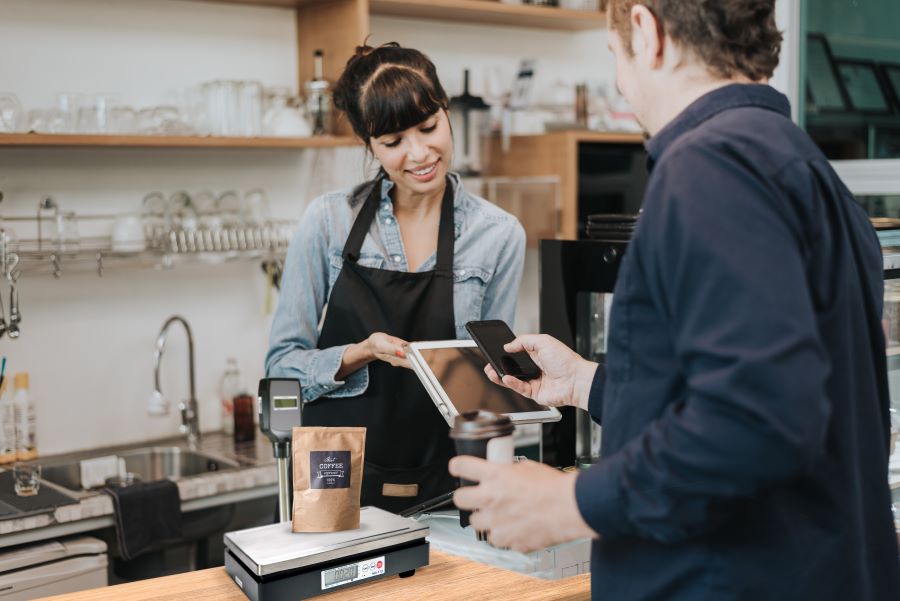
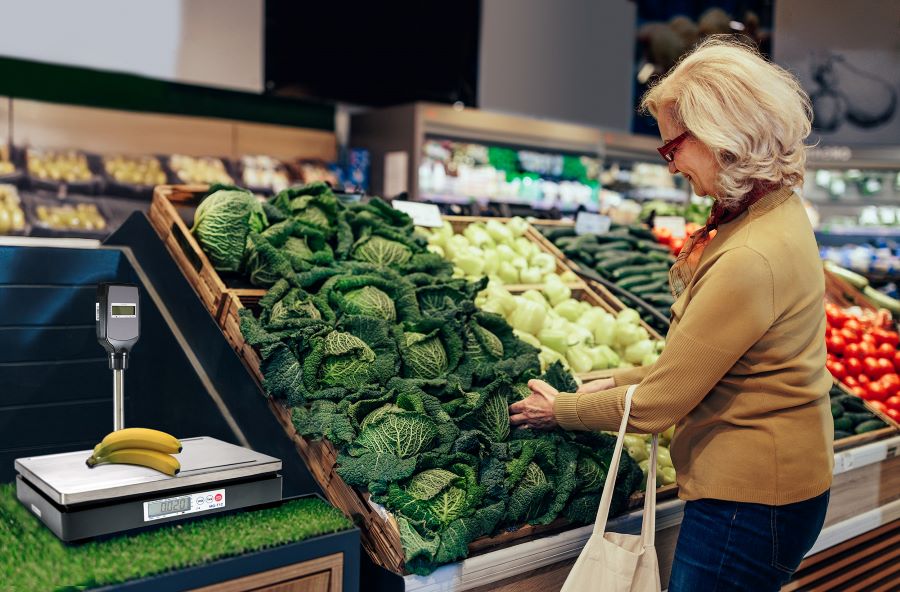
For retailers, grocers, and other businesses using POS scales, compliance is not optional. If a scale is used to determine price based on weight, it must meet legal-for-trade requirements in the region where it is deployed.
That’s where confusion often begins.
Different countries follow different standards, and terms like OIML, NTEP, and Measurement Canada are often used interchangeably when they are not the same. For businesses operating across regions or planning international expansion, understanding these differences is critical.
This guide explains what OIML scales are, how they compare to NTEP and Measurement Canada, and what these standards mean for POS scale deployments in real-world retail and grocery environments.
OIML scales are weighing devices that meet standards set by the International Organization of Legal Metrology (OIML). These standards are designed to ensure accuracy, consistency, and fairness in commercial transactions involving weight.
OIML-certified scales are commonly used in legal-for-trade applications across global markets, particularly in regions outside the United States and Canada.
In practical terms, if a business is selling products by weight in an international market, an OIML-compliant scale is often required to meet local regulations.
What Is OIML Certification?
OIML certification confirms that a scale complies with internationally recognized metrology standards. These standards are defined through a series of technical documents known as OIML recommendations.
These recommendations establish how scales should perform under various conditions, including:
Accuracy and repeatability
Environmental stability
Durability over time
One of the most widely referenced standards is OIML R76, which applies to non-automatic weighing instruments such as retail and grocery POS scales.
For businesses, OIML certification provides confidence that a scale will meet regulatory requirements and deliver consistent, reliable performance in commercial use.
OIML vs NTEP: What’s the Difference?
While both OIML and NTEP relate to legal-for-trade compliance, they apply to different regions and regulatory frameworks.
OIML
International standard
Used in many countries worldwide
Based on global metrology recommendations
NTEP (National Type Evaluation Program)
United States standard
Managed by the National Conference on Weights and Measures (NCWM)
Required for legal-for-trade scales used in the U.S.
The key takeaway is that OIML and NTEP certifications are not interchangeable. A scale approved under one system does not automatically meet the requirements of the other.
For businesses operating globally, this distinction is critical when selecting POS scales for different markets.
OIML vs Measurement Canada: Key Differences
Measurement Canada governs the approval and certification of weighing devices used in commercial transactions within Canada.
While there are similarities between Measurement Canada and OIML standards, they are separate regulatory systems with their own requirements and approval processes.
Measurement Canada
Applies specifically to Canada
Requires approval for legal-for-trade use
Includes inspection and compliance verification
OIML
Applies internationally
Provides a framework for global standardization
Some devices may align with both sets of requirements, but approval in one region does not guarantee compliance in another. Businesses must ensure that their POS scales meet the specific certification requirements of each country where they operate.
What Are OIML Recommendations (and Why They Matter)?
OIML recommendations are technical guidelines that define how weighing instruments should perform. These documents serve as the foundation for OIML certification.
They cover areas such as:
Measurement accuracy
Tolerance limits
Environmental testing
Device classification
For example, OIML R76 outlines the requirements for non-automatic weighing instruments, including most retail POS scales.
These recommendations help ensure consistency across international markets, making it easier for manufacturers and businesses to align with global standards.
What This Means for POS Scales in Retail and Grocery
For businesses using POS scales, compliance directly impacts day-to-day operations.
If a scale does not meet the required certification:
It cannot legally be used to sell products by weight
Transactions may be subject to regulatory penalties
Customer trust can be impacted
This is especially important for:
Grocery stores
Delis and fresh food counters
Specialty retail (including cannabis and bulk goods)
For multi-location or international businesses, the challenge increases. Each location must meet the specific requirements of its region, whether that means OIML, NTEP, or Measurement Canada certification.
Selecting the right POS scale is not just about performance. It is about ensuring compliance across every location where the business operates.
When selecting a POS scale, businesses need to balance compliance requirements with day-to-day operational performance. The right solution should meet regional regulations while supporting fast, accurate transactions at the point of sale.
For example, a grocery POS scale deployed in Europe may require OIML compliance, while the same deployment in the United States would require NTEP certification. Understanding where and how the scale will be used is the first step in selecting the right device.
Key factors to consider include:
Required certification (OIML, NTEP, or Measurement Canada)
Integration with POS systems and retail workflows
Accuracy and reliability in high-volume environments
Durability for consistent daily use
A legal-for-trade POS scale that does not integrate well into the POS workflow can still create operational challenges. The goal is to choose a solution that meets regulatory requirements while supporting efficient, scalable transactions across locations.
How Star Micronics Supports Global POS Scale Compliance
Star Micronics provides POS scale solutions designed to meet the needs of modern retail and grocery environments, where compliance and performance must work together.
Star POS scales are built to support:
Legal-for-trade compliance across multiple regions
Reliable performance in high-volume environments
Integration with POS systems and retail workflows
With a focus on accuracy, durability, and ease of use, Star helps businesses deploy POS scale solutions that meet regulatory requirements and real-world operational demands.
Star’s OIML-certified POS scales are available in regions outside the United States, including Europe. To learn more about availability and deployment options, reach out to the Star Micronics team in the UK.
Understanding OIML, NTEP, and Measurement Canada requirements helps businesses avoid compliance issues and confidently deploy POS scale solutions across regions. With the right hardware and approach in place, compliance becomes a built-in advantage, not a barrier to growth.
Learn more about Star Micronics POS scales and compliance-ready solutions for global retail and grocery environments.
Frequently Asked Questions (FAQs) About OIML Scales
What does OIML stand for?
OIML stands for the International Organization of Legal Metrology. It is a global organization that develops standards and recommendations for measuring instruments used in commercial transactions.
What is an OIML scale?
An OIML scale is a weighing device that meets the standards set by the International Organization of Legal Metrology. These scales are typically used in legal-for-trade applications in international markets.
What is the difference between OIML and NTEP certification?
OIML is an international standard, while NTEP applies specifically to the United States. Both ensure accuracy and compliance for legal-for-trade scales, but they are governed by different organizations and are not interchangeable.
Are OIML scales required in the U.S.?
No. In the United States, legal-for-trade scales must be NTEP certified. OIML certification is generally used in international markets outside the U.S.
Can a scale be both OIML and NTEP certified?
Yes. Some manufacturers design scales to meet both OIML and NTEP requirements, allowing them to be used in multiple regions. However, each certification must be obtained separately.
What are OIML recommendations?
OIML recommendations are technical guidelines that define how weighing instruments should perform. They serve as the basis for OIML certification and help ensure consistency across international markets.
What are the classes of OIML scales?
OIML classifies scales based on their level of accuracy. Common classes include:
Class I: High-precision laboratory scales
Class II: Precision scales used in laboratories and some retail applications
Class III: Commercial scales used in retail and grocery environments
Class IIII: Scales used for less precise applications such as bulk weighing
Most POS scales used in retail fall under Class III.
What are the classes of OIML weights?
OIML weights are also classified by accuracy, ranging from high-precision classes such as E1 and E2 to lower-precision classes like M1, M2, and M3. These weights are used to calibrate and verify the accuracy of scales.
What does legal-for-trade mean for POS scales?
Legal-for-trade means a scale meets the regulatory requirements needed to be used in commercial transactions where price is determined by weight. Certification ensures accuracy, fairness, and compliance with local laws.
Cash drawer security remains essential as consumers continue to use cash. Secure cash drawers feature robust access control and connectivity to the point-of-sale (POS) system, enabling greater oversight and employee accountability. Secure cash drawers also help to reduce human error and losses by keeping cash organized. Cash drawer construction also plays an important role in preventing jams and failures that lead to workarounds and put cash at risk.
Cash Is Still Common — and It Still Needs to Be Secured
Although digital transactions account for an increasing share of payments, merchants still need to maintain focus on cash drawer security. Statistics from the Federal Reserve confirm that U.S. consumers use cash for about 14% of payments, and that rate has stayed steady for the past five years. Furthermore, the Fed reports that 90% of U.S. consumers intend to use cash to store value in the future. Older consumers are more likely to have cash in their wallets, but Empower reports that 24% of Gen Z carry cash daily.
The staying power of cash transactions can benefit merchants. With cash, merchants instantly have funds, and there are no processing fees or chargebacks when customers pay with cash. On the other hand, keeping cash secure and ensuring there aren’t any errors in till cash balances are long-term challenges.
Pros of Accepting Cash
Cons of Accepting Cash
Immediate access to funds
Risk of shrinkage
No payment processing fees
Manual counting and reconciliation required
No chargebacks or payment disputes
Risk of employee theft
Works during internet or network outages
Greater need for secure storage and procedures
Accessible for all customers
Human error when making change
So, as long as consumers use cash, merchants need more than just a drawer for bills and change. They need a secure cash drawer designed for accountability and durability.
What is a Secure Cash Drawer?
A secure cash drawer is a cash drawer that combines physical durability with controlled access through POS system integration. In most modern POS environments, the cash drawer opens only when triggered by the receipt printer or POS terminal, ensuring that every drawer open is tied to a transaction or authorized action. This creates a record of drawer activity and limits unauthorized access to cash.
Secure cash drawers also include durable steel construction, secure bill clips, multiple till configurations, and lock mechanisms that prevent forced entry or accidental opening.
How Cash Drawer Security Works
Cash drawer security features help businesses control access to cash, reduce internal theft, prevent cash handling errors, and ensure the drawer can withstand high transaction volumes without failure.
1. Cash Drawers Give Merchants Access Control
The most important rule of cash handling is simple: when the drawer is not in use for a transaction, it should be locked. Secure cash drawers are typically connected to the POS terminal or receipt printer and open only when triggered by a transaction or authorized function. This ensures that employees must be logged into the system to access till cash and creates a record of each drawer open, improving accountability and reducing opportunities for unauthorized access.
2. Insider Threat Mitigation with Cash Drawer Security
Lax cash drawer security can tempt employees. A&M Consumer Retail Group reports that it’s a threat merchants must acknowledge, with over 50% of shrinkage coming from internal factors like employee theft. Cash drawers that interface with the POS system allow merchants to set policies for when the drawer can open and when manager authorization is required, for example, for voids, returns, or “no sales.”
Secure cash drawers help enforce cash handling policies. For example, the POS system can require manager authorization for voids, returns, or “no sale” drawer opens. Drawers that support multiple removable tills allow businesses to assign one till per cashier, making it clear who is responsible for the cash in that drawer during each shift and simplifying reconciliation.
3. Reducing Human Error with Secure Cash Drawers
The till design is also a factor in cash drawer security. Having the right number and size of compartments can help prevent cashiers from making mistakes, such as giving a $20 bill in change when $10 was due.
An organized till reduces mistakes during transactions and makes end-of-shift reconciliation faster and more accurate. Proper till configuration is often an overlooked aspect of cash drawer security because disorganized drawers lead directly to cash-handling errors.
4. Cash Drawers Need Strong Physical Security Features
Cash drawers must be built to withstand daily use. In high-volume environments like grocery, cannabis, QSR, and large retail stores, drawers may open hundreds of times per day. All-steel construction, reinforced rails, metal bill clips, and dual-lock systems help prevent forced entry and reduce failures that can lead to security workarounds.
The CD5-1918 Max Series Cash Drawer by Star Micronics
Quick Cash Handling Security Checklist
Businesses can improve cash drawer security by following these best practices:
Use POS-triggered drawers instead of manual key-only drawers
Assign one till per cashier
Require manager approval for no-sale drawer opens
Store large bills under the till
Perform till counts at the beginning and end of each shift
Reconcile cash in a secure back-office location
Use steel cash drawers in high-volume environments
In addition to the cash drawer itself, several accessories can improve cash handling security and prevent unauthorized access.
Locking Till Covers
Locking till covers allow tills to be securely stored in a safe or back office during shift changes or when the drawer is not in use. This prevents loose cash from being transported in bags or left unsecured.
Under-Counter Mounting Brackets
Under-counter mounting brackets secure the cash drawer to the counter, preventing the drawer from being removed from the POS station. This is commonly used in retail and hospitality environments where the risk of theft is higher.
Dual Drawer Secure Cable
In dual drawer environments, traditional “Y” cables allow two drawers to connect to one printer, but they can create a security risk because drawers can be swapped at the printer. Secure dual drawer cables prevent drawer swapping by creating a fixed connection between the printer and both drawers, making it much more difficult for an employee to access a second drawer without authorization.
These accessories are often used in high-volume retail, grocery, cannabis, and hospitality environments where multiple employees share POS stations and cash handling controls are especially important.
How to Choose a Secure Cash Drawer
Choosing a secure cash drawer is not just about size or price. The right drawer should match your transaction volume, integrate with your POS system, and support your cash handling procedures. In high-volume environments like retail, grocery, cannabis, and QSR, drawers must withstand constant use while maintaining controlled access to cash. In lower-volume environments, compact drawers with reliable POS integration and basic locking features may be sufficient.
When evaluating cash drawer security, businesses should consider:
Steel construction and durability for high open/close environments
POS or receipt printer interface compatibility for controlled drawer opening
Till configuration and removable tills for shift-level accountability
Locking mechanisms and key options for controlled access
Mounting options such as under-counter brackets to prevent drawer removal
Support for dual drawer installations to prevent drawer swapping
A secure cash drawer should support your cash handling procedures, not work against them. The goal is simple: limit access, create accountability, and make cash handling as controlled and traceable as possible.
Cash Drawer Security by Industry
Cash drawer security requirements vary by industry:
Retail: High transaction volume requires heavy-duty steel drawers and removable tills for multiple cashiers.
Grocery: Drawers open frequently and require reinforced rails and high-capacity tills.
Quick-Service Restaurants: Compact POS cash drawers are common, often connected to receipt printers.
Cannabis: Secure cash handling is critical due to cash-heavy operations and compliance requirements.
Hospitality:Bars and cafés often use compact drawers with under-counter mounting for security.
Star Micronics offers cash drawers and cash handling accessories designed for retail, grocery, hospitality, cannabis, and other environments where secure cash management is important.
CD5 Max Series Cash Drawers: The CD5 Max Series is designed for cash-heavy environments where durability and cash handling control are critical. These heavy-duty steel cash drawers are commonly used in grocery stores, large retail, QSRs, and cannabis environments where drawers open frequently throughout the day.
Key security features include:
Heavy-duty all-steel construction in every popular size
Dual interface (DK and USB) for POS or printer-driven operation
Reinforced drawer rails for high open/close cycles (millions of operations)
Dual or multiple media slot options for checks and large bills
Multiple till configurations to support different environments
Dual-locking mechanisms on select models
These features help businesses maintain drawer reliability, control access to cash, and support consistent cash handling procedures in high-volume environments.
CD5 Max Series Cash Drawers
Designed for high-cash-volume environments, the CD5 Max Series features heavy-duty steel construction, dual lock options, and under-till storage for added organization. Multiple sizes and DK/USB interface options allow easy connectivity with virtually any POS system.
CD4 Choice Series Cash Drawers: The CD4 Choice Series is a standard-duty cash drawer designed for general retail, hospitality, and point-of-sale environments that need reliable cash handling with essential security features. These POS cash drawers are commonly used in retail stores, cafés, bars, and service counters where a compact drawer and dependable operation are required.
Key security features include:
Durable steel construction with reinforced steel top
Multiple lockset options for key control and drawer access management
Dual media slots for storing checks or large bills without opening the drawer
Secure bill clips to keep cash organized and in place
Multiple till configurations to support different cash handling needs
Standard-duty cash drawers like the CD4 are used in environments with moderate transaction volumes, but secure cash handling and POS-controlled drawer opening remain important.
Star Cash Drawer Accessories and Tills
In addition to cash drawers, Star offers cash handling accessories that help businesses improve security and cash control procedures:
Using removable tills and locking till covers helps businesses assign responsibility for cash to individual cashiers and transport tills securely to the back office for reconciliation. Mounting brackets help prevent the drawer from being removed from the POS station, and secure dual drawer cables help prevent unauthorized access in dual-drawer POS setups.
These accessories are commonly used in multi-employee environments where multiple cashiers share POS stations and cash control procedures are important for loss prevention and accurate reconciliation.
Frequently Asked Questions About Cash Drawer Security
What makes a cash drawer secure?
A cash drawer is considered secure when it has durable steel construction, a reliable locking mechanism, and controlled opening through the POS system or receipt printer. Security also depends on proper till organization, removable tills to support cashier accountability, and consistent cash-handling procedures, such as shift counts and reconciliation.
How do cash drawers prevent employee theft?
Secure cash drawers give employees access to cash only when necessary and authorized, i.e., when accepting cash payments or making change. A secure cash drawer will also communicate with the POS system to track when an employee opens the drawer for any reason, and keep a record for reconciliation and accountability.
How does a cash drawer connect to a POS system?
Most modern cash drawers connect to the POS system through the receipt printer or directly to the POS terminal. In many setups, the cash drawer is connected to the receipt printer using a drawer cable, and the printer sends a signal to open the drawer when a cash transaction is completed. This is often called a printer-driven cash drawer.
This setup allows the POS system to control when the drawer opens and helps ensure that the drawer only opens for recorded transactions or authorized functions such as returns or no-sale opens with manager approval. Some basic cash drawers operate manually using only a key, but POS-controlled drawers provide much better security and accountability.
Why is the removable till important for cash handling?
One till per cashier has numerous benefits for secure cash handling. It enables secure transport of till cash when the cashier begins the shift and when carrying cash from the shift to the back office for reconciliation. Tills can be stored in a safe rather than in the drawer when not in use. Cash is never stored less securely, for example, in a bank bag or loose, and cashiers are each accountable for the cash in the tills they’re using.
What is the most durable cash drawer for high-volume retail?
The most durable cash drawers for high-volume environments are made of all-steel construction and are tested for durability and performance over millions of opens/closes. Star’s CD5 Max Series has all the features a high-volume retailer needs, including reinforced drawer rails and industry-leading lock strength. CD5 cash drawer models include several options, giving merchants the choice of the correct till configuration for the bills and change they accept.
Where to Learn More About Cash Drawer Security
Choosing the right cash drawer is an important part of cash handling and loss prevention. Star Micronics offers secure cash drawers designed for retail, grocery, hospitality, and cannabis environments, including heavy-duty and compact models with multiple till configurations and POS interface options.
Contact us to learn more about Star Micronics CD5 and CD4 cash drawer solutions.