Tag: POS Scales

  • How to Manage a Weigh-and-Pay Buffet in a GLP-1 World

    How to Manage a Weigh-and-Pay Buffet in a GLP-1 World

    For some diners, bigger is no longer better. Rising food costs, changing eating habits, and growing use of GLP-1 medications are giving consumers more reasons to think carefully about portion size and what they put on their plates.

    That creates an opening for a different buffet model: weigh and pay. Instead of paying one flat price, diners choose the foods and portions they want and pay based on weight.

    For restaurants, making that model work takes more than putting a scale at the end of the buffet. Accurate weighing, POS integration, food labeling, and checkout all need to work together so customers are charged correctly and staff can keep the process moving.

    Explore More Restaurant Solutions

    Why Are Diners Rethinking Portion Size?

    The Associated Press reports that restaurants are increasingly offering smaller, lower-priced portions as diners watch their budgets, appetites, and health goals.

    For some customers, a smaller portion makes dining out more affordable. Others simply do not want to pay for food they are unlikely to finish. Growing use of GLP-1 medications is adding another reason some diners are looking for greater control over portion size.

    Restaurants are responding in different ways, from smaller plates and lower-calorie menu options to more flexible portion choices. Weigh-and-pay takes that flexibility a step further by letting guests decide exactly how much food they want and pay for the amount they choose.

    What Is a Weigh-and-Pay Buffet?

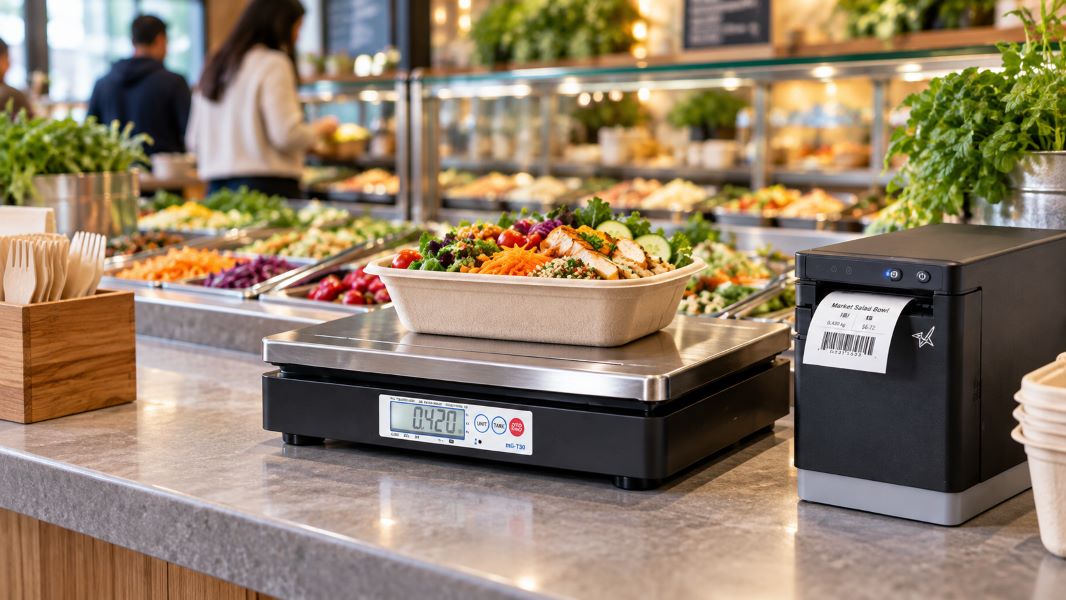
    A weigh-and-pay buffet lets diners choose the foods and portions they want, then pay based on the weight of the food rather than a flat all-you-can-eat price.

    That gives customers more control over portion size, food combinations, and cost.

    Pizza Ranch is one current example. At select locations, guests can choose Weigh & Pay as an alternative to the traditional buffet, fill a container with items such as pizza, chicken, salads, sides, and desserts, and pay by weight.

    For restaurants, the appeal is flexibility: diners can build a meal around appetite, budget, or dietary preferences without committing to a full buffet price.

    What Are the Benefits of a Weigh-and-Pay Buffet?

    A weigh-and-pay buffet changes more than how the customer is charged. It can also affect staffing, food waste, pricing, menu flexibility, and the way guests move through the restaurant.

    Five potential benefits include:

    1. Less order-taking and table-service labor. Because guests choose and portion their own food, restaurants may need fewer employees dedicated to taking orders or serving individual meals. Staff are still needed to maintain the buffet, assist guests, manage food safety, and handle checkout.

    2. Better portion control and less plate waste. When customers pay based on how much food they select, they have a financial reason to take only what they expect to eat. That can help reduce the oversized portions and uneaten food often associated with traditional buffets.

    3. Pricing tied to the quantity purchased. A traditional buffet charges one flat price regardless of how much a guest eats. Weigh and pay links the transaction directly to the amount of food purchased, giving operators a clearer relationship between portion size and revenue.

    4. More menu flexibility. Restaurants can rotate buffet selections without rebuilding the entire menu. Operators can also adjust the food mix and per-weight pricing as ingredient costs change.

    5. One service model for dine-in and takeout. Guests can build a meal, pay by weight, and either take a seat or take the food to go. That gives restaurants another way to serve customers without creating separate ordering processes for each use case.

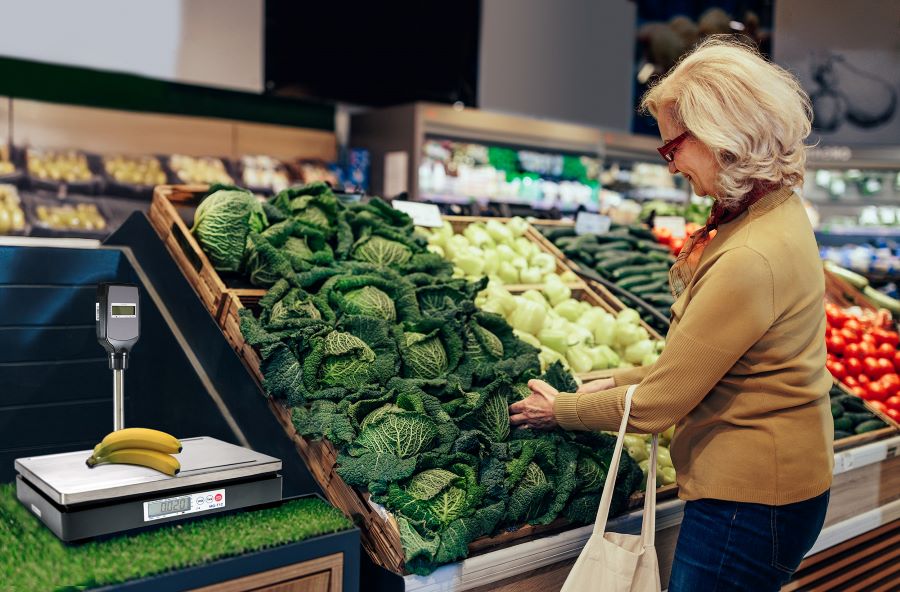
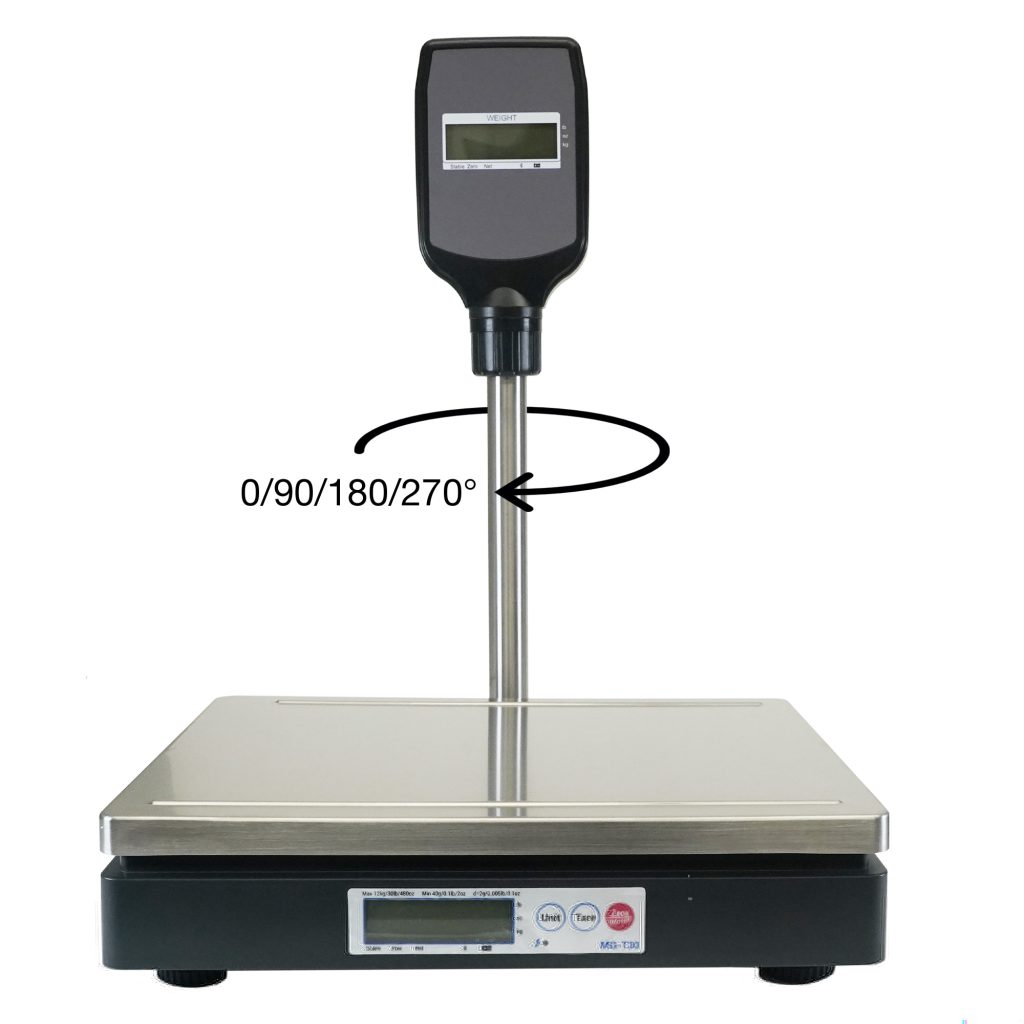
    MG T POS Scale For Buffets
    The mG-T POS scale from Star Micronics is ideal for weigh-and-pay buffets.

    What Do Restaurants Need to Manage Weigh-and-Pay Transactions?

    A weigh-and-pay transaction has to connect four steps: weigh the food, calculate the price, identify the item, and complete checkout.

    That starts with the scale.

    In the U.S., restaurants should use an NTEP-certified scale and confirm applicable state and local legal-for-trade requirements. In Canada, scales used for commercial transactions must meet Measurement Canada requirements. The weighing process should also account for the container’s tare weight so customers are charged for the food, not the packaging.

    The scale should integrate with the POS system so weight and pricing data can move directly into the transaction instead of being entered manually.

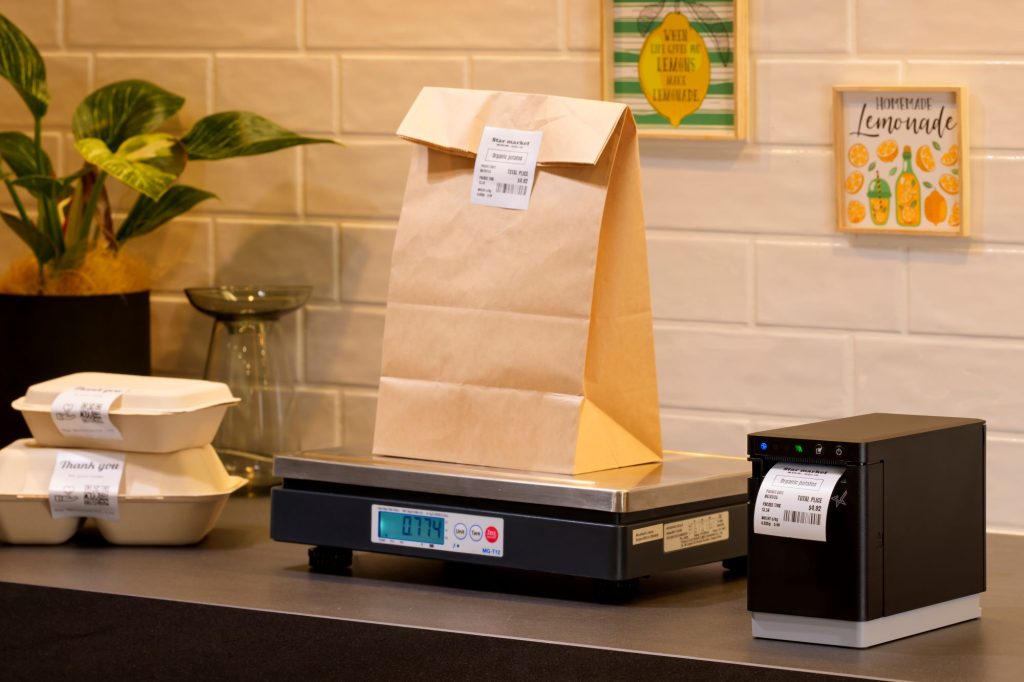
    Food labeling can make the workflow even faster, especially when the buffet and checkout are in different areas. After the food is weighed, a restaurant label printer can produce a label with information such as:

    • Net weight
    • Price
    • Product or category information
    • Barcode for checkout

    A multifunction printer can also give restaurants the option to produce both labels and receipts from the same printer family, reducing the number of hardware types IT teams need to support.

    Connectivity matters, too. Ethernet, Wi-Fi, Bluetooth, or USB options can give restaurants more flexibility when positioning the scale and printer at the end of a buffet line, near a checkout counter, or in another area where running additional cabling is impractical.

    The goal is a simple flow: weigh, price, label, scan, and pay.

    Providing Great Dining Experiences, Pound for Pound

    Some diners want a hearty meal. Others want smaller portions, more control over what goes on the plate, or a lower total at checkout.

    A weigh-and-pay buffet can serve both by letting guests choose the amount they want and pay for what they take. For restaurants, that can mean less order-taking labor, more flexible menu planning, and better control over portion-related waste.

    To make the model work, restaurants need accurate commercial weighing, POS integration, and clear labeling. In the U.S., that means selecting an NTEP-certified scale and confirming applicable state and local legal-for-trade requirements. In Canada, scales used for commercial transactions must meet Measurement Canada requirements.

    An integrated restaurant label printer can carry weight, price, and barcode information from the buffet line to checkout, helping keep the transaction clear and easy to process.

    Need help planning a weigh-and-pay setup? Contact Star Micronics to discuss compatible scales, printers, and POS integration options.

    The Smart QSR Delivery Playbook: Labeling, Accuracy & Efficiency Done Right Ebook by Star Micronics

    The Smart QSR Delivery Playbook: Labeling, Accuracy & Efficiency Done Right

    Learn how leading QSRs are using smart labeling and scalable POS technology to support faster, more accurate QSR delivery operations.

    Get Yours Now

    Learn More About Star POS Solutions for Weigh-and-Pay Buffets

    Contact Star Today

    Frequently Asked Questions About Weigh-and-Pay Buffet Management

    How does a weigh-and-pay buffet work?

    Diners select food from the buffet and place it in a container. The food is weighed, the applicable price is calculated based on that weight, and the transaction is completed at checkout.

    Depending on the setup, a label can also carry the weight, price, product information, or a barcode from the buffet area to the POS.

    What type of scale does a restaurant need for weigh-and-pay?

    Restaurants need a commercial scale appropriate for legal-for-trade transactions.

    In the U.S., restaurants should select an NTEP-certified scale and confirm applicable state and local weights-and-measures requirements. In Canada, scales used for commercial transactions must meet Measurement Canada requirements.

    For an integrated weigh-and-pay workflow, the scale should also be compatible with the restaurant’s POS system so weight data can be used to calculate the transaction accurately.

    How is the container weight handled in a weigh-and-pay transaction?

    The weight of the empty container, or tare weight, should be deducted so the customer is charged for the food rather than the packaging.

    Restaurants can account for tare weight through the scale or integrated POS workflow, depending on the equipment and software being used.

    Can a weigh-and-pay buffet reduce food waste?

    It can help reduce portion-related waste because customers choose how much food they want and pay according to the quantity selected.

    The model does not eliminate buffet waste on its own. Restaurants still need to manage production, replenishment, and food holding carefully to avoid preparing more food than guests purchase.

    Do weigh-and-pay buffets require a label printer?

    Not necessarily, but a restaurant label printer can be useful when the weighing station and checkout are in different areas.

    After an item is weighed, the printer can produce a label containing information such as net weight, price, product details, and a barcode. The customer can then carry the labeled container to checkout for faster identification and payment.

    Can restaurants use an existing POS system with weigh-and-pay scales and printers?

    Possibly. Compatibility depends on the POS software, scale, printer, interfaces, and integration method.

    Before purchasing hardware, restaurants should confirm that the POS system can receive the required weight data and communicate with the scale and printer being considered. Star Micronics’ integration team can help software providers and restaurant technology teams identify compatible hardware and integration options.
  • The Real Cost of Restaurant Order Errors

    The Real Cost of Restaurant Order Errors

    A wrong restaurant order rarely costs only the price of the missing burger, forgotten side, or incorrect modifier.

    Restaurant order errors can mean a remake. A refund. Wasted food and labor. Sometimes a chargeback. Then there is the cost that is harder to measure: a frustrated customer who decides not to order from you again.

    For restaurants handling takeout, delivery, drive-thru, curbside pickup, and catering, that risk grows with every order that leaves the building. Once the customer walks away or the delivery driver pulls out of the parking lot, correcting a mistake gets much harder.

    That is why order accuracy is more than a kitchen metric. It is tied directly to profitability, customer loyalty, and trust.

    For a single restaurant, preventing one bad order may seem like a small win. For a franchise group or enterprise chain with hundreds of locations, eliminating even one preventable chargeback per location per day can add up to a significant annual savings opportunity.

    Explore Restaurant Solutions from Star

    How Much Are Restaurant Order Errors Really Costing You?

    Start with the obvious costs. An inaccurate order can result in:

    • A refund or chargeback
    • Food that must be remade
    • Additional labor
    • Wasted ingredients and packaging
    • Customer service time spent resolving the complaint

    But that is only the first layer.

    When a customer receives the wrong meal at home, the restaurant has fewer opportunities to fix the problem than it would inside the dining room. A server cannot immediately replace the dish. A manager may never have the chance to speak with the customer.

    Instead, the experience may end with a refund request, a poor review, or the decision to order somewhere else next time.

    That makes off-premise order accuracy especially important. Once an order leaves the restaurant, there are fewer chances to catch a missing item, wrong modifier, or switched meal before the customer does.

    Restaurant Order Errors Hurt More Than Revenue 2

    One Preventable Chargeback Can Add Up Fast

    The financial impact becomes more significant as location count increases.

    Imagine eliminating just one preventable chargeback per day.

    At one restaurant, that can add up over the course of a year.

    Now multiply the same improvement across 25 locations.

    Or 100.

    Or 500.

    The problem has not changed. The scale has.

    Star Micronics developed a chargeback calculator to help restaurant operators estimate what eliminating one preventable chargeback per day, per location could mean across their business.

    Enter information about your restaurant operation, submit your numbers, and connect with the Star team to review the potential impact.

    Estimate Your Chargeback Exposure

    The point is not just to put a dollar amount on restaurant order errors. It is to see how much one preventable mistake, repeated across locations and throughout the year, could be costing the business.

    Where Do Off-Premise Order Errors Happen?

    The order can be entered correctly into the POS and displayed correctly on the Kitchen Display System, yet the customer can still receive the wrong food.

    Why?

    Because a digital order eventually becomes a physical one.

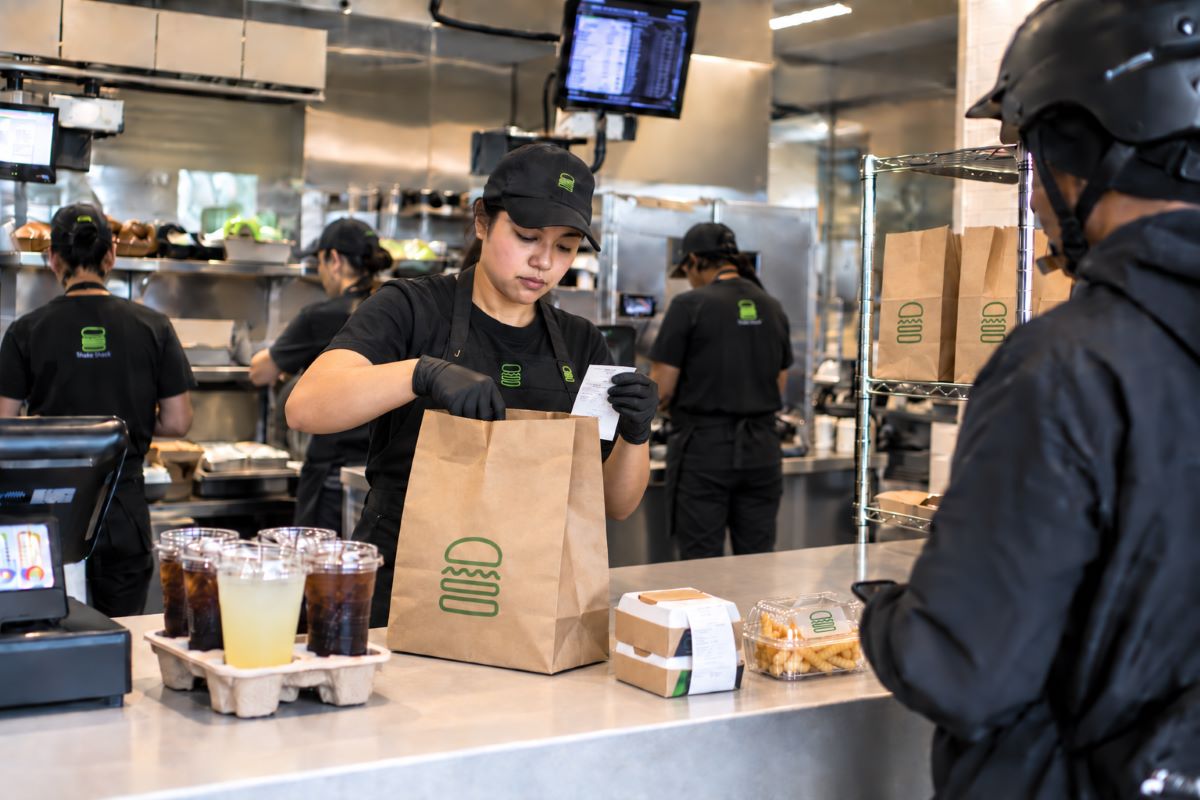
    Someone has to prepare each item, apply the correct modifiers, assemble the order, match drinks and sides, place everything into the right bag, and hand it to the correct customer or delivery driver.

    That creates several opportunities for an otherwise accurate digital order to break down.

    1. A sandwich is prepared correctly but placed in the wrong bag.
    2. A modifier is missed during assembly.
    3. Two similar drinks are switched.
    4. An order is complete except for one side sitting on another prep station.
    5. A catering order has dozens of individually prepared items, but staff cannot quickly tell which meal belongs to which guest.

    These are not necessarily POS problems or KDS problems. They are often identification and handoff problems.

    That is where labeling can help by keeping critical order information attached to the physical item as it moves through preparation, assembly, and handoff.

    How Better Labeling Can Help Reduce Chargebacks in Restaurants

    Labels give restaurant teams a visible connection between the digital order and the physical item in front of them.

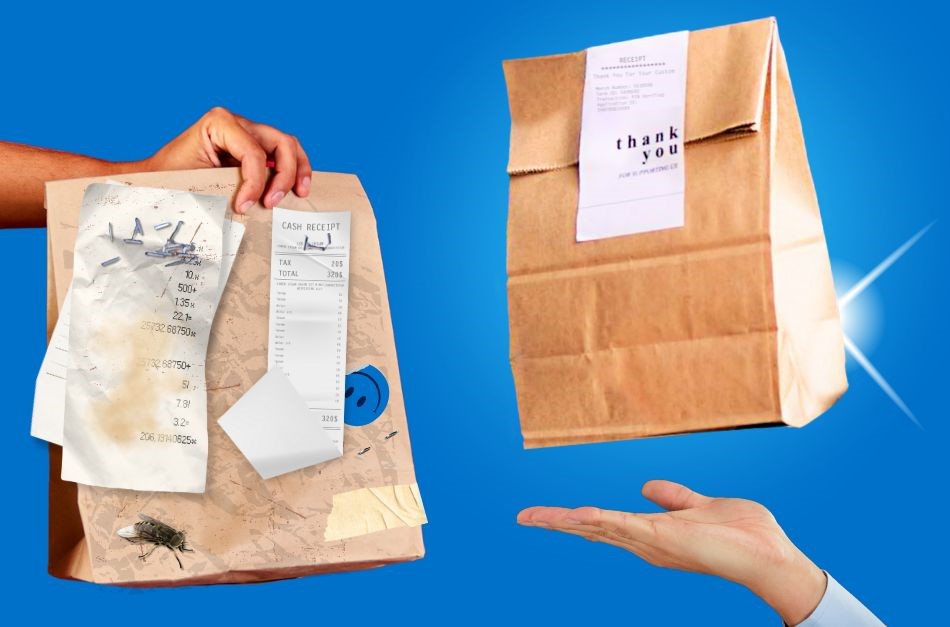
    Instead of relying on memory, handwritten notes, or a receipt stapled to the outside of a bag, teams can put relevant information directly where it is needed.

    Depending on the restaurant or QSR workflow, that may include:

    • Order confirmation labels: Clearly identify the order number, customer name, pickup information, or delivery details.
    • Item labels: Identify individual meals, drinks, sides, or other components of a larger order.
    • Modifier information: Make special requests more visible, including substitutions, additions, removals, or preparation instructions.
    • Customer names: Make individual meals and drinks easier to match with the right person, especially when several similar items are being prepared at once.
    • Bag seals and delivery labels: Help identify completed orders and keep order information visible through staging and handoff.

    The goal is not to add another task to the kitchen. It is to make important order information easier to see at the points where mistakes are most likely to occur.

    For restaurants trying to reduce chargebacks, that gives employees another chance to catch a wrong item, missed modifier, or mismatched order before it leaves the restaurant.

    Labeling Helps Prevent Restaurant Order Errors

    Catering Makes Order Accuracy Even More Important

    A single takeout order may contain three or four meals.

    A catering order could contain dozens.

    That changes the margin for error dramatically.

    Catering teams may need to coordinate individual guest meals, dietary requests, modifiers, beverages, sides, serving instructions, and pickup or delivery information within one order.

    Clear labeling can help keep those details attached to the right meal, tray, or package throughout preparation and handoff.

    A guest name can be printed directly on an individual meal. Allergen information can travel with the item. Trays can be identified before they are staged. Pickup details can remain visible throughout preparation and handoff.

    That gives staff a way to verify what they are looking at instead of trying to remember where each item belongs.

    For the customer placing a large catering order, those details are easy to notice when they are wrong.

    Getting 30 meals right can earn trust for the next event. Getting several of them wrong can do the opposite.

    Order Accuracy Is a Customer Loyalty Strategy

    Restaurants put significant effort into earning repeat business.

    Loyalty programs, promotions, mobile apps, limited-time offers, and personalized marketing can all help bring customers back.

    But none of them can compensate for consistently inaccurate orders.

    Customers expect the basics first: the food they ordered, prepared the way they requested it, with everything they paid for.

    That is why order accuracy matters so much to repeat business.

    A clear label may seem like a small operational detail, but it can help make important order information visible through preparation and handoff. The customer name is correct. The modification was acknowledged. Allergen information is attached to the right item. Every part of the order is accounted for.

    Those details help reduce the kinds of mistakes customers remember for the wrong reasons.

    Accuracy is not simply about preventing a refund. It’s about giving customers a reason to trust the next order, too.

    The Same Labeling Workflow Can Support Food Safety and Traceability

    Labeling can also carry important food information through preparation, storage, and off-premise fulfillment.

    That may include:

    • Preparation and rotation dates
    • Allergen and ingredient information
    • Product identification
    • Traceability details

    For multi-location restaurant brands, standardized labels can also replace inconsistent handwritten systems with the same information and format from one location to the next.

    The principle is the same as order accuracy: put the information employees need directly on the item they are handling.

    Read More About Labeling & Food Safety

    Add Another Layer of Verification With Weight

    Some restaurants can add a final checkpoint by verifying order weight before handoff.

    When a brand establishes expected weight ranges for completed orders or specific items, a connected scale can help flag an order that may be missing something before it leaves the restaurant.

    Labeling identifies what should be there.

    Weight provides another signal that something may be missing.

    For high-volume takeout and delivery operations, that extra check can help teams catch mistakes while the order is still in the restaurant, not after the customer opens the bag.

    Read “Why Leading QSRs Use POS Scales & Labels to Increase Order Accuracy” >

    Weighment with POS scales Helps Prevent Restaurant Order Errors

    Restaurant Technology Has to Work Together

    Improving order accuracy does not require replacing the restaurant’s entire technology stack.

    POS platforms and KDS solutions already manage critical parts of ordering and kitchen production. The opportunity is to carry that digital information into the physical workflow, where items are prepared, labeled, verified, packed, and handed off.

    Star Micronics works with restaurant software providers to connect printing and verification hardware to the applications restaurants already use.

    That can include label printers for order identification, modifiers, food safety, and handoff, along with connected scales that provide an additional verification point before an order leaves the restaurant.

    Star’s integration team works with software providers and restaurant technology teams to help connect those devices to existing workflows.

    The goal is simple: keep the information from the POS and KDS with the order all the way through handoff, and catch mistakes before the customer does.

    Reduce Chargebacks by Preventing the Error First

    Refunds and chargebacks happen after something has already gone wrong.

    The bigger opportunity is preventing the mistake that causes them.

    Better item identification. Clearer modifiers. Organized catering orders. Visible customer names. Consistent food safety information. A final verification step before handoff.

    Each improvement may seem small on its own. Across hundreds or thousands of off-premise orders, they can help reduce the restaurant order errors that lead to remakes, refunds, chargebacks, and lost trust.

    For a multi-location brand, even eliminating one preventable chargeback per location per day can add up quickly.

    Want to see what that could mean for your restaurants?

    Use Star’s chargeback calculator to estimate your potential exposure, then connect with our team to review the results and identify where stronger order accuracy could have the greatest impact.

    Estimate Your Chargeback Exposure

    YOGO Case Study

    Case Study: How a QSR Chain Streamlined Kitchen Order Routing and Printing

    A real-world look at how YOGO POS and Star Micronics supported high-volume QSR operations across multiple locations.

    Get Yours Now

    Ready to prevent restaurant order errors and boost order accuracy for greater customer loyalty?

    Contact Star Today

    Frequently Asked Questions About Restaurant Order Errors

    What causes restaurant order errors?

    Restaurant order errors can happen at several points between order entry and handoff. Even when an order is entered correctly into the POS and displayed correctly on the KDS, mistakes can occur during preparation, assembly, packaging, staging, or handoff.

    Common examples include missed modifiers, switched drinks, missing sides, incorrectly packed meals, and orders handed to the wrong customer or delivery driver.

    How much can restaurant order errors cost?

    The cost of a restaurant order error can extend beyond the price of the food itself. It may include a remake, refund or chargeback, additional labor, wasted ingredients and packaging, customer service time, and potentially lost repeat business.

    For multi-location restaurant brands, even a small number of preventable errors repeated across many stores can add up throughout the year.

    Why are off-premise restaurant order errors especially costly?

    Takeout, delivery, drive-thru, curbside, and catering orders are harder to correct once they leave the restaurant.

    A dine-in mistake may be caught and fixed immediately. With an off-premise order, the customer may not discover a missing item or incorrect modifier until they are already home or the delivery driver has left. At that point, the restaurant may be dealing with a refund, remake, complaint, or chargeback instead of correcting the order before handoff.

    How can restaurants reduce order errors?

    Restaurants can reduce order errors by making order information easier to verify throughout preparation and handoff.

    That may include clear item and order labels, visible modifier information, customer names, organized catering labels, bag identification, and a final verification step before the order leaves the restaurant.

    The goal is to give employees opportunities to catch a mistake while it can still be corrected.

    Can labeling help reduce restaurant chargebacks?

    Labeling can help address some of the identification and handoff mistakes that lead to refunds and chargebacks.

    Labels can keep information such as customer names, order numbers, modifiers, item details, and pickup or delivery information attached to the physical item or package. That gives employees another way to verify that the right food is going into the right order before handoff.

    Labeling cannot prevent every chargeback, but it can support workflows designed to catch preventable order errors earlier.

    How can weight verification improve restaurant order accuracy?

    When a restaurant establishes expected weight ranges for completed orders or specific items, a connected scale can provide an additional checkpoint before handoff.

    An unexpected weight can signal that something may be missing or incorrect, giving employees a reason to review the order before it leaves the restaurant.

    Labeling helps identify what should be there, while weight verification can provide another indication that the order may need a second look.

    How can restaurants estimate the cost of preventable chargebacks?

    Star Micronics’ chargeback calculator helps restaurant operators estimate what eliminating one preventable chargeback per day, per location could mean across their business.

    Operators can enter information about their restaurant operation to estimate their potential exposure and see how the impact changes as the number of locations increases.

    Try Out the Chargeback Calculator

  • Star Micronics to Showcase Labeling, Order Accuracy, and Cloud POS Solutions at the 2026 National Restaurant Show

    Star Micronics to Showcase Labeling, Order Accuracy, and Cloud POS Solutions at the 2026 National Restaurant Show

    Star will demonstrate food safety labeling, order accuracy workflows, and cloud-connected POS solutions at Booth 6454 during the 2026 National Restaurant Show.

    Chicago, IL – May 15, 2026 – Star Micronics, a global leader in POS hardware, labeling, and cloud printing technology, will exhibit at the 2026 National Restaurant Show, taking place May 16–19 at McCormick Place in Chicago, Illinois. At Booth 6454, Star will showcase integrated solutions for food safety labeling, kitchen execution, and order accuracy in partnership with leading restaurant technology providers.

    Food Safety and Traceability Workflows

    Star will demonstrate food safety labeling solutions that replace manual processes with automated, connected workflows.

    In partnership with ConnectedFresh and Kitchen Technology, Innovations by Integrated Control Corp. (KTI/ICC) attendees can see how labeling is generated during kitchen workflows using Star’s mC-Label3 and mC-Label2 multifunction label printers.

    These demonstrations highlight how operators can:

    • Generate prep, expiration, and traceability labels at the point of food preparation
    • Replace handwritten logs with consistent, printed labeling
    • Use die-cut or linerless media depending on workflow needs

    More advanced integrations also demonstrate how real-time data can automatically trigger labeling, allowing operators to capture food safety processes without manual input.

    KDS and Order Accuracy in the Kitchen

    Star is also highlighting how kitchen display systems (KDS), labeling, and verification workflows work together to improve order accuracy in high-volume environments.

    In collaboration with Logic Controls, attendees can follow how orders move from the front of house to the kitchen via the KitchenGO KDS platform, where staff can view items on-screen and instantly trigger labels through Star’s labeling workflow tools.

    These workflows enable staff to:

    • Apply sticky linerless labels directly to orders for clear identification
    • Reduce missed or misrouted items during peak service
    • Maintain consistency across prep and handoff

    Additional demonstrations showcase scan, weigh, and print workflows using integrated hardware, including the mG-T30 POS scale, BSH-32B barcode scanner, and SK1-311 thermal kiosk printer.

    These verification workflows allow operators to:

    • Scan items to confirm order accuracy
    • Verify portioning or weight-based items
    • Generate labels or receipts as part of a single process before fulfillment

    Cloud and Omnichannel POS Integration

    Star’s booth also features cloud-connected POS workflows that support modern restaurant operations across in-store, kiosk, and online ordering environments.

    Attendees will see how cloud-based systems can:

    • Route orders across multiple stations and locations
    • Print directly from online ordering platforms without local servers
    • Support consistent workflows across dine-in, takeout, and delivery

    Using solutions such as StarIO.Online and CloudPRNT Next, Star enables reliable communication between digital ordering systems and physical kitchen hardware, helping restaurants maintain consistency across locations and service models.

    Star will also showcase the mC-Connect cash drawer controller, which allows tablet and cloud POS systems to control cash drawers directly without requiring a printer connection. Designed for modern and space-constrained POS environments, the device supports flexible cash management workflows across retail and hospitality operations.

    Partner Ecosystem on Display

    At Booth 6454, Star features integrations with a range of restaurant technology partners, demonstrating how hardware and software work together to support real-world operations.

    “Restaurants are managing more complexity than ever across ordering channels, kitchen workflows, and compliance requirements. At the National Restaurant Show, we’re focused on showing how integrated solutions, from labeling to KDS to cloud printing, can help operators bring more control, order accuracy and consistency to their day-to-day operations.”

    Christophe Naasz, Global Director of Business Development at Star Micronics

    Free Order Accuracy and Workflow Audit

    In addition to live demonstrations, Star Micronics is offering a complimentary audit for restaurant operators looking to evaluate their current workflows.

    The audit identifies gaps in order accuracy, labeling, and kitchen communication, while providing practical recommendations to improve consistency across prep, packaging, and handoff.

    Attendees are invited to visit Booth 6454 to see the solutions in action, meet with partners, and schedule a one-on-one workflow review with the Star team.

    For more information, visit starmicronics.com.

    Can’t get enough industry news?

    Explore the Star Blog

    Star Micronics logo, point-of-sale (POS) hardware and technology company.

    Star Micronics is a global provider of point-of-sale (POS) hardware, cloud printing, and labeling solutions that help businesses connect digital workflows to real-world operations. Serving retail, hospitality, healthcare, and service industries, Star delivers printing, labeling, cash management, self-service, and cloud-based technologies designed to support scalable, connected, and automated environments. Star’s solutions support Android, iOS, Windows, and web-based platforms and extend into the cloud through services such as CloudPRNT Next and StarIO.Online, Star’s fully managed cloud printing service.

    Visit starmicronics.com or follow us on Facebook, X, YouTube, or LinkedIn to learn more.

    Media Contact:

    Christin Trilone

    Star Micronics America, Inc.

    ctrilone@starmicronics.com

    848-216-3318

  • OIML Scales: Understanding Global Compliance for POS Scales

    OIML Scales: Understanding Global Compliance for POS Scales

    For retailers, grocers, and other businesses using POS scales, compliance is not optional. If a scale is used to determine price based on weight, it must meet legal-for-trade requirements in the region where it is deployed.

    That’s where confusion often begins.

    Different countries follow different standards, and terms like OIML, NTEP, and Measurement Canada are often used interchangeably when they are not the same. For businesses operating across regions or planning international expansion, understanding these differences is critical.

    This guide explains what OIML scales are, how they compare to NTEP and Measurement Canada, and what these standards mean for POS scale deployments in real-world retail and grocery environments.

    Explore Star’s POS Scales

    What Are OIML Scales?

    OIML scales are weighing devices that meet standards set by the International Organization of Legal Metrology (OIML). These standards are designed to ensure accuracy, consistency, and fairness in commercial transactions involving weight.

    OIML-certified scales are commonly used in legal-for-trade applications across global markets, particularly in regions outside the United States and Canada.

    In practical terms, if a business is selling products by weight in an international market, an OIML-compliant scale is often required to meet local regulations.

    What Is OIML Certification?

    OIML certification confirms that a scale complies with internationally recognized metrology standards. These standards are defined through a series of technical documents known as OIML recommendations.

    These recommendations establish how scales should perform under various conditions, including:

    • Accuracy and repeatability
    • Environmental stability
    • Durability over time

    One of the most widely referenced standards is OIML R76, which applies to non-automatic weighing instruments such as retail and grocery POS scales.

    For businesses, OIML certification provides confidence that a scale will meet regulatory requirements and deliver consistent, reliable performance in commercial use.

    OIML vs NTEP: What’s the Difference?

    While both OIML and NTEP relate to legal-for-trade compliance, they apply to different regions and regulatory frameworks.

    OIML

    • International standard
    • Used in many countries worldwide
    • Based on global metrology recommendations

    NTEP (National Type Evaluation Program)

    • United States standard
    • Managed by the National Conference on Weights and Measures (NCWM)
    • Required for legal-for-trade scales used in the U.S.

    The key takeaway is that OIML and NTEP certifications are not interchangeable. A scale approved under one system does not automatically meet the requirements of the other.

    For businesses operating globally, this distinction is critical when selecting POS scales for different markets.

    POS scale and POS setup at a farmer's market food truck.

    OIML vs Measurement Canada: Key Differences

    Measurement Canada governs the approval and certification of weighing devices used in commercial transactions within Canada.

    While there are similarities between Measurement Canada and OIML standards, they are separate regulatory systems with their own requirements and approval processes.

    Measurement Canada

    • Applies specifically to Canada
    • Requires approval for legal-for-trade use
    • Includes inspection and compliance verification

    OIML

    • Applies internationally
    • Provides a framework for global standardization

    Some devices may align with both sets of requirements, but approval in one region does not guarantee compliance in another. Businesses must ensure that their POS scales meet the specific certification requirements of each country where they operate.

    What Are OIML Recommendations (and Why They Matter)?

    OIML recommendations are technical guidelines that define how weighing instruments should perform. These documents serve as the foundation for OIML certification.

    They cover areas such as:

    • Measurement accuracy
    • Tolerance limits
    • Environmental testing
    • Device classification

    For example, OIML R76 outlines the requirements for non-automatic weighing instruments, including most retail POS scales.

    These recommendations help ensure consistency across international markets, making it easier for manufacturers and businesses to align with global standards.

    What This Means for POS Scales in Retail and Grocery

    For businesses using POS scales, compliance directly impacts day-to-day operations.

    If a scale does not meet the required certification:

    • It cannot legally be used to sell products by weight
    • Transactions may be subject to regulatory penalties
    • Customer trust can be impacted

    This is especially important for:

    • Grocery stores
    • Delis and fresh food counters
    • Specialty retail (including cannabis and bulk goods)

    For multi-location or international businesses, the challenge increases. Each location must meet the specific requirements of its region, whether that means OIML, NTEP, or Measurement Canada certification.

    Selecting the right POS scale is not just about performance. It is about ensuring compliance across every location where the business operates.

    The latest mG-T POS scales from Star Micronics are perfect for grocery stores and environments.

    Do you run a restaurant or QSR and find orders going out wrong more often than they should, especially during peak hours? Read up on “Why Leading QSRs Use POS Scales & Labels to Increase Order Accuracy” >

    Choosing the Right Certified POS Scale

    When selecting a POS scale, businesses need to balance compliance requirements with day-to-day operational performance. The right solution should meet regional regulations while supporting fast, accurate transactions at the point of sale.

    For example, a grocery POS scale deployed in Europe may require OIML compliance, while the same deployment in the United States would require NTEP certification. Understanding where and how the scale will be used is the first step in selecting the right device.

    Key factors to consider include:

    • Required certification (OIML, NTEP, or Measurement Canada)
    • Integration with POS systems and retail workflows
    • Accuracy and reliability in high-volume environments
    • Durability for consistent daily use

    A legal-for-trade POS scale that does not integrate well into the POS workflow can still create operational challenges. The goal is to choose a solution that meets regulatory requirements while supporting efficient, scalable transactions across locations.

    Want to know more? Read our blog article, “The Ultimate Buyer’s Guide to Choosing the Right POS Scale for Your Business” >

    How Star Micronics Supports Global POS Scale Compliance

    Star Micronics provides POS scale solutions designed to meet the needs of modern retail and grocery environments, where compliance and performance must work together.

    Star POS scales are built to support:

    • Legal-for-trade compliance across multiple regions
    • Reliable performance in high-volume environments
    • Integration with POS systems and retail workflows

    With a focus on accuracy, durability, and ease of use, Star helps businesses deploy POS scale solutions that meet regulatory requirements and real-world operational demands.

    Star’s OIML-certified POS scales are available in regions outside the United States, including Europe. To learn more about availability and deployment options, reach out to the Star Micronics team in the UK.

    Understanding OIML, NTEP, and Measurement Canada requirements helps businesses avoid compliance issues and confidently deploy POS scale solutions across regions. With the right hardware and approach in place, compliance becomes a built-in advantage, not a barrier to growth.

    Learn more about Star Micronics POS scales and compliance-ready solutions for global retail and grocery environments.

    Contact Star Today

    Frequently Asked Questions (FAQs) About OIML Scales

    What does OIML stand for?

    OIML stands for the International Organization of Legal Metrology. It is a global organization that develops standards and recommendations for measuring instruments used in commercial transactions.

    What is an OIML scale?

    An OIML scale is a weighing device that meets the standards set by the International Organization of Legal Metrology. These scales are typically used in legal-for-trade applications in international markets.

    What is the difference between OIML and NTEP certification?

    OIML is an international standard, while NTEP applies specifically to the United States. Both ensure accuracy and compliance for legal-for-trade scales, but they are governed by different organizations and are not interchangeable.

    Are OIML scales required in the U.S.?

    No. In the United States, legal-for-trade scales must be NTEP certified. OIML certification is generally used in international markets outside the U.S.

    Can a scale be both OIML and NTEP certified?

    Yes. Some manufacturers design scales to meet both OIML and NTEP requirements, allowing them to be used in multiple regions. However, each certification must be obtained separately.

    What are OIML recommendations?

    OIML recommendations are technical guidelines that define how weighing instruments should perform. They serve as the basis for OIML certification and help ensure consistency across international markets.

    What are the classes of OIML scales?

    OIML classifies scales based on their level of accuracy. Common classes include:

    • Class I: High-precision laboratory scales
    • Class II: Precision scales used in laboratories and some retail applications
    • Class III: Commercial scales used in retail and grocery environments
    • Class IIII: Scales used for less precise applications such as bulk weighing

    Most POS scales used in retail fall under Class III.

    What are the classes of OIML weights?

    OIML weights are also classified by accuracy, ranging from high-precision classes such as E1 and E2 to lower-precision classes like M1, M2, and M3. These weights are used to calibrate and verify the accuracy of scales.

    What does legal-for-trade mean for POS scales?

    Legal-for-trade means a scale meets the regulatory requirements needed to be used in commercial transactions where price is determined by weight. Certification ensures accuracy, fairness, and compliance with local laws.

  • Star Micronics to Bring Leading Cannabis POS, Labeling, and Cloud Printing to MJBizCon 2025

    Star Micronics to Bring Leading Cannabis POS, Labeling, and Cloud Printing to MJBizCon 2025

    Visit Booth C25822 to see how Star’s hardware and cloud tools support cannabis POS platforms, weighing systems, labeling stations, and multi-store deployments.

    Las Vegas, NV – December 3-5, 2025 – Star Micronics, a global leader in point-of-sale (POS), labeling, and cloud technology, is pleased to announce its participation in MJBizCon 2025, the cannabis industry’s largest B2B conference and expo. The event takes place December 3–5, 2025, at the Las Vegas Convention Center, where Star will welcome attendees at Booth C25822.

    At MJBizCon 2025, Star will demonstrate how cannabis retailers, vertically integrated operators, and POS software providers can improve accuracy, compliance, and operational efficiency by integrating Star’s Customer First Solutions into their workflows.

    Attendees are invited to explore live demonstrations of Star’s cannabis-ready hardware and cloud tools, including:

    • The mC-Label2 Multifunction Printer: A compact, front-loading, 2-inch printer with ultra-sharp 300 DPI resolution. Ideal for cannabis packaging stations and weighing counters, it prints receipts, tags, strain labels, shelf labels, linerless labels, and die-cut compliance labels from a single device. The X4 models offer all four connectivity options (USB, LAN, Bluetooth, and Wi-Fi) and support One Touch Label for fast, stored-label printing in high-volume environments.
    • The TSP143IV X4 and SK X4 Series: Advanced thermal printers with four connectivity interfaces, Bluetooth-assisted Wi-Fi setup, and CloudPRNT Next compatibility for reliable multi-location and delivery routing. The SK X4 model supports removable sticky linerless labels, making it well-suited for prescription bags, order pickup, curbside/drive-up, and online cannabis ordering workflows.
    • StarIO.Online: A fully managed cloud printing service that removes the need for local servers or custom infrastructure. Cannabis retailers and ISVs can use a single dashboard to monitor device health, push remote updates, and manage printers across multiple dispensaries, improving visibility and control for delivery services, grow facilities, and vertically integrated operators.
    • CD5 Max Series Cash Drawers: Star’s most durable cash drawer line, built for cash-heavy cannabis retail. With all-steel construction, dual printer-driven and USB interfaces, a five-year warranty, and optional accessories, the CD5 Max Series provides secure, long-lasting cash handling for high-volume dispensaries.
    • Star Blue Eco Receipt Paper and Labels: Eco-friendly, BPA/BPS-free, Prop 65 compliant paper and label rolls that support compliant printing for weighing slips, product labels, pickup receipts, and customer transactions. Designed for optimal performance with Star printers, Star Blue Eco helps cannabis businesses meet sustainability expectations without sacrificing print clarity.

    Star Micronics continues to support cannabis retailers as the industry evolves, providing technology built to increase accuracy, simplify compliance, and improve workflow efficiency across every point of the cannabis retail experience.

    Attendees are encouraged to visit Booth C25822 to see these innovations firsthand and schedule one-on-one demonstrations with the Star team.

    To book a demo or for more information, contact sales@starmicronics.com.

    Can’t get enough industry news?

    Explore the Star Blog

    Star Micronics logo, point-of-sale (POS) hardware and technology company.

    Star Micronics, a world leader in point-of-sale (POS), has designated a portfolio of printing, secure cash management, self-service, and customer engagement solutions for any retail or hospitality establishment. Embracing the mPOS wave, Star’s SDKs allow developers to utilize Star printers in tandem with Android™, iOS, iPad®, and iPhone® devices to generate receipts, labels, Chit, and tickets. Star Micronics is always leading and always innovating, creating cloud-based printing solutions, including CloudPRNT Next, StarIO.Online, and Star Cloud Services, with AOA support and MFi connectivity. Star also has a wealth of peripherals, including 2D barcode scanners, scales, tablet display stands, and more. Visit starmicronics.com or follow us on Facebook, X, YouTube, or LinkedIn to learn more.

    Media Contact:

    Christin Trilone

    Star Micronics America, Inc.

    ctrilone@starmicronics.com

    848-216-3318

  • The KDS Hardware You Need to Improve Restaurant Order Accuracy

    The KDS Hardware You Need to Improve Restaurant Order Accuracy

    A kitchen display system (KDS) is one of the most effective ways to improve restaurant order accuracy and efficiency. It upgrades the way restaurants communicate between the front and back of house, replacing paper chits and verbal communication with digital precision. By sending orders directly from the POS system to prep stations, a KDS helps control the chaos of omnichannel ordering from online platforms, off-premise dining, mobile apps, kiosks, drive-thru, and counter service.

    However, a KDS alone won’t solve every accuracy problem in the kitchen. Orders can still break down during prep, packaging, labeling, and handoff, where small mistakes quickly turn into remakes, refunds, and frustrated customers. To deliver a complete restaurant order accuracy solution, KDS providers need POS and KDS hardware peripherals built specifically for modern kitchen workflows.

    Explore Star’s Restaurant Solutions

    What is KDS Hardware?

    KDS hardware is more than a screen and bump bar. A total solution includes label printers, barcode scanners, and scales to create an effective restaurant order accuracy solution. A comprehensive KDS hardware solution allows restaurants to optimize communication throughout the KDS workflow and ensure accuracy at every step.

    Differentiate Your Offering with Modular KDS Hardware

    As competition among KDS providers intensifies, differentiation becomes increasingly crucial. Partnering with a KDS hardware peripheral manufacturer allows you to offer a complete, modular solution that enhances restaurant operations and drives greater accuracy.

    By combining your software with reliable POS hardware for restaurants, such as label printers, scales, and scanners, you can help your users take the next step toward streamlined workflows and consistent order quality.

    Label Printers

    Label printers are the cornerstone of restaurant labeling solutions. Integrating with a restaurant label printer enables restaurants to automatically generate labels when a food prep station receives an order or when it’s bumped to the next stage.

    Restaurant labeling keeps every item traceable and ensures accurate handoffs between kitchen staff, expeditors, and delivery drivers. A KDS-connected label printer can even print tamper-evident labels for delivery bags to reinforce food safety and customer trust.

    The ideal printer for these workflows is a multifunctional model that can handle all types of labels, as well as receipts. Multimedia printers allow restaurants to use less SKUs, with the same model printer at each station. 

    Linerless label printers are also a great option for high-volume kitchens in areas that don’t require die-cut only. Linerless labels eliminate liner waste and clutter while keeping labeling stations clean and efficient.

    KDS Hardware Restaurant Labeling with the mC-Label2 multimedia label printer from Star Micronics.
    The new mC-Label2 multifunction printer offers compact labeling power with precision & connectivity.

    POS Scales

    Integrating POS scales as part of your KDS peripheral bundle helps restaurants verify accuracy at the final handoff. The POS scale compares the weight of a packaged order to the expected weight stored in a database or spreadsheet. Sensitive scales can even factor in wrappers, condiments, and utensils, ensuring every bag matches what was ordered.

    This added layer of precision reduces errors, waste, and refunds, helping restaurants build trust and protect margins.

    Barcode Scanners

    Barcode scanners also play a critical role in achieving restaurant order accuracy. Scanners can be used to track inventory through barcode labels, ensuring ingredients stay stocked and accounted for.

    For customer-facing operations, scanning technology provides visibility into the order journey, signaling when items are ready for pickup, handed off to delivery, or en route. This transparency helps prevent disputes, minimize chargebacks, and increase customer satisfaction.

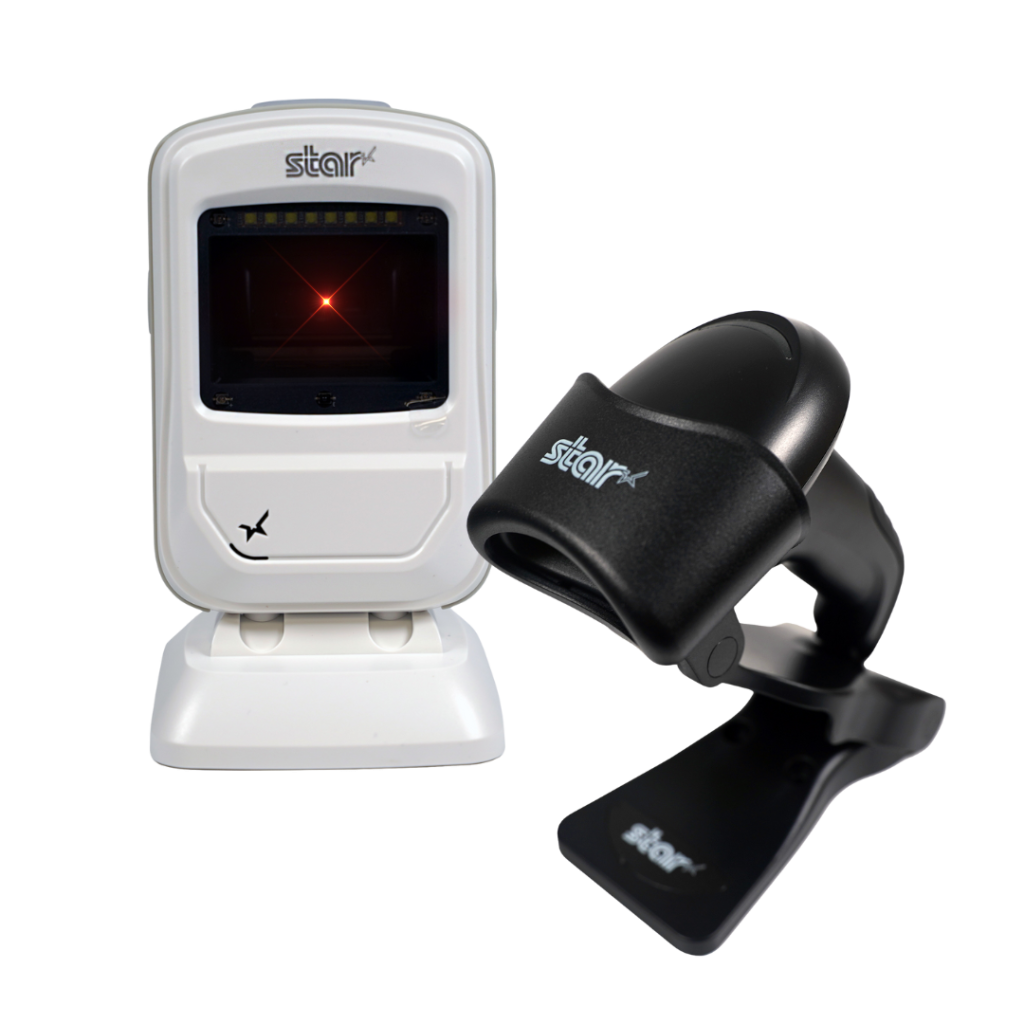
    Star’s 1D/2D Barcode Scanners

    Star offers a comprehensive range of IP-rated 1D/2D barcode scanners, ideal for diverse business needs. From retail to healthcare, our versatile scanners excel in parsing driver’s license and ID barcodes, ensuring swift and accurate data capture. Choose the perfect fit for your setup—desktop, handheld, or wireless Bluetooth options available.

    Star Micronics has the latest in retail barcode technology solutions with a range of desktop, USB handheld, and wireless handheld scanners.

    5 Must-Have Features in KDS Hardware

    When looking for a hardware partner to enhance your KDS solution, make sure they offer thermal printers, scales, and scanners that deliver the durability, compatibility, and flexibility restaurants depend on.

    1. Ruggedized Hardware

    Kitchen environments demand hardware designed for heat, humidity, and constant use. Purpose-built kitchen printers deliver greater reliability and longer service life in these conditions, helping reduce downtime and support costs.

    In temperature-controlled kitchens, connected thermal ticket printers can also be effective, provided they are engineered for continuous, high-volume operation. For KDS platforms, choosing hardware with a low total cost of ownership (TCO) ensures restaurant partners avoid frequent replacements, service calls, and operational disruption.

    Learn more about Star’s kitchen printer solutions here >

    2. Cross-Platform Compatibility

    To reach the widest range of restaurant environments, KDS platforms must integrate seamlessly with peripherals that support all major operating systems, including Windows, iOS, Android, Linux, and ChromeOS. Broad OS compatibility ensures printers, scales, and scanners can be deployed consistently across diverse POS ecosystems without limiting customer choice or increasing integration complexity.

    Explore Star’s Technology

    3. Cloud-Based Printing

    For KDS providers, consistent order flow depends on reliable, low-latency printing that integrates cleanly with cloud-based applications. Cloud-based printing allows printers to communicate directly with cloud systems, eliminating reliance on local print servers and reducing architectural complexity.

    Modern cloud printing architectures built on MQTT (Message Queuing Telemetry Transport) enable faster, more reliable message delivery between cloud applications and connected printers. This event-driven approach supports real-time order and label printing, even during peak volume periods, helping keep KDS stations, expo lines, and fulfillment workflows synchronized.

    • CloudPRNT Next enables ISVs to implement MQTT-based cloud printing directly within compatible Star printers, giving KDS platforms full control over their own cloud infrastructure and backend logic.

    • StarIO.Online offers a fully managed, Star-hosted cloud printing service for KDS providers that prefer to offload infrastructure management. Print jobs are delivered securely via REST APIs, with support for both MQTT and HTTP, defaulting to MQTT when the printer is compatible.

    Star Micronics' CloudPRNT Next, featuring the MQTT protocol, sets a new standard for cloud-based printing by providing faster and more reliable communication between devices.
    CloudPRNT Next and StarIO.Online use the faster, leaner MQTT protocol.

    4. Remote Device Management

    For KDS providers supporting multi-location restaurant environments, device visibility and uptime are critical. Remote device management allows ISVs and operators to monitor printer status, connectivity, and job health across locations without requiring on-site intervention.

    • StarIO.Online provides KDS platforms with real-time visibility into cloud-connected printers, including online/offline status and print job activity, all through a Star-hosted infrastructure. This reduces troubleshooting time and removes the need to manage local servers or gateways.
    • Star Micronics Cloud Services gives ISVs that manage their own cloud infrastructure programmatic access to printer status and connectivity data, allowing developers to build custom monitoring dashboards or embed device visibility directly into their KDS platforms.

    Together, these options allow KDS providers to support enterprise-scale deployments more efficiently, maintain consistent performance across locations, and keep order accuracy tools running reliably without increasing operational overhead.

    5. Scalable Support

    Growth shouldn’t introduce friction. The right KDS hardware partner supports scale with cloud-ready printing architectures, flexible integration options, and long-term technical support designed for multi-location and enterprise restaurant environments.

    Key elements of scalable KDS support include:

    • Cloud-native printing architectures – MQTT-based cloud printing enables fast, reliable communication between cloud applications and printers, ensuring consistent performance as order volume and location count increase.

    • Flexible infrastructure models – KDS providers can choose to manage their own cloud infrastructure using CloudPRNT Next or offload infrastructure management entirely with StarIO.Online, depending on their scalability and support strategy.

    • Reduced IT overhead – Star-hosted cloud printing options eliminate the need for local print servers, gateways, or on-site configuration, simplifying deployment and ongoing support for distributed restaurant networks.

    • Developer-first integration support – Star provides SDKs in all major programming languages, detailed documentation, and direct access to an experienced integration team to accelerate development and reduce implementation risk.

    • Multi-location deployment readiness – Hardware can be rolled out consistently across stores, regions, or brands, with cloud-based workflows that support centralized updates and scalable growth without downtime.

    With infrastructure simplified, KDS platforms can scale faster while maintaining reliable printing and consistent order accuracy.

    Explore Star-Hosted Cloud Printing

    Benefits of a Total Order Accuracy Solution

    When your KDS hardware is part of a larger order accuracy ecosystem, both you and your restaurant clients benefit:

    • Fewer errors at handoff points lead to greater customer satisfaction and fewer chargebacks.
    • Streamlined operations without a full POS overhaul—modular hardware works with existing systems.
    • Greater efficiency and visibility, helping restaurants manage every stage from order to bag.
    • More sustainable workflows, with less wasted time, food, and paper.
    • Stronger customer trust, supported by tamper-evident restaurant labeling and accurate fulfillment.
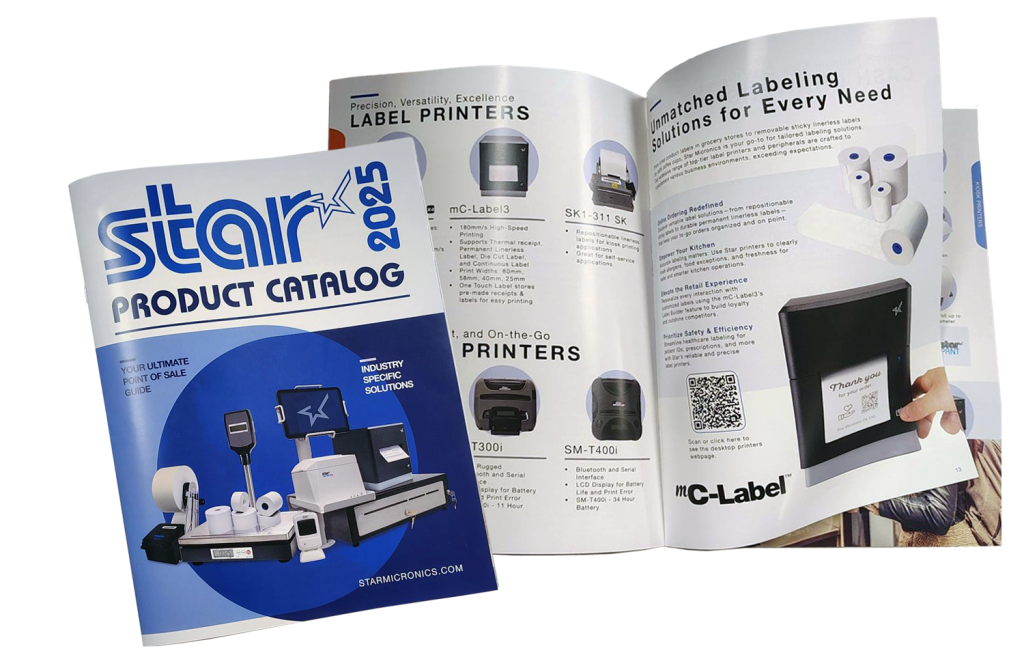
    2025 Catalog

    The Star Micronics Product Catalog

    Built for performance and easy software integration, Star’s technology connects every part of your operation—from cloud printing and labeling to payment and cash management.

    Get Yours Now

    The Future of KDS Hardware and Restaurant Order Accuracy

    With the right KDS hardware partner, you can offer more than a display screen — you can deliver a complete restaurant order accuracy solution. Pairing your software with reliable POS peripherals helps your clients reduce errors, improve efficiency, and enhance the customer experience.

    By partnering with Star Micronics, KDS providers can access a range of proven POS hardware and restaurant labeling solutions that fit seamlessly into today’s restaurant ecosystems.

    Additional Resources

    Explore Star Micronics products that complement KDS systems and help close the loop on restaurant order accuracy:

    Explore KDS hardware peripherals that improve restaurant order accuracy:

    Contact Star Now

    Frequently Asked Questions About KDS Hardware and Restaurant Order Accuracy

    What is KDS hardware?

    KDS hardware includes the physical devices that support a kitchen display system, such as kitchen printers, label printers, POS scales, barcode scanners, tablets, and cloud-connected peripherals. Together, these tools help restaurants improve communication, streamline workflows, and increase order accuracy.

    How does KDS hardware improve restaurant order accuracy?

    KDS hardware helps reduce mistakes during food prep, packaging, labeling, and handoff. Tools like label printers and POS scales provide additional verification steps that help ensure every order is complete, correctly labeled, and ready for pickup or delivery.

    Why are label printers important for KDS systems?

    Label printers help restaurants automatically generate prep, expiration, delivery, and tamper-evident labels directly from the KDS workflow. This improves traceability, reduces manual errors, and helps staff identify and hand off orders accurately.

    How do POS scales support order accuracy?

    POS scales can compare the expected weight of an order against the actual packaged weight, helping restaurants catch missing or incorrect items before orders leave the kitchen. This reduces remakes, refunds, and customer complaints.

    What should KDS providers look for in KDS hardware?

    KDS providers should look for hardware that offers:

    • Ruggedized designs for kitchen environments
    • Cross-platform compatibility
    • Cloud-based printing support
    • Remote device management capabilities
    • Scalable deployment and integration support

    Reliable hardware helps ensure consistent performance across restaurant locations.

    What is cloud-based printing for KDS systems?

    Cloud-based printing allows kitchen printers and label printers to receive print jobs directly from cloud applications without relying on local print servers. This simplifies deployment, improves reliability, and supports multi-location restaurant operations.

    What is the difference between CloudPRNT Next and StarIO.Online?

    CloudPRNT Next allows ISVs to implement MQTT-based cloud printing while maintaining control over their own cloud infrastructure. StarIO.Online is Star Micronics’ fully managed cloud printing service, where Star hosts and maintains the infrastructure while securely delivering print jobs through REST APIs.

    Why is remote device management important for KDS providers?

    Remote device management gives KDS providers visibility into printer status, connectivity, and print job activity across multiple locations. This helps reduce troubleshooting time, improve uptime, and support enterprise restaurant deployments more efficiently.

    Which operating systems should KDS hardware support?

    KDS hardware is available for all popular operating systems, including Android, Windows, ChromeOS and Linux. Partnering with a hardware vendor that offers products that work across platforms enables solutions providers to meet the needs of more restaurants in their markets.

    How does KDS hardware connect to restaurant POS systems?

    Modern KDS hardware supports multiple connectivity options depending on the device and workflow requirements. Printers may support USB, LAN, WLAN, USB-C, or Bluetooth connections, while scanners and POS scales can connect through wired or wireless interfaces. Flexible connectivity helps restaurants integrate KDS hardware into existing POS environments more easily.

  • Food Delivery Labels: The Unsung Hero Behind the DoorDash vs. Amazon Race

    Food Delivery Labels: The Unsung Hero Behind the DoorDash vs. Amazon Race

    The delivery wars are no longer just about who can get food to customers the fastest. With Amazon expanding same-day grocery delivery to thousands of cities and DoorDash pouring billions into grocery, retail, and international markets, the competition has never been fiercer. Together, they’re battling for dominance in a U.S. grocery and food delivery market worth more than $1.5 trillion.

    But speed isn’t enough. At this scale, even the smallest mistakes, such as a mislabeled bag, a missing item, or a tamper-evident seal that fails, can result in millions of dollars in refunds, chargebacks, and lost trust. In the race between Amazon and DoorDash, the real differentiator isn’t just logistics. It’s food delivery labels.

    Every order, from a grocery bag to a takeout clamshell, depends on smart labeling to ensure accuracy, compliance, and customer trust. Without it, delivery breaks down before it ever reaches the customer’s doorstep, whether you’re Amazon, DoorDash, or a neighborhood café.

    Explore Star’s Labeling Solutions

    The Role of Food Delivery Labels in Every Order

    Behind every order, there’s a label that tells the story. Without it, mistakes pile up: wrong bags are handed off, items go missing, food safety risks increase, and customers walk away unhappy.

    • Food delivery labels identify the right order for the right customer across pickup, drive-thru, and third-party delivery.
    • Food rotation labels keep groceries and perishables safe and compliant with FDA and USDA standards.
    • Nutritional and allergen labels ensure restaurants and grocers meet customer needs and regulations.
    • Tamper-evident labels provide peace of mind that meals and groceries haven’t been opened or altered.

    Without Food Delivery Labels, Accuracy Breaks Down

    Inside every restaurant or fulfillment center, accuracy depends on what happens at the handoff points, from the KDS screen to the expo station to the courier’s hands. This is where food delivery labels hold the chain together. They confirm the right bag matches the right order, direct groceries or meals to the correct customer, and provide the details needed for a smooth delivery.

    When labels are unclear, sloppy, or missing, breakdowns happen fast: orders are delayed, items are lost, meals are wasted, and customers lose trust. For restaurants and QSRs working on razor-thin margins, those errors quickly add up to costly refunds and lost loyalty. That’s why food delivery labels are as vital to a single café as they are to billion-dollar platforms—they protect profits, reduce waste, and keep customers coming back.

    Better labeling strategies for online orders and delivery from Star Micronics.

    What Restaurants and Retailers Can Learn

    Amazon and DoorDash may set the pace, but local restaurants and retailers can win by focusing on the fundamentals that make delivery work. At the top of that list: labeling.

    • Treat labeling as part of the customer experience. A smudged or missing label isn’t just an operational issue—it erodes trust. Consistency builds confidence that every bag, box, and cup is prepared with care and attention.
    • Think beyond food delivery labels. Prep labels, food rotation labels, and allergen information labels all work together to ensure compliance, safety, and efficiency. A complete strategy covers both front-of-house accuracy and back-of-house organization.
    • Match the label to the workflow. Delivery bags may require tamper-evident adhesives, while grab-and-go cups benefit from removable/repositionable options. The right adhesive strength in the right place minimizes waste and errors.
    • Plan for scale, even if you’re small today. As order channels expand (dine-in, pickup, third-party delivery, mobile apps), labeling systems should be able to grow with them. Future-proofing your labeling strategy now prevents costly overhauls later.

    Smart labeling isn’t just a detail to check off. It’s the bridge between fast-moving operations and the customer experience that keeps people coming back.

    How Star Micronics Powers Food Delivery Labels

    Star Micronics delivers the technology that makes food delivery labels reliable, efficient, and scalable:

    • mC-Label multimedia label printers: The mC-Label3 and mC-Label2 print linerless labels, die-cut labels, and receipts from one compact device.

    mC-Label2 Multifunction Printer

    The mC-Label2 packs powerful features into a compact, front-loading design, including 300 dpi resolution, support for linerless, die-cut, receipt, and continuous media, and connectivity options like USB-C, LAN, WLAN, Bluetooth, and Apple MFi-certified pairing (X4 models only).

    Explore the mC-Label2 >

    The mC-Label2 multifunction label printer by Star Micronics.
    The mC-Label3 multifunction label and receipt printer from Star Micronics.

    mC-Label3 Multifunction Printer

    The Star Micronics mC-Label3 is a versatile multimedia printer that prints a wide range of labels and receipts, including both permanent and repositionable sticky linerless. It features cloud connectivity and innovative technologies like SteadyLAN and TetherLAN for enhanced printing convenience.

    Discover the mC-Label3 >

    Star’s 1D/2D Barcode Scanners

    Star offers a comprehensive range of IP-rated 1D/2D barcode scanners, ideal for diverse business needs. From retail to restaurants, our versatile scanners excel in parsing driver’s license and ID barcodes, ensuring swift and accurate data capture. Choose the perfect fit for your setup—desktop, handheld, or wireless Bluetooth options available.

    Star Micronics has the latest in retail barcode technology solutions with a range of desktop, USB handheld, and wireless handheld scanners.

    Learn More About StarIO.Online

    Food Delivery Labels: The Unsung Hero of Delivery

    Amazon and DoorDash may dominate the headlines, but success in food delivery doesn’t come down to speed alone. Food delivery labels are what make accuracy, compliance, and customer trust possible at every handoff, from the kitchen to the customer’s doorstep.

    For restaurants and QSRs of any size, smarter labeling is more than an operational detail—it’s a strategy that protects margins, reduces waste, and keeps guests coming back.

    With Star Micronics, operators gain the tools to put that strategy into practice, from multifunctional printers and adhesive options to scales, scanners, and cloud-ready solutions.

    Smarter labeling. Smarter delivery. That’s the future of food delivery labels with Star.

    The Smart QSR Delivery Playbook: Labeling, Accuracy & Efficiency Done Right Ebook by Star Micronics

    The Smart QSR Delivery Playbook: Labeling, Accuracy & Efficiency Done Right

    Learn how leading QSRs are using smart labeling and scalable POS technology to reduce errors, cut costs, and deliver a better guest experience.

    Get Yours Now

    Turn Food Delivery Labels into a Competitive Edge

    Contact Star Now

  • How Online Ordering Aggregators Can Improve Order Accuracy and Protect Margins

    How Online Ordering Aggregators Can Improve Order Accuracy and Protect Margins

    Speed gets the spotlight in restaurant delivery, but the real driver of customer loyalty, partner retention, and long-term profitability is order accuracy.

    For online ordering aggregators, accuracy isn’t just a restaurant-side issue. Every wrong label, missing item, or delivery dispute costs more than a refund. It damages trust, and when switching providers is easy, trust is your most valuable asset.

    Order Accuracy Belongs on Your Roadmap

    When a customer receives the wrong order, they usually don’t know where the breakdown happened. They blame the delivery app. The app often points to the restaurant. And while the restaurant usually takes the financial hit, both parties suffer reputational damage.

    This is where online ordering aggregators can lead.

    As trusted integration partners, aggregators are in a position to help restaurants think beyond convenience and volume, and start focusing on accuracy as a competitive advantage. When restaurants deliver correct orders consistently, it reduces support volume, improves app ratings, and strengthens aggregator–restaurant relationships.

    Advocating for accuracy is not just good partner service. It’s strategic and increasingly essential to staying competitive in a crowded ecosystem.

    The Real Cost of Getting It Wrong

    Inaccurate orders create a cascade of issues. Refunds eat into slim margins. Chargebacks frustrate operators. And customer trust declines with each bad experience.

    But the cost isn’t only financial. It’s operational, and it compounds over time.

    That’s why aggregators should help restaurant clients prevent errors before they leave the kitchen. When restaurants are equipped with the right tools to validate fulfillment and improve accuracy, they’re better positioned to protect revenue and reduce disputes.

    The mC-Label multimedia printer series by Star Micronics helps businesses and online ordering aggregators achieve off-premise order accuracy.

    For online ordering aggregators, supporting accuracy offers a twofold benefit:

    1. Prevent refund requests from happening by encouraging restaurants to improve accuracy at the source. Tools like labeling, smart weighing, and confirmation workflows give restaurants more control and confidence before the order ever leaves the kitchen.
    2. Empower your restaurant partners to protect revenue when disputes arise. By promoting tools and processes that validate accuracy, aggregators can help clients respond to claims with data, reducing chargebacks and preserving trust.

    Fewer mistakes lead to fewer refunds. Better data creates stronger accountability.

    Helping restaurants get it right is not just good service; it’s a scalable way to protect your reputation and increase partner satisfaction.

    Smarter Accuracy Without a POS Overhaul

    Improving accuracy doesn’t require full POS replacement or complicated retraining. Aggregators can make a major impact by recommending lightweight, modular tools that enhance workflows restaurants already use.

    Some of the most effective additions include:

    • Visual labeling for clear bag identification and tamper-evident sealing
    • Smart weighing to confirm all items are present before handoff
    • Seamless integrations with existing prep stations, KDS, or pickup counters

    These additions catch mistakes at the last step, before they reach the driver or the customer. Watch our video below on boosting order accuracy to learn more:

    Order Accuracy Strengthens Partnerships

    When restaurants improve order accuracy, they reduce costly errors, protect margins, and boost customer trust.

    Aggregators that promote these improvements position themselves as more than middleware. They become valued partners in long-term restaurant success.

    The Future of Aggregator Success Starts with Accuracy

    Customer expectations are rising. Reliability and accountability matter more than ever. Fast delivery won’t win loyalty if the order is wrong.

    Online ordering aggregators that prioritize accuracy by championing tools and workflows that prevent errors will become essential allies to restaurant operators. These aggregators won’t just enable transactions. They’ll help build stronger, more profitable operations.

    This is not a quick fix. It’s a long-term strategy that delivers lasting value.

    The bottom line? For online ordering aggregators, order accuracy is no longer optional. It’s essential to reliability, trust, and retention across the off-premise ecosystem.

    Ready to find out more about Star’s order accuracy solutions?

    Contact Star Now

  • The Role of Labels in Modern Off-Premise Dining Solutions

    The Role of Labels in Modern Off-Premise Dining Solutions

    Off-premise dining is no longer a side channel. Because of popular demand, it’s become a core part of how restaurants operate. With digital orders flooding in from mobile apps, third-party platforms, kiosks, and drive-thru lanes, the pressure is on to deliver food fast, fresh, and error-free. And behind the scenes? It’s labeling that makes it all run smoothly.

    Let’s break down how smart labeling plays a pivotal role in powering today’s workflows and explore the off-premise dining solutions that make it happen.

    Explore Star’s Labeling Solutions

    Why Off-Premise Dining Needs Better Labeling

    From kitchen prep to bag sealing, off-premise fulfillment relies on clear communication. Without effective labeling, it’s easy for orders to get mixed up, items to be forgotten, or bags to go unverified.

    Restaurants that don’t label effectively risk:

    • Incorrect or missing items in delivery and pickup orders
    • Chargebacks from third-party delivery platforms
    • Slower order assembly and longer wait times
    • Frustrated customers and negative reviews

    As off-premise volume increases, so does the need for strategy and precision, and that starts with the right labels.

    Key Label Types for Off-Premise Dining Success

    No two off-premise orders are exactly the same, which means clear, consistent labeling is essential at every step. From the moment the order comes in to the moment it’s handed off, each label plays a specific role in keeping things accurate, organized, and customer-ready. Below are some of the key label types that help restaurants succeed in today’s fast-paced off-premise environment.

    1. Order Confirmation Labels

    Printed as soon as the order is received, these labels identify the customer, order number, pickup method, and fulfillment status, ensuring nothing gets lost in the shuffle.

    2. Item & Inventory Labels

    Used in kitchens and staging areas to clearly tag and date each item. Especially important for personalized or modified orders, including allergen warnings and special dietary instructions. Keeping labels on food items with clear date markings also helps teams monitor spoilage, support food safety compliance, and reduce unnecessary waste.

    Kitchen Use By Labels

    3. Bag Seal Labels

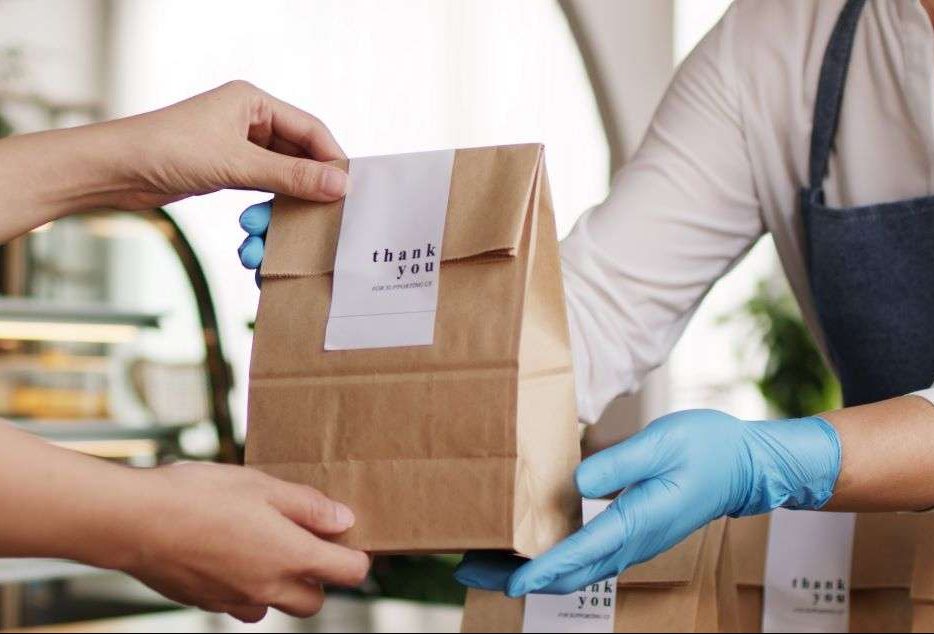
    Often made with permanent linerless adhesive or die-cut formats, these labels seal the bag shut for tamper-evident delivery, giving customers peace of mind.

    4. Staging Labels

    Used to organize and queue multiple orders during rushes, particularly in drive-thru and curbside workflows.

    Off-Premise Dining Solutions from Star Micronics

    To meet the demands of modern off-premise operations, restaurants need tools that are fast, flexible, and easy to manage. Star Micronics offers a suite of hardware and cloud-based solutions designed to simplify labeling, reduce errors, and support seamless workflows at every station. Below are the key features that make Star a trusted choice for off-premise dining success.

    > One Printer Model Per Station

    Star’s mC-Label3 multimedia printers print receipts, die-cut labels, and linerless labels, all from one device. That means you can standardize across stations with less complexity: fewer SKUs to manage, less training for staff, simpler IT support when needed, and easier maintenance. Need a replacement? Keep one extra on hand and drop it in at any station. No compatibility issues, no reconfiguration.

    The mC-Label3 multifunction label and receipt printer from Star Micronics.

    mC-Label3 Multifunction Printer

    The Star Micronics mC-Label3 is a versatile multimedia printer that prints a wide range of labels and receipts, including both permanent and repositionable sticky linerless. It features cloud connectivity and innovative technologies like SteadyLAN and TetherLAN for enhanced printing convenience.

    Discover the mC-Label3 >

    > Linerless Compatibility

    Star printers support both repositionable and permanent linerless labels, offering flexibility across multiple use cases. Sticky linerless labels are often used for item labeling, such as sandwiches, drinks, or personalized orders. Permanent linerless labels are ideal for securely sealing to-go bags and other types of delivery packaging.

    Because linerless labels don’t use silicone backing, you get more labels per roll, reduce roll changes, and eliminate liner waste. That means lower supply costs, less downtime, and a more environmentally responsible operation.

    The mC-Label3 can handle various linerless applications, but for simpler workflows, the TSP143IV SK series prints receipts and sticky linerless labels only.

    > Scales for Order Accuracy

    Pair Star printers with mG-T series scales to enable accurate weight-based pricing, portioning, and order verification. This is especially valuable in QSRs, delis, meal kit programs, and food prep lines where consistency and speed matter.

    Many QSRs are now using POS-integrated scales to confirm that assembled orders match expected weight totals before handoff. When supported by their POS software, this real-time weight check adds an extra layer of quality control. It helps reduce errors, avoid refunds, and improve the customer experience.

    Scales are no longer just for pricing. They are becoming a key part of efficient off-premise dining operations.

    mG-TUDB pole display with the mC-Label2

    mG-TUDB Scales

    Designed for precision and versatility, Star’s mG-TUDB POS scales are ideal for everything from self-checkout produce stations to QSR order prep and deli portioning. With Class III trade-legal certification, a large platter, and Bluetooth, USB-C, and serial connectivity, they easily connect to most POS systems. An optional pole display adds customer-facing visibility where it counts.

    Find Out More >

    The mG-TUDB digital pole display for POS scales by Star Micronics.

    > Cloud Capable

    Star’s mC-Label series of printers supports both CloudPRNT Next and StarIO.Online, giving restaurants the flexibility to choose how they manage their cloud infrastructure.

    • CloudPRNT Next is ideal for businesses that want to run their own servers and maintain control of the back end.
    • StarIO.Online is a fully managed service hosted by Star Micronics, perfect for operators who want cloud printing without the burden of server management.

    Both options enable real-time printing from cloud-based ordering platforms, allowing your kitchen and pickup stations to run more efficiently with fewer hardware constraints.

    > Certified by the Best

    Star’s mC-Label3 is trusted by some of the largest and most respected QSR and fast casual brands around the world. Its speed, accuracy, and media versatility make it a go-to choice for high-volume environments where every second counts. From front-of-house to kitchen to delivery staging, operators rely on the mC-Label3 to support multiple stations using one compact, reliable model. It’s been tested in demanding real-world workflows and proven to perform.

    The Smart QSR Delivery Playbook: Labeling, Accuracy & Efficiency Done Right Ebook by Star Micronics

    The Smart QSR Delivery Playbook: Labeling, Accuracy & Efficiency Done Right

    Download the free QSR delivery playbook to learn how labeling, POS scales, and multi-function printers can improve accuracy, speed, and guest trust.

    Get Yours Now

    The Takeaway

    In the world of off-premise dining, labeling is essential. From confirming orders to sealing bags and staging pickups, smart labeling keeps operations moving and customers coming back.

    With the right off-premise dining solutions in place, including flexible printers, linerless label support, and optional scale integration, restaurants can operate faster, more accurately, and with greater confidence.

    Find the best off-premise dining solutions for you:

    Contact Star Now

  • Why Restaurant Refunds Happen and How to Prevent Them

    Why Restaurant Refunds Happen and How to Prevent Them

    Restaurant refunds are more than just a minor frustration—they’re a direct hit to profitability. In quick service restaurants (QSRs) and fast-paced foodservice environments, even one missed item or overlooked modifier can trigger a refund, a chargeback, and a disappointed customer who may never come back.

    While it’s easy to blame delivery platforms or POS glitches, most refund-worthy mistakes don’t come from your system; they are a result of what happens in the kitchen. In fact, recent data from Loop shows that over 70% of refund triggers are tied to operational issues, including missing items, incorrect prep, or poor packaging. These errors aren’t random. They’re patterns, and they’re preventable.

    Let’s take a closer look at where things go wrong, what it’s really costing your restaurant, and how better labeling can help you stay ahead.

    Explore Star’s QSR Solutions

    The Top Reasons Refunds Happen

    Across restaurants and QSRs, the most common causes of order inaccuracies are operational, not technical. Food gets prepped on different stations. Items are added late. Orders are rushed during peak service. And the wrong bag ends up in the hands of the wrong guest.

    The most frequent refund triggers include missing entrees, forgotten sides or add-ons, beverages left behind, and modifiers ignored during prep. These mistakes typically occur on the line, during expo, or while bagging, not at the register or in the app.

    And while many restaurants work hard to train staff and optimize flow, the truth is that verbal communication and handwritten notes aren’t enough in high-volume settings.

    The Hidden Cost of Operational Mistakes

    Even when caught early, these mistakes cost valuable time and labor. When they’re not caught, they result in refunds and chargebacks, and those add up fast. Most operators lose around 0.5% of revenue to refund-related losses. That might not sound like much, but at scale, it’s thousands of dollars per month.

    Refund policies from delivery platforms are also becoming more strict. Uber Eats now requires photo evidence for many refund claims. DoorDash merchants win more disputes (around 60%), but only when there’s documentation to back them up.

    Beyond the dollars, the damage to your brand is harder to calculate. Trust is fragile in the foodservice industry, and one wrong order, especially when allergens or modifiers are involved, can drive guests to a competitor with just one tap.

    Order Inaccuracy Can Ruin Your Restaurant Or QSRs Brand

    Where Things Go Wrong—And Why Labels Matter

    Most refund triggers happen because there’s a gap in the process: a missing visual, an unconfirmed step, or an instruction that gets lost in the rush. Without clear, consistent labeling, teams rely on memory or guesswork, and that’s where mistakes creep in.

    Labels make information visible and actionable. They confirm what was ordered, how it should be made, and whether the right items made it into the bag. They reduce the cognitive load on busy teams and help different stations stay in sync.

    Whether it’s a bag label that shows what’s inside, an item label with allergen info, or a food rotation label in the walk-in, these small stickers create major clarity.

    Shop Star Paper & Labels

    How to Hardwire Order Accuracy into Your Workflow

    To reduce refunds in the long term, restaurant operators need to stop treating mistakes as one-offs and start identifying patterns. That’s where labeling systems shine. They give your team consistent, repeatable tools to stay on track, even during peak periods or staff turnover.

    Labeling can be integrated at every touchpoint:

    • Use item-level labels to ensure modifiers and customizations are followed.
    • Apply bag labels to confirm contents and add tamper-evident sealing.
    • Mark inventory with expiration or use-by dates for food safety and waste reduction.
    • Identify clean vs. dirty equipment with repositionable sanitation labels.
    • Add QR codes for customer engagement—loyalty sign-ups, surveys, or promotions.

    When labeling becomes part of the workflow, accuracy becomes second nature.

    Blog: Why Leading QSRs Use POS Scales & Labels to Increase Order Accuracy >

    The mC-Label Series: One Printer Model, Every Station

    To make labeling work in a busy restaurant, you need printers that can keep up. The Star Micronics mC-Label series of multifunction printers are built to deliver speed, flexibility, and simplicity across your entire operation—front of house, kitchen, prep, and packing.

    These compact printers support virtually any media type, including linerless labels (permanent or repositionable sticky), die-cut labels, and standard receipts. They fit into tight spaces (especially the mC-Label2), include all modern connectivity options, and work seamlessly with all modern operating systems, like iOS, Android, and Windows devices.

    The mC-Label3 multifunction label and receipt printer from Star Micronics.

    mC-Label3 Multifunction Printer

    The Star Micronics mC-Label3 is a versatile multimedia printer that prints a wide range of labels and receipts, including both permanent and repositionable sticky linerless. It features cloud connectivity and innovative technologies like SteadyLAN and TetherLAN for enhanced printing convenience.

    Discover the mC-Label3 >

    mC-Label2 Multifunction Printer

    The mC-Label2 packs powerful features into a compact, front-loading design, including 300 dpi resolution, support for linerless, die-cut, receipt, and continuous media, and connectivity options like USB-C, LAN, WLAN, Bluetooth, and Apple MFi-certified pairing (X4 models only).

    Explore the mC-Label2 >

    The mC-Label2 multifunction label printer by Star Micronics.

    With Label Builder from Star Micronics Cloud Services, your team can create and store up to three custom label templates directly on the printers. Then, using One Touch functionality, print those labels on demand with the touch of a button—no internet required. That means anyone, at any station, can label restaurant items clearly and correctly without skipping a beat.

    With the mC-Label series, you can eliminate complexity, unify your print ecosystem, and reduce the friction that causes costly mistakes.

    Beyond the Label: Elevating Brand Connection and Loyalty ebook by Star Micronics.

    Beyond the Label: Elevating Brand Connection and Loyalty

    Discover how strategic labeling can redefine customer engagement and boost brand loyalty in this digital age.

    Get Your Free Ebook

    Labeling: The Unsung Hero of Order Accuracy

    Refunds don’t just hurt your bottom line. They reveal where your processes need reinforcement. And in today’s fast-paced QSR environment, there’s no room for guesswork.

    Labeling helps restaurants communicate clearly, execute accurately, and build trust with every order. When you label restaurant orders and assets consistently, you empower your team to deliver the right experience every time.

    Perfect Your Labeling Workflow:

    Contact Star Now