Blog

  • How Tamper-Proof Seal Labels Boost Customer Confidence in Restaurant Pickup and Delivery

    How Tamper-Proof Seal Labels Boost Customer Confidence in Restaurant Pickup and Delivery

    Pickup and delivery have been increasing in popularity in recent years, and the COVID-19 pandemic took that popularity to a new level. Now, despite many restaurants being open again for table service, pickup and delivery remain a customer favorite – but these methods come with some concern.

    How do customers know that their food isn’t being tampered with in the time between when the food is prepared at the restaurant and when they receive it at their door? Let’s explore this concern – and how tamper-proof seal labels can boost customer confidence by providing peace of mind during the delivery and pickup processes.

    Why the Concern?

    No one wants to think about their delivery driver munching away on their fries on the way to their home but sadly, it happens. Did you know that according to a recent US Foods study, approximately 30% of drivers admitted to eating some of the food that they deliver? Furthermore, 54% of deliverers reported they are tempted by the smell of the food the deliver, and 21% of customers have at one time suspected a delivery driver of taking some of their food.

    While these numbers are shocking, the benefits of delivery services are vast and the average person has two food delivery apps and uses them three times each month. So, how can a restaurant ensure a food order remains perfectly intact after it leaves the restaurant’s kitchen and doors? Tamper-proof seal labels are the answer.

    3 Ways Tamper-Proof Seal Labels Boost Customer Confidence

    1. They Show Evidence of Tampering

    The most important way that tamper-proof seal labels boost confidence is simple: they provide visible evidence if an order is tampered with. How do they do that? Many tamper-proof labels feature security slits that become slashed open if a person tries to (or succeeds to) open a food bag or container.

    This obvious evidence of tampering (or on the contrary, evidence that an order hasn’t been touched) can allow restaurant customers to rest assured that their food was not tinkered with at any point – from the restaurant kitchen, to the delivery car, to their doorstep.

    Star Micronics Label Solutions

    From printing product labels in a warehouse to quickly attaching linerless labels to coffee cups in a café, Star Micronics understands labeling solutions aren’t “one size fits all.” Designed with the application and user in mind, Star Micronics offers label printers with the technology needed for today’s digital, fast-moving world, and label paper for virtually any business scenario.

    Learn More

    2. They Adhere to Multiple Order Types

    Customers don’t just order entrees – they order beverages, desserts, snacks, and other items that require a variety of food package sizes.

    Tamper-proof labels are available in a variety of sizes for a range of food containers like large and small bags, pizza boxes, beverage cups, and more. Because these labels can adhere to multiple order types, they can help keep every menu item safe and secure. As a restaurant, leveraging different sizes of labels can provide security and peace of mind to your customers for their entire order (no matter what they order) – and that’s truly priceless.

    3. They Build Trust in the Business

    Trust is important in all aspects of life, but when it comes to the restaurant industry, trust can make or break a business. Customers want to know that they can count on a restaurant to safely prepare and deliver consistently delicious, high-quality meals.

    In fact, in the same US Foods study referenced above, 1,500 American adults were asked if they ordered a burger and fries and the delivery driver grabbed a few fries along the way, how upset would they be on a scale from 1-10 (1 being “no big deal” and 10 being “absolutely acceptable”). Unsurprisingly, the average answer was 8.4 … and who can blame them?

    Those same customers were asked if they would like restaurants to use tamper-evident labels to address this issue, and a whopping 85% of them said yes – another unsurprising, understandable answer.

    Leveraging tamper-proof seal labels shows restaurant customers that the business values and prioritizes safety and security – something that can not only be assumed but has been proven to be very important to customers. By using tamper-proof labels restaurants can build trust with customers, something that encourages diners to continue to order from the restaurant in the future … and what is better than sticky business and happy patrons?

    About Star Micronics’ Tamper-Proof Seal Labels
    Tamper-Proof-Labels-PR-Featured-Image

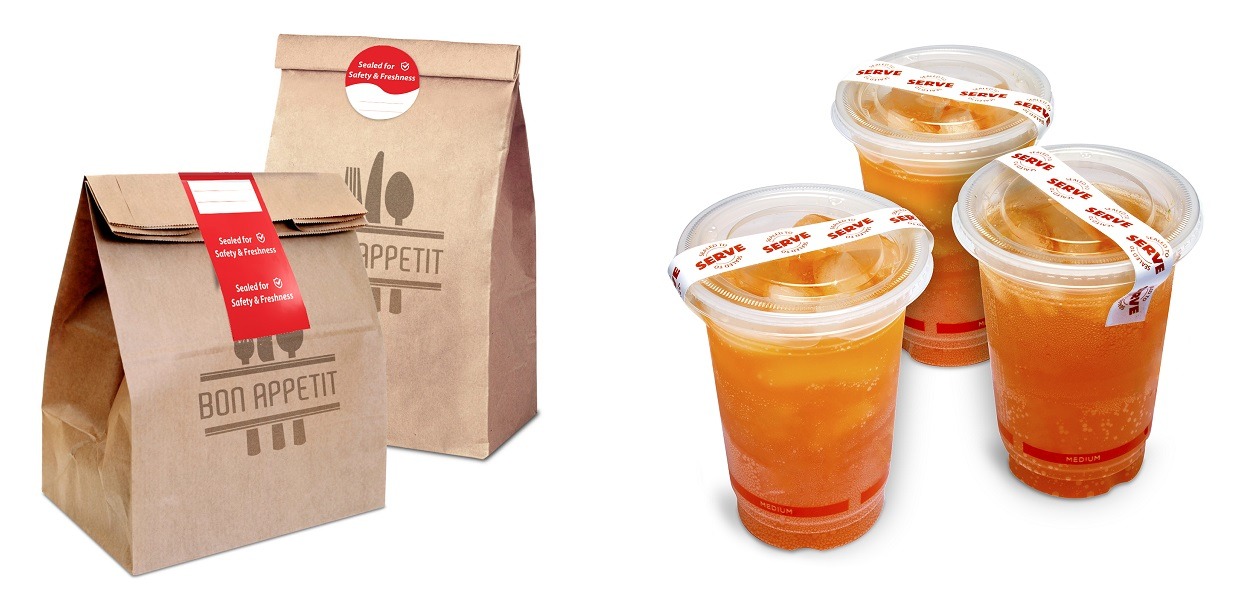
    Always leading, and always innovating, Star Micronics is proud to include a tamper-proof labeling solution in its restaurant POS offering, designed to securely seal delivery, catering, and to-go food and beverage orders. Available in three sizes, the labels are a part of Star Micronics’ full restaurant solution which includes online ordering printers, durable cash drawers, kitchen printers, and more.

    Designed with security as a priority, the labels provide added post-preparation quality control by delivering visual evidence if a label has been removed or repositioned. To signal an order has been tampered with, security seals become slashed. With proven on-packaging performance, the labels are an ideal solution to securely seal food for delivery or pickup orders.

    Key Features:

    • Delivers visual evidence if the label has been removed or repositioned
    • Each roll includes 500 easy-to-apply labels
    • 3” round labels to seal takeout bags
    • 2” X 4” labels to seal large bags or close the mouths of bags
    • 0.75” X 7” labels to close drink lids

    Learn More about Star Micronics’ Tamper-Proof Labels

  • Star Micronics and RezPlus Team Up to Provide All-In-One Solution for Fine-Dining Restaurants

    Star Micronics and RezPlus Team Up to Provide All-In-One Solution for Fine-Dining Restaurants

    Star Micronics, a leading manufacturer of mobile, point of sale (POS), and customer engagement technologies, is proud to announce that RezPlus has added support for Star Micronics mC-Print3. RezPlus is an all-in-one solution that has been proven to reach more diners, increase revenue, delight guests and enhance restaurant branding with an online experience that mirrors brick and mortar service.

    In the midst of the COVID-19 pandemic, fine-dining restaurants are searching for ways to transform to a digital experience, including reservations, online ordering, website design, gift certificates and more. Developed for restaurateurs and proven over 15 years, RezPlus delights restaurant guests and wins the approval of restaurant staff and managers. With Star Micronics mC-Print3 with CloudPRNT, RezPlus makes it easy for restaurants to move to an online model and modernize their business.

    Star’s mC-Print3 is the ideal receipt and kitchen printer for restaurants as it offers a splash-proof model with hub functionality to connect additional peripherals. With CloudPRNT, restaurants can have online orders print directly to the printer by communicating directly with the RezPlus designed online ordering service.

    “RezPlus understands the challenges that so many of our restaurant customers are facing during the COVID-19 pandemic and is providing solutions to help them adapt to what is an unprecedented business environment,” says Rachel Repp, Business Development Manager for RezPlus. “Star is helping to make these solutions more accessible through the CloudPRNT technology that is allowing for fine-dining restaurants to easily implement an online ordering service.”

  • 3 Essential Technologies to Manage Retail Store Foot Traffic

    3 Essential Technologies to Manage Retail Store Foot Traffic

    In a COVID-19 landscape, retailers must work extra hard to stay successful. With social distancing restrictions in place for a majority of businesses, it can be difficult to achieve the in-store success that many strive for. Retailers now must carefully strategize to ensure they are primed to maximize in-store foot traffic.

    Not only that, but they need to manage it effectively. Retail store owners are tasked with ensuring foot traffic remains at a high enough level to turn a profit, but operate at a safe enough capacity to reduce the likelihood of an outbreak. It’s quite the balancing act.

    The number one priority is keeping customers and staff safe. The second priority is offering enticing in-store experiences that incentivize customers to come to your store. Here are three essential technologies critical to managing retail store foot traffic:

    Mobile Point of Sale

    Mobile point of sale is quickly becoming critical for successful in-store retail operations. With it, you gain all the value of a point of sale terminal, but with the added mobility of a tablet or iPad. You can equip sales associates with this technology and allow them to check out customers on the sales floor and in the checkout line.

    If you don’t have the labor resources for this, you can mount tablets in strategic locations throughout the store. Paired with a fast, modern thermal receipt printer, customers can pay for their purchases at these kiosk-like mounted tablets and be on their way without ever having to wait in line. You’ll boost your overall customer satisfaction while simultaneously increasing sales, especially if you leverage upselling prompts.

    Mobile point of sale systems are also crucial for “click and collect” applications, which allows your retail business to operate a curbside pickup service. Customers can make purchases online and check out curbside using a mobile tablet. For even smoother operations, pair this with a mobile receipt printer.

    Download: 6 Technologies Resellers Need to Equip Retailers for Success

    Self-Service Kiosk

    If the pandemic has caused you to run operations with limited staff, self-service kiosks can provide you with an additional option for how to service customers. Kiosks are great for filling in additional labor needs, but they’re also great for keeping customers safe. Kiosks can help customers make their own purchases while also reducing face-to-face contact.

    On top of that, kiosks can be leveraged in a number of ways, like inventory lookup. Customers can search for products using kiosks and place orders for pickup at a later date. That way, you can offer an in-store experience that mimics the one they get through your online sales channel.

    This helps your sales associates as well as your customers. You won’t have customers flocking the customer service counters and waiting in long lines for easily-answered questions. Your sales associates will be freed up to tend to more complex customer needs.

    Just make sure you keep a staff member nearby to help customers operate kiosks if they are unfamiliar with the technology, and to sanitize it after every use.

    Shop by Appointment

    As stated above, it’s likely that you’ve had to limit the number of people within your store at any given time. This is especially crucial in areas that are currently experiencing outbreaks or are at a higher risk for them because of their location.

    To help with this, many retailers are taking a page from salons and beginning to schedule appointments. Shop-by-appointment technology helps you schedule customers so that you only have a specific number of customers in your store at any given time.

    Customers can still enjoy the experience of browsing in-store, but with the added peace of mind that they are as safe as they can be while shopping. This also provides you with an opportunity to personalize the in-store experience. Think more deeply about the experience you’re providing your customers in-store. What are you doing to take it above and beyond simple browsing? What additional incentives can you offer to customers to motivate them enough to pay for an appointment in your store?

    To elevate this experience, consider your aesthetic. Are you providing a clean, buttoned-up aesthetic when the customer walks in? Does your store send a message of cleanliness to help customers feel safer?

    Consider the Tech You Offer:

    Does your store offer the kind of customer-focused technology, like point of sale and peripherals, that can help you improve customer service and offer more conveniences? Make sure your technology fits your space and can stand up to multiple cleanings. Form is just as important as function here.

    Finding the right technology is essential for both driving and managing in-store foot traffic. Star Micronics offers advanced technology designed to help you accomplish that. Our industry experts are here to help, offering guidance and support every step of the way.

    For more information on the technology we offer, contact an expert at Star Micronics today.

    Contact a Sales Rep

  • 4 Contactless Payment Solutions Every Restaurateur Needs to Thrive

    4 Contactless Payment Solutions Every Restaurateur Needs to Thrive

    Contactless payments have been increasing in popularity, even before COVID-19 rocked the world. According to Statista, contactless payment revenue in 2018 was $48 billion. There’s no doubt, however, that the pandemic has accelerated the adoption of contactless payments amongst consumers and businesses alike. According to a report earlier this year, 27% of businesses reported an increase in contactless payments following the beginning of the pandemic, and Juniper Research predicts that by 2022, over half of point of sale (POS) transactions will be contactless.

    It’s quite apparent that in order to thrive in the new normal, restauranteurs need to adopt a contactless payment strategy if they haven’t already done so. Read on to explore how contactless technology works, four of the top contactless payment solutions on the market today, the many benefits of contactless payments, and how Star Micronics can help you roll these technologies out to your restaurant customers.

    How Does Contactless Technology Work?

    Contactless technology largely relies on radio frequency identification (RFID) and near-field communication (NFC) technologies. Inside contactless cards, there is a chip that emits radio waves that are picked up by the contactless payment terminal (also known as an RFID reader). The terminal will pick up the signal emitted by the card, communicate with the card, and process the payment. The customer is then alerted that the payment has been completed (or not) by the terminal.

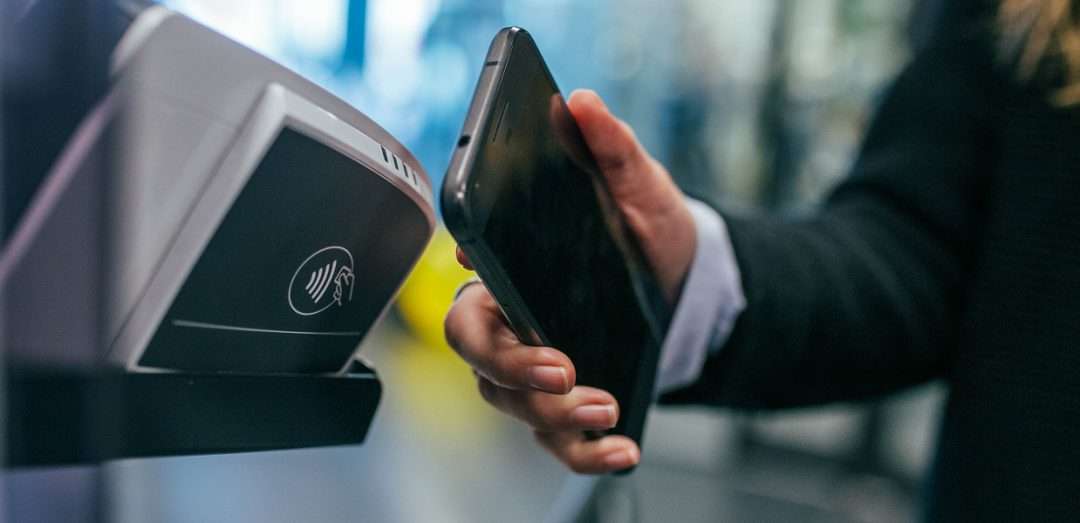
    Similarly, if a customer is paying with a mobile phone or other smart device, the device uses NFC to transmit data to the terminal, and again the terminal will alert the customer that the transaction was successful or unsuccessful.

    4 Must-Have Contactless Payment Solutions

    Even as restaurants have reopened their doors, safety is a priority to diners and business owners alike. The below contactless payment solutions are popular amongst consumers and are important for restauranteurs to adopt in order to thrive in the new normal.

    1. Contactless Debit and Credit Cards

    It’s important for restaurants to deploy payment terminals that feature NFC capability so that they can process contactless debit and credit card transactions. These terminals, as well as debit and credit cards capable of contactless payments, have a contactless payment symbol on them to indicate contactless transactions are supported. When it’s time to pay, customers simply hold their card one to two inches away from the contactless symbol on the terminal and voila – the payment is made.

    2. Mobile Wallets

    Mobile wallets like Apply Pay and Google Wallet – which are available on a range of devices including smartphones, smart watches, fitness trackers, key fobs, and more – work similarly to contactless debit and credit cards. Diners simply hold their device in close proximity to the contactless payment terminal to complete their transactions.

    3. Pay at Table

    Another great contactless payment solution for restauranteurs is pay at table. According to Mobile Payments Today, 69% of diners think that waiting for the check is the most frustrating part of the dining out experience. Help your restaurant customers improve their diners’ experiences by integrating pay at table into your POS software. Pay at table functionality can enable guests to simply check-in through the restaurant’s app where their bill can be associated to their mobile device, creating a seamless transaction where diners can pay at any time and there is no reason for a server to touch their card or cash.

    4. QR Codes

    Restaurants looking for an easy, affordable contactless payment method need not look further than their receipt printer! If restauranteurs have receipt printers capable of printing QR codes, like Star Micronics printers, they can print QR codes that diners simply scan with their smartphone camera, which then opens the restaurant’s app or website where customers can pay their bill.

    Free Resources During COVID-19 & Beyond

    Now more than ever, safety is a priority in retail and hospitality environments. Star Micronics is proud to offer a line of solutions and resources for businesses during this challenging time, designed to keep consumers and employees safe, as well as mitigate business impact caused by COVID-19.

    Visit Our Health & Safety Toolbox

    Benefits of Contactless Payments

    • Safe: It probably goes without saying, but contactless payments are safer than traditional payment methods thanks to less human contact and fewer opportunities to come in contact with other people’s germs and viruses.
    • Secure: Despite the belief that mobile contactless payments are less secure than traditional payment methods, the opposite is true. According to Fast Casual, “Mobile payments are processed without the transfer of sensitive information. Apple does not store consumer information on their servers, and Google encrypts the financial data they receive. The security measures on the phone itself — face recognition and fingerprint scanning, for example — protect card information in the event of a lost or stolen phone.”
    • Convenient: Who doesn’t love convenience? Contactless payments process in about half the time of the more traditional process of inserting a card’s chip into a card reader.
    • Profitable: Did you know that consumers who use mobile wallets make purchases at a rate 23% higher than those who pay with physical cash or card, and spend 2.4% more per transaction, according to researchers at the University of Illinois? It’s true – and we’re sure that by offering safe and convenient contactless payments, your restaurant customers will experience happier diners who are more likely to return to the business.

    Star Micronics and Contactless Payments

    One design. One integration. One provider. For all payment peripherals.

    mPOP-mPOS-eBook

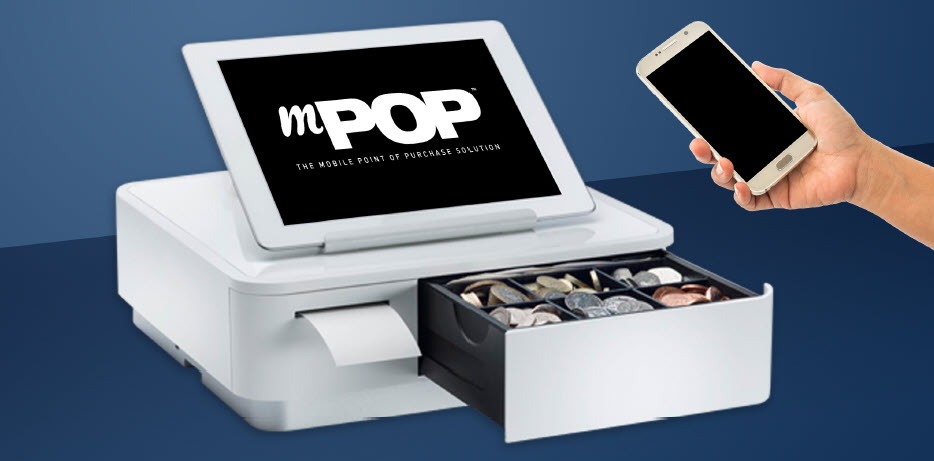
    Star Micronics is proud to accommodate the latest POS trends, including contactless payments. By providing sleek, easy-to-integrate POS hardware, Star Micronics merges the priorities of software providers and payments companies, while offering restauranteurs an easy, reliable, and compliant solution.

    Click here to learn more about Star Micronics’ payment solutions.

    From all-in-one POS hubs to mix-and-match POS hardware combinations, Star Micronics provides the features restauranteurs need and the connectivity to bring together applications and payment processing. Star Micronics’ experienced team works with major players in the payment and restaurant POS industry to bridge the gap in the payments world and provide win-win business scenarios for all involved parties.

    Ready to learn more about how Star Micronics’ hardware powers today’s payments?

    Download Brochure

  • Why Self-Service Kiosk Integration is Crucial for Restaurateurs

    Why Self-Service Kiosk Integration is Crucial for Restaurateurs

    In recent years, one can’t help but notice how many self-service kiosks are popping up in businesses of all kinds. Arguably, the most noticeable increase has been in restaurants. Kiosks are often found in quick-service restaurants (QSR) but can also be spotted in airport food courts, schools, workplace cafeterias, and many other places. So, what’s all the hype about? Why should restauranteurs prioritize implementing a self-service solution? Read on to explore five main reasons why self-service kiosk integration is not just beneficial, but crucial for restauranteurs.

    Better Customer Experience

    At the end of the day, happy customers translate into returning customers, which in turn means a successful business. Self-service kiosks are an easy way for restauranteurs to provide a better customer experience for their diners and create sticky business.

    First and foremost, kiosks mean customers spend less time waiting in line. Offering two ways to place an order – at a manned point of sale terminal and at a self-service kiosk – helps prevent a restaurant’s queue from bottlenecking. Who doesn’t enjoy quickly ordering and receiving their meal? Kiosk integration makes that a reality – and not just during slow times, but during rush hours, too.

    Another major way that kiosks benefit the customer experience is by allowing diners to customize their orders fully and rapidly. According to the North American Association of Food Equipment Manufacturers, a whopping 72% of consumers expect customization. While it’s true that customers can also customize their order at a manned point of sale terminal, face-to-face orders are more susceptible to miscommunication and inaccurate order-taking, something that simply doesn’t occur as often at self-service kiosks. Additionally, kiosks can accommodate order-taking in multiple languages, further boosting their ability to help all customers place their orders, their way.

    Boosted Profits

    Needless to say, money matters … and kiosk integration can help restauranteurs make more of it!

    Did you know that it’s been shown that customers spend 30% more when ordering from a self-service kiosk? A major reason for this is due to the ability for kiosks to naturally enhance upselling and cross-selling. Diners aren’t likely to order that extra drink or dessert if the only place they see it listed is on a separate part of a physical menu, or if the option is presented to them by a cashier in a sales pitch type of manner.

    However, in one case study measuring sales at self-service kiosks versus sales at manned cashier terminals, not only did kiosks experience more traffic, but on average a kiosk’s orders contained 1.4x more items than orders placed at the terminal. This resulted in an impressive increase of at least $5 per transaction. The ability for kiosks to naturally present add-on items to diners (in an appealing style) certainly pays off.

    More Efficient Use of Staff

    One common fear associated with self-service kiosks is that a kiosk integration means that current restaurant staff will lose their jobs. However, that tends to not be the case. In fact, McDonald’s installed kiosks in thousands of its stores – without plans to lay off its workers.

    According to a Business Insider article,

    “Our CEO, Steve Easterbrook, has said on many occasions that self-order kiosks in McDonald’s restaurants are not a labor replacement,” a spokeswoman told Business Insider. “They provide an opportunity to transition back-of-the-house positions to more customer service roles such as concierges and table service where they are able to truly engage with guests and enhance the dining experience.”

    Just like the article states, self-service kiosks allow staff to focus more of their energy on providing better customer service to customers, staying on top of cleaning and stocking napkins, utensils, and condiments, and more. And having staff prioritize the customer experience is important: 70% of consumers say they have already made a choice to support a company that delivers great customer service.

    Free Self-Service Kiosk Resources

    The future of many industries lies with self-service solutions. That’s why Star Micronics is offering free online ordering resources for resellers and software developers who are helping customers future-proof their businesses with self-service solutions.

    Visit Self-Service Toolbox

    Marketing Benefits

    Self-service kiosks present multiple marketing opportunities to restauranteurs.

    First, they provide an easy way for restaurants to promote their loyalty programs. Kiosks can prompt diners to sign up for a loyalty program or remind existing loyalty program members of program benefits, creating sticky business. Did you know that loyalty program members spend 12-18% more per year at a business than non-members?

    Kiosks also provide a great opportunity for restauranteurs to reinforce their establishment’s branding. The kiosk’s software, as well as its exterior, can be customized to match the restaurant’s look and feel, further enhancing brand awareness. Some kiosks are also able to print promotions on the bottom of the receipt where diners are sure to see them, using technology like Star Micronics PromoPRNT.

    Improved Safety

    Last but certainly not least, kiosk integration can help restauranteurs boost the safety of their restaurants, something that is more important than ever as the world navigates the new normal.

    In this day and age, nearly everyone prefers less contact with other people. Self-service kiosks not only eliminate the face-to-face interaction found at manned terminals, but they can also include safety-boosting features like antimicrobial glass, a single-piece screen design to eliminate the nooks and crannies that can harbor germs, and more.

    Star Micronics Self-Service Kiosk Printers

    Kiosk-Printer-Lineup

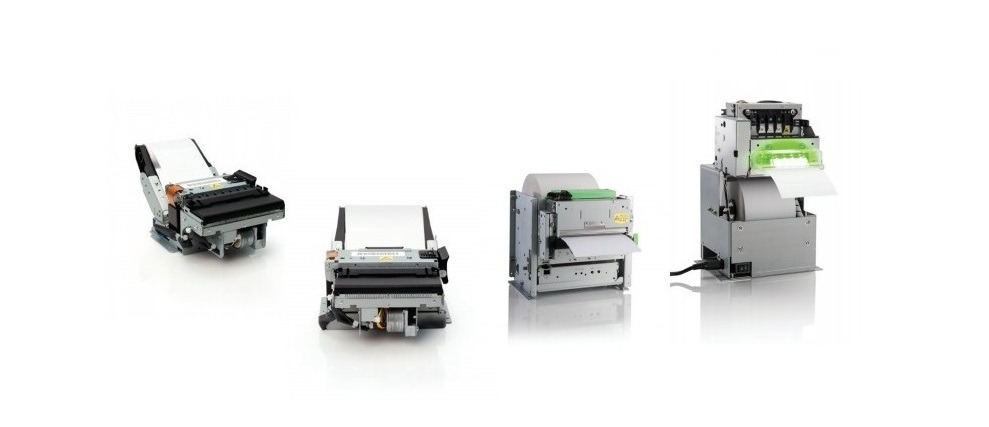
    A kiosk printing leader, Star Micronics is proud to offer a full range of self-service kiosk printers that accommodate multiple paper widths, operating systems, and more. The compact, reliable, and high-speed printers are designed to bring any restaurant self-service solution to life.

    Kiosk Printer Family Features:

    • 2”, 3”, and 4” paper sizes
    • Compact or modular footprints
    • Available with multiple accessories including bezels, presenters, large paper roll holders, and more
    • Support Windows, Linux, Android, Mac, and iOS
    • Print receipts, tickets, coupons, or adhesive labels
    • Interfaces include serial, USB, parallel, and Ethernet
    • Available with StarPRNT emulation, allowing you to take advantage of the full stack of Star Micronics technology, like StarPRNT SDKs and Star’s powerful line of drivers

    Are you looking to integrate self-service kiosk printers, but not sure how to decide on a printer? Download “A Guide to Selecting the Right Kiosk Printer” now.

    Download Guide

  • 4 Ways to Tell that It’s Time for a Retail Technology Upgrade

    4 Ways to Tell that It’s Time for a Retail Technology Upgrade

    As a retail business owner, you are busy and your plate is full of responsibilities. From managing inventory to recruiting staff, you have a lot of tasks to juggle and one of the last things on your mind might be your point of sale (POS) technology. So, how exactly do you know when it’s time for a retail technology upgrade? Read on to explore four common ways to determine when it’s time to refresh that tech.

    1. You’re Not Online

    Did you know that online shopping started all the way back in the mid-1990s? According to Money Magazine,

    “Toward the end of 1994, Money magazine published a story about the sharp rise in consumers shopping from home. That year, some 98 million consumers made $60 billion worth of purchases from home, nearly all of it through phone orders prompted by mail catalogues and TV shopping channels. Another home-shopping option had suddenly arrived on the scene that year, too–an “on-line shopping service [that] requires a PC or Macintosh that’s equipped with a modem.” The article explained how such curious services worked:

    ‘For ordering, many of the “computer stores” offer shoppers an 800 telephone number to call. Others are set up so a shopper can click on a box next to the desired gift, type in payment information and the shipping address and then hit a “Submit Order” button. Some companies even let shoppers pick out the wrapping paper via computer.’”

    Obviously, online ordering has come a long way since 1994 – and the COVID-19 pandemic kicked the trend into high gear. It’s simply not an option to not be online anymore. According to Zoovu.com, Target’s digital sales increased by 275% in April 2020 alone, and there has been a 500% rise in curbside pickup year-over-year. This trend extends past large retail chains; people understand the hardships many small businesses have faced during this unprecedented time and are looking to support their local mom-and-pops during the new normal.

    If you aren’t online yet, don’t panic. There is a chance your current POS software provider offers e-commerce capabilities, and if they don’t, set aside some time to research an affordable and easy-to-use solution. From a POS hardware perspective, establishing an online store can be easier than you think. Certain online ordering printers, like the Star Micronics mC-Print3, are equipped with retail technology enabling the printer to automatically and directly retrieve orders from your online store. What does this mean for you? No extra tablet to purchase and install in your store and no additional timely training for your staff.

    2. Your Marketing is Lackluster

    Another task that can easily slip through the cracks for small business owners who wear multiple hats is marketing. While it may sound daunting, if you are equipped with the right retail technology, marketing can be easy.

    From a software perspective, many POS software providers offer integrated, easy-to-view sales and marketing data right in their dashboards. These analytics can be used for sales reporting, loyalty programs, email marketing, and much more.

    From the hardware end of things, did you know that with the right receipt printer, you can print promotions on your receipts for free? These promotions can easily and quickly be customized to communicate upcoming sales, your social media accounts, now hiring messaging, and more. You can design and schedule the promotions from anywhere using a simple online-based dashboard – even if you have multiple store locations.

    3. Your Customers Can’t Pay the Way They Want To

    The days of traditional cash and credit/debit card transactions are over. The COVID-19 pandemic has launched the retail world into a new way of doing things, and consumers demand modern payment methods that either reduce or eliminate contact with common surfaces and other people.

    Is your store set up to accept contactless payments? Contactless payments – or the processing of transactions via the tap or close placement of a credit/debit card, smartphone, or smart watch – are growing in popularity as a safer and more efficient way to make purchases.

    If you are looking to implement contactless payments, rest assured the process can be quite simple. Most banks not only offer contactless credit and debit cards, but also the terminals that are required for processing contactless transactions. These terminals have a contactless payment symbol on them showing customers that contactless payment methods are accepted. You may also tell your customers that you accept contactless payments in person, through social media or email marketing, by placing a sign at the point of sale, and through receipt marketing.

    4. You Have a Dated Aesthetic

    They say looks aren’t everything, but when it comes to retail technology, aesthetic makes a big difference. You might be used to seeing your POS hardware every day but try to take a look at it with a fresh set of eyes. Does it look clunky? Does it match the environment of the rest of your store? Does it complement the personality and vision you have in mind for your business?

    If you find that your POS hardware looks a bit outdated and takes up too much space, it’s time to consider a refresh. In terms of style, POS hardware has come a long way in recent years. Tablet POS systems are now the norm, and not only provide a modern, clean appeal, but can provide an even better customer experience as well with features like tilting tablet stands that can be used to capture customer signatures. There are options on the market for modern-looking printers, cash drawers, scales, and more, too.

    mCollection: Changing the Face of Retail

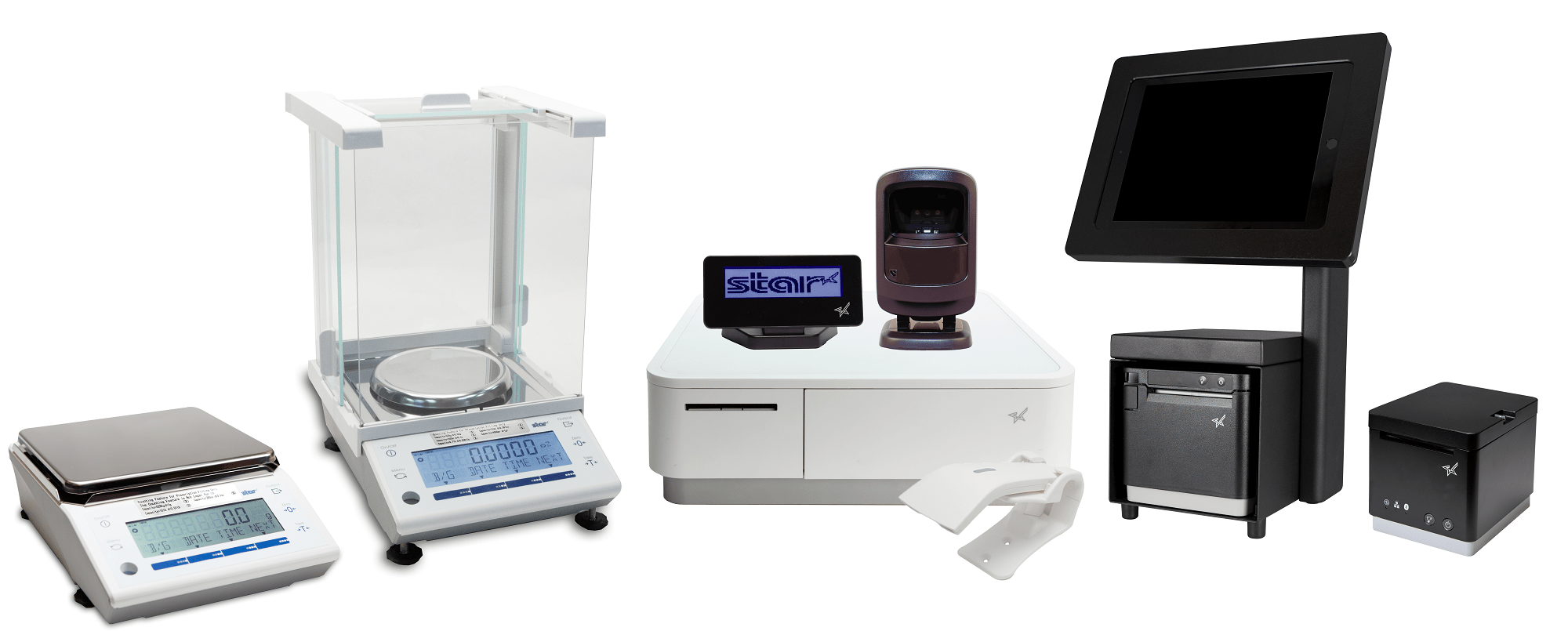
    Star Micronics mCollectionWhether just a couple parts of your retail technology environment need an upgrade, or you’re looking for a complete overhaul, the Star Micronics mCollection has you covered. A true one-stop shop, the mCollection includes receipt printers built for online ordering, tablet stands featuring clean cable management, stylish and durable cash drawers, and a full range of accessories like scanners, customer displays, and more.

    Designed with ease-of-use in mind, the mCollection is integrated with the retail industry’s top POS software providers, like Shopify, PredictSpring, Square, Vend, and more.

    Learn more about mCollection

    Star Micronics has what it takes to modernize your small business.

    Download Retail Brochure

  • What Restaurateurs Need to Know About Sneeze Guard Height Requirements

    What Restaurateurs Need to Know About Sneeze Guard Height Requirements

    Sneeze guards have been staples in restaurants long before the pandemic first hit. What originally started out as a solution to improve the health and safety of buffet-style dining quickly became a federally-mandated requirement.

    Back in 1958, a restaurateur and self-proclaimed germaphobe named Johnny Garneu started looking for a solution that would block viruses and bacteria from contaminating food at the buffet tables while customers leaned over them. Having no luck, he decided to strike out and invent his own, patenting the product that year.

    The sneeze guard was so effective and popular that the FDA later mandated that sneeze guards must be present in all self-service dining establishments. While they are still popular with self-service operations, COVID-19 has transformed them into something else entirely.

    It is now critical that restaurants implement sneeze guard solutions within their establishments in order to increase safety, but it’s equally important to make sure that the correct solution is installed and meets the right requirement.

    Height and Angle

    When searching for the right sneeze guard solution to install, it’s important to consider the placement and positioning of the guard – namely the height and angle. To account for this, consider the height of your typical customer. Usually the average customer is somewhere between 5 and 6 feet tall. Also account for the height of the structure holding the guard.

    As for the angle, it’s important to consider whether customers are serving themselves, or are being served by others. In a cafeteria-like environment where employees are preparing food, a full-service sneeze guard will be ideal. For buffet and salad bards, a self-service sneeze guard would be the optimal choice.

    Download our Restaurant Disaster Relief Checklist for full details on keeping your restaurant safe.

    Regulations and Guidelines

    Both full-service and self-service sneeze guards have guidelines and regulations for how they must be used. Some of these are federal guidelines, but most depend on specific region and locality. Check with local governing authorities for specific regulatory requirements for sneeze guards in your area.

    Sometimes, you will find mandates for things like barrier thickness, materials, height requirements, and construction. You may also find instructions on how sneeze guards should be properly used and how often they must be replaced. In general, replace sneeze guards when they become cracked, scratched, or show other signs of wear and tear. For most restaurants, it’s a good idea to go for an NSF-2 sneeze guard, which is the industry-accepted standard.

    Visibility

    It is a requirement that all food and staff behind the sneeze guard must be clearly visible to the customers. Damaged, scratched, or dirty sneeze guards can block the customer’s view and can lead to complaints or confusion. Avoid negative impressions and prevent poor customer experiences by cleaning your sneeze guard regularly and ensuring any damaged components are fixed or replaced as soon as possible.

    Choose the right sneeze guard solution for you restaurant

    Beyond federal and local regulations and requirements for sneeze guards, there are many other factors to consider when choosing a solution to install:

    Easy installation and relocation

    Some solutions must be permanently mounted on countertops, requiring drilling into the countertop to fasten the sneeze guard to the surface. If you aren’t looking to permanently install a sneeze guard, or have little downtime for drilling, sneeze guard solutions exist that come with easy-to-mount stands that make them portable and reusable. Adjustable mounting poles make it easier to accommodate height requirements.

    Adaptability

    A sneeze guard at a checkout counter will require a wide enough gap to enable the safe passing and scanning of products between customer and employee. An adjustable mounting pole can make it easier to accommodate different environments, and can be adjusted accordingly to fit the cashier’s needs.

    Make sure to consider where peripherals like pin pad terminals will be placed. Choose a solution that accommodates these peripheral hardware solutions without overcrowding the counter.

    Durability

    One of the most important considerations for selecting the right sneeze guard for your restaurant is durability. It’s critical that your sneeze guard can withstand the tough environments commonly found in restaurants. A steel frame is a must if you want your sneeze guard to last. Be sure to choose a plexiglass display as well. These are easy to clean and are both flexible and strong.

    Compatibility with Mobility Solutions (Make it a Bundle!)

    The final consideration is whether or not your sneeze guard pairs well with your existing POS or mobile POS terminals. Consider how much space you have available on your countertop, and whether or not the design is compact enough to fit your space.

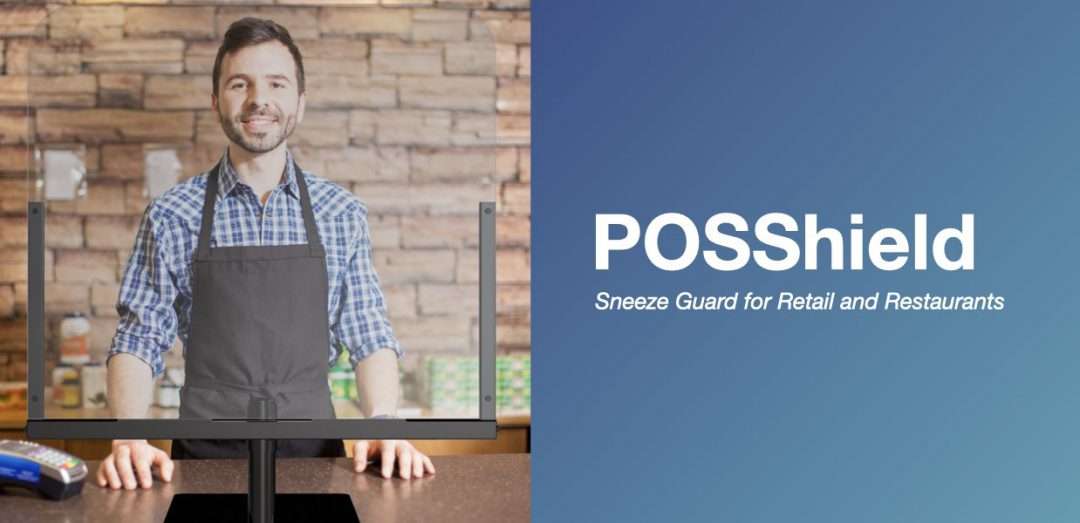
    If you need more than just a sneeze guard, make it a bundle with the Star Micronics POSShield. This sleek stand offers a small footprint and pairs well with the mC-Print receipt printers and mC-Sound kitchen buzzer. It also includes supplies to mount the PIN pad to the stand itself for extra space savings.

    If you are interested in learning more about the Star Micronics POSShield, and how it can help keep your restaurant environment safe, contact the experts at Star Micronics today.

    Learn about Star’s POSShield

  • Provide Restaurateurs With Post-Pandemic Restaurant Tools for Success

    Provide Restaurateurs With Post-Pandemic Restaurant Tools for Success

    It goes without saying that today’s restaurants have needed to adapt to the changes that occurred in the hospitality industry following the unprecedented COVID-19 pandemic. As a reseller, your restaurant customers turn to you to provide full solutions – especially in recent times. Did you know that the restaurants tools and technology that you can provide now will continue to be needed, and can help restaurants succeed, for years to come? Read on to explore four restaurant tools you can offer that are designed to help businesses survive during a crisis – and thrive in the long term.

    Online Ordering and Multiple Delivery Methods

    It’s not exactly news that online ordering has been prevalent for years now, but the rapid growth in its popularity during COVID-19 is undeniable. Did you know that according to Adobe Analytics, the number of orders placed online and picked up at retail stores alone rose 208% during April 2020 compared to April 2019? And when it comes to food specifically, 31% of adults polled in the United States in May 2020 claimed they spend more than usual on food takeout and delivery.

    As a reseller, it’s important to provide the necessary restaurant tools needed for online ordering, curbside pickup, and food delivery. What do these tools look like? From a technological perspective, be sure to offer online ordering printers that are easy to install and use, and are integrated with today’s popular online ordering service providers. An added bonus is if the printer features technology like Star Micronics CloudPRNT, which enables the printer to communicate directly with the online ordering service so that restaurants do not need to invest in and fuss over a new tablet – the printer will simply automatically print new online order tickets as they are received.

    Once the order is received and prepared, a restaurant’s priority is ensuring the food is delivered promptly and securely. Offering tamper-proof food labels for takeout and delivery orders to your restaurant customers can provide peace of mind to both the diners and business owners.

    The flexibility and added safety of online ordering and delivery will likely continue to be a customer favorite well into the future. According to Rewards Network, 42% of restaurants added delivery as a result of COVID-19, and 31% of them plan to continue to invest in delivery services. By offering a full online ordering solution, you will help your restaurant customers succeed for years to come.

    Contactless Payments

    Another trend that was on its way to becoming mainstream, but got a serious boost during the pandemic, is contactless payments. These payments, which are made by credit and debit cards and smart devices like smartphones and smartwatches, use radio-frequency identical or near-field communication (NFC) to enable secure transactions without the need for consumers to make any physical contact with cash or payment terminals that can harbor germs. Instead, customers simply wave or tap their card or device near a payment terminal that accepts contactless payments.

    While many consumers turn to contactless payments as a way to avoid unnecessary contact with common surfaces during the COVID-19 pandemic, the added convenience of this method of payment is sure to make contactless payment options alluring well after the pandemic passes.

    Speaking of contactless, another tip you can share with your restaurant customers to enable an even safer transaction is to turn their restaurant receipt printer toward their diners so that the diners can collect their receipt themselves, further eliminating potentially dangerous contact. If your restaurant customers use Star Micronics printers, you may also share the official Star Micronics Printer Cleaning Guide with them.

    Reopening Toolbox

    Now more than ever, safety and convenience are priorities in retail and hospitality environments. As businesses reopen their doors, Star is proud to offer a line of solutions and resources designed to keep consumers and employees safe and satisfied.

    Protective Sneeze Guards

    Avoiding contact with other people’s germs is something that has become a priority to the public at large. What’s a restaurant tool that can help with that? Sneeze guards!

    Sneeze guards – or acrylic or glass screens designed to protect people or food from droplets caused by coughing, sneezing, or talking – have been around for decades but have gotten a refresh and become mainstream at restaurants and retailers of all sizes and types during the pandemic. Instead of simply being found at salad bars and buffet lines, sneeze guards are now located at the point of sale to protect employees and customers alike.

    Although they may sound simple, not all sneeze guards are the same. Here are some key features of a convenient and high-quality sneeze guard:

    • Easy to install
    • A lightweight and portable design, with no countertop mounting or drilling required
    • High compatibility with features like an adjustable mounting pole and compatibility with the restaurant’s existing POS or mPOS terminal
    • The ability to be easily relocated for future store redesigns, flu seasons, and more

    The Star Micronics POSShield sneeze guard offers all of the above – and more. Learn more now.

    Self-Service Kiosks

    Last but not least, self-service kiosks are restaurant tools that boost safety during a pandemic – and enable success in a post-pandemic world.

    During these challenging times, safety is a priority, and did you know that self-service kiosks can help protect a restaurant’s employees and customers? Not only do the kiosks reduce face-to-face contact between an employee and a diner, but they can also feature antimicrobial glass that effectively reduces bacteria’s ability to multiple as well as a simple, one-piece glass screen design to eliminate the nooks, crannies, keys, and buttons that can contain germs and viruses.

    While safety and cleanliness will always be a priority, self-service kiosks also have long-term business-boosting benefits for restaurants. Did you know that:

    • Customers spend 30% more when ordering through a kiosk
    • 20% of customers who had not intended to order a beverage would buy one after it was offered on the kiosk screen
    • Kiosks enable diners to customize their orders, something that 72% of them expect when dining out

    Learn more about the benefits of self-service kiosks in restaurants in the Self-Service Kiosks in Foodservice infographic.

    To conclude, the restaurant tools that benefit and safeguard restauranteurs now – like online ordering technology, contactless payments, sneeze guards, and self-service kiosks – will likely continue to be in high demand from both your restaurant customers and consumers, even in the post-pandemic world. As a reseller, set your restaurant customers up for success by offering the right one-stop shop solutions today.

    Free Resources During COVID-19 & Beyond

    Now more than ever, safety is a priority in retail and hospitality environments. Star Micronics is proud to offer a line of solutions and resources for businesses during this challenging time, designed to keep consumers and employees safe, as well as mitigate business impact caused by COVID-19.

  • Star Micronics Introduces TSP654IISK Liner-Free Label Printer with Taken Sensor

    Star Micronics Introduces TSP654IISK Liner-Free Label Printer with Taken Sensor

    Star Micronics, a leading manufacturer of mobile, point of sale (POS), and customer engagement technologies, is excited to announce the upgrade of the TSP654IISK with taken sensor to its line of label printing solutions.

    The TSP654IISK is designed to work with liner-free labeling applications. The repositionable thermal labels can stick to virtually any surface and can be removed easily if needed and reapplied leaving behind no residue. Ideal for restaurant takeout, delivery, and drive-through services, liner-free labels can be used for a modified item only or the entire order by attaching it to the bag. The labels stay with and track an order through the entire preparation process, improving order accuracy and creating a better bottom line. Additionally, the labels maintain image integrity because they are engineered to preserve thermal images in demanding applications.

    The printer’s taken sensor helps users avoid missing any orders and allows for flexible, efficient kitchen operations. The sensor’s paper holding function delays printing the next order’s data if the previous ticket has not been taken, allowing users to manage each order efficiently, especially during busy times when many orders are received. The taken sensor also includes a forced paper ejection setting, which forces the next order to print after a certain amount of time, in the event that a user forgot to remove a ticket. Lastly, the taken sensor features an option for a hold paper reminder, a buzzer which continues to sound until a ticket is taken. The taken sensor can be disabled for compatibility with older printer models.

    Designed with connectivity and ease-of-use as a priority, the TSP654IISK includes USB, Ethernet, CloudPRNT/WebPRNT, Bluetooth, serial, parallel and wireless connectivity options, as well as compatibility with the StarPRNT SDK for iOS, Android, and Windows.

    “The online ordering market is flourishing, and we expect to see that trend continue as the world adapts to the new normal,” said Michael Hanson, Executive Vice President at Star Micronics. “The TSP654IISK meets both business’ and customers’ demands by enabling streamlined restaurant operations as well as greatly improving order accuracy.”

    Looking for the latest repositionable sticky label printer from Star? Find it here.

  • CloudPRNT: The Best Google Cloud Print Alternative

    CloudPRNT: The Best Google Cloud Print Alternative

    Are you a Google Cloud Print user? If so, you are probably aware that Google Cloud Print is no longer supported, as of January 1, 2021. Migrating to a new service sounds daunting but it doesn’t have to be. Read on to learn more about Google Cloud Print, its depreciation, and why Star Micronics’ CloudPRNT technology is an ideal Google Cloud Print alternative.

    About Google Cloud Print

    According to Wikipedia,

    “Google Cloud Print is a Google service that lets users print from any Cloud Print-aware application (web, desktop, mobile) on any device in the network cloud to any printer with native support for connecting to cloud print services – without Google having to create and maintain printing subsystems for all the hardware combinations of client devices and printers, and without the users having to install device drivers to the client, but with documents being fully transmitted to Google. Since July 23, 2013 it also allows printing from any Windows application, if Google Cloud Printer is installed on the machine.

    Google Cloud Print integrates with the mobile versions of Gmail and Google Docs, allowing users to print from their mobile devices. Google Cloud Print is listed as a printer option in the Print Preview page of Google’s Web browser, Google Chrome, in Chrome 16 and higher. Printers without built-in Cloud Print support, often referred to as ‘legacy’ or ‘classic’, are supported through a ‘Cloud Print Connector’ integrated with Google Chrome versions 9 and higher.”

    The End of Google Cloud Print

    In November 2019, Google officially announced that Google Cloud Print will no longer be supported starting on January 1, 2021. Why the change? Google has claimed that improvements in native Chrome OS printing, as well as a wide market of comparable print solutions has contributed to its decision to terminate Google Cloud Print.

    Google recommends that all users find an alternative print solution and migrate print services prior to the end of the 2020 calendar year. To learn how to disable your Google Cloud Print services, please click here.

    CloudPRNT as a Google Cloud Print Alternative

    If you’re a software provider who uses, or is looking to use, Google Cloud Print with receipt printers, don’t worry; Star Micronics has an easy cloud printing solution (or replacement) for you. Star Micronics CloudPRNT technology is not just a Google Cloud Print alternative, but an even better solution.

    About CloudPRNT

    Quick to integrate. Easy to deploy. Scalable.

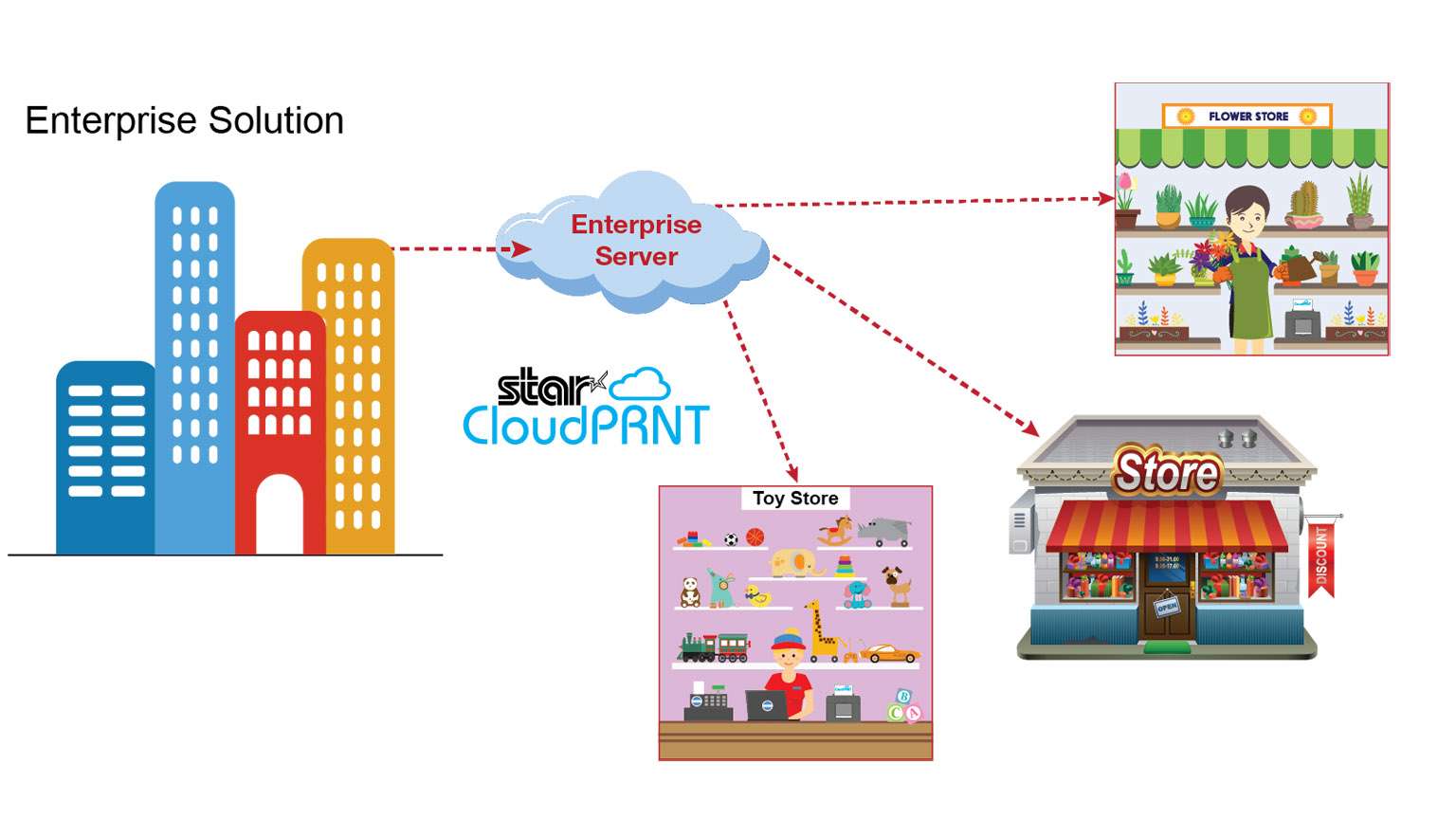
    CloudPRNT-Illustration_Enterprise-scaled-1

    Star Micronics’ CloudPRNT is an innovative technology enabling users to print to Star printers directly through a cloud service. The CloudPRNT printer retrieves and prints orders and data from any web-based point of sale (POS) system integrating Star’s communication protocol.

    CloudPRNT works with web-based applications to store and create print jobs, and communicate status with the printer. Cloud POS services post information using a JSON format, while the Star CloudPRNT printer pulls this information on a defined interval. CloudPRNT is built on the solution provider/ISV’s server, in the preferred language and architecture.

    Star’s CloudPRNT technology provides benefits to businesses of all types by eliminating the need for an extra tablet to send information to the printer. Instead, the web-based POS is able to communicate directly with the printer. As an added benefit, businessowners and service providers do not need to maintain an SSL certificate for the CloudPRNT printers since they communicate with the server as a client.

    By adopting web-based POS systems, organizations can embrace the latest technology, boost efficiency, and more. Using CloudPRNT, cloud-based POS systems have a new and easier solution to offer businesses, allowing them to seamlessly integrate online transactions into their operations.

    Contact Star Integration Now

    Key Features

    • CloudPRNT printer communicates directly with the server
    • The server can control peripherals connected to the printer (e.g. cash drawer, scanner, digital display, buzzer/sounder)
    • Multi-interface supporting POS (native) and web-based POS systems (cloud)
    • Hosted by the solution provider/ISV – can be built in desired language/ architecture
    • Suitable for any business using web-based applications
      • Labels
      • Orders
      • Receipts
      • Ticket
      • Scheduling
      • And more

    CloudPRNT Compatible Printers

    CloudPRNT is compatible with a variety of Star Micronics printers, including 2” and 3” thermal receipt printers, thermal label printers, impact kitchen printers, and 4” wide-format thermal printers.

    mC-Print3

    mC-Print3-150x150

    3” thermal receipt printer
    Bluetooth, USB, Lightning, LAN
    IPX2 splash-proof design
    Peripheral device connectivity
    Fast charge and communication via USC-C® power delivery port
    SteadyLAN® technology

    mC-Print2

    mC-Print2-150x150

    2” thermal receipt printer
    Bluetooth, USB, Lightning, LAN
    Sleek, compact, connected
    Easy setup
    Guillotine auto-cutter
    SteadyLAN® technology

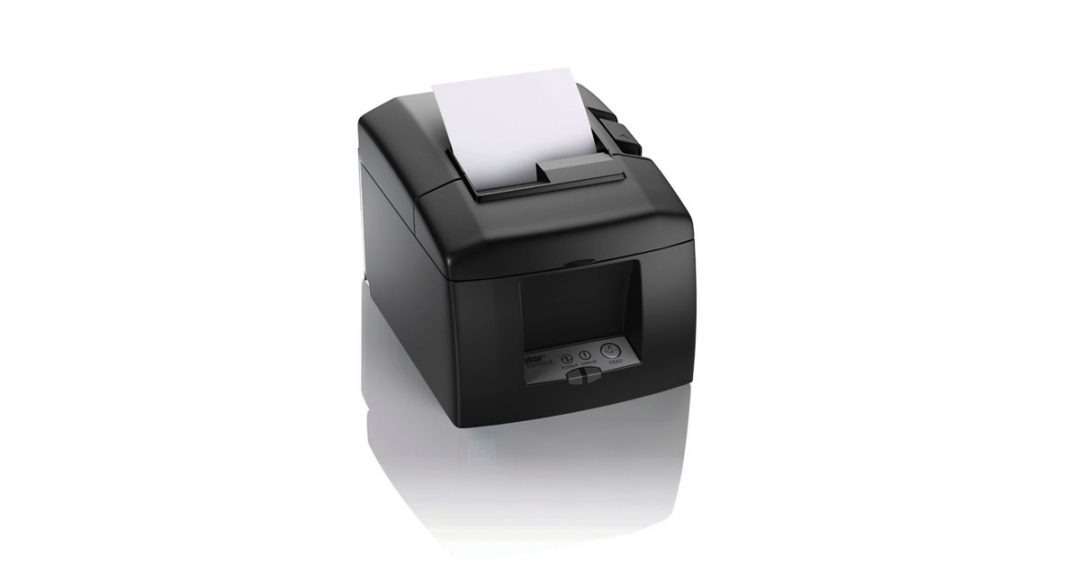
    TSP654II

    TSP654II

    3” thermal receipt printer
    Swappable interfaces: serial, parallel, USB, LAN
    High reliability and performance
    High-speed printing of 60 receipts per minute (300mm/s)
    External power supply included
    Compatible with PromoPRNT

    TSP654IISK

    TSP654IISK-300x200

    Repositionable, liner-free thermal label solution
    Improves order accuracy up to 99%
    Liner-free yields 60% more labels/roll than diecut
    80mm and 58mm paper support
    High reliability and performance at a low cost
    Optional vertical stand

    SP742

    SP742 Kitchen Printer

    Reliable kitchen printer
    Apple MFi Certified Bluetooth, serial, parallel, USB, LAN
    Internal power supply
    High-speed throughput: 13 receipts/tickets per minute
    “Drop-In and Print” paper loading
    All accessories included (except cable)

    TSP743II

    Star Micronics TSP743II

    3” receipt and label printer
    Apple MFi Certified Bluetooth, serial, parallel, USB, LAN
    Up to 0.15mm paper thickness
    Black mark label support
    Rear paper feed
    Vertically mountable

    TSP847II

    TSP847II-AirPrint-PR-150x150

    4” wide-format thermal printer
    Apple MFi Certified Bluetooth, serial, parallel, USB, LAN
    Ultra high speed: 37 receipts per minute (180mm/sec)
    Wide paper format: 4.4” (112mm)
    “Drop-In and Print” paper loading
    Barcode capabilities

    CloudPRNT: Ideal for Online Ordering

    Interesting in CloudPRNT as a Google Cloud Print Alternative?

    Contact Star Integration Now