Author: Kyle Lauber

  • 5 Portable Receipt Printer Opportunities for Resellers

    5 Portable Receipt Printer Opportunities for Resellers

    As a reseller in the point of sale (POS) industry, it’s becoming increasingly important to not just sell products, but to be a full solution provider and trusted adviser to your customers. Besides being the one your customers turn to for all things tech, being a trusted advisor also means you must always be identifying new selling opportunities. A benefit of this can, of course, be boosted margins. In today’s blog post, explore five portable receipt printer opportunities to help you move deeper into accounts while also thickening your wallet.

    1. Tableside Restaurant Payments

    Pay-at-the-table is gaining popularity, and for good reason. Touch-free tableside payments – which eliminate back-and-forth handling of cards or cash – boast multiple benefits, including:

    • Higher table turn rate: The traditional payment process, involving a waitstaff member running back and forth from the table to the POS terminal, can be lengthy, and of course, time means money in the restaurant world. Speeding up the payment process can really pay off (pun intended): according to Hospitality Technology, moving from three to four table turns per shift can increase revenue by 20-25%.
    • Less identity theft: Unfortunately, card skimming occasionally occurs within the hospitality industry, namely when cards are with servers and out of the sight of customers for several minutes. The possibility of identity theft is greatly reduced if a customer instead pays tableside.
    • Increased tips: Pay-at-the-table is undoubtedly a faster, smoother process than traditional back-and-forth payments. This improved experience often times means increased tips for servers. According to the Los Angeles Times, Olive Garden waitstaff using mobile payment tablets saw a 15% increase in tips.

    Help your customers offer seamless, profitable pay-at-the-table options by providing the ideal portable receipt printer.

    Recommended Printer: SM-L200
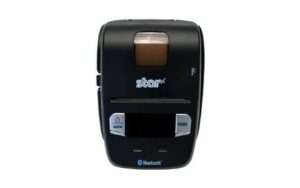
    SM-L200 Portable Receipt Printer

    2” Receipts
    Bluetooth, Apple BLE

    2. On-the-Road Services: Field Service, Landscaping, Taxi

    Another opportune industry for selling portable printers is any business that needs to complete transactions on-the-go. Examples of this include field services like telecommunications, HVAC, pest control, and contracting; landscaping; and taxi services. While these all provide very different services, they have one thing in common: they need fast, reliably connected receipt printers to keep their customers happy and their revenue flowing. Help them reach those goals by providing the right portable receipt printer.

    Recommended Printer: SM-T300i
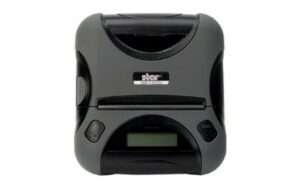
    SM-T300i Portable Receipt & Label Printer

    3” Rugged with MSR, Receipts & Labels
    Bluetooth

    3. Concession Sales at Stadiums, Parks, and Event Venues

    The days of getting up from your seat at a sports game or concert to go stand in a long line for a snack or beverage are ending. Mobile and in-seat sales of concessions at stadiums, parks, and event venues are on the rise, and offer many benefits like:

    • Reduced venue congestion
    • Faster turnaround
    • No waiting in long lines, meaning guests have more fun
    • Enhanced customer experience via mobile payment acceptance and integrated loyalty programs

    Recommended Printer: SM-S230i
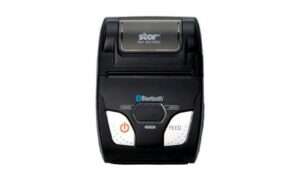
    SM-S230i Portable Receipt Printer

    2” High-Speed Receipts
    Bluetooth

    4. Police Tickets and Citations

    Getting pulled over and receiving a ticket is on fun, but one thing that makes it even less fun is a long wait. Help police officers quickly and safely provide tickets and citations with the right portable printer. Not just any mobile printer will do, however; be sure to offer a printer that is rugged and built to last, can print 4”-wide documents, and is available with accessories like belt clips, shoulder straps, and car chargers.

    Recommended Printer: SM-T400i
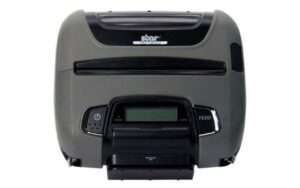
    SM-T400i Portable Receipt Label Document Printer

    4” Rugged with MSR, Receipts, Labels & More
    Bluetooth

    5. Every Corner of the Retail Store

    The usage of mobile printers in retail stores seems virtually endless. From big-box stores to specialty retailers and salons, portable printers have a place in nearly every brick-and-mortar establishment. Examples of mobile printer usage in retail stores include:

    • Line-busting: One of the most obvious portable printer use cases in retail is line-busting. By implementing mobile checkout locations within the store, shoppers can avoid waiting in long lines, pay at a more convenient location, and be on their way faster.
    • In-aisle labeling: A portable printer that can also print labels is the perfect solution for workers who need to label product in-aisle.
    • Online order preparation: BOPIS (buy-online-pickup-in-store) is booming. In fact, according to Shopify, nearly 60% of consumers are interested in BOPIS-type shopping options, and 64% are opting for BOPIS more often than before the pandemic started. A portable printer can help workers prepare BOPIS orders by easily printing receipts and labels on-the-go in the store as they assemble orders.

    Recommended Printer: SM-L300
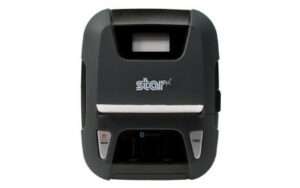
    SM-L300 Portable Receipt and Sticky Label Printer

    3” Receipts & Sticky Labels
    USB, Bluetooth, Apple BLE

    The Future is Mobile

    While mobile transactions and processes aren’t new, their speed, seamlessness, and integration with modern payments and devices are increasingly important in a variety of industries. As a reseller, it’s pertinent that you stay up-to-date on trends such as these to remain a trusted advisor and to maximize your profits. The right portable printers, like those from Star, can help you do just that.

    Boost Your Business with Star’s Portable Printers

    Boost your business by offering Star Micronics portable printers! Star is proud to offer a full line of portable, wireless receipt printers that are compatible with Bluetooth, Android, and iOS iPad and iPhone devices. Capable of printing receipts, labels, tickets, and more, the portable printers are ideal for retail, hospitality, parks and stadiums, police, food trucks, landscaping, pest control, field service, and more.


    Ready to learn even more about Star’s line of portable printers?

    Explore Printers

  • Why It’s Time to Invest in Dispensary POS

    Why It’s Time to Invest in Dispensary POS

    As more states legalize cannabis use, it’s time for dispensaries to invest in the right dispensary point of sale (POS) technology. New Jersey, Arizona, Montana, South Dakota, Vermont, Oklahoma, and Maine have opened their doors to legal cannabis use, and thus have created a huge opportunity for business owners. In fact, the cannabis industry market value is expected to reach $30 billion by 2025.

    Something that every cannabis business owner needs is dispensary POS technology solutions. Whether you operate a brick-and-mortar location or a delivery service – or both – dispensary POS is a must-have business essential. Read on to take a deep dive into several reasons why it’s time to invest in dispensary POS.

    More States Legalizing Adult Use

    Recently, each year has brought the news of more states legalizing cannabis usage or loosening their laws surrounding its usage. There may be no better time for those changes to occur than now. As the world slowly recovers from the COVID-19 pandemic, states are urgently looking for ways to bolster their economies and cannabis can certainly fit that bill. The pandemic has undoubtedly had a huge economic impact across the country and globe, and cannabis tax revenue could be used to assist in economic recovery.

    As mentioned above, New Jersey, Arizona, Montana, South Dakota, Vermont, Oklahoma, and Maine have officially legalized cannabis usage, and more changes are coming. In 2021, Marijuana Business Daily predicts that Texas’s CBD-centric medical program may see reform, and several states could legalize adult-use marijuana markets including New York, Virginia, Connecticut, New Mexico, and Maryland. In the case of New York, the state is projecting a go live date of April 2021, and Governor Andrew Cuomo has requested legislature to include a measure in the 2021 fiscal year budget to enact cannabis state law.

    How Resellers Can Cash in on Cannabis Point of Sale

    The cannabis industry has become one of the fastest growing markets. Here’s how resellers can take advantage.

    Download eBook

    Major Merger in Canada, Micro-Growers Gaining a Foothold

    Sometimes too much of something is indeed not a good thing. Take cannabis in Canada, for example. Some of Canada’s largest licensed producers are grappling with oversupply. According to Cannabis Business Times, last year Health Canada, the federal agency that oversees Canadian cannabis producers, reported producers had an excess of 600,000 kilograms (1,322,773 pounds) of unpackaged dried cannabis and 46,413 kilograms (102,323 pounds) of unpackaged flower – not counting what is held in stock by distributors and retailers.

    This oversupply makes it unsustainable for all of the large producers to operate at one time with how the market is evolving and has caused a large merger to occur. According to Marijuana Business Daily, in December 2020 Canadian cannabis giants Aphria and Tilray announced plans to merge. This merger would create a very large international marijuana firm with a combined equity of nearly $3.9 million USD.

    This mass scale of cannabis production doesn’t mean smaller producers are out of luck. Because of this large-scale merging, Canada’s small-scale micro-growers are finding a foothold in the market, thus creating a craft cannabis market. It’s likely that many consumers are interested in cannabis not produced on a mass scale and are willing to locate and open their wallets to smaller, craft producers.

    USDA Re-Evaluating Hemp

    Another reason why it’s time to invest in dispensary POS is because it is anticipated that new leadership at the U.S. Department of Agriculture (USDA) will result in the agency taking a second look at rules for nationwide hemp regulatory framework. What exactly does this mean? One example is that the USDA could give the hemp industry a win with remediation of hot hemp – “hot hemp” has more than the 0.3% limit of THC and must be disposed of by a federal agent under current rules. There is potential for a rule change so that hot hemp could be remediated with certain equipment, reducing THC levels – this shift would eliminate the need to destroy it, saving the industry millions of dollars and leaving space in producers’ budgets to invest in dispensary POS technology.

    Star Restaurant POS Solutions

    From online ordering printers to kitchen buzzers, Star is proud to offer POS solutions for restaurants, QSRs, food stands, and more.

    Download Brochure

    Cannabis Delivery

    Delivery has become a staple of modern living: takeout, groceries, household goods, pet food, and more are delivered … and now, cannabis is no different. Many cannabis retailers who weren’t previously delivering, now are. One reason for this is that during the COVID-19 pandemic many cannabis retailers were deemed “essential businesses” and thus needed to pivot and meet their customers’ demands in a safe, socially distanced way. Delivery, as well as drive-thru and curbside pickup options, will surely stick around well beyond the pandemic. After COVID-19 fades, consumer behavior will remain entrenched in what provided them the most convenience during the pandemic which means consumers will still expect pickup and delivery options when it comes to getting their cannabis orders filled. To be prepared, cannabis business owners must be sure they have the dispensary POS technology to facilitate all of these delivery methods.

    A Continuous Need: Dispensary POS

    Recent and ongoing changes to legislature and market mergers – as well as the continued growth of online ordering, delivery, drive-thru, and curbside pickup services – are creating a lasting need for all kinds of cannabis industry technology, including dispensary POS solutions. Indeed, there has never been a better time to invest in dispensary POS.

    Interested in learning more about Star’s latest dispensary POS technology solutions?

    Contact Star Integration Now

  • How to Set Retailers Up for Success with a Technology Upgrade

    How to Set Retailers Up for Success with a Technology Upgrade

    Retail technology is always on the up-and-up, and in order to stay relevant retailers need to prioritize taking advantage of the latest retail technology innovations. As a reseller, it’s equally important for you to act as your retail customers’ trusted advisor and serve as a one-stop, solution-selling shop. Your customers expect their solutions to be reliable, come from one place, and have an easy installation process. So, what is the best way to set your retailers up for success by providing a technology upgrade? Read on to find out.

    Assess Their Current Technology Landscape

    First and foremost, it’s important to look at your retailer’s existing technology landscape. Take inventory of the different technologies they are currently utilizing.

    Most importantly, don’t assume the path they want to take with their technology upgrade. Arguably the most important aspect of being a trusted advisor is simply listening. Ask your customer what they’d like to improve and fully understand their priorities before you propose a solution. Do they want to take advantage of online ordering? Do they want to change the look and feel of their point of sale (POS)? Do they want to leverage mobile payments for line-busting and curbside pickups?

    Next, when you feel confident that you have fully identified the customer’s technology upgrade wish list, start thinking about how you can help them make their wishes become reality. If you identify additional areas for improvement based on your industry experience, let the customer know but do not force the sale.

    Provide the Right Solution for Them

    Once you have mapped out your retailer’s priorities and have agreed on their technology upgrade roadmap, it’s time to get busy providing the right solution. Keep in mind that a complete and proper technology upgrade is multi-faceted and not “one size fits all.” A full retail technology solution keeps your customer’s priorities in mind at all times, and includes things like:

    POS Software

    Be sure to propose a modern POS software that is capable of online ordering, can provide detailed sales and marketing data, includes loyalty program functionality, and more.

    POS Hardware

    Next, consider what POS hardware the customer needs. To provide a simple user experience, remember to propose receipt printers and other POS hardware that is already integrated with industry-leading retail POS software and features connectivity options that accommodate your retailer’s business. Even better, some printers include technology to take your retailer’s POS to the next level, like Star Micronics SteadyLAN® which enables devices of all kinds (iOS, Android, Windows, and Mac) to receive stable WLAN connection and power delivery, all through one cable.

    When proposing POS hardware, don’t forget the accessories! Sleek, modern, and future-proof POS accessories can really help to tie the customer’s POS together, both visually and functionally. Important POS accessories include simple yet stylish tablet stands that can accommodate a variety of tablets, extra-strong cash drawers that come in a variety of colors to match the rest of the POS, NTEP-certified scales, 1D and 2D scanners, customer displays, and especially in the new normal, sneeze guards to protect both retail staff and shoppers.

    Online Ordering Technology

    Online ordering is here, and it’s here to stay. When considering POS software and hardware options be sure to propose choices that include online ordering functionality. When it comes to POS hardware, you can provide a “two birds, one stone” solution by proposing a receipt printer that comes equipped with built-in online ordering technology like the Star Micronics mC-Print3. The mC-Print3 includes CloudPRNT technology which enables the printer to directly fetch and print online orders with no need for any additional POS hardware within the store.

    Modern Payment Solutions

    Shoppers are no longer satisfied by paying in traditional ways and this shift in the way consumers pay will continue. Account for this in your retailer’s technology upgrade by proposing contactless payment terminals, mobile payment methods for line-busting and curbside pickup orders, and more. Don’t forget: when in doubt, ask what your customer needs and wants.

    Self-Service Kiosks

    Self-service kiosks are another trend that is steadily growing. In the retail industry, kiosks can be used by shoppers for looking up product details, pricing, inventory, and gift registries. They can also be used by shoppers to pay for their order, or even by job candidates for the job application process.

    Free Self-Service Kiosk Resources

    The future of many industries lies with self-service solutions. That’s why Star Micronics is offering free online ordering resources for resellers and software developers who are helping customers future-proof their businesses with self-service solutions.

    Provide Ongoing Support

    As a reseller, your job should not be over once the technology upgrade sale is made. Be sure you don’t leave your customers out to dry by regularly checking in with them and partnering with POS software and hardware companies that provide quality customer and technical support, like online help centers, web chat support, and a telephone hotline.

    Star Micronics Retail POS Solutions

    Star Micronics is proud to offer a complete retail POS hardware upgrade offering, including:

    • Receipt printers with built-in tablet POS connectivity and online ordering technology
    • Tablet stands featuring universal VESA mounting and clean cable management
    • NTEP-certified retail scales
    • Portable printers for line-busting and curbside pickups
    • A full range of self-service kiosk printers
    • A variety of accessories like sneeze guards, customer displays, scanners, etc.
    • And more

    Furthermore, Star Micronics hardware is integrated with the retail industry’s top POS software providers and has a dedicated technical support team and online help center, helping you become a true one-stop shop reseller.

    Ready to learn more? Click here to learn more about Star Micronics’ retail POS solutions.

    Full 2022 Product Catalog by Star Micronics.

    Star Micronics Product Catalog

    Explore POS printers, label printers, kiosk solutions, and accessories for retail, restaurant, self-service, and more.

  • Star’s Integration Team on GitHub

    Star’s Integration Team on GitHub

    Developing software is difficult without the right support. Star Micronics has created an official GitHub account to make our software partners’ lives easier. We have added our most popular and most useful SDKs to the account with more to come. Star’s Integration Team is here for you during the development process and we want to hear your feedback. Star looks forward to creating a dialogue between our global software teams and our community of software developers so we can continually improve our tools.

    Why GitHub?

    If you don’t already know what GitHub is, you can imagine it as social media platform for developers. It has quickly become a leading place for developers to share and collaborate on code. Users can also create their own repositories, contribute to other repositories, and suggest edits to existing repositories via an issue log.Star Micronics created a global account to make integrating Star products easy for our softwarepartners. Our goal is to make development as simple as possible for our partners when they are looking for SDKs or integration support for our products.

    When navigatingStar’s GitHub page, you will find a growing number of our SDKs and other helpful code. Some of the development tools currently available are listed below with more to come in the future.

    1. StarPRNT SDK iOS (Swift)
    2. StarPRNT SDK Android (Java)
    3. CloudPRNT SDK
    4. Android USB Cash Drawer SDK
    5. SteadyLAN Setting SDK (iOS, Android, Windows)
    6. React Native SDK

    Working with the Integrations Team

    The typical expectations when working with an Integrations team is simple — work collaboratively during the coding process until your software is integrated. What you get when working with Star is not the typical software/hardware partnership; integration is just the beginning. We treat our partnerships like the backbone of our company, and we cannot be successful without them. Once we help to integrate the hardware, our next focus becomes aligning our goals with yours. This leads us to growth on both sides of the partnership. Star can offer our partners a unified marketing strategy that will meet both our objectives while growing business. For more information on what a software partnership provides read more here.

    Through this new GitHub account we are implementing an initiative to publicly share more beta development tools to quickly gather feedback from our ISV partners to ensure the official releases are meeting the needs of our partners. The first in this initiative is our React Native SDK now available on GitHub. Our team is currently asking for any feedback you can give us. There is no payment necessary for a GitHub account so please feel free to navigate around our page, we are looking forward to hearing from you. 

    Visit Star on GitHub

  • 4 Ways to Tell that It’s Time for a Retail Technology Upgrade

    4 Ways to Tell that It’s Time for a Retail Technology Upgrade

    As a retail business owner, you are busy and your plate is full of responsibilities. From managing inventory to recruiting staff, you have a lot of tasks to juggle and one of the last things on your mind might be your point of sale (POS) technology. So, how exactly do you know when it’s time for a retail technology upgrade? Read on to explore four common ways to determine when it’s time to refresh that tech.

    1. You’re Not Online

    Did you know that online shopping started all the way back in the mid-1990s? According to Money Magazine,

    “Toward the end of 1994, Money magazine published a story about the sharp rise in consumers shopping from home. That year, some 98 million consumers made $60 billion worth of purchases from home, nearly all of it through phone orders prompted by mail catalogues and TV shopping channels. Another home-shopping option had suddenly arrived on the scene that year, too–an “on-line shopping service [that] requires a PC or Macintosh that’s equipped with a modem.” The article explained how such curious services worked:

    ‘For ordering, many of the “computer stores” offer shoppers an 800 telephone number to call. Others are set up so a shopper can click on a box next to the desired gift, type in payment information and the shipping address and then hit a “Submit Order” button. Some companies even let shoppers pick out the wrapping paper via computer.’”

    Obviously, online ordering has come a long way since 1994 – and the COVID-19 pandemic kicked the trend into high gear. It’s simply not an option to not be online anymore. According to Zoovu.com, Target’s digital sales increased by 275% in April 2020 alone, and there has been a 500% rise in curbside pickup year-over-year. This trend extends past large retail chains; people understand the hardships many small businesses have faced during this unprecedented time and are looking to support their local mom-and-pops during the new normal.

    If you aren’t online yet, don’t panic. There is a chance your current POS software provider offers e-commerce capabilities, and if they don’t, set aside some time to research an affordable and easy-to-use solution. From a POS hardware perspective, establishing an online store can be easier than you think. Certain online ordering printers, like the Star Micronics mC-Print3, are equipped with retail technology enabling the printer to automatically and directly retrieve orders from your online store. What does this mean for you? No extra tablet to purchase and install in your store and no additional timely training for your staff.

    2. Your Marketing is Lackluster

    Another task that can easily slip through the cracks for small business owners who wear multiple hats is marketing. While it may sound daunting, if you are equipped with the right retail technology, marketing can be easy.

    From a software perspective, many POS software providers offer integrated, easy-to-view sales and marketing data right in their dashboards. These analytics can be used for sales reporting, loyalty programs, email marketing, and much more.

    From the hardware end of things, did you know that with the right receipt printer, you can print promotions on your receipts for free? These promotions can easily and quickly be customized to communicate upcoming sales, your social media accounts, now hiring messaging, and more. You can design and schedule the promotions from anywhere using a simple online-based dashboard – even if you have multiple store locations.

    3. Your Customers Can’t Pay the Way They Want To

    The days of traditional cash and credit/debit card transactions are over. The COVID-19 pandemic has launched the retail world into a new way of doing things, and consumers demand modern payment methods that either reduce or eliminate contact with common surfaces and other people.

    Is your store set up to accept contactless payments? Contactless payments – or the processing of transactions via the tap or close placement of a credit/debit card, smartphone, or smart watch – are growing in popularity as a safer and more efficient way to make purchases.

    If you are looking to implement contactless payments, rest assured the process can be quite simple. Most banks not only offer contactless credit and debit cards, but also the terminals that are required for processing contactless transactions. These terminals have a contactless payment symbol on them showing customers that contactless payment methods are accepted. You may also tell your customers that you accept contactless payments in person, through social media or email marketing, by placing a sign at the point of sale, and through receipt marketing.

    4. You Have a Dated Aesthetic

    They say looks aren’t everything, but when it comes to retail technology, aesthetic makes a big difference. You might be used to seeing your POS hardware every day but try to take a look at it with a fresh set of eyes. Does it look clunky? Does it match the environment of the rest of your store? Does it complement the personality and vision you have in mind for your business?

    If you find that your POS hardware looks a bit outdated and takes up too much space, it’s time to consider a refresh. In terms of style, POS hardware has come a long way in recent years. Tablet POS systems are now the norm, and not only provide a modern, clean appeal, but can provide an even better customer experience as well with features like tilting tablet stands that can be used to capture customer signatures. There are options on the market for modern-looking printers, cash drawers, scales, and more, too.

    mCollection: Changing the Face of Retail

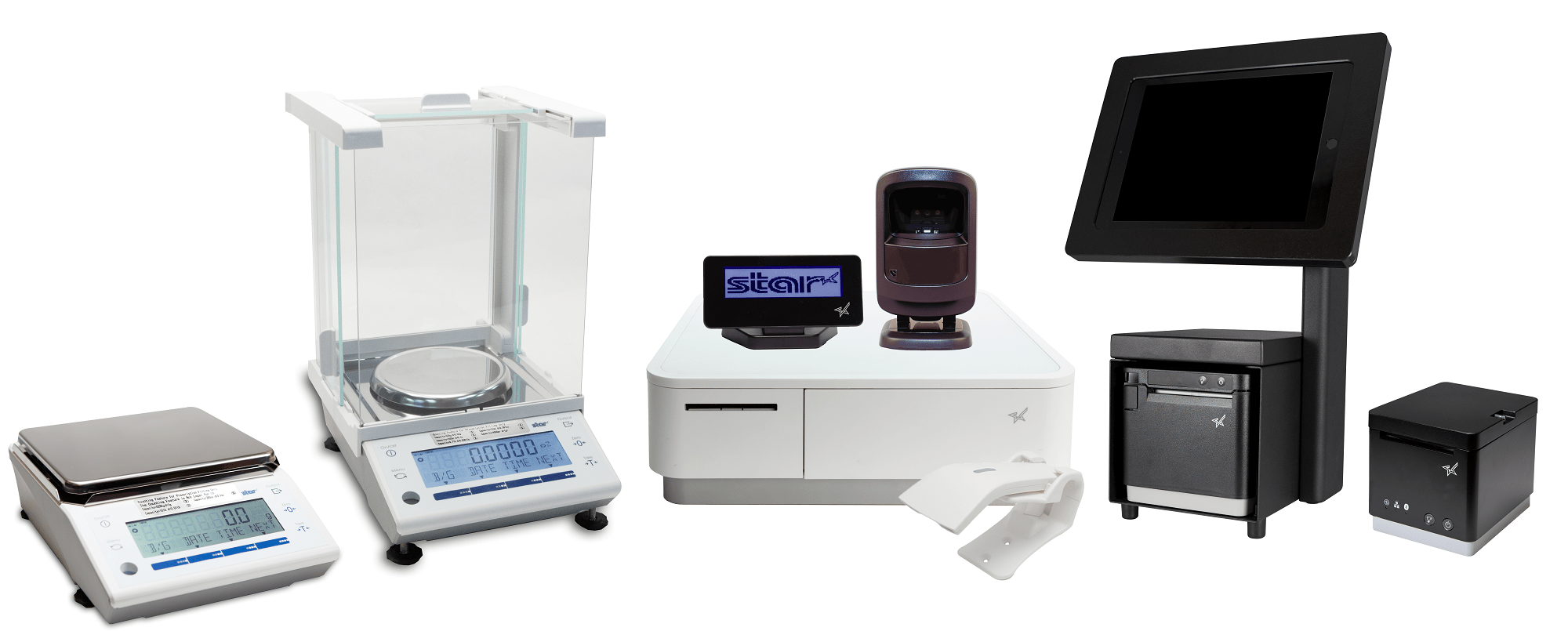
    Star Micronics mCollectionWhether just a couple parts of your retail technology environment need an upgrade, or you’re looking for a complete overhaul, the Star Micronics mCollection has you covered. A true one-stop shop, the mCollection includes receipt printers built for online ordering, tablet stands featuring clean cable management, stylish and durable cash drawers, and a full range of accessories like scanners, customer displays, and more.

    Designed with ease-of-use in mind, the mCollection is integrated with the retail industry’s top POS software providers, like Shopify, PredictSpring, Square, Vend, and more.

    Learn more about mCollection

    Star Micronics has what it takes to modernize your small business.

    Download Retail Brochure

  • Why You Should Recognize Coupons as a Promotional Tool

    Why You Should Recognize Coupons as a Promotional Tool

    Coupons? Really?

    Yes, really. Coupons have been around for more than 100 years and they’re just as effective today as they were in 1887, when a hand-written coupon for a free glass of Coke was issued by the Coca-Cola Company. According to TIME Magazine, the coupon campaign was so successful that more than eight million free drinks were served between 1894 and 1913. By the 1900s, cereal companies jumped on the savings bandwagon and began issuing coupons.

    Coupons

    Coupons as a Promotional Tool

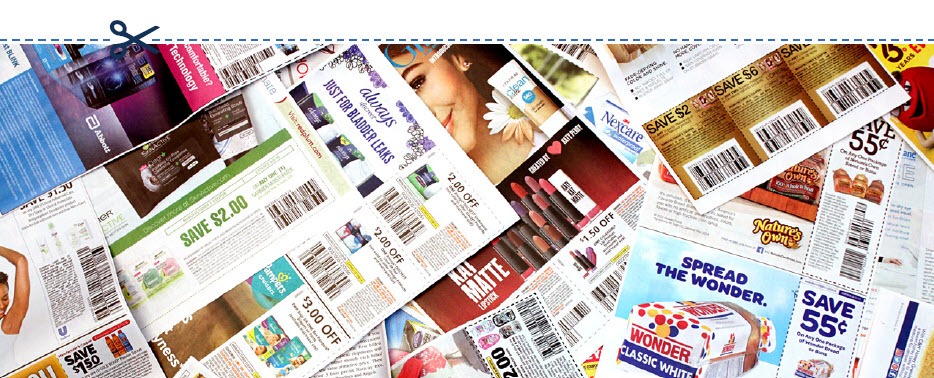
    More than a century after Coca-Cola first introduced coupons to consumers, they are still a win-win, making these discount offers the top-performing marketing and promotional tools for businesses. Your customers love saving money and receiving free items or services, and coupons give them an incentive to make repeat purchases. In fact, the “2K17 Valassis Coupon Intelligence Report” revealed that 84% of shoppers surveyed said that coupons influence what products they buy, while 86% of people said that they were persuaded to purchase a new product because they had a coupon for it. And once people try something at a discount and like it, they are more willing to pay full price in the future.

    Digital vs. Print

    More than 289 billion printed coupons were distributed in 2015, compared with six billion digital ones, according to statistics released by Kantar Media. And even though digital coupons and offers are growing in popularity, paper coupons are still dominating the savings landscape.

    If you want to issue a coupon, are paper or digital more effective? If you are looking to get the most bang for your promotional buck, printed coupons provide a higher return on investment (ROI).

    Although the redemption rate of digital coupons is a whopping 77%, which also means an increase in the number of sales and heightened brand awareness, these benefits come at a cost. Issuing digital coupons costs more than issuing paper coupons. You’ll shell out more money to mine data, collect email addresses, coordinate social media and develop an electronic marketing campaign. The higher redemption rate of digital coupons balances the costs, but the average ROI is still about 18% lower than the ROI from printed coupons.

    On the other hand, print coupons make up 44% of coupon usage, according to Knowledge Network. And even though the popularity and ease-of-use of digital coupons for consumers make them an attractive option, research shows that 70% of shoppers still look for coupons in printed media and mailers.

    A smart strategy may be to create a coupon campaign that integrates both the digital and print universes. A campaign that seamlessly marries the two solutions together will generate the highest return on investment since you’ll be increasing your reach and reaping the benefits of each method.

    Digital-Coupon

    Who Wants Coupons?

    The answer is: everyone. But you should pay especially close attention to the buying habits of millennials — customers born between the years 1980 and 2000. This generation, now the biggest in the U.S. wields tremendous buying power. This doesn’t mean consumers in this age group are big spenders — research shows they are cost-conscious and tech-savvy. Good branding or budget pricing isn’t enough to attract their business — millennial consumers love a good deal. According to research released by PPRI, 87% of shoppers in this age group used coupons last year. Of the people surveyed, 91% reported they used paper coupons, 85% used coupons that arrived in the mail and 48% took advantage of digital offers.

    Why does this matter? Now that many millennials are established in the workforce and have disposable income, their buying habits have started to reshape the shopping landscape as we know it. Thanks to the buying power of this generation, off-price retailers like Nordstrom Rack and TJ Maxx are thriving as they provide millennials with the thrill of the (bargain) hunt, smart marketing and the right price points.

    Yes, really.

    Coupons are still the top-performing marketing and promotional tools for businesses. Learn more in our free eBook.

    Download eBook

    What Else Can I Use Receipts For?

    Although it seems like a minor detail, the receipt is the last thing a customer receives before leaving your store. It’s your final chance to make a great impression — so make sure your receipt is a personalized take-away that is an extension of your brand. Every receipt should be customized with your store’s logo, brand messaging, website and tag line so people can easily identify where it came from.

    The receipt is also another vehicle to engage your customer. Including a customer service survey is a direct channel of communication that gives you an inside look at how your business and products are performing. Typically, customers are offered an incentive like a discount coupon, free item or a chance to be entered into a contest for completing the survey. These surveys help you understand your customers’ needs, evaluate employee performance and remedy any issues before they become a larger problem. Receipts can also be used to announce upcoming sales, promotions or special in-store events.

    Finally, receipts can help you gauge the effectiveness of a promotion because they connect the promotion directly to a purchase. If a printed coupon for a new product is issued in a magazine and sales of that product jump as a result, you’ll know it’s a successful way to draw in new business, and it’s a strategy you should repeat. This is especially important when trying new promotional vehicles. if you want to try a digital promotion via Facebook or Twitter and the desired effect doesn’t materialize, you’ll know to allocate your marketing dollars elsewhere in the future.

    There is a way that SMBs can reduce the cost of printed coupons: by using the receipts they already issue. Star Micronics’ Cloud Services has added a new solution, PromoPRNT, to its service lineup. Star’s Cloud Services was created to bring next generation customer engagement solutions to retailers by transforming their receipt printers into cloud-connected devices. Its newest offering, PromoPRNT, allows retail stores and small business locations to advertise their promotions in the most simple and effective way — printing coupons and promotional materials right onto the receipt that is issued to a customer.

    Smartphone-and-Receipt

    What is PromoPRNT?

    PromoPRNT is the newest tool merchants can use to raise product or service awareness, create unique discounts and monetize in-store traffic in an effective way. Thousands of SMBs have already started using PromoPRNT, which allows them to deliver promotions using nothing but their Star Micronics cloud-connected thermal printers. Printing coupons on customer receipts allows you to reach a higher percentage of shoppers for a fraction of the cost of a print or digital campaign and compliments the marketing campaign you already have in place.

    Merchants can reduce the cost of printing coupons and digital campaigns through external services and engaging customers at the POS terminal. Retailers can choose from the templates of coupons, store offers and messages to customize their receipts, giving them ability to advertise and run promotions at their POS system. You also have the option to integrate barcodes of discount codes and include validation dates. The coupons or promotional messages can be deployed to every store printer from the comfort of your desk.

    Printing a coupon on the receipt takes the guesswork and cost out of delivery–you can be sure the customer receives it. And as an added bonus, employees can talk about the coupon/promotion while they are processing the transaction and circle or highlight the promotional offer on the receipt so the customer doesn’t forget.

    Learn more about PromoPRNT in the below video:

    PromoPRNT is free and easy to use.

    Learn More

  • Restaurant Disaster Relief: Survive and Recover

    Restaurant Disaster Relief: Survive and Recover

    When disaster strikes, how will your restaurant handle it?

    In a world rife with natural disasters, recessions, and pandemics, restaurant owners must be flexible and agile enough to withstand uncertainty, while still having a plan in place to survive and recover whenever these events strike.

    In these instances, it’s no longer about understanding customer desires and capitalizing on trends. It’s now about taking care of needs and ensuring the safety of your customers and your business.

    In order to survive such dramatic shifts in customer demands, you need to combine agility and creativity.

    Click here to download our free restaurant relief guide.

    Evaluate Cost Centers and Cut Where Possible

    Making cuts to any area of business can be difficult. Sometimes, however, it is inevitable. In order to protect your business, weather the storm, and be able to come out of a disaster ready to operate at full force, you must be able to make sacrifices somewhere. Review your labor and inventory data very carefully to understand where you can afford to make cuts and where you can’t.

    Labor

    In the event of recessions or pandemics, when fewer people are going out to eat, you’ll need to evaluate which positions are mission-critical.

    Front-of-house staff

    If customers aren’t able to enjoy a meal on your premises, it won’t be cost-effective to keep FOH staff at full force. Perhaps schedule employees for fewer days or shorter shifts. In extreme circumstances, furloughs may be necessary, though it is wise to refrain from letting employees go completely. Once the disaster is over, you may need them in order to operate effectively and you don’t want to burn those bridges.

    If you have the right restaurant technology like a POS system, you can use the data and management tools it provides to help optimize labor and streamline tasks so you can reduce labor costs without cutting too many hours.

    Inventory

    It’s important to take inventory of everything to see what you have on-hand. Try to adjust your menu offerings to include meals or ingredients you have on hand and stretch your current inventory as far as possible to prevent waste and spoilage. You may need to create new specials and promotions to entice customers to order items that need to be moved quickly.

    Invest in an inventory management system before old, wasteful habits come back. Now is the perfect time to assess your old processes and identify any sources of waste within your inventory so you can better optimize it. An inventory management system can help you increase inventory accuracy, reduce waste, cut costs, and improve the overall quality of your inventory management.

    Now is also a good time to reach out to your vendors to see if they have been affected. You will want to know whether orders will need to be delayed or canceled under these circumstances.

    Reconsider Your Go-to-Market Strategies

    Your customers are likely spending a lot of their time online. That’s where you should be directing your marketing. With social media, post early and post often. The more you post, the wider the audience you will reach. Consider social media advertising, which can put your brand in front of new audiences instantly. Find local community groups on social platforms and join them to help get the word out about your business. It is important to both communicate and listen to customers on these platforms. When faced with disaster, it’s important to recognize that your customers’ needs evolve very quickly. For this reason, you must adjust your message to accommodate, and ensure that you are delivering that message through the most effective channels. Every restaurant should know their customers, and should be reaching out and communicating with them through a variety of methods.

    It is beneficial for restaurants to have a loyalty program through which they can communicate with customers. These are easy to implement with the right technology, and can provide valuable customer data that you can use to engage customers. With Star Micronics PromoPRNT, promotion printing technology, restaurants can reward their loyal customers by printing coupons or promotions to be attached to their take-out or delivery orders that can be used for their next order.

    Email marketing is also an effective way to boost your marketing efforts. If you are offering any new promotions that can address customer needs or save on packaging costs like family-style orders, leverage drip campaigns to your customer database. Implement a monthly newsletter or some other form of communication campaign to engage your loyal customers and keep your business top of mind. You can also do this to get the word out about online ordering, adjusted menu items, or changes in your hours of operation.

    Focus on Existing Revenue Centers: Online Ordering, Pickup, and Delivery

    Continuing to operate in some form or another could be your saving grace. You may be able to run your operation as a ghost kitchen, allowing customers to place orders through your website, mobile app, phone, or third-party service.

    Every restaurant needs to exist online. Online and mobile ordering has become a necessity. Utilize your website as a tool to communicate with and engage your customers. Many sites are static and do not encourage customers to continue coming back. Dynamic websites allow chefs and owners to make changes and update menus daily or weekly, keeping customers engaged with new recipes, offers, and specials.

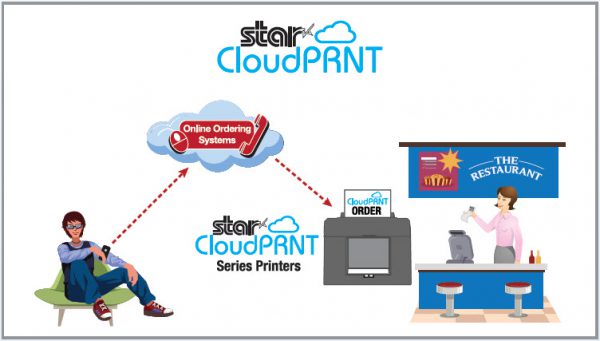
    With solutions like Star Micronics CloudPRNT, you can get online ordering capabilities set up quickly and efficiently if you don’t already have them. This frees you up to redirect more of your efforts on pickup, to-go, and delivery. Reallocate some of your front-of-house staff to courier and delivery operations. For pickup, you can offer in-store, drive through, or curbside depending on your needs and capabilities.

    Integrating online payments into your website can facilitate contactless pickup or delivery in the event of a viral pandemic. For contactless payments curbside, mobile receipt printers can be used to print receipts while tablets can be used to carry out transactions. You can also set up tools that text or call customers when orders are ready so they can run in and out to pick up orders without the need for face-to-face transactions.

    Adapt to Overcome

    When faced with disaster and uncertainty, you must do what you can to remain in business. That requires you to develop the agility and flexibility to adapt to new circumstances that arise and overcome the challenges that you face.

    With any disaster, prepare for consumer preferences and expectations to change. It’s important that you align your technology to help you evolve alongside these changes. Star Micronics offers easy, intuitive solutions like CloudPRNT to help you incorporate online ordering quickly into your operations. For more information on how you can adapt to meet current events, contact the experts at Star Micronics today.

    Our free Disaster Recovery Checklist has all the information you need, at a glance.

    Download Full eBook with Checklist

    At Star Micronics, our hearts go out to anyone impacted by COVID-19, either directly or indirectly, especially to those who are sick, to whom we extend our heartfelt wishes for a full recovery. To learn more about what we are doing as an organization to reduce the global impact of COVID-19, in terms of health and business, please click here.

    To browse all of our blog posts covering tips for small businesses during COVID-19, please visit our #StarForSmallBiz blog collection.

    Full 2022 Product Catalog by Star Micronics. Reopening Toolbox Now more than ever, safety and convenience are priorities in retail and hospitality environments. As businesses reopen their doors, Star is proud to offer a line of solutions and resources designed to keep consumers and employees safe and satisfied. Visit Toolbox

  • How to Select the Best POS Hardware System for SMB Customers

    How to Select the Best POS Hardware System for SMB Customers

    As a reseller, your SMB customers rely on you to introduce them to affordable, yet high quality point of sale (POS) hardware systems that meet their exact needs and are built for the future. With so many options available on the market, it is wise to have a set of guiding principles to help you in your search for the ideal solution. Read on to discover five key considerations to keep in mind while helping your customers select the best POS hardware system.

    Key Considerations: How to Select the Best POS Hardware System

    1. A Full Solution Provider

    These days, there are many moving parts involved in the POS and your customers don’t want a piecemeal solution from multiple vendors; they want a one-stop shop. With tablet-based POS growing in popularity, connectivity options between the POS terminal, receipt printer, and all peripherals is imperative. And depending on the industry, your customer may have more specific needs. For example, a café may have a need for not only a stationary POS, but a separate station for to-go orders that can accommodate online ordering and linerless labeling.

    To best meet these wants and needs, choose a hardware manufacturer that offers everything from receipt printers and label printers, to all-in-ones and tablet POS stands. An added bonus is a manufacturer that can also provide a steady supply of authentic consumables like receipt paper, a variety of labels, and ink ribbons.

    2. The Right Technology

    Like we mentioned above, in the age of mobile POS (mPOS), technology really matters. It’s important to make sure that the hardware system you propose to your customer has the proper connectivity and interfaces to ensure every piece of the puzzle – from the tablet and the receipt printer to the cash drawer and barcode scanner – work together seamlessly.

    Technology extends beyond hardware, though. It’s important to choose a hardware manufacturer that has software on their radar, as well. What does this look like? One thing to look for is a hardware provider that has an easy-to-integrate SDK for their product line, and it’s also important to look at what software integrations the provider has available. You’ll want to be sure to propose a solution to your customers that is already integrated with their POS software company, and choosing a hardware manufacturer with industry-leading integrations is a sure-fire way to do so.

    Value-added technology can also provide great benefit to your customers. Some hardware manufacturers offer free marketing tools, like easy-to-use, cloud-based customizable receipt marketing, which can set the solution apart from competition.

    3. Quality Counts

    A wide product portfolio and robust technology features are great, but to be truly worthwhile they need to be reliable. Be sure to choose a reputable POS hardware supplier that thoroughly tests products and offers high quality options like fast and dependable printers, durable cash drawers with reinforced strength, and more. Make sure that the high-quality hardware is also backed by a strong included warranty, and the ability to purchase extended warranties for a hassle-free future.

    4. Ready for Today and Tomorrow

    Another important consideration is the lifecycle of the POS hardware solution you will be proposing. Will this solution work for a year or two, or is it designed to be compatible with POS trends years down the road? A good rule of thumb is to work with POS hardware manufacturers that offer a future-proof solution that will work for years to come no matter what POS trends come our way.

    Some future-proof features to look for are:

    • Flexible and modern connectivity options that mean the POS hardware can work with multiple operating systems and device types.
    • Related to the first point, choosing hardware that can physically accommodate a wide range of POS options is a smart idea. For example, a tablet POS stand that allows tablets to be VESA mounted means even if the customer changes their tablet of choice down the road, their other hardware will still work.
    • A sleek, modern, and functional style that will match the customer’s store aesthetic for a long period of time. An example of this is a tablet POS stand that features clean cable management, the ability to tilt to capture customer signatures, and space to be custom branded for marketing purposes.

    5. The Price is Right

    Last but not least, affordability is no doubt an important consideration when it comes to helping your customer choose the best POS hardware system. A good rule of thumb is to choose a hardware supplier that offers a variety of hardware in a range of prices. Keep in mind the hardware options with the lowest price tags may not be the most affordable in the long run. To ensure your customer is getting the most bang for their buck, be sure to deeply research quality, warranty options, and the ability to seamlessly work with the POS technology trends that will emerge in the years to come.

    We hope that these tips help you identify the best POS hardware system for your SMB customers that feature the style, technology, and quality required – at an affordable price tag.

    mUnite: A POS Stand Built for the Future

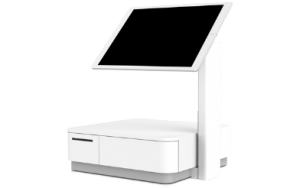
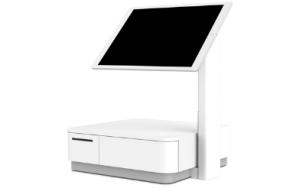
    The Star Micronics mUnite tablet POS stand is a great example of a piece of dependable, stylish POS hardware that is designed to work well into the future. The mUnite – which is compatible with the Star Micronics mC-Print3, mPOP™, TSP143III, and TSP654II –  features:

    • Universal VESA mounting
      mUnite POP tablet POS stand
      mUnite Stand
    • Hidden cable management
    • Compatibility with any iOS, Android, and Windows tablet or touchscreen computer (device, enclosure, and printer not included)
    • Easy-to-tilt functionality for customer interactions
    • The ability to support a second screen to display price, marketing messaging, and more

    Click here to learn more about the mUnite.

    Star Micronics is proud to offer a full line of POS hardware for today’s businesses.

    Download Product Catalogue

  • 4 Essential Features of a Frozen Yogurt POS Solution

    4 Essential Features of a Frozen Yogurt POS Solution

    It’s flavorful, colorful, and just healthy enough to not feel guilty about indulging in it. That’s right: we’re talking frozen yogurt. Specifically, we’re talking frozen yogurt point of sale (POS) and how to choose a frozen yogurt POS that goes the extra mile for your business.

    You’re likely well aware of the popularity of frozen yogurt shops; it’s estimated that 121 million servings of frozen yogurt are served each year in the United States! And while it’s good news that so many people love the tasty dessert, it can also be intimidating to think about the best way to go about differentiating your frozen yogurt shop from the competition.

    In addition to choosing a strategic location, creating an attractive aesthetic, offering high-quality flavors and toppings, and effectively marketing your business, did you know that a well-thought-out POS can be a stable foundation to a successful, differentiated frozen yogurt shop? Read on to discover the 4 essential features of a frozen yogurt POS solution.

    Feature #1: Scale

    Arguably one of the most important features of your frozen yogurt POS is your scale. Why? Simply put, accuracy is money!

    To ensure you are charging the correct amount for the frozen yogurt that you sell, selecting an NTEP-certified scale is a must. The NTEP Certificate of Conformance “indicates that the device manufacturer has demonstrated the ability to meet applicable requirements for commercial weighing and measuring equipment in the United States as specified in Handbook 44: Specifications and Tolerances and Other Technical Requirements. NTEP certification is required in most states in the United States.”

    Second most important to accuracy is connectivity. What good is a scale if it doesn’t connect to the rest of your POS? Be sure to choose a scale that connects to your software and operating system. It is also helpful if your scale features multiple interface options such as Bluetooth, Serial, and USB. Additionally, it’s wise to choose a scale that directly connects to your POS so that there is no risk of human error in entering numbers incorrectly from the scale to the POS.

    Finally, let’s be real: frozen yogurt can easily become messy. Choose a scale that has an available protective shield to defend it from spills.

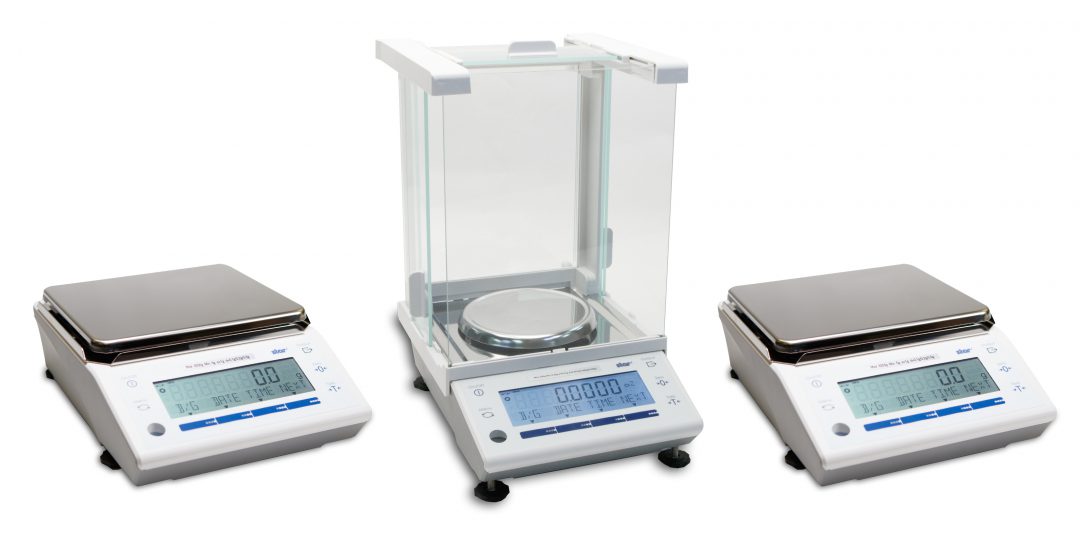
    Star’s mG-Scales

    mG-Scales

    Legal for Trade, NTEP-Certified
    Multiple Interfaces (Bluetooth, Serial, USB)
    Support for Windows, Android, iOS
    Available with Protective Shield

    Learn More

    Feature #2: Receipt Printer

    Your customers want to eat their frozen yogurt before it melts. One way to help them do that is by utilizing a fast, high-quality, and easy-to-use receipt printer. A reliable and high-performance printer means your employees can complete transactions more quickly, and customers can get to enjoying their treats in a jiffy.

    On a more technical front, it’s crucial to choose a printer with the connectivity options to meet your needs. Some good connectivity options to look for are Bluetooth, USB, Lightning, and LAN. And by choosing Star’s mC-Print2 or mC-Print3, you’ll get the added benefit of SteadyLAN® technology. This world-first solution provides both power and direct, reliable Ethernet connectivity to iOS, Android, and Windows devices via the printer, and all through one cable. You can say goodbye to downtime and low-signal frustration with SteadyLAN!

    Star-SteadyLAN-Technology-Final-withoutlogo-1080x625

    Two more aspects of a receipt printer to look for are a splash-proof design and marketing capabilities. By choosing a splash-proof printer, you know your POS hardware is safe from any spilled frozen yogurt mishaps. And some receipt printers, like the mC-Print Series, includes free receipt marketing software so that you can promote upcoming sales, special flavors, and more right on your receipt, where customers are sure to see it.

    Feature #3: POS Software

    Just like sprinkles make the perfect accompaniment to frozen yogurt, choose a printer that pairs well with your favorite frozen yogurt POS software!

    If you’re currently shopping around for frozen yogurt POS software – or considering making a switch – here are some good features to look for:

    • Weight-based pricing
    • Inventory management and detailed sales reporting (so that you can know which flavors and toppings sell fastest, when to replenish, profit margins, real-time sales, etc.)
    • A simple checkout process and easy training (for part-time and seasonal staff)
    • A prominent customer display system (CDS) for transparent transactions
    • The opportunity for customer information capture for marketing activities
    • Offline transaction processing
    • Employee timekeeping
    • Pay-as-you-go pricing (if you are a seasonal business)
    • Secure payments (EMV-ready for chip and pin payments)
    • Handheld, mobile POS capabilities for peak business hours

    Feature #4: Sleek Design

    Frozen yogurt shops are known for their design. You know the look: a well-lit, happy space, with bright colors and the undeniable feeling of childhood-like joy. What’s one thing that can completely kill the mood? Outdated POS hardware.

    Alpine Chill Yogurt Shop
    Alpine Chill Yogurt Shop, Alpine, CA
    Magical Yogurt
    Magical Yogurt, Lumberton, TX

    Choose a POS that is as sleek as the rest of your business. Not only will this create a cohesive feel, but this optimized design will help you create a memorable experience and hopefully stand out in your customers’ minds.

    mUnite POP tablet POS stand
    Star’s mUnite Stand

    The easiest way to create an attractive POS area is by choosing a clean, sleek tablet POS stand. Look for a stand that features hidden cable management that routes cables through the stand arm (like the Star mUnite). Another key feature that cannot be overlooked is choosing a stand that includes universal VESA mounting, meaning it can support any iOS, Android, and Windows touchscreen device. An added bonus of a stand with VESA mounting capabilities is that it is future-proof and can save you money: if you change your tablet down the road, the same great stand will still work.

    We hope that these frozen yogurt POS tips were useful. Need some help choosing your frozen yogurt scale? Download our free Scale Buyer’s Guide now!

    Download eBook

  • The Best New Star Technology in 2020

    The Best New Star Technology in 2020

    It’s 2020 and it should come as no surprise that point of sale (POS) technology is advancing rapidly. But which POS trends are predicted to be hot this year?

    • Cloud POS: According to Finances Online, the cloud POS market penetration rate is expected to hit 44% this year, up from 35% in 2018 and 39% in 2019.
    • Self-Service: In 2019, the self-service market was valued at $28 billion USD, and by 2025 it’s expected to reach $68 billion USD. Needless to say, self-service kiosks will be popping up left and right this year.
    • Mobile Payments: It’s estimated that by the end of 2020, nearly 1 in every 2 dollars spent online will come from purchase made using mobile devices. That’s a lot of mobile payments!

    Download Free eBook: MPOS: How it’s Revolutionizing Payments

    So, what’s Star doing to keep up with these emerging trends? Read on to discover the best new Star technology this year.

    SteadyLAN®

    The foundation of each of the above POS trends is a stable connection. For cloud POS to reliably operate, a strong network connection must be present. A self-service kiosk that’s out of order is a nuisance to customers and a waste of money to business owners. Mobile payments don’t exist without a solid connection.

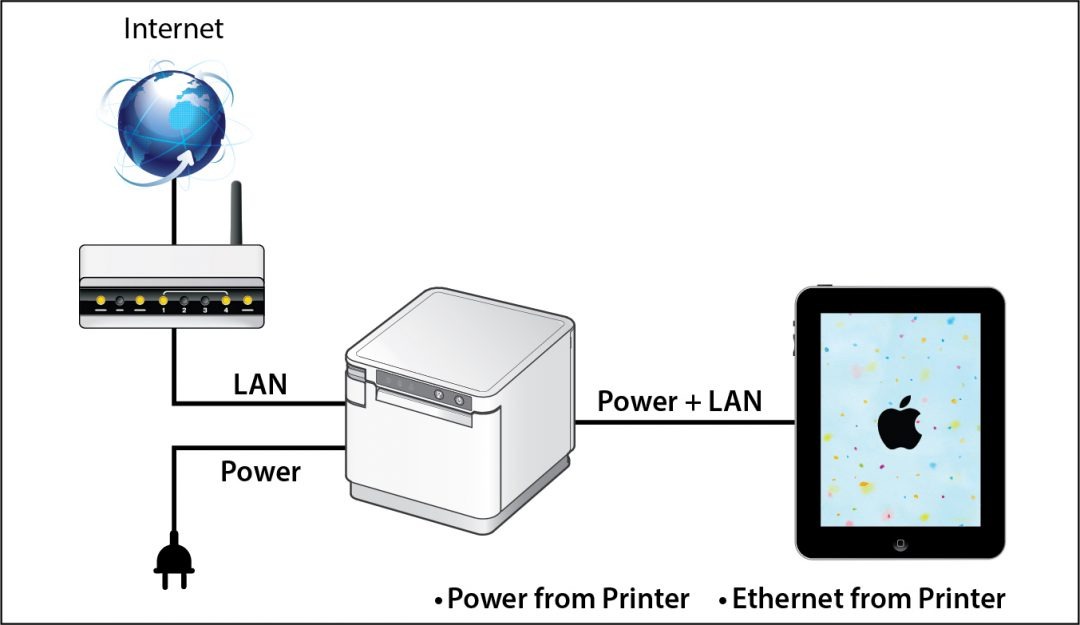
    To greatly strengthen network connection in iPad POS, Star is proud to introduce SteadyLAN®. This unique, patent-pending new Star technology makes unstable Wi-Fi signals a thing of the past. Available on certain mC-Print models and designed for iOS, Android, and Windows devices provides direct cabled control of the printer and attached peripherals, as well as Ethernet provision to the tablet, from the wired Ethernet port of the printer.

    Star-SteadyLAN-Technology-Final-withoutlogo-1080x625

    For locations where Wi-Fi connectivity is not possible or unreliable, this new technology is a world-first, providing the stability of a cabled LAN connection for tablet POS systems. By connecting the SteadyLAN-compatible printer to the Internet via wired LAN and connecting the printer and a tablet with a Lightning-USB or USB-C® cable, the device can use the Internet without Wi-Fi communication. At the same time, the tablet can communicate with the printer via USB or LAN and can be charged from the printer.

    Click here to learn more about SteadyLAN

    A Full Kiosk Lineup

    Kiosk printers aren’t a new edition to Star in 2020 – we have been offering a robust lineup of self-service printing options for quite some time – but what is new and hot this year are our second generation of compact SK1 kiosk printers.

    The new kiosk printers, the SK1-211 and the SK1-311,  ship standard with StarPRNT emulation, which will allow software developers to take advantage of the full stack of Star Micronics technology, such as the StarPRNT SDKs and Star’s powerful line of drivers. Software developers that have already integrated Star products can now easily swap or extend their applications from a desktop printer to a kiosk printer.

    When used with Windows drivers, StarPRNT emulation also enables developers to take advantage of PromoPRNT, Star Micronics’ cloud-based marketing tool which allows for custom-designed promotions to print on the bottom of receipts.

    These new kiosk printers are exciting for a few reasons: Not only are these new products faster and more reliable, the addition of the modern StarPRNT emulation will allow easy integration of kiosk solutions into any environment already featuring Star printers.

    Star offers even more kiosk printers than the SK1 series. Click here to browse all available kiosk printers, including open-frame printers, housed printers, wide-format printers, and more.

    mPOP™ Flat Bill

    mPOP-Flat-Bill-1080x523
    You may already recognize our sleek, all-in-one mobile point of purchase, the mPOP. But did you know that this year we have released a new and improved mPOP for SMB retail, the mPOP Flat Bill?

    The new mPOP with Flat Bill cash management stacks the till, providing a total of 4 slots for bills, and 4 or 6 adjustable spaces for coins.The individual tills offer 2Bill-2Coin slots, with the top till easily sliding back to expose the bottom till section.

    Just like the original mPOP, the mPOP Flat Bill also features:

    • Bluetooth and USB connectivity
    • Compatibility with any iOS, Android, or Windows device
    • Easy “drop-in and print” paper loading and cable management
    • Compatibility with Star peripherals ( 1D barcode scanner, 2D imager, digital customer-facing display)
    • Optional mUnite POP solution stand

    Click here to learn more about mPOP

    mUnite

    A new decade calls for business owners of all kinds to make the switch to a sleek, modern POS, and our mUnite stands make that easier than ever.

    Designed to accompany the mC-Print3, mPOP, and TSP143/TSP654II, the mUnite tablet POS stands are the perfect solution for businesses on the hunt for a clean POS which frees up valuable counterspace.

    With clean cable management and a sleek, unified design, mUnite stands bundles all devices together into one visually cohesive solution, and are:

    • Built of durable steel
    • Compatible with any tablet manufacturer (universal VESA mounting)
    • Easy to set up
    • Available in black or white to match existing POS systems
    • And more!

    Click here to learn more about mUnite

    The new Star technology featured in this blog post is just a portion of Star’s many offerings. To learn more about our full product lineup and see how our various technologies can be bundled into one cohesive, streamlined solution, explore our Product Catalog.

    Product Catalogue