Author: Heidi Orpilla

  • MBTA Introduces Mobile Credit Card Payment Option

    MBTA Introduces Mobile Credit Card Payment Option

    Keolis Commuter Service (Keolis) operates the Massachusetts Bay Transportation Authority’s (MBTA) rail system, the fifth largest in North America. The MBTA and Keolis recently expanded their partnership to align through incentives and global best practices increases to revenue and ridership. As a component of this directive, the rail operator recognized a need for better insight into ticket and revenue numbers than what the MBTA’s paper ticket system provided. The paper tickets were tallied once a month, making limited data available only once every 30 days. In order to create a new marketing and promotional campaign that would boost ridership and optimize schedules, Keolis needed readily available, in-depth data that could form the basis of its new growth initiative.

    The Challenge
    MBTA-Case-Study-Mobile-Payment-1-e1574803507383

    In addition to addressing the lack of data, Keolis wanted to tackle another problem: a top complaint from passengers was the inability to pay onboard with a credit or debit card. MBTA’s Greater Boston area commuter rail moves an estimated 127,000 riders a day, but its onboard ticketing options were limited. Passengers could purchase tickets with cards from a kiosk at the station or in-person at a ticket window. However, if riders boarded the train without tickets, they would have to pay cash, or download the MBTA’s Commuter Rail mobile ticketing app.

    Boston is a large tourism destination, so visitors or occasional users on board who didn’t have cash had two choices: download the app to pay or be issued a post-ride payment form to mail in later. Additionally, this cash-only option onboard was a security issue for conductors who had to carry large sums of money. Since fares are determined by departure and arrival zones, for non-ticket holders onboard, conductors had to memorize zone pricing to calculate the fare of a ticket, accept payment, then calculate the change to return to the passenger, or issue a non-payment form before moving on to the next rider. There could be up to 188 travelers in each car, so waiting for people to download the app or issuing them a post-ride payment form made each conductor’s job take longer than it should. In addition, riders who accepted the post-payment form were on the honor system to mail it in, so MBTA would risk loss of revenue on riders who didn’t carry cash.

    The Solution

    Conductors already carried Mobile Computing Devices (MCD) to receive notifications and train information, so Keolis sought a solution that would integrate with the hardware that was already in use. The rail operator partnered with the software company e-Nabler Corp, developers of eMobilePOS suite of point-of-sale applications for their unique mobile solutions expertise, who developed RailSales mPOS, which supports onboard ticket purchases with various tender types such as credit or debit cards. e-Nabler’s system runs on the Apple iPhone 6S (MCD) with an Infinite Peripherals Linea Pro 6 scanner and a Star Micronics SM-S230i handheld printer. Star’s SM-S230i is a 2” portable Bluetooth and USB printer that is compact and lightweight, so it can be worn on the conductors’ belts. The printer is MFi certified and easily connects to and pairs with the MCD.

    MBTA-Case-Study-Mobile-Payment-e1574803526716

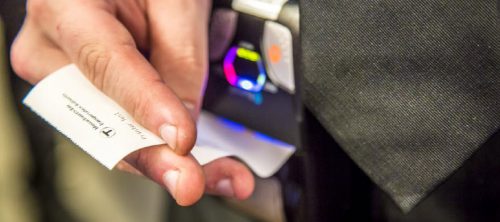
    This setup allows conductors to use the same interface they were already familiar with, which eliminated the need to carry a second mobile device and train on a new mobile operating system. The RailSales ticketing application’s new dynamic scheduling interface gives conductors up-to-the-minute train, zone and station selections for fare calculations and makes the end-of-day shift reconciliation accurate and much more convenient. RailSales mPOS also gives passengers the ability to pay on the train with a credit or debit card, or cash and get a receipt that can be validated visually or by scanning the receipt’s QR code.

    The new fully operational integrated mobile RailSales solution was successfully rolled out in record time to approximately 400 conductors over four months after a successful 10-conductor pilot.


    Click here to download the full success story.

  • 4 Easter Marketing Ideas for Your Store Using PromoPRNT

    4 Easter Marketing Ideas for Your Store Using PromoPRNT

    Spring has sprung and Easter is almost here! If you haven’t developed an Easter marketing plan for your store, you are missing out. In 2016, a whopping 8 in 10 Americans planned to celebrate the holiday, and they spent $17.3 billion that year (and $146 per person). That’s a lot of festive customers at your fingertips, ready to make you some “egg-cellent” profits.

    Ready to get started? Did you know that with PromoPRNT, you can use your existing Star Micronics printer to create custom Easter promotions that are printed directly on the bottom of receipts? Here’s a quick rundown of PromoPRNT’s features:

    • Make custom promotions from templates
    • Manage promotions from anywhere
    • Increase customer retention
    • Make each customer visit unique

    You can now easily get your Easter marketing hopping with our pre-made PromoPRNT templates. Check them out:

    Promo 1: Promote Easter Sales

    Easter-Sale-e1574803416964

    Want to grow some business this spring? Host an Easter weekend sale! The template is editable, so customize it to match your store’s specific sale.

    Promo 2: Highlight Special Easter Products

    Easter-Products-e1574803432768

    If you offer Easter- and spring-themed products, this is your time to shine. Promote them now on your receipts so your current customers become repeat customers.

    Promo 3: Host a Social Media Contest

    Easter-Contest-e1574803454268

    Who doesn’t want to win something? Host a social media giveaway contest and not only gain sticky customers, but also some followers.

    Promo 4: Advertise an Easter Event

    Easter-Event-e1574803470251

    If you happen to be hosting an Easter-themed event, using PromoPRNT is a great way to advertise it. Make sure to remind your staff to alert customers of the event information located on their receipts.

    Remember, all of these templates are now available to use in Promo Builder!

    Haven’t signed up yet for PromoPRNT? No problem. Click here to learn more and register your Star printer, or watch our video:

  • Why E-Commerce Brands are Moving to Brick-and-Mortar

    Why E-Commerce Brands are Moving to Brick-and-Mortar

    We’ve all heard of the term “retail apocalypse.” When you hear that phrase, you probably imagine brick-and-mortar stores shutting their doors. But guess what? That’s simply not happening (if brands innovate!). In fact, the opposite is occurring: e-commerce brands are opening physical stores, and fast. There are approximately 600 stores across the United States that belong to former online-only brands! Let’s explore why.

    Online Saturation – and Expense

    We probably don’t need to tell you that the online market is saturated … really saturated. Approximately 77% of marketers use at least one social media channel to market their business, and the overall organic reach you’re able to obtain on social media apps is falling as the platforms change newsfeed algorithms so users see more from their friends, and less from brands.

    On top of the fierce competition in the world of online advertising, placing ads in the digital realm is also very expensive. In recent years, the cost for online ads on search engines and social media platforms has skyrocketed – it can be 10 times more expensive to acquire a new customer online than it is in a physical store!

    Experiential Opportunities

    No matter which way you cut it, an online shopping trip can only be so interactive. On the contrary, physical stores offer the added benefit of allowing shoppers to engage with products, interact with employees, and soak in the brand’s culture.

    Brick-and-mortar stores are home to immersive experiences that will create a lasting memory for shoppers. For example, Casper, an online mattress store, is opening 200 physical stores so that customers can book naps and test out mattresses before buying. A creative, unforgettable in-person experience is priceless (especially when it includes naps).

    Other examples of physical experiential retail include:

    • Nike Live Concept Store: The athletic brand offers personalized advice, in person, to align customers with the best possible products to meet their fitness goals.
    • Wayfair: The online furniture retailer is opening its first physical location in fall 2019, which will allow customers to meet face-to-face with design experts, try out furniture in person, and more.
    • Warby Parker: The eyewear brand saw huge success when it opened its first pop-up in 2013, and it now operates dozens of physical stores and claims it gathers the most valuable data in person, and realized retail isn’t dead, it just needed a “creative makeover.”

    A Fruitful Fusion

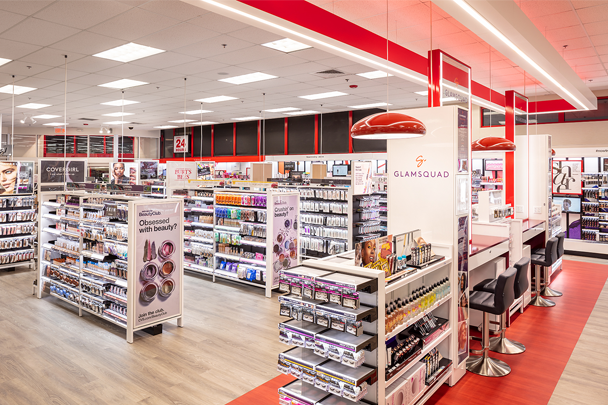
    Sometimes the perfect place for an online brand is in a physical store. Take Glamsquad, for example.

    CVS-Glamsquad
    Glamsquad in CVS

    Glamsquad, an on-demand, in-home beauty service, recently partnered with CVS to offer express versions of its services. This is a great way for the brand to meet new customers in person, especially those who may not yet be aware of the online brand’s services (why not fill your prescription and get a manicure?).

    Another benefits for e-brands taking up physical shop has to do with returns. Instead of simply mailing back a returned item, customers may opt to return the merchandise in person at the physical store, which presents a valuable opportunity: the opportunity to make another sale.

    Make the most of your brick-and-mortar store with Star! Click here to learn how Star and Cohub streamlined one candy shop’s inventory management processes.

  • Star Micronics and KitchenHub to Offer a Simple Online Order Management Service for Restaurants

    Star Micronics and KitchenHub to Offer a Simple Online Order Management Service for Restaurants

    KitchenHub helps restaurants to consolidate online orders from all major services with Star Micronics hardware

    KitchenHub and Star Micronics eliminate the need to have a separate tablet, device, or printer for each online ordering service being used, while helping to increase the diversity of online ordering services accepted. The app offers a single, streamlined dashboard with all your online orders, with the smart interface making the management of these orders simple and efficient.

    Currently, restaurants manage every online ordering channel separately, and many do not even offer online ordering. However, online sales channels help restaurants sell more food and grow their profits. It is critical for virtual restaurants—or “ghost kitchens”—as they exclusively sell online. KitchenHub helps to streamline this by offering one tablet and one app for all online orders from multiple channels, as well as helping restaurants to create their own online ordering platform on their own website.

    Star’s mC-Print3, SP742, and TP654II printers are all offered with CloudPRNT technology, providing an easier way for restaurants to accept and print online orders. CloudPRNT will work with the online ordering service to store and create print jobs, and communicate status with the printer. The Star CloudPRNT printer will then pull these orders on a defined interval.

    “Managing separate online ordering platforms is a true management nightmare,” says Jonathan Romero, KitchenHub customer and owner of four restaurants and two virtual concepts. “Now, with new partnership with Star Micronics, printing orders from KitchenHub app is easier than ever.”

  • 3 Ways to Grow Your Restaurant Business

    3 Ways to Grow Your Restaurant Business

    In the world of restaurants, there’s immense pressure to not just maintain business, but to grow it. There are over 1 million restaurants in the U.S. alone, and their projected sales in 2018 topped $825 billion. In a world that becomes a little more digital and connected each and every year, it’s important to stay ahead of the competition and stay in the foremind of your customers. Here are three ways to grow your restaurant business – in the modern world.

    1. Use an Online Ordering Service

    Nowadays, online ordering services are thriving. There are both local and nationwide services, and the industry is estimated to be worth nearly $19.5 billion and is expected to grow 5.9% annually through 2023. In other words, there’s never been a better time to jump into the online ordering game if you haven’t already.

    Benefits of Online Ordering Services:

    • New Business: Online ordering services are a great way to appeal to a new market and draw in new customers outside of your restaurant.
    • Reduce Human Error: Another huge benefit of using an online ordering service is clearer communications. Online ordering services can eliminate the confusion that sometimes occurs when orders are placed over the phone. Simply put, online services increase order accuracy and make the process easier for both the customer and the employee.
    • Transparent Cash Flow: Last but certainly not least, online ordering services give transparent cash flow information, making it easy to keep a close eye on your profits. Online services can make it possible to keep track of costs of preparing an order and compare it to the price you’re giving the customer.

    Examples of Services:

    GrubHub-Logo-e1574803285121Grubhub Inc. is a web commerce platform for ordering and delivering take-out food. Based in Chicago, as of Q1 2018 the company has 14.5 million active users and 80,000 associated restaurants across 1,700 cities in the United States.

    UberEats-Logo-e1574803302708Uber Eats is an American online food ordering and delivery platform launched by Uber in 2014 and based in San Francisco, California. Users can order food from participating restaurants on their website or with a smartphone/tablet application.

    DoorDash-Logo-e1574803319728DoorDash Inc. is an on-demand food delivery service founded in 2013 by Stanford students Andy Fang, Stanley Tang, Tony Xu and Evan Moore. A Y Combinator-backed company, DoorDash is one of several technology companies that uses logistics services to offer food delivery from restaurants on-demand.

    And many more!

    2. Adopt a Loyalty Program and/or Branded App

    Looking to establish your brand and gain more fans? Of course, you are! Did you know a loyalty program can help you do just that? And trust us, today’s consumers want the perks that loyalty programs can offer: 86% of shoppers say they’ve joined a loyalty program to collect points for rewards.

    Tying into our first tip, select online ordering services also offer loyalty programs and branded apps to restaurants. Uber Eats offers Uber Rewards, which allows customers to accrue points for every dollar spent on Uber car rides and Uber Eats purchases. Users can also achieve different membership levels, unlocking things like priority pickups, complimentary upgrades, and more.

    In a similar vein, ChowNow offers branded mobile apps to restaurants. The apps, available for both iOS and Android, not only allow customers to purchase food, but also allows restaurants to display logos, food photos, and more. And according to ChowNow, app-wielding restaurants see a 10% increase in order frequency per diner. Can’t beat that!

    3. Integrate Star Micronics Restaurant Solutions

    Whether it’s a fine dining restaurant or a fast-casual restaurant – or anything in between – Star has what it takes to optimize restaurants of all kinds. Here are two ways how:

    mC-Print-e1574800926275

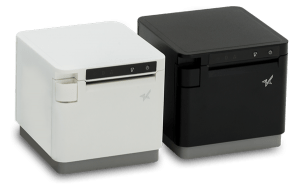
    • mC-Print3: Specially designed for restaurants, the 3-inch thermal mC-Print3 is not only splash-proof and insect-proof, but sleek, compact, and connected. Built for the modern world, the mC-Print3 offers Bluetooth, USB, Lightning, LAN and CloudPRNT connectivity, and is easy to integrate through common SDK. Click here to learn more about the mC-Print3.NewPromoPRNTLogoTM
    • PromoPRNT: While digital is king these days, there’s one valuable marketing medium that isn’t going away anytime soon, and that provides an even more direct communication with the customer: a receipt! With Star’s PromoPRNT software (compatible with mC-Print3), you can create custom promotions from templates that are delivered directly into customers’ hands, boosting customer retention and engagement rates. Operate multiple locations? No problem – with PromoPRNT, you can manage promotions for multiple stores, all from one central location. Click here to learn more about PromoPRNT.

    With just a little bit of effort and a few new tools (or maybe just your existing printer), you can take your restaurant to the next level. Click here to learn more about how Star can help take you there.

  • Infographic: The Rise of Online Ordering

    Infographic: The Rise of Online Ordering

    Here’s something you probably already know: the online ordering industry is booming. Here are some things you may not have known, though: 86% of consumers use off-premise services at least monthly, and food delivery in particular is expected to grow 12% year-over-year in the next five years. And last but not least, digital ordering and delivery has grown 300% faster than dine-in traffic!

    If you’re looking to learn more about the online ordering industry as a whole, you’re at the right place. The below online ordering infographic explores the history of online ordering, industry key players and revenues, customer demographics, and more – including what point of sale features restaurants looking to jump into the growing industry should look for. Enjoy!

    Free Online Ordering Resources

    Social distancing has deeply affected our customers in the restaurant industry. That’s why Star Micronics is offering free online ordering resources for VARs and ISVs helping restaurants navigate the implementation of online ordering.

    Download Online Ordering Toolbox

    Online Ordering Infographic:

    Is Your Restaurant Ready for the Growing Online Ordering Trend?

    Download eBook

  • How to Create an Amazing Return Policy

    How to Create an Amazing Return Policy

    No matter what kind of business you operate, having a rock-solid return policy is of utmost importance. Whether you operate an online business or a brick-and-mortar – or both – having a strong return policy can save you a lot of headache (and money). Did you know that:

    • At least 30% of products ordered online are returned,
    • Nearly 9% of products purchased in a brick-and-mortar are returned,
    • And in one year alone, Americans returned $260 billion worth of merchandise to retailers!

    The product is damaged. The wrong item was purchased. The merchandise is no longer wanted. The reasons customers request a return can be endless – but you can develop a return policy to handle it all. Here are some tips and guidelines to help you create an amazing return policy for your business:

    What to Define in Your Policy

    • Receipt: You must define whether or not customers need a receipt in order to make a return. While this is optional, it is beneficial to require a receipt for myriad reasons: they enable you to verify the purchase came from your business, they help you accurately record the return in your books, and much more. Some different variations to include receipts in your policy include no returns without receipts, no exchanges without receipts, no-receipt returns will result in store credit, and more.
    • Identification: Next, decide whether you want to require customers to present ID upon returning products. Variations of identification policy could include ID is required with receipts, ID is required without a receipt, or ID is not required.
    • Payment type: When customers return an item, how will you refund them? Some choices include an exchange (return an item for a new item), cash refund, credit/debit card refund, or store credit.
    • Timing: Next up, it’s time to decide the required timing of the return. Can customers return items 14, 30, 60, or 90 days out? The choice is yours. Some businesses choose to vary the time range depending on product type (for example, clothing may be returned within 90 days, but makeup must be returned within 30 days).
    • Restrictions: Last but not least, what is the fine print of your policy? What items are not allowed to be returned, or “all sales final”? For example, sometimes businesses restrict returns on heavily discounted items and customized products.

    Why Paper Receipts are Key

    • Easy for customers to retain: A digital receipt has its advantages, but when it comes to returns, nothing beats a good, old-fashioned paper receipt. Paper receipts can easily be kept in customers’ wallets, and avoids the frustrating, time-consuming process of sifting through emails looking for a receipt.
    • Can include more than just return information: Did you know you can include more on your receipt than just transaction and return information? With Star’s value-add PromoPRNT tool, you can easily include custom promotions directly on the bottom of receipts – and all from one central location!
    • Cut down on fraud: Here’s a shocking statistic for you: according to the National Retail Federation, a whopping 5% of returns are cases of return fraud (which costs U.S. retailers $9-17 billion per year)! Printing paper receipts – and requiring them for a return – is a sure-fire way to cut down on instances of return fraud in your store.

    How to Manage Your Return Policy

    • Be consistent: To establish your policy, be sure to apply it to each and every customer. Also, to avoid surprises, it can be helpful to inform customers about your policy at the time of purchase.
    • Train your staff: Properly training your staff to handle different return scenarios can make the entire process smoother for both your business and your customers.
    • Display the policy: Be sure to prominently display your return policy near your register and on your receipts so that it’s constantly visible to both customers and employees.
    • E-commerce tips: If you operate an e-commerce store, check out these tips for an online return policy.

    Star can help with more than just return policies – learn more now about how we provide simple mobile point of sale (mPOS) management.

  • Star Micronics Releases the Fast, Wide Format TSP847II AirPrint Thermal Printer

    Star Micronics Releases the Fast, Wide Format TSP847II AirPrint Thermal Printer

    The release comes one year after Star Micronics unveiled the first-ever AirPrint certified receipt printer

    Somerset, NJ – March 14, 2019 – Always leading—always innovating, Star Micronics, a leading manufacturer of mobile, point of sale (POS), and customer engagement technologies, is excited to announce the addition of the TSP847II AirPrint to its printer lineup.

    The TSP847II AirPrint is the second Apple AirPrint certified Star Micronics printer, following the release of the TSP654II AirPrint last year – the industry’s first AirPrint certified receipt printer.

    AirPrint allows POS systems to easily integrate with any iOS device. Eliminating driver installation, AirPrint users simply follow the familiar iOS print routine, printing from the label printer just as they would from a standard inkjet or laser printer. AirPrint also enables mobile control of Star Micronics’ cash drawer and ticket alarm.

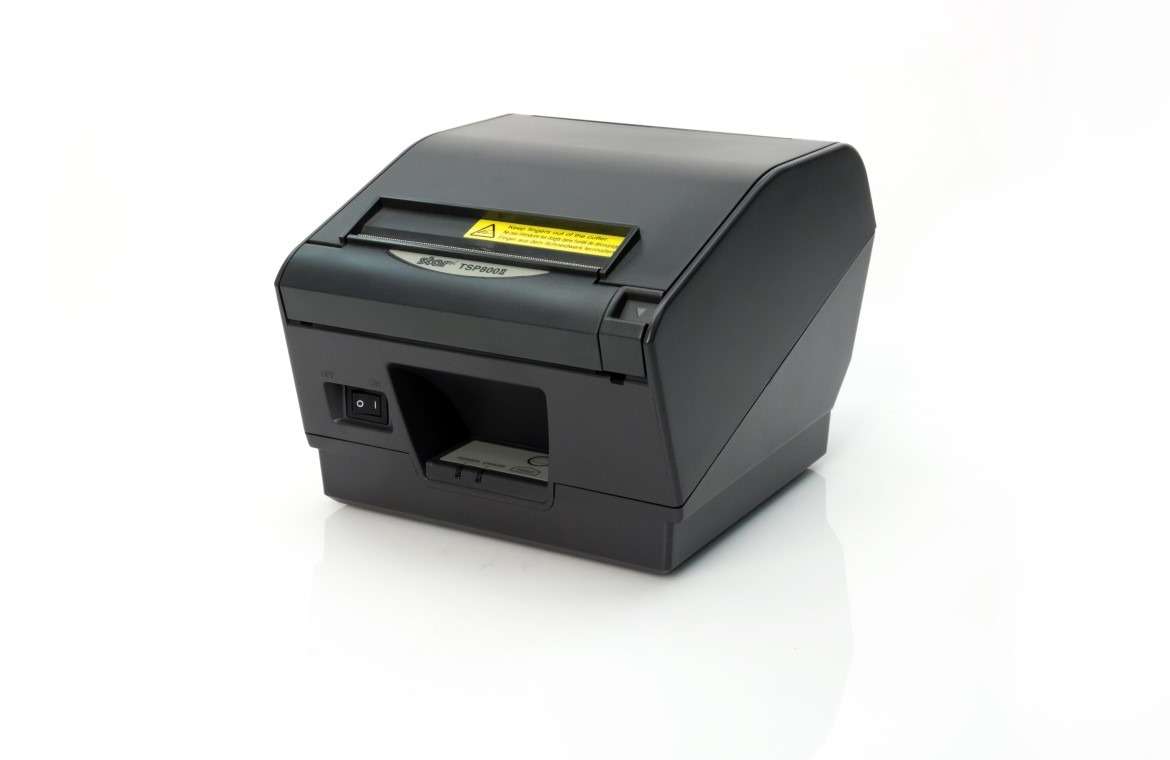
    With the ability to print up to 37 labels per minute, the TSP847II AirPrint is ultra-fast and capable of printing labels, tickets, forms, barcodes, and graphics on 3” to 4.4” wide paper. In addition to indoor use, the TSP847II AirPrint can be used inside vehicles for food delivery, field service, law enforcement, and more.

    “We look forward simplifying to our customers’ businesses with the TSP847II AirPrint,” said Christophe Naasz, Director of Business Development at Star Micronics. “This ‘plug and play’ printer is the perfect solution for applications that generally do not support direct printing.”

    For questions regarding product availability and pricing, please call Customer Service at 800-782-7636.

  • The Bang Candy Store Gets a Sweet Deal from Cohub and Star Micronics

    The Bang Candy Store Gets a Sweet Deal from Cohub and Star Micronics

    When Sarah Souther experienced a handmade marshmallow for the first time, it sparked a curiosity for the confectionary arts, and a desire to experiment with flavors. Soon after, she discovered an affinity for candy creation, and launched The Bang Candy Company, an artisan marshmallow company specializing in high-end sweets.

    Bang-Candy-1-e1574803177118

    Now a popular and successful business, the shop prides itself in its ability to create decadent candies, syrups, and other treats, without the use of preservatives, stabilizers, and artificial ingredients. It now serves as both a confectionery production space and a café where customers can enjoy house-made goods while watching the candy creation process.

    The Challenge

    The Bang Candy Company has continuously experimented with flavors and creations, and has added a wide variety of new items to its inventory. With the growth the shop has experienced, it needed a way to streamline its inventory management.

    The store is located in an area frequented by busy tourists, so inventory lookup and checkout processes both needed to be sped up. The Bang Candy Company has also been looking to implement pop-up shops around the holidays, which required additional registers, but the expense presented an obstacle.

    Bang-Candy-2-e1574803194253

    The Solution

    The Bang Candy Company chose to use an iPad-based POS system that allows for portability in order to
    accommodate the flagship store, as well as any future pop-up shops. The iPad runs Cohub software, which features detailed, real-time inventory tracking and management, and provides an easy way to search for items and filter results. Cohub was also able to create an app for The Bang Candy Company, which enabled them to integrate the Star Micronics TSP100IIIBi receipt printer with their POS software.

    The installation at the flagship store only required one system in order to suit The Bang Candy Company’s needs without exceeding the budget. In just a couple of hours, the system was installed and ready to use. Cohub trained the shop’s team on how to use the Cohub software and Star Micronics hardware. Because of the technology’s ease-of-use, training was fast and simple, and Cohub remained on-site the first day the software was rolled out.

    Click here to download the full success story.

  • Why You Need a Cannabis Dispensary Printer

    Why You Need a Cannabis Dispensary Printer

    The legality of cannabis is on the rise – but just because medical and even recreational cannabis use may be legal in some areas, there are still laws that must be followed, such as consumers proving their cannabis was legally obtained, and dispensaries staying in compliance with advertising.

    So, what’s the solution to staying legal during this ever-changing era of cannabis? Printers! Simply put, printers are critical for every cannabis dispensary – they help businesses and consumers alike stay safe. Here are two major reasons printers are a necessary component of cannabis dispensaries:

    1. Printers Provide Proof of Legal Purchase

    When it comes to cannabis, proof of legal purchase is key. For example, it is illegal in Canada to possess cannabis deemed illicit (or illegally produced, sold, or distributed) by the law, and guess what? All cannabis without a proof of purchase is assumed to be illicit! Furthermore, if you are found to be travelling with cannabis without a proof of purchase, you can face up to a $5,000 fine or a five-year prison sentence. In the United States, laws vary greatly by state and must also be carefully obeyed.

    Simply put, proof of purchase is necessary – and there’s no better way for dispensaries to provide it than with a receipt printer. Receipts offer a quick, easy-to-carry way to show law enforcement proof of purchase. So, what should be included on a cannabis receipt? It varies by region, but common items to include are store name and address, product category/name, and the appropriate tax code/identifier. And when you choose a sleek, modern printer, lawfulness and elegance coexist to strengthen your brand.

    2. Printers Can Deliver Cannabis Advertisements – Legally and Effectively

    Speaking of what to include on a cannabis receipt, another valuable piece of information you can provide with your cannabis dispensary printer is an advertisement – directly on your receipts!

    Everyone within a dispensary must be an adult, so when you print promotions from your dispensary printer, you’re automatically advertising legally and to the right people. Did you know that:

    • In California, at least 71.6% of cannabis advertisement audiences must be 21 years or older,
    • In Colorado, at least 70% of the audience must be over 21,
    • And in Oregon, each advertisement must include the statement, “For use only be adults age twenty-one years of age and older.”

    On top of offering advertising capabilities that help you avoid the headache, expense and reputation damage caused by a lawsuit, your cannabis dispensary printer can also automatically deliver ads to an ideal (and legal) target audience.

    Think about it: by printing promotions on a sales receipt, you’re delivering your ads directly into the hands of someone who is already shopping in your store and interested in your product. Marketing delivered on a slip of paper that, legally, consumers must keep close to them – what better way to create sticky customers?

    If you’re looking for ideas on what to promote on your cannabis receipt, here are some ideas:

    • Featured strains/strain of the week
    • Strains that are coming soon
    • Discounts/sales
    • Links to your social media accounts
    • Store hours
    • Store merchandise
    • Now hiring messaging
    • Customer testimonials
    • Featured FAQ

    Remaining in compliance and effectively advertising go hand-in-hand when you implement the right cannabis point of sale (POS) solution and printer.

    Looking to build out a cannabis dispensary POS solution?

    Download Cannabis Brochure