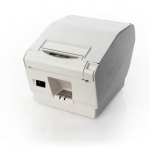
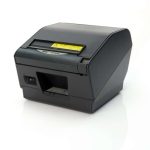
In point-of-sale (POS) technology, seamless integration and efficient troubleshooting are pivotal for operational success. Star Micronics, always at the forefront of innovation, is pleased to announce the introduction of intelligent cash drawer detection as one of its pioneering features.
The First to Detect Cash Drawer Connectivity
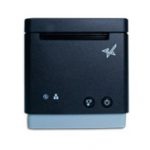
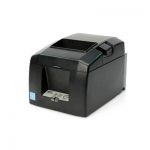
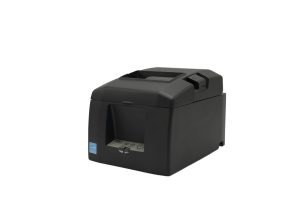
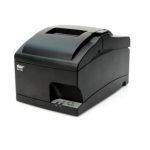
The TSP100IV thermal receipt printer series had the distinction of being the first Star Micronics product to embrace this feature. We’re excited to confirm that the momentum continues with the forthcoming mC-Label3 multifunctional label printer, making it the subsequent product to carry on with this advancement.
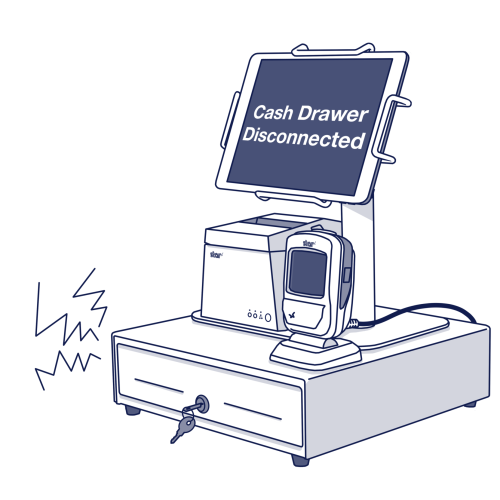
Normally, when a cashier initiates the “accept cash” prompt, the integrated cash drawer is triggered to open. However, should there be any connectivity issues, this could result in operational hiccups.
With the new cash drawer detection, the POS is designed to immediately flag an error if there’s any misalignment in the connection. This not only assists with instant troubleshooting but also ensures that setup errors related to cash drawer connectivity are minimized.
For example, during the initial setup, the POS is programmed to post an error if there’s an oversight and the cash drawer isn’t correctly connected. Consequently, the user is immediately notified to examine the cash drawer’s cable connectivity.
Supported Software Development Kits (SDKs)
For developers and businesses keen on integrating this feature, Star Micronics is providing support through multiple SDKs, including:
Incorporating this feature not only enhances the user experience but also solidifies the commitment of Star Micronics to provide sophisticated, user-friendly solutions to the POS industry. As always, we remain dedicated to offering cutting-edge solutions that streamline operations and support businesses in achieving their operational best.
An ISV’s Guide to Star Printer SDKs
For ISVs navigating the complexities of printer integration, the path forward is often strewn with challenges. Get to know Star Micronics’ range of software development kits (SDKs), each uniquely crafted to address these challenges and enhance your integration prowess.
Welcome to the Star Software Update, the regular series of blog updates where Star’s Integration Team informs you about the latest important Star Micronics software updates.
What’s New:
Star has released V1.1.0 of React Native StarXpand™ SDK for iOS and Android, available on Github. Updates to the firmware for Star’s mC-Print2 and mC-Print3 thermal printers were also made.
Update CloudPRNT protocol to the same level as HIX
Web configuration – multiple CA certification support when uploading on the same level as HIX
Updated pre-installed CA certification from V1.0 to V1.1
About StarXpand™ SDK
StarXpand™ is an industry-first software development kit (SDK) for Star printer control for the popular cross-platform framework, React Native. The SDK supports the development of connecting to and controlling Star printers in applications that utilize React Native.
The StarXpand™ SDK will help shorten the development time and maintenance costs associated with printer connection and will be published on GitHub, a website where developers around the world publish and share program codes.
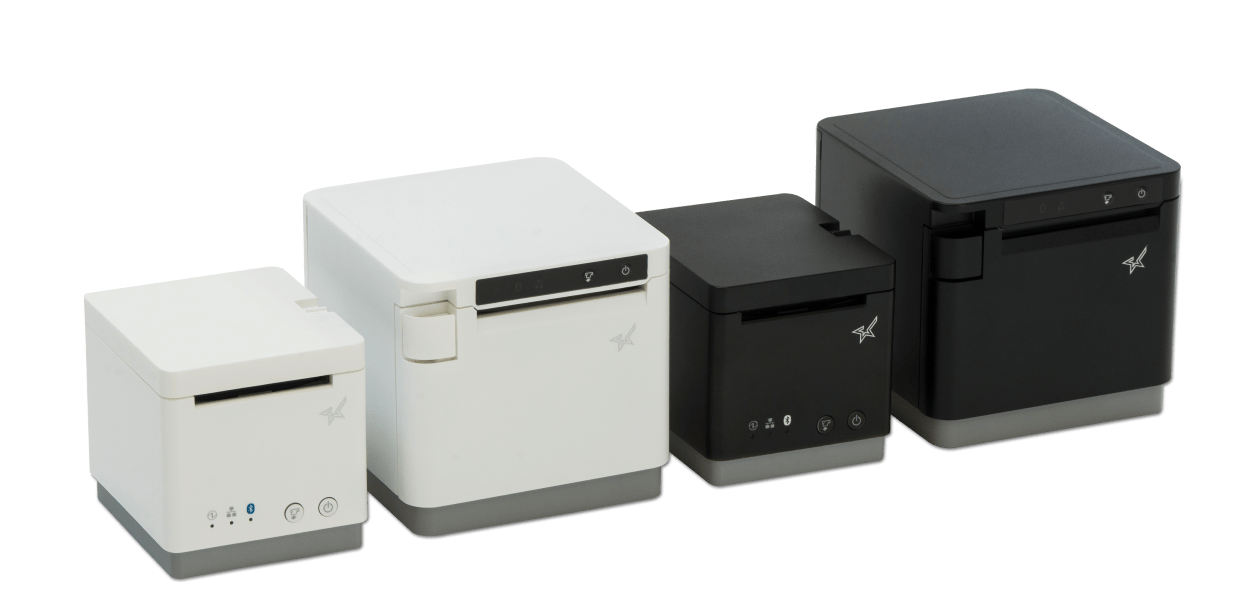
Sleek and space-saving, our line of POS printers includes the sophisticated and compact mC-Print2 and mC-Print3, which use the latest in SDK technology for easy integration with any iOS or Android. These resilient thermal receipt printers boast multiple connectivity options, including USB, Lightning, Bluetooth, CloudPRNT, and LAN, which means you can change your POS software without changing your printer.
Welcome to the Star Software Update, the regular series of blog updates where Star’s Integration Team informs you about the latest important Star Micronics software updates.
What’s New:
Star Micronics has released the Beta Windows USB Cash Drawer SDK. This SDK is distributed as a DLL and a sample app is provided to demonstrate usage. This SDK is ideal for any industry that uses a cash drawer (retail, hospitality, etc.)
What is Included in the SDK?
The SDK for Star Micronics USB cash drawers (currently the SMD2 Max Series and CD3 Value Series) includes three functions:
Discovering connected cash drawers (up to 8 can be connected at once)
Checking open/closed state of the cash drawer(s)
Opening the cash drawer(s)
About Star’s USB Cash Drawers
Star Micronics has two series of cash drawers that feature USB connectivity. Learn more about them below:
Value Series Cash Drawers (CD3)
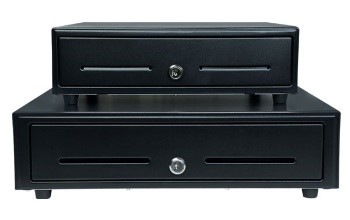
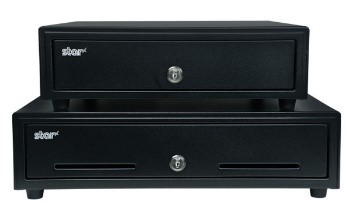
Durable steel construction Black or white coated finish Cash till options for US and Canada 13”x13” and 16”x16” models available
Welcome to the Star Software Update, the regular series of blog updates where Star’s Integration Team informs you about the latest important Star Micronics software updates.
What’s New:
Star Micronics has released the firmware update (version 1.9.2) for the CloudPRNT interface (IFBD-HI01X/HI02X).
This versatile interface provides intelligent printing for cloud-based retail, logistics and hospitality applications, enabling unmatched flexibility for remote receipt and remote order printing using a standard receipt printer.
What is Included in the Update?
New Wi-Fi adapter support has been added to the interface during this update. Supported Wi-Fi dongle models include:
EDIMAX EW-7811UN V2
TRENDnet TEW-648UBM V2.0R
ASUS USB-AC53 Nano
D-Link DWA-182 HW Ver:D1
Learn more about CloudPRNT in the below video:
Next Steps
This firmware can be updated in the web settings interface for the IFBD-HI01X/HI02X.
Welcome to the Star Software Update, the regular series of blog updates where Star’s Integration Team informs you about the latest important Star Micronics software updates.
What’s New:
Star Micronics has released the futurePRNT v7.5.1 to address issues related to a Windows 10 update issue.
About the Issue
Windows 10 updates released on June 8, 2021 have been reported to cause printing problems with USB printers, and may also cause some cash drawers to not close properly.
More information on the issue can be found here: https://starmicronics.com/help-center/knowledge-base/resolving-usb-printer-queue-issues-related-to-june-2021-windows-update/
The Solution
In addressing the printer/cash drawer malfunctions related to recent Windows 10 Updates, Star Micronics developed a driver update to resolve this matter. Please use the following links to download the driver and access the installation guide.
Welcome to the Star Software Update, the regular series of blog updates where Star’s Integration Team informs you about the latest important Star Micronics software updates.
What’s New:
Star Micronics has added its CloudPRNT for WooCommerce WordPress plugin to GitHub.
What is CloudPRNT for WooCommerce?
Star’s free CloudPRNT for WooCommerce plugin for Star receipt printers can be used to quickly create a remote order or receipt printing solution for restaurants, bakeries, boutique retailers, and more – with minimal cost and setup time.
By offering online purchasing options, retail stores and restaurants are able to grow their business and expand to a larger market. Star CloudPRNT allows businesses to seamlessly integrate online purchasing into their stores and enables the automatic printing of receipts on Star’s CloudPRNT thermal receipt printers including Star mC-Print2 and mC-Print3, and TSP600II, TSP654IISK, TSP700II, and TSP800II.
CloudPRNT provides intelligent printing from a web server from any network to connected Star printers anywhere in the world, without the need for a local POS terminal. This enables unparalleled flexibility for remote receipt and remote order printing using a standard receipt printer.
Additionally, CloudPRNT technology provides benefits to both restaurant and retail stores alike by eliminating the need for an extra tablet to send an online order to the printer. Instead, the ordering service communicates directly with the printer. The store owner or service provider does not need to maintain an SSL certificate for CloudPRNT printers since they communicate with the server as a client.
Welcome to the Star Software Update, the regular series of blog updates where Star’s Integration Team informs you about the latest important Star Micronics software updates.
What’s New:
This month, the Star Micronics Integration Team is highlighting the Star Document Markup Language.
What is Star Document Markup Language?
Star Document Markup Language is a simple, easy-to-use markup language intended to provide the features typically required for point of sale (POS) printing.
Using the document markup system provides a balance between full bit-image based printing and plain text output, while being easier to use than direct device commands and far more adaptable to different output devices, like print width.
One benefit of markup is its ability to handle different print widths without compromising the receipt format. Use cases include printing order tickets in the restaurant kitchen, printing receipts for orders, or printing sticky labels to seal bags.
Star Document Markup Language is easy to read; take a look at the below example:
[align: centre][font: a]
[image: url ;
width 60%;
min-width 48mm]
[magnify: width 2; height 1]
This is a Star Markup Document!
[magnify: width 3; height 2]Columns[magnify]
[align: left]
[column: left: Item 1; right: $10.00]
[column: left: Item 2; right: $9.95]
[column: left: Item 3; right: $103.50]
[align: centre]
[barcode: type code39;
data 123456789012;
height 15mm;
module 0;
hri]
[align]
Thank you for trying the new Star Document Markup Language
we hope you will find it useful. Please let us know!
[cut: feed; partial]
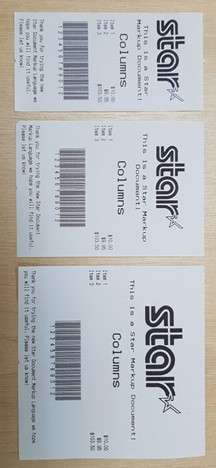
This will generate the following output on Star 58mm (2-inch), 80mm (3-inch) and 112mm (4-inch) printers:
Unicode Support
By using the Star Document Markup Language, you can avoid the difficulties of limited 8-bit text encodings by being entirely Unicode-based. Input data should be from a Unicode-compatible data file or strings.
Star TSP654II, mC-Print2, and mC-Print3 devices have native support for Unicode. When a device does support Unicode directly, the Star markup renderer will automatically handle the necessary conversion.
File Format
Markup source files are plain text files encoded as UTF-8, UTF-16, or plain Ascii data.
When opening a document, initially the start of the file will be checked for a Unicode BOM (Byte Order Mark) in order to recognize that the file contains UTF-16 (Big Endian or Little Endian encoded) or UTF-8 data. If no known BOM is found, then the file will be treated as a UTF-8 file unless it contains code points that are not UTF-8 valid, in which case it will be opened finally as plain 7-bit Ascii.
In addition, the extension of the text file written in the Star Document Markup format should be “.stm”. The cputil executable and also .NET API for StarMicronics.CloudPRNT-Utility packages recognize the Star Document Markup format by checking the file name extension. If the extension is “.txt” it will be recognized as a plain text file and will not be command parsed as the Star document markup.
Next Steps
Do you have questions or concerns about the Star Document Markup Language?
Welcome to the Star Software Update, the regular series of blog updates where Star’s Integration Team informs you about the latest important Star Micronics software updates.
What’s New:
Star Micronics has added multiple SDKs to GitHub, which are now available for download and use. Each SDK is meant for changing the SteadyLAN® setting on the mC-Printer.
SteadyLAN is a patent-pending technology available on certain mC-Print Series printers. It provides wired Ethernet service to iOS, Android, and Windows devices connected to a networked printer via the Lightning or USB-C® cable.
Release Date:
The SDKs were officially added to GitHub by the Star Micronics integration team on December 20 and 21, 2020.
What is Included in the Update?
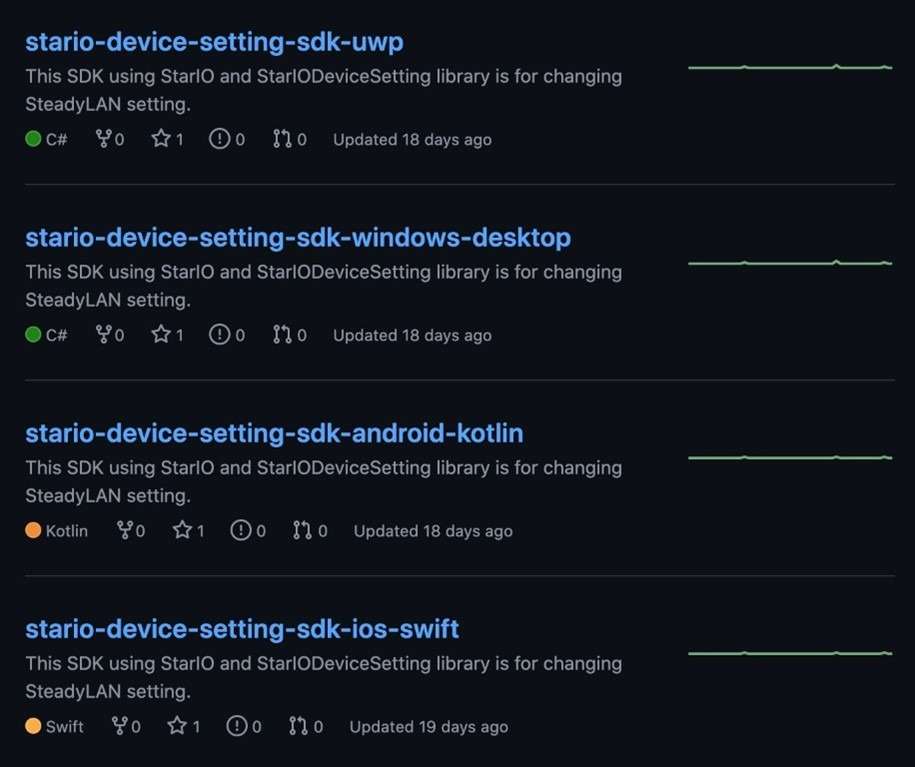
Four SDKs were added to GitHub, including:
“StarIO-Device-Setting-SDK-UWP” in C#
“StarIO-Device-Setting-SDK-Windows-Desktop” in C#
“StarIO-Device-Setting-SDK-Android-Kotlin” in Kotlin
“StarIO-Device-Setting-SDK-iOS-Swift” in Swift
Next Steps
Visit Star Micronics on GitHub to get started with these new SDKs, as well as several other Star SDKs for our printers and cash drawers.
Are you a Google Cloud Print user? If so, you are probably aware that Google Cloud Print is no longer supported, as of January 1, 2021. Migrating to a new service sounds daunting but it doesn’t have to be. Read on to learn more about Google Cloud Print, its depreciation, and why Star Micronics’ CloudPRNT technology is an ideal Google Cloud Print alternative.
“Google Cloud Print is a Google service that lets users print from any Cloud Print-aware application (web, desktop, mobile) on any device in the network cloud to any printer with native support for connecting to cloud print services – without Google having to create and maintain printing subsystems for all the hardware combinations of client devices and printers, and without the users having to install device drivers to the client, but with documents being fully transmitted to Google. Since July 23, 2013 it also allows printing from any Windows application, if Google Cloud Printer is installed on the machine.
Google Cloud Print integrates with the mobile versions of Gmail and Google Docs, allowing users to print from their mobile devices. Google Cloud Print is listed as a printer option in the Print Preview page of Google’s Web browser, Google Chrome, in Chrome 16 and higher. Printers without built-in Cloud Print support, often referred to as ‘legacy’ or ‘classic’, are supported through a ‘Cloud Print Connector’ integrated with Google Chrome versions 9 and higher.”
The End of Google Cloud Print
In November 2019, Google officially announced that Google Cloud Print will no longer be supported starting on January 1, 2021. Why the change? Google has claimed that improvements in native Chrome OS printing, as well as a wide market of comparable print solutions has contributed to its decision to terminate Google Cloud Print.
Google recommends that all users find an alternative print solution and migrate print services prior to the end of the 2020 calendar year. To learn how to disable your Google Cloud Print services, please click here.
CloudPRNT as a Google Cloud Print Alternative
If you’re a software provider who uses, or is looking to use, Google Cloud Print with receipt printers, don’t worry; Star Micronics has an easy cloud printing solution (or replacement) for you. Star Micronics CloudPRNT technology is not just a Google Cloud Print alternative, but an even better solution.
About CloudPRNT
Quick to integrate. Easy to deploy. Scalable.
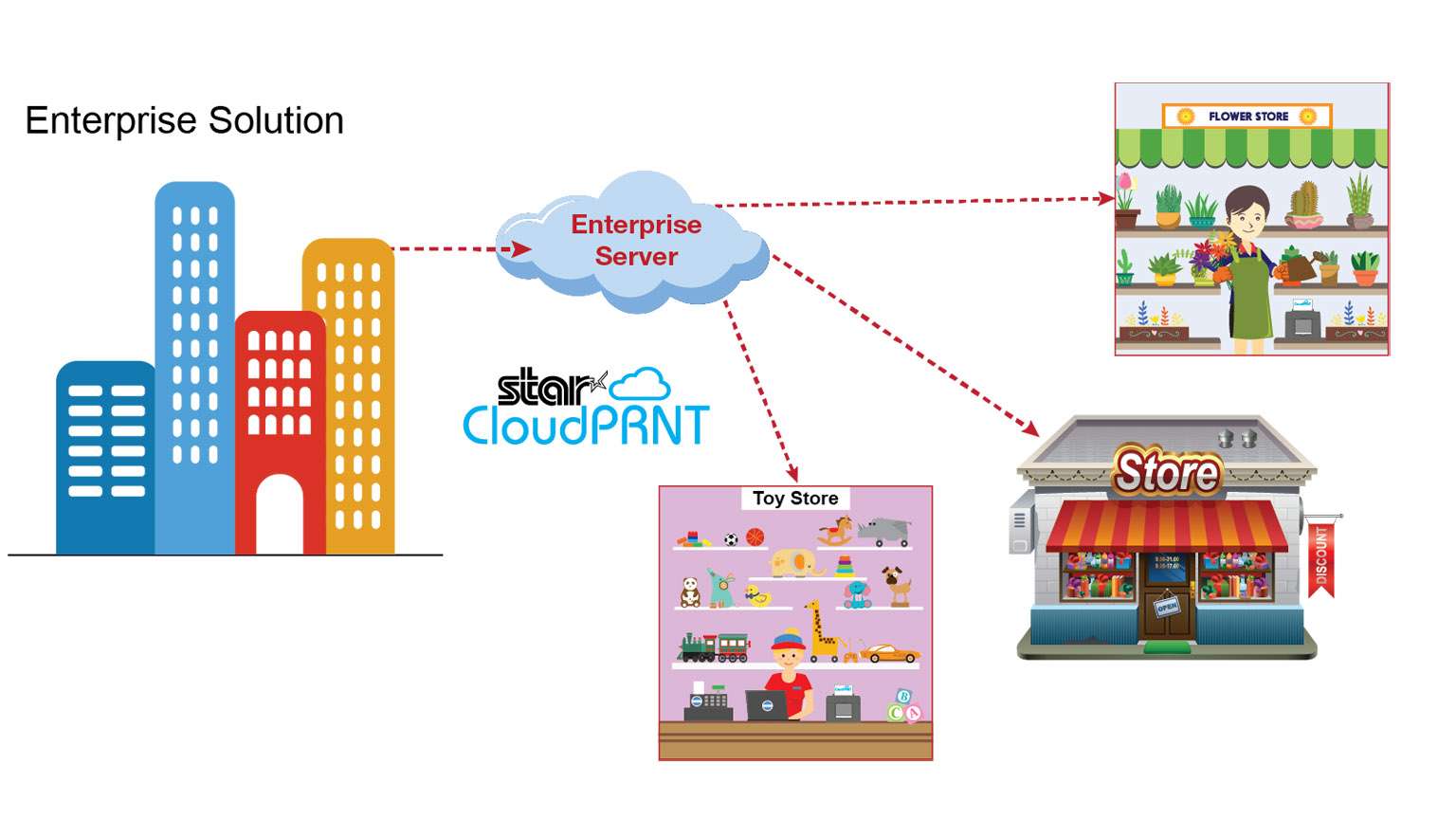
Star Micronics’ CloudPRNT is an innovative technology enabling users to print to Star printers directly through a cloud service. The CloudPRNT printer retrieves and prints orders and data from any web-based point of sale (POS) system integrating Star’s communication protocol.
CloudPRNT works with web-based applications to store and create print jobs, and communicate status with the printer. Cloud POS services post information using a JSON format, while the Star CloudPRNT printer pulls this information on a defined interval. CloudPRNT is built on the solution provider/ISV’s server, in the preferred language and architecture.
Star’s CloudPRNT technology provides benefits to businesses of all types by eliminating the need for an extra tablet to send information to the printer. Instead, the web-based POS is able to communicate directly with the printer. As an added benefit, businessowners and service providers do not need to maintain an SSL certificate for the CloudPRNT printers since they communicate with the server as a client.
By adopting web-based POS systems, organizations can embrace the latest technology, boost efficiency, and more. Using CloudPRNT, cloud-based POS systems have a new and easier solution to offer businesses, allowing them to seamlessly integrate online transactions into their operations.
CloudPRNT printer communicates directly with the server
The server can control peripherals connected to the printer (e.g. cash drawer, scanner, digital display, buzzer/sounder)
Multi-interface supporting POS (native) and web-based POS systems (cloud)
Hosted by the solution provider/ISV – can be built in desired language/ architecture
Suitable for any business using web-based applications
Labels
Orders
Receipts
Ticket
Scheduling
And more
CloudPRNT Compatible Printers
CloudPRNT is compatible with a variety of Star Micronics printers, including 2” and 3” thermal receipt printers, thermal label printers, impact kitchen printers, and 4” wide-format thermal printers.
3” thermal receipt printer Bluetooth, USB, Lightning, LAN IPX2 splash-proof design Peripheral device connectivity Fast charge and communication via USC-C® power delivery port SteadyLAN® technology
3” thermal receipt printer Swappable interfaces: serial, parallel, USB, LAN High reliability and performance High-speed printing of 60 receipts per minute (300mm/s) External power supply included Compatible with PromoPRNT
Repositionable, liner-free thermal label solution Improves order accuracy up to 99% Liner-free yields 60% more labels/roll than diecut 80mm and 58mm paper support High reliability and performance at a low cost Optional vertical stand
Reliable kitchen printer Apple MFi Certified Bluetooth, serial, parallel, USB, LAN Internal power supply High-speed throughput: 13 receipts/tickets per minute “Drop-In and Print” paper loading All accessories included (except cable)
3” receipt and label printer Apple MFi Certified Bluetooth, serial, parallel, USB, LAN Up to 0.15mm paper thickness Black mark label support Rear paper feed Vertically mountable
4” wide-format thermal printer Apple MFi Certified Bluetooth, serial, parallel, USB, LAN Ultra high speed: 37 receipts per minute (180mm/sec) Wide paper format: 4.4” (112mm) “Drop-In and Print” paper loading Barcode capabilities
CloudPRNT: Ideal for Online Ordering
Interesting in CloudPRNT as a Google Cloud Print Alternative?
Welcome to the Star Software Update, the regular series of blog updates where Star’s Integration Team informs you about the latest important Star Micronics software updates.
In this edition:
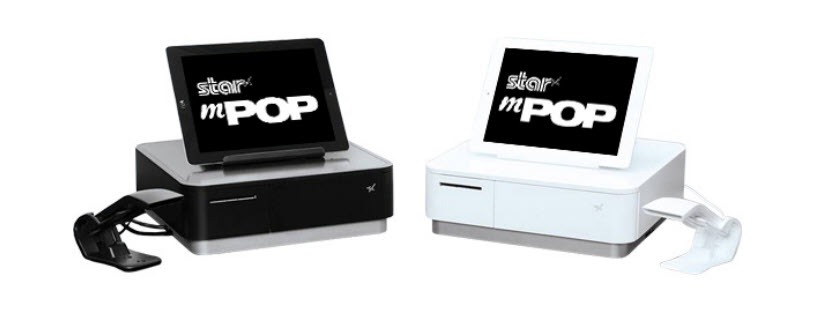
mPOP™ Firmware Update via the mPOP Utility App. mPOP can now support most HID devices
Read on to learn what this month’s update entails.
What is Included in the Update?
The latest mPOP firmware update includes functionality enabling the mPOP to support most human interface device (HID) devices like scanners, RFID readers, and more.
“A human interface device or HID is a type of computer device usually used by humans that takes input from humans and gives output to humans. The term ‘HID’ most commonly refers to the USB-HID specification.”
Common HID devices include:
Scanners
RFID readers
Bump bars
Keyboards & refreshable braille displays
Magnetic Stripe Readers
And more
Next Steps
The new HID device support functionality can be accessed by updating the mPOP’s firmware, which you can do via the mPOP Utility App. The mPOP Utility App is available for download on the App Store for iOS and the Google Play Store for Android.
Learn More About mPOP
The functions and connectivity of the mPOP make processing customer transactions smooth and effective for small shops, cafes, florists, bars, and many more. Aesthetically simple and elegant, the mPOP provides the ultimate point of sale solution for the new face of mPOS.
Key Features:
Printer – cash drawer – scanner – device stand
Compatible with iOS, Android, and Windows
Cable management with multiple exit options
Cash drawer: 4 bill and 6 or 8 adjustable coin slots
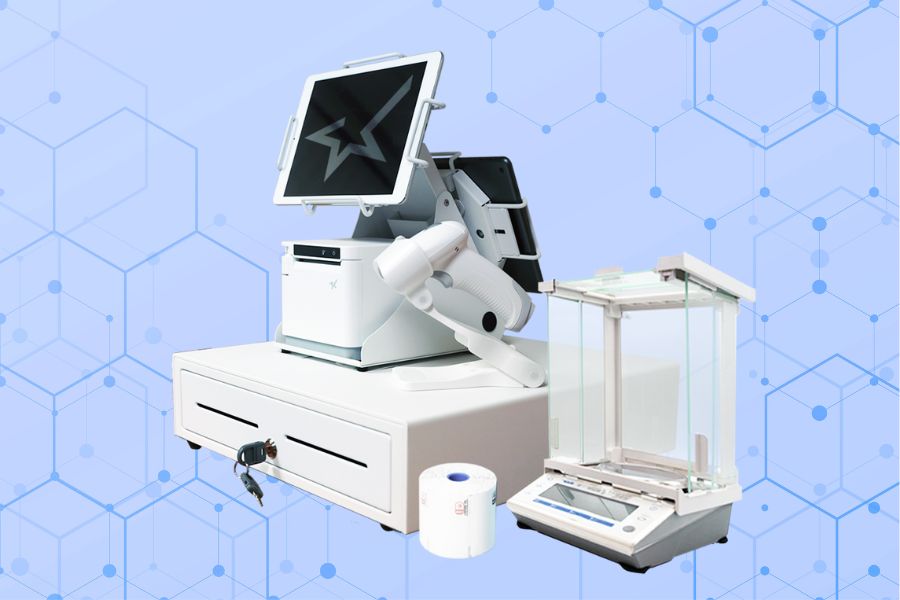

 Star’s free CloudPRNT for WooCommerce plugin for Star receipt printers can be used to quickly create a remote order or receipt printing solution for restaurants, bakeries, boutique retailers, and more – with minimal cost and setup time.