Tag: Small & Medium Businesses

  • What are Connected Workstations & Why Are They Beneficial?

    What are Connected Workstations & Why Are They Beneficial?

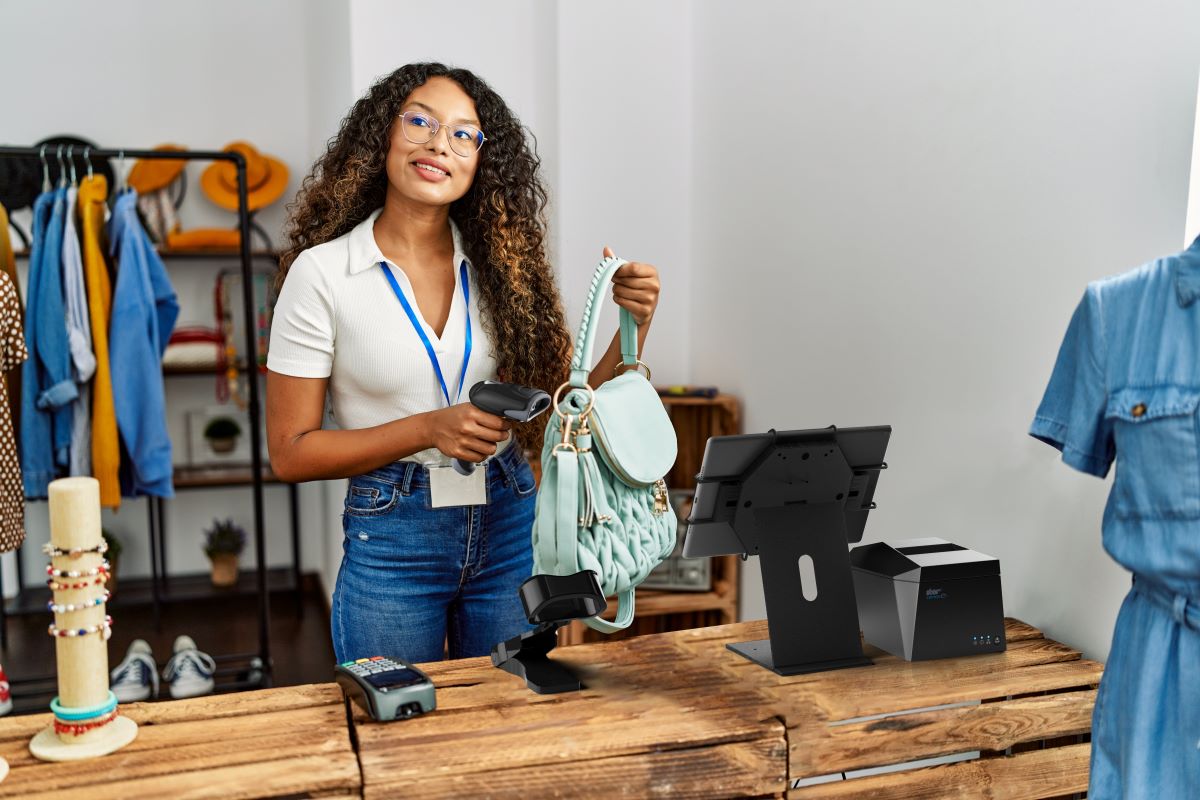
    In today’s fast-paced business environment, every bit of operations efficiency is gold. Even if your business is only half a step ahead of the competition, it’s better than being a quarter step behind. This is why all retail and hospitality business owners need to consider connected workstations. Having a connected workstation can make a substantial difference in the productivity and efficiency of your store. 

    But what exactly is a connected workstation, and how can it benefit your small business? 

    What are Connected Workstations?

    Connected workstations are a collection of devices and peripherals, such as computers, printers, scanners, and other hardware, that are interconnected and can communicate seamlessly. These devices are typically connected to a network, whether that’s a local area network (LAN), wide area network (WAN), or a wireless local area network (WLAN), and can share data and resources.

    Why are Connected Workstations Beneficial to Businesses?

    Connected workstations offer several benefits to businesses, including:

    • Increased Productivity: With a connected workstation, employees can access and share resources easily, allowing them to work more efficiently and collaboratively. This can lead to increased productivity and faster completion of tasks.
    • Improved Workflow: A connected workstation can streamline business processes and workflows by automating tasks and reducing manual intervention. This can result in a more efficient and cost-effective workflow.
    • Cost Savings: A connected workstation can help businesses save money by reducing hardware and software costs. By sharing resources such as printers and scanners, companies can avoid purchasing multiple devices, which can be expensive.
    • Enhanced Security: A connected workstation can also improve security by providing centralized management and monitoring of devices and applications. This can help businesses protect against security threats and reduce the risk of data breaches.

    Increase Your Chance For Success

    In summary, connected workstations can provide several benefits to businesses, including increased productivity, improved workflow, cost savings, and enhanced security. By adopting a connected workstation setup, businesses can work more efficiently, boosting overall performance and ultimately leading to increased success and growth.


    If you’re interested in setting up a connected workstation for your business, be sure to check out our “Connected Workstation Guide: 5 Easy Steps” ebook for simple instructions on how to get started. It’s perfect for those in the retail, hospitality, and cannabis industries.
    How To Create a Connected Workstation in 5 Easy Steps

    Connected workstations are perfect for modern-day hospitality, retail, and restaurant businesses, offering a unique setup to optimize workflows.

    Love industry news? Check out our podcast!

  • The Best POS System for Small Businesses on a Budget

    The Best POS System for Small Businesses on a Budget

    Securing your business’s financial future begins at the checkout counter. For small and medium-sized companies, balancing quality with affordability often poses a significant challenge, especially when you’re just starting out. You need tools that won’t break the bank but are robust enough to handle your daily operations in retail, hospitality, or the burgeoning cannabis industry, especially at your point-of-sale (POS).

    Here’s where the TSP143IIIU thermal printer and CD3-1616 cash drawer combo by Star Micronics steps in. These cost-effective yet high-performing devices are more than just peripherals; they’re the linchpins of your POS system, revolutionizing not only your transactions but the very way your business operates and thrives. The journey to enhancing your customer checkout experience starts here.

    In this article, we’ll dive into the details of this incredible pair and show you why it’s the perfect investment for your growing business.

    TSP143IIIU Thermal Receipt Printer

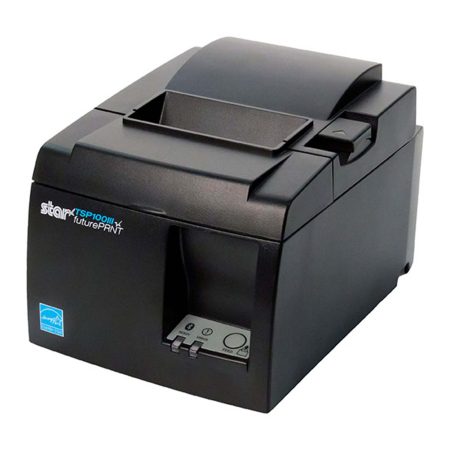
    The TSP143IIIU is a high-speed thermal receipt printer that offers easy, reliable USB connectivity. It’s great for busy environments that require a stable connection and fast and accurate receipt printing. The TSP143IIIU also has an easy-to-use design, making it ideal for businesses that are looking for a hassle-free printing solution. Plus, it’s certified with major companies like Square, Clover, Chromebook, Postmates, and more.

    The TSP143III thermal receipt printer by Star Micronics.
    The TSP143III series thermal receipt printer from Star Micronics

    Features of the TSP143IIIU

    • High-speed printing of up to 43 receipts per minute.
    • Easy “Drop-In and Print” paper loading.
    • Effortless USB “plug-and-play” connectivity.
    • Connects and charges the tablet or mobile device simultaneously.
    • Standard 2-year warranty included with options to extend.
    • Energy Star certification for eco-friendliness.
    • Access to futurePRNT software for receipt customization.

    Benefits of the TSP143IIIU

    • Faster transactions and shorter customer wait times.
    • Ready to use out of the box.
    • Simple installation, easy-to-use design and maintenance.
    • Keep your connected tablet or mobile device charged while data transfers for convenient all-day use.
    • Simple receipt customization with logos and graphics for branding purposes.
    • Energy efficient, reducing operating costs, paper waste, and overall environmental impact.
    • Widespread popularity means industry familiarity is high.

    How To Create a Connected Workstation in 5 Easy Steps

    Connected workstations are perfect for modern-day hospitality, retail, and restaurant businesses, offering a unique setup to optimize workflows.
    CD3-1616 Value Series Cash Drawer

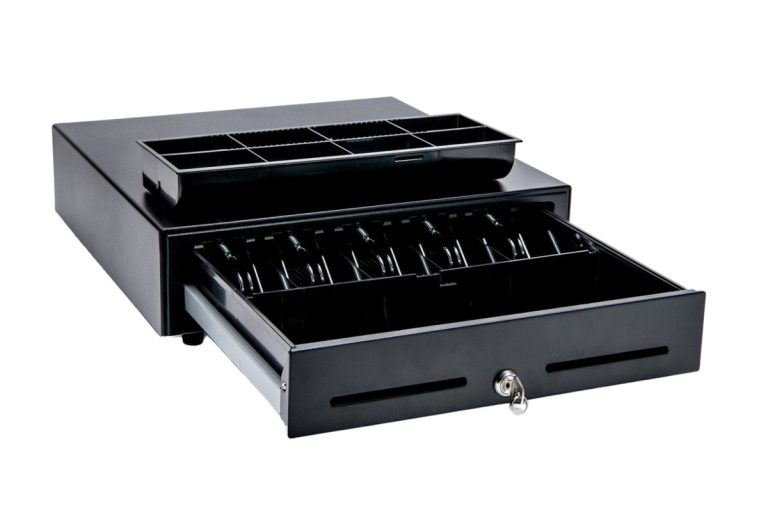
    When the TSP143IIIU thermal receipt printer is paired with the CD3-1616 cash drawer, small to medium-sized businesses create an unstoppable POS duo. The CD3-1616 is a versatile, all-steel drawer designed for businesses that need secure cash management with all the expected features. Its 16″ x 16″ size is large enough to handle a lot of cash, with dual media slots to accommodate extra storage options for checks, credit card receipts, and coupons.

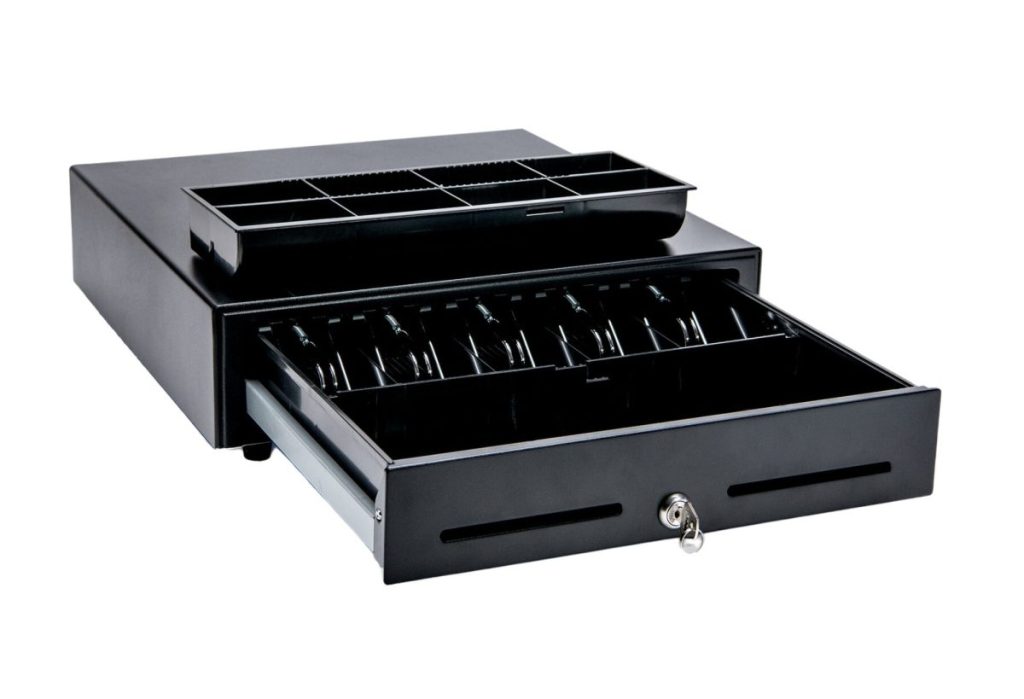
    The CD3-1616 Value Cash Drawer by Star Micronics.
    The CD3-1616 cash drawer from Star Micronics

    Features of the CD3-1616

    • Durable steel construction with sturdy housing for long-lasting use.
    • Compact design with a small footprint, making it ideal for small retail spaces or crowded countertops.
    • Dual media slots for added storage options.
    • Smooth operation with a reliable lock mechanism and ball-bearing rollers for easy opening and closing.
    • Optional accessories available for added security, including a dual-drawer cable and under-counter mounting brackets.
    • Warranty-protected with options to extend up to 4 years.

    Benefits of the CD3-1616

    • Improved cash management with secure storage and organization of cash and media.
    • Reduced risk of theft or loss of cash and media with added security accessories.
    • Durability and reliability in a busy business environment.
    • Compact design, saving valuable counter space.
    • Easy operation and smooth opening and closing, reducing transaction times or snags.
    • Warranty protection for peace of mind.

    An Ideal Solution for New Businesses & Startups

    The TSP143IIIU and CD3-1616 combo is not only perfect for established small to medium-sized businesses but also offers an excellent solution for new businesses and startups. As new businesses enter the market, they need reliable and efficient tools to support their growth and streamline their operations. The TSP143IIIU and CD3-1616 combo provides these essential features from a trusted name in POS for businesses just starting out.

    Features that Benefit New Businesses

    • Affordable pricing: Both the TSP143IIIU thermal receipt printer and CD3-1616 cash drawer are priced competitively, making them an accessible and cost-effective solution for businesses with limited budgets.
    • Easy setup: The TSP143IIIU and CD3-1616 are designed for quick installation and compatibility with popular POS systems, so businesses can get up and running right away.
    • Scalability: As new businesses grow, the TSP143IIIU and CD3-1616 combo can easily scale with them, supporting journeys from inception to expansion.

    Small business owner.

    Added Benefits for Startups

    • Professional appearance: High-quality printed receipts and secure cash management contribute to a professional image, helping new businesses establish credibility and trust with customers.
    • Enhanced customer experience: Fast transactions, shorter wait times, and clear receipts contribute to a positive customer experience, encouraging repeat business and fostering customer loyalty.
    • Streamlined operations: By simplifying cash handling and receipt printing, the TSP143IIIU and CD3-1616 combo allow new businesses to focus on other aspects of their operations, such as marketing, inventory management, and customer service.


    In summary, the TSP143IIIU and CD3-1616 combo is a fantastic investment for new businesses and startups looking to optimize their operations, enhance customer experiences, and build a solid foundation for growth.

    The Perfect Pairing for Your POS System

    The TSP143IIIU and CD3-1616 cash drawer combo is simply the perfect pairing for small to medium-sized businesses in the retail, hospitality, and cannabis industries. Especially for new businesses that need affordability with top quality, high ROI, and simple installation, the TSP143IIIU and CD3-1616 together serve as the best place to start.

    This combination offers a range of benefits, including faster transactions, improved accuracy, and better cash management, streamlining daily operations. All of that boosts the customer experience and frees up headspace to focus on other important matters, making this formidable POS duo a great investment for any business.

  • Case Study: Providing the Optimal POS Solution

    Case Study: Providing the Optimal POS Solution

    Star Micronics & ClearTEQ Provide Optimal POS Solution To Specialty Market East Meats West

    East Meats West is an independent specialty frozen food market serving southern Alberta, Canada. Their brick-and-mortar store provides high-quality Western Canadian longhorn beef and Eastern Canadian seafood not typically found in big-box chains.

    The Challenge

    East Meats West owners Kathy Campbell and Charlene Musgrove were unsatisfied with their current point-of-sale (POS) system and provider, suffering from downtime and inefficient technical support. In addition, the small business was just starting, and the owners needed an affordable, easy-to-use, cloud-based solution that provided flexibility in management, enabling them to run their store from different work locations.

    “ClearTEQ is cloud-based, which is important as one of us works outside the store in another business. Accessing the system from anywhere and working in tandem with people in the store is important.”
    Kathy Campbell
    Owner, East Meats West

    East Meats West also prioritized working with a solution provider that could handle growth as their business expanded. They also needed the solution installed quickly to keep their store running without losing profits.

    Download this case study by Star Micronics to discover:

    • How a cloud-based POS software solution can help SMBs run leaner
    • The importance of a reliable POS system and provider for small businesses
    • The results from the solution integration

    Star Micronics & ClearTEQ Provide Optimal POS Solution to Specialty Market East Meats West

    From Chilled to Grilled: How a Juicy Cloud-Based POS Solution Got East Meats West Cookin’!

    Love industry news? Check out our podcast:

  • Ascent Solutions and Star Micronics Revolutionize ERP for Salesforce Users

    Ascent Solutions and Star Micronics Revolutionize ERP for Salesforce Users

    Ascent Solutions creates true point-of-sale (POS) software built on the Salesforce platform, complemented by Star Micronics’ WebPRNT technology and POS hardware.

    Ascent Solutions is an exciting enterprise resource planning (ERP) software offering features to help businesses manage their inventory and sales processes. What’s impressive is that Ascent Solutions’ inventory management system is powered by Salesforce, a leading customer relationship management (CRM) platform. So, businesses enjoy the best of both worlds: leveraging Salesforce’s powerful features for the front office (i.e., sales, service) with Ascent Solutions’ back office inventory management operations.

    Companies can easily monitor inventory levels, automate inventory replenishment, and simplify order fulfillment processes with Ascent Solutions. And if you need data-driven insights, the software also offers real-time reporting and analytics to help you make informed decisions.

    A standout capability of Ascent Solutions is its mobile functionality. The software comes with mobile apps that allow businesses to manage their inventory from anywhere, anytime. The mobile apps are packed with features like real-time inventory tracking, barcode scanning, and other tools to help businesses stay on top of their inventory management operations.

    In addition to its inventory management features, Ascent Solutions offers various other tools called Apps 360, which help businesses streamline their sales processes, such as lead management, quote-to-cash, and order fulfillment.

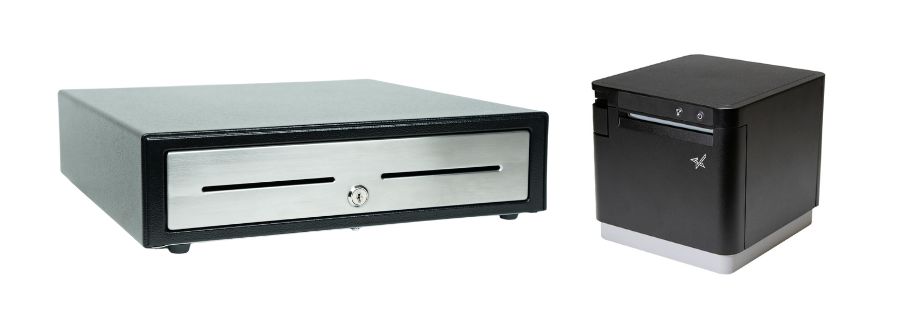
    CD4 Choice series cash drawer with mC-Print3 thermal receipt printer by Star Micronics.
    Ascent Solutions software includes the option of a CD4 cash drawer and mC-Print3 receipt printer.

    Ascent Solutions worked with customers across industries and identified a need for better payment management tools in brick-and-mortar locations that leverage Salesforce. To bring this solution to market, it’s partnering with Star Micronics, a leading provider of point-of-sale (POS) hardware solutions. This partnership continues to bring incredible results, as businesses can now enjoy the benefits of Ascent Solutions’ inventory management software with Star Micronics’ POS hardware, like the mC-Print3.

    Star’s mC-Print3 thermal receipt printer is an excellent choice for businesses looking for a high-speed, compact, and feature-rich printer. The mC-Print3 offers various connectivity options, including USB, Ethernet (LAN), WLAN, and Lightning USB, enabling it to work seamlessly with devices like tablets, smartphones, and computers.

    With Ascent Solutions integration with Star Micronics’ hardware, businesses can easily manage their inventory and sales processes, from the point-of-sale to the back-end inventory management system.

    Fortunately, I was lucky enough to speak with Bryan Hutchinson, CEO of Aethon Consulting, a premier partner of Ascent Solutions. We talked about his role at Ascent and how partnering with Star Micronics brings business owners using Salesforce one of the best POS solutions out there.

    Can you tell me a bit about your background and role with Ascent Solutions?

    I’m a businessperson turned programmer, which gives me the best of both worlds – the ability to see and understand, even define requirements, and execute them myself. As you said, I’m one of the top partners with Ascent Solutions, doing product implementations alongside CRM and financial implementations, providing that end-to-end, lead-to-financials business system.

    What role in the market does Ascent Solutions fulfill, and how?

    Ascent provides a flexible and robust ERP solution on Salesforce, and it’s so much more than just resource planning. It allows customers to mold it to their own business processes while enforcing the necessary rules in the backend.

    Think about Quote, Ordering, Purchasing, Manufacturing, Contract Manufacturing, Inventory Management, Warehouse Management, Demand Planning, Financial Management, and Integrations – it’s all part of the Ascent Solutions suite of applications on the AppExchange.

    And what we, as partners, do is review a customer’s business processes, discuss pain points, KPIs, etc., and utilize the Ascent products as the backbone of that process.

    What POS hardware does Ascent currently use from Star Micronics?

    Currently, we’re using the mC-Print3 printer and CD4 cash drawer. We’re also exploring the mPOP® receipt printer/cash drawer combination, as its versatile connectivity and clean presentation are highly attractive.

    What made Star so easy to partner with?

    The Integration Team at Star was supremely helpful and always ready to hop on a call to help us troubleshoot. Star’s WebPRNT technology really worked out with our POS software because it works with Salesforce, a web-based platform. We also loved how the mC-Print3 offers free access to Star Micronics Cloud Services because it allows business owners to customize receipts and schedule promotional material.

    Why would businesses want to use Ascent Solutions ERP software? What types of companies would benefit the most?

    I help everyone, from small businesses to large enterprise organizations, begin to use the Ascent platform, from oil and gas industries to medical, third-party logistic companies to resellers, value-added resellers, and construction companies that buy, sell, and provide services. The range of customers is so vast because of how flexible and powerful Ascent technology is.

    Visit Ascent Solutions’ website for more information, or check out the application on the Salesforce AppExchange.

    Ready to learn more and take the next step?

  • Serial Cable Adaptor Connects Star Scanners to PC POS Systems

    Serial Cable Adaptor Connects Star Scanners to PC POS Systems

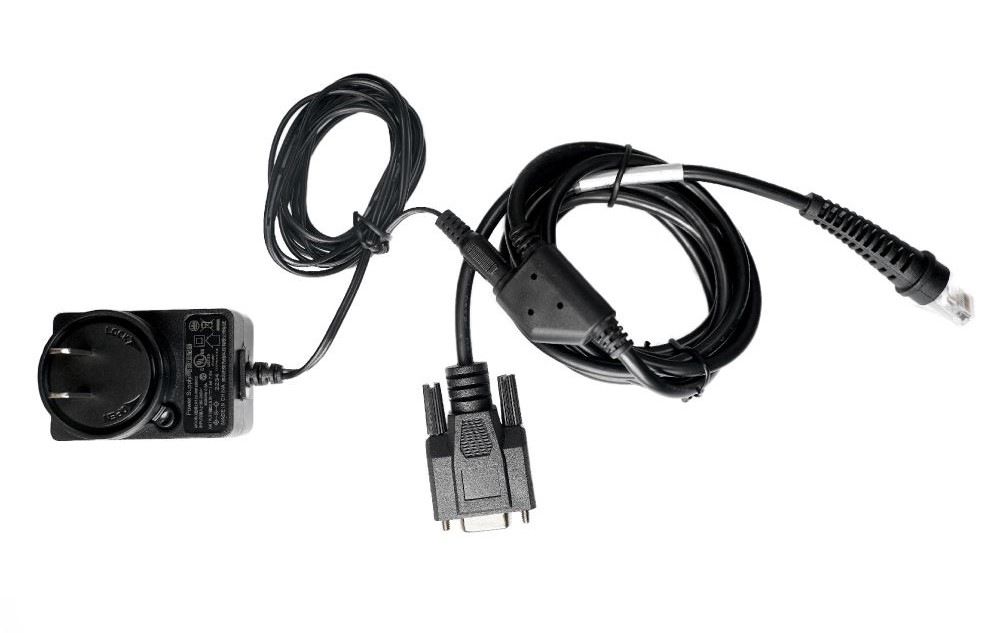
    This helpful serial cable kit comes with everything needed to attach select Star barcode scanner models to POS systems built with personal computers.

    Somerset, NJ – December 9, 2022 – Star Micronics, a leading manufacturer of mobile, point-of-sale (POS), and customer engagement technologies, is now offering a serial cable adaptor for select models of its 2D barcode scanner line. This cable adaptor allows retailers and business owners using PCs as part of their POS systems to enjoy all the same features and benefits of Star scanners.

    Thanks to its simplicity, the RS-232 standard has been commonly used in computer serial ports and is still widely used in industrial communication devices. With an ear always toward its audience, Star has now made it easy for anyone using a legacy POS system to attach Star’s desktop and handheld wired scanner models.

    With a variety of uses in retail, warehouse, hospitality, shipping, and more, Star’s IP-rated scanner line includes desktop, handheld, and wireless handheld models. They’re built tough and drop-resistant (up to 1.2m) with high-powered CPUs to increase efficiency and productivity. With Star’s cost-effective solutions, users get high-performance 2D barcode scanners for the price of 1D.

    This new serial cable adaptor and kit is currently available for Star’s BSH-HR2081 handheld USB wired scanner and BSD-FR4080 high-resolution desktop scanner.

    Love industry news? Check out our podcast:

    Star Micronics logo, point-of-sale (POS) hardware and technology company.

    Star Micronics, a world leader in point-of-sale (POS), has designated a portfolio of printing, secure cash management, self-service, and customer engagement solutions for any retail or hospitality establishment. Embracing the mPOS wave, Star’s SDKs allow developers to utilize Star printers in tandem with Android™, iOS, iPad®, and iPhone® devices to generate receipts, labels, Chit, and tickets. Star Micronics is always leading and always innovating, creating cloud-based printing solutions, including CloudPRNT and Star Cloud Services, with AOA support and MFi connectivity. Star also has a wealth of peripherals, including 2D barcode scanners, scales, tablet display stands, and more. Visit www.starmicronics.com or follow us on Facebook, Twitter, YouTube, or LinkedIn to learn more.

    Media Contact:

    Christin Dorner
    Star Micronics America, Inc.
    cdorner@starmicronics.com
    848-216-3318

  • 2.4GHz or 5GHz: Which Do I Need For My Small Business?

    2.4GHz or 5GHz: Which Do I Need For My Small Business?

    If you’re a small business owner, understanding the difference between traditional 2.4GHz wireless bandwidth and the newer 5GHz might save you time, money, and future headaches. 

    Many consumers assume the higher number must be better, so they choose to use that for their devices. However, neither bandwidth is actually “better” than the other. They’re simply different, with each having pros and cons. Whether you want to use 2.4GHz or 5GHz bandwidth all boils down to what you need.

    First, let’s find out what the difference is between the two:

    The Differences Between 2.4GHz & 5GHz WiFi

    2.4GHz

    When it comes to wireless internet, 2.4GHz has been the standard used in various devices, including WiFi routers, microwave ovens, cordless phones, Bluetooth devices, and wireless cameras. It allows devices to connect over a longer range and penetrates better through solid objects such as walls. It’s a perfectly high-functioning bandwidth but falters when it comes to how much data can be exchanged (uploaded or downloaded) within a particular length of time. Plus, it’s prone to disturbance and interference from other devices on the network because of overcrowding.

    5GHz

    As mentioned above, many devices use the 2.4GHz band. As the signal becomes overcrowded and causes a lot of interference, it slows down the network considerably. In this scenario, 5GHz appears to be the rescuer, having little to no interference. Many devices still don’t use it, so it’s less clogged. It relieves internet consumers from slow network speed and facilitates a higher data range. Its only drawback is that it doesn’t cover large areas or easily penetrate through solid objects.

    Connected city of the future.

    Is 2.4GHz or 5GHz WiFi Best For My Business Environment?

    After learning the pros and cons of both frequencies, the most frequent question consumers ask is which band is preferable. Both certainly have perks, but you must consider some critical factors as a small business owner. 

    Start with determining the size of your workplace. Although the coverage area is decent and the bandwidth is more robust, 5GHz won’t be able to cover an extensive area. With larger spaces, 2.4GHz may be best suited for you. If your workplace has multiple devices using 2.4GHz wireless, it may cause interference and slow down your connection. In that case, perhaps 5GHz would be better for you.

    What devices are you using?

    Also, consider the devices you are using. How many only need a 2.4GHz network? Bluetooth devices and microwave ovens will only be using 2.4GHz, so if your business uses many, you may need 5GHz for other devices, like smartphones. Microwave ovens are staples in professional kitchens, so if you own a restaurant or food delivery service, you may also want to look into 5GHz.

    Remember that 2.4GHz uses long transmission waves that easily penetrate through solid walls and objects. It’s ideal for internet browsing, but 5GHz is the go-to for streaming or playing online games.

    Whether in retail or the restaurant industry, your answer depends on your business needs. Choosing which wireless bandwidth to employ is all about what best suits the environment of your workplace. Some businesses may get by using only 2.4GHz bandwidth, while others may need the extra power of 5GHz to make it work. The key is having the correct information and knowing what you need.


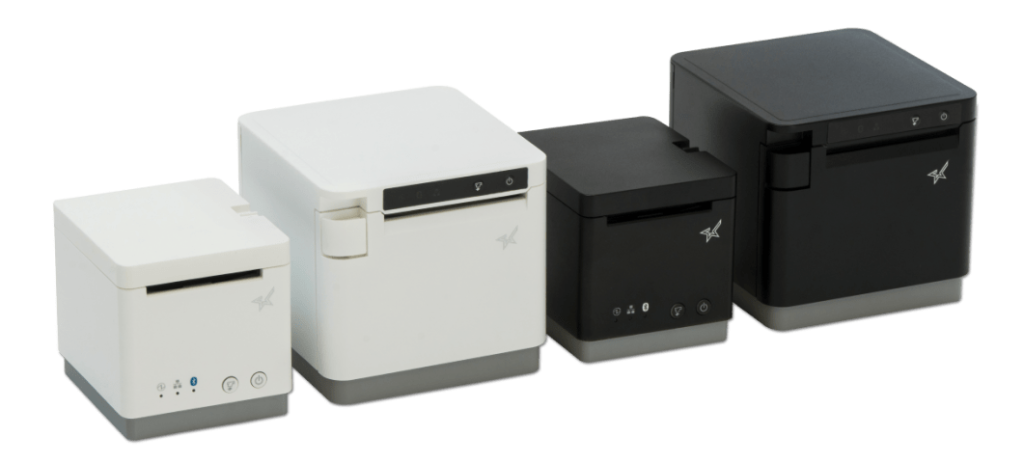
    Black and white mC-Print2 and mC-Print3 thermal receipt printers by Star Micronics.
    mC-Print21W & mC-Print31W

    With the mC-Print21W, the mC-Print31W, or the TSP143IVUW thermal receipt printers from Star, you get printing solutions that work on either bandwidth.

    Whichever bandwidth you need, Star Micronics has your printing solution. The mC-Print21W, mC-Print31W, and TSP143IVUW all support dual-band (2.4GHz / 5GHz) WiFi. Networks that need long-distance coverage can use 2.4GHz. The more powerful 5GHz is best for reducing lag and interference, especially in busy kitchens with microwaves and hardware that compete for bandwidth on a 2.4Ghz network. By offering a choice to use one of the two frequencies, 2.4GHz or 5GHz, these Star printers provide maximum flexibility when connecting to any network.


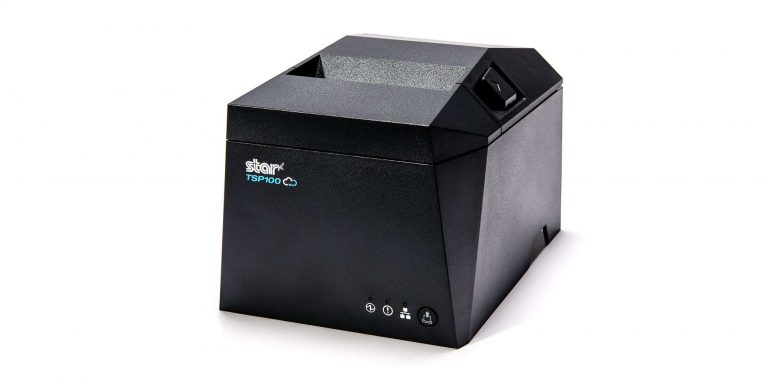
    TSP143IV thermal receipt printer by Star Micronics
    TSP143IVUW

    These thermal printers are also Cloud Ready, able to connect to any cloud application that supports Star’s CloudPRNT technology. With the addition of Star Micronics Cloud Services, including Digital Journal, cloud promotion print management, and device monitoring. They offer retailers and restaurateurs the next generation of POS printing, enabling marketing and receipt tools for the omnichannel world.

    Love industry news? Check out our podcast:

  • Star Micronics Cloud Services: Revamped for a Changing World

    Star Micronics Cloud Services: Revamped for a Changing World

    Star Micronics Cloud Services allows developers and business owners to monitor devices in real-time, collect crucial data, and create customized receipts, tickets, and labels.

    Somerset, NJ – April 25, 2022 – Star Micronics, a leading manufacturer of mobile, point-of-sale (POS), and customer engagement technologies, is proud to announce the launch of their revamped Star Micronics Cloud Services platform, renewed and renovated for a changing world. This update refreshes the platform and includes added support services for developers creating more intelligent store operation environments. 

    With Star Micronics Cloud Services, the Device Manager API can connect to Star’s printers and any attached peripherals, enabling application developers to access the data they need. Control features such as remote configuration and management allow developers to run store operations more efficiently from their computers. The Star Quick Setup Customizer was also added, providing easy customization of the setup app, so developers can quickly access what they need. On top of that, the Star Document Markup Designer is also available as an intuitive design tool to create and customize receipts, tickets, and labels. 

    For retailers and business owners, services such as device management for printers, Digital Journal, and PromoPRNT are available for any POS application. Obtain real-time status for all installed Star printers on Device Monitor. Digital Journal is a service to view stored electronic copies of all printed receipts and track how many were printed each day. Both can be used for insight into the consumer. Star’s popular service, PromoPRNT, allows retailers to add printed promotions to their receipts—excellent for coupons, reminders, and general announcements. 

    Star Micronics Cloud Services remains free to use. Using Star’s Quick Setup Utility App, it is easy to register and connect your Star printers. Cloud Services supports the mC-Print2, mC-Print3, and TSP100IV series printers. Visit StarMicronicsCloud.com to get started. 

    Love industry news? Check out our podcast:

    About Star Micronics

    Star Micronics, a world leader in point-of-sale (POS), has designated a portfolio of printing, secure cash management, self-service, and customer engagement solutions for any retail or hospitality establishment. Embracing the mPOS wave, Star’s SDKs allow developers to utilize Star printers in tandem with Android™, iOS, iPad®, and iPhone® devices to generate receipts, labels, Chit, and tickets. Star Micronics is always leading and always innovating, creating cloud-based printing solutions, including CloudPRNT and Star Cloud Services, with AOA support and MFi connectivity. Star also has a wealth of peripherals, including 2D barcode scanners, scales, tablet display stands, and more. Visit www.starmicronics.com or follow us on FacebookTwitterYouTube, or LinkedIn to learn more.

    Media Contact:

    Christin Dorner

    Star Micronics America, Inc.

    cdorner@starmicronics.com

    848-216-3318

  • How To Choose The Best POS Cash Drawer

    How To Choose The Best POS Cash Drawer

    Choosing the best POS cash drawer might seem straightforward, but it’s more intricate than it appears. While cash drawers may seem like simple metal boxes designed to secure money, selecting the ideal one for your business involves several critical considerations.

    For business owners and decision-makers, the complexity increases with questions about fit, capacity, and functionality. How will the cash drawer fit into your workspace? Does it have sufficient space to handle your daily transaction volume? What type of till best suits your operational needs? And, perhaps most importantly, how do you balance these requirements against your budget?

    Star is dedicated to simplifying your decision-making process. Let’s examine some key factors you should consider to ensure you choose the best POS cash drawer for your business.

    1. Connectivity

    First, let’s discuss connectivity options when it comes to cash drawers. Many overlook this important factor, only to realize how critical it is. Making sure your cash drawers work with your point-of-sale (POS) system is a must! Researching what hardware works with your POS software ahead of time will save you headaches. You’ll want to make sure the cash drawer works with your system’s peripherals and accessories as well, such as a POS scale or scanner.

    The most common type of connectivity for cash drawers is a printer-driven interface, which means the cash drawer is controlled through the printer’s DK port. The DK port, which stands for Drawer Kick, sends a 24V DC signal that opens the drawer. The majority of cash drawers use this function.

    Another way to open a cash drawer is quite obvious: manually with a key. Most cash drawers actually have both DK port connectivity and manual key access. This allows the drawer to be opened in case the electricity acts up.

    There are also wireless cash functions controlled by Wi-Fi and Bluetooth. These tend to be more expensive and not as common, but they are an option.

    Finally, don’t forget to check how a cash drawer is powered before you buy. Some use the USB interface only, getting power from the computer they’re attached to, while others need to plug into an outlet. Make sure to put your cash drawer in an area that works.

    2. Security

    Needless to say, security is a huge consideration when looking to purchase a cash drawer. To start, here are some options to look for:

    • An additional lock that secures the drawer itself to the counter.
    • A locking till cover, so when you need to take the till to the back office at closing time, cash can’t be stolen during transport.
    • A universal key, so that cash drawers are easier to open in a rush and during an emergency. There is no need to look through a huge key ring for the correct key.
    • A manual release option, so you can open the cash drawer no matter what. Manual release is quicker than waiting for a Bluetooth signal and even faster than some DK port signals.
    • Hidden locked compartments, which require extra space and likely a higher budget.

    How many people will be using the drawer at one time? How much money do you want to keep inside? Think about your day-to-day operations and how the money will be handled, then make a list of necessities for security and be sure your new cash drawer fulfills each one.

    3. Size & Cash Flow

    Next, you want to make sure your new cash drawer is going to fit in its space. Either there’s already an allotted area you have in mind, or you have some different options to play with. Whichever it is, you’ll need to measure the space correctly (width, height, and length) and consider your cash flow to find the right-sized cash drawer for you. 

    Some important questions to ask yourself are: will your drawer be on top of the counter or mounted below? Will there be important items on top of the cash drawer? Is there enough space for the till to fully open with a person comfortably behind it?

    Some cash drawers specifically come with below-counter mounting options, so it’s important to figure this out ahead of time. You’ll also want to know the height of the drawer.

    On the market, there are normally two different sizes for cash drawers: a smaller option (typically 13” x 13”) and a larger option (typically 16” x 16” and larger). Most cash drawers are 4-5 inches in height, but be sure to check.

    The CD3-1616 Value Cash Drawer by Star Micronics.
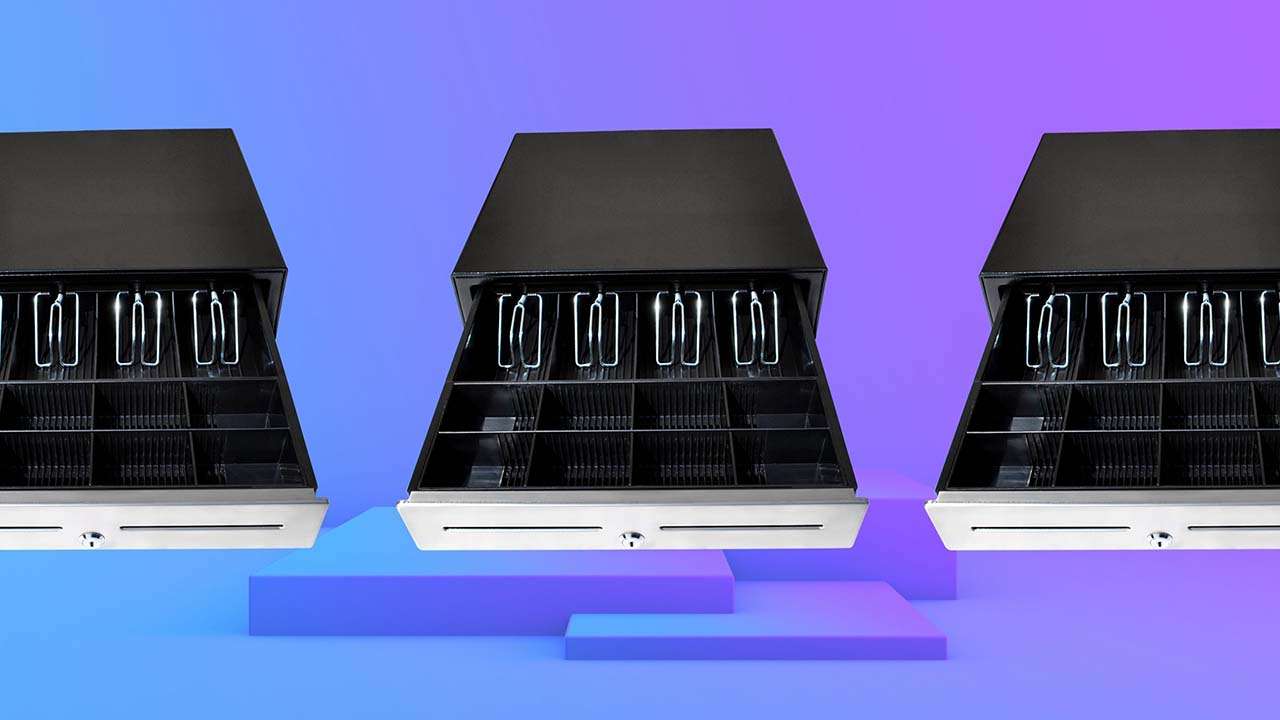
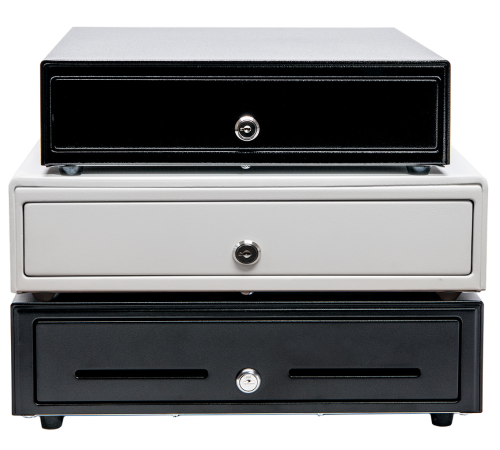
    Star’s cash drawers come in a variety of sizes to suit multiple industries.

    Currency & Media

    Now, which currency do you use? Cash drawer tills (the part of the cash drawer that holds the money) come in several different sizes with distinct layouts for different currencies. Some tills have room for the US standard (five bills and four coins).

    Other tills come with room for more coins or bills if larger, higher-value bills, such as $100, are accepted. They could also have options to adjust sections or remove coin trays entirely. There are also tills available specifically for Canadian and Latin American currencies.

    Finally, you’ll want to know how your POS system opens your cash drawer (if it opens electronically). Some systems open the drawer on every transaction, while others open for cash transactions only. 

    Especially if you handle a lot of credit card slips, coupons, or checks, be sure to choose a cash drawer with media slots in the front. Media slots are openings in the drawer that receipts or other documents are fed into. These documents are securely stored beneath the till, in a hidden space. You may even want added space beneath the till for extra coin rolls or bills.

    Use the Cash Drawer Selector Tool

    Effortlessly find the ideal cash drawer for your business with our Cash Drawer Selector Tool—filter options by width, region, connection type, and more to ensure a perfect fit.

    4. Durability

    Next on the list of considerations is durability. Why would anyone want a cash drawer to be of poor quality?

    You’ll want to know exactly what a cash drawer is made of. Cash drawers like Star’s are made of steel, which not only makes your investment worthwhile, but is also a security feature.

    A cash drawer should also have a multi-year warranty. Be sure to choose a warranty that includes at least 1 million opens. It would also be smart to have a strengthened key, so it doesn’t break, while having an outer finish that can withstand abuse from the surrounding environment.

    5. Style & Design

    Although not as important as the above considerations, how your cash drawer looks should factor in your decision at least a little. Usually, you’ll want a cash drawer that matches the look and feel of your counter space and other POS components.

    For example, if you have a white receipt printer and white tablet-based POS stand, choosing a white cash drawer will help provide a sleek look to your counter.

    The look of your cash drawer is something that only you can decide. Cash drawers come in many different colors, sizes, and styles, but I would recommend you consider the top factors first. 

    Cash drawers are must-have items for the majority of businesses. Knowing how to choose the best POS cash drawer for yours can save time and money, all while creating a secure, efficient, and productive business.

    Meet Star’s Cash Drawers

    Star Micronics is proud to offer feature-rich cash drawers for any budget or application.

    Value Series

    The Value Series includes cost-effective cash drawers that integrate seamlessly into any retail or hospitality environment. Connected to a standard printer communication interface with a bottom exit cable, Star’s Value Series cash drawers are reliable and come with a standard warranty. They also feature four lock functions: locked, closed, online (opens electronically), manual open, and locked open.

    Choice Series

    Our Choice Series cash drawers include features businesses already know and love, but with added strength to support touch tablets and POS terminals on top. They also have a secure dual-drawer cable, enabling the Choice Series to work as either cash drawer 1 or cash drawer 2.

    These drawers also include a foldable hinged key which minimizes the possibility of breaking off in the lock, with over 10 different lockset options for added security.

    Max Series

    Max Series cash drawers are the premier choice for retailers. Featuring durable, high-quality drawers with Kensington lock compatibility and sleek Star branding, these cash drawers are designed to securely manage cash while delivering professional looks and reliability. They also feature four lock functions: locked, closed, online (opens electronically), manual open, and locked open.

    Find the Ideal Cash Drawer for Your Business

  • Health and Safety Checklist for Retail Stores

    Health and Safety Checklist for Retail Stores

    In many parts of the world, the time is here, and a full retail reopening is upon us. But even as business returns to (almost) usual, health and safety concerns are likely to remain a priority to shoppers, and rightfully so. Read on to discover a complete list of health and safety considerations that retailers should keep in mind as they fully reopen the doors at their brick-and-mortar locations.

    Health and Safety Checklist for Retail Stores: 6 Key Considerations

    1. Antimicrobial Covers

    A lot of seemingly minor behaviors that people used to commonly do have become uncomfortable during the COVID-19 pandemic – and they will continue to be behaviors that people avoid. Examples of this include touching dirty door handles, bathroom surfaces, payment terminal pin pads, and more.

    Antimicrobial covers

    As a retailer, you can put your customers at ease and help them avoid uncomfortable and potentially unsanitary situations by installing antimicrobial covers*. These covers reduce the transfer of germs, are easy to apply, and are available in precut shapes as well as custom application rolls. Certain antimicrobial covers last up to six months and are designed to complement a standard cleaning schedule.

    2. Employee Handwashing

    Handwashing protocols are nothing new, but it’s important to revisit and reiterate the importance of handwashing as your retail store reopens.

    Some handwashing tips and considerations include:

    • Are your employees are aware of handwashing standards and CDC best practices, like washing for at least 20 seconds before and after eating, after using the toilet, after blowing their nose, coughing, or sneezing, and after handling garbage?
    • Have you posted your handwashing policy by all sinks?
    • Are your sinks and restrooms supplied with soap, hand sanitizer, and clean towels?
    • Are employees aware they should avoid touching their face?
    3. Store Sanitization

    Just like handwashing, sanitizing your store is something that has always been important but has  become even more critical in the past year. Store sanitization considerations include:

    Star Micronics POSShield Sneeze Guard

    • Do you have gloves, masks, and other necessary personal protective equipment (PPE) on hand?
    • Are your employees trained on how to properly use sanitizing chemicals and equipment?
    • Are your store’s most recent cleaning protocols prominently posted in employee areas?
    • Are all public areas frequently cleaned (door handles, checkout counters, restrooms, dressing rooms, payment pin pads, self-service kiosk screens, etc.?)
    • Have you installed plexiglass sneeze guards at the point of sale (POS)?
    • Are all employee areas frequently cleaned (POS terminals, cash drawers, scanners, break rooms, inventory rooms, etc.?)
    • Is all shared employee equipment regularly cleaned (keys, tablets, headsets, etc.?)
    • Are sanitization practices and restocking of cleaning supplies assigned to specific employees and regularly scheduled?

    Star Restaurant POS Solutions

    From online ordering printers to kitchen buzzers, Star is proud to offer POS solutions for restaurants, QSRs, food stands, and more.

    4. Store Interior

    In addition to sanitization, there are other important considerations inside your store to prioritize, like:

    • Is there ample lighting?
    • Are all emergency exits clearly marked?
    • Is the store free of tripping and slipping hazards? Are safety mats used near entrances and exits during snowy or icy weather?
    • Are all ladders in good condition?
    • Do you have an abundance of child-friendly carts available?
    • Have you installed wall guards and corner guards?
    5. Store Exterior

    The outside of your store is as important as the inside when it comes to safety. Some things to keep in mind include:

    • Is there ample lighting?
    • Are all walkways clear of leaves, snow, and holes?
    • Are all railings secure and in good condition?
    • Are any obstructions well marked?
    • Are any parking areas or traffic lanes marked?
    • Are emergency areas (that don’t allow parking) labeled?
    • Are all carts being collected on a regular basis?
    6. First Aid and Fire Safety

    It’s no question that first aid and fire safety are critical for any retail store. Below is a (partial) list of considerations to keep in mind:

    • Is your store’s first aid kit fully stocked and free of any expired items?
    • Does all staff know where the first aid kit is located and trained in basic first aid?
    • Does staff know what to do if they are injured on the job? Does management know what they should do?
    • Sprinklers
      • Valves are locked in their open position
      • Stock is kept at least 18” from sprinkler heads and heater units
    • Smoking
      • No smoking signs are visible
      • Any smoking areas are clearly designated
    • Extinguishers
      • Fire extinguishers are mounted and accessible to employees, and are regularly inspected and tagged
      • Employees are trained to use extinguishers
      • Extinguisher records are adequately maintained
    • Electrical
      • Electrical panels are accessible and properly labeled
      • All electrical wiring is installed in accordance with city codes
      • Compressor room is free of combustibles
    • Flammables
      • Garbage cans are made of noncombustible material and have suitable covers
      • Any flammable liquids are kept in approved containers
      • Areas that experience heat buildup (heaters, appliances, etc.) are clear of combustibles

    As you begin the journey of reopening your business’s doors and entering the “next normal,” we hope that this health and safety checklist for retail stores is helpful to you. Please note that this health and safety checklist for retail stores is not intended to be an all-inclusive list. Please consult your local authorities and resources with any specific health and safety questions or concerns that you may have.

    Star Micronics proudly provides antimicrobial covers, the POSShield sneeze guard, and more.

    Disclaimer: NeverGerms® makes no claims regarding the safety or health of the general public or those interacting with its products. “NeverGerms®” and “Touch Less Germs®” are registered trademarks and not intended to have literal interpretation. NeverGerms products are manufactured by NeverGerms and distributed by Star Micronics. Although these products are designed to reduce microbe populations on commonly-utilized surfaces and have been tested by the manufacturer for their antimicrobial properties, Star Micronics cannot guarantee that they will eliminate all risk of germ, including virus, transfer from such surfaces. Star Micronics, as distributor, relies entirely upon claims made by manufacturer as supported by prior research. For further information, please visit www.nevergerms.com.

  • 7 Easy Tips on Selling Merchant Services

    7 Easy Tips on Selling Merchant Services

    When it comes to selling merchant services, the landscape can be quite competitive. With many options on the market for your customers, it’s critical to take the time to focus on how you can differentiate yourself as a solution provider. While it might sound intimidating, in today’s blog post we will share seven tips on selling merchant services, designed to make your journey simple – and successful.

    7 Easy Tips on Selling Merchant Services:

    1. Provide a Total Solution

    One of the best ways to differentiate as a merchant services provider is to not just offer one piece of the payment puzzle, but to provide a total solution. Customers want a one-stop shop, and offering a complete solution that provides value, including credit card processing through a merchant account and a full portfolio of necessary point of sale (POS) hardware, is a great way to create happy, sticky customers.

    2. Be a Trusted Advisor

    Although this blog post contains tips on selling merchant services, one of the most important things you can do sometimes is to not sell. What does this mean? Simply put, strive to be your customer’s trusted advisor, rather than just a salesperson. The foundation of being a trusted advisor is built on listening: listening to your customer’s needs and acting as a consultant to offer ideas and solutions, rather than just pushing products. Some other traits of trusted advisors include:

    • Putting your customer’s needs first, not your own; always think of their challenges and priorities before your own
    • Always asking questions to understand more about your customer’s specific situation – “tell me more!”
    • Providing a variety of solution options, so that they can decide on the best choice for themselves
    • Embracing the fact that you don’t always know the answer and build the confidence to admit that – doing so will demonstrate honesty and trustworthiness
    3. Be Available

    This next tip may sound obvious, but it still deserves to be said: be available for your customer! Often times, many businesses will sign up with ISO agents and then find themselves never hearing from the agent again after the contract has been signed. Don’t fall into this pattern! Make a conscious effort to touch base with your customers and be that trusted advisor who is always looking out for their best interests.

    4. Offer Affordable Options

    Besides offering a total solution, acting as a trusted advisor, and being available on a regular basis, another thing that your customers are sure to value is affordable pricing. A low cost is always a priority, especially during uncertain times. Reduce the cost of entry into your solution by offering a SaaS (Solution as a Service) model which features low monthly payments. This operating expense (OPEX) model versus a capital expense (CAPEX) model means that rather than a business needing to spend a larger lump sum for a solution, it can instead spend a lower amount as needed each month. This model helps businesses receive the best possible solution in an affordable way.

    5. Be Transparent

    Who doesn’t value transparency? It’s important to feel like you are dealing with an honest and ethical provider. Your customers also value transparency, so be sure to be understandable in every way possible. It’s especially important to make your transaction fees crystal clear and remember to be competitive with your revenue share. Being honest and laying these numbers out on the table will earn you trust as you sell merchant services.

    6. Provide a Straightforward Timeline

    Time is money, and to a business, money is a top priority. Be sure to prioritize your customer’s time by providing a straightforward go-to-market timeline. When providing this timeline, also remember to include the expected ease and speedy of any integrations that will be required.

    7. Offer Omnichannel Capabilities

    Today’s businesses require today’s payment options. Gone are the days when simple, piecemeal merchant services could suffice. If possible, be sure to offer an omnichannel solution, meaning a variety of card acceptance methods, along with a fully integrated solution. Acting as a one-stop shop and offering an omnichannel solution can lead to creating a sticky customer that is less likely to be tempted away by a competitor.

    Worldnet-Omnichannel-Payments-Image

    What can Worldnet’s Omnichannel Integrated Payments do for you?

    Worldnet is proud to offer a simple omnichannel integration that brings your eCommerce, Back Office and Cardholder Present payment solutions together, and presents all that data directly into your software solution, ERP, or CRM system.

    Successfully Selling Merchant Services can be Simple

    To wrap things up, keep in mind that selling merchant services doesn’t need to be complicated. In fact, focusing on simplicity is key. Prioritize offering total solutions to your customers, as well as genuine consulting with an emphasis on the customer’s needs instead of your own product. Being seen as a trusted advisor that can also act as a go-to, one-stop shop for modern payment solutions is sure to help you successfully sell merchant services.

    mPOP™: Perfect for Today’s Payments

    Have you met the Star Micronics mPOP? This sleek all-in-one POS hub, built for modern small businesses, accommodates high-volume credit card and cash transactions and features:

    • Printer, cash drawer, scanner, and device stand
    • Compatibility with iOS, Android, and Windows
    • Cash drawer with 4 bill and 6 or 8 adjustable coin slots
    • Print Flat Technology

    Star Micronics is proud to offer POS hardware with the features merchants need and the connectivity to bring together applications and payment processing.