Tag: Restaurant & Hospitality

  • Why Businesses Are Moving to Cloud-Based POS – And Why You Should Too

    Why Businesses Are Moving to Cloud-Based POS – And Why You Should Too

    In this episode of the Rising Stars Podcast, “Why Businesses Are Moving to Cloud-Based POS – And Why You Should Too,” host Kate Orara explores the growing shift toward cloud-based POS solutions and why businesses are making the transition. Drawing from her expertise as Star Micronics’ Partner Development Manager, Kate highlights how VARs, ISVs, and business owners can leverage cloud POS technology to drive efficiency, lower costs, and keep their operations competitive.

    This episode provides valuable insights into the benefits of cloud POS, including real-time data access, scalability, security enhancements, and lower total cost of ownership (TCO)—helping businesses stay competitive in an evolving digital landscape.

    Future-Proofing with Cloud POS

    The transition to cloud-based POS is reshaping the way businesses manage operations, customer interactions, and multi-location growth. Kate discusses key advantages such as automatic software updates, reduced IT maintenance, and enhanced data security. She also addresses common concerns, including offline functionality, PCI compliance, and data ownership, ensuring businesses understand how to navigate the shift with confidence.

    This episode is a must-listen for anyone looking to optimize their POS strategy. Whether you’re a QSR, retail chain, or enterprise business, embracing cloud technology can unlock new efficiencies and set the stage for continued success.

    Have you heard of Star’s CloudPRNT Next? Find out more about the next level of cloud printing here >

    Loving the podcast? Subscribe now, and let us know what you think by leaving a review!

    Stay up-to-date on all things Star, don’t forget to follow us on X, LinkedIn, Facebook, Instagram, and YouTube.

    The Rising Stars Podcast

    Immerse yourself in the world of point-of-sale (POS) with the Rising Stars Podcast by Star Micronics, hosted by industry pro, Kate Orara. Twice a month, we explore the fascinating journeys of innovators and businesses navigating the challenges of POS technology’s rapid pace.

    In every episode, Kate Orara, Star Micronics’ Partner Development Manager, discusses emerging retail technology trends and strategies with global industry giants. She’s spent her entire career meeting all the right people, and now listeners everywhere can benefit from this vast network of channel gurus.

    Always leading and always innovating, Star Micronics, a pioneer in POS and customer experience technology for over 60 years, welcomes you to join us in shaping a brighter future in the retail, hospitality, and cannabis industries.

    Want more industry news?

    Episode Transcript

    [Music]

    Kate Orara: Hey there, retail tech enthusiasts! Welcome to the Rising Stars Podcast, your go-to for all things retail tech and point of sale. I’m Kate Orara, Partner Development Manager at Star Micronics, and I’m excited to guide you through this journey. Here, we dive into the latest innovations shaping the retail, hospitality, and cannabis industries. So whether you’re a techie or a business owner, this is your backstage pass to insider knowledge. Join me and the Star Micronics team as we innovate and rise together.

    Today, we’re diving into an exciting topic that’s all about modernizing the way we do business—the move to cloud-based point-of-sale (POS) systems. Whether you’re a reseller or an independent software vendor (ISV), helping your end users understand the value of moving their POS to the cloud can be a game-changer, not just for their business but for yours too. So, let’s unpack this topic with an upbeat, practical lens.

    Accessibility and Flexibility

    Here’s the deal: cloud-based POS systems act like the ultimate remote control for business operations. With just an internet connection, business owners can manage sales, track inventory, and even oversee employee performance—no matter where they are.

    Think about it: a business owner could be at the beach (lucky them!) or visiting another store location, and they can still pull up real-time sales data on their smartphone or tablet. It’s like having their entire business in their back pocket. That level of flexibility isn’t just a perk—it’s a necessity in today’s fast-paced retail world.

    For resellers and ISVs, this is a golden selling point. You’re not just pitching software; you’re offering freedom and control.

    Operational Efficiency

    Cloud-based systems simplify many day-to-day processes, making them incredibly efficient for end users. Here’s an example: instead of manually updating inventory across multiple stores or platforms, a cloud system updates everything in real time. One click, and boom—inventory is synced. No spreadsheets, no guesswork, no headaches.

    What about software updates? Traditional POS systems often require manual updates, leading to downtime. With the cloud, updates happen automatically behind the scenes, ensuring no disruption to business operations. It’s seamless.

    As a reseller or ISV, you can confidently position cloud-based systems as tools that make life easier for end users. When businesses operate more efficiently, they grow faster, and that success reflects back on you as a trusted advisor.

    Packaging the Benefits for Customers

    So, how do you package these benefits into a compelling message for your customers? Here’s the win-win scenario you can paint for the business owner: Moving to a cloud-based POS means they gain freedom, speed, and peace of mind. For you, the reseller or ISV, it’s an opportunity to build deeper relationships, drive recurring revenue through subscriptions, and help your customers stay ahead of the curve.

    This isn’t just about selling technology; it’s about being a partner in growth.

    When Cloud-Based POS Might Not Be Ideal

    Now, before we wrap up, let’s address a common question: Are there businesses where a cloud-based POS might not be the ideal solution? The short answer: yes. While cloud-based systems offer significant benefits, they’re not a one-size-fits-all solution.

    Here are a few scenarios where they may not be the best fit:

    • Businesses in areas with unreliable internet: While many systems offer offline modes, consistent connectivity is essential to fully leverage the benefits of the cloud. In such cases, a hybrid system or a traditional locally hosted POS might be a better choice.
    • Specialized software or hardware requirements: Certain manufacturing businesses or highly specialized retail environments may use equipment or workflows that require older, on-premise systems.
    • Small businesses with minimal transactions: While cloud-based POS systems often have a lower total cost of ownership, very small businesses with extremely low transaction volumes may find subscription costs unnecessary compared to basic cash registers or standalone systems.

    As resellers and ISVs, your role is to guide end users toward the best solution for their unique situation. Ask thoughtful questions about their infrastructure, location, and operational needs. If a cloud-based system isn’t right for them, they’ll appreciate your honesty, and that trust can lead to future opportunities.

    Final Thoughts

    To wrap things up, remember: cloud-based POS systems bring tremendous value, but they’re not the answer for every business. Knowing when and why to recommend or not recommend them is what will set you apart as a trusted advisor.

    Thank you for tuning in to this episode of the Rising Stars Podcast! If you found today’s discussion valuable, share it with a colleague or post it on your socials. Let’s keep these conversations going! And if you’ve got more questions about cloud-based POS, reach out to me or the team at Star. I’d love to hear from you.

    Until next time, stay inspired, stay innovative, and keep reaching for the stars.

    And that is a wrap for this episode of the Rising Stars Podcast! A huge thanks to our incredible listeners for tuning in. Don’t forget to subscribe, rate, and leave a review. Your feedback fuels our journey to bring you the best in retail tech. Stay connected with us on social media for updates and behind-the-scenes content.

    As you sign off, remember: the future of retail technology is in our hands, and together, we are shaping it. Keep innovating, keep rising, and until next time, this is Kate Orara signing off. Together, we rise.

    [Music]
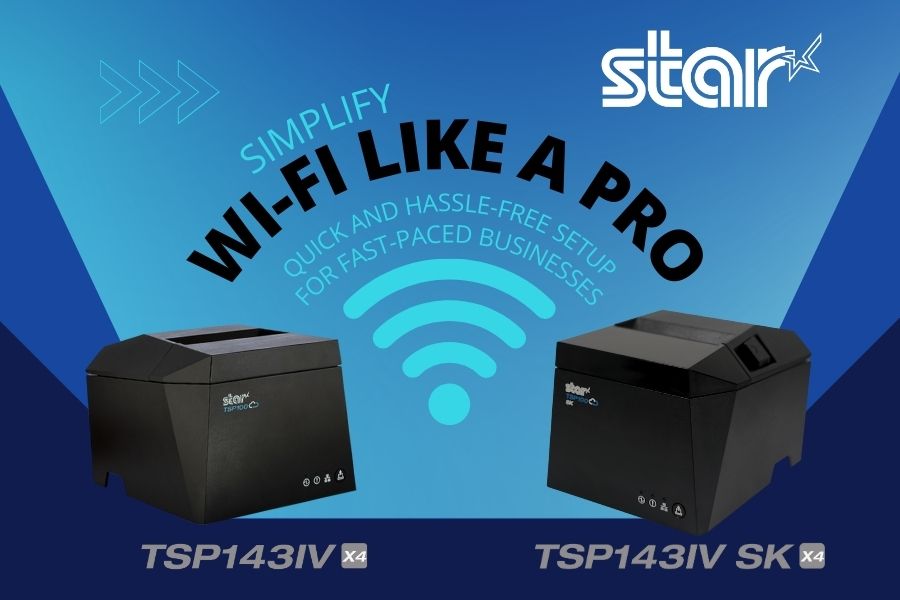
  • New Super Easy Wi-Fi Printer Setup for TSP143IV X4 and TSP143IV SK X4

    New Super Easy Wi-Fi Printer Setup for TSP143IV X4 and TSP143IV SK X4

    Traditionally, the steps to set up a printer for wireless printing take time. Although the workforce is increasingly more tech-savvy than previous generations, few employees have extra time to devote to printer setup while taking care of their core responsibilities.

    The ease of Wi-Fi printer setup is particularly important for employees with mobile devices who need to print in different areas of a facility or campus. How quickly and reliably they can set up a printer directly impacts their productivity and overall operational efficiency. 

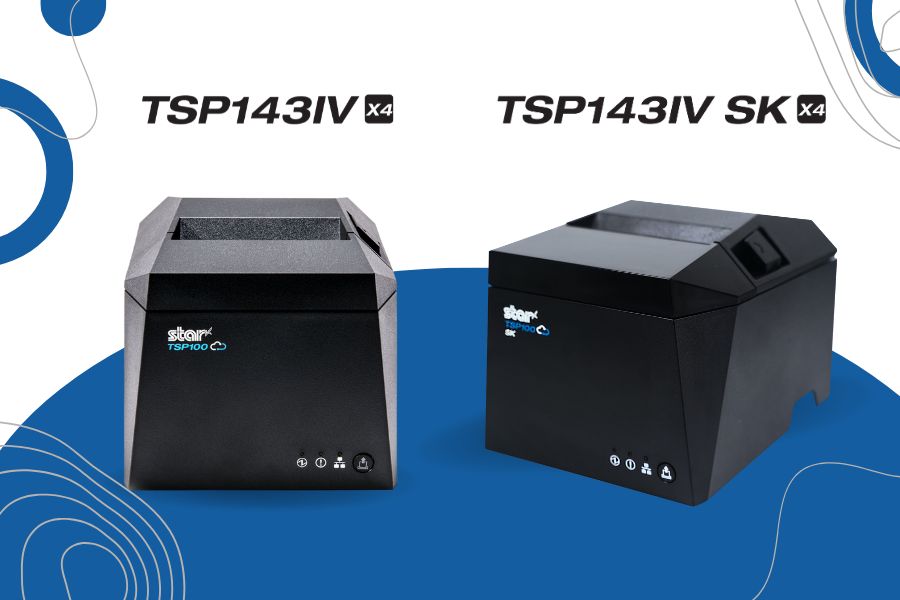
    To help organizations overcome this challenge, Star Micronics designed the TSP143IV X4 thermal receipt and TSP143IV SK X4 linerless label printers to make Wi-Fi setup as seamless and user-friendly as possible. With cutting-edge technology and two innovative setup options, these printers ensure quick, reliable connections to your wireless network.

    Here’s how they work: 

    Using the Star Quick Setup Utility

    This method leverages Bluetooth Low Energy (BLE) technology for a streamlined setup process. Wi-Fi printer setup step for this method: 

    1. Launch the Star Quick Setup Utility App: Download and open the app on your mobile device.
    2. Enter the Network Security Key: Input the password for your Wi-Fi network within the app.
    3. Proximity Pairing: Bring your mobile device close to the printer to establish a connection.
    4. Confirmation Printout: Once connected, the printer will automatically generate a diagnostic printout confirming the success of the setup.

    The advantages of using the Star Quick Setup Utility include minimal steps, speed, and ease of use. It’s a benefit for operations that require setting up Wi-Fi frequently. The Star Quick Setup Utility app also includes built-in troubleshooting options that help address any connection issues. 

    X4 Receipt Printer Wi Fi Connectivity

    Using the Hotspot Captive Portal

    Considered an alternative method, using the Hotspot Captive Portal allows users to accomplish Wi-Fi printer setup without using additional software. Instead, it uses the printer’s built-in hotspot functionality. This method also has only four easy steps: 

    1. Power On the Printer: Upon powering up, the printer will automatically print a QR code.
    2. Scan the QR Code: Use your mobile device’s camera to scan the QR code.
    3. Follow the Instructions: Your device will guide you through entering the network credentials and finalizing the setup.
    4. Confirmation Printout: As with the first method, a diagnostic printout is generated to confirm successful connectivity.

    In addition to eliminating the need to download and install an app to set up a printer for Wi-Fi, this method is also quick and easy for users unfamiliar with BLE technology.

    TSP143IV SK X4 Removable Sticky Label Printer

    The TSP143IV SK X4 by Star Micronics sets a new standard for compact, eco-friendly thermal linerless label printing, offering four advanced connectivity options like Wi-Fi with easy setup and AOA. Get efficient, residue-free repositionable labels for your diverse business needs.

    Find out more >

    Key Features of TSP143IV X4 and TSP143IV SK X4 Wi-Fi Connectivity

    In addition to making Wi-Fi printer setup easy for the TSP143IV X4 and TSP143IV SK X4, Star designed these printers for reliable connectivity and maximum uptime. Organizations that count on trouble-free wireless printing benefit from: 

    • Dual-Band Connectivity: The printers support both 2.4 GHz and 5 GHz frequencies for flexibility in various network environments.
    • Diagnostic Printouts: Every setup method concludes with a detailed printout that verifies network connection status.
    • Troubleshooting Tools: In addition to helping users resolve connection issues during Wi-Fi setup, the Star Quick Setup Utility app has built-in troubleshooting tools that assist users with connectivity issues during day-to-day use. 
    • User-Friendly Design: The printers enable efficient wireless printing, ensuring minimal downtime and maximum productivity.

    TSP143IV X4 Thermal Receipt Printer

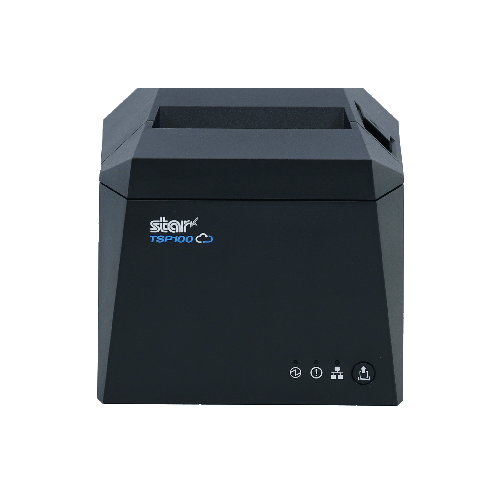
    The TSP143IV series thermal receipt printer from Star Micronics is 20% smaller than its predecessor, offering high-speed printing with USB, LAN, WLAN, and Bluetooth connectivity. With CloudPRNT Next, dual-band WLAN, and Android Open Accessory (AOA) support, it ensures seamless compatibility across Windows, iOS, Android, and cloud-based applications, making it an efficient, adaptable solution for modern POS environments.

    Discover the TSP143IV X4 >

    Flexible Wi-Fi Setup Lets You Choose the Best Option for Your Operation

    With the TSP143IV X4 and TSP143IV SK X4 printers, Star Micronics has redefined the Wi-Fi setup experience. Whether you choose the Bluetooth-assisted Star Quick Setup Utility or the Hot Spot Captive Portal, the process is straightforward, fast, and reliable. Dual-band connectivity ensures optimal performance, while diagnostic printouts and troubleshooting tools provide added confidence and support. 

    By simplifying wireless setup, these printers empower businesses to focus on what matters most: delivering exceptional service and efficiency.

    Contact us to schedule a demonstration or consultation today to see firsthand how easily and quickly printer setup is with the TSP143IV X4 receipt printer and the TSP143IV SK X4 sticky linerless label printer.

    Find out more about the easy Wi-Fi printer setup on our TSP100IV X4 models:

  • A Better Cash Management Solution Starts with the Right Cash Drawer

    A Better Cash Management Solution Starts with the Right Cash Drawer

    Merchants have focused on adapting their IT environments to accommodate the growth of digital payments. However, in many enterprises, such as certain food services, big box and specialty retail, and cannabis, most transactions continue to involve cash. If your business falls into the high-cash category, it’s critical that you implement an effective cash management solution, including a cash drawer that meets your needs.

    The Pros and Cons of Cash

    Cash use can have an upside for both consumers and merchants. There aren’t any fees associated with using it. Consumers don’t build credit card debt or deal with fees for overdrawing an account, and merchants don’t pay processing fees. Additionally, merchants receive payment immediately —  there’s no waiting for checks to clear for banks to move funds from payment card transactions. Also, merchants who accept cash only never spend time and effort on challenging credit card chargebacks. 

    On the other hand, as a high-cash business operator, you face challenges related to operational efficiency, cash control, and security. You must organize cash so managers can count and balance drawers quickly and accurately. Also, cash is a target for theft, both by actors from external and internal threats.

    Cash Management System With The Right Cash Drawer

    The Right Design Makes the Difference

    Choosing a cash drawer for your cash management solution can help you give your customers and your business the benefits of cash transactions while minimizing the drawbacks. The key is to match the drawer’s features to your specific needs to create a comprehensive cash management system. Features to evaluate include: 

    1. Till Design

    The till should have the right number of compartments for the bills and coins your business commonly receives. In the U.S., a four-bill, five-coin configuration is popular, while a three-bill and five-coin option may better suit Canadian companies. However, those aren’t your only options. Models are available that help businesses efficiently store up to five bills and eight coins.

    Additionally, some models have ample space under the till for coin rolls, so cashiers can always make change without delay. Choosing the right drawer configuration for your business supports faster balancing and greater accuracy.

    2. POS System and Printer Communication

    The cash drawer should operate seamlessly with your point of sale (POS) system. When the sale is tallied, the drawer should open for the cash payment and to allow the cashier to make change. Communication with the POS system automates that process for speed and security. You can also choose a drawer that communicates with your printer to coordinate receipt printing.

    3. Durable Construction

    To optimize cash control, you need drawers for your cash management solution with heavy-duty construction. Durable steel is not only necessary to keep cash secure, but it also ensures that daily use won’t result in dents or wear that could impact the drawer’s functioning and minimize the life of your investment. 

    Reinforced slides and high-cycle components prevent jams and ensure smooth operation, even in high-traffic environments, maintaining the integrity of your cash drawer over time. Investing in a well-built cash drawer reduces maintenance costs and minimizes downtime, keeping your business running efficiently.

    4. Locks and Lock Function

    You will find models with different types of locking mechanisms, such as single key or separate manager and key lock design. Models can also give you different features that enhance cash control, such as automatic locking, manual open, and online open, which opens the drawer electronically.

    For added security, heavy-duty cash drawers feature dual locks and reinforced latching mechanisms to prevent tampering. Some models also include under-till compartments for discreet cash storage, helping businesses manage high-cash transactions while keeping funds secure. Locking features allow you to create workflows that keep cash protected and minimize fraud schemes related to returns and voids.

    Upgrade Your Cash Management with the Right Drawer

    In a high-volume, cash-heavy business, every second counts. The right cash drawer isn’t just a box to hold money—it’s a tool that keeps transactions moving smoothly, safeguards your cash, and simplifies end-of-day balancing. A durable, high-security cash drawer designed for your needs can prevent operational headaches, reduce fraud risks, and streamline cash handling so your team can focus on customers, not cash counting. If your current setup isn’t pulling its weight, it may be time for an upgrade.


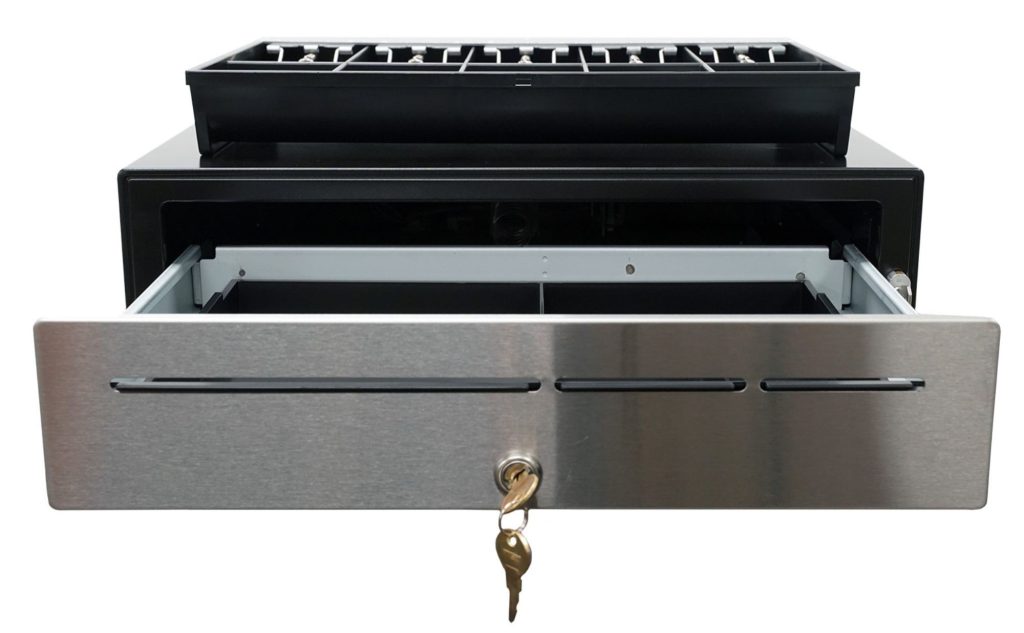
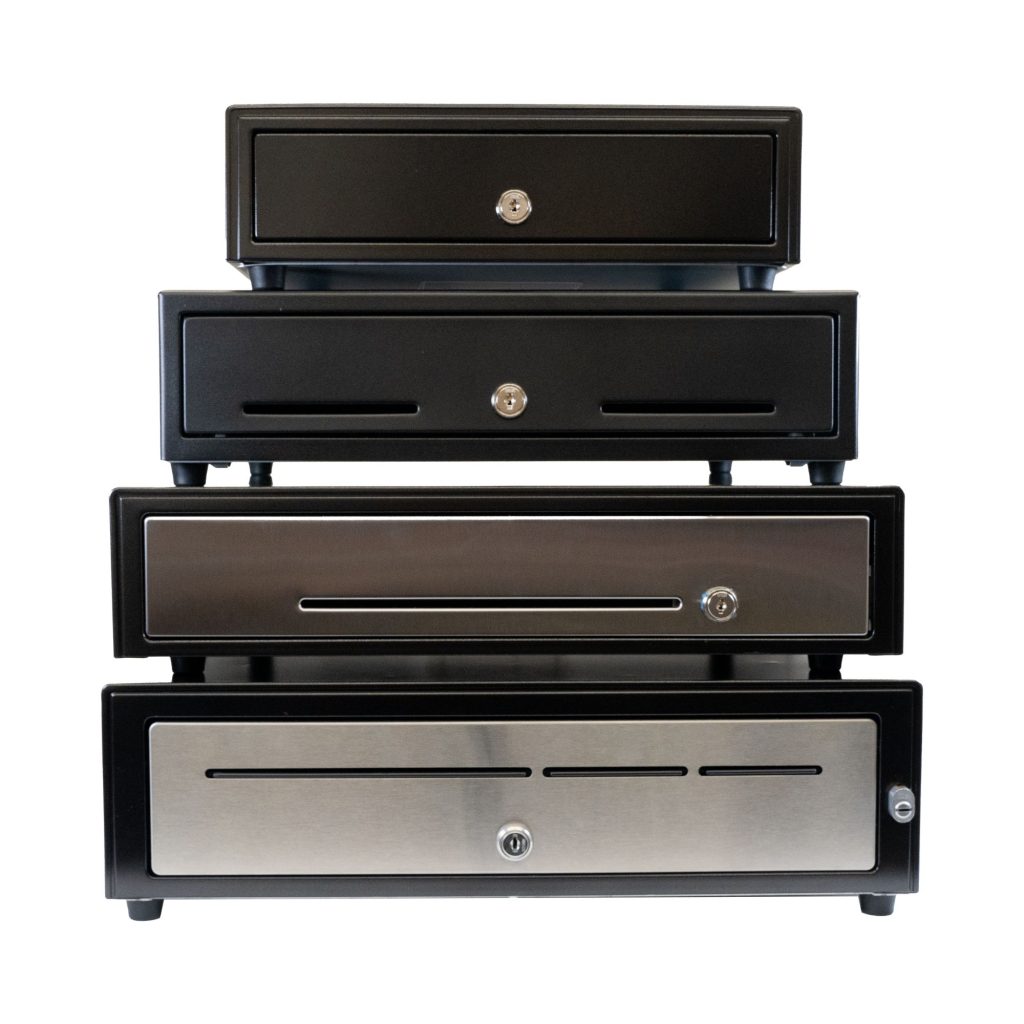
    The CD5-1918 Max Series cash drawer by Star Micronics is ideal for high-cash volume environments.
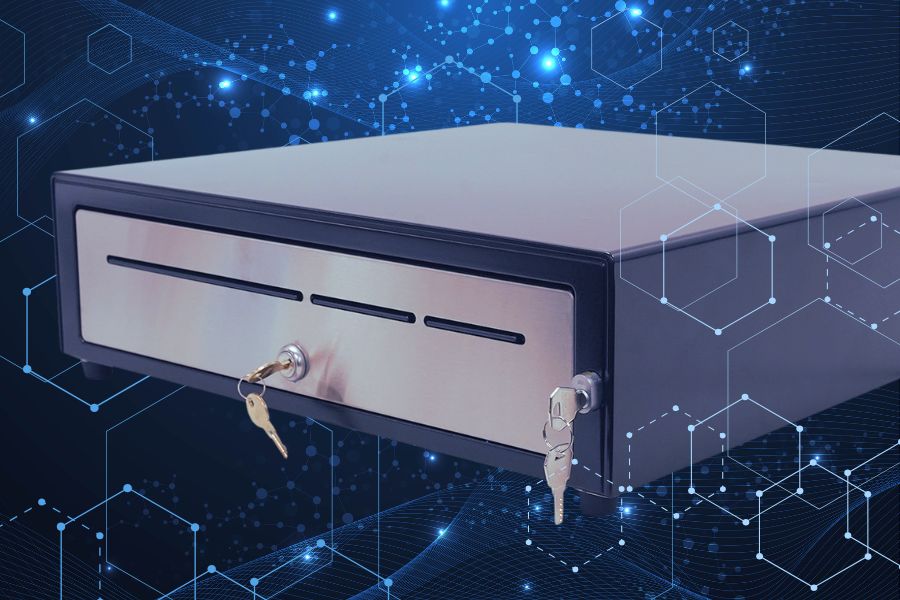
    The CD5-1918 cash drawer handles enterprise level high-cash volume environments with ease.

    Additional Resources

    Star Micronics has designed cash drawers for every level of durability, security, and functionality. Explore our CD5 Max Series lineup to find the perfect fit for your operation:

    • CD5-1316: Compact but tough, this heavy-duty cash drawer is ideal for high-cash businesses where counter space is limited. With a choice of standard DK or dual DK + USB interfaces, it integrates seamlessly with any POS system.
    • CD5-1617: A balance of durability and storage, this model provides a robust cash control solution in a space-efficient design. It features two media slots for added functionality and multiple connectivity options.
    • CD5-1817: Built for demanding environments, this 18-inch heavy-duty drawer is ideal for businesses processing large cash volumes daily. It includes a media slot for streamlined cash management and flexible connectivity. 
    • CD5-1918: Designed for enterprise-level operations, this extra-heavy-duty cash drawer offers maximum durability and security. With under-till coin storage, three media slots, and a dual-locking mechanism, it’s built to handle high-demand environments with ease.

    CD5 Max Series Cash Drawers

    Designed for high-cash volume businesses, the CD5 Max Series cash drawers deliver durability, security, and sleek design. With all-steel construction, dual lock mechanisms, and under-till compartments for added organization, these drawers are ideal for grocery stores, cannabis dispensaries, and other busy retail settings. Available in multiple sizes and with dual DK and USB interface options, the CD5 Max Series integrates seamlessly into any POS system.

    Explore More >

    Is your current cash management system keeping up?

  • Star Micronics Unveils Cutting-Edge Receipt and Removable Linerless Label Printers

    Star Micronics Unveils Cutting-Edge Receipt and Removable Linerless Label Printers

    Two innovative models, the TSP143IV X4 and TSP143IV SK X4 receipt and linerless label printers, redefine printing for modern retail and hospitality environments.

    Somerset, NJ – January 10, 2025 – Star Micronics, a global leader in point-of-sale (POS), labeling, and customer engagement technology, is excited to announce the launch of two groundbreaking printing solutions: the TSP143IV X4 receipt printer and the TSP143IV SK X4 removable linerless label printer. Designed to meet the demands of today’s businesses, these printers deliver exceptional performance and advanced connectivity, all in an eco-conscious package. Star Micronics once again sets a new standard for POS printing.

    TSP143IV X4: Advanced Connectivity Meets High-Speed Printing

    The TSP143IV X4 offers future-proof versatility with four connectivity options—USB, LAN, WLAN, and Bluetooth—ensuring seamless compatibility with iOS, Android, and Windows devices. With CloudPRNT Next technology utilizing the MQTT protocol, the TSP143IV X4 enables faster, more reliable cloud-based printing, making it ideal for businesses managing remote print operations across multiple locations.

    This compact printer supports high-speed printing of up to 250mm/s, a built-in guillotine auto-cutter, and 20W of USB-C power and data transfer for iOS, Android, and Windows devices. Plus, Wi-Fi setup has never been easier with the Star Quick Setup Utility app or via QR code. The TSP143IV X4 also embraces sustainability, featuring EnergyStar certification, which ensures it operates with energy efficiency, reducing power consumption and environmental impact while lowering operational costs for businesses. These printers include eco-friendly packaging with a 30% smaller box size and near-zero plastic wrapping to reduce environmental impact.

    TSP143IV SK X4: Smart Labeling for High-Demand Workflows

    The TSP143IV SK X4 builds on Star’s reputation for innovation with its removable linerless sticky label printing capabilities, designed for industries like food service, delivery, takeout, and laundry. This model simplifies operations by producing repositionable sticky labels that adhere without residue, ensuring order accuracy and streamlined workflows.

    The TSP143IV SK X4 also features four connectivity interfaces, a simplified Wi-Fi setup, and high-speed printing at 180mm/s with an auto-cutter. Like its sibling model, the SK X4 prioritizes sustainability with EnergyStar certification and is nearly 100% recyclable. Its reduced packaging minimizes material waste and CO2 emissions during transport.

    Innovative Features Across Both Printer Models

    Both the TSP143IV X4 and TSP143IV SK X4 share several cutting-edge features:

    • CloudPRNT Next with the MQTT protocol for faster, more reliable cloud communication.
    • User-friendly Wi-Fi setup using Star Quick Setup Utility or via QR code.
    • Compact, modern design with a built-in power supply for space efficiency.
    • EnergyStar certified with eco-conscious packaging to support sustainable business practices.

    “Retail and hospitality businesses require solutions that are not only efficient and reliable but also adaptable to their rapidly changing needs. The TSP143IV X4 and TSP143IV SK X4 embody Star’s commitment to innovation and sustainability, empowering businesses to improve efficiency while reducing their environmental footprint and boosting their bottom line.”

    To learn more about these new printers and how they can revolutionize your POS and labeling processes, visit starmicronics.com or contact sales@starmicronics.com.

    Experience the future of POS technology at NRF 2025! Star Micronics will showcase these models and more at Booth 5757, January 12–14, 2025, at the Javits Convention Center in New York City.

    Love industry news? Explore our podcast:

    Star Micronics logo, point-of-sale (POS) hardware and technology company.

    Star Micronics, a world leader in point-of-sale (POS), has designated a portfolio of printing, secure cash management, self-service, and customer engagement solutions for any retail or hospitality establishment. Embracing the mPOS wave, Star’s SDKs allow developers to utilize Star printers in tandem with Android™, iOS, iPad®, and iPhone® devices to generate receipts, labels, Chit, and tickets. Star Micronics is always leading and always innovating, creating cloud-based printing solutions, including CloudPRNT and Star Cloud Services, with AOA support and MFi connectivity. Star also has a wealth of peripherals, including 2D barcode scanners, scales, tablet display stands, and more. Visit starmicronics.com or follow us on Facebook, X, Instagram, YouTube, or LinkedIn to learn more.

    Media Contact:

    Christin Dorner
    Star Micronics America, Inc.
    cdorner@starmicronics.com
    848-216-3318

  • Star Micronics Introduces the CD5 Max Series: High-Cash Volume Cash Drawers

    Star Micronics Introduces the CD5 Max Series: High-Cash Volume Cash Drawers

    Four versatile cash drawer models cater to diverse, high-cash volume retail and hospitality environments, combining durability, security, and sleek design.

    Somerset, NJ – January 2, 2025 – Star Micronics, a global leader in point-of-sale (POS) technology, is proud to announce the launch of the CD5 Max Series, the next generation of high-performance cash drawers. Designed to meet the demands of modern retail and hospitality operations, the CD5-1316, CD5-1617, CD5-1817, and CD5-1918 models deliver unmatched durability, security, and connectivity options. The new CD5-1918 model is well-equipped for high-cash volume, enterprise-level environments—a new addition to Star’s already innovative cash management portfolio.

    Each model in the CD5 Max Series is tailored to accommodate high-cash businesses of all sizes, from compact retail environments to enterprise-level operations. With features like all-steel construction, multiple interface options, and thoughtfully designed layouts, the CD5 Max Series sets a new benchmark for reliable cash management.

    Key Features of the CD5 Max Series include:

    • Robust All-Steel Construction: Built for long-lasting durability in demanding, high-cash volume environments.
    • Versatile Connectivity Options: Models are available with DK and dual DK/USB interfaces for seamless POS connectivity.
    • Innovative Designs for Every Need: From the ultra-compact CD5-1316 to the enterprise-ready CD5-1918, there’s a size for every operation.
    • Enhanced Security: Features like dual-locking mechanisms and under-till compartments for coin storage on select models.
    • Sleek Finishes: Available in glossy black with or without a stainless-steel front to suit any professional setting.

    Cash Drawer Model Highlights:

    • CD5-1316: The smallest heavy-duty cash drawer in the lineup, ideal for space-sensitive setups, like mPOS and select hospitality environments.
    • CD5-1617: A compact 16-inch design with one media slot, perfect for small to medium retailers.
    • CD5-1817: An 18-inch heavy-duty model with a stainless-steel front for high-volume transactions, including grocery and dispensary environments.
    • CD5-1918: A 19-inch cash drawer with enterprise-level durability, three media slots, and dual-locking mechanisms for added security.

    The CD5 Max Series offers a range of sizes and features to accommodate diverse retail and hospitality needs. From space-saving designs to heavy-duty models for high-cash environments, each drawer is engineered to deliver reliability and efficiency. Select models also support dual interfaces, allowing ISVs and VARs to simplify inventory by stocking one versatile cash drawer for multiple configurations.

    “Star Micronics has always focused on providing cutting-edge solutions that meet the evolving needs of our customers. The CD5 Max Series reflects our commitment to quality, durability, and innovation in cash management.”

    To learn more about the CD5 Max Series, visit https://starmicronics.com.

    Love industry news? Explore our podcast:

    Star Micronics logo, point-of-sale (POS) hardware and technology company.

    Star Micronics, a world leader in point-of-sale (POS), has designated a portfolio of printing, secure cash management, self-service, and customer engagement solutions for any retail or hospitality establishment. Embracing the mPOS wave, Star’s SDKs allow developers to utilize Star printers in tandem with Android™, iOS, iPad®, and iPhone® devices to generate receipts, labels, Chit, and tickets. Star Micronics is always leading and always innovating, creating cloud-based printing solutions, including CloudPRNT Next and Star Cloud Services, with AOA support and MFi connectivity. Star also has a wealth of peripherals, including 2D barcode scanners, scales, tablet display stands, and more. Visit starmicronics.com or follow us on Facebook, X, YouTube, or LinkedIn to learn more.

    Media Contact:

    Christin Dorner
    Star Micronics America, Inc.
    cdorner@starmicronics.com
    848-216-3318

  • Mastering Prop 65 Compliance for Resellers

    Mastering Prop 65 Compliance for Resellers

    In this episode of the Rising Stars Podcast, “Prop 65 Compliance Made Simple for Resellers,” host Kate Orara shines a light on a topic every Value-Added Reseller (VAR) and Independent Software Vendor (ISV) in the retail and restaurant technology space should know: California’s Proposition 65. With her expertise as Star Micronics’ Partner Development Manager, Kate delivers practical insights to help resellers navigate this critical regulation with ease.

    This episode covers key elements of Prop 65 compliance, including identifying products with listed chemicals, understanding the latest BPA-free receipt paper requirements, and ensuring proper warning labels to protect your business and customers.

    Stay Ahead of Prop 65 Compliance Challenges

    Kate offers actionable steps for VARs and ISVs to audit their inventory, collaborate with manufacturers, and educate their teams to stay compliant with Prop 65 updates. By tuning in, you’ll gain strategies to safeguard your business while building trust with your customers.

    Whether you’re new to Prop 65 or looking to refine your compliance strategy, this episode is a must-listen for resellers who want to maintain their competitive edge and protect their bottom line.

    Read our related blog post, “Staying Compliant with Prop 65: What VARs Need to Know About BPS and Paper Inventory” >

    Loving the podcast? Subscribe now, and let us know what you think by leaving a review!

    Stay up-to-date on all things Star, don’t forget to follow us on X, LinkedIn, Facebook, Instagram, and YouTube.

    The Rising Stars Podcast

    Immerse yourself in the world of point-of-sale (POS) with the Rising Stars Podcast by Star Micronics, hosted by industry pro, Kate Orara. Twice a month, we explore the fascinating journeys of innovators and businesses navigating the challenges of POS technology’s rapid pace.

    In every episode, Kate Orara, Star Micronics’ Partner Development Manager, discusses emerging retail technology trends and strategies with global industry giants. She’s spent her entire career meeting all the right people, and now listeners everywhere can benefit from this vast network of channel gurus.

    Always leading and always innovating, Star Micronics, a pioneer in POS and customer experience technology for over 60 years, welcomes you to join us in shaping a brighter future in the retail, hospitality, and cannabis industries.

    Want more industry news?

    Episode Transcript:

    [Music]

    Kate Orara: Hey there, retail tech enthusiasts! Welcome to the Rising Stars Podcast, your go-to for all things retail tech and point of sale. I’m Kate Orara, Partner Development Manager at Star Micronics, and I’m excited to guide you through this journey. Here, we dive into the latest innovations shaping the retail, hospitality, and cannabis industries. So whether you’re a techie or a business owner, this is your backstage pass to insider knowledge. Join me and the Star Micronics team as we innovate and rise together.

    Today, we’re diving into a topic that might not sound exciting at first, but trust me—if you’re a reseller in the retail technology space, this is something you need to know. We’re talking about California’s Proposition 65, also known as Prop 65. Don’t hit pause or exit just yet! Please give me a little bit of your time. This isn’t just about regulations—it’s about protecting your business, your customers, and, let’s be honest, your bottom line.

    By the end of this episode, you’ll have a clear understanding of what Prop 65 is, why it matters to you as a reseller, and how you can stay compliant with both old and new rules. I’ll even share a great resource from Star Micronics that breaks it all down for you. So grab your coffee, settle in, and let’s get started!

    All right, what is Proposition 65? Let’s start with the basics. Prop 65 is a California law that’s been around since 1986. Its goal? To protect the public from chemicals that can cause cancer, birth defects, or other reproductive harm. Now, what does that mean for businesses? If a product you sell contains one of the chemicals on California’s Prop 65 list, you’re required to provide a clear warning to your customers. Think of it as California’s way of saying, “Transparency is key!”

    But here’s the kicker: that list isn’t static. It’s updated annually, and as of now, it includes over 900 chemicals.

    If you’re a reseller, you might be thinking, “Well, I don’t manufacture the products, so this isn’t my problem.” Wrong! It is your problem because you’re the one putting these products into the hands of your end-users. If the products you sell don’t meet Prop 65 requirements, you could face hefty fines or even lawsuits.

    For example, one area of concern is receipt paper. Did you know that some thermal receipt papers contain BPA, a chemical on the Prop 65 list? If your end-users are unaware of this, it could spell trouble not just for them but for you, too.

    All right, so there have been some new updates to Prop 65. BPA has been a hot topic lately, especially in the context of receipt paper. Manufacturers are now producing BPA-free alternatives, but it’s up to resellers like you to ensure your inventory aligns with these changes. Another update is how warnings are delivered. It’s no longer enough to have vague, generic labels—the warnings must be specific about the chemical and the potential harm.

    To my resellers, what does this all mean for you? Here’s the game plan, and it’s a four-step process:

    1. Audit Your Inventory: Take stock of what you’re selling. If any of your products contain Prop 65-listed chemicals, make sure you know which ones.

    2. Work with Manufacturers: Stay in close communication with your suppliers. Ask for documentation that confirms compliance with Prop 65.

    3. Label Clearly: Remember, transparency is key. If a product requires a warning, make sure it’s properly labeled before it reaches your customers.

    4. Educate Your Team and Customers: Make sure your sales team understands these requirements, and don’t hesitate to pass that knowledge on to your end-users.

    Now, I know this sounds like a lot, but you’re not in this alone. The team at Star Micronics has put together a fantastic blog post that dives into Prop 65 compliance, particularly when it comes to receipt paper. So definitely read it when you have a minute. You can find it in the description notes of this episode, or simply go to Star’s website, navigate to the resources tab, and select the Star POS Blog. Star explains the regulations in plain English and even offers tips on managing BPA-free inventory.

    Compliance with Prop 65 might feel like a hassle, but think of it as an investment in your business. By staying ahead of these regulations, you’re not just protecting yourself—you’re building trust with your customers and showing them that you care about their safety. So take the time to review your processes, educate your team, and use resources like the Star blog to guide you.

    That’s it for today’s episode! Thanks for tuning in to the Rising Stars Podcast! If you found this episode helpful, please share it with your network, and don’t forget to subscribe so you never miss an update. Until next time, stay compliant, stay informed, and make sure to always be leading and always be innovating.

    And that is a wrap for this episode of the Rising Stars Podcast. A huge thanks to our incredible listeners for tuning in. Don’t forget to subscribe, rate, and leave a review. Your feedback fuels our journey to bring you the best in retail tech. Stay connected with us on social media for updates and behind-the-scenes content. As you sign off, remember, the future of retail technology is in our hands, and together, we are shaping it. Keep innovating, keep rising, and until next time, this is Kate Orara signing off. Together we rise.

    [Music]

  • 10 Top Uses of Restaurant Barcode Scanners to Dominate Efficiency

    10 Top Uses of Restaurant Barcode Scanners to Dominate Efficiency

    Success in the highly competitive restaurant industry requires more than just providing great food and service. It involves embracing technology to modernize your processes and create a more engaging customer experience. One technology that has become essential is barcode scanners. As part of a comprehensive point of sale (POS) solution, barcode scanners can reform restaurant operations for the better, from menus and ordering to inventory and labor management. 

    Types of Barcodes and Barcode Scanners

    There are a few different types of barcodes and scanners. One-dimensional (1D) barcodes or universal product code (UPC)-style barcodes consist of vertical black and white lines of varying width and are read using a laser scanner. Two-dimensional (2D) barcodes or quick response (QR) codes are square, pixelated codes that require camera-operated scanners to be read. Both types encode product information in a compact form that a machine can read.

    Barcode scanners are wired or wireless handheld devices or desktop/presentation scanners. Codes can also be read by a smartphone camera. A 2D code holds more information than a 1D code, and a 2D scanner can read 1D and QR codes, whereas a 1D scanner reads only 1D barcodes.

    The type of barcode scanner that best suits your restaurant depends on how you plan to use this technology. Here are the top ten uses for barcode scanners in restaurants:

    1. Streamlined Menus and Order Processing

    One of the most prevalent uses of QR codes in restaurants is providing digital menus. Customers can use their phones to scan a code from a table tent, poster, or placemat to access the menu and even place their orders. They can access detailed item descriptions, including nutritional and ingredient information, without needing to touch publicly-handled print menus. 

    Placing orders this way reduces errors, enhances accuracy, and improves kitchen communication and overall efficiency. All of these benefits increase customer satisfaction.

    2. Food Safety and Allergen Management

    The increased menu information available to customers through barcode scanning often includes allergen alerts. Barcode labels on ingredients can also be scanned in the kitchen to ensure compliance with food safety regulations. Both uses boost customer trust and confidence in the restaurant’s offerings.

    3. Tableside Service and Mobile Ordering

    Implementing QR codes and barcode scanners in handheld devices can enhance tableside service and guest experiences. They can enable not only tableside and mobile ordering but also payment processing. Diners can start a tab and order as they like. Then, instead of waiting for the check to take their payment, customers can enjoy expedited, contactless checkout. 

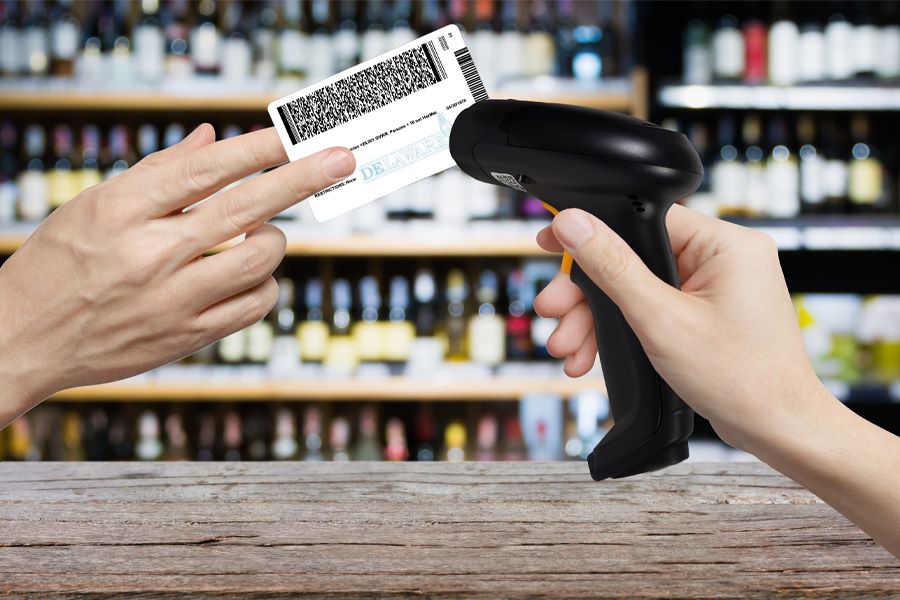
    4. Age Verification

    If your restaurant serves alcohol, you know the importance of age verification. Barcode scanners are essential in checking IDs. Using scanners for this purpose will:

    • Reduce human errors and eliminate fraud;
    • Help you stay up to date with compliance monitoring;
    • Enhance safety and your brand’s reputation.

    Bluetooth wireless barcode scanners by Star Micronics can scan and parse barcodes on driver's licenses.

    5. Inventory Management

    Another primary use for incorporating barcode scanners with your restaurant POS system is automated inventory management. Automating your inventory system is far more efficient and accurate than manual methods.

    Barcode scanners can quickly read pantry shelf labels and monitor ingredient usage, sending the information back to the inventory management software. This helps to minimize food waste, optimize stock levels, and simplify restocking procedures. 

    6. Vendor and Supplier Management

    Using barcode scanning for inventory management also streamlines communication with vendors and suppliers. It can help you place reorders, track deliveries, and check incoming inventory. In addition, it can ensure consistency in product quality and pricing.

    7. Loyalty Programs and Customer Engagement

    There are several advantages to using barcode scanners in your customer engagement strategies. QR codes and mobile apps can make it easy for diners to join your loyalty program, check their point balances, and redeem rewards, raising their satisfaction and rate of return visits. 

    The data gleaned from this usage can help you track customer preferences and behaviors and create personalized promotions and bonuses. You can also use QR codes to direct patrons to your social media accounts for further engagement.

    From the Blog: Why Food Packaging Labels are Essential to Online Order Fulfillment

    Consumers are sold on the convenience of food delivery. Statista reports that online food delivery orders worldwide are projected to reach $1.22 trillion in 2024 and will continue to grow…

    8. Staff Attendance and Time Tracking

    Another use for restaurant barcode scanners is labor management. Barcode-based time clock systems for employees offer advantages, including reducing errors, simplifying payroll management, and monitoring staff efficiency and productivity.

    9. Reporting and Analytics

    Restaurant barcode scanners improve reporting and analytics. Utilizing barcode data from the previously discussed uses provides the business insights you need to make informed decisions about your operations and workflow. For example, identifying popular menu items and trends through customer and inventory data leads to menu optimization, ultimately cutting costs. 

    10. Automated Accounting Processes

    Using barcode scanners paired with your accounting system streamlines financial management by automating transactions, expense tracking, and reconciliation. This reduces manual entry errors and significantly improves financial visibility, making it easier to track income, manage costs, and maintain accurate records for tax and reporting purposes.

    The Ultimate Guide to Barcode Scanner Types and Applications

    Reviewing this will ensure you make informed decisions when deciding what barcode scanner to buy for your business’s success.

    Embrace Restaurant Technology and Stay Ahead of the Curve

    Barcode scanners have already become “must-have” restaurant equipment, and the technology will continue innovating. Advancements in barcode scanning technology may soon include merging with AI and machine learning for predictive analytics and potential applications of blockchain for supply chain transparency. 

    Technology will continue to shape the future of the restaurant industry, and businesses that don’t modernize their operations and keep up with these innovations risk being left behind.  

    Restaurant barcode scanners are helpful in many aspects of the business, providing menu, ordering, and engagement options for customers and inventory, labor, and reporting functions for employees and owners. When you’re ready to adopt this technology and experience better restaurant management, find a trusted provider who can guide you to the right solution.

    Find Your Restaurant Barcode Scanner Today!

  • Choosing the Best Thermal Receipt Printer for Your QSR

    Choosing the Best Thermal Receipt Printer for Your QSR

    Providing fast, efficient customer service and communicating orders quickly and accurately to food prep areas are absolutely vital to a quick-service restaurant (QSR) operation. Thermal receipt printers will help you achieve those objectives if you choose a model with the right features and design for your operation. 

    Answer these questions to narrow your choices decision-tree-style to make a confident thermal receipt printer choice for your business.

    What Do You Need the Thermal Printer to Do?

    The best place to start with any technology purchasing decision is by identifying gaps in your operation or developing plans for a more efficient operation. Are you looking for an efficient printer for receipts? Do you plan to deploy printers in the kitchen? Or do you need a model designed for both uses? 

    Do you need a printer that can generate labels for efficient online order fulfillment in addition to printing receipts and chits? Once you define your needs, you can narrow your choices to thermal receipt printer models designed for your applications.

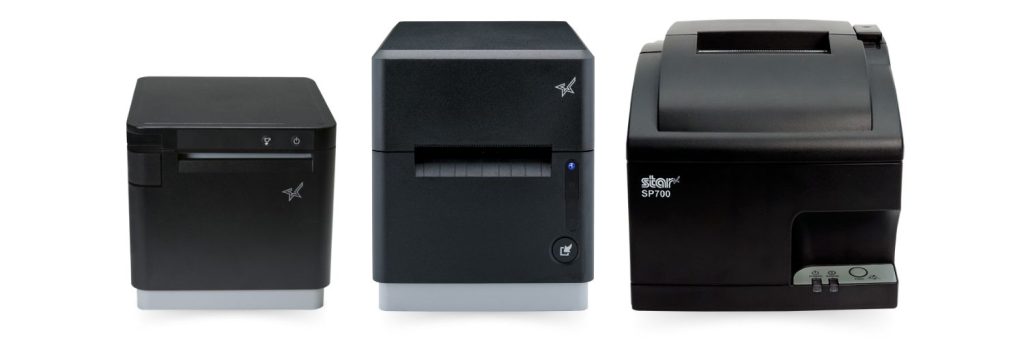
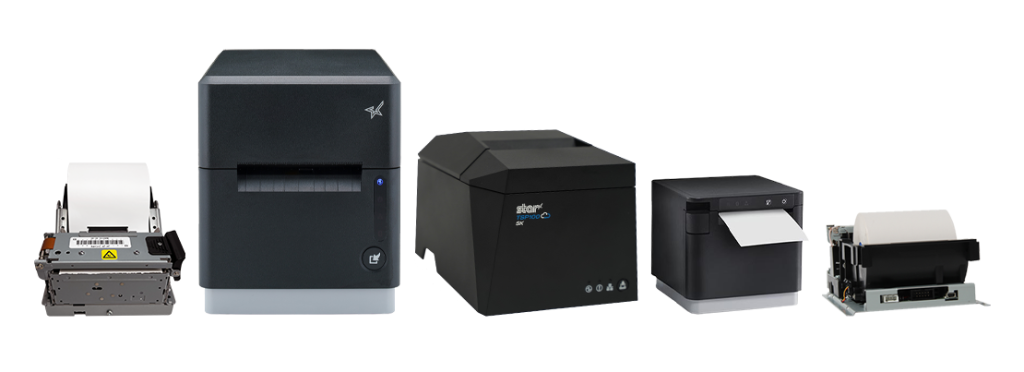
    Star Micronics has the kitchen printers you need for your restaurant, QSR, and cafe, including the SP742 impact printer, the mC-Label3 multimedia printer, and the mC-Print3 thermal printer.

    Where Do You Need Printers?

    Another question you need to ask before you begin to search for point of sale (POS) printers or kitchen printers is where it makes the most sense to implement them in your operation. 

    In a modern, fast-paced QSR, it’s not practical for employees to walk to a wired printer to generate a receipt for drive-thru customers or pick up kitchen orders. If you can save steps and time by deploying printers where wired connections aren’t possible, narrow your choices to printers that can connect via WLAN, Wi-Fi, or Bluetooth. 

    Restaurants choose impact printers for hot, humid kitchens that could impact the quality of thermal-printed chits and receipts. Impact printers remain a good choice; however, more kitchens are now heat-controlled, allowing restaurants to use thermal printers for better speed and connectivity options. 

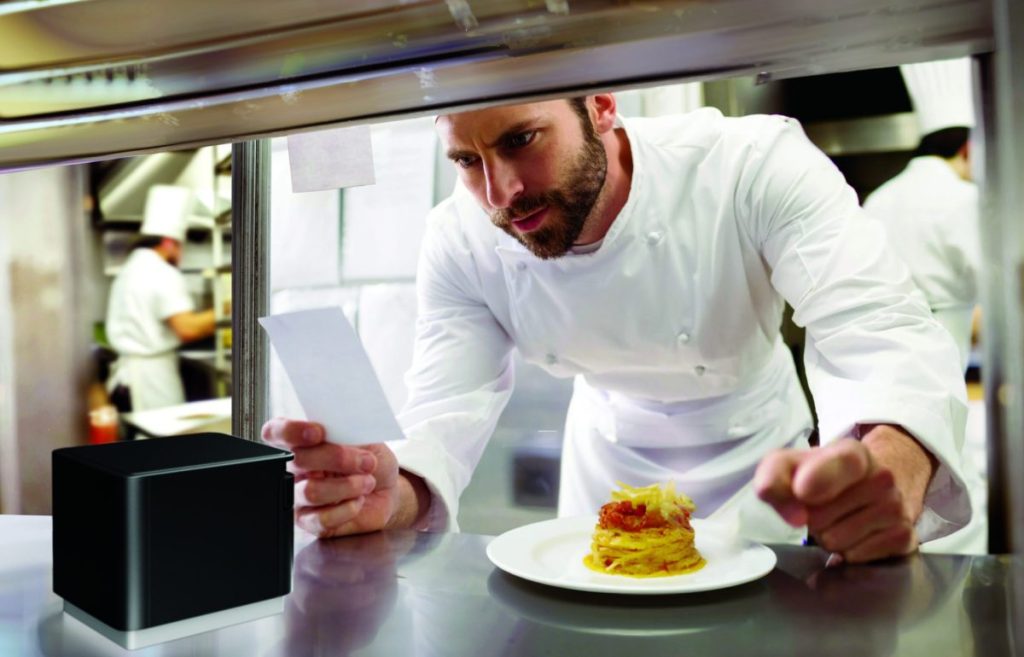
    Chef in modern, professional kitchen looking at ticket from mC-Print3 thermal receipt and restaurant printer by Star Micronics.

    If you plan to deploy your printer in the kitchen, limit your choices to models with IP ratings for resistance to damage from dust, dirt, and liquid splashes or sprays to minimize repair and replacement costs. Easy maintenance is also a must!

    Learn “Why Thermal Printers Have A Place In Today’s Modern Kitchens” >

    Where Are Customers Placing Orders?

    The days of only taking orders at the counter are over. Drive-thru traffic rose 30% from 2019 to 2022 and continues. Nearly 45% of QSRs plan to add self-service kiosks this year, and restaurants continue to take orders from third-party ordering and delivery services. Plus, many establishments are now taking orders from their own websites or apps. 

    While giving customers the freedom to choose how they interact with your restaurant can increase satisfaction, loyalty, and revenue, it also creates operational complexity. A printer that can print orders, labels, and receipts directly from a web application or cloud-based software eliminates the need for additional devices and simplifies the IT environment necessary to make an omnichannel operation work.

    How Fast Do You Need to Print Labels and Receipts?

    Your customers expect fast, accurate service. Delaying food prep because a kitchen printer queue is backed up or serving the wrong order because employees mixed up slow-printing chits can hurt your brand and negatively impact loyalty. Narrow your choices only to options with print speeds that can keep up with peak traffic. 

    The Best Thermal Receipt Printer Choice

    After you answer these questions, you’ll have a clearer picture of the best thermal receipt printer for your business. Following this decision-making process may guide you straight to the best printers for business — or convince you that you need more help to find the right model for your restaurant. 

    The good news is that Star Micronics has a full line of printers for QSRs with models that meet every need–backed by world-class support. Contact us to connect with an expert who knows your industry and printer technology options and can help you explore your options.

    Star Micronics has a wide range of receipt, label, and kiosk printers for ChromeOS and Google Chromebooks.

    Additional Resources

    Learn more about these Star Micronics products for your QSR: 

    • The mC-Label3 Multifunctional Printer prints permanent or repositionable sticky labels on linered or linerless media and also provides thermal receipt printing. 
    • The mC-Print3 series of thermal receipt printers are lightning-fast with robust connectivity options, CloudPRNT Next capability, and compact, splash-proof designs–perfect for demanding, high-traffic environments.
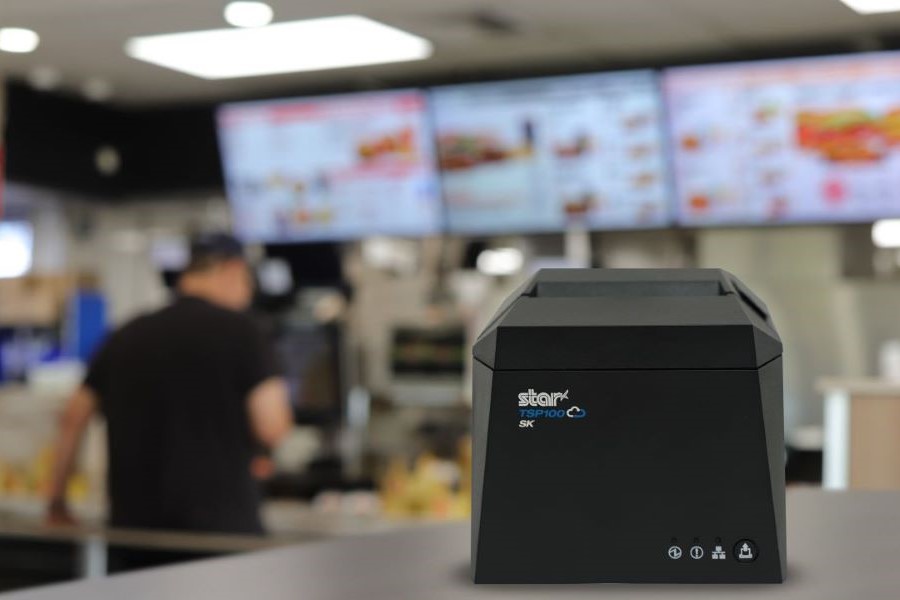
    • The TSP143IV SK is a compact, sticky linerless label printer that can help increase efficiency in order preparation and fulfillment processes. Linerless labels are also the more eco-friendly label media.
    • The TSP143IV thermal receipt printer delivers high print quality and offers multiple connectivity options and high-speed printing. 
    • Star’s CloudPRNT technology stores and creates print jobs and offers cloud-based printing capabilities, allowing QSRs to print directly from web apps and cloud applications.
    • The mPOP® multifunction “mobile point of purchase” system combines a printer and cash drawer into one sleek solution.
    • The SP742 impact printer is a high-speed, reliable solution for hot, humid kitchens. It features multiple connectivity options, including cloud-based printing.

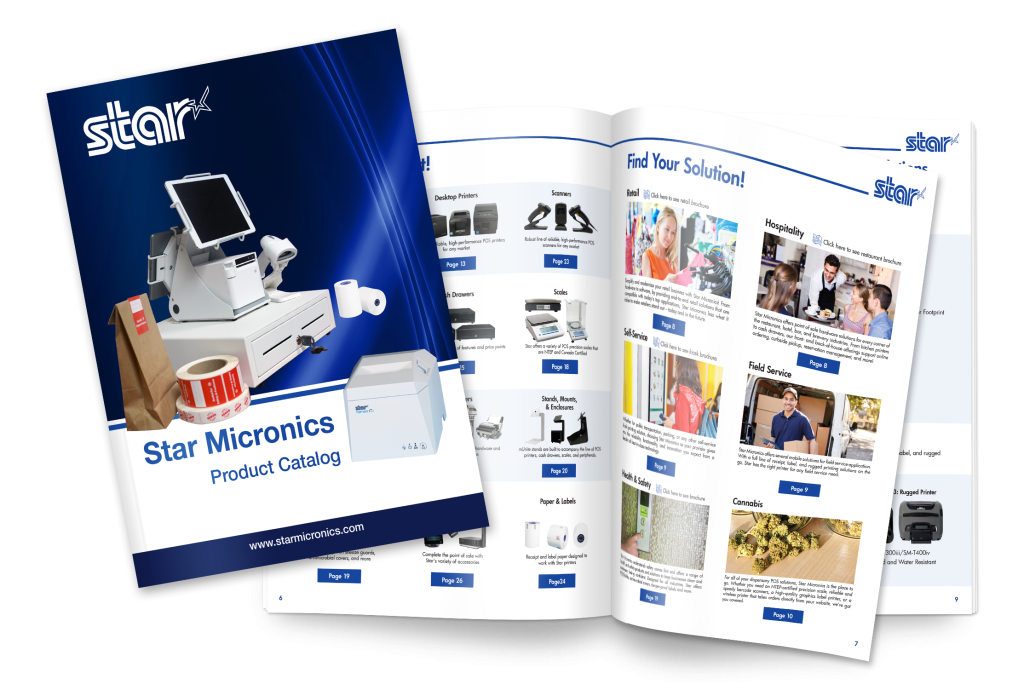
    Star Micronics Product Catalog

    Explore Star’s Product Catalog today to discover the perfect printer solutions tailored for your QSR’s unique needs.

    Find Your Thermal Receipt Printer Today!

  • Smarter Cafe Management with Linerless Sticky Labels

    Smarter Cafe Management with Linerless Sticky Labels

    In this episode of the Rising Stars Podcast, “Smarter Cafe Management with Linerless Sticky Labels,” host Kate Orara uncovers the many benefits of linerless sticky label printers for cafes and coffee shops. As Partner Development Manager at Star Micronics, Kate shares her expertise on how this technology can streamline daily operations while offering a sustainable solution for labeling.

    This quick episode highlights the key benefits of linerless printing, from speeding up order labeling and minimizing customer wait times to reducing environmental waste by eliminating non-recyclable liners. Kate discusses how these printers offer flexible label sizing, catering to a variety of needs from small coffee cups to larger takeout containers, making them a game-changer for both front-of-house and back-of-house operations.

    Power-Up Your Cafe with Linerless Label Printing

    Listeners will gain insights into how linerless sticky label printers can boost productivity, enhance customer service, and contribute to sustainability efforts. Kate also emphasizes the long-term cost savings and operational advantages that make these printers a must-have for any cafe looking to stay competitive in today’s fast-paced environment.

    Whether you’re looking to enhance order management or explore eco-friendly solutions, this episode provides valuable guidance on making the switch to linerless technology. With real-world examples and expert advice, Kate makes the case for why linerless sticky labels are the future of efficient cafe management.

    Subscribe and listen now to discover how linerless sticky label printers can elevate your cafe’s operations.

    Read the blog post, “Why Every Café and Coffee Shop Needs a Linerless Sticky Label Printer,” here >

    Loving the podcast? Subscribe now, and let us know what you think by leaving a review!

    Stay up-to-date on all things Star, don’t forget to follow us on X, LinkedIn, Facebook, Instagram, and YouTube.

    The Rising Stars Podcast

    Immerse yourself in the world of point-of-sale (POS) with the Rising Stars Podcast by Star Micronics, hosted by industry pro, Kate Orara. Twice a month, we explore the fascinating journeys of innovators and businesses navigating the challenges of POS technology’s rapid pace.

    In every episode, Kate Orara, Star Micronics’ Partner Development Manager, discusses emerging retail technology trends and strategies with global industry giants. She’s spent her entire career meeting all the right people, and now listeners everywhere can benefit from this vast network of channel gurus.

    Always leading and always innovating, Star Micronics, a pioneer in POS and customer experience technology for over 60 years, welcomes you to join us in shaping a brighter future in the retail, hospitality, and cannabis industries.

    Want more industry news?

    Episode Transcript

    [Music]

    Kate Orara: Hey there, retail tech enthusiasts. Welcome to the Rising Stars podcast, your go-to source for all things retail technology and the ever-evolving world of point of sale. I’m your host, Kate Orara, Partner Development Manager at Star Micronics, and I am thrilled to be your guide on this exciting journey. Here at Rising Stars, we’re not just keeping up with the trends—we’re setting them. We dive deep into the tech landscape with global industry leaders, unpacking strategies, and discussing the latest innovations that shape the future of retail IT. Whether you’re a tech aficionado, business owner, or just curious about the dynamic world of retail, this podcast is your backstage pass to insider knowledge. And hey, it’s not just about the tech, it’s about the community. Join me and the Star Micronics team as we lead and innovate, shaping a brighter future for the retail, hospitality, and cannabis industries, as well as beyond. Together, we rise. So hit that subscribe button, stay in the loop, and let’s make waves in the retail tech space. This is the Rising Stars podcast, where innovation meets inspiration. Let’s rise together.

    Kate Orara: Hey y’all, welcome back to the Rising Stars podcast. I’m your host, Kate Orara, and in today’s episode, we’re diving into a game changer for cafes and coffee shops—the linerless sticky label printer. If you’ve ever wondered why every cafe needs one, you’re in the right place—or shall I say, you’re listening to the right podcast. We’ll actually be summarizing an insightful blog from Star Micronics that breaks down the benefits. If you’re not already subscribed to Star’s blog, be sure to visit Star Micronics’ website, go to the resources tab at the top, and select Star POS Blog. Scroll all the way down to the bottom of the page and complete the two-field form so you never miss an insightful piece from the resourceful marketing team at Star.

    Kate Orara: With that being said, grab your favorite brew—of the coffee variety—and let’s get started.

    Kate Orara: First off, what’s all the fuss about linerless sticky label printers? Well, imagine a world where labeling your coffee cups, food items, and merchandise is not only quick and easy but also eco-friendly. That is the power of linerless printing technology. The blog emphasizes a key point: efficiency. Picture a bustling morning rush in your cafe—orders are flying, and every second counts. With a linerless printer, you can print labels faster than ever before, reducing wait times and keeping your customers happy. That’s what it’s all about, right?

    Kate Orara: But it’s not just about speed—it’s also about versatility. Linerless printers can produce labels of various lengths, which is perfect for everything from small espresso cups to large venti-to-go containers. Plus, they’re compatible with a range of label materials, ensuring durability without the waste of traditional label rolls.

    Kate Orara: Now, let’s talk about waste reduction. Traditional label rolls come with a backing material called liner, and with linerless printing—well, you see where we’re going—that liner is not often recyclable. So by switching to linerless printing, cafes can significantly reduce their environmental footprint. It’s a win-win for both your business and the planet.

    Kate Orara: But wait, there’s more. Linerless printers aren’t just for labeling cups and containers—they can also streamline your back-of-house operations. From labeling ingredients to organizing inventory, these printers are a game changer for cafe management.

    Kate Orara: So why aren’t all cafes jumping on the linerless bandwagon? Well, like any technology, there is an initial investment involved. But as Star’s blog points out, the long-term benefits far outweigh the upfront costs. Think of it as an investment in the future of your cafe.

    Kate Orara: So, to wrap up, it’s clear that linerless sticky label printers are revolutionizing the way cafes and coffee shops operate. From boosting efficiency to reducing waste, these devices are truly a must-have for any modern cafe looking to stay ahead of the curve.

    Kate Orara: That’s it for today’s episode of the Rising Stars. I hope you’ve enjoyed our dive into the world of linerless printing. Just a reminder, be sure to check out the full blog on Star Micronics’ website for more details. And do not forget to subscribe so you can get all sorts of great information on a regular basis. Until next time, keep brewing excellence in your cafe.

    Kate Orara: And that’s a wrap for this episode of the Rising Stars podcast. A huge thanks to our incredible listeners for tuning in, and to our phenomenal guests for sharing their insights. Don’t forget to subscribe, rate, and leave us a review. Let us know what you want to hear more about. Give us your feedback, because it fuels our journey to bring you the best in retail technology. Stay connected with us on social media for updates and behind-the-scenes content. As we sign off, remember, the future of retail technology is in our hands, and together, we’re shaping it. Keep innovating, keep rising, and until next time, this is Kate Orara signing off. Together, we rise.

    [Music]
  • Reusable Cups: The Growing Trend and the Need for Linerless Sticky Labels

    Reusable Cups: The Growing Trend and the Need for Linerless Sticky Labels

    Since 2020, restaurants have significantly changed their operations. They adapted to regulations and mandates during the COVID-19 pandemic. They added online ordering and curbside pickup options to offer customers new ways to engage. They deployed self-service ordering and payment kiosks to meet changing consumer preferences. 

    However, the evolution of this industry isn’t over. Now, chains are prioritizing sustainability, transitioning to reusable cups. Repositionable linerless sticky labels will be vital to making that strategy work.

    The Challenge of Beverage Cup Waste

    Stopping for coffee on the way to work or between errands is routine for many consumers. However, the cups they use are piling up. The Guardian reports that the U.S. landfills about 25 billion polystyrene cups each year, and that material takes about 500 years to decompose. 

    However, polystyrene isn’t the only type of cup that negatively impacts the environment. The estimated 16 billion paper cups that U.S. consumers use each year require cutting down about 6.5 million trees. Furthermore, adding up the cup, sleeve, production, and shipping, each paper cup is responsible for 110g of carbon dioxide emitted into the environment. 

    While protecting the environment and complying with new regulations for sustainable operations are driving changes in how restaurants serve to-go beverages, another factor is cost. Every 1,000 cups and lids cost about $75-$150, and with traditional processes, it’s equivalent to paying for something that immediately heads to a landfill. It’s one more reason that restaurants are taking a serious look at joining the reusable cup trend.

    Why Every Café and Coffee Shop Needs a Linerless Sticky Label Printer

    Chains Trailblazing the Transition to Reusable Cups

    One chain that has launched a program to serve beverages in reusable cups is Tim Hortons. The brand, which had used this model before the pandemic, offers a 10-cent discount to customers who bring a clean reusable cup for their hot or cold beverage orders. Tim Hortons reports that, in 2019, it was able to reduce the number of disposable cups it used by 15 million for hot beverage orders alone. 

    Starbucks is also emerging as a leader in this area, becoming the first to accept reusable cups at the drive-thru and for mobile orders at participating locations in the U.S. and Canada. When customers place their orders at the drive-thru or with the Starbucks app, they let the barista know they brought a reusable cup. When they arrive at the pickup window or the counter, the barista collects the cup in a contactless vessel to ensure hygiene.

    After baristas prepare orders, they serve them in customers’ cups. These customers receive a 10-cent discount, 25 Bonus Stars, and the satisfaction of supporting Starbucks’ commitment to reduce waste by 50% by 2030.

    Repositionable Linerless Sticky Labels Make Serving Beverages in Reusable Cups Practical

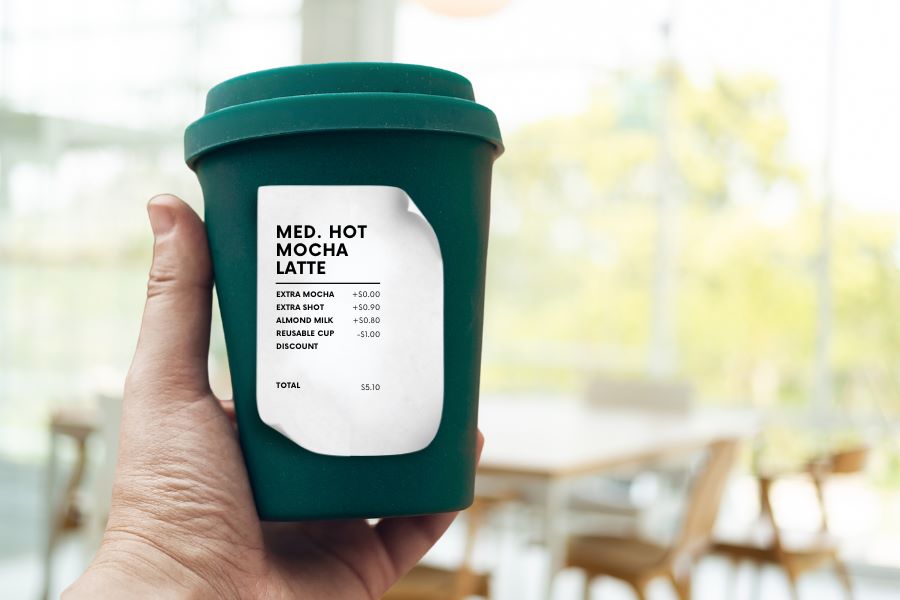
    When serving beverages in customers’ reusable cups, it’s essential to ensure employees can quickly identify which cup belongs to which customer. Repositionable sticky labels allow restaurants and cafes to keep the order and customer information with the cup to avoid mix-ups. If the goal is to reduce waste, ensuring the correct order is poured into the right cup is essential. Otherwise, employees would have to discard the beverage and remake the order. 

    Also, repositionable labels are durable enough to stay attached throughout the process but are easy for customers to remove. Therefore, they don’t have to scrape off a permanent label so they can use the cup again. 

    An even more environmentally friendly option is to use repositionable linerless sticky labels. These labels don’t have a backing that employees must remove before applying them. This streamlines processes, allowing employees to even apply labels with one hand. Linerless labels also decrease the waste that the restaurant or café produces and clutter from paper backing on counters or the floor. 

    Additionally, linerless rolls contain 60% more labels, so employees spend less time replacing label rolls and more time serving customers. 

    Star Blue thermal paper rolls by Star Micronics. Receipt, linerless, sticky, traditional, permanent, thermal, bond, label.
    Linerless labels have no backing, giving more labels per roll with less waste.

    Restaurants Need Flexible Print Capabilities

    Printing repositionable linerless sticky labels for reusable cups is just one of the print jobs required at cafes and restaurants. They also need to print receipts and may need to print permanent labels for prepared foods or shelf labels for inventory control. 

    Brands that partner with third-party delivery services may want to generate tamper-proof labels to assure customers of quality and safety. The restaurant or café may also want to create custom QR codes or branded labels on demand to enhance customer engagement. 

    The best investment is in a printer capable of handling a variety of linerless label sizes to meet all of the business’s needs. This printer will also allow a restaurant or café to keep up with emerging restaurant trends, like “bring your own cup” (BYOC) or other labeling use cases on the horizon. 

    Recommended Linerless Label Printers

    TSP143IV SK Sticky Label Printer

    The TSP143IV SK by Star Micronics sets a new standard for compact, eco-friendly thermal linerless label printing, offering advanced connectivity options like Wi-Fi and AOA, and efficient, residue-free labels for diverse business needs.

    Find out more >

    mC-Label3 Multimedia Printer

    The Star Micronics mC-Label3 is a versatile multimedia printer that prints a wide range of labels and receipts, including both permanent and repositionable sticky linerless. It features cloud connectivity and innovative technologies like SteadyLAN and TetherLAN for enhanced printing convenience.

    Discover the mC-Label3 >

    The restaurant industry’s evolution will continue as consumer behaviors and regulations change, technology advances, and new challenges arise. The best strategy is to stay agile, open to adapting to what lies ahead, and informed about solutions that make new processes practical and cost-effective.

    Beyond the Label: Elevating Brand Connection and Loyalty

    Discover how strategic labeling can redefine customer engagement and boost brand loyalty in this digital age.

    Get the Best for Your Business: