Tag: Receipt Printers

  • Technology for the New World of Retail: Ultimate Checklist

    Technology for the New World of Retail: Ultimate Checklist

    The COVID-19 pandemic has drastically changed the way people shop, forcing retailers to reevaluate their processes and their technology. While there are uncertainties, we know stores just aren’t going to reopen and go back to normal.What will retailers do differently? What will shoppers expect? What new technology do retailers need?

    Across the country, consumers are choosing to shop with retailers that offer cleaner stores, shorter checkout lines, curbside pickup, “Buy Online, Pickup In Store” (BOPIS), touchless payments, and more. As consumers adapt, they will become accustomed to these new conveniences, and eventually expect it. Retailers that start using newer technology to adapt and offer all these options will succeed.

    Whether they want to or not, retailers have to change – not to just get through the pandemic, but to be successful in the new world of retail. There have been important lessons learned from COVID-19 for retailers, all of which should be taken into consideration moving forward.

    10 Retail Technology Solutions for Today’s New World

    Whether you are an essential retailer, or reopening your brick-and-mortar, here are 10 technology solutions to help retail businesses reopen and adopt to the new world of retail:

    1. Online Shopping

    If there’s one thing we’ve learned over the past few months, having an online storefront is vital. If you have a physical store, offer BOPIS and add curbside pickup as a delivery option on your site. Consider selling on third-party sites such as Amazon, Walmart, eBay, and Facebook to expand your market reach and increase online sales.

    2. Curbside Pickup

    While many retailers offer curbside delivery, it’s not always easy to manage, especially with lots of orders and/or limited staff. Develop a well-thought-out process to manage your orders and use text messages/emails to communicate the status of each order with customers.


    3. Mobile Point of Sale

    With current restrictions, it’s important to keep traffic flowing. With a mobile POS solution, you can process payments anywhere in your store to keep lines as short as possible (line-busting), as well as outside your store for curbside pickup.

    4. Touchless Payments

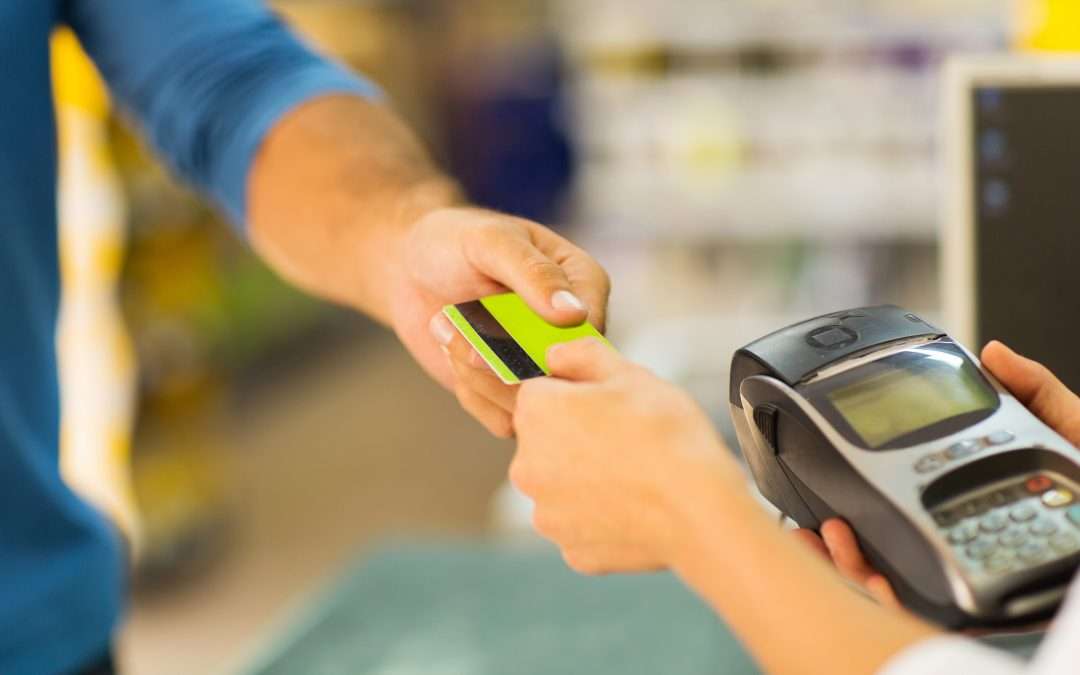
    As more brick-and-mortar businesses reopen and consumers return to shopping in stores, touchless solutions become more and more important. Consider offering Smart Wallet payment processing solutions, such as Google Pay and Apple Pay. This allows customers to pay for their orders without having to reach into their wallet or touch your credit card device.

    5. Sneeze Guards

    All stores should have a shield for virus protection. Some sneeze guards are designed for specific point of sale monitors, so check with your technology provider before buying a custom solution. They should be easy to install and relocate in case your store setup changes.

    6. Security Labels

    If you offer home delivery or curbside pickup, you can secure packages with tamper-proof labels (or seals). These labels provide visual evidence if a package has been tampered with. Your customers will appreciate it!

    7. Email Marketing Automation

    With fewer customers visiting brick-and-mortar stores, retailers need a way of communicating with customers and getting promotions out. If you aren’t already, use an email marketing solution. If your system allows it, personalize and automate your campaigns/promotions to drive up clicks and sales.

    8. Self-Service Kiosks

    If your store gets busy, add a few kiosks so customers can shop your store’s live inventory without having to walking around. Add kiosks outside your store if shoppers have to wait in a line to enter your store.

    9. Robots in Retail

    Since the pandemic, more retailers are considering robots to reduce human-to-human interaction. They can restock shelves and assist with customer service; at one Best Buy store, a robotic cart was spotted supporting curbside delivery. And they sure look impressive!

    10. Scan-and-Go

    For retailers willing to experiment, scan-and-go looks like a promising technology for mainstream retail, especially in the post-Coronavirus world. Similar to Amazon Go, customers simply grab items off the shelf and walk out, eliminating checkout lines altogether.

    Tips for Purchasing New Technology

    Before purchasing new retail technology, prepare a list of all the hardware and software you own, and what you think you may need. Even if it’s just a short list, it will help you plan a budget and compare solutions. When making your list, consider all mobile point of sale devices, credit card devices, receipt printers, cash drawers, scanners, servers, internet service, retail software, eCommerce technology, and more.

    5 ways to save on new technology purchases:
    1. Tax deductions: Save all receipts and ask your staff to save receipts too. Technology purchases for your business can be deducted on taxes.
    2. Trade-ins: Before disposing of your unneeded hardware (which can cost money), ask your technology provider if they accept trade-ins, or sell/donate it to a store that needs it.
    3. Financial assistance: Research grants and financial assistance offered by organizations to retail businesses impacted by the COVID-19 pandemic.
    4. Volume discounts: While you shouldn’t base new technology purchasing decisions solely on price, ask your technology provider if they offer volume discounts and/or have any current promotions.
    5. Defer payments: Many technology providers are currently assisting retailers and helping them adopt new technology solutions by offering either deferred payments or even buy now, pay later models. For example, at Celerant, we are currently offering your first 3 months free for any new SaaS product to help retailers get started with new technology now, while not having to pay until later.

    Are you Ready for New Retail Technology? 

    Celerant Technology is the #1 provider of innovative retail software.

    To help retailers during this challenging time, Celerant is offering up to 3 months free on new SaaS retail software contracts; from now through June 30th.
    At Star Micronics, our hearts go out to anyone impacted by COVID-19, either directly or indirectly, especially to those who are sick, to whom we extend our heartfelt wishes for a full recovery. To learn more about what we are doing as an organization to reduce the global impact of COVID-19, in terms of health and business, please click here.
    To browse all of our blog posts covering tips for small businesses during COVID-19, please visit our #StarForSmallBiz blog collection.

  • What is the Future of Receipt Printers?

    What is the Future of Receipt Printers?

    Receipt printers play an integral part in the customer experience. Every transaction at the point of sale (POS) generates a receipt; these paper (or digital) takeaways are proofs of purchase and potentially so much more. A good receipt printer enables store owners and managers to print coupons, raise brand awareness, and issue customer surveys. As receipt printer technology progresses, you can expect even more functionality, higher quality printing, and faster connections.

    What does the future hold for receipt printers? These six features will become even more important as businesses evolve.

    1. Front-Loading Paper Design

    Front-loading printers are designed for easy loading and low maintenance. It’s inevitable that cashiers will need to change the printer paper at least once while there’s a line waiting. Quick access for a paper swap can shave time off the wait, which keeps the line moving.

    2. Multiple Connectivity Options

    Consumers expect always-on connectivity for uninterrupted service, so don’t limit yourself. Purchasing a printer that has multiple connectivity choices, including Ethernet, Wi-Fi, traditional USB, lightning USB, Bluetooth, and cloudPRNT, allows for versatile, reliable use throughout retail locations. Mobile checkouts are mainstays in busy retail operations, so multiple connectivity choices will ensure your receipt printer is always up and running.

    3. Easy Software Integration

    The days of downloading multiple drivers, clicking around to integrate printers and software, getting frustrated and finally calling tech support is over. No one has time to sit on the phone to troubleshoot problems, so expect to see plug and play setups, with everything you need right in one box and online.

    4. Hardy and Compact, but Still High-End and Stylish

    Bigger isn’t better, and in the future, you’ll be hard-pressed to find a receipt printer that takes up a lot of real estate on a checkout counter. Instead, expect stylish, compact designs, even for printers that are tough enough to work in any modern environment.

    5. Thermal Printing

    A thermal receipt printer is quiet and uses a printhead to apply heat that transfers characters and images to receipt paper and labels. Thermal receipt printers have a higher resolution than impact printers, so they print crisp, clear images. For merchants that want a nicer looking receipt, or print coupons and marketing information, thermal printers may be the right choice.

    6. Value-Added Services Included

    You want more control from your POS system over services that were previously managed through third-party companies, such as surveys, promotions, coupons, and even digital signage. Star Cloud Services was created to bring next-generation customer engagement solutions to retailers by transforming their receipt printers into cloud-connected devices. This gives business owners total control over the what and how of communicating with their customer base.

    Star Cloud Services include:

    • AllReceipts: a free cloud-based, digital receipt application that allows customers to store and manage receipts on their mobile devices
    • PromoPRNT/Promotion creator: a simple coupon creator that designs promotions for receipts
    • PromoPRNT/scheduler: schedule the duration of a coupon campaign by selecting a time, date, and printer for each coupon/promotion
    • Customer surveys: a direct line of communication with customers, printed on the receipt, to get their feedback on how your business and products are performing

    Business owners shopping for a new receipt printer shouldn’t choose one that’s obsolete before it’s even out of the box. Look for a printer that is a front-loading device for fast paper changes, and one with myriad connectivity options for mobility and flexibility. Don’t let your receipt printer limit you — choose one that includes value-added services that gives you control over how and when you communicate with customers.

    The Future of Printing with Star

  • 3 Must-Have Restaurant Back-of-House Technologies

    3 Must-Have Restaurant Back-of-House Technologies

    A restaurant’s “back-of-house” generally refers to three parts: kitchen (the largest component), offices, and staff break room/rest area. A restaurant with a well-run back-of-house operation increases customer satisfaction, empowers staff to provide a higher level of customer service, and prepares the consistent, quality meals your customers expect at every visit.

    Essential restaurant back-of-house technologies like a kitchen display system, durable receipt printers, and an all-in-one point of sale system help your kitchen run more smoothly so the front-of-house doesn’t suffer from long waits for a table, poorly timed service or incorrect orders.

    Here are three restaurant back-of-house technologies that your eatery should implement right now:

    1. Kitchen display system (KDS)

    A kitchen display system streamlines food preparation. This critical restaurant back-of-house technology helps manage customer expectations by preventing kitchen backups, monitoring prep times and alerting staff when things start to go awry. The KDS also lists out cooking directions/ingredients to ensure that diners have the same delicious experience every time they visit your restaurant.

    A kitchen display system connects to the point of sale terminal and consists of software, a monitor that can resist moisture and heat, controller, and a bump bar to scroll through the orders. When the customer is finished ordering, data is sent through the kitchen controller to the appropriate location, either to a single screen or multiple ones at different food prep stations.

    Selections are time stamped, labeled with the customer’s name and sent to the appropriate prep area at different times to ensure everything will be finished and served to the proper person simultaneously. This means diners will never have to wait for their friends to be served while their meal gets cold or receive their appetizer with their dinner being served immediately after.

    1. Fast, tough receipt printer for orders

    Receipt printers are an integral part of your restaurant back-of-house technologies. However, an immaculately well-run kitchen is full of hazards for electronic components. Overuse, heat, spills, particles and steam can harm a restaurant kitchen printer, causing expensive work slowdowns, bottlenecks, and mistakes.

    Restaurant owners looking for a quality printer for their kitchen should consider a durable receipt printer that can withstand this harsh environment. To guarantee a healthy ROI, the receipt printer chosen should be spill-proof and insect-proof. Additionally, consider a compact model that won’t take up much valuable back-of-the-house counter space. Ensure that the printer you choose is flexible and able to connect with future hardware by selecting one with a multi-interface. For example, the mC-Print3 fills all of these requirements, plus grants access to a suite of free value-added Star Cloud Services.

    1. All-in-one point of sale systems

    All-in-one point of sale (POS) systems are exactly what the name implies: POS systems that include all the important components in space-saving configurations. The best all-in-one POS systems will give end-users the ability to add peripherals, upgrades, and new options as they come to market.

    All-in-ones typically include a touchscreen, printer, cash drawer, and magnetic stripe reader, with the option of adding other peripherals such as a scale, bar code scanner, additional security options, and displays. In addition to the mC printers, Star’s mCollection includes 1D scanners, 2D imagers, customer display, and three NTEP-certified scales.

    All-in-one POS systems can save a business money, time, and counter space. These systems have a much smaller footprint then a stationary terminal which frees up space for taking orders and impulse purchases. Purchasing an all in one POS means the components are equally rugged and designed for the environment you’re working in. This will also eliminate any headaches and runaround from different vendors when it’s time to make repairs to the system.

    Take a Wholistic View of Your Operation

    Restaurant back-of-house technologies can be just as important to profitability and customer service as solutions your restaurant uses in the front of the house. Evaluate your entire operation for areas that can operate more efficiently and find solutions that can address those issues, helping you save time and money.

  • Sophatar Launches Sales Receipt Viewer in Partnership with Star Micronics

    Sophatar Launches Sales Receipt Viewer in Partnership with Star Micronics

    Download sales receipt images and obtain sales insights, with a brand new sale receipt viewer service from Sophatar for retailers using Star printers!

    • Are you a retailer looking for an easy web-based sales receipt re-print solution?
    • Or find out at which time of day, or day of the week you consistently generate more sales so you can plan employee shifts effectively?
    • Or find out when your first and last sales of the day happen?
    • And be able to do this from anywhere, not just while at your store, without extra software to install or change your POS?

    Then we have THE solution for you!

    Sophatar3-e1574799618468

    Sophatar is improving the sales IQ of retail locations with a Sales Receipt Viewer and Analytics dashboard that is targeted to customers of Star Micronics.

    No software to install. No need to change your point-of-sale software.

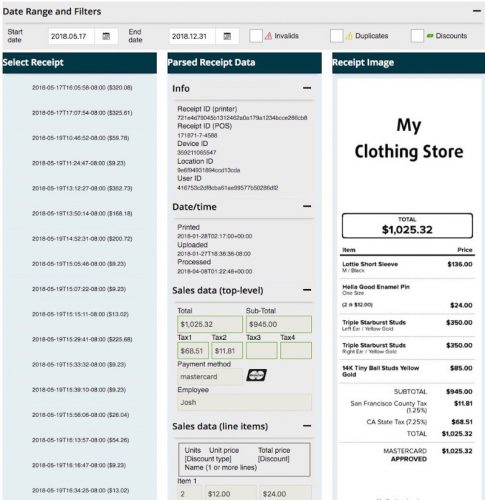
    It is a web-based service with downloadable images of your sales receipts showing in a browser and downloadable for re-print or email.

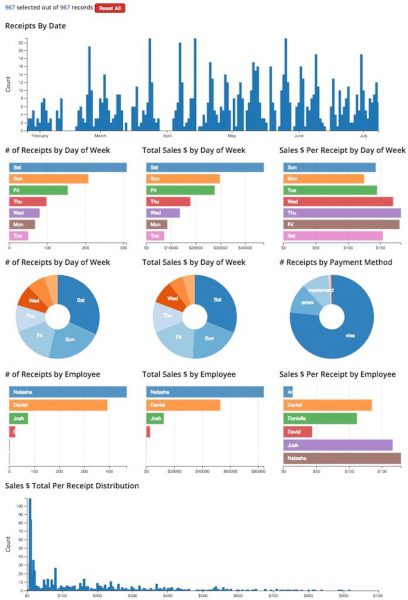
    The service also includes extracting the data from your sales receipt images and turning that into actionable information via an interactive graphical sales analytics tool so you can explore sales trends.

    It only costs $20 USD per month after an initial free 3-month period. No credit card is required during the trial period. This extended-time trial period is only offered for a limited time, during the introduction of this brand new service.

    Sophatar-1-e1574799635157

    What Do I Need for This to Work?

    Most Star Micronics printer installations have the unique capability that they can upload receipt images from your printer to the Star Micronics Cloud Dashboard each time a receipt prints. Check with your Star sales rep to find out if your install can. Once your image is uploaded and you sign up for this service, your receipt images will automatically be parsed in the cloud, and both the receipt images and parsed data is made available to you via a web dashboard and an interactive sales exploration graphics tool.

    Multi-Dimensional Sales Analytics in the Cloud

    Sophatar4-e1574799668664

    Explore your sales receipts to uncover trends and actionable insights in a variety of ways. Simply click on the interactive graph in the browser and select one or more dimensions to turn your sales data into insights. Graphs update automatically to filter and analyze your data:

    • by calendar date range
    • by day of week
    • by time of day
    • by payment method
    • by employee
    • by sales receipt total $
    • etc.

    Furthermore, you can filter to only see those receipts with discounts applied, or detect duplicate receipts. Use this to uncover ‘sweat-hearting’ by employees (discounts given to friends) or print receipt fraud (multiple prints of same receipt given to different customers from a single transaction on the POS, mostly seen in environments with a limited number of SKUs, such as QSR).

    As retail stores must compete in today’s world with e-commerce and online shopping, physical retailers are increasingly in need of more data and analytics. Sophatar’s partnership with Star Micronics means receipt data at the POS can deliver new insights for retailers to improve their marketing strategy to boost sales at key times.

    Besides this receipt viewer and analytics tool, Sophatar also offers other services based on sales receipt data from Star printers, such as its POS-transaction driven digital signage.

    How Do I Sign Up?

    Sophatar5

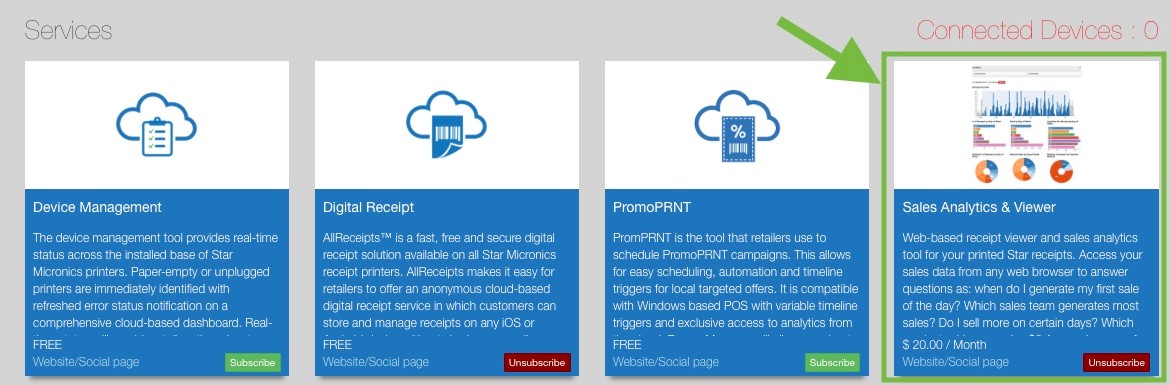
    The service is offered by Sophatar but fully integrated with Star Micronics. Star customers can login to their account at https://starmicronicscloud.com/ and subscribe to the ‘sales receipt analytics & viewer service’ in the Star Marketplace. We will then reach out to you to complete setup and activate your subscription.

    Now any retailer can keep an eye on their business, even from a remote location.

    Check out our 2-minute video demo and sign up today to take advantage of this no-risk limited-time no credit-card required introductory offer of $0 for the first 3 months!

  • Star Micronics Reveals New Service: PromoPRNT

    Star Micronics Reveals New Service: PromoPRNT

    Effortlessly create promotions right on paper receipts!

    Somerset, NJ – August 3, 2018Star Micronics, a leading global manufacturer of mobile, point of sale (POS) and customer engagement technologies, is proud to announce PromoPRNT, a brand-new service added to the famous Star Micronics Cloud Service platform.

    PromoPRNT will allow retailers to automatically create printed promotions in addition to receipts. These incentives and bonuses will be delivered directly to shoppers’ hands, boosting customer retention and notifying customers of new deals and promotions.

    PromoPRNT is provided through two services on the Star Micronics Cloud Services dashboard: Promotion Builder and Promotion Scheduler. Promotion Builder is a seamless and simple way to create and design the promotions that will appear on the receipts from templates available in the Promotion Builder library. Promotion Builder makes it simple to add logos, text, and icons.

    Promotion Scheduler will empower retailers to schedule the duration of a coupon campaign by selecting a time, date, and printer for each coupon/promotion. With Promotion Scheduler, retailers will also have access to analytics that provides insight into each promotional campaign.

    For more information about PromoPRNT and other Star Micronics point of sale solutions, visit www.starmicronics.com.


  • Retail Stores are Boosting In-Store Customer Experiences with Receipts

    Retail Stores are Boosting In-Store Customer Experiences with Receipts

    At Star Micronics, we’ve been innovating POS tech customer engagement solutions for years as an innovation hub for POS.

    Recently we have solved how retail stores can achieve digital receipts and micro receipts that engage customers, and this year we’re rolling out PromoPRNT, a seamless feature that allows stores to easily reach their customers with POS Ads in-store on receipts.

    PromoPRNT as an Innovative Location Marketing Tool

    • PromoPRNT is a new service available to Star Micronics Cloudregistered members that empowers retailers to create printed promotions in addition to receipts.
    • PromoPRNT is a suite of tools that allow small businesses to easily reach their customers with the creation, design, and execution of location marketing campaigns on receipts.
    • Ultimately, with these PromoPRNT tools, retailers will be able to deliver incentives directly to shopper’s hands at a fraction of the cost of other marketing tools.

    Mobile In-Store is Catching On

    According to a survey by iVend Retail’s 2018 Global Path to Purchase, 60.1% of shoppers said they used their smartphones in brick-and-mortar stores. This means mobile is an important touch-point for physical retailers and stores to elevate the customer experience. In 2017, Star created a seamless way for customers to upload their receipts to their smartphones called AllReceipts.

    Starbucks-e1574798293112
    Photo Credit: Kate Taylor, Business Insider

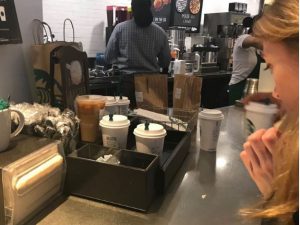
    Customer-centric apps allow retailers to boost their sales. A good example of this is how Starbucks has created a seamless way to do mobile ordering.

    Deployment 2.0 of Starbucks reworks the workflow of employees to better optimize their time that caters to the new mobile ordering feature at Starbucks locations, with a dedicated place for customers to pick up their orders.

    Starbucks insists that digital sales are a key for its future and displays one of the top in-app experiences of any global retailer. Dedicated employees for mobile ordering tasks means Starbucks have sped up their customer-experience to enable mobile ordering to become an ever-increasing portion of their sales.

    In-Store Mobile Experience Trends

    Shoppers who receive special offers via mobile while they are inside physical stores show higher conversion rates than in other customer journeys, according to Retail Dive. Mobile is also increasingly the starting place for research into products and retail locations that are local. At Star, we recognize the importance of both digital and physical cues for shoppers and thus have dedicated digital receipts and location marketing suite of services that is an omnichannel solution to better engage the modern shopper.

    Sophatar-e1574798315870

    Digital Signage that Combines Mobile Loyalty with Digital Displays

    With more consumers using mobile at physical retail locations, Star also has another new program that leverages POS Digital Signage, with digital signage partner, Sophatar.

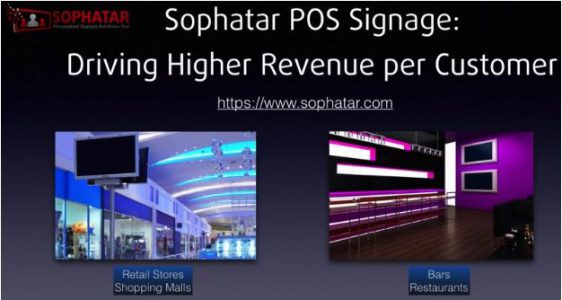
    Sophatar® POS Signage is another new service available to retailers who are registered Star Micronics Cloud users, for a low monthly subscription cost. Combining POS Data, with digital signage screens, the solution is able to increase the basket size of the most popular selling items at hospitality, grocery, retail, and apparel boutique locations.

    In this article, we have covered how retailers and brick-and-mortar small businesses can easily combine mobile, location-marketing receipt tech and POS digital signage to create a better in-store customer experience that increases retail sales.

  • 3 Reasons Why Restaurants Should Allow Customers to Order Online

    3 Reasons Why Restaurants Should Allow Customers to Order Online

    Online ordering and delivery are so convenient that more and more people are going online and, in a few clicks, having meals delivered to their door. According to banking analysts Cowen, delivery will grow to a $76 billion industry by 2022. CNBC reports that online orders comprise half of all deliveries, with millennials and the 35-44 age group leading the pack among diners who are taking advantage of online ordering apps and services.

    Online Ordering Makes Sense for Your Restaurant

    Although most restaurants take phone orders, it’s a good idea to have an alternate ordering method so people won’t get a busy signal or wait on hold for too long. Online ordering also means the phone won’t be ringing as often, taking staff away from other tasks and making the atmosphere more pleasant for dine-in customers.

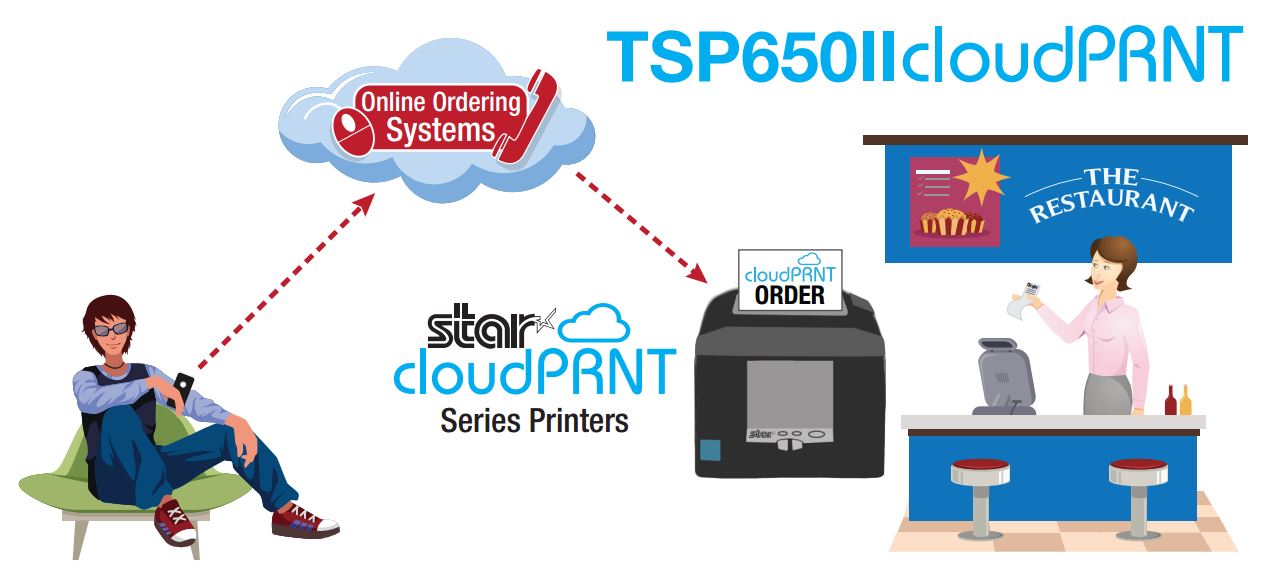
    Online ordering allows diners to enter their orders online through the restaurant’s website or app and designate whether it’s for pickup, delivery, or dine-in. Online ordering solutions also enable the customer to pay with a credit card before the order is prepared, and it streamlines workflows by sending orders directly to the kitchen. Implementing an online ordering system means a better customer service experience for patrons and allows you to gather their contact information for future marketing efforts.

    Online ordering is a great way to boost revenue and attract new customers. The addition of Amazon Eats and Seamless are making it easier than ever for restaurants to introduce online ordering. If you haven’t already, here are three reasons why your customers should be able to point, click, and eat:

    1. Increased sales and larger orders

    Restaurants that introduce online ordering increase their takeout revenue, on average, by 30%. For small restaurants or ones with limited hours, adding online ordering and delivery generates an additional revenue stream without impacting your dine-in customers.

    Online ordering encourages larger orders by giving customers extra time to look through the menu and discover new items they would like to try. Diners are in control of the ordering process and they can take their time reading the menu without feeling rushed, securely process their payments, and never get a busy signal.

    2. Improved order accuracy

    Taking phone orders means an employee must be able to clearly hear the customer on the phone, accurately and legibly write down an order, and then input it into the point of sale (POS) system. Sometimes the employee may not hear the order correctly or make mistakes while entering it into the POS terminal. Removing these steps means less opportunity for errors and a reduction in the amount of time and resources wasted remaking orders prepared incorrectly.

    3. Expand your customer base

    More of your customers will seek out restaurants with online ordering, so it’s important to have every option available—phone, online and ordering app. According to a survey by the National Restaurant Association, 61% of people said they consider delivery and takeout options important for table service restaurants.  The experts at QSR Web reported that online ordering is outpacing dine-in patrons by 300%. If reservations at your restaurant are hard to get, or there are only a few tables, online ordering makes it easy for people to satisfy their craving or try it for the first time quickly and easily.

    Restaurants are preparing more meals for take-out than they are serving to on-premises customers, so make sure they can place their orders using the technology they want. Online ordering is the key to drawing in new customers and increasing revenue.

  • The SMB Guide to Retail Promotions

    The SMB Guide to Retail Promotions

    The weather is getting warmer and school’s almost over for the year. SMBs are shifting gears for summer months, lining the shelves with warm weather merchandise. Customers are ready for some fun in the sun, but they’re looking for deals to affordably stock up for summer camp and trips to the beach.

    E-commerce sales have outpaced brick-and-mortar store growth, but effective retail promotions will help you compete with online goliaths. It’s important to focus on your existing customer base because marketing experts agree that it’s less expensive to retain customers than it is to acquire new ones. How much exactly? According to the Harvard Business Review, it ranges from 5 to 25 times more expensive to attract a new customer than it is to generate repeat business.

    Brick-and-mortar stores still have the upper hand over online competitors when it comes to instant gratification and the face-to-face service experiences that shoppers crave. Supercharge these advantages by combining them with effective retail promotions that draw in foot traffic, giving customers can’t-miss reasons for wanting to shop in your store.

    1. Discount Promotions

    It’s natural to think that the easiest way to give sales figures a boost is to run discount promotions however, it’s important to ensure there’s enough long-term value to justify the short-term discount. Bundling is a great way to encourage shoppers to spend more money. Couple related items for a discount—for example, purchase a beach towel and get a bottle of sunscreen for 50% off. Partnering less popular items at full price with discounted best sellers is a smart way to move inventory quickly while still earning a profit.

    2. Utilize “Free” in Your Promotions

    Free items or small “tokens of affection” can go a long way toward making shoppers feel their business is appreciated. Customers are more likely to return to your store if they feel they are being rewarded for buying items they need or value, so “buy one, get one free” can inspire shoppers to stock up. This is especially effective for special event-related merchandise that’s headed for the markdown bin after the season is over. Retail promotions such as “purchase a $100 gift card and get a $10 gift card free,” are also popular because consumers feel like they are getting a bonus with their purchase.

    3. Coupons, Coupons, Coupons

    Coupons are a great way to get people to try new products at a lower price, and if the product lives up to expectations, pay full price the next time. In addition, coupons like “spend $50 and take $10 off” give people an incentive to buy a few more items to reach the $50 goal, and let the shopper choose which items to purchase. Merchants can use their POS solutions to reduce the cost of printing coupons by generating offers in-store. Printing coupons on receipts allows you to reach a higher percentage of shoppers because you can be sure the customer receives it, and it gives your sales associates an additional opportunity to engage customers before they leave the store.

    4. Limited-Time-Only Retail Promotions

    Discounts or items that are only available for a short amount of time creates scarcity and a sense of urgency to purchase. For example, flash sales that happen between certain hours will force people to purchase in that time frame. Daily deals give the perception that the deal will last only as long as the items are in stock. Use these tactics to your advantage with summer deals.

    Although the retail landscape is competitive, SMBs can employ smart retail promotions to help attract new shoppers and retain their customer base. Coupons, free products, discounts, and limited-time-only sales can make an already-great, in-store shopping experience too irresistible to pass up.

    Star’s PromoPRNT allows you to easily customize promotions that print directly on receipts.

  • Star Micronics Announces First Apple AirPrint POS Printer

    Star Micronics Announces First Apple AirPrint POS Printer

    The First Receipt Printer on the Market with Apple AirPrintCertification

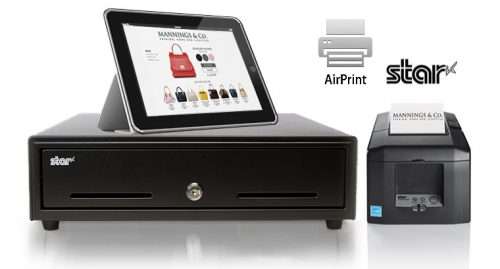
    Somerset, NJ, November 14, 2017 Star Micronics, a leading manufacturer of mobile, point of sale (POS), and customer engagement technologies, has officially received certification for the first Apple AirPrint POS printer. The new TSP654II AirPrint will be available to the market in coming months. With both Ethernet and WLAN capabilities, the printer will work seamlessly with all Apple® devices enabling quick setup and simple, high-quality receipt printing.

    Always leading, Always innovating, the TSP654II AirPrint allows the Apple user to continue with the familiar AirPrint experience accustomed when using their Apple iOS® POS system. In addition, receipt printing requires no extra configurations, software or additional drivers.

    For ISVs this is the easiest and fastest way to integrate a printer with Apple software. The TSP654II AirPrint works immediately after setup and is the perfect fit for the occasional print job. With the TSP654II, Mac and iOS developers now have another option in addition to the StarPRNT SDK, giving them more flexible printer control. Look for Star Micronics to be on Apple’s AirPrint certified device list in the coming months.

    For more information about Star Micronics POS solutions visit, https://starmicronics.com.

  • Why Retailers Should Select a Receipt Printer that Doubles as a Label Printer

    Why Retailers Should Select a Receipt Printer that Doubles as a Label Printer

    If you’ve been using a printer only for receipts, it’s time to consider using a receipt printer that also doubles as a label printer. Label printers give SMB retailers the ability to print price tags, labels for online orders, shelf tags and even labels with your logo that help brand your business.

    If you’re in the market for a new printer, choose one that can work double duty for labels and receipts. Not convinced? Here are three reasons why you should be:

    Improved Customer Service

    The holiday shopping season is upon us, and according to a survey conducted by the National Retail Federation, people will spend an average of $967.13 this year. Buy online pickup in store is hugely popular, with more than 49% of the people surveyed saying they would take advantage of this option. The pickup counter is going to be busy, so using printed labels instead of a receipt taped onto a bag or box helps speed up customer service by cutting down the time it takes an employee to locate an order.

    Stores using a label/receipt printer combination can produce proof-of-purchase labels for bag-free shopping as well as labels for returns that help store associates return products to inventory more easily and accurately — something they’ll especially appreciate after the holidays.

    Better Branding

    Labels and receipts take the guesswork out of determining where your customers purchased something. These small takeaways should be a consistent extension of your brand.

    Custom Labels

    Your store’s logo, address, phone number and website can be added to the label template, so each label is easily identifiable. A customized label is an advertising opportunity that helps drive new and repeat business to your store. Using Star Micronics Cloud Services you can easily customize your receipts and get the most out of your printer.

    Star Micronics Label Solutions

    From printing product labels in a warehouse to quickly attaching linerless labels to coffee cups in a café, Star Micronics understands labeling solutions aren’t “one size fits all.” Designed with the application and user in mind, Star Micronics offers label printers with the technology needed for today’s digital, fast-moving world, and label paper for virtually any business scenario.

    Receipts

    Label printers also have templates for customized receipt printing, so your store’s branding is cohesive. Every receipt should be customized with your store’s logo, brand messaging, website and tag line so people can easily see where it came from.

    Increased Operational Efficiency

    Mobile label printers can be used anywhere on the sales floor to print product labels, shelf tags and price tags for new products or markdowns. A mobile printer eliminates added back and forth to the point of sale terminal to print labels, so restocking and display changes can be done quickly.

    SM-L300
    SM-L300

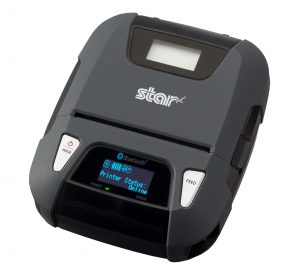
    An example is the Star Micronics’ SM-L300 portable receipt printer, which doubles as a fully integrated label printer for retail store, restaurant, delivery and warehouse applications. The SM-L300 supports thermal receipt paper and lined or linerless MAXstick label paper, making it the perfect mobile label printing solution for any business setting.

    Protect your profit margin and inventory by labeling your items properly and displaying the prices. Proper labeling helps maintain accurate inventory counts in the POS system and protects you from pricing errors that can eat away at the bottom line. Many stores are subject to laws pertaining to pricing conflicts. For example, if a full-priced item is accidentally marked 50% off, the retailer to sell the item at the lowest marked price, even if it’s a mistake.

    Get the most out of your printer investment with a model that can provide both labels and receipts to increase efficiency and accuracy, enhance customer service and ensure that online orders can be picked up easily.