Tag: POS Systems

  • Offer Complete POS Hardware Setups & Boost Your Reseller Business

    Offer Complete POS Hardware Setups & Boost Your Reseller Business

    In the fast-paced world of retail, where efficiency, ease of use, and customer experience are key, providing a cohesive POS solution can give your reseller business an unparalleled edge. As a VAR in the POS industry, your mission extends beyond merely supplying hardware – it’s about crafting exceptional customer experiences that drive success for your clients.

    This is where offering comprehensive POS and self-service hardware setups from a single manufacturer becomes your secret weapon. Let’s delve into the multi-dimensional benefits this approach offers to your business and ultimately sets you apart in the bustling POS market.

    The Advantages of Providing a Unified POS Hardware Solution

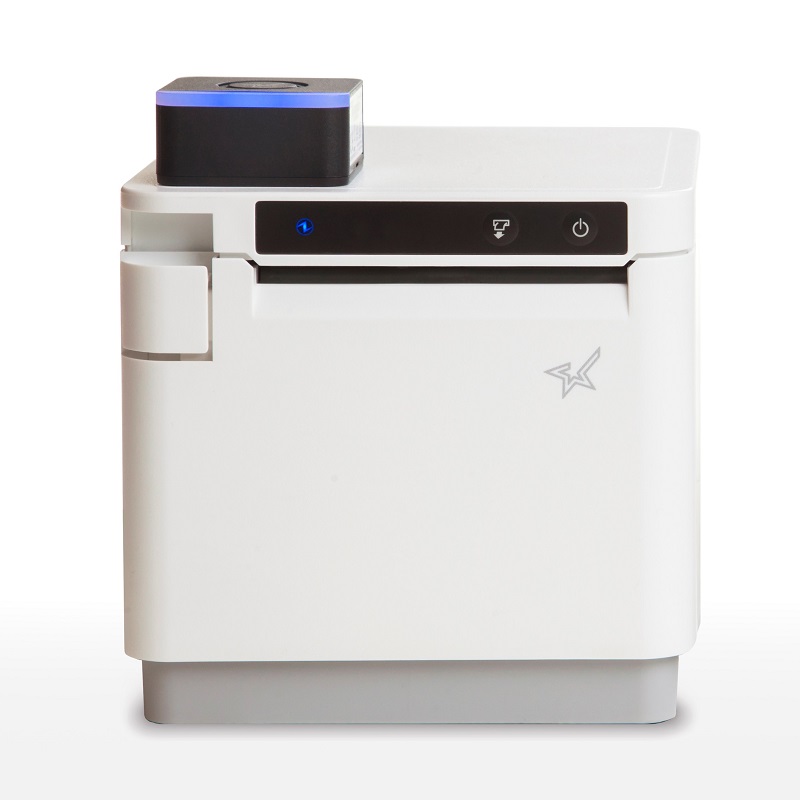
    White mPOP with 1D/2D barcode scanner by Star Micronics

    Streamlined Compatibility

    By offering your customers a complete POS or self-service hardware solution from a single manufacturer, you’re providing them with a seamless setup and installation experience. With everything made of compatible components, your customers will also spend less time dealing with mismatched technical issues and more time focusing on their business.

    Easier Maintenance and Support

    When you provide a unified POS hardware solution, your customers benefit from maintenance and support that’s simplified. With a single point of contact for all hardware, it’s easier for you to manage the relationship with the manufacturer and provide exceptional support to your customers.

    Consistent Customer Experience

    Offering a complete POS hardware solution from one manufacturer ensures consistent customer experience across the board. A cohesive design easily gives off a professional brand appearance, and a similar look and feel across all touchpoints promotes familiarity and ease of use.

    Increased Sales Opportunities

    Bundling POS hardware from a single manufacturer can lead to more sales opportunities for your reseller business. By offering a comprehensive solution all in one, you can upsell additional hardware components and accessories, increasing your overall revenue.

    An Added Advantage with Star Micronics

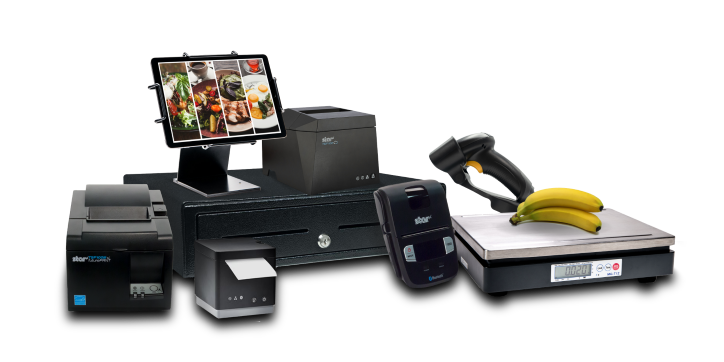
    The complete point-of-sale (POS) suite in black by Star Micronics.
    Star Micronics offers printers, scales, scanners, tablet stands, and more

    As a value-added reseller (VAR) or ISV in the POS industry, you understand the importance of providing your customers with the best solutions to meet their needs. Offering complete POS and self-service hardware setups from a single manufacturer has too many benefits to ignore and can set you apart from the competition.

    Star Micronics has the complete POS hardware solution perfect for VARs and ISVs in the retail, hospitality, and cannabis industries. From receipt, label, and kiosk printers to cash drawers, barcode scanners, and tablet stands, Star manufactures it all, and with the same top-quality you’ve come to expect.

    But there’s another major benefit to partnering with Star Micronics:

    The Empower Partner Program: Stay Competitive

    The Star Empower Partner Program is designed to help resellers like you succeed in the competitive POS market. By partnering with Star Micronics, you can take advantage of numerous benefits, including:

    • Access to a comprehensive product portfolio, ensuring you have the right solution for every customer
    • Exclusive promotions and incentives, increasing your earning potential
    • Dedicated support and training, giving you the tools and knowledge to succeed


    By providing your customers with complete POS and self-service hardware solutions from a single manufacturer, you can grow your reseller business and set yourself apart from the competition. Join the Star Empower Partner Program today and start reaping the benefits!

    To learn more about the Star Empower Partner Program:

  • Chowbus: Revolutionizing Asian Cuisine Delivery in the U.S.

    Chowbus: Revolutionizing Asian Cuisine Delivery in the U.S.

    Food delivery apps have emerged as game-changing platforms, reshaping the dynamics of dining and food consumption. Among these trailblazers is Chowbus, an app revolutionizing food delivery for Asian and prominently Chinese restaurants across the United States.

    What sets Chowbus apart is its focus on underserved cuisines and smaller, family-run establishments, allowing them to reach a broader customer base while preserving their unique culinary identity.

    Interested in integrating with Star Micronics?

    We live in an age of convenience and digital integration, and Chowbus serves as an exceptional facilitator, connecting food lovers with authentic Asian eats. Yet, as with any technology-driven service, it can’t function in a vacuum. Online ordering apps like Chowbus underscore the necessity for more and more restaurants to have robust and reliable point-of-sale (POS) systems that manage transactions and keep up with this growing industry trend.

    As an industry leader, Star Micronics offers impressive POS hardware that aligns perfectly with these needs, paving the way for seamless restaurant operations in the digital era.

    A Niche Market Focus – Chowbus and Asian Cuisine

    Chowbus has carved a distinctive niche in the food delivery app market by concentrating exclusively on Asian cuisine. By having a range of Asian restaurants on a single platform and allowing customers to order different items from multiple restaurants without any extra fees, Chowbus has simplified the process of exploring a variety of Asian food joints one at a time.

    In doing so, this app not only bridges the gap between consumers craving authentic Asian food and smaller, local restaurants, but it also offers curated meal suggestions in select cities, further enhancing user experience. Plus, they offer same-day grocery delivery as well.

    By strictly catering to the Asian community in cities around the U.S., Chowbus has carved itself out a nice slice of niche pie! In a world with so many options, focusing on a small market is often your best bet, especially in the restaurant industry.

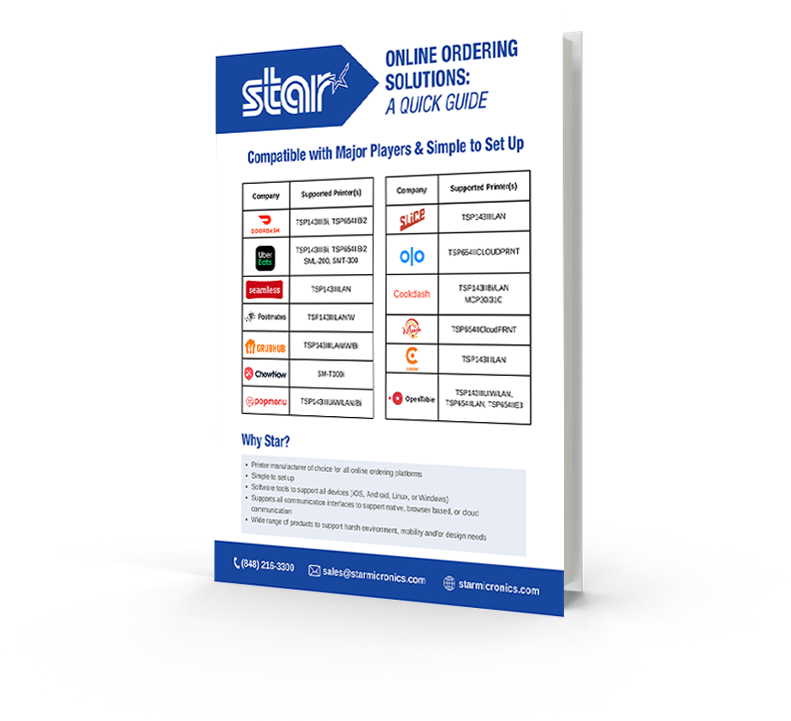
    Online Ordering Solutions: A Quick Guide

    Use this quick guide to find out which Star printer is right for your business. Don’t see your app? We are integrated with most POS software on the market. Contact us for more info.

    Embracing the Mobile Ordering Revolution

    The rise of Chowbus coincides with a broader trend in the food industry: the surge in mobile and online ordering. Consumers appreciate the convenience and simplicity that apps like Chowbus provide, allowing them to browse menus, read reviews, and place orders—all from the comfort of their homes or offices.

    Chowbus has embraced this trend and successfully catered to this digital preference. The app offers an intuitive user interface, making it easy for customers to navigate through different food options and place their orders in just a few taps. Mobile and online ordering are not going away, and it’s exciting to see how apps like Chowbus will continue to evolve.

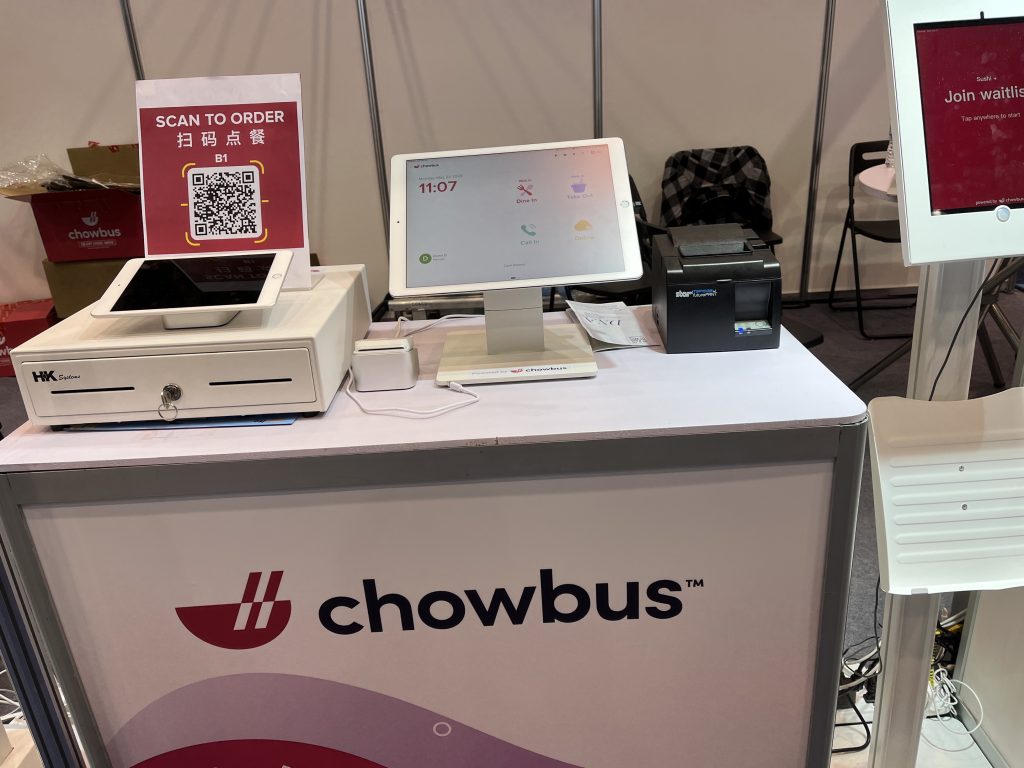
    The authentic Asian food delivery app, Chowbus, uses the TSP143III thermal receipt printer by Star Micronics at the National Restaurant Association Show 2023.
    Chowbus online ordering and delivery app for authentic Asian food uses Star Micronics hardware

    Star Micronics – Complete POS Hardware Solutions

    Many small-business restaurants struggle with growing too large for their operations at some point in their journeys. Especially when moving to online ordering platforms, orders can keep coming in but the way those orders get to the kitchen, make it into the delivery vehicle, and are paid for may be haphazard at best.

    Sloppy operations can cause orders to come out incorrectly, which can be the cause of lost revenue and a lack of customer loyalty. While having a delivery platform like Chowbus helps indie restaurants reach wider audiences, ensuring the seamless management of day-to-day transactions is equally critical.

    This is where quality POS hardware comes into play. Top-of-the-line equipment, like those provided by Star Micronics, ensures a secure, efficient, and reliable operational flow. When your restaurant has the proper hardware, online orders come in a rhythmic fashion. They’re delivered to the kitchen without issue, and everything is kept organized to make it to the customer in a timely manner.

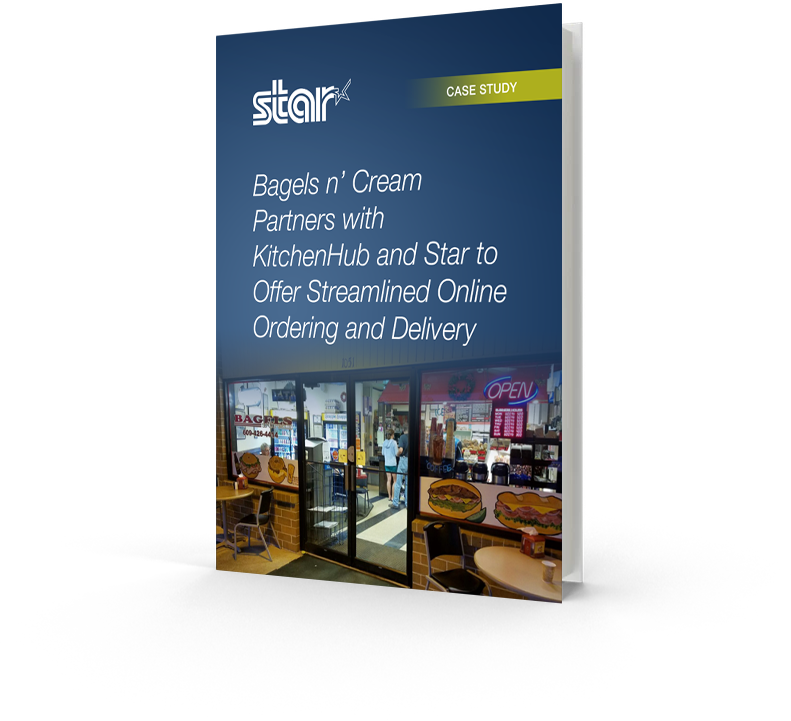
    Bagels n’ Cream Partners with KitchenHub and Star to Offer Streamlined Online Ordering and Delivery

    Restaurant management knew they needed a solution to handle high customer demand.

    Software Isn’t Everything

    As Chowbus continues to transform the Asian cuisine delivery experience in the U.S. (and Australia), its partnering restaurants must make sure they’re meeting the increased demand with confidence. Simply having your menu on food delivery apps is not enough to stay competitive. Restaurants must make sure they have the proper in-house hardware to handle the influx of online and mobile orders.

    The continued rise of Chowbus and similar platforms asks restauranteurs to consider – are we positioned to take advantage of these sweeping changes? Embracing online ordering apps is just one piece of the puzzle. In an industry that sees near-constant change, are you equipped with the right tools and technologies to ensure seamless operations and excellent customer experience?

    With online and mobile ordering apps, it is possible to boost your restaurant’s revenue immensely. Plenty of your competitors are doing just that. But you need to stay ahead of the curve and keep your customers coming back with great food and service. You can do so with the help of the Chowbus platform and apps like it, but also through the reliable operation of top-quality physical POS systems and hardware that connect the front of the house with the back in real-time.

    Don’t miss out on all that online ordering can offer!

  • Serial Cable Adaptor Connects Star Scanners to PC POS Systems

    Serial Cable Adaptor Connects Star Scanners to PC POS Systems

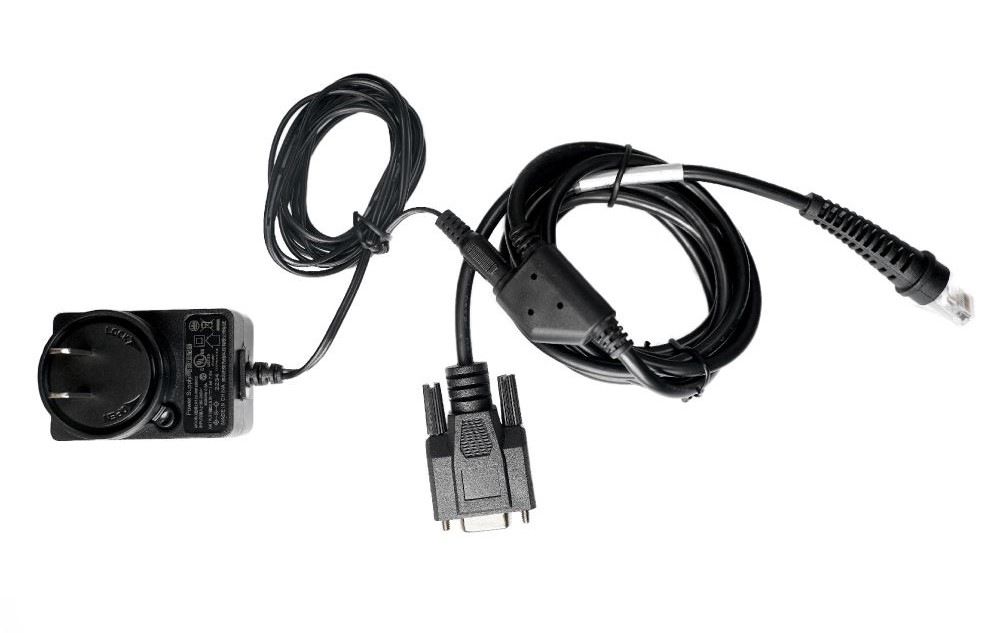
    This helpful serial cable kit comes with everything needed to attach select Star barcode scanner models to POS systems built with personal computers.

    Somerset, NJ – December 9, 2022 – Star Micronics, a leading manufacturer of mobile, point-of-sale (POS), and customer engagement technologies, is now offering a serial cable adaptor for select models of its 2D barcode scanner line. This cable adaptor allows retailers and business owners using PCs as part of their POS systems to enjoy all the same features and benefits of Star scanners.

    Thanks to its simplicity, the RS-232 standard has been commonly used in computer serial ports and is still widely used in industrial communication devices. With an ear always toward its audience, Star has now made it easy for anyone using a legacy POS system to attach Star’s desktop and handheld wired scanner models.

    With a variety of uses in retail, warehouse, hospitality, shipping, and more, Star’s IP-rated scanner line includes desktop, handheld, and wireless handheld models. They’re built tough and drop-resistant (up to 1.2m) with high-powered CPUs to increase efficiency and productivity. With Star’s cost-effective solutions, users get high-performance 2D barcode scanners for the price of 1D.

    This new serial cable adaptor and kit is currently available for Star’s BSH-HR2081 handheld USB wired scanner and BSD-FR4080 high-resolution desktop scanner.

    Love industry news? Check out our podcast:

    Star Micronics logo, point-of-sale (POS) hardware and technology company.

    Star Micronics, a world leader in point-of-sale (POS), has designated a portfolio of printing, secure cash management, self-service, and customer engagement solutions for any retail or hospitality establishment. Embracing the mPOS wave, Star’s SDKs allow developers to utilize Star printers in tandem with Android™, iOS, iPad®, and iPhone® devices to generate receipts, labels, Chit, and tickets. Star Micronics is always leading and always innovating, creating cloud-based printing solutions, including CloudPRNT and Star Cloud Services, with AOA support and MFi connectivity. Star also has a wealth of peripherals, including 2D barcode scanners, scales, tablet display stands, and more. Visit www.starmicronics.com or follow us on Facebook, Twitter, YouTube, or LinkedIn to learn more.

    Media Contact:

    Christin Dorner
    Star Micronics America, Inc.
    cdorner@starmicronics.com
    848-216-3318

  • What to Look for in a POS System for a Small Restaurant

    What to Look for in a POS System for a Small Restaurant

    As the owner or manager of a small restaurant, it can be intimidating to think about all of the point of sale (POS) components that you need. With so many options on the market, what’s the best POS system for a restaurant? Read on to explore the must-have POS system features, from online ordering to front-of-house management.

    1. Online Ordering Capabilities

    Online ordering went from a “nice-to-have” option to a “must -have” in just a couple of short years. In fact, online food delivery sales are estimated to grow up to $220 billion by 2023 (and comprise 40% of total restaurant sales). And let’s not forget about online orders for in-store pickup, too. Either way you cut it, online ordering isn’t just for the chains; it’s for small businesses like yours.

    Be sure to look for a POS system that includes online ordering capabilities. Some POS software may include this feature, or you may be able to simply use a printer equipped with cloud printing technology (like Star’s) to print third-party online orders from services like DoorDash, GrubHub, Uber Eats, and more.

    2. Mobile Payment Acceptance

    Just like online orders are booming, so are mobile payments. Simply put, mobile payments are those made on mobile devices like smartphones and smart watches. Instead of paying with cash or a credit/debit cards, consumers use their digital wallet to pay for their goods.

    To be able to accept mobile payments, your POS system must be equipped to handle NFC (or, near field communication) payments, which are made by a mobile device (or contactless card) being two inches or less from the NFC-equipped card reader. Examples of mobile payment providers are Apple Pay, Google Pay, and select credit/debit cards.

    3. Back-of-House Communication

    We’ve all been there: you find a restaurant that serves up delicious food but has a clunky workflow that leaves you hungrily waiting for your meal. Avoid being this restaurant by choosing a POS system that features top-of-the-line communication between the front-of-house and back-of-house. What does this look like? It looks like a POS terminal (or online ordering service) that seamlessly communicates to the restaurant kitchen KDS (kitchen display device) and kitchen ticket printer via technology like CloudPRNT. As orders are placed, they’re immediately sent to the cook in full detail. Say goodbye to long wait times and inaccurate orders with the right communication!

    4. Front-of-House Management

    Efficiently turning tables means higher revenue. Successfully navigating a large party means happy, repeat customers. Clearly, front-of-house management is key, and the right POS system for a small restaurant can help those efforts. Look for a POS system that features click-and-drag layout builders and the ability to see table times and when tables are about to turn.

    5. Menu and Order Management

    Menus change, and customers’ tastes vary. Your POS can help you navigate that. The right POS system can help you arrange your menu in a way that makes the checkout process faster, as well as let you make real-time updates from anywhere and apply them to every one of your locations.

    When it comes to order-taking, restaurant POS systems can help you quickly modify your customer’s order to their exact taste. Have a special discount idea in mind? POS systems can also allow you to create happy hours and more in mere seconds.

    Star Restaurant POS Solutions

    From online ordering printers to kitchen buzzers, Star is proud to offer POS solutions for restaurants, QSRs, food stands, and more.

    6. Marketing Capabilities

    One of the reasons people love small restaurants is for their personal touch. Leverage POS technology to take that personal touch to a new level! POS systems for small restaurants can include marketing capabilities including:

    • Detailed customer profiles so you can send customized offers
    • Loyalty/reward programs
    • White-labeled websites and apps that feature your restaurant’s branding
    • Custom receipt marketing (available on select receipt printers, like Star’s)

    7. Detailed Reporting

    If there’s one thing that POS systems have, it’s data, and you can put that to use by choosing a POS system that offers detailed reporting.

    Reporting can include:

    • Live data and daily statistics
    • Sales by category
    • Sales by item
    • Sales by payment type
    • Sales in different shifts
    • And more

    8. Integrations

    Right about now you may be thinking there’s a lot of different technologies involved in the best POS system for a restaurant. There’s the software, the hardware, and third-party services like food delivery. That leads us into the next (and possibly most important) aspect of a POS system: it’s integrations.

    Save valuable time (and avoid headaches) but choosing a POS system that is integrated with either the software and hardware you already have, or the software and hardware you want to have. For example, if you already have Star printers, choose a POS software that is integrated with Star (hint: there are many). Or, if you know you want to use a certain POS software, be sure that your hardware is integrated with it so that you can set up your system out-of-the-box.

    9. Technical support

    Support is important – and not just when something breaks! Be sure to choose a POS system and vendors that offer pre-sale support (helping you identify the right solution for your needs), installation support and training, and easily accessible post-sales support (like an online help center and live chat).

    Star’s Affordable Small Restaurant POS Bundle

    mCP30 with mC-Sound

    mCP30 with mC-Sound

    If you’re looking for an affordable kitchen printing setup, look no further than the mCP30 paired with an mC-Sound kitchen buzzer.


    mCP30 Highlights:
    Everything you love about the mC-Print3, with an even lower price tag.

    • Ethernet
    • USB
    • CloudPRNT for online ordering

    Learn More >


    mC-Sound Highlights:
    A modern take on the kitchen buzzer.

    • Discreetly fits inside the mCP30
    • High quality sound (89dB)
    • 16 pre-recorded melodies
    • Records custom user speech

    Learn More >

    Explore all of Star’s restaurant POS solutions now.

  • 5 Reasons You Need a Cannabis Dispensary POS System

    5 Reasons You Need a Cannabis Dispensary POS System

    The cannabis industry is flourishing. With recent legalizations, including New York, it is without a doubt that the market will see countless new dispensaries opening their doors in the near future. Whether you already operate a dispensary or are looking to open one, read on to learn what to look for a in a dispensary point of sale (POS) system and why they’re so important.

    What to Look for in a Dispensary POS System

    First, let’s dive into a quick list of must-have dispensary POS system technologies. POS systems have several components, but they don’t need to be complicated. One way to make it easy? Choose a POS supplier (like Star Micronics) that can provide all necessary hardware and has integrations with industry-leading dispensary POS software companies. Essential dispensary POS system components include:

    • Receipt printer: Receipt printers are of utmost importance to dispensaries. Proof of legal purchase is essential – and there’s no better way to provide it than with a receipt. Additionally, it’s important to note that depending on your region, receipts must also contain other information, like store name and address, product category/name, and appropriate tax codes/identifiers.
    • Label printer: Another printer that’s important to have on hand is a label printer. Labels are integral for seed-to-sale tracking, a key requirement in cannabis regulatory models. This process tracks plants and their byproducts from planting all the way through to the plant’s sale.
    • Cash drawer: Currently, the majority of dispensary transactions are cash. Why? According to FindLaw.com, “Even though dispensaries supplying recreational or medical marijuana may be perfectly licensed and legal under state law, federal law still classifies marijuana as a Schedule 1 drug and considers marijuana businesses illegal. The banking system is regulated by federal law, so banks risk charges of aiding and abetting a federal crime or money laundering if they choose to do business with marijuana-related ventures.” That being said, a durable and high-volume cash drawer is key.
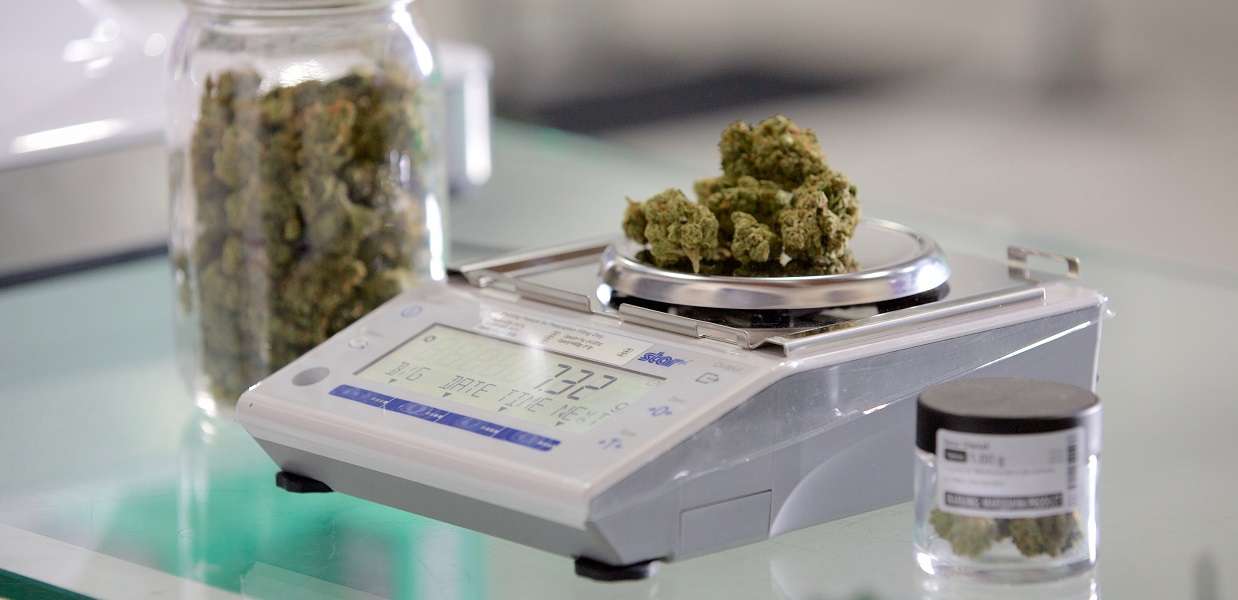
    • Scale: One of the most critical elements of a dispensary POS system is the scale. When it comes to scales, there are a few things to keep in mind. First, the scale must be legal to use in your state and NTEP-certified. This certification ensures that the scales are charging the correct amount for the product being weighed. Another great feature to look for is a scale that is integrated directly into the POS as direct integration can reduce the risk of human error in data entry.
    • Accessories: There is a plethora of dispensary POS system accessories that can take your business to the next level, including: scanners to increase the speed of transactions and convenience of scanning, an LED customer display so shoppers can easily see item prices and the transaction total, and a tablet stand and enclosure that features hidden cable management and matches the rest of the dispensary POS system aesthetic.
    • Software: At the heart of a successful dispensary POS system is the right software. Like we discussed earlier, it’s key to make sure that your software is integrated with all of your POS hardware. Additionally, some software features to look for are built-in ID scanning and age verification, loyalty programs, on-demand product information, alternative payment acceptance, offline mode, inventory management, analytics and reporting, and more.

    How Resellers Can Cash in on Cannabis Point of Sale

    The cannabis industry has become one of the fastest growing markets. Here’s how resellers can take advantage.

    5 Benefits of a Dispensary POS System

    So now that you know what needs to be included in your dispensary POS setup, why exactly is all of this important? Here are 5 major benefits of a dispensary POS system:

    1. Compliance: Compliance is, of course, absolutely critical for dispensaries. POS systems can help not only provide necessary proof of purchase, but can manage inventory and age and ID verification as well. Common compliance violations include failing to report inventory, patient purchase limits, sales to minors, and inadequate delivery documentation. These violations are severe and can result in notice to comply, citation for violation, interim suspension, or revocation of license.
    2. Accuracy: Keeping product secure from seed to sale, and ensuring you’re selling the exact amount you think you are, is important. POS label printing solutions can aid in accurate seed-to-sale tracking, and an NTEP-certified scale complete with a windshield means you’re charging exactly the right amount for the product you’re selling.
    3. Online Ordering: Did you know that cannabis delivery soared during the pandemic, and that change is likely here to stay? The right POS software will be capable of ecommerce and delivery, and will be integrated with a complete line of POS hardware. With the right POS system, staying up-to-date on digital trends is a piece of cake.
    4. Future-Proof Integration: Speaking of being future-proof, choosing the right dispensary POS software and hardware means no matter where the market goes in terms of ecommerce or payments – as national banking eventually opens its doors to the industry – your POS system will already be prepared to handle it all.
    5. Marketing: As the market explodes and competition becomes fiercer, marketing is key – and your dispensary POS system can help. Opt for a POS software that includes loyalty programs, gift cards, and marketing tools like email campaigns and social media integration. Your POS hardware can help too – with PromoPRNT, you can print custom promotions on the bottom of your Star Micronics receipts and labels for free.

    The Proper Dispensary POS System is Important – Now and in the Future

    In summary, while an ideal dispensary POS system has many parts, including software and hardware like receipt and label printers, cash drawers, scales, and more, deploying the best solution doesn’t need to be complicated. By choosing the right POS dispensary system suppliers you can start taking advantage of the many benefits a proper system offers, like compliance, accuracy, future-proofed technology and integrations, and built-in marketing benefits.

    Star Micronics has the POS technology your dispensary needs to thrive today and in the future.

  • 7 Easy Tips on Selling Merchant Services

    7 Easy Tips on Selling Merchant Services

    When it comes to selling merchant services, the landscape can be quite competitive. With many options on the market for your customers, it’s critical to take the time to focus on how you can differentiate yourself as a solution provider. While it might sound intimidating, in today’s blog post we will share seven tips on selling merchant services, designed to make your journey simple – and successful.

    7 Easy Tips on Selling Merchant Services:

    1. Provide a Total Solution

    One of the best ways to differentiate as a merchant services provider is to not just offer one piece of the payment puzzle, but to provide a total solution. Customers want a one-stop shop, and offering a complete solution that provides value, including credit card processing through a merchant account and a full portfolio of necessary point of sale (POS) hardware, is a great way to create happy, sticky customers.

    2. Be a Trusted Advisor

    Although this blog post contains tips on selling merchant services, one of the most important things you can do sometimes is to not sell. What does this mean? Simply put, strive to be your customer’s trusted advisor, rather than just a salesperson. The foundation of being a trusted advisor is built on listening: listening to your customer’s needs and acting as a consultant to offer ideas and solutions, rather than just pushing products. Some other traits of trusted advisors include:

    • Putting your customer’s needs first, not your own; always think of their challenges and priorities before your own
    • Always asking questions to understand more about your customer’s specific situation – “tell me more!”
    • Providing a variety of solution options, so that they can decide on the best choice for themselves
    • Embracing the fact that you don’t always know the answer and build the confidence to admit that – doing so will demonstrate honesty and trustworthiness
    3. Be Available

    This next tip may sound obvious, but it still deserves to be said: be available for your customer! Often times, many businesses will sign up with ISO agents and then find themselves never hearing from the agent again after the contract has been signed. Don’t fall into this pattern! Make a conscious effort to touch base with your customers and be that trusted advisor who is always looking out for their best interests.

    4. Offer Affordable Options

    Besides offering a total solution, acting as a trusted advisor, and being available on a regular basis, another thing that your customers are sure to value is affordable pricing. A low cost is always a priority, especially during uncertain times. Reduce the cost of entry into your solution by offering a SaaS (Solution as a Service) model which features low monthly payments. This operating expense (OPEX) model versus a capital expense (CAPEX) model means that rather than a business needing to spend a larger lump sum for a solution, it can instead spend a lower amount as needed each month. This model helps businesses receive the best possible solution in an affordable way.

    5. Be Transparent

    Who doesn’t value transparency? It’s important to feel like you are dealing with an honest and ethical provider. Your customers also value transparency, so be sure to be understandable in every way possible. It’s especially important to make your transaction fees crystal clear and remember to be competitive with your revenue share. Being honest and laying these numbers out on the table will earn you trust as you sell merchant services.

    6. Provide a Straightforward Timeline

    Time is money, and to a business, money is a top priority. Be sure to prioritize your customer’s time by providing a straightforward go-to-market timeline. When providing this timeline, also remember to include the expected ease and speedy of any integrations that will be required.

    7. Offer Omnichannel Capabilities

    Today’s businesses require today’s payment options. Gone are the days when simple, piecemeal merchant services could suffice. If possible, be sure to offer an omnichannel solution, meaning a variety of card acceptance methods, along with a fully integrated solution. Acting as a one-stop shop and offering an omnichannel solution can lead to creating a sticky customer that is less likely to be tempted away by a competitor.

    Worldnet-Omnichannel-Payments-Image

    What can Worldnet’s Omnichannel Integrated Payments do for you?

    Worldnet is proud to offer a simple omnichannel integration that brings your eCommerce, Back Office and Cardholder Present payment solutions together, and presents all that data directly into your software solution, ERP, or CRM system.

    Successfully Selling Merchant Services can be Simple

    To wrap things up, keep in mind that selling merchant services doesn’t need to be complicated. In fact, focusing on simplicity is key. Prioritize offering total solutions to your customers, as well as genuine consulting with an emphasis on the customer’s needs instead of your own product. Being seen as a trusted advisor that can also act as a go-to, one-stop shop for modern payment solutions is sure to help you successfully sell merchant services.

    mPOP™: Perfect for Today’s Payments

    Have you met the Star Micronics mPOP? This sleek all-in-one POS hub, built for modern small businesses, accommodates high-volume credit card and cash transactions and features:

    • Printer, cash drawer, scanner, and device stand
    • Compatibility with iOS, Android, and Windows
    • Cash drawer with 4 bill and 6 or 8 adjustable coin slots
    • Print Flat Technology

    Star Micronics is proud to offer POS hardware with the features merchants need and the connectivity to bring together applications and payment processing.

  • POS Software and Systems Buyer’s Guide

    POS Software and Systems Buyer’s Guide

    Investing in a point of sale (POS) system is one of the best things you can do for your business, but with so many options on the market, how do you determine which POS hardware and software best suit your business needs and your budget?

    This guide can help you get on the right path to finding the perfect POS system for your business.

    Download the full POS Software and Systems Buyer’s Guide

    Step 1: Define Business Needs

    No one wants to waste time and money on a POS solution that lacks needed capabilities, or has unnecessary features that increase the price. To avoid purchasing a system that isn’t right for your business, you need to identify the specific challenges that you will need your new POS system to address.

    You can start by asking questions such as:

    • Is business suffering because customers must often wait in long lines at the POS?
    • Do shoppers frequently leave your establishment empty-handed because you don’t have the merchandise they want?
    • Are you spending too much time managing employees or trying to find out why your sales volume often doesn’t jibe with your inventory levels?
    • Do you want to attract new customers?

    The answers will help you identify the pain points you want to eliminate and the goals you want to achieve with a new POS system. Also consider the amount of time you spend on operations-related tasks and whether you need the POS system to automate processes. You may also want to consider whether you need the POS system to support initiatives that can help grow your business.

    Once you have clearly identified your business needs, research which POS functions address them. The list of the functions you need your new system to provide will help narrow the field of choices when you shop for a new POS system. The solutions you consider are likely to have a mix of “must-have” and “nice-to-have” features; remember to focus on what you need, which can help you minimize the cost of the system. “More” isn’t necessarily better when it comes to technology solutions.

    Step 2: Set a Budget

    Decide how much your business can afford to spend on a POS system. By most accounts, the average industry investment in POS systems totals 2 to 3 percent of retailers’ annual volume, and 1 to 1.5 percent of restaurant operators’ annual volume. Consider ongoing costs, such as software maintenance/updates, hardware maintenance, and technical support.

    Ask about payment options. Financing may be available to help with the considerable capital investment you will make. You may also be able to lease or lease-to-own POS hardware, which can minimize upfront costs, but may add to the total cost of the system. Another option available to you may be a POS-as-a-Service offer, which provides your system, as well as software updates and system upgrades, for a subscription fee to use (rather than own) the system.

    When choosing from among these options, always consider the total cost of ownership (TCO) and return on investment (ROI). The price of a full-featured POS system may seem high, but don’t forget the financial savings that such a system will yield throughout its lifecycle by reducing labor expenditures, improving inventory control, order accuracy, and cash-tracking, and putting a lid on shrinkage. A comprehensive POS system will also help to up the sales ante by facilitating more effective customer engagement and better customer service, as well as by giving you real-time insight into all aspects of your operation.

    Software-Stock-Image

    Step 3: Shop for Software

    As you consider your options, you will find that not every software solution is compatible with all POS hardware. Selecting your software first will prevent you from being limited in functionality.

    There are different types of software you can choose from:

    • Native. Native POS software is installed on your POS hardware. It is easier to customize than cloud-based software.
    • Cloud-based software (Software-as-a-Service, or SaaS). In a SaaS model, software is delivered via the cloud, and you pay for it on a monthly subscription basis. Also, cloud-based software can be accessed from anywhere there is an Internet connection, giving you enhanced visibility into, and control over your operation. Customizing this type of software may be difficult.
    • Hybrid software. This software can be run online in the cloud or offline.

    It can be helpful to research the types of POS software that other businesses like yours are using. Find out through references or reviews if these retailers or restaurateurs are happy with the type of solution, the functionality it provides, and the benefits the solutions provide to their businesses.

    It can also be helpful to learn about the POS software vendors that provide the software, gaining insights on the level of customer service they provide and their experience working with companies in your market or industry. Also consider whether the vendor is an established company — one that is not likely to close its doors and leave you without support for your system.

    Once you have created a list of POS solutions to consider for your business, it’s time to arrange for demonstrations. Using the solution yourself will give you a sense of how easy it will be for your employees to learn, to use efficiently, and to discover whether it will support your operations. It may be helpful to compare similar features side-by-side to arrive at an accurate assessment of the best solution for your business.

    Step 4: Find Compatible Hardware
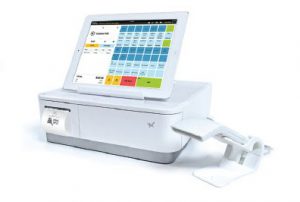
    mPOP-300x202

    The POS software you choose will dictate the POS hardware that you can use. In many cases, however, there will still be a number of options to choose from. Some of the choices you must make are related to how your employees will use the system. For example:

    • What is the preferred input method? Some operators favor keyboards or a scanner interface for POS data input, while others prefer a touchscreen interface that facilitates faster data input and easier training for new employees.
    • Will you use mobile POS? POS functionality on a tablet or other mobile device can give you linebusting, in aisle assist, and pay-at-the-table capabilities that can greatly enhance customer experiences. Your options include adding mobile POS to a traditional, stationary system, or using mobile POS alone.
    • Which peripherals are needed? You need to consider printers, cash drawers, PIN pads, payment card readers, and barcode scanners, and select the model that best suits your needs.
    • Will you accept all forms of payment? Make sure your new system gives your customers the ability to pay by their preferred methods. Now that the U.S. is migrating toward EMV payments, all new POS systems should have the ability to accept chip card payments. Failure to do so can result in bearing liability for fraudulent payment card charges. Also consider trends that indicate emerging payment types. Mobile wallet use, for example, is gaining ground. To accept payments of this type, you’ll need POS solutions that include near field communications (NFC) technology.
    • Which terminal design do you prefer? A traditional POS terminal design may work well for your business. If space at the checkout counter is limited, however, you may want to consider a more ergonomic solution with a smaller footprint, such as an all-in-one configuration that incorporates basic peripherals (e.g., printers, cash drawers, credit card readers, PIN pads, and customer displays) or a tablet POS system. You will also find options that are aesthetically pleasing and don’t detract from a store’s décor or restaurant’s ambiance.

    Just as you did with software vendors, find out all you can about POS hardware vendors. Read references and reviews, and speak with other businesses — preferably similar to yours — that use their solutions. Also ensure that the company provides warranties and technical support.

    Need Help Navigating This Process?

    Choosing a new POS system is an important decision, and to properly research your options and find the right solutions can be a time-consuming task. Fortunately, value-added resellers who specialize in POS systems for retail and restaurants are ready to assist you as you consider business needs and challenges that a POS system can address, set a budget, and select solutions that are right for your business. They will also help you deploy the new system and provide training and technical support.

    Download the Full Buyers Guide Now to Learn More
  • How to Choose a POS System for Salons and Boutiques

    How to Choose a POS System for Salons and Boutiques

    Retailers that make a living helping clients look and feel gorgeous need to look amazing themselves, so electronic clutter and outdated technology doesn’t fit the bill.  Choosing a point of sale (POS) system for salons requires extra attention to style, whether it’s hardware design or an installation that needs an added level of detail.

    However, don’t choose a POS system based on looks alone. Think carefully about the software: do you need inventory management, customer relationship management (CRM), reports, or time keeping? It seems like common sense, but don’t paint yourself into a corner by selecting a package that leaves out important features.

    Once you’ve made a list of what you need, it’s time to shop around. Choose a POS system for salons that includes these six necessities.

    1. Functionality: POS systems for salons should be easy to learn and use and allow employees to complete a transaction in as few clicks as possible. If you cater to repeat clients, select software with an integrated CRM. This allows you to track customers’ buying habits and preferences. You can use this information to make recommendations based on past purchases or send clients coupons and incentives to make a purchase or schedule an appointment.

    2. Employee management: Employee management is an important, multifaceted function of a POS system for salons and boutiques. Labor schedulers make it simple to schedule employees for work, swap shifts or duplicate a previous week’s schedule. They also help you make informed decisions about scheduling, so you are not caught under or overstaffed. Depending on the software, employee management functions give you a bird’s eye view of how many employees are working and what jobs they are performing that day.

    3. Printed promotions: Very few receipt printers come with cloud software that allows you to create and schedule printed promotions for free. Choosing a Star Micronics printer for your salon POS system will grant you access to a full suite of Star Cloud Services, including PromoPRNT. PromoPRNT will empower salon owners to create custom promotions, manage them remotely, and schedule them to run at a pre-determined time. Increase customer retention with a limited time 20% off brow wax offer. Boost customer retention with a monthly 15% off of a cut and color.

    4. Sales and inventory reporting: Many POS systems for salons allow you to see sales and inventory information in real time, so you can keep tabs on business throughout the day. These systems also include a variety of reporting options that give you the opportunity to see sales by the shift, hour, day, week, month, or year. Running sales reports help salon and boutique owners identify which styles and product lines customers can’t get enough of and which ones are ready for markdown. Knowing what the top selling items are helps ensure they’re always in stock and in prime position on the sales floor.

    5. Inventory control: Knowing which items are hot helps you manage inventory levels so you aren’t overloaded with unsold products while running out of the ones customers want. POS systems for salons and boutiques can greatly reduce the amount of time you spend searching for items that are in stock, so choose one with the proper inventory control functions. A multilocation business can use its POS system to determine which locations have the items available and arrange for shipping.

    6. Aesthetics: When it’s your business to make people look beautiful, you need to keep up appearances. Choose a stylish POS system for salons that fits with your business’ reputation. Appearances matter, so you can’t afford to have wires hanging around or dated hardware. The checkout is a customer’s last stop before they leave, so a fast transaction on beautifully designed hardware leaves a positive, lasting impression as clients depart.

    The term “salon quality” has come to mean top of the line. Insist on the same standard for the technology you choose for your business. A purpose-built POS system for salons and boutiques will give you the features that meet your unique business needs, allow you to provide great customer service, and equip your business to operate successfully.

  • The Future of Cannabis Retail is Looking Good

    The Future of Cannabis Retail is Looking Good

    The retail cannabis industry is growing fast, $75 billion by 2030 fast.

    But let’s look at the nearer future. According to Arcview Market Research and BDS Analytics, by 2021 the cannabis market is expected to reach $24.5 billion. Currently, cannabis is legal in 9 states for recreational use while 30 states have legalized cannabis for medical usage.

    With such a high market growth expectancy, dispensaries sell a variety of cannabis products in the forms of hash, rosin, shatter, and oils which can be smoked or vaped. In addition, as many are aware, cannabis is also sold in the forms of candy and baked goods. As for pharmaceutical use, cannabis contains cannabidiol (CBD) which when used in the form of candy or oil aids in the treatment of pain and epilepsy. Now that sounds pretty good.

    Let’s Talk Business

    There’s no doubt that cannabis has health benefits that aid in the relief of:

    • Pain
    • Muscle spasms
    • Arthritis
    • Dravet’s Syndrome
    • Mental health symptoms
    • Etc.

    But what about benefits for businesses?

    Well, as was mentioned earlier, legal cannabis reached $9.7 billion in sales in 2017.

    But let’s dig a little deeper into the facts and figures…

    By 2021, marijuana sales are expected to reach a whopping $24.5 billion. Younger generations are turning to cannabis consumption and slowly turning away from alcohol. This has resulted in a decrease in binge drinking, 9% below the nation’s average, in the states where marijuana is legalized. Funnily enough, the industry’s sales will be led by people 55 and older. With such a diverse market, the cannabis industry is opening up multiple opportunities for businesses to flourish.

    The increased popularity, and acceptance, of the cannabis industry is leading to the establishment of more small businesses with an increase in employment opportunities. With cannabis stores becoming more common in legalized states, the industry of creating products to efficiently, and legally, weigh and sell marijuana to meet regulations are necessary for the success of the business. Additionally, with cannabis being legalized all over Canada, there may even be a possibility that the East coast will speed up its state adoption for recreational use.

    Regardless, cannabis is creating a diverse industry that includes the need for different markets to ensure its success, thus providing a positive impact on the nation’s economy.

    The Cannabis POS Industry

    With Cannabis creating such a diverse industry, it only makes sense that businesses will need reliable POS systems…image-e1574796602929

    Keep in mind that the cannabis industry is different than your average retail business.

    There are multiple rules and regulations that need to be followed in order to ensure that your business is legal. Here are some key points to remember when choosing your POS system:

    1. Cannabis is a cash business
    2. Sensitive scales are a necessity
    3. Labels are regulated
    4. Receipts are essential

    How Resellers Can Cash in on Cannabis Point of Sale

    The cannabis industry has become one of the fastest growing markets. Here’s how resellers can take advantage.

  • 4 Reasons to Use Bluetooth Technology in Restaurants

    4 Reasons to Use Bluetooth Technology in Restaurants

    In the restaurant business, one of the most important things to do is to keep your customers satisfied. One can do this by making sure their customers are receiving the correct order and in a timely fashion, but by also making sure that their staff is equipped with the technology to provide customers with a unique and satisfying experience. By enabling Bluetooth point of sale technology, restaurant owners can take their customer experience to the next level by creating a smoother workflow for employees, and a convenient way for customers to order and pay. Here are the top four benefits of using Bluetooth POS technology in your restaurant.

    1. Simple Set-up

    One of the biggest benefits of using Bluetooth point of sale technology in your restaurant is the simple set up. With Bluetooth enabled receipt printers, users can eliminate the need for messy cables, and simply pair their tablet or mobile device with the Bluetooth printer to easily print kitchen orders or receipts. Another benefit of wireless Bluetooth over WiFi connectivity for your point of sale is that you no longer have to worry about outages due to network connection issues.

    2. Table-side Service

    By pairing a tablet or mobile device with your receipt or kitchen printer, this allows for servers to take customer orders right there at the table and send the orders directly to the printer. Restaurant owners and managers no longer need to worry about the server forgetting to enter the order after taking it, because it is all being done in real-time. Additionally, Bluetooth POS technology allows restaurants to equip each table with their own tablet device, so customers can sit down and order as they please without needed to wait for their server in a busy restaurant.

    3. Improve Order Accuracy

    By enabling table-side service in your restaurant, you are ensuring improved order accuracy. As the server is taking the customer’s order, they can simultaneously send the order through the point of sale system to the kitchen for preparation. This means that there will be less miscommunication between the customer and the server, and between the server and the kitchen staff. There is less chance of there being missing item from the order or having an order placed incorrectly. The server can also remember to upsell add-ons or suggest a new item, because the full menu is right there in front of them as they enter the customer’s order. This not only improves customer satisfaction, but can result in an increase in revenue for the restaurant owner.

    4. Pay at the Table Capability

    When providing the convenience of table-side ordering to your restaurant guests, it is important to compliment that with table-side payment capability. Ordering and paying for food either online or through a mobile application is quickly gaining popularity, and consumers are now looking for this same convenience when dining out. With pay at the table capability, customers can simply swipe their card and receive their receipt right at the table, or pay through a mobile app offered through the restaurant without having to wait for the server to bring the check, return to collect the payment, and then print the receipt. Again, allowing customers to pay at their own convenience will help to increase customer satisfaction and allow restaurants to get more tables in and out more quickly, resulting in a reduced wait time and increase in revenue.

    Sabor POS and Star Micronics provide a point of sale solution for restaurants that utilizes Bluetooth technology in order to guarantee total workflow efficiency and an increase in customer satisfaction. Learn more about Sabor POS and their support for Star’s TSP100IIIBi, TSP650II BTi, and SP700 BTi printers, and the all-in-one mPOP™ peripheral for restaurants.

    Download our success story here: Star_Castrillo_Case-Study