Tag: Payments

  • 3 Reasons Why Restaurants Should Allow Customers to Order Online

    3 Reasons Why Restaurants Should Allow Customers to Order Online

    Online ordering and delivery are so convenient that more and more people are going online and, in a few clicks, having meals delivered to their door. According to banking analysts Cowen, delivery will grow to a $76 billion industry by 2022. CNBC reports that online orders comprise half of all deliveries, with millennials and the 35-44 age group leading the pack among diners who are taking advantage of online ordering apps and services.

    Online Ordering Makes Sense for Your Restaurant

    Although most restaurants take phone orders, it’s a good idea to have an alternate ordering method so people won’t get a busy signal or wait on hold for too long. Online ordering also means the phone won’t be ringing as often, taking staff away from other tasks and making the atmosphere more pleasant for dine-in customers.

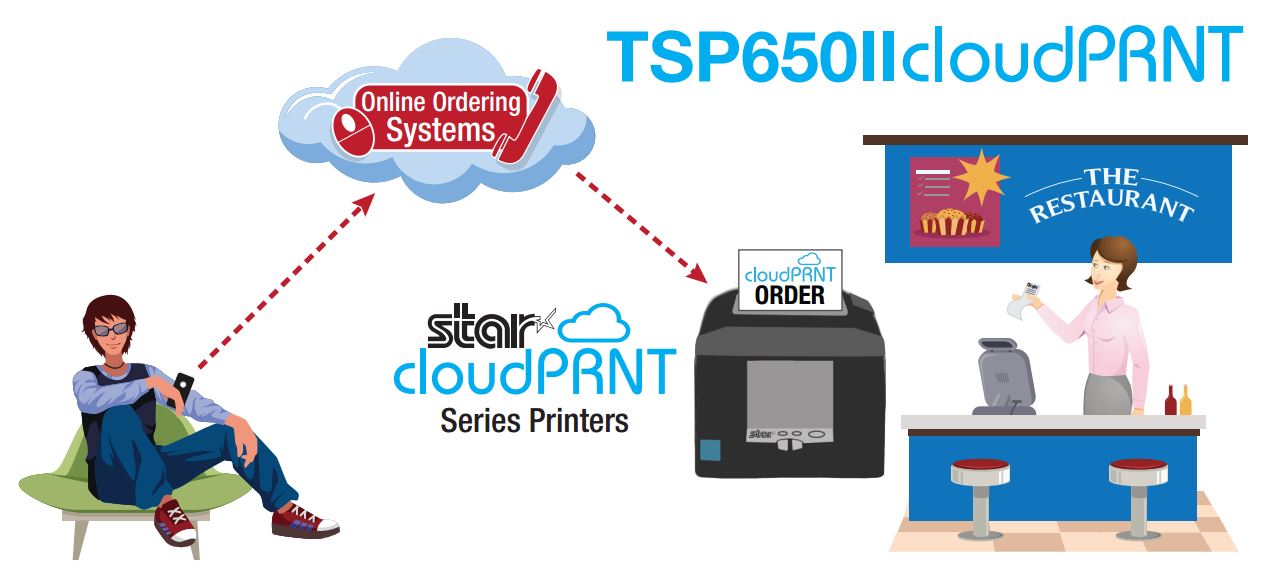
    Online ordering allows diners to enter their orders online through the restaurant’s website or app and designate whether it’s for pickup, delivery, or dine-in. Online ordering solutions also enable the customer to pay with a credit card before the order is prepared, and it streamlines workflows by sending orders directly to the kitchen. Implementing an online ordering system means a better customer service experience for patrons and allows you to gather their contact information for future marketing efforts.

    Online ordering is a great way to boost revenue and attract new customers. The addition of Amazon Eats and Seamless are making it easier than ever for restaurants to introduce online ordering. If you haven’t already, here are three reasons why your customers should be able to point, click, and eat:

    1. Increased sales and larger orders

    Restaurants that introduce online ordering increase their takeout revenue, on average, by 30%. For small restaurants or ones with limited hours, adding online ordering and delivery generates an additional revenue stream without impacting your dine-in customers.

    Online ordering encourages larger orders by giving customers extra time to look through the menu and discover new items they would like to try. Diners are in control of the ordering process and they can take their time reading the menu without feeling rushed, securely process their payments, and never get a busy signal.

    2. Improved order accuracy

    Taking phone orders means an employee must be able to clearly hear the customer on the phone, accurately and legibly write down an order, and then input it into the point of sale (POS) system. Sometimes the employee may not hear the order correctly or make mistakes while entering it into the POS terminal. Removing these steps means less opportunity for errors and a reduction in the amount of time and resources wasted remaking orders prepared incorrectly.

    3. Expand your customer base

    More of your customers will seek out restaurants with online ordering, so it’s important to have every option available—phone, online and ordering app. According to a survey by the National Restaurant Association, 61% of people said they consider delivery and takeout options important for table service restaurants.  The experts at QSR Web reported that online ordering is outpacing dine-in patrons by 300%. If reservations at your restaurant are hard to get, or there are only a few tables, online ordering makes it easy for people to satisfy their craving or try it for the first time quickly and easily.

    Restaurants are preparing more meals for take-out than they are serving to on-premises customers, so make sure they can place their orders using the technology they want. Online ordering is the key to drawing in new customers and increasing revenue.

  • The Future of Cannabis Retail is Looking Good

    The Future of Cannabis Retail is Looking Good

    The retail cannabis industry is growing fast, $75 billion by 2030 fast.

    But let’s look at the nearer future. According to Arcview Market Research and BDS Analytics, by 2021 the cannabis market is expected to reach $24.5 billion. Currently, cannabis is legal in 9 states for recreational use while 30 states have legalized cannabis for medical usage.

    With such a high market growth expectancy, dispensaries sell a variety of cannabis products in the forms of hash, rosin, shatter, and oils which can be smoked or vaped. In addition, as many are aware, cannabis is also sold in the forms of candy and baked goods. As for pharmaceutical use, cannabis contains cannabidiol (CBD) which when used in the form of candy or oil aids in the treatment of pain and epilepsy. Now that sounds pretty good.

    Let’s Talk Business

    There’s no doubt that cannabis has health benefits that aid in the relief of:

    • Pain
    • Muscle spasms
    • Arthritis
    • Dravet’s Syndrome
    • Mental health symptoms
    • Etc.

    But what about benefits for businesses?

    Well, as was mentioned earlier, legal cannabis reached $9.7 billion in sales in 2017.

    But let’s dig a little deeper into the facts and figures…

    By 2021, marijuana sales are expected to reach a whopping $24.5 billion. Younger generations are turning to cannabis consumption and slowly turning away from alcohol. This has resulted in a decrease in binge drinking, 9% below the nation’s average, in the states where marijuana is legalized. Funnily enough, the industry’s sales will be led by people 55 and older. With such a diverse market, the cannabis industry is opening up multiple opportunities for businesses to flourish.

    The increased popularity, and acceptance, of the cannabis industry is leading to the establishment of more small businesses with an increase in employment opportunities. With cannabis stores becoming more common in legalized states, the industry of creating products to efficiently, and legally, weigh and sell marijuana to meet regulations are necessary for the success of the business. Additionally, with cannabis being legalized all over Canada, there may even be a possibility that the East coast will speed up its state adoption for recreational use.

    Regardless, cannabis is creating a diverse industry that includes the need for different markets to ensure its success, thus providing a positive impact on the nation’s economy.

    The Cannabis POS Industry

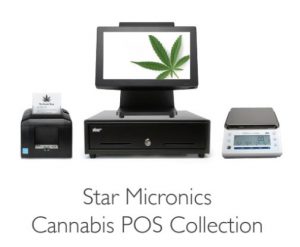
    With Cannabis creating such a diverse industry, it only makes sense that businesses will need reliable POS systems…image-e1574796602929

    Keep in mind that the cannabis industry is different than your average retail business.

    There are multiple rules and regulations that need to be followed in order to ensure that your business is legal. Here are some key points to remember when choosing your POS system:

    1. Cannabis is a cash business
    2. Sensitive scales are a necessity
    3. Labels are regulated
    4. Receipts are essential

    How Resellers Can Cash in on Cannabis Point of Sale

    The cannabis industry has become one of the fastest growing markets. Here’s how resellers can take advantage.

  • The SMB Guide to Retail Promotions

    The SMB Guide to Retail Promotions

    The weather is getting warmer and school’s almost over for the year. SMBs are shifting gears for summer months, lining the shelves with warm weather merchandise. Customers are ready for some fun in the sun, but they’re looking for deals to affordably stock up for summer camp and trips to the beach.

    E-commerce sales have outpaced brick-and-mortar store growth, but effective retail promotions will help you compete with online goliaths. It’s important to focus on your existing customer base because marketing experts agree that it’s less expensive to retain customers than it is to acquire new ones. How much exactly? According to the Harvard Business Review, it ranges from 5 to 25 times more expensive to attract a new customer than it is to generate repeat business.

    Brick-and-mortar stores still have the upper hand over online competitors when it comes to instant gratification and the face-to-face service experiences that shoppers crave. Supercharge these advantages by combining them with effective retail promotions that draw in foot traffic, giving customers can’t-miss reasons for wanting to shop in your store.

    1. Discount Promotions

    It’s natural to think that the easiest way to give sales figures a boost is to run discount promotions however, it’s important to ensure there’s enough long-term value to justify the short-term discount. Bundling is a great way to encourage shoppers to spend more money. Couple related items for a discount—for example, purchase a beach towel and get a bottle of sunscreen for 50% off. Partnering less popular items at full price with discounted best sellers is a smart way to move inventory quickly while still earning a profit.

    2. Utilize “Free” in Your Promotions

    Free items or small “tokens of affection” can go a long way toward making shoppers feel their business is appreciated. Customers are more likely to return to your store if they feel they are being rewarded for buying items they need or value, so “buy one, get one free” can inspire shoppers to stock up. This is especially effective for special event-related merchandise that’s headed for the markdown bin after the season is over. Retail promotions such as “purchase a $100 gift card and get a $10 gift card free,” are also popular because consumers feel like they are getting a bonus with their purchase.

    3. Coupons, Coupons, Coupons

    Coupons are a great way to get people to try new products at a lower price, and if the product lives up to expectations, pay full price the next time. In addition, coupons like “spend $50 and take $10 off” give people an incentive to buy a few more items to reach the $50 goal, and let the shopper choose which items to purchase. Merchants can use their POS solutions to reduce the cost of printing coupons by generating offers in-store. Printing coupons on receipts allows you to reach a higher percentage of shoppers because you can be sure the customer receives it, and it gives your sales associates an additional opportunity to engage customers before they leave the store.

    4. Limited-Time-Only Retail Promotions

    Discounts or items that are only available for a short amount of time creates scarcity and a sense of urgency to purchase. For example, flash sales that happen between certain hours will force people to purchase in that time frame. Daily deals give the perception that the deal will last only as long as the items are in stock. Use these tactics to your advantage with summer deals.

    Although the retail landscape is competitive, SMBs can employ smart retail promotions to help attract new shoppers and retain their customer base. Coupons, free products, discounts, and limited-time-only sales can make an already-great, in-store shopping experience too irresistible to pass up.

    Star’s PromoPRNT allows you to easily customize promotions that print directly on receipts.

  • How to Choose the Right POS Scale for Your Application and Industry

    How to Choose the Right POS Scale for Your Application and Industry

    If you’re in the market for a new POS scale, consider these points to help you make a smart choice for your business.

    POS scales are used in different types of businesses that charge for items by weight, including supermarkets, self-service restaurants and buffets, butcher shops, candy stores, health food markets with bulk bins, cannabis dispensaries, and more. From a pound of cold cuts to a cup of frozen yogurt, scales measure the weight of a customer’s purchase and calculate the price accurately.

    Scales ensure you are not over- or under-charging customers and assist with inventory tracking at your store or restaurant. Running a business that charges based on weight is impossible without a properly calibrated scale, so make sure you choose the one that best takes care of your needs.

    If you’re in the market for a new point of sale (POS) scale, consider these points to help you make a smart choice for your business.

    • Application: Why do you need the scale? Before you purchase POS scales, identify how they’re going to be used and what you need to weigh. Is it fresh produce in a supermarket, bulk candy, and meat or items like mail and packages? Are most of your products heavy or light? Large or small? Identify the types of items you need to weigh and use that as a starting point.
    • Accuracy: How accurate do you need the measurements to be? Scale accuracy is important because it tells the customer they are receiving the exact amount of product they’re paying for. An accurate scale also ensures that the retailer is receiving the correct payment. Across the U.S., every state has its own agencies and departments that regulate scales and inspect them for accuracy. Some states may require a yearly inspection, while others are inspected less frequently. Make sure the scales you purchase will meet requirements for accuracy.
    • Capacity: What is the largest possible load you need the scales to handle? If you own a candy store or a supermarket, would anyone ever purchase 500 pounds of candy? It seems unlikely, so if you’re a purveyor of sweet treats, the scale’s capacity can be lower. For a butcher weighing large pieces of meat, or a UPS shipping store, however, a scale with a higher capacity would be in order.
    • Environment: Where will this scale be used? Choose a scale that’s durable enough for your business. If it is meant for high-volume use weighing food products, choose a hygienic scale designed for easy cleaning. Also, consider where the POS scales will be used. Are there extreme temperature variations? Are there disruptive vibrations, interference from other electronics, or even air currents that could affect the scale’s accuracy? Choose the type of scale with the right features for the environment.
    • Installation and calibration: Choose the location for your POS scales carefully, because you shouldn’t move them around once they’ve been installed. Connect the scale to your POS system so it can be set up and calibrated properly. Scales that are used daily will need frequent calibration to maintain accuracy and stay in compliance with local weights and measures laws.

    Business owners who sell items by weight need an accurate scale to protect their customers and their business. If you’re looking for a new scale for your store or restaurant, be honest about your needs, how accurate it needs to be, where it will be set up and how often it should be calibrated. Taking time to understand your business’ requirements for POS scales and the options available to you will result in a greater ability to provide excellent customer service and to manage inventory down to the ounce—or less.

    Available for Free: Scale Buyer’s Guide

  • Star Micronics and CardFlight Team Up to Offer A Simple, Bring Your Own Tablet Countertop Point of Sale Solution

    Star Micronics and CardFlight Team Up to Offer A Simple, Bring Your Own Tablet Countertop Point of Sale Solution

    SwipeSimple Register, the new simple countertop POS solution from CardFlight featuring the Star Micronics mPOP, will be demoed for the first time at ETA TRANSACT in Las Vegas

    SOMERSET, NJ — April 13 2018 — Star Micronics, the global industry leader in POS printing solutions, announces it has teamed up with CardFlight, the leader in payment technology and mobile POS solutions, to deliver a bundled cash register and payment terminal solution for the modern merchant’s needs, combining SwipeSimple hardware and software with Star Micronics’ mPOP and the portable receipt printer SM-L200.

    SwipeSimple Register works on virtually any iOS or Android tablet, and lets merchant acquirers provide merchants with a modern and intuitive hardware and software setup for their payment needs. The SwipeSimple solution supports payments with EMV Quick Chip  and NFC contactless for all types of mobile wallets, and cash. By partnering with Star Micronics, CardFlight can now offer merchants the convenience of issuing paper receipts for both countertop and mobile needs.

    “We are excited to partner with Star Micronics,” said Derek Webster, Founder and CEO of CardFlight. “As our company continues to build payment acceptance solutions for a broad range of small businesses, the partnership helps us expand the SwipeSimple product suite to serve even more merchants.”

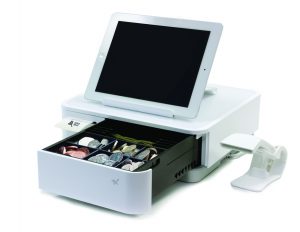
    SwipeSimple Register for countertop merchants features Star Micronics mPOP™ that combines cash drawer and receipt printer in a sleek and compact design, making it easy to fit into even the smallest retail spaces. Bluetooth connectivity and smart cable management keep the counter clutter free. Mobile merchants also have the option to use SwipeSimple Register on a smartphone or tablet and print receipts on Star Micronics’ portable receipt printer SM-L200. The SM-L200 is the first portable printer with the ability to connect to any Apple iOS BLE-compatible device without having to pair with it.

    “Our mPOP and mobile printing solution paired with SwipeSimple are both easy to set up and use, which is perfect for the modern small merchant,” said Jon Levin, Star Micronics’ product integration manager. “We look forward to working with CardFlight to expand into new markets.”

    Star Micronics will be exhibiting at booth #838 and SwipeSimple Register paired with Star Micronics’s mPOP will be demonstrated at CardFlight’s booth #618 at ETA TRANSACT, April 17-19 in Las Vegas.

  • 5 Reasons Why SMB Retailers Should Use Easy Coupon Design Software for Promotions

    5 Reasons Why SMB Retailers Should Use Easy Coupon Design Software for Promotions

    Customers love a good deal—40% of shoppers will switch products to use a coupon, while 60% of mobile coupon users are willing to change brands to cash in a promotion. Discounts and free products are a great way to build brand loyalty and thank customers for their business. However, running a coupon campaign isn’t inexpensive. The good news is merchants can reduce the cost of coupon design software by generating offers on receipts and engaging customers at the point of sale (POS) terminal.

    For retailers who prefer to create visually appealing printed coupons to distribute to a wider audience, there is easy-to-use coupon design software that is an easy-to-use alternative to shelling out money for a more expensive campaign.

    1. Quick and easy coupon design

    Retailers can use their POS systems to generate coupons and surveys on the receipts they already distribute. Merchants can choose from coupon design software templates, promotions and surveys to customize their receipts, giving them the ability to advertise and run promotions at their checkouts.

    Coupons should include a few simple elements to be effective.

    • The store’s logo and a picture
    • Easy-to-read text that conveys the intent
    • A call to action that tells people how to redeem the coupon
    • The retailers address, phone number and webpage

    1. Remote promotion management across locations

    If you want to generate a coupon or survey via receipt, owners and managers can use the tools in their POS. Simply choose a template, customize it and then send the settings to the printers. The coupon design software can be deployed to every store printer from your desk, home or another computer.

    3. Customer communication

    Your receipt can be a direct channel of communication with your customers. Train staff to highlight coupons or offers and tell customers about them before they leave the store. A customer satisfaction survey that invites feedback is also a valuable tool. Surveys can help you understand your customers’ needs and evaluate employee performance.

    4. Customer retention and loyalty

    Issuing coupons or discounts is a great way to generate goodwill with your customers because it makes them feel their business is appreciated. Customers are more likely to return to your store if they feel they are being rewarded for buying items they need anyway, even if they can get it online or at another store for less.

    5. Increase profit margins

    Printing coupons and brand messaging on customer receipts allow you to reach a higher percentage of shoppers for less money than a print or digital campaign. And unlike a print or email campaign, you can be sure your target audience receives the message or coupon. This is especially effective if you are looking to introduce a new product or service—the 2K17 Valassis Coupon Intelligence Report revealed that 86% of people said that they were persuaded to purchase a new product because they had a coupon for it. And once people try something at a discount and like it, they are more willing to pay full price in the future.

    Coupons are a great way to add value to your customers and make them feel appreciated. Retailers that print and distribute coupons on receipts can save money on marketing and reap the same benefits of a costly digital or print campaign. Leverage the easy-to-use coupon design software that is available to you.

    Discover Why You Shouldn’t Underestimate Coupons as a Promotional Tool in our Free eBook!

  • The Ultimate Guide to Building Your iOS POS System

    The Ultimate Guide to Building Your iOS POS System

    iOS POS systems look sharp sitting on a counter or mounted on a wall, so it’s no wonder why retailers and restaurants are drawn to these sleek setups for their establishments. Whether you need fixed terminals or a mobile solution, an iOS POS system can fulfill all your needs.

     Are you in the market for a new iOS POS system? If so, keep these points in mind while you’re shopping around.

    1. iOS Device

    If you’re using an iPad or other iOS technology you already own, make sure it has the most recent update that the hardware will support. If you have older devices, make absolutely sure the POS software you want to run supports your hardware — before you invest in it. A better strategy is to choose your POS software first — find a solution that offers features and functionality you need to run your business — then select the hardware. All iPad POS solutions aren’t the same. Look for options such as clock in/out, split checks, payments, scheduling and inventory tracking that can help you run your business.

    2. iPad Enclosure

    mUnite POP tablet POS stand
    Star Micronics mUnite Stand

    Although iOS POS systems are feature-rich, they aren’t ruggedized devices. An iPad or iTouch is a consumer-grade device, nowhere near tough enough for retail and restaurant workplaces. iOS devices that get wet or hot will have functionality issues, so protecting your technology with a specialized enclosure is imperative to staying online. iPads left unattended are targets for loss and theft, so opt for an enclosure that allows you to secure the device to a wall or counter. Some enclosures can be fitted to stands that flip and swivel into a customer-facing position, so shoppers can sign for credit card transactions or add a tip.

    3. Peripherals

    iOS POS systems differ from more traditional POS solutions when it comes to peripherals. If you need a 2D barcode scanner, scale integration, receipt printer and customer display, make sure your solution has options to keep everything connected. Printing receipts from an iOS POS system can present a particular challenge for merchants. A great solution is Star Micronics’ TSP654II AirPrint, the First Receipt Printer on the market with AirPrint™ Certification. TSP654II printers allow merchants to print from their iOS devices without installing specific printer drivers.

    4. Aesthetic Appeal

    mPOP All in One Mobile Point of Sale
    Star Micronics mPOP

    One of the iPad’s main selling points is the tablet’s stylish design. If you selected an iOS POS system, chances are you care about how it looks. Don’t cover up a glossy iPad with a clunky enclosure or pair it with nondescript peripherals. Make sure your enclosure and peripherals enhance the iOS POS system and are as chic as their surroundings. Star Micronics offers mPOP™, Mobile Point of Purchase, the first hybrid for tablet POS that combines a cash drawer and printer peripheral. The unit’s ergonomic but fully integrated design works with the tablet or mobile device of your choice, so you can have a mobile solution without compromising space, quality design or functionality.

    iOS POS systems can be a great choice for your store or restaurant if you strategically design a system that will meet your business’ needs, withstand a harsh commercial environment and complement your brand with the look you want. Work with an experienced POS solution provider to help you incorporate those elements into your solution — and more— to help you get the most out of your investment.

    Free iOS Resources

    It can be tough to find truly Apple-compatible hardware for point of sale use. Star Micronics offers the largest range of Apple compatible printing products and Apple certified POS hardware. Developer friendly, Star was the first provider of SDK for iOS and is currently the only provider that offers iOS development support for scales, cash drawers, and kiosk printers. Help your customers future-proof their Apple POS solutions with Star Micronics.

  • 4 Ways to Prepare for Your New 2018 POS Integration

    4 Ways to Prepare for Your New 2018 POS Integration

    For an easy POS integration in 2018, follow these four steps

    It’s almost 2018, and a new year means setting sales numbers to zero and making a new start. Position your business to make 2018 a great year by giving your customers the shopping or dining experiences they want while enabling your staff to work smarter, not harder. A new or upgraded point of sale (POS) system will allow you to have the POS integration your business needs now and also gives you some room to grow.

    Here are four things to do if a new POS integration is on your wish list this holiday season:

    1. Speak with your staff about what they need to make their jobs run more smoothly.

    Talk to your staff to understand their challenges and the technology that can help them do their jobs more easily and efficiently. A retail store’s counter staff and sales associates or a restaurant’s servers and line cooks are on the front lines of dealing with customers and hearing their feedback — especially when your business doesn’t live up to their expectations. Your employees’ input can help you identify which POS integrations are important for reducing wait times, increasing order accuracy and providing a higher level of customer service.

    1. Choose a system with these five capabilities.

    When making an investment in a new POS system, ensure it has at least the POS integration capabilities to support these five types of solutions:

    • Sales reporting and analytics: Gain better insight into sales numbers and profit margins, identify top selling items.
    • Inventory management: Maintain proper inventory counts and gain transparency into which store locations have items available.
    • Customer relationship management: Collect important data about customer buying habits and preferences, which can be used as the basis of a marketing campaign.
    • Employee management: Time clock functionality, scheduling, and integrated payroll processing will automate some of the most time-consuming processes.
    • Check out tools: Make sure your POS system integrates with peripherals that help the checkout run smoothly, including barcode technology and fast, accurate scanning capability.


    1. Select a dealer partner that will train your staff and provide support so you get the most out of your investment.

    Choose a reputable POS provider with a solid track record of success. Before signing on the dotted line, ask what types of training and support services are available. Star Micronics offers top of the line support through its website. Adding functionality to your POS system will require expert training to make sure your staff understands how to use new functions and features and how your business can leverage them to get the greatest ROI. Be sure to inquire about the availability of on-site training, tech support hours, repair services (on- or off-site) and additional support that’s available.

    1. Determine whether you will be using mobile POS, how, and when.

    Carefully consider the choice to integrate mobile POS with your POS system. Mobile POS is a reliable way to increase table turn or reduce waiting at the check-out. Servers can take orders and process payments right from the table, which cuts several minutes of waiting for hungry diners. In retail stores, adding tablets or ruggedized mobile devices allows employees to search for inventory or process transactions right from the sales floor. Some retailers may opt to remove some of their traditional cash wraps and replace them with mobile devices, which frees up floor space for additional products. When you upgrade, evaluate whether adding mobile capabilities is a smart strategy for your business.

    Star Cloud Services can offer all of these steps and more. After initial set up of your Star Micronics printer, you have a whole suite of tools ready to help improve your business. Star has an excellent support team for any issue that can arise, giving one less thing to worry about while managing your business. Mobile POS is also a large part of Star Micronics printers. We offer multiple printers that can even change from portable to desktop with a simple addition of a charging cradle.

    A new POS integration can help optimize operations at your store or restaurant, improve inventory management and ease the workload on employees. If you’re considering purchasing a new POS system or upgrading the one you already own, choose one that enables integrations that automates processes, manage inventory and helps your business run more efficiently. The New Year gives you a fresh start, so make it the best one you can with a cutting-edge technology refresh.

  • How to Find the Best POS Solution for Your Restaurant

    How to Find the Best POS Solution for Your Restaurant

    four-leaf-products-e1574795534725Starting a restaurant business or a coffee shop has never been easy for people who don’t have experience. Such business requires large spending – from purchasing and investing in all necessary equipment to over hiring staff and releasing monthly salaries. Consequently, these have direct negative effects on a restaurant’s profitability. Last but not least, traditional systems cause difficulty for owners when they want to quickly expand their business.
    Contrary to popular belief, restaurant point of sale is not a one size fits all models. In the restaurant industry, you’ll find large to mid-sized sit-down restaurants, mom and pop shops with 5 to 10 tables, cafes, fast-casual, food trucks, and more. Finding the right point of sale system for your restaurant really depends on the type of business your running.

    1. Pop-up Restaurants & Food Trucks

    food-truck-e1574795558435

    For a pop-up restaurant or food truck scenario, you will want a point of sale that allows you to be mobile. Tablet POS or mPOS are very popular in this market because the mobility of the tablet or mobile device allows users to take up less space and take the POS outside of the pop-up or food truck to take orders and process payments of those waiting in line. With this type of mobile solution, you will want a receipt printer with the same mobility. A portable receipt printer that can hook right to your belt strap is ideal for these pop-up and food truck environments because they are lightweight, compact, and can print receipts from anywhere, at any time.

    2. mPOP™

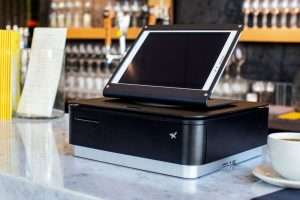
    mPOP-bar-e1574795580555In cafes and smaller restaurants, mobility is still preferred, but you will need a POS system that is more static. The mPOP allows restaurateurs to still utilize the mobility of a tablet or smartphone while having a set POS checkout station with a small footprint. This is the perfect solution for smaller restaurants or cafes that have a lower cash flow and want to maintain an aesthetically pleasing counter space.
    3. TSP143III

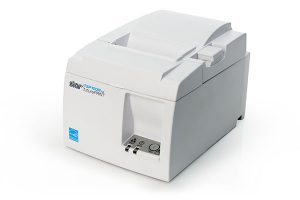
    For larger restaurants, you will need a more robust solution that can withstand busy periods with a high volume of orders being transmitted and receipts being printed. The TSP143III is the best printer for this scenario with a tethered USB connection for Apple iPad® devices that simultaneously facilitate data communication to the printer and charges the mobile device. The TSP143III is also offered with WLAN and Bluetooth connectivity option to print receipts from anywhere in the restaurant.

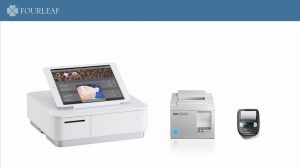
    TSP100IIILAN_600x377-IMG_9539-e1574795601338The FOURLEAF POS App aims to connect owners to their business 24/7. Help owners to track their sales income in real time and it is specially designed from fundamental concept to be an online restaurant POS system.
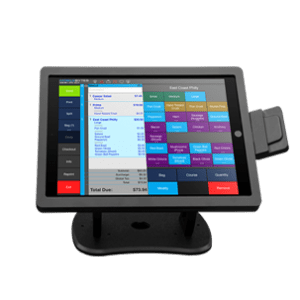
    Star and FOURLEAF strive to help restaurant owners to track their inventory and be able to send wireless orders to the kitchen within a fraction of a second.

  • Why Restaurants are Cashing in on Self-Checkouts

    Why Restaurants are Cashing in on Self-Checkouts

    Self-checkouts in your restaurant can increase the average ticket size, improve order accuracy, and increase customer satisfaction.

    It’s the holiday shopping season, which means that malls and stores are packed with customers. After fighting crowds, shoppers don’t want to wait on long lines at your restaurant, holding bags and tired children, wasting precious shopping time. Instead, quick-service restaurants can facilitate the ordering process with self-checkouts that move lines quicker, increase the average ticket size, improve order accuracy and serve customers faster.

    Movie theaters, banks, hotels and other venues are giving their customers control over the purchasing process with kiosks. Consumers are accustomed to using ATMs, automatic ticketing, and self-check-out at hotels — and they may prefer self-checkouts in your restaurant as well. A report from iVend Retail found nearly 40% of consumers felt customer experiences could be improved by kiosks.

    Kiosks are typically easy to use and engage people while they are placing an order at your quick service restaurant. Not convinced? Here are four reasons why you should be:

    1. Line busting capability.

      A restaurant kiosk is a cost-effective, line busting solution that puts your customers in control of the ordering process. These kiosks help ensure shorter lines, less waiting and a more pleasant experience for shoppers, diners, and employees. It’s recommended that the restaurant have staff ready to assist people at the kiosks for the first several weeks after they go live. Additionally, self-checkouts give cardholders another layer of protection. Payments are processed by the patrons themselves and their credit cards never leave their hands.

    1. Expedited orders.

      Restaurant kiosks cut out virtually all the waiting to place an order. More kiosks to order from means that orders are going to come in fast and furious, especially during the busiest shifts. During these busiest of times, your staff can focus on food preparation, keeping the dining room clean, and turning tables, creating a more efficient, customer-friendly operation.


    1. Promotions and upselling.

      Fast-food giant McDonald’s reported that its average check size went up 30 percent after implementing self-checkouts. Upselling guests on drinks, sides, desserts or appetizers takes some training and skill. Even the best upsellers may not remember to make suggestions to every customer, but a kiosk will upsell/cross-sell on every screen and every transaction, without fail. This gives diners the opportunity to try extras they may not have otherwise ordered.

    1. Improved order accuracy.

      When customers enter their orders into the restaurant kiosk, orders are transmitted to the kitchen immediately so staff can begin preparing them. This eliminates unreadable, hand-written tickets that are run back to the kitchen and deciphered by staff, or inputting handwritten orders into a workstation, which are invitations to make mistakes. Remaking meals that were prepared incorrectly is frustrating for your staff and a waste of time, energy, and resources. Taking orders on a self-checkout can save staff time and money by reducing the number of forgotten orders, errors and resources spent remaking food or drinks that were improperly inputted into the POS system.

    Mobile-Bytes-e1574795497560

    Implementing self-checkouts at quick-service restaurants can increase the average check size, reduce wait times and increase customer satisfaction. These kiosks encourage larger orders by giving customers extra time to look through the menu and automatically suggesting combinations and upsells. People love to control the ordering process, so instituting this technology will build brand loyalty and help turn first time diners in high-value, repeat customers.

    Having the perfect products for your kiosk is key to a successful checkout process. Star Micronics along with Mobile Bytes can offer all that you would need. Line busting is simple with the high speed of Star’s TSP100III. Expedited ordering is easily handled by Mobile Bytes online ordering app. Star Micronics can offer you promotional support with Engage Now and Receipt Flip. You can rely on the accuracy of the TSP100III as well. Using Star Micronics printer and Mobile Bytes solution you have everything you need in the perfect POS system.