Tag: Mobile POS (mPOS)

  • The Dual Interface Cash Drawer: One Model, More Ways to Connect

    The Dual Interface Cash Drawer: One Model, More Ways to Connect

    A dual interface cash drawer may not get much attention in point-of-sale conversations, but it plays a critical role in how payments flow, especially in today’s hybrid retail and hospitality environments. As businesses juggle fixed terminals, mobile tablets, kiosks, and mixed setups across locations, managing hardware compatibility has become increasingly difficult.

    Too often, cash drawers are treated as one-size-fits-all, only to cause problems when the connection type doesn’t match the printer or POS terminal. This leads to delays during installation, extra support calls, and wasted time troubleshooting.

    That’s why more ISVs, VARs, and end users are turning to dual interface cash drawers. By supporting both USB and printer-driven connections in one model, they eliminate guesswork and simplify deployment, no matter how your customers run their point of sale.

    Why Cash Drawer Connectivity Matters

    In most POS systems, the cash drawer connects either to the receipt printer or directly to the POS terminal via USB. Each setup has its benefits, but when your drawer only supports one option, it limits where and how it can be used. This creates challenges for VARs, ISVs, and end users who manage a variety of environments.

    It also creates limitations down the line. If a business wants to upgrade its POS system—moving from fixed terminals to tablets, adding kiosks, or switching printer brands—those single-interface drawers may no longer work with the new setup. That means more hardware to replace, more installation friction, and fewer options for scaling efficiently.

    A single-interface drawer can mean:

    • Compatibility issues
    • Extra SKUs to manage
    • Delays during install
    • More field support tickets
    • Less flexibility for future hardware upgrades

    To solve this, Star Micronics created a smarter approach.

    What Is a Dual Interface Cash Drawer?

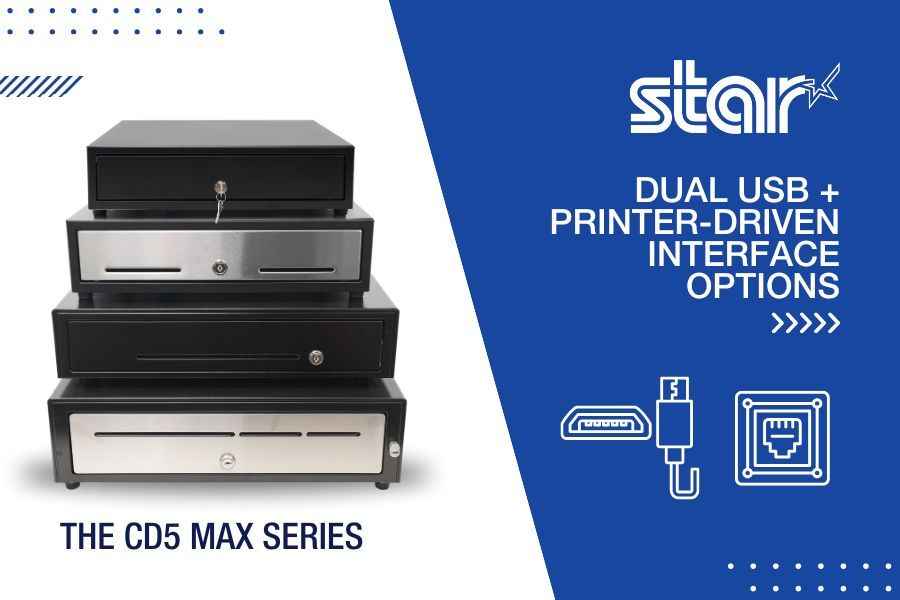
    A dual interface cash drawer supports both USB and printer-driven (DK port) connections in a single model. This means the same drawer can connect directly to a printer or plug into the POS terminal itself, giving you more options and fewer complications.

    Instead of choosing between USB or DK models, you get both. This helps reduce inventory confusion, ensures a smoother installation process, and gives your customers flexibility if their setup evolves.

    Star’s CD5 Max Series offers this level of versatility out of the box.
    CD5 Max Series Dual Interface Cash Drawer by Star Micronics

    Who Benefits from Dual Interface Connectivity

    1. VARs and Installers

    A dual interface cash drawer means fewer models to stock and less time troubleshooting compatibility in the field. The drawer will work whether the customer uses a printer, a USB-connected touchscreen, or both.

    2. ISVs

    Software developers can build solutions that work across more environments, knowing the drawer will connect through whichever method the end user prefers. That makes onboarding and deployment smoother.

    3. Retailers and QSRs

    Enterprise-level or growing businesses often run a mix of hardware setups across locations. A dual interface drawer allows them to standardize on a single model that works everywhere, whether at the counter, in the kitchen, or at a self-checkout kiosk.

    4. Mobile POS and Kiosk Applications

    Many self-service stations and mPOS setups do not use receipt printers at all. USB becomes essential. With a dual interface drawer, you can still use the same hardware, regardless of the station design.

    The CD5 Max Series is Built for Flexibility

    Star’s CD5 Max Series is a rugged, reliable cash drawer designed for modern retail. It offers:

    • Dual USB and printer-driven connectivity
    • All-steel construction for high-volume environments
    • Multiple size options for tight counters or large setups
    • Support for Star, Epson, Bixolon, NCR, Oracle, and other major brands
    • Long-term durability backed by a 5-year warranty
    • Optional accessories like the APG 320 adapter cable and dual-drawer secure cash drawer cables

    Whether you’re replacing legacy hardware or building a new POS system from scratch, the CD5 makes integration and installation easier and smarter.

    Simplify Cash Handling with the Right Connectivity

    The more flexible your hardware, the more adaptable your business becomes. A dual interface cash drawer is a small shift that delivers big value. It cuts down on support issues, reduces install time, and keeps your POS system ready for whatever setup comes next.

    If you are looking for a cash drawer that fits every connection, every environment, and every POS strategy, the CD5 Max Series is your answer.

    6 Industry Trends Affecting POS VARs and How to Handle Them

    Explore the shifts and challenges reshaping the landscape for POS Value-Added Resellers (VARs), offering actionable strategies for staying competitive.

    Find out more about dual interface cash drawers:

  • Reduce Label Printer Downtime with Smarter Maintenance Tools

    Reduce Label Printer Downtime with Smarter Maintenance Tools

    When orders pile up and customers are waiting, restaurants and retailers can’t afford wasted time. Every second counts, especially when label printer downtime threatens to derail the entire workflow. The right label printer can help with order accuracy, speed, and customer satisfaction. But without smart, proactive label printer maintenance, even the best devices can fail mid-shift, delaying orders, frustrating staff, and risking customer trust.

    Unfortunately, traditional label printers offer little warning before they fail. Maintenance procedures are often buried in technical manuals, and staff members may not know what to do when a problem arises. The result? Unplanned downtime, lost revenue, and missed opportunities.

    There’s a smarter way forward. Maintenance tools built into today’s best label printers help operators stay proactive, avoid surprises, and keep their operations running smoothly.

    Table of Contents

    Why Label Printer Downtime Hurts QSR and Retail Operations

    Label printer downtime hits hardest when your team needs it most. During rush periods, a single stalled device can trigger a ripple effect: delayed tickets, packing errors, and frustrated customers.

    When a label printer fails, the order accuracy chain breaks. Bags leave without tamper-evident seals. Orders get misrouted or repacked. Allergen and ingredient labels may be skipped, creating food safety risks and compliance issues. For QSRs and retailers, that means chargebacks, reputation damage, and slower service when speed matters most.

    Label printer downtime doesn’t just slow things down; it disrupts trust and hurts the bottom line.

    Unhappy Customers Printer Downtime

    The Hidden Gaps in Label Printer Maintenance & Why They Happen

    Too often, label printer maintenance is an afterthought. There’s no real warning before issues arise, and no clear process for routine upkeep. Most teams only respond once something breaks, and by then, it’s too late.

    Without maintenance alerts or built-in guidance, staff may not know a part is worn or how to fix it. Manuals are buried, IT is busy, and backup printers aren’t always available. That leaves teams scrambling to recover.

    These gaps create recurring pain points:

    • Lost productivity during peak times
    • Wasted materials from failed prints
    • Packaging errors that impact customer satisfaction
    • Avoidable damage to brand trust

    Without a proactive maintenance system, even the best labeling strategy can fall short.

    Meet the mC-Label Series: Smarter Label Printer Maintenance, Built In

    When it comes to avoiding label printer downtime, the best defense is a device that knows how to take care of itself. That’s why Star Micronics designed the mC-Label multifunction printer series with proactive maintenance tools that keep QSR and retail workflows moving without disruption.

    1. Maintenance Alerts

    Real-time notifications let staff know exactly when printer maintenance is due before it becomes a problem.

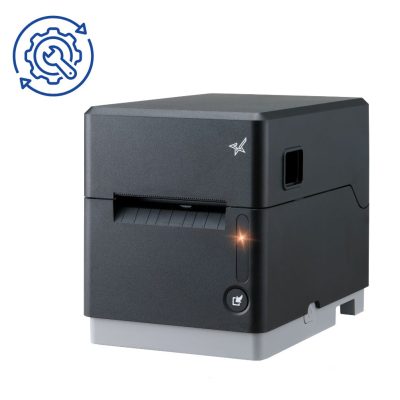
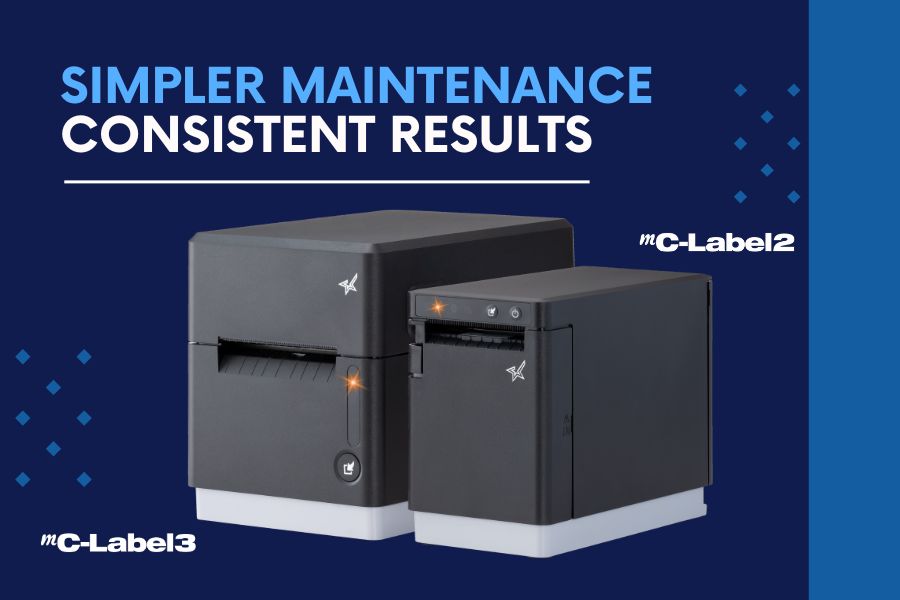
    The mC-Label3 multifunction label printer has convenient maintenance alerts.

    2. Auto-Printed QR Codes

    The printer prints a QR code that links directly to simple, step-by-step instructions. No manuals needed.

    3. Tool-Free Maintenance

    Downtime often starts with small issues, like adhesive buildup or worn components. That’s why Star mC-Label printers are designed with tool-free maintenance in mind.

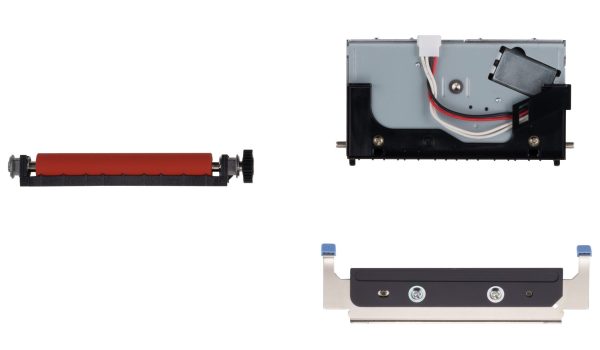
    Color-coded parts, including the cutter and platen, are easy to identify, remove, clean, and reinstall without any tools. No technician is required. Your team can handle routine maintenance on the spot without waiting for IT or scheduling a service call. That means less downtime, fewer disruptions, and a label printer that’s always ready to go.

    For the mC-Label2 and mC-Label3 multifunction label printers, routine cutter cleaning is simple. If adhesive begins to accumulate on the cutter blade, use the adhesive side of a separate label or linerless label and gently tap it against the blade. This helps remove gum and debris before buildup affects cutting performance.

    When components eventually wear over time, Star offers replacement cutter and platen sets so you can restore performance quickly without replacing the entire printer. Fast, user-level maintenance keeps labeling workflows running smoothly, even in high-volume environments.

    4. Built for the Front and Back of House

    Whether you’re sealing to-go bags, labeling food items, or printing ingredient info, the mC-Label series prints die-cut and linerless labels (with all adhesive strengths) plus receipts, helping you maintain speed, accuracy, and peace of mind.

    mC-Label2 Multifunction Printer

    The mC-Label2 packs powerful features into a compact, front-loading design, including 300 dpi resolution, support for linerless, die-cut, receipt, and continuous media, and connectivity options like USB-C, LAN, WLAN, Bluetooth, and Apple MFi-certified pairing (X4 models only).

    Explore the mC-Label2 >

    mC-Label3 Multifunction Printer

    The Star Micronics mC-Label3 is a versatile multimedia printer that prints a wide range of labels and receipts, including both permanent and repositionable sticky linerless. It features cloud connectivity and innovative technologies like SteadyLAN and TetherLAN for enhanced printing convenience.

    Discover the mC-Label3 >

    Keep Labeling Simple and Reliable

    In today’s high-volume, high-expectation environment, printer downtime is a problem you can’t afford.

    Smart maintenance tools like those built into the mC-Label series give operators the confidence that their labeling workflow won’t be derailed by preventable issues. Proactive alerts, guided instructions, and simple part handling turn maintenance from a challenge into an opportunity to keep operations running at their best.

    Smarter maintenance enables smarter labeling—and smarter labeling helps QSRs and retailers deliver the speed, accuracy, and trust their customers expect.

    Beyond the Label: Elevating Brand Connection and Loyalty

    “Beyond the Label” offers insights into innovative labeling techniques that help retailers and restaurateurs captivate and connect with their audience more effectively.

    Minimize label printer downtime and keep customers smiling with the mC-Label series:

  • Why Your Restaurant Needs a Mobile Ordering App

    Why Your Restaurant Needs a Mobile Ordering App

    It’s 2025, and if your restaurant hasn’t embraced mobile ordering apps, you’re already behind.

    Consumer habits have shifted, and digital convenience now drives dining decisions. From quick-service chains to neighborhood cafés, the restaurants adopting mobile and online ordering systems aren’t just staying afloat—they’re scaling faster than ever.

    Whether you run a fast casual, QSR, or full-service operation, implementing a mobile ordering solution is no longer optional. It’s a must-have for improving efficiency, boosting ticket size, and meeting customer expectations in an increasingly on-demand world.

    Need proof?

    Mobile ordering isn’t just convenient—it’s a growth engine for your business. And with the right tools, integrating a mobile app can be fast, seamless, and a win for both your front- and back-of-house operations.

    Read on to explore the key benefits of mobile ordering apps, how to integrate them into your restaurant without disruption, and what to look for in a modern app provider.

    Mobile Ordering App From Table QSR

    5 Benefits of a Mobile Ordering App for Restaurants

    Here’s how a restaurant mobile ordering system helps you stay competitive and profitable:

    1. Meet Customers Where They Are

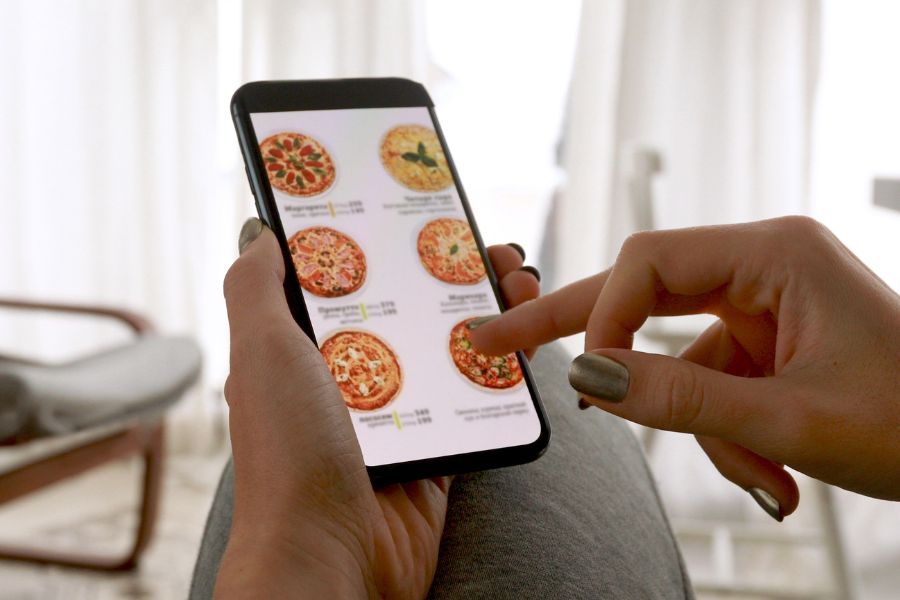
    Today’s guests are mobile-first. Nearly half of QSR customers prefer to skip the counter altogether. A mobile app empowers them to order online from anywhere—home, the car, curbside, or even in-store.

    2. Deliver a Frictionless Experience

    A good mobile ordering app presents your menu visually and intuitively. When done right, it’s easier and faster than ordering in person—and can leave a better impression.

    3. Gain Actionable Sales Insights

    Mobile ordering unlocks powerful data. Track bestsellers, understand peak hours, test pricing strategies, and spot upsell opportunities. Better decisions, better margins.

    4. Increase Average Ticket Size

    Online orders are consistently higher in value. On average, customers spend 18–20% more when ordering through an app than by phone or in person.

    5. Improve Speed and Accuracy

    Mobile apps reduce wait times and errors. Online orders are placed more clearly and processed faster, giving your staff more time to focus on prep and service.

    Why Your Restaurant Needs an Online or Mobile Ordering App

    How to Integrate a Mobile App Without Disrupting Operations

    Getting started with a mobile ordering app can feel overwhelming—but it doesn’t have to be. With a little planning and the right partners, you can launch quickly and integrate seamlessly into your existing restaurant systems.

    Step 1: Choose the Right Mobile App Provider

    Look for a provider that understands foodservice—not just tech. Key features to prioritize include:

    • Easy menu management
    • POS system compatibility
    • Real-time order tracking
    • Loyalty and upsell tools
    • Responsive customer support

    Not sure where to start? Many POS platforms now offer built-in mobile ordering features, or you can explore third-party apps built specifically for QSRs and fast casual concepts.

    Step 2: Map Out Your Workflow

    Before launching, review how your current orders flow through the restaurant:

    • Where will mobile orders appear?
    • How will they reach the kitchen?
    • Who will be responsible for fulfillment?

    Laying this out in advance ensures your new system works with—not against—your existing team and tools.

    Step 3: Bridge the Tech With Your Kitchen

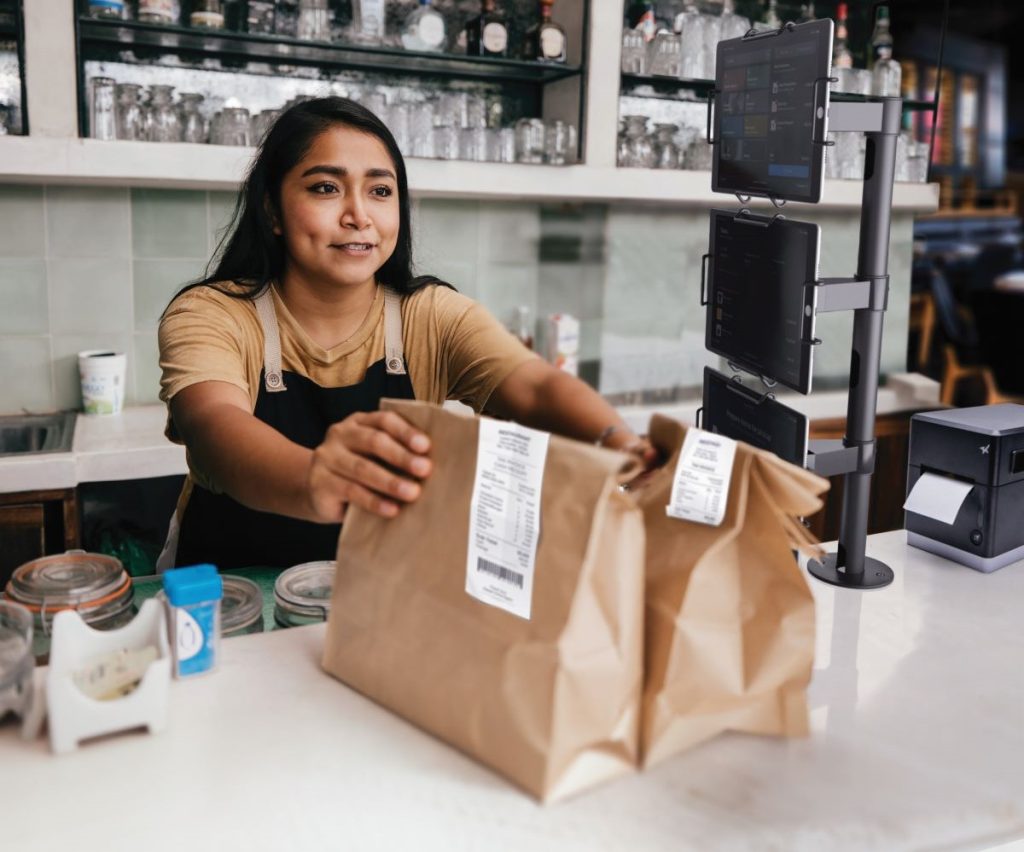
    Mobile orders need to land in the kitchen fast, clearly, and without extra steps. That’s where Star’s CloudPRNT® and CloudPRNT Next technologies come in. They route online and app orders directly to your kitchen printer—no tablets, no copying and pasting, no missed tickets.

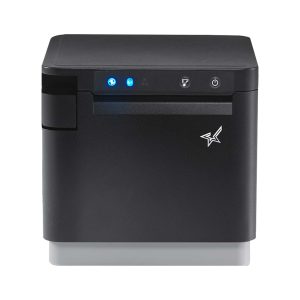
    For legacy kitchens, the SP742 impact printer remains a top choice. However, for modern kitchens with proper heat management, thermal printers like the mC-Print3 receipt printer are now a reliable, quieter, and more compact, connected alternative. The mC-Print3 features a sleek design, flexible connectivity (USB, Ethernet, Bluetooth, and CloudPRNT Next), and fits beautifully into tight counter setups.

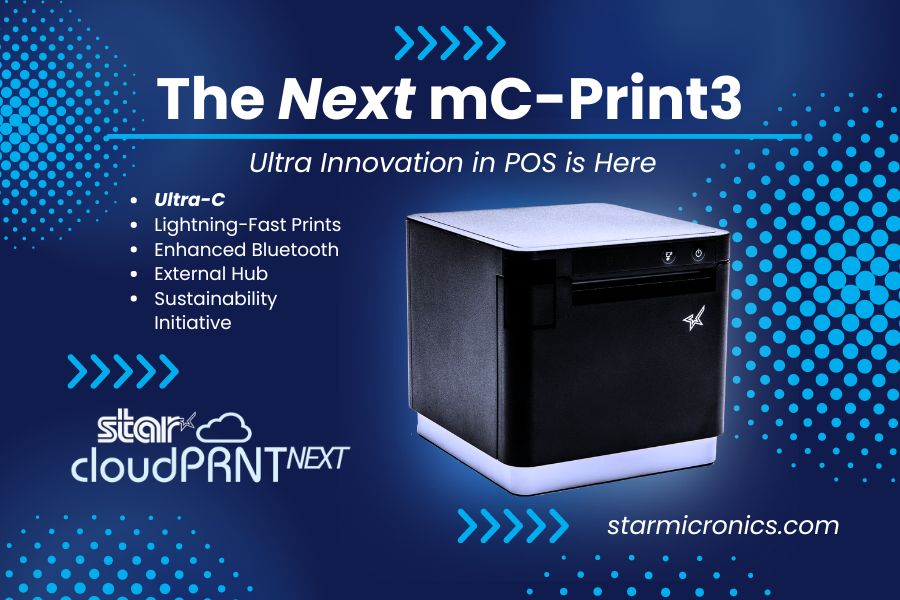
    mC-Print3 Receipt Printer

    The Star Micronics mC-Print3 combines high-speed printing with advanced connectivity options like Ultra-C and CloudPRNT Next. Its Ultra-C USB-C port provides seamless power and data transfer with any device, while CloudPRNT Next offers enhanced remote printing using the MQTT protocol, ideal for modern POS environments.

    Discover the mC-Print3 >

    Don’t Forget the Labels: Linerless for the Win

    As mobile and online food ordering continues to grow, so does the need for clean, professional packaging. That’s where linerless labels come in.

    These labels stick securely to bags and containers without wasteful silicone backing, making them faster to apply and more sustainable. With more labels per roll, fewer roll changes, and options for repositionable (leaving zero residue) or tamper-evident, stronger adhesive, linerless labels are ideal for:

    • Mobile order pickups
    • Curbside delivery
    • Takeout packaging
    • Pre-packaged foods and beverages

    Pair linerless media with dedicated linerless label printers like the mC-Label3 and TSP143IV SK, and your staff can label orders quickly and cleanly—no tape or handwritten notes required. It’s the best labeling solution for fast-paced, off-premise dining.

    How to Get Your Restaurant Ready for Online Ordering

    Are you looking for a new way to grow your restaurant business? Accepting online orders keeps you relevant and competitive.

    Learn more about Star’s online and mobile ordering app solutions:

  • Avoid POS Downtime: Why Your Business Needs an Extended Warranty

    Avoid POS Downtime: Why Your Business Needs an Extended Warranty

    In the latest episode of the Rising Stars Podcast, host Kate Orara is joined by Paul Leduc, CEO of Globe POS Systems, for an insightful discussion on the importance of extended warranties in the POS industry. In “Avoid POS Downtime: Why Your Business Needs an Extended Warranty,” Paul shares his expertise on how businesses can safeguard their POS investments and minimize costly disruptions.

    Paul breaks down the most common hardware failures, the true cost of downtime, and how extended warranties help businesses stay operational while reducing unexpected repair expenses. He also discusses how Globe POS partners with Star Micronics to offer seamless warranty solutions that keep retail and hospitality businesses running smoothly.

    The Business Benefits of POS Extended Warranties

    From reducing downtime to ensuring long-term cost savings, this episode is packed with actionable advice for business owners, ISVs, and resellers looking to perfect their POS system reliability. Whether you run a small retail shop or a multi-location restaurant, Paul’s insights will help you understand how to make the smartest investment in POS hardware protection.

    • Protect your business from costly repairs
    • Maximize POS uptime and efficiency
    • Gain peace of mind with long-term hardware coverage

    Loving the podcast? Subscribe now, and let us know what you think by leaving a review!

    Stay up-to-date on all things Star, don’t forget to follow us on X, LinkedIn, Facebook, Instagram, and YouTube.

    The Rising Stars Podcast

    Immerse yourself in the world of point-of-sale (POS) with the Rising Stars Podcast by Star Micronics, hosted by industry pro, Kate Orara. Twice a month, we explore the fascinating journeys of innovators and businesses navigating the challenges of POS technology’s rapid pace.

    In every episode, Kate Orara, Star Micronics’ Partner Development Manager, discusses emerging retail technology trends and strategies with global industry giants. She’s spent her entire career meeting all the right people, and now listeners everywhere can benefit from this vast network of channel gurus.

    Always leading and always innovating, Star Micronics, a pioneer in POS and customer experience technology for over 60 years, welcomes you to join us in shaping a brighter future in the retail, hospitality, and cannabis industries.

    Want more industry news?

    Episode Transcript:

    [Music]

    Kate Orara: Hey there, retail tech enthusiasts! Welcome to the Rising Stars Podcast, your go-to for all things retail tech and point of sale. I’m Kate Orara, Partner Development Manager at Star Micronics, and I’m excited to guide you through this journey. Here, we dive into the latest innovations shaping the retail, hospitality, and cannabis industries. So whether you’re a techie or a business owner, this is your backstage pass to insider knowledge. Join me and the Star Micronics team as we innovate and rise together.

    Welcome back to another episode of Rising Stars Podcast! I’m your host, Kate Orara, and I’m really excited for today’s discussion. I have a good friend and industry partner with me—Paul Leduc, CEO of Globe POS. Paul, how are you?

    Paul Leduc: I’m great! How are you? Nice to see you again.

    Kate Orara: Good to see you too! I’m super excited for today’s conversation. We had a call a couple of weeks ago that really inspired this topic, and I knew we had to bring it to the podcast. We’re talking about something near and dear to my heart—extended service warranties. I have experience in the services industry, working in warranty and non-warranty repair, so I know firsthand how important this topic is.

    But before we dive in, I’d love for you to introduce yourself to our listeners. Tell us a little about your experience in the channel and about Globe POS.

    Paul Leduc: Sure! I’ve been in the industry for a long time. I started in a software company as a dealer rep across North America, working with a variety of VARs of different sizes and focuses. Before that, I owned a grocery store, so I understand the retail environment firsthand. Over the years, I worked with different dealerships across different states and provinces. About 15 years ago, I decided to acquire Globe POS Systems because I wanted something stable and closer to home while staying active in the industry.

    To stay connected, I’ve remained involved in the RSPA (Retail Solutions Providers Association), serving on the board and keeping my ears on the ground for industry trends. I love engaging with resellers and partners and providing assistance wherever I can.

    Kate Orara: That’s great! Yes, we both have been involved with RSPA, and it’s such a fantastic organization. If any listeners have questions about RSPA, Paul and I are happy to help!

    Now, let’s dive into today’s topic: extended warranties. Our conversation a few weeks ago was about how Globe POS successfully incorporates extended warranties into its overall solution and how that has helped your business. To start, what inspired Globe POS to offer extended warranties on point-of-sale hardware, and how does this address common customer pain points?

    Paul Leduc: Years ago, manufacturers didn’t always offer extended warranties, and as a smaller VAR, that posed challenges. We wanted to grow beyond our immediate region while still offering high-level service, but the logistics were difficult. I remember flying out on a Sunday night to replace a hard drive for a customer, which was expensive and time-consuming.

    Without extended warranties, service and replacement costs could quickly add up for both us and our customers. It became clear that offering extended service plans was the best way to provide cost-effective, scalable support. When manufacturers started offering warranty add-ons more actively about eight years ago, we fully embraced it. Now, we can ensure that even customers in remote locations get the same level of service and peace of mind.

    Kate Orara: That makes so much sense. Having a warranty in place removes a lot of uncertainty for customers and prevents unexpected expenses.

    What are some of the key benefits for merchants who opt for extended warranties on their POS hardware? How do these warranties contribute to overall business continuity and cost savings?

    Paul Leduc: Beyond peace of mind, the cost savings are significant. One repair on a critical component like a scanner or cash drawer can be costly. Having a warranty means that rather than paying for an expensive repair or replacement, businesses are covered.

    Another benefit is faster service. If a business encounters an issue, they have a dedicated support line to troubleshoot first. Many times, it’s a simple fix—like pressing a reset button—but without support, the customer might have sent the unit in for repair, leading to unnecessary downtime.

    Extended warranties also ensure that businesses stay operational. If a POS terminal goes down, sales stop, and that’s lost revenue. For industries like hospitality and restaurants, where peak hours are critical, having warranty-backed support can mean the difference between minimal disruption and a full-blown crisis.

    Kate Orara: Absolutely! When I worked in services, restaurants would call us in a panic if their systems went down during the dinner rush. Having that warranty-backed support helped them get back up and running quickly.

    What are some of the most common POS hardware failures, and how do extended warranties help mitigate these challenges?

    Paul Leduc: It really depends on the environment. In restaurants, touchscreens take a lot of wear and tear—grease, spills, and heavy use can lead to dead zones or calibration issues. In retail, the biggest issues tend to be scanners, cash drawers, and occasionally printers.

    Having an extended warranty means businesses don’t have to worry about costly repairs. If a scanner is dropped or a cord is damaged, they can quickly get a replacement without extra expenses. It ensures minimal downtime and maintains business continuity.

    Kate Orara: That makes sense. Now, let’s talk about how extended warranties work with Star Micronics printers and other hardware. What should businesses know about coverage, response times, and maintenance support?

    Paul Leduc: Star Micronics is one of the easiest manufacturers to work with when it comes to extended warranties. The process is simple—when we sell a new printer, we can add the warranty with just a quick call. No complicated paperwork.

    If an issue arises, Star provides advanced exchange services. They’ll ship a replacement printer, and the customer just sends the faulty one back. Most issues, however, are solved over the phone. Instead of directing us to a knowledge base, Star’s team actually helps troubleshoot in real time, which saves a lot of frustration.

    Kate Orara: That hands-on support is invaluable. As technology continues to evolve, how do you see the role of extended warranties changing in the POS industry?

    Paul Leduc: While POS hardware itself is fairly stable, extended warranties will become even more important as businesses rely more on these devices. Many businesses keep their hardware for five to ten years, so offering a long-term warranty makes sense.

    The future changes in POS are happening more on the software side with AI and advanced analytics, but hardware remains the foundation of operations. Ensuring longevity and reliability through extended warranties will always be a smart investment.

    Kate Orara: Absolutely! Before we wrap up, here’s a curveball question I ask all my guests: If you could change one thing about the channel today, what would it be and why?

    Paul Leduc: I’d like to see more manufacturers commit fully to either channel sales or direct sales, rather than doing both. The channel has proven its value, and companies that truly invest in it see long-term success. While some direct sales efforts still exist, I think the channel is in a better position today than it was a decade ago.

    Kate Orara: That’s a great perspective. Thank you so much for joining me today, Paul! How can listeners reach out to you if they want to learn more about Globe POS?

    Paul Leduc: You can visit our website at globpos.ca for more information.

    Kate Orara: Perfect! Thank you again, Paul. I really appreciate your time and insights.

    And that’s a wrap for this episode of the Rising Stars Podcast! A huge thanks to our listeners for tuning in. Don’t forget to subscribe, rate, and leave a review—your feedback fuels our journey to bring you the best in retail tech. Stay connected with us on social media for updates and behind-the-scenes content.

    As we sign off, remember: the future of retail technology is in our hands, and together, we are shaping it. Keep innovating, keep rising, and until next time, this is Kate Orara signing off. Together, we rise.

    [Music]


  • New Super Easy Wi-Fi Printer Setup for TSP143IV X4 and TSP143IV SK X4

    New Super Easy Wi-Fi Printer Setup for TSP143IV X4 and TSP143IV SK X4

    Traditionally, the steps to set up a printer for wireless printing take time. Although the workforce is increasingly more tech-savvy than previous generations, few employees have extra time to devote to printer setup while taking care of their core responsibilities.

    The ease of Wi-Fi printer setup is particularly important for employees with mobile devices who need to print in different areas of a facility or campus. How quickly and reliably they can set up a printer directly impacts their productivity and overall operational efficiency. 

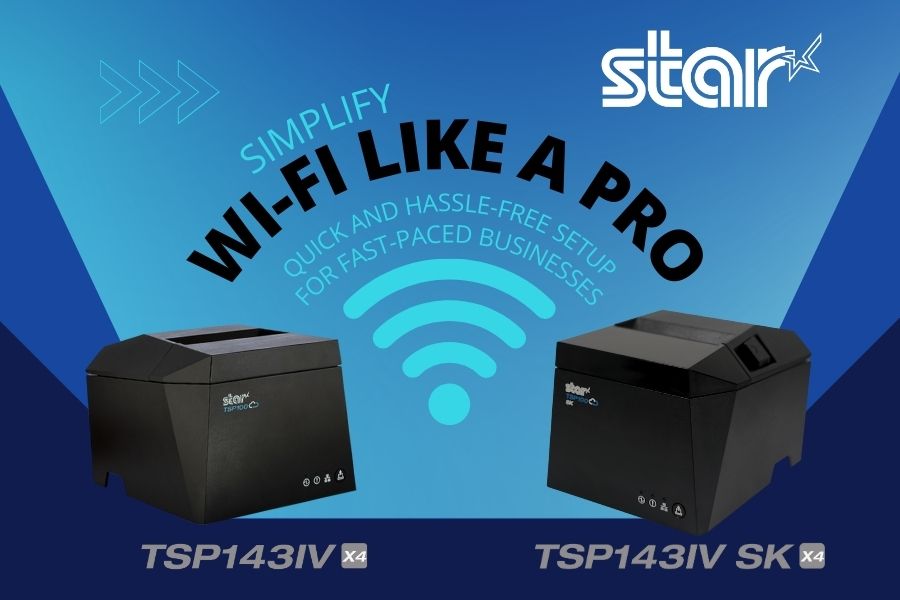
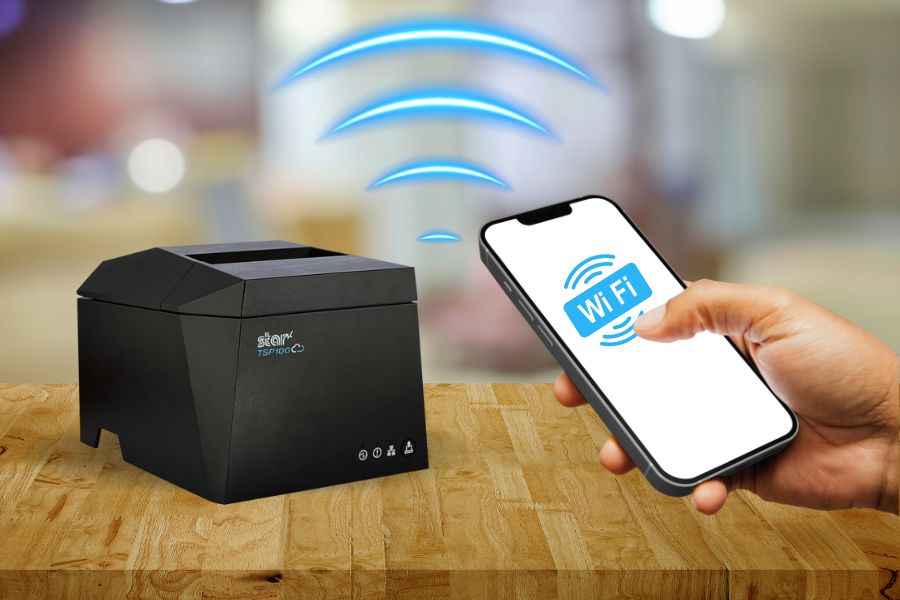
    To help organizations overcome this challenge, Star Micronics designed the TSP143IV X4 thermal receipt and TSP143IV SK X4 linerless label printers to make Wi-Fi setup as seamless and user-friendly as possible. With cutting-edge technology and two innovative setup options, these printers ensure quick, reliable connections to your wireless network.

    Here’s how they work: 

    Using the Star Quick Setup Utility

    This method leverages Bluetooth Low Energy (BLE) technology for a streamlined setup process. Wi-Fi printer setup step for this method: 

    1. Launch the Star Quick Setup Utility App: Download and open the app on your mobile device.
    2. Enter the Network Security Key: Input the password for your Wi-Fi network within the app.
    3. Proximity Pairing: Bring your mobile device close to the printer to establish a connection.
    4. Confirmation Printout: Once connected, the printer will automatically generate a diagnostic printout confirming the success of the setup.

    The advantages of using the Star Quick Setup Utility include minimal steps, speed, and ease of use. It’s a benefit for operations that require setting up Wi-Fi frequently. The Star Quick Setup Utility app also includes built-in troubleshooting options that help address any connection issues. 

    X4 Receipt Printer Wi Fi Connectivity

    Using the Hotspot Captive Portal

    Considered an alternative method, using the Hotspot Captive Portal allows users to accomplish Wi-Fi printer setup without using additional software. Instead, it uses the printer’s built-in hotspot functionality. This method also has only four easy steps: 

    1. Power On the Printer: Upon powering up, the printer will automatically print a QR code.
    2. Scan the QR Code: Use your mobile device’s camera to scan the QR code.
    3. Follow the Instructions: Your device will guide you through entering the network credentials and finalizing the setup.
    4. Confirmation Printout: As with the first method, a diagnostic printout is generated to confirm successful connectivity.

    In addition to eliminating the need to download and install an app to set up a printer for Wi-Fi, this method is also quick and easy for users unfamiliar with BLE technology.

    TSP143IV SK X4 Removable Sticky Label Printer

    The TSP143IV SK X4 by Star Micronics sets a new standard for compact, eco-friendly thermal linerless label printing, offering four advanced connectivity options like Wi-Fi with easy setup and AOA. Get efficient, residue-free repositionable labels for your diverse business needs.

    Find out more >

    Key Features of TSP143IV X4 and TSP143IV SK X4 Wi-Fi Connectivity

    In addition to making Wi-Fi printer setup easy for the TSP143IV X4 and TSP143IV SK X4, Star designed these printers for reliable connectivity and maximum uptime. Organizations that count on trouble-free wireless printing benefit from: 

    • Dual-Band Connectivity: The printers support both 2.4 GHz and 5 GHz frequencies for flexibility in various network environments.
    • Diagnostic Printouts: Every setup method concludes with a detailed printout that verifies network connection status.
    • Troubleshooting Tools: In addition to helping users resolve connection issues during Wi-Fi setup, the Star Quick Setup Utility app has built-in troubleshooting tools that assist users with connectivity issues during day-to-day use. 
    • User-Friendly Design: The printers enable efficient wireless printing, ensuring minimal downtime and maximum productivity.

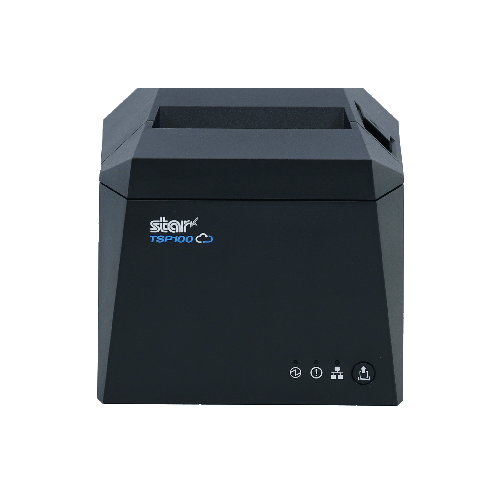
    TSP143IV X4 Thermal Receipt Printer

    The TSP143IV series thermal receipt printer from Star Micronics is 20% smaller than its predecessor, offering high-speed printing with USB, LAN, WLAN, and Bluetooth connectivity. With CloudPRNT Next, dual-band WLAN, and Android Open Accessory (AOA) support, it ensures seamless compatibility across Windows, iOS, Android, and cloud-based applications, making it an efficient, adaptable solution for modern POS environments.

    Discover the TSP143IV X4 >

    Flexible Wi-Fi Setup Lets You Choose the Best Option for Your Operation

    With the TSP143IV X4 and TSP143IV SK X4 printers, Star Micronics has redefined the Wi-Fi setup experience. Whether you choose the Bluetooth-assisted Star Quick Setup Utility or the Hot Spot Captive Portal, the process is straightforward, fast, and reliable. Dual-band connectivity ensures optimal performance, while diagnostic printouts and troubleshooting tools provide added confidence and support. 

    By simplifying wireless setup, these printers empower businesses to focus on what matters most: delivering exceptional service and efficiency.

    Contact us to schedule a demonstration or consultation today to see firsthand how easily and quickly printer setup is with the TSP143IV X4 receipt printer and the TSP143IV SK X4 sticky linerless label printer.

    Find out more about the easy Wi-Fi printer setup on our TSP100IV X4 models:

  • Strengthening Channel Partnerships with Elo & Star Micronics

    Strengthening Channel Partnerships with Elo & Star Micronics

    In the latest episode of the Rising Stars Podcast, host Kate Orara is joined by Rob Nordby, Channel Sales Manager at Elo Touch Solutions, for an insightful discussion on what makes a channel partnership thrive. In “Channel Partner Success: Best Practices from Elo & Star Micronics,” Rob shares his expertise on how ISVs, VARs, and resellers can maximize their relationships with manufacturers to drive long-term success.

    Rob breaks down the key traits of successful channel partners, the importance of clear communication, and the role of manufacturer support in fostering growth. He also provides a behind-the-scenes look at Elo’s Elite Partner Program and how it creates real value for resellers and integrators looking to stand out in the competitive retail and hospitality technology space.

    Strategies for Success in the POS Industry

    From best practices in launching new products to overcoming common partnership challenges, this episode is packed with actionable advice for businesses looking to build stronger, more strategic alliances. Whether you’re a seasoned reseller or an ISV exploring new opportunities, Rob’s insights offer a valuable roadmap to growth.

    Supercharge your success with the Star Micronics Empower Partner Program >

    Loving the podcast? Subscribe now, and let us know what you think by leaving a review!

    Stay up-to-date on all things Star, don’t forget to follow us on X, LinkedIn, Facebook, Instagram, and YouTube.

    The Rising Stars Podcast

    Immerse yourself in the world of point-of-sale (POS) with the Rising Stars Podcast by Star Micronics, hosted by industry pro, Kate Orara. Twice a month, we explore the fascinating journeys of innovators and businesses navigating the challenges of POS technology’s rapid pace.

    In every episode, Kate Orara, Star Micronics’ Partner Development Manager, discusses emerging retail technology trends and strategies with global industry giants. She’s spent her entire career meeting all the right people, and now listeners everywhere can benefit from this vast network of channel gurus.

    Always leading and always innovating, Star Micronics, a pioneer in POS and customer experience technology for over 60 years, welcomes you to join us in shaping a brighter future in the retail, hospitality, and cannabis industries.

    Want more industry news?

    Episode Transcript

    [Music]

    Kate Orara: Hey there, retail tech enthusiasts! Welcome to the Rising Stars Podcast, your go-to for all things retail tech and point of sale. I’m Kate Orara, Partner Development Manager at Star Micronics, and I’m excited to guide you through this journey. Here, we dive into the latest innovations shaping the retail, hospitality, and cannabis industries. So whether you’re a techie or a business owner, this is your backstage pass to insider knowledge. Join me and the Star Micronics team as we innovate and rise together.

    Welcome back to another episode of the Rising Stars Podcast! I’m really excited today because I have one of my old buddies joining me. I know I keep saying this, but truly, the guests I bring on provide valuable insights into this industry—I promise it’s not just me bringing on friends for fun! Today, I have my good friend Rob Nordby from Elo Touch Solutions with me. Rob, how are you?

    Rob Nordby: I’m doing well! Thanks for having me. Excited to be here.

    Kate Orara: Awesome! I’m happy you could join us today. I know you’re traveling and actually at a conference right now, so I really appreciate you taking the time to speak with me.

    Rob Nordby: No worries! Excuse the background noise—I’ll just annoy everyone around me here. But let’s do it! Ready to rock.

    Kate Orara: Well, it’s funny because you’re currently at a partner event, and today we’re talking about partnerships! To kick things off, for our listeners who may not be familiar with you or Elo, could you give us a brief introduction about yourself and your role?

    Rob Nordby: Absolutely! I’m Rob Nordby, and I’ve been with Elo for six years. I manage our national solution provider team and programs, working with large national partners like CDW, SHI, and Insight. It’s a small but nimble team. Before Elo, I spent almost seven years at Zebra and started my career at PC Mall, which is now Insight. I’ve had a variety of roles in the industry, but my primary focus has always been on the channel, managing relationships and long-term partnerships.

    Kate Orara: That’s great! You’ve worked at the manufacturer level and the reseller level. Have you worked at the distributor level as well?

    Rob Nordby: That’s actually the one part of the industry I haven’t worked in, but I work closely with distribution. I have great relationships with our distributors and always advocate for collaboration between manufacturers, distributors, and resellers. Even though I’ve never worked for a distributor, I feel like I have offices at many of them!

    Kate Orara: That makes sense! So, let’s talk about partnerships. What are some key traits or behaviors you look for in a successful channel partner?

    Rob Nordby: Great question! A successful partner is motivated and truly embraces the term “partner.” Transparency and goal alignment are huge. Whether a partner is small or large, if we establish a long-term plan and stick to it, that makes for a great relationship. We love investing in partners who are committed to working toward mutual success.

    Kate Orara: From a partner’s perspective, what should they expect in terms of support, resources, and communication from a manufacturer like Elo?

    Rob Nordby: Honesty is number one. We all know about channel conflict, but maintaining a clean channel is a priority for Elo. Partners should expect reliable products, transparency about where our solutions work best, and clear guidance. We don’t just push products; we help partners find the right solutions for their customers. When manufacturers and resellers work together with honesty and a shared goal, it leads to successful rollouts and strong relationships.

    Kate Orara: Speaking of rollouts, how do you involve partners in launching new products, and what are some best practices for ensuring a smooth rollout?

    Rob Nordby: We prioritize roadmaps. Communication is key—we make sure partners are informed well in advance about what’s coming. Training is also essential. With large-scale rollouts, like those for Walmart or Target, understanding needs upfront and sharing that information between manufacturers and resellers prevents surprises down the road. Bringing partners in from day one creates a cohesive strategy and minimizes issues later.

    Kate Orara: That makes so much sense! So, tell us about the Elo Elite Partner Program. How does it benefit partners in tangible ways?

    Rob Nordby: The Elo Elite Partner Program is designed to reward and support our partners. It’s a tiered program where the more a partner sells, the better their discounts and rebates. But it’s not just about revenue—we also reward value-added services, training participation, and product engagement. We keep a clean channel and use deal registration to ensure partners can remain competitive. The goal is to build a long-term, mutually beneficial relationship.

    Kate Orara: What are some common challenges manufacturers and channel partners face in building strong relationships, and how can they be addressed?

    Rob Nordby: One big challenge is trust. Customers sometimes try to turn manufacturers and resellers against each other, which can create tension. Maintaining transparency, staying aligned, and working toward the same goal help mitigate those issues. Another challenge is competition and market consolidation, which can make it harder for smaller partners to compete. That’s why we advocate for a balanced channel approach.

    Kate Orara: If you could change one thing about the channel today, what would it be and why?

    Rob Nordby: I’d like to see less consolidation. The increasing number of mergers makes it difficult to maintain a diverse and competitive market. I also wish resellers would trust manufacturers more. We truly want to help them succeed, but sometimes there’s hesitation to share opportunities early on. Building trust through transparency is key.

    Kate Orara: That’s a great perspective. Thank you, Rob, for sharing your insights! We’ll include your LinkedIn and contact details in the show notes for anyone who wants to connect.

    Rob Nordby: Thanks for having me, Kate! This was fun. Looking forward to seeing you on the road.

    Kate Orara: And that’s a wrap for this episode of the Rising Stars Podcast! A huge thanks to our listeners for tuning in and to our phenomenal guest for sharing his insights. Don’t forget to subscribe, rate, and leave a review. Your feedback fuels our journey to bring you the best in retail tech.

    Stay connected with us on social media for updates and behind-the-scenes content. The future of retail technology is in our hands, and together, we are shaping it. Keep innovating, keep rising, and until next time, this is Kate Orara signing off. Together, we rise.

    [Music]

  • Star Micronics Unveils Cutting-Edge Receipt and Removable Linerless Label Printers

    Star Micronics Unveils Cutting-Edge Receipt and Removable Linerless Label Printers

    Two innovative models, the TSP143IV X4 and TSP143IV SK X4 receipt and linerless label printers, redefine printing for modern retail and hospitality environments.

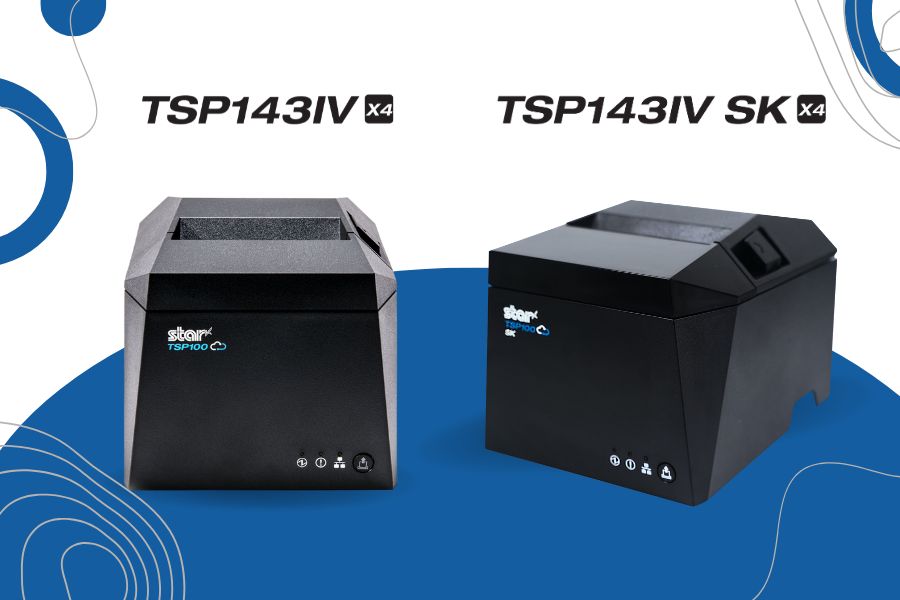
    Somerset, NJ – January 10, 2025 – Star Micronics, a global leader in point-of-sale (POS), labeling, and customer engagement technology, is excited to announce the launch of two groundbreaking printing solutions: the TSP143IV X4 receipt printer and the TSP143IV SK X4 removable linerless label printer. Designed to meet the demands of today’s businesses, these printers deliver exceptional performance and advanced connectivity, all in an eco-conscious package. Star Micronics once again sets a new standard for POS printing.

    TSP143IV X4: Advanced Connectivity Meets High-Speed Printing

    The TSP143IV X4 offers future-proof versatility with four connectivity options—USB, LAN, WLAN, and Bluetooth—ensuring seamless compatibility with iOS, Android, and Windows devices. With CloudPRNT Next technology utilizing the MQTT protocol, the TSP143IV X4 enables faster, more reliable cloud-based printing, making it ideal for businesses managing remote print operations across multiple locations.

    This compact printer supports high-speed printing of up to 250mm/s, a built-in guillotine auto-cutter, and 20W of USB-C power and data transfer for iOS, Android, and Windows devices. Plus, Wi-Fi setup has never been easier with the Star Quick Setup Utility app or via QR code. The TSP143IV X4 also embraces sustainability, featuring EnergyStar certification, which ensures it operates with energy efficiency, reducing power consumption and environmental impact while lowering operational costs for businesses. These printers include eco-friendly packaging with a 30% smaller box size and near-zero plastic wrapping to reduce environmental impact.

    TSP143IV SK X4: Smart Labeling for High-Demand Workflows

    The TSP143IV SK X4 builds on Star’s reputation for innovation with its removable linerless sticky label printing capabilities, designed for industries like food service, delivery, takeout, and laundry. This model simplifies operations by producing repositionable sticky labels that adhere without residue, ensuring order accuracy and streamlined workflows.

    The TSP143IV SK X4 also features four connectivity interfaces, a simplified Wi-Fi setup, and high-speed printing at 180mm/s with an auto-cutter. Like its sibling model, the SK X4 prioritizes sustainability with EnergyStar certification and is nearly 100% recyclable. Its reduced packaging minimizes material waste and CO2 emissions during transport.

    Innovative Features Across Both Printer Models

    Both the TSP143IV X4 and TSP143IV SK X4 share several cutting-edge features:

    • CloudPRNT Next with the MQTT protocol for faster, more reliable cloud communication.
    • User-friendly Wi-Fi setup using Star Quick Setup Utility or via QR code.
    • Compact, modern design with a built-in power supply for space efficiency.
    • EnergyStar certified with eco-conscious packaging to support sustainable business practices.

    “Retail and hospitality businesses require solutions that are not only efficient and reliable but also adaptable to their rapidly changing needs. The TSP143IV X4 and TSP143IV SK X4 embody Star’s commitment to innovation and sustainability, empowering businesses to improve efficiency while reducing their environmental footprint and boosting their bottom line.”

    To learn more about these new printers and how they can revolutionize your POS and labeling processes, visit starmicronics.com or contact sales@starmicronics.com.

    Experience the future of POS technology at NRF 2025! Star Micronics will showcase these models and more at Booth 5757, January 12–14, 2025, at the Javits Convention Center in New York City.

    Love industry news? Explore our podcast:

    Star Micronics logo, point-of-sale (POS) hardware and technology company.

    Star Micronics, a world leader in point-of-sale (POS), has designated a portfolio of printing, secure cash management, self-service, and customer engagement solutions for any retail or hospitality establishment. Embracing the mPOS wave, Star’s SDKs allow developers to utilize Star printers in tandem with Android™, iOS, iPad®, and iPhone® devices to generate receipts, labels, Chit, and tickets. Star Micronics is always leading and always innovating, creating cloud-based printing solutions, including CloudPRNT and Star Cloud Services, with AOA support and MFi connectivity. Star also has a wealth of peripherals, including 2D barcode scanners, scales, tablet display stands, and more. Visit starmicronics.com or follow us on Facebook, X, Instagram, YouTube, or LinkedIn to learn more.

    Media Contact:

    Christin Dorner
    Star Micronics America, Inc.
    cdorner@starmicronics.com
    848-216-3318

  • SteadyLAN or TetherLAN: Which POS Printer Solution is Best?

    SteadyLAN or TetherLAN: Which POS Printer Solution is Best?

    In this episode of the Rising Stars Podcast, “SteadyLAN or TetherLAN: Which POS Printer Solution is Best?” host Kate Orara breaks down the differences between these two innovative POS printer technologies. As Partner Development Manager at Star Micronics, Kate provides insights on how each solution improves network connectivity and refines day-to-day workflows, helping businesses make informed decisions.

    This quick episode highlights the key features of SteadyLAN and TetherLAN, from SteadyLAN’s reliable wired connections, perfect for fixed locations, to TetherLAN’s flexibility in mobile environments. Kate discusses how each technology can impact your POS setup and what factors to consider when choosing the best solution for your business.

    Advance Your POS Printer Setup with the Right Technology

    Listeners will discover how SteadyLAN and TetherLAN offer unique benefits tailored to different business environments. Whether your business operates in a stable, wired setup or a dynamic, mobile setting, Kate’s expert advice will guide you in selecting the technology that aligns with your operational needs.

    Whether you’re planning for growth, adapting to new environments, or simply looking to optimize your POS system, this episode provides valuable insights on the right choice between SteadyLAN and TetherLAN. With clear explanations and practical examples, Kate makes the case for why choosing the right POS printer technology is crucial for business success.

    Subscribe and listen now to learn how SteadyLAN and TetherLAN can help your business reach its full potential.

    Read the blog post, “How to Choose Between SteadyLAN and TetherLAN for Your POS Printer” here >

    Loving the podcast? Subscribe now, and let us know what you think by leaving a review!

    Stay up-to-date on all things Star, don’t forget to follow us on X, LinkedIn, Facebook, Instagram, and YouTube.

    The Rising Stars Podcast

    Immerse yourself in the world of point-of-sale (POS) with the Rising Stars Podcast by Star Micronics, hosted by industry pro, Kate Orara. Twice a month, we explore the fascinating journeys of innovators and businesses navigating the challenges of POS technology’s rapid pace.

    In every episode, Kate Orara, Star Micronics’ Partner Development Manager, discusses emerging retail technology trends and strategies with global industry giants. She’s spent her entire career meeting all the right people, and now listeners everywhere can benefit from this vast network of channel gurus.

    Always leading and always innovating, Star Micronics, a pioneer in POS and customer experience technology for over 60 years, welcomes you to join us in shaping a brighter future in the retail, hospitality, and cannabis industries.

    Want more industry news?

    Episode Transcript

    [Music]

    Kate Orara: Hey there, retail tech enthusiasts! Welcome to the Rising Stars podcast, your go-to source for all things retail technology and the ever-evolving world of point-of-sale. I’m your host, Kate Orara, Partner Development Manager at Star Micronics, and I am thrilled to be your guide on this exciting journey.

    Here at Rising Stars, we’re not just keeping up with the trends—we’re setting them. We dive deep into the tech landscape with global industry leaders, unpacking strategies and discussing the latest innovations that shape the future of retail IT. Whether you’re a tech aficionado, business owner, or just curious about the dynamic world of retail, this podcast is your backstage pass to insider knowledge. And hey, it’s not just about the tech—it’s about the community. Join me and the Star Micronics team as we lead and innovate, shaping a brighter future for the retail, hospitality, and cannabis industries, and beyond.

    Together, we rise! So hit that subscribe button, stay in the loop, and let’s make waves in the retail tech space. This is the Rising Stars podcast, where innovation meets inspiration. Let’s rise together!

    Hey, and welcome back to Star Micronics’ Rising Stars podcast, where we dive deep into all things tech, business, and innovation. Today’s episode explores an exciting topic that’s crucial for businesses: choosing the right point-of-sale printer technology. But don’t worry, we’re going to break it down into a simple, digestible format for all my non-techy people out there.

    Now, imagine you’re a business owner and you’re faced with a decision: What point-of-sale printing technology do I need to help my business run efficiently? Do I need printing that can bypass unstable Wi-Fi and work directly with iOS devices? Or do I need connectivity for mobile devices with cellular connections, such as 5G tablets, smartphones, or hotspots?

    It might sound like a tough choice, but fear not! Today, we’re diving into a blog from Star Micronics that outlines exactly how to navigate this decision-making process between two printing technologies: SteadyLAN and TetherLAN. So sit back, and let’s dive in.

    Alright, so first up, let’s talk about SteadyLAN. This technology provides a wired network connection between your printer and POS system. Think of it as a direct line of communication, ensuring fast and reliable data transmission. But why might you choose SteadyLAN over other alternatives? Well, for starters, it eliminates the need for separate network cabling, simplifying your setup and potentially saving you time and money. Plus, it offers a robust connection, so you can say goodbye to pesky connectivity issues during peak business hours. It’s all about keeping everything running smoothly.

    On the flip side, Star’s TetherLAN printing technology is another fantastic option to consider. Unlike SteadyLAN, TetherLAN uses a USB connection to link your POS printer and system. You might be wondering, why opt for TetherLAN instead? One word: flexibility. With TetherLAN, you’re not tied down to a specific location or infrastructure. Need to rearrange your setup? No problem! Simply unplug and replug wherever you need to. It’s the ultimate solution for businesses that crave versatility without sacrificing performance.

    So, how do you decide between the two: SteadyLAN or TetherLAN for your point-of-sale printer? Here are some handy tips:

    First and foremost, consider your business’s specific needs and environment. Are you operating in a fast-paced, high-traffic setting where reliability is key? If so, SteadyLAN might be your best bet. Or perhaps you value the freedom to adapt and reconfigure your setup on the fly. In that case, TetherLAN could be the perfect fit.

    Another factor to keep in mind is future-proofing. Technology is ever-evolving, and you want a solution that can grow and adapt alongside your business. Both SteadyLAN and TetherLAN offer scalability and compatibility with a wide range of POS systems, ensuring that you’re not left behind as advancements continue to unfold.

    So there you have it—a whirlwind tour of the ins and outs of choosing between SteadyLAN and TetherLAN for your point-of-sale printer. Whether you’re prioritizing speed and reliability, or flexibility and adaptability, rest assured there’s a solution out there to suit your needs.

    Before you make your decision, be sure to weigh your options carefully and consider the unique requirements of your business. Or, you can always contact us at Star Micronics to discuss your needs, and we can help you select the right technology.

    So that’s your quick little Shooting Star episode for today! I hope you found it helpful and informative. Be sure to visit the Star Micronics website and check out our full blog. And don’t forget to subscribe so you don’t miss any of these amazing insights.

    Until next time, thanks for tuning in, and I’ll see you again soon.

    [Music]

    And that’s a wrap for this episode of the Rising Stars podcast. A huge thanks to our incredible listeners for tuning in and to our phenomenal guests for sharing their insights. Don’t forget to subscribe, rate, and leave us a review. Let us know what you want to hear more about—your feedback fuels our journey to bring you the best in retail technology. Stay connected with us on social media for updates and behind-the-scenes content.

    As we sign off, remember: The future of retail technology is in our hands, and together, we’re shaping it. Keep innovating, keep rising, and until next time, this is Kate Orara signing off. Together, we rise.

    [Music]

  • Making the Right Investment: Wired vs. Wireless Barcode Scanners

    Making the Right Investment: Wired vs. Wireless Barcode Scanners

    Barcode technology offers many benefits to retail, manufacturing, healthcare, and other industries. For example, they enable more accurate inventory management, real-time visibility into products and stock, and more efficient checkout processes. However, businesses need the proper hardware, including a choice between a wired or wireless barcode scanner, to get the most value from their barcode solutions. 

    What Wired and Wireless Barcode Scanners Have in Common

    Both wired and wireless barcode scanners share several hardware features. For instance, you can find both types in laser scanners or imagers designed for reading 1D barcodes (like UPC codes) and 2D scanners capable of reading both 1D and QR codes.

    Additionally, both wired and wireless scanners are available with various ingress protection (IP) ratings. These ratings indicate the level of resistance to dust and liquid infiltration. For example, an IP rating of 42 means the device is protected from solid objects larger than 1 mm (indicated by the first number, “4”) and from water droplets (indicated by the second number, “2”).

    Woman ringing up groceries with wireless barcode scanner by Star Micronics.

    There is also a range of scanner form factors, including handheld, presentation, fixed-mount, and in-counter models. The choice depends on your specific needs, such as scanning groceries at a checkout counter or shelf tags during inventory counts. It’s also essential to consider the environment in which you’ll use the scanner.

    The following comparison of wired and wireless barcode scanners will help you choose the best option based on your application needs and other crucial business factors.

    Advantages of Wired Barcode Scanners

    Wired barcode scanners are ideal for fixed locations like checkout counters or back-of-house workstations. They provide reliable, fast data transmission without the risk of interference from other devices. Wired scanners are typically plug-and-play, making them easy to set up and use quickly.

    These scanners are also generally more affordable than their wireless counterparts and don’t require battery replacements, reducing their total cost of ownership (TCO).

    Depending on the model, wired scanners can deliver fast, accurate scanning of 1D and 2D barcodes on various surfaces, including paper, uneven packaging, and screens with protective film. For example, Star’s BSH-20U and BSH-32U handheld barcode scanners can function as both a presentation scanner on a counter and a handheld device. This model offers a large field of view, onscreen barcode capture, and an infrared sensor for efficient scanning, even in low-light conditions.

    Advantages of Wireless Barcode Scanners

    Barcode scanning typically requires you to take the product to the scanner, not the other way around. Wireless barcode scanners free you from cords and cables that limit movement and allow you to use presentation or fixed-mount scanning when wired connectivity isn’t available. 

    Leading wireless barcode scanners have a long battery life with up to 12 hours of continuous use and offer reliable wireless data transmission. Star’s wireless barcode scanners, such as the BSH-32B and BSH-HR2081BT, are also easy to move between locations and have plug-and-play setup with any point-of-sale (POS) software.

    Woman scans inventory with wireless barcode scanner by Star Micronics.

    Simply connect via Bluetooth or the included USB dongle (USB dongle is imbedded in the charging cradle for the BSH-32B), and the scanner immediately works – no need to download any additional drivers. Star’s wireless scanners also have six scanning modes for convenience and capture images on paper, uneven media, and onscreen.

    Wireless scanners add flexibility to operations, allowing you to quickly accommodate changes in workflow, like when consumer behaviors shift to curbside pickup. They’re ideal for inventory management, stock takes, and cycle counts, enabling employees to capture data instantly and accurately.

    Wireless barcode scanners are also easily scalable. If you need to equip extra employees, you can add more scanners without altering your business infrastructure. 

    3 Factors to Consider When Choosing Between Wired and Wireless Barcode Scanners

    Overall, your choice between wired and wireless barcode scanners comes down to the following:

    1. Workflow Requirements

    Consider whether employees work at a checkout counter, stationary workstation, or need mobility. Also, don’t forget to take ergonomics into account. Repeatedly using a handheld might lead to fatigue and injury, whereas a wired fixed-mount scanner could prevent those issues. 

    Additionally, ensure the model has the power to provide the speed necessary to keep up with the scanning volume employees need to do their jobs efficiently.

    2. Budget

    Consider both upfront costs and TCO, including batteries for wireless scanners and ongoing maintenance costs. Remember to review the warranty to ensure you get the most out of your investment

    3. Environmental Considerations

    Determine where employees will use the scanner. A wireless barcode scanner may be the only choice if a wired connection isn’t possible. If a wired connection is possible, you may want to consider whether interference from other devices could diminish a wireless scanner’s performance. In that case, go with a wired barcode scanner.

    The Ultimate Guide to Barcode Scanner Types and Applications

    Navigate the world of barcodes with clarity and confidence, ensuring the right fit for your business needs.

    Make an Informed Choice

    Both wired and wireless barcode scanners have pros and cons, but when you consider workflow requirements, budget, and environmental factors, you’ll make the optimal choice for your application. 

    You can also contact your barcode technology solution provider to find the best scanner for your business. For example, antimicrobial scanners are available for companies in the healthcare industry, while rugged scanners are for more industrial or outdoor settings.

    Find the right wired or wireless barcode scanner for your application:

  • Star Micronics Unveils the Next mC-Print3: Connectivity and Sustainability Redefined

    Star Micronics Unveils the Next mC-Print3: Connectivity and Sustainability Redefined

    The mC-Print31Ci and mC-Print31CBi thermal receipt printers, featuring CloudPRNT Next and Ultra-C technology, set new benchmarks in speed, efficiency, and sustainability.

    Somerset, NJ – July 24, 2024 – Star Micronics, a global leader in point-of-sale (POS) technology, is excited to announce the highly anticipated launch of the mC-Print31Ci and mC-Print31CBi, the latest additions to the esteemed mC-Print3 series of thermal receipt printers and part of the mCollection®. These new models redefine POS printing standards, combining speed, flexibility, and innovative connectivity features to significantly enhance retail and hospitality operations.

    The mC-Print31Ci and mC-Print31CBi are engineered to set new benchmarks in printing speed and connectivity. They deliver prints at an impressive rate of up to 400mm/sec, ensuring fast, high-quality outputs that boost store efficiency. These models also feature the latest CloudPRNT Next technology, providing faster and more dependable cloud-based printing using the MQTT protocol.

    Key features of the mC-Print31Ci and mC-Print31CBi include:

    • CloudPRNT Next Technology: Advanced cloud-based printing using the MQTT protocol for enhanced performance.
    • Ultra-C Technology: 20W USB-C power and data transfer for seamless connections with iOS, Android, and Windows devices.
    • Enhanced Bluetooth Connectivity: The mC-Print31CBi model offers twice the Bluetooth speed for improved communication.
    • Lightning-Fast Printing Speed: Capable of printing up to 400mm/sec, reducing transaction times and increasing efficiency.
    • External USB Hub Support: Allows connection of up to three peripherals, enhancing functionality.
    • Sustainable Packaging: Eco-friendly packaging made entirely of recyclable materials, with zero plastic wrapping.
    • Robust and Reliable: IP22 splash-proof, insect-proof, and dust-proof design suitable for demanding environments.

    In alignment with Star Micronics’ commitment to sustainability, the mC-Print31Ci and mC-Print31CBi feature compact packaging that reduces ecological impact and increases inventory capacity during transportation. The packaging is entirely plastic-free and reduces cable waste by not including cables that most people already have. The printers’ robust design ensures they can withstand the hustle of a busy kitchen and the demands of a high-traffic retail setting.

    Experience what’s next in thermal receipt printing with Star Micronics’ mC-Print31Ci and mC-Print31CBi, where efficiency, innovation, and sustainability meet.

    Schedule private demos with Star representatives by contacting sales@starmicronics.com.

    Love Industry News? Explore our Podcast:

    Star Micronics logo, point-of-sale (POS) hardware and technology company.

    Star Micronics, a world leader in point-of-sale (POS), has designated a portfolio of printing, labeling, secure cash management, and customer engagement solutions for any retail or hospitality establishment. Embracing the mPOS wave, Star’s SDKs allow developers to utilize Star printers with Android™, iOS, iPad®, and iPhone® devices to generate receipts, labels, Chit, and tickets. Star Micronics is always leading and always innovating, creating cloud-based printing solutions, including CloudPRNT and Star Cloud Services, with AOA support and MFi connectivity. Star also has a wealth of peripherals, including 2D barcode scanners, scales, tablet display stands, and more. Visit starmicronics.com or follow us on Facebook, Instagram, X, YouTube, or LinkedIn to learn more.

    Media Contact:

    Christin Dorner
    Star Micronics America, Inc.
    cdorner@starmicronics.com
    848-216-3318