Tag: Kitchen Printers

  • Restaurant Printer Solutions: Back-of-House vs. Front-of-House Essentials

    Restaurant Printer Solutions: Back-of-House vs. Front-of-House Essentials

    In today’s rapid-paced dining environment, coupled with high employee turnover, the efficiency and reliability of restaurant operations are more critical than ever. Leveraging the right printer technology can significantly streamline workflows, from the kitchen to the counter, enhancing both the staff and customer experience.

    This guide explores the essential types of restaurant printers, covering back-of-house, front-of-house, and label printers to ensure seamless service and operation.

    Kitchen Printers for Efficient Back-of-House Operations

    In the heart of any bustling restaurant, the kitchen demands resilient and adaptable tools to match its vigorous pace. While impact printers have long been the stalwarts of back-of-house operations, modern advancements have made thermal printers equally indispensable. Engineered to endure the challenging kitchen environment, both types of printers ensure clear, quick order communication.

    Thermal printers, with their specific features like splash resistance and insect-proof design, alongside traditional impact printers, which use bond paper known for its durability under heat and humidity, collectively offer comprehensive solutions that cater to the diverse needs of professional kitchens, enhancing efficiency and reducing order preparation errors.

    Impact Printers: The Backbone of Kitchen Printing

    Impact printers stand as the traditional choice for kitchens, where the physical impact of a printhead against an ink ribbon ensures orders are printed in a durable, dual-color format. Using bond paper, these printers produce orders that can withstand the harsh heat and humidity conditions in busy kitchens. Also, bond paper is typically multi-ply, a favorite in the industry, providing a practical solution for orders shared across multiple stations.

    The distinct advantage of using two colors—black for the main order and red for modifiers—alongside the audible printout delivery on 2-ply bond paper makes impact printers invaluable for maintaining clear communication with kitchen staff. It all helps to minimize preparation errors, ensuring coordinated efforts and flawless dish preparation.
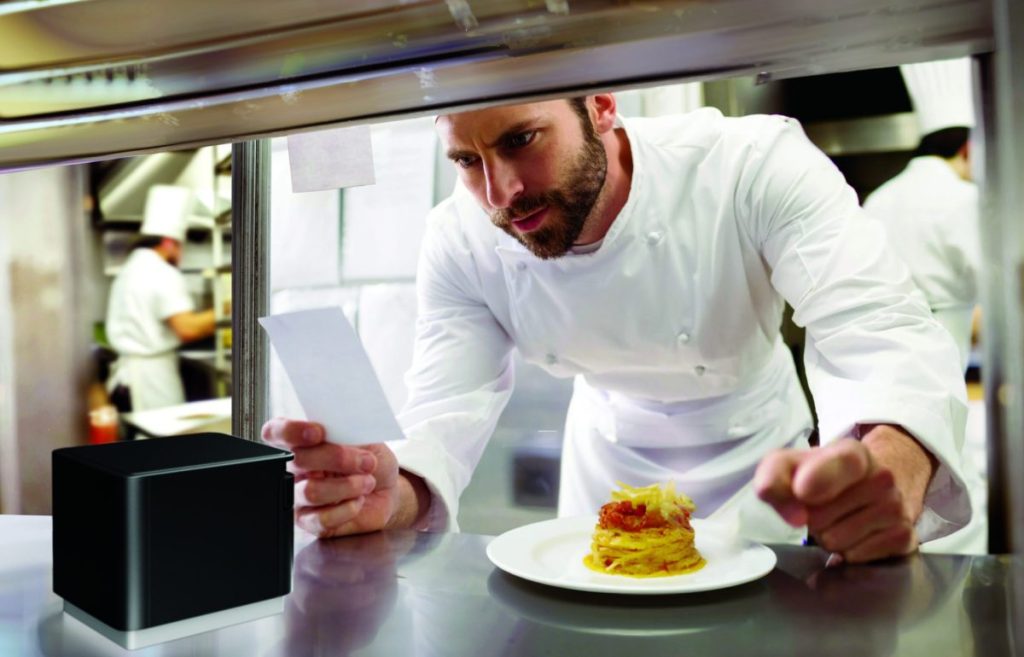
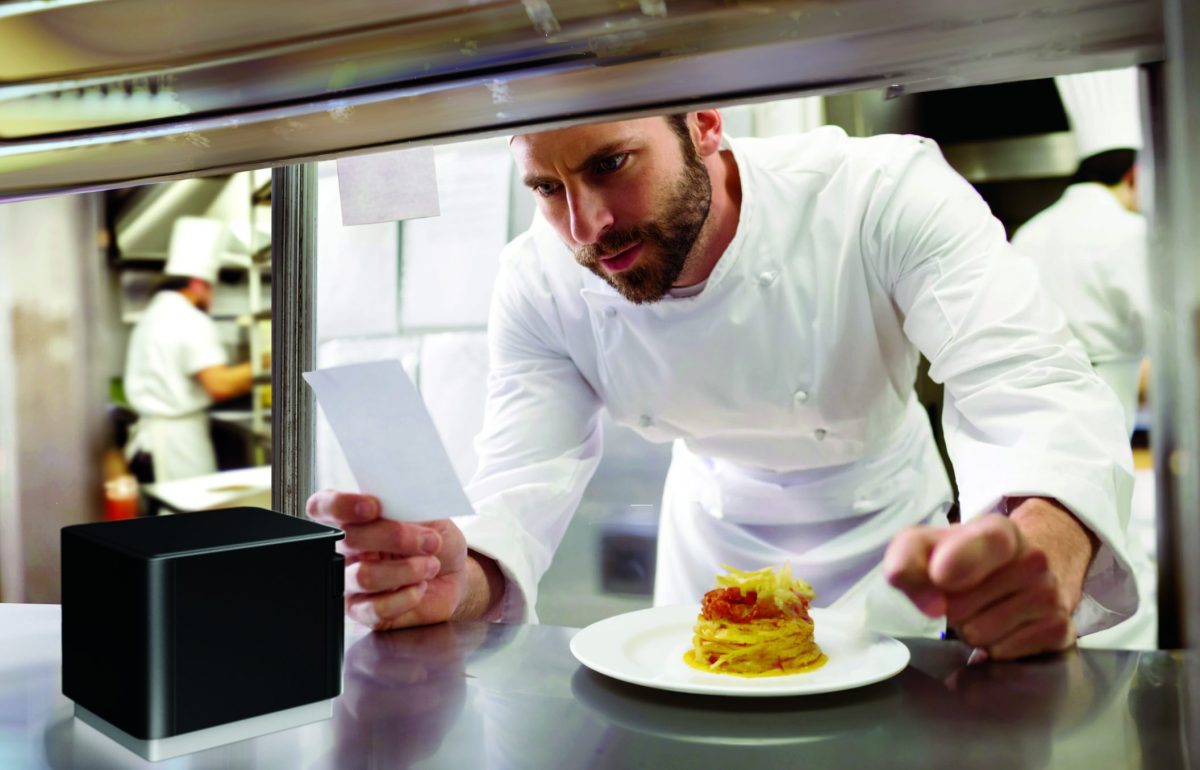
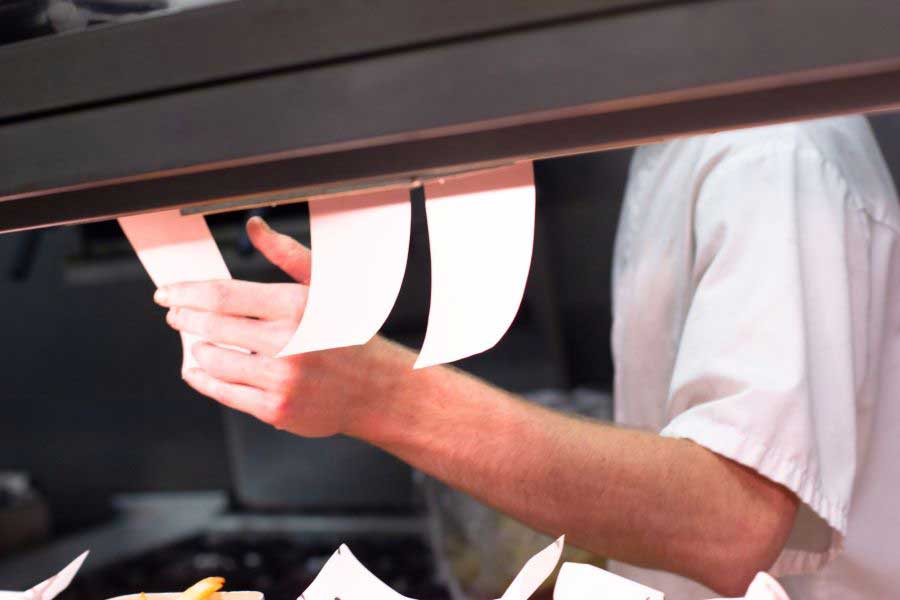
    Chef in modern, professional kitchen looking at ticket from mC-Print3 thermal receipt and restaurant printer by Star Micronics.

    Thermal Printers: Embrace the Modern Kitchen

    Thermal printers, with their advanced features tailored for modern professional kitchens, offer a compelling alternative to impact printers. These printers thrive in environments where direct heat and grease are minimized, providing high-quality printouts without the need for ink or ribbons. Attributes such as splash resistance, warning buzzers for incoming orders, and an insect-proof design make thermal printers irreplaceable in today’s kitchen setups.

    As for having multiple tickets for the same order, thermal printers can print back-to-back copies of the same order at a rapid pace. This guarantees that every workstation receives its required orders for timely food preparation. In fact, many modern kitchens equip each station with a thermal printer, streamlining the entire process to ensure appetizers precede entrees and orders are sent out just as guests expect.

    Coupled with electronic kitchen display systems (KDS), thermal printers integrate seamlessly into digital workflows, offering a cleaner, more efficient alternative to traditional printing methods and supporting the dynamic nature of back-of-house operations.

    Here are Star’s recommendations for kitchen and back-of-house printers:

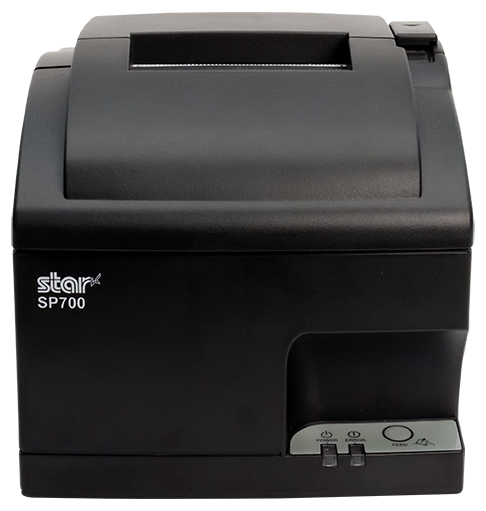
    SP742 Impact Printer

    The SP742 Impact Printer from Star Micronics offers a durable, efficient solution for kitchens, combining high-speed, two-color printing with seamless CloudPRNT and Bluetooth integration for streamlined online order processing.
    Explore the SP742 >

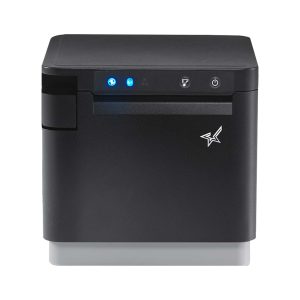
    mC-Print3 Thermal Printer

    The mC-Print3 stands out as a versatile and sleek POS receipt printer, ideal for both front- and back-of-house environments that are heat controlled. Thanks to its compact size, splash-proof design, and robust connectivity options, like CloudPRNT Next and enhanced Bluetooth, this future-proof printer is adaptable to any POS system changes.

    Learn more >

    POS Receipt Printers for Front-of-House Excellence

    In the front-of-house areas of restaurants, the selection of a POS receipt printer is crucial to creating lasting impressions and facilitating quick transactions. Thermal printers stand out as the preferred choice, offering rapid, high-quality printouts essential for fast-paced service environments. Equipped with features like wireless connectivity and cloud-based printing, these printers integrate seamlessly with various POS systems, catering to the evolving demands of restaurant operations.

    The design of front-of-house printers plays a significant role in maintaining the aesthetic and functional harmony of restaurant settings. Thermal printers boast a sleek, compact design that minimizes space usage and operates quietly, preventing disruption in bustling dining areas.

    Furthermore, these printers deliver exceptional resolution, enabling the production of detailed receipts, branded coupons, and promotional materials. This capability not only meets the essential requirement for clarity in customer receipts but also contributes to enhancing the dining experience and building customer loyalty through personalized touches.

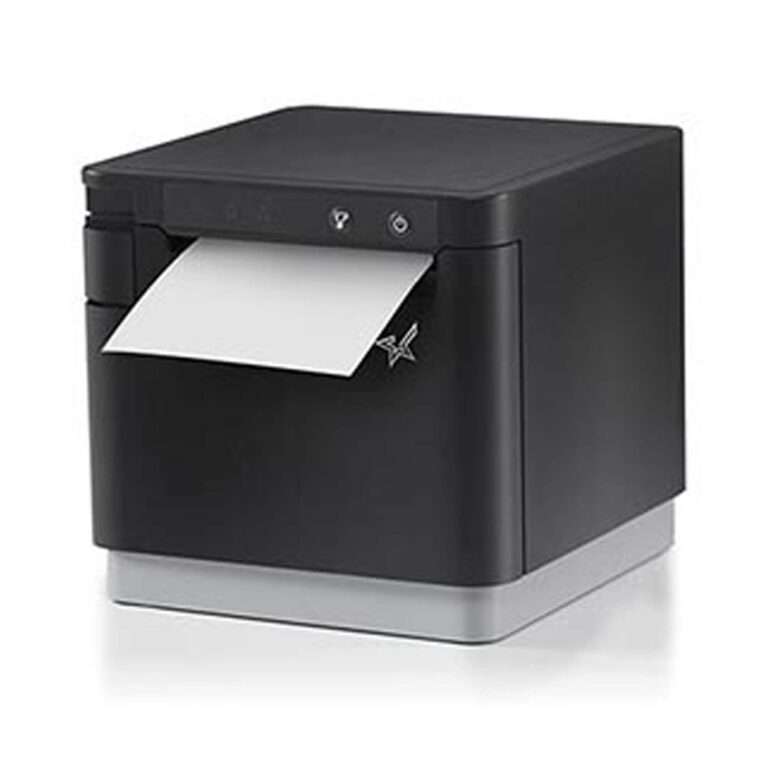
    mC-Print3 Thermal Printer

    The Star Micronics mC-Print3 wins again. This compact and versatile 3-inch thermal printer excels in both front- and back-of-house settings. Its splash-proof design and multiple connectivity options, including CloudPRNT Next, make it an adaptable choice for any restaurant environment.
    Find out about the mC-Print3 >

    TSP143IV Thermal Printer

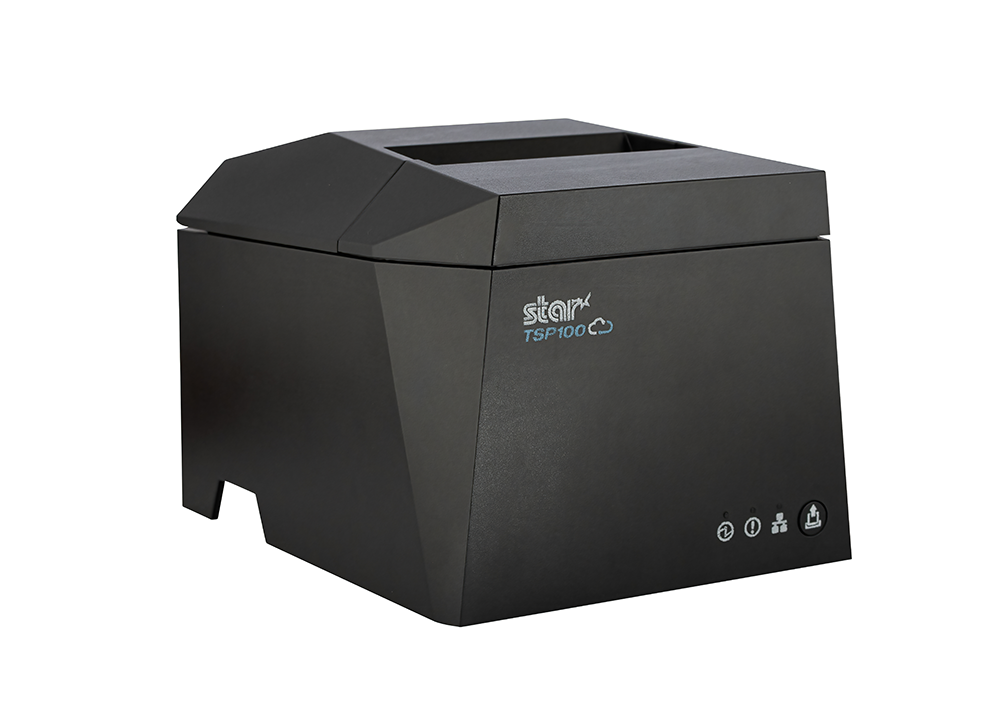
    The TSP143IV series thermal printer offers a compact, future-proof solution with enhanced connectivity options like Android Open Accessory (AOA). It’s Cloud Ready for Star Cloud Services and has easy installation, ideal for modern mPOS or POS systems.

    Discover more >

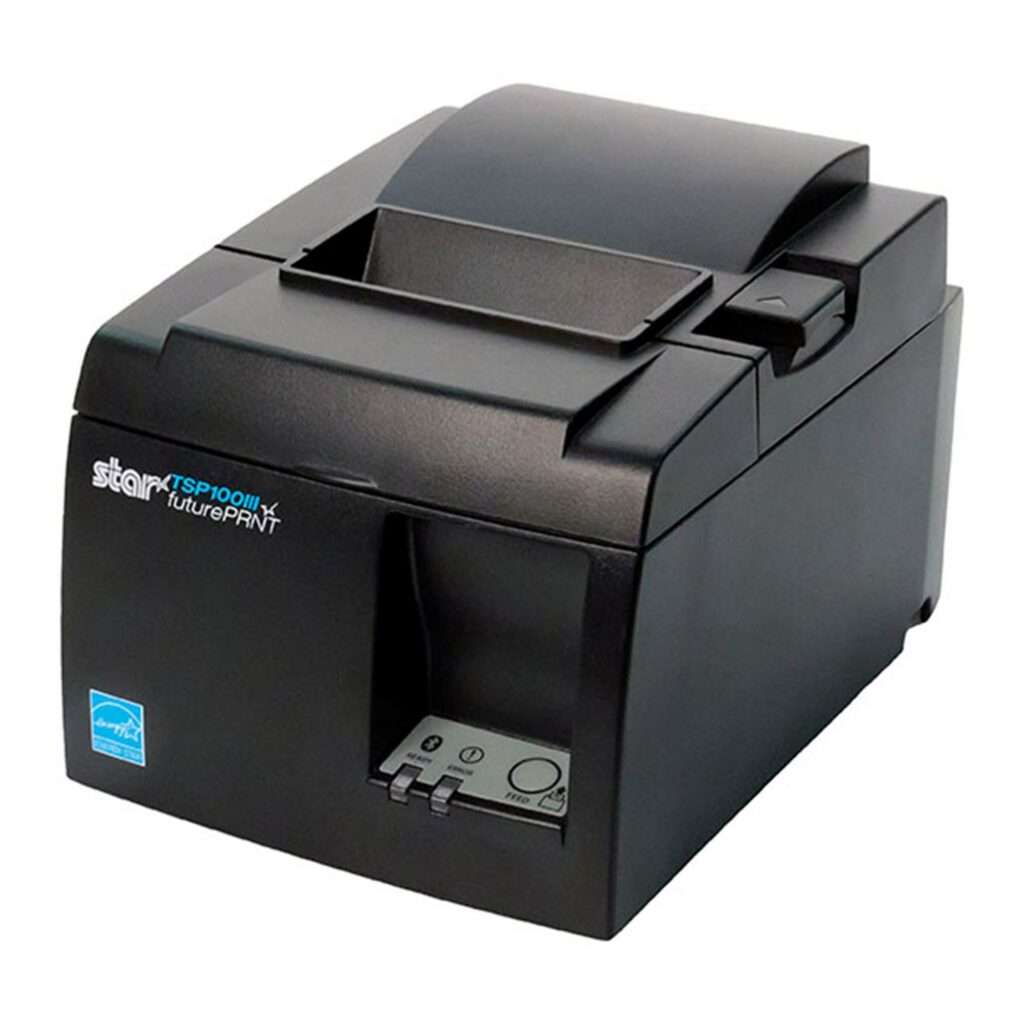
    TSP143III Thermal Printer

    The TSP143III sets the standard for thermal receipt printing, offering versatile connectivity options, easy setup, and customization capabilities, making it an all-in-one solution for retail, hospitality, and cannabis sectors.
    Learn about the TSP143III >

    mPOP® Multifunction System

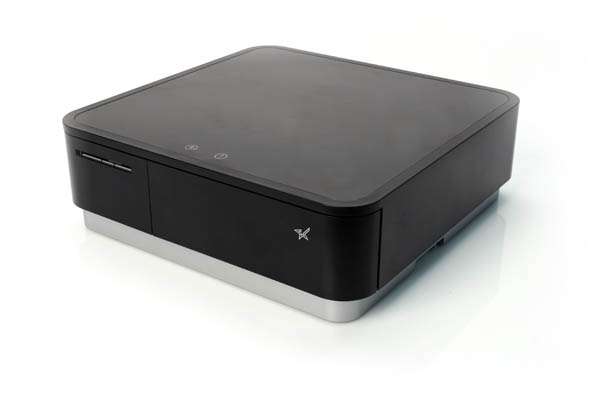
    The Star Micronics mPOP combines a cash drawer and printer into a sleek, hybrid POS solution. Now with direct iOS connectivity, supporting Windows and Android, it’s an ideal choice for versatile mPOS systems.

    Explore the mPOP >

    Label Printers for Streamlined Order and Inventory Management

    Accuracy and organization are paramount in a restaurant’s service, making label printing solutions invaluable. These printers facilitate the production of custom labels for food items, identifying special orders, allergy information, or takeout packages, thus ensuring correct order fulfillment.

    Versatile label printers can handle a range of media types, from sticky labels for food packaging to die-cut labels for shelf labeling, enhancing the efficiency and accuracy of both kitchen and front-of-house operations.

    TSP143IV SK Sticky Label Printer

    The TSP143IV SK by Star Micronics sets a new standard for compact, eco-friendly thermal linerless label printing, offering advanced connectivity options like Wi-Fi and AOA, and efficient, residue-free labels for diverse business needs.


    Find out more >

    mC-Label3 Multimedia Label Printer

    The Star Micronics mC-Label3 is a versatile multimedia label printer that prints a wide range of labels and receipts, including both permanent and repositionable sticky linerless. It features cloud connectivity and innovative technologies like SteadyLAN and TetherLAN for enhanced printing convenience.

    Discover the mC-Label3 >

    mC-Label2 Multimedia Label Printer

    The mC-Label2 packs powerful features into a compact, front-loading design, including 300 dpi resolution, support for linerless, die-cut, receipt, and continuous media, and connectivity options like USB-C, LAN, WLAN, Bluetooth, and Apple MFi-certified pairing (X4 models only).

    Explore the mC-Label2 >

    POS Printers for Restaurant Success

    The choice of printing solutions within a restaurant significantly influences operational efficiency, accuracy, and customer satisfaction. Integrating the right mix of back-of-house, front-of-house, and label printers into your restaurant’s operations can lead to smoother service, better food management, and an overall enhanced dining experience.

    As technology evolves, staying informed about the latest printing solutions and how they can benefit your restaurant is essential for staying competitive and meeting the high expectations of today’s diners.
    4 Restaurant Technology Challenges for the Next Decade

    The wants and needs of the consumer are constantly evolving and changing. SMB restaurant owners can prepare for the shifts in the restaurant industry by deploying the right technology.

    Find Your Restaurant Printer Solution Today:

    Original article written by Brianna Moriarty and published September 6, 2018.
  • 5 Essential Pieces of Kitchen Technology for a Successful Restaurant

    5 Essential Pieces of Kitchen Technology for a Successful Restaurant

    Restaurants are adding new technology like never before, especially in light of the buzz around exciting innovations like AI-enabled ordering, drone deliveries, and ghost kitchens

    Investing in the right restaurant technologies can be the key to success for many restaurants, especially multi-location chains. In fact, 71% of food service companies surveyed in North America believe digital transformation is the most important factor towards agility.

    But one area that is often overlooked is kitchen technology. And it shouldn’t be.

    If you want to run an efficient and profitable operation, your kitchen needs tools in place to help you keep up with the high volume of orders coming in. Getting the right tech in place will make your chefs’ and line cooks’ lives a whole lot easier. 

    Every piece of your tech stack needs to speak the same language and integrate seamlessly for efficient operations and a consistent customer experience. These five essential pieces of kitchen technology will help you build that consistency and improve every area of your restaurant.

    5 Pieces of Must-Have Kitchen Technology

    The kitchen is the beating heart of any restaurant. It’s where the magic happens and it produces the product your customers have come for. As a result, your kitchen needs the latest restaurant technology solutions to make operations more efficient and to connect this area with the rest of the restaurant.

    Here are the vital pieces of kitchen technology to get in place to keep the life-blood pumping around your restaurant.

    1. Point-of-Sale System (POS)

    A point-of-sale system is the hub of your restaurant’s data and operations. It processes orders, transactions, and other restaurant data and often serves as the liaison between your front- and back-of-house restaurant technology solutions. 

    Having the right POS in place is vital to keep communication between the front-of-house and your kitchen smooth and efficient, with minimal errors. When it comes to technology for restaurants, the POS serves as your central data hub.

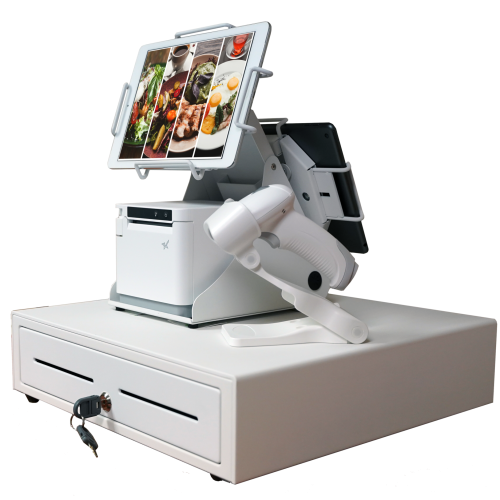
    An all-white point-of-sale system consisting of a cash drawer, an mC-Print3 printer, a wireless scanner, and tablets affixed on top.

    What is a POS?

    A restaurant POS is traditionally the system of networked hardware and software that takes orders and processes payments. But a modern POS can do a whole lot more, including managing inventory, accepting orders from third-party platforms, generating reports from analytics, and pretty much any other restaurant management task you can think of.

    These days a POS stores data in the cloud and can encompass ordering tablets, self-service kiosks, traditional tills with touchscreens, contactless payment terminals, and other restaurant POS hardware.

    Benefits of a POS

    • Streamline restaurant operations – the POS links your systems together, making operations more efficient in every department, from ordering, to payments, to production in the kitchen. 
    • Stores all your data in one place – your POS acts as the data hub for your restaurant, ensuring all your data is accurate, consistent, and accessible.
    • Reduces ordering errors – a smart POS with the latest ordering hardware and key integrations will greatly reduce the risk of costly ordering errors occurring.

    2. Kitchen Display System (KDS)

    Kitchen display systems are becoming essential pieces of technology for restaurants, especially in high-volume settings like fast-casual and quick-service restaurants, ghost kitchens, and other takeout joints where efficiency is the name of the game. 

    The KDS keeps all your orders flowing through the kitchen and makes sure all the cooks are on the same page, making it one of the most vital restaurant technology solutions on the market.


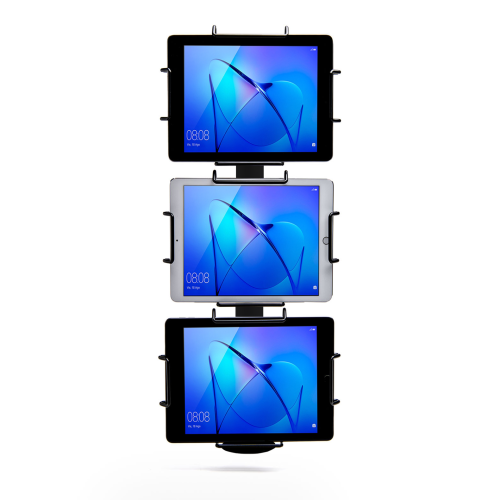
    Black Tri-Mount, which holds three tablets vertically. Tablets and tablet enclosures not included. Pole mount.
    Star Micronics’ Tri-Mount Tablet Display Stand

    What is a KDS?

    A KDS uses one or more screens in the kitchen to give the cooks a clear view of orders being processed. Typically, a screen at each station helps the cooks keep track of orders and even tells them when to fire different parts of an order for maximum efficiency.

    Traditionally, cooks keep track of orders with printed tickets that are spiked when the order is complete. A KDS can be used instead of, or in addition to, printed tickets. The real-time information provided by the system can improve efficiency and reduce the risk of costly mistakes.

    Benefits of a KDS

    • Streamline kitchen operations – a KDS keeps your kitchen production line organized and streamlined by making sure everyone knows what they need to do and when.
    • Speed up service – more efficient production helps your kitchen produce orders faster, meaning you can serve more customers at peak times.
    • Minimize errors – with a clearer picture of the orders in preparation, cooks are less likely to make mistakes that lead to food having to be remade.
    • Reduce food waste a more efficient kitchen making fewer mistakes helps reduce wasted food from sloppy portioning, over-production, and re-fires.

    3. Printers

    Although the trend is moving toward digital solutions, printers still play a vital role in the modern restaurant in the front and back-of-house. And they are getting just as smart as the rest of the tech in the restaurant.

    Many customers want a physical receipt, whether it’s just a preference or for record-keeping, and many kitchens still use printed receipts whether or not they also use a KDS to organize orders. 

    Let’s take a look at the different types of restaurant printers.

    The SP742 impact kitchen printer is great for online ordering.

    What are Restaurant Printers?

    Restaurant printers are found at the front desk, at wait stations, behind the bar, and in the kitchen – perhaps at each production station. Front-of-house printers print checks and customer receipts. Bar and kitchen printers print order tickets, so bartenders and chefs know what to prepare.

    There are two types of printers commonly used: impact printers and thermal printers. Each has its own features making each one suitable for different environments.

    Impact printers, or dot-matrix printers, physically impact the paper with ink. They can typically print in black and red, have more moving parts, and are noisier than thermal printers. 

    The SP742 Impact Printer is built specifically to work in hot and humid environments, connects via Bluetooth, and can print 13 tickets per minute.

    The SP742 impact kitchen printer is great for online ordering.
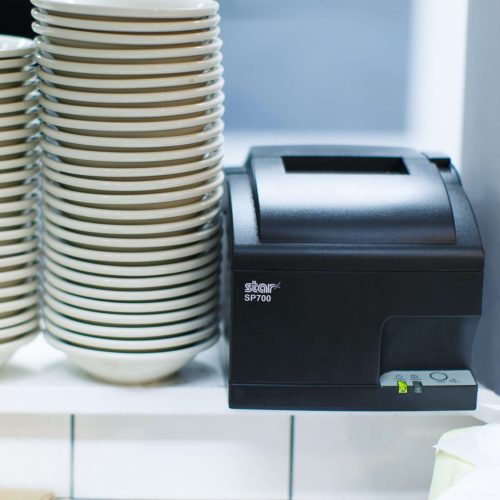
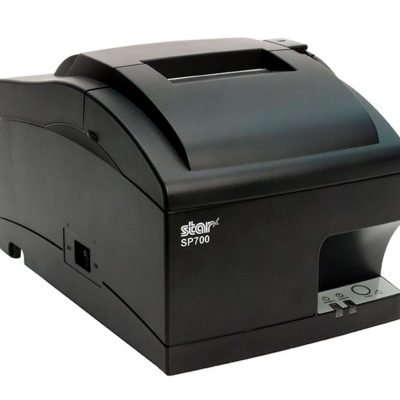
    The SP700 series impact printers from Star Micronics are one of the most popular kitchen printers.

    Thermal printers directly mark heat-sensitive paper using a heated element. Thermal printers tend to be more expensive, but they could save you money over time as you don’t have to buy more ink. They are sensitive to temperature, so they would only work in a climate-controlled kitchen but can print much faster than impact printers.

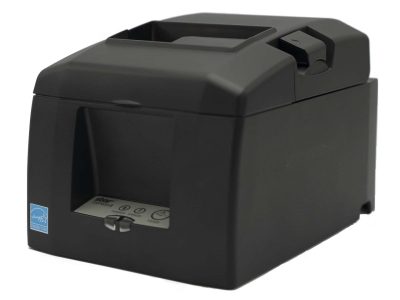
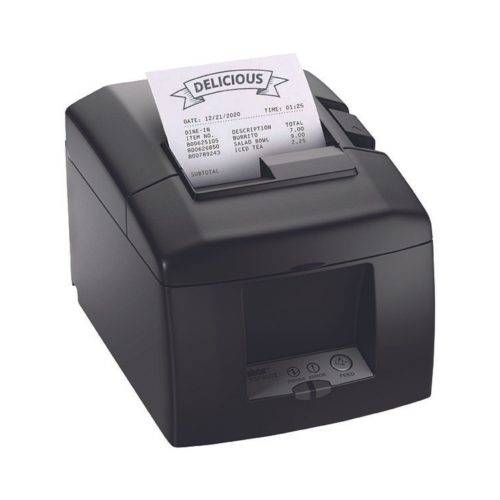
    The TSP654II Thermal Printer can print 60 receipts per minute, comes with easy drop-in paper loading, and connects to a number of peripheral devices.

    The TSP654II thermal receipt printer and the Resto for Quebec, and the TSP654IISK Thermal Sticky Label Printer by Star Micronics
    The TSP654II thermal receipt printer by Star Micronics makes an excellent kitchen printer.

    Benefits of Printers

    • Offer a physical receipt – many customers want to keep a physical credit card receipt or check for their records and for tax purposes.
    • Redundancy in the kitchen – a printer receipt in addition to the KDS allows cooks to double-check orders and some chefs prefer to have a physical order ticket as well as the KDS.

    The Growing Industry of Ghost Kitchens: The Tech You Need to Get Started

    Learn the essentials of starting a ghost kitchen and the technology restaurateurs will need to get started.

    4. Cash Drawers

    Even with a modern POS, you still need a way to process cash payments. Today, most modern cash drawers can be synced with your POS terminals via USB or Bluetooth, offering the ultimate convenience without compromising security. 

    Look for cash drawers with physical and electronic locking functions that are robust and technologically enabled.

    What is a Cash Drawer?

    A cash drawer is a secured box with a sliding drawer that protects your cash. It is linked to your POS, so it opens when a cash payment is made and change is required. 

    Cash drawers typically have multiple locking functions for security, including a manual lock when not in use and automatic locking when in use during service.

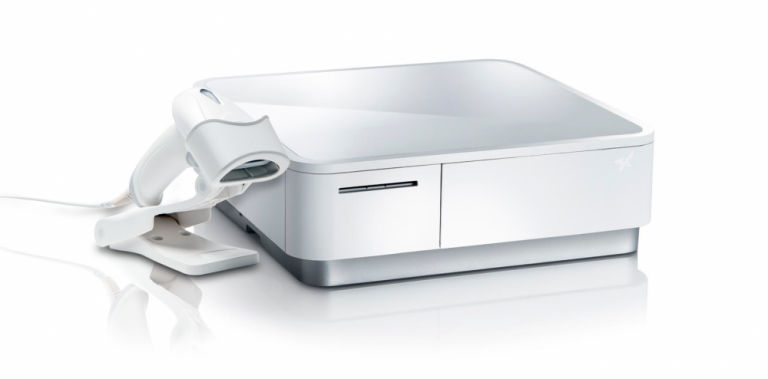
    The mPOP® Multifunction System is a cash drawer and printer in one smart device. Compatible with Windows, Android, and iOS, it offers direct iOS connectivity, which allows your iOS device to be charged while data is transferring. There is also the optional handheld 2D USB barcode scanner included with some models. The mPOP® is truly an ideal device for mobile POS (mPOS) systems.


    White mPOP and 2D barcode scanner by Star Micronics.
    White mPOP® with optional 2D barcode scanner

    5. Contactless Payment Terminals

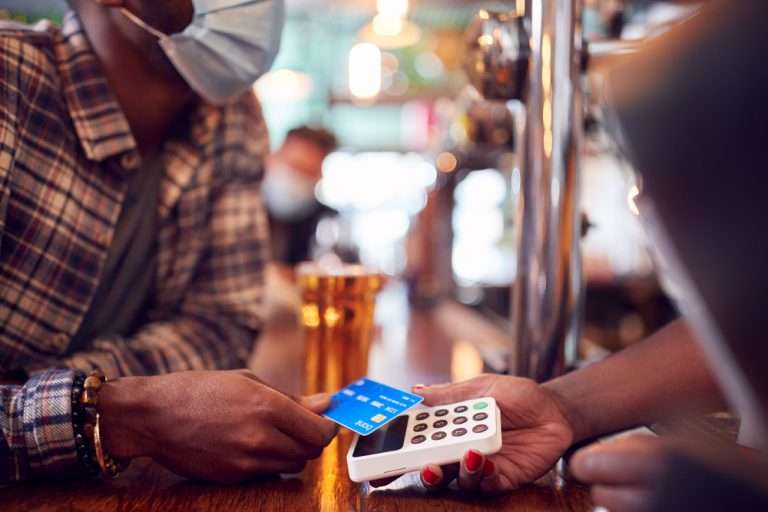
    Contactless payments are becoming the norm as customers increasingly appreciate the convenience of not having to enter a PIN or even remove their card from their wallet. It’s worth upgrading to terminals equipped with near-field communication (NFC), so you can accept payments with a phone or card tap.

    What are Contactless Payment Terminals?

    Contactless payment terminals allow guests to pay with the tap of a card anywhere in the restaurant. They are connected to the WiFi network to communicate with the POS, so they allow customers to pay at the table, at the curb, or at the drive-thru window.

    The terminals use NFC to take contactless payments from smartphones or credit cards and have keypads and card slots if the customer needs to insert the card and enter their PIN.

    contactless-payment-terminal

    Benefits of Contactless Payment Terminals

    • Faster and more convenient – contactless wireless terminals make it quicker and easier to make payments, leading to a better customer experience and more efficient service.
    • More secure – Contactless payments eliminate the need for the customer to hand over the card or reveal their signature. Card information is sent via a secure cryptographic method to ensure information can’t be stolen.

    Boost efficiency, customer satisfaction, and revenue with better kitchen tech.

    From the POS flawlessly processing orders and contactless terminals taking payments anywhere to kitchen display systems and printers keeping your service organized, kitchen technology is vital to the success of your restaurant. 

    As we’ve seen, there are exciting products on the market that help to make transactions easier and more secure, make kitchen operations more efficient, and improve the customer experience, among many other benefits. 

    It’s not just software that counts–getting the proper hardware in place, like smarter cash drawers and the right kind of kitchen printers, can help offer better service and make your kitchen more efficient. 

    Overall, investing in the latest kitchen tech will streamline your operations, improve customer satisfaction and increase restaurant profits.

    Sam-cropped

    Guest Post Written By Sam Sinha

    Sam is a restaurant tech content writer building authority for food industry pioneers like TouchBistro. After cooking and writing his way around London and Hong Kong, he now writes and grows vegetables in the Cambridgeshire countryside.

    Love industry news? Explore our podcast:

  • Why Thermal Printers Have A Place In Today’s Modern Kitchens

    Why Thermal Printers Have A Place In Today’s Modern Kitchens

    Last week, I spoke with John Maieli, Channel Partner Executive at Star Micronics America. Over the course of our conversation, he shared some thoughtful perspectives on modern kitchens and the technology that supports them. Having spent nearly two decades working in professional kitchens, John understands the environment well—the pace, the pressure, and the skepticism that often comes with introducing new equipment.

    As Content Specialist, I serve as the bridge between Star Micronics and the worldwide web (even beyond), translating ideas and innovations into stories that resonate with operators and partners. People usually come to my team when they have a message to share. John, however, came with something more: a vision of thermal printers playing a larger role in professional kitchens across the country.

    As we spoke, he tried to keep his enthusiasm contained, but I still caught the twinkle in his eye. It was clear there was more to explore. I asked if he could spare an hour for a deeper conversation. He agreed. Below is our conversation.

    What has your experience been in a professional kitchen?

    I have over 16 years experience in professional kitchens. I started at age 14 working in a wedding cake bakery owned by a family friend. It turned into a passion, so I attended Johnson & Wales University, where I received a BS in the science of baking & pastry. I went on to work in a chocolate and sugar school, a 5-star, 5-diamond hotel and resort, a Michelin star restaurant, fine dining restaurants, a platinum country club, fast-casual dining, and a bakery.

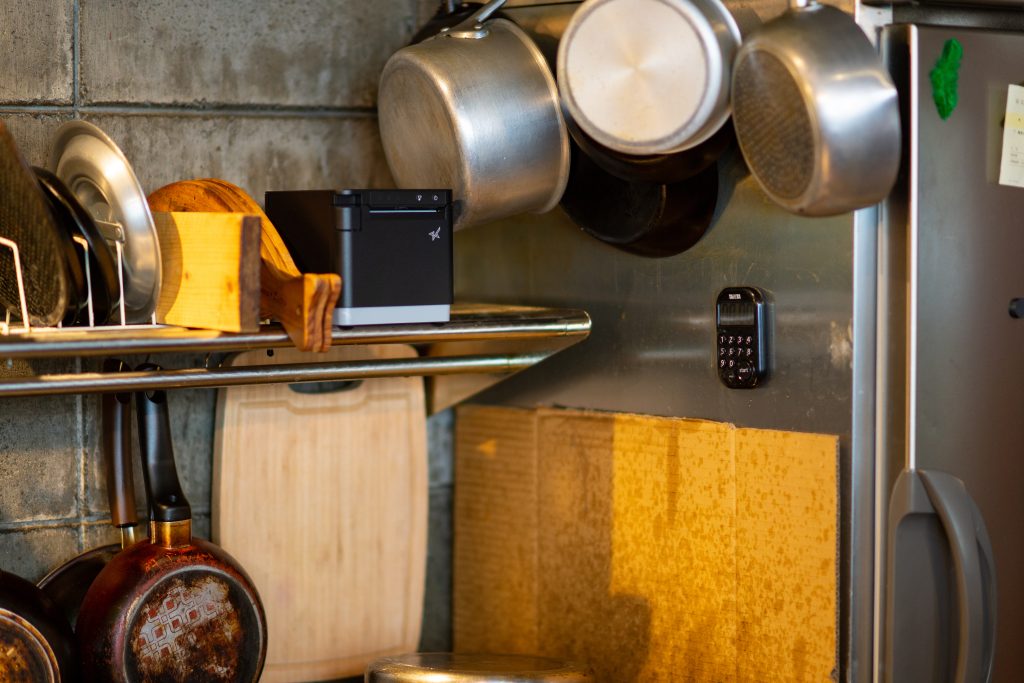
    The mC-Print3 thermal kitchen printer in a modern heat-controlled environment.

    So you know professional kitchens well. Impact printers are common there, while thermal is often frowned upon. Why do you think thermal printers still have a place in commercial kitchens?

    Kitchens have come a long way over the years. Many are very modern, with electronic gadgets everywhere, including kitchen display systems (KDS) on computer screens. In today’s modern kitchens, where heat and grease are kept under control, there is a place for thermal printing. I see thermal printers like the mC-Print3 as essential peripherals to the modern kitchen KDS.

    I see what you mean. If there are computer screens in a kitchen, then thermal printers can also be there.

    Honestly, even in a kitchen without a display system, this printer would shine. The mC-Print3 is seriously the ultimate printer. It has so much that any modern kitchen would benefit from.

    So, you know all about Star’s printing solutions. What are some of the advantages the mC-Print3 thermal printer would have over impact printers in the kitchen?

    • Speed – thermal printers are faster than dot-matrix printers resulting in faster ticket times. Some on-the-fly needs for printed tickets (last-minute changes, birthdays, allergies, seat changes, etc.) can be made quickly without staff waiting for the tickets to print.
    • No ribbons – no changing of ink ribbons needed. Thermal heads don’t need to be changed as regularly as ink ribbons. Who wants to mess with that in a kitchen?
    • Less noise – thermal printers are quiet, which can be significant in suitable environments. If sound is necessary, a buzzer can be added so that there’s a ding or a buzz every time a ticket prints.
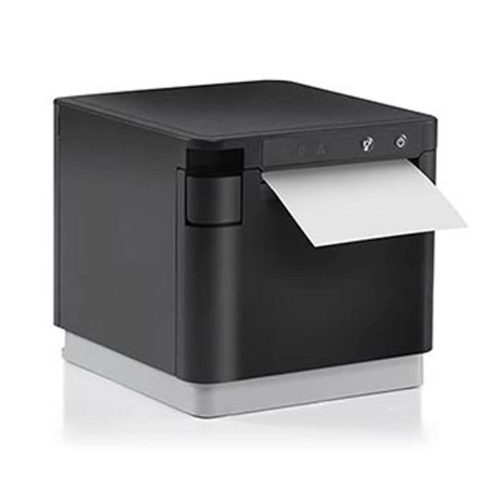
    • Print Flat Technology – tickets that come out of the mC-Print3 are flat, and they remain that way. No curling is excellent for longer tickets as you can see everything easily.
    • Wireless capability – there’s also an mC-Print3 with wireless capability, which is a great option to have. It doesn’t have to be stuck near the router. It can go wherever there’s a nearby outlet and it will still be connected.
    • Splash-proof/Insect-proof – critters and crud can’t get into the mC-Print3 and ruin the print head. Plus, its compact size makes cleaning a breeze. You can lift the printer with one hand – I know about cleaning restaurant kitchens… you only have one hand available to move things around!


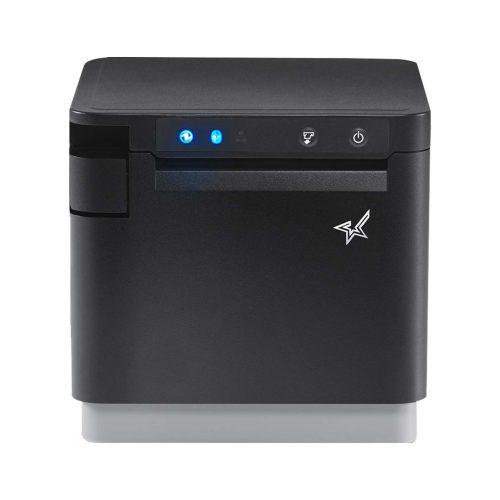
    The mC-Print3 thermal receipt printer by Star Micronics.
    The mC-Print3 thermal receipt printer by Star Micronics

    What are some concerns you’ve heard about thermal printers in the kitchen, and how can they be avoided?

    The biggest concerns I hear are heat, humidity, and not having multiple copies of tickets for different food prep stations. Yet heat & humidity are better controlled now more than ever. Modern kitchens are full of equipment with the same limitations as thermal printers. Would a tablet be installed under the heat lamp or on top of a fryer?

    Software dictates coursing now, with a new ticket printed each time a course fires instead of the old ways. Chefs may be used to seeing black and red ink, but dish modifications are highlighted in other ways with thermal. At the end of the day, an order ticket is meant to be read.

    As for not having carbon copies of tickets, most modern prep stations either are or should be equipped with individual printers if two or more stations need to come together on a single dish. Kitchen display systems simplify each process. The server sends tickets that go to either the hot or cold kitchen (salad station, for example) or the ticket fires to the pastry station for dessert.

    It’s the same way tickets go to the bar instead of the kitchen. No more having to hand a blurred yellow carbon copy of an order to another station.

    Hear John talk more in-depth about modern kitchen hardware:

    Restaurant-Kitchen-Order-Tickets

    That’s all very true. So, with all this talk of the “modern kitchen,” what kind of establishments would you recommend the mC-Print3 thermal printer to?

    I see the mC-Print3 as a benefit to any restaurant utilizing a KDS (kitchen display system). Paper tickets are essential in restaurants – that won’t be going away anytime soon – and any modern food station with an mC-Print3 installed would significantly upgrade functionality, speed, noise level, and overall look and feel.

    Restaurants and resorts wanting to deliver a fresh, elegant dining experience, elevating the customer experience would do well to switch to thermal. I’m particular to the mC-Print3.

    It certainly has an attractive design. Any further comments?

    Yeah, I’d like to mention that Dot Matrix technology (for impact printers) started in the 1970s. It wasn’t at the point-of-sale (POS) then, and it wasn’t until the 80s that Star began manufacturing dot matrix for POS, but the SP700 series, the gold standard in kitchens today, is about 15 years old now.

    This is just something to consider when making your next purchase with all the changes the industry is going through today. The mC-Print3 is future-proof, meaning you can change your KDS, your connectivity, and you won’t have to change your printer. It’s truly the ultimate printing solution.


    The mC-Print3 thermal receipt printer by Star Micronics.
    The mC-Print3 receipt printer is where thermal excels in the kitchen

    Have questions about upgrading your restaurant operations with modern thermal kitchen printers?

  • How to Start a Ghost Kitchen

    How to Start a Ghost Kitchen

    Launching a business in the restaurant space carries a lot of risks. The nationwide restaurant failure rate is challenging to track, but the National Restaurant Association estimates a 30% failure rate in the restaurant industry. With high failure-to-thrive rates, rent, and other overhead costs, plus difficulty filling dining rooms, it’s easy to see why entering the industry is so daunting. However, many restaurateurs have found a way around these challenges: ghost kitchens.

    A ghost kitchen is a professional food preparation and cooking facility set up to prepare delivery or takeout meals without the dining room. This solution has made entering the market more manageable, allowing for flexible working space, eliminating the costs of setting up and running a larger front-of-house operation. For these reasons, many restaurateurs and other entrepreneurs are looking into how to start a ghost kitchen, including what kind of point of sale (POS) technology they will need to get started. 

    Planning a Ghost Kitchen

    Ghost kitchens lower the barrier of entry to the restaurant industry. However, there is still a significant amount of planning that goes into opening a ghost kitchen. For instance, you will still need to find a kitchen space to buy or rent from. The good news is, without a dining room, you can select from a workspace that may have lower foot traffic, which means cheaper rent. 

    It may still take you a while to design a menu, however, and you will have to decide between in-house delivery services or outsourcing with partnerships from UberEats, DoorDash, or other sources. And, of course, you will still have to invest in the usual kitchen essentials: food, utensils, and technology.

    POS Technology To Invest In

    As a ghost kitchen owner, your operations will be very different from traditional restaurant operations and will require a more comprehensive digital solution. To keep up with these unique demands, you will need specific technology designed for your kitchen.

    First, you will need an ordering and payment solution that will allow customers to order and pay for their meals online or via a mobile app. Next, you’ll need a kitchen display system (KDS) to get those online orders directly in front of your kitchen staff, keeping your line moving fast and efficiently.

    Also, you can keep your kitchen moving by sending orders to a mobile printer using linerless labels and sticking them directly onto the to-go packages. This minimizes confusion, shortens delivery and pick-up time, keeping the orders moving (be sure to use tamper-proof labels to assure food order safety as well). In addition, as a digitally advanced kitchen, you’ll need a POS system that integrates all of these solutions, making it easy and seamless to manage your operations on a day-to-day basis.


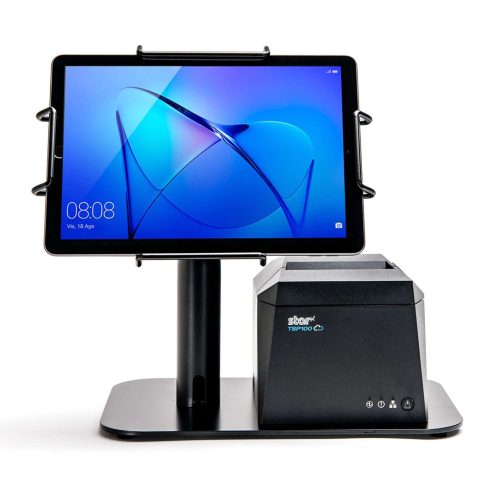
    The EZ POS tablet stand by Star Micronics. Shown in black with TSP143IV receipt printer.
    The EZPOS tablet display stand by Star Micronics

    If you use multiple delivery services and want to keep your POS system flexible by using a mobile tablet, it’s also a smart idea to invest in a tablet stand. It may quickly become one of your kitchen’s most essential tools, providing a home base for your point of sale and making it easier for staff to match up orders with corresponding delivery service providers. A proper stand should also help to protect your tablet, including any receipt or order printer you may have alongside it.

    Your go-to For Ghost Kitchen POS Technology

    Star Micronics provides flexible, futureproof POS technology designed to connect front and back-of-house operations with ease, keeping ghost kitchens operating at their peak. Star provides everything from portable printers, regular and sticky thermal receipt paper, durable tablet stands, and much more. Through one of our certified partners, you can get all of the hardware your ghost kitchen needs. 

    If you’re ready to find the best step up for your ghost kitchen and get ahead of your competition, contact Star today. Discover what our industry-leading technology can do for you and your restaurant business goals.

    The Growing Industry of Ghost Kitchens: The Tech You Need To Get Started

    Learn the essentials of starting a ghost kitchen and the technology restaurateurs will need to get started. 

    Love industry news? Check out our podcast:

  • How POS Value-Added Resellers Can Profit from Ghost Kitchen Startups

    How POS Value-Added Resellers Can Profit from Ghost Kitchen Startups

    As a POS value-added reseller (VAR), you are constantly looking for new opportunities to grow your business. Ghost kitchen startups offer just that opportunity. With 8,000 active operations across North America, ghost kitchens have moved past the proof-of-concept stage and are well on their way to becoming mainstream. In fact, a November 2020 report by Valuates Reports predicts ghost kitchens will generate $71.4 billion by 2027.

    VARs providing ghost kitchen solutions have the perfect opportunity to differentiate their businesses. You can expand beyond providing solutions to traditional restaurant models, help your clients enter this nontraditional space, and win back their declining revenue streams by offering ghost kitchen solutions.

    Products VARs Can Provide For Ghost Kitchen Startups

    For VARs looking to help clients open their new businesses, or expand current ones, these are the technologies that are essential:

    Mobile POS

    The first thing you will need to help clients obtain is a mobile point of sale (POS) solution. This point of sale system should feature wireless connectivity and integrations necessary to allow ghost kitchen operations to be flexible and efficient. This may mean that the POS software is used on a tablet so that managers can take their work with them as they review operations.

    Online Ordering and Payment

    Ghost kitchens are specialized kitchens designed to handle to-go orders. Thus, the POS system you provide must integrate with an online ordering and payment system. Bonus points if that integration comes with an easy-to-use mobile app!

    Printers & Paper

    Additionally, your POS solution should integrate with portable printers. Having a solution that can intake orders and print them instantly to keep operations running quickly is vital. Improve their operations even more by stocking them up on linerless labels and receipt paper for commercial-grade linerless sticky label printers, like the TSP654IISK, which allows online order labels to be placed directly on corresponding to-go boxes for frictionless operations that make food preparation and pickup a breeze.


    TSP654IISK Thermal Sticky Label Printer by Star Micronics
    The TSP654IISK sticky linerless label printer by Star Micronics

    Tablet Stands & Pole Mounts

    Provide clients a home base for their tablet and printer system with a durable and protective tablet stand. With the right stand, you can give clients style and function within a sleek, compact frame. The mUnite stand is highly configurable and easy to set up and use. These reliable steel tablet display stands and pole mounts support Star’s extended line of POS printers, in addition to all major Android, iOS, and Windows tablet models, affording protection to each device.

    Ready to Begin?

    Star Micronics provides flexible, futureproof POS technology designed to seamlessly connect front and back-of-house operations to keep ghost kitchens operating at their peak. They can help you provide clients with all the technology above and more! If you’re ready to start making a profit off of ghost kitchen startups, contact Star Micronics today.

    Ghost Kitchens: A Growing Market Within the Restaurant Point-of-Sale Space

    Insights for VARs on why more restaurateurs and entrepreneurs are utilizing ghost kitchen business models and how to leverage existing technology to assist those clients.