Tag: Kitchen Printers

  • The Benefits of Durable, Reliable Commercial Label Printers

    The Benefits of Durable, Reliable Commercial Label Printers

    Commercial label printers play an important role in how businesses identify products, communicate workflow information, maintain regulatory compliance, and track inventory. From retail and restaurants to healthcare and fulfillment, labels help employees and customers access important information quickly and consistently.

    When a label printer fails, those workflows can slow down. Orders may be delayed, inventory may become harder to track, and important product or compliance information may not be available when needed.

    For businesses that rely on labeling throughout daily operations, choosing a durable and reliable commercial label printer can help reduce downtime, support high-volume workflows, and keep labeling processes consistent across the business.

    Table of Contents

    What Makes a Label Printer Durable and Reliable?

    The durability and reliability of a commercial label printer depend on both its physical construction and its internal components. A printer designed for daily commercial use should be built to handle frequent printing, different media types, and the environmental conditions where it will operate.

    Key factors that affect durability and reliability include:

    • Printhead lifespan: The printhead is one of the most important components in any label printer. Longer-life printheads help maintain consistent print quality and reduce replacement frequency.
    • Cutter durability: In high-volume environments, the cutter may operate thousands of times per day. Durable cutters help reduce jams and incomplete cuts.
    • Media path design: A well-designed media path helps labels feed smoothly and reduces misfeeds, jams, and wasted labels.
    • Housing materials and construction: Commercial environments may expose printers to heat, humidity, dust, or cleaning chemicals. Durable materials help the printer withstand these conditions.
    • Stable connectivity: Reliable wired, wireless, or cloud connectivity helps prevent missed print jobs and keeps workflows moving.
    • Maintenance accessibility: Printers designed for easy cleaning, media changes, and component replacement are often easier to maintain and less likely to experience preventable downtime.

    Reliable commercial label printers are typically characterized by consistent print quality, fewer jams, stable connectivity, and components designed for long-term use.

    Choosing a Label Printer for Commercial Environments

    Choosing a commercial label printer starts with understanding where and how it will be used. In addition to supporting the label types your operation requires, the printer should be built for the environment where it will operate.

    Commercial environments can expose printers to heat, humidity, dust, frequent handling, and cleaning chemicals. A printer designed for these conditions is less likely to require frequent repairs or replacement, which can help reduce long-term ownership costs.

    When evaluating a commercial label printer, consider the following:

    Printer Form Factor for Different Workspaces

    Printer design affects where and how employees use it. Front-loading and top-loading designs can make media changes easier in tight spaces, while wall-mounting options may help free up counter space in kitchens, prep stations, or healthcare environments.

    The right form factor depends on the workflow and available space.

    High-Volume Printing for Demanding Workloads

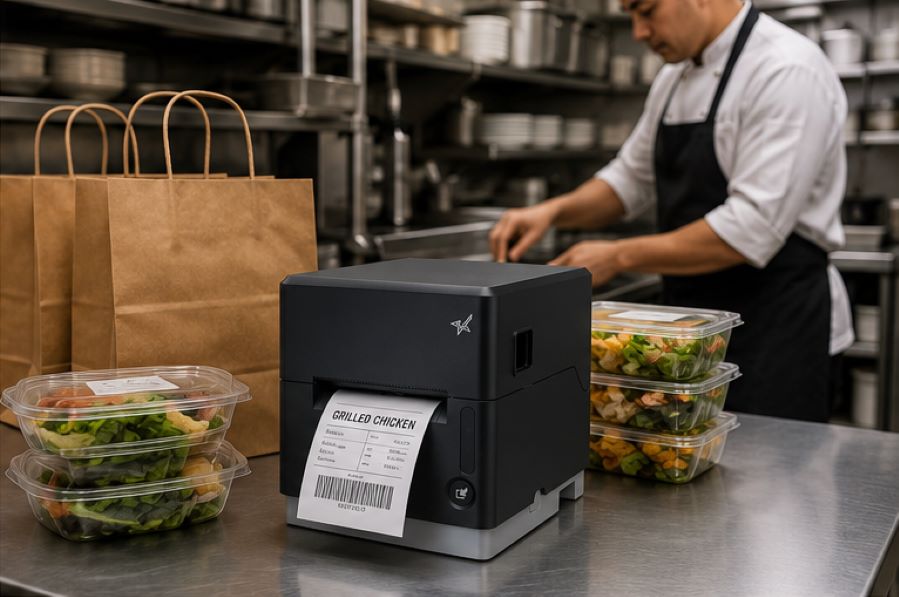
    Some environments require continuous, high-speed printing throughout the day. This may include labeling restaurant orders, retail inventory, shipping packages, patient medications, or kiosk-generated labels.

    A commercial label printer should be designed to keep up with the expected print volume without frequent jams, cutter failures, or overheating.
    The Benefits of Durable, Reliable Commercial Label Printers - Catering

    Support for Multiple Label Types

    Commercial labeling needs often vary by application. Some workflows use linerless labels, while others require die-cut labels, receipts, or permanent adhesive labels.

    A multifunction label printer can support multiple media types from a single device, allowing businesses to standardize hardware across different workflows while reducing the number of printer models they manage.

    Reliable Connectivity

    A commercial label printer should maintain stable wired, wireless, or cloud-based connections depending on how the business operates.

    For cloud-connected workflows, reliable communication between software and printers is especially important to prevent delayed or missed print jobs.

    Easy setup also matters, especially for wireless environments. Features like BLE-assisted Wi-Fi setup, available on Star’s mC-Label2 CWBi models, can help employees connect printers quickly using a smartphone or tablet without complex network configuration.

    Easy Printer Maintenance

    Routine cleaning and maintenance help prevent adhesive buildup, cutter jams, and print quality issues. Commercial label printers designed with tool-free maintenance, simple media loading, and clear cleaning instructions can make routine upkeep easier for employees and reduce preventable downtime.
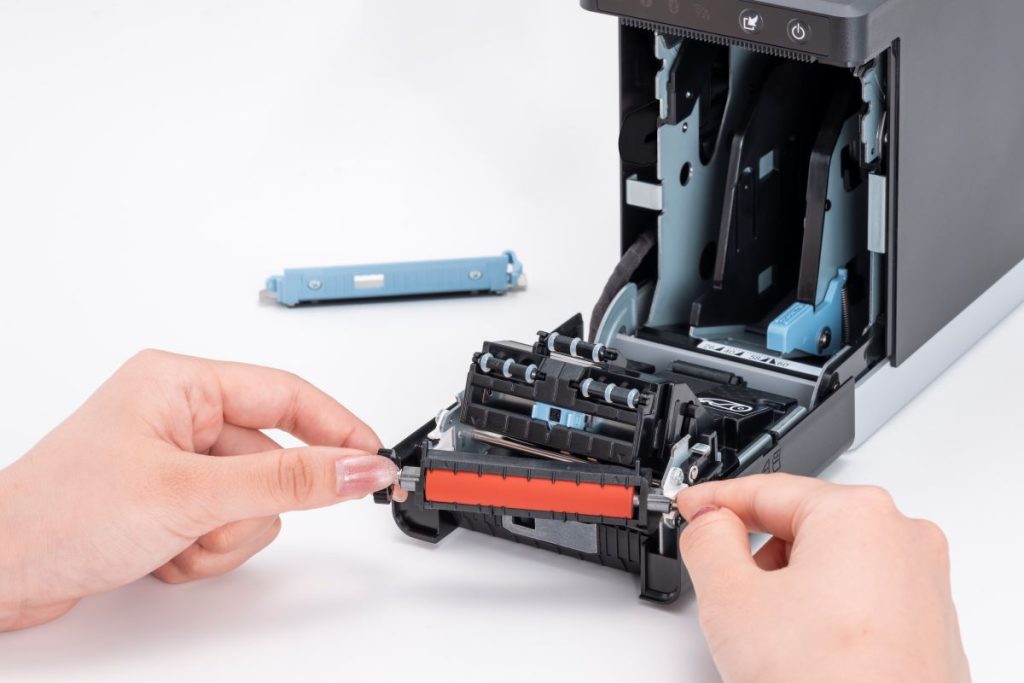
    The mC-Label2 multimedia printer by Star Micronics features user-friendly, tool-free maintenance.
    The mC-Label series by Star Micronics has tool-free, super easy maintenance.

    Why Durable and Reliable Printers Matter in Daily Operations

    In many businesses, labels are part of daily workflows. When a label printer stops working, those workflows can slow down or stop entirely.

    In a QSR kitchen, a printer failure can delay order packaging or delivery handoff. In an ecommerce fulfillment center, it can interrupt shipping and inventory tracking. In healthcare, missing labels on medications, patient records, or specimens can create serious operational and compliance issues.

    Reliable commercial label printers help reduce these risks by supporting consistent print quality, stable connectivity, and dependable performance during high-volume use.

    Over time, printer durability also affects ownership costs. A printer built for its environment is less likely to require frequent repairs, component replacements, or full device replacement. This can help businesses reduce downtime, maintain labeling consistency, and extend the useful life of their equipment.

    Explore Star Micronics Commercial Label Printers

    Choosing the right commercial label printer starts with understanding your environment, print volume, media requirements, connectivity needs, and maintenance expectations. The right printer should match the demands of your workflow and the types of labels your business relies on every day.

    Star Micronics offers a range of commercial label printers designed for retail, restaurant, healthcare, fulfillment, and other high-volume environments. From multifunction label printers that support linerless, die-cut, and receipt printing to purpose-built sticky linerless label printers, Star provides options for a wide range of labeling applications.

    Explore Star’s Labeling Solutions and Receipt and Label Media to learn more, or contact Star Micronics for help choosing the right commercial label printer for your business.

    Learn More About Star Label Printers

    Frequently Asked Questions About Label Printer Durability and Reliability

    What features make label printers more durable for commercial environments?

    Durable commercial label printers are typically built with long-life printheads, durable cutters, strong housing materials, stable connectivity, and media paths designed to reduce jams and misfeeds. Easy maintenance access also helps keep the printer operating consistently over time.

    How do durable label printers reduce downtime?

    Durable printers reduce downtime by using components designed for frequent, high-volume use. Printers built for harsh environments, such as hot restaurant kitchens or healthcare settings with frequent cleaning, are less likely to fail or require frequent repair. Long-life printheads and cutters also reduce replacement frequency.

    What should businesses look for in a high-volume commercial label printer?

    Businesses should look for print speed, cutter durability, media compatibility, reliable connectivity, and maintenance accessibility. The printer should be designed for the expected daily print volume and the environment where it will operate.

    Why is label printer maintenance important for reliability?

    Routine maintenance helps prevent adhesive buildup, cutter jams, print quality issues, and media misfeeds. Cleaning the printer regularly helps ensure labels remain readable and barcodes scan correctly.

    Can durable label printers support wireless and cloud connectivity?

    Yes. Many commercial label printers support wired, wireless, and cloud-based connections. Features like BLE-assisted Wi-Fi setup can also make wireless deployment faster and easier for employees.

    How do multifunction label printers improve commercial workflows?

    Multifunction label printers can support receipts, linerless labels, die-cut labels, and other media types from a single device. This helps businesses reduce the number of printer models they manage while supporting different workflows with one platform.

    Why does media compatibility matter in commercial label printing?

    Different workflows require different label formats and adhesive types. Choosing a printer that supports the required media helps ensure consistent printing, proper label application, and reliable performance.

    How do durable label printers lower the total cost of ownership?

    Durable label printers can reduce repair costs, extend equipment lifespan, and minimize downtime. Over time, this can lower replacement frequency and reduce interruptions to daily operations.

    Are linerless label printers reliable for high-volume environments?

    Yes. Linerless label printers are commonly used in high-volume environments because they allow for faster application and fewer media roll changes. Since linerless labels do not use backing paper, they also reduce waste and help keep workspaces cleaner.

    What industries benefit most from durable commercial label printers?

    Durable commercial label printers are commonly used in retail, restaurants, ecommerce fulfillment, healthcare, pharmaceuticals, manufacturing, airports, and logistics. Any business that depends on consistent labeling can benefit from a printer designed for long-term, high-volume use.
  • 9 Restaurant Labels that Improve KDS Workflows

    9 Restaurant Labels that Improve KDS Workflows

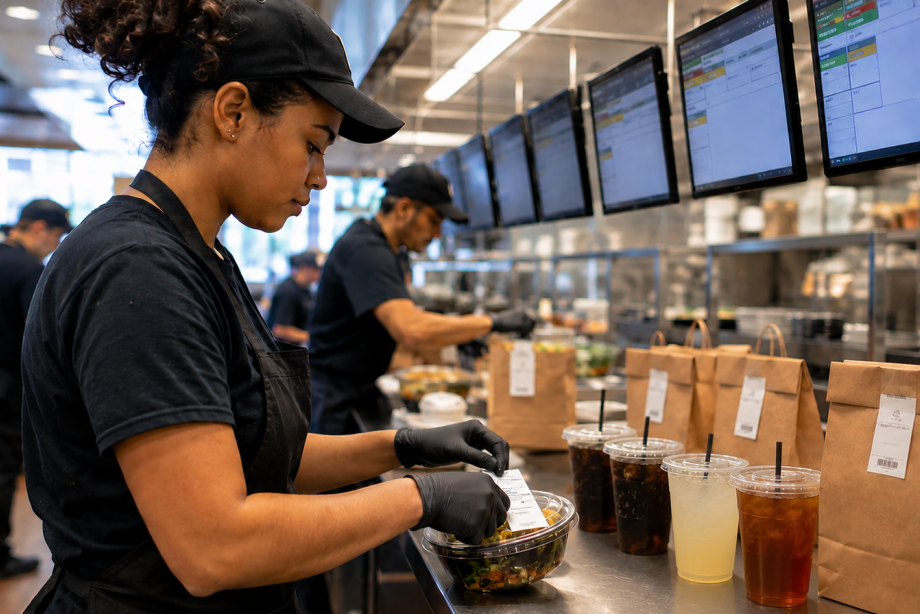
    A kitchen display system (KDS) helps restaurants manage orders digitally by sending information from the point of sale (POS) system directly to food preparation stations. This gives kitchen teams real-time visibility into incoming orders, modifiers, and fulfillment priorities for dine-in, drive-thru, pickup, and delivery channels.

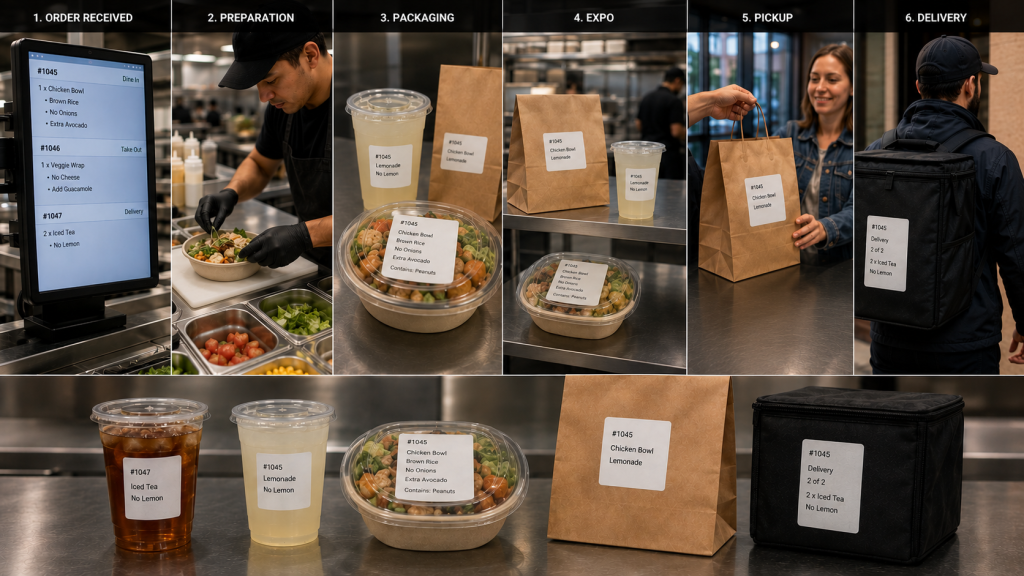
    However, once food preparation begins, orders move through physical workflows. Items are prepared, packaged, staged, picked up, and delivered. Restaurant labels for KDS workflows help carry order information beyond the screen, ensuring important details remain attached to the order throughout preparation, packaging, pickup, and delivery.

    From beverage labels and allergy alerts to catering labels and tamper-evident seals, the right labels help restaurants extend KDS communication throughout the operation.

    Table of Contents

    What Are Restaurant Labels for KDS Workflows?

    A kitchen display system (KDS) manages order information digitally, but restaurant operations still depend on physical workflows. Orders move through multiple stages before reaching the customer, including:

    • Food preparation
    • Beverage preparation
    • Packaging
    • Expo
    • Pickup
    • Delivery

    Restaurant labels for KDS workflows help carry order information beyond the screen and keep it attached to the order as it moves through these stages.

    As orders move between stations, labels can communicate customer names, modifiers, allergy information, beverage customizations, pickup instructions, delivery details, and other important information. Keeping these details visible throughout preparation and fulfillment reduces reliance on verbal communication and helps teams coordinate complex dine-in, drive-thru, pickup, and delivery operations.

    Restaurant Label Workflow

    Types of Restaurant Labels for KDS Workflows

    A KDS communicates order information digitally, but labels help carry that information through food preparation, packaging, pickup, and delivery. Different types of restaurant labels support different stages of the workflow, helping employees identify orders, manage modifications, communicate food safety information, and direct completed orders to the correct destination.

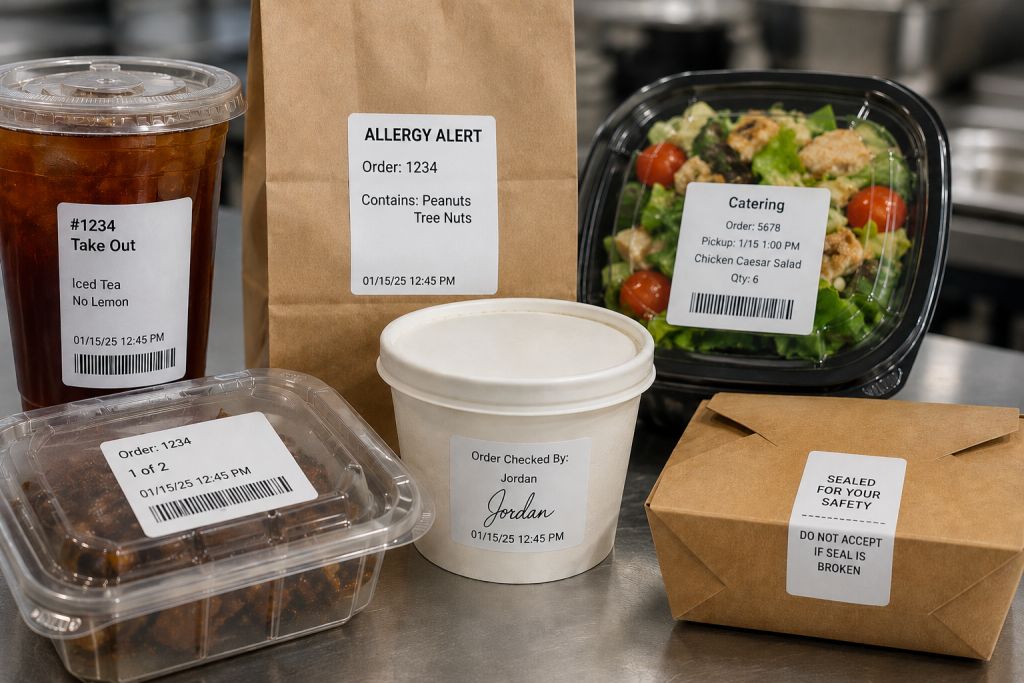
    1. Drive-Thru and Takeout Labels

    An integrated system can generate labels along with sending orders to the KDS from the drive-thru, online ordering platform, or self-ordering kiosk. Labels can be applied to trays, containers, cups, or bags so order information remains attached to the order throughout preparation and fulfillment. Labels also ensure the team directs the order to the right place, whether the front counter, the drive-thru, or order pickup.

    2. Allergy and Exception Order Labels

    Allergies and food sensitivities have become more common, requiring special order preparation so diners can safely enjoy their meals. Furthermore, many customers have strong food preferences and request items prepared in specific ways.

    Allergy and exception order labels help ensure modifications remain visible as the order moves between preparation, packaging, and pickup stations. Exception order labels clearly inform food prep of changes to the way they typically prepare menu items. They also flag orders for the expeditor, server, or take-out counter worker that the kitchen prepared the order as the customer requested.

    3. Made-to-Order Food Labels

    Although a KDS has become a standard tool in quick service restaurants (QSRs), this technology offers benefits to the whole range of food service environments. When a store or café sells made-to-order (MTO) items, labels include vital information that helps customers make informed decisions and to keep the business in compliance.

    MTO food labels can include product name, description, ingredients, nutrition information, and allergen or dietary restriction alerts. Businesses can also customize MTO food labels with branding elements such as their name and logo.

    4. Beverage and Barista Labels

    Customers have strong opinions about how they want their coffee, espresso, or tea orders, requesting various types of milk, creamer, sweetener, flavors, and other options. Beverage orders often include customizations such as milk selections, flavors, sweeteners, and preparation instructions.

    Labels help baristas identify these details quickly and keep drinks matched to the correct customer throughout preparation and pickup. Labels with each detail of the order simplify order prep, and repositionable labels can follow orders from the POS system, to order prep, and then to the customer’s cup.

    5. Product ID and Barcode Labels

    Tracking prepared items or MTO foods can help shops manage their inventory, reduce shrinkage, and minimize waste. Barcoded labels generated during KDS workflows allow employees with scanners to capture data as items are placed into coolers or display cases, including their sell-by dates. Clear, reliable barcode labels also give shops a way to track ingredients’ sources in case of a recall and for fast price scanning at the checkout.

    6. Catering Labels

    If a restaurant or store offers catering, labels printed during KDS workflows can flag orders for the items they need for completeness, such as condiments, trays, or utensils. Labels can also include food safety instructions, nutrition information, allergen warnings, and serving instructions.

    7. Nutrition and Calorie Labels

    The FDA requires food service companies to provide nutrition facts to consumers. Although not every dine-in or take-out order has a nutrition label, restaurants must provide calorie counts and ingredient information on request. Restaurants can simplify this process with templated labels that employees print during packaging or order assembly.

    8. Order Verification and QC Labels

    Once an order is packaged, an expeditor or other restaurant employee cannot easily verify that every item is present by looking at the sealed bag alone. Some restaurants add a POS scale to the workflow to help verify order completeness before pickup or delivery.

    A typical order verification workflow may include:

    1. Package the order
    2. Weigh the completed bag
    3. Compare the weight to the expected total shown on the order label
    4. Investigate any significant discrepancies
    5. Release the order for pickup or delivery

    If the actual weight differs from the expected weight, employees can review the order and correct missing or incorrect items before the customer receives it. Combined with restaurant labels for KDS workflows, weight-based verification provides another checkpoint to help restaurants catch errors before orders leave the store.

    9. Tamper-Evident Labels

    When the kitchen team closes a package, they can add a tamper-evident label as the final step. Tamper-evident labels help indicate whether a bag or container has been opened after packaging. They are commonly used for delivery and pickup orders where food safety and package integrity are important.

    Restaurant Label Types

    How to Choose the Right Type of Restaurant Label for KDS Workflow Stages

    The right restaurant label depends on both the media type and adhesive required for the workflow. Some KDS applications benefit from linerless labels for fast application, while others require die-cut labels, repositionable adhesives, or permanent tamper-evident labeling.

    Linerless Labels

    • No liner backing
    • Fast application
    • Reduced waste
    • Great for:
      • beverage labels
      • takeout labels
      • pickup labels
      • food container labels

    Die-Cut Labels

    • Individual label shapes/sizes
    • Consistent placement
    • Useful for:
      • nutrition labels
      • product identification
      • barcode labels
      • made-to-order food labels

    Repositionable Linerless Labels

    • Diamond adhesive (light tack) or full coverage (stronger)
    • Can be removed and reapplied without residue
    • Useful for:
      • beverage workflows
      • food prep trays
      • staging areas
      • internal order tracking

    Permanent Linerless and Tamper-Evident Labels

    • Remain attached
    • Show evidence of removal
    • Useful for:
      • delivery bag seals
      • packaged foods
      • barcode labels
      • food safety workflows

    Features to Look for in Restaurant Label Printers for KDS Workflows

    Choosing the right restaurant label printer is just as important as selecting the right label media. KDS workflows often support food preparation, beverage stations, packaging, pickup, and delivery operations, so label printers should be able to support a variety of applications and deployment environments.

    Multimedia Printing

    Printers that support multiple media types, including linerless labels, die-cut labels, and receipts, allow restaurants to standardize hardware across stations. A multifunction printer can support different workflows without requiring separate printer models for each application.

    Linerless Label Support

    Linerless labels help reduce liner waste and counter clutter while supporting high-volume labeling workflows. Restaurants planning to use linerless labels should choose a printer designed specifically for linerless media.

    Cloud Printing Capabilities

    Cloud-connected printers can receive print jobs directly from KDS software, online ordering platforms, and cloud-based applications without relying on local print servers.

    Support for Multiple Adhesive Types

    Different workflows require different label adhesives. Restaurants may use repositionable labels for beverage preparation and internal workflows, while delivery and packaging applications may require permanent or tamper-evident labels.

    Fast Print Speeds

    High-volume kitchens depend on labels being available when needed. Fast print speeds help prevent delays during peak ordering periods and support continuous order flow.

    KDS and POS Compatibility

    Restaurant label printers should work with KDS software, POS systems, cloud platforms, and the operating systems used throughout the business. Compatibility can simplify deployment, support, and long-term maintenance.

    User-Friendly Maintenance

    Restaurant environments are busy, and printer maintenance is often handled by store-level employees. Features such as tool-free maintenance, easy media loading, user-replaceable components, and guided cleaning procedures can help reduce downtime and keep printers operating reliably.

    Star Micronics Label Printers for KDS Workflows

    Restaurants use a variety of labels throughout KDS workflows, including beverage labels, allergy labels, barcode labels, catering labels, order verification labels, and tamper-evident labels. Supporting these applications requires printers that match the media, adhesive, and workflow requirements of the operation.

    Star Micronics offers several printer options for restaurant labels used with KDS systems, including:

    mC-Label3 Multifunction Printer

    The mC-Label3 supports receipts, die-cut labels, repositionable linerless labels, and permanent linerless labels from a single printer platform. This makes it a good choice for restaurants looking to standardize printing across multiple stations.

    The Star Micronics mC-Label3 is a versatile multifunction printer that prints a wide range of labels and receipts, including both permanent and repositionable sticky linerless. It features cloud connectivity and innovative technologies like SteadyLAN and TetherLAN for enhanced printing convenience.

    Discover the mC-Label3 >

    mC-Label2 Multifunction Printer

    The mC-Label2 provides support for a wide range of label and receipt media in a compact design, making it suitable for food preparation, packaging, pickup, and other labeling applications.

    The mC-Label2 packs powerful features into a compact, front-loading design, including 300 dpi resolution, support for linerless, die-cut, receipt, and continuous media, and connectivity options like USB-C, LAN, WLAN, Bluetooth, and Apple MFi-certified pairing (X4 models only).

    Explore the mC-Label2 >

    TSP143IV SK Sticky Linerless Label Printer

    The TSP143IV SK is designed specifically for sticky linerless label printing and is commonly used for beverage labeling, food container labeling, pickup workflows, and other applications where repositionable labels are beneficial.

    The TSP143IV SK by Star Micronics sets a new standard for compact, eco-friendly thermal linerless label printing, offering advanced connectivity options like Wi-Fi and AOA, and efficient, residue-free labels for diverse business needs.

    Find out more >

    Whether a restaurant is deploying a new KDS or expanding existing workflows, selecting the right label printer helps ensure order information remains visible from preparation through pickup or delivery.

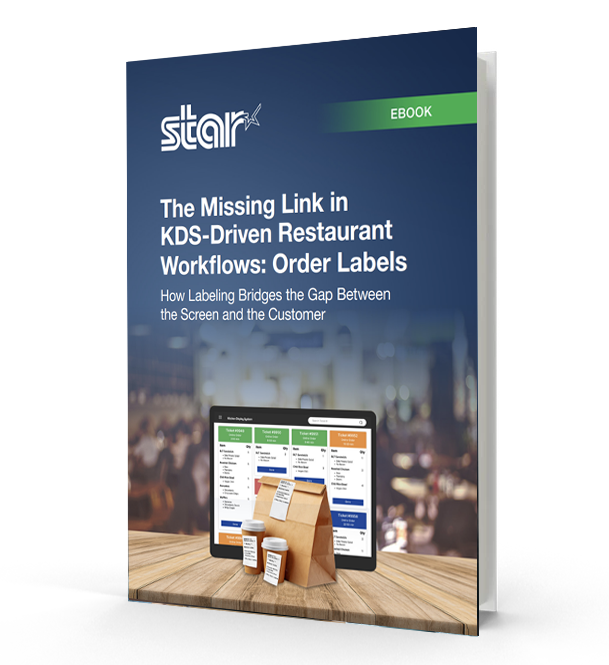
    The Missing Link in KDS-Driven Restaurant Workflows

    This eBook shows how labeling extends KDS accuracy into real-world workflows, helping restaurants and retailers improve fulfillment, accountability, and consistency across all ordering channels.

    Contact Star Micronics to learn more about restaurant label printers for KDS workflows.

    Frequently Asked Questions About Restaurant Labels for KDS Workflows

    What are restaurant labels used for in KDS workflows?

    Restaurant labels help carry order information through physical kitchen workflows after orders appear on a kitchen display system (KDS). They support food prep, packaging, pickup, delivery, catering, and labeling compliance workflows.

    How do restaurant labels support KDS workflows?

    A KDS communicates order information digitally, while labels help keep that information attached to the order itself as it moves through prep stations, expo, packaging, pickup, and delivery.

    What types of restaurant labels are commonly used with KDS systems?

    Restaurants commonly use:

    • Drive-thru and takeout labels
    • Allergy and exception order labels
    • Beverage labels
    • Product ID and barcode labels
    • Catering labels
    • Nutrition labels
    • Tamper-evident labels
    • Order verification and QC labels

    Different labels support different stages of the workflow.

    What is the difference between linerless and die-cut restaurant labels?

    Linerless labels print continuously without backing paper, helping reduce waste and clutter in high-volume kitchens. Die-cut labels are individually separated and are often used for applications requiring specific label sizes or permanent adhesion.

    Why are linerless labels popular in restaurant kitchens?

    Linerless labels help reduce liner waste, improve workflow efficiency, and minimize clutter on prep counters and floors. They are especially useful in fast-paced restaurant and QSR environments.

    What information should restaurant labels include?

    Depending on the workflow, restaurant labels may include:

    • Order details
    • Customer names
    • Allergens or dietary restrictions
    • Beverage customizations
    • Nutrition information
    • Barcodes or QR codes
    • Sell-by dates
    • Pickup or delivery details

    Why are allergy and exception order labels important?

    Allergy and exception order labels help kitchen staff quickly identify orders that require modified preparation. These labels support safer food handling and help reduce communication breakdowns during busy service periods.

    How do tamper-evident labels support delivery workflows?

    Tamper-evident labels help show customers that delivery bags or food containers have not been opened after packaging. They also help restaurants maintain more secure and organized delivery workflows.

    Can restaurant labels be printed automatically from a KDS?

    Yes. Many KDS workflows automatically trigger label printing when orders are received, bumped to another prep stage, packaged, or prepared for pickup or delivery.

    What should restaurants look for in a label printer for KDS workflows?

    Important features include:

    • Multimedia printing support
    • Linerless compatibility
    • Fast print speeds
    • Compact design
    • Cloud printing capabilities
    • Easy KDS integration
    • Support for repositionable and permanent labels

    Why are multimedia label printers useful in restaurants?

    Multimedia label printers can print receipts, linerless labels, and die-cut labels from a single device. This helps restaurants standardize hardware across stations and reduce the number of printer models they manage.

    How do cloud-connected label printers support KDS workflows?

    Cloud-connected printers can receive print jobs directly from KDS software or online ordering platforms without relying on local print servers. This simplifies deployment and supports multi-location restaurant operations more efficiently.

  • Star Micronics and OneTablet Help Restaurants Drive More Revenue from Delivery, Backed by Reliable Kitchen Printing

    Star Micronics and OneTablet Help Restaurants Drive More Revenue from Delivery, Backed by Reliable Kitchen Printing

    Star Micronics kitchen printing pairs with OneTablet’s delivery revenue platform to help restaurants increase order volume, improve menu conversion, and fulfill off-premise orders with greater accuracy.

    Somerset, NJ – May 1, 2026 – Star Micronics, a global provider of point-of-sale (POS) hardware, cloud printing, and labeling solutions, today announced its collaboration with OneTablet, a restaurant technology platform that helps independent restaurants and multi-location operators generate more revenue from third-party delivery. Together, the companies give restaurants the tools to improve menu visibility, conversion rates, and average order value across delivery platforms, while ensuring every order prints reliably at the right station.

    Third-party delivery now accounts for 30% or more of a restaurant’s revenue, and that share continues to climb. Restaurants that aren’t actively optimizing their presence on DoorDash, Uber Eats, and Grubhub are leaving money on the table. OneTablet gives operators the tools to win on these platforms: better menu visibility, stronger conversion rates, higher average order values, and the performance data to know what’s working and what isn’t.

    As that order volume grows, kitchens need hardware that can keep up. Star’s TSP100 series delivers the print speed, reliability, and uptime that high-volume delivery operations demand, so every ticket reaches the right station, every time.

    From Delivery Platform to the Kitchen Line

    Aggregating orders is only part of the workflow. Restaurants also need to manage menus, monitor performance across delivery platforms, and maintain control over how orders are prepared and fulfilled.

    OneTablet is the operating system for off-premise restaurant operations, consolidating Uber Eats, DoorDash, and Grubhub into a single, unified platform. Beyond order aggregation, it gives operators centralized control over menus, pricing, and prep timing, while delivering real-time reporting across all channels.

    By surfacing performance data at the item, channel, and store level, OneTablet enables restaurants to continuously optimize their delivery business—adjusting menus, pricing, and availability to increase conversion, improve order volume, and maximize revenue. Through its integration with Star Micronics printers, OneTablet extends that control directly into the kitchen, ensuring orders are automatically routed, organized, and printed at the appropriate prep stations. This creates a seamless connection between digital optimization and in-store execution, reducing errors and improving throughput during peak service.

    Star’s TSP100 series thermal ticket printers, including the TSP143III (LAN, USB, and Bluetooth models), as well as the TSP143IV X4 and TSP143IV SK X4 sticky linerless label printers, were tested across OneTablet’s platform and performed reliably in each configuration. This allows restaurants to use the same trusted hardware for both standard ticket printing and sticky labeling workflows, depending on their kitchen setup.

    Supporting High-Volume Delivery Workflows

    Off-premise orders introduce significant pressure during peak hours, where missed tickets, unclear modifications, or delayed prints can quickly lead to errors and slowdowns.

    By combining OneTablet’s order aggregation with Star’s reliable printing, restaurants can:

    • route orders instantly to the correct prep station
    • maintain clear, readable tickets during peak volume
    • reduce missed or duplicated orders
    • kitchens moving at the pace of incoming delivery demand

    “Delivery isn’t linear. Orders hit in waves from multiple platforms at the same time. At OneTablet, we bring structure to that. We organize and route orders so kitchens can actually execute. If tickets are not clear and in the right place immediately, performance drops fast. Star gives us the consistency on the print layer to make sure that does not happen.”

    “As restaurants take in orders from multiple delivery channels, consistency at the kitchen level becomes critical. By working with OneTablet, we’re helping ensure those orders are reliably routed and printed at the right station, so staff can act on them immediately without confusion or delay.”

    Extending Workflows with Labeling

    In addition to ticket printing, labeling can be used to support order identification and quality control for off-premise orders. Applying labels to bags, containers, or drinks helps staff verify items before they leave the kitchen, reducing handoff errors during busy service periods.

    As delivery volume increases, combining order aggregation, printing, and labeling provides a more controlled workflow from order intake to fulfillment.

    For more information about Star Micronics solutions, visit starmicronics.com.

    To learn more about OneTablet, visit onetablet.com.

    Can’t get enough industry news?

    OneTablet Delivery Operations

    OneTablet is a restaurant technology platform designed to help independent restaurants and multi-location operators generate more revenue from third-party delivery. The platform consolidates DoorDash, Uber Eats, and Grubhub into a single dashboard, enabling operators to manage menus, improve visibility, increase conversion rates, and grow average order value across all channels.

    Unlike traditional POS-based integrations, OneTablet operates at the platform layer, giving restaurants direct control over menus, pricing, availability, and store operations within each marketplace. This allows operators to improve key performance drivers such as item availability, prep times, cancellations, and customer ratings—ultimately increasing order volume and revenue.

    Through advanced reporting and menu optimization tools, OneTablet surfaces actionable insights that help restaurants identify opportunities to improve performance, drive more orders, and capture incremental revenue.

    Originally founded as MealCo and relaunched as OneTablet in 2025, the company serves independent restaurants, enterprise brands, and digital-first operators across the United States.

    Star Micronics logo, point-of-sale (POS) hardware and technology company.

    Star Micronics is a global provider of point-of-sale (POS) hardware, cloud printing, and labeling solutions that help businesses connect digital workflows to real-world operations. Serving retail, hospitality, healthcare, and service industries, Star delivers printing, labeling, cash management, self-service, and cloud-based technologies designed to support scalable, connected, and automated environments. Star’s solutions support Android, iOS, Windows, and web-based platforms and extend into the cloud through services such as CloudPRNT Next and StarIO.Online, Star’s fully managed cloud printing service.

    Visit starmicronics.com or follow us on Facebook, X, YouTube, or LinkedIn to learn more.

    Media Contact:

    Christin Dorner
    Star Micronics America, Inc.
    cdorner@starmicronics.com
    848-216-3318

    Media Contact:

     
    Paula Moran
    OneTablet
    paula@onetablet.com

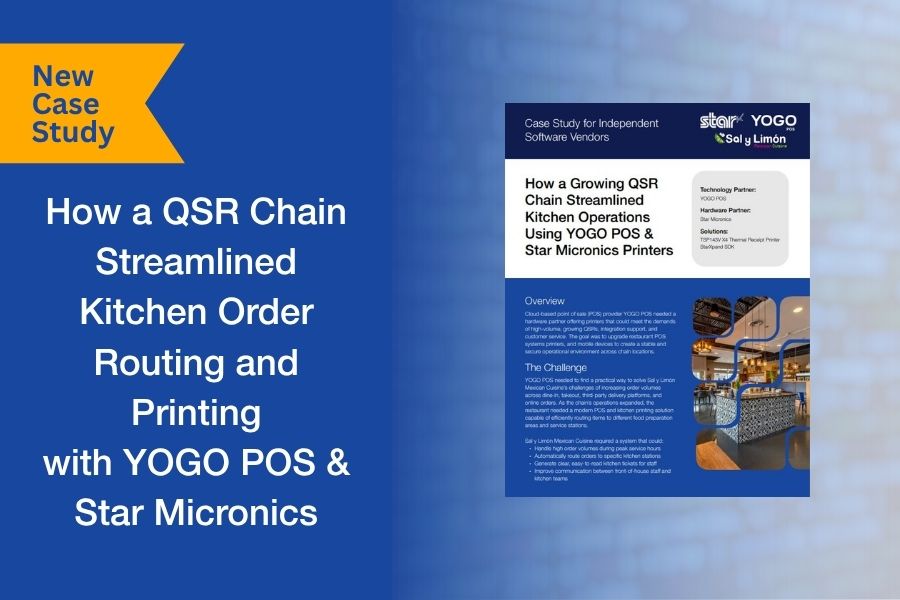
  • Kitchen Order Routing Breaks Down at Scale. A QSR Case Study.

    Kitchen Order Routing Breaks Down at Scale. A QSR Case Study.

    For many QSRs, order complexity doesn’t become a problem until volume increases. Dine-in, takeout, online ordering, and delivery platforms all feed into the same kitchen, but without structured routing, orders can bottleneck at the wrong stations or get lost in the flow.

    That’s exactly what Sal y Limón Mexican Cuisine was facing. As order volume grew across channels, the kitchen needed a way to route items to the right preparation areas and ensure tickets were clear, consistent, and easy to act on during peak hours.

    Working with YOGO POS, the team implemented a kitchen printing and order routing system using Star Micronics printers and the StarXpand™ SDK. Orders from multiple sources were directed to specific stations, with dedicated printers supporting each part of the workflow.

    We put together a short case study that looks at how the system was configured, how the integration was handled, and what changed once routing and printing were aligned with kitchen operations.

    Download the full case study to see how the deployment was structured and scaled.

  • Star Micronics Partners with Kitchen Technology, Innovations by ICC to Deliver Automated Food Safety Labeling with i.Print3™ and mC-Label2

    Star Micronics Partners with Kitchen Technology, Innovations by ICC to Deliver Automated Food Safety Labeling with i.Print3™ and mC-Label2

    The partnership combines automated labeling technology with compact, reliable printing to help foodservice operators improve traceability, compliance, and kitchen efficiency.

    Somerset, NJ – April 14, 2026 – Star Micronics, a global leader in POS hardware, labeling, and cloud printing technology, today announced a partnership with Kitchen Technology, Innovations by ICC (KTI/ICC) to integrate the i.Print3™ automated labeling solution with Star’s mC-Label2 multifunction label printer. The combined solution helps foodservice operators automate food preparation labeling, improve traceability, and support food safety compliance across modern kitchen environments.

    Foodservice operations often rely on handwritten labels or preprinted label sheets for food preparation and grab-and-go items. These manual processes can lead to inconsistent labeling, wasted materials, and increased labor. Integrating the i.Print3 device with Star’s mC-Label multifunction printer series, including the compact mC-Label2 and mC-Label3 printers, allows operators to generate clear, accurate labels at the point of food preparation, including preparation dates, expiration times, and other key food safety information.

    Automating Food Safety Labeling in the Kitchen

    The i.Print3 device is designed to automate kitchen labeling workflows in fast-paced foodservice environments. Instead of relying on multiple tools and fragmented workflows, the solution combines hardware, software, and cloud connectivity into a single integrated labeling platform.

    Cloud-based traceability allows operators to store labeling data and maintain records that support food safety oversight and operational visibility. This capability helps organizations track food preparation information, improve accountability, and support compliance with evolving regulatory and food safety requirements.

    “The i.Print3 was developed to simplify labeling and food safety processes for foodservice operators. Partnering with Star Micronics allows us to deliver a complete labeling solution that fits right into kitchen environments while supporting accurate, automated food safety labeling.”

    Compact Hardware Designed for Busy Kitchens

    Star’s mC-Label2 printer provides the compact footprint and operational flexibility required in space-constrained kitchen environments where countertop space is limited and efficiency is critical.

    The printer’s front-loading design allows labels to be reloaded without removing the device from the counter, making it easier to maintain during busy service periods. The integrated cutter supports die-cut labels and allows operators to use multiple label sizes, providing flexibility for different food preparation and labeling workflows.

    “The mC-Label2 was an ideal fit for this solution because of its compact design, reliability, and flexible media support. These features allow the labeling system as a whole to fit naturally into real kitchen workflows without adding complexity.”

    Supporting a Wide Range of Foodservice Environments

    The combined solution is designed for a variety of foodservice and retail food preparation environments, including quick-service restaurants (QSRs), convenience stores, grocery prepared food departments, and institutional kitchens such as hospitals and cafeterias.

    By printing labels directly at the prep station, the i.Print3 and mC-Label2 turn a traditionally manual task into a fast, automated process that improves food safety visibility and keeps kitchen teams moving without interruption.

    With more than four decades of experience developing technology solutions for the foodservice industry, KTI/ICC brings deep industry knowledge to the partnership. By combining KTI/ICC’s foodservice automation expertise with Star Micronics’ reliable printing hardware, the partnership delivers a modern solution for automated food preparation labeling.

    For more information about Star Micronics solutions, visit starmicronics.com.

    To learn more about Kitchen Technology, Innovations by ICC and the i.Print3™ solution, visit onkti.com.

    Can’t get enough industry news?

    Kitchen Technology Innovations by ICC logo

    Founded in 1987, Kitchen Technology, Innovations by ICC. (ICC) and its innovation division, Kitchen Technology Innovations (KTI), develop advanced, integrated technologies for the foodservice industry. Leveraging decades of expertise and a portfolio of patented solutions, KTI/ICC delivers intelligent systems that digitize food safety, automate product management, and provide real-time operational visibility across multi-unit environments. Designed for scalability and ease of use, KTI/ICC’s platform enables operators to reduce risk, improve consistency, and optimize performance. The family-founded company supports leading global brands, including EB Group, Paradies Lagardère, and Burger King.

    Star Micronics logo, point-of-sale (POS) hardware and technology company.

    Star Micronics is a global provider of point-of-sale (POS) hardware, cloud printing, and labeling solutions that help businesses connect digital workflows to real-world operations. Serving retail, hospitality, healthcare, and service industries, Star delivers printing, labeling, cash management, self-service, and cloud-based technologies designed to support scalable, connected, and automated environments. Star’s solutions support Android, iOS, Windows, and web-based platforms and extend into the cloud through services such as CloudPRNT Next and StarIO.Online, Star’s fully managed cloud printing service.

    Visit starmicronics.com or follow us on Facebook, X, YouTube, or LinkedIn to learn more.

    Media Contact:

    Christin Dorner
    Star Micronics America, Inc.
    cdorner@starmicronics.com
    848-216-3318

    Media Contact:

    Mark Salerno
    Kitchen Technology, Innovations by ICC
    marky@goicc.com
    631-673-5100

  • 4 Features to Look for in the Ultimate Restaurant Kitchen Printer

    4 Features to Look for in the Ultimate Restaurant Kitchen Printer

    A restaurant kitchen printer is one of the most important tools for maintaining order accuracy and speed in a busy kitchen environment. By printing clear, durable tickets instantly, kitchen staff can prepare orders efficiently and reduce costly mistakes.

    In modern restaurants—whether quick service, fast casual, or full service—kitchen printers connect the point-of-sale (POS) system directly to the back-of-house team. Instead of relying on handwritten tickets that can be misread or misplaced, orders are printed clearly and delivered immediately to the stations preparing them.

    Choosing the right printer matters. Commercial kitchens often expose equipment to heat, grease, steam, and constant activity, so not every printer is built to perform reliably under these conditions.

    Table of Contents

    What Is a Restaurant Kitchen Printer?

    A restaurant kitchen printer is a specialized printer used in commercial kitchens to print order tickets directly from a restaurant point-of-sale (POS) system. These printers ensure kitchen staff receive accurate order details immediately so food preparation can begin without delays or confusion.

    Unlike standard receipt printers used at checkout counters, kitchen printers are built to operate in demanding environments and are typically installed at prep stations, grill stations, expo lines, or beverage areas where orders are fulfilled.

    Restaurant kitchen printers generally use either impact printing for high-heat kitchen environments or thermal printing in modern, temperature-controlled kitchens. The best restaurant kitchen printer depends on the kitchen environment, order volume, and how the restaurant’s POS system sends orders to the back of house.

    If you’re evaluating a restaurant kitchen printer, here are four features that can make the biggest difference in kitchen performance and reliability:

    1. Durable Impact Printing for Harsh Kitchen Environments

    A restaurant kitchen printer must be built to withstand the realities of a commercial kitchen. Heat, grease, and airborne food particles can quickly damage equipment not designed for such environments.

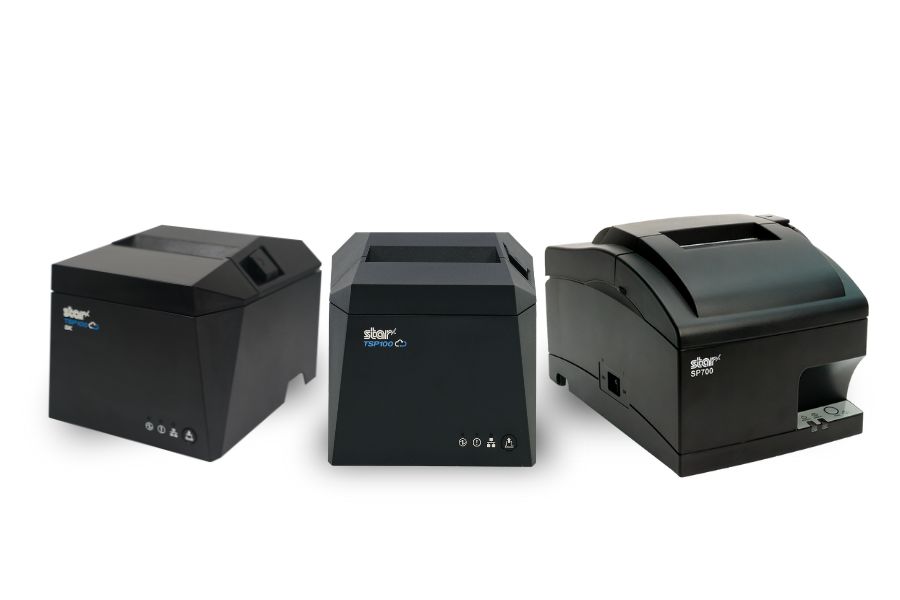
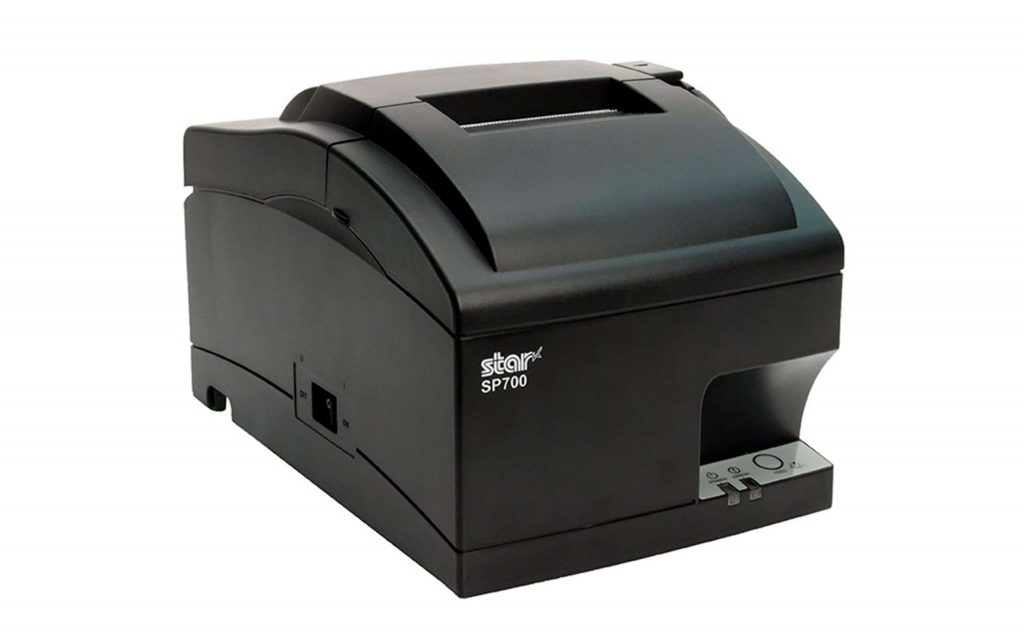
    Impact printers, like the SP742 from Star, are widely used in restaurant kitchens because they are extremely durable and reliable. They work by striking an ink ribbon against impact paper, producing clear, legible tickets that remain readable even in high heat.

    Unlike thermal paper, which can darken when exposed to high temperatures, impact paper maintains readability in hot kitchen environments. This makes impact printing particularly useful near grills, fryers, and other high-heat stations.

    For these reasons, many restaurants rely on impact printers for high-heat kitchen environments.

    Impact vs. Thermal Kitchen Printers: Choosing the Right Technology

    While impact printers are widely used in traditional kitchen environments, some restaurants operate in modern, climate-controlled kitchens where thermal printing can also perform reliably.

    Thermal kitchen printers use heat to create images on specially coated paper, eliminating the need for ink ribbons and reducing maintenance. In controlled environments where excessive heat, grease, or steam are less of a concern, thermal printers can offer fast, quiet, and efficient ticket printing.

    For example, the Star mC‑Print3 thermal ticket printer is often used in modern restaurant kitchens, cafes, and quick-service environments where operators want the speed and simplicity of thermal printing.

    However, for kitchens exposed to high heat, oil, or heavy airborne particles, impact printers remain a dependable choice due to their rugged design and heat-resistant paper.

    Choosing between impact and thermal ultimately depends on the conditions of the kitchen and the restaurant’s operational needs.

    The mC-Print3 thermal kitchen printer in a modern heat-controlled environment.

    2. Internal Power Supply for Flexible Kitchen Layouts

    Kitchen space is often limited, and equipment placement can directly affect workflow efficiency.

    A restaurant kitchen printer with an internal power supply simplifies installation and helps reduce cable clutter. Instead of managing bulky external power adapters, staff can install printers directly at prep stations, expo stations, or beverage areas.

    Benefits of internal power supplies include:

    • Cleaner workstation setups
    • Easier installation in tight spaces
    • Fewer exposed cables in high-traffic areas
    • More flexibility when arranging kitchen equipment

    In environments such as food trucks, kiosks, or compact restaurant kitchens, these small, space-saving features can make a significant difference.

    3. Fast Print Speed to Keep Kitchens Moving

    During peak service hours, kitchens operate at high speed. A restaurant kitchen printer must keep up with order volume without slowing down the workflow.

    High-speed printers can produce 13 or more receipts per minute, allowing orders to move quickly from the POS system to the kitchen staff.

    Fast printing provides several operational benefits:

    • Orders reach the kitchen instantly
    • Staff can begin preparation sooner
    • Order queues stay organized during busy periods
    • Restaurants can handle higher order volumes efficiently

    Fast, clearly printed tickets help kitchens maintain speed and accuracy even during the busiest service periods.

    4. Easy Paper Loading to Minimize Downtime

    Even the most reliable kitchen printer will eventually need a paper refill. When that moment comes during a busy shift, the process should be quick and simple.

    A restaurant kitchen printer with drop-in paper loading allows staff to replace paper rolls in seconds. This feature reduces downtime and helps kitchen operations continue smoothly during peak service periods.

    Look for printers designed with:

    • Drop-in paper loading
    • Jam-resistant mechanisms
    • Clear paper guides

    These design features allow kitchen staff to reload paper quickly and return their attention to preparing orders.

    Why Kitchen Printers Matter for Restaurant Operations

    A reliable restaurant kitchen printer helps restaurants maintain fast service and accurate order fulfillment. By delivering clear, durable tickets directly to kitchen stations, these printers reduce communication errors and improve overall workflow efficiency.

    Restaurants that invest in the right kitchen printing technology often see improvements in:

    • Order accuracy
    • Kitchen speed and efficiency
    • Staff productivity
    • Customer satisfaction

    In a fast-paced restaurant environment, even small improvements in communication and efficiency can lead to better service and stronger profitability.

    Choosing the Right Restaurant Kitchen Printer

    When selecting a restaurant kitchen printer, prioritize durability, speed, ease of use, and compatibility with your POS system.

    A well-designed printer helps kitchen staff stay organized, reduces order errors, and ensures food reaches customers quickly and correctly every time.

    The Smart QSR Delivery Playbook: Labeling, Accuracy & Efficiency Done Right

    This ebook explores how labeling, verification tools, and flexible POS technology can help restaurants manage QSR delivery workflows more effectively—from the kitchen to the handoff point.

    Kitchen Printer FAQs for Restaurants

    What is a restaurant kitchen printer?

    A restaurant kitchen printer is a specialized printer that prints order tickets directly from a point-of-sale (POS) system to kitchen stations. These printers ensure staff receive orders immediately so food can be prepared quickly and accurately.

    What printer do restaurants use in kitchens?

    Many restaurants use impact printers in kitchens because they are durable and can withstand heat, grease, and steam. In modern, temperature-controlled kitchens, thermal printers may also be used for their speed and low maintenance.

    When should you use an impact vs. a thermal kitchen printer?

    Impact printers are typically best for:

    • high-heat kitchens
    • heavy grease environments
    • grill or fryer stations

    Thermal printers are often used in:

    • temperature-controlled kitchens
    • cafes and quick-service restaurants
    • modern POS workflows

    Why do restaurants use kitchen printers instead of handwritten tickets?

    Kitchen printers improve order accuracy, speed, and communication between front-of-house staff and kitchen teams. Printed tickets are easier to read than handwritten orders and help reduce mistakes during busy service periods.

    Ready to learn more about how the ultimate restaurant kitchen printer can impact your business?

  • Star Micronics Expands ESC/POS Printer Compatibility Across Thermal and Impact Printing Solutions

    Star Micronics Expands ESC/POS Printer Compatibility Across Thermal and Impact Printing Solutions

    New ESC/POS printer support includes the TSP100IV series, including SK models, and LAN-based ESC/POS emulation for the SP742 impact printer.

    Somerset, NJ – January 30, 2026 – Star Micronics today announced expanded ESC/POS printer support for the TSP100IV thermal printer series, including TSP100IV SK models, and added LAN-based ESC/POS emulation for the SP742 impact printer. This update extends across the UE and X4 models, including both receipt and linerless sticky label printers. It gives retailers, resellers, and software developers the flexibility to expand their Star hardware portfolio or move to Star, even when their current applications rely on ESC/POS support.

    TSP143IV Series with ESC/POS: Compact & Connected

    The TSP143IV UE (thermal receipt) and TSP143IV UE SK (linerless sticky label) provide a balance of compact design and versatile connectivity. Both models feature USB-C, LAN, CloudPRNT, and Android Open Accessory (AOA) support. With the addition of ESC/POS emulation, integration with legacy systems is even simpler.

    TSP143IV X4 Series with ESC/POS: Future-Proof Versatility

    The TSP143IV X4 (thermal receipt) and TSP143IV SK X4 (linerless sticky label) printers bring four interfaces in one device — “Ultra-C” USB-C, LAN, WLAN, and Bluetooth — along with CloudPRNT Next for faster, more reliable cloud-based printing. Now with ESC/POS emulation, the X4 series ensures maximum compatibility while maintaining industry-leading performance and connectivity.

    Shared Features Across All Models

    • ESC/POS emulation for broader software support
    • High-speed thermal printing (up to 250mm/s on receipt models, 180mm/s on SK label models)
    • Built-in guillotine auto-cutters
    • Compact, space-saving design with internal power supply
    • EnergyStar certification and eco-friendly packaging with minimal plastic

    SP742 Impact Printer Adds ESC/POS Support via LAN

    Star Micronics has also expanded ESC/POS™ emulation support to its SP742 impact printer with the LAN interface. This update enables broader compatibility with legacy POS systems that rely on ESC/POS while continuing to support environments that require durable, impact-printed output. The SP742 remains well suited for kitchens, back-office operations, and other applications where impact printing is preferred.

    Supporting Retail & Hospitality Innovation

    “By adding ESC/POS emulation to all four models in the TSP100IV series, we’re giving businesses and ISVs greater flexibility without compromising the advanced performance that defines Star. Whether for receipts or linerless sticky labels, the UE and X4 models deliver the connectivity, reliability, and sustainability today’s businesses need.”

    For more details on the new ESC/POS-enabled models, visit starmicronics.com or contact sales@starmicronics.com.

    Can’t get enough industry news?

    Star Micronics logo, point-of-sale (POS) hardware and technology company.

    Star Micronics is a global leader in POS hardware and transaction technology, providing printers, secure cash management, and connected peripherals for retail and hospitality environments. Known for reliability and developer-friendly integration, Star solutions work seamlessly with Android™, iOS, Windows®, and web-based POS platforms to power receipt, label, ticket, and order printing across modern commerce environments.

    Star’s cloud technologies extend printing beyond the counter. CloudPRNT Next enables scalable direct cloud printing, while StarIO.Online is Star’s fully managed cloud printing service that removes the need for server infrastructure and simplifies remote printer management across distributed locations. Star also offers a broad portfolio of POS peripherals, including barcode scanners, scales, and tablet stands, designed to work together as a complete hardware solution.

    Learn more at starmicronics.com or follow Star on LinkedIn, YouTube, Facebook, Instagram, and X.

    Media Contact:

    Christin Dorner
    Star Micronics America, Inc.
    cdorner@starmicronics.com
    848-216-3318

  • The Answers You Need to Make an Informed Decision About Cloud POS Services

    The Answers You Need to Make an Informed Decision About Cloud POS Services

    With the rise of the Internet of Things (IoT), artificial intelligence (AI), and other advanced technologies, cloud services adoption is becoming increasingly common. Gartner reports that public cloud services spending will grow to $723.4 billion in 2025, up from $595.7 billion last year. 

    Cloud services benefit different industries in various ways, particularly for cloud point of sale (POS) services. For retailers and restaurateurs, cloud POS services enable managing POS devices and peripherals remotely. Managers can monitor devices to ensure they’re online and operating properly. They may also be able to run diagnostics remotely to address maintenance issues that might be brewing. A cloud POS enables a proactive approach that maximizes uptime rather than reacting when a printer or other device stops working.

    Cloud POS services can also make data and tools available to employees across an organization, saving time and ensuring brand consistency.

    So, What’s Holding You Back from Using Cloud POS Services?

    Even though cloud solutions offer retailers and restaurateurs numerous benefits, it’s common for business leaders to have some concerns. Getting the facts will help you understand how cloud solutions work and the safeguards that are in place so you can move forward confidently. Some of the most important facts you need to know about cloud POS services are: 

    Cloud POS Services Are Secure

    While news of cyberattacks has become common, using cloud POS services doesn’t necessarily increase your risk. Cloud service providers invest heavily in securing their offerings and keeping up with changes in the threat landscape.

    In most cases, the security measures the vendor has in place far exceed anything a single retailer or restaurateur could establish. By partnering with a trusted vendor, you can be confident that your data and your business are safeguarded by robust security measures. 

    Your Data Is Private

    Cloud POS services providers are careful to keep each customer’s data private. No other customers have access to your data; they can’t see the label templates you have built or access digital receipts you store to make returns more convenient for your customers. The only people who can access your data are your employees who use the right login credentials. 

    You Can Work Offline

    While accessing your data in the cloud requires a network connection, this doesn’t mean you can’t work when you’re offline. Cloud POS services often provide a way to establish a “hybrid” system where information is stored locally. This allows your employees to access it during network outages and sync when the connection is restored. Cloud service providers ensure that your workflows remain uninterrupted. 

    Star Micronics CloudPRNT Next Cloud Services
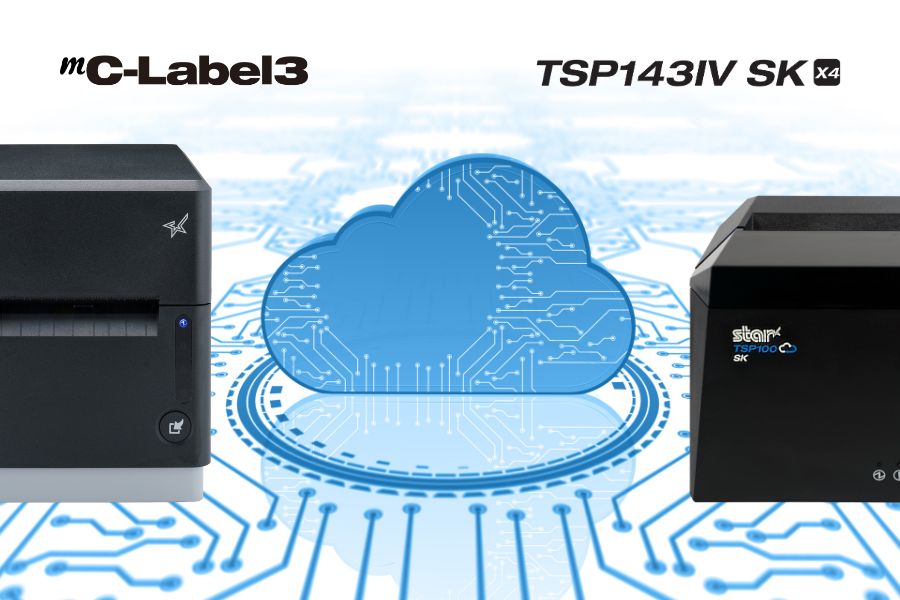
    Star Micronics mC-Label3 and TSP143IV SK label printers support CloudPRNT Next for fast cloud printing.

    You Can Afford Them

    Cost is always a consideration, but with cloud POS services, it’s important to think in terms of total cost of ownership (TCO). You don’t need the same amount of infrastructure on-site to do the same things that a cloud solution does. You use the provider’s resources, not your own servers, for things like data storage, backup, and data security.  

    When you consider all costs and all cost savings, including gains in operational efficiency, cloud services are generally more cost-effective than on-premises solutions. Furthermore, when it comes to Star Micronics Cloud Services, they’re included at no additional cost with our cloud-ready printers. 

    They’re Easy to Use

    A major concern among business leaders is that cloud POS services may be too challenging for their employees to use. However, a quick demo will demonstrate how easy using cloud services can be. For instance, Star’s PromoPRNT allows you to add promotions to receipts, providing you with a new—and effective—customer engagement tool. You can easily create promotions from templates and manage them from any connected device. For your employees, adding marketing messages to receipts is effortless. 

    What Is CloudPRNT Next?

    If you’re exploring cloud POS options, it’s worth getting familiar with CloudPRNT Next—Star Micronics’ next-generation remote printing technology.

    Built on the MQTT protocol, CloudPRNT Next offers faster, more secure, and more scalable communication between cloud applications and printers. Whether you’re printing receipts, orders, labels, or tickets, CloudPRNT Next gives developers and operators the power to:

    • Print directly from web apps—no middleware or local server required

    • Receive real-time feedback from the printer (status, errors, confirmations)

    • Scale easily across locations and devices

    • Support complex workflows like multi-item labeling or off-premise fulfillment

    It’s the ideal solution for ISVs, enterprise foodservice operators, and QSRs looking to streamline remote order fulfillment without sacrificing control or reliability.

    What’s Your Next Move?

    Once you have a clear understanding of the pros and cons of cloud POS services, you can make an informed decision about their value for your organization. You likely have more questions about how a cloud POS will operate within your organization and the benefits it will provide. The Star Micronics team is here to answer your questions and assist you in selecting the best cloud-ready solution for your company. Contact us today. 

    Conquering Omnichannel Order Management with Cloud-Based Technology Solutions

    Consumers have spoken! The future of retail and hospitality is omnichannel, cloud-based, and connected. Is your business prepared?

    Ready to boost your cloud printing capabilities?

  • Essential Airport Restaurant Solutions for Modern Hospitality

    Essential Airport Restaurant Solutions for Modern Hospitality

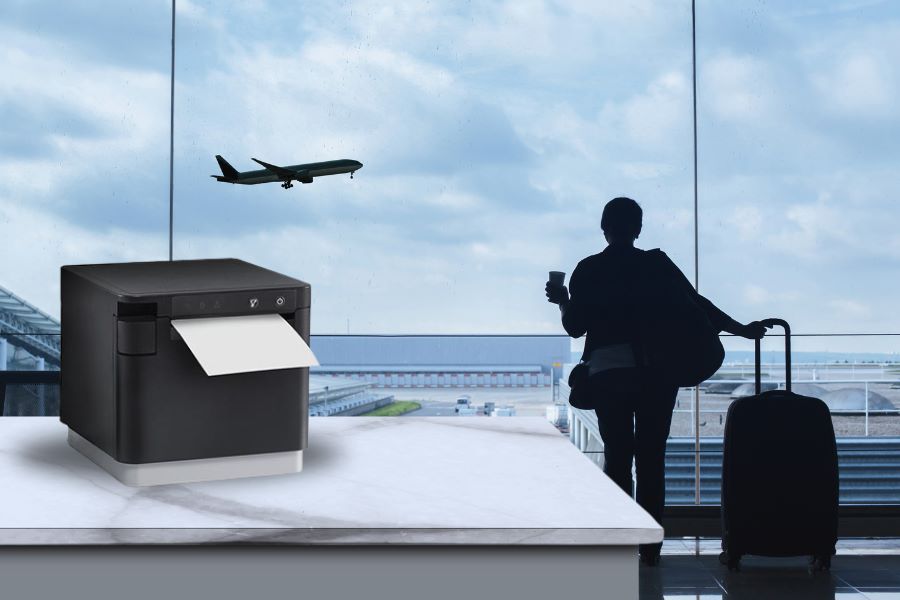
    Restaurants and food service companies with airport locations have an immense opportunity to provide the meals and snacks travelers count on to sustain them before or after flights. However, filling orders and optimizing customer experiences can be a challenge without the right airport restaurant solutions. 

    Airport restaurant and concessions staff have to deal with demand from thousands of people, particularly when large flights land or at traditional mealtimes. Furthermore, travelers are looking for a variety of experiences. Some want quick service before catching a connecting flight and will not be patient if forced to waste time standing in line. Others want to relax in a restaurant during a long day of travel. 

    Regardless of how they engage, travelers want efficient service and food made to order. The complexity of managing multiple restaurants can make meeting those demands even more challenging. Operators may have numerous locations throughout an airport or have locations with different branding and menus. Ensuring smooth operations at each restaurant, counter, and concession stand requires real-time visibility and centralized control.

    Must-Have Airport Restaurant Solutions

    Technology tailored specifically for airport restaurants helps meet high customer expectations for quick, efficient service, even during peak times. Modern airport restaurant and food service operations leverage the following technologies: 

    1. Online Ordering and Cloud-Ready Hardware

    With more travelers opting to order food and beverages from their mobile devices, online ordering has become an essential service for airport restaurants. Allowing customers to browse menus, place orders, and pay directly from their phones not only enhances convenience but also helps reduce wait times at busy counters. Customers can complete an order with a few taps as they move through the terminal, allowing staff to prepare the food before they even approach the restaurant.

    To support this level of convenience, having cloud-ready hardware is ideal. Cloud-print-enabled printers receive orders directly from online ordering platforms, whether from mobile apps or websites, minimizing the need for extra devices or manual input. This technology helps staff stay updated with orders in real time, reducing delays and making sure that all orders—no matter where they come from—are accurately printed and efficiently managed.

    Star Micronics’ CloudPRNT technology makes this process flawless by allowing printers to communicate directly with web-based ordering services. With Star’s CloudPRNT Next, enhanced by the MQTT protocol, airport restaurants benefit from faster, more reliable cloud communication, ensuring orders are printed promptly, even in high-demand environments.

    2. Self-Service Kiosks

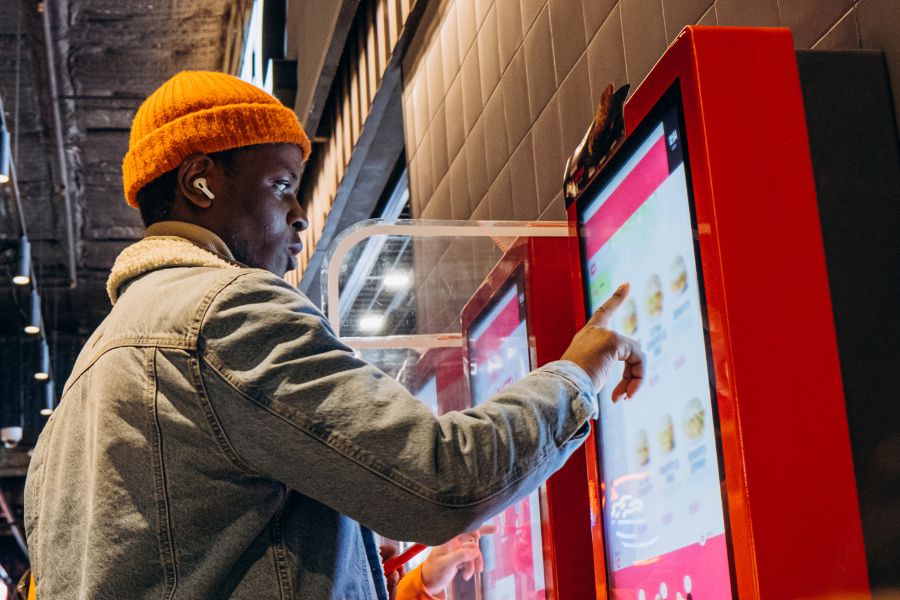
    Deploying kiosks is one of the best ways to keep lines short and minimize errors and waste. Instead of waiting for assistance from an employee, travelers place their orders at a kiosk, using a touchscreen to choose precisely what they want. 

    Self-service “kiosks” can take many forms, from large interactive digital signage to touchscreens embedded in cabinets. However, a tablet in a secure enclosure supported by a tablet stand or display gives airport restaurants a space-saving way to provide self-service options. 

    With self-service kiosks, travelers are free to quickly browse their options and potentially even place orders with different restaurants or vendors near them from the same screen. Kiosk software can make nutrition and allergen information readily available and upsell customers with offers to expand an order into a combo or add a side. 

    After making their selections, travelers can pay at the kiosk using cash, a payment card, or a mobile wallet. A receipt or ticket with an order number is then printed for easy tracking. The receipt can also include an estimated time when the order will be ready so travelers can purchase items for their flights or run other errands before picking up their food.

    Airport Restaurant Solutions Kiosk

    3. Kitchen Printers

    Once travelers place their orders, it’s essential for airport kitchens to receive them quickly and accurately. Kitchen printers ensure each order reaches the back of house promptly, helping staff prepare and serve food efficiently, even during busy times. By improving the order process, these printers contribute to faster service, ultimately creating a smoother experience and happier customers.

    Impact printers are known for their durability and can handle the demands of busy kitchen environments. They reliably produce clear, legible orders, performing well despite the heat and humidity often found in kitchen spaces. These printers also offer fast output, simple paper loading, and a compact design to optimize space.

    The SP700 series by Star Micronics supports CloudPRNT technology, which allows kitchen printers to receive online orders directly from cloud-based platforms without additional hardware. This capability makes it easier for staff to keep up with orders and reduces delays, providing a positive experience for both in-house and online customers.

    SP700 Impact Printer

    With its robust design and consistent print quality, the SP700 impact printer enhances both operational efficiency and customer satisfaction by streamlining order management.

    Explore the SP700 >

    As modern kitchens adopt effective heat control, thermal receipt printers are quickly becoming the standard for reliable performance in high-temperature settings. Thermal ticket or chit printers offer faster speeds and enhanced connectivity options, making them ideal for a more streamlined kitchen workflow.

    Learn “Why Thermal Receipt Printers Have a Place in Today’s Modern Kitchens” here >

    4. POS and Receipt Printers

    For airport restaurant operations, POS and receipt printers play a crucial role in ensuring fast and polished customer experiences. High-volume environments require efficient POS systems that can quickly process various payment types, from mobile wallets to contactless cards, meeting the fast-paced demands of airport travelers. Paired with high-speed thermal receipt printers, these systems speed up transactions, minimizing wait times for customers eager to grab a bite before their flights.

    In addition to efficient processing, clear and readable receipts improve order tracking and pickup for customers and staff alike. Thermal receipt printers provide crisp, legible receipts with order numbers and instructions, helping travelers and staff stay organized in the fast-moving airport environment.

    mC-Print3 Receipt Printer

    The Star Micronics mC-Print3 combines high-speed printing with advanced connectivity options like Ultra-C and CloudPRNT Next. Its Ultra-C USB-C port provides seamless power and data transfer with any device, while CloudPRNT Next offers enhanced remote printing using the MQTT protocol, ideal for modern POS environments.

    Discover the mC-Print3 >

    5. Label Printers

    Label printers have become essential in airport restaurants, providing a versatile solution for labeling various items, from grab-and-go meals to fresh ingredients. Clear, easy-to-read labels display product names, nutrition facts, and prices, allowing travelers to make quick purchasing decisions, which is particularly valuable in fast-paced environments. 

    Linerless label printers, in particular, offer substantial benefits for airport restaurants. Unlike traditional labels, linerless labels do not have a silicone backing, which makes them quicker to apply, eliminates unnecessary waste, and keeps workstations cleaner and safer. These printers can use either a repositionable adhesive for temporary labeling or a stronger adhesive for more permanent applications. 

    mC-Label3 Multimedia Printer

    The Star Micronics mC-Label3 is a versatile multimedia printer that prints a wide range of labels and receipts, including both permanent and repositionable sticky linerless. It features cloud connectivity and innovative technologies like SteadyLAN and TetherLAN for enhanced printing convenience.

    Discover the mC-Label3 >

    6. Barcode Scanners

    For restaurants looking to optimize inventory management and simplify workflows, barcodes or QR codes are an ideal addition to labels. Scanning these codes allows staff to quickly verify product details, check inventory levels, and even monitor sales trends for efficient reordering. Barcodes on receipts or QR codes for mobile app ordering also streamline the customer experience by making it easier to retrieve order details or participate in loyalty programs.

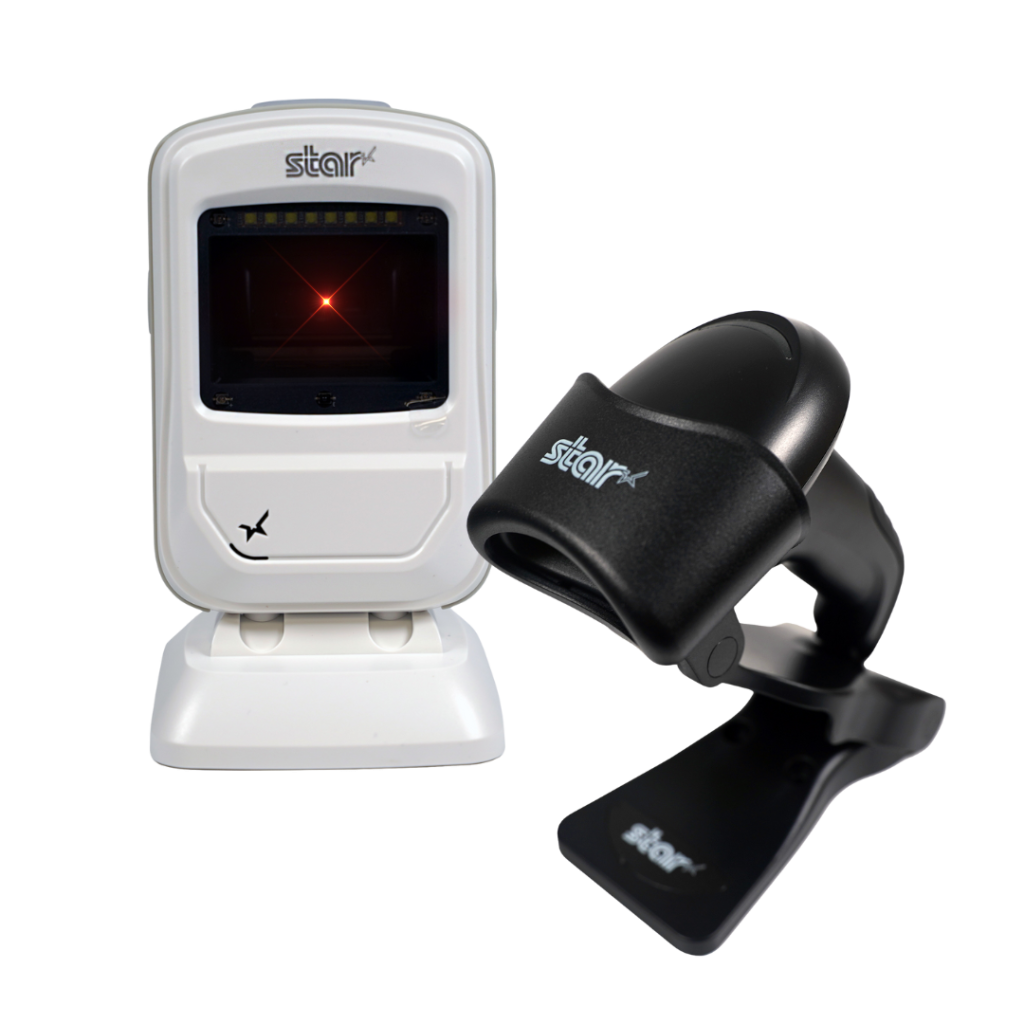
    Additionally, barcode scanners, whether handheld or countertop, are invaluable for smooth and accurate order processing, age verification, and stock tracking. From portable devices for stockroom use to fixed scanners for checkout, barcode scanning equipment enhances operational efficiency and accuracy, giving airport restaurant staff reliable tools to improve customer service and maintain organized, well-stocked inventory.

    Star’s 1D/2D Barcode Scanners

    Star offers a comprehensive range of IP-rated 1D/2D barcode scanners, ideal for diverse business needs. From retail to healthcare, our versatile scanners excel in parsing driver’s license and ID barcodes, ensuring swift and accurate data capture. Choose the perfect fit for your setup—desktophandheld, or wireless Bluetooth options available.

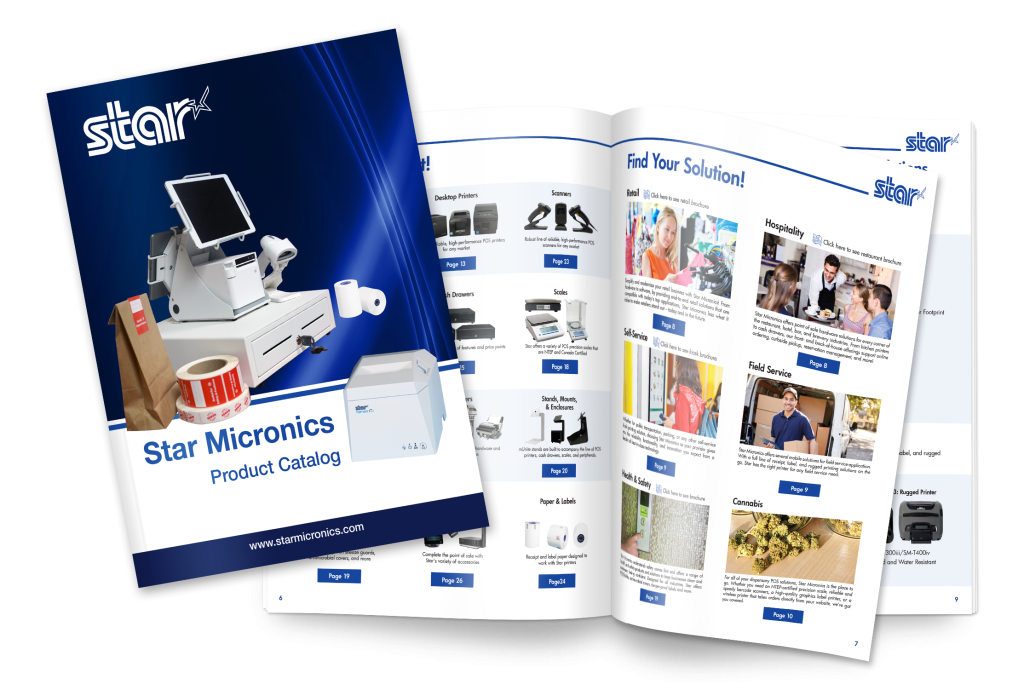
    View the Star Catalog

    Discover the full range of Star Micronics airport restaurant solutions in our product catalog, offering the tools you need for efficient, high-performing airport dining operations.

    Think Omnichannel for Airport Restaurant Solutions

    Travelers come from all walks of life, and their preferences for how they interact with businesses vary widely. For instance, non-native speakers may find it easier to use a kiosk with multilingual support, while travelers with mobility issues may prefer browsing menu options on a screen instead of moving from restaurant to restaurant. Some guests may even want the convenience of ordering from multiple airport eateries at once.

    On the other hand, travelers rushing to catch a connecting flight often seek quick grab-and-go options with fast self-checkout. Leveraging an omnichannel approach with airport restaurant solutions makes all types of engagement possible.

    Additionally, these solutions empower airport restaurants to drive greater operational efficiency, improve order accuracy, and minimize waste. By connecting front- and back-of-house processes, operators can ensure control, consistency, and high-quality customer service. With the right technology, airport restaurants can overcome the unique challenges of airport hospitality, creating a frictionless, low-stress experience that benefits both travelers and staff.

    Find Your Airport Restaurant Solutions Today:

  • Why Thermal and Impact Printers Remain Essential in High-Tech Restaurant Operations

    Why Thermal and Impact Printers Remain Essential in High-Tech Restaurant Operations

    Efficiency is the lifeblood of successful restaurant operations, especially when soaring food and labor costs threaten profitability. To combat these challenges, restaurants are increasingly turning to technology to streamline processes and cut expenses. Some forward-thinking chains are even exploring the feasibility of fully automated operations, testing robots and intelligent systems for food prep, service, and even bussing tables.

    But let’s face it: most restaurants aren’t ready to jump straight into a futuristic, AI-powered world. Instead, the majority are adopting a more pragmatic approach, carefully selecting technologies that offer the greatest value. Time and again, the winning strategy is a blend of innovative new solutions and dependable classics, such as thermal and impact printers, which bridge the gap between the cutting-edge and the tried-and-true.

    Impact Printers in the Modern Restaurant Kitchen


    The SP742 impact kitchen printer is great for online ordering.
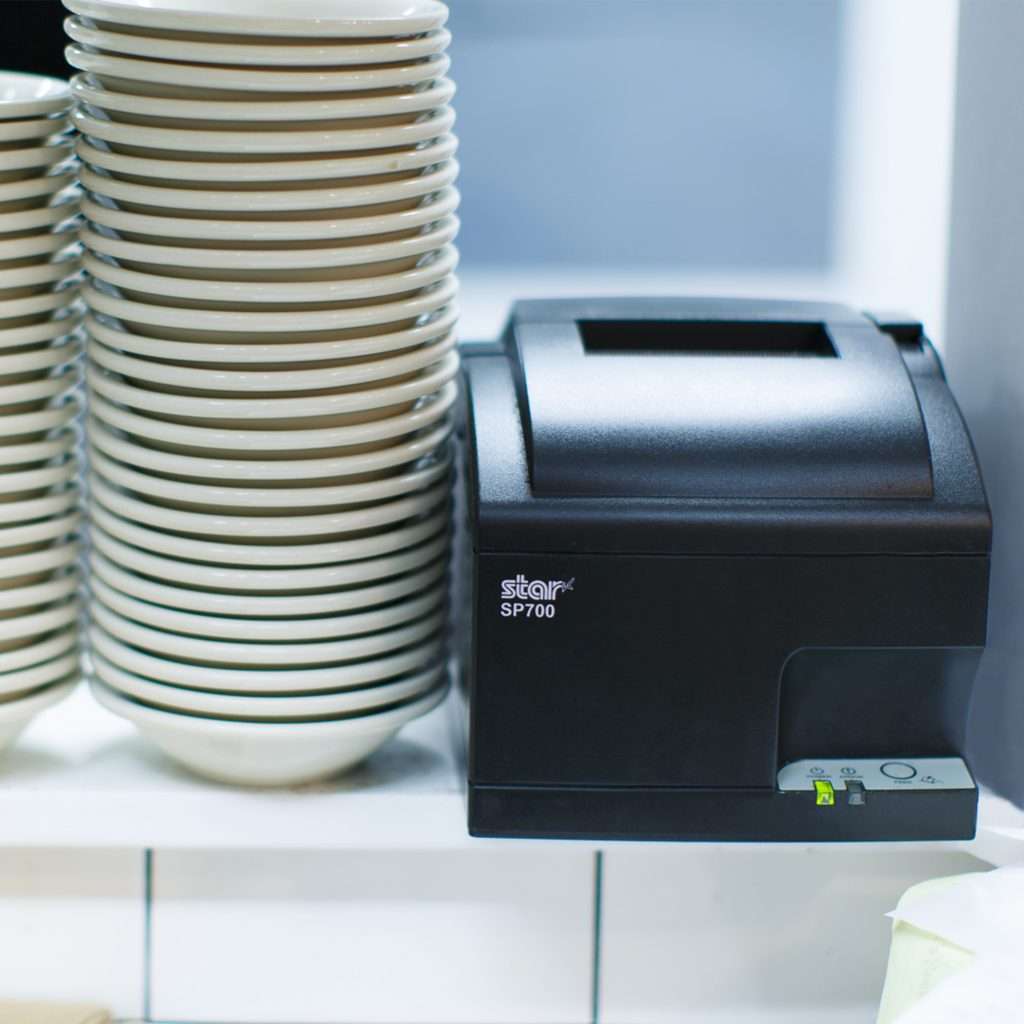
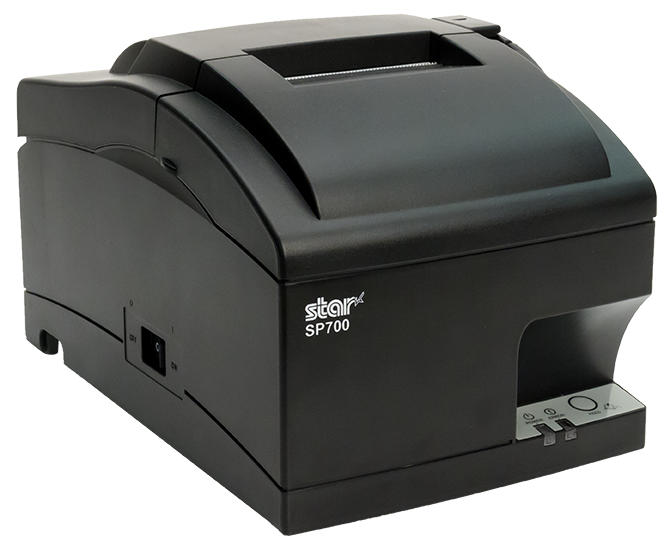
    The SP700 impact kitchen printer by Star Micronics is one of the most trusted on the market.

    Printers, paired with the point-of-sale (POS) or restaurant management system, are essential for clear communication. When a server takes an order, the printer instantly generates a ticket for the back of the house. This technology replaces handwritten notes with printed chits, ensuring all orders are legible. As accuracy improves, the positive impact on service, customer experiences, and the bottom line is substantial.

    Impact printers are the top choice for hot, humid restaurant kitchens. Orders printed on thermal printers can become illegible when exposed to steam and high temperatures. In contrast, chits from an impact printer remain clear and readable throughout the food prep process.

    Moreover, restaurants benefit from rugged, reliable models that ensure legibility and uninterrupted service, even when splashed with liquids during order preparation. Compact models with versatile connectivity options allow managers to position printers in optimal locations within food prep areas.

    Additionally, restaurants can choose impact printers that are easy to load, making them ideal for operations requiring two-color and carbon copy printing.

    Discover the SP742: The Ultimate Kitchen Printer

    The SP742 printer excels in the demanding kitchen environment, offering high-speed, two-color printing for clear orders and a user-friendly design for easy handling. Enhanced with CloudPRNT and Bluetooth, it streamlines online ordering, ensuring seamless front-to-back-of-house operations.

    Role of Thermal Printers in Modern Restaurants

    While advancements in impact kitchen printers have made them indispensable in many restaurant operations, modern eateries often require a printer with broader capabilities. Multi-function thermal receipt printers fit this need perfectly, allowing restaurants to print everything from permanent food and shelf labels to repositionable sticky labels for online orders.

    These versatile printers can also generate unique, branded labels and tamper-proof labels for deliveries, enhancing both functionality and brand integrity.

    Moreover, as more modern kitchens become heat-controlled, thermal printers are emerging as attractive options. With a thermal printer at each food prep station, there’s no need for carbon copies, reducing the risk of losing important order information.

    Features such as a compact design, multiple connectivity options, cloud printing technology, and the flexibility to print labels, receipts, and orders make the right thermal printer a smart investment for any contemporary restaurant.

    The mC-Print3 thermal receipt printer is an invaluable asset for any professional kitchen. Learn more here >


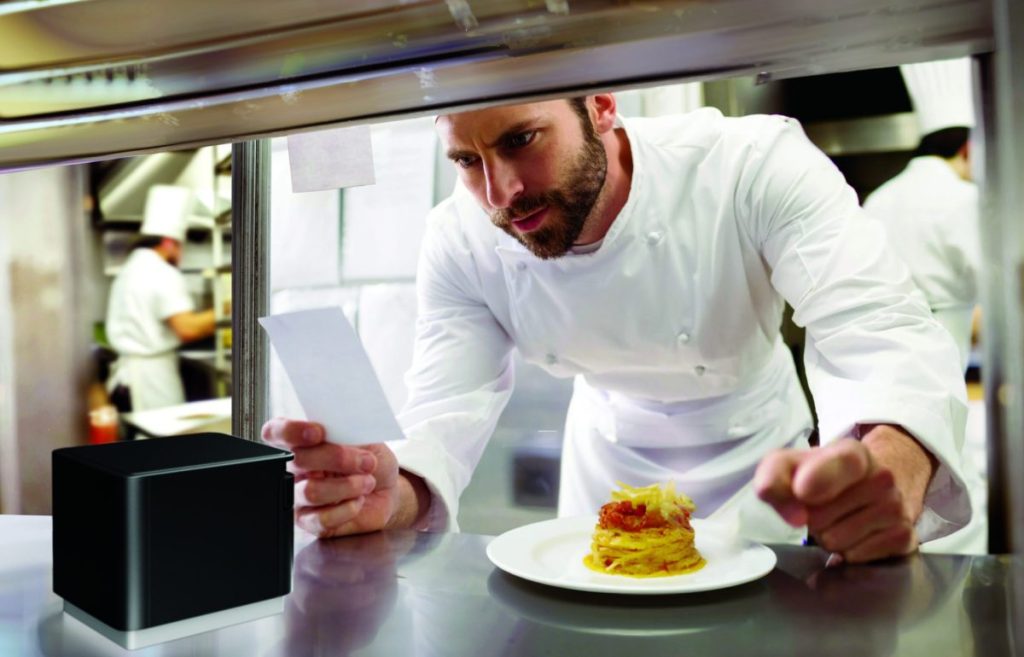
    Chef in modern, professional kitchen looking at ticket from mC-Print3 thermal receipt and restaurant printer by Star Micronics.
    The mC-Print3 by Star Micronics is ideal for professional, heat-controlled kitchens.

    Label Printing to Improve Inventory Management

    Modern restaurants deploy technology to increase efficiency and operate more cost-effectively. According to the National Restaurant Association, with food costs accounting for 33 cents of every dollar sold and overhead totaling 29 cents, pretax profit for most restaurants is only about 5 percent. Furthermore, as food costs continue to rise, there’s no margin for error.

    Accurate inventory management is essential for cost control and maintaining a viable restaurant business. Technology empowers restaurants to manage inventory effectively, decreasing waste and ensuring customer satisfaction by always serving fresh, high-quality foods.

    High-ROI inventory management solutions include barcode and RFID technology, which provide staff with visibility into inventory from receiving to food preparation and sales. These solutions also enable quick and precise identification of foods subject to recall, minimizing losses.

    Using technology to track inventory requires labels on stock and shelves. Label printers allow restaurants to create labels on demand for flawless inventory tracking. These inventory tracking solutions also provide managers with invaluable data, revealing sources of shrinkage and waste. This insight allows managers to take corrective action to keep their restaurants profitable.

    The Case for Kitchen Printers in High-Tech Environments

    Although technology continues to advance, allowing restaurants to implement sophisticated solutions and automate processes, tried-and-true solutions like kitchen impact printers remain essential. These reliable traditional technologies bridge the gap between cutting-edge innovations and established methods, ensuring seamless operations during the industry’s digital transformation.

    For operators considering technology upgrades to increase efficiency, control costs, and manage inventory, it’s crucial to recognize how kitchen printers, including dependable impact printers, can strengthen their IT ecosystems.

    These printers are not just tools but foundational elements that enhance the effectiveness of modern, integrated solutions.

    How to Get Your Restaurant Ready for Online Ordering

    Are you looking for a new way to grow your restaurant business? Accepting online orders keeps you relevant and competitive.

    Find Out Where You Can Get Star Kitchen Printers