Tag: Kiosk Printers

  • Star Introduces Sticky Label Kiosk Printer, The SK1-311 SK

    Star Introduces Sticky Label Kiosk Printer, The SK1-311 SK

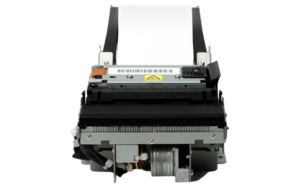
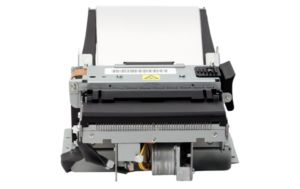
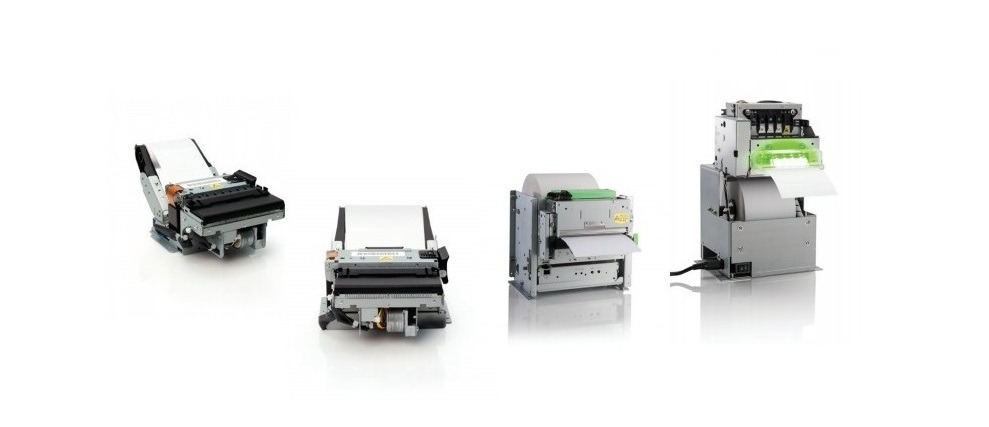
    The newest kiosk printer by Star Micronics is made for repositionable linerless label paper, perfect for the food, travel, and self-service industries.

    Somerset, NJ – June 21, 2022 – Star Micronics, a leading manufacturer of mobile, point-of-sale (POS), and customer engagement technologies, is proudly releasing their new SK1-311 SK thermal kiosk printer with repositionable linerless label paper printing capability, ideal for creating food labels and more.

    Repositionable thermal labels stick to virtually any surface and are easy to remove and reapply, leaving no residue. They move around the workspace without losing their ability to stay in place. Liner-free labels are an alternative to silicone-lined labels or tape and are more eco-friendly. There’s no need to peel off the liner paper from the label, so there’s less waste.

    The SK1-311 SK kiosk printer is excellent for food labels, especially in busy restaurants, delis, coffee houses, and other establishments packaging goods for customers. Labels for coffee cups, sandwich wraps, and other to-go orders can help staff keep track of them as they move down the line. These labels can also show production dates on food prep items or keep track of parts in warehouses. They’re great for luggage tags in hotels or any other items from the concierge for guests.

    This repositionable label kiosk printer is perfect for any self-service application. Customers can check themselves in at places like airports, conferences, or doctor’s offices and be notified of any announcements or directions on the display as their bag tags or personalized badges print.

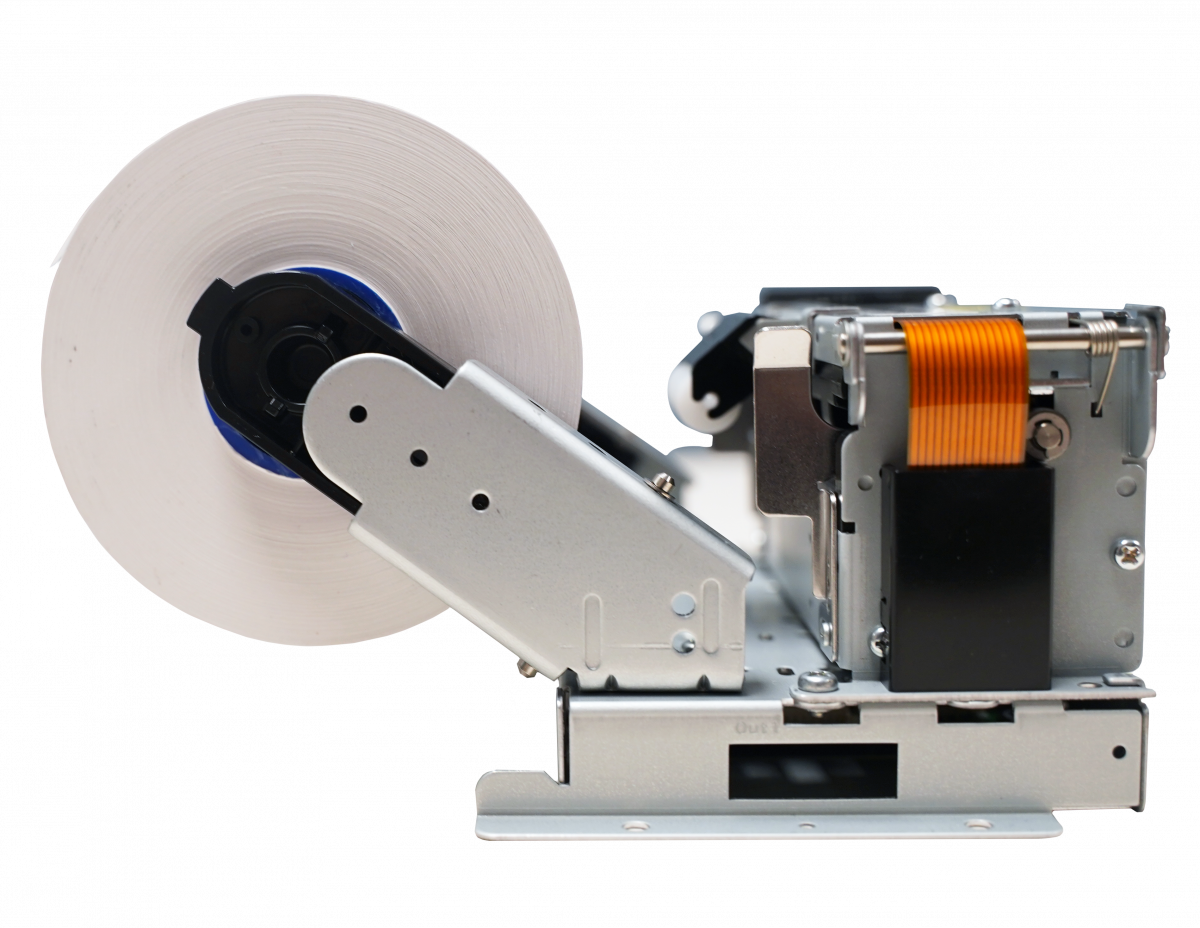
    The SK1-311 SK printer itself is small and lightweight, has a long service life, and is designed for a wide variety of equipment. Capable of printing on multiple mediums, the SK1-311 SK can print using linerless label paper and regular receipt paper. This fast-printing kiosk solution prints at a maximum of 200mm per second with an auto paper cutter, and partial or full-cutting options are available.

    Love industry news? Check out our podcast:

    About Star Micronics

    Star Micronics, a world’s leader in point of sale, has designated a portfolio of printing, secure cash management, scanners, scales, stands, and customer engagement solutions for any retail or hospitality establishment in POS and mPOS environments. Embracing the mobility wave, Star’s complementary SDKs allow users to utilize Star in tandem with Android™, iOS, iPad®, and iPhone® devices to generate receipts, Chit, and labels for its printers. In addition, Star Micronics is always leading and innovating, enabling web-based printing solutions, including remote cloud printing, wireless cash drawer solutions, proximity-based printing, and secure cash management. For more information, visit www.starmicronics.com or follow us on Facebook, Twitter, YouTube, or LinkedIn.

    Media Contact:

    Christin Dorner

    Star Micronics America, Inc.

    cdorner@starmicronics.com

    848-216-3318
  • POS Trends to Expect in the Second Half of 2021

    POS Trends to Expect in the Second Half of 2021

    As we reach the midway point of 2021, one thing is certain: this year is monumental to the point of sale (POS) industry as the economy rushes into recovery. Read on to explore some of the top POS trends to expect in the second half of the year and beyond.

    POS Trend #1: Ongoing Online Ordering Boom

    In the return to normalcy, and in many regions, restaurants are reopening, and brick-and-mortar retailers are trying to resume their activities as close as possible to their pre-pandemic levels. But no matter where businesses are on their recovery journey, online ordering is here to stay, and not just because of it being the primary method available to consumers during the pandemic. In fact, consumers worldwide have discovered the convenience and benefits of online ordering and have decided to stick with that method of purchasing, even as physical businesses reopen.

    Interestingly, businesses have also found additional benefits in using online ordering platforms. Advantages include an additional revenue stream flowing into their businesses, as well as the opportunity to utilize more robust loyalty programs in a less intrusive, nearly seamless way. This improved loyalty strategy can improve the customer experience and in turn create sticky customers.

    Most of the initial challenges many online ordering systems and digital transactions faced have been mitigated, making them an even more appealing option for businesses everywhere. For example, new security measures like multi-factor authentication are becoming standard, allowing a business to offer promotions, discounts, and payments that are less susceptible to fraud.

    POS Trend #2: Faster Technology Adoption

    Complete solutions and intuitive user experiences (UX) have become essential, and although price will most definitely always be an important consideration in any technological deployment, now value and having the right solution have risen to the top of the priority list.

    In a rapidly changing market, solution integrators have no time to spare to try new things that they are not sure will work or test products from uncertain vendors. Instead, they are opting to go directly to what is already working in the market and are selecting the brands with the technologies that are being adopted massively by market leaders.

    POS Trend #3: An Emphasis on Health and Safety

    Even after the COVID-19 pandemic passes, health and safety will remain a priority to people worldwide. To put employees and customers at ease, a new POS trend has accelerated and retail and hospitality businesses that are reopening must offer a tangible sense of safety to their customers.

    Popular health and safety POS products include sneeze guards placed at the point of sale, antimicrobial covers which reduce germ transfer on high-touch surfaces, and tamper-proof labels to securely seal delivery and takeout orders.

    Health & Safety Solutions Brochure

    Discover which solutions can keep your business squeaky clean and help customers feel confident at your brick-and-mortar location.

    POS Trend #4: Affordable and Simplified Development

    The development side of the industry is also experiencing changing POS trends. Development phases are accelerating, and software providers are developing using cross-platform tools (like the StarXpand™ SDK) on the React Native platform, cutting development time and cost in half.

    As most digital interactions and virtual communications are happening in the cloud, POS transactions, especially for online ordering, are not an exception. Technologies, like CloudPRNT, are allowing the seamless connection of thermal printers to the cloud. These technologies are not only cost-effective but also shorten integration and development times and are becoming the go-to solution in the market.

    POS Trend #5: The Continued Rise of Self-Service Kiosks

    Did you know that more than 65% of customers said they would be more willing to visit a restaurant if self-service kiosks were offered?

    Clearly, self-service kiosks are a rising POS trend and as they are more widely used, consumers will hold them to a higher standard and expect them to be reliable, intuitive, and safe to use. Because of this, self-service kiosks are particularly sensitive to the quality of the components they are integrated with, so it is essential that those components are selected carefully.

    Some POS hardware manufacturers, like Star, offer a vast portfolio of kiosk printers with receipt and labeling capabilities with features that can help ensure customer satisfaction. For example, a kiosk printer with a bezel allows for jam-free kiosk operations, and large-capacity paper rolls allow for extended paper autonomy.

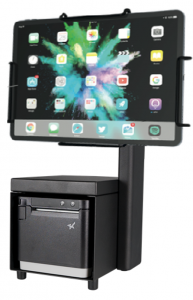
    mC-Print3-Kiosk-193x300For businesses and integrators with tight budgetary constraints, there are still options for assembling a highly sophisticated self-service kiosk solution. For example, businesses can pair a desktop printer, with the right technology built-in, with a universal tablet enclosure, a tablet, and a tablet stand. This is when finding the right one-stop shop POS manufacturer to work with that can provide all of those components becomes key.

    Recommended Solution

    For an affordable yet high-quality kiosk, connect the Star Micronics mCP31L multi-interface thermal printer to an iPad via the Lightning port. Next, place the iPad in a Universal mEnclosure (which locks for security purposes), attached firmly to an mUnite stand. Pairing these Star products together can turn a potentially complicated and costly kiosk project into a functional, cost-effective, and simple one.

    As a one-stop shop, Star is proud to provide a complete range of POS hardware solutions for retailers, restaurants, and more.


  • 6 Post-Pandemic Kiosk Business Ideas

    6 Post-Pandemic Kiosk Business Ideas

    For years now the self-service kiosk market has been growing but undoubtedly the COVID-19 pandemic skyrocketed its growth even further. According to Technavio Research, the self-service kiosk market grew 3.55% in 2020 alone, and it’s expected to grow by $2.29 billion USD during 2020-2024. As the world begins to recover from the unprecedented pandemic, you may be wondering what post-pandemic business ideas and self-service business ideas are emerging in the market. Read on to learn about some of the new ways kiosks are being used, from health and safety check-ins to kiosks for a good cause.

    1. Health & Safety Kiosks

    This first business idea is probably not a surprise. As the economy reopens, health and safety kiosks will be an easy addition to restaurants and retail stores. An example of this may look like a kiosk placed near the front door of establishments where customers can check their body temperature, and if applicable the kiosk can use facial recognition technology to detect if the customer is wearing a mask. Quatrefoil, a Ontario-based restaurant, uses a kiosk that checks both of those things and will display a green checkmark if requirements are met, while if the requirements are not met, a staff member is alerted to come provide assistance.

    2. COVID-19 Test Distribution

    Also health-related, another post-pandemic business idea is to use kiosks to distribute testing kits for COVID-19 – and more. In New York City, this is already happening. Vending machines from Wellness 4 Humanity conveniently provide at-home COVID-19 testing kits to the public, which can be more convenient than being tested at a pharmacy drive-through, especially for city dwellers. Kits currently cost $149 and can be paid for by credit or debit card only. These kinds of kiosks have lots of potential to distribute much more than just COVID-19 testing kits, like at-home tests for allergies, hormones, blood panels, and more.

    3. Pickup Lockers

    Restaurant Food Pickup Locker
    A heated pickup locker for food orders. (Image via Kiosk Marketplace/Rise Southern Biscuits & Righteous Chicken)

    You’ve probably heard of retail pickup lockers, like Amazon Hub Locker, a secure, self-service kiosk where customers can pick up or return Amazon packages at their convenience. Pickup lockers are for more than just retail, though. Restaurants like Rise Southern Biscuits & Righteous Chicken are beginning to incorporate heated locker systems in their brick-and-mortar establishments to further build upon their contactless ordering options for customers. These heated lockers keep food fresh while also minimizing the physical contact between customers and employees, which not only provides a safety benefit during the pandemic, but will boost convenience and help line-busting well into the future.

    4. Transportation

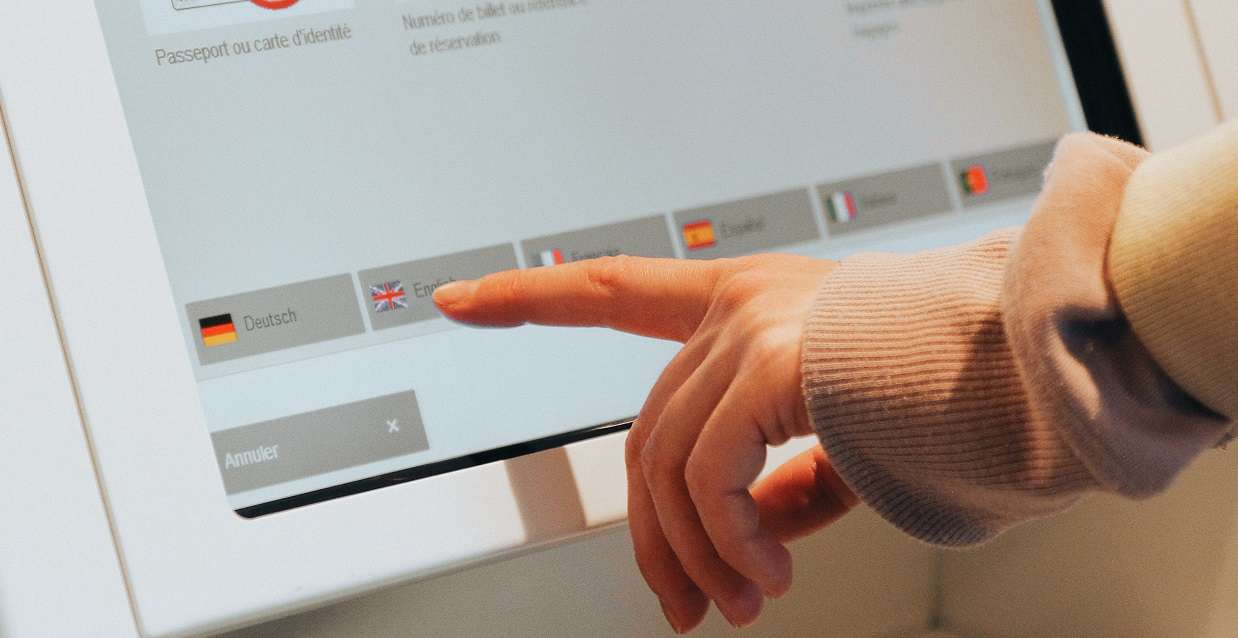
    A common complaint regarding department of motor vehicle (DMV) offices is the chance of experiencing a long wait time. What better way to line-bust than with self-service kiosks? Currently approximately 45 DMVs in the US operate some sort of self-service technology, but the potential is huge for a number of government agencies. At self-service kiosks, DMV customers can renew drivers licenses, register vehicles, obtain license plates, take driving and CDL exams, and more. The process can be secure by using an access code or barcode from a renewal notice or license plate number and last four digits of a VIN, and language barriers become a problem of the past with multilingual on-screen instructions and audio.

    Free Self-Service Kiosk Resources

    The future of many industries lies with self-service solutions. That’s why Star Micronics is offering free online ordering resources for resellers and software developers who are helping customers future-proof their businesses with self-service solutions.

    5. Reception

    As people become more comfortable traveling again – and more workers remain remote – self-service kiosks that aid in reception will be very helpful to countless sectors. One example of this is a Zoom product that “enables a contactless, virtual receptionist in its newly introduced Zoom Rooms product to help organizations safely re-enter the office and sustain an ‘everywhere workforce.’” To use the solution, users can customize the “Start Meeting” button on a device in their building that is set up with Zoom Rooms for Touch to connect visitors with a receptionist. This kind of self-service check-in service could be useful for countless types of business and medical offices, hotels, and more.

    6. Kiosks for a Good Cause

    Marla Aaron Jewelry Vending Machine
    The Marla Aaron jewelry vending machine that benefits restaurants and those in need. (Image via Marla Aaron)

    Kiosks aren’t just about line-busting, boosting profits, and increasing convenience – they can give back, too. Self-service kiosks can be a great way to increase awareness of fundraising campaigns and make it easier for busy citizens to contribute to a cause. Take, for example, the kiosk that is a part of the “Take a Seat for Restaurants” campaign. The campaign is a part of jeweler Marla Aaron’s plan to contribute to the World Central Kitchen, a popular food-related charity that pays local restaurants to make meals for those in need. Aaron sells small 2” sterling silver chairs for $250 each from her brick-and-mortar locations, her online store, and a self-service vending machine based in New York City that changes locations to maximize its awareness (and more installations are coming!).

    The number of post-pandemic self-service business ideas is limitless. Whether you’re looking to implement a self-service solution for a restaurant or for a charity – or anything in between – you’ll likely need a built-in receipt printer. Look no further than Star Micronics. We proudly offer a wide range of thermal kiosk printers that can print receipts, labels, tickets, and more, and are ideal for a variety of applications and industries.

    Looking to implement a post-pandemic business idea involving self-service kiosks?

    Explore how Star can help you build a solution.

  • 4 Self-Service Market Predictions in 2021

    4 Self-Service Market Predictions in 2021

    As businesses and consumers become more aware of and more familiar with what is needed to continue doing business in the new normal, a brighter light is emerging at the end of the tunnel in terms of the coronavirus pandemic – vaccines are becoming more available and the processes needed to get them into people’s arms more efficient. From a technology perspective, you may wonder which solutions that picked up steam during the past year will continue to gain momentum in the future.

    One technology that has taken flight during the pandemic – and has immense potential for years to come – is the self-service market. As the economy reopens and shutdowns become less restrictive, early adopters of self-service kiosks are coming back with revamped versions of their previous kiosk’s solutions, while new adopters are considering the latest trends in the self-service market.

    Read on to explore which industries are experiencing self-service market solution changes and key self-service technology predictions.

    Which Industries are Experiencing Self-Service Market Changes?

    Let’s take a closer look at which industries and solutions have been affected and needed some fine-tuning during the pandemic, and which were introduced as brand-new alternatives to existing technology.

    • Healthcare and Service Providers: In the healthcare and service provider sectors, a few self-service trends have emerged. These industries have begun to require a more powerful queue management system, as well as additional features such as temperature screening, AI-powered engines, and expanded access control solutions like printing name badge labels for visitors who were cleared during the screening process.
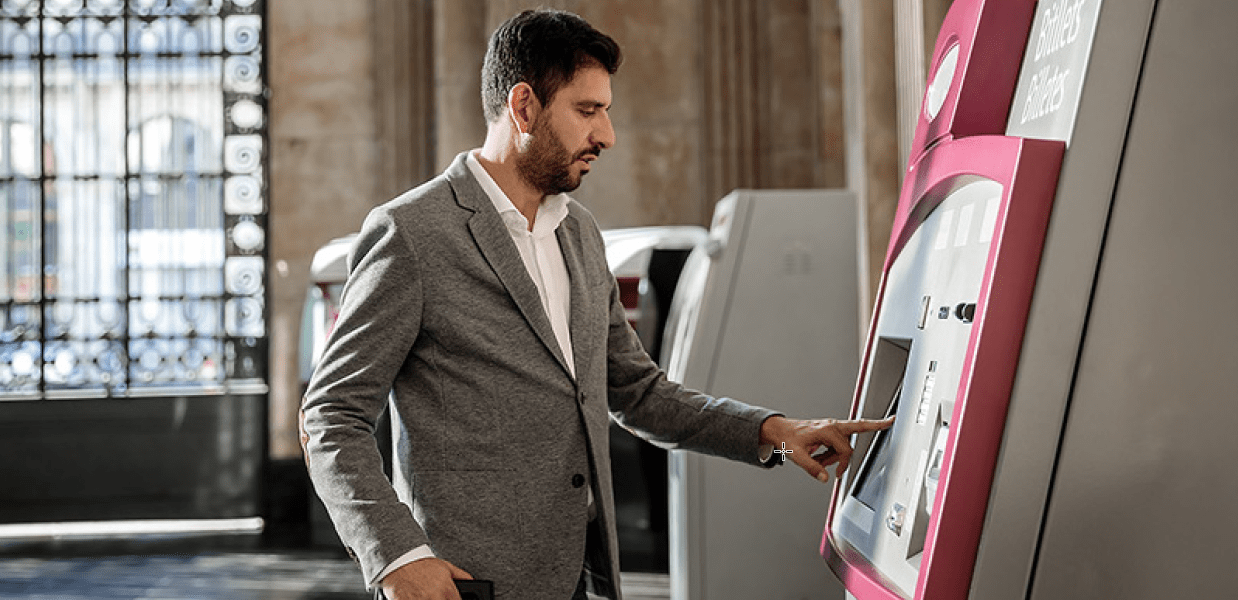
    • Banking: ATMs have recently gotten a facelift by providing additional human interaction. While ATMs are of course still a self-service solution, intelligent ATMs are pairing their automation power with a human touch by providing teller-customer communication through a speaker. The teller can answer questions, print full transactions, account details, and more.
    • Retail and Hospitality: With the proliferation of online ordering, the buy-online-pickup-in store (BOPIS) model has become more popular than ever for restaurants and retailers. In some cases, it has even helped to keep businesses afloat that would not have delivery options otherwise. One popular update to the BOPIS model is the introduction of virtual lockers to pick up small-sized orders. The virtual lockers offer many options including the ability for consumers to obtain printed receipts at the locker (or virtually) instead of having to go inside the store.

    Self-Service Market Technology Predictions

    When we look into the future of the self-service market, many of the trends we expect to see revolve around creating fully contactless processes and transactions, improving on user experience, expectations, and their perception of feeling safe. These trends include:

    1. QR Barcode Scanning / Cell Phone-Mirroring Screens

    With QR barcode scanning and cell phone-mirroring kiosk screens, customers can turn their own smartphones into a remote kiosk navigation tool and can even complete payments on their own devices.

    2. Touchless Touch Screens

    These screens are quickly becoming part of the new standard for self-service kiosks. By using infrared (IR) and even sonar-based technologies, touchless touch screens allow users to interact without touching them, and in some cases they even allow gesture interactions.

    3. New Biometric Tools

    Biometric tools have been on the market for years but are experiencing updates. For example, Amazon One, available at select Amazon Go stores, uses the latest biometric technologies to allow users to pay with just a wave of their hand. Replacing fingerprint scanners that required direct contact with contactless palm scanners is something we expect to see more of in the self-service market.

    4. Self-Cleaning Technologies

    When touching is unavoidable, what could be better than a self-cleaning kiosk? Ultraviolet C (UVC) technology, which uses ultraviolet light to kill or inactivate germs, allows this to become a reality by ensuring the touchable areas of a kiosk are cleaned and ready for the next customer after each use. As more users become aware of the benefits that UVC technology offers, it may become something they expect in all self-service kiosks which will in turn encourage a stronger adoption of it within the self-service market.

    The possibilities for the self-service kiosk market are truly endless, as the need for self-service has become more relevant and diverse than ever before. We’re excited to watch the market evolve.

    Star Micronics Self-Service Solutions

    Looking to expand your self-service offering? Star Micronics is proud to offer a wide variety of thermal kiosk printers capable of printing receipts, labels, tickets, and more. Ideal for virtually any self-service application, the printers include features like:

    • A variety of paper sizes (2”, 3”, and 4”)
    • Compact or modular footprints
    • Multiple optional accessories like bezels, presenters, large paper roll holders, and more
    • Interfaces like serial, USB, parallel, and Ethernet
    • Operating system support for Windows, Linux, Android, Mac, and iOS
    • StarPRNT emulation, allowing software developers to take advantage of all of Star Micronics’ technology like StarPRNT SDKs and its powerful line of drivers
    • A dedicated integration team ready to help you build the right solution for your needs

    Kiosk Printer Wizard

    Star Micronics offers a full variety of self-service kiosk printers – but deciding which one fits your needs can be easy. This wizard will help you select the right printer for your specific use case, based on desired paper size, interface, footprint, operating system, accessories, and more factors.

    Featured Kiosk Printers

    SK1-211

    Star Micronics SK1-211 Kiosk Printer

    2” Kiosk Printer
    Compact and Lightweight
    Supports Receipt, Ticket, or Label Media

    SK1-311

    Star Micronics SK1-311 Kiosk Printer

    3” Kiosk Printer
    For Banking, ATMs, and More
    Supports Receipt, Ticket, or Label Media

    TUP900

    Star Micronics TUP900 Kiosk Printer

    4” Wide Format Kiosk Printer
    Looping Presenter
    Easy Paper Width Adjustments

    Want to learn more about Star’s self-service kiosk printing solutions?

  • 3 Advantages of Kiosks in Retail Stores

    3 Advantages of Kiosks in Retail Stores

    Self-service kiosks have been popping up in multiple industries: you see them in airports, quick-service restaurants, and more. Kiosks are also making a splash in the retail industry – and for good reason. In today’s blog, explore the growth of kiosks in the retail industry as a whole, as well as three major advantages of kiosks in retail stores like yours.

    The Growth of Kiosks in Retail Stores

    The self-service kiosk market is flourishing  – according to a 2020 report from Research and Markets, the interactive kiosk market was valued at $23.94 billion in 2019 and is expected to reach an impressive $33.05 billion by 2025.

    While, like we explained and you have surely noticed, kiosks are abundant in a variety of markets, the retail industry is certainly a part of the growth of the overall interactive kiosk market.

    In terms of how retailers are contributing to the explosion of self-service kiosks, according to the report,

    In-store product information and promotional displays have become a prominent source of customer attraction. Self-directed bill payment, check-out, digital signage are some of the key applications that retailers offer to keep their overhead costs low.

    With the advent of AI-enabled interactive kiosks gaining popularity in retail applications, it acts as a catalyst for adoption of interactive kiosks in retail. Many organizations in the marketplace are seen collaborating with an aim to offer the retail industry with targeted marketing.

    Also, many online retailers are seen widely adopting kiosks to make an offline retail presence. For Instance, in 2019, Amazon planned to roll out more than 100 kiosks in malls across India to sell its devices such as the Kindle ebook reader, the Echo speaker, and the Fire TV dongle by the end of the year.

    Key Advantages of Self-Service Kiosks in Retail Stores

    So, why exactly are self-service kiosks popping up in so many retail applications and what’s in it for you, the retailer? Read on to learn more about three major advantages of kiosks in retail stores.

    1. Increased Profits

    Money matters and simply put, self-service kiosks can help you make more of it.

    First, upselling – or introducing an upgraded and profitable good or service, like adding an extended warranty to a product – happens easily and naturally on a self-service kiosk. In a similar vein, kiosks also present many opportunities for cross-selling, or offering a complimentary product or service, like adding an accessory on to the purchase of a shirt. According to Olea Kiosks Inc., kiosks in the quick service restaurant market can increase sales by 15% due to effective upselling and cross-selling – and that trend isn’t only found in restaurants. The kiosk manufacturer claims that studies show that customers in a variety of good and services industries also enjoy the add-on products and services that kiosks seamlessly offer – and that make your business more money.

    The money-making opportunities don’t stop there. By installing self-service kiosks in new, additional locations, they can also help your business bring in more profit by reaching new customers in different places and thus selling more product.

    Lastly, by providing a better customer experience – which we will discuss in further detail below – staff can focus on strategically selling instead of simply answering questions or ringing up sales, which can lead to a higher total sales volume.

    2. Better Customer Experience

    Satisfied customers are returning customers. Keep your shoppers happy with self-service kiosks, which can improve the customer experience in multiple ways.

    • Reduce Line Length: No one likes waiting. In fact, one study found that waiting in long lines causes roughly 50% of customers to believe that the business is run poorly, and over 50% of shoppers will take their business elsewhere if they feel the line is too long. Furthermore, 87% of shoppers say they would gladly use a self-service kiosk if it meant they don’t have to spend as much time waiting in line.
    • Easily View Inventory: Easily accessible information is important to customers, and self-service kiosks make it a piece of cake for shoppers to find product pricing, availability, and feature comparison information.
    • Omnichannel Shopping: Sometimes the product your shopper needs isn’t available in your brick-and-mortar store, but it is available online. Self-service kiosks enable customers to easily shop additional products, sizes, and options even if they are not available in-store.
    • Manage Gift Registries: Self-service kiosks help shoppers easily create, edit, and manage their gift registry, and help customers quickly find a loved one’s gift registry.
    3. More Efficient Use of Staff

    Last but not least, self-service kiosks can free up a lot of time for your staff. Like we mentioned above, instead of simply ringing up sales, staff can spend more time stocking, cleaning, and providing customer service. Focusing on these duties can lead to happier employees, too – by providing a better overall customer experience by spending more time one-on-one with shoppers and maintaining a cleaner store, more sales may be made and staff may experience higher commissions. Additionally, kiosks can be used for hiring purposes by making the job application process quick and easy for candidates.

    Star Micronics and Self-Service Kiosks

    Always leading, and always innovating, Star Micronics is proud to offer a robust range of self-service kiosk printers. With printer options available to accommodate a variety of paper sizes, interfaces, footprints, and operating systems, Star Micronics provides printing options for virtually any retailers’ needs.

    Kiosk Printer Family Features:

    • 2”, 3”, and 4” paper sizes
    • Compact or modular footprints
    • Available with multiple accessories including bezels, presenters, large paper roll holders, and more
    • Support Windows, Linux, Android, Mac, and iOS
    • Print receipts, tickets, coupons, or adhesive labels
    • Interfaces include serial, USB, parallel, and Ethernet

    Ready to learn more about Star Micronics’ self-service printing solutions?

  • Why Self-Service Kiosk Integration is Crucial for Restaurateurs

    Why Self-Service Kiosk Integration is Crucial for Restaurateurs

    In recent years, one can’t help but notice how many self-service kiosks are popping up in businesses of all kinds. Arguably, the most noticeable increase has been in restaurants. Kiosks are often found in quick-service restaurants (QSR) but can also be spotted in airport food courts, schools, workplace cafeterias, and many other places. So, what’s all the hype about? Why should restauranteurs prioritize implementing a self-service solution? Read on to explore five main reasons why self-service kiosk integration is not just beneficial, but crucial for restauranteurs.

    Better Customer Experience

    At the end of the day, happy customers translate into returning customers, which in turn means a successful business. Self-service kiosks are an easy way for restauranteurs to provide a better customer experience for their diners and create sticky business.

    First and foremost, kiosks mean customers spend less time waiting in line. Offering two ways to place an order – at a manned point of sale terminal and at a self-service kiosk – helps prevent a restaurant’s queue from bottlenecking. Who doesn’t enjoy quickly ordering and receiving their meal? Kiosk integration makes that a reality – and not just during slow times, but during rush hours, too.

    Another major way that kiosks benefit the customer experience is by allowing diners to customize their orders fully and rapidly. According to the North American Association of Food Equipment Manufacturers, a whopping 72% of consumers expect customization. While it’s true that customers can also customize their order at a manned point of sale terminal, face-to-face orders are more susceptible to miscommunication and inaccurate order-taking, something that simply doesn’t occur as often at self-service kiosks. Additionally, kiosks can accommodate order-taking in multiple languages, further boosting their ability to help all customers place their orders, their way.

    Boosted Profits

    Needless to say, money matters … and kiosk integration can help restauranteurs make more of it!

    Did you know that it’s been shown that customers spend 30% more when ordering from a self-service kiosk? A major reason for this is due to the ability for kiosks to naturally enhance upselling and cross-selling. Diners aren’t likely to order that extra drink or dessert if the only place they see it listed is on a separate part of a physical menu, or if the option is presented to them by a cashier in a sales pitch type of manner.

    However, in one case study measuring sales at self-service kiosks versus sales at manned cashier terminals, not only did kiosks experience more traffic, but on average a kiosk’s orders contained 1.4x more items than orders placed at the terminal. This resulted in an impressive increase of at least $5 per transaction. The ability for kiosks to naturally present add-on items to diners (in an appealing style) certainly pays off.

    More Efficient Use of Staff

    One common fear associated with self-service kiosks is that a kiosk integration means that current restaurant staff will lose their jobs. However, that tends to not be the case. In fact, McDonald’s installed kiosks in thousands of its stores – without plans to lay off its workers.

    According to a Business Insider article,

    “Our CEO, Steve Easterbrook, has said on many occasions that self-order kiosks in McDonald’s restaurants are not a labor replacement,” a spokeswoman told Business Insider. “They provide an opportunity to transition back-of-the-house positions to more customer service roles such as concierges and table service where they are able to truly engage with guests and enhance the dining experience.”

    Just like the article states, self-service kiosks allow staff to focus more of their energy on providing better customer service to customers, staying on top of cleaning and stocking napkins, utensils, and condiments, and more. And having staff prioritize the customer experience is important: 70% of consumers say they have already made a choice to support a company that delivers great customer service.

    Free Self-Service Kiosk Resources

    The future of many industries lies with self-service solutions. That’s why Star Micronics is offering free online ordering resources for resellers and software developers who are helping customers future-proof their businesses with self-service solutions.

    Marketing Benefits

    Self-service kiosks present multiple marketing opportunities to restauranteurs.

    First, they provide an easy way for restaurants to promote their loyalty programs. Kiosks can prompt diners to sign up for a loyalty program or remind existing loyalty program members of program benefits, creating sticky business. Did you know that loyalty program members spend 12-18% more per year at a business than non-members?

    Kiosks also provide a great opportunity for restauranteurs to reinforce their establishment’s branding. The kiosk’s software, as well as its exterior, can be customized to match the restaurant’s look and feel, further enhancing brand awareness. Some kiosks are also able to print promotions on the bottom of the receipt where diners are sure to see them, using technology like Star Micronics PromoPRNT.

    Improved Safety

    Last but certainly not least, kiosk integration can help restauranteurs boost the safety of their restaurants, something that is more important than ever as the world navigates the new normal.

    In this day and age, nearly everyone prefers less contact with other people. Self-service kiosks not only eliminate the face-to-face interaction found at manned terminals, but they can also include safety-boosting features like antimicrobial glass, a single-piece screen design to eliminate the nooks and crannies that can harbor germs, and more.

    Star Micronics Self-Service Kiosk Printers

    Kiosk-Printer-Lineup

    A kiosk printing leader, Star Micronics is proud to offer a full range of self-service kiosk printers that accommodate multiple paper widths, operating systems, and more. The compact, reliable, and high-speed printers are designed to bring any restaurant self-service solution to life.

    Kiosk Printer Family Features:

    • 2”, 3”, and 4” paper sizes
    • Compact or modular footprints
    • Available with multiple accessories including bezels, presenters, large paper roll holders, and more
    • Support Windows, Linux, Android, Mac, and iOS
    • Print receipts, tickets, coupons, or adhesive labels
    • Interfaces include serial, USB, parallel, and Ethernet
    • Available with StarPRNT emulation, allowing you to take advantage of the full stack of Star Micronics technology, like StarPRNT SDKs and Star’s powerful line of drivers

    Are you looking to integrate self-service kiosk printers, but not sure how to decide on a printer? Download “A Guide to Selecting the Right Kiosk Printer” now.


  • The Benefits of Self-Service Kiosks During the New Normal

    The Benefits of Self-Service Kiosks During the New Normal

    During the COVID-19 pandemic, times are challenging for most businesses that are working hard to remain afloat while keeping up with continuing fixed operating costs and coping with less revenue being generated. The question of, “What can be done?” is a part of almost every conversation.

    The benefits of self-service kiosks have been and will continue to be a key element in supporting not only the trying businesses, but companies integrating and selling solutions in those markets. As the market demand for contactless solutions continues to grow and those solutions become a part of the new normal, self-service kiosks will become even more of a focal point in the industry.

    Read on to learn more about the various benefits of self-service kiosks during the new normal, whether it’s traditional kiosks taking on a new twist, or new kiosk concepts coming to light as market demands rapidly evolve.

    Tried-and-True Kiosks Will Remain Relevant

    Many things are changing right now, but many well-known and fully tested self-service solutions will remain in the market for specific sectors.

    For example, simple and cost-effective queue management systems using small footprint kiosks will likely remain relevant, and ATMs will probably remain untouched, with some operational processes being adjusted by banks and financial institutions to accommodate the new normal.

    Not all solutions will stick around, though – it’s probable that many solutions that used to work wonderfully will fade away and start being replaced with new trends.

    Fresh Kiosk Concepts for the New Normal

    Speaking of new trends, you most likely have noticed that some companies are not only remaining open, but are actually thriving because of the new opportunities generated by the current challenges we all face. It’s hard not to notice how dynamic a motivated company can be in reinventing themselves and their solution offerings in such a short period of time.

    In terms of self-service, some of these innovations include:

    • Temperature screening kiosks
    • Kiosks featuring touchless technology and contactless payment acceptance
    • Automated cleaning operations, such as UV-C devices which disinfect kiosks in between uses
    • Contactless hand/palm vein pattern scanning, which is just as accurate as a fingerprint scanning but contactless
    • Kiosk screen mirroring using a customer’s personal smartphone to prevent touching the kiosk screen

    Free Self-Service Kiosk Resources

    The future of many industries lies with self-service solutions. That’s why Star Micronics is offering free online ordering resources for resellers and software developers who are helping customers future-proof their businesses with self-service solutions.

    What Remains Important

    Regardless of the solution being designed and presented to the market, the quality of the final product, its ability to provide the needed service as expected, and its post-sale support will separate a successful solution from the rest. Because that aspect of business is not expected to change, selecting the right kiosk manufacturer, integrator, and components are essential.

    Consumer needs also remain a priority. Focusing on consumer expectations and making sure they feel safe and accommodated when using these new or adapted self-service solutions will dictate which companies and solutions succeed in the new normal.

    For example, as QSR franchises temporarily closed their dine-in areas (essentially leaving indoor kiosks unused) some businesses decided to repurpose the kiosks by moving them outside to serve the growing online delivery and takeout markets. This is a prime example of thinking outside the box and using self-service resources to better accommodate consumers’ current demands.

    Together as an industry, as we wait for the economy to stabilize, it’s important and worthwhile to think creatively and become a part of the process of adapting to the new normal – while also remembering that product quality, technical support, and consumer needs remain a priority.

    Star Micronics Self-Service Kiosk Printers

    Star Micronics is proud to offer a robust lineup of self-service kiosk printers for virtually any business need. Available with 2”, 3” and 4” printing capabilities, the kiosk printers include options such as LED bezels, anti-jam receipt capturing, and large paper roll holders so that the printers require fewer paper roll changes. Easy to integrate, the kiosk printers are fully compatible with all operating systems and platforms, including iOS, Android, and Windows tablets with easy to integrate universal SDKs, and are backed by a dedicated integration team.

    Capable of printing receipts, tickets, and labels, Star Micronics’ kiosk printers are ideal for:

    • Quick service/fast casual restaurants
    • Stadiums and parks
    • Banks
    • Retail
    • Parking facilities
    • Transportation hubs such as airports and bus and train stations
    • And more!

    Take a closer look at the Star Micronics kiosk printer family in the below video:


    Star Micronics’ self-service kiosk solutions are ideal for restaurants, retail, and more.

  • 3 Innovative Kiosk Solutions You Should Consider in 2020

    3 Innovative Kiosk Solutions You Should Consider in 2020

    Self-service solutions, like many other technologically intensive solutions, are becoming smarter and better designed due to the unstoppable improvement of the available tools and the involvement of more experienced participants in the sector. The sustained increased demand for innovative kiosk solutions is also a factor as it provides the resources to keep the cycle going.So, you may be asking yourself: why are kiosks becoming so popular, and which new solutions should I consider offering to my customers this year? Read on to find out.

    Why Kiosks?

    As consumers become more aware of the advantages of self-service kiosks – like more accurate ordering and easier order customization – merchants are becoming more open to considering them as a part of their operations.

    By choosing to implement kiosk technology, merchants not only improve their customers’ experience, but also positively affect their operation’s bottom line with automated and optimized processes designed for success. And calculating the ROI (return on investment) of kiosks isn’t ambiguous: understanding the value has become easier than ever with the ever-increasing availability of business intelligence reporting within the kiosk itself.

    With innovative kiosk solutions available for virtually any market – restaurant/QSR, retail, hospitals, and even corporate office buildings – it’s important to note that not all kiosks are created equal, and kiosk solutions can be customized to meet your customer’s specific needs. Below are three innovative kiosk solutions you should consider in 2020:

    1. Intelligent Queue Management Systems

    The process of pulling a preprinted number through a fixed dispenser with the sole purpose of organizing customers into an orderly queue is a thing of the past thanks to kiosks. Intelligent and feature-rich solutions are now available to bring value to both merchants and most importantly, their customers.

    Customer-facing features like being able to check on current queue times from home, getting in line before arriving to the premises, scheduling an appointment remotely, checking in upon arrival through a mobile app, and receiving notifications for scheduled appointments and the best route to follow considering traffic are just a few things already possible through the use of the currently available smart queue management solutions. It’s important to remember to include walk-in customers in your kiosk considerations too and be sure the kiosk is capable of issuing receipts, service tickets, and more at each location for those who did not take advantage of the remote features of the solution.

    2. Digital Signage with Printing Options

    Smart advertising is emerging in many verticals, not only because of its ability to disseminate content, but also because of the advanced technologies used to deliver that messaging.

    Imagine being able to watch digital advertising while walking at the mall and at any point be able to request a printout with information, promotions, and special messages relevant to what you were watching. Furthermore, imagine this information being able to dynamically change based on each individual consumer’s purchasing habits.

    The way companies are reaching their potential customers is changing and innovative kiosk solutions are absolutely going to be a part of that change.

    3. Advanced Access Control Solutions

    Self-service kiosks can now be integrated with many biometric technology features like:

    • Facial recognition
    • Retina and fingerprint scanning
    • Gender and age validation
    • And more

    With these technologies in place, access control solutions are now capable of identifying people attempting to go through their systems with an almost zero-failure rate. Not only does this improve safety and security, but this also allows for faster and more accurate screening, turning a potentially bottlenecked process into a perfectly flowing one, opening the door for new possibilities in the sector.

    Kiosk Solution-Selling Tips

    Solutions will continue to evolve as their demand stays in an upward trend. As a solution provider, it is important to be innovative in your proposals and to remain a leader in your space. Providing real-world experience and trusted consultative services to your customers will set yourself apart from the competition.

    To deepen your self-service kiosk solution offering, be sure to partner with other companies that also have a breadth of experience and knowledge on the latest kiosk trends. For example, Star, a kiosk printer provider, has sales and marketing teams with over 370 years of collective experience in the POS industry. Additionally, we are proud to have a Kiosk Product Champion on board, as well as an integration team that is well-versed in making sure Star’s solutions work with the industry’s leading POS software solutions.

    Together you and your kiosk partners can successfully move forward in this ever-changing technocentric world through mutual excellence and solution selling, not product pushing.

    Free Self-Service Kiosk Resources

    The future of many industries lies with self-service solutions. That’s why Star Micronics is offering free online ordering resources for resellers and software developers who are helping customers future-proof their businesses with self-service solutions.

    Explore Star’s Kiosk Solutions

    Star is proud to offer a complete line of kiosk printing solutions perfect for a variety of industries such as hospitality, stadium/recreation, banks, retail, parking facilities, transportation hubs, and more.

    Star Micronics Kiosk Printers

    Star’s Kiosk Printers At-a-Glance:

    • Available in multiple paper widths (2”, 3”, 4”)
    • Open-frame and housed printers available
    • Multiple footprints available, from compact to modular
    • Available interfaces: serial, USB, parallel, Ethernet
    • Operating system compatibility: Windows, Linux, Android, Mac, iOS
    • Multiple accessories available including bezel, presenter, and large paper roll holders

    Click here to easily decide which kiosk printer is right for you.

    Meet Star’s Kiosk Printers

    Star provides the highest quality and largest variety of kiosk printing solutions.

  • 8 Features Kiosk Manufacturers Should Look For When Choosing Kiosk Printing Mechanisms

    8 Features Kiosk Manufacturers Should Look For When Choosing Kiosk Printing Mechanisms

    People love to use self-service kiosks in almost every setting—parking garages, airports, restaurants, stores and entertainment venues. This reliable, consistent technology is empowering consumers to enter orders themselves in a restaurant, check into a hotel without waiting in line, or check out their own groceries in a supermarket.

    The kiosk industry is thriving, and research shows that shoppers, diners and travelers love the control of doing things themselves. Despite the shift, the basic premise of every kiosk transaction is the same: enter the data, pay (if necessary), and obtain take away collateral, whether it’s a receipt, voucher, ticket or other use.

    Kiosk manufacturers have a lot of components to fit inside an enclosure, and it can get pretty crowded in there. Among all of the internal components, the printer that produces the take away collateral is critical to the kiosk’s success. A printer that jams, drops receipts on the ground, or frequently runs out of paper renders the kiosk undesirable for end users. Or worse, it could be offline so often it’s more of a problem than a solution.

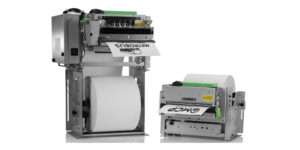
    Star Micronics has one of the world’s largest portfolios of encased, open frame modular, thermal kiosk printer solutions. Every one of Star’s kiosk printers accommodate multiple roll sizes for less frequent changes, while delivering receipts, tickets or labels.

    The kiosk printer is a critical part of a successful kiosk’s design and operation. Here are eight features every kiosk manufacturer should look for when choosing a kiosk printer, straight from the experts.

    1. Multiple Kiosk Software Support

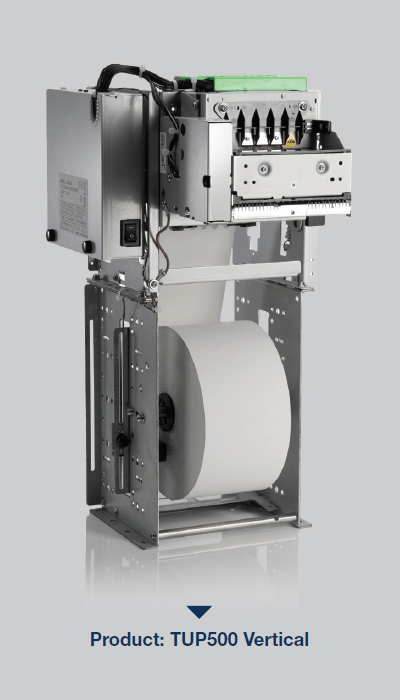
    TUP500-Vertical

    Kiosk development is expensive, and incorporating hardware and software development for different components is no small task. These efforts need to be scaled for projects that range in size from a few kiosks to several hundred units.

    Before choosing a kiosk printer, research prospective hardware partners and select one with several kiosk printer choices. It’s important that the partner also provides support for web-based or cloud-based software applications. Ask if the company supports tablet-based (iOS and Android) SDK or sample software and find out if they have an experienced and knowledgeable integration team to support the software development. The absence of an SDK means each developer would have to build the basics themselves, which can be especially complicated when working with multiple printers or a large network of kiosks.

    2. Sensors to Ensure Proper Function, Even While Unattended

    Choose a kiosk printer equipped with sensors that assist with customer information security, safety and that reduces waste. Sensors will also provide accurate status reports that verify whether a ticket or receipt has been printed and wasn’t retrieved or taken in a timely manner by the customer.

    For example, if the printer generates a receipt or ticket and it isn’t retrieved, a sensor may trigger the system to recapture the collateral instead of letting it hang in limbo, or worse, drop on the ground as garbage. Sensors that prompt the printer to recapture the medium helps safeguard customer information and ensures the ground won’t be littered with receipts for people to slip and fall on or clean up regularly. Knowing with certainty that a ticket or receipt has been generated also eliminates the possibility of theft if a customer retrieves their items and then fraudulently claims the kiosk didn’t produce what they paid for.

    Since kiosks are designed to be left unattended for long periods of time, they should be equipped with sensors and paper status alerts that will notify an employee when a kiosk is low on paper, requires a new roll, or has a jam.

    It’s a bonus if the kiosk printer supports digital receipts, because it helps reduce the use of paper and allows customers to store proofs of purchase, tickets and other information on their mobile devices.

    Free Self-Service Kiosk Resources

    The future of many industries lies with self-service solutions. That’s why Star Micronics is offering free online ordering resources for resellers and software developers who are helping customers future-proof their businesses with self-service solutions.

    3. Lights/Visual Cues

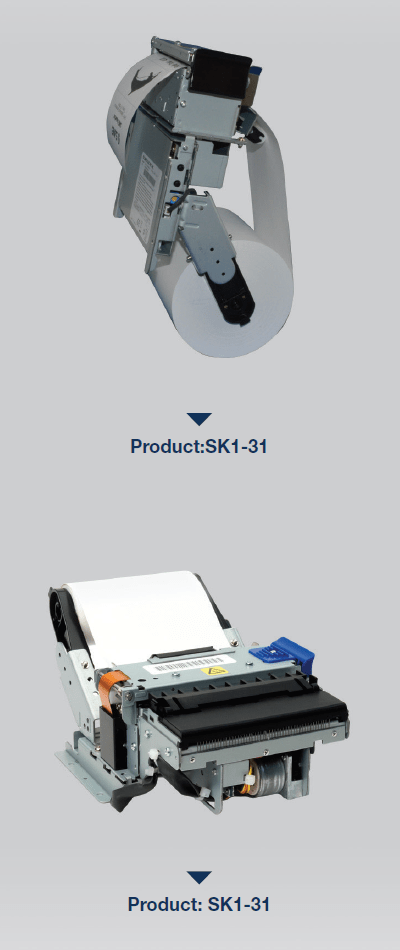
    SK1-31

    Kiosks aren’t particularly chatty, so lights or other visual cues are necessary for them to communicate different messages. For example, Star Micronics’ TUP500, a printer that supports smaller paper widths, has an optional bezel that flashes green or red to get the user’s attention. These lights may flash when the receipt or tickets are printed, signifying they are ready for pickup, or alerting the customer to a problem with their order.

    Since employees aren’t usually monitoring the kiosk, a light may illuminate to get a staff member’s attention if a problem needs to be resolved. It’s essential for the printer to notify you immediately if it requires more paper, so choose a kiosk printer that displays a light or text alert when it is low or out of paper entirely.

    4. Multiple Profiles

    Most kiosks are compact with small footprints, so choose the printer that suits your needs but will also help save a little space. Look for a printer with a flexible enclosure design, so it fits into several different styles of kiosks. A printer could be as small as 4” inches deep, including the paper. But be careful, as a small printer may be too limiting, making frequent paper changes an inconvenient reality.

    Consider the printer’s orientation. “Standard format” is a printer with a horizontal orientation and takes up more space. A vertical kiosk printer doesn’t have any “sprawl,” so it’s more convenient for a narrow width enclosure. A vertical printer’s lower profile takes up less space inside the kiosk enclosure, leaving you more room for additional components. Ideally, kiosk printers should feature drop-in paper loading because it’s the easiest, fastest way to load paper and get the kiosk back online.

    5. Looping Presenter

    The looping presenter is an innovative kiosk printer technology that prints receipts in full before presenting them to the customer to be taken. Most importantly, the looping presenter prevents paper jams from occurring if users pull on the paper before printing is complete. A paper jam takes the kiosk offline, which causes customer service delays and has a negative impact on customer throughput and experience.

    A presenter increases security and supports customer privacy by ensuring that receipts are delivered only to the right person; if forgotten, they remain inside the kiosk so other people can’t grab them and access a customer’s information. A looping presenter also eliminates the chance that receipts or other collateral to fall to the floor if it is not delivered to the intended recipient. Kiosk printers equipped with this technology mean a reduction in litter generated by the kiosk, resulting in a cleaner looking store, restaurant, or other business environment.

    6. Paper Holder

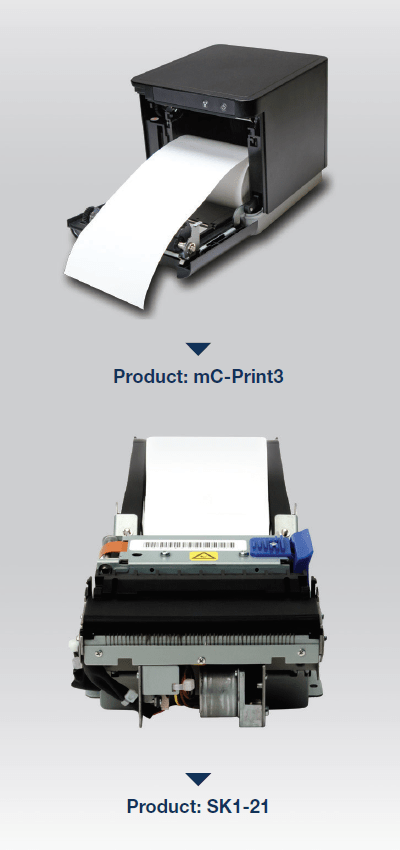
    mC-Print-3-SK1-21

    It may seem like a small feature, but a kiosk printer’s paper holder will dictate how often someone is running to the kiosk to change the paper roll. Most kiosk printers have a standard size paper holder—2”, 3”, 5”, 6” diameter supported—and a large capacity option. Although the standard size takes up less space inside the kiosk, workers may find themselves replacing the paper more often, which disrupts customers and the business’ workflow. A kiosk in a high traffic environment, like an airport, usually requires the maximum size paper holder available to accommodate heavy use. However, a kiosk doesn’t need to be in a high-traffic environment to warrant companies wanting a larger capacity. Although a larger paper holder does require a little more real estate inside the enclosure, it will save a business’ employees time spent changing the paper rolls, so they can focus on other tasks during the work day.

    Also, if the paper needs to be changed too seldom, people forget about the maintenance all together. Aim for a paper holder that allows for paper roll changes once a week.

    7. Communication

    Don’t limit a kiosk’s printing capability before it’s even installed. Look for a kiosk printer that gives you flexibility by supporting more than one communication interface, including serial and USB. Star Micronics also offers Ethernet and Bluetooth as an optional communication interface. The type of interface and the ports the printer has will dictate what type of operating system can be used. Serial is typically for legacy systems or PCs, USB is best suited for Android systems, with Bluetooth and Ethernet being the best option for iOS.

    8. Bezel

    A bezel is an alternative to the looping presenter. The bezel is positioned between the kiosk slot and the printer, so it provides a path to push paper out of the kiosk. If the best kiosk printer for your enclosure doesn’t accommodate a presenter, a bezel is an alternative solution that provides a clean delivery.

    Conclusion

    The self-service trend is gaining momentum, and consumers love to be in control—so this growing market will continue to evolve. Choosing the right kiosk printer is a matter of understanding target industries and their customers, as well as a thorough assessment of partner vendors and feature options.

    A successful kiosk design requires strategic printer evaluation and selection, and proper attention should be paid to the supported interfaces, paper roll size, alert lights and how the collateral is delivered.

    Printers that adequately check these boxes are ideal for different applications, including point of sale, entertainment, food labeling, shipping, gift registry, ATM, parking lots and transportation hubs.


  • 3 Must-Have Restaurant Back-of-House Technologies

    3 Must-Have Restaurant Back-of-House Technologies

    A restaurant’s “back-of-house” generally refers to three parts: kitchen (the largest component), offices, and staff break room/rest area. A restaurant with a well-run back-of-house operation increases customer satisfaction, empowers staff to provide a higher level of customer service, and prepares the consistent, quality meals your customers expect at every visit.

    Essential restaurant back-of-house technologies like a kitchen display system, durable receipt printers, and an all-in-one point of sale system help your kitchen run more smoothly so the front-of-house doesn’t suffer from long waits for a table, poorly timed service or incorrect orders.

    Here are three restaurant back-of-house technologies that your eatery should implement right now:

    1. Kitchen display system (KDS)

    A kitchen display system streamlines food preparation. This critical restaurant back-of-house technology helps manage customer expectations by preventing kitchen backups, monitoring prep times and alerting staff when things start to go awry. The KDS also lists out cooking directions/ingredients to ensure that diners have the same delicious experience every time they visit your restaurant.

    A kitchen display system connects to the point of sale terminal and consists of software, a monitor that can resist moisture and heat, controller, and a bump bar to scroll through the orders. When the customer is finished ordering, data is sent through the kitchen controller to the appropriate location, either to a single screen or multiple ones at different food prep stations.

    Selections are time stamped, labeled with the customer’s name and sent to the appropriate prep area at different times to ensure everything will be finished and served to the proper person simultaneously. This means diners will never have to wait for their friends to be served while their meal gets cold or receive their appetizer with their dinner being served immediately after.

    1. Fast, tough receipt printer for orders

    Receipt printers are an integral part of your restaurant back-of-house technologies. However, an immaculately well-run kitchen is full of hazards for electronic components. Overuse, heat, spills, particles and steam can harm a restaurant kitchen printer, causing expensive work slowdowns, bottlenecks, and mistakes.

    Restaurant owners looking for a quality printer for their kitchen should consider a durable receipt printer that can withstand this harsh environment. To guarantee a healthy ROI, the receipt printer chosen should be spill-proof and insect-proof. Additionally, consider a compact model that won’t take up much valuable back-of-the-house counter space. Ensure that the printer you choose is flexible and able to connect with future hardware by selecting one with a multi-interface. For example, the mC-Print3 fills all of these requirements, plus grants access to a suite of free value-added Star Cloud Services.

    1. All-in-one point of sale systems

    All-in-one point of sale (POS) systems are exactly what the name implies: POS systems that include all the important components in space-saving configurations. The best all-in-one POS systems will give end-users the ability to add peripherals, upgrades, and new options as they come to market.

    All-in-ones typically include a touchscreen, printer, cash drawer, and magnetic stripe reader, with the option of adding other peripherals such as a scale, bar code scanner, additional security options, and displays. In addition to the mC printers, Star’s mCollection includes 1D scanners, 2D imagers, customer display, and three NTEP-certified scales.

    All-in-one POS systems can save a business money, time, and counter space. These systems have a much smaller footprint then a stationary terminal which frees up space for taking orders and impulse purchases. Purchasing an all in one POS means the components are equally rugged and designed for the environment you’re working in. This will also eliminate any headaches and runaround from different vendors when it’s time to make repairs to the system.

    Take a Wholistic View of Your Operation

    Restaurant back-of-house technologies can be just as important to profitability and customer service as solutions your restaurant uses in the front of the house. Evaluate your entire operation for areas that can operate more efficiently and find solutions that can address those issues, helping you save time and money.