Tag: Wi-Fi Printing

  • Wi-Fi Printer Setup Made Easy with rapidSYNC

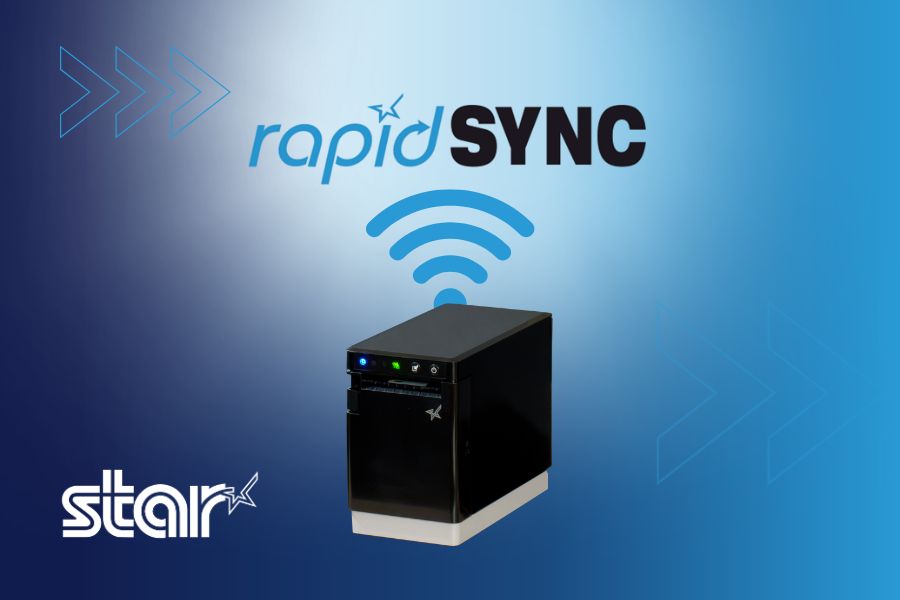
    Wi-Fi Printer Setup Made Easy with rapidSYNC

    Wi-Fi printer setup gives businesses more options for placing receipt and label printers. A wireless printer can operate at a checkout counter, pickup station, prep area, kiosk, or other location where running an Ethernet cable may be difficult.

    Connecting a printer to a wireless network, however, has traditionally required several manual steps. Users may need to find the printer’s temporary network, open a configuration page, enter network credentials, and confirm that the printer received an IP address.

    Star Micronics created rapidSYNC, its Bluetooth Low Energy (BLE)-based setup technology, to make that process easier. Available on select Star receipt and label printers, rapidSYNC uses the Star Quick Setup Utility to guide users through Wi-Fi printer setup with a smartphone or tablet, without relying on the traditional captive portal process. For users who prefer the standard QR code setup method, that option is also available on supported models.

    Once setup is complete, the printer produces a network diagnosis confirming whether it connected successfully.

    Explore Star Printing Technology

    What Is rapidSYNC Wi-Fi Printer Setup?

    Star Micronics’ rapidSYNC is Bluetooth Low Energy (BLE)-based Wi-Fi onboarding technology for supported receipt and label printers. It helps users transfer their wireless network name and password to the printer without navigating printer buttons or entering settings directly on the hardware.

    Star product materials may also use the term WLAN, or wireless local area network. In this article, WLAN and Wi-Fi both refer to the wireless network the printer uses to receive print jobs.

    Star’s rapidSYNC is a setup process, not a printing protocol. Bluetooth Low Energy is used to detect the printer and transfer network settings during setup, while the printer communicates over Wi-Fi after the connection is established.

    Supported printers also produce a wireless network diagnosis after setup. The printout confirms whether the connection succeeded and provides information such as the printer’s assigned IP address.

    Wi-Fi Printer Setup Made Easy with rapidSYNC by Star Micronics

    How Does rapidSYNC Wi-Fi Printer Setup Work?

    Star’s rapidSYNC uses the Star Quick Setup Utility and Bluetooth Low Energy (BLE) to guide Wi-Fi printer setup on supported models. Some Star printers also offer a separate QR-code-based setup method for users who prefer a traditional captive portal process.

    Set Up Wi-Fi with the Star Quick Setup Utility

    The Star Quick Setup Utility provides guided Wi-Fi printer setup from a compatible iOS or Android device.

    The general process includes:

    1. Download and open the Star Quick Setup Utility (click here for iOS download or click here for Android download).
    2. Select the wireless LAN setup option.
    3. Choose the printer from the list of detected devices.
    4. Enter the Wi-Fi network name and security key.
    5. Bring the mobile device close to the printer when prompted.
    6. Wait for the printer to produce its wireless network diagnosis.

    The network name and password are case-sensitive, so users should confirm both before beginning setup. When the printer connects successfully, the diagnosis page displays “Successful” along with the printer’s IP address. The utility also allows users to continue configuring additional printers without restarting the process.

    X4 Receipt Printer Wi Fi Connectivity

    Alternative: Set Up Wi-Fi with a QR Code

    Supported TSP143IV X4 models also provide a QR-code-based Wi-Fi setup option that does not require the Star Quick Setup Utility. This is a separate setup method from rapidSYNC.

    The process includes:

    1. Power on the printer.
    2. Wait for the printer to produce the WLAN setup QR code.
    3. Scan the code with a smartphone or tablet.
    4. Open the printer’s web configuration page.
    5. Select the business Wi-Fi network.
    6. Enter the network password and save the settings.
    7. Review the printed network diagnosis.

    This option uses the printer’s temporary wireless network to open its configuration page. Once the business network information is saved, the printer disconnects from the temporary network and connects to the selected Wi-Fi network.

    Which Star Printers Support rapidSYNC?

    Star’s rapidSYNC is available on select Star receipt and label printers and uses Bluetooth Low Energy (BLE) with the Star Quick Setup Utility for Wi-Fi setup. Supported models may also offer QR code setup as a separate alternative.

    Compatible Printer Primary Use rapidSYNC Setup Alternative Wi-Fi Setup Wireless Connection
    TSP143IV X4 Thermal receipt printing Star Quick Setup Utility via BLE QR code Dual-band 2.4 GHz and 5 GHz Wi-Fi
    TSP143IV SK X4 Repositionable linerless label printing Star Quick Setup Utility via BLE QR code Dual-band 2.4 GHz and 5 GHz Wi-Fi
    mC-Label2 MCL21CWBi and MCL21CWBi LBL Labels and receipts Star Quick Setup Utility via BLE QR code Wi-Fi and Bluetooth

    TSP143IV X4 Thermal Receipt Printer

    The TSP143IV X4 is a 3-inch thermal receipt printer with USB-C, Ethernet, WLAN, and Bluetooth connectivity. It supports both 2.4 GHz and 5 GHz wireless networks and offers rapidSYNC Wi-Fi setup through the Star Quick Setup Utility using Bluetooth Low Energy (BLE). Supported models also provide QR-code onboarding as a separate Wi-Fi setup option.

    The printer is designed for receipts, return documentation, order tickets, and other point-of-sale printing in retail, restaurant, hospitality, and service environments.

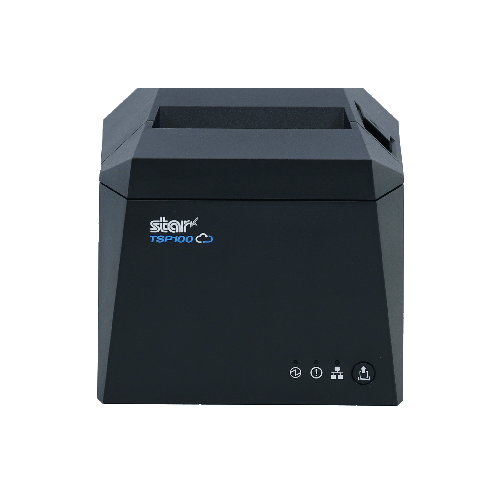
    TSP143IV thermal receipt printer by Star Micronics

    TSP143IV X4 Thermal Receipt Printer

    The TSP143IV series thermal receipt printer from Star Micronics is 20% smaller than its predecessor, offering high-speed printing with USB, LAN, WLAN, and Bluetooth connectivity. With CloudPRNT Next, dual-band WLAN, and Android Open Accessory (AOA) support, it ensures seamless compatibility across Windows, iOS, Android, and cloud-based applications, making it an efficient, adaptable solution for modern POS environments.

    Discover the TSP143IV X4 >

    TSP143IV SK X4 Linerless Label Printer

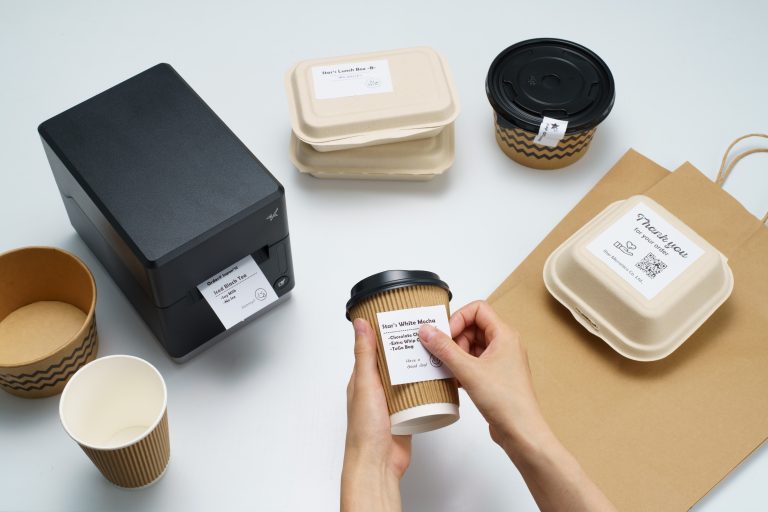
    The TSP143IV SK X4 prints repositionable linerless labels for applications such as drink labeling, takeout orders, food preparation, order handoff, and item identification.

    Like the receipt-printing model, it includes USB-C, Ethernet, WLAN, and Bluetooth connectivity. It supports dual-band 2.4 GHz and 5 GHz Wi-Fi and offers rapidSYNC setup through the Star Quick Setup Utility using Bluetooth Low Energy (BLE). QR-code onboarding is also available as a separate Wi-Fi setup option. Diagnostic printouts confirm whether the wireless connection succeeded.

    TSP143IV SK Sticky Label Printer

    The TSP143IV SK by Star Micronics sets a new standard for compact, eco-friendly liner-free label printing using residue-free removable sticky labels. It offers advanced connectivity options like Bluetooth, USB-C, Wi-Fi, and AOA support for today’s diverse business setups.

    Find out more about TSP143IV SK>

    TSP143IV SK Thermal Linerless Sticky Label Printer by Star Micronics.

    mC-Label2 Multifunction Label Printer

    Wireless mC-Label2 X4 multifunction label printer models, including the MCL21CWBi and MCL21CWBi LBL, support rapidSYNC Wi-Fi setup through the Star Quick Setup Utility using Bluetooth Low Energy (BLE). QR-code onboarding is also available as a separate Wi-Fi setup option.

    With rapidSYNC, users enter the network credentials on a smartphone or tablet and transfer them to the printer through BLE-assisted setup. The app-free QR-code method uses printed QR codes to connect the device to the printer’s temporary network and open its web configuration page.

    mC-Label2 Multifunction Label Printer

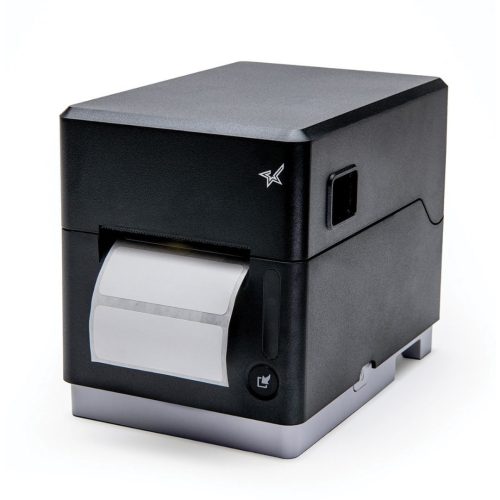
    The mC-Label2 packs powerful features into a compact, front-loading design, including high-precision 300 dpi resolution, support for linerless, die-cut, receipt, and continuous media, and connectivity options like USB-C, LAN, WLAN, Bluetooth, and Apple MFi-certified pairing.

    Explore the mC-Label2 >

    The mC-Label2 multifunction label printer by Star Micronics.

    When Should Businesses Use rapidSYNC?

    Star’s rapidSYNC can be used during initial printer installation or whenever a supported printer needs new wireless network settings using Star’s BLE-based setup method.

    Common situations include:

    • Installing a new receipt or label printer
    • Moving a printer to another location
    • Connecting a printer after replacing a router
    • Updating a printer after changing the Wi-Fi name or password
    • Adding printers at a new store or restaurant
    • Configuring multiple printers during a rollout
    • Installing a printer where Ethernet cabling is unavailable
    • Reconnecting a printer after network settings have been reset

    For multi-printer deployments, the Star Quick Setup Utility allows users to configure another printer after completing the first connection. The printed network diagnosis also gives installers an IP address they can record for testing, POS configuration, or technical support.

    What Should You Check Before Wi-Fi Printer Setup?

    A few checks before installation can prevent common connection problems.

    1. Confirm the Exact Printer Model

    Not every version of a printer includes WLAN. Check the model number and interface specifications before starting a Wi-Fi printer setup.

    For example, the TSP143IV X4 includes Wi-Fi and Bluetooth, while the TSP143IV UE is a wired USB and Ethernet model. Star’s rapidSYNC applies to supported WLAN-equipped models and uses Bluetooth Low Energy (BLE) during setup.

    2. Have the Correct Network Credentials

    Confirm the following information:

    • Wi-Fi network name, also called the SSID
    • Case-sensitive Wi-Fi password
    • Correct business network
    • Network frequency supported by the printer

    Avoid connecting business printers to a public or customer guest network unless that network is specifically configured for POS hardware.

    3. Check the Wireless Signal

    Place the printer where it can maintain a stable connection to the wireless access point. Walls, metal equipment, distance, and crowded wireless channels can affect signal strength.

    The TSP143IV X4 and TSP143IV SK X4 support both 2.4 GHz and 5 GHz networks. A 2.4 GHz network typically reaches farther, while 5 GHz may provide less interference and more bandwidth over shorter distances.

    4. Reset Old Network Settings When Necessary

    A printer that was previously connected to another network may retain its old wireless settings. Resetting the printer’s network configuration may be necessary before connecting it to a replacement router or a network with a new SSID.

    5. Save the Network Diagnosis

    After setup, keep the printed diagnosis page until the printer has been tested with the POS or business application. The IP address and connection status can help identify whether a problem is related to the network, printer, or software configuration.

    Connect Supported Star Printers with rapidSYNC

    Wireless printer installation should not require employees or installers to work through complex printer menus. Star rapidSYNC provides a guided Wi-Fi printer setup process using Bluetooth Low Energy (BLE), a smartphone or tablet, and the Star Quick Setup Utility. Supported models may also offer QR-code onboarding as a separate Wi-Fi setup option.

    The right rapidSYNC-compatible printer depends on what the business needs to print:

    • Choose the TSP143IV X4 for thermal POS receipts.
    • Choose the TSP143IV SK X4 for 3-inch repositionable linerless labels.
    • Choose the mC-Label2 MCL21CWBi or MCL21CWBi LBL for compact 2-inch all-media printing.

    Contact Star Micronics to compare compatible models, confirm POS compatibility, or plan a multi-location printer deployment.

    The Case For Sourcing Pos Hardware Icon

    The Case for Sourcing POS Hardware from a Single Manufacturer

    Discover how retailers, restaurants, and solution providers can reduce complexity, improve support, and simplify growth with a unified POS hardware ecosystem.

    Grab Yours Now

    Learn More About rapidSYNC Wi-Fi Printer Setup

    Contact Star Today

    Frequently Asked Questions About rapidSYNC Wi-Fi Printer Setup

    What is Wi-Fi printer setup?

    Wi-Fi printer setup is the process of connecting a printer to a wireless network so it can receive print jobs from POS systems, computers, tablets, or mobile devices without an Ethernet cable.

    What is rapidSYNC?

    rapidSYNC is Star Micronics’ Bluetooth Low Energy (BLE)-based Wi-Fi printer setup technology for supported receipt and label printers. Using the Star Quick Setup Utility on a smartphone or tablet, users can transfer wireless network settings to the printer in just a few steps.

    Which Star printers support rapidSYNC?

    Compatible printers include the TSP143IV X4 thermal receipt printer, TSP143IV SK X4 linerless label printer, and wireless mC-Label2 X4 models, including the MCL21CWBi and MCL21CWBi LBL.

    These models support rapidSYNC through the Star Quick Setup Utility using Bluetooth Low Energy (BLE). Supported models may also offer QR-code onboarding as a separate Wi-Fi setup option.

    Do I need an app to use rapidSYNC?

    Yes. Star’s rapidSYNC uses the Star Quick Setup Utility and Bluetooth Low Energy (BLE) to configure Wi-Fi on supported printers.

    Some supported Star printers also provide QR-code onboarding that does not require the utility. That is a separate Wi-Fi setup method from rapidSYNC.

    Does rapidSYNC use Bluetooth or Wi-Fi?

    rapidSYNC uses Bluetooth Low Energy (BLE) to detect the printer and transfer wireless network credentials during setup. After configuration, the printer connects to the selected Wi-Fi network to receive print jobs.

    How do I reconnect a printer after changing the Wi-Fi password?

    Use the Star Quick Setup Utility and rapidSYNC to enter the new Wi-Fi network credentials and transfer them to the printer through Bluetooth Low Energy (BLE). Supported models may also offer QR-code setup as a separate option.

    After configuration, review the printed network diagnosis to confirm the connection. A network reset may be required if the printer retains its previous settings.

    Does rapidSYNC support 2.4 GHz and 5 GHz Wi-Fi?

    Frequency support depends on the printer. The TSP143IV X4 and TSP143IV SK X4 support both 2.4 GHz and 5 GHz wireless networks. Check the specifications for the exact model before installation.

    How do I know whether Wi-Fi printer setup was successful?

    The printer automatically produces a wireless network diagnosis after configuration. A successful connection printout displays “Successful” and includes the printer’s assigned IP address.

    Can rapidSYNC be used to configure multiple printers?

    Yes. Printers can be configured one at a time with the Star Quick Setup Utility. After completing one setup, the utility provides an option to continue with another printer, which is useful when installing multiple devices at one location.
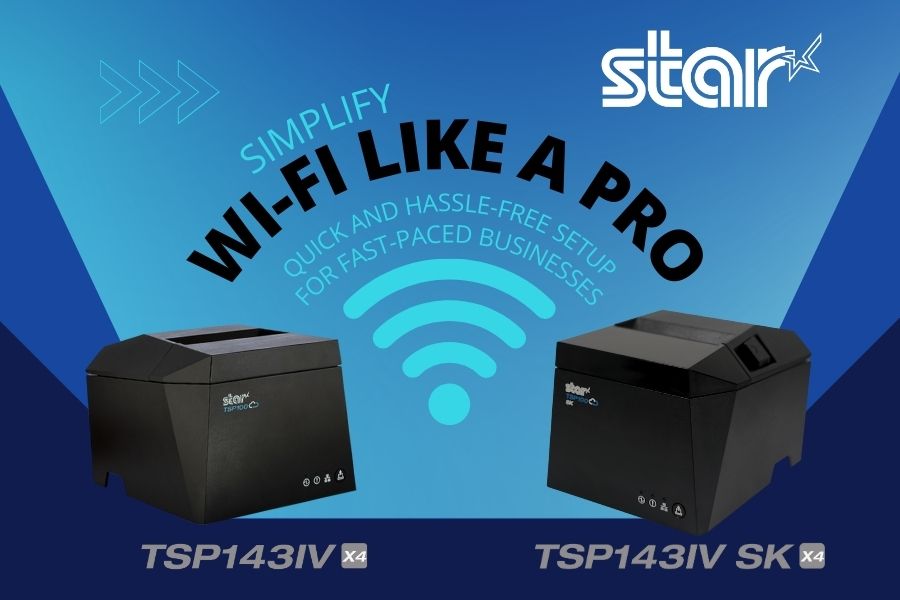
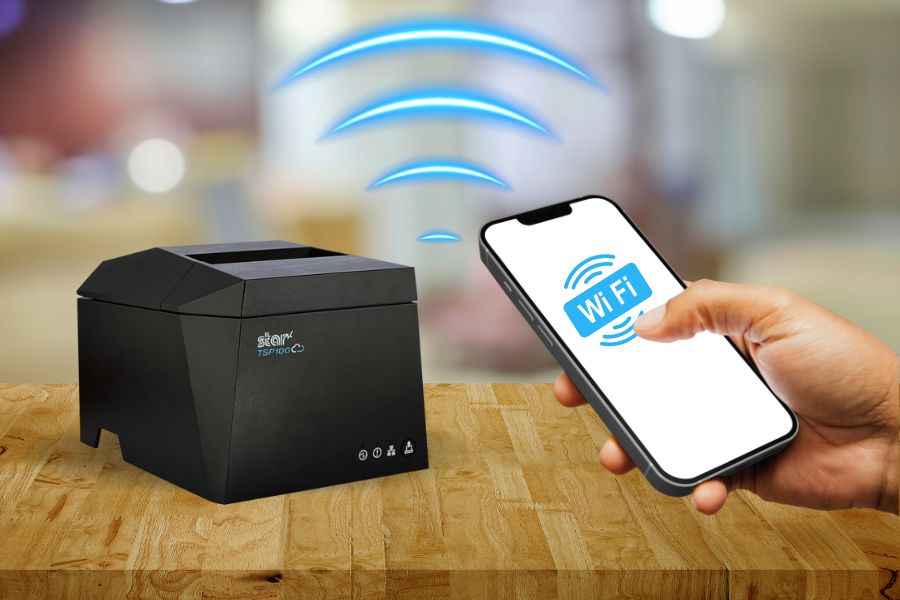
  • New Super Easy Wi-Fi Printer Setup for TSP143IV X4 and TSP143IV SK X4

    New Super Easy Wi-Fi Printer Setup for TSP143IV X4 and TSP143IV SK X4

    Traditionally, the steps to set up a printer for wireless printing take time. Although the workforce is increasingly more tech-savvy than previous generations, few employees have extra time to devote to printer setup while taking care of their core responsibilities.

    The ease of Wi-Fi printer setup is particularly important for employees with mobile devices who need to print in different areas of a facility or campus. How quickly and reliably they can set up a printer directly impacts their productivity and overall operational efficiency. 

    To help organizations overcome this challenge, Star Micronics designed the TSP143IV X4 thermal receipt and TSP143IV SK X4 linerless label printers to make Wi-Fi setup as seamless and user-friendly as possible. With cutting-edge technology and two innovative setup options, these printers ensure quick, reliable connections to your wireless network.

    Love Star Technology? Explore It All

    Here’s how they work: 

    Using the Star Quick Setup Utility

    This method leverages Bluetooth Low Energy (BLE) technology for a streamlined setup process. Wi-Fi printer setup step for this method: 

    1. Launch the Star Quick Setup Utility App: Download and open the app on your mobile device.
    2. Enter the Network Security Key: Input the password for your Wi-Fi network within the app.
    3. Proximity Pairing: Bring your mobile device close to the printer to establish a connection.
    4. Confirmation Printout: Once connected, the printer will automatically generate a diagnostic printout confirming the success of the setup.

    The advantages of using the Star Quick Setup Utility include minimal steps, speed, and ease of use. It’s a benefit for operations that require setting up Wi-Fi frequently. The Star Quick Setup Utility app also includes built-in troubleshooting options that help address any connection issues. 

    X4 Receipt Printer Wi Fi Connectivity

    Using the Hotspot Captive Portal

    Considered an alternative method, using the Hotspot Captive Portal allows users to accomplish Wi-Fi printer setup without using additional software. Instead, it uses the printer’s built-in hotspot functionality. This method also has only four easy steps: 

    1. Power On the Printer: Upon powering up, the printer will automatically print a QR code.
    2. Scan the QR Code: Use your mobile device’s camera to scan the QR code.
    3. Follow the Instructions: Your device will guide you through entering the network credentials and finalizing the setup.
    4. Confirmation Printout: As with the first method, a diagnostic printout is generated to confirm successful connectivity.

    In addition to eliminating the need to download and install an app to set up a printer for Wi-Fi, this method is also quick and easy for users unfamiliar with BLE technology.

    TSP143IV SK X4 Removable Sticky Label Printer

    The TSP143IV SK X4 by Star Micronics sets a new standard for compact, eco-friendly thermal linerless label printing, offering four advanced connectivity options like Wi-Fi with easy setup and AOA. Get efficient, residue-free repositionable labels for your diverse business needs.

    Find out more >

    TSP143IV SK Thermal Linerless Sticky Label Printer by Star Micronics.

    Key Features of TSP143IV X4 and TSP143IV SK X4 Wi-Fi Connectivity

    In addition to making Wi-Fi printer setup easy for the TSP143IV X4 and TSP143IV SK X4, Star designed these printers for reliable connectivity and maximum uptime. Organizations that count on trouble-free wireless printing benefit from: 

    • Dual-Band Connectivity: The printers support both 2.4 GHz and 5 GHz frequencies for flexibility in various network environments.
    • Diagnostic Printouts: Every setup method concludes with a detailed printout that verifies network connection status.
    • Troubleshooting Tools: In addition to helping users resolve connection issues during Wi-Fi setup, the Star Quick Setup Utility app has built-in troubleshooting tools that assist users with connectivity issues during day-to-day use. 
    • User-Friendly Design: The printers enable efficient wireless printing, ensuring minimal downtime and maximum productivity.
    TSP143IV thermal receipt printer by Star Micronics

    TSP143IV X4 Thermal Receipt Printer

    The TSP143IV series thermal receipt printer from Star Micronics is 20% smaller than its predecessor, offering high-speed printing with USB, LAN, WLAN, and Bluetooth connectivity. With CloudPRNT Next, dual-band WLAN, and Android Open Accessory (AOA) support, it ensures seamless compatibility across Windows, iOS, Android, and cloud-based applications, making it an efficient, adaptable solution for modern POS environments.

    Discover the TSP143IV X4 >

    Flexible Wi-Fi Setup Lets You Choose the Best Option for Your Operation

    With the TSP143IV X4 and TSP143IV SK X4 printers, Star Micronics has redefined the Wi-Fi setup experience. Whether you choose the Bluetooth-assisted Star Quick Setup Utility or the Hot Spot Captive Portal, the process is straightforward, fast, and reliable. Dual-band connectivity ensures optimal performance, while diagnostic printouts and troubleshooting tools provide added confidence and support. 

    By simplifying wireless setup, these printers empower businesses to focus on what matters most: delivering exceptional service and efficiency.

    Contact us to schedule a demonstration or consultation today to see firsthand how easily and quickly printer setup is with the TSP143IV X4 receipt printer and the TSP143IV SK X4 sticky linerless label printer.

    Find out more about the easy Wi-Fi printer setup on our TSP100IV X4 models:

    Contact Star Now

  • The Hardware Your Food Truck POS System Needs

    The Hardware Your Food Truck POS System Needs

    The food truck phenomenon, a staple of the last decade-plus, continues to flourish, with new entrants joining the scene regularly. However, the distinctive environment of a food truck—with its compact space, high heat, and rapid pace—poses specific challenges for POS technology. Food trucks require robust and efficient solutions distinct from those used in traditional quick service restaurants (QSRs).

    Before the season approaches, newcomers to the food truck business should act swiftly to get their operations up and running in time to capitalize on the bustling market. Equipping your truck with the right technology is not just about keeping pace; it’s about setting the foundation for success.

    Discover Mobile POS Hardware

    For food truck operators, relying on outdated POS systems could mean falling behind in an increasingly competitive field. If you’re a Value-Added Reseller (VAR), Independent Software Vendor (ISV), or other channel partner catering to the food service industry, staying abreast of the latest hardware innovations is crucial to serving your clients adequately.

    In this article, we delve into the essential POS hardware needed for a food truck operation. We’ll explore options for tablet stands, printers, and other vital components, focusing on features that streamline operations and enhance service in the unique food truck setting.

    The mC-Label3 multi-function label and receipt printer from Star Micronics is great for restaurants and QSRs.

    Finding the Right Printer For Your Food Truck

    The competition in the food truck space continues to heat up. Even with the explosion in food trucks over the last decade, the industry is expected to expand at an annual rate of 6%, according to Grand View Research. To stay in the game, you need compact, durable food truck POS hardware that works as hard as you do. 

    If you’re looking for the best of both worlds, the Star Micronics mPOP® combines a receipt printer and cash drawer into one simple, elegant unit. 

    Pairing your receipt printer with the right POS software allows you to email receipts directly to customers—an excellent option for customers who prefer paperless transactions.

    Receipt Printers

    When you’re looking to get customers on their way without hassle, a reliable receipt printer is a must. Many legacy printers fail in the food truck environment because they are too bulky, difficult to operate or break down under pressure.

    Printer features to look for in the food truck include:

    • The durability to handle the lunch or dinner rush day after day
    • Spill-proof and easily cleanable for the food services environment 
    • Connectability to the internet and other devices via Bluetooth or LAN
    • Paper that is easy to reload 
    Black and white mC-Print2 and mC-Print3 thermal receipt printers by Star Micronics.
    The mC-Print series thermal printers offer connectivity perfect for food truck POS systems.

    Impact (dot matrix) printers are typically reasonably priced, can withstand the high-heat environment of a food truck, and produce receipts that won’t rip when pulled out.

    Discover the Best Receipt Printers

    Label Printers

    In food trucks, space is at a premium, meaning every inch of usable real estate matters. Instituting a cohesive labeling system can help you organize your orders, ingredients, and packaging in a way that works for your staff. As receipts move around the truck, an organized system will keep them with their associated order. And if you’re selling pre-made baked goods or other products, labels can also make organizing inventory a breeze! 

    A food truck POS label printer should have features like:

    • State-of-the-art durability for a fast-paced environment
    • Cloud-based printing and Bluetooth connectivity
    • Straightforward repairs and minimal maintenance 
    • Compatibility with various operating systems
    • Fast printing speeds to get customers on their way

    Quality is also a factor—a high-quality label printer will produce crisp, easy-to-read receipts that impress customers.

    The mC-Label3 multifunction label and receipt printer from Star Micronics can fit media of multiple widths and types.
    Meet the mC-Label3: a multimedia printer that works with receipt, linerless, and traditional label paper.

    The Multimedia mC-Label3

    TetherLAN, a cutting-edge technology, enables food trucks to utilize a tablet or device with a cellular connection (4G/5G) to share Wi-Fi service directly with Star’s mC-Label3 multimedia label printer via USB.

    This innovative solution ensures reliable, cloud-based printing capabilities for food truck POS systems, even in locations lacking traditional internet access, while keeping the connected device charged for uninterrupted service.

    Portable Printers

    It’s hard to beat portable receipt printers when it comes to convenience and portability for your food truck operation. Many food trucks do business in a variety of different environments every week, whether it’s festivals, farmer’s markets, pop-up events, and more. A portable printer and mobile food truck POS technology allow vendors to process on-the-go orders and receipts. This enables you to go where your customers already are. 

    Are you looking to provide your customers with a dine-in vibe? You can offer seating and print receipts on the go as you deliver the orders. 

    Some food truck operators have even made their mobile printers a more permanent solution to replace traditional countertop printers. Accessories like shoulder straps or belt clips allow employees to use portable printers on the go for extended periods comfortably.

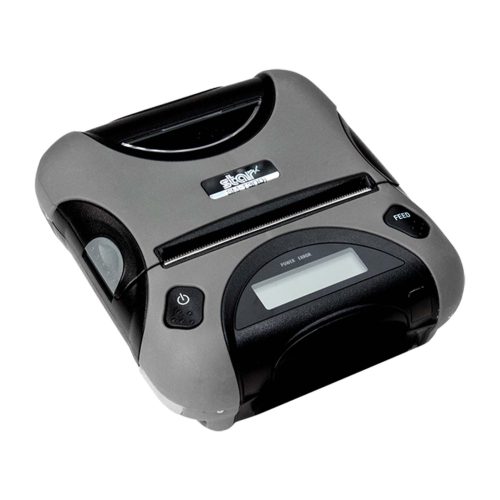
    Star Micronics offers Android and iOS-compatible printers in 2”, 3”, and 4” sizes. View our line of portable printers.

    The correct printer is essential for seamless operations in the fast-moving food truck environment. 

    The SM-T300i portable thermal printer by Star Micronics.
    Star has a wide range of innovative mobile receipt and label printers.

    Explore Portable Printers

    Enhancing Operations with Food Truck POS Tablet Stands

    To space-strapped food trucks, tablet POS stands and pole mounts can be a lifesaver. They provide an organized and accessible point of transaction, and self-service capabilities can save your staff precious time—all with a slim, sleek profile.

    The right tablet stand can:

    • Provide a customer-facing self-service option for ordering and tipping
    • Allow customers to check in if they have ordered online
    • Save space and offer versatility in placement

    Another significant advantage of a tablet stand is integration with your Kitchen Display System (KDS). Tablet stands can help you effectively relay orders to the kitchen, minimize communication errors, and expedite order preparation.

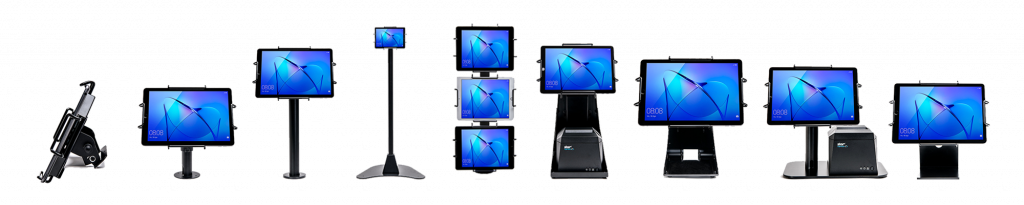
    Some tablet display stands and mounts from Star Micronics' mCollection, shown with tablets in Universal mEnclosures.
    Explore Star’s collection of mUnite POS stands and pole mounts.

    mUnite Stands Catalog

    Scanners, Scales, and Cash Drawers

    When every second counts, your accessories can separate you from the competition. Star Micronics is a world-class provider of POS printers and stands, but we offer a range of accessories beyond printers and stands that are essential for day-to-day operations.

    Indispensable POS accessories include:

    • Scales to drive savings and efficiency on the food preparation side by helping to maintain consistency in portioning. An accurate scale can also allow you to charge by weight, allowing greater customer transparency.
    • Many diners still prefer to use cash, so a reliable cash drawer can keep your currency safe and organized. Modern cash drawers offer a range of lock settings to maximize security. 
    • Payment terminals are another vital accessory that food trucks utilize to securely accept credit, debit, and mobile payments from customers.

    And a comprehensive food truck POS operation isn’t just about hardware. The right integrated payments solution will help you make sure you’re processing credit cards smoothly. 

    Food Truck 101: Your Top 5 Questions Answered Ebook by Star Micronics

    Food Truck 101: Your Top 5 Questions Answered

    From startup costs to standing out in the market, this ebook covers everything you need to know to drive your food truck business forward.

    Find Out More

    A Better Food Truck POS Solution

    To compete in the food truck space, you need every advantage. By embracing these POS hardware options specifically for food truck operations, entrepreneurs can build efficiency, reduce errors, improve customer experiences, and drive overall success.

    Star Micronics’ wide range of innovative hardware and technology is tailored to the unique challenges of the restaurant and food service industry, including food trucks. Learn more about Star Micronics’ specialized POS tech for restaurants and food service. 

    Contact us today to learn more about our fine dining, quick service, and food truck POS solutions.

    Contact Star Now

  • Star Micronics Introduces Wireless Technology for the Latest TSP100IV

    Star Micronics Introduces Wireless Technology for the Latest TSP100IV

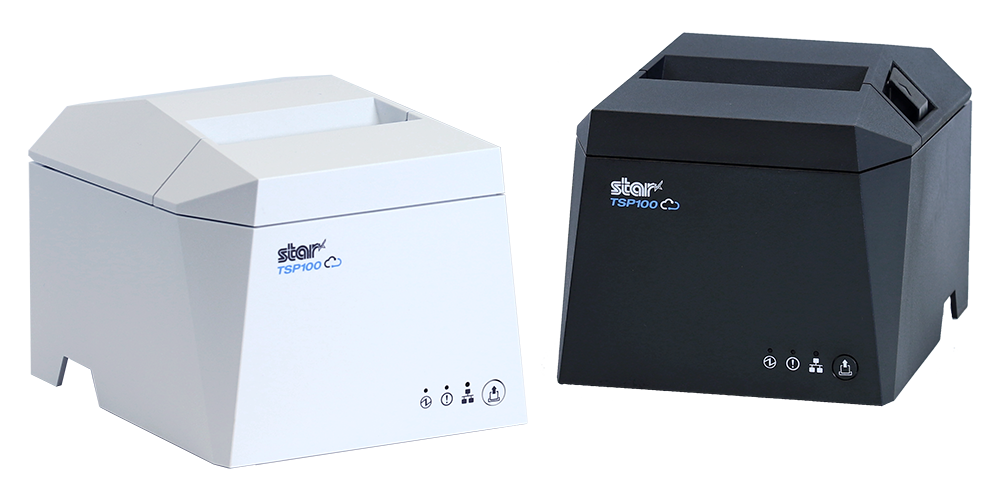
    The TSP143IVUW supports dual-band WiFi, becoming a hub that gives maximum flexibility when connecting to any network.

    Somerset, NJ – April 19, 2022 – Star Micronics, a leading manufacturer of mobile, point-of-sale (POS), and customer engagement technologies, is excited to announce the release of the TSP143IVUW, the latest model in the new TSP100IV series that now boasts dual-band wireless technology.

    This innovative printing solution supports dual-band connectivity (2.4GHz / 5GHz), giving ultimate control over the local printing environment. Wireless networks that need long-distance coverage can use 2.4GHz, while the more powerful 5GHz is best for reducing lag and interference, especially in busy kitchens with microwaves and hardware that compete for bandwidth on a 2.4Ghz network. By offering a choice to use one of the two frequencies, 2.4GHz or 5GHz, Star’s TSP143IVUW provides maximum flexibility when connecting to any network.

    The TSP143IVUW is Cloud Ready, able to connect to any cloud application that supports Star’s CloudPRNT technology. With the addition of Star Micronics Cloud Services, including digital journal, cloud promotion print management, and device monitoring, the TSP143IVUW offers retailers and restaurateurs the next generation of POS printing, enabling marketing and receipt tools for the omnichannel world.

    Featuring a wide range of OS support, including Windows, iOS, Android, web- and cloud-based applications, the TSP143IVUW is high-speed and can print up to 250 millimeters per second. Its sleek, compact design boasts a 20% smaller footprint, with a protected internal power supply and fast “drop-in and print” paper loading. Offered with WLAN and USB-C connectivity, this printer has exceptionally easy installation, making it simple to incorporate into your existing POS system.

    Love industry news? Check out our podcast:

    Rising Stars Podcast

    About Star Micronics

    Star Micronics, a world leader in point-of-sale (POS), has designated a portfolio of printing, secure cash management, self-service, and customer engagement solutions for any retail or hospitality establishment. Embracing the mPOS wave, Star’s SDKs allow developers to utilize Star printers in tandem with Android™, iOS, iPad®, and iPhone® devices to generate receipts, labels, Chit, and tickets. Star Micronics is always leading and always innovating, creating cloud-based printing solutions, including CloudPRNT and Star Cloud Services, with AOA support and MFi connectivity. Star also has a wealth of peripherals, including 2D barcode scanners, scales, tablet display stands, and more. Visit www.starmicronics.com or follow us on Facebook, Twitter, YouTube, or LinkedIn to learn more.

    Media Contact:

    Christin Dorner

    Star Micronics America, Inc.

    cdorner@starmicronics.com

    848-216-3318