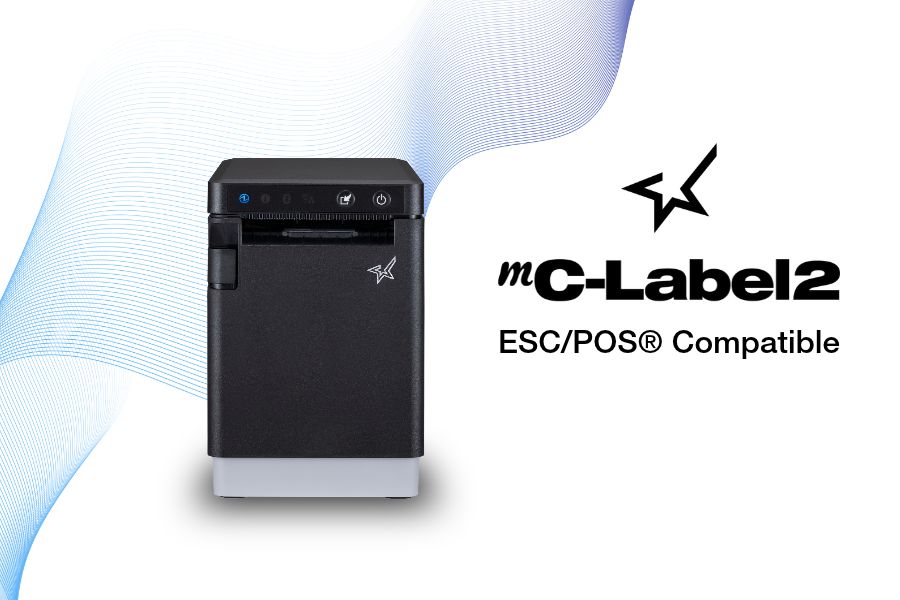
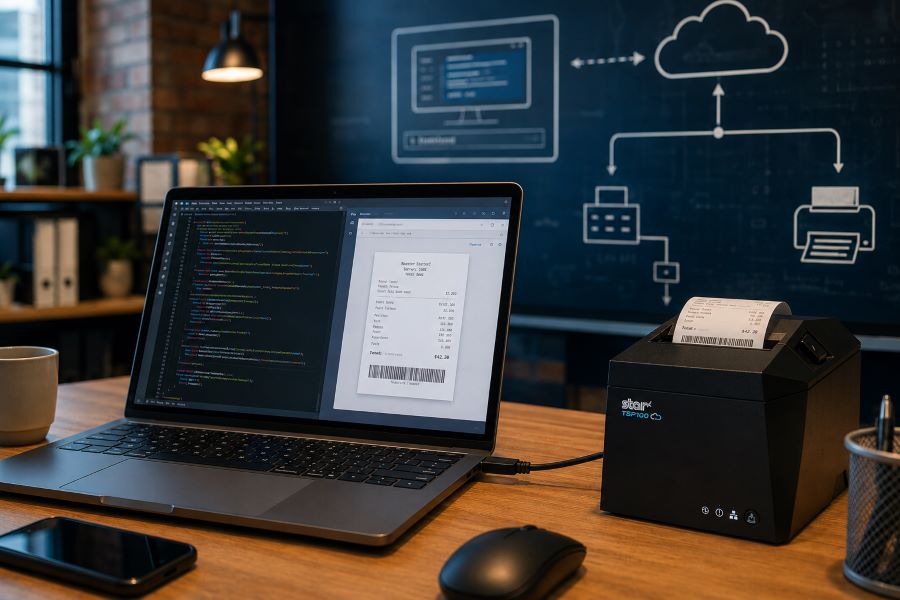
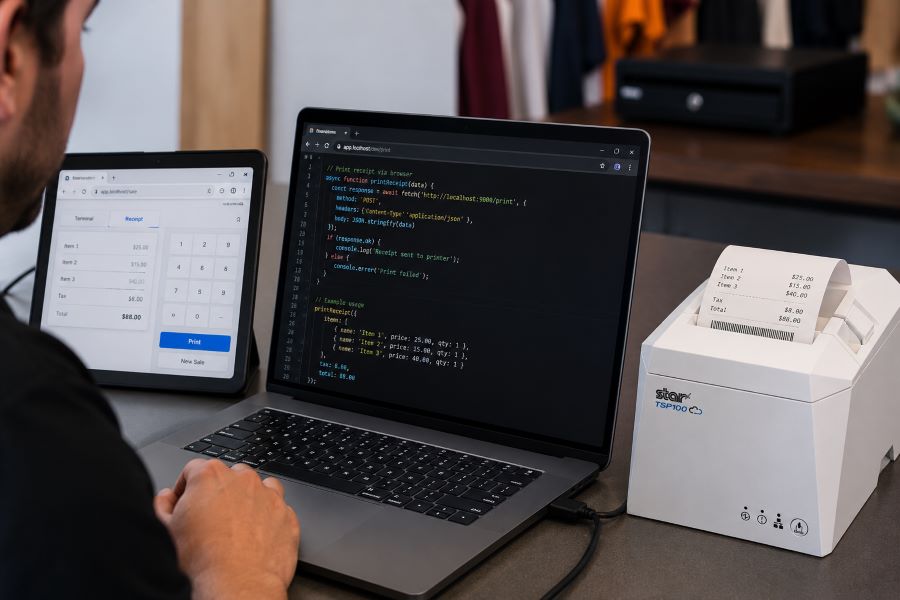
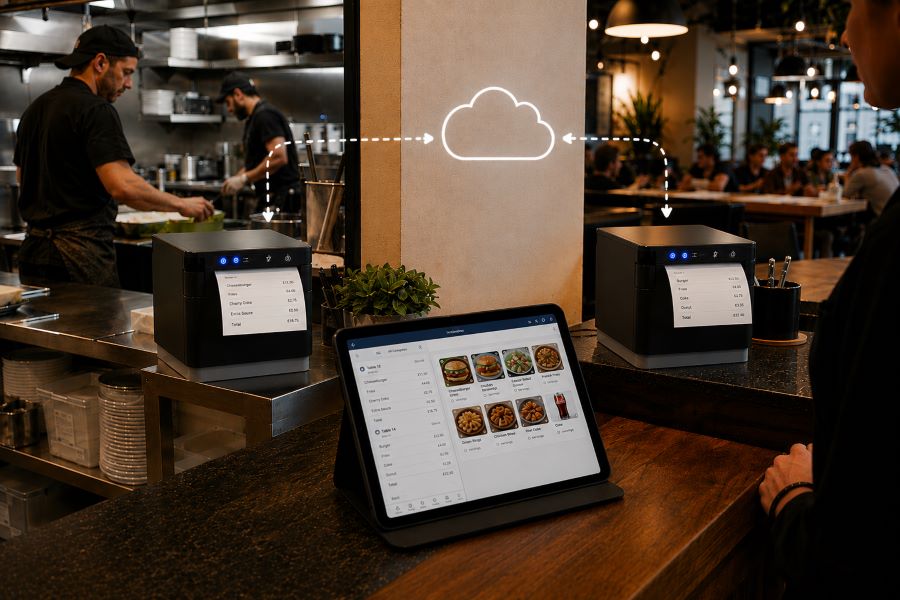
Four new mC-Label2 models bring ESC/POS emulation, 300 dpi printing, modern connectivity, and versatile labeling capabilities to businesses upgrading legacy printing systems.
Somerset, NJ – October 14, 2026 –Star Micronics, a global provider of point-of-sale (POS) hardware, cloud printing, and labeling solutions, today announced four new ESC/POS-compatible models in its mC-Label2 multifunction label printer series. Designed to help businesses modernize aging labeling hardware, the new models combine ESC/POS emulation with the mC-Label2’s compact design, high-resolution printing, and connectivity options.
For businesses and software providers that rely on legacy ESC/POS-based printing systems, replacing outdated hardware can create compatibility challenges and add development costs. The new mC-Label2 models provide a potential migration path to modern labeling technology while supporting existing ESC/POS command environments.
Modern Label Printing with Legacy ESC/POS Compatibility
The new mC-Label2 models bring ESC/POS emulation to Star’s compact, 2-inch labeling platform, letting businesses and independent software vendors (ISVs) evaluate newer hardware without necessarily replacing existing software applications.
Wired label and linerless label printer with cutter
MCL21Ci LBL BK US ESCP
37955410
Wired barcode label printer with tearbar
MCL21CWBi BK US ESCP
37955420
X4 multi-connectivity label and linerless label printer with cutter
MCL21CWBi LBL BK US ESCP
37955430
X4 multi-connectivity barcode label printer with tearbar
All four models support adjustable label widths up to 2 inches, USB-C with Power Delivery, Ethernet connectivity, SteadyLAN, and peripheral connectivity.
“For many businesses, the biggest obstacle to replacing a legacy printer isn’t the hardware itself. It’s the software environment built around it. By bringing ESC/POS emulation to the mC-Label2, we’re giving businesses and software partners a practical path toward modern labeling technology while helping protect their existing software investments.”
Christophe Naasz, Global Director of Business Development at Star Micronics
From retail merchandise and barcode labeling to inventory identification and foodservice applications, businesses increasingly need printers that can accommodate evolving workflows and connectivity requirements.
The new ESC/POS-compatible mC-Label2 models expand Star’s options for businesses seeking to replace older labeling hardware while retaining compatible software workflows. For ISVs and resellers, they also introduce new opportunities to support customer hardware upgrades without requiring a complete change in POS or labeling applications.
For more information about the Star Micronics mC-Label2 printer series, visit starmicronics.com.
Star Micronics is a global provider of point-of-sale (POS) hardware, cloud printing, and labeling solutions that help businesses connect digital workflows to real-world operations. Serving retail, hospitality, healthcare, and service industries, Star delivers printing, labeling, cash management, self-service, and cloud-based technologies designed to support scalable, connected, and automated environments. Star’s solutions support Android, iOS, Windows, and web-based platforms and extend into the cloud through services such as CloudPRNT Next and StarIO.Online, Star’s fully managed cloud printing service.
Your customer calls because a receipt printer is failing. The POS application isn’t the problem. It still handles transactions, employees know it, and the integration has been running for years. The challenge is replacing the printer without rebuilding software that still works.
Many legacy POS systems were built around Epson printers and ESC/POS commands. Years later, those applications may still depend on ESC/POS even when the original printer hardware is ready to be replaced.
That does not mean the entire POS system has to go with it. ESC/POS-compatible printers can interpret supported commands from the existing application, giving VARs and ISVs a way to introduce newer printer hardware while preserving the current integration.
And those options now extend beyond receipt printing. Star Micronics offers ESC/POS support across thermal receipt printers, linerless sticky label printers, and impact kitchen printers.
A legacy POS system is an established point-of-sale environment that remains in use even though newer hardware, software, connectivity, or integration options are available.
That can include a traditional POS system running on fixed terminals, industry-specific software developed years ago, or a custom application that has become deeply embedded in a retailer’s or restaurant’s operations.
Legacy does not necessarily mean obsolete. Businesses may continue using these systems because:
The POS application still handles the transactions and workflows they need.
Employees already know how to use it.
Custom integrations depend on the existing software.
The system is deployed across many locations.
Replacing it would require development, testing, installation, and training.
For VARs and ISVs, the question is often not whether the customer could replace the entire system. It is which parts actually need to change.
If the POS application still works, replacing aging printer hardware may be a much smaller project than replacing the application behind it.
What Is ESC/POS and Why Do Legacy POS Systems Still Use It?
ESC/POS is a printer command system developed by Epson. POS applications use ESC/POS commands to tell a compatible printer what to print and how to perform supported functions, such as formatting text, printing graphics, cutting paper, or opening a connected cash drawer.
Because Epson printers have long been used in POS environments, many established applications were built to communicate using ESC/POS. Years later, those applications may still depend on the same command language even when the original printer hardware is ready to be replaced.
That is where ESC/POS emulation becomes useful.
A printer with ESC/POS emulation can interpret supported ESC/POS commands even when ESC/POS is not its native printer language. For a VAR or ISV, that can make it possible to pair an existing application with newer printer hardware without rewriting the application around a different printer command language.
The important word is supported.
ESC/POS compatibility does not mean every compatible printer will behave identically. An application may rely on specific character sets, formatting, barcodes, cutter commands, cash drawer controls, status responses, or other functions.
That is why ESC/POS support provides a path to newer hardware, but the exact printer, interface, commands, and application still need to be tested before deployment.
How ESC/POS Support Helps VARs and ISVs Modernize a Legacy POS System
Once an existing application can communicate with newer printer hardware through ESC/POS, the printer replacement no longer has to be tied to a full POS migration.
For VARs and ISVs, that opens up several practical options.
Preserve the Existing Printer Integration
If the application already sends supported ESC/POS commands, much of the existing printing logic may be able to remain in place. That can reduce the scope of a printer replacement project for an ISV maintaining established POS software or a VAR supporting customers that are not ready to replace the application itself.
The integration still needs to be tested with the exact printer and functions in use, but the starting point is very different from rebuilding the printing workflow around another command language.
Expand the Printer Hardware You Can Offer
An application built around ESC/POS no longer has to limit the customer to the same type of printer hardware it was originally deployed with.
Current ESC/POS-compatible options can include:
Thermal receipt printers
Linerless sticky label printers
Impact kitchen printers
That is particularly important for established applications that need to support new workflows. A restaurant may want sticky labels for delivery orders while keeping its existing POS application. Another may need to replace an aging kitchen printer without changing the software sending the tickets.
ESC/POS compatibility gives VARs and ISVs more hardware choices while preserving the application’s existing communication method.
Separate Printer Replacement from POS Migration
A customer does not always need to replace its POS software, terminals, peripherals, and printers at the same time. An aging printer can be replaced first while the existing application remains in use. Other changes, such as new devices, online ordering, cloud applications, or different POS software, can happen on their own schedule.
For multi-location customers in particular, that can make a hardware rollout easier to test and manage than an all-at-once POS replacement.
Support Both Existing and Newer Workflows
Many customer environments already contain a mix of technologies. A traditional POS system may still handle in-store transactions while tablets, online ordering, or cloud applications are introduced elsewhere in the business.
Selecting newer printer hardware that supports the existing ESC/POS workflow and additional interfaces or integration technologies gives VARs and ISVs more options as those deployments change.
The existing application can continue using ESC/POS, while other printer capabilities can be used separately where the software and workflow support them.
What Modern Printer Capabilities Can You Add to a Legacy POS System?
Once a newer printer can interpret the ESC/POS commands used by an existing application, VARs and ISVs can look beyond basic printer replacement.
ESC/POS provides the compatibility. The printer provides the newer capabilities. Exactly which capabilities can be used depends on the printer, application, interface, and deployment, but newer hardware can open several possibilities.
1. More Types of Printing Hardware
An application built around ESC/POS does not necessarily have to remain tied to the same type of printer hardware it originally used.
Star now provides ESC/POS support across three distinct printer categories:
Thermal receipt printers for transaction receipts and other standard POS output
Linerless sticky label printers for applications that can generate adhesive labels
Impact printers for kitchen tickets and other environments where impact printing is required
That gives VARs and ISVs more hardware choices when an existing ESC/POS application needs to support a different type of output.
The application still needs to generate the appropriate content, formatting, and supported commands. ESC/POS compatibility alone does not turn a receipt workflow into a label workflow. But it can remove one of the barriers to using a different type of printer.
2. More Connectivity Options
A legacy POS system may have been designed around one specific wired interface. Newer printers can support several connection methods in the same model.
Star’s TSP143IV X4 receipt printer and TSP143IV SK X4 linerless label printer, for example, each include USB-C, Ethernet, Wireless LAN, and Bluetooth connectivity.
X4 models by Star Micronics include USB, LAN, WLAN, and Bluetooth connectivity
That gives VARs and ISVs more choices when the hardware around an established application changes.
A new workstation may use USB-C. Another location may need a network connection. A customer may be introducing tablets or other devices alongside fixed POS terminals.
ESC/POS does not provide those interfaces. It can help preserve supported communication with the existing application while the newer printer provides additional connection options.
That means an ISV could continue supporting an established ESC/POS-based in-store application while developing a separate cloud-printing workflow for online ordering, remote order fulfillment, or another cloud application.
The distinction matters: ESC/POS does not make the legacy POS system cloud-connected. It allows the existing application to continue communicating with the printer, while the same printer may support a separate cloud integration.
For a VAR, ISV, or enterprise team supporting printers across multiple locations, that can make it easier to determine whether a device is connected and investigate printer issues without starting every support case at the physical location.
Like cloud printing itself, these management capabilities are separate from ESC/POS emulation. They become relevant because the newer printer can support both the established ESC/POS workflow and additional technologies.
ESC/POS compatibility allows an existing application to communicate with supported newer printer hardware. It does not automatically give that application access to every capability the new printer offers.
For example:
A printer may include Wireless LAN, but the existing application still needs a supported way to communicate with it over the network.
A printer may support Bluetooth, but that does not turn an older desktop POS application into a mobile application.
A printer may support CloudPRNT Next, but the existing application does not become cloud-connected simply because the printer does.
A linerless label printer may support ESC/POS, but the application still needs to generate the content, formatting, and commands required for the label workflow.
The simplest way to think about it is this: ESC/POS can preserve the communication between the application and the printer. It does not rewrite the application.
New connectivity, cloud printing, label workflows, remote device management, and other capabilities still depend on the printer, software, and integration being used.
How Should VARs and ISVs Evaluate an ESC/POS Printer for a Legacy POS System?
“ESC/POS compatible” is a starting point, not a guarantee that a printer will work with an existing application.
Before recommending new hardware, VARs and ISVs should verify how the application communicates with the current printer, which functions it relies on, and whether the proposed replacement supports those requirements.
1. Confirm That the POS Application Uses ESC/POS
Start with the POS application itself. Check its documentation, printer configuration, integration settings, or developer resources to confirm that it sends ESC/POS commands.
If the application uses another printer language, a driver-specific workflow, or a proprietary integration, ESC/POS emulation alone will not make the new printer compatible.
2. Identify the Commands and Functions the Application Relies On
Two applications can both use ESC/POS while depending on very different printer functions.
Test the functions used in the actual deployment, such as:
Text formatting
Character sets and code pages
Logos and graphics
1D and 2D barcodes
Paper cutting
Cash drawer commands
Printer status
Receipt layouts
Label layouts and formatting
A basic receipt application has different requirements from one that also controls a cash drawer, prints barcodes, or generates linerless labels.
3. Verify the Connection Method
Confirm how the application communicates with the printer today and whether the proposed printer supports ESC/POS through the required interface. That may include USB, Ethernet, serial, or another connection.
This matters because ESC/POS support can vary by model and interface. For example, Star’s ESC/POS support on the SP742 impact printer is specifically LAN-based.
4. Review the Rest of the Software Environment
The printer is only one part of the integration. Also verify:
Operating system
Drivers
SDKs or libraries
Printer firmware
POS software version
Network configuration
Peripheral controls
A printer may support ESC/POS and still require changes elsewhere in the deployment before it can replace the existing hardware.
5. Match the Printer to the Required Output
Once application compatibility is established, choose the printer technology based on what the customer actually needs to print.
Thermal receipt printing: For transaction receipts and other standard POS output.
Linerless label printing: For adhesive labels used in order identification, food and beverage workflows, retail, and other labeling applications.
Impact printing: For kitchen environments where heat and humidity can affect thermal paper or where multipart copies are required.
This is also where Star’s expanded ESC/POS lineup becomes relevant. The same ESC/POS-dependent application environment may now have options across receipt, linerless label, and impact printing rather than being limited to one printer category.
6. Pilot Before a Large Deployment
Test the proposed printer with the actual application before rolling it out across a customer base.
Use the same:
POS software version
Operating system
Connection type
Printer firmware
Receipt or label layouts
Media
Peripherals
Network configuration
A controlled pilot can expose formatting, command, interface, or configuration differences before they are repeated across dozens or hundreds of installations.
Star ESC/POS Printer Options for Legacy POS Systems
Star Micronics expanded ESC/POS support across receipt, linerless label, and impact printing options, giving VARs and ISVs several choices when supporting existing ESC/POS applications.
Star Printer
Primary Output
ESC/POS Support
Connectivity
TSP143IV UE
Thermal receipts
ESC/POS emulation
USB-C, LAN
TSP143IV X4
Thermal receipts
ESC/POS emulation
USB-C, LAN, WLAN, Bluetooth
TSP143IV UE SK
Linerless sticky labels
ESC/POS emulation
USB-C, LAN
TSP143IV SK X4
Linerless sticky labels
ESC/POS emulation
USB-C, LAN, WLAN, Bluetooth
SP742 LAN
Impact kitchen tickets
LAN-based ESC/POS emulation
Ethernet
TSP143IV for Thermal Receipt Printing
The TSP143IV thermal receipt printer gives VARs and ISVs a current thermal receipt printer option for legacy POS systems that rely on ESC/POS.
The UE model provides USB-C and LAN connectivity. The X4 adds WLAN and Bluetooth, giving solution providers a single receipt printer model that meets multiple connectivity requirements.
TSP143IV Thermal Receipt Printer
Star’s TSP143IV series thermal receipt printer combines a compact design with flexible connectivity, including Android Open Accessory (AOA). It’s Cloud Ready for Star Cloud Services and designed for straightforward installation across traditional POS, mPOS, retail, and hospitality environments.
For customers who need adhesive output rather than a conventional receipt, the TSP143IV SK brings ESC/POS support to linerless sticky label printing.
The printer supports 80 mm, 58 mm, and 40 mm media widths. The X4 model includes USB-C, LAN, WLAN, and Bluetooth, while the UE model provides USB-C and LAN.
That gives VARs and ISVs another option when an existing POS application needs to support labeling for order identification, food and beverage, retail, or other workflows.
TSP143IV SK Sticky Label Printer
The TSP143IV SK by Star Micronics sets a new standard for compact, eco-friendly liner-free label printing using residue-free removable sticky labels. It offers advanced connectivity options like Bluetooth, USB-C, Wi-Fi, and AOA support for today’s diverse business setups.
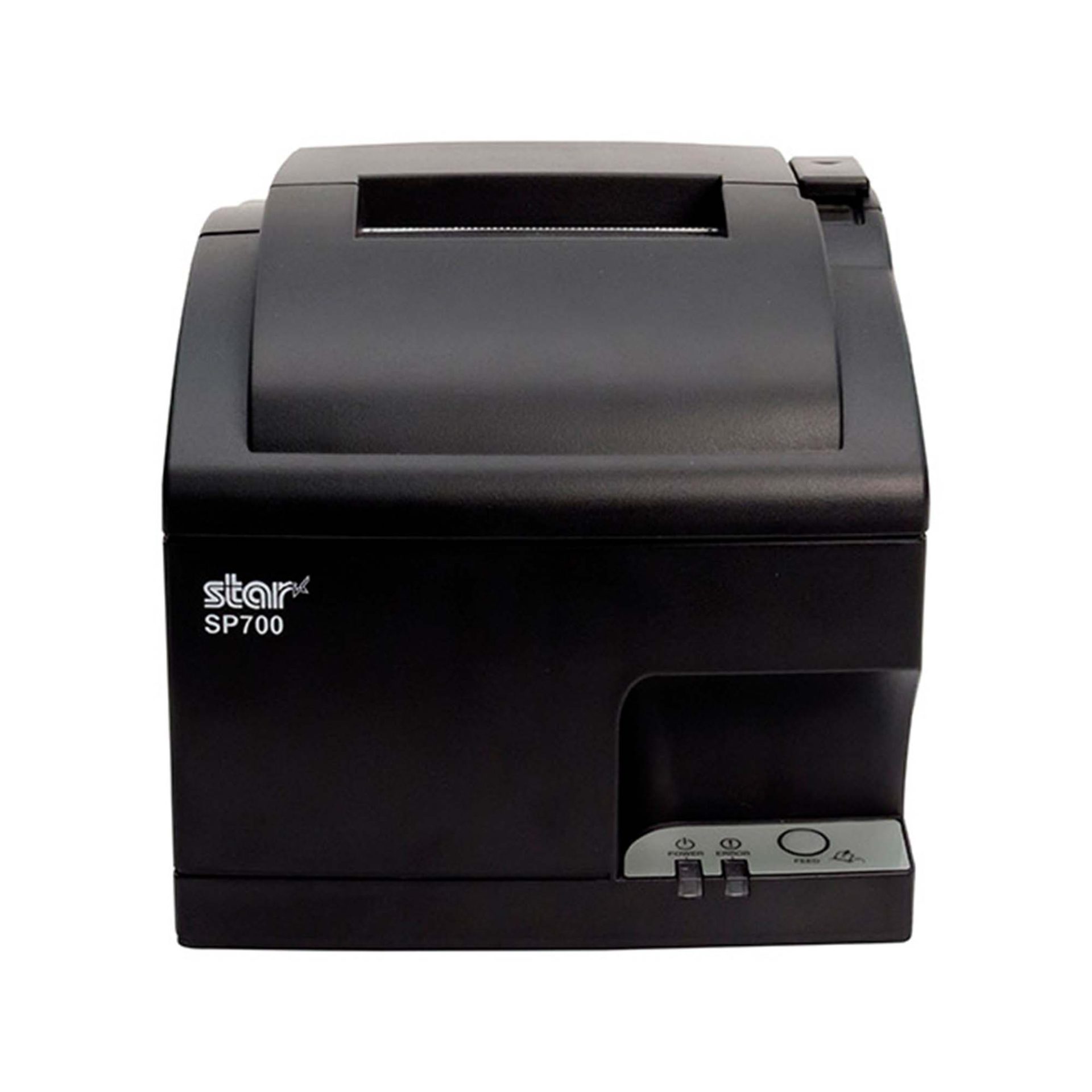
The SP742 provides LAN-based ESC/POS emulation for applications that require impact output.
Impact printing remains useful in restaurant kitchens where heat and humidity can interfere with thermal paper. The SP742 also supports two-color printing and multipart copies, which can be useful when kitchen operations require duplicate tickets.
SP742 Impact Printer
The SP742 impact printer is built for demanding kitchen environments, with fast two-color printing and support for multipart tickets. Available connectivity options include Ethernet and Bluetooth, giving restaurants and foodservice operations flexible ways to route and print kitchen orders.
Modernize the Printer Without Replacing the Entire POS System
A failing or outdated printer should not automatically force a customer into a full POS migration.
For VARs and ISVs supporting a legacy POS system, ESC/POS compatibility can provide a practical way to keep an established application in place while replacing the hardware around it. The application can continue sending supported ESC/POS commands, while newer printers provide current options for receipt printing, linerless labels, impact kitchen tickets, connectivity, and other supported integrations.
The distinction is simple: ESC/POS preserves the communication path. The newer printer changes what hardware you can put at the other end of it.
That gives solution providers more ways to address an immediate printer need without rebuilding software that is still doing its job.
An Independent Software Vendor’s Guide to Star Printer SDKs
This guide breaks down Star Micronics’ printer SDKs, APIs, and integration tools to help ISVs choose the right solution for POS systems, cloud printing platforms, and custom software applications.
Frequently Asked Questions About ESC/POS and Legacy POS Systems
What is a legacy POS system?
A legacy POS system is an established point-of-sale environment that remains in use even though newer hardware, software, connectivity, or integration options are available.
The system may still perform its required functions, but replacing peripherals or adding newer technologies can become more difficult because of existing software and hardware dependencies.
What is ESC/POS compatibility?
ESC/POS is Epson’s proprietary POS printer command system. ESC/POS compatibility means a printer can interpret supported ESC/POS commands sent by an application.
Printers that use another native command language can provide ESC/POS emulation, allowing applications built around ESC/POS to communicate with supported printer hardware.
Can a traditional POS system use a newer printer?
Yes, depending on how the POS application communicates with its current printer.
If a traditional POS system sends ESC/POS commands and the newer printer provides compatible ESC/POS support, it may be possible to replace the printer without replacing the POS application. The exact printer model, interface, commands, firmware, and software environment should still be tested before deployment.
Can an application built for an Epson ESC/POS printer work with a Star printer?
Potentially, yes. If the application sends ESC/POS commands supported by the Star printer, ESC/POS emulation may allow the existing application to communicate with the new hardware.
That does not make every Star printer a drop-in replacement for every Epson printer. VARs and ISVs should verify the exact commands, connection method, printer functions, and application behavior before deployment.
Star currently provides ESC/POS emulation across the TSP143IV UE and X4 receipt printers, TSP143IV UE SK and SK X4 linerless label printers, and LAN-based ESC/POS emulation on the SP742 impact printer.
Does ESC/POS compatibility make a printer a drop-in replacement?
Not necessarily. Two printers can both support ESC/POS but differ in command support, character sets, status handling, interfaces, configuration, and other behaviors.
VARs and ISVs should test the existing application with the exact printer model before deploying it as a replacement.
Do I need to update POS software to use an ESC/POS printer?
Not always. If the existing application already sends ESC/POS commands supported by the new printer, significant changes to the application’s printing logic may not be necessary.
However, configuration, drivers, interface settings, or application changes may still be required depending on the deployment.
Can an ESC/POS application work with receipt, label, and impact printers?
Yes, provided the application sends commands supported by the printer and can generate the content required for that type of output.
ESC/POS compatibility is available across different printer categories. Star currently offers ESC/POS emulation on TSP143IV thermal receipt printers and TSP143IV SK linerless label printers, as well as LAN-based ESC/POS emulation on the SP742 impact printer.
The printer hardware determines the media and type of output. For example, moving from receipts to linerless labels also requires the application to generate the appropriate label content and formatting.
Can ESC/POS add wireless or cloud printing to a legacy POS system?
ESC/POS itself does not add wireless or cloud printing.
A newer ESC/POS-compatible printer may also provide WLAN, Bluetooth, CloudPRNT, or CloudPRNT Next. Those are separate printer and integration capabilities. Whether they can be used depends on the application, printer model, connection method, and integration.
For example, Star’s X4 receipt and linerless label models combine ESC/POS emulation with USB-C, LAN, WLAN, Bluetooth, and CloudPRNT Next support.
Browser-based receipt printing has become a core part of POS applications across retail, restaurants, kiosks, and self-service environments. As cloud POS platforms and online ordering systems continue to grow, software providers need reliable ways to trigger receipts, labels, and kitchen tickets directly from web applications.
For years, Star Micronics’ WebPRNT has given developers a practical way to handle local USB printing directly from the browser, without requiring desktop software or additional middleware.
Today, StarXpand SDK for Web builds on that same browser-to-device model with a more unified SDK for printing and peripheral control, while CloudPRNT supports LAN and cloud-managed printing across distributed environments.
Understanding where each fits can help ISVs reduce integration complexity and choose the right architecture for long-term growth.
When browser-based POS systems became more common, one of the biggest technical challenges was local printer communication. A web application could manage transactions, but connecting directly to a receipt printer from a browser was often difficult without middleware, desktop applications, or custom local services.
WebPRNT helped solve this by enabling direct browser-to-printer communication over USB. This made browser-based printing practical for:
That shift changes how printers need to communicate. Some environments still depend on local USB printing. Others now require printers to communicate over LAN or directly with cloud services.
That distinction is what separates WebPRNT, StarXpand SDK for Web, and CloudPRNT.
What Is WebPRNT?
WebPRNT is Star’s browser-based printing technology designed specifically for browser-based receipt printing over direct USB connections. It allows web applications to send print jobs directly to supported Star printers without requiring a native application layer.
For developers, this makes WebPRNT useful when:
The browser runs locally at the print station
The printer is physically connected by USB
Printing requirements are focused only on output
Many ISVs still use WebPRNT successfully in established deployments because it remains stable and predictable for local browser printing. For existing integrations that are already working, WebPRNT remains a practical option.
What Is StarXpand SDK for Web?
StarXpand SDK for Web is Star’s browser-based SDK for USB-connected printers and supported peripherals. Like WebPRNT, it supports local browser-to-device communication over USB. The difference is in the SDK model.
Instead of focusing only on print output, StarXpand SDK provides a broader API structure that aligns with Star’s SDK ecosystem across:
For developers building new browser-based receipt printing workflows, StarXpand SDK for Web provides a broader SDK model that extends beyond print output. This can simplify development when browser applications need to interact with multiple hardware types, not just printers.
This makes it useful for browser-based POS environments where printing is only one part of the workflow.
What Is CloudPRNT?
CloudPRNT is Star’s cloud printing technology for LAN and Wi-Fi connected printers. Unlike WebPRNT and StarXpand SDK for Web, CloudPRNT does not depend on direct USB communication between the browser and printer. Instead, it allows printers to pull print jobs directly from cloud applications over a network.
Star supports two CloudPRNT communication methods:
HTTP polling, where printers regularly check a cloud server for new print jobs
MQTT messaging through CloudPRNT Next, a publish-subscribe protocol that enables faster, more efficient real-time print delivery
For developers, this provides more flexibility depending on the deployment.
HTTP-based CloudPRNT remains effective for many existing cloud printing environments, while MQTT-based CloudPRNT Next can reduce latency and improve responsiveness for high-volume or multi-location deployments.
This makes CloudPRNT useful when:
Print jobs originate remotely
Multiple locations need centralized print routing
Online ordering systems send jobs directly to kitchen printers
Low-latency print delivery is important
Local devices should not manage printer connections
For distributed environments, this can reduce local infrastructure requirements and simplify cloud-based receipt printing at scale.
Why StarXpand SDK for Web Matters for New Development
For ISVs building new browser-based POS applications, StarXpand SDK for Web solves a different problem than WebPRNT. It is less about replacing WebPRNT and more about reducing fragmentation between SDKs.
This matters when development teams need:
Shared Logic Across Platforms
If your software runs on browser, tablet, and mobile environments, StarXpand SDK creates more API consistency. This can reduce duplicated hardware logic across teams.
More Than Print Output
Many modern POS workflows include:
Drawer status checks
Scanner-triggered workflows
Labeling stations
Shared hardware access
StarXpand SDK can support these through one SDK model.
Easier Long-Term Maintenance
Maintaining separate hardware integration layers across web and mobile can increase support costs over time. Using one SDK family can reduce that overhead.
Migration Considerations for Existing WebPRNT Users
If you already have a working WebPRNT deployment, there may be no immediate reason to change it.
WebPRNT remains effective for:
Local USB receipt printing
Browser-based order ticket printing
Fixed workstation POS environments
Migration becomes more relevant when:
Expanding into mobile apps
Adding peripheral hardware support
Standardizing SDKs across multiple platforms
Rebuilding core hardware logic
For ISVs planning future product updates, this is often the point where StarXpand SDK becomes worth evaluating.
Key Considerations Before Choosing a Browser Receipt Printing Solution
Before choosing between WebPRNT, StarXpand SDK for Web, and CloudPRNT, start with the deployment model.
Where does the print job originate?
If the print job starts at the local browser and the printer is USB-connected, WebPRNT or StarXpand SDK for Web are often the right fit.
If the print job originates in the cloud, CloudPRNT is often the better option.
Is this an existing deployment or new development?
For existing WebPRNT integrations, staying with the current architecture may be the simplest path.
For new builds, the StarXpand SDK may offer greater long-term flexibility.
Do you need to control more than printing?
If the workflow includes drawers, scanners, or other Star peripherals, StarXpand SDK can simplify communication.
If printing is the only requirement, WebPRNT may still be sufficient.
Will this scale across locations?
If the deployment spans multiple stores, remote kitchens, or distributed print stations, CloudPRNT often provides more flexibility than local USB connections.
Choosing the right architecture early can reduce future integration changes and simplify deployment support.
An Independent Software Vendor’s (ISV’s) Guide to Star Printer SDKs
This guide breaks down Star Micronics’ printer SDKs, APIs, and integration tools to help ISVs choose the right solution for POS systems, cloud printing platforms, and custom software applications.
Browser-based receipt printing is no longer one-size-fits-all. Some POS environments still rely on direct USB connections at a local workstation. Others now depend on cloud-based routing across multiple locations. That’s why Star offers multiple browser and cloud printing technologies built for different deployment models.
WebPRNT remains a proven option for stable local USB printing.
StarXpand SDK for Web provides a stronger framework for new browser-based development that needs broader hardware communication.
And CloudPRNT remains the best fit for LAN-connected and cloud-managed printing environments.
For ISVs and developers, the best choice depends less on features and more on architecture: where print jobs originate, how hardware is connected, and how the application will scale over time.
Interested in browser-based receipt printing with Star?
Frequently Asked Questions About Browser-Based Receipt Printing
What is browser-based receipt printing?
Browser-based receipt printing allows web applications to send print jobs directly to a receipt printer without requiring a traditional desktop application. Depending on the deployment, this can happen through local USB communication or cloud-based network printing.
When should I use browser-based receipt printing instead of cloud printing?
Browser-based receipt printing is best when a local device needs to send print jobs directly to a USB-connected printer. Cloud printing is often better for LAN-connected printers, remote print routing, or multi-location deployments.
What is the difference between WebPRNT and StarXpand SDK for Web?
WebPRNT focuses on browser-based USB printing. StarXpand SDK for Web also supports USB printing, but adds a broader API structure for printers and peripherals.
Does StarXpand SDK for Web replace WebPRNT?
Not directly. Existing WebPRNT integrations can continue to operate. StarXpand SDK for Web is better suited for new browser-based development.
Can I still use WebPRNT for browser-based receipt printing?
Yes. WebPRNT remains a supported and effective option for local USB browser printing.
When should I use CloudPRNT instead of StarXpand SDK for Web?
Use CloudPRNT when printers need to connect over LAN or Wi-Fi and receive print jobs directly from cloud applications.
Is StarXpand SDK for Web only for USB printing?
Yes. For browser deployments, StarXpand SDK for Web is designed for direct USB communication.
Can StarXpand SDK for Web control devices besides printers?
Yes. It supports compatible Star peripherals such as cash drawers, POS scales, and barcode scanners.
What is the best receipt printing method for cloud POS systems?
For cloud POS systems with remote or multi-location print routing, CloudPRNT is generally the best fit.
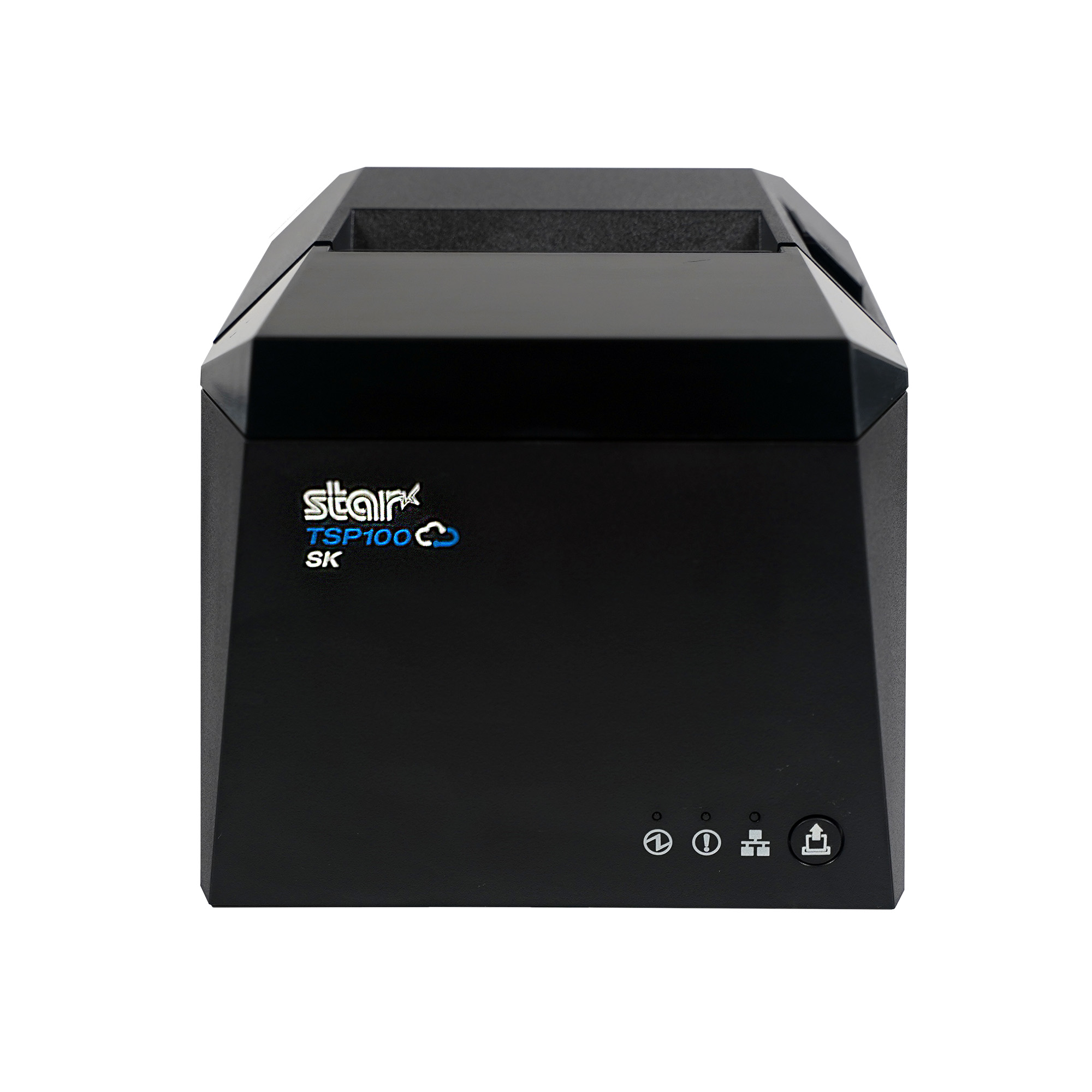
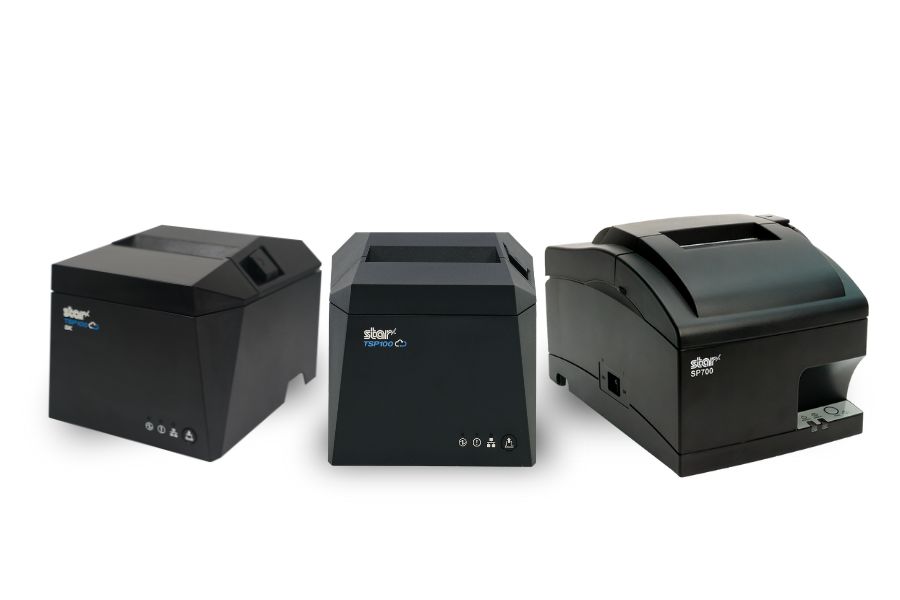
New ESC/POS printer support includes the TSP100IV series, including SK models, and LAN-based ESC/POS emulation for the SP742 impact printer.
Somerset, NJ – January 30, 2026 – Star Micronics today announced expanded ESC/POS printer support for the TSP100IV thermal printer series, including TSP100IV SK models, and added LAN-based ESC/POS emulation for the SP742 impact printer. This update extends across the UE and X4 models, including both receipt and linerless sticky label printers. It gives retailers, resellers, and software developers the flexibility to expand their Star hardware portfolio or move to Star, even when their current applications rely on ESC/POS support.
TSP143IV Series with ESC/POS: Compact & Connected
The TSP143IV UE (thermal receipt) and TSP143IV UE SK (linerless sticky label) provide a balance of compact design and versatile connectivity. Both models feature USB-C, LAN, CloudPRNT, and Android Open Accessory (AOA) support. With the addition of ESC/POS emulation, integration with legacy systems is even simpler.
TSP143IV X4 Series with ESC/POS: Future-Proof Versatility
The TSP143IV X4 (thermal receipt) and TSP143IV SK X4 (linerless sticky label) printers bring four interfaces in one device — “Ultra-C” USB-C, LAN, WLAN, and Bluetooth — along with CloudPRNT Next for faster, more reliable cloud-based printing. Now with ESC/POS emulation, the X4 series ensures maximum compatibility while maintaining industry-leading performance and connectivity.
Shared Features Across All Models
ESC/POS emulation for broader software support
High-speed thermal printing (up to 250mm/s on receipt models, 180mm/s on SK label models)
Built-in guillotine auto-cutters
Compact, space-saving design with internal power supply
EnergyStar certification and eco-friendly packaging with minimal plastic
SP742 Impact Printer Adds ESC/POS Support via LAN
Star Micronics has also expanded ESC/POS™ emulation support to its SP742 impact printer with the LAN interface. This update enables broader compatibility with legacy POS systems that rely on ESC/POS while continuing to support environments that require durable, impact-printed output. The SP742 remains well suited for kitchens, back-office operations, and other applications where impact printing is preferred.
Supporting Retail & Hospitality Innovation
“By adding ESC/POS emulation to all four models in the TSP100IV series, we’re giving businesses and ISVs greater flexibility without compromising the advanced performance that defines Star. Whether for receipts or linerless sticky labels, the UE and X4 models deliver the connectivity, reliability, and sustainability today’s businesses need.”
Christophe Naasz, Global Director of Business Development at Star Micronics
For more details on the new ESC/POS-enabled models, visit starmicronics.com or contact sales@starmicronics.com.
Star Micronics is a global leader in POS hardware and transaction technology, providing printers, secure cash management, and connected peripherals for retail and hospitality environments. Known for reliability and developer-friendly integration, Star solutions work seamlessly with Android™, iOS, Windows®, and web-based POS platforms to power receipt, label, ticket, and order printing across modern commerce environments.
Star’s cloud technologies extend printing beyond the counter. CloudPRNT Next enables scalable direct cloud printing, while StarIO.Online is Star’s fully managed cloud printing service that removes the need for server infrastructure and simplifies remote printer management across distributed locations. Star also offers a broad portfolio of POS peripherals, including barcode scanners, scales, and tablet stands, designed to work together as a complete hardware solution.